Are shipping delays and misaligned labels slowing your business? These issues can hurt customer satisfaction and profits. As orders grow, you need a reliable way to speed up shipping.
That’s why only the best thermal shipping label printer is the answer. It saves on ink and toner, prints labels fast, and works well with online stores.
This article will show why a top thermal printer is key for growing businesses. It saves time, money, and effort. It also makes shipping labels better and more accurate. Whether you want to simplify your work or cut costs, we’ll help you choose the right one.
Let’s see why you can’t settle for anything less than the best.
Organized for You
1. Save Money by Eliminating Ink and Toner Costs
Using the best thermal shipping label printer saves a lot of money. It doesn’t need ink or toner like regular printers do. Instead, it uses heat to print on special paper.
This saves a lot of money, especially for businesses that print a lot of labels. Traditional printers need expensive ink cartridges and toner.
Studies show that office supplies cost a lot. Companies with 1-4 employees spend about $1,844 per employee each year. Half of this is for things like ink and paper.
Switching to a thermal printer can cut these costs a lot. It’s a smart move for businesses wanting to save money.
The best thermal shipping label printer is made for saving money. It offers an ink-free way to print. This helps your business save money and grow in other areas.
The best thermal shipping label printer is much faster than others. It can print high-quality labels in seconds. This makes the shipping process for small businesses much faster.
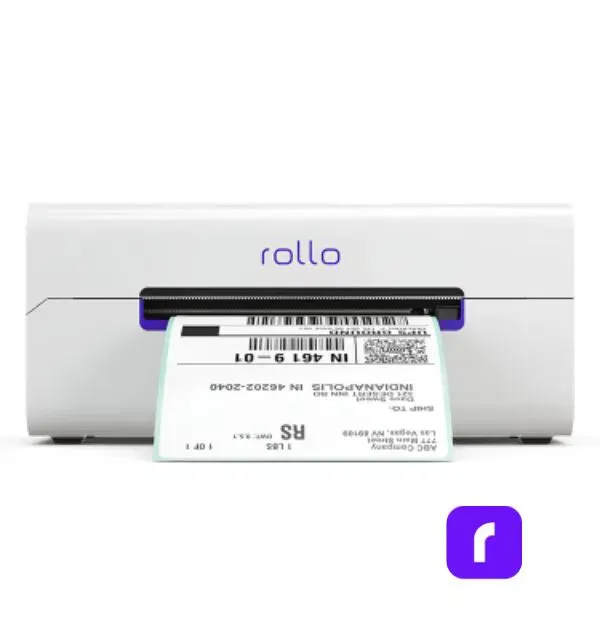
For example, Rollo’s wireless thermal printer can print 150 labels per minute. This cuts down the time it takes to print labels. Your business can then process orders faster, making customers happier.
3. Increase Your Business’s Productivity
Fast and accurate label printing boosts productivity. The best thermal shipping label printer makes label creation quick and cuts downtime.
Traditional printers often have problems like jams and ink smudges. These issues can cause delays and cost a lot.
Thermal printers, however, are reliable and need little maintenance. They work well even during busy times.
Imagine running an online shop during big sales. You need a printer that can keep up with demand.
The best thermal shipping label printer lets you print labels without stopping. This helps you fulfill orders on time.
4. Easy Integration with E-Commerce Platforms
Today’s e-commerce businesses use many sales channels. It’s important to have a label printer that works well with these platforms. Thermal printers work great with Amazon, Etsy, Shopify, eBay, and more.
They make it easy to print labels for individual or bulk orders. You can do this directly from these platforms.
The best thermal shipping label printer works well with Shopify, Etsy, and eBay. It lets users print labels easily. This saves time and makes sure orders are fulfilled quickly and right.
Thermal label printers, like Rollo, are small and light.
They fit easily on desks or countertops without cluttering.
For those who need to move around, Rollo’s mini printers are perfect. They’re small and wireless, making them easy to use anywhere.
7. Simplified Setup for Any Business
Thermal label printers are easy to set up. You don’t need to be tech-savvy. Most models plug and play, connecting via USB, WiFi, or Bluetooth. You can start printing in minutes.
Rollo’s printer is easy to set up. It works with iOS, Android, and Windows. It also has WiFi and Bluetooth for wireless printing, making it great for all businesses.
8. Print Anywhere with Wireless Connectivity
Wireless printing is key for today’s flexible workspaces. The best thermal label printer lets you print from any device without cables. This lets you set up your printing station anywhere.
Here are some benefits of the best thermal label printer:
📱 Print from Multiple Devices: You can print from computers, smartphones, or tablets easily.
🔌 No Cables Required: You don’t need to deal with cables or USB connections. Print anywhere in your office or remote workspace.
🏠 Ideal for Remote Teams: Businesses with remote teams or shared workspaces can use flexible, on-the-go printing options.
⚡ Faster Workflow: Wireless printing makes setup quicker. You can produce labels fast without interruptions.
The best thermal shipping label printer by Rollo makes printing easy from many devices. You don’t need USBs for it. This is great for teams working remotely or in shared spaces.
9. Seamlessly Streamlines Orders with Shipping Software
Pairing the best thermal shipping label printer with shipping software makes things more efficient. Rollo Ship is designed to make label creation and tracking easy. It gives your business a complete shipping solution.
💸 Instant Rate Comparisons: Compare rates across multiple carriers (USPS, UPS, FedEx) in seconds, helping you select the most cost-effective shipping option for every order.
📦 Batch Label Printing: Print multiple shipping labels at once, streamlining your workflow and saving time during high-volume shipping periods.
📲 Tracking and Notifications: Automatically send tracking information to your customers, reducing inquiries and improving customer satisfaction.
🤑 Discounted Shipping Rates: Access discounted shipping rates through Rollo Ship, helping you cut down on costs and increase your profit margins.
Using the best thermal shipping label printer with Rollo Ship gives you a powerful solution. It reduces headaches, boosts productivity, and saves money.
Many businesses care about the environment, and thermal shipping label printers are a green choice. They don’t use ink or toner cartridges, which means less waste and a smaller carbon footprint. Plus, the paper they use can often be recycled.
The best thermal shipping label printer is good for the planet. It doesn’t need ink cartridges or toners, which are hard to recycle. This fits well with businesses that want to be eco-friendly.
Final Words
The best thermal shipping label printer is more than just a tool. It makes your shipping process smoother. It saves money, speeds up label making, and needs less maintenance. It’s perfect for small and medium-sized businesses.
Now is a great time to think about getting a thermal printer. Rollo’s wireless model can make your operations easier. It can help you save money, reduce mistakes, and make labels last longer. Rollo offers a reliable and cost-effective solution for growing businesses.
Ready to improve your shipping? Check out Rollo’s thermal shipping label printer. It can change how you handle orders. Visit Rollo today and see how it can make your shipping better.
Frequently Asked Questions About The Best Thermal Shipping Label Printer
📌 Q: What makes the best thermal shipping label printer stand out?
💭 A: The best thermal shipping label printers offer high-speed printing, durable labels, easy integration with e-commerce platforms, and cost savings by eliminating the need for ink or toner. These features improve efficiency, reduce errors, and help businesses streamline their shipping processes.
📌 Q: How does a thermal shipping label printer save on costs?
💭 A: Yes, the best thermal shipping label printer, including Rollo’s thermal printers, can print on a variety of label sizes, as long as the labels are compatible with the printer. This flexibility makes them ideal for businesses that need to print different types of labels, such as shipping labels, barcode labels, or product labels.
📌 Q: Can a thermal shipping label printer integrate with my e-commerce platform?
💭 A: Yes, the best thermal shipping label printers integrate seamlessly with popular e-commerce platforms like Shopify, Etsy, Amazon, and eBay. This allows for quick, efficient label printing directly from your order management system.
📌 Q: Why is label durability important in shipping?
💭 A: Durable labels are crucial in ensuring that your packages reach their destination with clear, scannable barcodes and legible addresses. The best thermal shipping label printers produce smudge-proof, water-resistant labels that withstand rough handling during transit.
📌 Q: How can a thermal shipping label printer improve my business’s productivity?
💭 A: A high-quality thermal shipping label printer speeds up the printing process, reduces maintenance, and minimizes errors. This allows businesses to print labels faster, fulfill orders more efficiently, and ultimately improve customer satisfaction with timely deliveries.
Shipping can slow down your business. For online sellers and small businesses, making and applying labels can be stressful. But it doesn’t have to be.
At Rollo, we believe shipping should be fast, efficient, and yes, even fun! In this article, we’ll share tips to make custom label printing easy. With the right tools, you can streamline your packaging process. All while saving time and enhance your brand.
Ready to start? Let’s dive in!
Post Highlights
Why Custom Printed Labels Is Essential for Online Sellers
Common Challenges in Custom Label Printing
Custom printed labels are key for a memorable brand experience. But, they come with challenges. Let’s look at some common issues small businesses face:
Challenge
Description
Solution
💸 Printing Costs
Personalized labels can be expensive, especially for small businesses or higher quantities.
Use Rollo’s affordable FSC-certified label sheets to reduce costs, especially when batch printing.
🎨 Label Design
Many small businesses lack the design skills needed for professional-looking printed labels with custom shapes or logos.
Use Rollo’s Custom Label Design App to easily customize pre-designed templates or create your own design.
🌱 Label Materials
Choosing the right label material is confusing, especially with so many options available.
Opt for FSC-certified, BPA-free waterproof labels from Rollo that offer durability and eco-friendliness.
By tackling these issues, you can make label printing easier. Your labels will show off your brand’s identity and values.
Your product’s packaging is often the first thing your customers notice. Custom labels play a huge role in shaping that impression. Well-designed, high-quality labels can:
✅ Enhance your brand’s credibility by making your products look polished and professional.
📦 Improve customer satisfaction by providing clear, branded labels that make unboxing a memorable experience.
🔁 Increase brand recognition by showcasing your logo, colors, and messaging consistently across all your packaging.
Investing in the perfect custom label isn’t just about aesthetics; it’s about building a brand that customers trust and remember.
Top Hacks for Efficient Custom Label Printing
To streamline your shipping process and make custom label printing more enjoyable, here are four powerful hacks. They will save you time and help you create perfect custom labels that truly stand out.
Hack #1: Use Pre-Designed Templates to Save Time
Creating custom labels stickers from scratch can be a time-consuming task. Fortunately, with pre-designed templates, you don’t need to start from zero.
Rollo’s Custom Label Design App offers a wide range of ready-made templates that can be customized in minutes. Whether you’re looking for simple designs or something more intricate, you’ll find a variety of options to suit your business.
Here’s how you can save time using pre-designed templates:
🎨 Browse Templates: Start by exploring Rollo’s design library, where you can choose from various templates tailored to different industries.
🖌️ Customize the Design: Once you’ve chosen a template, simply upload your artwork file, adjust the colors, and add any text you need.
👁️ Preview Your Label: The app allows you to see a real-time preview of your printed labels, ensuring everything looks perfect before printing.
🖨️ Print Ready: Once finalized, your design can be printed instantly with Rollo’s wireless label printers.
By leveraging templates, you can create professional-looking stickers in a fraction of the time it would take to design from scratch.
Hack #3: Choose the Right Label Format for Your Needs
Not all labels are the same. The right shape can change how you print.
🔄 Roll Labels: Great for lots of printing, roll labels work well with automatic dispensers. They’re perfect for shipping labels or product labels, like Rollo’s 4×6 Roll Labels and 2×1 Barcode Labels.
🗂️ Stack Labels: For a simple solution, stack labels (like Rollo’s 4×6 Stack Labels) are ready to use without a holder. They’re good for businesses needing flexibility and ease.
🎨 Circle Labels: Rollo’s 2-inch Circle Labels, in many colors, add a fun touch to boxes. They’re versatile for branding, inventory tags, or fun stickers.
Each type has its own benefits. Choose the one that fits your needs best. Rollo has many options for a smooth labeling process.
Hack #4: Choose Sustainable and High-Quality Label Materials
Picking the right label material is key for your business and the planet. Rollo focuses on eco-friendly options that work well.
🌿 FSC-Certified Labels: All Rollo labels are FSC® Certified, from responsibly managed forests. They’re great for eco-conscious businesses.
🖨️ Thermal Printing Technology: Rollo labels use heat, not ink, for printing. This is better for the environment and saves money.
🔖 Multiple Label Sizes and Formats: Rollo has many sizes and types, like 4×6 labels for shipping or 2-inch circle labels. They’re perfect for different needs.
Choosing Rollo’s labels means you get quality and help the planet.
How Rollo Makes Custom Label Printing Fun and Easy
Rollo makes custom label printing easy and fun for all businesses.
Rollo’s Custom Label Design App
Rollo’s app is easy to use, even if you’re not good at design. You can pick templates, upload logos, and change colors and fonts quickly.
The app shows you how your label will look before you print. This makes sure your labels are just right from the start.
Wireless Label Printers for Quick Printing
Rollo’s wireless label printers let you print anywhere, anytime. They make batch printing easy. You can print many labels at once without stopping.
Custom Label Printing for Eco-Friendly Solutions
Businesses wanting to be eco-friendly can use Rollo’s eCommerce order fulfillment solutions. They offer biodegradable and recyclable label materials. This choice helps your brand go green while keeping labels top-notch.
Custom label printing can be easy and rewarding. Use pre-designed templates to make design quick. Batch printing speeds up the process, and the right material makes labels last.
These hacks save time and impress customers. Rollo’s tools, like the Custom Label Design App and wireless label printers, help take your labels to the next level.
Try it out to improve shipping and branding. Visit Rollo today to see how we can make label printing easy for your business.
Frequently Asked Questions About Custom Label Printing
📌 Q: How do I design custom labels that reflect my brand?
💭 A: When designing custom labels, it’s important to consider elements like color, typography, and imagery. Use colors that align with your brand identity, choose easy-to-read fonts, and ensure any logos or images are high quality. Tools like Rollo’s Custom Label Design App allow you to upload your logo and create professional labels quickly without needing advanced design skills.
📌 Q: What’s the typical turnaround time for custom label printing?
💭 A: If you’re printing in-house using Rollo’s wireless label printers, the turnaround time is immediate. You can print your custom labels on-demand as soon as you finish the design. This is a major advantage over outsourcing to professional printing services, which may take several days or even weeks depending on the order size and customization needs.
📌 Q: Should I print my own labels or use a professional printing service?
💭 A: Printing your own labels offers more flexibility, cost savings, and control over the process. With Rollo’s thermal label printers, you can print custom labels on-demand without the hassle of minimum order quantities or long wait times. Outsourcing to a professional printer may be better for highly specialized labels, but it’s often more expensive and less efficient for businesses that need fast turnaround times.
📌 Q: Can I print custom labels for platforms like Amazon, Etsy, or eBay?
💭 A: Absolutely! Rollo’s printers are compatible with major e-commerce platforms, allowing you to print custom labels for platforms like Amazon, Etsy, eBay, and more. For example, Rollo’s 4×6 stack labels are ideal for shipping labels, while the 2×1 barcode labels are perfect for FBA and inventory tracking on Amazon.
📌 Q: Can custom label printing help improve my shipping process?
💭 A: Yes, custom label printing can significantly streamline your shipping process. With Rollo’s wireless thermal label printers, you can quickly print shipping labels and barcodes that are scannable and easy to apply. Custom labels can also be color-coded to organize different orders or shipping types, making it easier to manage high-volume shipping operations.
Running an online business is a challenge. From managing inventory, printing UPS labels for shipping, and delighting customers, every minute counts when you’re wearing multiple hats, especially when you have to ensure packages are delivered within a few business days.
And let’s be honest, dealing with shipping can feel like a massive time suck – until you discover Rollo. This game-changing solution is on a mission to make label printing so effortless, you’ll actually enjoy prepping those packages for delivery.
Topics at a Glance
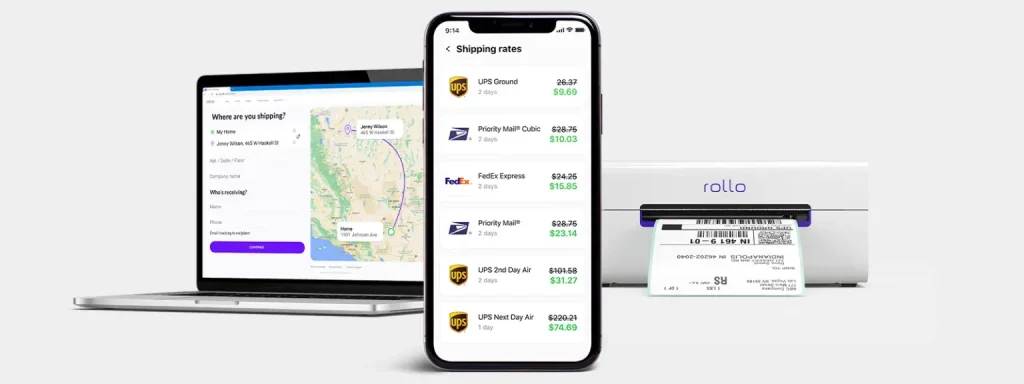
With Rollo’s wireless label printer and Rollo Ship, its all-in-one shipping solutions app, you can create UPS labels for shipping and integrate UPS services seamlessly into your workflow. But that’s just the beginning. Rollo hooks you up with outrageously good UPS®discounts that’ll have you doing a happy dance every time you create a shipment, and slap one of those labels on a box.
Let’s talk about what UPS labels for shipping are and why they’re essential for your logistics process. These labels are basically your package’s passport. Without them, your precious cargo isn’t going anywhere. UPS labels carry all the vital info needed to get your product from point A to point B safely and efficiently. Think of them as the GPS for your packages in the vast world of shipping.
These labels contain crucial information like:
📮 Sender and recipient addresses
📦 Package weight and dimensions
🚚 Shipping service selected
🔍 Tracking number
Without accurate UPS labels, your packages could get lost, delayed, or even returned. That’s why having a reliable system for creating and printing these labels is crucial for any online seller or small business.
Remember the days of untangling cords, loading rolls of labels, and dealing with printer jams? Rollo makes that nightmare a distant memory. Their innovative wireless label printer is set up in a snap – just unbox, plug in the power cord, and connect to your device via Bluetooth. No complicated software installations.
From there, it’s smooth sailing with UPS®. Rollo’s printer and app play beautifully with all major UPS® services – UPS® Ground, Air, Freight, you name it. Print shipping labels for any UPS® offering right from your desktop or mobile device. Want to incorporate your workflow with other shipping carriers down the line? No problem, Rollo’s got your back there too.
Traditional vs. Inkless Printing Methods
Before we dive deeper into Rollo’s solution, let’s compare traditional and inkless printing methods:
🖨️ Traditional printing: Uses ink cartridges, prone to smudging, and can be costly over time.
♨️ Thermal printing: Uses heat to create images, no ink needed, and produces crisp, long-lasting labels.
It’s like comparing a gas-guzzling clunker to a sleek electric car. Sure, they both get you from A to B, but one does it with style, efficiency, and a lot less hassle.
How Inkless Printing Works
Thermal printing is like drawing on those heat-sensitive mood rings we all had as kids. The printer uses a thermal printhead to heat specific areas of special heat-sensitive paper. When heated, these areas turn black, creating the text and images on your label. No ink, no toner, just pure heat-activated awesomeness.
Benefits of Printing UPS Labels without Ink
Switching to thermal printing for your UPS labels isn’t just a cool party trick. It’s a smart business move that can seriously boost your bottom line. Here’s why:
💸 Save that cash: No more shelling out for expensive ink cartridges. Your future self will thank you when you see those savings add up.
🌱 Green is the new black: Less waste means you’re doing your part for the environment. High five, eco-warrior!
🛡️ Built to last: Thermal-printed labels are water-resistant and fade-proof. They’re like the Navy SEALs of the label world – tough and reliable.
⚡ Speed demon: Thermal printers work faster than traditional ones. When you’re in the shipping zone, every second counts.
🔍 Crystal clear: Say goodbye to smudged barcodes and unreadable addresses. Thermal prints are always crisp and clear.
Step-by-Step Guide to Printing UPS Labels for Shipping
Let’s dive into how this whole seamless shipping process works:
Download the App: Get the Rollo app from your smartphone’s app store.
Set Up the Printer: Connect your printer to power, turn it on, and load the labels.
Connect to Wi-Fi: In the app, select your printer and connect to your Wi-Fi.
Test Print: Do a test print to ensure everything is set up correctly.
Manage Orders: View and compare shipping options from the app.
Print Labels: Choose your shipping option and print the label.
Schedule Pickup: Arrange for a pickup directly through the app.
Save on Shipping: Enjoy up to 90% off on shipping rates as a Rollo customer.
Customize Your Shipping Experience: Now that you’ve mastered the setup and basic operations, it’s time to tailor the Rollo experience to fit your brand’s unique needs.
Customizing Your UPS Shipping Labels
Of course, Rollo wouldn’t be Rollo without options to make your shipping process yours. Adding your company logo to UPS® labels? Check. Customizing package handling instructions like “Fragile” or “Keep Upright”? You got it. Switching up the label layout to suit your preferences? No problemo.
Rollo offers a free label design app that makes designing a label as easy as a few clicks. Once you sign up, you have access to an array of templates and tools. Choose a template or start with a blank canvas, select your preferred size, layout, and color, and begin your design.
Simply put, Rollo treats you like the boss you are, putting full control of your shipping communication right at your fingertips.
As any seasoned shipper knows, the journey doesn’t end once a label is printed. What if you need to reprint a lost label or make a last-minute change? Rollo keeps you covered without breaking a sweat.
Additionally, if you used the UPS® account by Rollo, our customer service options can assist you with the UPS claim process. Just create a support ticket and provide the necessary information for a speedy response.
Reprinting a label is as easy as a couple clicks in the app. Did your shipment details change after purchasing the original label? Just void it and print a new one – no hassles, no extra fees from UPS. You can even schedule pickups or drop-offs at your convenience through the app. Easy peasy.
Advanced Features and Benefits of Rollo Ship
Speaking of convenience, let’s talk about those sweet shipping management tools built right into the Rollo Ship app. With advanced tracking, you can monitor every shipment like a hawk, getting up-to-the-minute status updates delivered straight to your device.
Expecting a package? Just check the app for delivery alerts. You can even send customized notifications to customers, extending that first-class service you’re known for.
But what really separates Rollo from the competition is no skimpy fine print. No minimum shipping requirements, no hidden fees, just pure reliability and customer-centric focus. Sounds like the dream, doesn’t it?
Big Shipping Discounts with Rollo
Okay, let’s talk savings because that’s where Rollo truly shines. Most small businesses assume deep UPS discounts are reserved for corporate giants. Not anymore! Rollo opens the gates, scoring you the kinds of rates that’ll make your accountant weep happy tears.
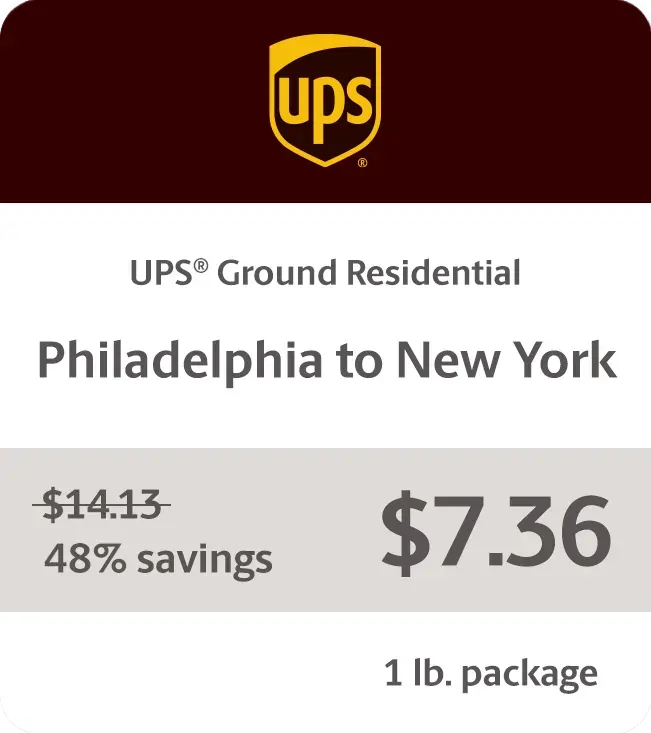
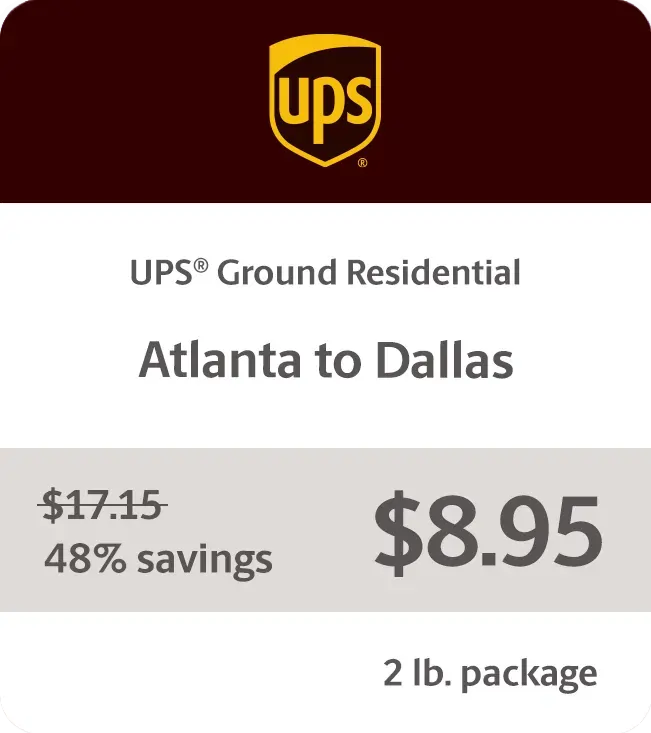
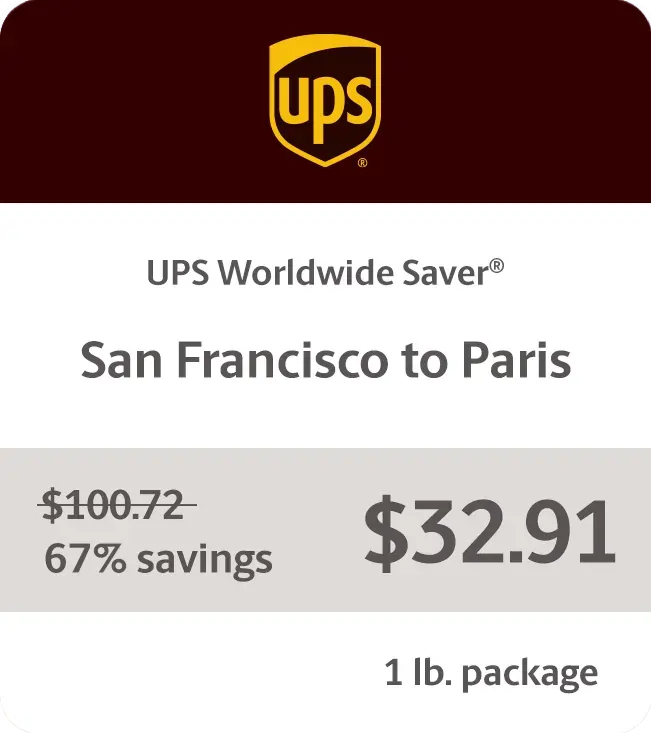
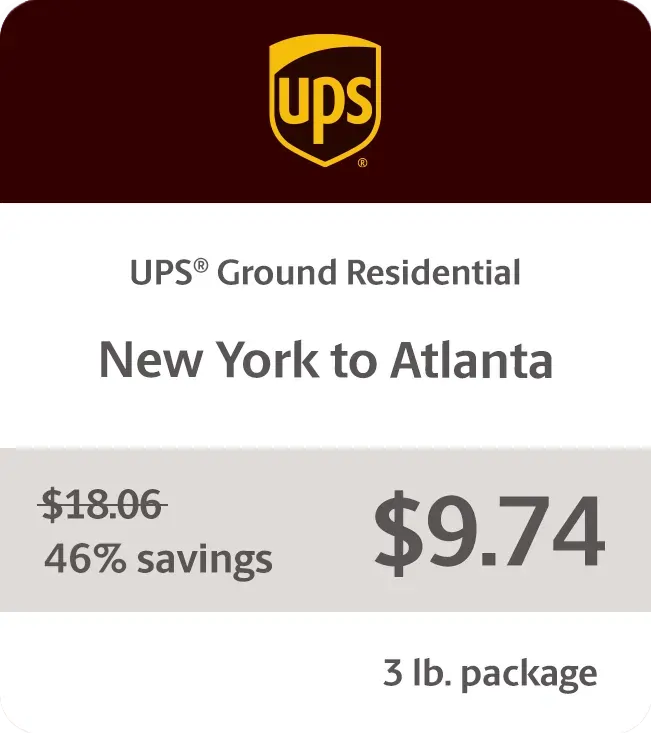
We’re talking up to 81% off UPS® Ground residential shipments, 75% UPS 2nd Day Air®, and a staggering 85% off UPS® international shipments. Fantastic, right? Whether you’re shipping across town or worldwide, those discounts add up lightning fast. Rollo pays for itself before you can say “happy customer.”
Sample Rates
Delivering Results One Shipping Label at a Time
Don’t just take our word for it, though. Online sellers everywhere are raving about how Rollo has transformed their operations:
“As a small business owner, managing shipping used to be a hassle,” says Austin, a pottery studio owner. “My favorite thing about using Rollo is probably the ink that it doesn’t use. Previously, I was using a laser printer, and you know, you have to replace the toner every now and then. So the no ink aspect of it is really good.”
Larger operations are singing Rollo’s praises too. “My favorite thing about my Rollo printer is that it’s completely wireless,” explains Maggie, owner of Colorado Glassworks. “In the past, when I used other printers, I had to attach them to my laptop. Not only is it super easy to print from any location in my shop, but it’s also really reliable.”
Ensuring High-Quality UPS Labels for Shipping
Of course, the success of your entire shipping operation hinges on those little sticky labels doing their job perfectly every time. That’s why Rollo is fanatical about ensuring each thermal label meets stringent quality and scannability standards.
The printer and label materials are optimized to produce razor-sharp barcodes and clearly legible text. This attention to detail prevents headaches and delays that can occur when labels can’t be properly scanned at each checkpoint. Trust us, those preventable hangups are aggravating for all involved.
Rollo’s UPS Labels for Shipping are Eco-Friendly
Sure, optimizing operations and cutting costs are stellar benefits. But Rollo also helps make the world a little greener, one thermal shipping label at a time.
While those old-school label sheets were destined for the landfill, Rollo’s direct thermal labels avoid inks, ribbons, and toners that harm the environment. Even better, the labels themselves are made from recyclable materials like paper, so they can easily avoid a wasteful fate.
Proper disposal is a snap too. Just follow standard paper recycling guidelines in your area – no need for special handling. It’s a win-win that lets you ship responsibly without sacrificing efficiency.
Tips for Optimizing Your Shipping Process
Want to take your shipping game to the next level? Try these tips on for size:
🧼 Keep your thermal printhead clean for the best quality prints.
❄️ Store your thermal paper in a cool, dry place. Heat and humidity are not its friends.
🗂️ Batch your orders and print labels in bulk to save time.
✔️ Double-check addresses before printing to avoid costly mistakes.
🛒 Consider integrating your e-commerce platform with your shipping software for a smoother workflow.
🔄 Regularly update your printer’s firmware to ensure optimal performance and compatibility with UPS systems.
Final Words
Optimizing your shipping process is crucial for online sellers. Rollo delivers an efficient, cost-effective solution tailored for small to medium-sized businesses. The wireless printer, intuitive app, and substantial UPS discounts form an unbeatable trifecta that puts you in control of your shipping needs.
Rollo not only simplifies printing UPS labels for shipping but also saves you time and money while supporting sustainable practices. Join a community of like-minded sellers and experience the future of small-business shipping with Rollo. Sign up for Rollo Ship today and see the difference.
Frequently Asked Questions About UPS® Labels for Shipping
📌 Q: What is the process for creating a UPS® shipping label online?
💭 A: To create a UPS shipping label online, go to the UPS website or use the Rollo Ship app. Enter the sender and recipient information, package details, and select a shipping service. Then, review the details and print the label.
📌 Q: Can I schedule a UPS® pickup after creating a shipping label?
💭 A: Yes, you can schedule a UPS pickup after creating a shipping label. Through the Rollo Ship app, you can schedule the pickup to have it picked up directly in front of your house doorstep at a convenient time.
📌 Q: What information is required to create a UPS® shipping label?
💭 A: To create a UPS shipping label, you need the sender and recipient addresses, package weight and dimensions, and the type of shipping service. A tracking number is also generated during this process.
📌 Q: Are UPS®shipping labels reusable?
No, UPS shipping labels are not reusable. However, Rollo’s UPS labels for shipping are recyclable, making them an eco-friendly choice for your shipping needs.
📌 Q: Can I customize a UPS® shipping label with my company logo?
💭 A: Yes, you can customize a UPS shipping label with your company logo. The Rollo App allows you to add your logo and other custom elements to your shipping labels.
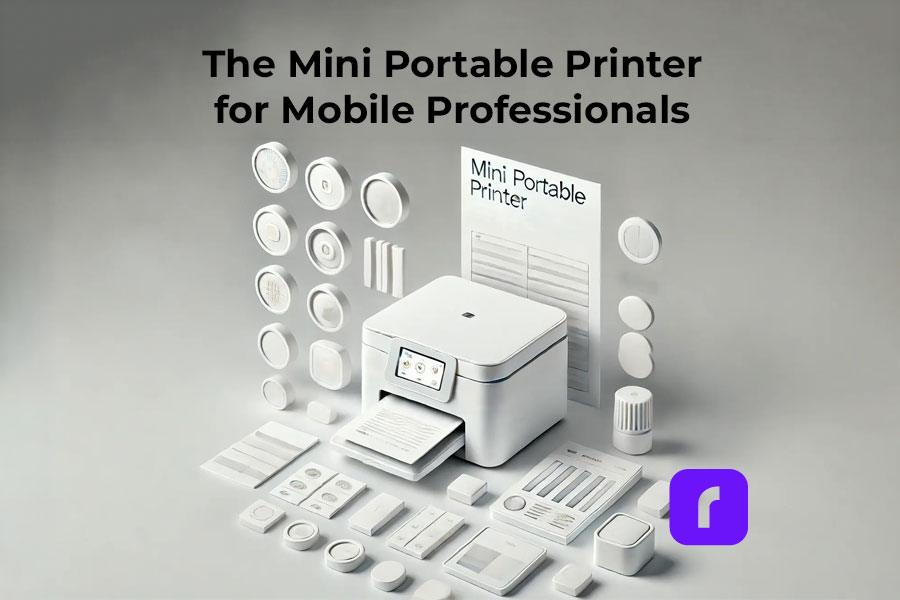
The mini portable printer is becoming increasingly popular in our fast-paced, mobile-centric world. These compact devices offer a perfect blend of versatility, efficiency, and performance, making them a must-have for professionals and businesses on the go. In this guide, we’ll dive into the world of mini portable printers, with a special focus on Rollo and its mission to make shipping easier, faster, and more fun for small and medium-sized businesses.
Hop to a Topic
Understanding Mini Portable Printers
First things first, let’s talk about what mini portable printers are and how they work. Also known as a portable thermal printer, these nifty little devices are designed to be compact and lightweight, so you can take them with you wherever you go. They use either thermal printing technology, which creates images through heat on special paper, or inkjet technology, which sprays ink onto paper. Thermal printers are particularly convenient because they don’t require ink cartridges.
Rollo has made a big impact on the market with its wireless label printer, which is specifically designed for online sellers and small businesses. It’s efficient, reliable, and easy to use – everything you need to streamline your shipping process.
Mini portable printers work by using either thermal printing technology, which creates images through heat on special paper, or inkjet technology, which sprays ink onto paper. Thermal printers do not require ink cartridges, making them more convenient and cost-effective.
Market Overview and Projected Growth
The mini portable printer market is booming, with more and more people looking for ways to combine mobility and document solutions. Here’s a quick rundown of the market:
Market Size and Growth:
📈 The portable printer market is expected to grow at a CAGR of around 18.84% between 2022 and 2027, with a forecast increase of USD 10,241.35 million during this period.
🌍 In 2016, the global portable printer market was valued at around $844 million and is projected to reach $1,643 million by 2023, growing at a CAGR of 10.2%.
🚀 By 2032, the market is anticipated to surpass a valuation of $21,909 million, growing at a CAGR of 7.6% between 2022 and 2032.
Market Drivers:
📱 There’s a growing demand for combining mobility and document solutions for remote/mobile workforce.
🖨️ People are looking for convenient and compact printing solutions for on-the-go printing.
💻 The increasing adoption of smart devices like smartphones, tablets, and laptops is driving the market.
⚙️ Technological advancements like improved battery life, wireless connectivity, and thermal printing are also contributing to growth.
Market Segmentation:
🖨️ By Type: Thermal and inkjet printers dominate the market.
🚚 By Application: Transportation & logistics, retail, manufacturing, healthcare, and others.
🌍 By Geography: Asia-Pacific, North America, Europe, South America, Middle East & Africa.
💼 Rollo is also making waves with its focus on helping online sellers and small businesses.
Technical Specifications and Performance Metrics
When you’re shopping for a mini portable printer, there are a few key technical specs and performance metrics to keep in mind:
📏 DPI (dots per inch): This measures the print quality – the higher the DPI, the sharper and more detailed the prints will be.
⚡ Print speed: How many pages or labels the printer can churn out per minute.
🌐 Connectivity options: Look for printers with wireless connectivity like Bluetooth or WiFi for maximum flexibility.
🔌 Power options: Ensure your printer comes with a power plug cable suitable for your needs, especially for consistent usage.
Rollo’s printers are known for their high efficiency and reliability, which is why they’re such a popular choice for online sellers.
Does mini portable printer need ink?
Most mini portable printers, like thermal printers, do not need ink. They use heat to print on special thermal paper. Inkjet mini printers do require ink cartridges, but they are designed to be compact and efficient.
Diverse Use Case Scenarios
Mini portable printers are incredibly versatile and can be used in a wide range of scenarios:
🛒 E-commerce Applications: Printing shipping labels, invoices, and branding materials.
🏥 Healthcare: Patient wristbands and medication labels.
🏷️ Retail: Price tags and promotional materials.
🚚 Logistics: Barcodes and shipping labels.
Rollo’s printers are particularly well-suited for e-commerce workflows, helping online sellers streamline their operations and save time and money.
Barnacle Foods: Scaling with Rollo’s Mini Portable Printer
Don’t just take our word for it – here’s what real users have to say about Rollo’s printers:
Barnacle Foods, a kelp-based food company from Juneau, Alaska, has experienced firsthand the benefits of using Rollo’s mini portable printers for their shipping needs. Founded in 2016 by a group of friends who shared a passion for fishing and discovered the potential of kelp, Barnacle Foods has grown into a thriving business that sells a variety of kelp-based products, including their top-selling Bullwhip Hot Sauce.
One of the co-founders of Barnacle Foods shares their experience with Rollo’s printers. “When we started out with our website, we would just ship labels using our inkjet printer, which was super expensive. We were looking for thermal printers and found that Rollo is a really cost-effective option with great service.”
One of the standout features of Rollo’s printers for Barnacle Foods is the ease of setup and use. “It doesn’t take really any time to set up. You’ll be going that day and thanking yourself,” the co-founder explains. The company also appreciates the convenient recurring orders for labels, which ensures they always have the supplies they need without having to remember to place orders manually.
As Barnacle Foods continues to grow and expand its reach, the co-founder is confident that Rollo’s printers will be there to support their shipping needs. “Our Rollo printer can print way more than we can pack right now, so we think as our business continues to grow, it’ll be there for us so we can continue to send more kelp to more people.”
Barnacle Foods’ success story highlights the impact that reliable and efficient mini portable printers can have on small and medium-sized businesses, particularly those in the e-commerce space. By streamlining their shipping process and reducing costs associated with traditional inkjet printers, Rollo’s printers have become an integral part of Barnacle Foods’ operations, supporting their mission to share the benefits of kelp with a wider audience.
Comparison with Other Portable Printers
So how do mini portable printers stack up against other types of portable printers? Let’s take a closer look:
📶 Wireless thermal printers: These are similar to mini portable printers, but they’re typically larger and more expensive. They offer high-quality prints and are great for high-volume printing.
💧 Inkjet portable printers: These use ink cartridges instead of thermal printing technology. They can print in color, but the print quality may not be as sharp as thermal printers. They’re also more expensive to operate due to the cost of ink cartridges.
What are the disadvantages of a portable printer?
Disadvantages of portable printers include limited print sizes, lower print speeds compared to larger models, and potentially higher costs per print. However, their portability and convenience often outweigh these drawbacks for mobile use.
How Does Rollo Stand Out?
While Rollo’s mini portable printer falls under the wireless thermal printer category, it boasts a key advantage for online sellers: its compact, user-friendly design. Here’s how:
Designed for Efficiency: Rollo’s printers are known for their streamlined operation, perfect for optimizing your workflow.
Seamless Integration: Rollo integrates effortlessly with the Rollo Ship app, creating a cohesive shipping ecosystem.
Focus on E-commerce Needs: From Rollo’s printer to the Ship app, everything is geared towards making life easier for online sellers.
One of the great things about thermal printing technology is that it’s more environmentally friendly than other types of printing. Here’s why:
🚮 Thermal printers don’t use ink or toner, which means there’s less waste and fewer consumables to dispose of.
♻️ Thermal paper is recyclable, so you can reduce your environmental impact even further by recycling your used labels and receipts.
🌱 Rollo is committed to sustainability and eco-friendly practices, so you can feel good about using their printers.
How do mini printers print without ink?
Mini printers, such as thermal printers, print without ink by using heat-sensitive paper. The printhead applies heat to specific areas, causing a reaction that produces the desired text or image.
Maintenance Tips and Troubleshooting
To keep your mini portable printer in top shape, there are a few key maintenance tips to keep in mind:
🧼 Clean the printhead regularly to prevent buildup and ensure sharp, clear prints.
🏷️ Use high-quality thermal paper or labels to avoid jams and ensure smooth operation.
🌡️ Store your printer in a cool, dry place when not in use to prevent damage.
If you do run into issues with your printer, here are some common troubleshooting tips:
📜 Check the paper or label roll to make sure it’s loaded correctly and not jammed.
🔌 Make sure the printer is charged or plugged in and turned on.
🔄 Restart the printer and try printing again.
📞 If all else fails, consult the manufacturer’s support resources or contact customer service for help.
Rollo’s printers are known for their reliability, but these tips can help you keep them running smoothly for years to come.
Future Trends and Innovations
As technology continues to evolve, we can expect to see some exciting new developments in the world of mini portable printers. Here are a few trends and innovations to watch out for:
🌐 IoT (Internet of Things) integration: Printers that can connect to the internet and communicate with other devices will become more common, enabling new use cases and workflows.
🤖 AI (Artificial Intelligence) and machine learning: Printers that can learn from user behavior and preferences will be able to offer more personalized and efficient printing experiences.
🌿 Sustainable and eco-friendly materials: As consumers become more environmentally conscious, we can expect to see more printers that use sustainable and recyclable materials.
Rollo is always looking for ways to innovate and improve their printers, so it will be exciting to see what they come up with next.
Choosing the Right Mini Portable Printer
With so many options on the market, choosing the best mini thermal printer can be a daunting task. Here are a few key factors to consider:
🖨️ Print quality: Look for printers with high DPI and sharp, clear prints.
📶 Connectivity: Choose a printer with wireless connectivity options that suit your needs, such as Bluetooth or WiFi.
🛡️ Durability: If you’ll be using your printer on the go, look for one that’s built to withstand bumps and jostles.
💰 Cost: Consider the upfront cost of the printer as well as the ongoing cost of consumables like thermal paper or labels.
When in doubt, it’s always a good idea to test out a printer before you buy it. Many retailers offer in-store demonstrations or free trials, so take advantage of these opportunities to see how the printer performs in real-world scenarios.
For small and medium-sized businesses, Rollo’s printers are an excellent choice. They’re reliable, efficient, and easy to use, making them a top pick for online sellers and other businesses that need to print labels and other materials on the go.
Final Words
Mini portable printers are a powerful tool for mobile professionals and businesses of all sizes. Their portability, versatility, and high-quality printing capabilities make them a perfect solution for printing on the go. Whether you’re an entrepreneur running an online store or a field worker needing to print receipts or reports, a mini portable printer can boost your productivity and efficiency.
When choosing a mini portable printer, consider your specific needs and budget. For online sellers and e-commerce businesses, Rollo stands out as a top choice. Rollo’s mini portable printers are specifically designed for streamlining shipping and labeling tasks. Their user-friendly design, seamless integration with the Rollo Ship app, and focus on efficiency make them an excellent fit for businesses that need a reliable and cost-effective printing solution.
So, if you’re looking to take your printing on the go and improve your workflow, consider investing in a mini portable printer. For e-commerce businesses, look no further than Rollo – their innovative printers and app are designed to make your life easier and help your business thrive.
Frequently Asked Questions About The Mini Portable Printer
📌 Q: What are the main advantages of mini portable printers over traditional printers?
💭 A: Mini portable printers, such as pocket printers and handheld printers, are designed for mobility and convenience, making them ideal for on-the-go printing tasks.
📌 Q: How do mini portable printers contribute to sustainability?
💭 A: Thermal mini printers eliminate the need for ink or toner, reducing waste and environmental impact.
📌 Q: What should I consider when choosing a mini portable printer for my business?
💭 A: Consider the type of printer (e.g., thermal, inkjet, dye-sublimation), print quality, connectivity options, and whether you need features like battery power or wireless connectivity.
📌 Q: How do I maintain my mini portable printer?
Regularly clean the printhead, use high-quality paper, and follow the manufacturer’s maintenance guidelines to ensure longevity and optimal performance.
📌 Q: Can I print from my phone or tablet using a mini portable printer?
💭 A: Yes, many mini portable printers offer wireless connectivity options such as Bluetooth or WiFi, allowing you to print directly from your smartphone or tablet.
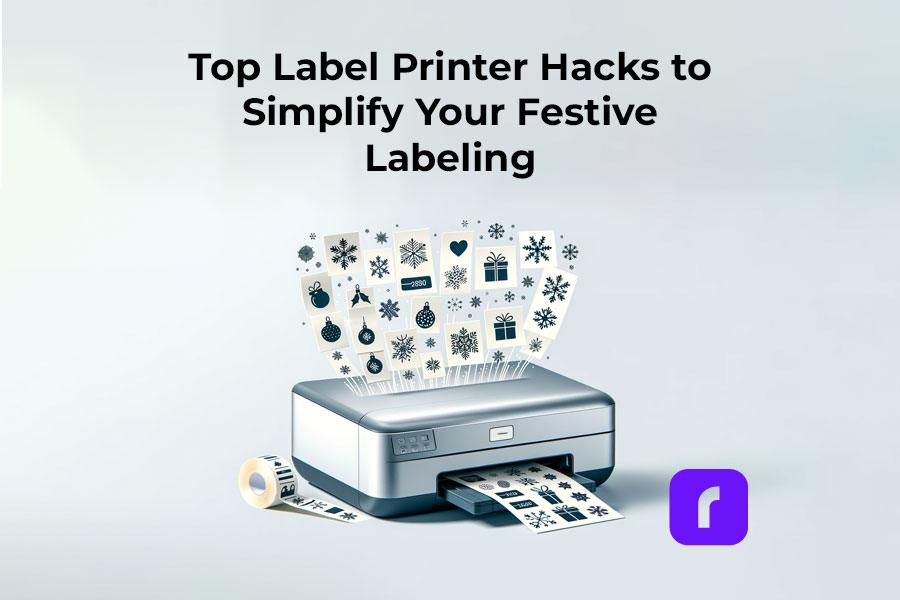
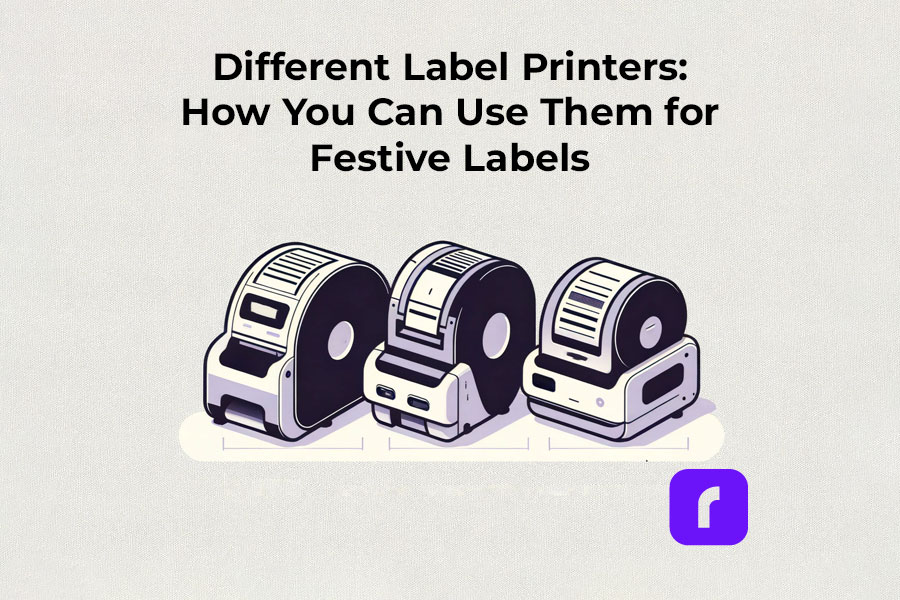
As the holiday season approaches, the demand for efficient and creative label printing solutions rises. Label printers, with their diverse capabilities, have become indispensable tools for both personal and business use. In this article, we’ll explore the various types of label printers, how to choose one that suits your needs, and creative ways to utilize them for festive labeling. Our guide will help you navigate the world of label printers, ensuring that your holiday preparations are both fun and efficient.
Understanding Label Printers
The Versatility of Label Printers in Festive Times
Label printers, more than just tools, are versatile solutions for various labeling needs. Their flexibility and adaptability make them indispensable, especially during festive times when unique and high-quality labels are in demand.
Thermal label printers
Thermal label printers stand out for their efficiency. Using direct thermal printing technology, they eliminate the need for ink or toner, which is a significant advantage over traditional printing methods. This inkless approach not only saves time but also reduces operational costs. Thermal label printers are perfect for creating shipping labels, product labels, and even festive decorations, delivering consistent print quality.
Did You Know?
Rollo's thermal label printers aren't just for basic label printing. These versatile machines, using direct thermal printing technology, make ink and toner a thing of the past. This not only streamlines your printing process but also slashes ongoing costs.
Rollo printers excel in versatility, handling tasks like shipping labels (FedEx, UPS, USPS), marketplace labels (Amazon), barcodes, name tags, decorative labels, and more!
The advent of wireless label printers has revolutionized the way we handle label printing tasks. These printers offer the convenience of printing from anywhere within their connectivity range. Whether you’re using a smartphone, tablet, or laptop, the ability to print labels wirelessly adds a layer of flexibility that is particularly useful during busy holiday seasons. You can effortlessly print address labels, gift tags, and more, without being tethered to a physical location.
Experience the freedom to print from anywhere – whether it's from your phone, tablet, or laptop. Perfect for the holiday rush, these printers make crafting address labels, unique gift tags, and more, incredibly easy and efficient. No cords, no limits. Dive into the world of hassle-free, wireless printing with Rollo.
For businesses and individuals alike, barcode label printers are essential for product identification and inventory management. Sticker label printers, on the other hand, add a creative touch to personal and professional projects. They are ideal for custom labels on gifts, making each present unique and personal. The ability to design and print high-quality, custom stickers enhances the aesthetic of any holiday package.
Did You Know?
Explore unlimited creativity with the Rollo Label Design Tool, a free platform for designing custom labels. Stand out with unique features like custom sizes, your own logos, intricate designs, barcodes, and QR codes. With a vast free image library and various shapes, sizes, and fonts, the possibilities are endless. Print your tailored labels in any size directly to your Rollo printer or any other printer without the need to cut them.
Take a look at some of the creative ways Rollo users have utilized our sticker label printers:
The compactness of small label printers makes them an excellent choice for limited spaces, while portable label printers offer the utmost convenience for on-the-go printing. They are particularly beneficial for event planners, craft enthusiasts, and small business owners who need to print labels at different locations.
Did You Know?
Rollo's label printers are ultra-compact and portable, weighing just 3 lbs and sized like a hardcover novel (8 × 4 × 4 inches). Ideal for event planners, crafters, and small business owners, they offer the convenience of printing anywhere. Rollo transforms label printing with devices that fit in small spaces and travel bags, bringing high-quality printing to your fingertips.
Commercial Label Printers:
For higher-volume printing needs, commercial label printers are the go-to choice. With faster print speeds and the ability to handle a variety of label sizes, these printers are designed for efficiency and durability, essential for businesses during peak seasons like holidays.
Did You Know?
When it comes to handling large volumes of label printing, Rollo label printers are highly capable and efficient. They can print one label per second, equating to 60 labels in a minute and 3,600 labels in an hour. This impressive speed makes Rollo printers particularly suitable for environments where efficiency is critical, such as e-commerce, logistics, or retail.
Label Printers with Apps:
Modern label printers often come with companion apps, making label design and printing more accessible and user-friendly. These apps allow users to create custom labels with ease, offering a range of templates and design options.
Rollo is transforming the label printing landscape with its advanced apps, including the Rollo Label Designer and Rollo Ship App.
Rollo Label Printers and the Rollo Label Designer App
The Rollo Label Designer is a gateway to limitless creativity in label creation, offered for free with an array of customizable templates and sizes, unlike any other platform. It empowers users to create unique labels by uploading logos, images, barcodes, and QR codes or generating them within the tool. With a vast library of shapes, sizes, and fonts, your label designs are only limited by your imagination, and you can print them in the exact size you need directly to your Rollo printer.
Rollo Label Printers and the Rollo Ship App
The Rollo Ship App elevates this experience by offering comprehensive shipping solutions. It’s a free, versatile tool available for iOS, Android, and Desktop, which allows you to consolidate orders from various marketplaces, regardless of the device you’re using. This app stands out for its inclusivity; you don’t need to own a Rollo printer or any Rollo product to benefit from its features like discounted shipping rates, label designing, or scheduling pickups. It seamlessly integrates with major carriers like USPS, UPS, and FedEx and various e-commerce platforms, providing up to 90% discounts on shipping.
Furthermore, Rollo Ship utilizes AI to streamline your shipping process, automatically importing new orders, grouping them, and even notifying recipients of their tracking info. This app is ideal for businesses of all kinds, even service-oriented ones like law or medical practices, who can leverage these shipping discounts without the need to prove their business status.
With no monthly subscription and a cost of just 5 cents per label (waived for the first 200 labels), the Rollo Ship App is not just a tool but a strategic partner in your business. It’s constantly updated with new features like Exact Payment, support for international shipments, and Army, Fleet, and Diplomatic Post Office Address Support.
The essence of a good label printer lies in its ability to produce a variety of labels, from simple address labels to intricate custom designs. The print resolution of these printers ensures that every detail, no matter how small, is crisp and clear. This is crucial when printing intricate designs or small text on product labels.
Whether you’re a small business owner streamlining your shipping process or an individual adding a personal touch to your holiday gifts, there’s a label printer out there to meet your needs.
Choosing the Right Label Printer
Selecting the right label printer involves considering several factors like print resolution, print speed, and the variety of labels it can produce. If you’re looking for a printer that offers mobility, a portable label printer might be your best bet. For businesses, a commercial label printer that can handle a higher volume of labels at greater speeds is essential. It’s also important to look for printers that are compatible with different devices and software for seamless operation.
Label Printer Buying Guide
Step 1: Assess Your Label Printing Needs
Before diving into the specifics of label printers, it’s crucial to understand your individual or business requirements. Ask yourself:
What type of labels will you primarily print? (e.g., shipping labels, product labels, barcode labels)
What volume of labels do you anticipate printing regularly?
Do you need a printer that’s easily portable or one that will remain in a fixed location?
Step 2: Consider Key Features
Print Resolution: Measured in DPI (dots per inch), print resolution affects the clarity and detail of your labels. Higher DPI is essential for labels requiring fine detail, such as barcodes or product labels.
Print Speed: Speed is measured in labels per minute. Crucial for high-volume printing environments like warehouses or shipping centers.
Label Variety: Consider printers that support different label sizes and types for versatility.
Portability: If mobility is vital, look for lightweight, compact printers with battery options.
Step 3: Check Compatibility and Connectivity
Device Compatibility: Ensure the printer is compatible with the operating systems of your computers or mobile devices. Check for compatibility with software or apps you plan to use for label designing.
Connectivity Options: Options include USB, Wi-Fi, Bluetooth, or Ethernet. Wireless connectivity is useful for printing from multiple devices or locations.
Step 4: Balance Cost and Efficiency
Initial Cost vs Long-Term Savings: While some printers may be cheaper upfront, consider long-term costs like ink, toner, or special label paper. Thermal printers, which don’t require ink or toner, can offer significant savings over time.
Efficiency and Productivity: Printers offering high print speeds and easy label loading can boost productivity, especially in commercial settings.
Step 5: Additional Considerations
Durability: For heavy-duty use, look for printers built to withstand high-volume printing and frequent handling.
After-Sales Support: Consider the warranty and customer support offered by the manufacturer.
Environmental Impact: Some printers are more eco-friendly, using less power or producing less waste.
Brand Reputation: Research brands for reliability and customer satisfaction.
Step 6: Making the Final Decision
Once you’ve evaluated these factors, compare a few models that meet your criteria. Read reviews and user feedback to understand real-world performance and reliability. Don’t hesitate to contact manufacturers or sellers for any specific queries or demonstrations.
How to Print Labels at Home
Printing labels at home is straightforward with the right label printer. The process typically involves selecting the right type of label, designing your label using a software or app, and then printing it directly from your device. Many label printers come with user-friendly interfaces and applications that make this process a breeze, even for beginners. It’s an efficient way to manage home organization, holiday preparations, or even small business needs.
Printing labels at home can be an efficient way to manage various tasks, from organizing your space to preparing for the holidays or supporting your small business. Here’s how to navigate the process with ease:
🎬 Step 1: Choose the Right Label Printer
Have in mind what we already mentioned about:
🟣 Assessing Your Label Printing Needs: shipping, barcode, decorative, etc. If you are unaware of all the printers you would like to print, we advise you to choose an ultimate solution like Rollo – capable of printing various types of thermal labels.
🟣 Printer Types: Consider a portable label printer for mobility or a commercial one for high volumes. The best choice would be a printer with the efficiency of commercial ones and the size of a portable printer. Like the Rollo wireless printer.
🟣 Compatibility: Ensure the printer works with your devices and software. If you are switching devices regularly, look for a widely compatible option. Such as the Rollo wireless – compatible with iOS, Android, Windows, Mac, Linux, and Chromebook.
➡️ Step 2: Select Suitable Labels
🟣 Label Types: Choose from a variety of labels (e.g., shipping, barcode, sticker). Know your label sizes: barcode labels are size 2×1 inches, shipping labels are 4×6 inches, etc.
🟣 Size and Material: Match the label size and material to your printer’s capabilities – e.g. if you are using a regular inkjet printer, use regular paper, if you have a thermal label printer – print on thermal labels only.
➡️ Step 3: Design Your Labels
🟣 Software/App Usage: Utilize the printer’s companion app or software for designing labels.
🟣 Customization: Add text, images, logos, or barcodes as needed. Utilize the features of apps like the Rollo Label Designer App for advanced customizations.
➡️ Step 4: Set Up Your Printer
🟣 Install Printer Drivers: Ensure your printer’s drivers are installed on your device. Did you know that the Rollo wireless label printer does not require any driver installation and it takes only 5 minutes to set up?
🟣 Load Labels: Properly load the labels into the printer according to the manufacturer’s instructions.
🔚 Step 5: Print the Labels
🟣 Connectivity: Connect your printer to your device via USB, Wi-Fi, or Bluetooth, depending on its type of technology.
🟣 Print Settings: Select the correct printer and label size in the print settings.
🟣 Print Quality: Choose the desired print quality (DPI settings) based on your label’s purpose. Did you know that the Rollo label printers have an industry-standard printing quality of 203 dpi?
📢 Post-Printing Steps
Label Application: Peel and stick your thermal labels.
Storage: Store any unused thermal labels in a cool, dry place to maintain their quality.
⚠️ Tips for Effective Label Printing
Test Prints: Do a few test prints to ensure alignment and quality.
Regular Maintenance: Clean your printer regularly to ensure consistent print quality.
Software Updates: Keep the printer’s software or app updated for new features and improved performance.
Festive Labeling Ideas
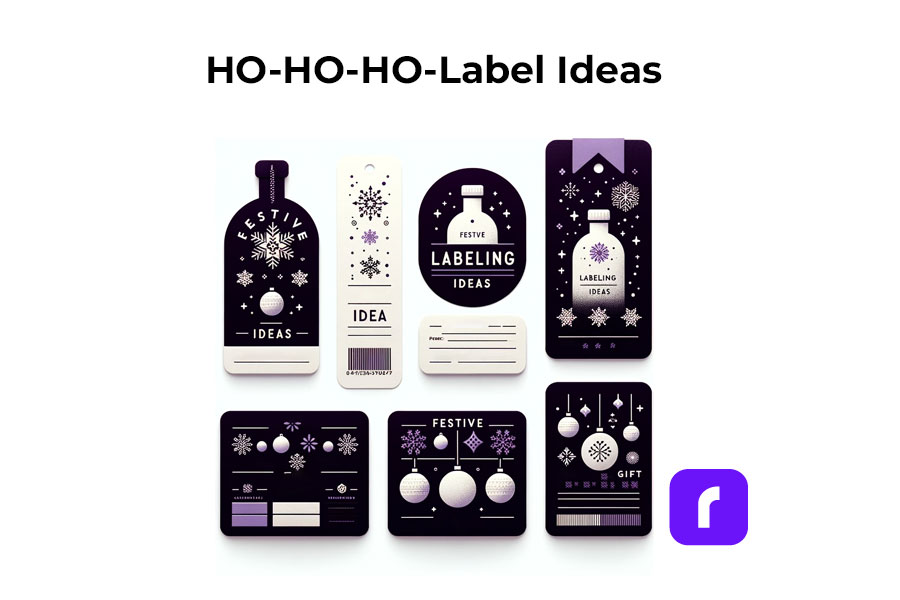
Label printers shine the brightest during the holiday season. They offer endless possibilities for creative labeling. You can design custom labels for gift bottles or create unique stickers for candles. The use of label printers extends to crafting personalized address labels, adding a touch of warmth to your holiday mail. With these printers, you can bring a personal touch to every aspect of your festive preparations.
;
Personalized Gift Wrapping:
🎁 Custom Gift Tags: Design and print custom tags for each gift, adding a personal message or the recipient’s name.
❄️ Theme-Based Labels: Create labels that match your holiday theme, such as snowflakes for a winter wonderland or stars for a night-themed party.
Home Decoration:
🪟 Window Stickers: Print festive designs like snowflakes or reindeer to adorn your windows.
🪑 Table Setting Labels: Create name tags for place settings or labels for homemade food items on your holiday table.
Holiday Cards and Mail:
✉️ Address Labels: Design address labels with festive graphics for sending out holiday cards.
📦 Seal Stickers: Make custom stickers to seal envelopes, adding a festive touch.
Party Favors and Decor:
🍾 Bottle Labels: Customize labels for wine or beverage bottles served at parties.
🎉 Party Favor Tags: Create unique tags for party favors, reflecting the holiday spirit.
Organizing Holiday Supplies:
🛅 Storage Bin Labels: Print labels for organizing holiday decorations, making next year’s setup easier.
🎀 Gift Wrap Station Tags: Label compartments or containers at your gift-wrapping station for easy access to ribbons, tags, and paper.
Children’s Activities:
🎨 DIY Sticker Sheets: Print a sheet of holiday-themed stickers for children to decorate and play with.
📅 Advent Calendar Labels: Create numbered labels for a homemade advent calendar filled with treats or activities.
DIY Crafts and Gifts:
🫙 Jar Labels for Homemade Goodies: Make labels for jars of homemade jams, cookies, or candies, perfect for gifting.
📕 Book Labels: For book gifts, print personalized book labels with a holiday message.
As you gear up for the festive season, remember that saving on shipping costs is just as important as efficiency. Our Money Saving eBay Shipping Label Guide provides eBay sellers with essential tips to keep shipping expenses low during the busiest time of the year.
Final Words
Label printers are more than just a tool; they are a gateway to creativity and efficiency, especially during the festive season. By understanding the different types available, how to choose the right one, and the multitude of ways they can be used, you can transform your labeling tasks into an enjoyable part of your holiday preparations. Remember to consider factors like cost, efficiency, and compatibility to make the most out of your label printer.
In a world where technology is always evolving, why would you opt for slow, broken-down, ink printers that take up space and leave your pages wet and smudgy? It’s time to upgrade to wireless thermal printing. Thermal printing removes the need for ink and replaces it with fast and easy printing that doesn’t rely on constant cartridge changes and constant upkeep. Instead, heat is applied directly to chemically treated paper that darkens when warmed. They are also much faster than your average printer, with the ability to print one label per second.
There are so many sectors of the workforce that rely on thermal printers every day. From hospitals and labels to warehouses and grocery stores – printing labels, receipts, and documents is part of the daily routine.
On a smaller scale, shipping label printers can be used by virtually anyone, but are especially helpful for those running their own businesses. With wireless thermal label printers, small business owners can print shipping labels from home (or anywhere with WiFi!) quickly and effectively. Specifically with Rollo, it is not only fast and easy but cheap too. Rollo offers shipping discounts, has intelligent label detection (no more wasting time on manually cropping your labels), and is easy to peel and stick labels for all packages.
Want to know more about wireless thermal label printers? Keep reading!
What is a Wireless Thermal Label Printer?
Rather than using ink, toner, and printing ribbons, thermal printing creates a label by means of heat. The thermal print head applies heat to chemically treated label paper that darkens when warmed, creating your desired text or image. More on the depths of thermal printers in this article.
📌 How does Rollo work without ink?
Rollo label printers are direct thermal printers. Thus they utilize direct thermal printing technology – a technique in which the heated print head is applied directly to thermal paper, causing a chemical reaction that turns the label black. This method not only saves money on ink but is also a more eco-friendly approach to printing.
Benefits of Wireless Connectivity in Label Printers
In this day and age we are all well aware of the benefits of wireless connectivity, but what you may not know is the extent to which this technology is beneficial for label printing. Wireless connectivity means no more connecting cables or being tied to your desktop computer and printer. As long as you are within the printer’s range, you can work and print from anywhere. This creates more flexibility and efficiency in the labeling process that previously did not exist.
Wireless thermal label printers (Rollo specifically) are portable, making them easy to pick up and bring to wherever you need them. They can be easily used in homes, offices, warehouses, factories, and pretty much anywhere you can think of that has WiFi.
Advancements in Wireless Thermal Label Printer Technology
☁️ Integration of Cloud-Based Systems
Many of us use cloud-based systems every day on our phones, laptops, and tablets, but did you know that you can also use these systems to enhance your printing experience? Advancements in wireless technology allow you to print from anywhere on any web-connected device, including your computer, laptop, smartphone, and tablet.
🔋Improved battery life and energy efficiency
Wireless thermal label printers are more energy efficient and have an improved battery life to non-wireless printers. They tend to have a longer life in general due to the smaller number of moving parts. Take away the ink ribbons, cartridges, wires, and cables, and there isn’t much left to break.
⏱️Enhanced printing speed and resolution
Because they do not use ink, wireless thermal label printers take milliseconds to print and don’t leave behind any smudge marks like that of ink printers. The resolution of the image is thus much higher and creates a more seamless experience for the user.
The Impact of Wireless Thermal Label Printers on Business Efficiency
Taping labels to packages is a thing of the past. By switching to wireless thermal label printers, users are able to easily peel the label off the sheet and stick it directly onto the package. This saves time and enhances both shipping and logistics operations.
Such printers are also more cost-effective, due to their lower supply and maintenance costs. Thermal printing does not require the purchase of ink ribbons, cartridges, or toner, so the main cost is just the labels themselves. Having fewer moving parts makes them more reliable and durable than traditional printers. Not to mention, they’re more reliable for businesses such as grocery stores and retailers that have a high number of receipts printed on a daily basis.
Wireless thermal label printers not only benefit the business but benefit the customer as well. Using these printers creates a more efficient point-of-sale experience, with faster printing labels and receipts.
Streamlining Warehouse Management and Inventory Tracking
Wireless thermal label printers are not just for printing labels and receipts. They are also of great use when it comes to streamlining warehouse management and inventory tracking. These printers have the ability to print barcodes quickly, wirelessly, and without ink. Barcodes make it simple to track items so you have accurate inventory information and can avoid running out of products. Not to mention, it makes pricing and checkout a breeze.
Mobile Printing Solutions and Their Role in the Industry
The Rise of Mobile Wireless Thermal Label Printers
When it comes to printers, Rollo is unmatched. This high-speed wireless thermal label printer is Airprint enabled and is compatible with Macs, Windows, iPhones, iPads, and Android devices. It is additionally compatible with all marketplaces including Amazon, Etsy, eBay, Shopify, and more. This compact printer requires no ink or toner, has intelligent label detection (no need to manually crop your labels), and can print about 650,000 shipping labels (327,360 ft)!
Mobile Printing in Various Industries
Mobile printing benefits a wide range of industries and serves several purposes:
🏥 Hospitals and labs: print important documents and label patient samples
🏪 Grocery stores and retail: quickly print receipts and keep track of inventory with printed barcode labels
🏭 Warehouses and manufacturers: keep track of inventory with barcode labels and clearly identify samples when pulled for inspections
📦 Couriers and shipping industry: easily print delivery labels and receipts, pick up notices, documents, etc.
🛒 Small businesses: print shipping labels from home (or anywhere with WiFi!)
Benefits and Limitations of Mobile Printing Solutions
Benefits:
✅ Increases productivity and workflow
✅ Faster printing capabilities
✅ Improved customer service
✅ No ink, toner, or cartridges
✅ No ink smudges
✅ Compact and compatible with most devices
✅ Print from anywhere
✅ Faster and more flexible than traditional printers
Limitations:
⛔ Can only print in black
⛔ May not be able to handle large printing jobs
⛔ Print quality may not match that of a traditional printer
Sustainability and the Wireless Thermal Label Printer Industry
Addressing Environmental Concerns with Eco-Friendly Materials
Now more than ever it is vital to be making more eco-conscious decisions when it comes to what you buy (and how you print). Unlike laserjet printing, thermal printing saves on ink, paper, and electricity. Thermal printers do not use ink and toner so there is no need to constantly be purchasing and discarding cartridges that pollute the environment.
In addition, wireless thermal label printers are more eco-friendly because they use less electricity than traditional printers. While traditional printers must be plugged into a power source and printed via a desktop, wireless thermal label printers are not plugged in and can print from your phone, laptop, or tablet. Wireless thermal label printers print much faster than traditional printing which saves on power and electricity as well.
Rollo labels are eco-friendly and FSC Certified, which is the gold standard designation for wood harvested from forests that are responsibly managed, socially beneficial, environmentally conscious, and economically viable. Using these labels and wireless thermal printing also saves on paper because the labels are precise and sized while laser printers typically use the entire 8.5×11 sheet whether or not it is actually necessary.
Along with the labels being FSC Certified, Rollo offers refurbished products that are backed by a six-month warranty. Rather than discarding returned products, the company ensures that the printers are up to standard and sells them at a lower price point – eliminating potential waste and giving the printers a second “life”.
Wireless Connectivity and Rollo: How Do They Work Together?
With the evolution of wireless technology, the use of wireless thermal label printers like Rollo is becoming increasingly popular. Not only is Rollo fast, easy, and economical, but it also offers shipping discounts, intelligent label detection, and easy-to-peel-and-stick labels for all packages. These features are great, but one might wonder:
📌 How Does Rollo Connect to Wi-Fi?
To connect your Rollo wireless printer to Wi-Fi, first turn on your Rollo wireless thermal label printer and feed labels in from the back. Then, turn the Bluetooth on your phone and download the Rollo app. Wait for your phone to discover the printer. After your phone recognizes your Rollo, select your WiFi network and you’re all set to print. As a reminder, this setup can be done from anywhere within your WiFi’s range.
Absolutely! The convenience of Rollo is that it allows you to print wirelessly, giving you more flexibility and efficiency in your label printing process. Whether you are a small business owner running your operations from home or a large business, wireless printing can make your work much smoother.
However, it’s also essential to address this common question:
📌 Does Rollo need wifi?
To print wirelessly, yes, Rollo does need WiFi. Without a WiFi connection, you wouldn’t be able to print wirelessly. But don’t worry, if you don’t have WiFi, Rollo can also be connected directly to your computer through a USB.
Bluetooth Capability in Wireless Thermal Label Printers
When it comes to wireless printing, a question often asked is:
📌 Do all wireless printers have Bluetooth?
While many wireless printers do incorporate Bluetooth technology to facilitate easy printing from various devices, not all do. The technology used in wireless printers can vary depending on the model and the brand.
Now, how about Rollo?
📌 Does Rollo have Bluetooth?
Rollo printers do not come with Bluetooth capability. However, Rollo wireless thermal label printers utilize Bluetooth during their setup process. Rollo shipping label printers also use Wi-Fi for their wireless printing, which allows a broad range of connectivity.
Wireless thermal printing is indeed the future of printing, with Rollo being a prime example of the benefits of this technology. Whether you’re managing a large warehouse or running a small business from your home, wireless thermal printers like Rollo can significantly improve your efficiency, cost-effectiveness, and convenience in label printing. To ensure you get the most out of your Rollo wireless thermal label printer, remember to maintain a secure Wi-Fi connection and follow the proper setup process.
Security and Privacy Concerns in Wireless Thermal Label Printing
Potential Risks Associated with Wireless Connectivity
As with anything that works off of WiFi, there are some risks associated with wireless printing. Wireless printers are connected to your network, and if left unsecured, a hacker can gain access to your printer, steal sensitive information you have printed, and distribute malware to your devices.
Best Practices for Securing Wireless Printing Networks
In order to secure your wireless printing network, you should always use a secure WiFi network, strong passwords, enable encryption, and hide the network name (SSID). Ensuring that your network is set up to only allow authorized users and devices to connect also helps prevent hackers from gaining access to your printer and devices.
Keeping your printer firmware up to date allows your printer to avoid vulnerabilities. You should also regularly check your print logs in order to detect any suspicious activity on your printer.
The Role of Software and Apps in Wireless Thermal Label Printing
There are plenty of mobile apps for seamless printing, but not all apps are created equal. The Rollo app is the user-friendly printing app of your dreams. Setup and usage are quick and painless so you can focus more on selling and shipping.
The Rollo Wireless Thermal Printer has incredible integration abilities. Not only does it work with Rollo Ship App, it works with platforms including (but not limited to): Shopify, Etsy, PayPal, eBay, Amazon, ShipStation, UPS, USPS, FedEx Ship Manager, Poshmark, and many more.
THE ROLLO WIRELESS THERMAL LABEL PRINTER IS AN INVESTMENT WORTH BUYING.
The Future of the Wireless Thermal Label Printer Industry
Wireless thermal label printers are created with relatively new technology, so where do they go from here? It is predicted that the wireless thermal label printer industry will continue to gain popularity in the coming years. People want efficiency and mobility, and these printers do just that. They are more compact, durable, and overall cheaper than the laser printers we’ve all been using for years.
The development and use of 5G have only helped the growth of the wireless industry. 5G is a network that connects everything and everyone virtually, making the need for cables “virtually” useless when it comes to thermal printing.
Thermal printers will be expanding applications in new industries and markets, far from just grocery and retail stores. They will continue to be great tools for managing inventory on larger and larger scales as well as being used in hospitals, dental offices, etc. for labels and documents.
Frequently Asked Questions about Wireless Thermal Label Printers
📌Q: Is a wireless thermal label printer better than a USB thermal label printer?
Short Answer: ✅Yes.
A: A wireless thermal label printer does not require any cables, has both WiFi and USB connectivity capabilities, works with desktops, phones, laptops, iPads, etc., and has over-the-air updates. A USB thermal label printer only has USB connectivity capabilities, only works with desktop computers, and does not have over-the-air updates.
📌 Q: Is a label printer the same as a thermal printer?
Short Answer: ❌No.
A: A traditional label printer requires the use of ink, toner, and printing ribbons making it more expensive, harder to maintain, and less eco-friendly than a thermal printer. A thermal printer does not require any of the above materials, thus making it easier to operate and maintain. For this reason, thermal printers are also more cost-effective and eco-friendly.
📌 Q: Can you connect the label printer to iPad?
Short Answer: ✅Yes.
A: You can connect a label printer to an iPad, provided the printer is compatible with AirPrint or offers its own app for iOS devices. Note that the Rollo Wireless Label Printer is AirPrint certified. Keep in mind that compatibility can vary across different printer models, so you should confirm this with the specific printer’s documentation.
📌 Q: Can you use a thermal printer with an iPad?
Short Answer: ✅Yes.
A: Similarly, you can use a thermal printer with an iPad, as long as the thermal printer supports wireless printing through either AirPrint or a dedicated iOS application. It is absolutely possible with Rollo. Always check the printer’s specifications or user manual for details on device compatibility.