Rollo

Tag: usps print label

  • USPS Print Label: How to Ship Smarter in Minutes

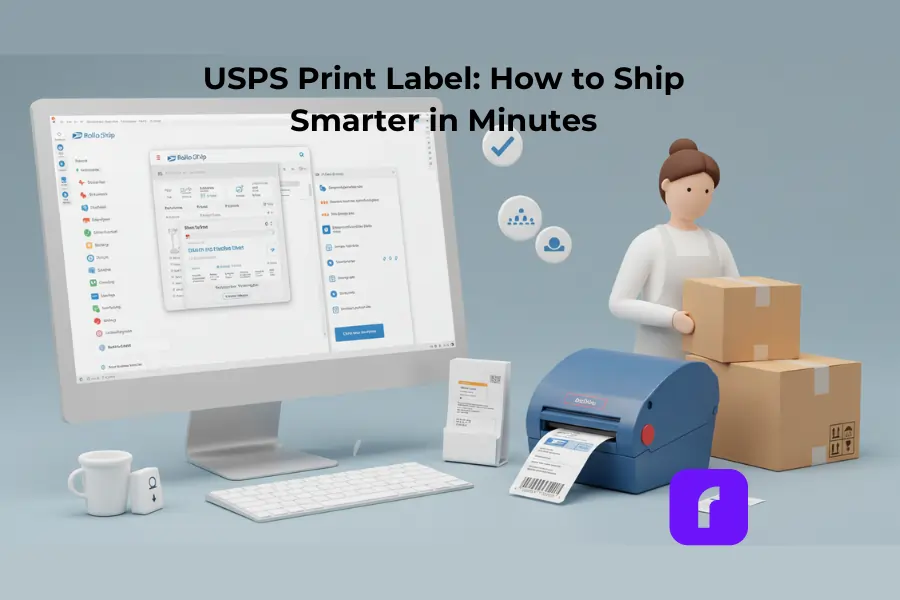
    USPS Print Label: How to Ship Smarter in Minutes

    If you sell products online, you know shipping can make or break a customer’s experience. Nothing feels worse than losing time or money because of complicated shipping steps. That’s where the USPS print label service steps in. It offers a simple way to create professional-looking shipping labels straight from your computer—or even your phone—without having to wait in line at the post office.

    In this guide, we’ll explore what makes USPS print label solutions so convenient, how you can set them up for your business, and the best ways to avoid common pitfalls. Whether you’re just starting out or shipping large volumes daily, you’ll find practical tips to streamline your process and keep customers happy.

    Breaking Down The USPS Print Label
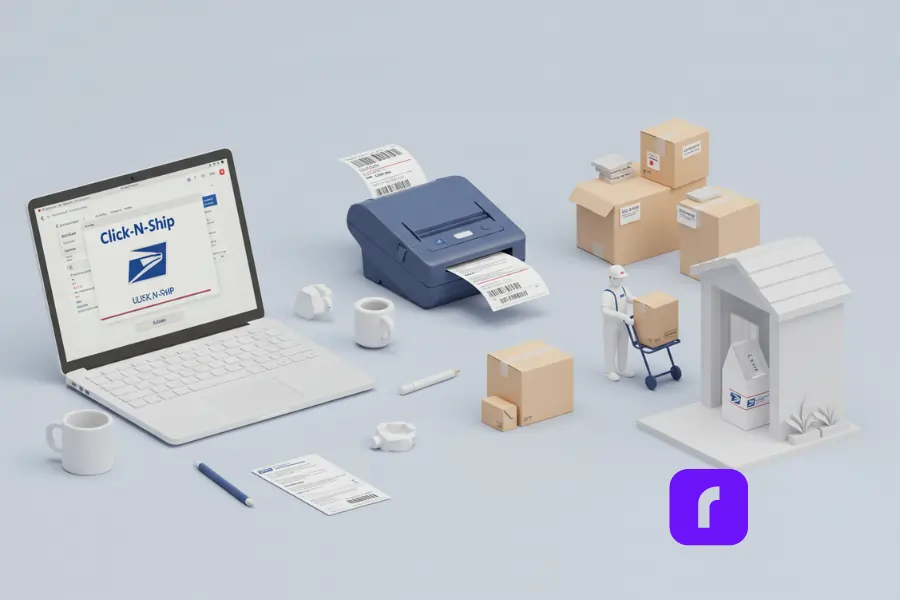
    laptop displaying click-n-ship for USPS print label solutions.

    The USPS print label service lets you pay for and print shipping labels online, saving you from handwriting addresses or buying postage at the counter. Instead of juggling forms at the post office, you enter your package details from home or your workspace. Then, you print a label that’s ready to stick on a box or envelope. By doing this, you skip extra lines and reduce the risk of making mistakes that cost you time or money.

    What Is a USPS Print Label?

    A USPS print label is simply a prepaid shipping sticker you create yourself. It has important information like the recipient’s address, your return address, and a barcode that USPS scans to track each package. Because you buy postage online at the same time, you don’t have to fuss with stamps or separate receipts. The system calculates rates based on weight, size, and shipping speed, then automatically includes the right postage. You just print, tape the label on, and your package is good to go.

    The USPS website also offers other online tools, such as Click-N-Ship, which lets you create multiple shipping labels in one session. Another option is Label Broker, a service that can generate a QR code or ID you can bring to the post office. If you don’t have a printer, USPS can scan that QR code and print the label for you on the spot. Either way, your goal is the same: a smooth, easy shipping process that helps you keep track of every item you send.

    Alternatively, you can use Rollo Ship, which allows you to bulk print shipping labels and schedule USPS pickups directly from the app, so you don’t have to visit the post office. This makes it easier for small businesses and online sellers to manage their shipping efficiently.ing the USPS Print Label Service

    Key Benefits for Your Business

    Using USPS print labels has many benefits for small and medium-sized businesses—making shipping faster, more affordable, and more professional.

    Save Time & No Post Office Trips

    • 🚀 Print shipping labels from home or office and skip the lines.
    • 📦 Schedule USPS pickups and have packages picked up at your doorstep.
    • 🖨️ Bulk shipping made easy by printing multiple labels at once.

    Lower Shipping Costs with Commercial Pricing

    • 💰 Get discounted USPS rates when you ship frequently.
    • 📉 Choose cost-effective options like Priority Mail or First-Class Package based on package weight.
    • 🎯 Don’t waste postage—print exact shipping rates instead of guessing.

    Reduce Errors

    • ✍️ Digital labels mean no smudged, incomplete, or misspelled addresses.
    • 🔍 Pre-filled label forms ensure recipient details are correct, reducing lost packages.
    • 📡 USPS barcode scanning automates tracking updates so customers stay informed.

    Look Professional

    • 🎨 Printed labels make shipping look clean and professional.
    • Consistent shipping builds reliability and trust with customers.
    • 📲 Customers get automated tracking updates, reducing “Where’s my order?” questions.

    By using USPS print labels, you simplify shipping, save money, and increase customer satisfaction—all while making your business run smoother.

    How It Compares to Other Shipping Solutions

    Many carriers let you print shipping labels, but USPS stands out for its broad reach and cost-effective services like Priority Mail and Media Mail. If you want speed and tracking but need to ship at a fair price, USPS is a solid choice. They have an established system that works well for both domestic and international packages, which is crucial for online sellers. While companies like FedEx or UPS have their own label-printing systems, USPS often wins on everyday affordability, especially for smaller, lighter parcels.

    Getting Started with USPS Print Label
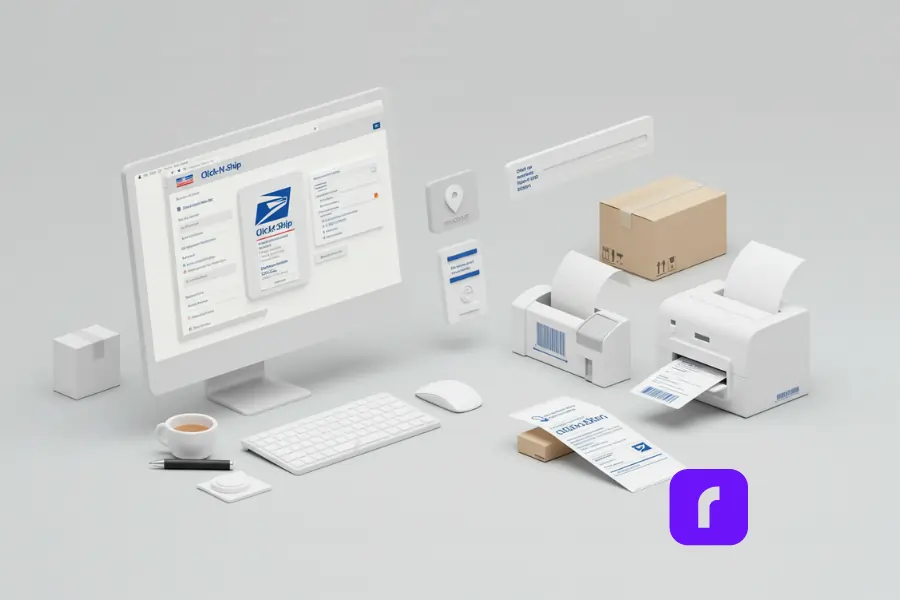
    One of the reasons USPS print label services appeal to small business owners is that the setup is straightforward. You don’t need fancy hardware or advanced software. A reliable internet connection, a computer or mobile device, and a printer are enough to get started.

    Setting Up Your USPS Account

    The first step is creating a USPS account if you don’t have one already. When you visit the USPS website, you’ll see an option to sign up for free. Choose whether you want a personal or business account. Most small businesses opt for a business account for added features and potential discounts. The registration process is simple and usually takes only a few minutes. You’ll enter your name, address, and a valid email address. Then, you’ll confirm your account through an email link.

    Once you’re logged in, explore the dashboard. Here, you’ll find services like Click-N-Ship, shipping calculators, and pickup scheduling. If you use a separate e-commerce platform to sell your goods, you can often integrate USPS features directly into your store. This allows you to calculate shipping costs and print labels without leaving your online shop’s dashboard.

    How to Create and Access Your Shipping Labels

    After your account is set up, you can start creating labels. Go to the Click-N-Ship section and enter the details of your package. This usually includes the recipient’s address, your return address, the package weight, and dimensions. Make sure you pick the right shipping service, such as Priority Mail or First-Class Package. USPS will show you available rates and speeds, so you can choose how fast you want your shipment to arrive.

    When everything looks correct, proceed to the checkout stage. You pay online with a credit or debit card. Right after payment, you’ll get a prompt to print the shipping label. Print it on regular paper or use self-adhesive label sheets if you prefer. If you don’t own a printer, you can get a Label Broker ID or QR code and take it to a participating USPS branch, where they’ll print it for you. That simple option is especially useful if you’re out of ink, time, or both.

    Understanding the Online Interface

    The USPS website is designed to make each step self-explanatory. You’ll see a progress bar that walks you through selecting a service, adding addresses, reviewing package details, and paying. For many people, the biggest challenge is ensuring the weight and dimensions are correct, because postage costs can change if your estimates are off. A small postal scale can help you avoid mistakes. The site also lets you schedule pickups, track shipped packages, and manage address books to speed up future label creation.

    Tips for Printing High-Quality Labels
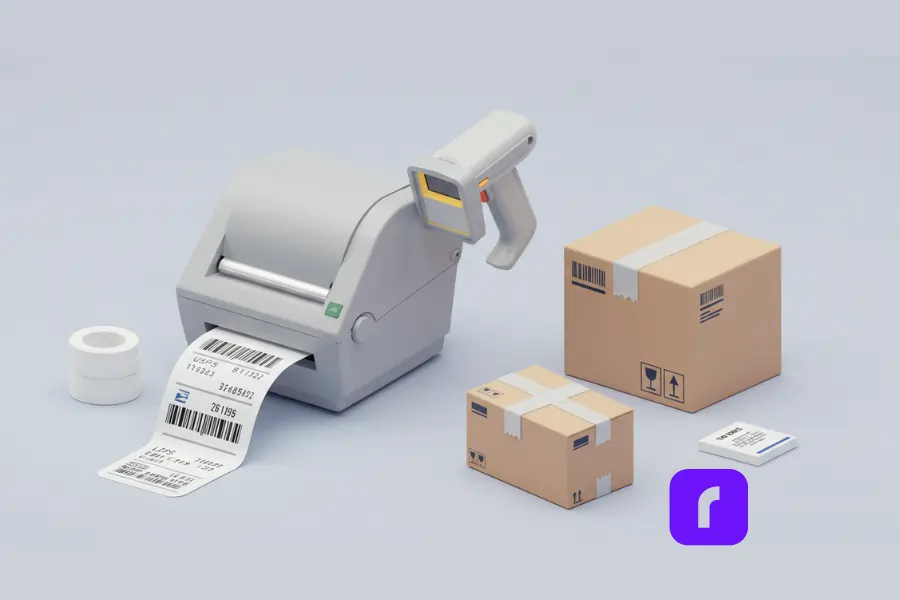
    Even though printing labels sounds simple, a few small mistakes can cause big headaches. Addresses might not scan properly, or the label might smudge if you’re not careful. Following a few best practices ensures your labels look good and scan correctly every time.

    Choosing the Right Printer and Paper

    Most standard inkjet or laser printers are fine, but a reliable printer will give you fewer misprints. Inkjet printers sometimes produce labels that can smear if they get wet, so consider using quick-drying ink or water-resistant paper. Laser printers often deliver sharper images that won’t run if moisture is present. If you want a super-professional look, you can buy 4×6-inch shipping label sheets that come with a peel-and-stick backing.

    For an even faster and ink-free solution, Rollo’s thermal printers offer crisp, smudge-free shipping labels without the need for ink or toner. Rollo printers are optimized for USPS labels and integrate with platforms like Click-N-Ship and Rollo Ship, making it easy to bulk print labels directly from the app.

    Regular printer paper works too—you just need to trim the label and tape it securely. Whichever method you choose, make sure the barcode is clear and easy to scan. That barcode is how USPS tracks your package, so if it’s smeared or folded, your updates may be delayed.

    Avoiding Common Printing Issues

    One big pitfall is resizing your label before printing. If you shrink or enlarge the image, you might distort the barcode. Always print at 100% scale so the black lines and gaps remain correct. Another issue is printing only part of the label if your settings aren’t aligned properly. Double-check your print preview before hitting the “print” button.

    Also, consider printing one test label the first time you use a new printer or label sheet. This helps you spot any odd formatting. If you notice that only half of the address prints, you can correct it right away. Pay special attention to the edges where your printer might cut off essential details.

    Enhancing Label Accuracy and Durability

    You might want to laminate your label or place clear packing tape over it to protect it from rain or rough handling. However, avoid covering the barcode with layers of tape if it causes glare that scanners can’t read. A single layer of clear tape or a simple plastic pouch is usually enough. If you’re sending items internationally or to areas with harsh weather, that extra layer of protection can be a lifesaver.

    Double-check that each address field matches what you typed online. Some people accidentally swap the return address with the destination address. A quick review can prevent that unfortunate mix-up. If you’re shipping fragile or high-value goods, also consider adding insurance or signature confirmation as you print your label. You can do this in the same transaction without an extra trip to the post office.

    Managing Shipping Details and Costs
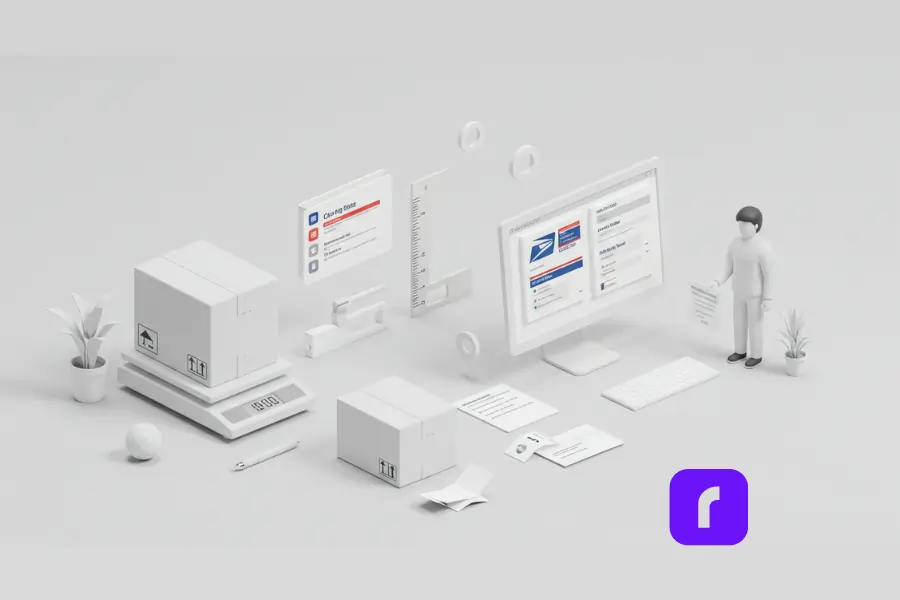
    Shipping can be stressful if you don’t understand how rates work. USPS uses weight, dimensions, and distance to calculate prices. Fortunately, once you get the hang of measuring your packages, you’ll know what to expect when creating a USPS print label.

    Calculating Package Weight and Postage

    If you’re using a standard envelope with just a few ounces of product, First-Class Package might be the most affordable option. For heavier boxes, Priority Mail is often the right fit because it includes tracking and faster delivery times. Media Mail is a great deal if you send books or other qualifying media, though it takes a bit longer and has certain content restrictions.

    USPS ServiceBest ForDelivery TimeTracking Included?
    First-Class PackageSmall packages under 1 lb2-5 business daysOptional
    Priority MailFast shipping with tracking1-3 business daysYes
    Media MailBooks & educational materials2-8 business daysNo
    Flat RateHeavier items at a set price1-3 business daysYes

    A digital scale can make a huge difference in guessing your postage fees correctly. Aim to weigh your package after it’s fully packed, including any bubble wrap or extra material. If you choose a Priority Mail Flat Rate box, you don’t need to weigh it because the cost is the same up to a specific weight limit. Still, it’s a good habit to check the actual weight so you know if a different option might be cheaper.

    Troubleshooting Cost Discrepancies

    Sometimes the cost online is different than what your local post office will tell you. If you’re sure of your package dimensions and weight the online price is what you’ll pay. Small mistakes even just a few ounces over the limit can bump your package into the next tier.

    If you realize you made a mistake after purchasing a label – such as entering the wrong weight or choosing the wrong service – you can request a refund through your USPS account. USPS has a time limit for refunds so check their policy to make sure you qualify. If you’re using Rollo Ship for order fulfillment, you can manage shipping adjustments, reprint labels or track refunds all in one place making it easier to stay organized.

    Understanding Additional Charges and Options

    USPS offers extra services like tracking, insurance, and return receipt for an added fee. Tracking is usually included with Priority Mail, but it can cost extra for First-Class. When you create your label, you’ll see a list of add-ons you can select if you want an added layer of protection. The price difference might be worth it if you’re shipping expensive products or need proof of delivery.

    Advanced USPS Print Label Business Tips
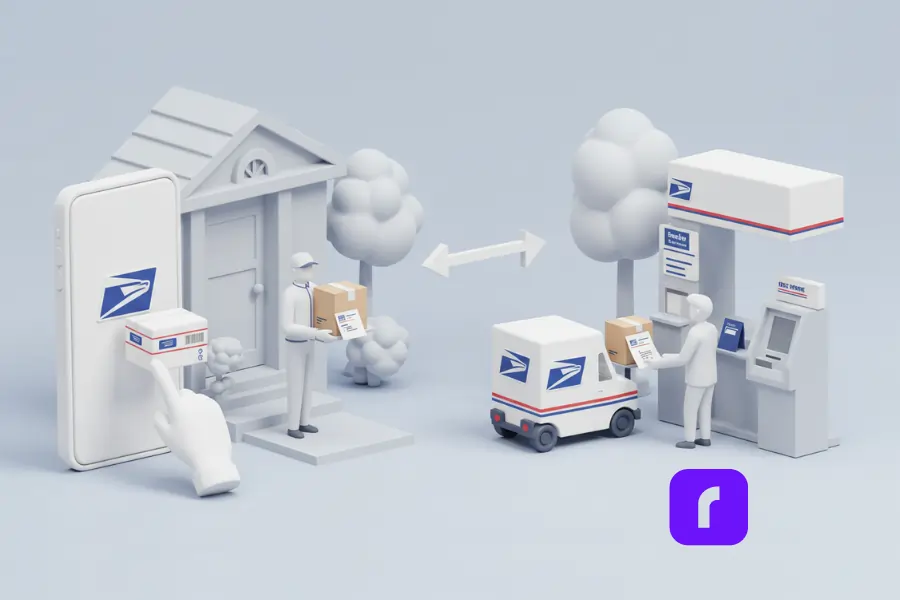
    If you’re shipping dozens of packages a day, you want to make sure the process is as smooth as possible. USPS provides a few advanced features that can save you time and keep things running seamlessly.

    Scheduling Pickups vs. Dropping Off at the Post Office

    Once your labels are printed, you can drop packages off at any USPS location. But if you’d rather not stand in line, consider scheduling a pickup. You’ll fill out a quick form online, stating how many boxes or envelopes you have and where you’ll leave them. A postal carrier then collects them during their normal route. This service can be a huge time-saver, letting you focus on preparing your products or managing other parts of your business.

    For some people, dropping items off directly at the post office still feels safer, especially if you have a large batch of packages. You can do a quick hand-off at the counter or even use a self-service kiosk. The important thing is to choose what’s convenient and reliable for you. If porch theft is an issue where you live, for instance, you might prefer in-person drop-offs.

    For an even more seamless way to manage pickups, consider Rollo Ship. It allows you to bulk-print USPS labels and schedule pickups right from the app. This means you can handle everything—labels, rates, and pickups—all in one place, reducing the time spent on manual shipping tasks.

    @rollo

    Want to save on shipping? The answer is always yes. Video by @sellquickshipquick #rolloapp #rolloship #rollowireless #shipping

    ♬ Storytelling – Adriel

    Using Mobile and Online Tools to Manage Shipments

    In addition to Click-N-Ship on the USPS website, you can use their mobile app to track packages or even generate shipping labels. Some business owners scan barcodes with their phone’s camera to pull up package details fast. If you integrate USPS with an e-commerce platform, your customers can see tracking updates automatically, reducing the chance of repeated “Where’s my order?” emails.

    Keeping Your Business Information Secure

    Privacy is a concern for many sellers who operate from home. If you prefer not to show your home address, consider using a PO Box or a commercial mail receiving agency as your return address. Some online sellers also register for a business address so customers see the company name instead of a home location. When creating your USPS print label, you can usually set these options in your profile. Just double-check each time you print a label to ensure you’re showing the correct return address.

    How Businesses Can Simplify Shipping
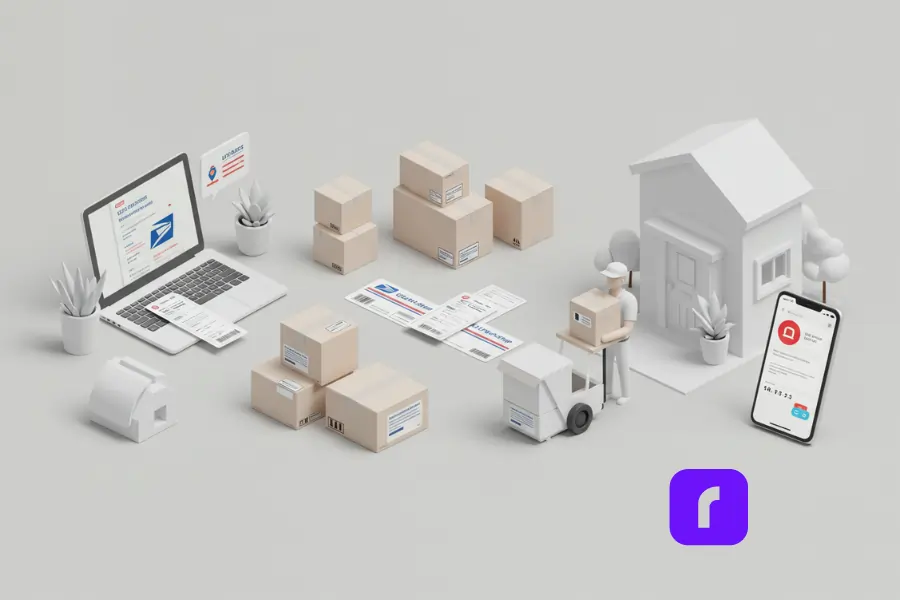
    Many small business owners find that using USPS print label solutions cuts down on errors and speeds up shipping time. For example, a local craft store owner who ships handmade items throughout the country might rely on Click-N-Ship every day. Instead of handwriting dozens of labels, she logs into her account, inputs each order’s details, and prints everything at once. This not only saves time but also drastically lowers the chance of mix-ups.

    Others find that scheduling pickups makes a world of difference. One online seller who deals in vintage clothing noted that daily post office runs took too much time. After switching to at-home pickups, she managed to pack and ship more orders without leaving her home business setup. Customers received their tracking updates as soon as the packages were scanned, boosting the seller’s ratings for quick shipping.

    Final Words

    Now that you have a solid grasp of the USPS print label system, it’s time to take action. If you haven’t already, create a USPS account and explore Click-N-Ship. Test printing a label to see how it fits your workflow, and consider scheduling a pickup to save even more time. If you’re worried about a lack of printing equipment, look into the Label Broker service or invest in a low-cost printer that suits your budget and space.

    By using online tools, avoiding common mistakes, and taking advantage of advanced features like pickups and mobile tracking, you can ship faster and focus on what matters most: growing your business and delighting your customers. A smooth shipping operation isn’t just about convenience—it’s also a statement about your brand’s professionalism. So go ahead and set yourself apart by embracing a more efficient way to ship. It all starts with that first printed label and a willingness to streamline your routine. Good luck, and happy shipping!


    Follow Rollo on:


    Frequently Asked Questions About USPS Print Label

    📌 Q: How do I print a USPS label from home?

    💭 A: You can start by creating or logging into your USPS account on the official website. Choose Click-N-Ship, enter your shipping details, and pay for postage. Then, print the label using a home printer or a Label Broker ID at a participating post office if you don’t have printing equipment. For a more efficient process, Rollo’s thermal printers allow you to print USPS labels without ink, ensuring smudge-free, high-quality labels.


    📌 Q: Can I use my business account to print USPS labels?

    💭 A: Yes. A USPS business account may offer special features, including discounted rates and bulk shipping management. If you frequently ship orders, having an account can help streamline your process. Additionally, using a dedicated shipping tool like Rollo Ship can help you compare rates, print labels instantly, and track shipments across multiple platforms like Shopify, Etsy, and eBay.


    📌 Q: What should I do if my label prints with errors?

    💭 A: First, check your printer settings to ensure you’re printing at 100% scale so that barcodes and addresses print correctly. If details like the return address or barcode are missing, try reprinting the label. If you’ve paid for a label with incorrect information, you can request a refund through your USPS account and generate a new label. For the best printing results, consider using Rollo’s thermal printers, which are optimized for USPS labels and eliminate the risk of ink smudges or faded prints.


    📌 Q: Is printing a USPS label free, or are there extra charges?

    💭 A: There is no charge to generate a USPS label, but you do have to pay for postage. Some services like Priority Mail include free tracking, while others may charge extra for additional features such as insurance or signature confirmation. If you want professional-quality labels, you can print on self-adhesive thermal labels using a Rollo printer, which offers an ink-free, cost-effective solution.


    📌 Q: How do I schedule a USPS pickup after printing my label online?
    💭 A: Once your label is printed and attached to your package, visit the USPS website or app and navigate to the Schedule a Pickup page. Enter details about the number of packages, where they’ll be located, and your preferred pickup date. Your mail carrier will collect them during their usual route, eliminating the need for a trip to the post office. If you’re using Rollo Ship, you can schedule pickups and manage your shipments all in one place, making your shipping process even more seamless.
  • How to Schedule a USPS Pickup Efficiently

    How to Schedule a USPS Pickup Efficiently

    Schedule a USPS pickup effortlessly in today’s fast-paced world where managing time effectively is crucial, especially for shipping and logistics. The United States Postal Service (USPS) offers a convenient way to handle your mailing needs from home or office. This article will guide you through the efficient scheduling of a USPS pickup, saving you time and hassle. Additionally, we’ll introduce the Rollo Ship App, a tool that further simplifies your shipping experience by integrating seamlessly with USPS services. Whether you’re a small business owner or simply sending a gift, understanding how to leverage USPS pickup services is key.

    Understanding USPS Pickup Services

    USPS pickup services are more than just a convenience; they are a crucial component for individuals and businesses alike, offering a reliable and efficient method to send packages without the need to visit a post office. This service proves particularly beneficial for those with bulk shipments, limited mobility, or simply a busy schedule. Whether it’s a single return package or multiple shipments, USPS is equipped to handle your needs. However, as straightforward as the service may seem, several common questions arise, delving into the specifics of what USPS will and won’t do. Let’s address these inquiries to clarify how USPS pickup services can work best for you.

    Questions about USPS Pickup Answered

    Will USPS pick up a package with a prepaid label?

    Yes, USPS will pick up packages with prepaid labels. This makes it incredibly convenient for you to send packages without visiting the post office. Just ensure your labels are correctly attached and that your package is ready for shipment.

    Can USPS pick up a return package?

    USPS can pick up return packages. This is particularly useful for businesses managing returns or individuals needing to send back items purchased online. Make sure your return label is attached and the package is sealed.

    Why won’t USPS pick up my package?

    There could be several reasons why USPS didn’t pick up your package. It could be due to incorrect labeling, insufficient postage, or if the package doesn’t meet USPS guidelines. Sometimes, logistical issues or misunderstandings about the pickup location may arise. Always double-check the details of your pickup request and ensure your package is properly prepared.

    Why won’t the mailman take my outgoing mail?

    If your mailman isn’t taking outgoing mail, it might be due to a lack of clear indication that the mail is indeed outgoing. It’s essential to place it in an easily visible area marked for pickup. If issues persist, contacting your local post office for clarification is advisable.

    Can I put USPS return packages in my mailbox?

    Yes, you can generally put USPS return packages in your mailbox if they fit. Ensure the return label is visible and the mailbox flag is up to alert the mail carrier. For larger packages, scheduling a pickup or dropping them off at a USPS location may be necessary.

    Does USPS pick up outgoing mail?

    Yes, USPS picks up outgoing mail. You can leave it in your mailbox with the flag up or schedule a pickup for larger quantities or packages through the USPS website or services like the Rollo Ship App.

    How does USPS schedule a pickup work?

    Scheduling a USPS pickup is a simple and user-friendly process. You can request a pickup online through the USPS website or via apps like the Rollo Ship App. You’ll need to provide details about your package(s), including size, number, and location. You can choose between regular pickup during your mail carrier’s routine rounds or a specific time with their Pickup On Demand service. Once scheduled, ensure your packages are ready at the designated spot you specified.

    🌐 The Convenience of Scheduling a USPS Pickup Online

    The online process of scheduling a USPS pickup is designed with your convenience in mind. By visiting the USPS website or using tools like the Rollo Ship App, you can swiftly arrange for your packages to be picked up directly from your home or office. This service isn’t just about convenience; it’s also a cost-effective solution. For most packages, this pickup service is free, offering significant savings of both time and money.

    Whether you’re sending out orders, returning online purchases, or just getting rid of clutter, USPS pickup services streamline the process. By understanding the specifics and preparing accordingly, you can ensure a smooth and efficient experience with USPS pickups, enhancing your shipping and mailing processes significantly.

    How to request and schedule a USPS pickup?

    📅 Step 1: Verify Your Pickup Location To Schedule a USPS Pickup

    ➡️ Before you schedule a USPS pickup, confirm that USPS offers pickup services at your location.

    ➡️ Most addresses are eligible, but it’s always good to check.

    ➡️ Once you’ve verified your location, provide the necessary details like your address and contact information.

    This is also the time to mention if there’s a dog at the address to ensure the carrier’s safety.


    📅 Step 2: Designate Your Package Location While You Schedule a USPS Pickup

    ➡️ Next, decide where you’ll leave your packages for pickup. It could be at your front door, porch, or a designated secure area.

    ➡️ Ensure the location is accessible and safe for the carrier to collect your items.


    📅 Step 3: Choose the Time and Date for the USPS Pickup

    ➡️ You can schedule a USPS pickup during regular mail delivery for free, or opt for a specific time with their Pickup On Demand service.

    ➡️ Decide what works best for you and set the date accordingly.

    Remember, you can always modify or cancel if your plans change.


    📅🔚 Step 4: Indicate Your Package Types and Number

    ➡️ Specify the type and number of packages you’re sending when you schedule a USPS pickup.

    ➡️ Whether it’s Priority Mail Express for urgent deliveries or international service for overseas shipments, accurately indicating this information ensures a smooth pickup process.

    Modifying or Canceling Your Scheduled Pickup

    Modifying or canceling your scheduled USPS pickup is a flexible process designed to accommodate the unforeseen changes that often occur in daily life. Whether it’s a sudden change of plans, an error in the initial scheduling, or any other reason, USPS understands the need for adaptability and has made it quite simple to adjust your pickup details.

    Modifying or Canceling Your Scheduled Pickup

    ✏️ Modifying Your Scheduled USPS Pickup:

    • 💻 Access Your Account: To modify your pickup, start by visiting the USPS website and logging into your account where you initially scheduled the pickup.
    • ℹ️ 🧐 Find Your Pickup Details: Navigate to the section where your upcoming pickups are listed. Here, you’ll find the details of all scheduled pickups, including dates, addresses, and the number of packages.
    • ✍️🕒 Make Your Changes: Select the pickup you wish to modify. You can change various details like the pickup date, location, or the number and type of packages. After making the necessary adjustments, confirm the changes.
    • 👁️✅ Review and Save: Ensure all the new details are correct. Save the changes, and you’ll receive a confirmation of the modification. It’s a good idea to keep this confirmation for your records.

    ⛔ Canceling Your Scheduled USPS Pickup:

    • 🔐 Log Into Your Account: Visit the USPS website and sign in to the account used to schedule the pickup.
    • 🔎 Locate Your Scheduled Pickup: Go to the area of the website where your scheduled pickups are listed.
    • Select Cancel: Choose the pickup you want to cancel and select the option to cancel it. You might be asked to confirm your decision.
    • 🆗 Confirmation: After canceling, you’ll receive a confirmation. Keep this as proof of the cancellation.

    In both modifying and canceling your pickup, it’s crucial to undertake these changes well ahead of the scheduled time. This ensures that the mail carrier is notified in time and can adjust their route and schedule accordingly. Remember, USPS’s goal is to provide a flexible and user-friendly service. By allowing you to modify or cancel pickups, they help ensure that your shipping needs align with the ever-changing dynamics of your day-to-day life.

    Rollo Ship App: Enhancing Your USPS Shipping Experience

    In the digital age, an efficient shipping process is key to success, whether you’re running an e-commerce business or simply sending packages regularly. The Rollo Ship App emerges as a revolutionary tool, designed to streamline and enhance your USPS shipping experience. This app is a game-changer in the logistics and mailing world, offering an array of features that cater to the diverse needs of shippers. 

    Rollo Ship App Enhancing Your USPS Shipping Experience

    The best part?
    It’s entirely free to download and use, and you don’t need to own a Rollo printer to take advantage of its comprehensive capabilities.
    You don’t even need to own a Rollo printer to benefit from its capabilities.

    📅 Scheduling Pickups Made Easier with Rollo

    It feels sometimes daunting when you have to schedule a USPS pickup, especially when you’re juggling a busy schedule. The Rollo Ship App simplifies this process significantly. With its user-friendly interface, you can schedule a pickup with just a few taps on your device. Whether you’re at home, in the office, or on the go, arranging for your packages to be picked up at a convenient time becomes an effortless task.

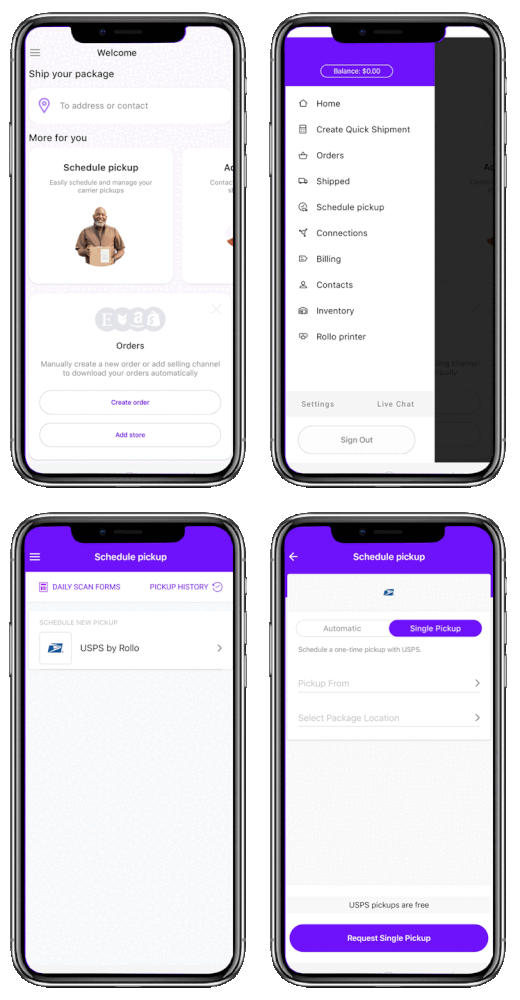
    How to Schedule a USPS pickup in the Rollo Ship App:

    📅 Step 1: Register for free and Log Into Rollo Ship.
    You can access it on Desktop or download the Rollo App for free for iOS and Android.

    📅 Step 2: On the Rollo Ship home page, there are 2 possibilities to schedule a USPS pickup, both guiding via the same process
    ➡️ Go to “Schedule Pickup” at the top menu
    ➡️ Or click on “Start a pick up”


    📅 Step 3: Follow the prompts as shown below:

    Schedule a USPS pickup via the Rollo Ship App

    ⚠️ Remember that the Rollo App:

    • Free to Register and Use
    • Provides USPS shipping discounts
    • USPS pickups are Free in the Rollo App

    Not only does the app make scheduling easy, but it also offers valuable shipping discounts. These discounts can lead to substantial savings over time, especially for frequent shippers. The Rollo Ship App doesn’t just simplify your shipping process; it makes it more economical, providing a win-win solution for your shipping needs.

    ✅ Benefits of Choosing Rollo for Your Shipping Needs

    • 💰 Cost-Effective Solutions: Rollo understands the importance of cost-saving in shipping. The app charges no monthly subscription fees, making it accessible to everyone. Additionally, Rollo offers the first 200 labels for free, providing a cost-effective start for new users.
    • 🏬 Integration with Marketplaces: In today’s e-commerce-driven world, selling across various platforms is the norm. The Rollo Ship App integrates with multiple marketplaces and e-commerce platforms, including Amazon, Etsy, Shopify, and more. This integration means you can manage shipments across different channels seamlessly, saving time and reducing the hassle of switching between various platforms.
    • ⚙️ Convenience and Flexibility: The Rollo Ship App is designed for convenience. You don’t need to purchase a Rollo printer or any other products to use the app. It’s about providing a flexible, user-friendly service that adapts to your specific shipping needs.
    • 🤖 Enhanced Features: Rollo is committed to innovation and regularly updates the app with new features. These enhancements aim to continually improve the shipping experience, making it more efficient and user-friendly.

    To sum up, the Rollo Ship App is more than just a shipping tool; it’s a comprehensive solution designed to make your USPS shipping experience as smooth and cost-effective as possible. Whether you’re a small business owner, an individual seller, or someone who frequently sends packages, Rollo provides the features and flexibility needed to manage your shipments efficiently and economically.

    Schedule a USPS Pickup for Free

    Easy, Fast, Efficiently

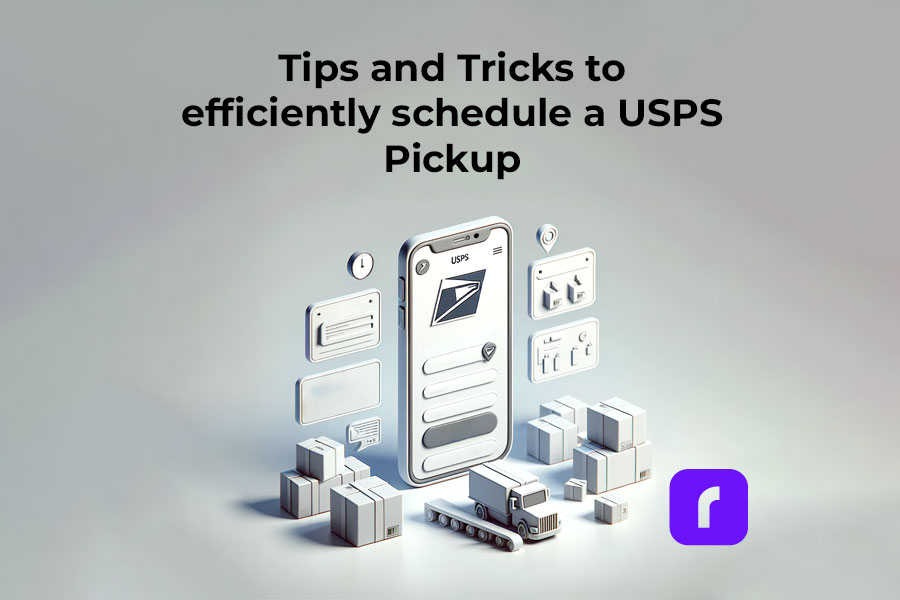
    Tips and Tricks to efficiently schedule a USPS Pickup

    Maximizing the benefits of USPS pickup services requires a blend of planning, understanding, and strategy. Here are some specific tips and tricks to ensure your shipping process is as smooth and efficient as possible:

    tips to schedule a USPS pickup

    1. 📬 Understand Different Mail Types before you schedule a USPS pickup:

    If you’re sending books, CDs, or other educational materials, Media Mail is a cost-effective option.

    However, it’s subject to inspection, and any non-qualifying items can lead to delays and additional charges. Ensure your items strictly meet the Media Mail guidelines before choosing this option.

    2. 📅 Plan Ahead for Busy Periods

    The weeks leading up to major holidays like Christmas see a significant increase in mail volume.

    Plan and schedule your pickups well in advance during these times. Early scheduling not only secures your pickup but also helps you avoid the last-minute rush that could delay your shipments.

    3. 🔢 Accurately Estimate Your Package Volume Before You Schedule a USPS Pickup

    If you’re shipping a large volume of packages, especially during promotional events or product launches, provide an accurate count when scheduling your pickup.

    Underestimating can lead to the carrier not allocating enough space in their vehicle while overestimating consistently might lead to lower prioritization for your future pickups.

    4. 📍Optimize Your Package Location

    Choose a pickup location that’s easily accessible and secure.

    If you’re in an apartment complex, instead of leaving packages outside your door where they might be missed or tampered with, consider a centralized location like the lobby or a mailroom where the carrier typically goes.

    5. 📰 Stay Informed About Service Changes

    Be aware of service updates or changes, especially during extreme weather conditions. USPS might adjust pickup times or suspend services temporarily in certain areas. Stay updated through the USPS website or app to avoid any surprises.

    6. 🏷️ Label Clearly and Correctly Before You Schedule a USPS Pickup

    Incorrectly labeled packages can lead to returns or delays.

    For instance, if the pickup address on the package differs from the scheduled pickup location, it might confuse the carrier. Ensure all labels are accurate and match the information provided during scheduling.

    7. 💭 🗨️ Communicate with Your Local Carrier

    If you regularly schedule pickups, getting to know your local mail carrier can be beneficial. They’ll become familiar with your shipping habits and preferences, potentially offering more personalized service and advice.

    8. ✔️ Utilize Pickup Confirmation and Tracking

    Once your pickup is completed, use the provided tracking number to monitor your shipment’s progress. This allows you to address any issues promptly and provides peace of mind.

    9. 🕓 Be Flexible and Have a Backup Plan Before You Schedule a USPS Pickup

    Sometimes, pickups might be delayed or missed due to circumstances beyond anyone’s control. Have a backup plan, like knowing the location of your nearest USPS drop-off point, just in case.

    10. 🗯️ Feedback Matters

    If you encounter any issues or have suggestions, provide feedback to USPS. Your input can help improve the service for everyone.

    By following these specific tips and incorporating the examples into your shipping routine, you’ll enhance your efficiency and reliability, ensuring that your packages are picked up and delivered on time and in good condition.

    Final Words

    Knowing how to schedule a USPS pickup is a convenient and efficient way to manage your mailing needs. With the added benefits of the Rollo Ship App, it’s easier than ever to ensure your packages are sent off without a hitch. So why wait? Schedule a USPS pickup today and experience the ease and efficiency of USPS pickup services.

    Ready to simplify your shipping process?

    Schedule a USPS pickup now!


    Discover the convenience and savings

    with the Rollo Ship App

    Follow Rollo on:

    Frequently Asked Questions about How to Schedule a USPS pickup

    📌 Q: Can you schedule a USPS pickup for free?

    💭 A: Yes, you can schedule USPS pickups during regular mail delivery are generally free.


    📌 Q: Will USPS pick up a package with a prepaid label?

    💭 A: USPS will pick up a scheduled package as long as it meets the requirements.


    📌 Q: Can I leave a package outside for USPS pickup?


    💭 A: Yes, you can leave a package outside for USPS pickup, but it’s important to ensure that the package is securely placed in a spot that’s both safe and easily accessible for the mail carrier. Indicate in your pickup request where the package will be left, such as on your porch or at your doorstep. It’s also wise to consider weather conditions and the security of the area to prevent damage or theft. Always use clear labeling and proper packaging to ensure the package remains intact and identifiable until it’s collected by USPS.


    📌 Q: Can I leave a package in my mailbox for pickup?


    💭 A: Yes, for USPS pickups, you can leave a small package in your mailbox with the flag up, or for larger packages, place them near your mailbox or at a pre-arranged secure location.


    📌 Q: What is USPS available for pickup?


    💭 A: USPS available for pickup means the postal service offers to collect outgoing mail and packages directly from your specified location, whether it’s your home, office, or another address.
  • Order Fulfillment – Rollo’s Role From Order To Delivery

    Order Fulfillment – Rollo’s Role From Order To Delivery

    In today’s fast-paced digital era, the commerce landscape is rapidly evolving. Technology’s unstoppable surge is reshaping businesses, pushing them to adapt and innovate continually. Yet, amid these whirlwind advancements, the essence of a flourishing business hasn’t wavered: streamlined and efficient order fulfillment. It’s a dynamic dance of processes and strategies that ensures customers get their desired products promptly and seamlessly.

    As e-commerce grows and customer expectations heighten, businesses scramble to finesse their order fulfillment strategies. Enter Rollo – a game-changer in this domain. This article will guide you through the labyrinthine pathways of order fulfillment, spotlighting how Rollo is redefining norms and elevating standards in the commerce ecosystem. Dive in to discover Rollo’s transformative approach and how it’s becoming the linchpin in modern order fulfillment journeys.

    What is Order Fulfillment?

    Order fulfillment, often seen as the beating heart of the commerce world, is a multi-faceted process that stands as a testament to a business’ efficiency. At its core, it captures the journey of a product from the moment a customer places an order to the delightful moment they receive it at their doorstep. This journey isn’t just about moving items. It is an intricate dance of operations that involves monitoring inventory levels, processing orders, methodically picking and packing items, shipping them out, and ensuring they reach their final destination in pristine condition.

    eCommerce Order Fulfillment

    📌 What Is eCommerce Order Fulfillment?

    E-commerce order fulfillment serves as the cornerstone of digital retail activities. It encompasses the entire process that kicks into gear once a customer places an order online: from picking the product from storage, packing it securely, and finally shipping it to the customer’s doorstep. This detailed sequence guarantees that customers obtain their items promptly and correctly. As e-commerce grows exponentially, an efficient order fulfillment process becomes pivotal in retaining customer trust and loyalty.

    Delving into the Three Approaches to Order Fulfillment

    1️⃣  Merchant Fulfillment: This approach puts the retailer at the helm of operations. They bear the full responsibility for processing, picking, packing, and shipping the products directly to the customer. It offers businesses more control but also demands a robust infrastructure and system in place.
    2️⃣  Third-party Fulfillment: Here, the retailer delegates the responsibilities of storage, packing, and shipping to an expert third party. This can help businesses scale efficiently, as they can focus on their core operations while a specialized entity handles the logistical challenges.
    3️⃣ Drop Shipping: An increasingly popular model, drop shipping involves the retailer acting as a mediator. When they receive an order, they forward the details to a third-party supplier who then ships the product directly to the customer. This eliminates the need for the retailer to hold inventory, reducing overhead costs.
    In the sphere of merchant fulfillment, Rollo has emerged as a beacon of innovation and efficiency. Tailored particularly for small businesses that can't afford extensive logistical setups, Rollo simplifies and streamlines the process. With its ability to integrate seamlessly with e-commerce giants like Amazon, Etsy, Shopify, WooCommerce, and eBay, and its adaptability with sites like Poshmark, Mercari, and Depop, Rollo offers an unparalleled order fulfillment experience.

    Merchant Fulfillment Across Various E-commerce Platforms

    Shopify and the Rollo Magic: 

    If you’re looking to elevate your Shopify store’s order fulfillment process, Rollo is your ticket. Integrating the Rollo Ship App with Shopify paves the way for enhanced automation. No longer do retailers need to manually input order details or print labels. Rollo handles it all, providing instantaneous updates, and ensuring businesses stay ahead of the curve.

    Rollo Meets Squarespace: 

    For businesses built on Squarespace, the road to efficient order fulfillment is just as smooth. With Rollo’s integration capabilities, Squarespace users can optimize their order processes, mirroring the seamless experiences larger platforms provide. The result? Speedier, more reliable deliveries that boost customer satisfaction and loyalty.

    Credit to: Squarespace Pinterest

    In a world where customer satisfaction hinges on swift and accurate deliveries, understanding and optimizing order fulfillment becomes paramount. With platforms like Rollo leading the charge, businesses are better equipped to meet and exceed customer expectations, paving the way for long-term success.

    Rollo integration with Squarespace allows the same level of automation, providing an optimized process for fast and efficient order fulfillment.

    Stages of Order Fulfillment and Rollo’s Role

    In today’s commerce business landscape, customer expectations are soaring, making each stage of order fulfillment crucial. From receiving inventory to the final delivery, every step must be seamless, efficient, and customer-centric. Rollo, with its innovative products and services, emerges as the cornerstone for businesses seeking a transformative order fulfillment experience. Let’s delve deeper into the intricacies of order fulfillment and understand Rollo’s invaluable contributions.

    1. Receiving Inventory: A Digital Facelift with Rollo

    Every product journey commences with inventory, but the scope of Rollo’s thermal label printer stretches beyond traditional applications. Not only does this powerhouse handle vast volumes, churning out up to 325,000 ft of labels without an ink smudge, it flexibly addresses diverse printing needs:

    • ID Badges: Whether it’s for a corporate event or daily business operations, Rollo ensures crisp and professional ID badges, fostering a secure and organized environment.
    • Inventory Tags: Keep track of inventory with precision. With Rollo, each item gets a clear, durable tag, streamlining inventory management and reducing errors.
    • Barcode Labels: From retail to warehouses, barcodes are the backbone of product management. Rollo delivers high-resolution barcode labels, ensuring quick scans and efficient operations.
    • Decorative/Informative Round Labels: Add a touch of branding or information to your products. Rollo’s decorative labels are perfect for making your items stand out, be it for branding or providing essential product information.
    • Shipping Labels: The 4×6-inch labels are an industry standard for shipments. Rollo ensures these labels are printed flawlessly, guaranteeing packages are addressed correctly and reach their destinations seamlessly.

    The versatility of Rollo’s printer solidifies its role as an indispensable tool in the modern commerce business. It’s more than just a printer; it’s a versatile companion for businesses, embodying excellence, efficiency, and adaptability, ensuring they commence their order fulfillment journey on the most optimized note.

    inventory in order fulfillment

    2. Inventory Storage: Making Organization an Art

    An efficient inventory system is vital to avoid mishaps, misplacements, and mismanagement. Rollo’s barcode label printer, equipped with colorful and distinctive barcode labels, adds vibrancy to the typically mundane world of storage. These labels, beyond their aesthetic appeal, enable businesses to categorize, locate, and access products with unprecedented ease. In essence, Rollo turns storage spaces into organized masterpieces.

    3. Order Processing: Rollo’s Seamless Integration and Empowerment

    Enter the realm of order processing, where chaos often ensues, and Rollo emerges as a beacon of streamlined simplicity. At its core, Rollo marries two potent forces: the Rollo Ship App and the Rollo Shipping Label Printer. These tools not only mesh with each other but also fuse seamlessly with your online storefront. This integration paints a real-time picture, updating businesses with every new order and even consolidating similar ones.

    Need to craft a shipping label? The first 200 are on the house. Moreover, even if you opt to bypass the Rollo Ship App, the freedom to print shipping labels wirelessly from any app, or any store, thanks to AirPrint compatibility, or to harness shipping discounts from the Rollo Ship without a Rollo label printer underscores Rollo’s ethos: Freedom in Choice. Whether it’s a small e-commerce store or a professional service like a law firm, the platform tailors its offerings, ensuring every user finds value, all without the binds of monthly subscriptions or business verifications.

    NO MONTHLY SUBSCRIPTIONS. JUST BIG DISCOUNTS ON SHIPPING RATES!

    Join Rollo Ship For FREE!

    The first 200 labels are on us, every next shipping label is just 5 cents!

    4. Picking and Packing: Rollo’s Eco-conscious and Effective Approach

    When products transition from shelves to shipping boxes, precision is paramount. Here, Rollo offers not just tools, but a philosophy. With a focus on sustainability, our FSC-certified, BPA-free thermal labels in assorted sizes and hues are as kind to the environment as they are functional. The versatile hybrid label holder caters to both fanfold and roll labels, ensuring adaptability.

    shipping label roll, thermal labels on a roll
    circle thermal labels on a roll
    shipping labels 4x6 stacked
    digital shipping scale

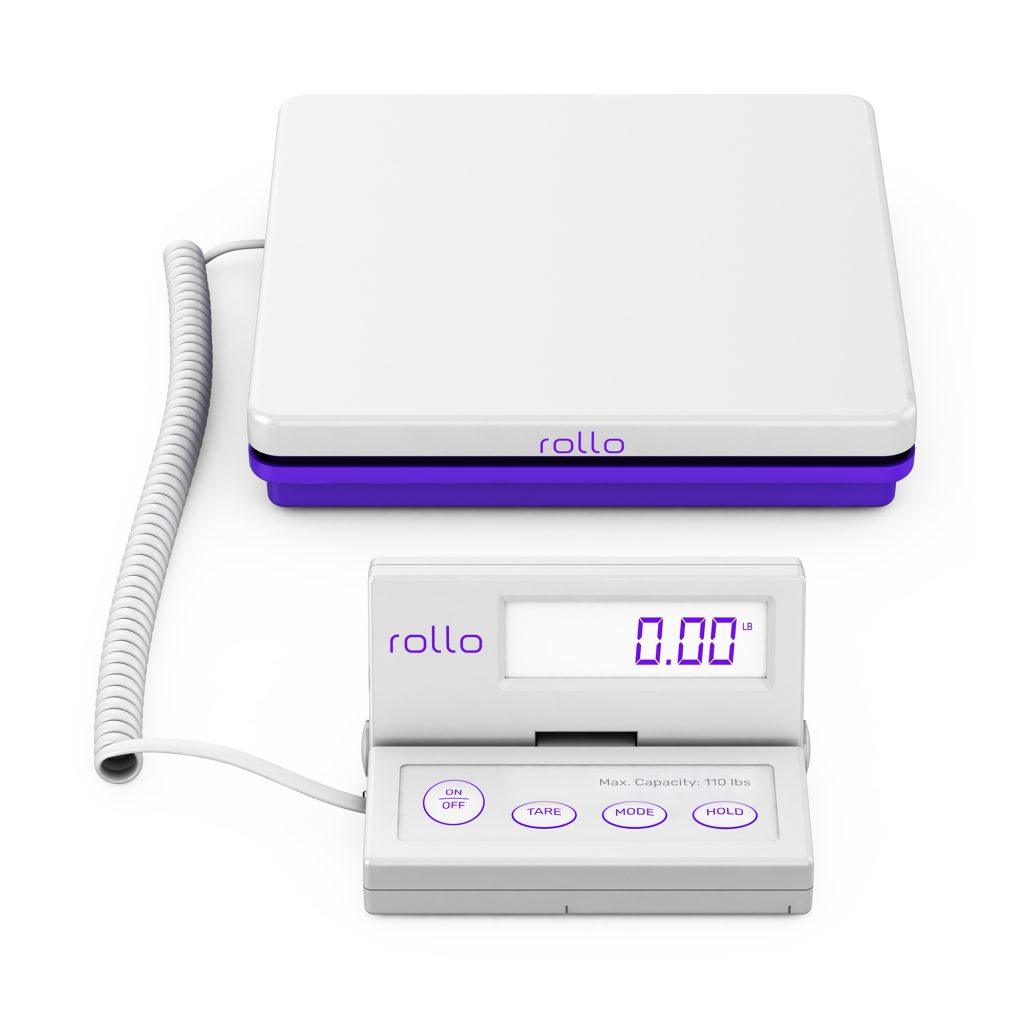
    This allows for ease of label printing no matter the volume. When products are prepped for their voyage, they’re enveloped in resilient, water-resistant bubble or poly mailers, secured with no-noise, robust tape. To ensure every package is just right, Rollo’s sophisticated digital shipping scale comes into play, with features designed for precision, convenience, and longevity. It’s a comprehensive, eco-conscious packing solution that mirrors the brand’s dedication to quality.

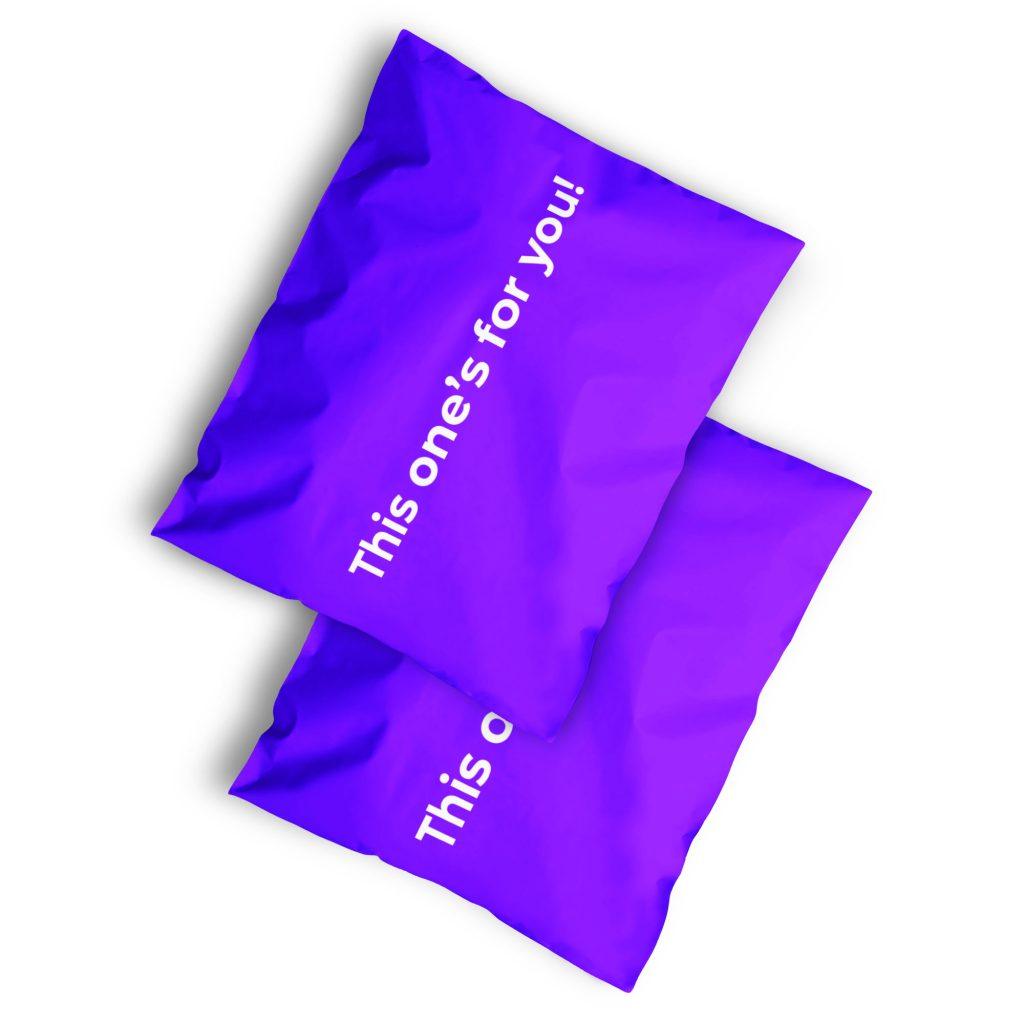
    poly mailers
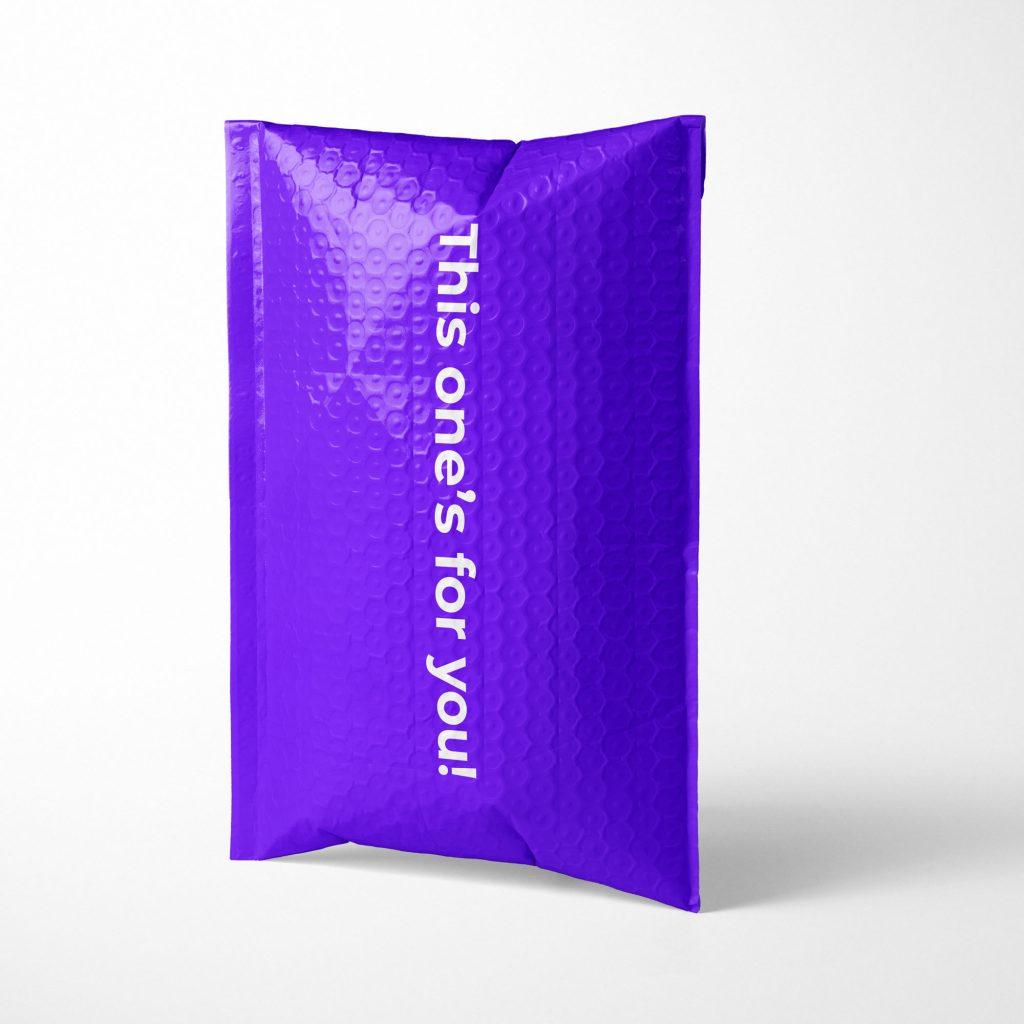
    bubble mailers
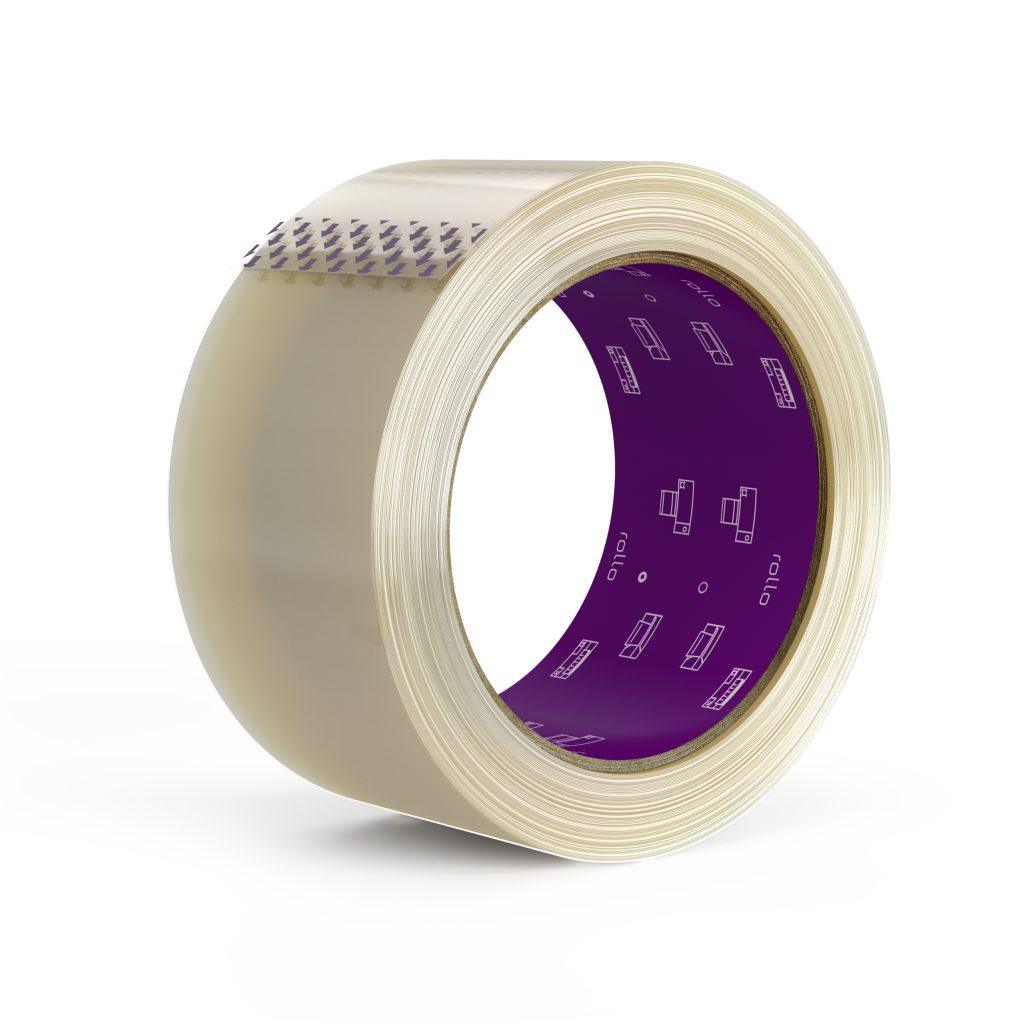
    shipping tape no noise

    5. Shipping: Rollo’s Art of Navigating the Logistics Labyrinth

    The shipping process, often a labyrinth of logistics, becomes linear and lucid with Rollo. Deeply integrated with an array of e-commerce platforms, from Shopify to Magento, the Rollo Ship app is a universal solution. But it’s not just about integrations; it’s about empowerment. With AI-driven auto-import of orders and grouping capabilities, businesses stay abreast of their shipments. Remarkable shipping discounts—sometimes as steep as 90% off—coupled with features like tracking notifications, customs declarations, and easy pickups, reposition Rollo not just as a shipping tool, but as a strategic partner. Whether you’re printing a single label or multiple at once, the process is as streamlined as it gets.

    6. Delivery: The Rollo Odyssey Continues

    The journey doesn’t end once products set sail; it culminates in delivery. Here, Rollo’s ambitions soar anew. As it pilots its next-gen delivery service, the brand promises to be by your side from the moment an order is placed until it’s safely in a customer’s hands. It’s Rollo’s enduring promise: to redefine, reimagine, and revitalize every step of the order fulfillment journey.

    Order fulfillment, with its numerous stages and intricacies, can be challenging terrain. But with Rollo’s arsenal of products and services, businesses can navigate this terrain with confidence and efficiency. Rollo isn’t just a brand; it’s a promise – a promise of excellence from order to delivery. Whether you’re a budding entrepreneur or an established business, embracing Rollo is the key to unlocking a world of unparalleled order fulfillment.

    How Rollo Helps with:

    Inventory Management

    Inventory management, a pivotal cog in any commerce machine, can be a source of great efficiency or substantial chaos. Here, Rollo steps in, ensuring the former always reigns. Imagine a warehouse where products range from small trinkets to sizable electronics. Or a small home-based business where the owner becomes overwhelmed by the amount of products and materials and shipping orders. Traditionally, identifying each item’s location, tracking stock levels, or monitoring sales rates requires significant manual input. But with Rollo’s intelligent label detection, these tasks get a digital facelift.

    Rollo's part in inventory management

    For instance, consider a boutique fashion outlet. With the fluctuating influx of seasonal styles and sizes, keeping an updated inventory is crucial. Rollo’s thermal label printer can produce color-coded labels for different seasons or clothing types, offering at-a-glance clarity. Small accessories might receive green labels, denoting spring collections, while heavier winter garments bear a cool blue. This approach not only speeds up stock checks but can drastically reduce errors.

    Moreover, in our era of mobility, Rollo ensures connectivity remains unhindered. Whether tethered via USB in a stationary setup or utilized wirelessly in dynamic environments, Rollo’s printers adapt to your needs. Couple this with their eco-friendly label options, and businesses get a solution that’s both environmentally conscious and highly efficient.

    Logistics Planning

    Logistics, with its intricate layers, often stands as a daunting challenge for businesses. Whether it’s deciding on the fastest shipping route, ensuring packages meet customs requirements, or streamlining returns, every decision impacts customer satisfaction. Rollo’s Ship App emerges as a compass in this intricate maze.

    Imagine an e-commerce store that sources artisanal crafts from various countries and caters to a global clientele. Every order can come with its own set of shipping complexities, be it customs, delivery timelines, or regional preferences. Enter the Rollo Ship App. With its AI capabilities, the app can automatically group orders based on the destination, optimizing shipping routes. 

    Furthermore, as this store grows, it might diversify its online presence, listing products on Amazon, Etsy, and its own branded website. Rollo’s integrations with these platforms ensure that, irrespective of where an order originates, the logistics planning remains centralized and cohesive.

    Don’t forget the immense support from the Rollo shipping label printer too:

    In essence, with Rollo by their side, businesses can transform logistics from a routine necessity into a strategic advantage, consistently exceeding customer expectations while optimizing costs.

    Order Fulfillment Meaning, Process, Optimization

    Order fulfillment is more than just shipping an item. It’s about customer satisfaction, about making sure that the customer receives the right product, at the right time, in the right condition. Rollo ensures this with:

    💜 Order Fulfillment Strategies like AI-driven order consolidation and integration with various platforms.

    💜 10 Tips for Order Fulfillment that include using Rollo’s wireless printing options, taking advantage of Rollo shipping discounts, optimizing inventory levels through our intelligent labeling, and employing our no-noise heavy-duty shipping tape.

    💜 Best Practices such as utilizing Rollo’s eco-friendly thermal labels and flexible integration with platforms like Amazon, Etsy, Shopify, etc.

    💜 Optimization Techniques like using the Rollo Ship App for scheduling pickups, tracking notifications, and leveraging up to 90% shipping discounts.

    In the realm of e-commerce and brick-and-mortar businesses, order fulfillment stands as a central pillar. Think of it as the heartbeat of commerce, ensuring the intricate journey of a product, from its initial storage phase to the triumphant moment it lands in a customer’s hands, goes off without a hitch. As we propel into a more digital and fast-paced age, customers no longer yearn for just the product; they demand an experience. A seamless, quick, and transparent order fulfillment process is what differentiates successful businesses from those that lag. So, the looming question for many is: how to improve order fulfillment?

    For an effective order fulfillment process, businesses should treat it as a continuous journey of evolution and refinement rather than a static system. Every touchpoint, from the moment an order is placed to the post-delivery services, contributes to the overall consumer experience and brand perception.

    10 Tips for Order Fulfillment

    1. Prioritize Inventory Accuracy: Regularly audit and update your inventory to prevent overselling items you don’t have in stock.
    2. 🏷️ Use Efficient Labeling Systems: Using tools like Rollo’s printers can help categorize and quickly identify products.
    3. 💻 Implement a Reliable Order Management System: Automate order processing to reduce errors and improve efficiency.
    4. 💯 Streamline Picking and Packing: Reduce the distance workers need to travel in the warehouse and use quality packing supplies.
    5. 📦 Offer Multiple Shipping Options: Different customers have different needs. Offering varied shipping options can improve satisfaction.
    6. 🗓️ Implement Return Protocols: Make it easy for customers to return products, improving trust and long-term relationships.
    7. 📰 Stay Updated on Shipping Regulations: Especially important if you ship internationally.
    8. 📊 Use Data Analytics: Understand your busiest times of the year, the most popular products, and more to better prepare.
    9. 📋 Invest in Training: Ensure every team member understands their role in the fulfillment process.
    10. Seek Customer Feedback: They can provide invaluable insights into areas of improvement.

    Order Fulfillment Strategies

    1. 🗂️ Segmented Inventory: Based on demand, segment your inventory to prioritize fast-moving items.
    2. 🤓 Batch Processing: Group similar orders together to streamline the picking and packing process.
    3. 📑 Backorder Management: If a product is out of stock, communicate clearly with the customer about expected delivery times.
    4. 🚀 Leverage Technology: Use tools and platforms, like Rollo, to automate and optimize various stages of fulfillment.
    5. 📈 Continuous Improvement: Regularly review and refine your order fulfillment strategy to stay ahead of challenges and leverage new opportunities.

    Incorporating these practices and strategies, while leveraging tools like Rollo, can ensure your business not only meets but exceeds modern customer expectations in the realm of order fulfillment.

    Conclusion

    In a business landscape where every second counts, Rollo has emerged as a powerful ally for commerce businesses of all sizes. From inventory management to final delivery, Rollo has redefined what efficient order fulfillment means. Whether you pick, pack, and ship or strategize your order fulfillment options, Rollo is there every step of the way, ensuring not just customer satisfaction but delight. With Rollo, you’re not just fulfilling orders; you’re exceeding customer expectations, one order at a time.

    Follow Rollo on:

    Frequently Asked Questions:

    📌 Q: What is order fulfillment?

    💭 A: Order fulfillment encompasses the full sequence of receiving, handling, and ensuring the delivery of a customer’s order. It encircles tasks like inventory management, order picking, packing, and shipping, ensuring customers receive their purchases accurately and promptly


    📌 Q: What are the options for order fulfillment?

    💭 A: Order fulfillment options include merchant fulfillment (where the retailer handles everything in-house), third-party fulfillment (outsourcing the process to specialized companies), and drop shipping (where retailers pass orders directly to a third-party supplier who then ships the product to the customer).


    📌 Q: What is the difference between order fulfillment and shipping?

    💭 A: Order fulfillment is a comprehensive process that covers everything from inventory management to order delivery. In contrast, shipping specifically refers to the act of transporting the product from a warehouse or store to the customer’s location. In essence, shipping is just one step within the broader order fulfillment process.


    📌 Q: What is the difference between logistics and fulfillment?

    💭 A: Logistics pertains to the comprehensive approach of planning, overseeing, and coordinating the movement and storage of goods, services, or information throughout a supply chain. Fulfillment, on the other hand, specifically focuses on the steps involved in completing a customer order, from receiving the order to delivering the product.


    📌 Q: What is an example of order fulfillment?

    💭 A: An example of order fulfillment might be an online bookstore receiving an order for a particular title. Once the order is placed, the book is located in the warehouse (picked), securely packed with an invoice, and then shipped to the customer’s address. Upon delivery, the customer receives a notification, and the fulfillment process for that specific order concludes.