Rollo

Tag: Thermal Printing Technology

  • Don’t Ink About It! Switch to Thermal Label Printers

    Don’t Ink About It! Switch to Thermal Label Printers

    We’ve all been there – fighting with the printer, trying to figure out why the ink looks faded or the cartridges ran out…again. Constantly buying new ink cartridges feels like throwing money down the drain. Well, it’s time to break that vicious cycle! More and more businesses are making the smart switch to thermal label printers. This guide will show you why these nifty printers are a total game-changer and why you should seriously consider joining the thermal revolution.


    Understanding Thermal Label Printers

    Okay, let’s start with the basics. Thermal label printers are special types of printers that use heat to print images directly onto paper or labels. No ink or toner required! There are two main thermal printer varieties:

    Direct thermal printers are the ones that use special heat-sensitive paper. Wherever the hot printhead touches, the paper turns black. These are great for temporary stuff like shipping labels, receipts – anything you don’t need to last forever.

    Thermal Transfer Printers – Instead of heat-sensitive paper, these printers have a ribbon that gets heated up. The heat then transfers ink from the ribbon onto whatever material you’re printing on – plastics, labels, you name it. The prints are super durable and can withstand some serious wear and tear.

    The global market for direct thermal printing alone is expected to grow by 10% and hit around $600 million by 2027. Not too shabby for a technology focused on short-term labels and receipts!


    PRINT SHIPPING LABELS WIRELESSLY.


    The Pitfalls of Traditional Inkjet Printers


    printer in a splash of ink


    While inkjet printers have their uses, they also come with some serious drawbacks – especially for businesses doing lots of labeling and printing. Here are some of the biggest pain points:

    Pricey Ink Cartridges Those little ink cartridges may seem cheap individually, but the costs add up fast. A small business could easily spend $1,000 to $2,000 per year just on replacing ink cartridges! That’s cash that could be better invested elsewhere in your business.

    Constant Maintenance Headaches

    Inkjet printers require a lot of TLC to keep running smoothly. Cartridges dry out, nozzles clog, paper jams happen – it’s a never-ending cycle of troubleshooting and maintenance. Who has time for that?

    Environmental Nightmare

    Then there’s the ecological impact to consider. A staggering 375 million empty printer cartridges get tossed into landfills every single year. And those plastic cartridges can take centuries to break down properly. Yikes!


    Why Thermal is the Way to Go


    In stark contrast, thermal label printers are cheaper to operate long-term, more efficient, and way more eco-friendly. Here are the key advantages:

    💸 Cost Savings: The biggest perk? You’ll never have to buy another pricey ink cartridge or toner refill! Thermal printers just need thermal paper or labels – no ribbons, cartridges, or toners required. Say goodbye to constantly shelling out for expensive consumables.

    Lightning Fast Speeds: Have you ever felt like you were waiting an eternity for that inkjet printer to slowly chug through a big labeling job? Thermal printers can fly through high-volume print runs at blistering speeds compared to inkjets. More getting stuff done, less watching a loading bar.

    🏷️ Durable, Smudge-Proof Prints: With thermal printing, there are no more worries about smeared, faded, or illegible prints. The labels and tags come out crisp and clean – able to withstand all kinds of abuse without compromising quality.

    🌱 Eco-Conscious Choice: Reducing consumable plastic waste is a huge win for the environment. Since thermal printers don’t need cartridges or ribbons, you’re eliminating a massive source of potential landfill trash. Plus, Rollo uses FSC® Certified labels. Read more about the eco-friendly benefits of using sticker label printers here.


    Tackling the Misconceptions of Thermal Label Printers



    thermal printer with several confusing buttons that looks difficult to use.


    I can hear some of you thinking, ‘Thermal printers sound cool and all, but aren’t they complicated and expensive?’ Don’t worry, let’s bust some of those common myths wide open!


      • 💰 “They’re too pricey!” While the upfront cost is typically higher than an inkjet printer, thermal printers make up for it through the long-term savings on consumables and maintenance. You’re investing in a printer that will pay you back over time.
      • 🛠️ “They’re difficult to use!” Setting up a thermal printer is actually way more straightforward than dealing with inkjet cartridge headaches. Many modern thermal printers have user-friendly software and connectivity features making them a breeze.
      • 🖨️ “The print quality is lousy!” Not at all! Top thermal printers absolutely can produce crisp, clean, scannable prints that meet all shipping carrier requirements. You just have to choose the right thermal printer for your needs.


    Real-World Applications for Small Businesses

    Still on the fence? Here are some examples of how thermal printers can streamline operations for small-to-medium businesses:

    E-commerce Empowerment

    For online sellers, thermal printers are a total gamechanger for shipping workflows. They allow you to quickly and reliably print out crisp shipping labels that scan perfectly – no more worries about bad labels getting rejected. Thermal printers actually make up over one-third of the global barcode printer market revenue thanks to the e-commerce boom.

    Warehouse Wizards In warehouses and stockrooms, durable thermal labels are ideal for identifying and tracking inventory efficiently. The smudge-proof labels can withstand rough handling without becoming illegible.

    Retail Rockstars

    For brick-and-mortar retailers, thermal printers ensure clear, readable price stickers and point-of-sale labels that enhance the overall shopping experience.

    Healthcare Heroes In medical settings, thermal wristbands, labels, and prescription info stay crisp and legible even after exposure to moisture and chemicals – vital for proper patient identification and safety.


    Why Rollo is the Crème de la Crème
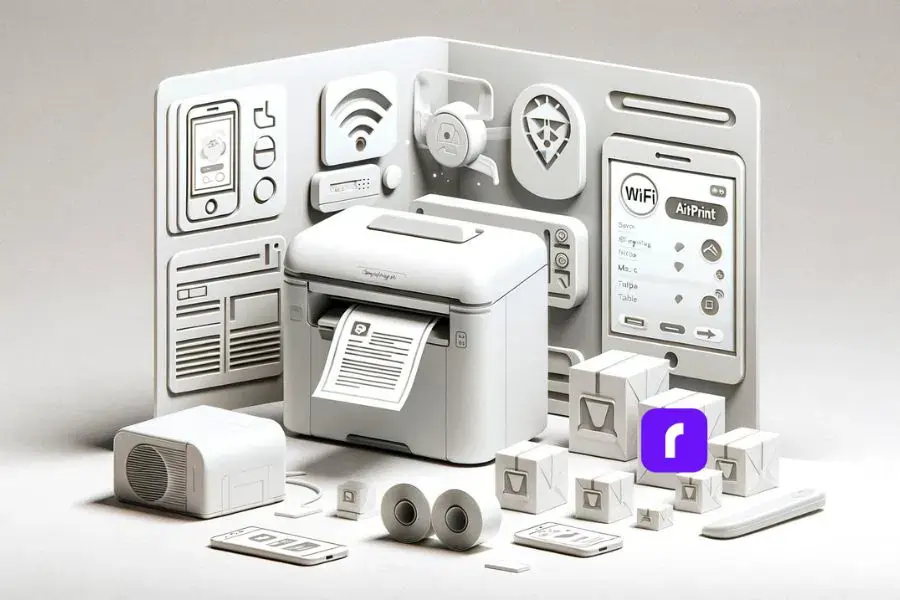


    Thermal Label Printers with airprint capabilities from mobile, desktop and tablet devices.


    Of all the thermal shipping label printers out there, the Rollo label printer stands out as the total package. Don’t just take our word for it – the Rollo was ranked #1 on Popular Mechanics’ prestigious list of best thermal label printers for 2024.

    Okay, so what’s so great about the Rollo compared to other thermal printers? A few things that make it really stand out:


      • 🔍 It can automatically detect and adjust for any direct thermal label type – super convenient.
      • 📏 Compact size, but built tough to handle all your labeling jobs without breaking a sweat.
      • 📱 Wireless setup is a total breeze, and you can even print from your phone or tablet via AirPrint. Talk about mobile!
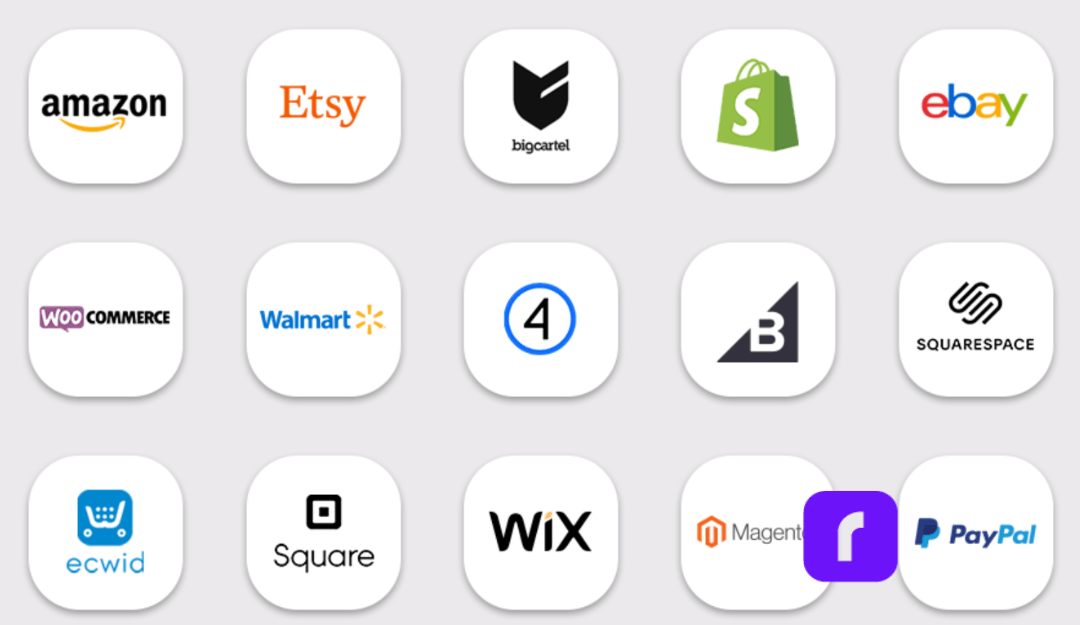
      • 🛒 Works flawlessly with all the major shopping carts, shipping carriers, you name it. No integration headaches.
      • 🖨️ And of course, the print quality is top-notch. Crisp, scannable labels every time.


    Here’s what Stephen Slaybaugh had to say that makes the Rollo so great:

    “The selling point of this Rollo is its intelligent label detection, which makes the monochrome shipping label printer compatible with any thermal direct label. However, it works best on 4 x 6-inch labels, as well as with warehouse, barcode, and bulk mailing labels, which is appropriate given that it’s geared toward online sellers.”

    “It is compatible with all major shipping platforms, including Amazon, eBay, and Shopify, and prints at the quality required for major courier companies, including USPS and FedEx.”

    “Another plus: The shipping label printer is equipped with AirPrint so you can effortlessly send it files to churn out via Wi-Fi from your PC, Mac, tablet, or smartphone.”


    Getting Started with Your New Rollo

    Once you take the plunge on a Rollo printer, getting it set up is a total breeze:


      1. Unbox that shiny new thermal printer and give it a home near your workspace.
      2. Connect it to your computer or mobile device using the included USB cable for the initial setup.
      3. Download the Rollo Ship Manager or access it directly from your preferred device. The great news is that you don’t need to install any drivers as Rollo supports wireless printing from all your devices like iPhone, iPad, Android, Chromebook, Windows, and Mac.
      4. Optionally, you can enable the wireless printing features for ultra-convenient label printing from anywhere.

    But that’s not all – Rollo is an all-in-one shipping solution! The Rollo Ship App integrates seamlessly with multiple online marketplaces like Amazon, eBay, and Shopify, consolidating all your orders into one convenient account. This app uses AI technology to automatically import and manage orders, send notifications, and even provide real-time tracking info to your customers. Whether you’re an e-commerce seller or a service-oriented business, the app offers substantial shipping discounts of up to 90% with major carriers like UPS, USPS, and FedEx, and operates on a pay-per-label basis.


    Additionally, the Rollo Label Design Tool lets you create custom labels with ease. From uploading your logo and generating barcodes to choosing from various shapes, sizes, and fonts, this free tool helps you design personalized labels that reflect your brand’s image.

    As for basic maintenance, just follow the instructions to regularly give the printhead a gentle wipe down to prevent any gunk buildup over time. That’s about it! The manufacturer instructions and tons of helpful resources are available on Rollo’s website to ensure years of quality thermal printing.

    No more messy ink cartridges, no more smeared shipping labels, no more waiting forever on print jobs. Make your life easier and take your business to the next level – get yourself a Rollo thermal printer ASAP!


    Final Words

    At the end of the day, making the switch to a thermal label printer like the Rollo just makes good business sense. You’ll save money by eliminating those pesky ink and toner costs, streamline your operations with faster print speeds and zero maintenance headaches, and even do your part for the environment by cutting down on plastic waste.

    With its top-rated performance, seamless software integration, and rave customer reviews, the Rollo thermal printer is a smart investment that will keep paying dividends over years of reliable service. So what are you waiting for? Ditch those ink cartridge woes forever and join the thermal printing revolution today!


    Follow Rollo on:


  •  

    Frequently Asked Questions About Thermal Label Printers


    📌 Q: What are thermal label printers?

    💭 A: Thermal label printers use heat to create images on labels or paper without the need for ink or toner. There are two main types: direct thermal printers and thermal transfer printers.

    📌 Q: How do thermal label printers work?

    💭 A: Direct thermal printers use heat-sensitive paper that turns black when the hot printhead touches it, while thermal transfer printers use a heated ribbon to transfer ink onto the printing material.

    📌 Q: Are thermal label printers expensive?

    💭 A: While the initial cost of thermal label printers can be higher than inkjet printers, they offer long-term savings by eliminating the need for ink or toner cartridges.

    📌 Q: What types of labels can I use with thermal label printers?

    Thermal label printers are compatible with various label types, including shipping labels, barcode labels, product labels, and more. The Rollo printer, for example, can automatically adjust for different label types.

    📌 Q: Are thermal label printers environmentally friendly?

    💭 A: Yes, thermal label printers are more eco-friendly as they reduce plastic waste by eliminating the need for ink cartridges and toners, which often end up in landfills.

    📌 Q: Can thermal label printers connect wirelessly?
    💭 A: Many modern thermal label printers, including the Rollo, offer wireless connectivity options, allowing you to print from various devices like smartphones, tablets, and computers.


  • Using a Thermal Printer as a Mailing Label Printer

    Using a Thermal Printer as a Mailing Label Printer

    When you’re running an online business, few things are as crucial as the seamless flow of your shipping operations. After all, delivering orders swiftly and reliably is the lifeblood of e-commerce success.

    Although you mostly send out packages, sometimes you need to send out a letter or important documents in the form of an envelope. So what do you do? Do you leave the house to go buy “mailing labels”? Believe it or not, you can actually use your thermal wireless label printer as a de facto mailing label printer.

    [ez-toc]

    Yet, for many small and medium-sized entrepreneurs, the versatile capabilities of today’s label printers often get overlooked – until it becomes an unsolvable headache, that is.

    Enter thermal printing. This state of the art technology isn’t just for shipping labels – it can operate as a mailing label printer too. And yes, thermal technology, provides an arsenal of benefits, such as ease of use, and makes the logistics of your business, faster, and cheaper.

    Hence, if you’re marketing yourself as an online seller or are running an e-commerce venture and looking for good label printing methods, pay attention.

    Versatility of Thermal Mailing Label Printer

    The Versatility of Thermal Printers

    Thermal printers are much more versatile than they usually are thought of. Certainly, they are known for producing shipping-labels of superior quality and using them effortlessly, yet they are capable of much more than just marking packages.

    In this regard, one of the strengths of thermal printers is printing mailing labels for letters, envelopes, and other documents. Using thermal technology, these mailing label printers deliver crisp, clear text on durable materials that will satisfy all your mailing needs, whether you are sending out invoices, thank-you notes, or any other essential correspondence.

    Did you know?🤔 The direct thermal printing technology used by Rollo printers doesn’t require ink or toner.
    This means you never have to worry about running out of ink at a critical moment, making your mailing
    process smoother and more reliable.

    However, it does not stop there. Thermal printers can handle a complete range of label sizes, from the standard 4×6 inch shipping labels to more compact 4×2 inch versions which come in hand for envelopes and post cards. It offers you the additional advantage of integrating your label generation process with both shipping and mailing tasks, using only one device.

    Benefits of Using Thermal Printers for Mailing Labels

    So, why should you consider trading in your old inkjet or laser printer for a mailing label printer with thermal technology when it comes to your mailing label needs? Let’s break down the key advantages:

    • ⚡ Speed: Thermal printers are lightning-fast, able to churn out labels in a matter of seconds. No more waiting around for your printer to spit out address after address – thermal technology keeps your productivity humming along.
    • 💸 Cost-Effectiveness: Ink and toner can really add up, especially if you’re doing a lot of mailing. Thermal printers, on the other hand, use heat to transfer the image onto the label, avoiding those pesky ink cartridge expenses. Over time, the savings can be substantial.
    • 🛡️ Durability: Those thermal-printed labels are built to last, resisting smudging, fading, and environmental factors like moisture and temperature changes. Your mailing labels will arrive looking just as crisp and professional as the day you printed them.
    Keep in Mind:🧠 While thermal mailing label printers are excellent for labels, they're also sensitive to
    extreme temperatures and sunlight. Store your labels in a cool, dry place to prevent fading and ensure they
    retain their quality during storage and transportation.

    Choosing the Right Thermal Mailing Label Printer

    When it comes to selecting a thermal-powered mailing label printer, there are a few key factors to consider:

    • 🔍 Resolution: For clear, legible text on your labels, you’ll want to look for a printer with high resolution – at least 300 dpi, but 400 dpi or more is even better.
    • 📏 Label Sizes: Make sure the mailing label printer can accommodate the range of label sizes you’ll need, whether that’s standard 4×6 inch shipping labels or more compact 4×2 inch options for envelopes and postcards.
    • 📶 Connectivity: Look for a printer that plays nicely with your existing systems, whether that’s seamless integration with your e-commerce platform or the ability to easily connect via USB or Wi-Fi.
    Pro Tip:💡 To ensure the highest quality prints for your mailing labels, always adjust your printer settings
    according to the specific label material you are using. This ensures that the heat settings align perfectly
    with the label type for crisp, clear results every time.

    Setting Up Your Thermal-Powered Mailing Label Printer

    Alright, so you’ve got yourself a shiny new mailing label printer and you’re ready to start cranking out those mailing labels. No problem! Setting it up is a breeze.

    The key is finding the right label type for your needs. For mailing purposes, Rollo’s 2″ x 1″ barcode labels are a great option. These direct thermal labels come in six color options and are ideal for printing barcodes, addresses, and other critical information on envelopes and small packages.

    Once you’ve got your labels squared away, it’s time to get the printer configured. The Rollo Label Designer software makes this super easy. Just fire it up, create a new label template, and start customizing. You can add your business logo, barcode, and all sorts of other goodies to really make those labels pop.

    The best part is, you don’t have to be a design wizard to make it look good. The software has tons of pre-made templates and tools to help you whip up professional-quality labels in no time. Just drag, drop, and voila – you’re ready to print.

    Quick Insight:💭 Investing in a high-resolution mailing label printer can drastically improve the legibility of
    your mailing labels, especially for small text or detailed graphics. This small upgrade can make a big
    difference in presenting a professional image to your customers.

    Software for Efficient Label Printing

    Now that you’ve got your labels all set up, it’s time to talk about the software side of things. Sure, you could just print straight from the mailing label printer, but why stop there?

    If you’re doing a lot of bulk mailings, you’ll definitely want to look into combing Rollo’s label design software with the capabilities of your mailing label printer. These tools together make cranking out address labels a breeze – you just plug in your mailing label printer, design your template, and let the software handle the rest. Talk about efficiency!

    And don’t forget about Rollo Ship – the shipping platform that integrates right with all of your e-commerce stores, making the whole label printing process a cinch. Ship all orders at once. Rollo will automatically import your new orders from stores, group them, and notify you. No more jumping between different apps and websites. Just ship straight from Rollo Ship and watch those orders fly out the door.

    NO MONTHLY SUBSCRIPTIONS.


    When you print shipping and mailing labels with Rollo, the first 200 are on us.


    Every next label is just 5 cents.


    Schedule pickups, consolidate orders, and print bulk labels.


    Up to 90% off UPS, FedEx, and USPS shipping.


    JOIN FOR FREE NOW

    Maintaining Your Thermal-Powered Mailing Label Printer

    Like any piece of equipment, your trusty mailing label printer is going to need a little TLC to keep it running at its best. But don’t worry, it’s a pretty straightforward process.

    First and foremost, make sure you’re using the right kind of labels. Rollo’s got a whole lineup of options, from 4×6 stack labels, circle labels, to 2×1 barcode labels, and each one has its own unique purpose. Read up on the recommended uses of these labels to get the best value out of them.

    And when it comes to the mailing label printer itself, a little regular maintenance goes a long way. Give the print head a gentle cleaning every so often to prevent any buildup or blockages. You can find all the instructions in the user manual, or check out Rollo’s handy how-to videos online.

    By staying on top of these simple maintenance tasks, you can ensure your thermal printer keeps churning out crisp, professional-looking labels for years to come. Trust me, it’s a whole lot easier than dealing with dried-up ink cartridges and smeared addresses.

    Mailing Label Printer Success: A Fluid Artist’s Story

    Meet Jen, a talented fluid artist who creates stunning charcuterie boards and unique resin artwork. Her business thrives on creativity and craftsmanship, but as demand for her work grew, so did the need for a more efficient shipping solution.

    In the early days, Jen managed orders manually, handwriting labels and packaging each piece with care. While her artistic process was fluid and unpredictable, her shipping workflow needed more structure. That’s when she discovered Rollo.

    “I found Rollo through Instagram,” Jen shares. “It has been a game changer—it works so well, and it’s so easy to use. I don’t make the mistakes that happen when handwriting things out.”

    Switching to a Rollo printer transformed Jen’s fulfillment process, helping her scale her business without compromising the personal touch her customers love. Here’s how Rollo improved her operations:

    • Efficiency & Speed: With Rollo, Jen can quickly print labels at the right size, streamlining her order processing and reducing fulfillment time.
      💸 Cost Savings: No more spending on ink cartridges—Rollo’s thermal printing technology eliminates unnecessary costs, allowing Jen to invest more in her art.
      🖨️ Professional Print Quality: Every label is crisp and clear, ensuring her shipments look polished and professional.
      📦 Seamless Packaging Workflow: With her “mini business center,” Jen now has an organized space for printing, packing, and shipping orders with ease.

    For Jen, the switch to Rollo wasn’t just about convenience—it was a smart business move. “I love my Rollo because it’s so reliable,” she says. “It has completely changed the way I handle my orders.”

    Inspiration Corner:✨ Jen’s story is proof that the right tools can make all the
    difference in a growing business. By switching to a Rollo label printer, she’s
    been able to focus on what she does best—creating beautiful, one-of-a-kind
    artwork—while simplifying her shipping process.

    Final Words

    When it comes to streamlining your business operations, a versatile mailing label printer can be an absolute game-changer. From lightning-fast label printing to cost-saving efficiencies, these nifty little thermal-powered machines offer a host of benefits that can take your e-commerce or small business to the next level.

    Whether you’re shipping out orders or mailing important documents, a thermal mailing label printer like the Rollo can handle it all with ease. And with the right software and label options, you can customize your labels to perfection, giving your business a professional edge.

    So, if you’re tired of dealing with the hassles and expenses of a traditional mailing label printer, it might be time to make the switch to thermal technology. Your wallet will thank you.

    Final Thought:🔮 Embracing thermal printing technology for your mailing needs isn’t just about improving
    efficiency; it’s about setting a standard of professionalism and reliability in every interaction with
    your customers. Make the switch and watch your business grow.

    Follow Rollo on:

    Frequently Asked Questions About Mailing Label Printers

    📌 Q: What makes thermal printers a better option for mailing labels compared to inkjet or laser printers?

    💭 A: Thermal printers are faster, more cost-effective, and produce durable labels that are resistant to smudging and environmental factors, making them ideal for high-volume mailing needs.

    📌 Q: Can I use any type of label with a thermal mailing label printer?

    💭 A: No, thermal-powered mailing label printers require specific types of labels that are heat-sensitive. It’s important to use the correct labels to ensure quality and prevent damage to the printer.

    📌 Q: How do I maintain my mailing label printer to ensure it operates efficiently?

    💭 A: Regular maintenance includes cleaning the print head, using the correct type of labels, and storing labels in a cool, dry place. Refer to your printer’s manual for detailed maintenance guidelines.

    📌 Q: Are mailing label printers cost-effective for small businesses?

    💭 A: Yes, mailing label printers can be very cost-effective due to their low operational costs—no ink or toner needed—and their efficiency, which is ideal for businesses that require frequent label printing.

    📌 Q: What should I look for when choosing a thermal printer for mailing labels?

    💭 A: Consider the printer’s resolution, label size compatibility, and connectivity options to ensure it fits your business needs and can integrate seamlessly with your existing systems.