Rollo

Tag: thermal printers

  • Using a Thermal Printer as a Mailing Label Printer

    Using a Thermal Printer as a Mailing Label Printer

    When you’re running an online business, few things are as crucial as the seamless flow of your shipping operations. After all, delivering orders swiftly and reliably is the lifeblood of e-commerce success.

    Although you mostly send out packages, sometimes you need to send out a letter or important documents in the form of an envelope. So what do you do? Do you leave the house to go buy “mailing labels”? Believe it or not, you can actually use your thermal wireless label printer as a de facto mailing label printer.

    [ez-toc]

    Yet, for many small and medium-sized entrepreneurs, the versatile capabilities of today’s label printers often get overlooked – until it becomes an unsolvable headache, that is.

    Enter thermal printing. This state of the art technology isn’t just for shipping labels – it can operate as a mailing label printer too. And yes, thermal technology, provides an arsenal of benefits, such as ease of use, and makes the logistics of your business, faster, and cheaper.

    Hence, if you’re marketing yourself as an online seller or are running an e-commerce venture and looking for good label printing methods, pay attention.

    Versatility of Thermal Mailing Label Printer

    The Versatility of Thermal Printers

    Thermal printers are much more versatile than they usually are thought of. Certainly, they are known for producing shipping-labels of superior quality and using them effortlessly, yet they are capable of much more than just marking packages.

    In this regard, one of the strengths of thermal printers is printing mailing labels for letters, envelopes, and other documents. Using thermal technology, these mailing label printers deliver crisp, clear text on durable materials that will satisfy all your mailing needs, whether you are sending out invoices, thank-you notes, or any other essential correspondence.

    Did you know?🤔 The direct thermal printing technology used by Rollo printers doesn’t require ink or toner.
    This means you never have to worry about running out of ink at a critical moment, making your mailing
    process smoother and more reliable.

    However, it does not stop there. Thermal printers can handle a complete range of label sizes, from the standard 4×6 inch shipping labels to more compact 4×2 inch versions which come in hand for envelopes and post cards. It offers you the additional advantage of integrating your label generation process with both shipping and mailing tasks, using only one device.

    Benefits of Using Thermal Printers for Mailing Labels

    So, why should you consider trading in your old inkjet or laser printer for a mailing label printer with thermal technology when it comes to your mailing label needs? Let’s break down the key advantages:

    • ⚡ Speed: Thermal printers are lightning-fast, able to churn out labels in a matter of seconds. No more waiting around for your printer to spit out address after address – thermal technology keeps your productivity humming along.
    • 💸 Cost-Effectiveness: Ink and toner can really add up, especially if you’re doing a lot of mailing. Thermal printers, on the other hand, use heat to transfer the image onto the label, avoiding those pesky ink cartridge expenses. Over time, the savings can be substantial.
    • 🛡️ Durability: Those thermal-printed labels are built to last, resisting smudging, fading, and environmental factors like moisture and temperature changes. Your mailing labels will arrive looking just as crisp and professional as the day you printed them.
    Keep in Mind:🧠 While thermal mailing label printers are excellent for labels, they're also sensitive to
    extreme temperatures and sunlight. Store your labels in a cool, dry place to prevent fading and ensure they
    retain their quality during storage and transportation.

    Choosing the Right Thermal Mailing Label Printer

    When it comes to selecting a thermal-powered mailing label printer, there are a few key factors to consider:

    • 🔍 Resolution: For clear, legible text on your labels, you’ll want to look for a printer with high resolution – at least 300 dpi, but 400 dpi or more is even better.
    • 📏 Label Sizes: Make sure the mailing label printer can accommodate the range of label sizes you’ll need, whether that’s standard 4×6 inch shipping labels or more compact 4×2 inch options for envelopes and postcards.
    • 📶 Connectivity: Look for a printer that plays nicely with your existing systems, whether that’s seamless integration with your e-commerce platform or the ability to easily connect via USB or Wi-Fi.
    Pro Tip:💡 To ensure the highest quality prints for your mailing labels, always adjust your printer settings
    according to the specific label material you are using. This ensures that the heat settings align perfectly
    with the label type for crisp, clear results every time.

    Setting Up Your Thermal-Powered Mailing Label Printer

    Alright, so you’ve got yourself a shiny new mailing label printer and you’re ready to start cranking out those mailing labels. No problem! Setting it up is a breeze.

    The key is finding the right label type for your needs. For mailing purposes, Rollo’s 2″ x 1″ barcode labels are a great option. These direct thermal labels come in six color options and are ideal for printing barcodes, addresses, and other critical information on envelopes and small packages.

    Once you’ve got your labels squared away, it’s time to get the printer configured. The Rollo Label Designer software makes this super easy. Just fire it up, create a new label template, and start customizing. You can add your business logo, barcode, and all sorts of other goodies to really make those labels pop.

    The best part is, you don’t have to be a design wizard to make it look good. The software has tons of pre-made templates and tools to help you whip up professional-quality labels in no time. Just drag, drop, and voila – you’re ready to print.

    Quick Insight:💭 Investing in a high-resolution mailing label printer can drastically improve the legibility of
    your mailing labels, especially for small text or detailed graphics. This small upgrade can make a big
    difference in presenting a professional image to your customers.

    Software for Efficient Label Printing

    Now that you’ve got your labels all set up, it’s time to talk about the software side of things. Sure, you could just print straight from the mailing label printer, but why stop there?

    If you’re doing a lot of bulk mailings, you’ll definitely want to look into combing Rollo’s label design software with the capabilities of your mailing label printer. These tools together make cranking out address labels a breeze – you just plug in your mailing label printer, design your template, and let the software handle the rest. Talk about efficiency!
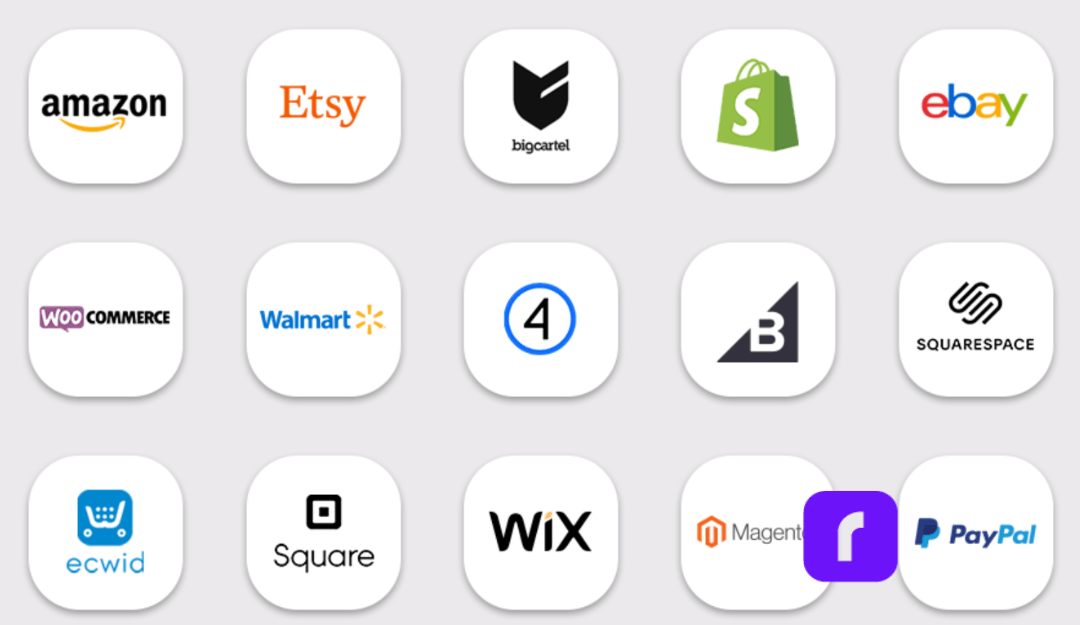
    And don’t forget about Rollo Ship – the shipping platform that integrates right with all of your e-commerce stores, making the whole label printing process a cinch. Ship all orders at once. Rollo will automatically import your new orders from stores, group them, and notify you. No more jumping between different apps and websites. Just ship straight from Rollo Ship and watch those orders fly out the door.

    NO MONTHLY SUBSCRIPTIONS.


    When you print shipping and mailing labels with Rollo, the first 200 are on us.


    Every next label is just 5 cents.


    Schedule pickups, consolidate orders, and print bulk labels.


    Up to 90% off UPS, FedEx, and USPS shipping.


    JOIN FOR FREE NOW

    Maintaining Your Thermal-Powered Mailing Label Printer

    Like any piece of equipment, your trusty mailing label printer is going to need a little TLC to keep it running at its best. But don’t worry, it’s a pretty straightforward process.

    First and foremost, make sure you’re using the right kind of labels. Rollo’s got a whole lineup of options, from 4×6 stack labels, circle labels, to 2×1 barcode labels, and each one has its own unique purpose. Read up on the recommended uses of these labels to get the best value out of them.

    And when it comes to the mailing label printer itself, a little regular maintenance goes a long way. Give the print head a gentle cleaning every so often to prevent any buildup or blockages. You can find all the instructions in the user manual, or check out Rollo’s handy how-to videos online.

    By staying on top of these simple maintenance tasks, you can ensure your thermal printer keeps churning out crisp, professional-looking labels for years to come. Trust me, it’s a whole lot easier than dealing with dried-up ink cartridges and smeared addresses.

    Mailing Label Printer Success: A Fluid Artist’s Story

    Meet Jen, a talented fluid artist who creates stunning charcuterie boards and unique resin artwork. Her business thrives on creativity and craftsmanship, but as demand for her work grew, so did the need for a more efficient shipping solution.

    In the early days, Jen managed orders manually, handwriting labels and packaging each piece with care. While her artistic process was fluid and unpredictable, her shipping workflow needed more structure. That’s when she discovered Rollo.

    “I found Rollo through Instagram,” Jen shares. “It has been a game changer—it works so well, and it’s so easy to use. I don’t make the mistakes that happen when handwriting things out.”

    Switching to a Rollo printer transformed Jen’s fulfillment process, helping her scale her business without compromising the personal touch her customers love. Here’s how Rollo improved her operations:

    • Efficiency & Speed: With Rollo, Jen can quickly print labels at the right size, streamlining her order processing and reducing fulfillment time.
      💸 Cost Savings: No more spending on ink cartridges—Rollo’s thermal printing technology eliminates unnecessary costs, allowing Jen to invest more in her art.
      🖨️ Professional Print Quality: Every label is crisp and clear, ensuring her shipments look polished and professional.
      📦 Seamless Packaging Workflow: With her “mini business center,” Jen now has an organized space for printing, packing, and shipping orders with ease.

    For Jen, the switch to Rollo wasn’t just about convenience—it was a smart business move. “I love my Rollo because it’s so reliable,” she says. “It has completely changed the way I handle my orders.”

    Inspiration Corner:✨ Jen’s story is proof that the right tools can make all the
    difference in a growing business. By switching to a Rollo label printer, she’s
    been able to focus on what she does best—creating beautiful, one-of-a-kind
    artwork—while simplifying her shipping process.

    Final Words

    When it comes to streamlining your business operations, a versatile mailing label printer can be an absolute game-changer. From lightning-fast label printing to cost-saving efficiencies, these nifty little thermal-powered machines offer a host of benefits that can take your e-commerce or small business to the next level.

    Whether you’re shipping out orders or mailing important documents, a thermal mailing label printer like the Rollo can handle it all with ease. And with the right software and label options, you can customize your labels to perfection, giving your business a professional edge.

    So, if you’re tired of dealing with the hassles and expenses of a traditional mailing label printer, it might be time to make the switch to thermal technology. Your wallet will thank you.

    Final Thought:🔮 Embracing thermal printing technology for your mailing needs isn’t just about improving
    efficiency; it’s about setting a standard of professionalism and reliability in every interaction with
    your customers. Make the switch and watch your business grow.

    Follow Rollo on:

    Frequently Asked Questions About Mailing Label Printers

    📌 Q: What makes thermal printers a better option for mailing labels compared to inkjet or laser printers?

    💭 A: Thermal printers are faster, more cost-effective, and produce durable labels that are resistant to smudging and environmental factors, making them ideal for high-volume mailing needs.

    📌 Q: Can I use any type of label with a thermal mailing label printer?

    💭 A: No, thermal-powered mailing label printers require specific types of labels that are heat-sensitive. It’s important to use the correct labels to ensure quality and prevent damage to the printer.

    📌 Q: How do I maintain my mailing label printer to ensure it operates efficiently?

    💭 A: Regular maintenance includes cleaning the print head, using the correct type of labels, and storing labels in a cool, dry place. Refer to your printer’s manual for detailed maintenance guidelines.

    📌 Q: Are mailing label printers cost-effective for small businesses?

    💭 A: Yes, mailing label printers can be very cost-effective due to their low operational costs—no ink or toner needed—and their efficiency, which is ideal for businesses that require frequent label printing.

    📌 Q: What should I look for when choosing a thermal printer for mailing labels?

    💭 A: Consider the printer’s resolution, label size compatibility, and connectivity options to ensure it fits your business needs and can integrate seamlessly with your existing systems.
  • The Power of UPS® Label Printers and UPS Shipping Tools

    The Power of UPS® Label Printers and UPS Shipping Tools

    In the bustling realm of e-commerce, the speed and reliability of your shipping operations directly influence customer satisfaction and business growth. Central to optimizing these operations is the choice of a UPS Label Printer. Here’s where Rollo emerges as the unparalleled solution that adheres to UPS’ stringent standards for shipping labels.

    The Essentials of UPS® Label Printers

    Why Do You Need a UPS Label Printer?

    There are several reasons why a person or business might need a label printer for creating UPS shipping labels:

    Why Do You Need a UPS Label Printer?
    1. High Volume Shipping: For businesses that ship a large volume of packages, having a dedicated label printer can save a lot of time and streamline the shipping process.
    2. Efficiency: A dedicated label printer is faster and more efficient than using a standard printer, as it doesn’t require loading label sheets into a printer tray, reducing the risk of jams or misprints.
    3. Cost-Effectiveness: Over time, using a dedicated label printer can be more cost-effective than using a standard inkjet or laser printer, especially in terms of ink or toner costs and the cost of label sheets.
    4. Quality and Durability: Labels printed from a dedicated label printer are often more durable and of higher quality, which is important for ensuring that shipping information remains legible during transit.
    5. Convenience: Printing directly onto adhesive labels is more convenient and time-saving, eliminating the need for taping or gluing labels onto packages.
    6. Professional Appearance: Packages with printed labels look more professional, which can be important for businesses wanting to make a good impression on customers.
    7. Integration with Shipping Software: Many label printers can integrate directly with UPS’s shipping software or other shipping platforms, allowing for seamless printing of labels without having to manually enter data or adjust settings.
    8. Space-saving: Dedicated label printers are often more compact and can save valuable workspace compared to using a standard printer for the same task.
    9. Mobility: Some label printers are portable, allowing for label printing at various locations within a facility or even in field operations, which can be crucial for logistics and shipping operations that are not confined to a single space.
    10. Customization: Label printers often offer more options for customizing label size, format, and content, allowing businesses to add branding or specific instructions to their shipping labels.

    Having a UPS label printer is particularly beneficial for e-commerce businesses, logistics companies, and any organization that regularly ships goods, as it enhances efficiency, professionalism, and the overall shipping process.


    ⚠️ UPS Shipment Requirements

    UPS requires that UPS shipping labels are printed for all Domestic Air Shipments. Thus, if you are a business or a person shipping regularly within the USA, you will find yourself printing UPS shipping labels a lot.

    For domestic shipments via air services, it’s essential to utilize a UPS label generated from an automated shipping system (such as UPS.com or Rollo Ship App) or a UPS Air Shipping Document (ASD). The ASD consolidates your address label, tracking label, and shipping record into a single document. According to UPS, you can obtain specific ASDs for the following services:

    • UPS Next Day Air® Early
    • UPS Next Day Air® (also applicable for UPS Worldwide Express®)
    • UPS Next Day Air Saver®
    • UPS 2nd Day Air A.M.®
    • UPS 2nd Day Air®

    What Makes a UPS Label Printer Indispensable?

    In times when online shopping is the norm, the efficiency of getting orders out the door can set your store apart. Not only for online business owners but for the average shipper. This is where the Rollo Label Printer shines as an indispensable asset.

    Rollo Label Printer Features and Advantages

    Opting for a Rollo Label Printer, especially the Rollo Wireless UPS Label Printer, brings a suite of benefits to your shipping process:

    • This device champions direct thermal printing technology. This means eliminating the need for ink or tone. The pro for you as a business – reducing operational costs and increasing reliability.
    • Rollo’s UPS label printer’s compatibility with both Mac and Windows, without the hassle of installing drivers, streamlines the setup process, making it a straightforward choice for businesses of all sizes.
    Choose The Right UPS Label Printer for Your Needs

    Choosing the Right UPS Label Printer

    Navigating Through UPS Label Printer Options

    With a myriad of UPS label printers available, Rollo distinguishes itself by not just being a printer but a comprehensive shipping solution. Its wireless model, in particular, stands out as the best UPS thermal printer for Mac and Windows users alike. To make sure you choose the right one, avoid these common UPS printer buying mistakes. The lack of a driver requirement means you can get your shipping station operational in no time, focusing on what matters most—growing your business.

    Rollo Label Printer Setup and Integration

    The beauty of the Rollo Label Printer lies in its seamless integration into your shipping workflow. Whether you’re a small online boutique or a burgeoning e-commerce platform, the Rollo Wireless Label Printer’s setup is a breeze. Its intelligent label detection and high-resolution printing capabilities ensure that every label meets UPS’s precise specifications, guaranteeing smooth deliveries and satisfied customers.

    Valuable Options for Different Needs

    Rollo’s adaptability extends beyond operating systems. Whether you need the mobility provided by a wireless connection or the specific compatibility with Mac or Windows systems, the Rollo Label Printer is designed to cater to your unique business needs. Its efficiency and flexibility make it an unparalleled choice for modern online stores.


    Enhancing Your Shipping with Rollo Label Printers

    Rollo’s innovative approach to label printing extends beyond mere hardware. The company’s solutions are a testament to its understanding of the e-commerce landscape, offering tools that simplify and optimize the shipping process from start to finish.

    Features That Set Rollo Apart

    Rollo Label Printers, particularly the wireless model, are designed with the user in mind. They offer:

    • Direct thermal printing technology: This means you’ll never need to buy ink or toner again. It’s not just cost-effective; it’s also hassle-free.
    • High-speed printing: Capable of printing one label per second, Rollo printers ensure that even the largest order batches are processed quickly.
    • Wide compatibility: Whether you’re using a Mac, Windows, or even mobile devices like iPhones and Androids, Rollo printers seamlessly integrate with your preferred platform without the need for additional drivers.
    • Intelligent label detection: Rollo printers automatically detect and analyze the size and type of label being used, adjusting settings to ensure each label is printed perfectly.
    • Versatility: Capable of handling a wide range of label sizes, Rollo printers are suited for everything from shipping labels to ID badges, making them a versatile addition to any business.

    Get a Piece of Mind with Cutting-Edge Performance

    Order a UPS Label Printer from Rollo

    Seamless E-commerce Integration

    UPS Label Printing Software

    UPS Label Printing Software

    Integrating UPS WorldShip® with Rollo Printers

    In the expansive world of e-commerce, aligning your shipping process with both UPS WorldShip® and UPS label printers no matter their brand can significantly streamline operations. It also ensures your packages are dispatched swiftly and accurately. Here’s a distilled guide to seamlessly integrating UPS WorldShip® software with Rollo’s cutting-edge UPS label printers.

    Whether you’re setting up WorldShip for a Rollo USB UPS label printer or capitalizing on the driver-free convenience of a Rollo Wireless UPS label printer, this guide ensures a smooth installation process.

    UPS WorldShip® For Rollo USB Label Printer:

    🎬 🐾 Step 1 ➡️ UPS Label Printer Preparation

    • Ensure the Rollo USB UPS label printer is connected to power and your PC. (For Rollo Wireless, ensure you are connected to power and Wi-Fi. And you have done the printers’ initial installations.)
    • For Rollo USB, visit this installation guide.
    • For Rollo Wireless, refer to this video:


    • Load the labels into the printer.

    🐾 Step 2 ➡️ Access WorldShip’s Printing Setup: Open UPS WorldShip®, navigate to the Tools tab, select System Preferences, and then click Printing Setup.

    🐾 Step 3 ➡️ Adding the Rollo Printer: In the System Preferences Editor, under Printing Setup, enter a printer ID and select Label as the printer type. Then, click Add.

    🐾 Step 4 ➡️ Selecting Printer Type: In the Printer Selection window, click Add Printer. For Rollo, choose the “Other” option as the printer type.

    🐾 Step 5 ➡️ Installing the Printer: Follow the on-screen prompts to install your Rollo printer. If using a Rollo USB printer, select the appropriate communication port, usually USB001.

    🐾 Step 6 ➡️ Finalize Setup: After installation, verify the printer settings, ensuring the correct label stock dimensions and printer name are selected. Apply the changes.

    🏁 🐾 Step 7 ➡️ Print a Test Label: To ensure everything is set up correctly, print a test label from the Printing Setup tab in WorldShip.

    UPS WorldShip® For Rollo Wireless UPS Label Printer:

    The beauty of the Rollo Wireless UPS Label Printer lies in its driver-free operation for both Mac and Windows users. Since UPS WorldShip® requires direct communication with printers, those opting for a wireless setup should ensure their network settings allow for seamless interaction with WorldShip software. Although specific driver installation isn’t necessary for the wireless model, ensuring your computer and printer are on the same network is crucial for smooth operation.

    ✅ 💭 Integration Tips:

    • Customizing Label Settings: After setting up your printer, take a moment to customize your label settings in WorldShip to match the specific requirements of your Rollo printer. This ensures optimal clarity and formatting for your shipping labels.
    • Troubleshooting: If you encounter issues during the setup, UPS provides a Support Utility to help identify and resolve printer communication problems, ensuring a smooth integration process.

    By following these steps, Rollo users can efficiently integrate their UPS label printers with UPS WorldShip®. Alternatively, you can enjoy the hassle-free, no installation required shipping integration from Rollo – available for Desktop, and as a mobile app totally for free.

    UPS Shipping Discounts via Rollo Ship App

    Rollo Ship App – A Comprehensive Shipping Solution

    The Rollo Ship App is the companion piece to the Rollo UPS label printers, offering a suite of features that make shipping simpler and more cost-effective. With the app, users can:

    • Automatically import orders from various e-commerce platforms.
    • Access discounted shipping rates, thanks to Rollo’s negotiations with major carriers like UPS.
    • Print UPS shipping labels directly from their mobile device or desktop, without the need for a traditional printer setup.
    • Schedule pickups and track shipments with ease, providing a complete shipping solution that saves time and money.


    Looking for UPS Shipping Discounts?
    Enjoy Big Savings on the Go!

    Use the Rollo Ship App on your Desktop or your mobile,

    print UPS shipping labels easily

    Shipping Via UPS Website

    Another Alternative to UPS WorldShip® and Rollo Ship:

    Create a Shipping Label via UPS.com either with a profile or as a guest:

    • 🎬 🐾 Step 1 ➡️ Visit UPS.com > Top Left Menu > Shipping > Create Shipment.
    • 🐾 Step 2 ➡️ Input all the required information in the Shipping Form, such as the sender’s name, address, phone, and email along with the recipient’s name and address. Choose if you wish to receive status updates for this shipment.
    • 🐾 Step 3 ➡️ Fill in the details about the package you’re sending and pick the service options that align with your shipping requirements.
    • 🏁 🐾 Step 4 ➡️ Select how you’d like to pay and proceed to print the UPS shipping label.

    Maximizing Efficiency and Savings

    Cost-Effective Shipping with UPS Label Printers

    The question of cost is always at the forefront for online businesses, and Rollo’s solutions are designed with this in mind. By utilizing a UPS label printer like Rollo, businesses can enjoy:

    • 💰 Significant savings on shipping costs, thanks to Rollo’s efficient thermal printing technology and access to discounted rates.
    • 💰 Reduced overhead by eliminating the need for ink, toner, and maintenance associated with traditional printers.
    • 💰 Increased productivity, as Rollo printers and the Rollo Ship App streamline the entire shipping process, allowing businesses to focus on growth and customer satisfaction.

    Continuing from the discussion on the efficiency and cost savings offered by Rollo’s innovative shipping solutions, we’ll now explore real-world applications and the significant advantages that Rollo label printers bring to online stores, followed by addressing some of the most common queries through an FAQ section.

    *Discounts off UPS daily rates. Rates are limited to shipping from the U.S. only. Rates and any applicable discounts are subject to change at any time without notice. UPS®, the UPS® brandmark, and the color brown are trademarks of United Parcel Service of America, Inc. Used with permission. © 2020-2025 United Parcel Service of America, Inc. All rights reserved.

    Follow Rollo on:

    Frequently Asked Questions about UPS and Rollo’s UPS Label Printers:

    📌 Q: Does UPS provide label printers?

    💭 A: While UPS does not directly provide label printers, they recommend using high-quality thermal printers for printing their shipping labels. Rollo’s label printers exceed UPS’s requirements, ensuring compatibility and efficiency.


    📌 Q: How do I get a free UPS label printer?


    💭 A: Though obtaining a “free” UPS label printer might not be straightforward, investing in a Rollo printer is a cost-effective decision. The savings on ink, toner, and time, coupled with discounted shipping rates through the Rollo Ship App, ensure that the printer pays for itself over time.


    📌 Q: How do I print labels from UPS?

    💭 A: Printing UPS labels with a Rollo printer is a breeze. Once your shipment details are entered into UPS’s online platform or an integrated e-commerce site, simply select your Rollo printer and print. The label will come out crisp, clear, and ready to adhere to your package.


    📌 Q: Can I create my own UPS shipping label?

    💭 A: Yes, you can create your own UPS shipping label using UPS’s online services or through e-commerce platforms that integrate with UPS. Rollo printers can then print these labels, ensuring they meet UPS’s specifications.


    📌 Q: Is it more affordable to use a shipping label printer?


    💭 A: Absolutely. Using a shipping label printer like Rollo saves money in the long run. The initial investment is quickly offset by the savings on ink, toner, and maintenance costs associated with traditional printers. Additionally, the Rollo Ship App offers access to discounted shipping rates, further enhancing savings.
  • The Future of the Wireless Thermal Label Printer Industry

    The Future of the Wireless Thermal Label Printer Industry

    In a world where technology is always evolving, why would you opt for slow, broken-down, ink printers that take up space and leave your pages wet and smudgy? It’s time to upgrade to wireless thermal printing. Thermal printing removes the need for ink and replaces it with fast and easy printing that doesn’t rely on constant cartridge changes and constant upkeep. Instead, heat is applied directly to chemically treated paper that darkens when warmed. They are also much faster than your average printer, with the ability to print one label per second. 

    There are so many sectors of the workforce that rely on thermal printers every day. From hospitals and labels to warehouses and grocery stores – printing labels, receipts, and documents is part of the daily routine. 

    On a smaller scale, shipping label printers can be used by virtually anyone, but are especially helpful for those running their own businesses. With wireless thermal label printers, small business owners can print shipping labels from home (or anywhere with WiFi!) quickly and effectively. Specifically with Rollo, it is not only fast and easy but cheap too. Rollo offers shipping discounts, has intelligent label detection (no more wasting time on manually cropping your labels), and is easy to peel and stick labels for all packages. 
    Want to know more about wireless thermal label printers? Keep reading! 

    What is a Wireless Thermal Label Printer?

    Rather than using ink, toner, and printing ribbons, thermal printing creates a label by means of heat. The thermal print head applies heat to chemically treated label paper that darkens when warmed, creating your desired text or image. More on the depths of thermal printers in this article.

    📌 How does Rollo work without ink?

    Rollo label printers are direct thermal printers. Thus they utilize direct thermal printing technology – a technique in which the heated print head is applied directly to thermal paper, causing a chemical reaction that turns the label black. This method not only saves money on ink but is also a more eco-friendly approach to printing. 

    Benefits of Wireless Connectivity in Label Printers

    In this day and age we are all well aware of the benefits of wireless connectivity, but what you may not know is the extent to which this technology is beneficial for label printing. Wireless connectivity means no more connecting cables or being tied to your desktop computer and printer. As long as you are within the printer’s range, you can work and print from anywhere. This creates more flexibility and efficiency in the labeling process that previously did not exist. 

    Wireless thermal label printers (Rollo specifically) are portable, making them easy to pick up and bring to wherever you need them. They can be easily used in homes, offices, warehouses, factories, and pretty much anywhere you can think of that has WiFi. 

    The Impact of Wireless Thermal Label Printers on Business Efficiency

    Taping labels to packages is a thing of the past. By switching to wireless thermal label printers, users are able to easily peel the label off the sheet and stick it directly onto the package. This saves time and enhances both shipping and logistics operations. 

    The Impact of Wireless Thermal Label Printers on Business Efficiency

    Such printers are also more cost-effective, due to their lower supply and maintenance costs. Thermal printing does not require the purchase of ink ribbons, cartridges, or toner, so the main cost is just the labels themselves. Having fewer moving parts makes them more reliable and durable than traditional printers. Not to mention, they’re more reliable for businesses such as grocery stores and retailers that have a high number of receipts printed on a daily basis. 

    Wireless thermal label printers not only benefit the business but benefit the customer as well. Using these printers creates a more efficient point-of-sale experience, with faster printing labels and receipts. 

    Streamlining Warehouse Management and Inventory Tracking

    Wireless thermal label printers are not just for printing labels and receipts. They are also of great use when it comes to streamlining warehouse management and inventory tracking. These printers have the ability to print barcodes quickly, wirelessly, and without ink. Barcodes make it simple to track items so you have accurate inventory information and can avoid running out of products. Not to mention, it makes pricing and checkout a breeze. 


    Mobile Printing Solutions and Their Role in the Industry

    The Rise of Mobile Wireless Thermal Label Printers 

    When it comes to printers, Rollo is unmatched. This high-speed wireless thermal label printer is Airprint enabled and is compatible with Macs, Windows, iPhones, iPads, and Android devices. It is additionally compatible with all marketplaces including Amazon, Etsy, eBay, Shopify, and more. This compact printer requires no ink or toner, has intelligent label detection (no need to manually crop your labels), and can print about 650,000 shipping labels (327,360 ft)! 

    Mobile Printing in Various Industries

    Mobile printing benefits a wide range of industries and serves several purposes: 

    🏥 Hospitals and labs: print important documents and label patient samples 

    🏪 Grocery stores and retail: quickly print receipts and keep track of inventory with printed barcode labels 

    🏭 Warehouses and manufacturers: keep track of inventory with barcode labels and clearly identify samples when pulled for inspections 

    📦 Couriers and shipping industry: easily print delivery labels and receipts, pick up notices, documents, etc. 

    🛒 Small businesses: print shipping labels from home (or anywhere with WiFi!) 


    Sustainability and the Wireless Thermal Label Printer Industry

    Addressing Environmental Concerns with Eco-Friendly Materials 

    Now more than ever it is vital to be making more eco-conscious decisions when it comes to what you buy (and how you print). Unlike laserjet printing, thermal printing saves on ink, paper, and electricity. Thermal printers do not use ink and toner so there is no need to constantly be purchasing and discarding cartridges that pollute the environment. 

    In addition, wireless thermal label printers are more eco-friendly because they use less electricity than traditional printers. While traditional printers must be plugged into a power source and printed via a desktop, wireless thermal label printers are not plugged in and can print from your phone, laptop, or tablet. Wireless thermal label printers print much faster than traditional printing which saves on power and electricity as well. 

    Sustainability and the Wireless Thermal Label Printer Industry

    Rollo labels are eco-friendly and FSC Certified, which is the gold standard designation for wood harvested from forests that are responsibly managed, socially beneficial, environmentally conscious, and economically viable. Using these labels and wireless thermal printing also saves on paper because the labels are precise and sized while laser printers typically use the entire 8.5×11 sheet whether or not it is actually necessary. 

    Along with the labels being FSC Certified, Rollo offers refurbished products that are backed by a six-month warranty. Rather than discarding returned products, the company ensures that the printers are up to standard and sells them at a lower price point – eliminating potential waste and giving the printers a second “life”.  

    Wireless Connectivity and Rollo: How Do They Work Together?

    With the evolution of wireless technology, the use of wireless thermal label printers like Rollo is becoming increasingly popular. Not only is Rollo fast, easy, and economical, but it also offers shipping discounts, intelligent label detection, and easy-to-peel-and-stick labels for all packages. These features are great, but one might wonder: 

    📌 How Does Rollo Connect to Wi-Fi?

    To connect your Rollo wireless printer to Wi-Fi, first turn on your Rollo wireless thermal label printer and feed labels in from the back. Then, turn the Bluetooth on your phone and download the Rollo app. Wait for your phone to discover the printer. After your phone recognizes your Rollo, select your WiFi network and you’re all set to print. As a reminder, this setup can be done from anywhere within your WiFi’s range.

    For convenience, you can refer to the setup guide or this article exploring a setup experience.

    Now, you might be asking:

    📌 Can you print wirelessly with Rollo? 

    Absolutely! The convenience of Rollo is that it allows you to print wirelessly, giving you more flexibility and efficiency in your label printing process. Whether you are a small business owner running your operations from home or a large business, wireless printing can make your work much smoother.

    However, it’s also essential to address this common question:

    📌 Does Rollo need wifi?

    To print wirelessly, yes, Rollo does need WiFi. Without a WiFi connection, you wouldn’t be able to print wirelessly. But don’t worry, if you don’t have WiFi, Rollo can also be connected directly to your computer through a USB.

    Bluetooth Capability in Wireless Thermal Label Printers

    When it comes to wireless printing, a question often asked is:

    📌 Do all wireless printers have Bluetooth?

    While many wireless printers do incorporate Bluetooth technology to facilitate easy printing from various devices, not all do. The technology used in wireless printers can vary depending on the model and the brand.

    Now, how about Rollo?

    📌 Does Rollo have Bluetooth?

    Rollo printers do not come with Bluetooth capability. However, Rollo wireless thermal label printers utilize Bluetooth during their setup process. Rollo shipping label printers also use Wi-Fi for their wireless printing, which allows a broad range of connectivity.

    Wireless thermal printing is indeed the future of printing, with Rollo being a prime example of the benefits of this technology. Whether you’re managing a large warehouse or running a small business from your home, wireless thermal printers like Rollo can significantly improve your efficiency, cost-effectiveness, and convenience in label printing. To ensure you get the most out of your Rollo wireless thermal label printer, remember to maintain a secure Wi-Fi connection and follow the proper setup process.

    Security and Privacy Concerns in Wireless Thermal Label Printing

    The Role of Software and Apps in Wireless Thermal Label Printing

    There are plenty of mobile apps for seamless printing, but not all apps are created equal. The Rollo app is the user-friendly printing app of your dreams. Setup and usage are quick and painless so you can focus more on selling and shipping. 

    Rollo Integrations 

    The Rollo Wireless Thermal Printer has incredible integration abilities. Not only does it work with Rollo Ship App, it works with platforms including (but not limited to): Shopify, Etsy, PayPal, eBay, Amazon, ShipStation, UPS, USPS, FedEx Ship Manager, Poshmark, and many more. 

    THE ROLLO WIRELESS THERMAL LABEL PRINTER IS AN INVESTMENT WORTH BUYING.

    Go Wireless.

    Print Labels Sustainably.

    The Future of the Wireless Thermal Label Printer Industry

    Wireless thermal label printers are created with relatively new technology, so where do they go from here? It is predicted that the wireless thermal label printer industry will continue to gain popularity in the coming years. People want efficiency and mobility, and these printers do just that. They are more compact, durable, and overall cheaper than the laser printers we’ve all been using for years.  

    The development and use of 5G have only helped the growth of the wireless industry. 5G is a network that connects everything and everyone virtually, making the need for cables “virtually” useless when it comes to thermal printing. 

    Thermal printers will be expanding applications in new industries and markets, far from just grocery and retail stores. They will continue to be great tools for managing inventory on larger and larger scales as well as being used in hospitals, dental offices, etc. for labels and documents. 

    Follow Rollo on:

    Frequently Asked Questions about Wireless Thermal Label Printers

    📌Q: Is a wireless thermal label printer better than a USB thermal label printer?

    Short Answer: ✅ Yes.

    A: A wireless thermal label printer does not require any cables, has both WiFi and USB connectivity capabilities, works with desktops, phones, laptops, iPads, etc., and has over-the-air updates. A USB thermal label printer only has USB connectivity capabilities, only works with desktop computers, and does not have over-the-air updates. 


    📌 Q: Is a label printer the same as a thermal printer?


    Short Answer: ❌ No.

    A: A traditional label printer requires the use of ink, toner, and printing ribbons making it more expensive, harder to maintain, and less eco-friendly than a thermal printer. A thermal printer does not require any of the above materials, thus making it easier to operate and maintain. For this reason, thermal printers are also more cost-effective and eco-friendly. 


    📌 Q: Can you connect the label printer to iPad?


    Short Answer: ✅ Yes.

    A: You can connect a label printer to an iPad, provided the printer is compatible with AirPrint or offers its own app for iOS devices. Note that the Rollo Wireless Label Printer is AirPrint certified. Keep in mind that compatibility can vary across different printer models, so you should confirm this with the specific printer’s documentation.


    📌 Q: Can you use a thermal printer with an iPad?

    Short Answer: ✅ Yes.

    A: Similarly, you can use a thermal printer with an iPad, as long as the thermal printer supports wireless printing through either AirPrint or a dedicated iOS application. It is absolutely possible with Rollo. Always check the printer’s specifications or user manual for details on device compatibility.
  • What Is a Thermal Printer and How Does It Work?

    What Is a Thermal Printer and How Does It Work?

    Thermal printers have revolutionized the printing landscape with their efficiency, economy, and speed. They are particularly popular in the eCommerce industry for printing shipping labels, but their uses extend to various sectors, such as retail, healthcare, and logistics. In this article, we will explore the inner workings of a thermal printer, compare direct thermal and thermal transfer printing, and discuss the unique features of the Rollo Thermal Printer, which offers both wireless and USB connectivity and is AirPrint enabled for seamless printing.

    Table of Contents:

    • What Is A Thermal Printer?
    • How Does Thermal Transfer Printing Work?
    • The Benefits of Thermal Printers
    • Disadvantages Of Thermal Printers
    • What Is A Thermal Printer Used For?
    • Difference Between Inkjet and Thermal Printers
    • How to Choose the Best Thermal Label Printer for Your Needs
    • FAQs

    What Is A Thermal Printer?

    A thermal printer is a type of printer that employs a heated printhead to generate black text or images on paper or other materials. These printers are known for their efficiency and cost-effectiveness, enabling quick and high-quality printing of labels, receipts, barcodes, ID badges, and custom stickers.

    How Does a Thermal Printer Work?

    A thermal printer is a type of printer that employs a heated printhead to generate black text or images on paper or other materials. These printers are known for their efficiency and cost-effectiveness, enabling quick and high-quality printing of labels, receipts, barcodes, ID badges, and custom stickers. To delve deeper into how a thermal printer works, let’s explore its inner mechanisms.

    How Does Direct Thermal Printing Work?

    Direct thermal printers use heat-sensitive thermal paper, eliminating the need for ink cartridges, toner, or ribbons. The printhead heats up and applies pressure to the paper, activating the chemical coating on the thermal paper and producing the desired image or text. While direct thermal printers have lower maintenance costs, the prints may fade over time due to exposure to sunlight or high temperatures. The average lifespan of a direct thermal printed label is approximately six to eight months. If you’ve observed that an old receipt has faded, this is the reason. Additionally, this type of printer can only print in a single color, which may not be suitable for every application.

    How Does Thermal Transfer Printing Work?

    Thermal transfer printers, on the other hand, use a wax-coated ribbon that melts upon contact with the heated printhead, transferring the ink onto the printing material. This method results in longer-lasting prints that are less prone to fading. However, thermal transfer printers require periodic ribbon replacement, leading to higher maintenance costs. This implies that thermal transfer printers have higher associated costs compared to direct thermal printers. Due to the increased number of mechanical components, these printers are also more prone to malfunction or encountering errors.

    The Benefits of Thermal Printers

    These key points will help you understand the functionality of a thermal printer and what it has to offer you. Thermal printers provide a range of advantages such as fast printing, cost-effective operation, high-quality images, adaptability to diverse media types, and reduced waste production.

    Fast Printing Method – Thermal printers enable the creation and printing of labels within seconds, saving time and speeding up the production process, especially when shipping packages.

    Economical – These printers offer efficient printing without the need for frequent replacement of costly inks and toners. Additionally, thermal printers require significantly less maintenance and repair.

    High-Quality Images – Thermal printers produce clean and sharp images and text, ensuring excellent print quality.

    Versatile Media Compatibility – Thermal printers can print on a variety of materials, including paper, labels, plastic, and other composite materials.

    Reduced Waste – As highly efficient devices, thermal printers generate minimal waste, making them an ideal alternative to traditional inkjet or laser printers.

    Disadvantages Of Thermal Printers

    While thermal printers have numerous advantages, they also come with certain disadvantages, such as prints fading over time and restricted color printing options. Understanding both the pros and cons of thermal printers can help you determine if this type of printer is the right choice for you. Here is a list of the drawbacks associated with owning a thermal printer:

    Fading Over Time – Thermal printers produce prints that may fade over time due to the paper’s sensitivity to direct heat and sunlight.

    Limited Color Options – Typically, thermal printers can only print in one color. However, some thermal transfer printers on the market allow for multiple ribbons to be installed simultaneously, enabling multi-color printing.

    Higher Initial Cost – Although thermal printers tend to be more expensive upfront than traditional inkjet printers, it’s essential to weigh the long-term savings gained by not needing to replace ink regularly.

    What Is A Thermal Printer Used For?

    Thermal printers have a wide range of applications across various industries, including retail, kiosks, hospitals, gas stations, labs, and offices. Many businesses and organizations opt for thermal printers primarily for printing shipping or product labels, resulting in significant savings on ink costs and discounted shipping labels. Some common uses for thermal printers are: shipping labels, product labels, asset labels, visitor ID labels, receipt printing, and
    library labels.

    1

    💜 Shipping Labels – Thermal printers are widely used for printing shipping labels due to their ease of use and cost-effectiveness, leading to more efficient shipping processes.
    2

    💜 Product Labels – For businesses, product labeling is crucial. Thermal printers provide a simple solution for printing barcodes to be placed on products, making it easier for cash registers with barcode scanners to process transactions.
    3

    💜 Asset Labels – Companies can use thermal printers to create tracking stickers for their equipment, enabling them to monitor assets like computers, scanners, and machinery by printing tracking labels for newly acquired items.
    4

    💜 Visitor ID Labels – Thermal printers facilitate the printing of security ID labels for visitors, enhancing the security measures in place at certain businesses.
    5

    💜 Receipt Printing – Many retail stores rely on thermal printers for printing receipts, as they offer an affordable and straightforward method for providing customers with proof of purchase.
    6

    💜 Library Labels – As libraries transition to digital systems, they have adopted thermally printed barcodes for books, streamlining the checkout process.

    Who Could Benefit From A Thermal Printer?

    Thermal printers, such as the Rollo thermal labels printer, are ideal for businesses and individuals who require efficient and economical printing solutions. Industries that can benefit from thermal printers include:

    1

    💜 Logistics and Transportation: Inventory, shipping, receiving, packing, and return labels
    2

    💜 Manufacturing: Compliance, maintenance, parts, quality assurance, tracking
    3

    💜 Healthcare: ID bracelets, lab, pharmacy, asset labeling
    4

    💜 Retail and Hospitality: Product labels, receipts, passes, ID badges, inventory
    5

    💜 Government: Asset Management, ID badges, management, supply chain labels

    Difference Between Inkjet and Thermal Printers

    Inkjet printers use ink that is sprayed onto the substrate in tiny droplets. While they have lower upfront costs compared to thermal printers, the maintenance and ink replacement costs are significantly higher. Thermal printers, such as the Rollo Thermal Printer, are more cost-effective in the long run due to their lower maintenance requirements and reduced ink or toner expenses. Additionally, thermal printers are generally more durable and portable, making them ideal for businesses that require frequent label printing.

    Inkjet Printers 
    ❓ Print Method
    Ink is dispensed from a nozzle onto the substrate as tiny droplets.
    💲 Costs:
    Inkjet printers have a lower initial cost compared to thermal printers, but the ongoing ink and maintenance expenses are significantly higher.
    🖼️ Print Quality:
    Inkjet printers can produce high-quality prints, although the quality may deteriorate over time due to sunlight or moisture exposure.
    ⌛ Durability:
    Inkjets have many moving parts, increasing the likelihood of breakdowns or clogged spray nozzles.
    💼 Portability:
    Most inkjet printers are not portable and are designed for home or office use.
    🔌Power:
    Inkjet printers typically use AC power, which is less energy-efficient than thermal printers.
    🎯 Use Cases:
    Ideal for home or office settings, inkjet printers are suitable for printing documents, photos, flyers, manuals, and signs.
    Thermal Printers
    ❓ Print Method:
    Thermal printers do not use ink or toner. They either use a wax pigment or a heated printhead to produce prints, depending on the type of thermal printer.
    💲 Costs:
    Although thermal printers have a higher upfront cost than inkjet printers, they are more affordable to maintain.
    🖼️ Print Quality:
    Thermal printers usually print in black, although some thermal transfer printers allow for colored ribbons. Print longevity is better, even though some fading may occur over time.
    ⌛ Durability:
    Thermal printers require minimal maintenance, with printheads lasting for up to 10 years.
    💼 Portability:
    Thermal printers are generally compact and portable.
    🎯 Use Cases:
    Thermal printers are best suited for printing labels, barcodes, and receipts.
    🔌 Power:
    Thermal printers can be battery-operated or use AC power.
    Inkjet Printers Thermal Printers
    Print Method Nozzle-dispensed ink Wax pigment or heated printhead
    Costs Lower upfront, higher ongoing Higher upfront, lower ongoing
    Print Quality Can deteriorate over time Limited colors, longer-lasting
    Durability More prone to issues Low-maintenance, long-lasting printheads
    Portability Not portable Compact and portable
    Power AC power Battery-operated or AC power
    Use Cases Documents, photos, flyers, etc. Labels, barcodes, receipts

    How to Choose the Best Thermal Label Printer for Your Needs

    When selecting a thermal printer, consider the following factors:

    Printing Volume: Assess your printing needs to determine whether a direct thermal or thermal transfer printer is more suitable. Direct thermal printers are ideal for lower volume printing, while thermal transfer printers may be more appropriate for larger volumes.

    Connectivity: Choose a printer with the appropriate connectivity options, such as USB or wireless, to suit your workspace and devices.

    Print Quality: Opt for a thermal printer that offers high-quality images and text to ensure professional results.

    Printer Size and Portability: Consider the size of the printer and its portability, especially if you have limited workspace or require a mobile printing solution.

    Eco-Friendliness: Select a printer that uses eco-friendly materials, such as FSC certified labels, to minimize your environmental impact.

    Shopping Thermal Printers

    The Rollo Thermal Printer: An Efficient and Eco-Friendly Solution

    If you are looking for a reliable, efficient, and eco-friendly printing solution, the Rollo 4×6 thermal label printer is an excellent choice. With its wireless, USB, and AirPrint-enabled capabilities, it offers a versatile and user-friendly experience for businesses and individuals who need to print shipping labels, barcodes, or other labels quickly and economically. By choosing Rollo Thermal Printers and their FSC-certified labels, you are not only optimizing your printing process but also supporting sustainable practices.

    💜 Rollo USB Thermal Printer

    The Rollo USB printer connects to Mac or Windows computers using a USB cord. It features label detection, allowing the use of various label types, which the printer will automatically recognize. Capable of printing one label per second, this cheap thermal printer is easily transportable.

    💜 Rollo Wireless Thermal Printer

    The key difference between the Rollo USB and Rollo Wireless printer is the wireless connectivity, allowing users to send labels to the printer via Wi-Fi from any device. This AirPrint Certified printer doesn’t require driver installation and is compatible with Mac, iPhone, iPad, Android, Windows, Chromebook, and Linux. Like its USB counterpart, it can produce one label per second. Customers appreciate its portability and the convenience of printing without needing to plug in. Additionally, this printer updates itself automatically without requiring downloads or connection to a computer.

    Rollo USB Thermal Printer Rollo Wireless Thermal Printer
    Connectivity USB Wi-Fi
    Label Detection Yes Yes
    Print Speed 1 label/second 1 label/second
    Compatibility Mac, Windows Mac, iPhone, iPad, Android, Windows, Chromebook, Linux
    Portability Compact and transportable Compact and transportable
    AirPrint Certified No Yes
    Automatic Updates No Yes

    FSC-Certified for Eco-Friendliness

    Rollo is committed to sustainability and offers FSC-certified thermal labels, ensuring that the paper used in their labels comes from responsibly managed forests. By choosing Rollo Thermal Printers and their eco-friendly labels, you are not only optimizing your printing process but also supporting sustainable practices.

    Shop for Labels

    Are Thermal Printers Worth It?

    If you require a convenient solution for shipping or product labeling, a thermal printer is the ideal choice. Although thermal printers may not have the same capabilities as inkjets, their maintenance costs are significantly lower than traditional printers. Despite the initial higher investment in purchasing a thermal printer, the long-term benefits make it a worthwhile option.

    Summing it up

    In conclusion, a thermal printer is a versatile, efficient, and cost-effective solution for various printing needs, particularly for shipping labels, barcodes, and product labels. The Rollo Thermal Printer stands out as an exceptional choice, offering wireless, USB, and AirPrint-enabled capabilities, as well as compatibility with FSC-certified labels for eco-friendliness. By investing in a Rollo Thermal Printer, you can streamline your printing process, save on ink and maintenance costs, and contribute to sustainable practices. Embrace the benefits of thermal printing technology and enhance your business operations today.

    FAQs

    Q: 📷 Are thermal printers suitable for printing photos?

    Short Answer: 🗙 No, due to limited color capabilities.A: Thermal printers are not ideal for printing photos, as they typically print only in one color and have limited color capabilities. They are better suited for label and receipt printing.

    Q: ⌚ When is a thermal printer used?

    Short Answer: shipping labels, receipts, barcodes, and product labels in various industriesA: A thermal printer is used for various printing tasks such as shipping labels, receipts, barcodes, product labels, ID badges, and more. They are commonly used in retail stores, kiosks, hospitals, gas stations, labs, and business offices.

    Q: ☔ Are thermal printer labels waterproof?

    Short answer: 💧 water-resistant but not fully waterproofA: Thermal printer labels are generally water-resistant but not completely waterproof. The durability of the labels depends on the type of material used, with some materials offering better water resistance than others.

    Q: 💻 What thermal printer is compatible with Chromebook?

    Short Answer: Rollo Wireless Thermal Printer X1040A: The Rollo Wireless Thermal Printer is compatible with Chromebook, as it supports Wi-Fi connectivity and doesn’t require any additional drivers to be installed. This makes it easy to print from a Chromebook or other compatible devices.

    Q: 🖨️ How Do Thermal Label Printers Work?

    A: Thermal label printers, a specific type of thermal printer, operate using a heated printhead that activates either chemically treated specialty thermal paper or transfers solid black ink from a ribbon onto the material being printed. The key difference between thermal label printers and other thermal printers lies in their specialized use for label printing, making them essential tools for businesses needing efficient labeling solutions.

    Q: ❓ What Are Thermal Printers Used For?

    A: Thermal printers are versatile tools with a multitude of applications, making them indispensable in various sectors. These printers are commonly used for tasks such as: printing shipping labels, generating product labels, creating asset labels, producing receipts, issuing ID badges, and streamlining library operations.
    Follow Rollo on: Facebook, Instagram, TikTok, or Twitter