Rollo

Tag: thermal printer

  • The Portable Thermal Printer for E-Commerce On The Go

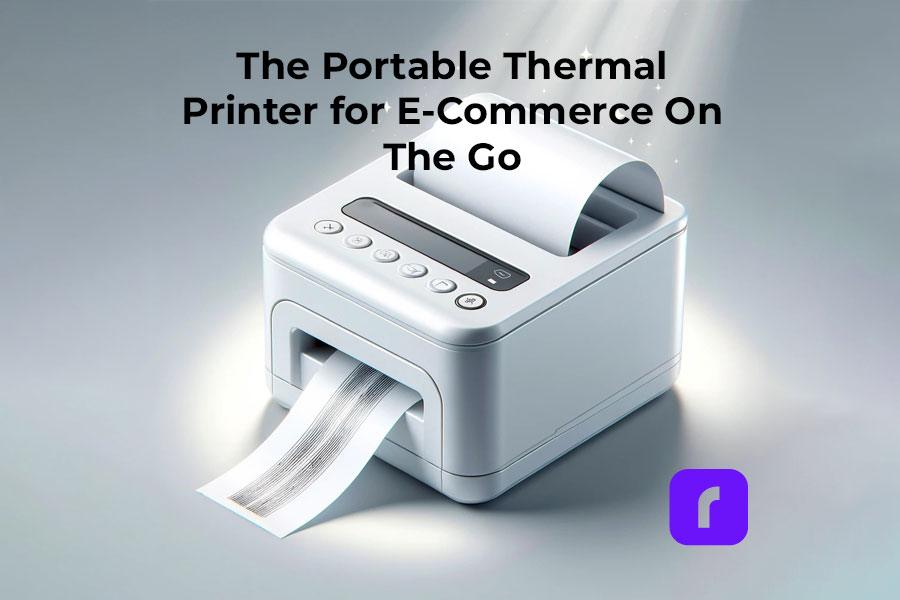
    The Portable Thermal Printer for E-Commerce On The Go

    Printers were once seen as fixed, stationary parts of offices. They sat still as people moved around them each day. But in the world of e-commerce, where remote work took off early, being mobile is key. Enter the era of the wireless, portable thermal printer. It’s a game changer for online sellers who move around a lot.

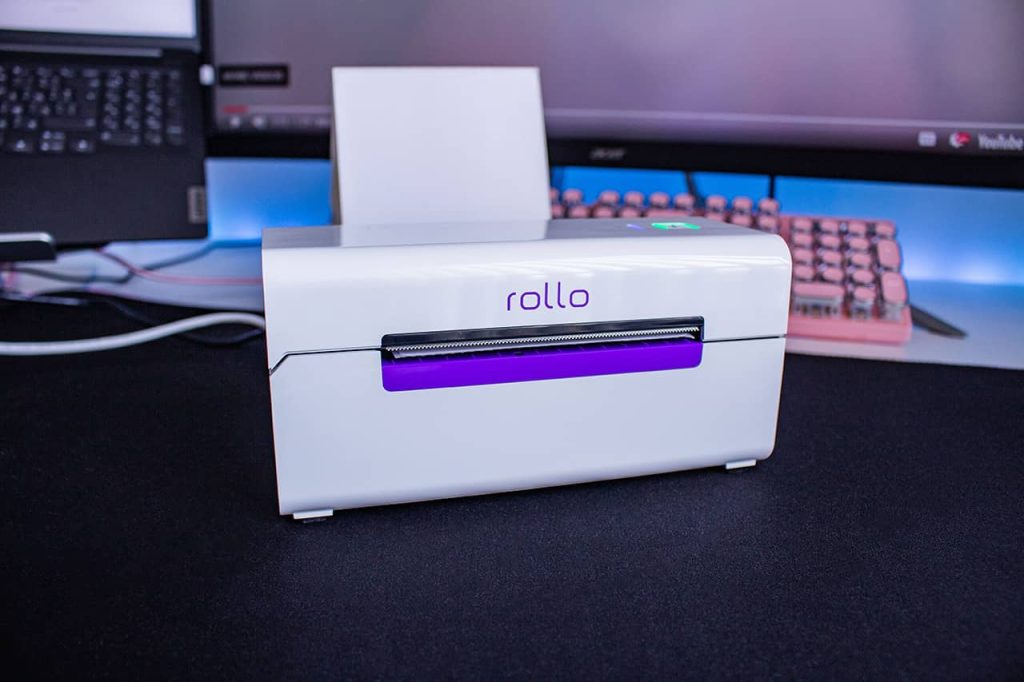
    Rollo’s printer, for example, only needs Wi-Fi to run once plugged in. With it, managing an e-commerce business from anywhere is easier than ever. In this article, we’ll explore the key features and benefits of portable thermal printers for e-commerce businesses.

    [ez-toc]

    ๐Ÿค” Did you know? Thermal printers aren't just for quick receipt or label printing;
    they're a go-to technology across diverse sectors like healthcare for patient
    wristbands, logistics for shipping labels, and retail for price tags. This
    wide-ranging utility underscores their efficiency and adaptability in various
    professional settings.

    As more firms go mobile, portable printers have become must-have tools. These small devices let you print clear labels and docs from anywhere – boosting output and pleasing buyers. Change is constant, and smart merchants must adapt. The shift to conduct business on the move has made portable printing a need. Ditch bulky desktop printers holding you back. Portable printers are the ideal sidekicks for working untethered.

    The Rise of Portable Printers

    Portable printers have come far from their chunky battery days. We’ve watched them become slim, sturdy powerhouses. By skipping wasteful inks for an eco-friendly heat process, modern units can render crisp text and images fast. Some benefits of portable thermal printers include:

    • ๐Ÿš€ Compact and Lightweight: Easy to carry and set up, enhancing business flexibility.
    • ๐ŸŒฑ Eco-Friendly Printing: Utilizes heat instead of ink, reducing waste and operating costs.
    • ๐Ÿ“ถ Diverse Connectivity Options: Offers Wi-Fi & Bluetooth pairing with multiple devices.
    ๐Ÿ’ก Pro Tip: For businesses that require on-the-go printing capabilities, mobile
    thermal printers offer a robust solution. These portable devices are not only
    durable and capable of operating in challenging environments but also provide the
    flexibility to print receipts, labels, and more, directly from the field or
    warehouse floor. When selecting a mobile printer, consider factors like battery
    life, connectivity options (e.g., Bluetooth, WiFi), and durability to ensure it
    meets your operational needs.

    While old models just did basics, the newest are tailored for e-commerce pros. Wireless? Check. Easy software? You got it. These printers are now key tools – because we make solutions that help your biz win.

    Key Features for E-Commerce

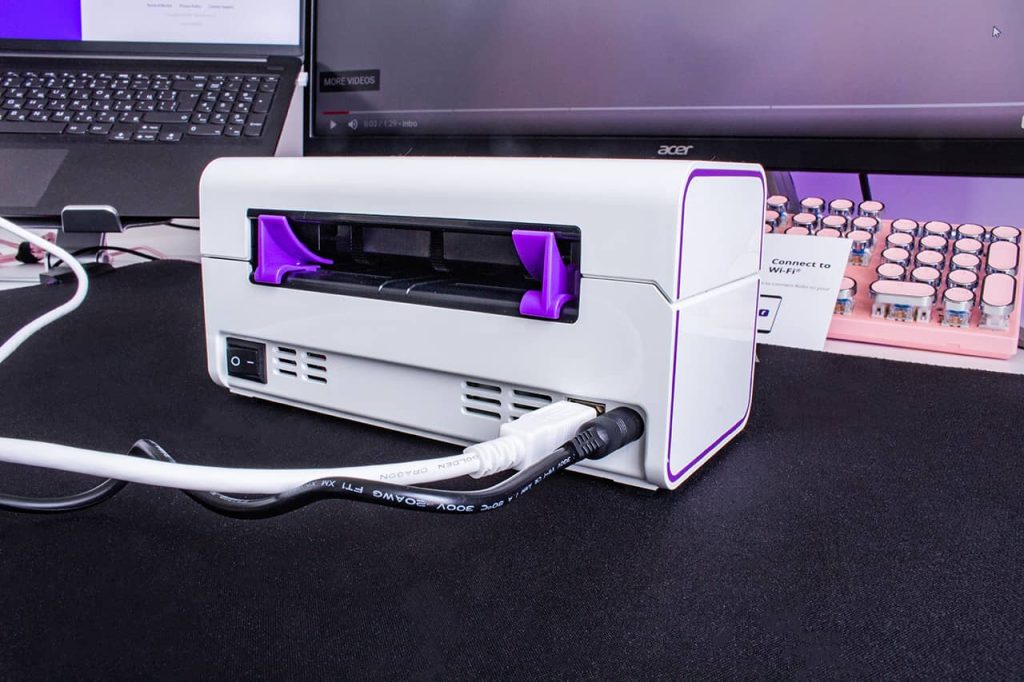
    Today’s portable printers check all the must-haves for mobile merchants. Wireless models pair seamlessly with phones and laptops via WiFi and Bluetooth – no cables to trip you up, except for the power cord, of course, but that is in the back! Rollo’s portable thermal printer is capable of up to 325,000 ft of label printing without any ink. Some key features include:

    • โฉ High-Speed Printing: Accelerates large-volume label processing, improving productivity.
    • ๐Ÿšซ๐Ÿ–จ๏ธ Direct Thermal Technology: Doesn’t use ink or toner, offering economic efficiency.
    • ๐Ÿ› ๏ธ Robust Design: Engineered for durability and reliability in various environments.
    โš ๏ธ Keep in mind A common misconception is that many people assume thermal printers
    are more expensive than inkjet printers due to their upfront cost. However, the
    long-term savings on consumables like ink or toner and the printer's durability
    often make thermal printers a more cost-effective choice for businesses focused on
    labels, barcodes, and receipts.

    But the real star is blazing print speed. Thermal tech flies through jobs up to 60% faster than old inkjets. Zip through backlogs in a flash! Rollo’s patented design provides the fastest, most reliable, and affordable way to print your labels.

    Enhancing e-Commerce Workflows

    Enhancing E-Commerce Workflows

    For growing e-commerce firms, portable printers are workflow boosters. As you add pop-ups or expand, these helpers keep orders moving. Just plug in, sync inventory, and start printing lists, invoices, and labels anywhere! Here are some ways it can enhance your workflows:

    • ๐Ÿ“ฆ Instant Order Processing: Enables printing on-demand for faster order fulfillment.
    • ๐Ÿ“ฒ Mobile Inventory Management: Print labels and manage inventory anytime, anywhere.
    • โ†ฉ๏ธ Streamlined Returns Processing: easily prints return labels, enhancing customer service.
    ๐Ÿ’ก Pro Tip: To maximize the lifespan of your thermal printer and maintain print
    quality, regularly clean the printhead and use high-quality paper or labels
    recommended by the manufacturer. Proper maintenance can prevent common issues like
    poor print quality or printhead failure.

    With on-the-go hardcopy docs, you can handle returns and swaps face-to-face. Or quickly process huge inbound shipments as they arrive. Tasks that took hours now finish in minutes – with top service. Discover more about easy and effective shipping strategies for small businesses to further optimize your operations.

    Adapting to Growth and Mobility

    Here’s the key: portable thermal printers help you adapt with growth and mobility. Rollo’s Portable thermal printer offers E-commerce entrepreneurs:

    • ๐Ÿ“ˆ Scalable Solutions: Easily integrate more e-commerce platforms as your business grows.
    • ๐ŸŽช Flexibility for Pop-Up Stores: Perfect for temporary retail setups or event sales.
    • ๐Ÿ“„ On-the-Spot Documentation: Print invoices, receipts, and shipping labels in real-time.


    Explore Rollo Ship’s Integrations


    As e-commerce businesses continue to embrace remote work, the need for adaptable and efficient tools is more crucial than ever before. Portable thermal printers offer many benefits that today’s online sellers truly value. Their mobility allows for printing labels from anywhere. Be it at trade shows, outdoor sales events, or even moving between different operational sites. These printers manage shipping needs without being tied to one place. Saving workspace is essential and Rolloโ€™s design is perfect for small offices and home setups.

    Moreover, their portability can handle immediate printing needs making them a robust e-commerce solution. Rolloโ€™s wireless connectivity from many devices makes them easy to use, streamlining workflows for businesses on the go.

    Whether expanding to a new site or setting up a mobile sales point at markets and events, portable thermal printers are reliable partners, allowing you to print receipts, invoices, and more without missing a beat. Embracing the flexibility of portable thermal printing technology means staying agile and responsive in a rapidly evolving e-commerce landscape.

    Boosting Customer Satisfaction

    Speaking of pleasing buyers, portable thermal printers add pro polish to each interaction.

    • ๐Ÿ’– Personalized Experiences: Offer customized receipts or labels for a personal touch.
    • โŒ› Reduced Wait Times: Fast printing lead to quicker transactions and happier customers.
    • ๐ŸŒŸ Enhanced Brand Image: Professional-looking labels and receipts improves brand perception.

    Each branded slip or handwritten thanks shines. And lightning checkout keeps shoppers happy. Compact units also enable on-the-fly upsells. Print limited promos or codes right on receipts as folks pay up. Capturing bonus sales per visit is easy!

    Design and User-Friendly

    The latest portable thermal printer models ace user-friendly design. Clean interfaces and simple software make setup a breeze for any staff.

    • ๐Ÿ–ฅ๏ธ Intuitive Interfaces: Simplified operation allows for quick training of staff.
    • ๐Ÿ“ฑ Wireless Label Design Apps: Facilitate easy label creation and printing from mobile devices.
    • ๐Ÿ’ค Auto-Sleep Function: Conserves energy, reducing operational costs.

    Free mobile apps let you wirelessly design and beam labels from your phone or tablet. And auto updates keep your whole fleet running smoothly. Smart power modes help conserve battery life unplugged. Meanwhile, extra-tough casings and tear bars equip printers to brave tough jobs. We’re talking warehouse-grade ruggedness in a featherweight package.

    Environment and Sustainability

    But what about the paper trail? Don’t sweat it – smarter thermal printing is a green win. Embracing eco-friendly practices, our thermal printers not only contribute to a greener planet but are also perfect for printing creative labels, showcasing how sustainability can go hand in hand with creativity. Some eco-friendly benefits include:

    • โ™ป๏ธ Reduced Paper Waste: Thermal printers use the exact amount of paper, reducing waste.
    • ๐Ÿ”„ Recyclable Materials: Encourage using recyclable thermal paper and eco-friendly supplies.
    • ๐Ÿ”‹ Energy Efficiency: Lower energy consumption compared to traditional printers.

    No bulky plastic tanks or toxic gunk. Plus, optimized layouts help curb wasted stock. And properly bagged thermal paper scores big on degrading versus old prints. We walk the talk on sustainability too. Our refurbs give quality units a second life. And we partner with ethical paper suppliers.

    Future Tech and the IoT

    The future looks bright for thermal printers in connected commerce. With IoT superpowers, printers could sync to sensors and cameras for hands-free tracking. Or tap AI aids for predictive ordering and streamlined fulfillment.

    • ๐Ÿค– Smart Device Integration: IoT capabilities for automated inventory and shipping.
    • ๐Ÿ”ง Predictive Maintenance: Alerts for maintenance needs, preventing downtime.
    • ๐Ÿ“Š Data Analytics: Enable insights into printing trends and operational efficiencies.

    The streamlining potential is limitless! Pushed by demands for faster, leaner operations, printers may one day autonomously fire off labels without human input. Imagine a hyper-connected system that triggers proper actions based on incoming data. A shipping bot gets an order, prints the label, then calls a runner to retrieve and ship the item. Fully automated awesome.

    โš ๏ธ Keep in mind When choosing a thermal printer, it's essential to consider the type
    of thermal printing technologyโ€”direct thermal or thermal transfer. Each has its
    benefits and applications, with direct thermal being ideal for short-term labels,
    and thermal transfer suited for longer-lasting prints.

    Choosing the Right Portable Printer

    Choosing the Right Portable Printer

    Of course, choosing the perfect printer means weighing things like WiFi needs, label sizes and workspace grit. But don’t just read specs – test models hands-on. Trials quickly reveal the ideal thermal sidekick for your operations.

    • โœ”๏ธ Compatibility Checks: Ensure device compatibility with existing software and hardware.
    • ๐Ÿ‹๏ธโ€โ™‚๏ธ Test for Durability: Look for printers tested under tough conditions for reliability.
    • ๐Ÿ“ž Customer Support: Consider manufacturers with excellent customer service and support.

    Need compliance certainty for printed codes? Hunt for validated units. Concerned about sketchy WiFi zones? Prioritize printers with robust signal strength. Have huge output needs? Look for big roll capacities and rapid print rates.

    Final Words

    Embrace the future of e-commerce with the unmatched convenience of a portable thermal printer. With working remotely becoming the new standard, portable thermal printers help mobile merchants outperform their competitors. Rollo will automatically import your new orders from stores, group them, and notify you, wherever you are in the world. This not only simplifies your workflow but also ensures that your business remains agile and responsive, ready to thrive in the fast-paced digital marketplace.

    As thermal printing evolves alongside rapid workplace mobility, we’re doubling down on innovation. Our latest portable solutions are designed to empower you to run a leaner, more agile business from any location, unlocking new revenue streams that were once beyond reach.

    Experience what smooth sailing truly feels like as you embrace the flexibility of thermal printing technology. Leave behind the limitations of outdated equipment. Rollo is ready to catalyze the next phase of your business’s evolution, helping you navigate the dynamic e-commerce landscape with ease and efficiency.

    Follow Rollo on:

    Frequently Asked Questions about Portable Thermal Printers:


    ๐Ÿ“Œ Q: Can Rollo’s portable thermal printers integrate with my online store or marketplace?

    ๐Ÿ’ญ A: Yes, Rollo’s portable thermal printers are designed to seamlessly integrate with a wide array of e-commerce platforms and marketplaces, enhancing your shipping processes. Direct integrations are available for major platforms including Amazon, eBay, Shopify, WooCommerce, and many others, ensuring compatibility with your specific e-commerce software. For a comprehensive list of supported integrations or to confirm compatibility with a specific platform, visit Rollo’s eCommerce Integrations page.
    ย 

    ๐Ÿ“Œ Q: How do portable thermal printers contribute to sustainability?

    ๐Ÿ’ญ A: Portable thermal printers contribute to sustainability by eliminating the need for ink or toner cartridges, significantly reducing waste. Additionally, many models, including those from Rollo, are designed to work with recyclable materials and operate with lower energy consumption compared to traditional printers. Rollo takes this commitment to sustainability a step further by offering FSC-certified thermal labels. These eco-friendly labels not only support responsible forestry but also align with the environmental values of businesses looking to minimize their ecological footprint.
    ย 

    ๐Ÿ“Œ Q: What should I consider when choosing a portable thermal printer for my e-commerce business?

    ๐Ÿ’ญ A: When choosing a portable thermal printer, consider factors such as print speed, battery life, connectivity options (e.g., WiFi, Bluetooth), compatibility with your e-commerce platform, and the type of labels or receipts you need to print.
    ย 

    ๐Ÿ“Œ Q: Can I print shipping labels from my phone or tablet using a portable thermal printer?

    ๐Ÿ’ญ A: Yes, many portable thermal printers offer wireless connectivity options like Bluetooth or WiFi, allowing you to print shipping labels directly from your phone or tablet. This feature enhances mobility and flexibility for e-commerce businesses.

    ๐Ÿ“Œ Q: How do I maintain my portable thermal printer to ensure longevity?
    ๐Ÿ’ญ A: To maintain your portable thermal printer, regularly clean the printhead according to the manufacturerโ€™s instructions, use recommended paper or labels, and ensure the printerโ€™s firmware is updated. Proper maintenance can significantly extend the life of your printer and ensure consistent print quality.
  • Shipping Label Thermal Printer: How to Boost Shipping Speed

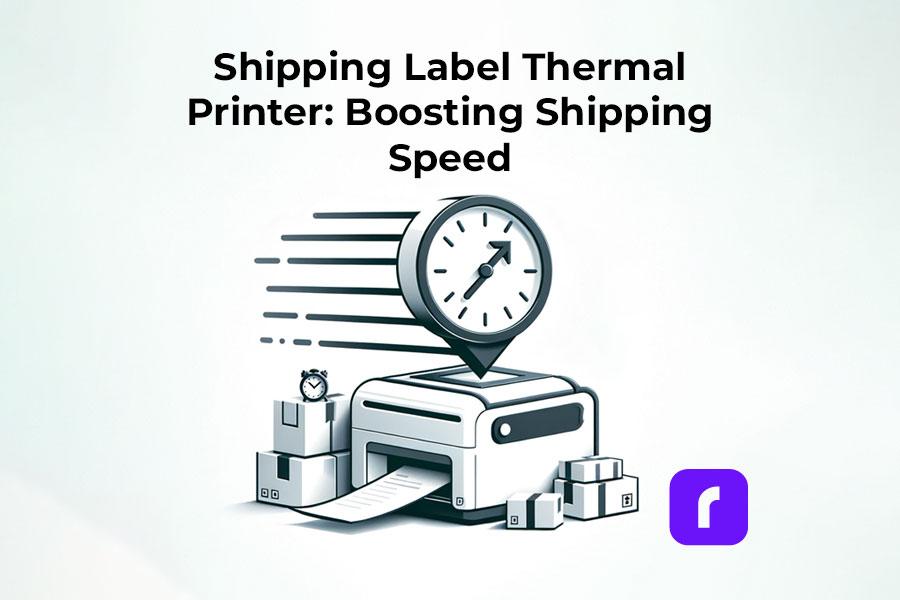
    Shipping Label Thermal Printer: How to Boost Shipping Speed

    In the fast-paced world of e-commerce, efficiency is key. A shipping label thermal printer is essential for small businesses to enhance customer satisfaction and operational efficiency. It’s not just a tool but an investment to streamline your shipping process, vital for online stores and brick-and-mortar businesses alike. This guide covers everything from thermal printing basics to selecting and setting up the ideal printer for various platforms.

    Understanding Shipping Label Thermal Printers

    Understanding Shipping Label Thermal Printers

    What is Thermal Printing?

    • Thermal printing is a method where images are created on paper using heat. This process involves a thermal print head applying heat to thermal paper, which changes color to form the image or text.

    Use in Label Printing

    • Thermal label printers are tailored for printing shipping labels. They’re fast and efficient, making them ideal for businesses that need to print labels quickly and frequently.

    Comparing Thermal Shipping Label Printers with Standard Printers

    Advantages Over Inkjet or Laser Printers:

    For small businesses, thermal shipping label printers stand out because they’re built specifically for label printing.

    This focus means they’re quicker and more reliable, especially for printing large volumes of clear, long-lasting labels.

    Why Choose Thermal Printers?

    They’re faster and more efficient for printing shipping labels – a crucial feature for businesses with high shipping demands.

    Benefits of Thermal Shipping Label Printers

    The Benefits of Using Shipping Label Printers

    Efficiency:

    A key benefit is speed. Some shipping label thermal printers can output a label per second, a vital feature for time-sensitive shipping tasks.

    Rollo Wireless can generate 1 4×6 label per second and a resolution of 203 dpi!

    Cost-Effectiveness:

    Shipping label thermal printers are more economical over time. They don’t need ink, toner, or ribbons โ€“ just thermal paper. This reduces ongoing costs significantly.

    Rollo Wireless has a life span of 650,000 labels! This is 4x more than other brands.

    Reliability and Low Maintenance:

    Known for reliability, these printers have fewer moving parts than other types, reducing the risk of breakdowns. This means consistent label printing without disruptions, essential for a smooth shipping operation.

    Choosing the Right Shipping Label Thermal Printer for Your Business

    Choosing the Right Shipping Label Thermal Printer for Your Business

    Understanding Different Types of Thermal Printers

    • What Type Do You Need? The choice of a shipping label thermal printer depends on your specific shipping label needs. Essentially, there are two main types: Direct Thermal Printers, ideal for short-term label needs, and Thermal Transfer Printers, suited for labels requiring longer durability.

    Key Factors to Consider

    • Size and Space Consider the physical size of the printer. Smaller printers are great for limited spaces but may have limitations in label size and roll capacity.
    • Printing Speed Speed is crucial. Look for printers that can keep up with your business’s volume of shipping. Faster printers can significantly streamline your shipping process.
    • Connectivity Options Check for connectivity options like USB cable compatibility. Some modern printers also offer wireless connections, which can be more convenient.
    • Compatibility with Platforms Ensure the printer is compatible with your selling platform (e.g., Shopify, Etsy). This compatibility is crucial for seamless integration and operation.

    Exploring the Product Range

    • Variety of Thermal Printers There are various models to cater to different business needs. Some are designed for high-volume shipping, while others are more suited for smaller-scale operations.
    • Thermal Printing Variations Look for printers that support a range of label sizes and types, offering flexibility for different shipping needs. Options like โ€œshipping label thermal printingโ€ devices are tailored for e-commerce and can handle different label formats efficiently.

    Setting Up Your Shipping Label Thermal Printer: The Rollo Wireless and USB Experience

    Unboxing the Rollo Wireless Shipping Label Thermal Printer: Whatโ€™s Inside?

    Unpacking Rollo Wireless Printer
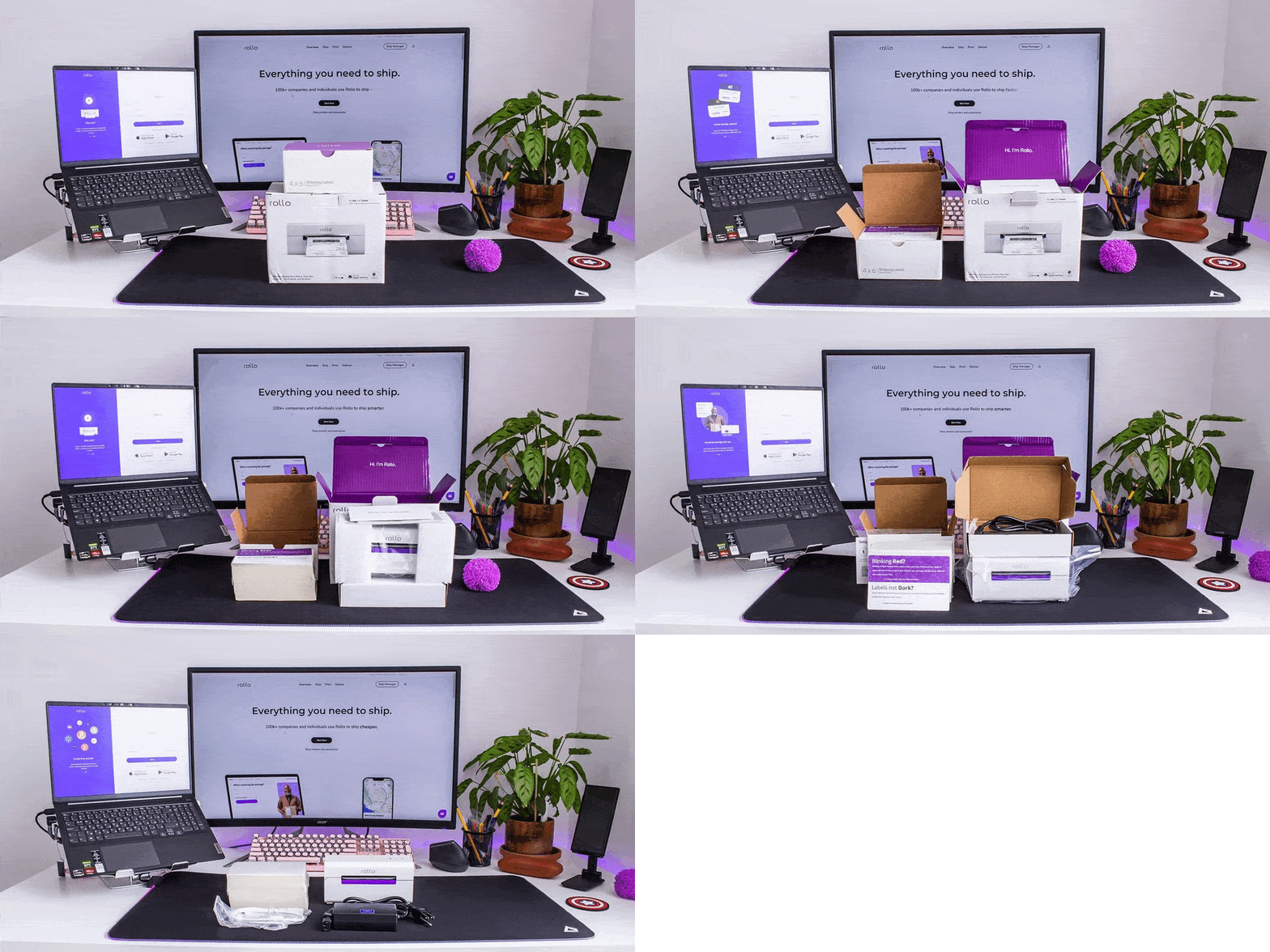
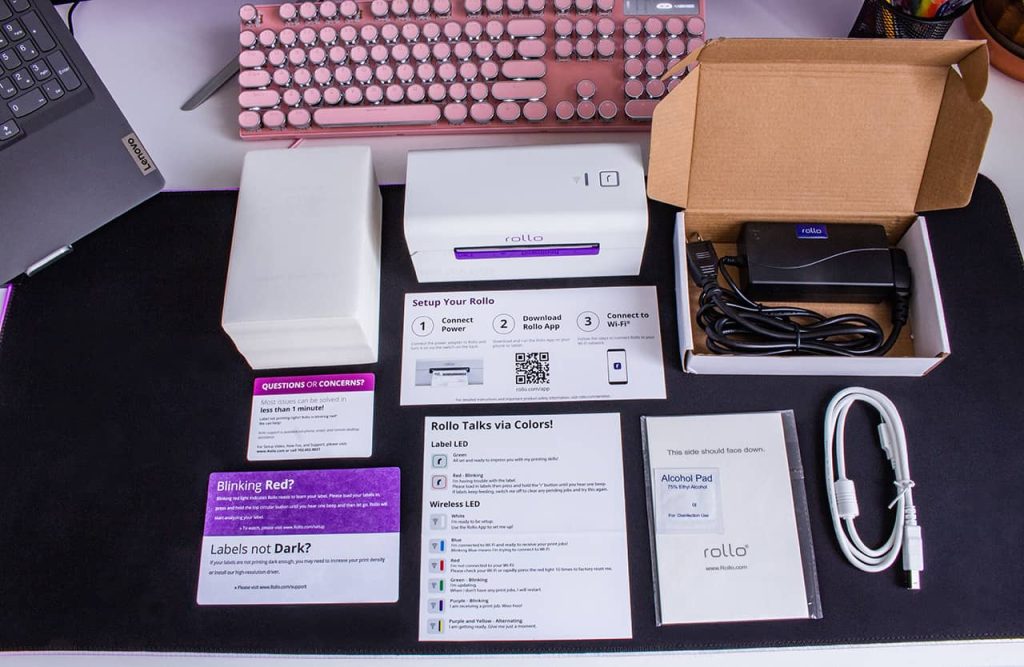
    • Printer and Accessories: Inside the box, you’ll find the sleek Rollo wireless shipping label thermal printer, an AC adapter, and a USB B to USB A cable for optional USB printing.
    • Guides and Labels: A color guide for LED signals, a setup guide with a QR code for the Rollo app, and a sample label for a quick start are included.
    • Support and Extras: A support contact card, 500 complimentary 4ร—6 shipping labels, and an alcohol pad for maintenance ensure you’re fully equipped.
    • Package Details: The entire package weighs 5.8 lbs and comes with free ground shipping. Returns are hassle-free within 30 days.

    Setting Up Your Rollo Wireless Shipping Label Printer

    • Time and Ease of Setup: The setup is a breeze, taking about 5 to 10 minutes. Begin by downloading and registering on the free Rollo App.
    • Bluetooth and WiFi Connectivity: Initially, use Bluetooth for setup, then switch to WiFi for regular operation.
    • No Driver Installation Needed: The wireless model doesn’t require driver installation, unlike the USB model.
    • Key Features: The Rollo Wireless Printer boasts a 203 dpi resolution, a max printing speed of 150 mm/s, and supports various paper sizes and types.

    Rollo Wireless Label Printer at a Glance

    • Versatile and Compact: As compact as a 9-inch phone, it’s ideal for small spaces.
    • Print Lifespan and Supported Paper: Capable of printing approximately 650,000 labels, it supports a range of direct thermal labels and paper.
    • Intelligent Label Detection: Automatically detects label sizes, eliminating the need for manual cropping.

    Installation Experience:

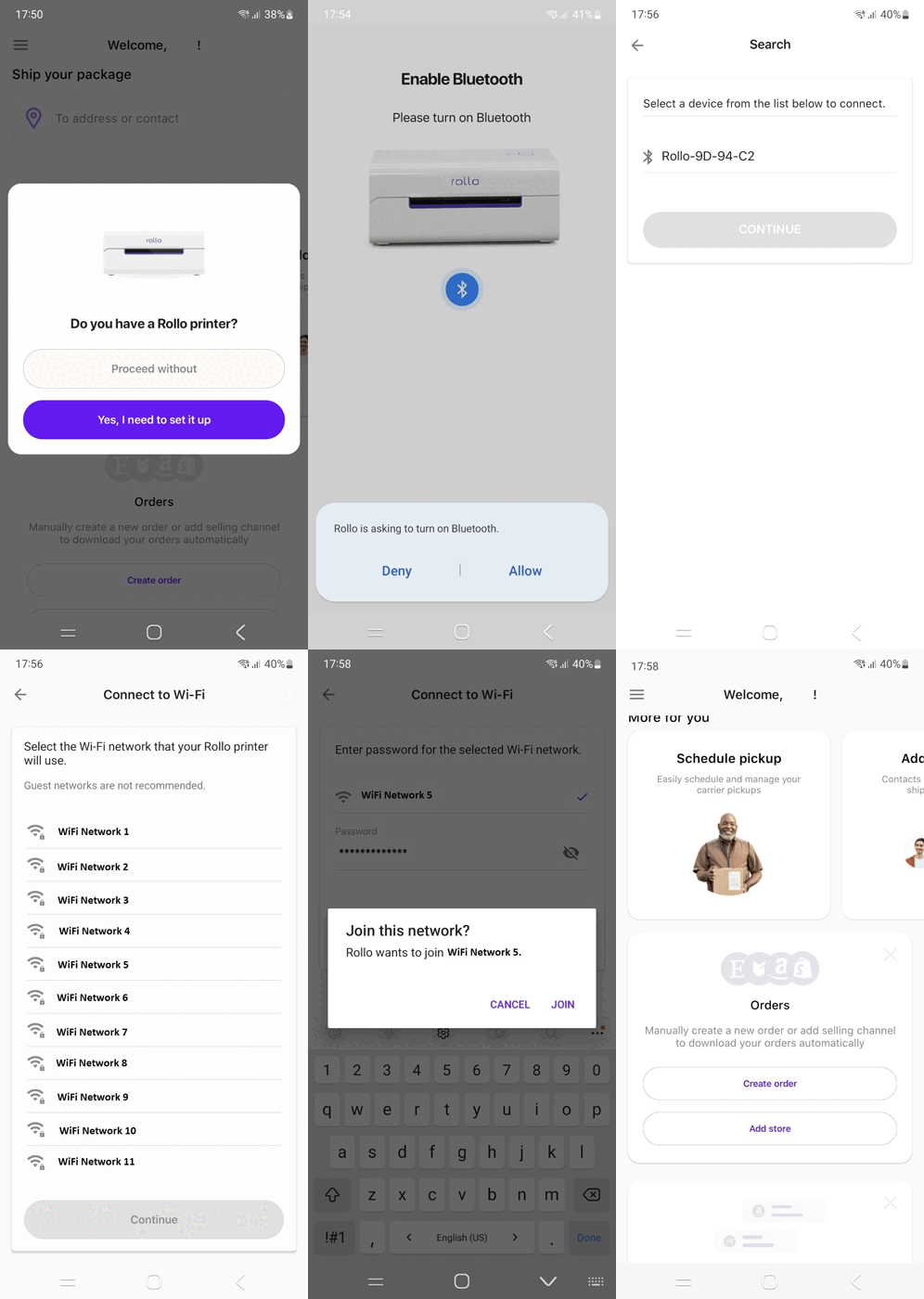
    • First-Time Setup: Connecting to the shipping label thermal printer via the app is straightforward. Select your WiFi network, load the labels, and you’re set to print.
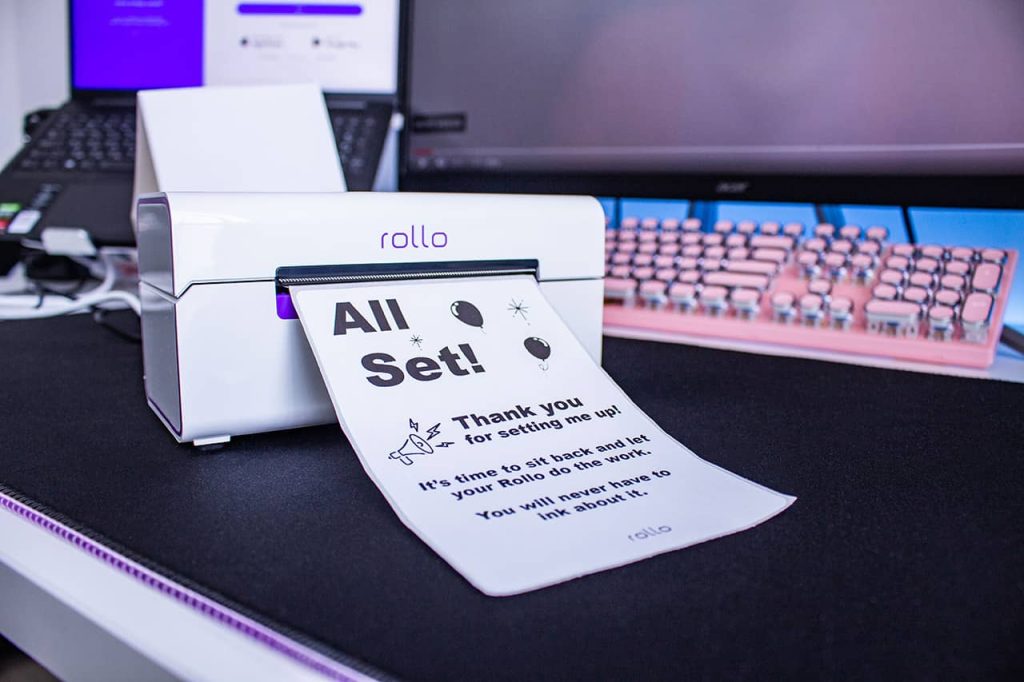
    • First Print: Witness the printer spring into action with its first test label, marking your entry into efficient, inkless label printing.

    Setting Up the Rollo USB Printer: Software and Driver Installation

    Getting Started with the Rollo USB Printer The Rollo USB shipping label thermal printer, designed for straightforward and efficient label printing, requires a simple setup process to integrate seamlessly with your computer system.

    Software and Driver Installation Steps

    1. Driver Download
      • Finding the Right Driver: Visit Rollo’s official website to access the latest drivers. Ensure you select the driver compatible with your operating system, whether it’s Windows or MacOS.
      • Easy Access: Navigate to the support or download section on Rollo’s website, where you will find a dedicated area for Rollo USB shipping label thermal printer drivers.
    2. Installation Process
      • Running the Installer: Once the driver is downloaded, locate the file, usually in your computer’s “Downloads” folder. Double-click on the file to initiate the installation.
      • Step-by-Step Guidance: The installation wizard will guide you through the process. Follow the on-screen instructions which may include accepting a license agreement, choosing an installation location, and confirming the installation.
      • Finalizing Installation: After the installation is complete, you may need to restart your computer. This ensures that your system fully integrates the new driver.
    3. Ensuring Recognition
      • Connecting the Shipping Label Thermal Printer: With the driver installed, connect your Rollo USB printer to your computer using the supplied USB cable.
      • Confirmation of Installation: Once connected, your computer should automatically recognize the Rollo printer. You can verify this by going to your system’s printer settings or control panel where the Rollo printer should be listed as an available device.
    4. Ready to Print
      • Test Print: Itโ€™s a good practice to perform a test print to ensure everything is working correctly. You can do this from the printer properties or a simple document print command.
      • Troubleshooting: If you encounter any issues during installation or the printer isnโ€™t recognized, revisit the Rollo support page for troubleshooting tips or contact their customer support for assistance.

    Tips for Installation and Troubleshooting for Your Rollo Shipping Label Thermal Printer

    • Connectivity Issues: Ensure all cables are securely connected. For wireless models, check Wi-Fi settings and signal strength.
    • Driver Issues: If the shipping label thermal printer isnโ€™t recognized, reinstall the drivers or check for updates on Rollo’s website.
    • Label Feeding Problems: Make sure labels are loaded correctly. If issues persist, recalibrate the printer using the automatic label identification feature.
    • Print Quality Concerns: Regularly clean the printer head with an alcohol swab to maintain print quality. Avoid using harsh chemicals or water.

    Maintenance and Safety

    • Regular Cleaning: Turn off the printer, let it cool down, and gently clean the shipping label thermal printer head with an alcohol swab. Avoid touching the printer head directly.
    • Software Updates: Keep your Rollo printer software up to date for optimal performance and new features.
    • Safe Handling: Do not touch the printer head immediately after printing, as it can be hot. Always turn off and unplug the printer before any maintenance.

    Printing Shipping Labels Efficiently

    Efficient Label Printing Across Various Platforms In the realm of e-commerce, printing shipping labels swiftly and accurately is crucial. Whether you’re using the Rollo X1038 USB shipping label thermal printer or leveraging the Rollo Ship, understanding how to navigate different platforms for label printing is key. Here, we provide a comprehensive guide on efficiently printing shipping labels from various e-commerce platforms.

    How to print shipping labels on platforms Rollo printer and app integrate with

    Marketplace and E-Commerce Guides for Rollo Shipping Label Thermal Printers

    Printing Shopify Labels

    Connecting to Rollo Ship:ย 

    • Easily integrate your Shopify store with Rollo Ship for automated 4×6 label printing.ย 
    • Download the Rollo Ship app for free on your mobile (available for iOS and Android) or register and sign in on Desktop at https://ship.rollo.com/.
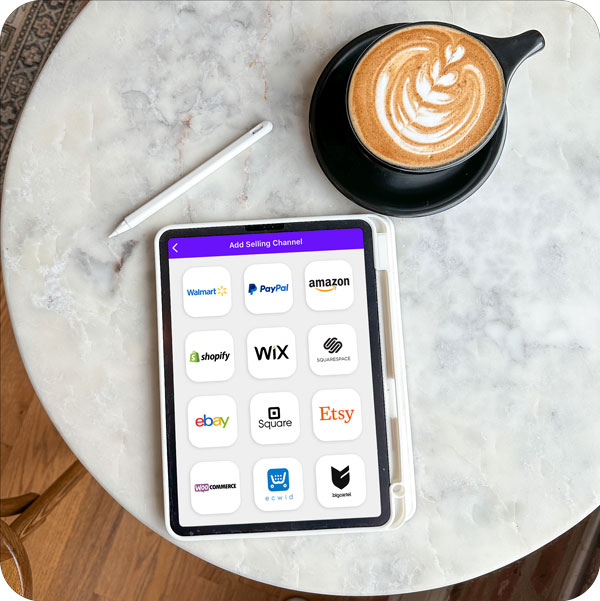
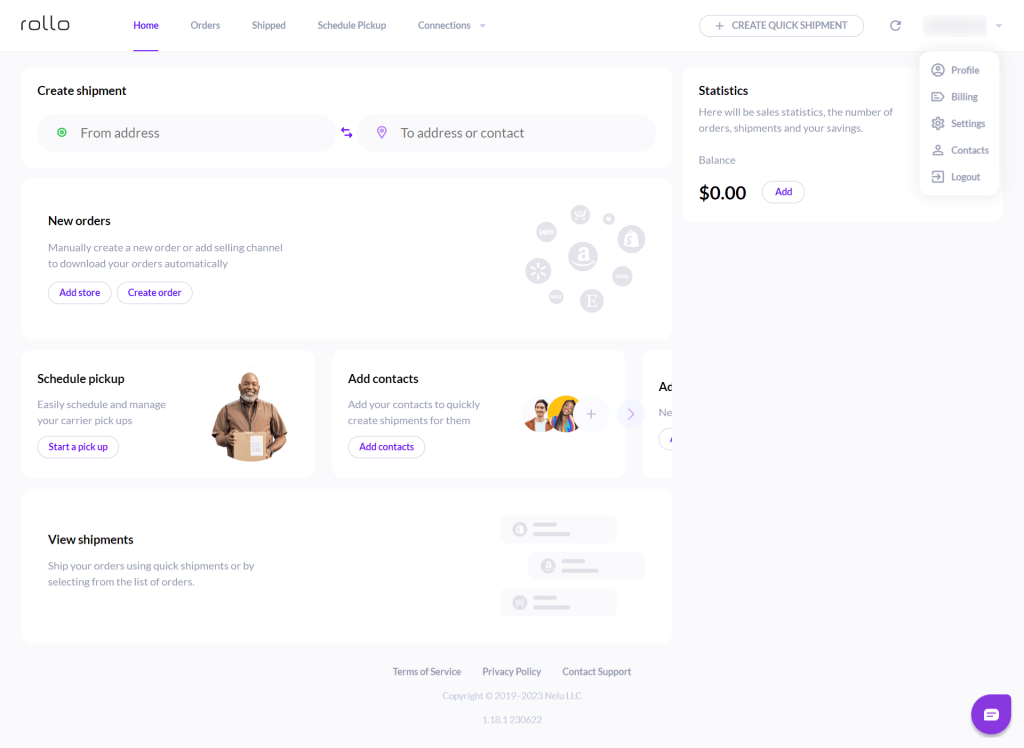
    • Go to โ€œConnectionsโ€ > โ€œSelling Channelsโ€ > โ€œAdd Newโ€ > Click on the Shopify logo. Enter your Shopify store domain name and click โ€œConnectโ€.ย 
    • Write your Shopify account credentials and continue.ย 
    • Your current and future Shopify orders will be available instantly. You can print Shopify shipping labels at an instant.

    Direct Printing of Shopify Shipping Labels to Your Rollo:ย 

    • In your Shopify dashboard, after you have purchased a Shopify shipping label > select ‘Change Format’ย  for shipping labels (itโ€™s on the right-hand side) and opt for the 4×6 size to suit your Rollo shipping label thermal printer.

    To print a Shopify shipping label from Rollo Ship:

    • Simply select the order you would like to print a shipping label for.
    • Click โ€œCreate a Labelโ€
    • Double-check the order information – recipientโ€™s address and the requested shipping.
    • Input the package dimensions and type.
    • Choose Delieveryโ€™s requirements and click โ€œCalculate Shipping Ratesโ€.
    • The label will be generated to be printed to your Rollo shipping label thermal printer, should your device (a mobile phone, a tablet, or a computer) be linked to the Rollo shipping label thermal printer.ย 
    IMPORTANT: The process is analogical for all connected marketplaces to Rollo Ship.

    Printing eBay Shipping Labels

    Seamless Integration with Rollo Ship:ย 

    • Link your eBay store to Rollo Ship for straightforward label printing.
    • Download the Rollo Ship app for free on your mobile (available for iOS and Android) or register and sign in on Desktop at https://ship.rollo.com/.
    • Go to โ€œConnectionsโ€ > โ€œSelling Channelsโ€ > โ€œAdd Newโ€ > Click on the eBay logo.ย 
    • Enter your eBay account credentials and continue.ย 
    • Your current and future eBay orders will be available instantly. You can print eBay shipping labels at an instant.


    Manual Setup on eBay shipping labels for Rollo printer:

    • On the new eBay Interface:
      During the label purchase, choose Print Format โ€œ4×6โ€ PDFโ€ instead of โ€œPDF 8โ€x11โ€ simply by clicking โ€œChangeโ€ instead of โ€œPreviewโ€.

    On the classic eBay Interface:

    • During the eBay label creation process on eBay, click on โ€œPrinter and label receipt preferencesโ€.
      Then on the pop-up that appears, pick any 4×6 label-sized printers. Itโ€™s okay to choose a format like ‘Zebra TLP3842 4×6’, to ensure compatibility with your Rollo shipping label thermal printer. Both printers are set for shipping labels size 4×6 inches.ย 
    • Click โ€œSaveโ€ and go on to purchase the eBay shipping label.
    Important Note to Safari Users:ย  The Safari browser adds a white margin around the eBay-generated label which canโ€™t be removed. A trick to help here is to use the Chrome browser instead.

    Printing Etsy Shipping Labels

    Etsy Label Settings:ย 

    Keep this in mind! In Etsy, only USPS shipping labels can be formatted for 4x6 label printers.
    • Sign in to your Etsy account and go to Your Account> Shop Manager > Settings > Shipping Settings.
    • Navigate to ‘Shipping Label Options’ and select ‘Format my labels for 4×6 Label printers’.
    Warning! Keep in mind that changing your label size to 4 x 6 will only affect new labels. To fix this, delete old labels and make new ones in the correct size.

    Printing Amazon Labels

    Rollo Ship for Amazon Shipping Labels:ย 

    • Connect your Amazon seller account to Rollo Ship for efficient label creation and printing.
    • Add Etsy to Rollo Ship for direct 4×6 shipping label printing.
    • Download the Rollo Ship app for free on your mobile device (available for iOS and Android) or register and sign in on your desktop at https://ship.rollo.com/.ย 
    • Go to โ€œConnectionsโ€ > โ€œSelling Channelsโ€ > โ€œAdd Newโ€ > Click on the Amazon logo.ย 
    • Choose Amazon order sources in the form.ย 
    • Select how Rollo should identify your Amazon products (pick SKU if you’re not sure), and proceed with โ€œConnectโ€.
    • Enter your Amazon account credentials.
    • Your current and future Amazon Merchant Fulfilled orders will be available there. You can print Amazon shipping labels.

    Direct Printing Options:ย 

    • Amazon supports 4×6 label formats compatible with Rollo shipping label thermal printers, which are available in the shipping settings.
    DID YOU KNOW?ย 

    Amazon has several label types for its sellers, each serving a different purpose:ย 

    • Amazon shipping labels for Amazon Customer Orders (for fulfilling customer orders)
    • Amazon ASIN Product Labels (These labels are used on products before they are sent to Amazon)
    • Amazon FBA Labels (External Box Labels that are sent to an Amazon warehouse)
    The Good News! 

    The Rollo shipping label thermal printers can print them all! Here is how:

    • For Amazon Customer Orders: Leave the layout to “default”. This produces a 4×6 label suitable for Rollo and other thermal printers. For higher quality, select the PDF format (4 in x 6 in PDF with Packing Slip).
    • For Amazon ASIN Product Labels: To print them, use the ‘Print all SKU labels’ option in Step 1 of the ‘Send to Amazon’ section, selecting thermal as your printing format and entering your label dimensions.
    • For Amazon FBA Labels: For labels that go on the outside of boxes being sent to Amazon’s warehouse, Amazon supports thermal printing. Simply select ‘Thermal Printing: 4 x 6 inchesโ€™’ in the options and print your labels.

    How to Print Shipping Labels from Magento, BigCartel, Ecwid, and Others?

    • Connecting via Rollo Ship: Add platforms like WooCommerce, Walmart, Wix, Magento, BigCartel, BigCommerce, PayPal, Shift4Shop, and Ecwid to your Rollo Ship account for streamlined label printing.
    • Direct Printing Approach: For direct printing, ensure your platform’s label settings are configured for 4×6 labels, a standard size for Rollo printers.
    • For marketplaces like Depop, Mercari, and Poshmark, you can directly print from the shipping label file that has been sent to your email or generated on the platform.

    Rollo wireless shipping label thermal printers can print from any file, any app, or any device. Completely inkless and wirelessly.

    Optimizing Your Shipping Process with Thermal Printers

    Enhancing Workflow with Shipping Label Thermal Printer

    1. Bulk Printing: Utilize the batch printing feature of your thermal printer for large order volumes. This can significantly reduce the time spent per order.
    2. Label Organization: Organize your labels in a manner that corresponds with the packaging sequence. This can streamline your packing process.
    3. Regular Maintenance: Keep your printer clean and well-maintained. Regularly cleaning the print head and using high-quality label paper ensures consistent print quality and reduces downtime.
    4. Software Integration: Use shipping and e-commerce platform integrations to automatically pull order details and print labels, minimizing manual data entry and errors.
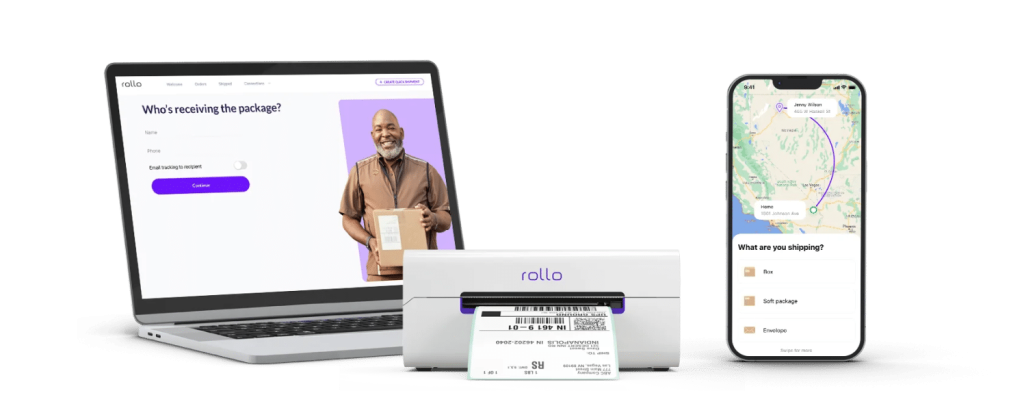
    Rollo shipping label thermal printer and app

    Integration with Shipping Carriers

    1. UPS, USPS, and FedEx Labels: Ensure your shipping label thermal printer is set up to print shipping labels from major carriers like UPS, USPS, and FedEx. This typically involves selecting the correct label format and size in your carrier’s shipping software.
    2. Carrier-Specific Settings: Familiarize yourself with each carrier’s specific requirements for label printing. For instance, USPS might have different label formats compared to FedEx.
    3. Software Solutions for Carriers: Consider using shipping software that integrates with multiple carriers. This can centralize your label printing process and provide options to compare rates and choose the best shipping method for each package.
    4. Automating Carrier Selection: Utilize software that automatically selects the most cost-effective or fastest shipping carrier based on your preferences and the specifics of the order.

    Efficiency in the Shipping Area

    • Layout Optimization: Organize your shipping area for efficiency. Place your thermal printer in a location that is easily accessible and close to your packing materials and products.
    • Training Staff: Ensure that all staff members are trained in using the shipping label thermal printer and the associated software. This helps in minimizing errors and downtime.
    • Continuous Improvement: Regularly assess your shipping process and make adjustments to keep up with increasing order volumes or changes in your product range.

    In Conclusion:
    The move to a thermal shipping label printer is a step towards streamlining your shipping process, reducing costs, and enhancing the overall efficiency of your e-commerce operations. With easy setup, user-friendly interfaces, and robust integration capabilities, these printers are not just tools but vital partners in your business’s growth and success.

    Follow Rollo on:

    Rollo Ship App Connection:ย 

    • Add Etsy to Rollo Ship for direct 4×6 shipping label printing.
    • Download the Rollo Ship app for free on your mobile (available for iOS and Android) or register and sign in on Desktop at https://ship.rollo.com/.
    • Go to โ€œConnectionsโ€ > โ€œSelling Channelsโ€ > โ€œAdd Newโ€ > Click on the eBay logo.ย 
    • Enter your Etsy account credentials and click โ€œAllow accessโ€.
    • Your current and future Etsy orders will be available instantly. You can print Etsy shipping labels.

    Etsy Label Settings:ย 

    Keep this in mind! In Etsy, only USPS shipping labels can be formatted for 4x6 label printers.
    • Sign in to your Etsy account and go to Your Account> Shop Manager > Settings > Shipping Settings.
    • Navigate to ‘Shipping Label Options’ and select ‘Format my labels for 4×6 Label printers’.
    Warning! Keep in mind that changing your label size to 4 x 6 will only affect new labels. To fix this, delete old labels and make new ones in the correct size.

    Printing Amazon Labels

    Rollo Ship for Amazon Shipping Labels:ย 

    • Connect your Amazon seller account to Rollo Ship for efficient label creation and printing.
    • Add Etsy to Rollo Ship for direct 4×6 shipping label printing.
    • Download the Rollo Ship app for free on your mobile device (available for iOS and Android) or register and sign in on your desktop at https://ship.rollo.com/.ย 
    • Go to โ€œConnectionsโ€ > โ€œSelling Channelsโ€ > โ€œAdd Newโ€ > Click on the Amazon logo.ย 
    • Choose Amazon order sources in the form.ย 
    • Select how Rollo should identify your Amazon products (pick SKU if you’re not sure), and proceed with โ€œConnectโ€.
    • Enter your Amazon account credentials.
    • Your current and future Amazon Merchant Fulfilled orders will be available there. You can print Amazon shipping labels.

    Direct Printing Options:ย 

    • Amazon supports 4×6 label formats compatible with Rollo shipping label thermal printers, which are available in the shipping settings.
    DID YOU KNOW?ย 

    Amazon has several label types for its sellers, each serving a different purpose:ย 

    • Amazon shipping labels for Amazon Customer Orders (for fulfilling customer orders)
    • Amazon ASIN Product Labels (These labels are used on products before they are sent to Amazon)
    • Amazon FBA Labels (External Box Labels that are sent to an Amazon warehouse)
    The Good News! 

    The Rollo shipping label thermal printers can print them all! Here is how:

    • For Amazon Customer Orders: Leave the layout to “default”. This produces a 4×6 label suitable for Rollo and other thermal printers. For higher quality, select the PDF format (4 in x 6 in PDF with Packing Slip).
    • For Amazon ASIN Product Labels: To print them, use the ‘Print all SKU labels’ option in Step 1 of the ‘Send to Amazon’ section, selecting thermal as your printing format and entering your label dimensions.
    • For Amazon FBA Labels: For labels that go on the outside of boxes being sent to Amazon’s warehouse, Amazon supports thermal printing. Simply select ‘Thermal Printing: 4 x 6 inchesโ€™’ in the options and print your labels.

    How to Print Shipping Labels from Magento, BigCartel, Ecwid, and Others?

    • Connecting via Rollo Ship: Add platforms like WooCommerce, Walmart, Wix, Magento, BigCartel, BigCommerce, PayPal, Shift4Shop, and Ecwid to your Rollo Ship account for streamlined label printing.
    • Direct Printing Approach: For direct printing, ensure your platform’s label settings are configured for 4×6 labels, a standard size for Rollo printers.
    • For marketplaces like Depop, Mercari, and Poshmark, you can directly print from the shipping label file that has been sent to your email or generated on the platform.

    Rollo wireless shipping label thermal printers can print from any file, any app, or any device. Completely inkless and wirelessly.

    Optimizing Your Shipping Process with Thermal Printers

    Enhancing Workflow with Shipping Label Thermal Printer

    1. Bulk Printing: Utilize the batch printing feature of your thermal printer for large order volumes. This can significantly reduce the time spent per order.
    2. Label Organization: Organize your labels in a manner that corresponds with the packaging sequence. This can streamline your packing process.
    3. Regular Maintenance: Keep your printer clean and well-maintained. Regularly cleaning the print head and using high-quality label paper ensures consistent print quality and reduces downtime.
    4. Software Integration: Use shipping and e-commerce platform integrations to automatically pull order details and print labels, minimizing manual data entry and errors.
    Rollo shipping label thermal printer and app

    Integration with Shipping Carriers

    1. UPS, USPS, and FedEx Labels: Ensure your shipping label thermal printer is set up to print shipping labels from major carriers like UPS, USPS, and FedEx. This typically involves selecting the correct label format and size in your carrier’s shipping software.
    2. Carrier-Specific Settings: Familiarize yourself with each carrier’s specific requirements for label printing. For instance, USPS might have different label formats compared to FedEx.
    3. Software Solutions for Carriers: Consider using shipping software that integrates with multiple carriers. This can centralize your label printing process and provide options to compare rates and choose the best shipping method for each package.
    4. Automating Carrier Selection: Utilize software that automatically selects the most cost-effective or fastest shipping carrier based on your preferences and the specifics of the order.

    Efficiency in the Shipping Area

    • Layout Optimization: Organize your shipping area for efficiency. Place your thermal printer in a location that is easily accessible and close to your packing materials and products.
    • Training Staff: Ensure that all staff members are trained in using the shipping label thermal printer and the associated software. This helps in minimizing errors and downtime.
    • Continuous Improvement: Regularly assess your shipping process and make adjustments to keep up with increasing order volumes or changes in your product range.

    In Conclusion:
    The move to a thermal shipping label printer is a step towards streamlining your shipping process, reducing costs, and enhancing the overall efficiency of your e-commerce operations. With easy setup, user-friendly interfaces, and robust integration capabilities, these printers are not just tools but vital partners in your business’s growth and success.

    Follow Rollo on:

  • Shipping Printer Advantages for Small Businesses

    Shipping Printer Advantages for Small Businesses

    In the ever-evolving realm of e-commerce, efficiency isn’t just a luxuryโ€”it’s a necessity. For small businesses battling big competition, every edge counts. And this is where the game-changing shipping printer strides in. From precision and speed to unparalleled professionalism, these printers redefine how small businesses handle their shipping needs. For those navigating the bustling marketplaces of Shopify, Etsy, or eBay, this tool can elevate your operational game. Join us as we unravel the transformative power of shipping printers, spotlighting the trailblazing contributions of Rollo.

    In this deep dive, youโ€™ll discover:

    • The undeniable edge a dedicated shipping label printer offers.
    • The battle of the giants: USB vs. Wireless printers and which suits your business best.
    • How printing speed can dramatically revamp your shipping processes.
    • The economic brilliance and innovation behind thermal printers.

    Stay with us as we guide you through these insights, ensuring your small business is geared up for e-commerce success.


    The Critical Role of Shipping Label Printers in Small Businesses

    Navigating the labyrinth of shipping and logistics is no small feat, especially for small businesses striving to leave a mark. Amidst this complexity, a shipping label printer emerges as more than just a toolโ€”it’s an ally.

    Here’s why every ambitious small business should invest in one:

    Ready to propel your business into a new echelon of efficiency and professionalism?

    Discover how Rolloโ€™s compact thermal printers can be the game-changer you’ve been searching for, offering perfect integrations with top marketplaces.

    USB vs. Wireless Shipping Printers: Finding Your Perfect Match

    The choice between USB and wireless shipping printers boils down to your business’s specific needs and the environment in which you operate. Both have distinctive advantages, but understanding the nuances can guide you to the right pick:

    FeaturesUSB Shipping PrinterThermal Wireless Shipping Printer
    ๐Ÿ–‡๏ธ ConnectivityUSB ConnectionWi-Fi
    ๐Ÿ“ฑ MobilityLimitedHigh (Can print from various devices)
    โš™๏ธ Integration with DevicesPrimarily PC & MacPC, Mac, iPhone, Android, Chromebook
    ๐ŸŽ€ Best ForStationary WorkspacesFlexible work environments

    THE GOOD NEWS?

    Rollo printers have it all.

    USB and Wireless.
    Compatible with Windows, Linux, Mac, iOS, Android, and Chromebook.

    For enterprises that value versatility and on-the-go printing capabilities, the thermal wireless shipping printer is a standout choice. It allows seamless printing from a plethora of devices, be it a Mac, iPhone, Android, or even a Chromebook.

    On the flip side, if you prefer a stable, direct connection and your operations are centered around a fixed workstation, a USB shipping printer might be your go-to. Remember, it’s all about aligning with your business’s rhythm and flow.

    Maximizing Efficiency with High-Speed Printers

    Time is money, especially for small businesses. A printer’s speed, often measured in labels per minute, directly affects a business’s shipping operations.

    ๐Ÿ“จ Swift Deliveries:

    With high printing speed, businesses can ensure timely dispatch, elevating customer satisfaction.

    โœ… Fewer Errors:

    Faster printers like Rollo reduce the waiting time, diminishing the chances of mixed-up labels and orders.

    For small businesses looking to upscale, investing in a printer that values your time, like the Rollo, which prints a label every second, can be transformative.

    Thermal Printers: The Cost-Effective Choice for Businesses

    In an era where small businesses strive to optimize every cent spent, thermal printers emerge as a beacon of cost-efficiency in the world of shipping. But what makes them such a compelling choice?

    Integration with Major Carriers: USPS, UPS, and More

    Shipping isn’t just about labels; it’s about ensuring your products land in the right hands. Integration with reliable carriers like USPS, UPS, and FedEx becomes crucial.

    ๐Ÿ“ฏ USPS shipping printer advantages:

    USPS is renowned for its extensive reach, catering to both domestic and international destinations. With a dedicated USPS shipping printer, businesses can efficiently produce labels that adhere to USPS’s stringent guidelines, ensuring packages are processed and delivered promptly.

    Did you know? 
    You can link your USPS account with the Rollo Ship app, or create a new one within the Rollo platform, all for free! Learn more about the benefits of USPS and Rollo.

    ๐Ÿ“จ UPS shipping printer integration benefits:

    UPS is synonymous with reliability. By integrating with a UPS-specific shipping printer, businesses benefit from smooth label generation that’s optimized for the carrier’s global logistics network, streamlining the shipping process.

    Did you know? 
    Users can connect their existing UPS accounts to the Rollo Ship app, or create a new one within the Rollo platform for free! Learn more about the perks of UPS and Rollo.

    ๐Ÿ“ฆ FedEx label printer:

    FedEx, a giant in global courier delivery services, has specific label requirements to expedite its shipping processes.

    By investing in a FedEx-compatible label printer, businesses can tap into the carrier’s vast and efficient delivery network, ensuring packages are handled with care and delivered in record time.

    Did you know? 
    Anyone can link their FedEx account to the Rollo Ship app for ease of FedEx shipping. Learn more about the pros of FedEx and Rollo.

    Rollo shipping label printers are perfect for:

    FedEx, USPS, and UPS shipping labels

    Expanding Your Business with Shipping Software

    In today’s digital age, the significance of robust shipping software for small businesses cannot be overstated. It acts as the backbone of e-commerce operations, streamlining the complex web of logistics, shipping rates, and customer interactions.

    ๐Ÿ“ข The significance of shipping software for small businesses:

    A comprehensive shipping software solution can dramatically reduce manual tasks.

    It:

    • automates rate comparisons
    • tracks packages in real-time
    • generates reports to assess operational efficiency

    These insights empower businesses to make informed decisions, bolstering their competitive edge.

    Did you know? 
    Rollo Ship App is a free to use and download software for Desktop, iOS, and Android. No obligations for a purchase of any of the Rollo products, no monthly subscriptions, and what is more the first 200 shipping labels generated are on us! Link accounts from shipping carriers and marketplaces with ease and no hidden terms.

    ๐ŸŽ€ How it complements shipping label printers: While shipping software manages the digital aspects of logistics, shipping label printers bring the virtual to reality, materializing the digital data into tangible labels. In synergy, they ensure that the right package, with the correct label, reaches its intended destination at the best possible rate. This seamless integration of software and hardware transforms the shipping experience, propelling small businesses into a new realm of efficiency and customer satisfaction.

    Free registration, no monthly subscriptions, and 200 shipping labels on Rollo

    Shipping Printer Compatibility: From Mac to Android Phones

    In our diverse digital landscape, businesses operate across various devices. The true test of a superior shipping printer lies in its compatibility with these numerous platforms.

    Rollo Wireless Shipping Label Printer and Rollo Ship App/a> from Rollo on Vimeo.

    ๐Ÿ“ฑ ๐Ÿ’ป ๐Ÿ–ฅ๏ธ Using a shipping printer for Mac, iPhone, Android, or Chromebook:

    Whether you’re a die-hard Apple enthusiast or swear by your Android, a versatile shipping printer bridges the gap. Rollo, for instance, offers models that integrate smoothly with Macs, iPhones, Android devices, and even Chromebooks.

    This broad compatibility ensures that businesses aren’t confined to a particular device or operating system.

    ๐Ÿ”Œ๐Ÿค– Ensuring seamless operations regardless of the device:

    The beauty of a compatible shipping printer is its adaptability. Entrepreneurs can swiftly transition from processing orders on their Mac at the office to printing labels via their Android phone while on the go.

    This flexibility enhances efficiency, ensuring businesses stay ahead in the fast-paced world of e-commerce.

    Choosing the Right Shipping Printer Paper Size

    Labels are more than mere stickers; they represent your brand and ensure your product reaches its destination. Hence, selecting the correct label size is paramount.

    ๐Ÿ“ ๐Ÿท๏ธ Importance of mailing labels and their sizes:

    From small barcode labels to more extensive shipping instructions, the size of the label can influence its readability and aesthetics. A well-sized label can carry essential information without appearing cluttered or compromising your brand’s visual identity.

    ๐ŸŽ ๐Ÿ‘” How it impacts your business branding:

    Consistency in label size and design resonates with brand identity. Imagine receiving two packages from the same brand but with distinct label sizesโ€”it might raise questions about the brand’s professionalism. Ensuring consistent and appropriate label sizes can enhance brand trust and recognition.

    shipping labels 4x6 stacked

    Shipping and Printing: A Comprehensive Guide for Businesses

    The harmony between shipping and printing is the cornerstone of efficient e-commerce operations.

    How to use shipping printer apps:

    Modern shipping printers, like those from Rollo, often come equipped with intuitive apps. These apps simplify the printing process, enabling businesses to print shipping labels, track packages, and even notify customersโ€”all from a unified platform.

    Printing shipping labels efficiently:

    Efficiency is achieved by integrating your shipping software with the printer app. This integration ensures that labels reflect accurate shipping details, from the recipient’s address to the package weight, ensuring smooth deliveries.

    Professional Shipping Printers

    Why Your Business Should Consider Shipping Printer for Windows

    In the vast ecosystem of operating systems, Windows holds a dominant position. Leveraging a shipping printer designed for Windows can provide businesses with a competitive edge.

    Special features of pro shipping printer:

    Beyond basic printing capabilities, a pro version is optimized for enhanced performance. Features might include faster printing speeds, higher resolution prints, and more extensive integration capabilities with various shipping platforms.

    Seamless integration with Windows systems:

    A Windows-specific shipping printer will effortlessly integrate with the OS, minimizing setup times and ensuring consistent performance. For businesses operating primarily on Windows, this seamless integration can boost operational efficiency and reduce potential tech hiccups.

    Final Words

    In an age dominated by e-commerce, where speedy and efficient shipping can make or break a business, investing in a reliable shipping printer is not a luxury but a necessity. For small businesses, in particular, the ability to swiftly and accurately print shipping labels, integrate with diverse platforms, and maintain a professional appearance can significantly impact customer trust and overall brand perception.

    Remember, as you sail through the vast seas of e-commerce, your shipping process is akin to the wind in your sails. The right shipping printer, tailored to your needs, can ensure you navigate these waters with precision and speed.

    If you’re a small business owner looking to elevate your shipping process, consider the best shipping printer tailored to your specific needs. In a world of endless choices, make the one that will propel your business to greater heights.

    Follow Rollo on:

    Frequently Asked Questions:

    ๐Ÿ“Œ Q: Can I use the shipping printer with Square?


    ๐Ÿ’ญ A: Absolutely! Many modern shipping printers, like Rollo, are compatible with popular POS systems like Square. This integration allows businesses to manage sales and shipping from a unified platform.


    ๐Ÿ“Œ Q: Which shipping printers are compatible with Mac systems?


    ๐Ÿ’ญ A: Several shipping printers on the market offer compatibility with Mac systems. Rollo’s compact thermal printers, for instance, seamlessly integrate with Macs, ensuring a smooth printing experience without the need for tedious setups or third-party apps.


    ๐Ÿ“Œ Q: How do I decide on the shipping printer paper size?


    ๐Ÿ’ญ A: Your choice of paper size largely depends on the type of shipments you send out and your branding strategy. Standard shipping labels typically use 4×6-inch labels. However, for businesses that also need barcodes or smaller labels for internal purposes, additional sizes may be required. Always consider the information you need to convey, the appearance of the label on your packaging, and any brand aesthetics when deciding on the appropriate label size. If in doubt, consult with professionals or check out Rollo’s range of label sizes to find the perfect fit for your business.
  • The Inkless Printer: A Thermal Revolution

    The Inkless Printer: A Thermal Revolution

    The digital revolution is not limited to smartphones and computers. It extends to various parts of our lives, and one such extension is the modern marvel of inkless thermal printers. The concept of printing without ink, once a sci-fi dream, has now become a reality. The thermal printing technology revolutionized the way we look at the printing process, making it simpler, more efficient, and more environmentally friendly.

    Inkless printers, as the name suggests, do not use ink cartridges or toners. Rather than relying on conventional ink, these printers leverage thermal technology to create text and graphics on specially designed thermal paper or labels. This advancement has initiated a thermal revolution in the printing industry, creating a radical shift in how we print.


    The Evolution of Printing and the Inkless Revolution

    From manual block printing in ancient civilizations to Gutenberg’s mechanical movable type in the 15th century, and finally, to digital printing, the journey of printing technology has been remarkable. However, the introduction of ink-free printers has caused a revolution unlike any seen before.

    The inkless revolution embodies a leap toward simplicity and efficiency. Traditional inkjet printers, while effective, are often complex, requiring constant attention to ink levels, cartridge replacements, and maintenance. Inkless printers eliminate these challenges, offering a fuss-free and streamlined printing experience.

    What is an Inkless Printer?

    An inkless printer is a distinct category of printer that generates text and images without the necessity for ink or toner cartridges. Instead, it uses thermal technology that applies heat on specially coated thermal paper or labels. This technology has paved the way for the thermal revolution in the printing industry, enhancing efficiency and reducing environmental impact.

    ๐Ÿ“Œ How Do Inkless Printers Work?

    Their operation is remarkably innovative yet straightforward. They work on the principle of thermal printing. When thermal paper, coated with a special heat-sensitive compound, passes over the thermal print head, it reacts to the heat and changes color to form text or images.

    An excellent example of this technology in action is the Rollo small label printers. With the capability of printing up to 325,000 feet of labels without any ink, Rollo printers signify a major leap in inkless printing technology. Moreover, they offer intelligent label detection, eliminating the need for manually cropping your labels. All you need to do is send the data to Rollo, and it takes care of the rest.

    Do Inkless Printers Print Color?

    Typically, they are used for black-and-white printing, such as receipts or shipping labels. However, technological advances have introduced Zink (Zero Ink) printers, which are capable of full-color printing. These printers use special paper embedded with color-forming elements, which are activated by heat to produce color prints.

    Types of Inkless Printers

    Inkless printers come in various types, from pocket-sized portable devices to larger, more robust models for industrial use. Notably, Rollo offers two variants of small-label printers โ€“ a wireless model and a USB model – operating through a USB cable connection.

    The portable wireless printer is highly versatile and compatible with Mac, iPhone, iPad, Android, Windows, Chromebook, and Linux. It’s also AirPrint and WiFi certified, which means you can print directly from your phone, from any app, or any device. On the other hand, the USB model, while requiring a cord for connection, is compatible with both Mac and Windows systems.

    Both models are compact enough to fit in your bag, making them perfect for on-the-go printing. These models are an emanation of the portable printer. Despite their size, they do not compromise on speed, delivering a remarkable one label per second.

    Inkless Printer Pros and Cons: A Deeper Look

    Pros

    Cons

    In conclusion, while there are several pros and cons to using inkless printers, many find that the benefits, like cost savings, speed, and ease of maintenance, outweigh the drawbacks. As technology continues to advance, we can expect the limitations of inkless thermal printers to further decrease, making them an increasingly attractive option for many printing needs.


    Benefits of Inkless Printing

    Inkless printing comes with a host of benefits. It is cost-effective as it eliminates the ongoing expense of ink cartridges. Additionally, these printers are faster, quieter, and require less maintenance than conventional printers. They also take up less space, making them perfect for small workspaces.

    The efficiency of Rollo’s inkless label printers is a testament to these benefits. With the ability to handle extensive printing without any ink and intelligent label detection technology, Rollo printers offer unparalleled efficiency and convenience.


    The Rollo Difference: Inkless Printers vs. Traditional Printers


    In an era where speed, efficiency, and sustainability hold the highest currency, choosing the right printing technology can make a world of difference. While traditional ink or laser printers have long held sway in the realm of printing, the dawn of inkless printers brings a fresh perspective brimming with distinct advantages. This is especially true when considering the game-changing capabilities of Rollo’s label printers – the perfect companion for your home-based or online-based business.

    The Difference Rollo Inkless Printers Make

    At the heart of the shift towards inkless printing is the promise of speed and simplicity. Inkless printers, as the name suggests, eliminate the need for ink or toner cartridges, thereby eliminating the costs, mess, and maintenance often associated with them. The process is streamlined, focusing on the job at hand โ€” printing. What’s more, without the constraints of ink, these printers can churn out documents at significantly quicker speeds, catering to businesses that need large volumes of prints in shorter spans of time. This efficiency is paramount in fields such as e-commerce, logistics, or retail where large amounts of labels, such as shipping labels, need to be printed swiftly and efficiently, and packaging needs to be impeccable.

    Among the ranks of inkless printers, Rollo’s label printers stand apart. These printers encapsulate the essence of modern printing โ€” compact, fast, and fuss-free. Forget about bulky printers that commandeer your desk space. Rollo’s label printers are designed with a small footprint, seamlessly fitting into any work environment, be it a bustling office or a cozy home setup.

    However, don’t let their compact size fool you. When it comes to performance, Rollo printers punch well above their weight. With a remarkable printing speed of one label per second, they make short work of any label printing task. That’s 60 labels in a minute, and 3,600 in an hour โ€” think of the time saved and the productivity gained.

    Rollo’s label printers also lend themselves perfectly to the demands of today’s connected world. They offer compatibility with a wide range of devices and platforms, from Mac, Windows, iPhone, iPad, Android, Chromebook to Linux. The ability to print from your phone, any app, any file, from any device gives you unparalleled flexibility and convenience. With the Rollo wireless model, you can even leverage the power of AirPrint and WiFi for cord-free printing.

    In a nutshell, when compared to traditional printers, Rollo’s inkless printers transform the often tedious task of printing into a swift, streamlined, and sustainable process. They embody the perfect blend of modern design, cutting-edge technology, and user-friendly operation. Whether you’re an individual needing occasional label printing or a business requiring frequent high-volume printing, Rollo’s label printers deliver every time. It’s not just about printing labels, it’s about enhancing your printing experience. It’s the Rollo difference.

    Print ink-free labels.

    Easy. Fast. Cheap.


    ๐Ÿ“Œ Are Inkless Printers Cheaper?

    Yes, in the long run, inkless printers can be significantly cheaper. While the initial cost of an inkless printer might be higher than a traditional inkjet or laser printer, it’s the ongoing cost that makes a difference. Inkless printers don’t require costly ink or toner replacements, which can significantly reduce operating costs over time.

    The Role of Inkless Printers in Environmental Sustainability

    With growing concerns about environmental sustainability, inkless printing technology shines as a beacon of green innovation. Traditional printers generate waste in the form of used cartridges and toners, which often end up in landfills, contributing to environmental pollution. On the other hand, inkless printers produce minimal waste, making them a more environmentally friendly choice.

    Inkless Printer Paper

    Inkless printer paper, or thermal paper, has a special coating that reacts to heat. When this paper passes through a thermal printer, the heat from the printer causes the coating to react, creating darkened areas that form images or text. The use of this paper is one of the reasons why inkless printers are more environmentally friendly since they produce less waste compared to traditional printers.

    Paper Printing, Inkless Printing and The Future

    Inkless Printing and the Future of Printing Technology

    As technology continues to advance, inkless printing holds immense potential. Not only does it simplify the printing process, but it also pushes the boundaries of what is possible with printing technology. With innovations like Rollo’s compact and intelligent label printers, we are witnessing just the beginning of this thermal revolution.

    The ability to print vast amounts of labels without any ink, combined with intelligent label detection technology, paints a promising picture of the future of printing technology.

    Common Questions About Inkless Printers

    The concept of inkless printing is still new to many, and it’s natural to have questions. Some common inquiries include thermal paper’s cost-effectiveness, print quality, and the printers’ lifespan. As users discover the practicality and benefits of inkless printers, we believe they will become a staple in homes and businesses alike.

    Practical Applications of Inkless Printers

    In the bustling retail sector, inkless printers like Rollo’s models streamline the process of printing price tags, inventory labels, or receipts, supporting the sector’s high-paced demands. In healthcare, they enable swift printing of patient IDs or prescription labels, promoting efficiency and accuracy. At home, these printers are excellent for crafting, home businesses, or even managing household organization with clearly printed labels. This versatility of Rollo’s label printers showcases how they’ve made the task of label printing effortless and within reach for various sectors and everyday users.

    Conclusion

    In conclusion, the inkless printer represents a significant advancement in printing technology. With the thermal revolution paving the way for a more efficient and sustainable printing process, the future of printing is not just inklessโ€”it’s brilliant. Whether you’re a small business owner, a teacher, a crafter, or just someone looking for a convenient and effective printing solution, the inkless printer could be the answer. It’s time to embrace the thermal revolution and step into the future of printing with inkless printers.

    Follow Rollo on:

    Frequently Asked Questions:

    ๐Ÿ“Œ Q: What is the Other Name for Inkless Printer?

    ๐Ÿ’ญ A: Inkless printers are also commonly referred to as thermal printers. This is because they utilize thermal technology to produce prints.


    ๐Ÿ“Œ Q: Do Inkless Printers Need Special Paper?

    ๐Ÿ’ญ A: Yes, inkless printers require special thermal paper to print. This paper is coated with a heat-sensitive material that reacts to the heat generated by the printer, forming images or text. Regular paper will not work with inkless printers as it lacks this heat-sensitive coating.
  • The Future of the Wireless Thermal Label Printer Industry

    The Future of the Wireless Thermal Label Printer Industry

    In a world where technology is always evolving, why would you opt for slow, broken-down, ink printers that take up space and leave your pages wet and smudgy? Itโ€™s time to upgrade to wireless thermal printing. Thermal printing removes the need for ink and replaces it with fast and easy printing that doesnโ€™t rely on constant cartridge changes and constant upkeep. Instead, heat is applied directly to chemically treated paper that darkens when warmed. They are also much faster than your average printer, with the ability to print one label per second. 

    There are so many sectors of the workforce that rely on thermal printers every day. From hospitals and labels to warehouses and grocery stores – printing labels, receipts, and documents is part of the daily routine. 

    On a smaller scale, shipping label printers can be used by virtually anyone, but are especially helpful for those running their own businesses. With wireless thermal label printers, small business owners can print shipping labels from home (or anywhere with WiFi!) quickly and effectively. Specifically with Rollo, it is not only fast and easy but cheap too. Rollo offers shipping discounts, has intelligent label detection (no more wasting time on manually cropping your labels), and is easy to peel and stick labels for all packages. 
    Want to know more about wireless thermal label printers? Keep reading! 

    What is a Wireless Thermal Label Printer?

    Rather than using ink, toner, and printing ribbons, thermal printing creates a label by means of heat. The thermal print head applies heat to chemically treated label paper that darkens when warmed, creating your desired text or image. More on the depths of thermal printers in this article.

    ๐Ÿ“Œ How does Rollo work without ink?

    Rollo label printers are direct thermal printers. Thus they utilize direct thermal printing technology – a technique in which the heated print head is applied directly to thermal paper, causing a chemical reaction that turns the label black. This method not only saves money on ink but is also a more eco-friendly approach to printing. 

    Benefits of Wireless Connectivity in Label Printers

    In this day and age we are all well aware of the benefits of wireless connectivity, but what you may not know is the extent to which this technology is beneficial for label printing. Wireless connectivity means no more connecting cables or being tied to your desktop computer and printer. As long as you are within the printerโ€™s range, you can work and print from anywhere. This creates more flexibility and efficiency in the labeling process that previously did not exist. 

    Wireless thermal label printers (Rollo specifically) are portable, making them easy to pick up and bring to wherever you need them. They can be easily used in homes, offices, warehouses, factories, and pretty much anywhere you can think of that has WiFi. 

    The Impact of Wireless Thermal Label Printers on Business Efficiency

    Taping labels to packages is a thing of the past. By switching to wireless thermal label printers, users are able to easily peel the label off the sheet and stick it directly onto the package. This saves time and enhances both shipping and logistics operations. 

    The Impact of Wireless Thermal Label Printers on Business Efficiency

    Such printers are also more cost-effective, due to their lower supply and maintenance costs. Thermal printing does not require the purchase of ink ribbons, cartridges, or toner, so the main cost is just the labels themselves. Having fewer moving parts makes them more reliable and durable than traditional printers. Not to mention, theyโ€™re more reliable for businesses such as grocery stores and retailers that have a high number of receipts printed on a daily basis. 

    Wireless thermal label printers not only benefit the business but benefit the customer as well. Using these printers creates a more efficient point-of-sale experience, with faster printing labels and receipts. 

    Streamlining Warehouse Management and Inventory Tracking

    Wireless thermal label printers are not just for printing labels and receipts. They are also of great use when it comes to streamlining warehouse management and inventory tracking. These printers have the ability to print barcodes quickly, wirelessly, and without ink. Barcodes make it simple to track items so you have accurate inventory information and can avoid running out of products. Not to mention, it makes pricing and checkout a breeze. 


    Mobile Printing Solutions and Their Role in the Industry

    The Rise of Mobile Wireless Thermal Label Printers 

    When it comes to printers, Rollo is unmatched. This high-speed wireless thermal label printer is Airprint enabled and is compatible with Macs, Windows, iPhones, iPads, and Android devices. It is additionally compatible with all marketplaces including Amazon, Etsy, eBay, Shopify, and more. This compact printer requires no ink or toner, has intelligent label detection (no need to manually crop your labels), and can print about 650,000 shipping labels (327,360 ft)! 

    Mobile Printing in Various Industries

    Mobile printing benefits a wide range of industries and serves several purposes: 

    ๐Ÿฅ Hospitals and labs: print important documents and label patient samples 

    ๐Ÿช Grocery stores and retail: quickly print receipts and keep track of inventory with printed barcode labels 

    ๐Ÿญ Warehouses and manufacturers: keep track of inventory with barcode labels and clearly identify samples when pulled for inspections 

    ๐Ÿ“ฆ Couriers and shipping industry: easily print delivery labels and receipts, pick up notices, documents, etc. 

    ๐Ÿ›’ Small businesses: print shipping labels from home (or anywhere with WiFi!) 


    Sustainability and the Wireless Thermal Label Printer Industry

    Addressing Environmental Concerns with Eco-Friendly Materials 

    Now more than ever it is vital to be making more eco-conscious decisions when it comes to what you buy (and how you print). Unlike laserjet printing, thermal printing saves on ink, paper, and electricity. Thermal printers do not use ink and toner so there is no need to constantly be purchasing and discarding cartridges that pollute the environment. 

    In addition, wireless thermal label printers are more eco-friendly because they use less electricity than traditional printers. While traditional printers must be plugged into a power source and printed via a desktop, wireless thermal label printers are not plugged in and can print from your phone, laptop, or tablet. Wireless thermal label printers print much faster than traditional printing which saves on power and electricity as well. 

    Sustainability and the Wireless Thermal Label Printer Industry

    Rollo labels are eco-friendly and FSC Certified, which is the gold standard designation for wood harvested from forests that are responsibly managed, socially beneficial, environmentally conscious, and economically viable. Using these labels and wireless thermal printing also saves on paper because the labels are precise and sized while laser printers typically use the entire 8.5×11 sheet whether or not it is actually necessary. 

    Along with the labels being FSC Certified, Rollo offers refurbished products that are backed by a six-month warranty. Rather than discarding returned products, the company ensures that the printers are up to standard and sells them at a lower price point – eliminating potential waste and giving the printers a second โ€œlifeโ€.  

    Wireless Connectivity and Rollo: How Do They Work Together?

    With the evolution of wireless technology, the use of wireless thermal label printers like Rollo is becoming increasingly popular. Not only is Rollo fast, easy, and economical, but it also offers shipping discounts, intelligent label detection, and easy-to-peel-and-stick labels for all packages. These features are great, but one might wonder: 

    ๐Ÿ“Œ How Does Rollo Connect to Wi-Fi?

    To connect your Rollo wireless printer to Wi-Fi, first turn on your Rollo wireless thermal label printer and feed labels in from the back. Then, turn the Bluetooth on your phone and download the Rollo app. Wait for your phone to discover the printer. After your phone recognizes your Rollo, select your WiFi network and you’re all set to print. As a reminder, this setup can be done from anywhere within your WiFi’s range.

    For convenience, you can refer to the setup guide or this article exploring a setup experience.

    Now, you might be asking:

    ๐Ÿ“Œ Can you print wirelessly with Rollo? 

    Absolutely! The convenience of Rollo is that it allows you to print wirelessly, giving you more flexibility and efficiency in your label printing process. Whether you are a small business owner running your operations from home or a large business, wireless printing can make your work much smoother.

    However, it’s also essential to address this common question:

    ๐Ÿ“Œ Does Rollo need wifi?

    To print wirelessly, yes, Rollo does need WiFi. Without a WiFi connection, you wouldn’t be able to print wirelessly. But don’t worry, if you don’t have WiFi, Rollo can also be connected directly to your computer through a USB.

    Bluetooth Capability in Wireless Thermal Label Printers

    When it comes to wireless printing, a question often asked is:

    ๐Ÿ“Œ Do all wireless printers have Bluetooth?

    While many wireless printers do incorporate Bluetooth technology to facilitate easy printing from various devices, not all do. The technology used in wireless printers can vary depending on the model and the brand.

    Now, how about Rollo?

    ๐Ÿ“Œ Does Rollo have Bluetooth?

    Rollo printers do not come with Bluetooth capability. However, Rollo wireless thermal label printers utilize Bluetooth during their setup process. Rollo shipping label printers also use Wi-Fi for their wireless printing, which allows a broad range of connectivity.

    Wireless thermal printing is indeed the future of printing, with Rollo being a prime example of the benefits of this technology. Whether you’re managing a large warehouse or running a small business from your home, wireless thermal printers like Rollo can significantly improve your efficiency, cost-effectiveness, and convenience in label printing. To ensure you get the most out of your Rollo wireless thermal label printer, remember to maintain a secure Wi-Fi connection and follow the proper setup process.

    Security and Privacy Concerns in Wireless Thermal Label Printing

    The Role of Software and Apps in Wireless Thermal Label Printing

    There are plenty of mobile apps for seamless printing, but not all apps are created equal. The Rollo app is the user-friendly printing app of your dreams. Setup and usage are quick and painless so you can focus more on selling and shipping. 

    Rollo Integrations 

    The Rollo Wireless Thermal Printer has incredible integration abilities. Not only does it work with Rollo Ship App, it works with platforms including (but not limited to): Shopify, Etsy, PayPal, eBay, Amazon, ShipStation, UPS, USPS, FedEx Ship Manager, Poshmark, and many more. 

    THE ROLLO WIRELESS THERMAL LABEL PRINTER IS AN INVESTMENT WORTH BUYING.

    Go Wireless.

    Print Labels Sustainably.

    The Future of the Wireless Thermal Label Printer Industry

    Wireless thermal label printers are created with relatively new technology, so where do they go from here? It is predicted that the wireless thermal label printer industry will continue to gain popularity in the coming years. People want efficiency and mobility, and these printers do just that. They are more compact, durable, and overall cheaper than the laser printers weโ€™ve all been using for years.  

    The development and use of 5G have only helped the growth of the wireless industry. 5G is a network that connects everything and everyone virtually, making the need for cables โ€œvirtuallyโ€ useless when it comes to thermal printing. 

    Thermal printers will be expanding applications in new industries and markets, far from just grocery and retail stores. They will continue to be great tools for managing inventory on larger and larger scales as well as being used in hospitals, dental offices, etc. for labels and documents. 

    Follow Rollo on:

    Frequently Asked Questions about Wireless Thermal Label Printers

    ๐Ÿ“ŒQ: Is a wireless thermal label printer better than a USB thermal label printer?

    Short Answer: โœ… Yes.

    A: A wireless thermal label printer does not require any cables, has both WiFi and USB connectivity capabilities, works with desktops, phones, laptops, iPads, etc., and has over-the-air updates. A USB thermal label printer only has USB connectivity capabilities, only works with desktop computers, and does not have over-the-air updates.ย 


    ๐Ÿ“Œ Q: Is a label printer the same as a thermal printer?


    Short Answer: โŒ No.

    A: A traditional label printer requires the use of ink, toner, and printing ribbons making it more expensive, harder to maintain, and less eco-friendly than a thermal printer. A thermal printer does not require any of the above materials, thus making it easier to operate and maintain. For this reason, thermal printers are also more cost-effective and eco-friendly.ย 


    ๐Ÿ“Œ Q: Can you connect the label printer to iPad?


    Short Answer: โœ… Yes.

    A: You can connect a label printer to an iPad, provided the printer is compatible with AirPrint or offers its own app for iOS devices. Note that the Rollo Wireless Label Printer is AirPrint certified. Keep in mind that compatibility can vary across different printer models, so you should confirm this with the specific printer’s documentation.


    ๐Ÿ“Œ Q: Can you use a thermal printer with an iPad?

    Short Answer: โœ… Yes.

    A: Similarly, you can use a thermal printer with an iPad, as long as the thermal printer supports wireless printing through either AirPrint or a dedicated iOS application. It is absolutely possible with Rollo. Always check the printer’s specifications or user manual for details on device compatibility.
  • ‘Hi. I’m Rollo!’ – Unboxing Rollo Wireless Printer

    ‘Hi. I’m Rollo!’ – Unboxing Rollo Wireless Printer

    A Warm Welcome

    Greetings, fellow voyagers of the e-commerce cosmos! Buckle up as we dive into the unexplored realm of shipping label printing. Today, we unbox and navigate the setup of a true marvel of technologyโ€”the Rollo Wireless X1040 Thermal Label Printerโ€”a device engineered to supercharge your shipping label needs, and a game-changer that promises to redefine the way you handle your shipping tasks.

    Rollo Wireless Printer and Rollo 4x6 Shipping Labels
    Hi, There! Unbox Me!

    The Rollo Wireless printer isn’t just another piece of techโ€”it’s a powerful tool, a companion, and a team player that integrates seamlessly into your workflow, adding not just efficiency but also a delightful simplicity to your daily operations.

    Unboxing the Rollo Printer: Unboxing Therapy for Your Business

    The package arrived at my doorstep in an inviting box, bearing the logo of Rollo, a brand renowned for delivering top-tier shipping solutions. As I gingerly opened the box, the meticulous attention to detail immediately struck me. What I found wasn’t just a printer, but a complete set-up kit carefully curated to cater to all my printing needs.

    Unpacking Rollo Wireless Printer
    Unboxing Rollo Wireless Printer
    What’s in the Rollo Box?

    The centerpiece, of course, was the sleek Rollo wireless printer, sitting majestically, ready to be set into motion. There was also a power adapter, tailor-made for the printer to ensure optimal operation. Accompanying these were a user-friendly color guide for decoding the printer’s LED signals, and an easy-to-understand setup guide to get me started. A QR code invited me to enter the universe of the Rollo appโ€”my future command center for orchestrating the printer’s functions.

    Rollo didn’t just hand me a printer; they also provided me with a welcoming note of sortsโ€”a test label teasingly declaring, “Hey there! Ready to start printing in an inkless world?” That was not all. In case I had any issues or queries, a support card guided me to the dedicated Rollo support teamโ€”a comforting reassurance of ongoing assistance.

    A generous bundle of 516 complimentary shipping labels greeted me. These weren’t ordinary labelsโ€”they were top-quality, USA-made, FSC-certified, BPA-free thermal labels, ready to roll out of the printer. Additionally, an alcohol pad was included for keeping the printer pristineโ€”a small detail that spoke volumes about Rollo’s commitment to providing a comprehensive package.

    Unboxing Rollo Wireless Printer
    Come on! Don’t Be Shy!

    The Rollo Wireless Printer at a Glance

    โœ”๏ธ Wireless printing from iPhone, iPad, Mac, Android, Chromebook, Windows, and Linux without the need to download any drivers.

    โœ”๏ธ Supported Operating Systems: iOS, iPadOS, Android, Windows 10+, MacOS, Linux, ChromeOS.

    โœ”๏ธ AirPrint and WiFi certified allowing you to print from any app, from any device.

    โœ”๏ธ Connection: Printing USB and WiFi, Initial Setup: Bluetooth, WiFi, USB

    NOTE: โš ๏ธ For non-wireless printing, Rollo wireless printer requires a USB connection to Windows (XP or newer) or macOS (10.8 or newer). It is a backup option if you need to print via USB.

    โš ๏ธ For wireless printing, Rollo wireless printer requires a WiFi network and a compatible Bluetooth-enabled iOS or Android device, and the Rollo App (FREE download) for setup.

    โœ”๏ธ Printing Method: Direct Thermal

    โœ”๏ธ Resolution: 203 dpi

    ๐Ÿ’กGood to know: The industry norm is a print resolution of 203 dpi, which is ideal for conventional shipping labels, more substantial barcodes, and certain text. This specific resolution is typically standard for most thermal printers.

    โœ”๏ธ Max Printing Speed: 150 mm/s

    โœ”๏ธ Weight: 2lbs, 1 kg

    โœ”๏ธ Printing Life: About 650,000 shipping labels (327,360 ft)

    โœ”๏ธ Dimensions: 8 ร— 4 ร— 4 in (W 180mm, H: 90mm, D: 80 mm).

    Did you knowโ“ It is as big as a 9-inch phone (the 9-inch diagonal of the display of a phone), making it much more compact than many thermal printers.

    โœ”๏ธ Supported Paper Width: 48mm (1.57โ€ณ) โ€“ 108mm (4.1โ€ณ)

    โœ”๏ธ Paper Thickness: 0.08 – 0.02mm

    โœ”๏ธ Paper Height: up to 12 inch

    โœ”๏ธ Supported paper: direct thermal labels and direct thermal paper

    โœ”๏ธ Intelligent label detection: Forget manually cropping your labels. Just send it to Rollo.

    โž• In addition: Rollo labels have been additionally perforated for easy tearing.

    PRINT FAST AND EASY.

    GO INKLESS. GO THERMAL.

    GET ORGANIZED.

    Install Rollo Printer: The Rollo Set Up Experience

    With the unboxing excitement behind me, I shifted gears toward the setup phase. Setting up the Rollo Wireless X1040 Printer felt like piecing together a high-tech jigsaw puzzle, and to my delight, all the pieces fit perfectly.

    Rollo App: Your All-in-One Control Center

    The Rollo App, in all its futuristic splendor, is an integral part of this groundbreaking printing journey. It serves as the cockpit of your spaceship, the command center of your printing universe, granting you control over the galaxy of your printing needs.

    With its sleek and elegant design paired with a user-friendly interface, the app offers you the flexibility to command your printing tasks from a variety of devicesโ€”Mac, PC, iPhone, iPad, Android, or Chromebook. This digital companion eliminates the traditional struggles of downloading drivers and software, offering instead a streamlined, instantaneous connection to your Rollo Wireless Printer.

    Rollo Ship App Dashboard
    It’s All About The Shipping!

    The true genius of the Rollo Wireless Printer X1040, however, lies not just in its powerful performance but also in its practical size. Boasting a maximum printing speed of 150mm/s and a resolution of 203 dpi, this high-performance gadget is a marvel of engineering. Yet, it remains as portable as a 9-inch phone, seamlessly fitting into your workspace without cluttering it.

    With the compact size comes the convenience of mobility. Whether you’re operating from your office, a carrierโ€™s location, or simply working from a cafรฉ, your Rollo wireless printer is always ready to go. Coupled with the Rollo App, you have the freedom to print from a Mac at the office, a Windows device at home, or a tablet on the go. One account, endless possibilities.

    The Rollo App is the beacon guiding your shipping journey, offering a multitude of capabilities. You can link your selling stores and have orders imported automatically, create individual or bulk labels, schedule pickups, and much more. While the use of the app isn’t obligatory, the seamless experience it provides makes it an invaluable part of your e-commerce toolkit.

    Rollo not only simplifies the printing process but also revolutionizes your entire shipping operation with the Rollo Ship App. This digital maestro harmoniously orchestrates your shipping process, effortlessly integrating with numerous marketplaces like Poshmark, Mercari, Depop, Amazon, Etsy, eBay, Shopify, WooCommerce, BigCartel, Walmart, and more. It’s like having a universal translator for your e-commerce operations, facilitating effortless communication and management across multiple platforms.

    This patented design delivers an extraordinary printing experience, fast and reliable, yet strikingly cost-effective. With Rollo, you not only a trusted printing partner but also a savvy financial advisor, as the app offers discounted rates with major shipping carriers such as UPS, USPS, and FedEx. The fusion of top-tier efficiency and financial intelligence sets Rollo apart in the e-commerce universe.

    PRINT SHIPPING LABELS.

    CONNECT STORES.

    GET NOTIFIED OF NEW ORDERS.

    SCHEDULE PICKUPS.

    COMPARE SHIPPING RATES.

    Claim Shipping Discounts

    Rollo App for All & the Freedom of Choice ๐Ÿ’œ

    The beauty of the Rollo Ship App, however, lies in its flexibility. While it is a prerequisite for the initial setup of your Rollo wireless printer, its usage thereafter is entirely up to you. With the app, you can print from anywhere, at any time, from any device, while maintaining synchronization across all platforms.

    Should you choose to integrate your selling stores, orders are imported automatically, and creating labels, either in bulk or individually, becomes a breeze. You are given the reigns to choose your preferred shipping carrier, and with Rollo’s partnerships, you can avail of discounts of up to 90% off with carriers like UPS, USPS, and FedEx.

    The Rollo Ship App further eases your logistical burden by allowing you to schedule pickups and set automatic notifications for recipients upon the creation of shipping labels. Yet, the beauty of Rollo lies in its adaptability. 

    Embracing the Efficiency of Rollo Ship

    What sets the Rollo wireless printer apart is its seamless integration with various marketplaces through the Rollo Software – the shipping app. With compatibility with a host of e-commerce platforms including Poshmark, Mercari, Depop, Amazon, Etsy, eBay, Shopify, WooCommerce, BigCartel, Walmart, and many more, Rollo made it incredibly easy to manage and fulfill orders across various platforms.

    Rollo’s patented design delivers an exceptional printing experience that is not only fast and reliable but also cost-effective. The app even offered discounted rates with major shipping carriers such as UPS, USPS, and FedExโ€”impressive efficiency matched with financial savvy.

    The Language of Rollo Wireless Printer: LEDs & Their Meaning

    The Rollo printer software communicates its statuses through a range of colored LED signals. 

    Rollo Wireless Printer and Rollo Fanfold Labels
    Let’s Talk Colors!

    A green ‘R’ indicates that the printer is ready to go, while a red ‘R’ means there’s a problem with the label. The WiFi sign alternates between various colorsโ€”blue when connected to WiFi, white during setup, red when not connected, green during updates, and purple when receiving a print job. This visual language becomes second nature over time, making the printer operation smooth and hassle-free.

    ColorLightMeaning
    ๐ŸŸข Green‘R’ LightThe printer is ready to go.
    ๐Ÿ”ด Red‘R’ LightThere’s a problem with the label. 
    ๐Ÿ”ต BlueWiFi LightConnected to WiFi.
    โšช WhiteWiFi LightThe primer is being set up.
    ๐Ÿ”ด RedWiFi LightNot connected to WiFi.
    ๐ŸŸข GreenWiFi LightThe printer is updating.
    ๐ŸŸฃ PurpleWiFi LightReceiving a print job.

    Maintaining Your Rollo Wireless Printer: Ensure Peak Performance

    Maintaining the Rollo wireless printer is as straightforward as using it. A routine cleanup using the alcohol pad provided ensures the printer head stays clean and functions optimally, but the printer should be powered off. Itโ€™s important not to touch or scratch: the printer head surface, the roller, or the sensors. The usage of gas, acetone, or other organic solvents is not recommended.

    Maintaining Your Rollo Wireless Printer
    Keep Me Healthy, Please!

    To check if the cleanup has been successful you can print a test label. If a paper jam occurs, there’s no need to panicโ€”just turn off the printer, let the printer head cool down, clean if necessary, and you’re back in business.

    If you are having issues, Rollo Support is very helpful and responsive. There is a library with potential issues that you might find helpful too.

    Safety First: Operating the Rollo Wireless Printer Safely

    The Rollo team leaves no stone unturned in ensuring user safety. The safety notice provides essential guidelines to safely operate the printer, including instructions to avoid touching the hot printer head after printing, not to bend the power cord excessively, and to keep the printer out of the reach of children and pets.

    Rollo Wireless Printer Test Label
    Happy Printing!

    Final Thoughts

    Unpacking, setting up, and starting to use the Rollo wireless thermal label printer has been an exhilarating journey. Stepping into the world of inkless, high-speed, high-quality label printing felt like a leap into the futureโ€”a future where efficiency, speed, and convenience are not just promised, but delivered. See how Rollo printers, thermal labels, and shipping software compare to the competitors.

    With the Rollo Wireless X1040 Printer, I’ve ventured into a universe that’s revolutionized my shipping processes, transforming them into a seamless, efficient, and enjoyable operation. This isn’t just a printerโ€”it’s a comprehensive solution that brings simplicity and effectiveness to shipping tasks.

    So here it is, my elaborate recount of the adventure that’s been the unboxing and setup of the Rollo Wireless X1040. An experience that’s left me astounded, and a journey I’m thrilled to continue, one label at a time. If you’re a seller looking for a shipping partner, the Rollo Wireless Printer could be your spaceship, ready to propel your business into the stratosphere of success.

    Rollo

    Shipping Done. Easy. Fast. Cheap.

    Follow Rollo on:

  • Sticker Printers: Your Shortcut to Printing Success

    Sticker Printers: Your Shortcut to Printing Success

    Sticker printing, at its essence, is a process of transforming digital designs into tangible, adhesive-backed graphics. Whether for business branding, product labeling, or personal projects, stickers are a versatile medium for communication and expression. To ensure the optimal quality and longevity of these products, specialized sticker printers or sticker printing machines are often utilized.

    Sticker printing serves a myriad of purposes. It can add personality to personal items, serve as a promotional tool for businesses, or provide useful information on product packaging. With the rise of the DIY culture and small business entrepreneurship, the demand for high-quality, easy-to-use sticker printers has exploded. 

    Why Specialized Sticker Printers Are Necessary

    Why Specialized Sticker Printers Are Necessary

    In a world that thrives on custom branding and personal expression, sticker printing is no longer a peripheral concept but rather a central part of many business and personal projects. Whether you are a small business owner looking to increase brand visibility, an artist wanting to sell your designs, or a DIY enthusiast seeking to personalize your belongings, sticker printers can play a significant role. Therefore, understanding why specialized sticker printers are necessary is crucial.

    ๐Ÿ“Œ Can printers make stickers?

    The short answer is yes; however, it isn’t as straightforward as it may seem. While a regular printer can indeed print on sticker paper, it might not deliver the professional-grade results that specialized sticker printers can provide.

    Standard printers are versatile and capable of printing various materials, but they are not specifically designed for sticker printing. As a result, they may lack the quality, efficiency, or durability that a sticker printer offers. In short, for consistent, high-quality results, a specialized sticker printer is a worthy investment.

    So, do you need a sticker printer to make stickers? If you're after precision, durability, and superior quality, a specialized sticker printer is an indispensable tool. It's designed to handle the intricacies of printing on different materials, ensuring your stickers are bright, crisp, and long-lasting.

    ๐Ÿ“Œ Can a regular printer print stickers?

    Yes, a regular printer can print stickers, but it’s essential to remember that they are not specifically engineered for this purpose. Regular printers are designed to handle a variety of tasks and materials, so they may not perform optimally when it comes to sticker printing. The ink might smear, the colors might not be as vibrant, and the print might not be as durable.

    ๐Ÿ“Œ Do you need sticker printers to make stickers?

    While you don’t absolutely need a sticker printer to make stickers, having one can greatly enhance the outcome of your sticker printing endeavors. Sticker printers are designed with specific features that allow for high-resolution, vibrant color printing, and they work exceptionally well with various sticker papers. Moreover, they can handle heavy workloads and print efficiently, which is crucial if you are running a business.

    Think of sticker printing like cooking. You can certainly make a cake in a microwave – it will be edible and might even taste good. But if you want a gourmet cake with a perfect rise, moist texture, and a golden crust, you need an oven, a specialized tool designed for the job.

    In the same vein, while a regular printer can print stickers, a specialized sticker printer ensures that the output is of superior quality, durable, and professional-looking. This distinction is particularly critical if you’re printing stickers for commercial purposes or if you care about the lifespan and appearance of your stickers.

    In short, while not strictly necessary, a specialized sticker printer can significantly upgrade the quality and efficiency of your sticker printing tasks, making it a worthy investment for businesses and serious hobbyists alike.

    Different Types of Sticker Printers

    There’s a vast array of sticker printers in the market, with the common ones being inkjet, laser, and thermal printers. While all can print stickers, they differ significantly in their operation, cost, quality, and suitability for specific tasks.

    When it comes to key features to look for in a sticker printer, consider the printer’s resolution (measured in DPI), speed, durability, and compatibility with different sticker materials. These features can significantly influence the quality of your final product.

    Among the top picks, Rollo thermal printers stand out for their exceptional performance. These printers excel in producing high-quality stickers quickly and efficiently, making them an excellent choice for businesses of all sizes.

    How to Choose Among The Variety of Sticker Printers for Your Needs

    Choosing the right sticker printer involves assessing your unique printing requirements and aligning them with the features of potential printers. Here’s how you can do it:

    Step 1: Define Your Printing Needs


    First, evaluate the scale and nature of your printing operations. For instance, if you operate a small online store on Etsy and print personalized stickers sporadically, you won’t need a large industrial printer. A compact, user-friendly sticker printer, like the Rollo thermal printer, would suit your requirements perfectly.


    Step 2: Assess Sticker Printers Capabilities


    Investigate the features of the printer. Rollo thermal printers are recognized for their speed, efficiency, and cost-effectiveness, making them a top choice for small businesses, particularly those in e-commerce. Check to see if the printer can handle various types of sticker paper, including label rolls and stacks.


    Step 3: Determine Your Design and Printing Resources


    To start printing stickers, you’ll need design software to create your designs and sticker paper. Consider if the printer you are interested in is compatible with your design software and can print on the sticker paper you plan to use.


    Step 4: Consider Eco-Friendly Practices


    In our increasingly eco-conscious world, implementing sustainable practices can give your business a competitive edge. Rollo thermal sticker printers support eco-friendly sticker printing. They use a heat printing method, eliminating the need for ink or toner cartridges, which reduces waste and maintenance costs. Furthermore, you can print on eco-friendly round labels that serve as vibrant, colored circle stickers.


    Step 5: Evaluate Your Budget and Desired Print Quality


    Finally, reflect on your budget, the desired print quality, and the quantity and frequency of your sticker printing tasks. It’s crucial to find a balance between cost and quality, ensuring you choose a printer that delivers excellent print results without stretching your budget too thin.

    Following these steps will help you identify the best sticker printer for your specific needs, aligning the printer’s capabilities with your goals and resources to ensure an efficient, high-quality, and cost-effective sticker printing process.

    Look no further.

    Print stylish stickers:

    affordably & eco-friendly.

    Buy a Rollo sticker printer.

    Get a pack of 500 4ร—6 white sticker labels FOR FREE

    How to Start a Sticker Printing Business with the Right Printer

    Starting a home-based sticker printing business has never been more accessible, thanks to affordable and efficient sticker printers like the Rollo thermal printer.

    How to Start a Sticker Printing Business with the Right Printer

    In summary, starting a sticker printing business at home with the right sticker printer, like the Rollo thermal printer, can be a rewarding and profitable venture. It requires careful planning, a good understanding of costs, and a unique value proposition, but with these factors in place, your sticker printing business will be well-positioned for success.

    Sticker Printers – Maintenance and Support

    Maintaining your sticker printers is essential for ensuring they continue to deliver high-quality prints. Regular cleaning, proper storage, and using the right consumables are a few ways to keep your sticker printers in top condition.

    Of course, even with the best care, you may occasionally run into problems. Troubleshooting common issues with sticker printers often involves addressing paper jams, poor print quality, or software issues. Your printer’s user manual is a valuable resource for this, along with the manufacturer’s customer support.

    With Rollo, troubleshooting is simplified. Our customer support is responsive and you can easily find a library with comprehensive guides to handle common issues.

    Rollo sticker printers offer 1-year replacement warranty for FREE

    30-day full money-back guarantee without hidden terms

    Secure Warranty.

    Guaranteed Refunds.

    Reliable Support.

    FeaturesBenefits
    High-Speed PrintingMaximizes productivity, great for high-volume tasks
    Inkless PrintingReduces waste and maintenance costs
    VersatilitySupports various types of sticker paper and sizes
    Compact DesignFits easily on your desk, perfect for home-based businesses
    Table 1: Why Choose Rollo as your sticker printers

    Enhancing Your Brand with Circle Stickers

    Using round labels, or circle stickers, in various colors can greatly enhance your brand experience. They are visually appealing, eco-friendly, and versatile – perfect for product packaging, thank-you notes, or branding freebies. As they pass through hands, they become mini billboards, promoting your brand far and wide.

    Explore the variety of colors offered by Rollo round stickers. They are eco-friendly thermal labels on a roll, allowing them to be printed via the budget-efficient thermal sticker printers.

    circle thermal labels on a roll

    From start to finish with Rollo.

    Design your stickers.

    FOR FREE.

    Print directly from your sticker label printer.

    Claim your

    shipping discounts

    with Rollo Ship.

    Creative Ideas for Ecommerce Businesses

    For e-commerce businesses, stickers can serve multiple purposes beyond just labels. They can be used as seals for packaging, promotional material, or even as standalone products. Unique sticker designs related to your brand can create an engaging customer experience, reinforce brand recall, and even generate an additional revenue stream.

    Sticker UseBenefit
    Package SealsEnhances unboxing experience, increases brand visibility
    Promotional MaterialDrives brand recognition, can incentivize purchases
    Standalone ProductsOpens new revenue streams, allows customers to express brand loyalty
    Table 2: Creative Uses for Stickers in E-commerce

    Conclusion

    Sticker printing can be a fun hobby or a profitable business venture. Either way, specialized sticker printers are valuable investments. As with any tool, choosing the right one comes down to understanding your needs, doing your research, and making an informed decision.

    With the right sticker printers, like the Rollo thermal printers, you can elevate your branding strategy, start a lucrative business, or simply have fun creating personalized stickers. Whether you’re a budding entrepreneur, a small business owner, or a craft enthusiast, the world of sticker printing awaits you.

    Follow Rollo on:

    Frequently Asked Questions about Sticker Printers

    ๐Ÿ“Œ Do you need a special printer to print stickers?

    Yes, to achieve high-quality, durable, and efficient sticker printing, a specialized sticker printer like a thermal printer, inkjet, or laser printer is recommended. A top choice among small businesses is the Rollo thermal printer for its speed, efficiency, and affordability.

  • Rollo vs PitneyShip Cube: Full Comparison

    Rollo vs PitneyShip Cube: Full Comparison

    At Rollo, we acknowledge and appreciate the competitive landscape of the e-commerce and shipping logistics industry. We firmly believe that having an array of excellent options stimulates innovation, elevates service quality, and ultimately benefits the user. Therefore, in the spirit of fostering a transparent and informed choice, we present to you a detailed comparison between two major players in the label printer market – Rollo and PitneyShip Cube.

    Both Rollo and PitneyShip Cube are respected industry titans, credited for employing state-of-the-art technology. Each has established a significant presence across multiple industries, providing a multitude of features to streamline and enhance the shipping process. However, when it comes to selecting the right printer for your business, the nuances can indeed tip the scales. Factors such as print speed, label type, system compatibility, cost-effectiveness, and even added value services, like shipping apps, labels, and shipping scales, play vital roles.

    Let's Talk Analysis

    Our objective in providing this in-depth comparison is not just to showcase what we have to offer at Rollo, but also to ensure you gain a well-rounded understanding of both printers โ€“ their features, benefits, and potential shortcomings. We seek to empower you to select a printer that suits your present business requirements while also aligning with your future growth ambitions. We invite you to join us on this journey as we candidly explore how Rollo and PitneyShip Cube can contribute to your business’s shipping needs. As we respect our competition, we also stand firm on the value we provide.

    Let’s delve into a detailed comparison between Rollo and PitneyShip Cube, taking into consideration the brands’ label printers, shipping apps, labels, and shipping scales.

    1. Label Printers: Rollo vs. PitneyShip Cube

    Price Chart Rollo vs Pitney Bowes’ Cube
    Criteria Rollo PitneyShip Cube
    Price New:
    $179 (USB Rollo)
    $259* (Wireless Rollo)
    *includes a FREE pack of
    500 labels ($19.99 value)
    โœ…1-year warranty

    Certified Refurbished:
    $159.99 (USB Rollo)
    $229 (Wireless Rollo)
    โœ… 6-month warranty
    $269
    โŒ Only 1 model
    โŒ No refurbished options
    Labels
    โœ… 500 shipping labels for as low as $14.99

    Rollo Wireless comes with a complimentary pack of 500 4ร—6 shipping labels.

    The stated price is for new labels on a monthly auto-replenishment.
    โŒ 328-count shipping label roll for $29.99.

    A full label roll is included at purchase.

    The stated price is for replacement rolls.

    ย 

    Conclusion on Price Comparison

    Rollo offers more affordable printers, with the wireless model priced at $259 and the USB model at $179 with a 1-year replacement warranty at no additional cost. Rollo also has certified refurbished options priced at $159.99 – $229 with a 6-month warranty without extra charges for the warranty. On the other hand, PitneyShip Cube is priced at $269 with a free 90-day warranty and $24 for an extended 1-year warranty, and there is no information available about a refurbished option.

    Along with the purchase of a Wireless Rollo, you get more shipping labels for free – 500 labels size 4×6 compared to 328 shipping labels from Pitney Bowes. In terms of getting more quantity of shipping labels size 6×4, Rollo comes with more as a compliment to the user.

    Finally, when the time comes to refill your labels, Rollo labels will cost as low as $14.99 for a pack of 500 if you subscribe to monthly auto-replenishment (alternatively $19.99 for a single order), whereas PitneyShip Cube labels are sold at $29.99 for 328 shipping labels.

    ๐Ÿ“ข To conclude, with Rollo, you receive a larger variety of choices and more value for the price you pay.

    Currently, Rollo is priced at $259 for a new wireless printer or $229 for a refurbished one with a warranty, compared to $269 for a new wireless printer from Pitney Bowes.

    Let's Get Down to Specs
    Specs Comparison
    Criteria Rollo PitneyShip Cube
    Printer
    Size
    8″ ร— 4″ ร— 4″ โš ๏ธ 7โ€ x 7 โ€œ x 7 โ€œ
    *as big as a 7-inch tablet
    or 7-inch mini laptop
    Print
    Speed
    โœ… 150mm/s
    (one shipping label
    per second)
    โœ… 4 IPS
    (equals 101 mm/s)
    Printing
    Life
    โœ… About 650,000
    shipping labels
    โŒ Not Specified*
    Print
    Resolution
    โœ… 203 dpi โœ… 300 dpi
    Technology โœ… Direct Thermal Printing โœ… Direct Thermal Printing
    *Not stated by the manufacturer on their official website.

    ๐Ÿ“ข Conclusion on printers’ sizes: Rollo’s modern and compact design saves space while elevating your desk aesthetically. Rollo is compact and easy to carry in your bag. Adding to the option to print with Rollo from any device, Rollo is a guarantee for independence and versatility.


    โš ๏ธ PitneyShip Cube is a big as a mini laptop as seen on various product images.

    ย 

    Conclusion on Print Speed & Print Resolution

    Rollo can print one shipping label per second, offering high-speed direct thermal printing. PitneyShip Cube does not provide specific data on its printing speed.

    PitneyShip Cube claims a higher print resolution (300 dpi) compared to Rollo (203 dpi), however, 203 dpi is the industry standard resolution for logistics printing meaning that a higher resolution is not needed and not widely used. 203 dpi is perfectly acceptable for shipping labels and even law enforcement printing such as eCitations.ย 

    โš ๏ธ While PitneyBowes’ label printer has a SLIGHTLY higher printing resolution, Rollo’s label printer prints FASTER and at the industry standard resolution.

    Printer Connectivity
    Criteria Rollo PitneyShip Cube
    Connectivity โœ… Wireless
    โœ… USB
    โœ… AirPrintยฎ-certified
    โœ… Wi-Fiยฎ-certified
    โœ… Wi-Fi for mobile devices
    โœ… USB for PCs
    โŒ NOT AirPrint-certified
    Compatible
    OS
    Wireless Printing from:
    โœ… iPhone (iOS, AirPrintยฎenabled)
    โœ… iPad (iOS, AirPrintยฎenabled)
    โœ… Android (Wi-Fiยฎenabled)
    โœ… Mac
    โœ… Windows 10 and newer
    โœ… Chromebook
    โœ… Linux
    โœ… No driver installation is needed.

    USB printing from:
    โœ… Windows (XP and newer)
    โœ… Mac (10.9 and newer)
    โœ… Android 8.0 & above

    โœ… iOS 13 & above

    โœ… Windows 10 and newer

    โœ… Mac 10.15 and newer

    ย 

    Conclusion on Connectivity

    Both devices have Wi-Fi capabilities. Rollo supports a broader range of operating systems and devices, including iOS, Android, Mac, Windows, Chromebook, and Linux. PitneyShip Cube limits its USB connectivity to Windows 10 and newer, and Mac 10.15 and newer.

    Rollo is also officially an Apple AirPrint-certified printer. As Apple describes this advanced technology, “Airprint is a zero-configuration protocol to connect to printers wirelessly.” Setup is a breeze without requiring a manual driver installation. Once Rollo Wireless connects to your Wi-Fi, all your devices will automatically be able to see Rollo and print to it. What is more, only Rollo operates with Linux and Chromebook and is compatible with older versions of Mac.

    โš ๏ธ Rollo is more compatible with various mobile and desktop operating systems. It is the more versatile solution if you need to change devices without having to buy a new printer.

    ๐Ÿ“ข Rollo is the only printer that is Apple AirPrint Certified.
    ๐Ÿ“ข
    Rollo is the only printer of the two that is Linux and Chromebook-friendly.

    Labels’ Compatibility
    Criteria Rollo PitneyShip Cube
    Types of
    labels
    supported
    โœ… Fanfold (stack labels)
    โœ… Roll labels
    โœ… Barcode labels
    โœ… 4×6 labels
    โœ… 2×1 labels
    โœ… 2-inch round labels
    (circle/stickers)
    โœ… 4×6 label roll
    Label compatibility
    advantages
    โœ… You can use any shipping thermal labels to print with Rollo.

    โŒ A label holder is required for roll labels.

    โœ… No label holder is needed for fanfold labels (stack).
    โœ… You can use any shipping thermal labels to print with PitneyShip.

    โœ… Has a built-in holder for the roll label.

    โŒ You must use PitneyShip Cube labels to print postage stamps as per USPS stamp requirements.
    Auto-cutting of labels โœ… All Rollo labels are perforated for easy tearing.

    โœ… Rollo Wireless Label Printer has intelligent label detection, making you forget about manually cropping your labels.
    โœ… Yes

    Rollo provides multiple uses for its printer:
    โœ… to print decorations on the round colorful stickers
    โœ… to create a more unique branding experience
    โœ… to help with storage and organizing products via colorful barcode labels compatible with key barcode standards
    โœ… to help with logistics and shipping labels
    โœ… helps you budget according to your needs, providing new and certified refurbished options
    โœ… helps you budget by using both: fan-fold and roll labels of your choosing. Even though you would need a holder for all roll labels, you do not need one for the stack labels.

    Product Support, Warranty & Delivery
    Criteria Rollo PitneyShip Cube
    Warranty โœ… 1-year replacement warranty

    โœ… at NO additional cost
    โœ… โš ๏ธ 90-day free warranty

    โŒ $24 for a 1-year extended warranty
    Returns โœ… 30-day full money-back guarantee โœ… 30 days

    โŒ โš ๏ธ The product must be unused/unopened
    Shipping โœ… Free ground shipping

    โœ… 3-4 days
    โœ… Free ground shipping

    โŒ 3-7 days
    *Further information was not located on the official website. Therefore it is “Not specified”.

    โš ๏ธ Keep in mind that Pitney Bowes provides you with only 90 days of free warranty. If you wish to extend it to 1 year, you must purchase the $24 plan.

    โš ๏ธ In order to get your money back for PitneyShip Cube in 30 days, your printer must be unused/unopened. This is impractical as there is no way for a user to actually test the product.

    Conclusion on Warranty, Returns & Shipping

    Rollo offers a more extensive warranty of one year without charging compared to PitneyShip Cube’s 90-day free warranty. If you wish to extend your PitneyShip Cube warranty to 1 year, you have to pay $24. Both companies offer a 30-day full money-back guarantee, however, Pitney Bowes requires specific conditions on the packaging of their printer return.

    ๐Ÿ“ข Rollo provides the better value of reimbursing you in case of an issue. With Rollo, you don’t need to keep your label printer unused/unopened to get your money back in 30 days. Neither do you need to pay to get a prolonged warranty. Just enjoy printing and let Rollo take care of the rest.

    2. Weigh This, Shipping Scale!

    Shipping Scales

    Rollo’s Digital Shipping Scale vs The Built-In PitneyShip Cube’s Scale

    Criteria Rollo PitneyShip Cube

    Price

    โŒ $39.99 โœ… Included in the printer. Inbuilt.
    Weight Capacity โœ… 110 lbs / 50 kg โŒ Up to 15 lbs / 6.8 kg
    Accurate โœ… An accuracy of 0.07 ounces (2 grams) for all weights up to the capacity of 50 kg (110 lbs). Not Specified on the official website.
    Additional Features โœ… Hold Function
    Remembers the weight of
    the previous package even
    after it has been removed
    from the scale

    โœ… Tare Function
    Gets the net weight

    โœ… Auto Shut Off
    Automatically turns off
    to save battery life

    โœ… Separate Weight Reading Panel
    a comfortable solution if you have
    big packages that prevent from reading the scale

    โœ… Power via AC Adapter or Battery (2 AAA batteries)
    โœ… Built-in scale

    No additional features specified:

    โŒ Hold function – No Info

    โŒ Tare function – No Info

    โŒ Auto Shut Off – No Info

    Note: No Separate reading panel

    โŒ No battery charging,
    dependable on the printer adapter.

    Conclusion on the Shipping Scales

    Rollo wins over with higher weight capacity, better accuracy, multiple functions to ease the weighing process, and battery-charging options making you independent on electricity in case of a power outage.

    Compared to no additional or smart functions, no alternative charging of the scale, and the lower weight capability from PitneyBowes’ inbuilt scale in their label printer, the additional cost of $39.99 to buy a digital shipping scale for Rollo is worth it.

    ๐Ÿ“ข While Rollo offers a separate shipping scale, its capabilities surpass the ones of the inbuilt PitneyShip Cube’s: Rollo has a separate reading panel for convenience, battery, and AC-charging, much higher weighing capacity, and more precise accuracy in addition to the Hold, Tare & Auto Shut Off functions, which are non-existent in the Pitney Bowes’ product.

    USE HEAVY-DUTY DIGITAL SCALE

    Get Accurate Weight

    3. Labels – Ready, Steady, Print, Stick.

    Thermal Labels Comparison

    All About Rollo’s and Pitney Bowes’ Variety, Sizes, Colors & Types of Labels.

    Criteria Rollo Pitney Bowes
    Labels included
    with the printer
    โœ… 500 shipping labels size 4×6 โŒ 328-count shipping label roll size 4×6.
    $ per
    additional
    label
    โœ… $9.99 – $19.99

    โœ… Auto Replenish Option
    – 500 labels on a Stack
    – Fanfold labels
    – Perforated
    – Shipping Labels
    – 4×6
    – White
    – $14.99 monthly

    โœ… 4×6 Labels
    – Roll Labels
    – Fanfold Labels
    – 500 per roll/stack
    – Perforated
    – White
    – For shipping and logistics
    – $19.99 one-time purchase

    โœ… 2-inch Round Labels
    – Roll Labels
    – Colorful (purple, pink, yellow,
    white, green, and blue)
    – 1000 labels per roll
    – $19.99 one-time purchase

    โœ… 2×1 Barcode Labels
    – Roll Labels
    – Colorful (purple, pink, yellow,
    white, green, and blue)
    – 1000 labels per roll
    – $9.99 one-time purchase
    โŒ Only 1 option

    โŒ $29.99 for a 164โ€™ roll

    โŒ No auto-replenishment available.

    โŒ No colors available.

    โŒ No variety of label sizes.

    โŒ No fanfold (stack) labels. Roll labels only.

    Types of
    labels & uses
    โœ… Shipping
    โœ… Logistics
    โœ… Barcode
    โœ… Branding
    โœ… Inventory
    โœ… Decoration
    โœ… Shipping

    โœ… USPS postage stamps
    Material of
    the labels
    โœ… Direct Thermal Labels
    โœ… BPA-free (eco-friendly)
    โœ… FSC-certified (eco-friendly)
    โœ… USA-made
    โœ… Thermal

    โŒ FSC-certified – No info

    โŒ BPA-free – No info
    Roll / Fanfold โœ… Roll Labels
    โœ… Fanfold Labels (stack)
    As per the official website: “You can use any 4ร—6 labels”.

    ย 

    ย 

    Conclusion on the Labels

    ๐Ÿ“ข The selling advantage again goes to Rollo with a bigger variety of label sizes, stacking, colors, and uses. Rollo also wins over by offering eco-friendly thermal labels that are easy to peel as well.

    4. Software This.

    Shipping Apps Comparison

    The Shipping Software of Rollo VS PitneyShip

    Software Affordability
    Criteria Rollo Ship App PitneyShip App
    App Price to Download โœ… Free โœ… Free
    Registration Fee โœ… Free โœ… Free
    Fee for label generation โœ… 5 cents per tracking number generated. The fee helps maintain the service.

    โœ… The fee of 5 cents is waived for your first 200 shipments.
    5% per label usage
    Monthly Subscription โœ… None Starter Plan:
    โœ… $0 + 5% per label usage fee.

    โŒ Multi-Carrier Plan: $14.99/per month. No label usage fee.

    โŒ E-commerce Multi-Carrier:
    $16.99/per month. No label usage fee.
    Printer purchase requirements โœ… Purchase of the Rollo printer is not required to be able to use Rollo Ship.

    โœ… You can use Rollo ship with any printer and vice versa – Rollo printer with any software.
    โœ… You can print labels with any shipping software and/or carrier website. On any printer.

    โŒ You must use PitneyShip Cube with PitneyShip software to use:
    – the built-in scale
    – mobile app measuring tool
    (only available on iOS)
    – stamp printing features

    โš ๏ธ Keep in mind that even if you choose the free basic PitneyShip’s Standard Plan, 5% per shipping label may still be a higher cost for the service compared to 5 cents for Rollo Ship.

    Software Compatibility & Availability
    Criteria Rollo Ship App PitneyShip App
    App availability โœ… Mobile for Android – on Google Play Store

    โœ… Mobile for iOS – on Apple’s App Store – 4.5* from 297 ratings

    โœ… Desktop – available via browser
    โœ… Mobile for Android – on Google Play Store – 3.7* from 86 reviews

    โœ… Mobile for iOS – on Apple’s App Store 4.4* from 110 ratings

    โœ… Desktop – available via browser
    Selling Channels โœ… Poshmark โœ… Mercari โœ… Depop
    โœ… Amazon
    โœ… eBay
    โœ… Shopify
    โœ… Etsy
    โœ… BigCartel
    โœ… WooCommerce
    โœ… Walmart
    โœ… Shift4Shop
    โœ… BigCommerce
    โœ… Wix
    โœ… Squarespace
    โœ… Ecwid
    โœ… Square
    โœ… Magento
    โœ… PayPal
    โœ… Amazon
    โœ… eBay
    โœ… Shopify
    Carriers โœ… USPS
    โœ… UPS
    โœ… FedEx
    โœ… USPS
    โœ… UPS
    โœ… FedEx
    Compatibility โœ… Personal Use
    โœ… Business Use
    โœ… All types of businesses
    โŒ Businesses only

    You must be able to prove you represent a business.
    Software Features
    Criteria Rollo Ship App PitneyShip App
    Artificial Intelligence enabled โœ… Yes. AI groups similar orders together for quick bulk shipping. โœ… Manual bulk shipping.
    Ability to schedule pickups โœ… Pickup with UPS
    โœ… Pickup with USPS
    โœ… Pickup with FedEx
    โœ… Pickup with UPS
    โœ… Pickup with USPS
    โœ… Pickup with FedEx
    Notifications โœ… Rollo notifies of all “Ready to Ship” orders or all new orders in any status.

    โœ… Rollo automatically notifies with email tracking information to the shipment recipient.
    โœ… PitneyShip allows email tracking notifications automatically to recipients.
    Statistics available โœ… Yes, data on all Sales, the Number of Orders, Shipments, and Savings with the app. โœ… Yes, PitneyAnalytics on Cost Accounting and Standard Reporting
    Discounts โœ… Up to 90% with Rolloโ€™s discounted shipping rates โœ… Up to 89% off USPS Priority Mail Shipping, up to 78% off UPS Ground shipments

    And the winner is…

    Rollo turns out to be a more accessible solution for e-commerce shipping thanks to the larger number of selling channels (compared to only 3 of the PitneyShip App). Both are available on mobile and desktop, and both offer tracking, address storing, shipment notifications, and discounted shipping rates. Rollo Ship additionally offers intelligent label detection, artificial intelligence for order grouping and automated shipping label generation. It is also the cheaper one as it is always free, with no monthly subscriptions, and no % per label usage fee. Just 5 cents per tracking number generated and it is even lifted for the first 200 shipments.

    The Decision. Why Rollo? Selling Advantages


    Criteria Rollo Printer PitneyShip Cube
    Price Lower cost Higher cost
    Print Speed 150 mm/s
    (1 label per second)
    4 IPS
    (equals 101 mm/s)
    Label Type Supports roll and fanfold labels The official website says only: “any 4×6 labels to print shipping labels”
    Label Size Supports a wider range of sizes Limited sizes
    Printer Life 650,000 labels Not provided
    Warranty 1-year replacement warranty 90-day warranty
    Return Policy 30-day full money-back guarantee 30-day money-back on condition
    Shipping Scale Up to 110 lbs / 50 kg Built-in scale up to 15 lbs / 6.8 kg
    Subscription No monthly subscription required Requires monthly subscription
    Discounts Up to 90% off on shipping rates with UPS, USPS, and FedEx. Up to 89% off USPS Priority Mail Shipping, up to 78% off UPS Ground
    Compatibility Suitable for personal use &
    all types of businesses
    Primarily for retail
    Connectivity Wireless Printer
    USB Printer
    AirPrint & Wi-Fi – enabled
    WiFi for mobile, USB for PC
    Label Cost Lower cost Higher cost


    Overall, Rollo stands out for its compatibility, versatility, speed, and affordability. With no monthly fees for its shipping app and a wider range of supported platforms, it offers an excellent value proposition, especially for businesses looking for a cost-effective, comprehensive shipping solution.

    Note: The author took great care to ensure this article contains correct information. In case of any inaccuracies, we kindly ask the readers to inform us.ย 

    SAY NO MORE

    Browse Rollo’s Products

    Follow Rollo on:

  • Thermal Labels: An In-Depth Look

    Thermal Labels: An In-Depth Look

    Thermal labels have brought about a significant shift in how businesses of all scales manage their inventory, shipping, and logistical tasks. Direct thermal printing technology eliminates the need for ink or toner and is environmentally friendly, making it an ideal choice for modern businesses. In a world that is increasingly aware of environmental sustainability, offerings like Rollo’s eco-friendly, FSC-certified thermal labels have taken center stage in modern business operations.

    What Are Thermal Labels?

    Simply put, thermal labels are a kind of specialized label that harnesses the power of a heat-sensitive material and a thermal printer to generate top-notch prints. What sets these labels apart from the crowd is their unique printing methodology – rather than depending on ink or toner as traditional printers do, they utilize heat to imprint images or text onto the labels. This process works by applying heat directly to the label, which reacts with the heat-sensitive material to produce desired print. Because of their resilience in the face of diverse temperatures and environmental settings, these labels have carved out a niche for themselves as a preferred choice across a range of sectors, including retail, healthcare, shipping, logistics, and more.

    ๐Ÿ“Œ Are Thermal Labels Better?

    Absolutely, yes. Thermal labels pack a punch with a multitude of advantages over their traditional counterparts. First off, they are a boon to your budget since they completely skip the need for ink or toner. They also boast speedy printing capabilities, making them a perfect match for businesses juggling large-scale printing jobs. But perhaps one of their standout qualities is their smudge-proof nature, guaranteeing that the labels stay crisp and easy to read, no matter what.

    What is the Use of Thermal Labels?

    Thermal labels find use in a broad range of applications. Whether it is product identification, barcode printing, shipping labels, or name tags, you will find thermal labels in action. Owing to their durability and superior print quality, these labels have become a trusted ally for businesses that require precise tracking and identification.

    Various applications of Thermal Labels

    The Pivotal Role of Thermal Labels in Various Applications

    Thermal labels have taken a central role in modern industries, with their diverse applications extending from inventory management to the efficient logistics of shipping. The accurate tracking and identification they provide make them an invaluable asset to any business. Let’s delve into the various uses of thermal labels to understand why they have become such an integral part of commercial operations.

    ๐Ÿ“Œ โœ’๏ธ Do Thermal Labels Need Ink?

    No, thermal labels do not require ink or toner. Instead, they utilize a unique heat-sensitive material that darkens when subjected to a certain temperature. This heat-based printing mechanism eliminates the requirement for ink cartridges, which can be expensive and need regular replacement. The absence of ink also means there’s no risk of smudging or blotting, ensuring a clean and clear print every time. This technological advantage makes thermal printers an economical and efficient choice for businesses with high-volume printing needs.

    Understanding the Characteristics of Thermal Labels

    As efficient as thermal labels are, it’s vital to understand their characteristics to use them effectively. They are designed to respond to heat, which means they can be affected by their storage environment and the conditions they are exposed to during use. Different thermal labels may also have different sensitivities to heat, resulting in varying print qualities. Understanding these characteristics will enable you to select the right thermal labels for your specific requirements and ensure their proper handling and storage for optimum performance.

    ๐Ÿ“Œ โŒ› How Long Do Thermal Prints Last?

    The longevity of thermal prints is primarily dependent on the conditions they are exposed to. In an ideal environmentโ€”clean, dry, and away from direct sunlightโ€”thermal prints can retain their quality for several years. However, elements such as excessive heat, direct sunlight, and abrasive conditions can cause the print to fade prematurely. To ensure the durability of the print, thermal labels should be stored and used in conditions that do not subject them to undue heat or harsh physical contact.

    ๐Ÿ“Œ โ˜€๏ธ Do Thermal Labels Fade in the Sun?

    Yes, thermal labels can fade over time when exposed to direct sunlight. The UV radiation in sunlight generates heat, which can activate the heat-sensitive material in the labels, leading to fading. Although thermal labels are designed for durability, they are not invincible. It’s advisable to store and use thermal labels away from prolonged direct sunlight to prevent premature fading and maintain their print quality.

    ๐Ÿ“Œ โ“How Do I Know If My Labels Are Thermal?

    The simplest way to determine whether your labels are thermal is to perform a scratch test. By applying a bit of pressure and scratching the surface of the label with a coin or a fingernail, you can observe if it leaves a dark mark. The mark appears because the friction generates heat, activating the heat-sensitive material. This test provides a quick and easy way to confirm the nature of your labels.

    ๐Ÿ“Œ โšซ Do Thermal Labels Turn Black?

    Extreme heat or friction can indeed cause thermal labels to turn black. This is because the heat-sensitive material in the label darkens in response to such conditions. Excessive friction generates heat, leading to a similar reaction. It’s essential to handle thermal labels with care and store them in a suitable environment to prevent accidental activation and maintain their integrity.

    ๐Ÿ“Œ โ˜” Can Thermal Labels Get Wet? Are Thermal Labels Waterproof?

    While thermal labels are designed to resist mild exposure to moisture, they are not completely waterproof. Too much water can interfere with the heat-sensitive material and cause smudging or deterioration of the print. It’s recommended to keep thermal labels away from wet environments or ensure that they are adequately protected if they need to be used in such conditions.

    ๐Ÿ“Œ ๐ŸŒก๏ธ What Temperature Do Thermal Labels Work?

    Thermal labels work best at room temperature. Extreme temperaturesโ€”either too cold or too hotโ€”can affect the heat-sensitive material in the labels, potentially leading to poor print quality or unintended darkening. It’s, therefore, crucial to use and store thermal labels at a moderate temperature to maintain their effectiveness and ensure high-quality prints.

    ๐Ÿ“Œ Do Thermal Labels Smudge?

    Thermal labels have the significant advantage of not smudging, ensuring clear and reliable prints every time. This smudge resistance comes from the absence of ink or toner in the printing process, which is a common culprit for smudging in traditional printing. This makes thermal labels an excellent choice for applications requiring high-definition and durable prints, such as barcode labels.

    ๐Ÿ“Œ What Temperature Should Thermal Paper be Stored At?

    Thermal paper should ideally be stored at room temperature. High temperatures can activate the heat-sensitive coating on the paper, causing it to darken, while extremely cold temperatures can damage the paper’s structure. It’s also recommended to store thermal paper in a low-humidity environment to prevent moisture absorption, which could interfere with the heat-sensitive coating.

    ๐Ÿ“Œ โ™ป๏ธ Are Thermal Labels Recyclable?

    Yes, thermal labels are recyclable. However, some thermal labels contain Bisphenol A (BPA), a chemical compound that could be harmful if released into the environment during recycling. While there are BPA-free thermal labels available, it’s important to understand the composition of your labels and dispose of them responsibly. As businesses continue to focus on sustainability, the demand for eco-friendly thermal labels, like the ones offered by Rollo, is growing.

    NOTE: Rollo's thermal labels are BPA-FREE.

    โ™ป๏ธ ๐ŸŒŽ Eco-Friendly Solutions by Rollo

    In line with the global push towards more sustainable business practices, Rollo is at the forefront of providing eco-friendly, Forest Stewardship Council (FSC) certified thermal labels. We’ve developed a diverse range of products to cater to different business needs, all maintaining a commitment to environmental responsibility:

    Rollo offers free shipping for orders $25 and up. If you purchase two packs of labels, you’ll qualify for this free shipping benefit.

    Follow Rollo on:

    Frequently Asked Questions

    Q: ๐Ÿ“‘ What happens if you put normal paper in a thermal printer?


    Short Reply: It won’t print.
    A: โŒ Should you try to use regular paper in a thermal printer, you’ll find that it won’t result in any print output. This is because thermal printers operate by heating thermal paper, which comes with a unique heat-reactive coating โ€“ something that regular paper simply doesn’t have.


    Q: ๐Ÿ–จ๏ธ Can you use thermal labels in a regular printer?


    Short Reply: No, incompatible.
    A: โŒ No, thermal labels cannot be used in a regular printer. Thermal labels are designed for thermal printers, which use heat to produce images and text. Regular printers use ink or toner, which won’t work properly on thermal labels.


    Q: ๐Ÿ•ฏ๏ธCan you use thermal labels on candles?


    Short Reply: Yes, with caution.
    A: โœ… Yes, you can use thermal labels on candles. But remember, they don’t play well with high heat – it could make them turn black or fade. So, in a nutshell: handle with care.
    When you know how to use them right, thermal labels can become a key part of your business operations. Opt for thermal labels if you’re on the hunt for a cost-friendly, high-quality, and eco-conscious labeling solution.
    Even though thermal labels can go on candles, keep in mind that heat can mess with the print on the label. The best practice is to stick the labels on the glass or holder, not straight on the wax, and always keep them clear of the flame.
  • Unraveling The Thermal Printer Labels

    Unraveling The Thermal Printer Labels

    Thermal printer labels are integral to a multitude of businesses, including warehouses, retail stores, healthcare facilities, and shipping companies. These labels cater to various needs, including barcoding, shipping, patient identification, and price tags. This comprehensive guide will delve into the intricacies of thermal labels, their compatibility with thermal printers like the Rollo USB and Rollo Wireless, and why they’re the go-to choice for many enterprises.

    Types of Thermal Printer Labels

    Two primary kinds of thermal labels are prevalent in the market: direct thermal labels and thermal transfer labels.

    Direct thermal labels work through a heat-sensitive material that darkens as it moves beneath the thermal print head. As it doesn’t need ink, toner, or ribbons, this type becomes a cost-effective solution. Direct thermal labels are often used in scenarios where the label isn’t subjected to extreme conditions for long periods, as they may fade over time. Direct thermal labels are used by direct thermal printers.

    Conversely, thermal transfer labels necessitate a thermal ribbon. The printer warms the ribbon, which in turn transfers the ink to the label, making the labels resistant to elements such as UV and chemicals. This feature makes them apt for long-lasting applications.


    In summary, the choice of material in thermal printer labels significantly affects their quality, durability, and appropriateness for diverse environments and applications. It’s crucial to choose the right type based on your specific needs.

    Usage Scenarios for Thermal Printer Labels

    Thermal printer labels are employed in a wide range of sectors, from healthcare to logistics and retail. In shipping, labels ensure parcels arrive at the correct destination. In healthcare, patient identification wristbands are printed using thermal printers. Retail stores often use them for price tags and inventory control.

    Exploring the Diverse Range of Thermal Printer Labels – Sizes and Shapes

    Thermal labels have become a mainstay in a multitude of industries due to their versatility in terms of shape, size, and application adaptability. This flexibility allows businesses to find the perfect label to fit their unique needs, whether it be for shipping, product identification, barcoding, or any other purpose.

    Exploring Thermal Printer Labels Sizes and Shapes

    Delving into Label Design and Customization with Rollo’s Label Designer

    Designing and customizing your thermal printer labels is a crucial aspect of effective branding and communication. With software like Rollo’s Label Designer, you can streamline this process and ensure high-quality, consistent label designs that meet your specific needs.

    When it comes to designing your labels, you can utilize Rollo’s Label Designer, a designated software for the purpose. Unlike platforms like Canva, Rollo’s Label Designer does not require you to adjust your label size later. This software has pre-configured settings for all standard label sizes, making it simpler to create the perfect label for your needs.

    Designing your thermal printer labels does not need to be a complex process. With Rollo’s Label Designer, you can efficiently design and customize labels to align with your brand and message. Whether you opt for a fun template or create a design from scratch, the Label Designer offers an abundance of choices, ensuring your labels are just as unique as your business.

    ๐Ÿ–จ๏ธ Printing Equipment: The Rollo USB and Rollo Wireless

    The right thermal printer plays a significant role in the quality and efficiency of your label printing. The Rollo USB and Rollo Wireless printers are popular choices for their performance, ease of use, and compatibility with various thermal label types.

    โ“ Can you use any labels in a thermal printer
    Indeed, you can, but you need to ensure they are compatible. These Rollo printers can handle a variety of label sizes, and the adjustable guide allows easy switching between different label types. Hence, you can certainly use the FSC-certified Rollo labels with these printers.

    Durability and Resistance of Thermal Printer Labels

    A common question that often arises is, "Are thermal printer labels waterproof โ“" While the answer depends on the type and material of the label, many thermal labels are indeed water-resistant. Direct thermal labels may not have this characteristic, but many synthetic thermal labels are designed to withstand moisture, UV light, heat, and even chemicals. This makes them ideal for outdoor use, shipping, and harsh environmental conditions.
    
    However, the durability of these labels can also raise concerns like, "Do thermal labels expire โ“" or "Do thermal labels fadeโ“" The lifespan of a thermal label depends on the type of label and the conditions it's exposed to. Direct thermal labels, for instance, can fade over time, especially when exposed to heat or sunlight. In contrast, thermal transfer labels are more durable and resistant to fading.
    
    
    Durability and Resistence of Thermal Printer Labels

    Cost-effectiveness of Thermal Printer Labels

    “Are thermal labels expensive โ“” is a common query among businesses. The answer, though, is subjective and depends on the type of label, quantity, and vendor. However, thermal labels are generally considered a cost-effective solution. This is primarily because thermal printers do not require ink or toner, reducing the overall running costs. Moreover, with discount thermal labels available from certain suppliers, businesses can achieve further cost savings.

    Best Practices for Printing on Thermal Printer Labels

    As you venture into the world of thermal labels and printers, it’s crucial to understand how to get the most out of your equipment. Here are some tips:

    ๐Ÿชฅ Ensure your printer is clean: A clean printer will yield better results and prevent issues like poor print quality or jamming.

    โ˜‘๏ธ Choose the right label: Your label should suit the application. Consider factors like exposure to heat, moisture, or sunlight, the required lifespan of the label, and if it needs to be resistant to tearing or abrasion.

    โš™๏ธ Use the right settings: Your printer should be set correctly for the type of label you’re using. This can include aspects like print speed and darkness.

    โœ… Test your prints: Before going ahead with large print jobs, print a test label to ensure the quality and settings are correct.

    Environmental Impact of Thermal Printer Labels

    It’s no secret that businesses are increasingly aware of their environmental impact. Thankfully, FSC-certified Rollo labels are responsibly sourced and managed, making them an environmentally friendly choice. Still, it’s crucial to understand how to properly dispose of or recycle these labels to minimize waste.

    Regulations and Standards

    In some industries, there are specific regulations and standards for label printing. For example, the shipping industry has specific requirements for the format and information on shipping labels. Similarly, in healthcare, patient identification labels must meet certain privacy standards. Ensure your thermal labels and printing practices comply with all relevant regulations in your industry.

    Thermal Printer Label Software

    When it comes to creating your labels, the right software can make all the difference. Rollo’s Label Designer is designed specifically for this purpose, and you can use it to create all kinds of labels, from shipping labels with Rollo Ship to barcode labels.

    How do I make labels for my thermal printer? With the Rollo Label Designer, it’s straightforward. Simply choose the size of your label, then add the text, images, or barcodes you need. The software is intuitive and easy to use, even for beginners.

    Troubleshooting Thermal Printer Label Issues

    Thermal printers are generally reliable, but like any technology, they can sometimes face issues. A common problem is the thermal labels turning black. This issue can occur when the print head overheats, causing the entire label to darken. It’s best to turn off the printer and allow it to cool before attempting to print again.

    Do thermal labels need inkโ“One of the advantages of thermal printers is that they don’t require ink or toner. However, for thermal transfer printers, you’ll need a thermal ribbon to print the labels.

    What about fading? How long do thermal stickers lastโ“ Direct thermal labels may fade over time, particularly when exposed to heat, light, or harsh environmental conditions. If your labels are fading too quickly, it might be worth considering a different type of label or storing them in a cooler, darker place.

    Looking Forward: The Future of Thermal Label Printing

    Just like any other technological field, the world of thermal printing is in a state of constant progression. Upcoming trends are steering towards more environmentally-friendly label solutions, improved resilience to environmental factors, and breakthroughs in printing technology. As these developments unfold, the efficiency and versatility of thermal printing are anticipated to reach new heights, presenting a wider range of options for businesses big and small.

    Wrapping Up: The Power of Thermal Printer Labels

    Thermal printer labels have carved their indispensable niche in numerous businesses, delivering a robust, budget-friendly, and adaptable solution to diverse labeling necessities. Comprehending the variety of thermal labels, pinpointing the perfect ones to cater to your requirements, and mastering the optimal use of your thermal printer empowers you to leverage this technology to its fullest.

    Whether you’re pondering over incorporating thermal printers and labels into your business, or seeking to enhance the efficacy of your current arrangement, we hope this guide arms you with the insights needed to make well-informed decisions.

    Remember, the magic lies in selecting the apt thermal labels and printer tailored to your specific demands. With options such as the Rollo USB and Rollo Wireless printers and an array of Rollo label choices at your disposal, you’re well on your way to fulfill your business requirements.

    From thermal label rolls to thermal label paper, thermal stickers to thermal printer stickers, and direct thermal printer labels to discount thermal labels – the domain of thermal printing is expansive and diverse. At the end of the day, it all boils down to discovering the ideal solution catered to your particular needs.

    Here’s to a fruitful printing journey! ๐Ÿ’œ

    Follow Rollo on:

    Frequently Asked Questions about Thermal Printer Labels


    ๐Ÿท๏ธ๐Ÿ“Q: What size labels for a thermal printer?

    Short Answer: Depending on your needs.

    A: Depending on your specific use case, thermal printers accommodate a variety of label dimensions, from petite barcode labels to sizable shipping labels. Common sizes are 2×1 inches for barcodes and 4×6 inches for shipping labels. Nevertheless, the precise size suitable for your needs would be determined by the purpose and the printer’s capabilities.


    โŒ› Q: How long do thermal prints last?

    Short Answer: Varies with label type and environmental factors.

    A: The durability of thermal prints is influenced by the nature of the label and the environmental conditions it is subjected to. Direct thermal labels may diminish over time, particularly when exposed to heat or sunlight. Conversely, thermal transfer labels, especially those printed on synthetic materials, have a longer lifespan and can withstand harsh conditions for several years without fading.


    โšซ Q: Do thermal labels turn black?

    Short Answer: Yes, under specific conditions.

    A: Thermal labels are susceptible to turning black when subjected to high heat levels. This is due to the heat-sensitive nature of thermal printing, which uses heat to create the printed image on the label. Overheating of the printer’s print head can also result in the darkening of the entire label.
  • Forget The Regular Printer. Introducing the Thermal Printer for Shipping Labels

    Forget The Regular Printer. Introducing the Thermal Printer for Shipping Labels

    Print labels with ease with Rollo’s thermal printer for shipping labels. Learn how using regular inkjet and laser printers compares to a specialized label printer when it comes to shipping labels, brand labels, and barcodes. Unleash your e-commerce potential now!

    The E-Commerce Boom

    The โ€œnew normalโ€ saw a surge of new e-commerce businesses as people realized their entrepreneurial dreams. Creating websites, building Shopify and Amazon pages, and establishing an online presence is exciting, but eventually, you hit a practical roadblock: how do you ship products to your customers? Can you print shipping labels using a regular printer? The short answer is yes, but there are pros and cons to each option. Understanding these differences can greatly impact your e-commerce success.

    Printing Shipping Labels on: Inkjet Printers, Laser Printers, and Thermal Printers

    ย 

    Option 1: Inkjet Printers – The Basic Household Printer

    The oldest type of printer used is the inkjet printer. They are common in most households, using ink cartridges to print on regular paper. It’s possible to print shipping labels with an inkjet printer by simply sending a PDF of the label and taping it to your package. However, the lack of specialization means these labels are more fragile, prone to smudging, and expensive to maintain due to frequent ink cartridge replacements.

    Pros ๐Ÿ™‚ Cons ๐Ÿ˜Ÿ
    โœ”๏ธ Low upfront cost if you already own one โŒ Fragile labels prone to tearing and smudging
    โœ”๏ธ Supplies are easy to find โŒ Expensive ink replacements
    ย  โŒTime-consuming label application process
    Steps to Print Shipping Labels with Inkjet Printer
    Step 1: Do your initial inkjet printer setup as instructed by the manufacturer.
    Step 2: Send your label as a PDF to the inkjet printer. Note that in most cases the label will be printed in full paper size and it may appear huge.
    Step 3: Print your shipping label out on a regular sheet of paper. You may want to add a cover to your label as it may tear, being printed on regular paper. If the shipping label gets damaged, the package can get lost.ย 
    Step 4: Tape your shipping label to your package. However, using too much tape will also mess with the scanners.


    Note:
    Not only the paper, but also the ink for these printers is also very fragile.
    Getting the packages exposed to any harsh weather or treatment, the label could smudge the information on your shipping label, making the package undeliverable. This will lead to gaining a lot of unhappy customers for your small business.ย 

    Using adhesive labels with your inkjet printer is not an option. They are difficult to size for all packages, the paper is more expensive, and the ink is even more prone to smudging.

    Using inkjet printers run out of ink fast. While ink cartridges are easy to replace, doing so isnโ€™t cheap. You could find your shipping costs going up very fast if your business takes off.

    Option 2: Laser Printers – The Office Printer Upgrade

    Laser printers are more common in office settings and provide higher-quality prints using toner instead of ink. Though they feature the word โ€˜laser,โ€™ these devices cleverly manipulate static electricity to attach toner to printer paper and are most commonly used for printing photographs. Thanks to this, they print more finely-grained documents and use less ink.

    Pros ๐Ÿ™‚ Cons ๐Ÿ˜Ÿ
    โœ”๏ธ Better quality labels than inkjet printers โŒ Higher upfront cost
    โœ”๏ธ Less frequent toner refills โŒ More expensive toner
    โœ”๏ธ More cost-effective for larger volumes โŒ Requires specific materials and compatible adhesive labels

    The higher quality, more durable labels, and less frequent toner replacements make this a better option than inkjet printers. However, laser printers have a higher upfront cost, require specific materials, and their toner can be more expensive than inkjet cartridges.


    Note: However, there are some downsides. Laser printers cost more upfront and are more specialized than inkjet printers. They require aย  specific โ€œlaser-compatible print mediaโ€, meaning they donโ€™t take any old printer paper from the store. The toner they use is also more expensive than standard inkjet cartridges. So, while you donโ€™t have to replace them as often, they do cost more when you do.
    Steps to Print Shipping Labels with Laser Printer
    Step 1: Do your initial laser printer setup as instructed by the manufacturer.
    Step 2: Send your label as a PDF to the laser printer. Note that in most cases the label will be printed in full paper size and it may appear huge.
    Step 3: Print your shipping label out on a specific paper that is โ€œlaser-compatibleโ€. You will be able to print more labels with less frequent toner refills. However, your toner will be more expensive.
    Step 4: Tape your shipping label to your package.ย 

    ย 

    ย 

    ย 

    ย 

    Option 3: Thermal Printers – The E-Commerce Game Changer

    But what are thermal label printers? Thermal label printers use heat to print on labels, eliminating the need for ink or toner. This means you’ll never have to spend money on cartridges or toner again. The labels are sturdy, smudge-proof, and long-lasting. The only downside is the higher upfront cost.

    Pros ๐Ÿ™‚ Cons ๐Ÿ˜Ÿ
    โœ”๏ธ No ink or toner expenses โŒ Higher upfront cost for a specialized product
    โœ”๏ธ Durable and cost-effective labels ย 
    โœ”๏ธ Ideal for growing e-commerce businesses ย 
    Steps to Print Shipping Labels with Laser Printer
    Step 1: Do your initial thermal printer setup.
    For Rollo Wireless Label Printer follow this guide.
    For Rollo USB Label Printer follow this one.
    With Rollo thermal label printer you can print brand labels (circle and square), barcode labels, and shipping labels.ย 
    Step 2: If you want to print labels from your phone, download the Rollo app here. To print labels from your computer, download and Install the relevant Driver for your operating system: Windows or Mac.
    Step 3: Insert your labels in with the printable side up.
    Step 4: Run the automatic label identification.
    This is done only once so that the printer learns the settings of your label.
    Step 4 (Optional): Create your custom labels.
    You can design your own labels with Rollo Label Designer.
    Step 5 (Optional): Use Rollo Ship.
    To get discounted shipping rates, schedule package pick-ups, create shipping labels with ease, and register for free to Rollo Ship App.
    Step 6: Print and Stick your labels to your package. No manual cropping.
    Your labels will be printed in the correct shipping label size: 4 x 6. Both, the label paper and the print quality are durable to outside conditions, making your package deliverable at all costs. Thanks to intelligent label detection, you donโ€™t need to crop all your labels manually. Just print, peel, stick.ย 

    ย 

    ย 

    ย 

    ย 

    ย 

    ย 

    ย 

    How to Choose the Right Printer for Your E-Commerce Business

    Choosing a Thermal Printer for Shipping Labels

    While you can print shipping labels using a regular printer, the level of your e-commerce ambitions should guide your choice. Occasional hobbyists may find inkjet or laser printers sufficient, but those looking to scale their business and save time should invest in a quality thermal label printer.

    Transform Your E-Commerce Shipping with The Best Thermal Printer for Shipping Labels

    Shipping your products should be a fun and rewarding experience, and Rollo can help you achieve that. Over 100,000 small businesses and entrepreneurs use Rollo label printers to save money and ship efficiently.

    Rollo printers are ideal for shipping labels 4×6, and are compatible with multiple marketplaces such as Amazon, Etsy, eBay, and Shopify. Just like the inkjet and laser printers, Rollo’s thermal printer for shipping labels is compatible with all operating systems. Refurbished printers with a 6-month warranty are also available, minimizing your starting cost and doubling the eco-friendly impact of your business.

    Benefits of Using Rollo’s Thermal Printer for Shipping Labels Your Shipping Labels

    When it comes to shipping, efficiency is key. Rollo thermal printer for shipping labels not only provides high-quality, durable labels but also streamlines your shipping process. By using a thermal label printer, you’ll save time on printing, cutting, and taping, allowing you to focus on growing your e-commerce business.

    Benefits of Using Rollo’s Thermal Printer for Shipping Labels
    โœ”๏ธUser-friendly setup and integration: Integrate with various operating systems, marketplaces, and shipping carriers.
    โœ”๏ธ Print fast and reliably. High-speed wireless or USB printing with AirPrintยฎ enabled.
    โœ”๏ธ Save time on printing, cutting, and taping labels.
    โœ”๏ธ Inkless Printing – Save on Costs and Save the Environment
    โœ”๏ธ Print Shipping, Barcode, or Brand Labels.
    โœ”๏ธ Design your own labels.
    โœ”๏ธ Discount options on shipping rates when using the Rollo Ship App.
    โœ”๏ธ Reliable Customer Support.

    ย 

    ย 

    ย 

    ย 

    ย 

    Why Choose Rollo’s Thermal Printer for Shipping Labels Over Regular Inkjet and Laser Printers

    If you’re serious about growing your e-commerce business, it’s time to upgrade to Rollo’s cheap thermal printer for shipping labels. You’ll experience improved efficiency, cost savings, and professional-quality labels that will impress your customers and enhance your brand.

    Don’t let outdated printing methods hold you back. Embrace the future of e-commerce shipping and join the thousands of entrepreneurs who have already discovered the benefits of our thermal printer for shipping labels and stickers. Get started today and watch your business soar.

    โœ… Boost Your Brand Image with Rollo Professional Labels

    In the competitive world of e-commerce, your brand image is crucial. High-quality, durable, and professional-looking shipping labels can make a significant difference in how your customers perceive your business. With our thermal printer for shipping labels, you’ll be able to create labels that make your packages stand out, elevating your brand and leaving a lasting impression.

    โœ… Our Thermal Printer for Shipping Labels Offers Customizable Label Options

    Our thermal printer for shipping labels bluetooth enabled or USB-connected, offers a variety of label sizes and materials to choose from, ensuring that your shipping labels always fit your packaging perfectly. With the flexibility to customize your labels, you can create a consistent and cohesive look for your brand.

    โœ… With Rollo You Have Improved Customer Experience

    A professional-looking package not only reflects well on your brand but also enhances the customer experience. When customers receive a well-packaged item with a high-quality label, they’re more likely to trust your business and become repeat customers. If you decide to create your own custom labels, you can do so with the Rollo Design Tool. While regular free online design tools like Canva are very user and beginner-friendly, they are not customized for label sizes such as circular brand labels, barcode labels, or shipping labels.ย 

    Rollo Helps You Succeed

    Look no further. Choose your Rollo Thermal Printer.

    In Conclusion: Rollo Is Your Partner in E-Commerce Success

    Embrace the future of e-commerce shipping and invest in a thermal printer for shipping labels today. With Rollo by your side, you’ll be well on your way to achieving e-commerce success and realizing your entrepreneurial dreams.

    Follow Rollo on:

    ย 

    Frequently Asked Questions about The Thermal Printer for Shipping Labels

    Q: What is the difference between a thermal printer for shipping labels and a regular inkjet or laser printer?

    Short Answer:

    Printer Type Supplies Used Paper Type Cost Efficiency Overall Satisfaction
    Inkjet Printers Use Ink Regular Paper Cheap short-term, but unsuitable solution ๐Ÿ™
    Label Printers Use Toner More Expensive Paper Cheap temporary, but unsuitable solution ๐Ÿ˜
    Thermal Printers Inkless Eco-friendly durable labels Great for the long-term, saving money and time ๐Ÿ˜Š

    Long Answer: The main difference between a thermal printer for shipping labels and a regular inkjet or laser printer is the printing technology. A thermal printer for shipping labels uses heat to print on specialized labels, eliminating the need for ink or toner, while inkjet and laser printers rely on ink or toner cartridges. Thermal printers offer more durable, smudge-free labels, cost savings over time, and improved efficiency.

    Q: What labels should I use for my thermal printer?

    Short answer: All labels are printed on heat-sensitive label paper, FSC-certified, and BPA-free.

    Label Sizes
    Shipping Labels 4×6 inches
    Barcode Labels 2×1 inches
    Circle Labels 2 inches diameter (1 inch Core Size, 4 inches Outer Diameter)

    Long Answer: For your thermal printer, use labels specifically designed for thermal printing. These labels have a heat-sensitive coating that reacts to the printer’s heat, producing clear and durable prints. Rollo’s thermal printer for shipping labels is compatible with a variety of label sizes and materials, including eco-friendly, FSC-certified labels, providing flexibility and customization for your shipping needs.

  • What Is a Thermal Printer and How Does It Work?

    What Is a Thermal Printer and How Does It Work?

    Thermal printers have revolutionized the printing landscape with their efficiency, economy, and speed. They are particularly popular in the eCommerce industry for printing shipping labels, but their uses extend to various sectors, such as retail, healthcare, and logistics. In this article, we will explore the inner workings of a thermal printer, compare direct thermal and thermal transfer printing, and discuss the unique features of the Rollo Thermal Printer, which offers both wireless and USB connectivity and is AirPrint enabled for seamless printing.

    Table of Contents:

    • What Is A Thermal Printer?
    • How Does Thermal Transfer Printing Work?
    • The Benefits of Thermal Printers
    • Disadvantages Of Thermal Printers
    • What Is A Thermal Printer Used For?
    • Difference Between Inkjet and Thermal Printers
    • How to Choose the Best Thermal Label Printer for Your Needs
    • FAQs

    What Is A Thermal Printer?

    A thermal printer is a type of printer that employs a heated printhead to generate black text or images on paper or other materials. These printers are known for their efficiency and cost-effectiveness, enabling quick and high-quality printing of labels, receipts, barcodes, ID badges, and custom stickers.

    How Does a Thermal Printer Work?

    A thermal printer is a type of printer that employs a heated printhead to generate black text or images on paper or other materials. These printers are known for their efficiency and cost-effectiveness, enabling quick and high-quality printing of labels, receipts, barcodes, ID badges, and custom stickers. To delve deeper into how a thermal printer works, let’s explore its inner mechanisms.

    How Does Direct Thermal Printing Work?

    Direct thermal printers use heat-sensitive thermal paper, eliminating the need for ink cartridges, toner, or ribbons. The printhead heats up and applies pressure to the paper, activating the chemical coating on the thermal paper and producing the desired image or text. While direct thermal printers have lower maintenance costs, the prints may fade over time due to exposure to sunlight or high temperatures. The average lifespan of a direct thermal printed label is approximately six to eight months. If you’ve observed that an old receipt has faded, this is the reason. Additionally, this type of printer can only print in a single color, which may not be suitable for every application.

    How Does Thermal Transfer Printing Work?

    Thermal transfer printers, on the other hand, use a wax-coated ribbon that melts upon contact with the heated printhead, transferring the ink onto the printing material. This method results in longer-lasting prints that are less prone to fading. However, thermal transfer printers require periodic ribbon replacement, leading to higher maintenance costs. This implies that thermal transfer printers have higher associated costs compared to direct thermal printers. Due to the increased number of mechanical components, these printers are also more prone to malfunction or encountering errors.

    The Benefits of Thermal Printers

    These key points will help you understand the functionality of a thermal printer and what it has to offer you. Thermal printers provide a range of advantages such as fast printing, cost-effective operation, high-quality images, adaptability to diverse media types, and reduced waste production.

    Fast Printing Method – Thermal printers enable the creation and printing of labels within seconds, saving time and speeding up the production process, especially when shipping packages.

    Economical – These printers offer efficient printing without the need for frequent replacement of costly inks and toners. Additionally, thermal printers require significantly less maintenance and repair.

    High-Quality Images – Thermal printers produce clean and sharp images and text, ensuring excellent print quality.

    Versatile Media Compatibility – Thermal printers can print on a variety of materials, including paper, labels, plastic, and other composite materials.

    Reduced Waste – As highly efficient devices, thermal printers generate minimal waste, making them an ideal alternative to traditional inkjet or laser printers.

    Disadvantages Of Thermal Printers

    While thermal printers have numerous advantages, they also come with certain disadvantages, such as prints fading over time and restricted color printing options. Understanding both the pros and cons of thermal printers can help you determine if this type of printer is the right choice for you. Here is a list of the drawbacks associated with owning a thermal printer:

    Fading Over Time – Thermal printers produce prints that may fade over time due to the paper’s sensitivity to direct heat and sunlight.

    Limited Color Options – Typically, thermal printers can only print in one color. However, some thermal transfer printers on the market allow for multiple ribbons to be installed simultaneously, enabling multi-color printing.

    Higher Initial Cost – Although thermal printers tend to be more expensive upfront than traditional inkjet printers, it’s essential to weigh the long-term savings gained by not needing to replace ink regularly.

    What Is A Thermal Printer Used For?

    Thermal printers have a wide range of applications across various industries, including retail, kiosks, hospitals, gas stations, labs, and offices. Many businesses and organizations opt for thermal printers primarily for printing shipping or product labels, resulting in significant savings on ink costs and discounted shipping labels. Some common uses for thermal printers are: shipping labels, product labels, asset labels, visitor ID labels, receipt printing, and
    library labels.

    1

    ๐Ÿ’œ Shipping Labels – Thermal printers are widely used for printing shipping labels due to their ease of use and cost-effectiveness, leading to more efficient shipping processes.
    2

    ๐Ÿ’œ Product Labels – For businesses, product labeling is crucial. Thermal printers provide a simple solution for printing barcodes to be placed on products, making it easier for cash registers with barcode scanners to process transactions.
    3

    ๐Ÿ’œ Asset Labels – Companies can use thermal printers to create tracking stickers for their equipment, enabling them to monitor assets like computers, scanners, and machinery by printing tracking labels for newly acquired items.
    4

    ๐Ÿ’œ Visitor ID Labels – Thermal printers facilitate the printing of security ID labels for visitors, enhancing the security measures in place at certain businesses.
    5

    ๐Ÿ’œ Receipt Printing – Many retail stores rely on thermal printers for printing receipts, as they offer an affordable and straightforward method for providing customers with proof of purchase.
    6

    ๐Ÿ’œ Library Labels – As libraries transition to digital systems, they have adopted thermally printed barcodes for books, streamlining the checkout process.

    Who Could Benefit From A Thermal Printer?

    Thermal printers, such as the Rollo thermal labels printer, are ideal for businesses and individuals who require efficient and economical printing solutions. Industries that can benefit from thermal printers include:

    1

    ๐Ÿ’œ Logistics and Transportation: Inventory, shipping, receiving, packing, and return labels
    2

    ๐Ÿ’œ Manufacturing: Compliance, maintenance, parts, quality assurance, tracking
    3

    ๐Ÿ’œ Healthcare: ID bracelets, lab, pharmacy, asset labeling
    4

    ๐Ÿ’œ Retail and Hospitality: Product labels, receipts, passes, ID badges, inventory
    5

    ๐Ÿ’œ Government: Asset Management, ID badges, management, supply chain labels

    Difference Between Inkjet and Thermal Printers

    Inkjet printers use ink that is sprayed onto the substrate in tiny droplets. While they have lower upfront costs compared to thermal printers, the maintenance and ink replacement costs are significantly higher. Thermal printers, such as the Rollo Thermal Printer, are more cost-effective in the long run due to their lower maintenance requirements and reduced ink or toner expenses. Additionally, thermal printers are generally more durable and portable, making them ideal for businesses that require frequent label printing.

    Inkjet Printersย 
    โ“ Print Method
    Ink is dispensed from a nozzle onto the substrate as tiny droplets.
    ๐Ÿ’ฒ Costs:
    Inkjet printers have a lower initial cost compared to thermal printers, but the ongoing ink and maintenance expenses are significantly higher.
    ๐Ÿ–ผ๏ธ Print Quality:
    Inkjet printers can produce high-quality prints, although the quality may deteriorate over time due to sunlight or moisture exposure.
    โŒ› Durability:
    Inkjets have many moving parts, increasing the likelihood of breakdowns or clogged spray nozzles.
    ๐Ÿ’ผ Portability:
    Most inkjet printers are not portable and are designed for home or office use.
    ๐Ÿ”ŒPower:
    Inkjet printers typically use AC power, which is less energy-efficient than thermal printers.
    ๐ŸŽฏ Use Cases:
    Ideal for home or office settings, inkjet printers are suitable for printing documents, photos, flyers, manuals, and signs.
    Thermal Printers
    โ“ Print Method:
    Thermal printers do not use ink or toner. They either use a wax pigment or a heated printhead to produce prints, depending on the type of thermal printer.
    ๐Ÿ’ฒ Costs:
    Although thermal printers have a higher upfront cost than inkjet printers, they are more affordable to maintain.
    ๐Ÿ–ผ๏ธ Print Quality:
    Thermal printers usually print in black, although some thermal transfer printers allow for colored ribbons. Print longevity is better, even though some fading may occur over time.
    โŒ› Durability:
    Thermal printers require minimal maintenance, with printheads lasting for up to 10 years.
    ๐Ÿ’ผ Portability:
    Thermal printers are generally compact and portable.
    ๐ŸŽฏ Use Cases:
    Thermal printers are best suited for printing labels, barcodes, and receipts.
    ๐Ÿ”Œ Power:
    Thermal printers can be battery-operated or use AC power.
    Inkjet Printers Thermal Printers
    Print Method Nozzle-dispensed ink Wax pigment or heated printhead
    Costs Lower upfront, higher ongoing Higher upfront, lower ongoing
    Print Quality Can deteriorate over time Limited colors, longer-lasting
    Durability More prone to issues Low-maintenance, long-lasting printheads
    Portability Not portable Compact and portable
    Power AC power Battery-operated or AC power
    Use Cases Documents, photos, flyers, etc. Labels, barcodes, receipts

    How to Choose the Best Thermal Label Printer for Your Needs

    When selecting a thermal printer, consider the following factors:

    Printing Volume: Assess your printing needs to determine whether a direct thermal or thermal transfer printer is more suitable. Direct thermal printers are ideal for lower volume printing, while thermal transfer printers may be more appropriate for larger volumes.

    Connectivity: Choose a printer with the appropriate connectivity options, such as USB or wireless, to suit your workspace and devices.

    Print Quality: Opt for a thermal printer that offers high-quality images and text to ensure professional results.

    Printer Size and Portability: Consider the size of the printer and its portability, especially if you have limited workspace or require a mobile printing solution.

    Eco-Friendliness: Select a printer that uses eco-friendly materials, such as FSC certified labels, to minimize your environmental impact.

    Shopping Thermal Printers

    The Rollo Thermal Printer: An Efficient and Eco-Friendly Solution

    If you are looking for a reliable, efficient, and eco-friendly printing solution, the Rollo 4×6 thermal label printer is an excellent choice. With its wireless, USB, and AirPrint-enabled capabilities, it offers a versatile and user-friendly experience for businesses and individuals who need to print shipping labels, barcodes, or other labels quickly and economically. By choosing Rollo Thermal Printers and their FSC-certified labels, you are not only optimizing your printing process but also supporting sustainable practices.

    ๐Ÿ’œ Rollo USB Thermal Printer

    The Rollo USB printer connects to Mac or Windows computers using a USB cord. It features label detection, allowing the use of various label types, which the printer will automatically recognize. Capable of printing one label per second, this cheap thermal printer is easily transportable.

    ๐Ÿ’œ Rollo Wireless Thermal Printer

    The key difference between the Rollo USB and Rollo Wireless printer is the wireless connectivity, allowing users to send labels to the printer via Wi-Fi from any device. This AirPrint Certified printer doesn’t require driver installation and is compatible with Mac, iPhone, iPad, Android, Windows, Chromebook, and Linux. Like its USB counterpart, it can produce one label per second. Customers appreciate its portability and the convenience of printing without needing to plug in. Additionally, this printer updates itself automatically without requiring downloads or connection to a computer.

    Rollo USB Thermal Printer Rollo Wireless Thermal Printer
    Connectivity USB Wi-Fi
    Label Detection Yes Yes
    Print Speed 1 label/second 1 label/second
    Compatibility Mac, Windows Mac, iPhone, iPad, Android, Windows, Chromebook, Linux
    Portability Compact and transportable Compact and transportable
    AirPrint Certified No Yes
    Automatic Updates No Yes

    FSC-Certified for Eco-Friendliness

    Rollo is committed to sustainability and offers FSC-certified thermal labels, ensuring that the paper used in their labels comes from responsibly managed forests. By choosing Rollo Thermal Printers and their eco-friendly labels, you are not only optimizing your printing process but also supporting sustainable practices.

    Shop for Labels

    Are Thermal Printers Worth It?

    If you require a convenient solution for shipping or product labeling, a thermal printer is the ideal choice. Although thermal printers may not have the same capabilities as inkjets, their maintenance costs are significantly lower than traditional printers. Despite the initial higher investment in purchasing a thermal printer, the long-term benefits make it a worthwhile option.

    Summing it up

    In conclusion, a thermal printer is a versatile, efficient, and cost-effective solution for various printing needs, particularly for shipping labels, barcodes, and product labels. The Rollo Thermal Printer stands out as an exceptional choice, offering wireless, USB, and AirPrint-enabled capabilities, as well as compatibility with FSC-certified labels for eco-friendliness. By investing in a Rollo Thermal Printer, you can streamline your printing process, save on ink and maintenance costs, and contribute to sustainable practices. Embrace the benefits of thermal printing technology and enhance your business operations today.

    FAQs

    Q: ๐Ÿ“ท Are thermal printers suitable for printing photos?

    Short Answer: ๐Ÿ—™ No, due to limited color capabilities.A: Thermal printers are not ideal for printing photos, as they typically print only in one color and have limited color capabilities. They are better suited for label and receipt printing.

    Q: โŒš When is a thermal printer used?

    Short Answer: shipping labels, receipts, barcodes, and product labels in various industriesA: A thermal printer is used for various printing tasks such as shipping labels, receipts, barcodes, product labels, ID badges, and more. They are commonly used in retail stores, kiosks, hospitals, gas stations, labs, and business offices.

    Q: โ˜” Are thermal printer labels waterproof?

    Short answer: ๐Ÿ’ง water-resistant but not fully waterproofA: Thermal printer labels are generally water-resistant but not completely waterproof. The durability of the labels depends on the type of material used, with some materials offering better water resistance than others.

    Q: ๐Ÿ’ป What thermal printer is compatible with Chromebook?

    Short Answer: Rollo Wireless Thermal Printer X1040A: The Rollo Wireless Thermal Printer is compatible with Chromebook, as it supports Wi-Fi connectivity and doesn’t require any additional drivers to be installed. This makes it easy to print from a Chromebook or other compatible devices.

    Q: ๐Ÿ–จ๏ธ How Do Thermal Label Printers Work?

    A: Thermal label printers, a specific type of thermal printer, operate using a heated printhead that activates either chemically treated specialty thermal paper or transfers solid black ink from a ribbon onto the material being printed. The key difference between thermal label printers and other thermal printers lies in their specialized use for label printing, making them essential tools for businesses needing efficient labeling solutions.

    Q: โ“ What Are Thermal Printers Used For?

    A: Thermal printers are versatile tools with a multitude of applications, making them indispensable in various sectors. These printers are commonly used for tasks such as: printing shipping labels, generating product labels, creating asset labels, producing receipts, issuing ID badges, and streamlining library operations.
    Follow Rollo on: Facebook, Instagram, TikTok,ย or Twitter
  • How to Get a UPSยฎ Thermal Printer for Free?

    How to Get a UPSยฎ Thermal Printer for Free?

    With the rapid expansion of the e-commerce market and escalating shipping costs, small businesses are continuously seeking methods to optimize their operations and reduce expenses. One viable solution is to print shipping labels in-house, which can result in substantial savings. Some items or services, such as printing supplies and equipment, can be obtained cost-free, adding to the convenience and benefits. In this comprehensive guide, we delve into the possibility of renting a thermal printer from UPS and compare it to other options such as purchasing a Rollo thermal printer. We will discuss the advantages and disadvantages of renting a UPS thermal printer, compare it with alternatives from USPS and FedEx, and highlight the benefits of investing in a Rollo printer for your small business.

    โ“  Does UPS offer a thermal printer for shipping labels for free?
    UPS offers the Zebra LP 2844 thermal printer for rent to businesses, which allows them to print shipping labels without making a significant upfront investment. 
    โ“  But is it entirely free?
    However, it is not entirely free, as there is usually a small weekly fee depending on your shipping volume. In some cases, if you have a high shipping volume, UPS may waive the rental fee.
    โ“  Who can qualify for a free UPS thermal printer?
    To qualify for a thermal printer from UPS, you will need to open a UPS business account and discuss the rental option with your account manager. 


    It is important to keep in mind that while renting a UPS thermal printer may seem like an affordable option, there are ongoing fees and limitations to consider, such as limited functionality and courier options.

    UPSยฎ Thermal Printer Rental: Pros and Cons

    Let’s examine the pros and cons of renting a UPS thermal printer in more detail.

    โœ… Pros:

    โž• Reduced initial investment:
    By renting a thermal printer from UPS, you can avoid the substantial upfront cost of purchasing a printer, which can be particularly beneficial for small businesses with limited capital.

    โž• Free shipping supplies:
    UPS provides free branded boxes, shipping tags, customs forms, label pouches, and blank thermal printing labels, helping you save on shipping costs and further enhancing the cost-effectiveness of renting a printer.

    โž• Basic printing capabilities:
    The Zebra LP 2844 is a simple, functional printer that accomplishes its primary purpose without any unnecessary features. It’s a practical option for businesses seeking a no-frills solution for printing shipping labels.

    โŒ Cons:

    โž– Limited functionality:
    The rented printer lacks advanced features such as wireless printing and compatibility with multiple label sizes and brands. This limitation may hinder your ability to adapt to evolving business needs or take advantage of more efficient printing solutions.

    โž– Ongoing rental fee:
    Although the weekly fee for renting a printer is relatively small, it can accumulate over time, especially if you are not shipping at high volumes. In the long run, purchasing a printer outright may be more cost-effective.

    โž– Limited courier options:
    Renting a UPS thermal printer may tie you to UPS as your primary shipping provider, restricting your ability to select the courier that best aligns with your business needs and potentially limiting your ability to negotiate more favorable shipping rates.

    Do USPS and FedEx Offer Thermal Printers for Free?

    USPS and FedEx also offer thermal printers to their customers, but their programs and availability may differ from UPS. It is crucial to contact your local post office or FedEx account manager to learn about their specific offerings and requirements. By doing so, you can make a well-informed decision about which provider’s thermal printer rental program best suits your business needs.

    Step-by-Step Guide: How to get a free thermal printer from UPS

    To obtain a thermal printer from UPS, follow these steps:

    Step 1: ๐Ÿ’ป Create an online business account with UPS.
    Visit the UPS website and sign up for a business account, providing all the necessary information.
    Step 2: ๐Ÿ“ฒ Call UPS customer support.
    Once your account is set up, contact UPS customer support at 1-800-742-5877. Their representatives are available Monday through Friday from 7 am to 9 pm EST.
    Step 3: ๐Ÿง‘ Speak to a customer service representative.
    When prompted by the automated system, enter 0 on your keypad to be directed to a customer service representative. Request that they connect you with an account manager to activate and set up your account.
    Step 4: ๐Ÿ’ฒ Discuss renting a printer from UPS.
    Talk to your account manager about renting a printer from UPS. The company typically charges a weekly fee for printer rental, but the account manager may waive this fee if you are shipping at high volumes. If the UPS thermal printer breaks, UPS will provide a replacement printer free of charge by contacting the account manager.
    Step 5: ๐Ÿ—Ž Understand qualification requirements.
    Be aware that qualifying for a free thermal printer from UPS is determined by your monthly shipping volume. You may have to pay a weekly fee if you are not shipping frequently. Ensure you understand these requirements before committing to a rental agreement.

    Maintenance and Support for The Granted UPS Thermal Printer

    If you encounter issues with your rented UPS thermal printer, contact UPS customer support for assistance. They can provide troubleshooting tips or, in some cases, replace the printer if necessary. Regular maintenance, such as cleaning the print head and replacing worn parts, is essential to ensure the printer’s optimal performance and extend its lifespan.

    Freebies and Discounts from Shipping Companies and Rollo

    Shipping companies like UPS, USPS, and FedEx often offer free shipping supplies, such as boxes, labels, and packaging materials, to help businesses save on costs. You can order free shipping supplies from UPS from their website or via phone during their work hours. According to UPS, it usually takes 5 to 7 business days for these to be received. As stated by them, they are free of charge. Often, pre-printed UPS labels are not available online.

    These freebies can significantly reduce your shipping expenses, especially for small businesses with limited budgets.

    Additionally, Rollo provides shipping discounts through the Rollo Ship App up to 90% off, along with freebies like sample labels when you purchase a Rollo printer.

    Rollo Thermal Printers: A Better Solution for Small Businesses

    Rollo shipping label printer: a better solution for small businesses

    Despite the initial investment, purchasing a Rollo thermal printer can be a more cost-effective and versatile solution for your small business. Here’s why:

    ๐Ÿš€ Compatibility with multiple couriers:
    Rollo printers can print shipping labels for UPS, USPS, and FedEx, giving you more freedom in choosing the courier that fits your business needs. This flexibility allows you to take advantage of the most competitive shipping rates and services.
    ๐ŸŽ‡ Advanced features: 
    Rollo printers offer advanced features such as wireless printing and compatibility with various label sizes and brands, providing more flexibility in your shipping process. These features can improve efficiency and potentially save you time and money in the long run.
    ๐Ÿš€ Integration with platforms and operating systems: 
    Rollo printers seamlessly integrate with popular e-commerce platforms and operating systems, streamlining your shipping workflow. This integration can simplify your shipping process, allowing you to spend more time focusing on growing your business.

    Maintenance and Support of Your Rollo Thermal Printer

    Proper maintenance and support are essential for the longevity and optimal performance of your Rollo thermal printer. Here is a comprehensive guide to help you maintain your Rollo printer and seek support when needed:

    By following these maintenance and support guidelines, you can ensure the longevity and optimal performance of your Rollo thermal printer, ultimately saving your small business time and money while streamlining your shipping process.

    Step-by-Step Guide: Printing UPS Labels with Rollo using blank thermal labels

    To print UPS shipping labels using your Rollo printer, follow these steps:


    Refurbished Rollo Printers: A Budget-Friendly Alternative

    If you are on a tight budget, consider purchasing a refurbished Rollo printer. Refurbished printers offer a cost-effective solution without compromising on quality or performance.
    These printers have been carefully:
    โœ… inspected

    โœ… repaired

    โœ… tested
    to ensure they meet Rollo’s high-quality standards.


    As a result, you can trust that you are investing in a reliable and efficient thermal printer for your small business.

    One of the main advantages of choosing a refurbished Rollo printer is the significant cost savings compared to buying a brand-new device. This makes it an attractive choice for budget-conscious small businesses looking to optimize their shipping processes without breaking the bank.

    Despite being refurbished, these printers are still certified by Rollo and come with a six-month warranty, providing you with peace of mind and protection for your investment. This warranty ensures that if any issues arise within the covered period, Rollo will provide support and, if necessary, repair or replace the printer.

    In summary, refurbished Rollo printers offer a budget-friendly alternative that allows you to take advantage of the benefits of a Rollo thermal printer without incurring the full cost of a brand-new device. With the backing of a six-month warranty from Rollo, you can confidently invest in a refurbished printer, knowing that you have a reliable and cost-effective solution for your small business’s shipping needs.

    ย 

    Comparing the UPS thermal printer and Rollo Printers

    The Zebra LP 2844 and Rollo X1040 are both thermal printers designed for printing shipping labels. Here’s a comparison of their features and capabilities:

    Zebra LP 2844, offered for rent by UPS:

    • Connectivity: Wired (USB, parallel, and serial interfaces)
    • Intended for: Desktop
    • Label Compatibility: Limited to specific label sizes and brands
    • Print Speed: Up to 4 inches per second
    • Resolution: 203 dpi
    • Courier Compatibility: Primarily designed for UPS, but can be used for other couriers with some adjustments
    • Wireless Printing: Not available
    • Integration: Limited integration with e-commerce platforms and operating systems
    • Cost: Available for rent from UPS, usually with a small weekly fee. It is a RENTAL. To be purchased it can be found for $184.89 as new and $149.95 as used on different marketplaces.
    • Model from: 2009 onwards

    Rollo X1040 Shipping Label Printer:

    • Connectivity: Wired (USB) and Wireless (Wi-Fi)
    • Intended for: Desktop and Mobile
    • Label Compatibility: Works with various label sizes and brands
    • Print Speed: Up to 4.7 inches per second
    • Resolution: 203 dpi
    • Courier Compatibility: Works with multiple couriers, including UPS, USPS, and FedEx
    • Wireless Printing: Available. WiFi and AirPrint Certified.
    • Integration: Seamless integration with popular e-commerce platforms (Etsy, eBay, Shopify, Magento, PayPal, Walmart, Amazon, Wix, WooCommerce, and more) and operating systems (Linux, Mac, Windows, Android, iOS)
    • Cost: One-time purchase, no ongoing rental fees. New from $179.99 and refurbished from $159.99.
    • Model from: 2016 onwards
    Comparing UPS Thermal Printer and Rollo Shipping Label Printers

    Comparison between The USPS Thermal Printer for Rent and Rollo Thermal Printers

    FeatureZebra LP 2844Rollo X1040
    ConnectivityWiredUSB & Wireless
    Label CompatibilityLimitedVarious
    Print SpeedUp to 4 ipsUp to 4.7 ips
    Resolution203 dpi203 dpi
    Courier CompatibilityUPS (primarily)UPS, USPS, FedEx
    Wireless PrintingNot availableAvailable, WiFi & AirPrint
    IntegrationLimitedSeamless
    CostRental feeOne-time purchase


    Note: Based on the comparison, the Rollo X1040 offers more flexibility, advanced features, and compatibility with multiple shipping couriers, making it a more versatile choice for small businesses. No wonder it is considered one of the best thermal printer for UPS labels.

    Conclusion

    Renting a UPS thermal printer may seem like a convenient and affordable option for small businesses, but it is essential to consider the long-term benefits and limitations. Investing in a Rollo thermal printer offers greater flexibility, advanced features, and compatibility with multiple shipping couriers, making it a smart choice for growing businesses. With easy integration, wireless printing capabilities, and ongoing support, a Rollo printer can help streamline your shipping process and ultimately save your business time and money.

    By weighing the pros and cons of renting a UPS thermal printer against purchasing a Rollo printer or even considering a refurbished Rollo printer, you can make the best decision for your small business’s unique needs. Regardless of the option you choose, it’s crucial to remain informed about the latest shipping solutions and strategies to continue optimizing your operations and staying competitive in the ever-evolving e-commerce landscape.

    *Discounts off UPS daily rates. Rates are limited to shipping from the U.S. only. Rates and any applicable discounts are subject to change at any time without notice. UPSยฎ, the UPSยฎ brandmark, and the color brown are trademarks of United Parcel Service of America, Inc. Used with permission. ยฉ 2020-2025 United Parcel Service of America, Inc. All rights reserved.


    Follow Rollo on:

    Frequently Asked Questions about UPS Thermal Printers

    Q: What thermal printer does UPS use?

    Short Answer: Zebra LP 2844 for weekly rent.
    A: UPS utilizes the Zebra LP 2844 thermal printer for printing shipping labels, offering it as a rental option for businesses to streamline their shipping processes.


    Q: Does UPS give out free thermal printers?

    Short Answer: For rent, not entirely free.
    A: UPS does not provide completely free thermal printers; however, they offer rental options for businesses, sometimes with a small weekly fee, depending on shipping volume.


    Q: How to order supplies from UPS?

    Short Answer: Via phone during business hours or via their website.
    A: To order supplies from UPS, visit their website, log in to your UPS account, and navigate to the “Order Supplies” section. Select the desired items, add them to your cart, and complete the checkout process. Alternatively, contact them during business hours on the phone and speak to a representative.
  • Direct Thermal Printer for Fast and Easy Label Printing

    Direct Thermal Printer for Fast and Easy Label Printing

    Get ready to revolutionize your label printing experience with Rollo’s direct thermal printer!

    What Is a Direct Thermal Printer?

    A direct thermal printer is a unique type of printer that does not require ink, ribbon, cartridge, or toner. Instead, it uses heat-sensitive material to create an impression. This innovative technology has become increasingly popular in recent years, particularly for businesses looking to print labels or barcodes for their products, packages, and shipments. Explore the ins and outs of direct thermal printers and elevate your business to a competitive level.ย 

    How Does a Direct Thermal Printer Work?

    Unlike traditional printers that rely on ink or cartridges you are used to, direct thermal printers function by applying heat at specific temperatures to the heat-sensitive material, such as a label. This material then reacts to the applied heat, creating a clear and lasting impression (image or printed letter).

    How Does a Direct Thermal Printer Work

    Direct Thermal Printer

    A direct thermal printer, as mentioned earlier, does not require any ink, ribbon, cartridge, or toner. It directly applies heat to the heat-sensitive material to create a print. Rollo is a prime example of a direct thermal printer, offering virtually maintenance-free ownership and impressive printing speeds of up to 150 mm/second. This equates to one 4×6 shipping label per second! Direct thermal printing is perfect for applications that last up to six months, but under normal conditions, the print can easily last up to 12 months.

    Thermal Transfer Printer

    In contrast to direct thermal printers, thermal transfer printers necessitate the use of wax-based ribbons that seamlessly fuse into the substrate during the printing process. As a result, users must load both the labels and the ribbon, essentially operating as an alternative ink system.

    Thermal transfer printers excel in producing long-lasting, high-quality images that can withstand harsh environmental conditions, making them a popular choice for applications where durability is a priority. Furthermore, thermal transfer printers can print on a broader range of materials and offer the possibility of multicolor printing, thanks to the availability of colored ribbons.

    Feature Direct Thermal Printer Thermal Transfer Printer
    Ink, Ribbon, or Toner Not required Requires wax-based ribbons
    Maintenance Virtually maintenance-free Regular ribbon replacement and maintenance
    Printing Speed Up to 150 mm/s (e.g., Rollo printer) Varies, usually slower than direct thermal printers
    Print Longevity Ideal for up to 6 months, can last up to 12 months Long-lasting and more durable
    Environmental Conditions Suitable for normal conditions Can withstand harsh conditions
    Material Compatibility Limited to heat-sensitive materials Broader range of materials
    Multicolor Printing Capability No Yes, with the use of colored ribbons
    Main Applications Shipping labels, barcodes, short-term use High-quality images, long-term use, harsh conditions

    Benefits of Using a Direct Thermal Printer for Labels

    Direct thermal printers offer several advantages over their traditional counterparts, particularly when it comes to printing labels. Some of these benefits include:

    Top Features to Consider When Buying a Direct Thermal Printer

    Things to Consider When Buying a Direct Thermal Printer

    When shopping for a direct thermal printer, there are several key features to consider to ensure you get the best value for your money and a device that meets your specific needs. Here’s an extended list of crucial factors to keep in mind:

    By carefully evaluating these features when selecting a direct thermal printer, you can confidently choose a device that will cater to your business’s specific requirements and provide an efficient, cost-effective solution for all your label printing needs.

    Rollo Direct Thermal Printer: Overview and Specifications

    The Rollo direct thermal printer is a high-performance, user-friendly option for businesses in need of fast, efficient label printing. With its advanced direct thermal technology, the Rollo printer offers a hassle-free printing solution that doesn’t require toner or ink. Boasting compatibility with all major marketplaces, such as Amazon, Etsy, eBay, and Shopify, the Rollo direct thermal printer is an excellent choice for businesses of all sizes.

    Feature Rollo USB Printer (X1038) Rollo Wireless Printer (X1040)
    Rating 4.88/5 (34 customer ratings) 5.00/5 (18 customer ratings)
    Price $179.99 $279.99
    Printing Speed 150 mm/s (one 4×6 shipping label per second) 150 mm/s (one 4×6 shipping label per second)
    Resolution 203 dpi 203 dpi
    Label Compatibility Wide variety of sizes & materials Wide variety of sizes & materials
    Connectivity USB Wireless with AirPrintยฎ
    Compatibility Windows (XP and newer) & Mac (10.9 and newer) Mac, Windows, iPhone, iPad, Android devices
    Weight 3 lbs 3 lbs
    Dimensions 8 ร— 4 ร— 4 in 8 ร— 4 ร— 4 in
    Condition New New
    Extras None Complimentary pack of 500 4×6 shipping labels
    Ease of Use Simple setup, automatic label detection, and user-friendly software Simple setup, automatic label detection, and user-friendly software

    How to Set Up and Use a Rollo Direct Thermal Printer

    Setting up your Rollo direct thermal printer is a breeze:

      1. Unbox your Rollo printer and place it on a flat surface.

      1. Connect the printer to your computer using the provided USB cable or set up a wireless connection.

      1. Install the Rollo software and drivers on your computer/app on your mobile device.

      1. Load your desired label material into the printer, making sure it is properly aligned.

      1. Follow the on-screen instructions to calibrate your printer and configure settings.

      1. Print a test label to ensure everything is working correctly.

      1. Start printing your labels as needed!

    Unpacking Rollo Wireless Printer

    Comparing Rollo Direct Thermal Printer with Other Popular Brands

    Rollo VS Zebra

    Brand Rollo Zebra GK420D
    Printing Speed 150 mm/second 127 mm/second
    Resolution 203 dpi 203 dpi
    Label Compatibility Wide variety Limited range
    Connectivity USB, Wireless USB, Ethernet
    Ease of Use High Moderate

    Rollo VS. Dymo

    Brand Rollo Dymo LabelWriter 4XL
    Printing Speed 150 mm/second 53 mm/second
    Resolution 203 dpi 300 dpi
    Label Compatibility Wide variety Limited range
    Connectivity USB, Wireless USB
    Ease of Use High High

    As seen in the table above, Rollo outperforms other popular direct thermal printer brands in terms of printing speed, label compatibility, and connectivity options, making it an excellent choice for businesses of all sizes.

    Best Label Materials for Direct Thermal Printers and Rollo’s FSC-Certified Labels

    Direct thermal printers work with a range of label materials, each designed to cater to specific application requirements and environmental conditions. Here is a comprehensive list of the most commonly used label materials for direct thermal printers, along with their unique advantages:

    ๐Ÿ“œ Paper Labels:

    The most common and affordable option, paper labels are perfect for shipping labels, barcodes, and other temporary applications where durability is not a primary concern. Paper labels provide clear, crisp prints that are easily readable, making them ideal for everyday use.

    ๐Ÿท๏ธ Polypropylene Labels:

    These labels are more durable than paper ones, making them ideal for outdoor use or exposure to moisture. Their resistance to water and mild chemicals ensures that your labels remain readable and intact in more demanding environments.

    ๐Ÿ’ช Polyester Labels:
    The most robust option, polyester labels are resistant to heat, chemicals, and UV exposure, making them perfect for long-term use or harsh environments. If you need labels that can withstand extreme conditions polyester is the go-to choice.

    Rollo’s FSC-Certified Label Collection

    Rollo's Eco-Friendly Thermal Labels

    Rollo takes its commitment to the environment seriously by offering FSC-certified labels. The Forest Stewardship Council (FSC) certification is considered the “Gold Standard” designation for wood harvested from forests that are responsibly managed, socially beneficial, environmentally conscious, and economically viable. By choosing Rollo’s FSC-certified labels, you are supporting sustainable forestry practices and making a positive impact on the environment.

    Rollo offers a diverse selection of FSC-certified label options, including:

    Rollo Label Type Description Ideal Applications
    4 x 6 Stack Label Versatile labels suitable for a wide range of applications, available in stacks Shipping labels, barcodes, general purpose
    4 x 6 Roll Label Convenient and easy-to-manage labels designed for use with Rollo’s Label Holder, available in rolls Shipping labels, barcodes, general purpose
    2 x 1 Barcode Label Compact labels perfect for product identification, inventory management, and retail applications Barcodes, inventory tracking, product labels
    Circle Label Eye-catching circular labels that can help your products stand out on the shelf Branding, promotional labels
    Label Holder A convenient accessory for organizing and managing your label rolls and stacks, ensuring a clutter-free workspace Label storage, workspace organization

    With Rollo’s FSC-certified label collection, you can enjoy high-quality, eco-friendly labels for all your direct thermal printing needs while making a positive contribution to the environment.

    Troubleshooting Common Issues with Direct Thermal Printers

    If you encounter any issues with your direct thermal printer, here are some common problems and solutions:

    ๐Ÿ–จ๏ธ Poor Print Quality:
    Clean the print head and ensure the labels are properly aligned. If the problem persists, check the printer settings and adjust the heat settings.

    ๐Ÿ“„ Labels Not Feeding Correctly:
    Ensure the labels are loaded properly and that the printer’s sensors are clean. Calibrate the printer if necessary.

    ๐Ÿ”— Printer Not Connecting:
    Check your USB or wireless connection, and make sure the printer’s drivers and software are up to date.

    In conclusion, direct thermal printers, like the Rollo direct thermal printer, offer an innovative, efficient, and cost-effective solution for businesses looking to print labels for their products, packages, and shipments. With its impressive speed, ease of use, and minimal maintenance requirements, the Rollo direct thermal printer is an excellent investment for businesses of all sizes. So why wait? Revolutionize your label printing experience with Rollo today!

    Follow Rollo on:

    Frequently Asked Questions about Direct Thermal Printers

    Q: ๐ŸŒˆ Can direct thermal printers print in color?

    Short Answer: No

    A: No, direct thermal printers only print in black and white, as they rely on heat-sensitive material that reacts to produce a monochromatic image.

    Q: โŒ› How long do direct thermal labels last?

    Short Answer: last up to 12 months

    A: Direct thermal labels are typically designed to last up to six months. However, under normal conditions, the print can easily last up to 12 months.

    Q: ๐Ÿ’œ Can I use any type of label material with my Rollo direct thermal printer?

    Short Answer: a variety of materials from paper to polyester

    A: The Rollo direct thermal printer is compatible with a wide variety of label materials, including paper, polypropylene, and polyester. However, it’s essential to ensure that the material you choose is heat-sensitive and designed for direct thermal printing.

    Q: ๐Ÿงน Do I need to clean my Rollo direct thermal printer?

    Short Answer: clean the print head and sensors

    A: While direct thermal printers require minimal maintenance, it’s a good idea to clean the print head and sensors periodically to ensure optimal performance and print quality.

    Q: ๐Ÿ“ฑ Is it possible to print labels from a mobile device using a Rollo direct thermal printer?

    Short Answer: Yes

    A: Yes, as long as your Rollo printer is connected to your network via a wireless connection, you can print labels from compatible mobile devices using the appropriate apps or software.

  • How to Print Postage at Home & Cut Costs?

    How to Print Postage at Home & Cut Costs?

    Shipping can be one of the most significant expenses for small businesses. Fortunately, it’s possible to print postage at home and cut costs with the right approach and tools. This comprehensive guide will explore the benefits of printing postage at home, the necessary equipment and supplies, and how to use Rollo’s innovative products and services to save your business money on shipping labels and postage.

    Benefits of Printing Postage at Home: Unlocking Savings and Efficiency

    Printing postage at home offers numerous advantages that help streamline your shipping process, reduce expenses, and improve customer satisfaction. By leveraging solutions like Rollo’s thermal printers and discounted shipping services, you can enjoy several key benefits:

    By embracing the benefits of printing postage at home, you can transform your shipping process, save money, and enhance your customers’ experience. Investing in solutions like Rollo’s thermal printers and discounted shipping services can help you unlock these advantages and set your business up for success.

    Required Equipment and Supplies to Print Postage at Home

    To print postage at home, you will need the following equipment and supplies:

    • ๐Ÿ’ป Computer:
      A computer with internet access is necessary for accessing postage software and online platforms.
    • ๐Ÿ–จ๏ธ Printer:
      A printer, like Rollo’s thermal label printer, is essential for printing shipping labels and postage. Thermal printers are cost-effective and eco-friendly as they don’t require ink or toner.
    • โš–๏ธ Scale:
      A digital scale, such as Rollo’s digital postage scale, will help you accurately weigh packages to ensure proper postage and avoid underpayment or overpayment.
    • ๐Ÿท๏ธ Labels and adhesive paper:
      To print shipping labels, you will need labels or adhesive paper compatible with your printer. Rollo offers eco-friendly 4×6 labels and barcode labels suitable for their thermal printers.
    • ๐Ÿ“ฆ Shipping supplies:
      You will need packaging materials, like boxes or mailers, packing tape, and any necessary cushioning materials to protect your products during shipping.

    Exploring Postage Software and Online Platforms for Streamlined Shipping

    In today’s digital era, numerous postage software and online platforms enable you to print postage at home, providing convenience, cost savings, and efficiency.

    Here is an overview of some popular options and Rollo’s all-in-one solution, the Rollo Ship:

    Platform Description
    Stamps An online postage provider that allows users to buy and print USPS-approved postage directly from their computers.
    USPS Click-N-Ship An online shipping service provided by the United States Postal Service (USPS) for creating and printing shipping labels with postage for domestic and international shipments.
    Endicia An online postage platform specializing in providing shipping solutions for e-commerce businesses with a range of features, including printing USPS-approved postage, discounted shipping rates, and e-commerce platform integrations.

    Rollo’s All-in-One Solution: Rollo Ship

    While the platforms mentioned above offer various features and benefits to print postage online and at home, Rollo Ship stands out as a comprehensive, all-in-one solution for businesses looking to streamline their shipping process. This app offers multi-carrier shipping discounts integrated with various marketplaces, allowing users to calculate, print postage, and access significant shipping discounts all in one place.

    Key features of Rollo Ship include:

    Feature Description
    ๐Ÿ’œ Discounts โœ… Shipping discounts with UPS, USPS, and FedEx up to 90% offโ—
    ๐Ÿ’œ Multi-carrier integration โœ… Rollo Ship supports multiple carriers, enabling you to compare shipping rates and services, and choose the most cost-effective option for your needs.
    ๐Ÿ’œ Marketplace integration โœ… Seamlessly import orders from popular e-commerce platforms, ensuring accurate and efficient order processing.
    โœ… The integrated marketplaces include:
    Amazon, Etsy, Shopify, Big Cartel, eBay, WooCommerce, Walmart, SquareSpace, Ecwid, Square, Wix, Magento, PayPal, and more.
    ๐Ÿ’œ Shipping label customization โœ… Create custom shipping labels and branded packaging materials using Rollo’s Design Label tool to enhance your customers’ unboxing experience.
    ๐Ÿ’œ Package tracking โœ… Easily track your shipments for additional security and peace of mind.
    โœ… Enjoy: Daily Scan Forms and Pickup History.
    ๐Ÿ’œ Schedule Pickup โœ… Easily schedule and manage carrier pick ups with a click of a button.
    ๐Ÿ’œ Statistics โœ… Enjoy stats about sales, the number of orders, shipments, and your savings.
    ๐Ÿ’œ Order Consolidation โœ… Group orders from multiple marketplaces and create quick shipments.
    ๐Ÿ’œ Automation โœ… Get automatically notified for new orders from your stores.
    โœ… AI groups similar orders for bulk shipping.

    By choosing Rollo Ship, businesses can benefit from a streamlined, all-in-one shipping solution that simplifies the process of printing postage at home and provides access to discounted shipping rates. This powerful tool can help you save time, money, and improve your overall shipping experience.

    How to Create the Perfect Home-Based Mailing Station with Rollo

    Setting up a dedicated mailing station at home can significantly improve your shipping process, helping you stay organized, efficient, and professional. By following these tips and utilizing Rollo’s innovative products, you can create the ultimate home-based mailing station tailored to your needs.

    Step 1: Choose a designated space
    Step 2: Organize your supplies
    Step 3: Set your computer, printer, and scale
    Step 4: Keep shipping supplies and packaging materials within reach
    Step 5: Optimize your workflow with Rollo Ship
    How to Create a Mailing Station at Home

    Step 1: Choosing the designated space

    • select an area in your home that provides ample space for your equipment and supplies;
    • the space should be free from distractions and have a comfortable working environment;
    • consider factors like lighting, ventilation, and accessibility to ensure a productive and efficient mailing station;

    Step 2: Organizing your supplies

    • keep your shipping supplies well-organized with storage solutions like shelves, drawers, or containers;
    • label storage areas for easy identification, and consider implementing a system to track your inventory levels;
    • Rollo’s eco-friendly labels and barcode labels can help you create a visually appealing and organized storage system;

    Step 3: Setting up your computer, printer, and scale

    • Arrange your computer, Rollo’s thermal label printer (wireless or USB), and digital scale for postages in an ergonomic and accessible setup;
    • This arrangement will allow you to print labels, weigh packages, and manage your shipping process with ease;
    • Remember to keep cables and cords organized for a clutter-free workspace;

    Step 4: Keeping your shipping supplies and packaging materials within reach

    • Ensure that your packaging materials, such as boxes, bubble wrap, and packing tape, are easily accessible for efficient packing and shipping;
    • Additionally, utilize Rollo’s Design Label tool to create custom branded labels, enhancing your packages’ appearance and creating a memorable unboxing experience for your customers;

    Step 5: Optimizing your workflow with Rollo Ship

    • Streamline your shipping process by integrating Rollo Ship, a multi-carrier shipping platform that offers discounted shipping rates and seamless marketplace integration;
    • This powerful tool will enable you to calculate and print postage, track expenses, and manage shipments all from one convenient platform;

    By following these tips and leveraging Rollo’s game-changing products and services, you can create a well-organized, efficient, and professional home-based mailing station. With Rollo on your side, you’ll save time, reduce shipping costs, and elevate your customers’ experience, giving your business a competitive edge. Invest in Rollo’s solutions today and transform your shipping process for the better.

    Tips for Shipping from Home

    In Conclusion

    Embrace the power of printing postage at home to significantly reduce costs and elevate your business operations. By harnessing Rollo’s innovative products and services, you’ll not only save money but also boost efficiency and create a memorable experience for your customers. Don’t wait โ€“ invest in Rollo’s cutting-edge solutions today and witness a remarkable transformation in your shipping process, leading to increased profitability and long-term success.

    Follow Rollo on:

    Frequently Asked Questions

    Q: ๐Ÿ“ฆ Can I print postage for multiple carriers using Rollo Ship?
    Short Answer:
    Yes.

    A: Yes, Rollo Ship is a multi-carrier shipping platform that allows you to calculate and print postage for various carriers, ensuring you find the most cost-effective shipping option for your packages.

    Q: ๐Ÿ–จ๏ธ What are the benefits of using Rollo’s thermal label printers to print postage?
    Short Answer:
    fast, eco-friendly, money-saving

    A: Rollo’s thermal label printers are inkless, which means you save on ink costs. They are also fast, efficient, and eco-friendly, making them an excellent investment for businesses looking to cut costs and improve their shipping process.

    Q: ๐Ÿ–Œ๏ธ How can I create custom branded labels for my packages with Rollo?
    Short Answer:
    Via Rollo Label Designer

    A: Rollo Label Designer tool allows you to create custom brand labels for your packages easily. This feature helps you enhance your brand’s visibility and create a memorable unboxing experience for your customers.