Rollo

Tag: thermal labels

  • Why Selling on Mercari is Better with Rollo

    Why Selling on Mercari is Better with Rollo

    Ever found yourself with a closet full of clothes you never wear or gadgets gathering dust? Maybe you’re a small business owner looking to expand your online presence. Selling on Mercari might just be the perfect way to turn your unused items into cash or grow your business.

    In this guide, we’ll walk you through everything from setting up your account to shipping your first item. We’ll also share some insider tips to help you stand out in the Mercari marketplace. Ready to get started? Let’s go!

    What is Mercari?

    a globe surrounded by eCommerce symbols representing selling on mercari all over the world.

    Mercari, pronounced “mer-car-ee,” not Mercury like the planet, is a user-friendly marketplace that’s been making waves in the e-commerce scene. Whether you’re a casual seller looking to declutter or a savvy entrepreneur aiming to boost sales, Mercari offers a straightforward way to reach millions of potential buyers. For those looking to optimize their Mercari shipping, using Rollo can provide significant advantages in efficiency and cost-effectiveness.

    Founded in Japan, Mercari has quickly gained popularity in the United States for its ease of use and innovative features. The Mercari marketplace app allows users to shop directly from their smartphones, making it convenient for both buyers and sellers. Unlike some other platforms, Mercari focuses on creating a seamless and enjoyable experience for individual sellers and small businesses alike.

    Starting Your Journey of Selling on Mercari

    Setting Up Shop: Creating Your Mercari Account

    First things first – setting up on Mercari is as easy as pie. Just download the app or head to their website, and you’ll be up and running in no time.

    Here’s a quick rundown:

    • 📲 Download the Mercari app or visit their website
    • 🖱️ Click on “Sign Up”
    • 📧 Enter your email address or link your Facebook or Apple account
    • 📝 Fill in your basic info (name, address, etc.)
    • 🎉 Voila! You’re in!

    Remember, your profile is your storefront. Take a few minutes to make it shine. Add a friendly profile picture and a brief bio. It doesn’t have to be Shakespeare – just a few words about who you are and what you’re selling on Mercari. Buyers are more likely to purchase from sellers who seem real and trustworthy.

    mercari logo

    Getting to Know the Mercari App

    Now that you’re in, take a moment to explore. The Mercari app is pretty intuitive, but it’s worth familiarizing yourself with its features. Swipe through the main sections: Home, Sell, Messages, and Profile.

    The Home tab is where items for sale are found. It’s a good idea to browse around and see how other people selling on Mercari are listing similar items. The Sell button is your new best friend – that’s where the magic happens. Messages is where you’ll chat with potential buyers, and Profile is, well, your profile.

    Don’t worry if it feels a bit overwhelming at first. Everyone starts somewhere, and soon navigation will become second nature.

    Lights, Camera, Action: Listing Your Items on Mercari

    Crafting Listings That Sell

    Alright, the account is set up, and you’re ready to start selling. The key to success on Mercari? Great listings. And great listings start with great photos.

    No fancy camera is needed – a smartphone will do just fine. Use natural lighting, as it makes a world of difference. Take items outside or near a window during the day. And don’t be shy – take multiple photos from different angles. Buyers want to see what they’re getting.

    The Devil’s in The Details

    Now, let’s talk about the listing description. This is where sellers get to shine. Be descriptive, but don’t write a novel. Include key details like size, color, condition, and any flaws (yes, be honest about those little imperfections – buyers appreciate it!).

    Here’s a trick: think about what you’d want to know if you were buying the item. That’s what should be included in the description.

    And don’t forget about keywords. If selling a red vintage leather jacket, make sure those words are in the title and description. It’ll help buyers find the item when searching and increase the chances your item sells.

    Pricing: The Art of the Deal

    determining pricing on mercari

    Pricing can be tricky. You want to make a profit, but also want the items to sell. So how do you find that sweet spot?

    Start by checking out similar items on Mercari. What are they selling for? Use that as a guideline, but don’t be afraid to adjust based on your item’s condition or any unique features.

    Keep in mind Mercari’s selling fees – they take 10% of your sale price. Factor that into your pricing strategy. And don’t forget about shipping costs (more on that later).

    Mercari has a nifty feature called “Smart Pricing.” It allows your price to fluctuate within a range you set, helping your item stay competitive. It’s worth trying, especially when just starting out.

    Remember, the price can always be adjusted if an item isn’t selling. Sometimes a small price drop is all it takes to make a sale.

    From You to Them: Mastering the Shipping Process

    shipping process cycle

    Alright, let’s talk shipping. It might not be the most exciting part of selling, but it’s crucial to get right. Mercari offers a few different shipping options, and choosing the right one can make a big difference in sales.

    There are two main choices: use Mercari prepaid labels or ship on your own. If just starting out, Mercari’s prepaid labels are a godsend. They’re easy to use and come with shipping protection. Plus, there’s no need to worry about calculating shipping costs – it’s all done for you.

    If you choose to ship on your own, you’ll need to enter the shipping cost when listing the item. Just make sure you’re accurate – nobody likes surprise shipping fees.

    Pro tip: Consider offering free shipping. It may cut into profits a little, but buyers love free shipping. It can be the deciding factor between your item and a competitor’s. Just build the shipping cost into your item’s listing price.

    Streamline Your Shipping with Rollo Ship

    To take your shipping process to the next level, consider using Rollo Ship. Rollo Ship simplifies and streamlines your shipping needs, integrating seamlessly with your Mercari account and other sales channels. By adopting Rollo’s efficient shipping solutions, you can ensure that your shipping process is both cost-effective and reliable. Here’s how Rollo Ship can benefit you:

    • 💸 Discounts You Deserve: Enjoy up to 90% off shipping rates, saving you money on every shipment.
    • 🚚 No Lines, No Hassle: Have carriers pick up from your home or office, eliminating the need to wait in lines at the post office.
    • 🔄 Effortless Integration: Rollo Ship automatically imports your new orders from various stores, groups them, and notifies you, making bulk shipping quick and easy.
    • 🖨️ Universal Compatibility: Generate shipping labels and packing slips in PDF format that you can print with any printer, although using a Rollo printer offers the best experience.

    How to Use Rollo Ship with Mercari

    Using Rollo Ship with Mercari is straightforward. Once you receive a shipping label from Mercari, you can easily print it using your Rollo printer. Rollo’s thermal technology ensures your labels are printed quickly and without the need for ink, making the process efficient and hassle-free. Additionally, Rollo Ship’s user-friendly interface helps you manage all your shipments in one place, improving your overall shipping efficiency.

    By incorporating Rollo Ship into your selling process, you not only save time and money but also enhance the professionalism and reliability of your shipping operations. This can lead to better customer satisfaction and more positive reviews.

    Rollo: Your Secret Weapon for Shipping Efficiency

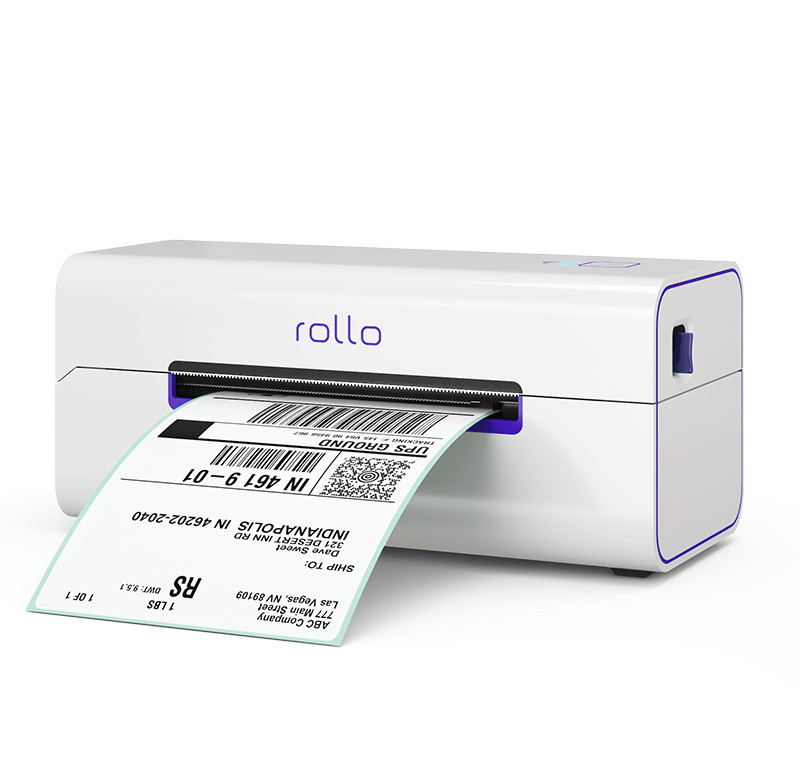
    Now, let’s discuss a little secret that’s revolutionized shipping processes: Rollo printers. These nifty devices are game-changers for anyone serious about selling on Mercari. With Rollo printers, you can easily print shipping labels that look professional and are ready in seconds.

    Rollo’s small label printer is compact, fast, and designed specifically for printing shipping labels. No more fussing with ink cartridges or jamming paper into a regular printer. With a Rollo, a shipping label can be printed in seconds. This is made possible through the use of advanced thermal labels, which offer a hassle-free and efficient printing experience.

    But the real beauty of Rollo is how it integrates with Mercari. Once an item is sold and the shipping label from Mercari is received, it can be printed directly on the Rollo printer. It’s quick, easy, and looks professional.

    Many selling on Mercari can recall running to the post office every other day to print labels. Now, printing is done at home in a jiffy, saving countless hours and headaches.

    Rollo’s thermal printing technology means no ink is needed, reducing waste and saving on costs. Plus, using a Rollo ensures labels are clear and scannable. That means smoother shipping and happier customers. Trust me, once you try a Rollo, you’ll wonder how you ever managed without it.

    Custom Label Design Another fantastic feature is the free Rollo Label Designer app. It offers thousands of templates, allowing sellers to create personalized and branded labels. This not only adds a professional touch but also enhances the unboxing experience for buyers, potentially boosting seller ratings.

    Keeping the Ball Rolling: Managing Sales and Customer Interactions

    The Art of Customer Communication

    So, items are listed and sales are starting to come in. Exciting, right? But now comes an equally important part of the process: interacting with buyers.

    Good communication is key to selling on Mercari successfully. When a potential buyer asks a question, try to respond promptly. Even if busy, a quick “I’ll get back to you soon with more details” can go a long way.

    Be friendly, but professional. Remember, a reputation as a seller is being built. A little courtesy can turn a one-time buyer into a repeat customer.

    And here’s a trick: if someone seems interested but doesn’t buy right away, don’t be afraid to follow up. A gentle “Hey, are you still interested in this item? I’d be happy to answer any other questions!” can sometimes seal the deal.
    getting paid on mercari

    Show Me the Money: Getting Paid on Mercari

    Now for everyone’s favorite part – getting paid! Mercari makes this pretty straightforward. When a sale is made, the money goes into the Mercari balance. Once the buyer receives the item and rates the transaction, the balance can be transferred to a bank account.

    Mercari offers direct deposits, which usually take 2-5 business days. If money is needed faster, they also have an Instant Pay feature. For a small fee, the balance can be transferred to a debit card instantly.

    Just remember, Mercari holds payment until the buyer receives the item and rates the transaction. So the quicker you ship, the quicker you get paid!

    Leveling Up: Advanced Tips for Selling on Mercari

    Want to know the secret to making more sales on Mercari? Visibility. The more eyes on listings, the more likely they are to sell. Mercari uses an algorithm to determine which items show up in search results. While they don’t reveal exactly how it works, a few things can help:

    • 📅 List items regularly. The algorithm seems to favor active sellers.
    • 💸 Price competitively. Items priced well tend to show up higher in search results.
    • 💬 Respond to messages quickly. Good customer service is rewarded.
    • 🔑 Use relevant keywords in titles and descriptions.

    And here’s a ninja trick: relist items every few weeks. It bumps them back up to the top of search results. Just be sure to delete the old listing first to avoid duplicates.

    Riding the Wave: Leveraging Market Demand

    Ever notice how certain items seem to sell like hotcakes on Mercari? That’s market demand in action, and savvy sellers know how to ride that wave.

    Keep an eye on trends. What’s popular in fashion right now? What tech gadgets are flying off the shelves? Adjust inventory and pricing accordingly.

    For example, a surge in demand for home office equipment was noticed when remote work became more common. Focusing on listing items like desk organizers and laptop stands increased sales significantly.

    But don’t just follow trends blindly. Think about your niche. What unique items can you offer that others might not have? Sometimes, the key to success is finding that perfect balance between popular items and unique offerings.

    Real Talk: How Rollo Changed the Game 
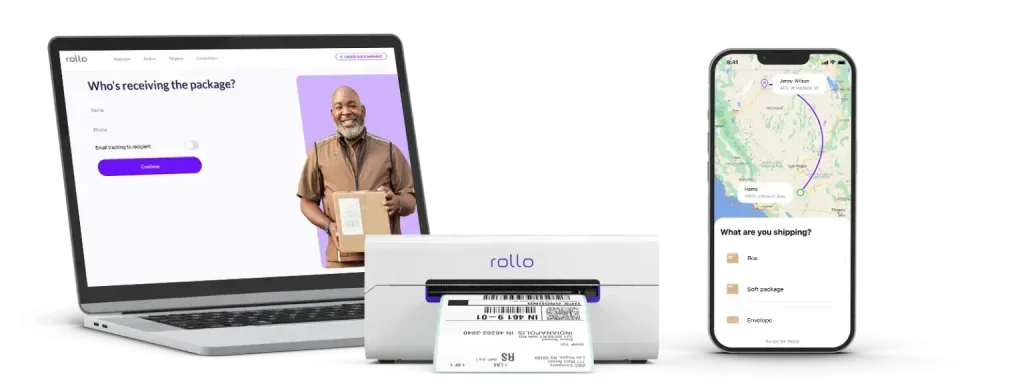
    Remember the mention of Rollo printers earlier? Here’s a quick story about how it changed the Mercari game.

    When selling first started, an old inkjet printer was used for shipping labels. It was a nightmare. The ink would smudge, the labels would peel off, and there were constant paper jams.

    Then a Rollo printer was invested in. Game changer. Suddenly, printing labels went from being the most frustrating part of the day to something that could be done with eyes closed (not literally, of course – safety first!).

    But it wasn’t just about convenience. The shipping process became more professional. Buyers started commenting on how quickly they received their items. Ratings improved. And you know what that meant? More sales.

    The moral of the story? Don’t underestimate the power of streamlining your processes. Sometimes, a small investment can lead to big returns.

    Final Words

    Selling on Mercari with Rollo can help increase your chances of success, from account setup to advanced selling strategies. But remember, the most important step is the first one – getting started.

    Mercari offers a fantastic opportunity for online sellers of all levels. Whether looking to clear out your closet or build a thriving online business, the platform provides the tools needed to succeed.

    Don’t forget to take great photos, write compelling descriptions, price competitively, and provide excellent customer service. And don’t forget about the power of efficient shipping – your Rollo printer could become your new best friend!

    Every successful Mercari seller started exactly where you are now. They listed their first item, made their first sale, and grew from there. With patience, persistence, and the tips discussed, you can do the same.

    So what are you waiting for? It’s time to turn those unused items into cash or take your online selling to the next level. Your Mercari success story starts now. Happy selling!


    Follow Rollo on:


    Frequently Asked Questions About Selling on Mercari

    📌 Q: Is it cheaper to sell on eBay or Mercari?

    💭 A: The cost to sell on eBay or Mercari can vary based on various factors such as selling fees, shipping costs, and the type of items being sold. Mercari typically has lower seller fees compared to eBay, but it’s important to consider all associated costs when choosing a platform.


    📌 Q: What percentage does Mercari take?

    💭 A: Mercari takes a 10% fee on the sale price of items sold on the platform.


    📌 Q: How do I price my items on Mercari?

    💭 A: Pricing items on Mercari involves researching similar items on the platform to understand their selling prices. Consider the condition of your item, its demand, and Mercari’s 10% selling fee. Using Mercari’s “Smart Pricing” feature can help you stay competitive.


    📌 Q: Who pays for shipping on Mercari?

    💭 A: On Mercari, either the seller or the buyer can pay for shipping. Sellers can include the shipping cost in their item price and offer “free shipping,” which is attractive to buyers.


    📌 Q: How do sellers get paid on Mercari?

    💭 A: Sellers on Mercari get paid once the buyer receives the item and rates the transaction. The payment is then transferred to the seller’s Mercari balance and can be transferred to their bank account.


    📌 Q: Are Rollo shipping label printers compatible with Mercari?

    💭 A: Absolutely! Rollo shipping label printers integrate seamlessly with Mercari, allowing you to print high-quality, professional labels in seconds. This integration helps streamline your shipping process and ensures your labels are always clear and scannable.


    📌 Q: How do I print Mercari shipping labels with a Rollo printer?

    💭 A: Printing Mercari shipping labels with a Rollo printer is straightforward. After making a sale on Mercari, you’ll receive an email with a “Print Shipping Label” button. Click the button to open the label, and print it directly using your Rollo printer. Rollo’s thermal technology ensures your labels are printed quickly and without the need for ink, making the process efficient and hassle-free.


    📌 Q: What are the benefits of using a Rollo printer for Mercari shipping labels?

    💭 A: Using a Rollo printer for Mercari shipping labels offers numerous benefits: ink-free convenience, premium-quality prints, rapid printing capabilities, and universal compatibility with various devices. Additionally, Rollo printers are compact and eco-friendly, reducing waste and saving on costs. These features collectively enhance your professionalism and efficiency as a seller.
  • Rollo vs PitneyShip Cube: Full Comparison

    Rollo vs PitneyShip Cube: Full Comparison

    At Rollo, we acknowledge and appreciate the competitive landscape of the e-commerce and shipping logistics industry. We firmly believe that having an array of excellent options stimulates innovation, elevates service quality, and ultimately benefits the user. Therefore, in the spirit of fostering a transparent and informed choice, we present to you a detailed comparison between two major players in the label printer market – Rollo and PitneyShip Cube.

    Both Rollo and PitneyShip Cube are respected industry titans, credited for employing state-of-the-art technology. Each has established a significant presence across multiple industries, providing a multitude of features to streamline and enhance the shipping process. However, when it comes to selecting the right printer for your business, the nuances can indeed tip the scales. Factors such as print speed, label type, system compatibility, cost-effectiveness, and even added value services, like shipping apps, labels, and shipping scales, play vital roles.

    Let's Talk Analysis

    Our objective in providing this in-depth comparison is not just to showcase what we have to offer at Rollo, but also to ensure you gain a well-rounded understanding of both printers – their features, benefits, and potential shortcomings. We seek to empower you to select a printer that suits your present business requirements while also aligning with your future growth ambitions. We invite you to join us on this journey as we candidly explore how Rollo and PitneyShip Cube can contribute to your business’s shipping needs. As we respect our competition, we also stand firm on the value we provide.

    Let’s delve into a detailed comparison between Rollo and PitneyShip Cube, taking into consideration the brands’ label printers, shipping apps, labels, and shipping scales.

    1. Label Printers: Rollo vs. PitneyShip Cube

    Price Chart Rollo vs Pitney Bowes’ Cube
    Criteria Rollo PitneyShip Cube
    Price New:
    $179 (USB Rollo)
    $259* (Wireless Rollo)
    *includes a FREE pack of
    500 labels ($19.99 value)
    ✅1-year warranty

    Certified Refurbished:
    $159.99 (USB Rollo)
    $229 (Wireless Rollo)
    ✅ 6-month warranty
    $269
    ❌ Only 1 model
    ❌ No refurbished options
    Labels
    ✅ 500 shipping labels for as low as $14.99

    Rollo Wireless comes with a complimentary pack of 500 4×6 shipping labels.

    The stated price is for new labels on a monthly auto-replenishment.
    ❌ 328-count shipping label roll for $29.99.

    A full label roll is included at purchase.

    The stated price is for replacement rolls.


    Conclusion on Price Comparison

    Rollo offers more affordable printers, with the wireless model priced at $259 and the USB model at $179 with a 1-year replacement warranty at no additional cost. Rollo also has certified refurbished options priced at $159.99 – $229 with a 6-month warranty without extra charges for the warranty. On the other hand, PitneyShip Cube is priced at $269 with a free 90-day warranty and $24 for an extended 1-year warranty, and there is no information available about a refurbished option.

    Along with the purchase of a Wireless Rollo, you get more shipping labels for free – 500 labels size 4×6 compared to 328 shipping labels from Pitney Bowes. In terms of getting more quantity of shipping labels size 6×4, Rollo comes with more as a compliment to the user.

    Finally, when the time comes to refill your labels, Rollo labels will cost as low as $14.99 for a pack of 500 if you subscribe to monthly auto-replenishment (alternatively $19.99 for a single order), whereas PitneyShip Cube labels are sold at $29.99 for 328 shipping labels.

    📢 To conclude, with Rollo, you receive a larger variety of choices and more value for the price you pay.

    Currently, Rollo is priced at $259 for a new wireless printer or $229 for a refurbished one with a warranty, compared to $269 for a new wireless printer from Pitney Bowes.

    Let's Get Down to Specs
    Specs Comparison
    Criteria Rollo PitneyShip Cube
    Printer
    Size
    8″ × 4″ × 4″ ⚠️ 7” x 7 “ x 7 “
    *as big as a 7-inch tablet
    or 7-inch mini laptop
    Print
    Speed
    ✅ 150mm/s
    (one shipping label
    per second)
    ✅ 4 IPS
    (equals 101 mm/s)
    Printing
    Life
    ✅ About 650,000
    shipping labels
    ❌ Not Specified*
    Print
    Resolution
    ✅ 203 dpi ✅ 300 dpi
    Technology ✅ Direct Thermal Printing ✅ Direct Thermal Printing
    *Not stated by the manufacturer on their official website.

    📢 Conclusion on printers’ sizes: Rollo’s modern and compact design saves space while elevating your desk aesthetically. Rollo is compact and easy to carry in your bag. Adding to the option to print with Rollo from any device, Rollo is a guarantee for independence and versatility.


    ⚠️ PitneyShip Cube is a big as a mini laptop as seen on various product images.


    Conclusion on Print Speed & Print Resolution

    Rollo can print one shipping label per second, offering high-speed direct thermal printing. PitneyShip Cube does not provide specific data on its printing speed.

    PitneyShip Cube claims a higher print resolution (300 dpi) compared to Rollo (203 dpi), however, 203 dpi is the industry standard resolution for logistics printing meaning that a higher resolution is not needed and not widely used. 203 dpi is perfectly acceptable for shipping labels and even law enforcement printing such as eCitations. 

    ⚠️ While PitneyBowes’ label printer has a SLIGHTLY higher printing resolution, Rollo’s label printer prints FASTER and at the industry standard resolution.

    Printer Connectivity
    Criteria Rollo PitneyShip Cube
    Connectivity ✅ Wireless
    ✅ USB
    AirPrint®-certified
    ✅ Wi-Fi®-certified
    ✅ Wi-Fi for mobile devices
    ✅ USB for PCs
    ❌ NOT AirPrint-certified
    Compatible
    OS
    Wireless Printing from:
    ✅ iPhone (iOS, AirPrint®enabled)
    ✅ iPad (iOS, AirPrint®enabled)
    ✅ Android (Wi-Fi®enabled)
    ✅ Mac
    ✅ Windows 10 and newer
    ✅ Chromebook
    ✅ Linux
    ✅ No driver installation is needed.

    USB printing from:
    ✅ Windows (XP and newer)
    ✅ Mac (10.9 and newer)
    ✅ Android 8.0 & above

    ✅ iOS 13 & above

    ✅ Windows 10 and newer

    ✅ Mac 10.15 and newer


    Conclusion on Connectivity

    Both devices have Wi-Fi capabilities. Rollo supports a broader range of operating systems and devices, including iOS, Android, Mac, Windows, Chromebook, and Linux. PitneyShip Cube limits its USB connectivity to Windows 10 and newer, and Mac 10.15 and newer.

    Rollo is also officially an Apple AirPrint-certified printer. As Apple describes this advanced technology, “Airprint is a zero-configuration protocol to connect to printers wirelessly.” Setup is a breeze without requiring a manual driver installation. Once Rollo Wireless connects to your Wi-Fi, all your devices will automatically be able to see Rollo and print to it. What is more, only Rollo operates with Linux and Chromebook and is compatible with older versions of Mac.

    ⚠️ Rollo is more compatible with various mobile and desktop operating systems. It is the more versatile solution if you need to change devices without having to buy a new printer.

    📢 Rollo is the only printer that is Apple AirPrint Certified.
    📢
    Rollo is the only printer of the two that is Linux and Chromebook-friendly.

    Labels’ Compatibility
    Criteria Rollo PitneyShip Cube
    Types of
    labels
    supported
    ✅ Fanfold (stack labels)
    ✅ Roll labels
    ✅ Barcode labels
    ✅ 4×6 labels
    ✅ 2×1 labels
    ✅ 2-inch round labels
    (circle/stickers)
    ✅ 4×6 label roll
    Label compatibility
    advantages
    ✅ You can use any shipping thermal labels to print with Rollo.

    ❌ A label holder is required for roll labels.

    ✅ No label holder is needed for fanfold labels (stack).
    ✅ You can use any shipping thermal labels to print with PitneyShip.

    ✅ Has a built-in holder for the roll label.

    ❌ You must use PitneyShip Cube labels to print postage stamps as per USPS stamp requirements.
    Auto-cutting of labels ✅ All Rollo labels are perforated for easy tearing.

    ✅ Rollo Wireless Label Printer has intelligent label detection, making you forget about manually cropping your labels.
    ✅ Yes

    Rollo provides multiple uses for its printer:
    ✅ to print decorations on the round colorful stickers
    ✅ to create a more unique branding experience
    ✅ to help with storage and organizing products via colorful barcode labels compatible with key barcode standards
    ✅ to help with logistics and shipping labels
    ✅ helps you budget according to your needs, providing new and certified refurbished options
    ✅ helps you budget by using both: fan-fold and roll labels of your choosing. Even though you would need a holder for all roll labels, you do not need one for the stack labels.

    Product Support, Warranty & Delivery
    Criteria Rollo PitneyShip Cube
    Warranty ✅ 1-year replacement warranty

    ✅ at NO additional cost
    ✅ ⚠️ 90-day free warranty

    ❌ $24 for a 1-year extended warranty
    Returns ✅ 30-day full money-back guarantee ✅ 30 days

    ❌ ⚠️ The product must be unused/unopened
    Shipping ✅ Free ground shipping

    ✅ 3-4 days
    ✅ Free ground shipping

    ❌ 3-7 days
    *Further information was not located on the official website. Therefore it is “Not specified”.

    ⚠️ Keep in mind that Pitney Bowes provides you with only 90 days of free warranty. If you wish to extend it to 1 year, you must purchase the $24 plan.

    ⚠️ In order to get your money back for PitneyShip Cube in 30 days, your printer must be unused/unopened. This is impractical as there is no way for a user to actually test the product.

    Conclusion on Warranty, Returns & Shipping

    Rollo offers a more extensive warranty of one year without charging compared to PitneyShip Cube’s 90-day free warranty. If you wish to extend your PitneyShip Cube warranty to 1 year, you have to pay $24. Both companies offer a 30-day full money-back guarantee, however, Pitney Bowes requires specific conditions on the packaging of their printer return.

    📢 Rollo provides the better value of reimbursing you in case of an issue. With Rollo, you don’t need to keep your label printer unused/unopened to get your money back in 30 days. Neither do you need to pay to get a prolonged warranty. Just enjoy printing and let Rollo take care of the rest.

    2. Weigh This, Shipping Scale!

    Shipping Scales

    Rollo’s Digital Shipping Scale vs The Built-In PitneyShip Cube’s Scale

    Criteria Rollo PitneyShip Cube

    Price

    ❌ $39.99 ✅ Included in the printer. Inbuilt.
    Weight Capacity ✅ 110 lbs / 50 kg ❌ Up to 15 lbs / 6.8 kg
    Accurate ✅ An accuracy of 0.07 ounces (2 grams) for all weights up to the capacity of 50 kg (110 lbs). Not Specified on the official website.
    Additional Features ✅ Hold Function
    Remembers the weight of
    the previous package even
    after it has been removed
    from the scale

    ✅ Tare Function
    Gets the net weight

    ✅ Auto Shut Off
    Automatically turns off
    to save battery life

    ✅ Separate Weight Reading Panel
    a comfortable solution if you have
    big packages that prevent from reading the scale

    ✅ Power via AC Adapter or Battery (2 AAA batteries)
    ✅ Built-in scale

    No additional features specified:

    ❌ Hold function – No Info

    ❌ Tare function – No Info

    ❌ Auto Shut Off – No Info

    Note: No Separate reading panel

    ❌ No battery charging,
    dependable on the printer adapter.

    Conclusion on the Shipping Scales

    Rollo wins over with higher weight capacity, better accuracy, multiple functions to ease the weighing process, and battery-charging options making you independent on electricity in case of a power outage.

    Compared to no additional or smart functions, no alternative charging of the scale, and the lower weight capability from PitneyBowes’ inbuilt scale in their label printer, the additional cost of $39.99 to buy a digital shipping scale for Rollo is worth it.

    📢 While Rollo offers a separate shipping scale, its capabilities surpass the ones of the inbuilt PitneyShip Cube’s: Rollo has a separate reading panel for convenience, battery, and AC-charging, much higher weighing capacity, and more precise accuracy in addition to the Hold, Tare & Auto Shut Off functions, which are non-existent in the Pitney Bowes’ product.

    USE HEAVY-DUTY DIGITAL SCALE

    Get Accurate Weight

    3. Labels – Ready, Steady, Print, Stick.

    Thermal Labels Comparison

    All About Rollo’s and Pitney Bowes’ Variety, Sizes, Colors & Types of Labels.

    Criteria Rollo Pitney Bowes
    Labels included
    with the printer
    ✅ 500 shipping labels size 4×6 ❌ 328-count shipping label roll size 4×6.
    $ per
    additional
    label
    ✅ $9.99 – $19.99

    ✅ Auto Replenish Option
    – 500 labels on a Stack
    – Fanfold labels
    – Perforated
    – Shipping Labels
    – 4×6
    – White
    – $14.99 monthly

    ✅ 4×6 Labels
    – Roll Labels
    – Fanfold Labels
    – 500 per roll/stack
    – Perforated
    – White
    – For shipping and logistics
    – $19.99 one-time purchase

    ✅ 2-inch Round Labels
    – Roll Labels
    – Colorful (purple, pink, yellow,
    white, green, and blue)
    – 1000 labels per roll
    – $19.99 one-time purchase

    ✅ 2×1 Barcode Labels
    – Roll Labels
    – Colorful (purple, pink, yellow,
    white, green, and blue)
    – 1000 labels per roll
    – $9.99 one-time purchase
    ❌ Only 1 option

    ❌ $29.99 for a 164’ roll

    ❌ No auto-replenishment available.

    ❌ No colors available.

    ❌ No variety of label sizes.

    ❌ No fanfold (stack) labels. Roll labels only.

    Types of
    labels & uses
    ✅ Shipping
    ✅ Logistics
    ✅ Barcode
    ✅ Branding
    ✅ Inventory
    ✅ Decoration
    ✅ Shipping

    ✅ USPS postage stamps
    Material of
    the labels
    ✅ Direct Thermal Labels
    ✅ BPA-free (eco-friendly)
    ✅ FSC-certified (eco-friendly)
    ✅ USA-made
    ✅ Thermal

    ❌ FSC-certified – No info

    ❌ BPA-free – No info
    Roll / Fanfold ✅ Roll Labels
    ✅ Fanfold Labels (stack)
    As per the official website: “You can use any 4×6 labels”.


    Conclusion on the Labels

    📢 The selling advantage again goes to Rollo with a bigger variety of label sizes, stacking, colors, and uses. Rollo also wins over by offering eco-friendly thermal labels that are easy to peel as well.

    4. Software This.

    Shipping Apps Comparison

    The Shipping Software of Rollo VS PitneyShip

    Software Affordability
    Criteria Rollo Ship App PitneyShip App
    App Price to Download ✅ Free ✅ Free
    Registration Fee ✅ Free ✅ Free
    Fee for label generation ✅ 5 cents per tracking number generated. The fee helps maintain the service.

    ✅ The fee of 5 cents is waived for your first 200 shipments.
    5% per label usage
    Monthly Subscription ✅ None Starter Plan:
    ✅ $0 + 5% per label usage fee.

    ❌ Multi-Carrier Plan: $14.99/per month. No label usage fee.

    ❌ E-commerce Multi-Carrier:
    $16.99/per month. No label usage fee.
    Printer purchase requirements ✅ Purchase of the Rollo printer is not required to be able to use Rollo Ship.

    ✅ You can use Rollo ship with any printer and vice versa – Rollo printer with any software.
    ✅ You can print labels with any shipping software and/or carrier website. On any printer.

    ❌ You must use PitneyShip Cube with PitneyShip software to use:
    – the built-in scale
    – mobile app measuring tool
    (only available on iOS)
    – stamp printing features

    ⚠️ Keep in mind that even if you choose the free basic PitneyShip’s Standard Plan, 5% per shipping label may still be a higher cost for the service compared to 5 cents for Rollo Ship.

    Software Compatibility & Availability
    Criteria Rollo Ship App PitneyShip App
    App availability ✅ Mobile for Android – on Google Play Store

    ✅ Mobile for iOS – on Apple’s App Store – 4.5* from 297 ratings

    ✅ Desktop – available via browser
    ✅ Mobile for Android – on Google Play Store – 3.7* from 86 reviews

    ✅ Mobile for iOS – on Apple’s App Store 4.4* from 110 ratings

    ✅ Desktop – available via browser
    Selling Channels ✅ Poshmark ✅ Mercari ✅ Depop
    ✅ Amazon
    ✅ eBay
    ✅ Shopify
    ✅ Etsy
    ✅ BigCartel
    ✅ WooCommerce
    ✅ Walmart
    ✅ Shift4Shop
    ✅ BigCommerce
    ✅ Wix
    ✅ Squarespace
    ✅ Ecwid
    ✅ Square
    ✅ Magento
    ✅ PayPal
    ✅ Amazon
    ✅ eBay
    ✅ Shopify
    Carriers ✅ USPS
    ✅ UPS
    ✅ FedEx
    ✅ USPS
    ✅ UPS
    ✅ FedEx
    Compatibility ✅ Personal Use
    ✅ Business Use
    ✅ All types of businesses
    ❌ Businesses only

    You must be able to prove you represent a business.
    Software Features
    Criteria Rollo Ship App PitneyShip App
    Artificial Intelligence enabled ✅ Yes. AI groups similar orders together for quick bulk shipping. ✅ Manual bulk shipping.
    Ability to schedule pickups ✅ Pickup with UPS
    ✅ Pickup with USPS
    ✅ Pickup with FedEx
    ✅ Pickup with UPS
    ✅ Pickup with USPS
    ✅ Pickup with FedEx
    Notifications ✅ Rollo notifies of all “Ready to Ship” orders or all new orders in any status.

    ✅ Rollo automatically notifies with email tracking information to the shipment recipient.
    ✅ PitneyShip allows email tracking notifications automatically to recipients.
    Statistics available ✅ Yes, data on all Sales, the Number of Orders, Shipments, and Savings with the app. ✅ Yes, PitneyAnalytics on Cost Accounting and Standard Reporting
    Discounts ✅ Up to 90% with Rollo’s discounted shipping rates ✅ Up to 89% off USPS Priority Mail Shipping, up to 78% off UPS Ground shipments

    And the winner is…

    Rollo turns out to be a more accessible solution for e-commerce shipping thanks to the larger number of selling channels (compared to only 3 of the PitneyShip App). Both are available on mobile and desktop, and both offer tracking, address storing, shipment notifications, and discounted shipping rates. Rollo Ship additionally offers intelligent label detection, artificial intelligence for order grouping and automated shipping label generation. It is also the cheaper one as it is always free, with no monthly subscriptions, and no % per label usage fee. Just 5 cents per tracking number generated and it is even lifted for the first 200 shipments.

    The Decision. Why Rollo? Selling Advantages


    Criteria Rollo Printer PitneyShip Cube
    Price Lower cost Higher cost
    Print Speed 150 mm/s
    (1 label per second)
    4 IPS
    (equals 101 mm/s)
    Label Type Supports roll and fanfold labels The official website says only: “any 4×6 labels to print shipping labels”
    Label Size Supports a wider range of sizes Limited sizes
    Printer Life 650,000 labels Not provided
    Warranty 1-year replacement warranty 90-day warranty
    Return Policy 30-day full money-back guarantee 30-day money-back on condition
    Shipping Scale Up to 110 lbs / 50 kg Built-in scale up to 15 lbs / 6.8 kg
    Subscription No monthly subscription required Requires monthly subscription
    Discounts Up to 90% off on shipping rates with UPS, USPS, and FedEx. Up to 89% off USPS Priority Mail Shipping, up to 78% off UPS Ground
    Compatibility Suitable for personal use &
    all types of businesses
    Primarily for retail
    Connectivity Wireless Printer
    USB Printer
    AirPrint & Wi-Fi – enabled
    WiFi for mobile, USB for PC
    Label Cost Lower cost Higher cost


    Overall, Rollo stands out for its compatibility, versatility, speed, and affordability. With no monthly fees for its shipping app and a wider range of supported platforms, it offers an excellent value proposition, especially for businesses looking for a cost-effective, comprehensive shipping solution.

    Note: The author took great care to ensure this article contains correct information. In case of any inaccuracies, we kindly ask the readers to inform us

    SAY NO MORE

    Browse Rollo’s Products

    Follow Rollo on:

  • Thermal Labels: An In-Depth Look

    Thermal Labels: An In-Depth Look

    Thermal labels have brought about a significant shift in how businesses of all scales manage their inventory, shipping, and logistical tasks. Direct thermal printing technology eliminates the need for ink or toner and is environmentally friendly, making it an ideal choice for modern businesses. In a world that is increasingly aware of environmental sustainability, offerings like Rollo’s eco-friendly, FSC-certified thermal labels have taken center stage in modern business operations.

    What Are Thermal Labels?

    Simply put, thermal labels are a kind of specialized label that harnesses the power of a heat-sensitive material and a thermal printer to generate top-notch prints. What sets these labels apart from the crowd is their unique printing methodology – rather than depending on ink or toner as traditional printers do, they utilize heat to imprint images or text onto the labels. This process works by applying heat directly to the label, which reacts with the heat-sensitive material to produce desired print. Because of their resilience in the face of diverse temperatures and environmental settings, these labels have carved out a niche for themselves as a preferred choice across a range of sectors, including retail, healthcare, shipping, logistics, and more.

    📌 Are Thermal Labels Better?

    Absolutely, yes. Thermal labels pack a punch with a multitude of advantages over their traditional counterparts. First off, they are a boon to your budget since they completely skip the need for ink or toner. They also boast speedy printing capabilities, making them a perfect match for businesses juggling large-scale printing jobs. But perhaps one of their standout qualities is their smudge-proof nature, guaranteeing that the labels stay crisp and easy to read, no matter what.

    What is the Use of Thermal Labels?

    Thermal labels find use in a broad range of applications. Whether it is product identification, barcode printing, shipping labels, or name tags, you will find thermal labels in action. Owing to their durability and superior print quality, these labels have become a trusted ally for businesses that require precise tracking and identification.

    Various applications of Thermal Labels

    The Pivotal Role of Thermal Labels in Various Applications

    Thermal labels have taken a central role in modern industries, with their diverse applications extending from inventory management to the efficient logistics of shipping. The accurate tracking and identification they provide make them an invaluable asset to any business. Let’s delve into the various uses of thermal labels to understand why they have become such an integral part of commercial operations.

    📌 ✒️ Do Thermal Labels Need Ink?

    No, thermal labels do not require ink or toner. Instead, they utilize a unique heat-sensitive material that darkens when subjected to a certain temperature. This heat-based printing mechanism eliminates the requirement for ink cartridges, which can be expensive and need regular replacement. The absence of ink also means there’s no risk of smudging or blotting, ensuring a clean and clear print every time. This technological advantage makes thermal printers an economical and efficient choice for businesses with high-volume printing needs.

    Understanding the Characteristics of Thermal Labels

    As efficient as thermal labels are, it’s vital to understand their characteristics to use them effectively. They are designed to respond to heat, which means they can be affected by their storage environment and the conditions they are exposed to during use. Different thermal labels may also have different sensitivities to heat, resulting in varying print qualities. Understanding these characteristics will enable you to select the right thermal labels for your specific requirements and ensure their proper handling and storage for optimum performance.

    📌 How Long Do Thermal Prints Last?

    The longevity of thermal prints is primarily dependent on the conditions they are exposed to. In an ideal environment—clean, dry, and away from direct sunlight—thermal prints can retain their quality for several years. However, elements such as excessive heat, direct sunlight, and abrasive conditions can cause the print to fade prematurely. To ensure the durability of the print, thermal labels should be stored and used in conditions that do not subject them to undue heat or harsh physical contact.

    📌 ☀️ Do Thermal Labels Fade in the Sun?

    Yes, thermal labels can fade over time when exposed to direct sunlight. The UV radiation in sunlight generates heat, which can activate the heat-sensitive material in the labels, leading to fading. Although thermal labels are designed for durability, they are not invincible. It’s advisable to store and use thermal labels away from prolonged direct sunlight to prevent premature fading and maintain their print quality.

    📌 ❓How Do I Know If My Labels Are Thermal?

    The simplest way to determine whether your labels are thermal is to perform a scratch test. By applying a bit of pressure and scratching the surface of the label with a coin or a fingernail, you can observe if it leaves a dark mark. The mark appears because the friction generates heat, activating the heat-sensitive material. This test provides a quick and easy way to confirm the nature of your labels.

    📌 ⚫ Do Thermal Labels Turn Black?

    Extreme heat or friction can indeed cause thermal labels to turn black. This is because the heat-sensitive material in the label darkens in response to such conditions. Excessive friction generates heat, leading to a similar reaction. It’s essential to handle thermal labels with care and store them in a suitable environment to prevent accidental activation and maintain their integrity.

    📌 Can Thermal Labels Get Wet? Are Thermal Labels Waterproof?

    While thermal labels are designed to resist mild exposure to moisture, they are not completely waterproof. Too much water can interfere with the heat-sensitive material and cause smudging or deterioration of the print. It’s recommended to keep thermal labels away from wet environments or ensure that they are adequately protected if they need to be used in such conditions.

    📌 🌡️ What Temperature Do Thermal Labels Work?

    Thermal labels work best at room temperature. Extreme temperatures—either too cold or too hot—can affect the heat-sensitive material in the labels, potentially leading to poor print quality or unintended darkening. It’s, therefore, crucial to use and store thermal labels at a moderate temperature to maintain their effectiveness and ensure high-quality prints.

    📌 Do Thermal Labels Smudge?

    Thermal labels have the significant advantage of not smudging, ensuring clear and reliable prints every time. This smudge resistance comes from the absence of ink or toner in the printing process, which is a common culprit for smudging in traditional printing. This makes thermal labels an excellent choice for applications requiring high-definition and durable prints, such as barcode labels.

    📌 What Temperature Should Thermal Paper be Stored At?

    Thermal paper should ideally be stored at room temperature. High temperatures can activate the heat-sensitive coating on the paper, causing it to darken, while extremely cold temperatures can damage the paper’s structure. It’s also recommended to store thermal paper in a low-humidity environment to prevent moisture absorption, which could interfere with the heat-sensitive coating.

    📌 ♻️ Are Thermal Labels Recyclable?

    Yes, thermal labels are recyclable. However, some thermal labels contain Bisphenol A (BPA), a chemical compound that could be harmful if released into the environment during recycling. While there are BPA-free thermal labels available, it’s important to understand the composition of your labels and dispose of them responsibly. As businesses continue to focus on sustainability, the demand for eco-friendly thermal labels, like the ones offered by Rollo, is growing.

    NOTE: Rollo's thermal labels are BPA-FREE.

    ♻️ 🌎 Eco-Friendly Solutions by Rollo

    In line with the global push towards more sustainable business practices, Rollo is at the forefront of providing eco-friendly, Forest Stewardship Council (FSC) certified thermal labels. We’ve developed a diverse range of products to cater to different business needs, all maintaining a commitment to environmental responsibility:

    Rollo offers free shipping for orders $25 and up. If you purchase two packs of labels, you’ll qualify for this free shipping benefit.

    Follow Rollo on:

    Frequently Asked Questions

    Q: 📑 What happens if you put normal paper in a thermal printer?


    Short Reply: It won’t print.
    A: ❌ Should you try to use regular paper in a thermal printer, you’ll find that it won’t result in any print output. This is because thermal printers operate by heating thermal paper, which comes with a unique heat-reactive coating – something that regular paper simply doesn’t have.


    Q: 🖨️ Can you use thermal labels in a regular printer?


    Short Reply: No, incompatible.
    A: ❌ No, thermal labels cannot be used in a regular printer. Thermal labels are designed for thermal printers, which use heat to produce images and text. Regular printers use ink or toner, which won’t work properly on thermal labels.


    Q: 🕯️Can you use thermal labels on candles?


    Short Reply: Yes, with caution.
    A: ✅ Yes, you can use thermal labels on candles. But remember, they don’t play well with high heat – it could make them turn black or fade. So, in a nutshell: handle with care.
    When you know how to use them right, thermal labels can become a key part of your business operations. Opt for thermal labels if you’re on the hunt for a cost-friendly, high-quality, and eco-conscious labeling solution.
    Even though thermal labels can go on candles, keep in mind that heat can mess with the print on the label. The best practice is to stick the labels on the glass or holder, not straight on the wax, and always keep them clear of the flame.
  • Unraveling The Thermal Printer Labels

    Unraveling The Thermal Printer Labels

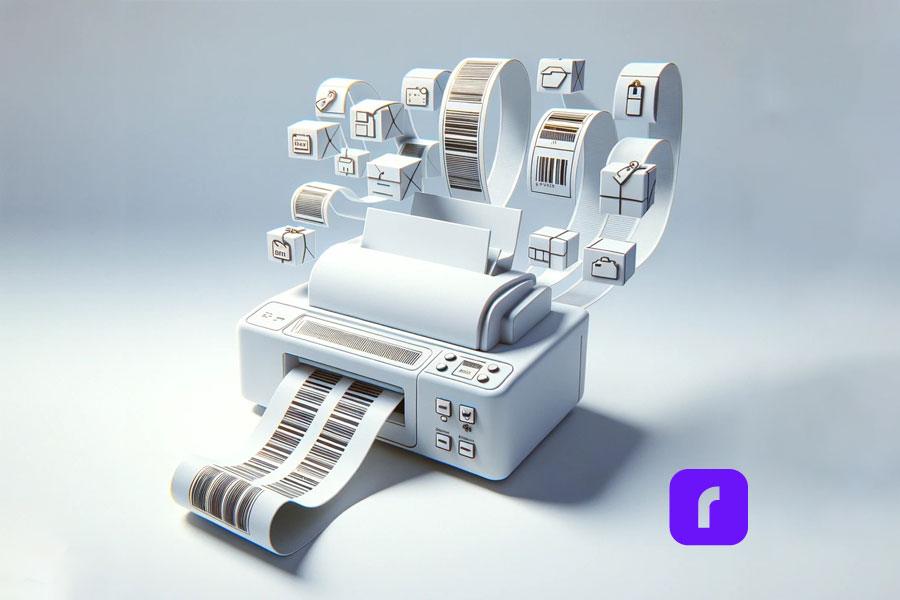
    Thermal printer labels are integral to a multitude of businesses, including warehouses, retail stores, healthcare facilities, and shipping companies. These labels cater to various needs, including barcoding, shipping, patient identification, and price tags. This comprehensive guide will delve into the intricacies of thermal labels, their compatibility with thermal printers like the Rollo USB and Rollo Wireless, and why they’re the go-to choice for many enterprises.

    Types of Thermal Printer Labels

    Two primary kinds of thermal labels are prevalent in the market: direct thermal labels and thermal transfer labels.

    Direct thermal labels work through a heat-sensitive material that darkens as it moves beneath the thermal print head. As it doesn’t need ink, toner, or ribbons, this type becomes a cost-effective solution. Direct thermal labels are often used in scenarios where the label isn’t subjected to extreme conditions for long periods, as they may fade over time. Direct thermal labels are used by direct thermal printers.

    Conversely, thermal transfer labels necessitate a thermal ribbon. The printer warms the ribbon, which in turn transfers the ink to the label, making the labels resistant to elements such as UV and chemicals. This feature makes them apt for long-lasting applications.


    In summary, the choice of material in thermal printer labels significantly affects their quality, durability, and appropriateness for diverse environments and applications. It’s crucial to choose the right type based on your specific needs.

    Usage Scenarios for Thermal Printer Labels

    Thermal printer labels are employed in a wide range of sectors, from healthcare to logistics and retail. In shipping, labels ensure parcels arrive at the correct destination. In healthcare, patient identification wristbands are printed using thermal printers. Retail stores often use them for price tags and inventory control.

    Exploring the Diverse Range of Thermal Printer Labels – Sizes and Shapes

    Thermal labels have become a mainstay in a multitude of industries due to their versatility in terms of shape, size, and application adaptability. This flexibility allows businesses to find the perfect label to fit their unique needs, whether it be for shipping, product identification, barcoding, or any other purpose.

    Exploring Thermal Printer Labels Sizes and Shapes

    Delving into Label Design and Customization with Rollo’s Label Designer

    Designing and customizing your thermal printer labels is a crucial aspect of effective branding and communication. With software like Rollo’s Label Designer, you can streamline this process and ensure high-quality, consistent label designs that meet your specific needs.

    When it comes to designing your labels, you can utilize Rollo’s Label Designer, a designated software for the purpose. Unlike platforms like Canva, Rollo’s Label Designer does not require you to adjust your label size later. This software has pre-configured settings for all standard label sizes, making it simpler to create the perfect label for your needs.

    Designing your thermal printer labels does not need to be a complex process. With Rollo’s Label Designer, you can efficiently design and customize labels to align with your brand and message. Whether you opt for a fun template or create a design from scratch, the Label Designer offers an abundance of choices, ensuring your labels are just as unique as your business.

    🖨️ Printing Equipment: The Rollo USB and Rollo Wireless

    The right thermal printer plays a significant role in the quality and efficiency of your label printing. The Rollo USB and Rollo Wireless printers are popular choices for their performance, ease of use, and compatibility with various thermal label types.

    Can you use any labels in a thermal printer
    Indeed, you can, but you need to ensure they are compatible. These Rollo printers can handle a variety of label sizes, and the adjustable guide allows easy switching between different label types. Hence, you can certainly use the FSC-certified Rollo labels with these printers.

    Durability and Resistance of Thermal Printer Labels

    A common question that often arises is, "Are thermal printer labels waterproof " While the answer depends on the type and material of the label, many thermal labels are indeed water-resistant. Direct thermal labels may not have this characteristic, but many synthetic thermal labels are designed to withstand moisture, UV light, heat, and even chemicals. This makes them ideal for outdoor use, shipping, and harsh environmental conditions.
    
    However, the durability of these labels can also raise concerns like, "Do thermal labels expire " or "Do thermal labels fade❓" The lifespan of a thermal label depends on the type of label and the conditions it's exposed to. Direct thermal labels, for instance, can fade over time, especially when exposed to heat or sunlight. In contrast, thermal transfer labels are more durable and resistant to fading.
    
    
    Durability and Resistence of Thermal Printer Labels

    Cost-effectiveness of Thermal Printer Labels

    “Are thermal labels expensive ❓” is a common query among businesses. The answer, though, is subjective and depends on the type of label, quantity, and vendor. However, thermal labels are generally considered a cost-effective solution. This is primarily because thermal printers do not require ink or toner, reducing the overall running costs. Moreover, with discount thermal labels available from certain suppliers, businesses can achieve further cost savings.

    Best Practices for Printing on Thermal Printer Labels

    As you venture into the world of thermal labels and printers, it’s crucial to understand how to get the most out of your equipment. Here are some tips:

    🪥 Ensure your printer is clean: A clean printer will yield better results and prevent issues like poor print quality or jamming.

    ☑️ Choose the right label: Your label should suit the application. Consider factors like exposure to heat, moisture, or sunlight, the required lifespan of the label, and if it needs to be resistant to tearing or abrasion.

    ⚙️ Use the right settings: Your printer should be set correctly for the type of label you’re using. This can include aspects like print speed and darkness.

    Test your prints: Before going ahead with large print jobs, print a test label to ensure the quality and settings are correct.

    Environmental Impact of Thermal Printer Labels

    It’s no secret that businesses are increasingly aware of their environmental impact. Thankfully, FSC-certified Rollo labels are responsibly sourced and managed, making them an environmentally friendly choice. Still, it’s crucial to understand how to properly dispose of or recycle these labels to minimize waste.

    Regulations and Standards

    In some industries, there are specific regulations and standards for label printing. For example, the shipping industry has specific requirements for the format and information on shipping labels. Similarly, in healthcare, patient identification labels must meet certain privacy standards. Ensure your thermal labels and printing practices comply with all relevant regulations in your industry.

    Thermal Printer Label Software

    When it comes to creating your labels, the right software can make all the difference. Rollo’s Label Designer is designed specifically for this purpose, and you can use it to create all kinds of labels, from shipping labels with Rollo Ship to barcode labels.

    How do I make labels for my thermal printer? With the Rollo Label Designer, it’s straightforward. Simply choose the size of your label, then add the text, images, or barcodes you need. The software is intuitive and easy to use, even for beginners.

    Troubleshooting Thermal Printer Label Issues

    Thermal printers are generally reliable, but like any technology, they can sometimes face issues. A common problem is the thermal labels turning black. This issue can occur when the print head overheats, causing the entire label to darken. It’s best to turn off the printer and allow it to cool before attempting to print again.

    Do thermal labels need ink❓One of the advantages of thermal printers is that they don’t require ink or toner. However, for thermal transfer printers, you’ll need a thermal ribbon to print the labels.

    What about fading? How long do thermal stickers last❓ Direct thermal labels may fade over time, particularly when exposed to heat, light, or harsh environmental conditions. If your labels are fading too quickly, it might be worth considering a different type of label or storing them in a cooler, darker place.

    Looking Forward: The Future of Thermal Label Printing

    Just like any other technological field, the world of thermal printing is in a state of constant progression. Upcoming trends are steering towards more environmentally-friendly label solutions, improved resilience to environmental factors, and breakthroughs in printing technology. As these developments unfold, the efficiency and versatility of thermal printing are anticipated to reach new heights, presenting a wider range of options for businesses big and small.

    Wrapping Up: The Power of Thermal Printer Labels

    Thermal printer labels have carved their indispensable niche in numerous businesses, delivering a robust, budget-friendly, and adaptable solution to diverse labeling necessities. Comprehending the variety of thermal labels, pinpointing the perfect ones to cater to your requirements, and mastering the optimal use of your thermal printer empowers you to leverage this technology to its fullest.

    Whether you’re pondering over incorporating thermal printers and labels into your business, or seeking to enhance the efficacy of your current arrangement, we hope this guide arms you with the insights needed to make well-informed decisions.

    Remember, the magic lies in selecting the apt thermal labels and printer tailored to your specific demands. With options such as the Rollo USB and Rollo Wireless printers and an array of Rollo label choices at your disposal, you’re well on your way to fulfill your business requirements.

    From thermal label rolls to thermal label paper, thermal stickers to thermal printer stickers, and direct thermal printer labels to discount thermal labels – the domain of thermal printing is expansive and diverse. At the end of the day, it all boils down to discovering the ideal solution catered to your particular needs.

    Here’s to a fruitful printing journey! 💜

    Follow Rollo on:

    Frequently Asked Questions about Thermal Printer Labels


    🏷️📐Q: What size labels for a thermal printer?

    Short Answer: Depending on your needs.

    A: Depending on your specific use case, thermal printers accommodate a variety of label dimensions, from petite barcode labels to sizable shipping labels. Common sizes are 2×1 inches for barcodes and 4×6 inches for shipping labels. Nevertheless, the precise size suitable for your needs would be determined by the purpose and the printer’s capabilities.


    ⌛ Q: How long do thermal prints last?

    Short Answer: Varies with label type and environmental factors.

    A: The durability of thermal prints is influenced by the nature of the label and the environmental conditions it is subjected to. Direct thermal labels may diminish over time, particularly when exposed to heat or sunlight. Conversely, thermal transfer labels, especially those printed on synthetic materials, have a longer lifespan and can withstand harsh conditions for several years without fading.


    Q: Do thermal labels turn black?

    Short Answer: Yes, under specific conditions.

    A: Thermal labels are susceptible to turning black when subjected to high heat levels. This is due to the heat-sensitive nature of thermal printing, which uses heat to create the printed image on the label. Overheating of the printer’s print head can also result in the darkening of the entire label.
  • What Is a Thermal Printer and How Does It Work?

    What Is a Thermal Printer and How Does It Work?

    Thermal printers have revolutionized the printing landscape with their efficiency, economy, and speed. They are particularly popular in the eCommerce industry for printing shipping labels, but their uses extend to various sectors, such as retail, healthcare, and logistics. In this article, we will explore the inner workings of a thermal printer, compare direct thermal and thermal transfer printing, and discuss the unique features of the Rollo Thermal Printer, which offers both wireless and USB connectivity and is AirPrint enabled for seamless printing.

    Table of Contents:

    • What Is A Thermal Printer?
    • How Does Thermal Transfer Printing Work?
    • The Benefits of Thermal Printers
    • Disadvantages Of Thermal Printers
    • What Is A Thermal Printer Used For?
    • Difference Between Inkjet and Thermal Printers
    • How to Choose the Best Thermal Label Printer for Your Needs
    • FAQs

    What Is A Thermal Printer?

    A thermal printer is a type of printer that employs a heated printhead to generate black text or images on paper or other materials. These printers are known for their efficiency and cost-effectiveness, enabling quick and high-quality printing of labels, receipts, barcodes, ID badges, and custom stickers.

    How Does a Thermal Printer Work?

    A thermal printer is a type of printer that employs a heated printhead to generate black text or images on paper or other materials. These printers are known for their efficiency and cost-effectiveness, enabling quick and high-quality printing of labels, receipts, barcodes, ID badges, and custom stickers. To delve deeper into how a thermal printer works, let’s explore its inner mechanisms.

    How Does Direct Thermal Printing Work?

    Direct thermal printers use heat-sensitive thermal paper, eliminating the need for ink cartridges, toner, or ribbons. The printhead heats up and applies pressure to the paper, activating the chemical coating on the thermal paper and producing the desired image or text. While direct thermal printers have lower maintenance costs, the prints may fade over time due to exposure to sunlight or high temperatures. The average lifespan of a direct thermal printed label is approximately six to eight months. If you’ve observed that an old receipt has faded, this is the reason. Additionally, this type of printer can only print in a single color, which may not be suitable for every application.

    How Does Thermal Transfer Printing Work?

    Thermal transfer printers, on the other hand, use a wax-coated ribbon that melts upon contact with the heated printhead, transferring the ink onto the printing material. This method results in longer-lasting prints that are less prone to fading. However, thermal transfer printers require periodic ribbon replacement, leading to higher maintenance costs. This implies that thermal transfer printers have higher associated costs compared to direct thermal printers. Due to the increased number of mechanical components, these printers are also more prone to malfunction or encountering errors.

    The Benefits of Thermal Printers

    These key points will help you understand the functionality of a thermal printer and what it has to offer you. Thermal printers provide a range of advantages such as fast printing, cost-effective operation, high-quality images, adaptability to diverse media types, and reduced waste production.

    Fast Printing Method – Thermal printers enable the creation and printing of labels within seconds, saving time and speeding up the production process, especially when shipping packages.

    Economical – These printers offer efficient printing without the need for frequent replacement of costly inks and toners. Additionally, thermal printers require significantly less maintenance and repair.

    High-Quality Images – Thermal printers produce clean and sharp images and text, ensuring excellent print quality.

    Versatile Media Compatibility – Thermal printers can print on a variety of materials, including paper, labels, plastic, and other composite materials.

    Reduced Waste – As highly efficient devices, thermal printers generate minimal waste, making them an ideal alternative to traditional inkjet or laser printers.

    Disadvantages Of Thermal Printers

    While thermal printers have numerous advantages, they also come with certain disadvantages, such as prints fading over time and restricted color printing options. Understanding both the pros and cons of thermal printers can help you determine if this type of printer is the right choice for you. Here is a list of the drawbacks associated with owning a thermal printer:

    Fading Over Time – Thermal printers produce prints that may fade over time due to the paper’s sensitivity to direct heat and sunlight.

    Limited Color Options – Typically, thermal printers can only print in one color. However, some thermal transfer printers on the market allow for multiple ribbons to be installed simultaneously, enabling multi-color printing.

    Higher Initial Cost – Although thermal printers tend to be more expensive upfront than traditional inkjet printers, it’s essential to weigh the long-term savings gained by not needing to replace ink regularly.

    What Is A Thermal Printer Used For?

    Thermal printers have a wide range of applications across various industries, including retail, kiosks, hospitals, gas stations, labs, and offices. Many businesses and organizations opt for thermal printers primarily for printing shipping or product labels, resulting in significant savings on ink costs and discounted shipping labels. Some common uses for thermal printers are: shipping labels, product labels, asset labels, visitor ID labels, receipt printing, and
    library labels.

    1

    💜 Shipping Labels – Thermal printers are widely used for printing shipping labels due to their ease of use and cost-effectiveness, leading to more efficient shipping processes.
    2

    💜 Product Labels – For businesses, product labeling is crucial. Thermal printers provide a simple solution for printing barcodes to be placed on products, making it easier for cash registers with barcode scanners to process transactions.
    3

    💜 Asset Labels – Companies can use thermal printers to create tracking stickers for their equipment, enabling them to monitor assets like computers, scanners, and machinery by printing tracking labels for newly acquired items.
    4

    💜 Visitor ID Labels – Thermal printers facilitate the printing of security ID labels for visitors, enhancing the security measures in place at certain businesses.
    5

    💜 Receipt Printing – Many retail stores rely on thermal printers for printing receipts, as they offer an affordable and straightforward method for providing customers with proof of purchase.
    6

    💜 Library Labels – As libraries transition to digital systems, they have adopted thermally printed barcodes for books, streamlining the checkout process.

    Who Could Benefit From A Thermal Printer?

    Thermal printers, such as the Rollo thermal labels printer, are ideal for businesses and individuals who require efficient and economical printing solutions. Industries that can benefit from thermal printers include:

    1

    💜 Logistics and Transportation: Inventory, shipping, receiving, packing, and return labels
    2

    💜 Manufacturing: Compliance, maintenance, parts, quality assurance, tracking
    3

    💜 Healthcare: ID bracelets, lab, pharmacy, asset labeling
    4

    💜 Retail and Hospitality: Product labels, receipts, passes, ID badges, inventory
    5

    💜 Government: Asset Management, ID badges, management, supply chain labels

    Difference Between Inkjet and Thermal Printers

    Inkjet printers use ink that is sprayed onto the substrate in tiny droplets. While they have lower upfront costs compared to thermal printers, the maintenance and ink replacement costs are significantly higher. Thermal printers, such as the Rollo Thermal Printer, are more cost-effective in the long run due to their lower maintenance requirements and reduced ink or toner expenses. Additionally, thermal printers are generally more durable and portable, making them ideal for businesses that require frequent label printing.

    Inkjet Printers 
    ❓ Print Method
    Ink is dispensed from a nozzle onto the substrate as tiny droplets.
    💲 Costs:
    Inkjet printers have a lower initial cost compared to thermal printers, but the ongoing ink and maintenance expenses are significantly higher.
    🖼️ Print Quality:
    Inkjet printers can produce high-quality prints, although the quality may deteriorate over time due to sunlight or moisture exposure.
    ⌛ Durability:
    Inkjets have many moving parts, increasing the likelihood of breakdowns or clogged spray nozzles.
    💼 Portability:
    Most inkjet printers are not portable and are designed for home or office use.
    🔌Power:
    Inkjet printers typically use AC power, which is less energy-efficient than thermal printers.
    🎯 Use Cases:
    Ideal for home or office settings, inkjet printers are suitable for printing documents, photos, flyers, manuals, and signs.
    Thermal Printers
    ❓ Print Method:
    Thermal printers do not use ink or toner. They either use a wax pigment or a heated printhead to produce prints, depending on the type of thermal printer.
    💲 Costs:
    Although thermal printers have a higher upfront cost than inkjet printers, they are more affordable to maintain.
    🖼️ Print Quality:
    Thermal printers usually print in black, although some thermal transfer printers allow for colored ribbons. Print longevity is better, even though some fading may occur over time.
    ⌛ Durability:
    Thermal printers require minimal maintenance, with printheads lasting for up to 10 years.
    💼 Portability:
    Thermal printers are generally compact and portable.
    🎯 Use Cases:
    Thermal printers are best suited for printing labels, barcodes, and receipts.
    🔌 Power:
    Thermal printers can be battery-operated or use AC power.
    Inkjet Printers Thermal Printers
    Print Method Nozzle-dispensed ink Wax pigment or heated printhead
    Costs Lower upfront, higher ongoing Higher upfront, lower ongoing
    Print Quality Can deteriorate over time Limited colors, longer-lasting
    Durability More prone to issues Low-maintenance, long-lasting printheads
    Portability Not portable Compact and portable
    Power AC power Battery-operated or AC power
    Use Cases Documents, photos, flyers, etc. Labels, barcodes, receipts

    How to Choose the Best Thermal Label Printer for Your Needs

    When selecting a thermal printer, consider the following factors:

    Printing Volume: Assess your printing needs to determine whether a direct thermal or thermal transfer printer is more suitable. Direct thermal printers are ideal for lower volume printing, while thermal transfer printers may be more appropriate for larger volumes.

    Connectivity: Choose a printer with the appropriate connectivity options, such as USB or wireless, to suit your workspace and devices.

    Print Quality: Opt for a thermal printer that offers high-quality images and text to ensure professional results.

    Printer Size and Portability: Consider the size of the printer and its portability, especially if you have limited workspace or require a mobile printing solution.

    Eco-Friendliness: Select a printer that uses eco-friendly materials, such as FSC certified labels, to minimize your environmental impact.

    Shopping Thermal Printers

    The Rollo Thermal Printer: An Efficient and Eco-Friendly Solution

    If you are looking for a reliable, efficient, and eco-friendly printing solution, the Rollo 4×6 thermal label printer is an excellent choice. With its wireless, USB, and AirPrint-enabled capabilities, it offers a versatile and user-friendly experience for businesses and individuals who need to print shipping labels, barcodes, or other labels quickly and economically. By choosing Rollo Thermal Printers and their FSC-certified labels, you are not only optimizing your printing process but also supporting sustainable practices.

    💜 Rollo USB Thermal Printer

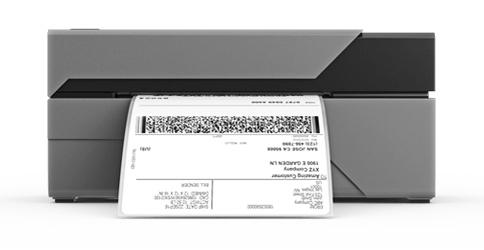
    The Rollo USB printer connects to Mac or Windows computers using a USB cord. It features label detection, allowing the use of various label types, which the printer will automatically recognize. Capable of printing one label per second, this cheap thermal printer is easily transportable.

    💜 Rollo Wireless Thermal Printer

    The key difference between the Rollo USB and Rollo Wireless printer is the wireless connectivity, allowing users to send labels to the printer via Wi-Fi from any device. This AirPrint Certified printer doesn’t require driver installation and is compatible with Mac, iPhone, iPad, Android, Windows, Chromebook, and Linux. Like its USB counterpart, it can produce one label per second. Customers appreciate its portability and the convenience of printing without needing to plug in. Additionally, this printer updates itself automatically without requiring downloads or connection to a computer.

    Rollo USB Thermal Printer Rollo Wireless Thermal Printer
    Connectivity USB Wi-Fi
    Label Detection Yes Yes
    Print Speed 1 label/second 1 label/second
    Compatibility Mac, Windows Mac, iPhone, iPad, Android, Windows, Chromebook, Linux
    Portability Compact and transportable Compact and transportable
    AirPrint Certified No Yes
    Automatic Updates No Yes

    FSC-Certified for Eco-Friendliness

    Rollo is committed to sustainability and offers FSC-certified thermal labels, ensuring that the paper used in their labels comes from responsibly managed forests. By choosing Rollo Thermal Printers and their eco-friendly labels, you are not only optimizing your printing process but also supporting sustainable practices.

    Shop for Labels

    Are Thermal Printers Worth It?

    If you require a convenient solution for shipping or product labeling, a thermal printer is the ideal choice. Although thermal printers may not have the same capabilities as inkjets, their maintenance costs are significantly lower than traditional printers. Despite the initial higher investment in purchasing a thermal printer, the long-term benefits make it a worthwhile option.

    Summing it up

    In conclusion, a thermal printer is a versatile, efficient, and cost-effective solution for various printing needs, particularly for shipping labels, barcodes, and product labels. The Rollo Thermal Printer stands out as an exceptional choice, offering wireless, USB, and AirPrint-enabled capabilities, as well as compatibility with FSC-certified labels for eco-friendliness. By investing in a Rollo Thermal Printer, you can streamline your printing process, save on ink and maintenance costs, and contribute to sustainable practices. Embrace the benefits of thermal printing technology and enhance your business operations today.

    FAQs

    Q: 📷 Are thermal printers suitable for printing photos?

    Short Answer: 🗙 No, due to limited color capabilities.A: Thermal printers are not ideal for printing photos, as they typically print only in one color and have limited color capabilities. They are better suited for label and receipt printing.

    Q: ⌚ When is a thermal printer used?

    Short Answer: shipping labels, receipts, barcodes, and product labels in various industriesA: A thermal printer is used for various printing tasks such as shipping labels, receipts, barcodes, product labels, ID badges, and more. They are commonly used in retail stores, kiosks, hospitals, gas stations, labs, and business offices.

    Q: ☔ Are thermal printer labels waterproof?

    Short answer: 💧 water-resistant but not fully waterproofA: Thermal printer labels are generally water-resistant but not completely waterproof. The durability of the labels depends on the type of material used, with some materials offering better water resistance than others.

    Q: 💻 What thermal printer is compatible with Chromebook?

    Short Answer: Rollo Wireless Thermal Printer X1040A: The Rollo Wireless Thermal Printer is compatible with Chromebook, as it supports Wi-Fi connectivity and doesn’t require any additional drivers to be installed. This makes it easy to print from a Chromebook or other compatible devices.

    Q: 🖨️ How Do Thermal Label Printers Work?

    A: Thermal label printers, a specific type of thermal printer, operate using a heated printhead that activates either chemically treated specialty thermal paper or transfers solid black ink from a ribbon onto the material being printed. The key difference between thermal label printers and other thermal printers lies in their specialized use for label printing, making them essential tools for businesses needing efficient labeling solutions.

    Q: ❓ What Are Thermal Printers Used For?

    A: Thermal printers are versatile tools with a multitude of applications, making them indispensable in various sectors. These printers are commonly used for tasks such as: printing shipping labels, generating product labels, creating asset labels, producing receipts, issuing ID badges, and streamlining library operations.
    Follow Rollo on: Facebook, Instagram, TikTok, or Twitter