Rollo

Tag: small label printer

  • How Rollo’s Small Label Printer Generates Big Business

    How Rollo’s Small Label Printer Generates Big Business

    In the world of e-commerce and small business management, efficient labeling can make the difference between smooth operations and logistical nightmares. A small label printer that can print labels quickly and efficiently, may be the solution many businesses are seeking. For small business owners, e-commerce entrepreneurs, and office managers, managing the outflow of packages can often feel like an overwhelming task. However, there’s a tool that can transform this labeling challenge into a streamlined process.

    Rollo, a company that has been revolutionizing the label printer industry, has developed a reputation for simplifying operations for businesses of all sizes. Their small label printer stands out as a particularly effective solution. Before delving into the specifics of Rollo’s printer, it’s crucial to understand why creating labels efficiently is so vital in today’s business landscape.

    Every moment spent struggling with labels is a moment not spent on business growth. Whether it’s shipping products to customers, organizing inventory, or maintaining office order, a reliable labeling system can be the key to enhanced productivity. This is where Rollo’s solution comes into play.

    The Label Maker vs. Label Printer Showdown

    image of label maker next to small label printer

    Many might wonder if a simple label maker would suffice for their needs. To answer this, it’s important to understand the differences between label makers and label printers.

    Label makers are handheld devices often associated with small organizational tasks. While they’re suitable for labeling personal items or small office supplies, they fall short when it comes to business-scale operations.

    Label printers, on the other hand, are designed for high-volume printing. They can produce professional-looking labels at high speeds. Rollo’s small label printer, in particular, combines the compact size of a label maker with the power and efficiency of a professional-grade printer.

    LEARN MORE ABOUT ROLLO PRINTERS

    Alternatives to Traditional Label Makers

    For those considering moving beyond basic label makers, there are several options to consider:

    • 🖨️ Regular printers with label sheets: While feasible, this option can be cumbersome and potentially costly in the long run.
    • 💸 Outsourcing to print shops: This can quickly become expensive, especially for businesses with regular labeling needs.
    • 🏷️ Rollo’s small label printer: This option offers a balance of convenience, efficiency, and cost-effectiveness, allowing you to easily print mailing labels and other types of labels.

    Rollo’s printer essentially provides businesses with a compact, in-house print shop. Its speed, versatility, and ease of use make it an attractive option for businesses of all sizes.

    What Type of Printer is Best for Labels?
    small label printer best for printing labels

    When it comes to choosing a label printer, you’ve got options. But not all printers are created equal, especially when it comes to churning out labels.

    Let’s break it down:

    • Inkjet printers: Great for colorful, occasional labels, but expensive for high volumes.
    • 🚀 Laser printers: Fast and handle large volumes, but not ideal for labels and not portable.
    • 🔥 Thermal printers: Like Rollo’s small label printer – no ink needed, fast, and produces professional labels that won’t smudge or fade.

    Is Inkjet or Thermal Printer Better for Labels?

    It’s a common question – inkjet or thermal? For labels, it’s like choosing between a bicycle and a sports car for a cross-country trip. Sure, you could use an inkjet printer, but why would you when there’s a better option?

    Inkjet printers can give you colorful labels, but they come with drawbacks. They’re slower, the ink can smudge, and you’ll find yourself constantly replacing expensive ink cartridges. Not exactly what you want when you’re trying to impress customers or keep your inventory organized efficiently.

    This is where Rollo’s thermal printer shines. It’s like the sports car of the label printing world. Here’s why:

    • Speed: Thermal printers are significantly faster than inkjets. You can print a label in seconds, not minutes.
    • 💧 No ink required: Say goodbye to smudges and expensive ink cartridges. Thermal printers use heat to create images on special paper.
    • 💰 Cost-effective: While the initial investment might be higher, you’ll save money in the long run by not having to buy ink.
    • 🛡️ Durability: Thermal labels are resistant to smudging, fading, and water damage.

    SHOP ROLLO SMALL LABEL PRINTERS

    Rollo’s small label printer combines all these benefits into one compact package. It’s faster than inkjet, doesn’t need expensive ink, and produces labels that look sharp and professional. It’s like upgrading from a flip phone to a smartphone – once you try it, you’ll wonder how you ever managed without it.

    How to Print Small Sticky Labels with Rollo’s Printer
    small label printer for sticky labels

    Alright, so you’re sold on the idea of Rollo’s small label printer. But how do you actually use this thing? Don’t worry, it’s easier than assembling IKEA furniture (and way more satisfying).

    First things first, let’s get it set up:

    1. Unbox your Rollo printer (try not to get too excited).
    2. Download the Rollo App from www.rollo.com/app/.
    3. Connect your Rollo printer to your Wi-Fi network:
      • 💻 On Mac: Visit Settings > Printers > Click on “+” to add Printer > Choose Rollo X1040.
      • 🖥️ On PC: Visit Start Menu > Printers & Scanners > Click on “Add a printer or scanner” > Choose Rollo X1040.
    4. Adjust the printer settings in the Rollo Printer Portal as needed. You can change the darkness, speed, and other default settings.
    5. Load your labels:
      • 📦 Press the side release button to open the cover and remove any labels inside.
      • 📏 Adjust the purple guides to match the width of your new label, then close the cover.
      • 🖨️ Feed the new labels from the back of Rollo. The label that you peel off should be facing up (toward the ceiling).
      • 🤖 Rollo will now learn your labels.

    Now you’re ready to print! Whether you’re using Rollo’s free shipping app, their label design software, or your own preferred program, just hit print and watch the magic happen.

    Want to print Avery labels? No problem. Homemade stickers? Go for it. Shipping labels? That’s Rollo’s bread and butter. This little printer is more versatile than a chameleon at a disco.

    Rollo App Download

    Choose your device:
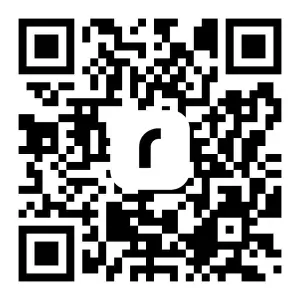
    Scan QR code to download App:

    Rollo wireless printer users: For detailed instructions and important product safety information, visit www.rollo.com/wireless/

    Can Any Printer Print Sticky Labels?

    Here’s a common question: “Can’t I just use my regular printer for labels?” Well, technically, yes. In the same way that you could technically use a spoon to eat a steak. It’ll do the job, but it’s not going to be pretty.

    Regular printers aren’t designed to handle the adhesive on label sheets. They can jam, the adhesive can gum up the works, and you’ll end up with labels that look about as professional as a kid’s lemonade stand sign.

    Rollo’s printer, on the other hand, is built for this stuff. It’s like the difference between hiring a handyman to fix your roof and hiring a professional roofer. Sure, the handyman might get the job done, but the roofer is going to do it faster, better, and with a lot less hassle.

    The Dollars and Sense of Rollo’s Small Label Printer
    Let’s discuss the financial aspect. Many business owners might initially think, “Another gadget to invest in? Is it really worth it?” However, it’s important to understand that Rollo’s small label printer isn’t just an expense – it’s an investment that can lead to significant cost savings over time. When considering the long-term benefits, businesses often find that this efficient labeling solution pays for itself and then some.

    Think about it this way: every time you print paper labels on a regular printer, you’re burning through expensive ink or toner. With Rollo’s thermal label printers, you’re just printing labels using heat. No ink, no toner, no tears when you see your office supply bill.

    Many Rollo users report seeing their businesses grow alongside the use of the printer. As customer William explains, “As I started to really get more orders and more people were getting stuff from me, I was like ‘yeah, I need something that doesn’t take a whole lot of ink that is really easy and efficient.’” William was initially skeptical about investing in a dedicated label printer, but he’s glad he did. “I am not looking back,” he says.

    William appreciates how the Rollo printer integrates seamlessly with his Shopify workflow, allowing him to quickly and easily print shipping labels. “If I don’t have to spend half my day figuring out how to ship things out and get everything together, it makes it a lot easier. That’s the only thing you have to worry about is do I have enough shipping labels for all the orders. And that is why I love my Rollo.”

    Is It Cheaper to Get a Label Printer?

    Short answer? Absolutely. Long answer? Well, let’s break it down.

    When you’re buying pre-printed labels or using a regular printer, you’re not just paying for the labels. You’re paying for ink or toner, dealing with waste from misprints, and probably popping some ibuprofen to deal with the headache of it all.

    With Rollo’s small label printer, you’re making a one-time investment in the printer itself, and then just paying for the labels. And because it’s so efficient, you’re wasting less, saving time, and probably saving your sanity too.

    Plus, let’s not forget about the professional look of thermal-printed labels. They’re crisp, they don’t smudge, and they make your business look like the pro operation it is. And in business, perception can be worth its weight in gold.

    Supercharging Your Business with Rollo’s Small Label Printer

    Okay, so we’ve talked about the nuts and bolts of Rollo’s printer. But let’s zoom out for a second and look at the bigger picture. How can this little machine actually transform your business operations?

    First off, let’s talk about eCommerce order fulfillment. If you’re in eCommerce, you know the drill. Orders come in, you pack them up, slap on a label, and ship them out. With Rollo, you can streamline this process like never before. Print a label in seconds, stick it on, and move on to the next order. It’s like having a mini assembly line right on your desk.

    Inventory management? Rollo’s got you covered there too. No more squinting at handwritten labels or wasting time with a label maker. Print clear, scannable barcodes and product labels that’ll make your warehouse (or garage, no judgment here) run like a well-oiled machine.

    Many Rollo users report similar experiences to William’s, finding that the printer can be a game-changer for their operations. For example, another customer shared:

    “One step at a time makes all the difference. It would have been impossible to get to this point if we hadn’t taken it slow,” says Maria, founder of a successful party hat company. “Trust the process. There’s gonna be a lot of ups, there’s gonna be a lot of downs, but in the end, if you have a product that people like and you have a story people like, the sales are gonna continue and people are going to support you.”

    Maria’s journey from making party hats for her daughter’s wedding to running a thriving business resonates with many Rollo users. Like Maria’s foam hats, Rollo’s small label printer is a game-changer that can help turn a simple idea into a booming enterprise.

    “Year after year we always say ‘Oh, this is the busiest we’ve been ever,’ and the next year comes and it’s like, ‘No, this is the busiest we’ve been ever,’” Maria adds. Many Rollo users report similar experiences – as their businesses grow, their trusty Rollo printer scales with them, handling ever-increasing volumes with ease.

    Final Words

    Rollo’s small label printer is more than just another office gadget – it’s a powerhouse that can revolutionize how businesses handle shipping, inventory, and labeling needs. Faster and more efficient than traditional solutions, it’s also cost-effective in the long run, saving money on wasteful ink and labels. The professional-quality output can elevate a company’s image, while the sheer convenience frees up valuable time for entrepreneurs to focus on growth and innovation.

    For businesses still grappling with inefficient labeling processes, the question becomes not whether they can afford to invest in Rollo’s printer, but whether they can afford not to. The potential benefits in terms of improved operations, cost savings, and business growth make it a compelling solution for organizations of all sizes. As one Rollo user attests, “I am not looking back” – a sentiment many small business owners are likely to share.


    Follow Rollo on:


    Frequently Asked Questions About Small Label Printers

    📌 Q: Why choose a small label printer over an inkjet printer?

    💭 A: Small label printers stand out with their ink-free thermal technology, wireless connectivity, and seamless integration with shipping and design apps. They’re built for efficiency and long-term cost savings.


    📌 Q: How do small label printers save money?

    💭 A: By eliminating the need for ink or toner, small label printers reduce ongoing supply costs. Additionally, their efficiency can save valuable time in the shipping process.


    📌 Q: Can small label printers be used for shipping labels?

    💭 A: Absolutely! Small label printers are designed with shipping labels in mind, compatible with all major carriers and e-commerce platforms.


    📌 Q: How do you design custom labels with a small label printer?

    💭 A: Small label printers often come with label design apps that offer intuitive interfaces with templates and customization options. You can create professional-looking labels in just a few clicks, no design experience needed.


    📌 Q: What support is available for small label printer users?
    💭 A: Most small label printer manufacturers offer comprehensive customer support, including troubleshooting guides, video tutorials, and responsive customer service to help you get the most out of your printer.
  • Top Label Printer Hacks to Simplify Your Festive Labeling

    Top Label Printer Hacks to Simplify Your Festive Labeling

    As the holiday season approaches, the demand for efficient and creative label printing solutions rises. Label printers, with their diverse capabilities, have become indispensable tools for both personal and business use. In this article, we’ll explore the various types of label printers, how to choose one that suits your needs, and creative ways to utilize them for festive labeling. Our guide will help you navigate the world of label printers, ensuring that your holiday preparations are both fun and efficient.

    Understanding Label Printers

    The Versatility of Label Printers in Festive Times

    Label printers, more than just tools, are versatile solutions for various labeling needs. Their flexibility and adaptability make them indispensable, especially during festive times when unique and high-quality labels are in demand.

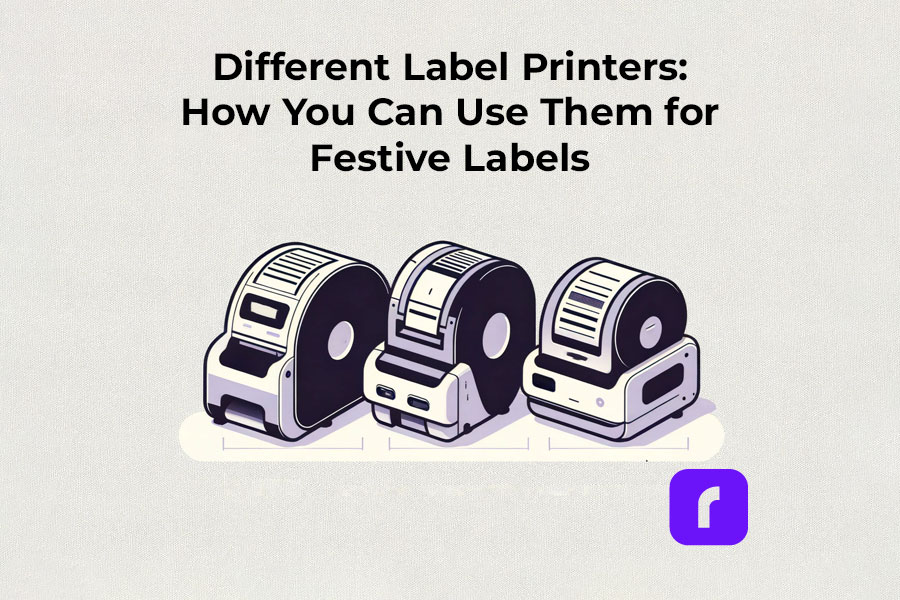
    Different Label Printers: How You Can Use Them for Festive Labels

    Thermal label printers

    Thermal label printers stand out for their efficiency. Using direct thermal printing technology, they eliminate the need for ink or toner, which is a significant advantage over traditional printing methods. This inkless approach not only saves time but also reduces operational costs. Thermal label printers are perfect for creating shipping labels, product labels, and even festive decorations, delivering consistent print quality.

    Did You Know? 
    Rollo's thermal label printers aren't just for basic label printing. These versatile machines, using direct thermal printing technology, make ink and toner a thing of the past. This not only streamlines your printing process but also slashes ongoing costs.
    Rollo printers excel in versatility, handling tasks like shipping labels (FedEx, UPS, USPS), marketplace labels (Amazon), barcodes, name tags, decorative labels, and more!

    Wireless label printers

    The advent of wireless label printers has revolutionized the way we handle label printing tasks. These printers offer the convenience of printing from anywhere within their connectivity range. Whether you’re using a smartphone, tablet, or laptop, the ability to print labels wirelessly adds a layer of flexibility that is particularly useful during busy holiday seasons. You can effortlessly print address labels, gift tags, and more, without being tethered to a physical location.

    Experience the freedom to print from anywhere – whether it's from your phone, tablet, or laptop. Perfect for the holiday rush, these printers make crafting address labels, unique gift tags, and more, incredibly easy and efficient. No cords, no limits. Dive into the world of hassle-free, wireless printing with Rollo.

    Barcode and Sticker Label Printers

    For businesses and individuals alike, barcode label printers are essential for product identification and inventory management. Sticker label printers, on the other hand, add a creative touch to personal and professional projects. They are ideal for custom labels on gifts, making each present unique and personal. The ability to design and print high-quality, custom stickers enhances the aesthetic of any holiday package.

    Did You Know? 
    Explore unlimited creativity with the Rollo Label Design Tool, a free platform for designing custom labels. Stand out with unique features like custom sizes, your own logos, intricate designs, barcodes, and QR codes. With a vast free image library and various shapes, sizes, and fonts, the possibilities are endless. Print your tailored labels in any size directly to your Rollo printer or any other printer without the need to cut them.

    Take a look at some of the creative ways Rollo users have utilized our sticker label printers:

    Empower Your Creativity with Rollo

    Join the Rollo Label Designer today,

    and bring your unique label designs to life.

    Whether for business branding

    or personal projects,

    your perfect label is

    just a few clicks away.

    Small and Portable Label Printers

    The compactness of small label printers makes them an excellent choice for limited spaces, while portable label printers offer the utmost convenience for on-the-go printing. They are particularly beneficial for event planners, craft enthusiasts, and small business owners who need to print labels at different locations.

    Did You Know? 
    Rollo's label printers are ultra-compact and portable, weighing just 3 lbs and sized like a hardcover novel (8 × 4 × 4 inches). Ideal for event planners, crafters, and small business owners, they offer the convenience of printing anywhere. Rollo transforms label printing with devices that fit in small spaces and travel bags, bringing high-quality printing to your fingertips.

    Commercial Label Printers:

    For higher-volume printing needs, commercial label printers are the go-to choice. With faster print speeds and the ability to handle a variety of label sizes, these printers are designed for efficiency and durability, essential for businesses during peak seasons like holidays.

    Did You Know? 
    When it comes to handling large volumes of label printing, Rollo label printers are highly capable and efficient. They can print one label per second, equating to 60 labels in a minute and 3,600 labels in an hour. This impressive speed makes Rollo printers particularly suitable for environments where efficiency is critical, such as e-commerce, logistics, or retail.

    Label Printers with Apps:

    Modern label printers often come with companion apps, making label design and printing more accessible and user-friendly. These apps allow users to create custom labels with ease, offering a range of templates and design options.

    Rollo is transforming the label printing landscape with its advanced apps, including the Rollo Label Designer and Rollo Ship App.

    The essence of a good label printer lies in its ability to produce a variety of labels, from simple address labels to intricate custom designs. The print resolution of these printers ensures that every detail, no matter how small, is crisp and clear. This is crucial when printing intricate designs or small text on product labels.

    Whether you’re a small business owner streamlining your shipping process or an individual adding a personal touch to your holiday gifts, there’s a label printer out there to meet your needs.

    Choosing the Right Label Printer

    Selecting the right label printer involves considering several factors like print resolution, print speed, and the variety of labels it can produce. If you’re looking for a printer that offers mobility, a portable label printer might be your best bet. For businesses, a commercial label printer that can handle a higher volume of labels at greater speeds is essential. It’s also important to look for printers that are compatible with different devices and software for seamless operation.

    Label Printer Buying Guide

    Step 1: Assess Your Label Printing Needs

    Before diving into the specifics of label printers, it’s crucial to understand your individual or business requirements. Ask yourself:

    • What type of labels will you primarily print? (e.g., shipping labels, product labels, barcode labels)
    • What volume of labels do you anticipate printing regularly?
    • Do you need a printer that’s easily portable or one that will remain in a fixed location?

    Step 2: Consider Key Features

    • Print Resolution: Measured in DPI (dots per inch), print resolution affects the clarity and detail of your labels. Higher DPI is essential for labels requiring fine detail, such as barcodes or product labels.
    • Print Speed: Speed is measured in labels per minute. Crucial for high-volume printing environments like warehouses or shipping centers.
    • Label Variety: Consider printers that support different label sizes and types for versatility.
    • Portability: If mobility is vital, look for lightweight, compact printers with battery options.

    Step 3: Check Compatibility and Connectivity

    • Device Compatibility: Ensure the printer is compatible with the operating systems of your computers or mobile devices. Check for compatibility with software or apps you plan to use for label designing.
    • Connectivity Options: Options include USB, Wi-Fi, Bluetooth, or Ethernet. Wireless connectivity is useful for printing from multiple devices or locations.

    Step 4: Balance Cost and Efficiency

    • Initial Cost vs Long-Term Savings: While some printers may be cheaper upfront, consider long-term costs like ink, toner, or special label paper. Thermal printers, which don’t require ink or toner, can offer significant savings over time.
    • Efficiency and Productivity: Printers offering high print speeds and easy label loading can boost productivity, especially in commercial settings.

    Step 5: Additional Considerations

    • Durability: For heavy-duty use, look for printers built to withstand high-volume printing and frequent handling.
    • After-Sales Support: Consider the warranty and customer support offered by the manufacturer.
    • Environmental Impact: Some printers are more eco-friendly, using less power or producing less waste.
    • Brand Reputation: Research brands for reliability and customer satisfaction.

    Step 6: Making the Final Decision

    Once you’ve evaluated these factors, compare a few models that meet your criteria. Read reviews and user feedback to understand real-world performance and reliability. Don’t hesitate to contact manufacturers or sellers for any specific queries or demonstrations.

    How to Print Labels at Home

    How to Print Labels at Home

    Printing labels at home is straightforward with the right label printer. The process typically involves selecting the right type of label, designing your label using a software or app, and then printing it directly from your device. Many label printers come with user-friendly interfaces and applications that make this process a breeze, even for beginners. It’s an efficient way to manage home organization, holiday preparations, or even small business needs.

    Printing labels at home can be an efficient way to manage various tasks, from organizing your space to preparing for the holidays or supporting your small business. Here’s how to navigate the process with ease:

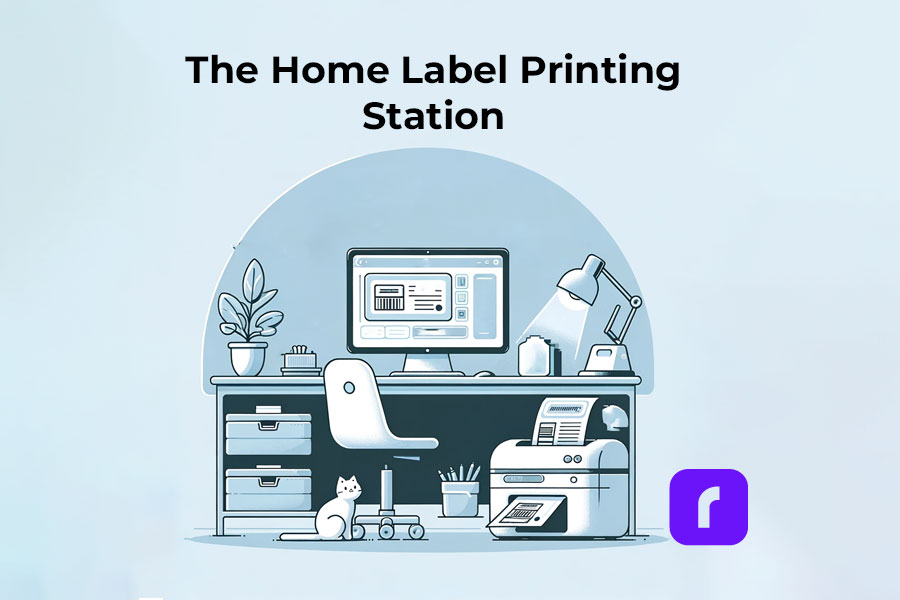
    The Home Label Printing Station

    🎬 Step 1: Choose the Right Label Printer

    Have in mind what we already mentioned about:

    🟣 Assessing Your Label Printing Needs: shipping, barcode, decorative, etc.
    If you are unaware of all the printers you would like to print, we advise you to choose an ultimate solution like Rollo – capable of printing various types of thermal labels.

    🟣 Printer Types: Consider a portable label printer for mobility or a commercial one for high volumes.
    The best choice would be a printer with the efficiency of commercial ones and the size of a portable printer. Like the Rollo wireless printer.

    🟣 Compatibility: Ensure the printer works with your devices and software.
    If you are switching devices regularly, look for a widely compatible option. Such as the Rollo wireless – compatible with iOS, Android, Windows, Mac, Linux, and Chromebook.


    ➡️ Step 2: Select Suitable Labels

    🟣 Label Types: Choose from a variety of labels (e.g., shipping, barcode, sticker). Know your label sizes: barcode labels are size 2×1 inches, shipping labels are 4×6 inches, etc.

    🟣 Size and Material: Match the label size and material to your printer’s capabilities – e.g. if you are using a regular inkjet printer, use regular paper, if you have a thermal label printer – print on thermal labels only.


    ➡️ Step 3: Design Your Labels

    🟣 Software/App Usage: Utilize the printer’s companion app or software for designing labels.

    🟣 Customization: Add text, images, logos, or barcodes as needed. Utilize the features of apps like the Rollo Label Designer App for advanced customizations.


    ➡️ Step 4: Set Up Your Printer

    🟣 Install Printer Drivers: Ensure your printer’s drivers are installed on your device.
    Did you know that the Rollo wireless label printer does not require any driver installation and it takes only 5 minutes to set up?

    🟣 Load Labels: Properly load the labels into the printer according to the manufacturer’s instructions.


    🔚 Step 5: Print the Labels

    🟣 Connectivity: Connect your printer to your device via USB, Wi-Fi, or Bluetooth, depending on its type of technology.

    🟣 Print Settings: Select the correct printer and label size in the print settings.

    🟣 Print Quality: Choose the desired print quality (DPI settings) based on your label’s purpose.
    Did you know that the Rollo label printers have an industry-standard printing quality of 203 dpi?

    📢 Post-Printing Steps

    • Label Application: Peel and stick your thermal labels.
    • Storage: Store any unused thermal labels in a cool, dry place to maintain their quality.

    ⚠️ Tips for Effective Label Printing

    • Test Prints: Do a few test prints to ensure alignment and quality.
    • Regular Maintenance: Clean your printer regularly to ensure consistent print quality.
    • Software Updates: Keep the printer’s software or app updated for new features and improved performance.

    Festive Labeling Ideas

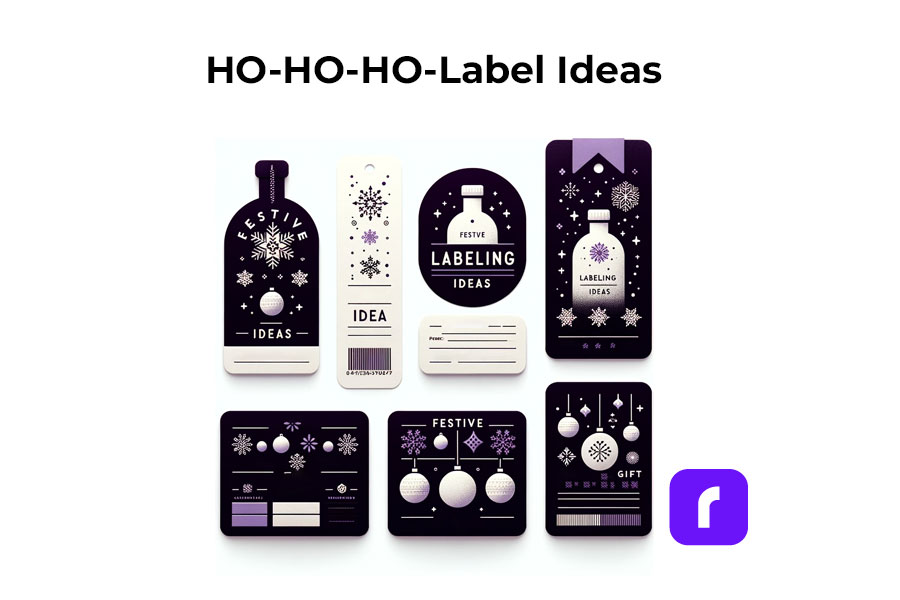
    Label printers shine the brightest during the holiday season. They offer endless possibilities for creative labeling. You can design custom labels for gift bottles or create unique stickers for candles. The use of label printers extends to crafting personalized address labels, adding a touch of warmth to your holiday mail. With these printers, you can bring a personal touch to every aspect of your festive preparations.

    Festive Label Ideas
    ;

    Personalized Gift Wrapping:

    • 🎁 Custom Gift Tags: Design and print custom tags for each gift, adding a personal message or the recipient’s name.
    • ❄️ Theme-Based Labels: Create labels that match your holiday theme, such as snowflakes for a winter wonderland or stars for a night-themed party.

    Home Decoration:

    • 🪟 Window Stickers: Print festive designs like snowflakes or reindeer to adorn your windows.
    • 🪑 Table Setting Labels: Create name tags for place settings or labels for homemade food items on your holiday table.

    Holiday Cards and Mail:

    • ✉️ Address Labels: Design address labels with festive graphics for sending out holiday cards.
    • 📦 Seal Stickers: Make custom stickers to seal envelopes, adding a festive touch.

    Party Favors and Decor:

    • 🍾 Bottle Labels: Customize labels for wine or beverage bottles served at parties.
    • 🎉 Party Favor Tags: Create unique tags for party favors, reflecting the holiday spirit.

    Organizing Holiday Supplies:

    • 🛅 Storage Bin Labels: Print labels for organizing holiday decorations, making next year’s setup easier.
    • 🎀 Gift Wrap Station Tags: Label compartments or containers at your gift-wrapping station for easy access to ribbons, tags, and paper.

    Children’s Activities:

    • 🎨 DIY Sticker Sheets: Print a sheet of holiday-themed stickers for children to decorate and play with.
    • 📅 Advent Calendar Labels: Create numbered labels for a homemade advent calendar filled with treats or activities.

    DIY Crafts and Gifts:

    • 🫙 Jar Labels for Homemade Goodies: Make labels for jars of homemade jams, cookies, or candies, perfect for gifting.
    • 📕 Book Labels: For book gifts, print personalized book labels with a holiday message.

    As you gear up for the festive season, remember that saving on shipping costs is just as important as efficiency. Our Money Saving eBay Shipping Label Guide provides eBay sellers with essential tips to keep shipping expenses low during the busiest time of the year.

    Final Words

    Label printers are more than just a tool; they are a gateway to creativity and efficiency, especially during the festive season. By understanding the different types available, how to choose the right one, and the multitude of ways they can be used, you can transform your labeling tasks into an enjoyable part of your holiday preparations. Remember to consider factors like cost, efficiency, and compatibility to make the most out of your label printer.

    Follow Rollo on: