Are shipping delays and misaligned labels slowing your business? These issues can hurt customer satisfaction and profits. As orders grow, you need a reliable way to speed up shipping.
That’s why only the best thermal shipping label printer is the answer. It saves on ink and toner, prints labels fast, and works well with online stores.
This article will show why a top thermal printer is key for growing businesses. It saves time, money, and effort. It also makes shipping labels better and more accurate. Whether you want to simplify your work or cut costs, we’ll help you choose the right one.
Let’s see why you can’t settle for anything less than the best.
Organized for You
1. Save Money by Eliminating Ink and Toner Costs
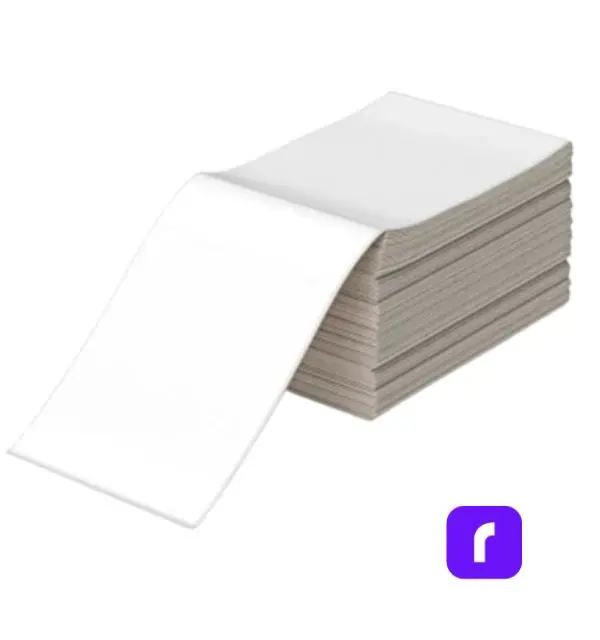
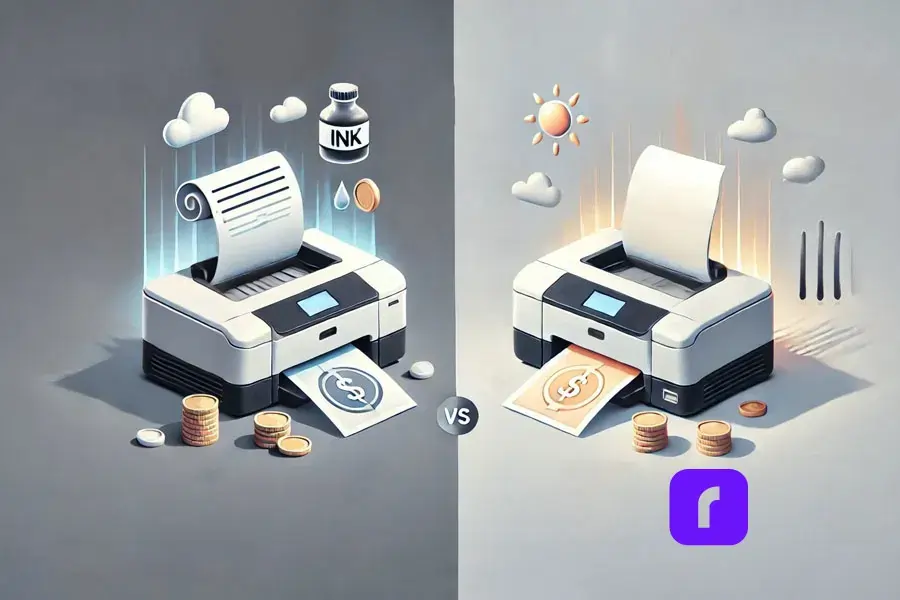
Using the best thermal shipping label printer saves a lot of money. It doesn’t need ink or toner like regular printers do. Instead, it uses heat to print on special paper.
This saves a lot of money, especially for businesses that print a lot of labels. Traditional printers need expensive ink cartridges and toner.
Studies show that office supplies cost a lot. Companies with 1-4 employees spend about $1,844 per employee each year. Half of this is for things like ink and paper.
Switching to a thermal printer can cut these costs a lot. It’s a smart move for businesses wanting to save money.
The best thermal shipping label printer is made for saving money. It offers an ink-free way to print. This helps your business save money and grow in other areas.
The best thermal shipping label printer is much faster than others. It can print high-quality labels in seconds. This makes the shipping process for small businesses much faster.
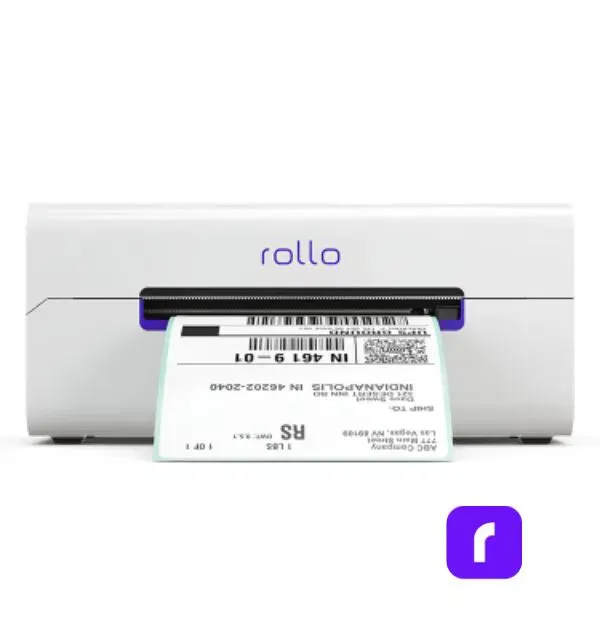
For example, Rollo’s wireless thermal printer can print 150 labels per minute. This cuts down the time it takes to print labels. Your business can then process orders faster, making customers happier.
3. Increase Your Business’s Productivity
Fast and accurate label printing boosts productivity. The best thermal shipping label printer makes label creation quick and cuts downtime.
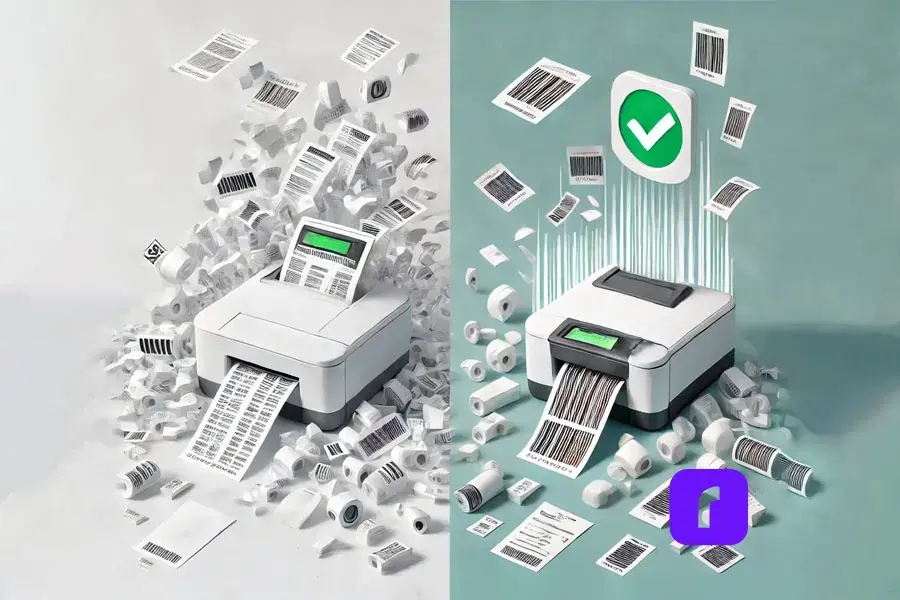
Traditional printers often have problems like jams and ink smudges. These issues can cause delays and cost a lot.
Thermal printers, however, are reliable and need little maintenance. They work well even during busy times.
Imagine running an online shop during big sales. You need a printer that can keep up with demand.
The best thermal shipping label printer lets you print labels without stopping. This helps you fulfill orders on time.
4. Easy Integration with E-Commerce Platforms
Today’s e-commerce businesses use many sales channels. It’s important to have a label printer that works well with these platforms. Thermal printers work great with Amazon, Etsy, Shopify, eBay, and more.
They make it easy to print labels for individual or bulk orders. You can do this directly from these platforms.
The best thermal shipping label printer works well with Shopify, Etsy, and eBay. It lets users print labels easily. This saves time and makes sure orders are fulfilled quickly and right.
Thermal label printers, like Rollo, are small and light.
They fit easily on desks or countertops without cluttering.
For those who need to move around, Rollo’s mini printers are perfect. They’re small and wireless, making them easy to use anywhere.
7. Simplified Setup for Any Business
Thermal label printers are easy to set up. You don’t need to be tech-savvy. Most models plug and play, connecting via USB, WiFi, or Bluetooth. You can start printing in minutes.
Rollo’s printer is easy to set up. It works with iOS, Android, and Windows. It also has WiFi and Bluetooth for wireless printing, making it great for all businesses.
8. Print Anywhere with Wireless Connectivity
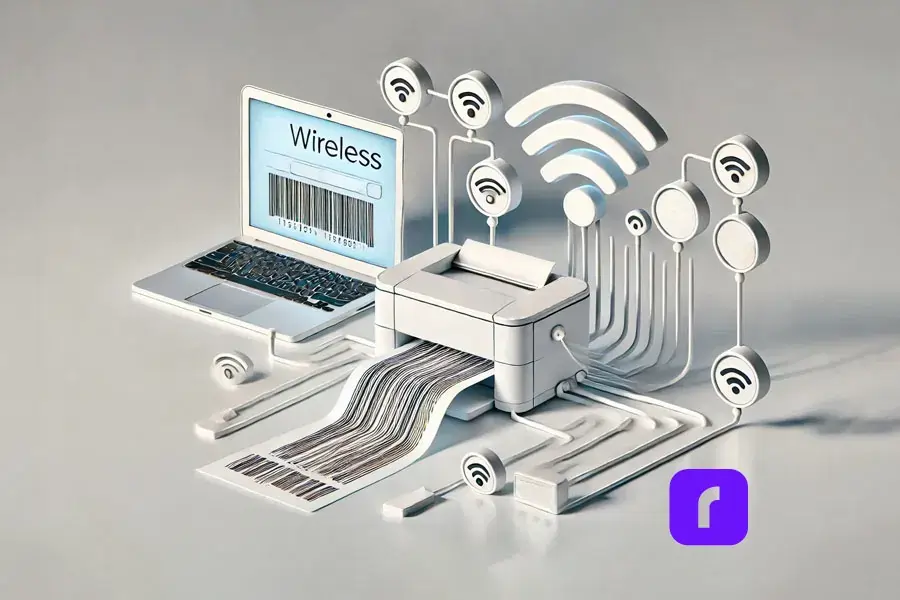
Wireless printing is key for today’s flexible workspaces. The best thermal label printer lets you print from any device without cables. This lets you set up your printing station anywhere.
Here are some benefits of the best thermal label printer:
📱 Print from Multiple Devices: You can print from computers, smartphones, or tablets easily.
🔌 No Cables Required: You don’t need to deal with cables or USB connections. Print anywhere in your office or remote workspace.
🏠 Ideal for Remote Teams: Businesses with remote teams or shared workspaces can use flexible, on-the-go printing options.
⚡ Faster Workflow: Wireless printing makes setup quicker. You can produce labels fast without interruptions.
The best thermal shipping label printer by Rollo makes printing easy from many devices. You don’t need USBs for it. This is great for teams working remotely or in shared spaces.
9. Seamlessly Streamlines Orders with Shipping Software
Pairing the best thermal shipping label printer with shipping software makes things more efficient. Rollo Ship is designed to make label creation and tracking easy. It gives your business a complete shipping solution.
💸 Instant Rate Comparisons: Compare rates across multiple carriers (USPS, UPS, FedEx) in seconds, helping you select the most cost-effective shipping option for every order.
📦 Batch Label Printing: Print multiple shipping labels at once, streamlining your workflow and saving time during high-volume shipping periods.
📲 Tracking and Notifications: Automatically send tracking information to your customers, reducing inquiries and improving customer satisfaction.
🤑 Discounted Shipping Rates: Access discounted shipping rates through Rollo Ship, helping you cut down on costs and increase your profit margins.
Using the best thermal shipping label printer with Rollo Ship gives you a powerful solution. It reduces headaches, boosts productivity, and saves money.
Many businesses care about the environment, and thermal shipping label printers are a green choice. They don’t use ink or toner cartridges, which means less waste and a smaller carbon footprint. Plus, the paper they use can often be recycled.
The best thermal shipping label printer is good for the planet. It doesn’t need ink cartridges or toners, which are hard to recycle. This fits well with businesses that want to be eco-friendly.
Final Words
The best thermal shipping label printer is more than just a tool. It makes your shipping process smoother. It saves money, speeds up label making, and needs less maintenance. It’s perfect for small and medium-sized businesses.
Now is a great time to think about getting a thermal printer. Rollo’s wireless model can make your operations easier. It can help you save money, reduce mistakes, and make labels last longer. Rollo offers a reliable and cost-effective solution for growing businesses.
Ready to improve your shipping? Check out Rollo’s thermal shipping label printer. It can change how you handle orders. Visit Rollo today and see how it can make your shipping better.
Frequently Asked Questions About The Best Thermal Shipping Label Printer
📌 Q: What makes the best thermal shipping label printer stand out?
💭 A: The best thermal shipping label printers offer high-speed printing, durable labels, easy integration with e-commerce platforms, and cost savings by eliminating the need for ink or toner. These features improve efficiency, reduce errors, and help businesses streamline their shipping processes.
📌 Q: How does a thermal shipping label printer save on costs?
💭 A: Yes, the best thermal shipping label printer, including Rollo’s thermal printers, can print on a variety of label sizes, as long as the labels are compatible with the printer. This flexibility makes them ideal for businesses that need to print different types of labels, such as shipping labels, barcode labels, or product labels.
📌 Q: Can a thermal shipping label printer integrate with my e-commerce platform?
💭 A: Yes, the best thermal shipping label printers integrate seamlessly with popular e-commerce platforms like Shopify, Etsy, Amazon, and eBay. This allows for quick, efficient label printing directly from your order management system.
📌 Q: Why is label durability important in shipping?
💭 A: Durable labels are crucial in ensuring that your packages reach their destination with clear, scannable barcodes and legible addresses. The best thermal shipping label printers produce smudge-proof, water-resistant labels that withstand rough handling during transit.
📌 Q: How can a thermal shipping label printer improve my business’s productivity?
💭 A: A high-quality thermal shipping label printer speeds up the printing process, reduces maintenance, and minimizes errors. This allows businesses to print labels faster, fulfill orders more efficiently, and ultimately improve customer satisfaction with timely deliveries.
Barcodes have come a long way since their early days. In fact, the first-ever commercial barcode scan in 1974 was on a pack of Wrigley’s Juicy Fruit gum.
Today, these humble black-and-white stripes are the backbone of modern businesses—and the right barcode label printer can revolutionize the way you track orders and manage inventory.
Since 2016, Rollo’s wireless label printer has been a top choice. It offers speed, reliability, and ease of use. This guide will help you choose the best printer for your business, making your shipping process smooth and stress-free.
Explore the Sections
What Kind of Printer Do I Need to Print Barcode Labels?
Choosing the right barcode label printer is key. You have two main options: thermal transfer and direct thermal printing. Each has its own benefits for your business.
Thermal Transfer vs. Direct Thermal Printing
Thermal transfer printers use a ribbon to transfer ink onto labels. This makes them ideal for printing durable labels. These labels can withstand harsh environments, such as in manufacturing or asset tracking. Thermal transfer printed labels are long-lasting and won’t fade over time.
Direct thermal printers, on the other hand, darken labels when heated. They’re best for short-term needs, like shipping labels. Rollo’s wireless label printer excels in direct thermal printing. They provide high-speed printing without the need for ink or toner. making it an ideal choice for online sellers.
Feature
Thermal Transfer
Direct Thermal
Printing Technology
Uses ribbon to transfer ink onto labels
Uses heat-sensitive labels
Durability
Durable, long-lasting labels for harsh environments
Short-term labels, ideal for shipping
Maintenance & Cost
Higher long-term cost (ink/toner required)
Lower cost, no ink or toner needed
Ideal Use
Manufacturing, asset tracking
Shipping, inventory management
📦 What kind of printer do I need to print barcode labels? 🖨️
✅ The best printer for your barcode labels depends on your needs. For long-lasting labels, choose a thermal transfer printer. For short-term use, such as shipping labels, a direct thermal printer like Rollo’s wireless label printer is ideal. 🚚
Printing barcode labels is easy with the right printer. Rollo’s wireless label printer makes it simple.
Effortless Setup with a Wireless Barcode Label Printer
Setting up Rollo’s wireless barcode label printer is easy. You can connect it via USB, Ethernet, or Bluetooth. Just plug in the power cord and connect it to your computer or network.
Rollo’s printer works with many devices, making setup smooth. Load your labels into the printer. With Rollo, printing shipping labels and barcode labels for inventory tracking is quick and efficient.
Choosing the Right Labels for Your Barcode Label Printer
Rollo’s wireless barcode label printer supports various label types. This includes shipping labels and barcode labels. For shipping, you might use standard 4×6-inch labels. These are great for printing labels from Shopify or Amazon. For tracking assets, smaller labels work best. Rollo’s printer handles these easily, offering flexibility for all your labeling needs.
🖨️ How do I print barcode labels? 📋
🔌 To print barcode labels, simply set up your printer using the provided usb host or wireless options, load your labels, and print directly from your device or shipping platform. 📦
What Is the Difference Between a Label Printer and a Barcode Printer?
Understanding the difference between a label printer and a barcode printer is vital for choosing the right tool for your business.
Key Differences Explained
A label printer is a general term for any printer that prints labels, which can include product labels, shipping labels, or barcode labels. A barcode label printer prints barcodes clearly and accurately. This is important for tracking orders and managing inventory. Rollo’s wireless label printer is made for businesses that need reliable barcode printing. It’s perfect for shipping and inventory management.
🔍 What is the difference between a label printer and a barcode printer? 🏷️
🎯 While all barcode printers are label printers, not all label printers are designed to handle the specific requirements of barcode printing. Barcode label printers like Rollo’s are optimized for producing barcodes that are easily scanned and highly durable. 📏
Why Small Businesses Choose Rollo’s Barcode Label Printer
Rollo’s wireless barcode label printer is the top choice for small businesses. It’s innovative, cost-effective, and eco-friendly. It also improves order tracking.
Compact, Efficient, and Innovative Design
Rollo’s printer is small and light, fitting easily in any space. It prints fast, up to 150mm per second. This saves time and lets you focus on growing your business. The printer prints barcodes clearly. This means you can track orders in real-time and avoid mistakes.
Streamlined Order Tracking and Inventory Management
Rollo’s printer helps improve order tracking and inventory management. It prints durable barcode labels. This keeps stock levels and shipment progress visible in real-time.
Tracking products from start to finish increases transparency. It also boosts customer satisfaction by keeping them updated with tracking notifications.
Cost-effective and Environmentally Friendly
Rollo’s printer uses direct thermal printing, which doesn’t need ink or toner. This cuts down on long-term costs. It’s also designed to be eco-friendly. By not using ink or toner, Rollo helps reduce waste. This makes it a great choice for businesses that care about the planet and want to save money.
Tips for Maintaining Your Barcode Label Printer
Keeping your barcode label printer in good shape is important. It helps it work well for a long time.
Simple Maintenance for Long-Term Reliability
Doing a few simple things can make your printer last longer. Here are some key tips to keep your printer working great:
🧼 Clean the Print Head Regularly: Prevent clogs and maintain clear prints by gently cleaning the print head.
🔌 Check Power Connections: Ensure all cords are securely connected to avoid disruptions or power loss.
🛠️ Update Firmware: Regularly update your printer’s firmware to keep it running with the latest features and bug fixes.
🧹 Remove Debris: Periodically check for and remove any dust or debris that might obstruct the printing process.
By following these easy steps, you’ll make your printer work better. You’ll also make it last longer. This means your business will run smoothly without any problems.
Future Trends in Barcode Label Printing
The barcode label printing world is changing fast. There are new and exciting things coming.
Innovations to Watch in Barcode Label Printing
Look out for smart labels and IoT integration. These will make business operations even better. Rollo is leading the way with these new ideas. Soon, Rollo’s wireless label printer might have even more cool features like real-time tracking and better security.
Final Words
Choosing the right barcode label printer can really change how your business works. Rollo’s wireless printer is reliable, efficient, and good for the planet. It makes tracking orders, managing inventory, and improving productivity easier. Whether you need to track stock, manage inventory, or let customers track their shipments, Rollo’s printer has got you covered.
Ready to take the next step? Check out Rollo’s products today. See how easy it can be to track orders and manage inventory.
By following these tips, you’ll find the best barcode label printer for your business. This will make your operations run smoothly and efficiently.
Frequently Asked Questions About Barcode Label Printers
📌 Q: What types of labels can be used with a barcode label printer?
💭 A: Barcode label printers can handle a wide range of labels, including standard shipping labels (4×6 inches), barcode-specific labels (2×1 inches), and asset tracking labels. You can choose between adhesive-backed labels for direct application or thermal labels, which are ideal for barcode printing due to their durability and cost-effectiveness.
📌 Q: Can barcode label printers print other types of labels, like shipping or product labels?
💭 A: Most barcode label printers are primarily designed for printing barcodes, but Rollo’s barcode label printer stands out by offering the ability to print not only barcodes but also shipping labels, product labels, and other types of labels. This versatility makes it a great choice for businesses with diverse labeling needs.
📌 Q: How do I ensure the barcode is scannable after printing?
💭 A: To ensure your barcode is scannable, make sure the label is printed clearly with no smudges or distortions. The barcode must have a high contrast between the bars and the background. Regularly clean your print head to prevent faded prints, and test your barcodes with a scanner to confirm readability.
📌 Q: Can I print color labels with a barcode label printer?
💭 A: Most direct thermal barcode printers, including Rollo’s, do not print in color since they use heat to print on labels. However, Rollo offers 2×1 barcode labels in six different colors—white, pink, yellow, blue, green, and purple—allowing you to add color to your labels without the need for ink or toner. This provides flexibility for color-coding and enhancing your label design.
📌 Q: How long do printed barcode labels last?
💭 A: Direct thermal barcode labels typically have a shelf life of 12-24 months, although this can vary based on the specific label type and storage conditions. In optimal environments, such as air-conditioned warehouses, direct thermal labels can last for years—some sources even report 7-25 years of durability. However, these labels are sensitive to heat, light, and humidity, which can cause them to fade or yellow over time, making them difficult to scan.
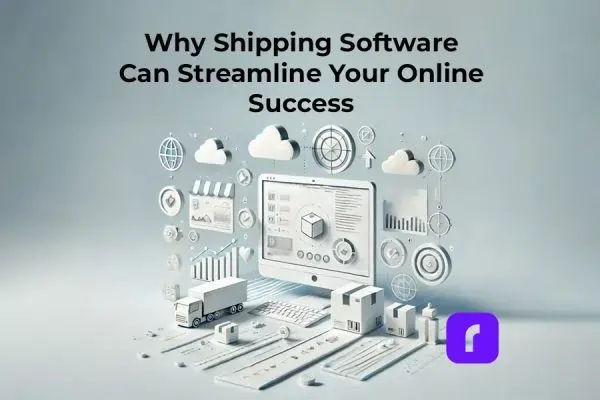
Shipping can be a big headache for small online businesses. You have to deal with orders from different places, print labels, and work with carriers. But, the right shipping software can make this process easy and fun.
We’re going to explore shipping solutions for small businesses. You’ll learn how smart software can make your business more efficient, save money, and give great customer service. So, get ready to change how you ship!
Why SMBs Need to Rev Up Their Shipping Game
For online sellers, shipping smoothly is crucial. It affects your business’s reputation and growth. A good delivery experience is key.
Shipping software is a game-changer. It automates and improves every step, from orders to carrier handoffs. This means faster, cheaper shipping and happy customers.
Getting the right shipping software boosts your business and makes customers happy. It’s like upgrading from a bike to a high-speed engine for your orders.
Key Features to Look for in Shipping Software
Not all shipping software is the same. Here are the important features to look for:
📦 Real-Time Tracking: Your customers and team want to know where their packages are. This feature keeps everyone informed.
🔄 Automated Shipping: Less manual work means fewer mistakes. Look for software that works with your sales channels and prints labels easily.
💰 Rate Shopping: Don’t overpay for shipping. Find the best rates by comparing carrier prices.
🖨️ Printing Powerhouse: Say goodbye to old label printers. You need a wireless model that prints labels quickly and clearly.
📊 Reporting & Analytics: You need data to improve. Make sure your software provides detailed reports and insights.
The right features make shipping smooth and keep your team efficient.
The Ecommerce Integration Superpower
If you sell on multiple platforms, shipping software is a lifesaver. It integrates with your website, Amazon, eBay, and more.
With software like Rollo, new orders go straight to a unified dashboard. No more logging into different accounts. It’s all in one place.
This integration makes shipping easier. From labels to pickups, it all happens in one place. This gives small businesses a big advantage.
How Smarter Shipping Pays for Itself (and Then Some)
Boosting efficiency and making customers happy is great. But saving money is even better. Good news: smart shipping software can save you money fast.
Think about all the time you spend on shipping tasks. Processing orders, comparing rates, and printing labels. These tasks are not only costly but also waste your team’s time. Smart software does these tasks for you, saving time and money.
Shipping mistakes can cost a lot too. Like overpaying for rates or missing delivery times. This can hurt your business. But, smart software can find the best rates and keep customers happy.
For most small businesses, the savings from smart shipping software are huge. It’s a smart investment.
Common Shipping Woes – and How Software Solves Them
Shipping can keep business owners up at night. But, there are easy fixes with the right tools. Here are some common problems and how software can solve them:
📦 Juggling multiple sales channels: If you’re switching between platforms to manage orders, you’re wasting time. A single shipping solution can handle all your orders in one place.
⏰ Blown delivery timelines: Missing delivery times can upset customers. Smart software keeps you on track with real-time updates.
💸 Overpaying for shipping: Small businesses can save a lot by finding the best rates. Smart software helps you do this.
Pro Tip:💡 Save on Every Shipment by quickly comparing shipping rates and unlocking discounted options with Rollo. Efficient shipping solutions are just a click away, ensuring you always get the best deal.
Lack of customer visibility is another problem. Customers want to know where their order is. Smart software keeps them in the loop.
Smart shipping software like Rollo Ship solves many problems. It automates tasks, integrates with other systems, and gives real-time data. For more tips, check out how resellers can benefit from shipping apps. This means less stress for your team and a better shipping experience.
The Bright Future of Shipping Tech
Agile SMBs don’t just fix today’s problems. They also stay ahead of new tech. Shipping solutions are getting smarter, faster, and more efficient.
New tech includes computer vision for labels and robots for sorting. Even driverless trucks and drones are being tested.
Also, predictive analytics and machine learning are improving. They help forecast demand and optimize routes. Staying updated on these trends is key for SMBs to stay competitive.
Delighting Customers Through Operational Mastery
Customers want more than just a great product. They want a complete, perfect experience. Shipping is key here. A mistake can ruin all your hard work in marketing and sales.
Rollo Ship makes shipping smooth. It helps you keep your operations running well. This way, you can make customers happy with:
📅 Accurate, transparent delivery estimates
🔍 Proactive tracking updates and visibility
⏰ On-time arrivals with minimized delays or errors
🌱 Sustainable, eco-friendly shipping practices
📦 Top-tier unboxing experiences with pristine packaging
Happy customers mean good reviews and more business. One smooth delivery at a time, you build a strong reputation. You become known for being great at what you do.
Smart shipping software helps you deliver great experiences every time. No stress, just happy customers coming back for more.
Find The Right Shipping Software for You
Finding the right shipping software can be tough. Here’s a simple way to choose:
Know what you need: How many orders do you have? Where do they come from? What products do you sell? Do you need special packaging or international shipping?
Match your needs to software features: Look for integrations, support for different packages, label printing, and international shipping. Also, check for analytics dashboards.
Try free trials or demos: See how easy it is to use. Check if it fits with your current workflows. Look at customer support and onboarding help.
By knowing what you need and trying different options, you’ll find the perfect shipping software. It will make your customers and team happy.
Final Words
Smart shipping solutions boost your efficiency and customer happiness. They save you money and help you grow. It’s a smart investment for your business.
Feeling overwhelmed by shipping? Rollo has innovative solutions for small businesses. With the right tools, shipping can be easy and fun. It becomes your competitive edge.
Frequently Asked Questions About Shipping Software
📌 Q: What is shipping software?
💭 A: Shipping software is a tool that automates and optimizes the shipping process for businesses. It integrates with various sales channels, generates shipping labels, compares carrier rates, and provides real-time tracking and analytics to streamline fulfillment operations.
📌 Q: How can shipping software help my small business?
💭 A: Shipping software helps small businesses by automating repetitive tasks, reducing human error, and saving time. It also provides cost savings through rate shopping and improves customer satisfaction with accurate tracking and timely deliveries.
📌 Q: Is shipping software difficult to integrate with my current ecommerce platforms?
💭 A: Rollo shipping software integrates easily with popular ecommerce platforms like Amazon, Shopify, eBay, WooCommerce, and more. This seamless integration allows you to sync orders from all your sales channels into a single dashboard, making the management of your shipping process efficient and error-free. For more details, visit the Rollo integrations page.
📌 Q: How does shipping software ensure I get the best shipping rates?
Rollo Ship can help you save up to 90% on shipping rates by automatically comparing rates across multiple carriers. It sorts these options by the cheapest, fastest, and premium choices, ensuring you always get the best deal for your shipments. This feature not only reduces costs but also enhances your shipping efficiency.
📌 Q: What should I consider when choosing shipping software for my business?
💭 A: When choosing shipping software, consider factors like integration with your current platforms, support for different package types and sizes, label customization options, international shipping capabilities, reporting features, and the level of customer support offered.
📌 Q: How does shipping software improve customer satisfaction?
💭 A: Shipping software improves customer satisfaction by providing accurate delivery estimates, real-time tracking updates, and timely deliveries. It also reduces the chances of errors and delays, ensuring a smooth and reliable shipping experience for your customers.
At Rollo, we acknowledge and appreciate the competitive landscape of the e-commerce and shipping logistics industry. We firmly believe that having an array of excellent options stimulates innovation, elevates service quality, and ultimately benefits the user. Therefore, in the spirit of fostering a transparent and informed choice, we present to you a detailed comparison between two major players in the label printer market – Rollo and PitneyShip Cube.
Both Rollo and PitneyShip Cube are respected industry titans, credited for employing state-of-the-art technology. Each has established a significant presence across multiple industries, providing a multitude of features to streamline and enhance the shipping process. However, when it comes to selecting the right printer for your business, the nuances can indeed tip the scales. Factors such as print speed, label type, system compatibility, cost-effectiveness, and even added value services, like shipping apps, labels, and shipping scales, play vital roles.
Our objective in providing this in-depth comparison is not just to showcase what we have to offer at Rollo, but also to ensure you gain a well-rounded understanding of both printers – their features, benefits, and potential shortcomings. We seek to empower you to select a printer that suits your present business requirements while also aligning with your future growth ambitions. We invite you to join us on this journey as we candidly explore how Rollo and PitneyShip Cube can contribute to your business’s shipping needs. As we respect our competition, we also stand firm on the value we provide.
Let’s delve into a detailed comparison between Rollo and PitneyShip Cube, taking into consideration the brands’ label printers, shipping apps, labels, and shipping scales.
1. Label Printers: Rollo vs. PitneyShip Cube
Price Chart Rollo vs Pitney Bowes’ Cube
Criteria
Rollo
PitneyShip Cube
Price
New: $179 (USB Rollo) $259* (Wireless Rollo) *includes a FREE pack of 500 labels ($19.99 value) ✅1-year warranty
Rollo Wireless comes with a complimentary pack of 500 4×6 shipping labels.
The stated price is for new labels on a monthly auto-replenishment.
❌ 328-count shipping label roll for $29.99.
A full label roll is included at purchase.
The stated price is for replacement rolls.
Conclusion on Price Comparison
Rollo offers more affordable printers, with the wireless model priced at $259 and the USB model at $179 with a 1-year replacement warranty at no additional cost. Rollo also has certified refurbished options priced at $159.99 – $229 with a 6-month warranty without extra charges for the warranty. On the other hand, PitneyShip Cube is priced at $269 with a free 90-day warranty and $24 for an extended 1-year warranty, and there is no information available about a refurbished option.
Along with the purchase of a Wireless Rollo, you get more shipping labels for free – 500 labels size 4×6 compared to 328 shipping labels from Pitney Bowes. In terms of getting more quantity of shipping labels size 6×4,Rollo comes with more as a compliment to the user.
Finally, when the time comes to refill your labels, Rollo labels will cost as low as $14.99 for a pack of 500 if you subscribe to monthly auto-replenishment (alternatively $19.99 for a single order), whereas PitneyShip Cube labels are sold at $29.99 for 328 shipping labels.
📢 To conclude, with Rollo, you receive a larger variety of choices and more value for the price you pay.
Currently, Rollo is priced at $259 for a new wireless printer or $229 for a refurbished one with a warranty, compared to $269 for a new wireless printer from Pitney Bowes.
Specs Comparison
Criteria
Rollo
PitneyShip Cube
Printer Size
8″ × 4″ × 4″
⚠️ 7” x 7 “ x 7 “ *as big as a 7-inch tablet or 7-inch mini laptop
Print Speed
✅ 150mm/s (one shipping label per second)
✅ 4 IPS (equals 101 mm/s)
Printing Life
✅ About 650,000 shipping labels
❌ Not Specified*
Print Resolution
✅ 203 dpi
✅ 300 dpi
Technology
✅ Direct Thermal Printing
✅ Direct Thermal Printing
*Not stated by the manufacturer on their official website.
📢 Conclusion on printers’ sizes: Rollo’s modern and compact design saves space while elevating your desk aesthetically. Rollo is compact and easy to carry in your bag. Adding to the option to print with Rollo from any device, Rollo is a guarantee for independence and versatility.
⚠️ PitneyShip Cube is a big as a mini laptop as seen on various product images.
Conclusion on Print Speed & Print Resolution
Rollo can print one shipping label per second, offering high-speed direct thermal printing. PitneyShip Cube does not provide specific data on its printing speed.
PitneyShip Cube claims a higher print resolution (300 dpi) compared to Rollo (203 dpi), however, 203 dpi is the industry standard resolution for logistics printing meaning that a higher resolution is not needed and not widely used. 203 dpi is perfectly acceptable for shipping labels and even law enforcement printing such as eCitations.
⚠️ While PitneyBowes’ label printer has a SLIGHTLY higher printing resolution, Rollo’s label printer prints FASTER and at the industry standard resolution.
✅ Wi-Fi for mobile devices ✅ USB for PCs ❌ NOT AirPrint-certified
Compatible OS
Wireless Printing from: ✅ iPhone (iOS, AirPrint®enabled) ✅ iPad (iOS, AirPrint®enabled) ✅ Android (Wi-Fi®enabled) ✅ Mac ✅ Windows 10 and newer ✅ Chromebook ✅ Linux ✅ No driver installation is needed.
USB printing from: ✅ Windows (XP and newer) ✅ Mac (10.9 and newer)
✅ Android 8.0 & above
✅ iOS 13 & above
✅ Windows 10 and newer
✅ Mac 10.15 and newer
Conclusion on Connectivity
Both devices have Wi-Fi capabilities. Rollo supports a broader range of operating systems and devices, including iOS, Android, Mac, Windows, Chromebook, and Linux. PitneyShip Cube limits its USB connectivity to Windows 10 and newer, and Mac 10.15 and newer.
Rollo is also officially an Apple AirPrint-certified printer. As Apple describes this advanced technology, “Airprint is a zero-configuration protocol to connect to printers wirelessly.” Setup is a breeze without requiring a manual driver installation. Once Rollo Wireless connects to your Wi-Fi, all your devices will automatically be able to see Rollo and print to it. What is more, only Rollo operates with Linux and Chromebook and is compatible with older versions of Mac.
⚠️ Rollo is more compatible with various mobile and desktop operating systems.It is the more versatile solution if you need to change devices without having to buy a new printer.
📢 Rollo is the only printer that is Apple AirPrint Certified. 📢Rollo is the only printer of the two that is Linux and Chromebook-friendly.
🚩Users Report
Freedom to Choose How and Where to Print From
⛔ 🚫 ⚠️ PitneyShip Cubeobligates users to use their app to be able to print from their phone. It experiences issues with Android phones particularly as users report that their phones do not recognize their printers, thus, making them use their computers to be able to print. ⛔ 🚫 ⚠️ Pitney Bowes also obligates users to purchase labels through their app to be able to print them.
📢 👍 ✅ ROLLO, on the other hand, allows freedom of choice: you can print from Rollo Ship App, or ANY OTHER APP or FILE. This is thanks to Rollo being AirPrint® and Wi-Fi® certified. 📢 👍 ✅ With Rollo printers, you can print from any program, website, device, or app. You are not obligated to use Rollo Ship or buy shipping labels from Rollo.
✅ You can use any shipping thermal labels to print with Rollo.
❌ A label holder is required for roll labels.
✅ No label holder is needed for fanfold labels (stack).
✅ You can use any shipping thermal labels to print with PitneyShip.
✅ Has a built-in holder for the roll label.
❌ You must use PitneyShip Cube labels to print postage stamps as per USPS stamp requirements.
Auto-cutting of labels
✅ All Rollo labels are perforated for easy tearing.
✅ Rollo Wireless Label Printer has intelligent label detection, making you forget about manually cropping your labels.
✅ Yes
Rollo provides multiple uses for its printer: ✅ to print decorations on the round colorful stickers ✅ to create a more unique branding experience ✅ to help with storage and organizing products via colorful barcode labels compatible with key barcode standards ✅ to help with logistics and shipping labels ✅ helps you budget according to your needs, providing new and certified refurbished options ✅ helps you budget by using both: fan-fold and roll labels of your choosing. Even though you would need a holder for all roll labels, you do not need one for the stack labels.
Product Support, Warranty & Delivery
Criteria
Rollo
PitneyShip Cube
Warranty
✅ 1-year replacement warranty
✅ at NO additional cost
✅ ⚠️ 90-day free warranty
❌ $24 for a 1-year extended warranty
Returns
✅ 30-day full money-back guarantee
✅ 30 days
❌ ⚠️ The product must be unused/unopened
Shipping
✅ Free ground shipping
✅ 3-4 days
✅ Free ground shipping
❌ 3-7 days
*Further information was not located on the official website.Therefore it is “Not specified”.
⚠️ Keep in mind that Pitney Bowes provides you with only 90 days of free warranty. If you wish to extend it to 1 year, you must purchase the $24 plan.
⚠️ In order to get your money back for PitneyShip Cube in 30 days, your printer must be unused/unopened. This is impractical as there is no way for a user to actually test the product.
Conclusion on Warranty, Returns & Shipping
Rollo offers a more extensive warranty of one year without charging compared to PitneyShip Cube’s 90-day free warranty. If you wish to extend your PitneyShip Cube warranty to 1 year, you have to pay $24. Both companies offer a 30-day full money-back guarantee, however, Pitney Bowes requires specific conditions on the packaging of their printer return.
📢 Rollo provides the better value of reimbursing you in case of an issue. With Rollo, you don’t need to keep your label printer unused/unopened to get your money back in 30 days. Neither do you need to pay to get a prolonged warranty. Just enjoy printing and let Rollo take care of the rest.
2. Weigh This, Shipping Scale!
Rollo’s Digital Shipping Scale vs The Built-In PitneyShip Cube’s Scale
Criteria
Rollo
PitneyShip Cube
Price
❌ $39.99
✅ Included in the printer. Inbuilt.
Weight Capacity
✅ 110 lbs / 50 kg
❌ Up to 15 lbs / 6.8 kg
Accurate
✅ An accuracy of 0.07 ounces (2 grams) for all weights up to the capacity of 50 kg (110 lbs).
Not Specified on the official website.
Additional Features
✅ Hold Function Remembers the weight of the previous package even after it has been removed from the scale
✅ Tare Function Gets the net weight
✅ Auto Shut Off Automatically turns off to save battery life
✅ Separate Weight Reading Panel a comfortable solution if you have big packages that prevent from reading the scale
✅ Power via AC Adapter or Battery (2 AAA batteries)
✅ Built-in scale
No additional features specified:
❌ Hold function – No Info
❌ Tare function – No Info
❌ Auto Shut Off – No Info
Note: No Separate reading panel
❌ No battery charging, dependable on the printer adapter.
🚩Users Report
To use the built-in scale, you must use PitneyShip App
⛔ 🚫 ⚠️ To get a reading on PitneyShip Cube’s built-in scale, you are obligated to use the PitneyShip app.
Conclusion on the Shipping Scales
Rollo wins over with higher weight capacity, better accuracy, multiple functions to ease the weighing process, and battery-charging options making you independent on electricity in case of a power outage.
Compared to no additional or smart functions, no alternative charging of the scale, and the lower weight capability from PitneyBowes’ inbuilt scale in their label printer, the additional cost of $39.99 to buy a digital shipping scale for Rollo is worth it.
📢 While Rollo offers a separate shipping scale, its capabilities surpass the ones of the inbuilt PitneyShip Cube’s: Rollo has a separate reading panel for convenience, battery, and AC-charging, much higher weighing capacity, and more precise accuracyin addition to the Hold, Tare & Auto Shut Off functions, which are non-existent in the Pitney Bowes’ product.
As per the official website: “You can use any 4×6 labels”.
Conclusion on the Labels
📢 The selling advantage again goes to Rollo with a bigger variety of label sizes, stacking, colors, and uses. Rollo also wins over by offering eco-friendly thermal labels that are easy to peel as well.
4. Software This.
The Shipping Software of Rollo VS PitneyShip
Software Affordability
Criteria
Rollo Ship App
PitneyShip App
App Price to Download
✅ Free
✅ Free
Registration Fee
✅ Free
✅ Free
Fee for label generation
✅ 5 cents per tracking number generated. The fee helps maintain the service.
✅ The fee of 5 cents is waived for your first 200 shipments.
5% per label usage
Monthly Subscription
✅ None
Starter Plan: ✅ $0 + 5% per label usage fee.
❌ Multi-Carrier Plan: $14.99/per month. No label usage fee.
❌ E-commerce Multi-Carrier: $16.99/per month. No label usage fee.
Printer purchase requirements
✅ Purchase of the Rollo printer is not required to be able to use Rollo Ship.
✅ You can use Rollo ship with any printer and vice versa – Rollo printer with any software.
✅ You can print labels with any shipping software and/or carrier website. On any printer.
❌ You must use PitneyShip Cube with PitneyShip software to use: – the built-in scale – mobile app measuring tool (only available on iOS) – stamp printing features
⚠️ Keep in mind that even if you choose the free basic PitneyShip’s Standard Plan, 5% per shipping label may still be a higher cost for the service compared to 5 cents for Rollo Ship.
🚩Users Report
PitneyShip – App Functionalities Frustrate Users
⛔ 🚫 ⚠️
Reviews from users of PitneyShip Cube and the PitneyShip app express frustration with the app’s handling of postage payments. The PitneyShip app requires users to pay for postage in increments (e.g., $5 or $10), which can result in unused funds sitting in the user’s account. Additionally, the app forces users to create an account and start a trial period, even if they are not ready to do so, which the reviewer finds inconvenient.
Software Compatibility & Availability
Criteria
Rollo Ship App
PitneyShip App
App availability
✅ Mobile for Android – on Google Play Store
✅ Mobile for iOS – on Apple’s App Store – 4.5* from 297 ratings
✅ Desktop – available via browser
✅ Mobile for Android – on Google Play Store – 3.7* from 86 reviews
✅ Mobile for iOS – on Apple’s App Store 4.4* from 110 ratings
✅ Personal Use ✅ Business Use ✅ All types of businesses
❌ Businesses only
You must be able to prove you represent a business.
Software Features
Criteria
Rollo Ship App
PitneyShip App
Artificial Intelligence enabled
✅ Yes. AI groups similar orders together for quick bulk shipping.
✅ Manual bulk shipping.
Ability to schedule pickups
✅ Pickup with UPS ✅ Pickup with USPS ✅ Pickup with FedEx
✅ Pickup with UPS ✅ Pickup with USPS ✅ Pickup with FedEx
Notifications
✅ Rollo notifies of all “Ready to Ship” orders or all new orders in any status.
✅ Rollo automatically notifies with email tracking information to the shipment recipient.
✅ PitneyShip allows email tracking notifications automatically to recipients.
Statistics available
✅ Yes, data on all Sales, the Number of Orders, Shipments, and Savings with the app.
✅ Yes, PitneyAnalytics on Cost Accounting and Standard Reporting
Discounts
✅ Up to 90% with Rollo’s discounted shipping rates
✅ Up to 89% off USPS Priority Mail Shipping, up to 78% off UPS Ground shipments
And the winner is…
Rollo turns out to be a more accessible solution for e-commerce shipping thanks to the larger number of selling channels (compared to only 3 of the PitneyShip App). Both are available on mobile and desktop, and both offer tracking, address storing, shipment notifications, and discounted shipping rates. Rollo Ship additionally offers intelligent label detection, artificial intelligence for order grouping and automated shipping label generation. It is also the cheaper one as it is always free, with no monthly subscriptions, and no % per label usage fee. Just 5 cents per tracking number generated and it is even lifted for the first 200 shipments.
The Decision. Why Rollo? Selling Advantages
💵 Cost
Rollo offers a lower cost compared to PitneyShip Cube, making it a more affordable choice for users on a budget. The cost of additional labels for Rollo is also less, which contributes to further savings in the long run.
🚀 Print Speed
Rollo has a high-speed printer, with the ability to print one shipping label per second. This makes it a more efficient option, especially for businesses that handle a large volume of shipments.
🔎 Flexibility
Rollo supports a wider range of label types and sizes (4×6 stack or rall, 2×1 barcode labels, and round labels no matter the brand of the labels).
⌛ Printer Life
Rollo printer has a longer printing life with about 650,000 shipping labels. This implies it’s a more durable option which can be critical for businesses with high printing needs.
🚨 Warranty and Returns
Rollo offers a 1-year replacement warranty, which is more extensive than the 90-day warranty provided by PitneyShip Cube. They also provide a 30-day full money-back guarantee, ensuring user satisfaction.
⚖️ Shipping Scale
The separate shipping scale provided by Rollo has a higher weight capacity (up to 110 lbs / 50 kg) compared to the built-in scale of PitneyShip Cube (up to 15 lbs). This means Rollo’s scale is more suitable for businesses shipping heavier packages.
🆓 App:No Monthly Subscription
Unlike PitneyShip Cube, Rollo does not require a monthly subscription for its software, making it a more economical choice for small businesses or those just starting out.
% Discounts
Rollo offers up to 90% off with Rollo’s discounted shipping rates. This can result in significant cost savings for businesses that ship a lot of packages.
⚙️ Compatibility
Rollo’s software is designed for all types of businesses, not just retail. This makes it a more versatile solution that can meet the needs of a wider range of users.
🔗 Connectivity
Rollo printer offers multiple connectivity options, including wireless, AirPrint, Wi-Fi, and USB. This allows for more flexible and convenient usage based on the specific needs and setup of the user.
Criteria
Rollo Printer
PitneyShip Cube
Price
Lower cost
Higher cost
Print Speed
150 mm/s (1 label per second)
4 IPS (equals 101 mm/s)
Label Type
Supports roll and fanfold labels
The official website says only: “any 4×6 labels to print shipping labels”
Label Size
Supports a wider range of sizes
Limited sizes
Printer Life
650,000 labels
Not provided
Warranty
1-year replacement warranty
90-day warranty
Return Policy
30-day full money-back guarantee
30-day money-back on condition
Shipping Scale
Up to 110 lbs / 50 kg
Built-in scale up to 15 lbs / 6.8 kg
Subscription
No monthly subscription required
Requires monthly subscription
Discounts
Up to 90% off on shipping rates with UPS, USPS, and FedEx.
Up to 89% off USPS Priority Mail Shipping, up to 78% off UPS Ground
Compatibility
Suitable for personal use & all types of businesses
Primarily for retail
Connectivity
Wireless Printer USB Printer AirPrint & Wi-Fi – enabled
WiFi for mobile, USB for PC
Label Cost
Lower cost
Higher cost
Overall, Rollo stands out for its compatibility, versatility, speed, and affordability. With no monthly fees for its shipping app and a wider range of supported platforms, it offers an excellent value proposition, especially for businesses looking for a cost-effective, comprehensive shipping solution.
Note: The author took great care to ensure this article contains correct information. In case of any inaccuracies, we kindly ask the readers to inform us.
In the vast and complex world of commerce, shipping software has emerged as a cornerstone of successful business operations. It’s a digital tool designed to simplify, streamline, and optimize all aspects related to the shipping process, making it an indispensable ally for businesses of all sizes and scales. But what exactly is shipping software, and why has it become such a crucial element in today’s commercial landscape? Let’s dive in to demystify this essential business tool.
The Definition: Understanding Shipping Software
Shipping software is a digital solution that enables businesses to automate and manage their shipping operations. From generating shipping labels to tracking parcel deliveries, shipping software integrates a wide array of functions into one convenient platform.
The Core Functions and Features of The Shipping Software
Consolidation & Organization of Orders
Shipping software allows businesses to consolidate orders from various sources into one single platform.
This means whether you sell products on Amazon, Etsy, Shopify, or your own e-commerce website, you can manage all orders from one centralized location.
The perk here: saving you the trouble of juggling multiple platforms.
Carrier Selection & Cost Optimization
One of the most crucial benefits of shipping software is its ability to compare shipping rates from various carriers and select the most cost-effective option based on specific parameters such as weight, size, destination, and delivery time.
Label Generation
Shipping software simplifies the process of generating shipping labels. By inputting the necessary details into the system, businesses can swiftly generate labels for different carriers, print packing slips, and ensure every package is correctly marked and ready for dispatch.
Returns Management
Managing returns can be a complex task. Shipping software helps streamline this process by automating returns management, making it easier for businesses to handle customer returns and maintain a positive customer relationship.
Shipment Tracking & Notifications
Shipping software offers real-time tracking of parcels, providing businesses and their customers with vital information about the shipment’s status. Furthermore, automated notifications keep customers updated about their package’s progress, enhancing customer satisfaction and trust.
Shipping Software: A Catalyst for Growth
In the fast-paced world of commerce, efficiency is king. Shipping software accelerates order fulfillment, eliminates manual errors, reduces shipping costs, and boosts customer satisfaction. These benefits translate into higher productivity, greater profitability, and ultimately, business growth.
Shipping software also supports scalability. As businesses grow and order volumes increase, the software can effortlessly handle the surge, making it a critical tool for businesses aiming to expand.
The Future of Shipping: Embracing Shipping Software
In the era of digital transformation, shipping software has become a vital necessity for businesses. It’s no longer just an optional add-on but a fundamental part of modern commerce. Businesses that harness the power of shipping software are likely to stay ahead of the competition, delivering superior customer service and driving business growth.
The Importance of Shipping Software for Small Business
Running a small business can be a juggling act, especially when it comes to managing logistics and shipping. While it may seem like a minor detail, efficient shipping is, in fact, a crucial component of a successful small business strategy. With the right shipping software, businesses can not only streamline their operations but also significantly enhance their customer satisfaction levels. Let’s explore why small businesses need shipping software and the multitude of benefits it can provide.
Reasons to Need Shipping Software for Small Business
Efficiency & Time-Saving
As a small business owner, every minute counts. Manually managing orders, comparing carrier rates, generating labels, and tracking packages can consume valuable time and resources. Shipping software automates these processes, freeing up time that can be used to focus on core business activities and strategic planning.
Cost-Effectiveness
Shipping costs can eat into a small business’s profits if not properly managed. Shipping software allows businesses to compare rates from different carriers, ensuring that you’re getting the most cost-effective solution. Plus, many shipping software options provide access to discounted rates, potentially saving businesses a significant amount of money.
Scalability
As your business grows, so too does the complexity of your shipping operations. The right shipping software is scalable, meaning it can handle increasing order volumes without compromising efficiency or accuracy. It’s a tool that grows with your business, facilitating smooth and seamless expansion.
The Benefits: Harnessing the Power of Shipping Software for Small Business
Improved Customer Satisfaction
In today’s digital era, customers expect fast, reliable, and trackable shipping. Shipping software enables businesses to meet these expectations, providing real-time tracking updates and ensuring speedy delivery. This level of service can significantly enhance customer satisfaction and loyalty.
Streamlined Returns Management
Returns are an inevitable part of running a business. However, they can also be complex and time-consuming to manage. Shipping software simplifies this process, automating returns management, and making it easy for businesses to provide excellent post-sale customer service.
Consolidation of Multiple Platforms
Many small businesses sell products across various platforms, which can make order management a complex task. Shipping software consolidates all these orders into one place, making it much easier to keep track of orders and ensure that all packages are shipped in a timely manner.
Manual processes are prone to error. By automating shipping processes, shipping software reduces the likelihood of costly mistakes, such as incorrect shipping labels or mismanaged orders. This not only saves time and money but also helps maintain a business’s reputation for reliability and professionalism.
Revolutionizing Shipping for Small Businesses with the Rollo Ship App
Running a small business is challenging, especially when it comes to managing shipping. Countless online entrepreneurs are on the lookout for the cheapest shipping for small businesses and the best shipping software for e-commerce. Rollo’s exceptional tool designed to simplify this crucial process aims to help all businesses – from small to big, from selling products to offering services. Rollo Ship App is among the best-rated shipping tools for small businesses. This powerful, user-friendly app has quickly gained traction as the ultimate shipping software for small businesses, streamlining their operations and supercharging their growth.
Reasons why Rollo is among the best shipping software for small businesses:
User-Friendly Interface
The brilliance of the Rollo Ship App lies in its simplicity. The easy-to-navigate interface requires no technical expertise, allowing businesses of all sizes to manage their shipping operations smoothly. From viewing orders to printing shipping labels, everything is right at your fingertips, making shipping hassle-free.
Consolidating Orders from Different Marketplaces
One account with Rollo Ship lets you consolidate orders from various marketplaces into one comprehensive interface. This means you can manage Amazon, Etsy, Big Cartel, Shopify, eBay, WooCommerce, BigCommerce, Walmart, Squarespace, Ecwid, Square, Wix, Magento, and PayPal orders all from one dashboard, significantly simplifying your operations.
Embracing Cost-Efficiency
In today’s competitive business environment, cost efficiency is a game-changer. Rollo Ship App helps small businesses reduce shipping costs by offering impressive discounts, up to 90% off. These savings can quickly offset the nominal cost of 5 cents per tracking number generated through the app, a fee waived for your first 200 shipments.
Streamlining Workflow with Integrations
Rollo Ship App’s compatibility with major e-commerce platforms makes it a favorite among small businesses. Its smooth integration eliminates the need to juggle multiple platforms, instead creating a seamless, efficient workflow from order management to shipping.
Scaling Operations: How Rollo Ship App Supports Small Business Growth
Every small business dreams of scaling up, and Rollo Ship App makes it possible. Thanks to its robust scalability features, the app grows with your business, handling increasing order volumes with ease. AI technology groups similar orders together for quick bulk shipping, multiplying your productivity and enabling rapid growth.
Enhancing Customer Experience: Shipping and Notification Features
Rollo Ship App goes beyond merely fulfilling orders—it also focuses on improving the customer experience. It provides reliable tracking, schedules carrier pickups from your location (be it UPS, USPS, or FedEx), and ensures timely customer notifications, all contributing to an enhanced shipping experience.
Prioritizing Security
In the age of data breaches and cyber threats, the Rollo Ship App doesn’t compromise on security. It implements robust measures to protect your business and customer information, ensuring you can manage your shipping operations with complete peace of mind.
Transitioning to the Rollo Ship App is a breeze, with an intuitive setup process that gets your business up and running quickly. Whether you’re connecting your e-commerce stores or creating shipping labels manually for service-based businesses, Rollo is designed to adapt to your specific needs.
Step 1🐾 Register and/or Download the Rollo Ship App for Free.
Input the recipient’s address in “To address or contact” and add your own address in “From Address”.
Step 3🐾 Connect your marketplaces/e-commerce platforms and/or shipping carriers’ accounts for free. No fee, no purchase required.
Go to “Connections” > “Selling Channels” and select your marketplace, follow the prompts on the screen to link your selling channel and Rollo Ship. This will allow you to receive notifications for all your orders and print shipping labels in bulk, group shipments, and more.
Go to “Connections” > “Shipping Carriers” and select your shipping carrier’s account.
⚠️ PRO TIPS:
🕗 Schedule a pickup with “Start a pick up”.
👤 Add contacts for faster shipments.
🤖 Reduce manual work: Add your address in “Add ship from address” to reduce the manual typing.
🏬 Add a Store/Orders: Automate the shipping process by adding your online store under “New Orders” – “Add Store” or add a manual order with “Create Order”
🔗 Link Channels: Add Selling Channels in “Connections” > “Selling Channels”. Choose the desired channel, click on it, and click on the button “Connect”.
🏷️ 📧 Label and Email Settings: Under your account, go to “Settings” > “Print and Email” > Select if you want to “Print label and packing slip together” and/or “Automatically email tracking information to shipment recipient”.
📦 Create Package Presets in Your Account > “Settings” > “Package Presets” > “+ New Package Preset”.
📬 Add a Carrier of Your Choosing: UPS, USPS, or FedEx. Log in to Rollo Ship > “Connections” > “Shipping Carriers” > Choose to Add, Activate, Edit, and Disable.
🔔 Notification Settings: Under your account, go to “Settings” > “Notification Preferences” > Choose the option that suits you best: Disable all notifications / Notify of “Ready to Ship” orders / Notify of all new orders in any status.
👨👩👧👦 Grouping Options: Under your account, go to “Settings” > “Group” > Choose the option to group orders that fit you best: Group by Shipping Methods or Group by SKUs of the products. Create groups by the button “Add Group” on the same page.
Reviewing Success Stories: Small Businesses Flourishing with Rollo Ship App
The true testament to Rollo Ship App’s prowess lies in the success stories of small businesses that have leveraged its capabilities to boost their operations. From cost savings to enhanced productivity, businesses have reaped significant benefits from this powerful shipping software. Review how shipping software for small businesses on Rollo’s YouTube channel.
Embrace the Future of Shipping
There’s no denying it – Rollo Ship App is the ideal shipping software for small businesses, encompassing all your shipping needs into one convenient and efficient platform. With its impressive range of features from consolidated marketplace orders to discounted shipping rates, the Rollo Ship App is a game-changer, transforming how small businesses manage their shipping operations.
Whether your business revolves around products or services, Rollo Ship App adapts to meet your unique needs. Even for service-based businesses such as doctor or law practices, creating shipping labels manually without connecting stores is a straightforward process. Not to mention, with the app, you don't necessarily need a Rollo printer. The labels you create via the app will be in PDF format, which can be printed using any printer. This adaptability further underscores Rollo Ship App's versatility, making it the go-to shipping solution for small businesses across various sectors.
Furthermore, the Rollo Ship App's cost structure is an embodiment of simplicity and transparency. There are no sign-up fees or monthly charges. You only pay 5 cents per tracking number, a cost easily offset by Rollo's highly discounted shipping rates. For your first 200 shipments, even this fee is waived, allowing you to experience the benefits of Rollo Ship App without any financial commitment.
To top it all, Rollo Ship’s commitment to security guarantees that your business and customer information remains safe. In an era where data is the most valuable asset, this robust security is yet another reason why the Rollo Ship App is an excellent choice for small businesses.
In the end, choosing the Rollo Ship App is about more than just selecting shipping software. It’s about choosing a partner that will streamline your operations, scale your growth, protect your data, and provide your customers with an excellent shipping experience. It’s about taking your shipping—and your business—to the next level.
So why wait? Experience the revolutionary Rollo Ship App and see your small business thrive like never before.
If you’re a small business owner looking for a reliable, efficient, and cost-effective shipping solution, the Rollo Ship App is your answer. Don’t let shipping complications hinder your growth.
Make the switch today and watch your business flourish. Experience first-hand how Rollo takes your shipping to the next level.
Frequently Asked Questions about the Rollo Ship App
📌 Q: 🆓 Is the Rollo Ship App Free To Use?
💭 Short Answer: ✅ Yes.
💭 A: Rollo Ship does not entitle any signup or monthly fees. However, there is a cost of 5 cents per generated tracking number that is intended to help maintain the service. The good news is this cost is waived for the first 200 shipments with the Rollo Ship App.
📌 Q: 🛍️ Can I Use Rollo Ship App If I Don’t Have an Online Store?
💭 Short Answer: ✅ Yes.
💭 A: You can use Rollo Ship for personal shipping, for business shipping, for shipping orders from your eCommerce store, or even as a service provider. It is as simple as inputting the recipient information and generating the label.
📌 Q: 🕒 Can I Schedule Pick-ups with the Rollo Ship App?
💭 A: ✅ Yes.
📌 Q: 🗺️ Does the Rollo Ship App Notify The Recipient Of The Tracking Number?
💭 A: ✅ Yes, if you select it in your settings in Rollo Ship.