Shipping small, heavy packages can feel like a never-ending game of “guess the cost.” You measure. You weigh. You input details. Then you hit “calculate” and brace yourself—only to see shipping fees that make you question why you started selling online in the first place. Sound familiar?
Here’s the good news: USPS Ground Advantage Cubic™ is here to change the game. If you’re an online seller or a small business owner dealing with dense, compact packages (like books, tools, or handmade items), this shipping option could help you save a significant chunk of cash.
In this guide, we’ll break it all down for you—what USPS Ground Advantage Cubic is, how it works, and why it might just be the affordable solution you’ve been looking for. Oh, and we’ll show you how tools like Rollo can make the process even smoother.
Ready to make shipping simple and cost-effective? Let’s dive in.
Topic Highlights
What is USPS Ground Advantage Cubic™?
Before we get into the nitty-gritty details, let’s start with the basics: USPS Ground Advantage Cubic™ is a shipping service offered by the United States Postal Service. What makes it special? It calculates rates based on your package’s dimensions—not its weight.
Think of it like this: If you’re shipping a small but heavy item, like a dense box of candles or a stack of books, you’re usually penalized for the weight. Ground Advantage Cubic flips that on its head. As long as your package stays within the size guidelines (we’ll get to those in a minute), you can score much lower shipping rates.
The bottom line: It’s ideal for small businesses shipping dense, compact items.
Why Small Businesses Prefer USPS Ground Advantage Cubic
Shipping can feel like the bane of every online seller’s existence. Costs stack up fast, and if you’re not careful, they’ll eat into your profit margins.
Here’s where USPS Ground Advantage Cubic really shines:
📉 Lower Shipping Costs: Because rates are based on size, not weight, you can save a lot when shipping small but heavy items.
📏 Clear Guidelines: Packages must be 1 cubic foot or less and weigh no more than 20 lbs. Easy enough, right?
🗺️ Nationwide Coverage: It delivers to all 50 states, military bases, PO Boxes, and rural areas.
🎁 Free Perks: Like free USPS tracking, insurance up to $100, and free package pickup. No hidden surcharges, no surprises.
For small businesses trying to balance cost and reliability, it’s a no-brainer.
USPS Ground Advantage Cubic: How It Works
Let’s break this down step by step.
1. Measure Your Package
To qualify for USPS Ground Advantage Cubic, your package needs to fit within specific dimensions:
📦 It must be 1 cubic foot or less.
📐 The longest side can’t exceed 18 inches.
To calculate cubic feet, use this formula:
Length x Width x Height / 1728 = Cubic Feet
For example, if your package measures 12” x 9” x 8,” it calculates like this:
12 x 9 x 8 / 1728 = 0.5 cubic feet
Nice and simple. As long as your total is under 1, you’re good to go.
2. Choose Your Pricing Tier
USPS uses 10 cubic pricing tiers based on your package dimensions. Smaller dimensions mean a lower pricing tier—and lower shipping costs.
Pro Tip: Dense items like books or tools are where you’ll see the biggest savings.
Here’s where tools like Rollo come in. Instead of fumbling with USPS.com or standing in line at the post office, you can use Rollo’s shipping app to:
📏 Measure and compare shipping costs.
🖨️ Print your USPS Ground Advantage Cubic labels in seconds.
💰 Access commercial pricing for additional savings.
The best part? No special hardware is needed—just your trusty Rollo printer.
4. Drop Off or Schedule a Pickup
Once you’ve got your label ready, either:
📮 Drop the package at your local post office.
🏠 Schedule a free USPS package pickup right from your home or office.
It doesn’t get easier than that.
USPS Ground Advantage Cubic vs. Priority Mail
If you’re scratching your head wondering, “Why not just use Priority Mail?”—you’re not alone. Here’s a quick comparison:
Feature
Ground Advantage Cubic
Priority Mail
Cost
Lower for small, dense packages
Higher, flat-rate options
Delivery Speed
2-5 business days
1-3 business days
Package Restrictions
1 cubic foot, max 20 lbs
Larger weight and size allowed
Free Perks
Tracking, $50-$100 Insurance
Tracking, $50-$100 insurance
The takeaway: If speed is your top priority, Priority Mail wins. But if you’re focused on keeping costs low for compact packages, Ground Advantage Cubic is the clear choice. For a closer look at how USPS Priority Mail Cubic compares to other shipping options, check out our detailed guide on 5 Benefits of USPS Priority Mail Cubic.
Benefits of USPS Ground Advantage Cubic for Online Sellers
So, why should you make the switch? Here are the standout benefits:
💵 Affordable Rates: Perfect for dense, heavy packages that would cost a fortune with other services.
⚖️ No Weight Penalties: As long as your package fits the cubic size guidelines, weight doesn’t jack up the price.
🌎 Nationwide Delivery: Reach every corner of the U.S., including PO Boxes, military bases, and rural addresses.
🔍 Free Tracking and Insurance: Peace of mind without added fees.
🚀 Simplified Shipping Process: Pair USPS Ground Advantage Cubic with tools like Rollo for a seamless experience.
For small businesses, these perks add up quickly—keeping costs low and profits intact.
How Rollo Makes USPS Ground Advantage Cubic Even Better
If you’re an online seller, you know that every minute (and dollar) counts. That’s where Rollo steps in to make USPS Ground Advantage Cubic even easier:
⏱️ Save Time: Print USPS shipping labels in seconds with Rollo’s wireless label printer. No more waiting at the post office.
💸 Save Money: Access discounted commercial rates through Rollo Ship.
🛠️ Simplify Your Workflow: Compare USPS rates, schedule pickups, and track packages all in one place.
Whether you’re shipping one package or dozens, Rollo helps you streamline the process—so you can spend less time on logistics and more time growing your business.
Shipping shouldn’t be complicated—or expensive. With USPS Ground Advantage Cubic, online sellers and small businesses finally have a reliable, affordable way to ship small, dense packages without breaking the bank.
Pair it with tools like Rollo to make the process even easier. Print labels, access discounted rates, and manage all your shipping needs in one place.
Ready to simplify your shipping? Start saving with USPS Ground Advantage Cubic and Rollo today.
Frequently Asked Questions About USPS Ground Advantage Cubic
📌 Q: Can I use USPS Ground Advantage Cubic™ to ship any type of item?
💭 A: USPS Ground Advantage Cubic™ is ideal for compact, heavy items, but certain prohibited items like hazardous materials, flammable liquids, and perishable goods may not qualify. Always check USPS’s list of prohibited items before shipping.
📌 Q: What happens if my package exceeds the size or weight limits?
💭 A:If your package is larger than 1 cubic foot or weighs more than 20 pounds, it won’t qualify for USPS Ground Advantage Cubic™. In this case, USPS will automatically apply another shipping service, such as Priority Mail, based on the package’s specifications.
📌 Q: Can I add extra services like Signature Confirmation or Return Receipts to my shipment?
💭 A: Yes, you can enhance your shipment with additional USPS services like Signature Confirmation, Return Receipts, or insurance for added peace of mind. These services can be added when you purchase your shipping label.
📌 Q: Is USPS Ground Advantage Cubic™ suitable for international shipping?
💭 A: No, USPS Ground Advantage Cubic™ is only available for domestic shipments within the United States. For international shipping, consider using USPS Priority Mail International or other alternatives.
In the bustling realm of e-commerce, the speed and reliability of your shipping operations directly influence customer satisfaction and business growth. Central to optimizing these operations is the choice of a UPS Label Printer. Here’s where Rollo emerges as the unparalleled solution that adheres to UPS’ stringent standards for shipping labels.
The Essentials of UPS® Label Printers
Why Do You Need a UPS Label Printer?
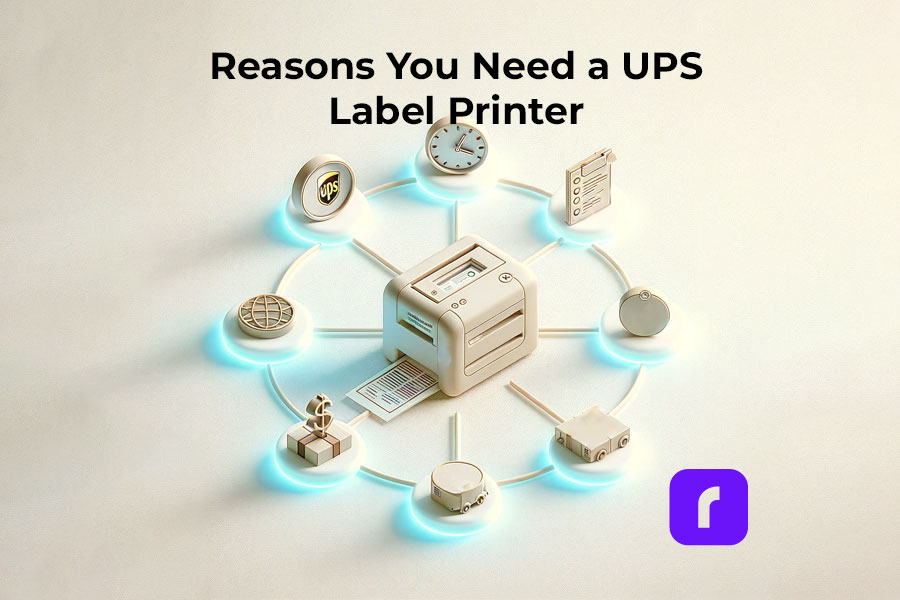
There are several reasons why a person or business might need a label printer for creating UPS shipping labels:
✅ High Volume Shipping: For businesses that ship a large volume of packages, having a dedicated label printer can save a lot of time and streamline the shipping process.
✅ Efficiency: A dedicated label printer is faster and more efficient than using a standard printer, as it doesn’t require loading label sheets into a printer tray, reducing the risk of jams or misprints.
✅ Cost-Effectiveness: Over time, using a dedicated label printer can be more cost-effective than using a standard inkjet or laser printer, especially in terms of ink or toner costs and the cost of label sheets.
✅ Quality and Durability: Labels printed from a dedicated label printer are often more durable and of higher quality, which is important for ensuring that shipping information remains legible during transit.
✅ Convenience: Printing directly onto adhesive labels is more convenient and time-saving, eliminating the need for taping or gluing labels onto packages.
✅ Professional Appearance: Packages with printed labels look more professional, which can be important for businesses wanting to make a good impression on customers.
✅ Integration with Shipping Software: Many label printers can integrate directly with UPS’s shipping software or other shipping platforms, allowing for seamless printing of labels without having to manually enter data or adjust settings.
✅ Space-saving: Dedicated label printers are often more compact and can save valuable workspace compared to using a standard printer for the same task.
✅ Mobility: Some label printers are portable, allowing for label printing at various locations within a facility or even in field operations, which can be crucial for logistics and shipping operations that are not confined to a single space.
✅ Customization: Label printers often offer more options for customizing label size, format, and content, allowing businesses to add branding or specific instructions to their shipping labels.
Having a UPS label printer is particularly beneficial for e-commerce businesses, logistics companies, and any organization that regularly ships goods, as it enhances efficiency, professionalism, and the overall shipping process.
⚠️ UPS Shipment Requirements
UPS requires that UPS shipping labels are printed for all Domestic Air Shipments. Thus, if you are a business or a person shipping regularly within the USA, you will find yourself printing UPS shipping labels a lot.
For domestic shipments via air services, it’s essential to utilize a UPS label generated from an automated shipping system (such as UPS.com or Rollo Ship App) or a UPS Air Shipping Document (ASD). The ASD consolidates your address label, tracking label, and shipping record into a single document. According to UPS, you can obtain specific ASDs for the following services:
UPS Next Day Air® Early
UPS Next Day Air® (also applicable for UPS Worldwide Express®)
UPS Next Day Air Saver®
UPS 2nd Day Air A.M.®
UPS 2nd Day Air®
What Makes a UPS Label Printer Indispensable?
In times when online shopping is the norm, the efficiency of getting orders out the door can set your store apart. Not only for online business owners but for the average shipper. This is where the Rollo Label Printer shines as an indispensable asset.
Rollo Label Printer Features and Advantages
Opting for a Rollo Label Printer, especially the Rollo Wireless UPS Label Printer, brings a suite of benefits to your shipping process:
This device champions direct thermal printing technology. This means eliminating the need for ink or tone. The pro for you as a business – reducing operational costs and increasing reliability.
Rollo’s UPS label printer’s compatibility with both Mac and Windows, without the hassle of installing drivers, streamlines the setup process, making it a straightforward choice for businesses of all sizes.
Choosing the Right UPS Label Printer
Navigating Through UPS Label Printer Options
With a myriad of UPS label printers available, Rollo distinguishes itself by not just being a printer but a comprehensive shipping solution. Its wireless model, in particular, stands out as the best UPS thermal printer for Mac and Windows users alike. To make sure you choose the right one, avoid these common UPS printer buying mistakes. The lack of a driver requirement means you can get your shipping station operational in no time, focusing on what matters most—growing your business.
Rollo Label Printer Setup and Integration
The beauty of the Rollo Label Printer lies in its seamless integration into your shipping workflow. Whether you’re a small online boutique or a burgeoning e-commerce platform, the Rollo Wireless Label Printer’s setup is a breeze. Its intelligent label detection and high-resolution printing capabilities ensure that every label meets UPS’s precise specifications, guaranteeing smooth deliveries and satisfied customers.
Valuable Options for Different Needs
Rollo’s adaptability extends beyond operating systems. Whether you need the mobility provided by a wireless connection or the specific compatibility with Mac or Windows systems, the Rollo Label Printer is designed to cater to your unique business needs. Its efficiency and flexibility make it an unparalleled choice for modern online stores.
Enhancing Your Shipping with Rollo Label Printers
Rollo’s innovative approach to label printing extends beyond mere hardware. The company’s solutions are a testament to its understanding of the e-commerce landscape, offering tools that simplify and optimize the shipping process from start to finish.
Features That Set Rollo Apart
Rollo Label Printers, particularly the wireless model, are designed with the user in mind. They offer:
Direct thermal printing technology: This means you’ll never need to buy ink or toner again. It’s not just cost-effective; it’s also hassle-free.
High-speed printing: Capable of printing one label per second, Rollo printers ensure that even the largest order batches are processed quickly.
Wide compatibility: Whether you’re using a Mac, Windows, or even mobile devices like iPhones and Androids, Rollo printers seamlessly integrate with your preferred platform without the need for additional drivers.
Intelligent label detection: Rollo printers automatically detect and analyze the size and type of label being used, adjusting settings to ensure each label is printed perfectly.
Versatility: Capable of handling a wide range of label sizes, Rollo printers are suited for everything from shipping labels to ID badges, making them a versatile addition to any business.
In the expansive world of e-commerce, aligning your shipping process with both UPS WorldShip® and UPS label printers no matter their brand can significantly streamline operations. It also ensures your packages are dispatched swiftly and accurately. Here’s a distilled guide to seamlessly integrating UPS WorldShip® software with Rollo’s cutting-edge UPS label printers.
Ensure the Rollo USB UPS label printer is connected to power and your PC. (For Rollo Wireless, ensure you are connected to power and Wi-Fi. And you have done the printers’ initial installations.)
🐾 Step 2 ➡️Access WorldShip’s Printing Setup: Open UPS WorldShip®, navigate to the Tools tab, select System Preferences, and then click Printing Setup.
🐾 Step 3 ➡️Adding the Rollo Printer: In the System Preferences Editor, under Printing Setup, enter a printer ID and select Label as the printer type. Then, click Add.
🐾 Step 4 ➡️ Selecting Printer Type: In the Printer Selection window, click Add Printer. For Rollo, choose the “Other” option as the printer type.
🐾 Step 5 ➡️ Installing the Printer: Follow the on-screen prompts to install your Rollo printer. If using a Rollo USB printer, select the appropriate communication port, usually USB001.
🐾 Step 6 ➡️Finalize Setup: After installation, verify the printer settings, ensuring the correct label stock dimensions and printer name are selected. Apply the changes.
🏁 🐾 Step 7 ➡️ Print a Test Label: To ensure everything is set up correctly, print a test label from the Printing Setup tab in WorldShip.
UPS WorldShip® For Rollo Wireless UPS Label Printer:
The beauty of the Rollo Wireless UPS Label Printer lies in its driver-free operation for both Mac and Windows users. Since UPS WorldShip® requires direct communication with printers, those opting for a wireless setup should ensure their network settings allow for seamless interaction with WorldShip software. Although specific driver installation isn’t necessary for the wireless model, ensuring your computer and printer are on the same network is crucial for smooth operation.
✅ 💭 Integration Tips:
Customizing Label Settings: After setting up your printer, take a moment to customize your label settings in WorldShip to match the specific requirements of your Rollo printer. This ensures optimal clarity and formatting for your shipping labels.
Troubleshooting: If you encounter issues during the setup, UPS provides a Support Utility to help identify and resolve printer communication problems, ensuring a smooth integration process.
By following these steps, Rollo users can efficiently integrate their UPS label printers with UPS WorldShip®. Alternatively, you can enjoy the hassle-free, no installation required shipping integration from Rollo – available for Desktop, and as a mobile app totally for free.
Rollo Ship App – A Comprehensive Shipping Solution
The Rollo Ship App is the companion piece to the Rollo UPS label printers, offering a suite of features that make shipping simpler and more cost-effective. With the app, users can:
Automatically import orders from various e-commerce platforms.
Access discounted shipping rates, thanks to Rollo’s negotiations with major carriers like UPS.
Print UPS shipping labels directly from their mobile device or desktop, without the need for a traditional printer setup.
Schedule pickups and track shipments with ease, providing a complete shipping solution that saves time and money.
Looking for UPS Shipping Discounts? Enjoy Big Savings on the Go!
Use the Rollo Ship App on your Desktop or your mobile,
Another Alternative to UPS WorldShip® and Rollo Ship:
Create a Shipping Label via UPS.com either with a profile or as a guest:
🎬 🐾 Step 1 ➡️ Visit UPS.com > Top Left Menu > Shipping > Create Shipment.
🐾 Step 2 ➡️ Input all the required information in the Shipping Form, such as the sender’s name, address, phone, and email along with the recipient’s name and address. Choose if you wish to receive status updates for this shipment.
🐾 Step 3 ➡️ Fill in the details about the package you’re sending and pick the service options that align with your shipping requirements.
🏁 🐾 Step 4 ➡️ Select how you’d like to pay and proceed to print the UPS shipping label.
Maximizing Efficiency and Savings
Cost-Effective Shipping with UPS Label Printers
The question of cost is always at the forefront for online businesses, and Rollo’s solutions are designed with this in mind. By utilizing a UPS label printer like Rollo, businesses can enjoy:
💰 Significant savings on shipping costs, thanks to Rollo’s efficient thermal printing technology and access to discounted rates.
💰 Reduced overhead by eliminating the need for ink, toner, and maintenance associated with traditional printers.
💰 Increased productivity, as Rollo printers and the Rollo Ship App streamline the entire shipping process, allowing businesses to focus on growth and customer satisfaction.
Continuing from the discussion on the efficiency and cost savings offered by Rollo’s innovative shipping solutions, we’ll now explore real-world applications and the significant advantages that Rollo label printers bring to online stores, followed by addressing some of the most common queries through an FAQ section.
Frequently Asked Questionsabout UPS and Rollo’s UPS Label Printers:
📌 Q: Does UPS provide label printers?
💭 A: While UPS does not directly provide label printers, they recommend using high-quality thermal printers for printing their shipping labels. Rollo’s label printers exceed UPS’s requirements, ensuring compatibility and efficiency.
📌 Q: How do I get a free UPS label printer?
💭 A: Though obtaining a “free” UPS label printer might not be straightforward, investing in a Rollo printer is a cost-effective decision. The savings on ink, toner, and time, coupled with discounted shipping rates through the Rollo Ship App, ensure that the printer pays for itself over time.
📌 Q:How do I print labels from UPS?
💭 A: Printing UPS labels with a Rollo printer is a breeze. Once your shipment details are entered into UPS’s online platform or an integrated e-commerce site, simply select your Rollo printer and print. The label will come out crisp, clear, and ready to adhere to your package.
📌 Q:Can I create my own UPS shipping label?
💭 A: Yes, you can create your own UPS shipping label using UPS’s online services or through e-commerce platforms that integrate with UPS. Rollo printers can then print these labels, ensuring they meet UPS’s specifications.
📌 Q:Is it more affordable to use a shipping label printer?
💭 A: Absolutely. Using a shipping label printer like Rollo saves money in the long run. The initial investment is quickly offset by the savings on ink, toner, and maintenance costs associated with traditional printers. Additionally, the Rollo Ship App offers access to discounted shipping rates, further enhancing savings.