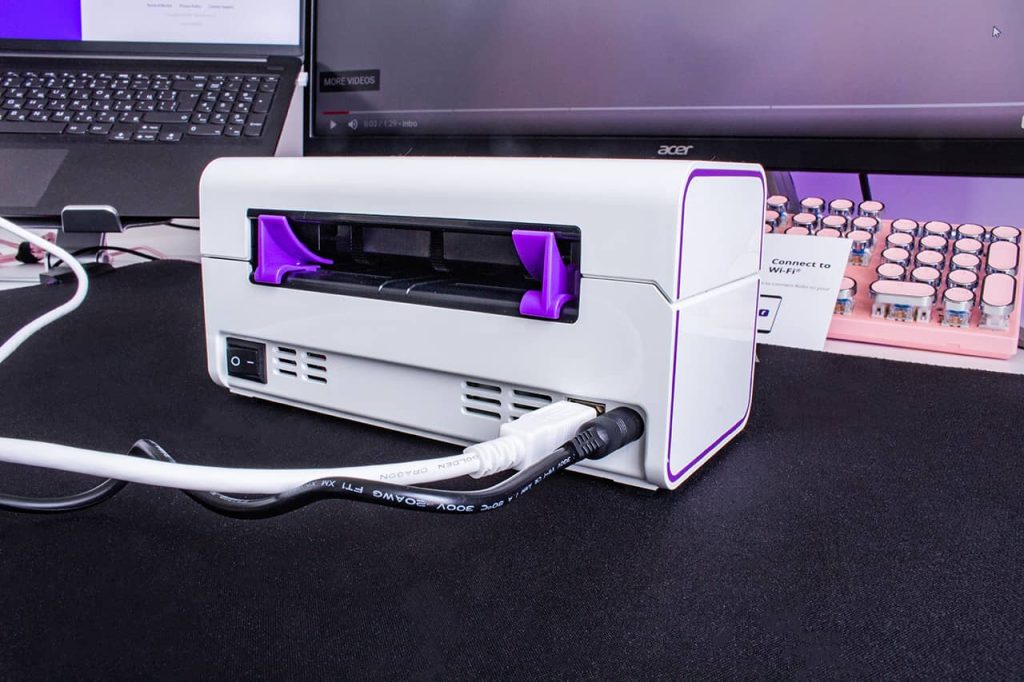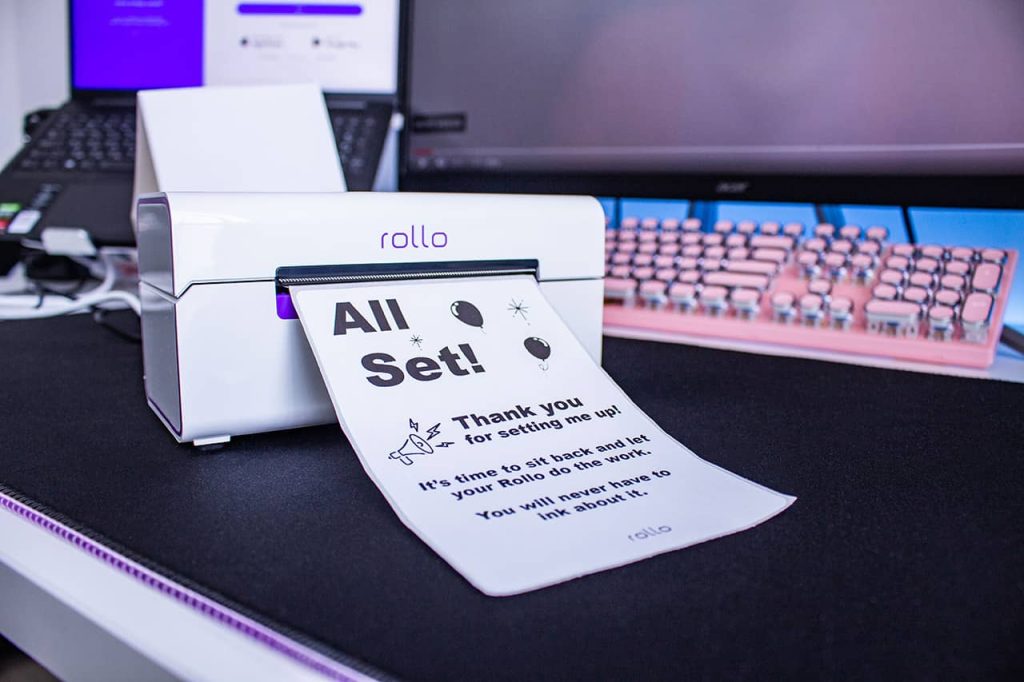
In a world where technology is always evolving, why would you opt for slow, broken-down, ink printers that take up space and leave your pages wet and smudgy? It’s time to upgrade to wireless thermal printing. Thermal printing removes the need for ink and replaces it with fast and easy printing that doesn’t rely on constant cartridge changes and constant upkeep. Instead, heat is applied directly to chemically treated paper that darkens when warmed. They are also much faster than your average printer, with the ability to print one label per second.
There are so many sectors of the workforce that rely on thermal printers every day. From hospitals and labels to warehouses and grocery stores – printing labels, receipts, and documents is part of the daily routine.
On a smaller scale, shipping label printers can be used by virtually anyone, but are especially helpful for those running their own businesses. With wireless thermal label printers, small business owners can print shipping labels from home (or anywhere with WiFi!) quickly and effectively. Specifically with Rollo, it is not only fast and easy but cheap too. Rollo offers shipping discounts, has intelligent label detection (no more wasting time on manually cropping your labels), and is easy to peel and stick labels for all packages.
Want to know more about wireless thermal label printers? Keep reading!
What is a Wireless Thermal Label Printer?
Rather than using ink, toner, and printing ribbons, thermal printing creates a label by means of heat. The thermal print head applies heat to chemically treated label paper that darkens when warmed, creating your desired text or image. More on the depths of thermal printers in this article.
📌 How does Rollo work without ink?
Rollo label printers are direct thermal printers. Thus they utilize direct thermal printing technology – a technique in which the heated print head is applied directly to thermal paper, causing a chemical reaction that turns the label black. This method not only saves money on ink but is also a more eco-friendly approach to printing.
Benefits of Wireless Connectivity in Label Printers
In this day and age we are all well aware of the benefits of wireless connectivity, but what you may not know is the extent to which this technology is beneficial for label printing. Wireless connectivity means no more connecting cables or being tied to your desktop computer and printer. As long as you are within the printer’s range, you can work and print from anywhere. This creates more flexibility and efficiency in the labeling process that previously did not exist.
Wireless thermal label printers (Rollo specifically) are portable, making them easy to pick up and bring to wherever you need them. They can be easily used in homes, offices, warehouses, factories, and pretty much anywhere you can think of that has WiFi.
Advancements in Wireless Thermal Label Printer Technology
☁️ Integration of Cloud-Based Systems
Many of us use cloud-based systems every day on our phones, laptops, and tablets, but did you know that you can also use these systems to enhance your printing experience? Advancements in wireless technology allow you to print from anywhere on any web-connected device, including your computer, laptop, smartphone, and tablet.
🔋Improved battery life and energy efficiency
Wireless thermal label printers are more energy efficient and have an improved battery life to non-wireless printers. They tend to have a longer life in general due to the smaller number of moving parts. Take away the ink ribbons, cartridges, wires, and cables, and there isn’t much left to break.
⏱️Enhanced printing speed and resolution
Because they do not use ink, wireless thermal label printers take milliseconds to print and don’t leave behind any smudge marks like that of ink printers. The resolution of the image is thus much higher and creates a more seamless experience for the user.
The Impact of Wireless Thermal Label Printers on Business Efficiency
Taping labels to packages is a thing of the past. By switching to wireless thermal label printers, users are able to easily peel the label off the sheet and stick it directly onto the package. This saves time and enhances both shipping and logistics operations.

Such printers are also more cost-effective, due to their lower supply and maintenance costs. Thermal printing does not require the purchase of ink ribbons, cartridges, or toner, so the main cost is just the labels themselves. Having fewer moving parts makes them more reliable and durable than traditional printers. Not to mention, they’re more reliable for businesses such as grocery stores and retailers that have a high number of receipts printed on a daily basis.
Wireless thermal label printers not only benefit the business but benefit the customer as well. Using these printers creates a more efficient point-of-sale experience, with faster printing labels and receipts.
Streamlining Warehouse Management and Inventory Tracking
Wireless thermal label printers are not just for printing labels and receipts. They are also of great use when it comes to streamlining warehouse management and inventory tracking. These printers have the ability to print barcodes quickly, wirelessly, and without ink. Barcodes make it simple to track items so you have accurate inventory information and can avoid running out of products. Not to mention, it makes pricing and checkout a breeze.
Mobile Printing Solutions and Their Role in the Industry
The Rise of Mobile Wireless Thermal Label Printers
When it comes to printers, Rollo is unmatched. This high-speed wireless thermal label printer is Airprint enabled and is compatible with Macs, Windows, iPhones, iPads, and Android devices. It is additionally compatible with all marketplaces including Amazon, Etsy, eBay, Shopify, and more. This compact printer requires no ink or toner, has intelligent label detection (no need to manually crop your labels), and can print about 650,000 shipping labels (327,360 ft)!
Mobile Printing in Various Industries
Mobile printing benefits a wide range of industries and serves several purposes:
🏥 Hospitals and labs: print important documents and label patient samples
🏪 Grocery stores and retail: quickly print receipts and keep track of inventory with printed barcode labels
🏭 Warehouses and manufacturers: keep track of inventory with barcode labels and clearly identify samples when pulled for inspections
📦 Couriers and shipping industry: easily print delivery labels and receipts, pick up notices, documents, etc.
🛒 Small businesses: print shipping labels from home (or anywhere with WiFi!)
Benefits and Limitations of Mobile Printing Solutions
Benefits:
✅ Increases productivity and workflow
✅ Faster printing capabilities
✅ Improved customer service
✅ No ink, toner, or cartridges
✅ No ink smudges
✅ Compact and compatible with most devices
✅ Print from anywhere
✅ Faster and more flexible than traditional printers
Limitations:
⛔ Can only print in black
⛔ May not be able to handle large printing jobs
⛔ Print quality may not match that of a traditional printer
Sustainability and the Wireless Thermal Label Printer Industry
Addressing Environmental Concerns with Eco-Friendly Materials
Now more than ever it is vital to be making more eco-conscious decisions when it comes to what you buy (and how you print). Unlike laserjet printing, thermal printing saves on ink, paper, and electricity. Thermal printers do not use ink and toner so there is no need to constantly be purchasing and discarding cartridges that pollute the environment.
In addition, wireless thermal label printers are more eco-friendly because they use less electricity than traditional printers. While traditional printers must be plugged into a power source and printed via a desktop, wireless thermal label printers are not plugged in and can print from your phone, laptop, or tablet. Wireless thermal label printers print much faster than traditional printing which saves on power and electricity as well.
Rollo labels are eco-friendly and FSC Certified, which is the gold standard designation for wood harvested from forests that are responsibly managed, socially beneficial, environmentally conscious, and economically viable. Using these labels and wireless thermal printing also saves on paper because the labels are precise and sized while laser printers typically use the entire 8.5×11 sheet whether or not it is actually necessary.
Along with the labels being FSC Certified, Rollo offers refurbished products that are backed by a six-month warranty. Rather than discarding returned products, the company ensures that the printers are up to standard and sells them at a lower price point – eliminating potential waste and giving the printers a second “life”.
Wireless Connectivity and Rollo: How Do They Work Together?
With the evolution of wireless technology, the use of wireless thermal label printers like Rollo is becoming increasingly popular. Not only is Rollo fast, easy, and economical, but it also offers shipping discounts, intelligent label detection, and easy-to-peel-and-stick labels for all packages. These features are great, but one might wonder:
📌 How Does Rollo Connect to Wi-Fi?
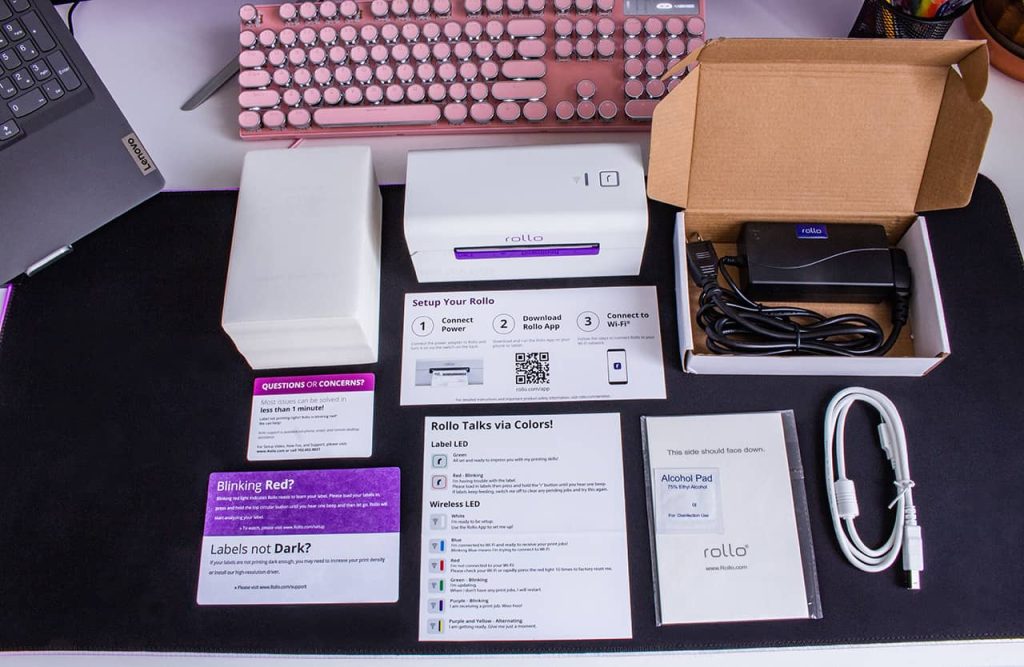
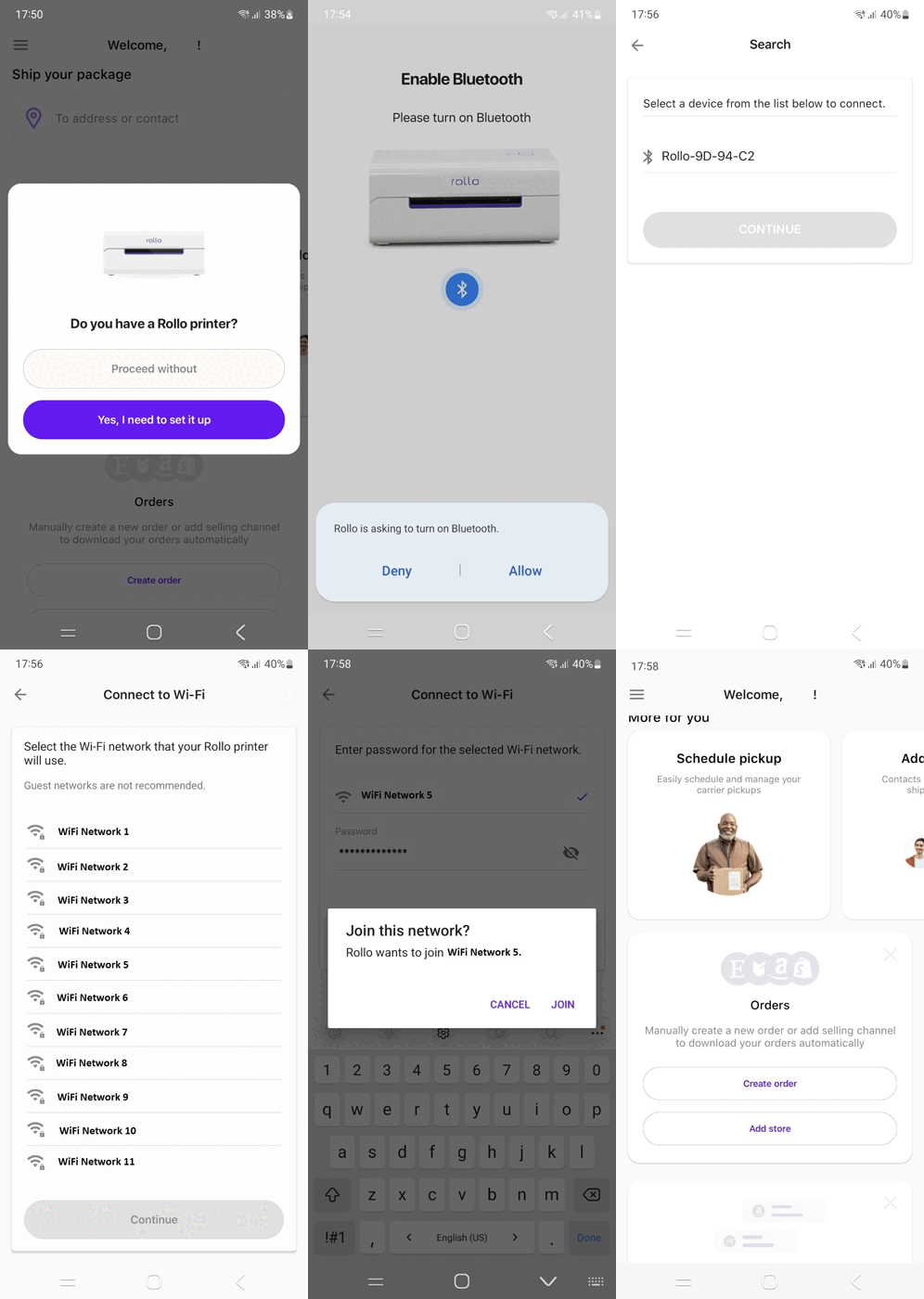
To connect your Rollo wireless printer to Wi-Fi, first turn on your Rollo wireless thermal label printer and feed labels in from the back. Then, turn the Bluetooth on your phone and download the Rollo app. Wait for your phone to discover the printer. After your phone recognizes your Rollo, select your WiFi network and you’re all set to print. As a reminder, this setup can be done from anywhere within your WiFi’s range.
For convenience, you can refer to the setup guide or this article exploring a setup experience.
Now, you might be asking:
📌 Can you print wirelessly with Rollo?
Absolutely! The convenience of Rollo is that it allows you to print wirelessly, giving you more flexibility and efficiency in your label printing process. Whether you are a small business owner running your operations from home or a large business, wireless printing can make your work much smoother.
However, it’s also essential to address this common question:
📌 Does Rollo need wifi?
To print wirelessly, yes, Rollo does need WiFi. Without a WiFi connection, you wouldn’t be able to print wirelessly. But don’t worry, if you don’t have WiFi, Rollo can also be connected directly to your computer through a USB.
Bluetooth Capability in Wireless Thermal Label Printers
When it comes to wireless printing, a question often asked is:
📌 Do all wireless printers have Bluetooth?
While many wireless printers do incorporate Bluetooth technology to facilitate easy printing from various devices, not all do. The technology used in wireless printers can vary depending on the model and the brand.
Now, how about Rollo?
📌 Does Rollo have Bluetooth?
Rollo printers do not come with Bluetooth capability. However, Rollo wireless thermal label printers utilize Bluetooth during their setup process. Rollo shipping label printers also use Wi-Fi for their wireless printing, which allows a broad range of connectivity.
Wireless thermal printing is indeed the future of printing, with Rollo being a prime example of the benefits of this technology. Whether you’re managing a large warehouse or running a small business from your home, wireless thermal printers like Rollo can significantly improve your efficiency, cost-effectiveness, and convenience in label printing. To ensure you get the most out of your Rollo wireless thermal label printer, remember to maintain a secure Wi-Fi connection and follow the proper setup process.
Security and Privacy Concerns in Wireless Thermal Label Printing
Potential Risks Associated with Wireless Connectivity
As with anything that works off of WiFi, there are some risks associated with wireless printing. Wireless printers are connected to your network, and if left unsecured, a hacker can gain access to your printer, steal sensitive information you have printed, and distribute malware to your devices.
Best Practices for Securing Wireless Printing Networks
In order to secure your wireless printing network, you should always use a secure WiFi network, strong passwords, enable encryption, and hide the network name (SSID). Ensuring that your network is set up to only allow authorized users and devices to connect also helps prevent hackers from gaining access to your printer and devices.
Keeping your printer firmware up to date allows your printer to avoid vulnerabilities. You should also regularly check your print logs in order to detect any suspicious activity on your printer.
The Role of Software and Apps in Wireless Thermal Label Printing
There are plenty of mobile apps for seamless printing, but not all apps are created equal. The Rollo app is the user-friendly printing app of your dreams. Setup and usage are quick and painless so you can focus more on selling and shipping.
Rollo App Set Up:
- Download the Rollo App: www.rollo.com/app
- Turn on your Rollo and feed labels in from the back.
- Wait for your phone to discover the printer.
- Select your WiFi network.
- Click on “Test Print” and voila! You’re ready to start printing.
Rollo Ship App:
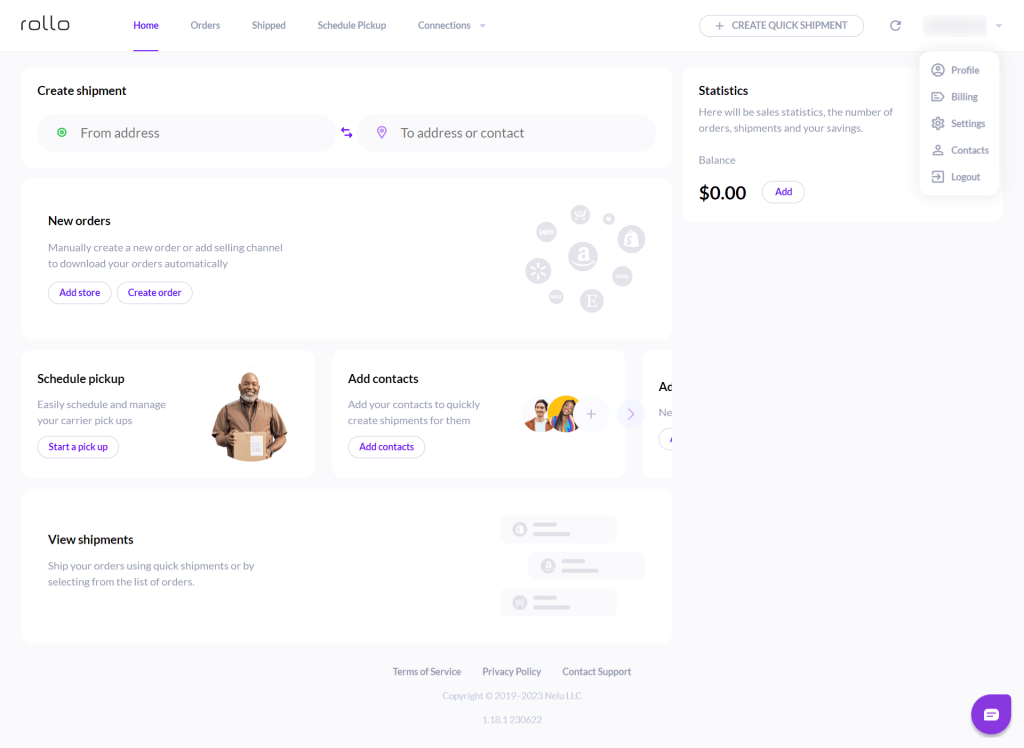
- Open the Rollo Ship App to see orders.
- Compare shipping options, click the desired option, and hit “Print”.
- Schedule pickup (no more trips to the post office)!
Rollo Integrations
The Rollo Wireless Thermal Printer has incredible integration abilities. Not only does it work with Rollo Ship App, it works with platforms including (but not limited to): Shopify, Etsy, PayPal, eBay, Amazon, ShipStation, UPS, USPS, FedEx Ship Manager, Poshmark, and many more.
THE ROLLO WIRELESS THERMAL LABEL PRINTER IS AN INVESTMENT WORTH BUYING.
Go Wireless.
Print Labels Sustainably.
The Future of the Wireless Thermal Label Printer Industry
Wireless thermal label printers are created with relatively new technology, so where do they go from here? It is predicted that the wireless thermal label printer industry will continue to gain popularity in the coming years. People want efficiency and mobility, and these printers do just that. They are more compact, durable, and overall cheaper than the laser printers we’ve all been using for years.
The development and use of 5G have only helped the growth of the wireless industry. 5G is a network that connects everything and everyone virtually, making the need for cables “virtually” useless when it comes to thermal printing.
Thermal printers will be expanding applications in new industries and markets, far from just grocery and retail stores. They will continue to be great tools for managing inventory on larger and larger scales as well as being used in hospitals, dental offices, etc. for labels and documents.
Follow Rollo on:
Frequently Asked Questions about Wireless Thermal Label Printers
📌Q: Is a wireless thermal label printer better than a USB thermal label printer?
A: A wireless thermal label printer does not require any cables, has both WiFi and USB connectivity capabilities, works with desktops, phones, laptops, iPads, etc., and has over-the-air updates. A USB thermal label printer only has USB connectivity capabilities, only works with desktop computers, and does not have over-the-air updates.
📌 Q: Is a label printer the same as a thermal printer?
Short Answer: ❌ No.
A: A traditional label printer requires the use of ink, toner, and printing ribbons making it more expensive, harder to maintain, and less eco-friendly than a thermal printer. A thermal printer does not require any of the above materials, thus making it easier to operate and maintain. For this reason, thermal printers are also more cost-effective and eco-friendly.
📌 Q: Can you connect the label printer to iPad?
Short Answer: ✅ Yes.
A: You can connect a label printer to an iPad, provided the printer is compatible with AirPrint or offers its own app for iOS devices. Note that the Rollo Wireless Label Printer is AirPrint certified. Keep in mind that compatibility can vary across different printer models, so you should confirm this with the specific printer’s documentation.
📌 Q: Can you use a thermal printer with an iPad?
A: Similarly, you can use a thermal printer with an iPad, as long as the thermal printer supports wireless printing through either AirPrint or a dedicated iOS application. It is absolutely possible with Rollo. Always check the printer’s specifications or user manual for details on device compatibility.