Rollo

Tag: Rollo label printer

  • USPS Priority Mail: Your Guide to Stress-Free Shipping

    USPS Priority Mail: Your Guide to Stress-Free Shipping

    Shipping can feel like a puzzle sometimes, right? You’ve got tight deadlines, budget constraints, and customers who expect their packages yesterday. Whether you’re an online seller or running a small business, finding a reliable shipping option that balances speed and cost is no small task. That’s where USPS Priority Mail comes in—a service designed to simplify your shipping process without compromising on efficiency or affordability.

    In this guide, we’ll break down everything you need to know about USPS Priority Mail. From its standout features to pricing options and insider tips for getting the most out of it, we’ve got you covered. And because we know running a business isn’t easy, we’ll show you how Rollo’s tools can make your shipping process even smoother. Let’s dive in.

    What Is USPS Priority Mail?

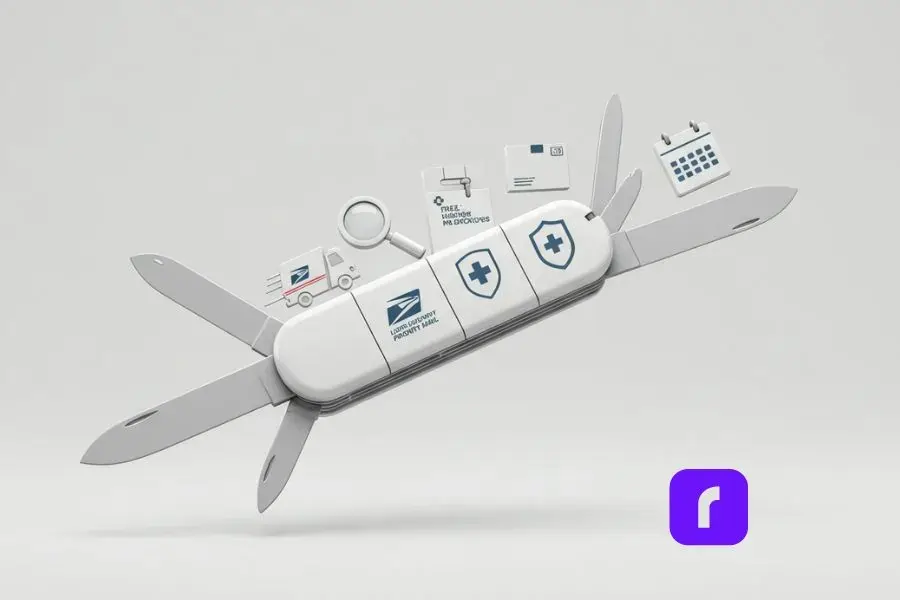
    Stylized, minimalist Swiss Army knife representing USPS Priority Mail features, with blades depicting a delivery truck for speed, magnifying glass for tracking, shield for insurance, box for free supplies, and calendar for convenient pickups, set against a light, serene background with subtle 3D effects.

    USPS Priority Mail is like the Swiss Army knife of shipping services. It’s versatile, fast, and packed with features that make it a favorite for businesses and individuals alike. Here’s what you need to know:

    Key Features

    • 🚀 Speed: Packages typically arrive in 1–3 business days, making it perfect for time-sensitive shipments.
    • 🔍 Tracking: Free tracking is included with every shipment, so you and your customers can keep tabs on delivery progress.
    • 🛡️ Insurance: USPS provides $100 of insurance for domestic shipments, giving you peace of mind.
    • 📦 Free Supplies: Need boxes or envelopes? USPS offers free Priority Mail supplies, which you can order online or pick up at your local post office.
    • 🚛 Convenient Pickup: Save yourself a trip by scheduling a free package pickup at your home or office.

    Benefits for Small Businesses

    Priority Mail is a lifeline for small businesses. Its affordability, reliable delivery times, and nationwide coverage—including APO, FPO, and DPO addresses—help you meet customer expectations without breaking the bank. Combine that with the ability to use Flat Rate shipping (more on that soon), and you’ve got a service built to simplify your life.

    USPS Priority Mail Options
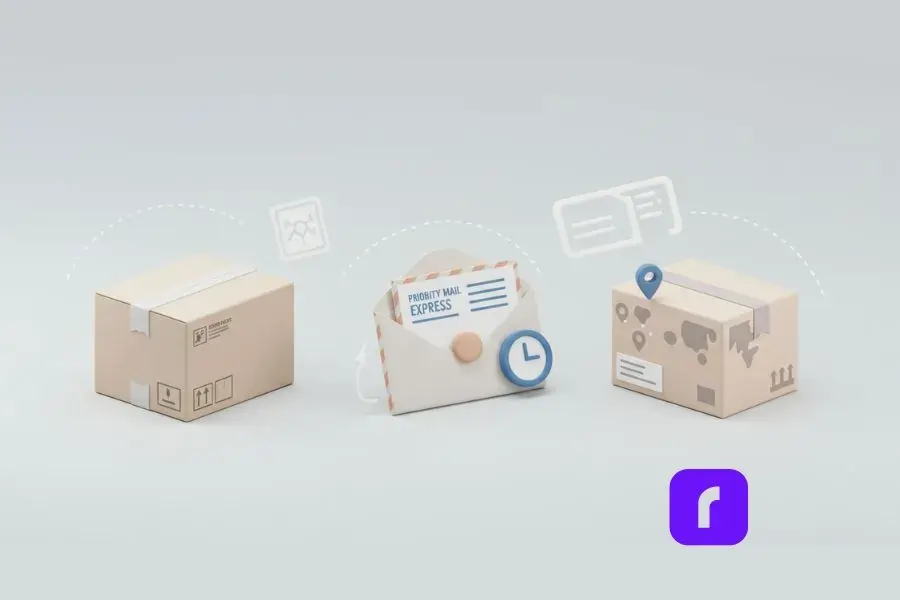
    Minimalist illustration of USPS Priority Mail options: a flat-rate box with a price tag, a padded envelope with a clock for express delivery, and a regional rate box with a map overlay, symbolizing flexible shipping solutions.

    One size doesn’t always fit all, and USPS Priority Mail gets that. They offer multiple options tailored to different shipping needs:

    Flat Rate Shipping

    Flat Rate is a game-changer. You pay a fixed price regardless of weight (up to 70 lbs) or destination. It’s perfect for heavy items or when you don’t want to stress over weight calculations. For example:

    • 📚 Medium Flat Rate Box: Costs $17.10 and fits items like books, clothing, or small gadgets.
    • ✉️ Padded Flat Rate Envelope: Costs $9.65 and is ideal for documents or small accessories.

    Priority Mail Express

    Need it there yesterday? Priority Mail Express offers overnight delivery to most U.S. locations with a money-back guarantee. While it’s pricier than regular Priority Mail, it’s worth it for last-minute orders or urgent shipments. Learn more about USPS Priority Mail Express delivering fast, guaranteed shipping year-round.

    Weight-Based and Regional Rate Options

    If your shipments don’t fit the Flat Rate mold, weight-based pricing is available. Additionally, Regional Rate boxes can save you money for shorter-distance deliveries.

    Pricing: Save More with USPS Priority Mail

    Pricing can get tricky in shipping, but USPS Priority Mail keeps things relatively straightforward. Here’s how to navigate it:

    Flat Rate vs. Weight-Based Pricing

    • 🏷️ Flat Rate: Perfect for heavy packages. The price stays the same no matter the distance.
    • ⚖️ Weight-Based: Costs are calculated based on the package weight and the distance it travels (a.k.a. zone pricing).

    Pro Tip: Use the USPS Price Calculator to compare costs and choose the most affordable option for your shipment.

    Commercial Rates for Businesses

    If you ship frequently, you can access discounted commercial rates by creating a free USPS account or using a service like Click-N-Ship. Businesses that ship at scale can save even more with tools like the Business Rate Card.

    Tips for Optimizing USPS Priority Mail
    Shipping efficiently is an art. Here’s how to make USPS Priority Mail work harder for you:

    Pack Smart

    • 📦 Free USPS Boxes: Use USPS’s free boxes and envelopes to save on packaging costs.
    • ✂️ Dimensional Weight Optimization: Pack strategically to minimize dimensional weight fees for larger packages.

    Schedule Free Pickups

    Save time by scheduling a free package pickup. It’s easy to do on the USPS website, and it means fewer trips to the post office.

    Streamline with Rollo’s Tools

    Printing labels can be a hassle—unless you have Rollo. With Rollo’s wireless label printer, you can print professional labels in seconds. Pair it with the Rollo Ship app, which integrates with USPS to compare shipping rates and streamline your workflow.

    A Step-by-Step Guide to Shipping with USPS Priority Mail

    USPS Priority Mail offers small businesses an easy-to-use, efficient shipping solution. The flowchart below illustrates a streamlined process to maximize the benefits of this service. Follow these steps to ensure your shipping operations are as seamless as possible:

    Choose Your USPS Service
    Select the service that fits your needs: Flat Rate for heavy items, Weight-Based for oversized packages, or Regional Rate for shorter distances.

    Select Packaging
    Save on costs with free USPS boxes or use your own branded packaging to enhance your business’s image.
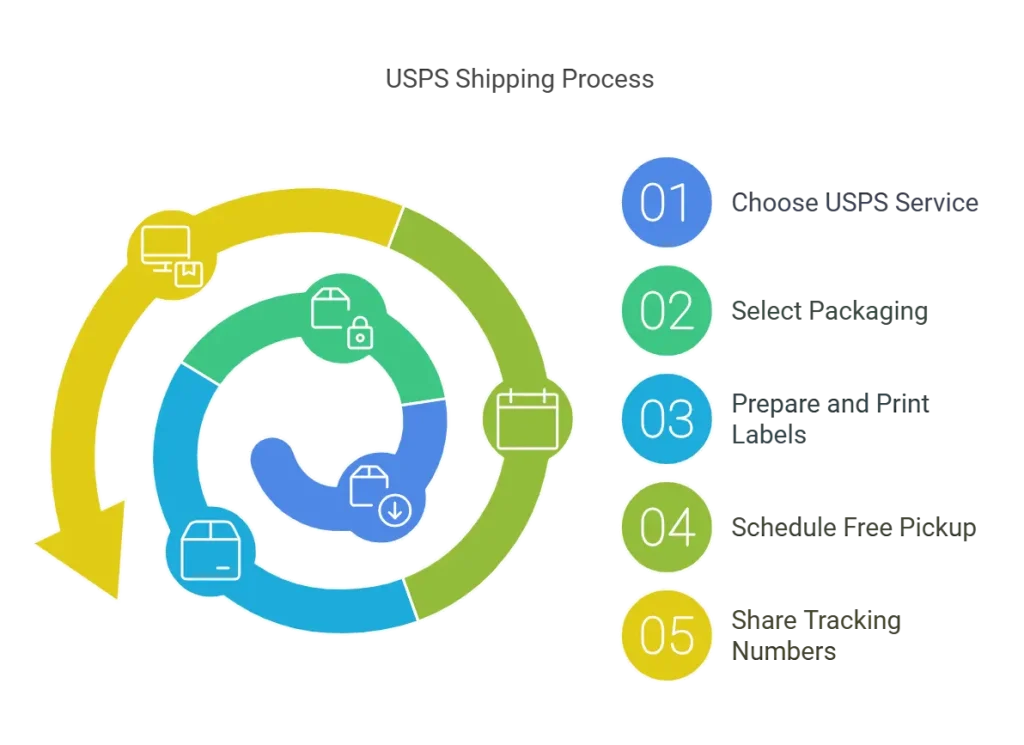
    flowchart of USPS priority mail shipping process.

    Prepare and Print Labels
    Print professional labels easily with tools like the Rollo wireless label printer to simplify and speed up the process.

    Schedule Free Pickups
    Avoid post office trips by scheduling free package pickups through USPS or the Rollo Ship app.

    Share Tracking Numbers
    Enhance customer satisfaction by sharing tracking numbers included with every USPS Priority Mail shipment.

    The process, as shown in the flowchart, highlights how businesses can take advantage of USPS Priority Mail’s features to simplify operations and improve customer experience. By following these steps, you’ll save time, reduce costs, and streamline your workflow.

    Rollo and USPS: A Smart Business Solution
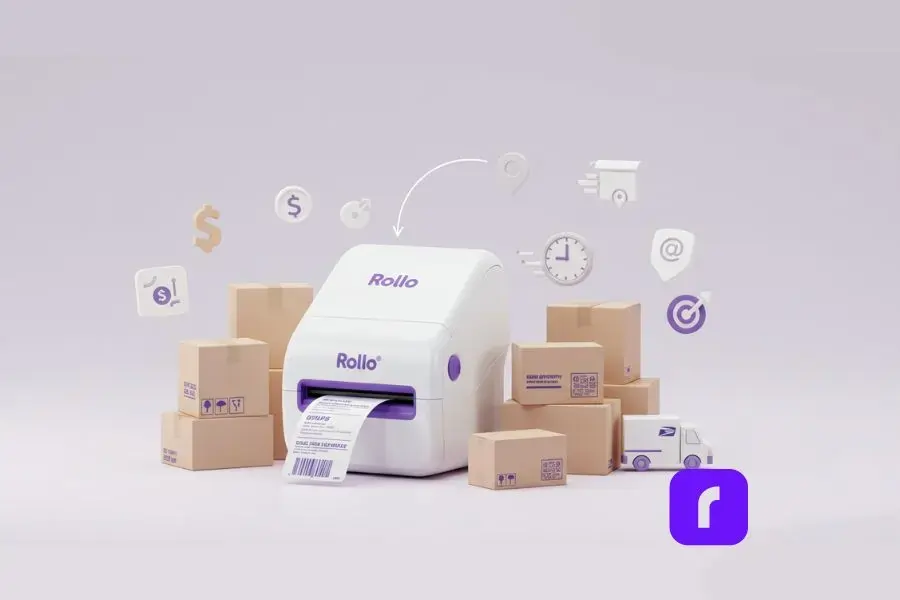
    Shipping doesn’t have to be complicated—or expensive. With Rollo Ship, you can unlock phenomenal savings on USPS Priority Mail, making it an even better choice for online sellers and small businesses. Here’s how Rollo Ship takes USPS Priority Mail to the next level:

    Save Big with Rollo Ship

    USPS Priority Mail is already known for its reliable delivery, free tracking, and included insurance. But did you know you can save up to 88% on USPS Priority Mail rates by using Rollo Ship? Signing up is free, and it gives you access to commercial pricing normally reserved for large-scale shippers.

    What does that mean for your business?

    • 🤑 Lower shipping costs = better margins.
    • 😊 Competitive pricing = happier customers.

    Whether you’re shipping a few orders a week or hundreds each month, those savings add up quickly.

    Seamless Shipping with Rollo Ship

    Rollo Ship doesn’t just save you money—it simplifies your entire shipping process.

    • 🚛 Free Package Pickup: Schedule USPS pickups directly through Rollo Ship, saving you time and hassle.
    • 🖨️ Easy Label Printing: Generate and print USPS labels in seconds using Rollo’s wireless label printer.
    • 🛒 Marketplace Integration: Connect your e-commerce platforms to Rollo Ship to manage all your orders in one place.

    Flexible Options for Every Shipment

    Rollo Ship supports all three USPS Priority Mail services, helping you choose the best option for each shipment:

    1. 📦 Priority Mail Cubic: Perfect for small, dense packages. Cubic pricing is exclusive to commercial accounts like Rollo Ship and can save you a bundle.
    2. 🏷️ Weight-Based Priority Mail: Great for larger packages that don’t fit Flat Rate boxes. Just watch for dimensional weight fees on oversized items.
    3. 📬 Priority Mail Flat Rate: Best for heavy items that fit neatly into Flat Rate boxes or envelopes.

    Bonus Tip: 🛍️ Use your own boxes or mailers with Rollo Ship to save more on weight-based shipping. Need smaller packaging? Rollo sells bubble mailers and polymailers, perfect for compact items.

    Why Choose Rollo Ship for USPS Priority Mail?

    Rollo Ship makes shipping fast, easy, and affordable, with features that are perfect for businesses of all sizes:

    • 💰 Affordable Shipping: Save up to 88% on USPS Priority Mail rates.
    • ⏱️ Speed & Reliability: Deliver packages in 1–3 business days with full tracking included.
    • 🛠️ Streamlined Process: From generating labels to scheduling pickups, Rollo Ship puts everything you need in one place.

    Whether you’re a small business shipping handmade products or a growing e-commerce brand managing high order volumes, Rollo Ship gives you the tools to ship smarter, not harder.

    Practical Scenarios of USPS Priority Mail
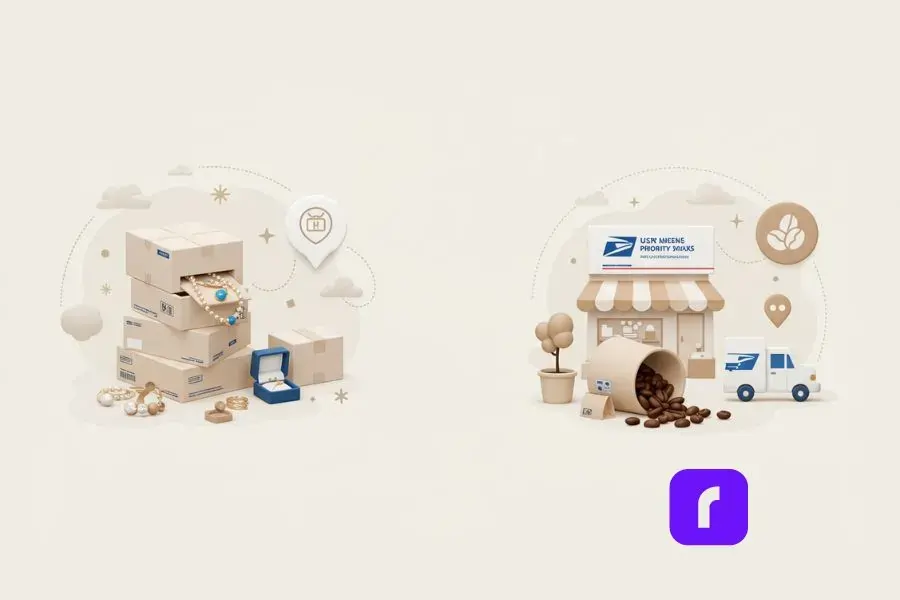
    Illustration showcasing two USPS Priority Mail scenarios: a stack of Medium Flat Rate Boxes with jewelry spilling out for holiday shipping efficiency, and a small coffee shop setup with coffee beans spilling from a bag next to a delivery truck, representing free daily pickups for a coffee business. Minimalist design with soft tones and USPS branding.

    Streamlining Holiday Shipping

    An online boutique selling handmade jewelry uses Medium Flat Rate Boxes to ship nationwide. By pairing USPS Priority Mail with Rollo’s label printer, they cut their shipping prep time in half during the holiday rush.

    Saving Time with Free Pickups

    A small business owner selling coffee beans schedules daily free package pickups. No more standing in long post office lines—it’s a game-changer.

    Final Words

    USPS Priority Mail isn’t just a shipping service; it’s a solution to many of the challenges online sellers and small businesses face every day. With features like Flat Rate pricing, free supplies, and reliable delivery, it’s no wonder so many businesses rely on it.

    Want to make your shipping even easier? Try Rollo’s wireless label printer and Rollo Ship app to save time, reduce errors, and keep your business running smoothly. Ready to simplify your shipping process? Start today!


    Follow Rollo on:

    Frequently Asked Questions About USPS Priority Mail

    📌 Q: How long does USPS Priority Mail take?

    💭 A: USPS Priority Mail delivers in 1–3 business days, depending on the origin and destination.


    📌 Q: Does USPS Priority Mail include tracking?

    💭 A: Yes, every shipment includes free tracking, so you can monitor your package in real-time.


    📌 Q: What’s the difference between Priority Mail and Priority Mail Express?

    💭 A: Priority Mail delivers in 1–3 days, while Express offers overnight delivery with a money-back guarantee.


    📌 Q: Can I schedule free package pickups for USPS Priority Mail?
    💭 A: Absolutely! You can schedule pickups directly on the USPS website at no extra cost.

  • Indie Author’s Choice: USPS Media Mail for Shipping Books

    Indie Author’s Choice: USPS Media Mail for Shipping Books

    Are you an indie author looking to get your books into readers’ hands without breaking the bank on shipping? If so, you’ve likely run into the challenge of balancing affordability with reliability. Shipping costs can quickly add up, especially for heavy items like books, making it tough to keep profits up while providing a great customer experience. That’s where USPS media mail comes in.

    In this article, we’ll explore why indie authors love USPS media mail, how it helps save on shipping costs, and tips for making the most of this budget-friendly option. Whether you’re new to shipping or looking for ways to optimize your process, this guide has you covered. Let’s dive into the details and discover how you can keep more of your hard-earned royalties while ensuring your books reach readers safely and efficiently.

    What Is USPS Media Mail?

    What is USPS Media Mail?

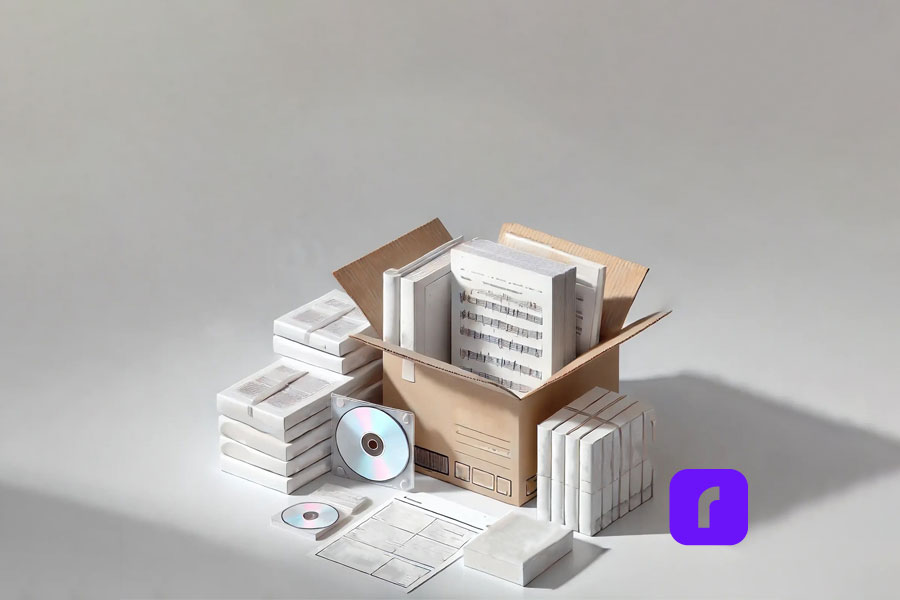
    USPS Media Mail is a special mailing service, by the United States Postal Service, designed for educational materials, including books (at least 8 pages), printed music, sound and video recordings (such as CDs/DVDs), play scripts, and manuscripts, 16-mm films, loose-leaf pages with binders and other related media.

    The primary appeal of Media Mail is its affordability, as it allows shippers to send heavy packages at significantly reduced rates compared to other services like Priority Mail. To ensure you follow all requirements, it’s important to review the USPS Media Mail Guidelines.

    For indie authors, this is a game-changer. If you’re sending out signed copies or handling direct sales, Media Mail allows you to ship books at a lower cost, keeping more of your earnings. It’s ideal for shipments that don’t need to arrive immediately but still need to reach readers safely and reliably.

    The Benefits of Media Mail for Shipping Books as an Indie Author

    A Cost-Effective Way to Ship Books and More

    One of Media Mail’s biggest advantages is the savings it offers. While Priority Mail charges based on both weight and distance, Media Mail calculates postage mainly by weight, making it ideal for shipping heavy items like books.

    For instance, a 1-pound package starts at $4.63 with Media Mail, while a 2-pound package costs around $5.38. In comparison, the same package could cost nearly double with Priority Mail, depending on distance.

    These savings add up, especially for authors sending out multiple copies or handling pre-orders. By saving on shipping costs, indie authors can offer more competitive pricing or even add free shipping promotions without sacrificing their profit margins.

    Simplified Process for Small Businesses

    Media Mail is also easier to navigate than many might think. By using USPS-approved packaging and following the guidelines for eligible materials, authors can take advantage of this affordable shipping option with minimal hassle. However, one common challenge is labeling and purchasing postage, especially for those new to selling and shipping books.

    This is where Rollo comes in. Rollo’s wireless label printer, combined with Rollo Ship App, simplifies the process by allowing authors to purchase postage, print USPS shipping labels, and track shipments—all from one platform. This solution helps authors focus on what they love most: writing and connecting with readers.

    How Much Does It Cost to Ship USPS Media Mail?

    The cost of Shipping with USPS Media Mail

    Breaking Down USPS Media Mail Costs

    USPS Media Mail rates start at $4.63 for packages weighing up to 1 pound, with each additional pound adding approximately $0.75 to the total cost. For the most accurate pricing, sign in to the Rollo Ship App and take advantage of the shipping discounts negotiated by Rollo. Additionally, schedule a USPS pickup for your shipments. Here’s an updated media mail rate pricing table for 2024. Keep in mind, that the accuracy can be updated and USPS reserves the right to change the pricing.

    Weight (lbs)Media MailPriority Mail
    1$4.63$8.55
    2$5.38$9.65
    5$7.63$14.25
    10$11.38$20.00
    15$15.13$30.00

    Media Mail allows packages up to 70 pounds, making it an excellent option for shipping bulkier items like books or large orders of educational materials. While delivery times can range from 2 to 10 days, the cost savings can be significant when compared to faster services like Priority Mail.

    With Rollo Ship, indie authors can easily calculate and print the correct postage from home, ensuring they always meet USPS guidelines without needing a trip to the post office.

    How to Use USPS Media Mail Effectively

    How to Use USPS Media Mail

    Packaging and Labeling Tips

    Proper packaging is essential to ensure that books arrive in perfect condition. For Media Mail, use sturdy boxes or padded envelopes, and secure items with bubble wrap to prevent damage. Make sure to include a return address and label the package clearly with the recipient’s address.

    With Rollo’s wireless label printer, you can print high-quality labels directly from your home or office. This makes it easy to ensure that your packages are properly labeled and ready for shipment. Rollo’s system is compatible with USPS, so you can trust that your labels will meet postal standards.

    Avoiding Common Mistakes with USPS Media Mail

    USPS Media Mail comes with specific restrictions, such as the prohibition of including non-media items like bookmarks or promotional flyers. Violating these rules could result in your package being reclassified, which means additional charges. By double-checking package contents and using the right materials, authors can avoid delays or unexpected fees.

    Comparing USPS Media Mail Shipping to Other Options

    USPS Media Mail vs Other Shipping Options

    Media Mail vs. Priority Mail: Which Is Right for You?

    While Media Mail is the cheapest option for shipping books, it’s not always the fastest. Delivery times for Media Mail typically range from 2 to 10 days, depending on the destination. In contrast, Priority Mail offers faster delivery, usually within 1 to 3 days, but at a higher cost.

    If you’re sending out pre-orders or need to ensure a book arrives quickly, it may be worth investing in Priority Mail. However, for regular shipments where speed is not a priority, Media Mail’s cost savings make it the better choice. Rollo Ship makes switching between these services simple, allowing authors to choose the best option for each order.

    Rollo Packaging Options for USPS Media Mail

    When shipping books and media items with USPS Media Mail, choosing the right packaging can make a big difference in ensuring your items arrive safely. Rollo offers high-quality packaging solutions that are ideal for Media Mail shipments, including poly mailers and bubble mailers.

    • 💜 Poly Mailers: Rollo’s bright purple “This One’s For You” poly mailers are strong, water-resistant, and come with a simple peel-and-seal feature. They’re a lightweight option that helps keep shipping costs down while providing protection for non-fragile media items like books or printed materials. Available in packs of 50, these mailers add a professional and fun touch to your packaging.
    • 🛡️ Bubble Mailers: For items that need extra cushioning, Rollo’s “This One’s For You” bubble mailers are lined with air-filled bubbles to protect your media during transit. These mailers are especially useful for delicate items like CDs, DVDs, or hardcover books that require a bit more protection. Like the poly mailers, they feature an easy peel-and-seal design, ensuring quick and efficient packaging. Packs of 25 make it easy to stock up and save.

    By using Rollo’s poly or bubble mailers, indie authors can ensure their shipments meet USPS Media Mail guidelines while adding a touch of brand flair to every package. Plus, the lightweight design helps maintain lower shipping costs, keeping more of your earnings in your pocket.

    @rollo Have USPS come to you! Easily schedule package pickups with the #rolloapp 📦. Every business owner says this was something they wish they knew when starting their business. The best way to save time on a busy shipping day and utilize shipping tools that are free to you! #usps #uspsshipping #shippingtip #cheapshipping ♬ sonido original – BOJORQUEZ

    Final Words

    USPS Media Mail offers a budget-friendly way for indie authors to ship books and other educational materials, making it an ideal choice for those looking to maximize their profits while reaching more readers. By understanding Media Mail’s guidelines, leveraging its cost advantages, and using the right packaging, authors can enjoy significant savings on shipping.

    Rollo is here to make that process even smoother. With Rollo’s wireless label printer and Rollo Ship, you can streamline every step, from printing postage to tracking packages—all from the comfort of your workspace. Ready to transform how you handle shipping?


    Follow Rollo on:


    Frequently Asked Questions About USPS Medial Mail

    📌 Q: What Items Qualify for USPS Media Mail?

    💭 A: USPS Media Mail allows you to ship specific items at reduced rates, including books with at least eight pages, printed educational materials, sound recordings (like CDs and vinyl records), video recordings (such as DVDs), playscripts, manuscripts, printed sheet music, and computer-readable media containing educational content. It also covers printed test materials and loose-leaf medical pages for educational use. Be sure to include only eligible items to avoid additional charges.


    📌 Q: How Much Does USPS Media Mail Cost?

    💭 A: USPS Media Mail starts at $4.63 for packages weighing up to 1 pound, with rates increasing by about $0.75 for each additional pound. For example, a 5-pound package costs $7.63, and a 10-pound package costs $11.38. Media Mail allows for a maximum weight of 70 pounds, making it ideal for sending heavier items like books at a lower cost. While delivery times are longer (2-10 days), the savings can be substantial compared to faster options like Priority Mail.


    📌 Q: How Long Does USPS Media Mail Take to Arrive?

    💭 A: USPS Media Mail typically takes 2-8 business days for delivery, depending on the destination and other factors like postal volume. While this is slower compared to Priority Mail (1-3 days) or First-Class Mail (1-3 days), it offers significant cost savings. However, Media Mail packages are subject to inspection by USPS, which can occasionally cause delays. If speed is a priority, consider using faster services like Priority Mail. Media Mail is best for non-urgent shipments where affordability is more important than delivery speed.


    📌 Q: Can I Include Non-Media Items in a USPS Media Mail Package?

    💭 A: No, non-media items cannot be included in a USPS Media Mail package. Media Mail is strictly for specific educational and media materials such as books (with at least 8 pages), CDs, DVDs, printed music, and educational charts. Items like personal notes, advertising materials, clothing, or blank media (e.g., empty journals, blank CDs) are prohibited. Including ineligible items may result in USPS reclassifying the package and charging higher postage rates. USPS reserves the right to inspect Media Mail packages to ensure compliance, so it’s best to include only qualifying items.


    📌 Q: How Does the USPS Inspect Media Mail Packages for Compliance?

    💭 A: USPS reserves the right to open and inspect Media Mail packages, and such inspection is performed to ensure compliance with content guidelines. These inspections are conducted randomly, with postal employees checking that only approved items—like books, printed educational materials, and media—are included. Prohibited items, such as personal notes or advertising, can lead to additional postage charges. If non-compliant, the package may be reclassified, and the recipient could pay the difference before receiving it. Inspections can also cause delivery delays, so it’s crucial to follow Media Mail guidelines closely.
  • Custom Label Printing Hacks to Make Shipping Fun and Fast

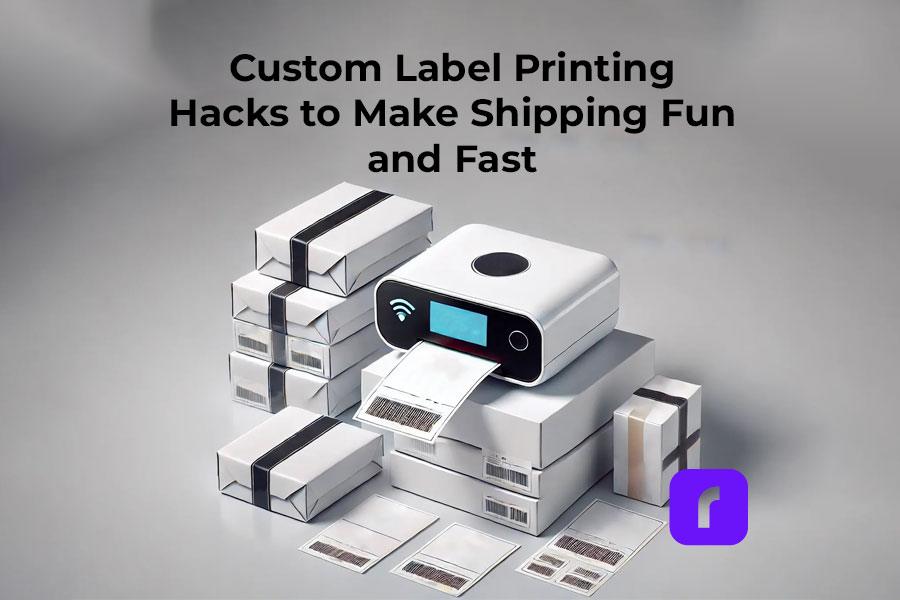
    Custom Label Printing Hacks to Make Shipping Fun and Fast

    Shipping can slow down your business. For online sellers and small businesses, making and applying labels can be stressful. But it doesn’t have to be.

    At Rollo, we believe shipping should be fast, efficient, and yes, even fun! In this article, we’ll share tips to make custom label printing easy. With the right tools, you can streamline your packaging process. All while saving time and enhance your brand.

    Ready to start? Let’s dive in!

    Why Custom Printed Labels Is Essential for Online Sellers

    Why Custom Label Printing Is Essential for Online Sellers

    Common Challenges in Custom Label Printing

    Custom printed labels are key for a memorable brand experience. But, they come with challenges. Let’s look at some common issues small businesses face:

    By tackling these issues, you can make label printing easier. Your labels will show off your brand’s identity and values.

    How Custom Labels Improve Brand Presentation

    Your product’s packaging is often the first thing your customers notice. Custom labels play a huge role in shaping that impression. Well-designed, high-quality labels can:

    • ✅ Enhance your brand’s credibility by making your products look polished and professional.
    • 📦 Improve customer satisfaction by providing clear, branded labels that make unboxing a memorable experience.
    • 🔁 Increase brand recognition by showcasing your logo, colors, and messaging consistently across all your packaging.

    Investing in the perfect custom label isn’t just about aesthetics; it’s about building a brand that customers trust and remember.

    Top Hacks for Efficient Custom Label Printing

    Top Hacks for Efficient Custom Label Printing

    To streamline your shipping process and make custom label printing more enjoyable, here are four powerful hacks. They will save you time and help you create perfect custom labels that truly stand out.

    Hack #1: Use Pre-Designed Templates to Save Time

    Creating custom labels stickers from scratch can be a time-consuming task. Fortunately, with pre-designed templates, you don’t need to start from zero.

    Rollo’s Custom Label Design App offers a wide range of ready-made templates that can be customized in minutes. Whether you’re looking for simple designs or something more intricate, you’ll find a variety of options to suit your business.

    Here’s how you can save time using pre-designed templates:

    • 🎨 Browse Templates: Start by exploring Rollo’s design library, where you can choose from various templates tailored to different industries.
    • 🖌️ Customize the Design: Once you’ve chosen a template, simply upload your artwork file, adjust the colors, and add any text you need.
    • 👁️ Preview Your Label: The app allows you to see a real-time preview of your printed labels, ensuring everything looks perfect before printing.
    • 🖨️ Print Ready: Once finalized, your design can be printed instantly with Rollo’s wireless label printers.
    Hack for Efficient Custom Label Printing

    By leveraging templates, you can create professional-looking stickers in a fraction of the time it would take to design from scratch.

    Hack #2: Batch Print Your Custom Labels

    Hack #2 for efficient custom label printing

    Batch printing saves a lot of time, especially with lots of sheet labels. Instead of printing one label at a time, you can print many at once.

    With Rollo’s wireless label printer, you can print hundreds of labels quickly. This is great for big inventories or many orders at once.

    • 🔄 Set Up a Print Batch: Organize your label designs in batches by product type or shipping destination.
    • 🕒 Minimize Downtime: Batch printing lets your printer run without stopping, saving time and effort.
    • 📦 Efficient Workflow: It makes your work flow better, letting you pack and ship orders faster.

    Batch printing makes label production faster and cuts down on mistakes.

    Hack #3: Choose the Right Label Format for Your Needs

    Not all labels are the same. The right shape can change how you print.

    • 🔄 Roll Labels: Great for lots of printing, roll labels work well with automatic dispensers. They’re perfect for shipping labels or product labels, like Rollo’s 4×6 Roll Labels and 2×1 Barcode Labels.
    • 🗂️ Stack Labels: For a simple solution, stack labels (like Rollo’s 4×6 Stack Labels) are ready to use without a holder. They’re good for businesses needing flexibility and ease.
    • 🎨 Circle Labels: Rollo’s 2-inch Circle Labels, in many colors, add a fun touch to boxes. They’re versatile for branding, inventory tags, or fun stickers.

    Each type has its own benefits. Choose the one that fits your needs best. Rollo has many options for a smooth labeling process.

    Hack #4: Choose Sustainable and High-Quality Label Materials

    Hack 4 for Efficient Custom Label Printing

    Picking the right label material is key for your business and the planet. Rollo focuses on eco-friendly options that work well.

    • 🌿 FSC-Certified Labels: All Rollo labels are FSC® Certified, from responsibly managed forests. They’re great for eco-conscious businesses.
    • 🖨️ Thermal Printing Technology: Rollo labels use heat, not ink, for printing. This is better for the environment and saves money.
    • 🔖 Multiple Label Sizes and Formats: Rollo has many sizes and types, like 4×6 labels for shipping or 2-inch circle labels. They’re perfect for different needs.

    Choosing Rollo’s labels means you get quality and help the planet.

    How Rollo Makes Custom Label Printing Fun and Easy

    Rollo makes custom label printing easy and fun for all businesses.

    Rollo’s Custom Label Design App

    Rollo’s app is easy to use, even if you’re not good at design. You can pick templates, upload logos, and change colors and fonts quickly.

    The app shows you how your label will look before you print. This makes sure your labels are just right from the start.

    Wireless Label Printers for Quick Printing

    Rollo’s wireless label printers let you print anywhere, anytime. They make batch printing easy. You can print many labels at once without stopping.

    Custom Label Printing for Eco-Friendly Solutions

    Businesses wanting to be eco-friendly can use Rollo’s eCommerce order fulfillment solutions. They offer biodegradable and recyclable label materials. This choice helps your brand go green while keeping labels top-notch.

    Final Words

    Custom label printing can be easy and rewarding. Use pre-designed templates to make design quick. Batch printing speeds up the process, and the right material makes labels last.

    These hacks save time and impress customers. Rollo’s tools, like the Custom Label Design App and wireless label printers, help take your labels to the next level.

    Try it out to improve shipping and branding. Visit Rollo today to see how we can make label printing easy for your business.

    Your next great label is just a click away!


    Follow Rollo on:


    Frequently Asked Questions About Custom Label Printing

    📌 Q: How do I design custom labels that reflect my brand?

    💭 A: When designing custom labels, it’s important to consider elements like color, typography, and imagery. Use colors that align with your brand identity, choose easy-to-read fonts, and ensure any logos or images are high quality. Tools like Rollo’s Custom Label Design App allow you to upload your logo and create professional labels quickly without needing advanced design skills.


    📌 Q: What’s the typical turnaround time for custom label printing?

    💭 A: If you’re printing in-house using Rollo’s wireless label printers, the turnaround time is immediate. You can print your custom labels on-demand as soon as you finish the design. This is a major advantage over outsourcing to professional printing services, which may take several days or even weeks depending on the order size and customization needs.


    📌 Q: Should I print my own labels or use a professional printing service?

    💭 A: Printing your own labels offers more flexibility, cost savings, and control over the process. With Rollo’s thermal label printers, you can print custom labels on-demand without the hassle of minimum order quantities or long wait times. Outsourcing to a professional printer may be better for highly specialized labels, but it’s often more expensive and less efficient for businesses that need fast turnaround times.


    📌 Q: Can I print custom labels for platforms like Amazon, Etsy, or eBay?

    💭 A: Absolutely! Rollo’s printers are compatible with major e-commerce platforms, allowing you to print custom labels for platforms like Amazon, Etsy, eBay, and more. For example, Rollo’s 4×6 stack labels are ideal for shipping labels, while the 2×1 barcode labels are perfect for FBA and inventory tracking on Amazon.


    📌 Q: Can custom label printing help improve my shipping process?

    💭 A: Yes, custom label printing can significantly streamline your shipping process. With Rollo’s wireless thermal label printers, you can quickly print shipping labels and barcodes that are scannable and easy to apply. Custom labels can also be color-coded to organize different orders or shipping types, making it easier to manage high-volume shipping operations.
  • Print UPS® Labels for Shipping without a Drop of Ink

    Print UPS® Labels for Shipping without a Drop of Ink

    Running an online business is a challenge. From managing inventory, printing UPS labels for shipping, and delighting customers, every minute counts when you’re wearing multiple hats, especially when you have to ensure packages are delivered within a few business days.

    And let’s be honest, dealing with shipping can feel like a massive time suck – until you discover Rollo. This game-changing solution is on a mission to make label printing so effortless, you’ll actually enjoy prepping those packages for delivery.

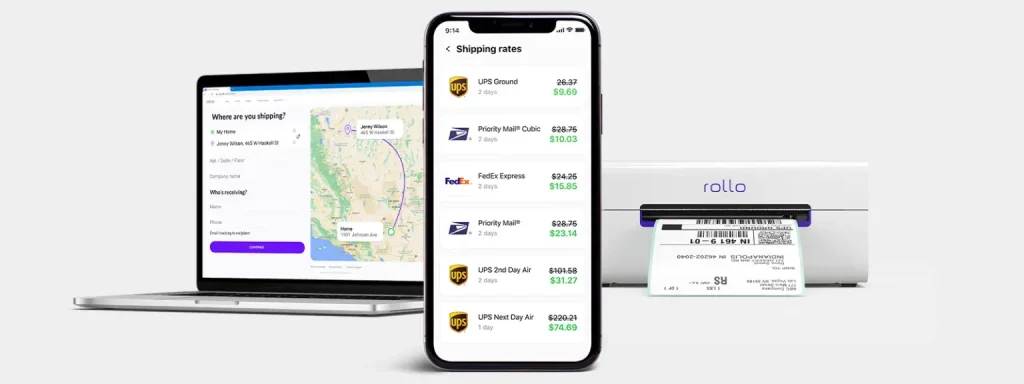
    With Rollo’s wireless label printer and Rollo Ship, its all-in-one shipping solutions app, you can create UPS labels for shipping and integrate UPS services seamlessly into your workflow. But that’s just the beginning. Rollo hooks you up with outrageously good UPS®discounts that’ll have you doing a happy dance every time you create a shipment, and slap one of those labels on a box.

    Why UPS® Labels for Shipping are Essential

    Let’s talk about what UPS labels for shipping are and why they’re essential for your logistics process. These labels are basically your package’s passport. Without them, your precious cargo isn’t going anywhere. UPS labels carry all the vital info needed to get your product from point A to point B safely and efficiently. Think of them as the GPS for your packages in the vast world of shipping.

    These labels contain crucial information like:

    • 📮 Sender and recipient addresses
    • 📦 Package weight and dimensions
    • 🚚 Shipping service selected
    • 🔍 Tracking number

    Without accurate UPS labels, your packages could get lost, delayed, or even returned. That’s why having a reliable system for creating and printing these labels is crucial for any online seller or small business.

    Integrating Rollo’s Label Printer with UPS®

    Remember the days of untangling cords, loading rolls of labels, and dealing with printer jams? Rollo makes that nightmare a distant memory. Their innovative wireless label printer is set up in a snap – just unbox, plug in the power cord, and connect to your device via Bluetooth. No complicated software installations.

    From there, it’s smooth sailing with UPS®. Rollo’s printer and app play beautifully with all major UPS® services – UPS® Ground, Air, Freight, you name it. Print shipping labels for any UPS® offering right from your desktop or mobile device. Want to incorporate your workflow with other shipping carriers down the line? No problem, Rollo’s got your back there too.

    Traditional vs. Inkless Printing Methods

    Before we dive deeper into Rollo’s solution, let’s compare traditional and inkless printing methods:

    • 🖨️ Traditional printing: Uses ink cartridges, prone to smudging, and can be costly over time.
    • ♨️ Thermal printing: Uses heat to create images, no ink needed, and produces crisp, long-lasting labels.

    It’s like comparing a gas-guzzling clunker to a sleek electric car. Sure, they both get you from A to B, but one does it with style, efficiency, and a lot less hassle.

    How Inkless Printing Works

    Thermal printing is like drawing on those heat-sensitive mood rings we all had as kids. The printer uses a thermal printhead to heat specific areas of special heat-sensitive paper. When heated, these areas turn black, creating the text and images on your label. No ink, no toner, just pure heat-activated awesomeness.

    Benefits of Printing UPS Labels without Ink

    Switching to thermal printing for your UPS labels isn’t just a cool party trick. It’s a smart business move that can seriously boost your bottom line. Here’s why:

    • 💸 Save that cash: No more shelling out for expensive ink cartridges. Your future self will thank you when you see those savings add up.
    • 🌱 Green is the new black: Less waste means you’re doing your part for the environment. High five, eco-warrior!
    • 🛡️ Built to last: Thermal-printed labels are water-resistant and fade-proof. They’re like the Navy SEALs of the label world – tough and reliable.
    • ⚡ Speed demon: Thermal printers work faster than traditional ones. When you’re in the shipping zone, every second counts.
    • 🔍 Crystal clear: Say goodbye to smudged barcodes and unreadable addresses. Thermal prints are always crisp and clear.

    Step-by-Step Guide to Printing UPS Labels for Shipping

    Let’s dive into how this whole seamless shipping process works:

    1. Download the App: Get the Rollo app from your smartphone’s app store.
    2. Set Up the Printer: Connect your printer to power, turn it on, and load the labels.
    3. Connect to Wi-Fi: In the app, select your printer and connect to your Wi-Fi.
    4. Test Print: Do a test print to ensure everything is set up correctly.
    5. Manage Orders: View and compare shipping options from the app.
    6. Print Labels: Choose your shipping option and print the label.
    7. Schedule Pickup: Arrange for a pickup directly through the app.
    8. Save on Shipping: Enjoy up to 90% off on shipping rates as a Rollo customer.

    Customize Your Shipping Experience: Now that you’ve mastered the setup and basic operations, it’s time to tailor the Rollo experience to fit your brand’s unique needs.

    Customizing Your UPS Shipping Labels

    Of course, Rollo wouldn’t be Rollo without options to make your shipping process yours. Adding your company logo to UPS® labels? Check. Customizing package handling instructions like “Fragile” or “Keep Upright”? You got it. Switching up the label layout to suit your preferences? No problemo.

    Rollo offers a free label design app that makes designing a label as easy as a few clicks. Once you sign up, you have access to an array of templates and tools. Choose a template or start with a blank canvas, select your preferred size, layout, and color, and begin your design.

    Simply put, Rollo treats you like the boss you are, putting full control of your shipping communication right at your fingertips.

    Handling Common Issues with UPS Shipping Labels

    As any seasoned shipper knows, the journey doesn’t end once a label is printed. What if you need to reprint a lost label or make a last-minute change? Rollo keeps you covered without breaking a sweat.

    Additionally, if you used the UPS® account by Rollo, our customer service options can assist you with the UPS claim process. Just create a support ticket and provide the necessary information for a speedy response.

    Reprinting a label is as easy as a couple clicks in the app. Did your shipment details change after purchasing the original label? Just void it and print a new one – no hassles, no extra fees from UPS. You can even schedule pickups or drop-offs at your convenience through the app. Easy peasy.

    Advanced Features and Benefits of Rollo Ship

    Speaking of convenience, let’s talk about those sweet shipping management tools built right into the Rollo Ship app. With advanced tracking, you can monitor every shipment like a hawk, getting up-to-the-minute status updates delivered straight to your device.

    Expecting a package? Just check the app for delivery alerts. You can even send customized notifications to customers, extending that first-class service you’re known for.

    But what really separates Rollo from the competition is no skimpy fine print. No minimum shipping requirements, no hidden fees, just pure reliability and customer-centric focus. Sounds like the dream, doesn’t it?

    Big Shipping Discounts with Rollo

    Okay, let’s talk savings because that’s where Rollo truly shines. Most small businesses assume deep UPS discounts are reserved for corporate giants. Not anymore! Rollo opens the gates, scoring you the kinds of rates that’ll make your accountant weep happy tears.

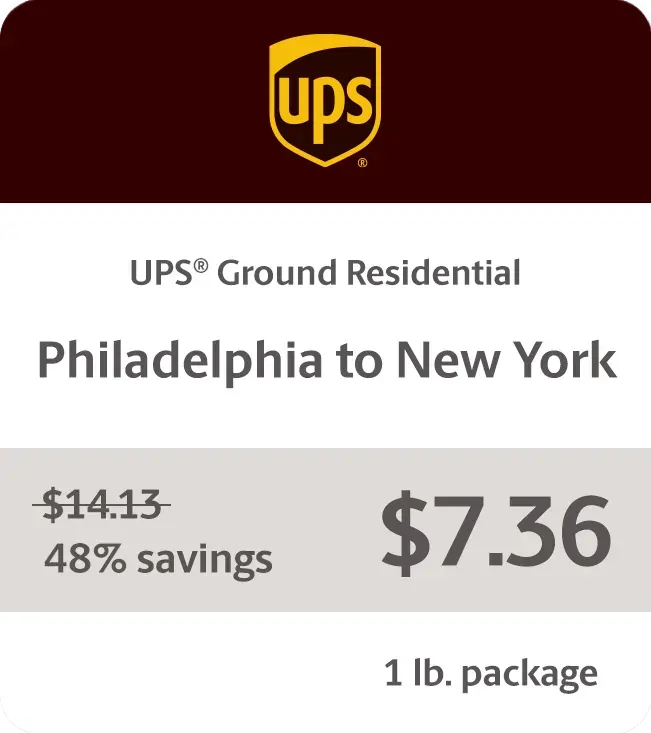
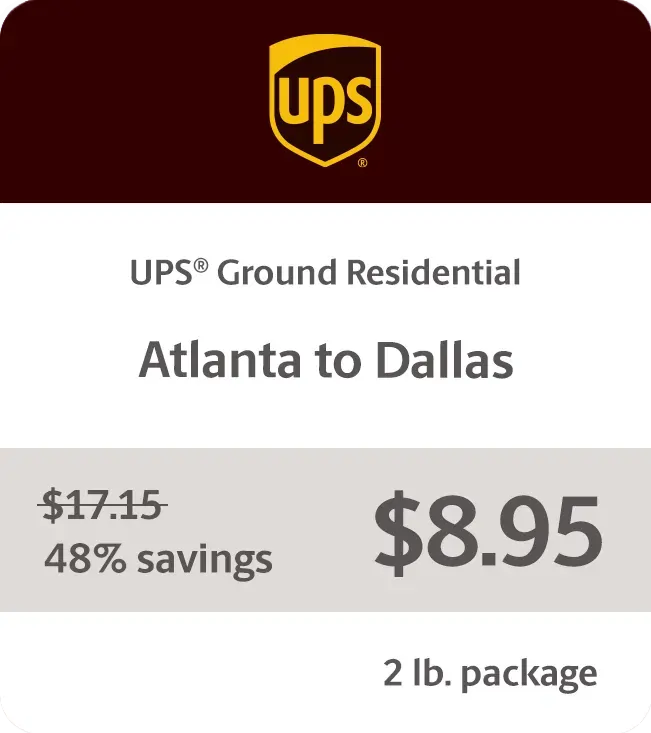
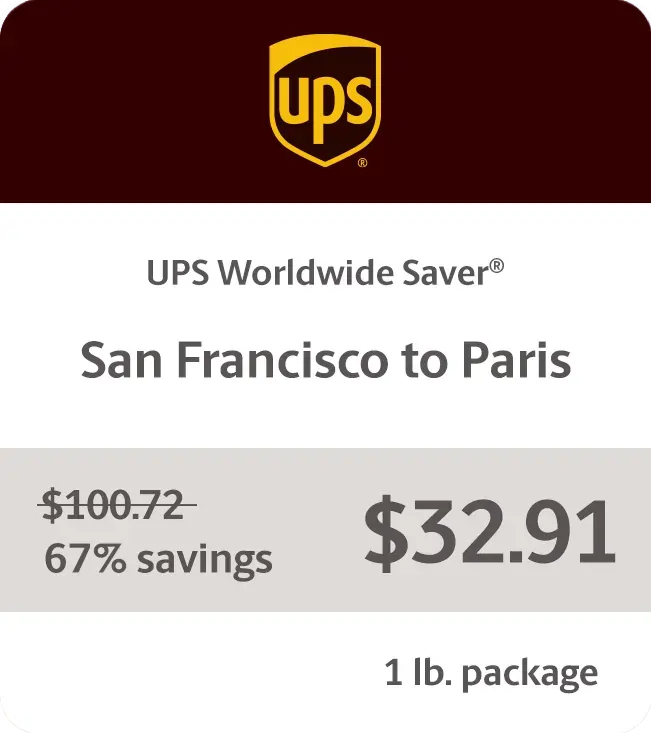
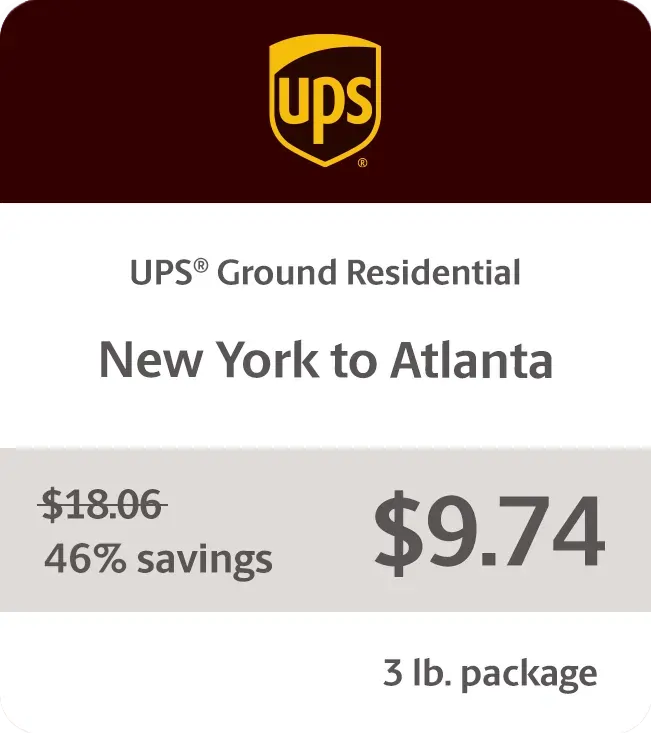
    We’re talking up to 81% off UPS® Ground residential shipments, 75% UPS 2nd Day Air®, and a staggering 85% off UPS® international shipments. Fantastic, right? Whether you’re shipping across town or worldwide, those discounts add up lightning fast. Rollo pays for itself before you can say “happy customer.”

    Sample Rates

    Delivering Results One Shipping Label at a Time

    Don’t just take our word for it, though. Online sellers everywhere are raving about how Rollo has transformed their operations:

    “As a small business owner, managing shipping used to be a hassle,” says Austin, a pottery studio owner. “My favorite thing about using Rollo is probably the ink that it doesn’t use. Previously, I was using a laser printer, and you know, you have to replace the toner every now and then. So the no ink aspect of it is really good.”

    Larger operations are singing Rollo’s praises too. “My favorite thing about my Rollo printer is that it’s completely wireless,” explains Maggie, owner of Colorado Glassworks. “In the past, when I used other printers, I had to attach them to my laptop. Not only is it super easy to print from any location in my shop, but it’s also really reliable.”

    Ensuring High-Quality UPS Labels for Shipping

    Of course, the success of your entire shipping operation hinges on those little sticky labels doing their job perfectly every time. That’s why Rollo is fanatical about ensuring each thermal label meets stringent quality and scannability standards.

    The printer and label materials are optimized to produce razor-sharp barcodes and clearly legible text. This attention to detail prevents headaches and delays that can occur when labels can’t be properly scanned at each checkpoint. Trust us, those preventable hangups are aggravating for all involved.

    Rollo’s UPS Labels for Shipping are Eco-Friendly

    Sure, optimizing operations and cutting costs are stellar benefits. But Rollo also helps make the world a little greener, one thermal shipping label at a time.

    While those old-school label sheets were destined for the landfill, Rollo’s direct thermal labels avoid inks, ribbons, and toners that harm the environment. Even better, the labels themselves are made from recyclable materials like paper, so they can easily avoid a wasteful fate.

    Proper disposal is a snap too. Just follow standard paper recycling guidelines in your area – no need for special handling. It’s a win-win that lets you ship responsibly without sacrificing efficiency.

    Tips for Optimizing Your Shipping Process

    Want to take your shipping game to the next level? Try these tips on for size:

    • 🧼 Keep your thermal printhead clean for the best quality prints.
    • ❄️ Store your thermal paper in a cool, dry place. Heat and humidity are not its friends.
    • 🗂️ Batch your orders and print labels in bulk to save time.
    • ✔️ Double-check addresses before printing to avoid costly mistakes.
    • 🛒 Consider integrating your e-commerce platform with your shipping software for a smoother workflow.
    • 🔄 Regularly update your printer’s firmware to ensure optimal performance and compatibility with UPS systems.

    Final Words

    Optimizing your shipping process is crucial for online sellers. Rollo delivers an efficient, cost-effective solution tailored for small to medium-sized businesses. The wireless printer, intuitive app, and substantial UPS discounts form an unbeatable trifecta that puts you in control of your shipping needs.

    Rollo not only simplifies printing UPS labels for shipping but also saves you time and money while supporting sustainable practices. Join a community of like-minded sellers and experience the future of small-business shipping with Rollo. Sign up for Rollo Ship today and see the difference.

    Discounts off UPS daily rates. Rates are limited to shipping from the U.S. only. Rates and any applicable discounts are subject to change at any time without notice. UPS®, the UPS® brandmark, and the color brown are trademarks of United Parcel Service of America, Inc. Used with permission. © 2020-2025 United Parcel Service of America, Inc. All rights reserved.


    Follow Rollo on:


    Frequently Asked Questions About UPS® Labels for Shipping

    📌 Q: What is the process for creating a UPS® shipping label online?

    💭 A: To create a UPS shipping label online, go to the UPS website or use the Rollo Ship app. Enter the sender and recipient information, package details, and select a shipping service. Then, review the details and print the label.


    📌 Q: Can I schedule a UPS® pickup after creating a shipping label?

    💭 A: Yes, you can schedule a UPS pickup after creating a shipping label. Through the Rollo Ship app, you can schedule the pickup to have it picked up directly in front of your house doorstep at a convenient time.


    📌 Q: What information is required to create a UPS® shipping label?

    💭 A: To create a UPS shipping label, you need the sender and recipient addresses, package weight and dimensions, and the type of shipping service. A tracking number is also generated during this process.


    📌 Q: Are UPS®shipping labels reusable?

    No, UPS shipping labels are not reusable. However, Rollo’s UPS labels for shipping are recyclable, making them an eco-friendly choice for your shipping needs.


    📌 Q: Can I customize a UPS® shipping label with my company logo?

    💭 A: Yes, you can customize a UPS shipping label with your company logo. The Rollo App allows you to add your logo and other custom elements to your shipping labels.
  • Eco-Friendly Sticker Label Printer For Creative Label Ideas

    Eco-Friendly Sticker Label Printer For Creative Label Ideas

    Sticker Label printers have come a long way from simply churning out basic shipping and product labels. Modern label printers have many functions for creative projects and branding. They can print without ink, have easy-to-use software, and use eco-friendly materials. A good quality sticker label printer is essential for both creative projects and business branding needs.

    Understanding the range of possibilities unlocked by these innovations is key to maximizing value. Whether you’re a crafter exploring printable sticker ideas or a business strengthening branding through custom labels, the right sticker label printer unlocks new potential.

    Did you know? 🤔 The move towards eco-friendly printing solutions is not just a
    trend but a response to growing environmental concerns. Today's sticker label
    printers are at the forefront of this shift, offering sustainable options that
    don't compromise on quality or creativity.

    [ez-toc]

    Exploring the Multifaceted Uses of a Sticker Label Printer

    Once regarded as purely utilitarian tools, sticker label printers now power creative applications from scrapbooking to gift personalization and beyond. The versatility of a modern sticker label printer allows it to be used for countless applications. Their versatility stems from technologies that printable on an expansive range of materials with precision and consistency.

    Direct thermal printing allows many label printers to apply images and text directly onto specially coated paper simply using heat, eliminating the need for toner or ink. The results are waterproof, smudge-proof, and fade-resistant labels customizable to any project.

    Keep in mind ⚠️ While direct thermal printing offers a quick and efficient way to
    produce labels, exploring direct thermal printing, the technology used by
    Rollo's Sticker Label Printer, can unlock even more creative possibilities with
    a wider range of materials and finishes.

    Meanwhile, thermal transfer printing provides even more substrate flexibility using heat to transfer images from a ribbon onto the material. This accommodates everything from glossy photo paper to acetate film for weatherproof decals.

    These techniques turn virtually any printable surface into potential sticker sheet stock or part of a creative endeavor. Common examples include:

    • 🏷️ Custom return address labels
    • 📸 Photo collage sticker sheets
    • 📅 Planner stickers
    • 🎫 Event signage and name badges
    • 📦 Personalized packaging
    • 🖼️ Decorative window and wall decals
    • 🚗 Bumper stickers and car decals
    • 📔 Unique stickers for scrapbooks or journals
    Pro Tip: 💡 When unleashing your creativity with a sticker label printer, don't
    overlook the power of experimenting with different materials and finishes.
    Many printers support a variety of substrates beyond traditional paper labels,
    including transparent, metallic, and textured options. This versatility
    can elevate your projects from simple labels to standout pieces that
    capture attention.

    The versatility empowers endless custom crafts and labeling functionality at home, school, events, small businesses, and beyond.

    Unleashing Creativity with a Sticker Label Printer

    Unleashing Creativity with Your Sticker Label Printer

    Most label printer manufacturers provide complementary software to unleash creative potential.

    Intuitive design apps allow you to customize templates or create new label and sticker ideas from scratch. Built-in drawing tools, text effects, and image libraries streamline building professional-looking designs.

    Bring personalized gifts and creative projects to life with capabilities like:

    • 📸 Uploading photos to create custom photo collage labels
    • 🎨 Designing planner stickers tuned to your lifestyle
    • 🎄 Printing decorative window decals with holiday designs
    • 🎁 Making personalized favor and gift tags
    • 🏷️ Producing branding and inventory asset tags
    • 📛 Creating event signage with attendee name badges

    With the right sticker label printer and design software, your creativity knows no bounds.

    Unique designs make regular labels stand out, whether you’re organizing at home, adding a personal touch to gifts, or sending an order to your customers

    Transfer paper support additionally broadens the possibilities for one-of-a-kind iron-on decals and stickers. For instance, create unique bumper stickers, water bottles, storage boxes, and scrapbook pages from the same custom designs.

    Pro Tip: 💡 When exploring the creative potential of your label printer, don't
    hesitate to mix and match software features with your unique ideas. Combining
    built-in drawing tools with your own photos or designs can lead to truly unique
    creations that stand out. Remember, the only limit is your imagination!
    Embracing Sustainability in Label Printing

    Embracing Sustainability with The Sticker Label Printer

    Environmental responsibility gains increasing priority in consumer preferences and buying decisions across industries. Eco-conscious printing aligns with those values. Many eco-friendly sticker label printers use recycled materials and energy-efficient processes.

    Direct thermal printing’s ink-free process provides one avenue for more sustainable label production through:

    • 🗑️ Reduced material waste from cartridges and toners
    • ♻️ Ability to print on recycled label materials
    • ⚡ Energy efficiency in the printing process
    • 🚫 Avoiding VOCs from conventional ink

    Many modern label printers take sustainability further by using Forest Stewardship Council (FSC) certified label rolls. This designation verifies sourcing paper pulp from responsibly managed forests.

    Did you know? 🤔 Did you know that choosing eco-friendly label materials for
    your sticker label printer not only benefits the environment but can also
    appeal to a growing segment of consumers looking for sustainable products?
    By using labels made from recycled materials or certified by the
    Forest Stewardship Council (FSC), you're not just making an eco-friendly
    choice; you're also making a smart branding decision.

    Prioritizing recycled materials demonstrates shared values increasingly expected from environmentally conscious businesses. It also enables customer education about making sustainable choices accessible at every purchasing level.

    Innovation of Sticker Label Printer

    The Innovation Driving Today’s Label Printers

    Intelligent design permeates modern label printing’s core technology and functionality, powering everything seen already plus:

    • 🤖 Automatic label format detection
    • 📦 Pre-formatted label packs for common uses
    • 🔧 Automated feed alignment
    • 🔄 Easy cartridge-free material changes

    Innovations in sticker label printer technology have greatly expanded their capabilities. For example, the Rollo sticker label printer scans each new label roll to detect size, shape, and orientation. Print preferences instantly adjust for optimal alignment without manual calibration.

    Material flexibility reaches new heights with direct thermal technology spanning matte, glossy, clear, metallic, and even pre-cut label sheets. Meanwhile, thermal transfer options encompass weatherproof vinyl and heat transfer materials for countless applications.

    Demand-driven engineering even cuts routine printer maintenance like cleaning print heads. Smart sensors gauge usage patterns to handle upkeep autonomously between jobs.

    Innovations build upon the core foundations of earlier thermal printing but with expanded creative prospects in focus alongside commercial applications.

    Keep in mind: ⚠️ that while the latest innovations in label printing technology
    offer incredible flexibility and efficiency, the key to truly leveraging these
    advancements lies in regular maintenance and staying updated on new software
    releases. This ensures your sticker label printer remains at the cutting edge,
    ready to bring your creative visions to life.

    Strengthening Your Brand with High-Quality Labels

    A high-quality sticker label printer is a must for producing professional product labels and branding materials. Label production intersects branding and marketing through:

    • 📦 Product Packaging – Custom label designs help products stand out on shelves and convey brand identity with logos, stylized text, and graphics. These communicate brand values to build connections distinct from competitors.
    • 🏷️ Barcode Labels – Essential for inventory, tracking, pricing, and point-of-sale scanning. Reliable barcode printing maintains critical organization.
    • 🚚 Shipping Labels – Reinforce branding with custom return addresses and shipping labels featuring logos, graphics, and stylized text. Both functional and an advertising touchpoint.

    Detail and print quality go hand in hand with professionalism across labeling applications, backed by crisp text, logos, and scannable barcodes.

    Pro Tip: 💡 High-quality labels are a direct reflection of your brand's
    commitment to excellence. Investing in a label printer that offers
    precision and durability, like those with direct thermal or thermal
    transfer capabilities, ensures that every label you produce enhances
    your brand's image.

    Direct thermal printing’s precision empowers flawless results, essential for marketability. Thermal transfer takes durability further with smudge, tear, water, fade, and scratch resistance for long-lasting brand exposure.

    Maximizing Efficiency and Creativity in Label Printing

    Maximizing Efficiency and Creativity in Label Printing

    Modern innovations place versatile, professional-quality printing within anyone’s reach. Properly maintaining your sticker label printer is key for efficient operation. Consider the following tips to hit the ground running:

    Streamline Label Design

    • 💻 Use label printer software to access ready-made templates for common applications like shipping labels, file folder labels, and name badges formatted to the correct size.
    • 🎨 Start designs from scratch when templates don’t suffice. Drawing tools, text effects, image uploads, and drag-and-drop simplicity speed layouts.
    • 🔄 Create batches when printing multiple units of a label design to conserve supplies.

    Organize Media Efficiently

    • 🗄️ Store label rolls neatly to prevent dust and debris build-up.
    • ⏱️ Use print-time estimates before jobs to anticipate required material.
    • 🔍 Monitor usage to reorder specialized media before stock outs.
    Did you know? 🤔 that organizing your media efficiently and using print-time
    estimates can significantly reduce waste and save on costs? By planning your
    label printing jobs carefully, you can ensure that every label is printed
    efficiently, maximizing the potential of your label printer.

    Enhance Print Quality

    • 🧪 Print a small test batch when using new label materials to confirm ideal settings.
    • 🧼 Clean the print head when changing between glossy and matte materials to prevent residue transfer.
    • 📐 Check label alignment with automated positioning systems before full print jobs.

    The same strategies that maximize efficiency day-to-day lay the foundations for fully harnessing creative possibilities over time.

    Modern label printers mark a new frontier empowering remarkably versatility. Whether pursuing practical organization or embracing creative passions, the right printing capabilities unlock potential in ways unimaginable just a generation ago.

    Innovations like direct thermal and thermal transfer printing continue removing barriers with design flexibility, precision results, intuitive software, and sustainable materials. Supporting those engineering feats, intelligent technology streamlines everything from nourish detection to routine maintenance.

    These capabilities provide invaluable tools adaptable across personal and professional domains for ordinary and extraordinary labeling needs alike. If you need a versatile sticker label printer for creative projects or business uses, Rollo’s modern options offer amazing possibilities.

    Keep in mind: ⚠️ as you explore the vast possibilities of modern label
    printing, the journey doesn't end with purchasing the right equipment.
    Continuous learning, experimenting with new materials, and embracing
    the latest software updates are essential steps in unlocking the full
    potential of your eco-friendly sticker label printer.

    Follow Rollo on:

    Frequently Asked Questions about The Sticker Label Printer for Creative Label Ideas:

    📌 Q: Can eco-friendly label printers handle high-volume printing tasks?

    💭 A: Yes, many modern eco-friendly label printers are designed to handle high-volume printing tasks efficiently. They are equipped with advanced technologies that ensure fast printing speeds without compromising on quality or environmental standards.

    📌 Q: Are there biodegradable options for label materials?

    💭 A: Yes, alongside recycled materials, some label printers support biodegradable label options. These materials break down more quickly in the environment, further reducing the ecological footprint of your printing activities.

    📌 Q: How do I dispose of or recycle used label rolls?

    💭 A: Many manufacturers, including Rollo, encourage recycling used label rolls. It’s best to check with the manufacturer of your label printer for specific recycling guidelines. Additionally, local recycling centers may accept these items.

    📌 Q: Are there any limitations to the types of designs I can print with Rollo’s eco-friendly thermal label printer?

    💭 A: With Rollo’s label design app, users can create custom labels for a wide array of use cases, from simple text to complex graphics. While the thermal printing process means labels are produced in black and white, the app’s versatility, combined with the printer’s high resolution, allows for significant creativity in label design. The use of various label materials further enhances design flexibility, making Rollo’s printer a powerful tool for both personal and professional labeling needs.