Rollo

Tag: print quality

  • Print Quality: The Incredible Key to Faster Shipping

    Print Quality: The Incredible Key to Faster Shipping

    Have you ever shipped dozens of packages in one day only to realize a few labels looked blurry or wouldn’t scan correctly? Those tiny details can slow down shipments, cause confusion for carriers, and even drive up costs. Many small and medium-sized businesses (SMBs) struggle with print quality, and that struggle often feels like an endless loop of reprints and wasted time.

    Print quality is more than a nice-to-have. It’s a decisive factor in how quickly orders move from your warehouse to your customers’ doors. According to a 2022 survey by the Freedonia Group, businesses can lose up to 12% efficiency in their shipping operations if label clarity and barcode accuracy aren’t up to par. This article will explore why print quality matters, detail the critical factors for achieving clear, crisp labels, and show how a reliable, easy-to-use solution like Rollo can help you stay ahead of the game.

    By the end, readers will see how top-notch print quality offers faster shipping, fewer errors, and less stress. From label materials to printer tech, it’s all connected—and it doesn’t have to be complicated. Let’s dive in.

    Why Print Quality Matters for Business Owners
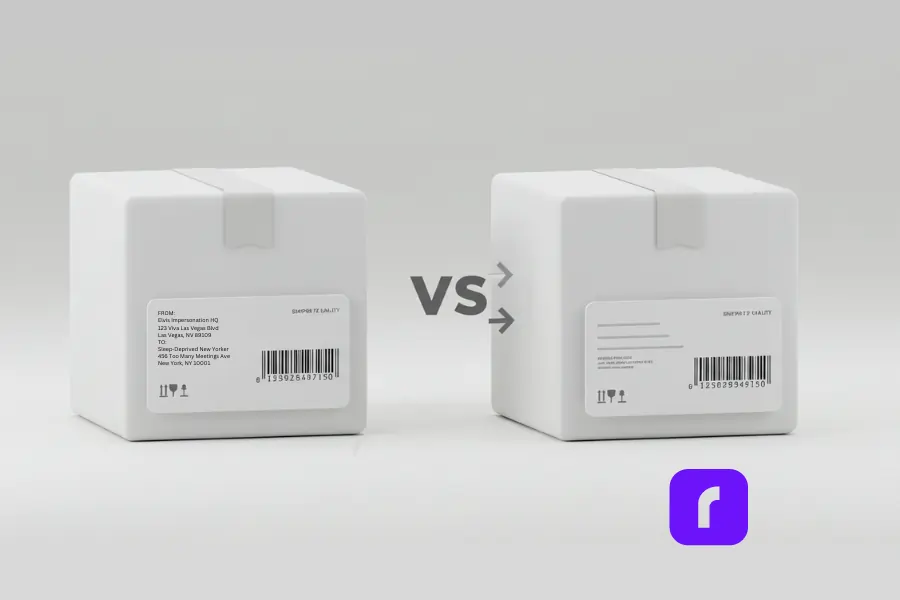
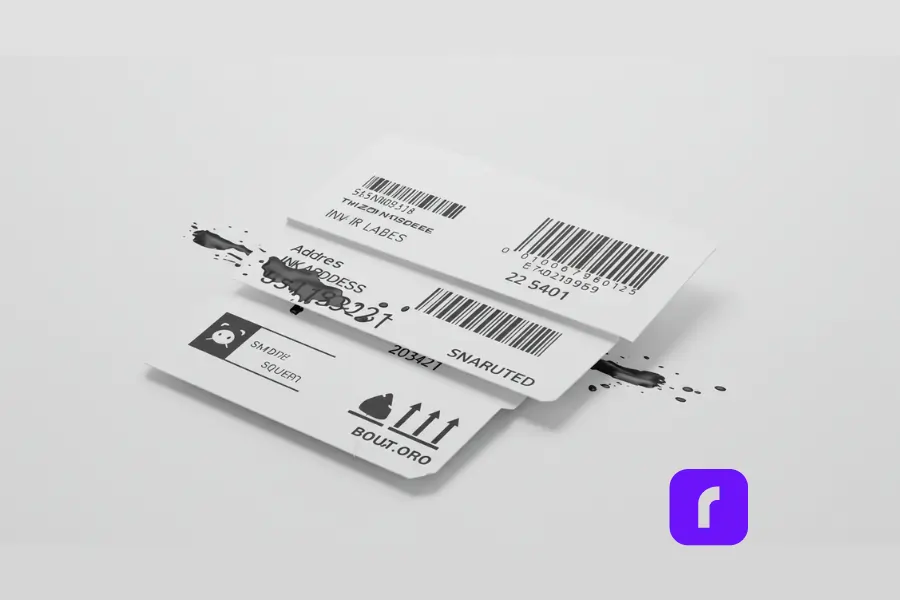
    comparison of print quality on shipping labels.

    Quality shipping labels can make or break an SMB’s workflow. When labels are clear, couriers can scan them instantly, and orders move down the line without delay. But when barcodes and text are smudged or misaligned, the scanning process slows down or fails. This often leads to returned packages, frustrated customers, and higher overall costs.

    Shipping speed is also a key factor in customer satisfaction. Many consumers expect quick delivery, sometimes within one or two days. If a label’s print quality causes delays, it can chip away at your brand reputation. And in a world where online reviews can drive or deter future business, one small misprint can cascade into bigger problems.

    Moreover, fulfilling orders fast isn’t just about being productive—it’s about survival in an increasingly competitive market. SMBs that spend too long re-printing labels or dealing with returns lose valuable time and resources. By focusing on high-quality printing, businesses can unlock faster shipping while also reducing errors and labor.

    Key Factors Affecting Print Quality
    Ensuring excellent print quality requires understanding a few main elements. Each factor plays a role in how the final label looks, how it performs during shipment, and how it affects the bottom line.

    Printing Technology: Direct Thermal vs. Thermal Transfer

    Direct thermal printing and thermal transfer printing are the two big players in label creation. Both have strengths and weaknesses.

    • Direct Thermal Printing
      • ✅ Cost-Efficient: No need for ink or toner, making it simpler to maintain.
      • ✅ Best for Shipping: Prints are clear enough for barcodes and addresses, ideal for short-term use.
      • ❌ Fading Risk: Labels may fade over time, especially with excessive heat or light exposure.
    • Thermal Transfer Printing
      • ✅ Long-Lasting: Uses a ribbon to transfer ink, producing durable labels for items stored long-term.
      • ❌ Higher Upfront Costs: Ribbons and special label materials can add to overall expenses.

    For many SMBs focused on shipping, direct thermal printing offers a strong blend of speed, clarity, and cost savings. Rollo’s compact label printers employ direct thermal printing, letting users avoid the hassle and expense of ribbons.

    Label Materials & Adhesives

    Materials greatly affect print quality and label durability. A 2021 report by Packaging World noted that nearly 30% of shipping errors are linked to labels failing in transit—often due to the wrong materials or adhesives.

    • Common Material Types:
      • 📦 Paper Labels: Affordable and widely used, but less resistant to moisture.
      • 🏷️ Synthetic Films: More durable, often used for longer shipments or harsh environments.
      • ✨ Foil Labels: Eye-catching but tend to be more expensive.
    • Adhesive Options:
      • ⚙️ Permanent: Strong hold, ideal for standard shipping needs.
      • ✂️ Removable: Allows repositioning or temporary tagging.
      • 🌀 Repositionable: Offers flexibility for curved or complex surfaces.

    Rollo printers are compatible with various non-proprietary label materials. This flexibility lets SMBs pick cost-effective, high-quality labels that suit their specific shipping conditions.

    Print Resolution & Readability

    Print resolution, measured in dots per inch (dpi), directly impacts label clarity. It influences how sharp text, barcodes, and images appear. Many shipping providers, like UPS and FedEx, require barcodes to be crisp for fast scanning.

    • Rollo’s Resolution:
      • 203 dpi, which hits the sweet spot for most shipping labels.
      • Higher resolution (300 dpi or more) might be useful for complex images or tiny text, but 203 dpi typically meets industry scanning standards.

    If labels need color or ultra-high detail, thermal transfer or specialized color printers may be an option. However, these often come with higher costs, which many SMBs find prohibitive.

    Print Speed & Workflow Efficiency
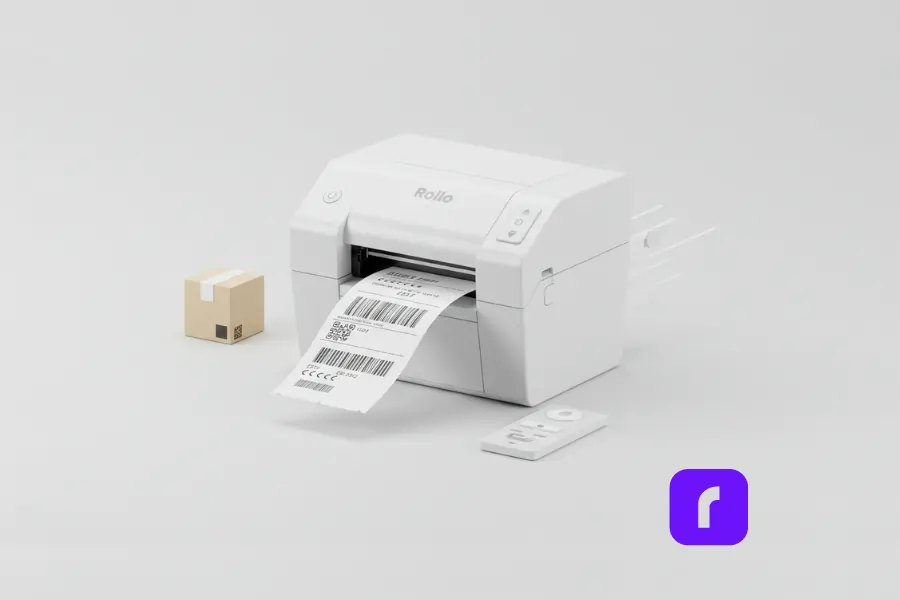
    Every second counts in a fast-paced shipping environment. Labels that print too slowly can bottleneck the entire packing process.

    • Rollo’s Print Speed:
      • Up to 5.9 inches per second, which is comparable to many mid-range competitors.
      • Ideal for SMBs processing moderate or high volumes without requiring industrial-grade speeds.

    When evaluating printer speed, it’s important to balance it with other factors such as resolution and reliability. A slight compromise on blazing speed might be worth smoother operations and better label quality.

    Connectivity & Software Integration

    Many businesses rely on ecommerce platforms like Shopify, WooCommerce, and Etsy. Seamless integration ensures that label data, such as addresses or shipping codes, automatically syncs with the printer.

    • Rollo’s Compatibility:
      • 🖥️ Works with Windows & Mac: Ensuring broad accessibility.
      • 📱 Wireless Printing: Allows printing from tablets or smartphones.
      • 🛍️ Ecommerce Friendly: Quickly connects to platforms like Shopify or shipping software like Rollo Ship.

    Streamlined connectivity reduces manual data entry, saving time and cutting errors. This is especially helpful for SMBs without a dedicated IT team.

    Cost Efficiency & Total Ownership

    Running a cost-effective operation is essential, especially when shipping expenses can add up quickly. While some printers require proprietary labels or frequent ribbon changes, direct thermal printers like Rollo keep consumable costs low.

    • Factors Influencing Cost:
      • 🏷️ Label Supplies: Ability to use third-party labels for competitive pricing.
      • ♻️ Maintenance: Fewer moving parts and no ribbons can simplify upkeep.
      • 🕰️ Long-Term Savings: Minimizing reprints and wasted labels translates to noticeable savings over time.

    The result is a balanced approach to print quality without sacrificing profit margins.

    Why Rollo Stands Out

    Not all label printers are built the same, and finding the right one for your business can be challenging. Some printers come with hidden costs, requiring expensive proprietary labels or frequent supply replacements. Others may offer industrial-level speed but come with a complex setup that isn’t practical for many small and medium-sized businesses (SMBs). Some models are compact but lack the flexibility needed for high-volume shipping.

    Rollo strikes the perfect balance, offering direct thermal printing, wireless connectivity, and compatibility with non-proprietary labels—giving businesses the freedom to choose the most cost-effective supplies. There’s no need to worry about subscriptions, proprietary label restrictions, or complicated installations. Whether you’re shipping a few packages a day or handling high-volume orders, Rollo provides speed, clarity, and ease of use, making it a smart choice for SMBs looking for an efficient, hassle-free labeling solution.

    Best Practices for Achieving High-Quality Shipping Labels
    Even with a top-tier printer, following best practices can further enhance label quality and speed. Below are practical tips:

    1. Choose the Right Material & Adhesive
      • 📍 Consider Environment: High humidity? Opt for synthetic materials.
      • ⚠️ Test Surfaces: Certain adhesives stick better to corrugated boxes than poly mailers.
    2. Optimize Printer Settings
      • ⚙️ Calibration: Regularly calibrate the printer so each label prints with proper spacing.
      • ⬆️ Darkness Settings: Adjust to find the sweet spot between crisp text and excessive heat that could damage labels.
    3. Maintain Your Printer
      • 🧽 Clean Printhead: Use a recommended cleaning pen or isopropyl alcohol swab once every few rolls.
      • ❄️ Avoid Overheating: Keep the printer in a cool, dry environment to prevent heat damage.
    4. Implement a Smooth Workflow
      • 📦 Batch Printing: When possible, print labels in large batches to reduce downtime.
      • 🌐 Integrated Software: Let your ecommerce platform automatically generate shipping labels.
    5. Use High-Quality Barcodes & Fonts
      • 👁️ Readable Fonts: Stick to simple, scannable typefaces for addresses.
      • ✅ Barcode Accuracy: Follow carrier guidelines for size and spacing.

    With these best practices, even novice users can produce labels that look professional and scan reliably. For pro tips on maximizing your thermal printer’s print quality, check out this guide on label thermal printer secrets.

    How Rollo Empowers SMBs

    Rollo offers a direct thermal label printer designed with SMB shipping needs in mind. The printer is small, durable, and easy to set up, making it a perfect fit for cramped offices or busy packing stations.

    1. Plug-and-Play Experience
      • Works right out of the box with minimal technical expertise.
      • Supports a wide range of label sizes, from standard shipping to barcode labels.
    2. Wireless Freedom
      • Prints via Wi-Fi from various devices, reducing tangled cables.
      • Integrates seamlessly with cloud-based shipping software.
    3. Cost-Effective Consumables
      • 🏷️ No Proprietary Lock-Ins: Users can buy labels from any supplier.
      • ♻️ Ribbon-Free: Fewer consumables translate to lower operating costs over time.
    4. Scalable for Growth
      • Easily handle increases in shipping volume.
      • Offers quick label output to keep up with larger order loads.

    By focusing on user-friendly design and consistent results, Rollo ensures SMBs spend less time on printer troubleshooting and more time growing their businesses.

    Final Words

    High print quality isn’t just about making labels look nice—it’s the backbone of an efficient shipping process. Clear, durable labels help packages move faster, cut down on mistakes, and keep customers happy. And for many SMBs, that edge in speed and reliability can be the difference between thriving and merely surviving in today’s competitive market.

    Rollo’s direct thermal printer addresses these challenges head-on, offering a practical solution that balances cost, quality, and ease of use. By choosing the right printer, materials, and best practices, businesses can transform their shipping process from a potential bottleneck into a productivity boost.


    Follow Rollo on:


    Frequently Asked Questions About Print Quality

    📌 Q: How does print quality affect carrier acceptance rates?

    💭 A: Major carriers like UPS, USPS, and FedEx require shipping labels to be clear, smudge-free, and easily scannable. Poor print quality can cause failed barcode scans, which may result in shipping delays, address verification issues, or even package rejection. To avoid this, ensure labels have sharp barcodes, proper alignment, and high-contrast printing.


    📌 Q: What print resolution (DPI) is best for shipping labels?

    💭 A: A 203 DPI (dots per inch) resolution is the industry standard for most shipping labels, offering clear barcodes and readable text. However, 300 DPI may be necessary for labels with smaller text, detailed logos, or complex barcodes. For fast, high-volume printing, 203 DPI balances speed and clarity.


    📌 Q: Does print quality impact international shipping labels?ekends?

    💭 A: Yes. International shipping labels contain more information, including customs declarations and multilingual details. Poor print quality can lead to scanning issues at customs, causing delays or package returns. Using high-resolution printing (203–300 DPI) and durable, smudge-resistant labels ensures smooth international deliveries.


    📌 Q: Do different label materials impact long-term print quality?

    💭 A: Yes. Paper labels are affordable but can fade or smudge in humid conditions. Synthetic labels offer better durability, making them ideal for longer transit times, high-humidity environments, and cold storage shipments.


    📌 Q: How can I test my print quality before shipping?

    💭 A: Check for:
    Barcode clarity (scan it with a smartphone or scanner)
    No smudging or fading (run a finger over freshly printed text)
    Proper alignment and spacing (text is legible, and the barcode isn’t cut off)
    Adhesive strength (label sticks well to packaging)
    A quick quality check before shipping prevents costly delays.
  • The Mini Portable Printer for Mobile Professionals

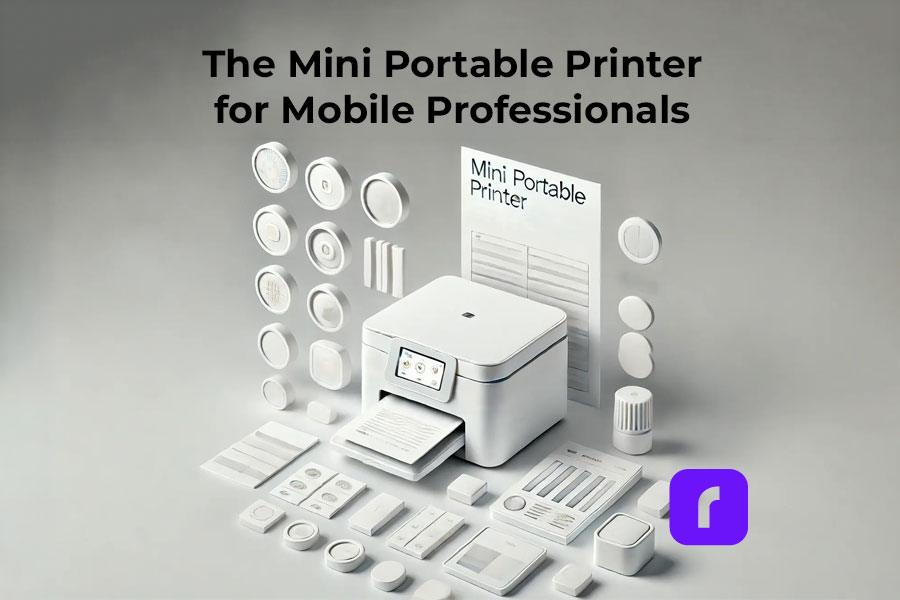
    The Mini Portable Printer for Mobile Professionals

    The mini portable printer is becoming increasingly popular in our fast-paced, mobile-centric world. These compact devices offer a perfect blend of versatility, efficiency, and performance, making them a must-have for professionals and businesses on the go. In this guide, we’ll dive into the world of mini portable printers, with a special focus on Rollo and its mission to make shipping easier, faster, and more fun for small and medium-sized businesses.

    Understanding Mini Portable Printers

    First things first, let’s talk about what mini portable printers are and how they work. Also known as a portable thermal printer, these nifty little devices are designed to be compact and lightweight, so you can take them with you wherever you go. They use either thermal printing technology, which creates images through heat on special paper, or inkjet technology, which sprays ink onto paper. Thermal printers are particularly convenient because they don’t require ink cartridges.

    Rollo has made a big impact on the market with its wireless label printer, which is specifically designed for online sellers and small businesses. It’s efficient, reliable, and easy to use – everything you need to streamline your shipping process.

    How does a mini portable printer work?

    Mini portable printers work by using either thermal printing technology, which creates images through heat on special paper, or inkjet technology, which sprays ink onto paper. Thermal printers do not require ink cartridges, making them more convenient and cost-effective.

    Market Overview and Projected Growth

    graph displaying projected growth of mini portable printer market

    The mini portable printer market is booming, with more and more people looking for ways to combine mobility and document solutions. Here’s a quick rundown of the market:

    Market Size and Growth:

    • 📈 The portable printer market is expected to grow at a CAGR of around 18.84% between 2022 and 2027, with a forecast increase of USD 10,241.35 million during this period.
    • 🌍 In 2016, the global portable printer market was valued at around $844 million and is projected to reach $1,643 million by 2023, growing at a CAGR of 10.2%.
    • 🚀 By 2032, the market is anticipated to surpass a valuation of $21,909 million, growing at a CAGR of 7.6% between 2022 and 2032.

    Market Drivers:

    • 📱 There’s a growing demand for combining mobility and document solutions for remote/mobile workforce.
    • 🖨️ People are looking for convenient and compact printing solutions for on-the-go printing.
    • 💻 The increasing adoption of smart devices like smartphones, tablets, and laptops is driving the market.
    • ⚙️ Technological advancements like improved battery life, wireless connectivity, and thermal printing are also contributing to growth.

    Market Segmentation:

    • 🖨️ By Type: Thermal and inkjet printers dominate the market.
    • 🚚 By Application: Transportation & logistics, retail, manufacturing, healthcare, and others.
    • 🌍 By Geography: Asia-Pacific, North America, Europe, South America, Middle East & Africa.
    • 💼 Rollo is also making waves with its focus on helping online sellers and small businesses.

    Technical Specifications and Performance Metrics

    When you’re shopping for a mini portable printer, there are a few key technical specs and performance metrics to keep in mind:

    • 📏 DPI (dots per inch): This measures the print quality – the higher the DPI, the sharper and more detailed the prints will be.
    • Print speed: How many pages or labels the printer can churn out per minute.
    • 🌐 Connectivity options: Look for printers with wireless connectivity like Bluetooth or WiFi for maximum flexibility.
    • 🔌 Power options: Ensure your printer comes with a power plug cable suitable for your needs, especially for consistent usage.

    Rollo’s printers are known for their high efficiency and reliability, which is why they’re such a popular choice for online sellers.

    Does mini portable printer need ink?

    Most mini portable printers, like thermal printers, do not need ink. They use heat to print on special thermal paper. Inkjet mini printers do require ink cartridges, but they are designed to be compact and efficient.

    Diverse Use Case Scenarios

    Mini portable printers are incredibly versatile and can be used in a wide range of scenarios:

    • 🛒 E-commerce Applications: Printing shipping labels, invoices, and branding materials.
    • 🏥 Healthcare: Patient wristbands and medication labels.
    • 🏷️ Retail: Price tags and promotional materials.
    • 🚚 Logistics: Barcodes and shipping labels.

    Rollo’s printers are particularly well-suited for e-commerce workflows, helping online sellers streamline their operations and save time and money.

    Barnacle Foods: Scaling with Rollo’s Mini Portable Printer

    Don’t just take our word for it – here’s what real users have to say about Rollo’s printers:

    Barnacle Foods, a kelp-based food company from Juneau, Alaska, has experienced firsthand the benefits of using Rollo’s mini portable printers for their shipping needs. Founded in 2016 by a group of friends who shared a passion for fishing and discovered the potential of kelp, Barnacle Foods has grown into a thriving business that sells a variety of kelp-based products, including their top-selling Bullwhip Hot Sauce.

    One of the co-founders of Barnacle Foods shares their experience with Rollo’s printers. “When we started out with our website, we would just ship labels using our inkjet printer, which was super expensive. We were looking for thermal printers and found that Rollo is a really cost-effective option with great service.”

    One of the standout features of Rollo’s printers for Barnacle Foods is the ease of setup and use. “It doesn’t take really any time to set up. You’ll be going that day and thanking yourself,” the co-founder explains. The company also appreciates the convenient recurring orders for labels, which ensures they always have the supplies they need without having to remember to place orders manually.

    As Barnacle Foods continues to grow and expand its reach, the co-founder is confident that Rollo’s printers will be there to support their shipping needs. “Our Rollo printer can print way more than we can pack right now, so we think as our business continues to grow, it’ll be there for us so we can continue to send more kelp to more people.”

    Barnacle Foods’ success story highlights the impact that reliable and efficient mini portable printers can have on small and medium-sized businesses, particularly those in the e-commerce space. By streamlining their shipping process and reducing costs associated with traditional inkjet printers, Rollo’s printers have become an integral part of Barnacle Foods’ operations, supporting their mission to share the benefits of kelp with a wider audience.

    Comparison with Other Portable Printers

    So how do mini portable printers stack up against other types of portable printers? Let’s take a closer look:

    • 📶 Wireless thermal printers: These are similar to mini portable printers, but they’re typically larger and more expensive. They offer high-quality prints and are great for high-volume printing.
    • 💧 Inkjet portable printers: These use ink cartridges instead of thermal printing technology. They can print in color, but the print quality may not be as sharp as thermal printers. They’re also more expensive to operate due to the cost of ink cartridges.

    What are the disadvantages of a portable printer?

    Disadvantages of portable printers include limited print sizes, lower print speeds compared to larger models, and potentially higher costs per print. However, their portability and convenience often outweigh these drawbacks for mobile use.

    How Does Rollo Stand Out?

    While Rollo’s mini portable printer falls under the wireless thermal printer category, it boasts a key advantage for online sellers: its compact, user-friendly design. Here’s how:

    • Designed for Efficiency: Rollo’s printers are known for their streamlined operation, perfect for optimizing your workflow.
    • Seamless Integration: Rollo integrates effortlessly with the Rollo Ship app, creating a cohesive shipping ecosystem.
    • Focus on E-commerce Needs: From Rollo’s printer to the Ship app, everything is geared towards making life easier for online sellers.

    Sustainability and Environmental Impact

    One of the great things about thermal printing technology is that it’s more environmentally friendly than other types of printing. Here’s why:

    • 🚮 Thermal printers don’t use ink or toner, which means there’s less waste and fewer consumables to dispose of.
    • ♻️ Thermal paper is recyclable, so you can reduce your environmental impact even further by recycling your used labels and receipts.
    • 🌱 Rollo is committed to sustainability and eco-friendly practices, so you can feel good about using their printers.

    How do mini printers print without ink?

    Mini printers, such as thermal printers, print without ink by using heat-sensitive paper. The printhead applies heat to specific areas, causing a reaction that produces the desired text or image.

    Maintenance Tips and Troubleshooting

    To keep your mini portable printer in top shape, there are a few key maintenance tips to keep in mind:

    • 🧼 Clean the printhead regularly to prevent buildup and ensure sharp, clear prints.
    • 🏷️ Use high-quality thermal paper or labels to avoid jams and ensure smooth operation.
    • 🌡️ Store your printer in a cool, dry place when not in use to prevent damage.

    If you do run into issues with your printer, here are some common troubleshooting tips:

    • 📜 Check the paper or label roll to make sure it’s loaded correctly and not jammed.
    • 🔌 Make sure the printer is charged or plugged in and turned on.
    • 🔄 Restart the printer and try printing again.
    • 📞 If all else fails, consult the manufacturer’s support resources or contact customer service for help.

    Rollo’s printers are known for their reliability, but these tips can help you keep them running smoothly for years to come.

    As technology continues to evolve, we can expect to see some exciting new developments in the world of mini portable printers. Here are a few trends and innovations to watch out for:

    • 🌐 IoT (Internet of Things) integration: Printers that can connect to the internet and communicate with other devices will become more common, enabling new use cases and workflows.
    • 🤖 AI (Artificial Intelligence) and machine learning: Printers that can learn from user behavior and preferences will be able to offer more personalized and efficient printing experiences.
    • 🌿 Sustainable and eco-friendly materials: As consumers become more environmentally conscious, we can expect to see more printers that use sustainable and recyclable materials.

    Rollo is always looking for ways to innovate and improve their printers, so it will be exciting to see what they come up with next.

    Choosing the Right Mini Portable Printer

    With so many options on the market, choosing the best mini thermal printer can be a daunting task. Here are a few key factors to consider:

    • 🖨️ Print quality: Look for printers with high DPI and sharp, clear prints.
    • 📶 Connectivity: Choose a printer with wireless connectivity options that suit your needs, such as Bluetooth or WiFi.
    • 🛡️ Durability: If you’ll be using your printer on the go, look for one that’s built to withstand bumps and jostles.
    • 💰 Cost: Consider the upfront cost of the printer as well as the ongoing cost of consumables like thermal paper or labels.

    When in doubt, it’s always a good idea to test out a printer before you buy it. Many retailers offer in-store demonstrations or free trials, so take advantage of these opportunities to see how the printer performs in real-world scenarios.

    For small and medium-sized businesses, Rollo’s printers are an excellent choice. They’re reliable, efficient, and easy to use, making them a top pick for online sellers and other businesses that need to print labels and other materials on the go.

    Final Words

    Mini portable printers are a powerful tool for mobile professionals and businesses of all sizes. Their portability, versatility, and high-quality printing capabilities make them a perfect solution for printing on the go. Whether you’re an entrepreneur running an online store or a field worker needing to print receipts or reports, a mini portable printer can boost your productivity and efficiency.

    When choosing a mini portable printer, consider your specific needs and budget. For online sellers and e-commerce businesses, Rollo stands out as a top choice. Rollo’s mini portable printers are specifically designed for streamlining shipping and labeling tasks. Their user-friendly design, seamless integration with the Rollo Ship app, and focus on efficiency make them an excellent fit for businesses that need a reliable and cost-effective printing solution.

    So, if you’re looking to take your printing on the go and improve your workflow, consider investing in a mini portable printer. For e-commerce businesses, look no further than Rollo – their innovative printers and app are designed to make your life easier and help your business thrive.


    Follow Rollo on:


    Frequently Asked Questions About The Mini Portable Printer

    📌 Q: What are the main advantages of mini portable printers over traditional printers?

    💭 A: Mini portable printers, such as pocket printers and handheld printers, are designed for mobility and convenience, making them ideal for on-the-go printing tasks.


    📌 Q: How do mini portable printers contribute to sustainability?

    💭 A: Thermal mini printers eliminate the need for ink or toner, reducing waste and environmental impact.


    📌 Q: What should I consider when choosing a mini portable printer for my business?

    💭 A: Consider the type of printer (e.g., thermal, inkjet, dye-sublimation), print quality, connectivity options, and whether you need features like battery power or wireless connectivity.


    📌 Q: How do I maintain my mini portable printer?

    Regularly clean the printhead, use high-quality paper, and follow the manufacturer’s maintenance guidelines to ensure longevity and optimal performance.


    📌 Q: Can I print from my phone or tablet using a mini portable printer?

    💭 A: Yes, many mini portable printers offer wireless connectivity options such as Bluetooth or WiFi, allowing you to print directly from your smartphone or tablet.
  • Eco-Friendly Sticker Label Printer For Creative Label Ideas

    Eco-Friendly Sticker Label Printer For Creative Label Ideas

    Sticker Label printers have come a long way from simply churning out basic shipping and product labels. Modern label printers have many functions for creative projects and branding. They can print without ink, have easy-to-use software, and use eco-friendly materials. A good quality sticker label printer is essential for both creative projects and business branding needs.

    Understanding the range of possibilities unlocked by these innovations is key to maximizing value. Whether you’re a crafter exploring printable sticker ideas or a business strengthening branding through custom labels, the right sticker label printer unlocks new potential.

    Did you know? 🤔 The move towards eco-friendly printing solutions is not just a
    trend but a response to growing environmental concerns. Today's sticker label
    printers are at the forefront of this shift, offering sustainable options that
    don't compromise on quality or creativity.

    [ez-toc]

    Exploring the Multifaceted Uses of a Sticker Label Printer

    Once regarded as purely utilitarian tools, sticker label printers now power creative applications from scrapbooking to gift personalization and beyond. The versatility of a modern sticker label printer allows it to be used for countless applications. Their versatility stems from technologies that printable on an expansive range of materials with precision and consistency.

    Direct thermal printing allows many label printers to apply images and text directly onto specially coated paper simply using heat, eliminating the need for toner or ink. The results are waterproof, smudge-proof, and fade-resistant labels customizable to any project.

    Keep in mind ⚠️ While direct thermal printing offers a quick and efficient way to
    produce labels, exploring direct thermal printing, the technology used by
    Rollo's Sticker Label Printer, can unlock even more creative possibilities with
    a wider range of materials and finishes.

    Meanwhile, thermal transfer printing provides even more substrate flexibility using heat to transfer images from a ribbon onto the material. This accommodates everything from glossy photo paper to acetate film for weatherproof decals.

    These techniques turn virtually any printable surface into potential sticker sheet stock or part of a creative endeavor. Common examples include:

    • 🏷️ Custom return address labels
    • 📸 Photo collage sticker sheets
    • 📅 Planner stickers
    • 🎫 Event signage and name badges
    • 📦 Personalized packaging
    • 🖼️ Decorative window and wall decals
    • 🚗 Bumper stickers and car decals
    • 📔 Unique stickers for scrapbooks or journals
    Pro Tip: 💡 When unleashing your creativity with a sticker label printer, don't
    overlook the power of experimenting with different materials and finishes.
    Many printers support a variety of substrates beyond traditional paper labels,
    including transparent, metallic, and textured options. This versatility
    can elevate your projects from simple labels to standout pieces that
    capture attention.

    The versatility empowers endless custom crafts and labeling functionality at home, school, events, small businesses, and beyond.

    Unleashing Creativity with a Sticker Label Printer

    Unleashing Creativity with Your Sticker Label Printer

    Most label printer manufacturers provide complementary software to unleash creative potential.

    Intuitive design apps allow you to customize templates or create new label and sticker ideas from scratch. Built-in drawing tools, text effects, and image libraries streamline building professional-looking designs.

    Bring personalized gifts and creative projects to life with capabilities like:

    • 📸 Uploading photos to create custom photo collage labels
    • 🎨 Designing planner stickers tuned to your lifestyle
    • 🎄 Printing decorative window decals with holiday designs
    • 🎁 Making personalized favor and gift tags
    • 🏷️ Producing branding and inventory asset tags
    • 📛 Creating event signage with attendee name badges

    With the right sticker label printer and design software, your creativity knows no bounds.

    Unique designs make regular labels stand out, whether you’re organizing at home, adding a personal touch to gifts, or sending an order to your customers

    Transfer paper support additionally broadens the possibilities for one-of-a-kind iron-on decals and stickers. For instance, create unique bumper stickers, water bottles, storage boxes, and scrapbook pages from the same custom designs.

    Pro Tip: 💡 When exploring the creative potential of your label printer, don't
    hesitate to mix and match software features with your unique ideas. Combining
    built-in drawing tools with your own photos or designs can lead to truly unique
    creations that stand out. Remember, the only limit is your imagination!
    Embracing Sustainability in Label Printing

    Embracing Sustainability with The Sticker Label Printer

    Environmental responsibility gains increasing priority in consumer preferences and buying decisions across industries. Eco-conscious printing aligns with those values. Many eco-friendly sticker label printers use recycled materials and energy-efficient processes.

    Direct thermal printing’s ink-free process provides one avenue for more sustainable label production through:

    • 🗑️ Reduced material waste from cartridges and toners
    • ♻️ Ability to print on recycled label materials
    • ⚡ Energy efficiency in the printing process
    • 🚫 Avoiding VOCs from conventional ink

    Many modern label printers take sustainability further by using Forest Stewardship Council (FSC) certified label rolls. This designation verifies sourcing paper pulp from responsibly managed forests.

    Did you know? 🤔 Did you know that choosing eco-friendly label materials for
    your sticker label printer not only benefits the environment but can also
    appeal to a growing segment of consumers looking for sustainable products?
    By using labels made from recycled materials or certified by the
    Forest Stewardship Council (FSC), you're not just making an eco-friendly
    choice; you're also making a smart branding decision.

    Prioritizing recycled materials demonstrates shared values increasingly expected from environmentally conscious businesses. It also enables customer education about making sustainable choices accessible at every purchasing level.

    Innovation of Sticker Label Printer

    The Innovation Driving Today’s Label Printers

    Intelligent design permeates modern label printing’s core technology and functionality, powering everything seen already plus:

    • 🤖 Automatic label format detection
    • 📦 Pre-formatted label packs for common uses
    • 🔧 Automated feed alignment
    • 🔄 Easy cartridge-free material changes

    Innovations in sticker label printer technology have greatly expanded their capabilities. For example, the Rollo sticker label printer scans each new label roll to detect size, shape, and orientation. Print preferences instantly adjust for optimal alignment without manual calibration.

    Material flexibility reaches new heights with direct thermal technology spanning matte, glossy, clear, metallic, and even pre-cut label sheets. Meanwhile, thermal transfer options encompass weatherproof vinyl and heat transfer materials for countless applications.

    Demand-driven engineering even cuts routine printer maintenance like cleaning print heads. Smart sensors gauge usage patterns to handle upkeep autonomously between jobs.

    Innovations build upon the core foundations of earlier thermal printing but with expanded creative prospects in focus alongside commercial applications.

    Keep in mind: ⚠️ that while the latest innovations in label printing technology
    offer incredible flexibility and efficiency, the key to truly leveraging these
    advancements lies in regular maintenance and staying updated on new software
    releases. This ensures your sticker label printer remains at the cutting edge,
    ready to bring your creative visions to life.

    Strengthening Your Brand with High-Quality Labels

    A high-quality sticker label printer is a must for producing professional product labels and branding materials. Label production intersects branding and marketing through:

    • 📦 Product Packaging – Custom label designs help products stand out on shelves and convey brand identity with logos, stylized text, and graphics. These communicate brand values to build connections distinct from competitors.
    • 🏷️ Barcode Labels – Essential for inventory, tracking, pricing, and point-of-sale scanning. Reliable barcode printing maintains critical organization.
    • 🚚 Shipping Labels – Reinforce branding with custom return addresses and shipping labels featuring logos, graphics, and stylized text. Both functional and an advertising touchpoint.

    Detail and print quality go hand in hand with professionalism across labeling applications, backed by crisp text, logos, and scannable barcodes.

    Pro Tip: 💡 High-quality labels are a direct reflection of your brand's
    commitment to excellence. Investing in a label printer that offers
    precision and durability, like those with direct thermal or thermal
    transfer capabilities, ensures that every label you produce enhances
    your brand's image.

    Direct thermal printing’s precision empowers flawless results, essential for marketability. Thermal transfer takes durability further with smudge, tear, water, fade, and scratch resistance for long-lasting brand exposure.

    Maximizing Efficiency and Creativity in Label Printing

    Maximizing Efficiency and Creativity in Label Printing

    Modern innovations place versatile, professional-quality printing within anyone’s reach. Properly maintaining your sticker label printer is key for efficient operation. Consider the following tips to hit the ground running:

    Streamline Label Design

    • 💻 Use label printer software to access ready-made templates for common applications like shipping labels, file folder labels, and name badges formatted to the correct size.
    • 🎨 Start designs from scratch when templates don’t suffice. Drawing tools, text effects, image uploads, and drag-and-drop simplicity speed layouts.
    • 🔄 Create batches when printing multiple units of a label design to conserve supplies.

    Organize Media Efficiently

    • 🗄️ Store label rolls neatly to prevent dust and debris build-up.
    • ⏱️ Use print-time estimates before jobs to anticipate required material.
    • 🔍 Monitor usage to reorder specialized media before stock outs.
    Did you know? 🤔 that organizing your media efficiently and using print-time
    estimates can significantly reduce waste and save on costs? By planning your
    label printing jobs carefully, you can ensure that every label is printed
    efficiently, maximizing the potential of your label printer.

    Enhance Print Quality

    • 🧪 Print a small test batch when using new label materials to confirm ideal settings.
    • 🧼 Clean the print head when changing between glossy and matte materials to prevent residue transfer.
    • 📐 Check label alignment with automated positioning systems before full print jobs.

    The same strategies that maximize efficiency day-to-day lay the foundations for fully harnessing creative possibilities over time.

    Modern label printers mark a new frontier empowering remarkably versatility. Whether pursuing practical organization or embracing creative passions, the right printing capabilities unlock potential in ways unimaginable just a generation ago.

    Innovations like direct thermal and thermal transfer printing continue removing barriers with design flexibility, precision results, intuitive software, and sustainable materials. Supporting those engineering feats, intelligent technology streamlines everything from nourish detection to routine maintenance.

    These capabilities provide invaluable tools adaptable across personal and professional domains for ordinary and extraordinary labeling needs alike. If you need a versatile sticker label printer for creative projects or business uses, Rollo’s modern options offer amazing possibilities.

    Keep in mind: ⚠️ as you explore the vast possibilities of modern label
    printing, the journey doesn't end with purchasing the right equipment.
    Continuous learning, experimenting with new materials, and embracing
    the latest software updates are essential steps in unlocking the full
    potential of your eco-friendly sticker label printer.

    Follow Rollo on:

    Frequently Asked Questions about The Sticker Label Printer for Creative Label Ideas:

    📌 Q: Can eco-friendly label printers handle high-volume printing tasks?

    💭 A: Yes, many modern eco-friendly label printers are designed to handle high-volume printing tasks efficiently. They are equipped with advanced technologies that ensure fast printing speeds without compromising on quality or environmental standards.

    📌 Q: Are there biodegradable options for label materials?

    💭 A: Yes, alongside recycled materials, some label printers support biodegradable label options. These materials break down more quickly in the environment, further reducing the ecological footprint of your printing activities.

    📌 Q: How do I dispose of or recycle used label rolls?

    💭 A: Many manufacturers, including Rollo, encourage recycling used label rolls. It’s best to check with the manufacturer of your label printer for specific recycling guidelines. Additionally, local recycling centers may accept these items.

    📌 Q: Are there any limitations to the types of designs I can print with Rollo’s eco-friendly thermal label printer?

    💭 A: With Rollo’s label design app, users can create custom labels for a wide array of use cases, from simple text to complex graphics. While the thermal printing process means labels are produced in black and white, the app’s versatility, combined with the printer’s high resolution, allows for significant creativity in label design. The use of various label materials further enhances design flexibility, making Rollo’s printer a powerful tool for both personal and professional labeling needs.