Rollo

Tag: print address labels

  • Address Labels Amazon: Essential for Amazon Order Efficiency

    Address Labels Amazon: Essential for Amazon Order Efficiency

    In the bustling world of Amazon selling, every minute counts. As an Amazon seller, your success hinges on delivering orders swiftly and accurately.

    The cornerstone of this efficiency? Address labels Amazon. These seemingly small components play a monumental role in ensuring your products reach customers without a hitch.

    However, not all address labels are created equal. That’s where Rollo steps in, offering seamless solutions for address labels Amazon printing. This guide will walk you through everything you need to know about optimizing your shipping process with the right Amazon address labels.

    Address Labels Amazon – Your Gateway to Streamlined Shipping

    Navigating the Amazon marketplace can be like steering a ship through a bustling harbor. Your address labels on Amazon are the compass guiding your products to their destination. But why are they so crucial?

    In essence, they are more than just stickers on a package; they are your promise of timely and accurate delivery to your customers. With the right address label solution, you’re not just sending out orders; you’re enhancing your brand’s reputation and customer satisfaction.
    Understanding Address Labels Amazon

    Understanding Address Labels Amazon

    Address labels are the unsung heroes of the shipping world. They carry vital information that ensures your package navigates through the complex shipping network to arrive at the right doorstep. For Amazon sellers, the stakes are even higher.

    The platform’s customer-centric approach means any slip-up in shipping can lead to dissatisfaction and negative reviews. Therefore, having clear, accurate, and professional address labels isn’t just a good practice; it’s an essential aspect of your business.

    Looking for address labels for Amazon?
    Rollo’s got you covered!

    Use thermal, eco-friendly address labels, made in the USA!

    Choosing the Right Amazon Address Label Printer

    Selecting the perfect printer for your Amazon address labels is like choosing the best pair of shoes for a marathon; it can significantly affect your performance. You want a printer that’s fast, reliable and produces clear, professional labels. So, what should you consider?

    Criteria for selecting the best printer:

    • ๐Ÿš€ Speed: Look for printers that can keep up with your order volume without sacrificing quality.
    • ๐Ÿ‘Œ Quality: Your labels should be clear and smudge-resistant, ensuring they remain readable throughout the shipping process.
    • ๐Ÿ–‡๏ธ Compatibility: The printer should work seamlessly with your existing devices and platforms.
    • ๐Ÿช„ Ease of use: A user-friendly printer means less time fiddling with settings and more time getting orders out the door.

    Spotlight on Rollo Wireless Label Printer:
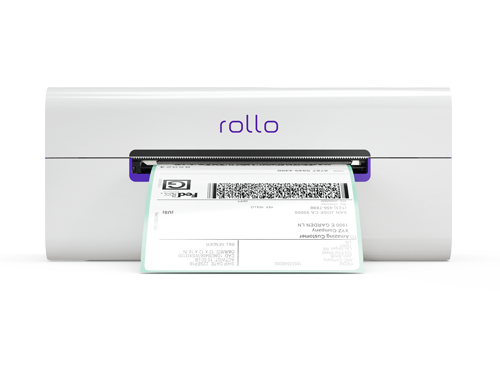
    wireless address label printer for Amazon by Rollo

    Features and benefits:

    • โœ… Direct Thermal Printing: Say goodbye to ink or toner. This printer uses heat to create high-quality labels.
    • โœ… High-Speed Printing: Capable of printing one label per second, keeping pace with your business needs.
    • โœ… Intelligent Label Detection: Eliminates the hassle of manual cropping, ensuring each label is perfectly sized.
    • โœ… Wide Compatibility: Works with various devices and platforms, making it a versatile choice for all your printing needs.
    • โœ… Compact Design: Its small footprint makes it ideal for tight spaces, and it’s portable enough to take on the go.

    Spotlight on Rollo USB Label Printer:
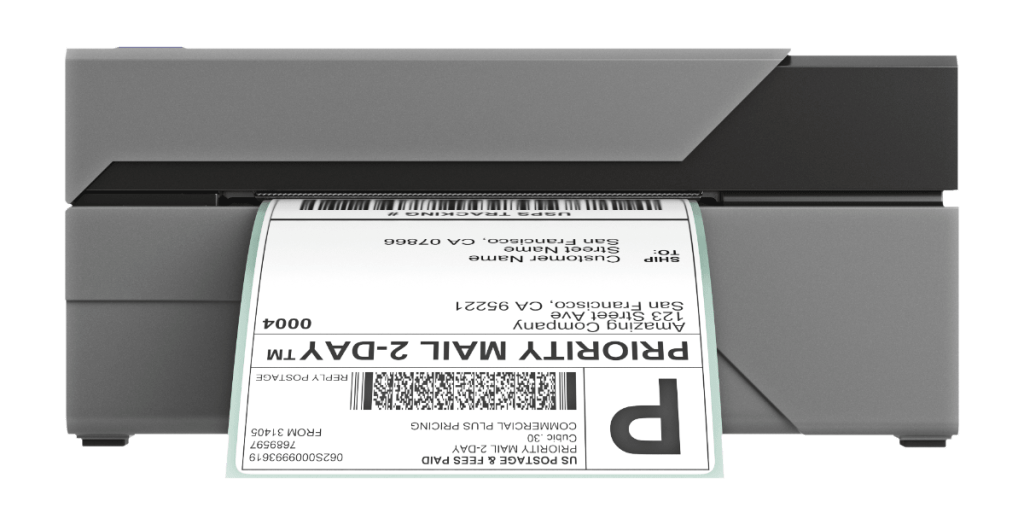
    USB address label printer from Rollo

    Features and benefits:

    • โœ… High-Speed Printing: Just like its wireless counterpart, it prints one label per second, streamlining your process.
    • โœ… 203 dpi Printing Resolution: Ensures each label is crisp and easy to read.
    • โœ… Wide Paper Width Support: This can accommodate various label sizes, offering flexibility for different types of shipments.
    • โœ… Simple Connectivity: USB connectivity makes it easy to set up and start printing quickly.

    Both Rollo printers are designed with your needs in mind, combining speed, efficiency, and quality to enhance your shipping process. As you continue to explore the world of address labels Amazon, remember that the right tools and knowledge are your best allies in ensuring every order is a step toward greater success.
    Address labels Amazon: The right printer for the job

    Why Rollo Printers Stand Out for Address Labels Amazon

    In a sea of options, Rollo printers shine like beacons, guiding Amazon sellers toward more efficient and professional shipping operations. Here’s why they stand out:

    • ๐Ÿ†— Compatibility with Amazon: Rollo printers are designed with Amazon sellers in mind. They align perfectly with Amazon’s label formats, ensuring that your labels meet the marketplace’s stringent requirements every time.
    • ๐Ÿ†— Efficiency and Speed: Time is money, especially in the fast-paced world of online selling. Rollo printers are renowned for their rapid printing capabilities, churning out one label per second, which means less waiting and more shipping.
    • ๐Ÿ†— User-friendly Features: Rollo printers aren’t just powerful; they’re also incredibly user-friendly. With features like intelligent label detection and wide compatibility, they simplify the printing process, making it accessible to everyone, regardless of tech savviness.

    The Rollo address label printer is compatible not only with Amazon

    but with a variety of major marketplaces and carriers!

    Ease your shipping now!

    Maximizing Efficiency with Address Label Printers for Amazon

    To thrive on Amazon, you need more than just a good product; you need a shipping process that’s slick, swift, and reliable. Here’s how you can maximize efficiency with the right address label printer:

    Best practices for printing and handling address labels:

    • ๐Ÿ‘ Regular Maintenance: Keep your printer in top condition with regular cleaning and maintenance. A well-maintained printer is less likely to encounter issues and will serve you faithfully for years.
    • ๐Ÿ‘ Optimal Label Stock: Use high-quality labels designed for your specific printer. Poor-quality labels can lead to jams and smudging, which can slow you down and diminish the professionalism of your shipments.
    • ๐Ÿ‘ Streamlined Workflow: Organize your shipping area for efficiency. Keep your printer, labels, and packages in an easily accessible, logical arrangement to speed up the packing and labeling process.

    Tips for speeding up the label printing process:

    • ๐Ÿ–จ๏ธ Batch Printing: If you have multiple orders, print all your labels at once rather than one at a time. Most label printing software, including those compatible with Rollo printers, offers this time-saving feature.
    • ๐Ÿ’ป Direct Integration: Use software that integrates directly with your Amazon account. This allows you to automatically pull order information and print labels without manual data entry, reducing errors and saving time.
    • ๐Ÿ“ƒ Pre-set Templates: Set up templates for your most common label sizes and types. This saves you from having to configure settings for each print job.
    Rollo printers and Rollo Ship for Your Amazon Orders

    Leveraging Rollo’s Technology for Address Labels Amazon

    Rollo printers aren’t just printers; they’re a technological advantage in the competitive world of Amazon selling. Here’s how they optimize your label printing process:

    • ๐Ÿ–จ๏ธ Direct Thermal Printing: This technology eliminates the need for ink or toner, which means you won’t have to deal with unexpected smudging or fading. It’s reliable, consistent, and cost-effective.
    • ๐Ÿท๏ธ Intelligent Label Detection: Rollo Amazon address label printers automatically detect the size and characteristics of your label, adjusting settings accordingly. This means less wasted time and materials, and more confidence that each label will be perfect.
    • ๐Ÿ—‚๏ธ Wide Compatibility: Whether you’re printing from a PC, Mac, or even a mobile device, Rollo printers are ready to work with your preferred platform. This flexibility ensures that your printer can adapt to your workflow, not the other way around.

    By understanding and leveraging these aspects of Rollo’s technology, you can transform your shipping process into a streamlined, efficient operation that impresses customers and sets your Amazon business up for success. As you continue to explore the potential of Rollo printers, remember that the right technology is a powerful ally in your quest to dominate the marketplace.

    Integrating Amazon Address Labels with Your Business Workflow

    Incorporating a smooth label printing process into your existing workflow is like finding the perfect rhythm in a dance – it enhances performance and creates a more harmonious operation. Here’s how to seamlessly blend this critical task into your daily routine:

    How to seamlessly incorporate label printing into your shipping routine:

    • ๐Ÿข Dedicate a Space: Set up a specific area for your Rollo printer and supplies. This dedicated space will keep you organized and ensure everything you need is within arm’s reach.
    • ๐Ÿ‘” Establish a Routine: Incorporate label printing into your packing process as a step that’s as routine as sealing the box. A consistent approach reduces errors and speeds up the entire process.
    • ๐Ÿง‘โ€๐Ÿซ Train Your Team: If you have staff, ensure they’re well-trained in using the Rollo printer and software. The more knowledgeable they are, the smoother your operation will run.

    The role of the Rollo Ship App in streamlining the process:

    The Rollo Ship App is not just an app; it’s your shipping command center. It integrates seamlessly with your Amazon merchant profile, syncing orders and facilitating easy label printing. Here’s how it enhances your workflow:

    • ๐Ÿช Centralized Order Management: The app consolidates orders from various platforms, including Amazon, into a single interface, making it easier to manage and process shipments.
    • ๐Ÿท๏ธ Automatic Label Creation: With direct integration with Amazon, the app can automatically generate address labels for your orders, saving you time and reducing the risk of errors.
    • ๐Ÿ“ฆ Discounted Shipping Rates: Access discounted rates from major carriers directly through the app, lowering your shipping costs and increasing your margins.

    Discover how they can streamline your operation,

    save you time, and delight your customers.

    Enhancing Your Shipping Strategy

    A streamlined label printing process isn’t just about saving time; it’s about elevating your entire business operation. Here’s how optimizing your label printing can benefit your Amazon business:

    The benefits of a streamlined label printing process:

    • ๐Ÿ“จ Faster Order Turnaround: Quicker label printing means quicker shipping, leading to happier customers and more positive reviews.
    • ๐Ÿ† Reduced Errors: A streamlined, automated process reduces the chances of mistakes, ensuring your packages always reach the right destination.
    • ๐Ÿ“š Increased Capacity: With a more efficient process, you can handle more orders without additional stress or resources, allowing your business to grow.

    The Future of Printing Address Labels Amazon

    The horizon for address label printing is vibrant with emerging trends and technologies. Staying abreast of these developments can give you a competitive edge. Here’s what’s on the future roadmap:

    • โ™ป๏ธ Sustainability: As environmental concerns grow, the demand for eco-friendly label materials and processes is rising. Expect to see more recyclable and biodegradable label options.
    • ๐Ÿค– Smart Labels: Technology like RFID and NFC tags are becoming more common, allowing for enhanced tracking and customer interaction.
    • โœ๏ธ Customization and Personalization: Advances in printing technology mean small businesses can affordably customize labels, adding branding and personal touches to their packages.

    In the End: Embrace Efficiency with Rollo

    Throughout this guide, we’ve explored the critical role of address labels Amazon for your business and how optimizing this aspect of your shipping can lead to greater efficiency, professionalism, and customer satisfaction. Rollo’s printers and technology stand out as powerful allies in this quest, offering speed, quality, and ease of use that can transform your operation.

    Whether you’re a seasoned seller or just starting, investing in the right tools and knowledge is key to your success. Rollo’s commitment to innovation, quality, and customer support makes them an excellent choice for anyone looking to enhance their shipping process.

    Frequently Asked Questions about Address Labels Amazon:

    ๐Ÿ“Œ Q: Where do I find Amazon return labels?

    ๐Ÿ’ญ A: You can generate return labels directly through your Amazon seller account, simplifying the return process for both you and your customers.


    ๐Ÿ“Œ Q: How do I make address labels for packages for Amazon?

    ๐Ÿ’ญ A: With the right tools, like a dedicated address label printer for Amazon and software – an Amazon shipping integration, you can create professional-looking labels in no time. Give Rollo printers and Rollo ship a try.


    ๐Ÿ“Œ Q: What’s the best way to print address labels Amazon?


    ๐Ÿ’ญ A: The ideal printing solution offers a balance of speed, quality, and cost-effectiveness. Look for printers designed specifically for the task, like those offered by Rollo.


    ๐Ÿ“Œ Q: Is there a program to print address labels Amazon?
    ๐Ÿ’ญ A: Yes, several programs and apps are available to make label printing straightforward and efficient, many of which are compatible with Rollo printers. Rollo Ship especially integrates with your Amazon merchant profile for free so you can print address labels Amazon directly.
  • The Address Label Printer Makes All The Difference

    The Address Label Printer Makes All The Difference

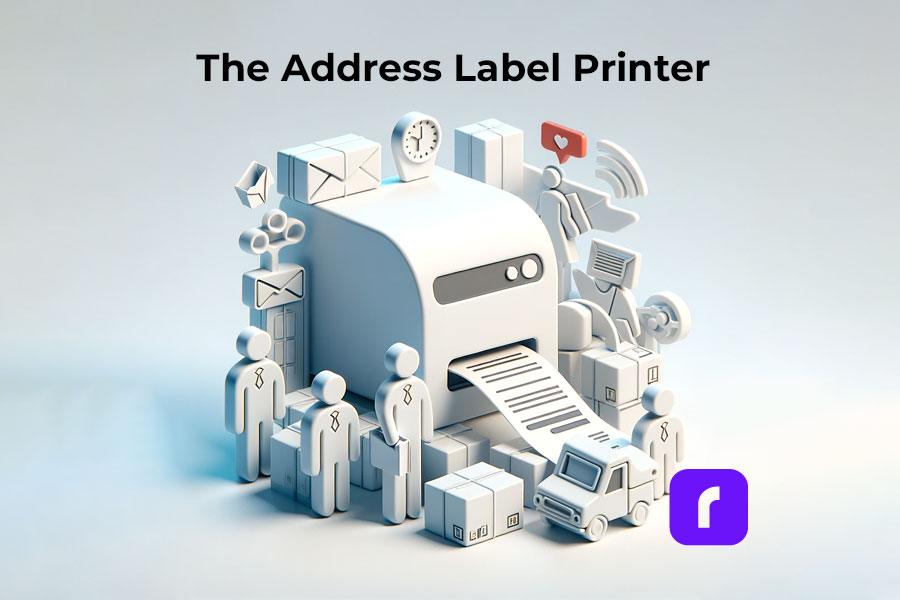
    Running a business in the digital age means juggling a multitude of tasks each day. Efficiency isn’t just a bonus, it’s a necessity for survival and growth. Among the various tools that can streamline your business operations, one stands out for its significant impact on the mailing process: the address label printer.

    Address label printers harness the power of thermal technology to produce high-quality labels in a snap. They provide a faster, more efficient alternative to regular printers, saving you precious time and reducing the potential for errors in the mailing process. This efficiency boost can translate into lower operational costs and a more streamlined workflow, a clear win for any business.

    But it's not just about speed and efficiency. With the growing emphasis on environmental responsibility, businesses are seeking ways to minimize their carbon footprint. This is where an address label printer truly shines. By eliminating the need for ink or toner, thermal label printers like those provided by Rollo offer an eco-friendly solution for your business's labeling needs.

    After all, in the world of business, every second, every dollar, and every decision counts. Make your choices matter. Now let’s dive deep and experience the difference a top address label printer can make!

    Understanding Address Label Printers

    ๐Ÿ“Œ What is an Address Label Printer?

    An address label printer is a specialized piece of equipment that does one job exceptionally well: print address labels. Unlike a traditional printer, which may juggle several tasks, an address label printer focuses on delivering high-quality, professional-looking labels, making it a crucial tool for businesses of all sizes.

    Whether you’re a home-based entrepreneur sending out handcrafted goods or a multinational corporation shipping products globally, the need for clear, reliable address labels is universal. An address label printer meets this need head-on, providing crisp, smudge-free labels every time.

    One of the key features that sets an address label printer apart from its regular counterparts is its thermal printing technology. By using heat to print on specially treated labels, thermal printers like Rollo’s address label printer eliminate the need for ink or toner. Not only does this mean you’ll never unexpectedly run out of ink in the middle of printing a batch of labels, but it also reduces maintenance costs and potential printing issues, leading to smoother operations.

    In addition, thermal printing technology ensures that every label is sharp, clear, and professional. This can make a big difference when shipping packages. Clear labels reduce the risk of packages getting lost or delayed due to illegible addresses, ensuring your products reach your customers on time.

    Address label printers are also designed to handle high volumes of printing, making them an ideal choice for businesses that send out large quantities of packages. With an address label printer, you can quickly print out a large batch of labels, saving valuable time and boosting efficiency.

    In short, an address label printer is a powerful tool that offers unparalleled convenience and reliability for any business. Providing crisp, clear labels every time, helps streamline your mailing process, enhance your professional image, and ultimately, elevate your business operations.

    ๐Ÿ“Œ Do You Need a Special Printer for Address Labels?

    Here’s a question we often hear: “Do I need a special printer for address labels?” The answer, quite simply, is yes. An address label printer like Rollo’s is engineered to make your mailing process a breeze, designed with the specific needs of label printing in mind. This makes them more reliable and efficient than using a regular printer to print address labels.

    Understanding The Address Label Printer

    The Thermal Difference: How it Works

    Thermal printers use heat to transfer the image onto the label, eliminating the need for ink or toner. The result? You get crisp and durable labels that can withstand various environmental conditions. Plus, by saying goodbye to expensive ink or toner, your wallet will thank you!

    With growing concerns about the environment, thermal printing is leading the way in the sustainable printing revolution. Thermal printers like Rollo’s are a shining example of how technology can be both efficient and eco-friendly. No ink means no empty cartridges ending up in landfills, contributing to a greener planet.

    Meet Rollo: Innovating the Address Label Printer Market

    In the world of address label printing, one brand has risen to the top through its unwavering commitment to innovation, efficiency, and environmental sustainability – Rollo. A brand synonymous with top-quality thermal label printers, Rollo has been at the forefront of revolutionizing the mailing process for businesses of all sizes.

    Rollo’s thermal printers, characterized by their advanced technology and high performance, have made a significant impact on how businesses approach their mailing needs. By delivering printers that combine speed, reliability, and ease of use, Rollo has helped businesses streamline their operations, saving them time and resources.

    Why Rollo Stands Out

    What sets Rollo apart from the competition isn’t just the outstanding quality of its address label printers. It’s also their unwavering commitment to environmental sustainability. This commitment extends across all facets of their operations and products.

    Rollo’s printers employ thermal printing technology, eliminating the need for ink or toner. This ink-free approach doesn’t just cut costs and enhance efficiency, it also reduces waste, making Rollo’s printers a more eco-friendly choice compared to traditional printers.

    Why Rollo Address Label Printers Stand Out

    But Rollo’s commitment to sustainability goes even further. The company uses eco-friendly, USA-made labels, reducing the environmental impact even more. These labels are not just a testament to Rollo’s commitment to quality, but also a reflection of their dedication to environmentally friendly practices.

    These initiatives make Rollo an ideal choice for businesses seeking to minimize their carbon footprint while optimizing their mailing process. By choosing Rollo, businesses are not only investing in a high-quality, efficient address label printer but also supporting a brand that values sustainability and environmental responsibility.

    Rollo’s dedication to innovation, quality, and sustainability has made it a beacon in the address label printer market, truly redefining what it means to be an efficient and eco-friendly mailing solution. With Rollo, businesses can confidently navigate their mailing needs, knowing they have a partner who shares their commitment to sustainability and excellence.

    ReasonExplanation
    InnovationRollo is dedicated to incorporating the latest technology into their printers, providing advanced and efficient solutions for businesses.
    QualityThe high-performance printers and USA-made labels offered by Rollo meet and exceed industry standards, ensuring reliable and professional results.
    SustainabilityRollo’s thermal printers use no ink, reducing waste. Their eco-friendly, USA-made labels further minimize environmental impact.
    EfficiencyRollo’s printers are designed for high volume printing, saving businesses valuable time and resources.
    Customer SupportRollo provides robust customer service and offers a suite of tools, such as their label design software and shipping application, to enhance user experience.
    AffordabilityDespite their high quality, Rollo’s printers and labels are competitively priced, making efficient mailing solutions accessible to businesses of all sizes.

    How to Print Your Own Address Labels: A Step-by-step Guide

    Printing your own address labels is simpler than you might think, especially with a Rollo printer. Here’s a step-by-step guide:

    1. Install the Rollo Printer: Follow the instructions provided with your Rollo printer to set it up with your computer.
    2. Design Your Label: Use the newly launched Rollo design tool to customize your address label.
    3. Load Your Labels: Place your roll of Rollo labels into the printer.
    4. Print: Click the print button in the Rollo software and watch your address labels come to life!

    The Rollo Printer: Designed for Efficiency and Sustainability

    Built with high-powered thermal technology, Rollo printers redefine the address label printing process by offering unmatched quality and speed. Both models โ€“ the wireless and the USB โ€“ are compact enough to carry in your bag, yet robust enough to print up to 325,000 ft of labels without any ink. What’s even more impressive is their intelligent label detection feature that eliminates manual cropping. Simply send your labels to Rollo and let the printer do the rest. This is innovation and sustainability in one sleek design.

    Home Shipping with Rollo

    Say goodbye to inconvenient trips to the post office. With Rollo’s address label printer, you can print your own shipping labels right from the comfort of your home. This provides a significant convenience boost for e-commerce operations, allowing for a faster, more streamlined shipping process that leaves a professional impression on your customers.

    Integrating Rollo Into Your Business

    The seamless integration of Rollo’s address label printer with various e-commerce and web platforms makes it an invaluable tool for businesses of all sizes. Whether youโ€™re operating on Amazon, Etsy, eBay, WooCommerce, or any other platform, Rollo’s address label printer is designed to fit effortlessly into your existing systems, making address label printing a hassle-free experience.

    One of the greatest strengths of Rollo’s address label printer is its remarkable ability to integrate smoothly with various e-commerce and web platforms. This seamless integration streamlines your business operations, turning the often time-consuming task of printing address labels into an effortless process.

    A Passion for Innovation: How Rollo Supports Small Businesses

    The excellence of Rollo’s address label printer isn’t just an empty claimโ€”it’s echoed by the numerous small businesses that have integrated Rollo into their operations. Brands like RD Ceramics, Matryoshka Doll Shop, Floof Cotton Candy, and Kate Hickman Art, among many others, swear by the effectiveness and efficiency of Rollo’s solutions.

    Barnacle Foods

    Rainier Watch

    Sofiest Designs

    Each of these businesses showcases the profound impact Rollo’s address label printer can have, and the tremendous value it offers to small enterprises. You can hear about their experiences firsthand through Rollo’s YouTube channel series, “Exploring the Entrepreneur”. The innovation, commitment, and passion of the Rollo team shine through in every testimonial.

    MAKE YOUR MAILING PROCESS EFFORTLESS.

    Print address labels

    Easy. Fast. Cheap.

    Choosing Rollo: Elevate Your Business with an Address Label Printer

    So, there you have it. In a world where efficiency and sustainability are key, an address label printer is no longer just an optional add-onโ€”it’s a necessity. And when it comes to picking the best address label printer, Rollo stands out as a beacon of innovation and commitment to eco-friendliness. With its advanced thermal technology, seamless integration capabilities, and an array of other features, Rollo’s address label printer is poised to revolutionize your business’s mailing process.

    Follow Rollo on:

    Frequently Asked Questions about Address Label Printing

    ๐Ÿ“Œ Q: How do I print my own address labels?

    ๐Ÿ’ญ A: With Rollo’s address label printer, it’s straightforward. Set up your printer, use Rollo’s design tool to create your label, load the labels into the printer, and press print. Voila, you’ve got your address labels!


    ๐Ÿ“Œ Q: How to print address labels with an address label printer?

    ๐Ÿ’ญ A: To print address labels with an address label printer, you’ll need to connect your printer to your computer, load the labels into the printer, create your label design using a suitable software tool (like Rollo’s design tool), and finally, send the print command.


    ๐Ÿ“Œ Q: Can I make my own mailing label with an address label printer?

    ๐Ÿ’ญ A: Absolutely! You can use Rollo’s design tool to create and print your custom mailing labels.


    ๐Ÿ“Œ Q: Do you need a special printer for address labels?

    ๐Ÿ’ญ A: While you can technically print address labels with a standard printer, an address label printer like Rollo’s is more efficient and reliable for the task. These printers are designed specifically for label printing, delivering professional and durable labels.


    ๐Ÿ“Œ Q: Can I print my own shipping label from home with an address label printer?

    ๐Ÿ’ญ A: Yes! With Rollo’s address label printer, you can print your own shipping labels from the comfort of your home.
  • How to Print Postage at Home & Cut Costs?

    How to Print Postage at Home & Cut Costs?

    Shipping can be one of the most significant expenses for small businesses. Fortunately, it’s possible to print postage at home and cut costs with the right approach and tools. This comprehensive guide will explore the benefits of printing postage at home, the necessary equipment and supplies, and how to use Rollo’s innovative products and services to save your business money on shipping labels and postage.

    Benefits of Printing Postage at Home: Unlocking Savings and Efficiency

    Printing postage at home offers numerous advantages that help streamline your shipping process, reduce expenses, and improve customer satisfaction. By leveraging solutions like Rollo’s thermal printers and discounted shipping services, you can enjoy several key benefits:

    By embracing the benefits of printing postage at home, you can transform your shipping process, save money, and enhance your customers’ experience. Investing in solutions like Rollo’s thermal printers and discounted shipping services can help you unlock these advantages and set your business up for success.

    Required Equipment and Supplies to Print Postage at Home

    To print postage at home, you will need the following equipment and supplies:

    • ๐Ÿ’ป Computer:
      A computer with internet access is necessary for accessing postage software and online platforms.
    • ๐Ÿ–จ๏ธ Printer:
      A printer, like Rollo’s thermal label printer, is essential for printing shipping labels and postage. Thermal printers are cost-effective and eco-friendly as they don’t require ink or toner.
    • โš–๏ธ Scale:
      A digital scale, such as Rollo’s digital postage scale, will help you accurately weigh packages to ensure proper postage and avoid underpayment or overpayment.
    • ๐Ÿท๏ธ Labels and adhesive paper:
      To print shipping labels, you will need labels or adhesive paper compatible with your printer. Rollo offers eco-friendly 4×6 labels and barcode labels suitable for their thermal printers.
    • ๐Ÿ“ฆ Shipping supplies:
      You will need packaging materials, like boxes or mailers, packing tape, and any necessary cushioning materials to protect your products during shipping.

    Exploring Postage Software and Online Platforms for Streamlined Shipping

    In today’s digital era, numerous postage software and online platforms enable you to print postage at home, providing convenience, cost savings, and efficiency.

    Here is an overview of some popular options and Rollo’s all-in-one solution, the Rollo Ship:

    Platform Description
    Stamps An online postage provider that allows users to buy and print USPS-approved postage directly from their computers.
    USPS Click-N-Ship An online shipping service provided by the United States Postal Service (USPS) for creating and printing shipping labels with postage for domestic and international shipments.
    Endicia An online postage platform specializing in providing shipping solutions for e-commerce businesses with a range of features, including printing USPS-approved postage, discounted shipping rates, and e-commerce platform integrations.

    Rollo’s All-in-One Solution: Rollo Ship

    While the platforms mentioned above offer various features and benefits to print postage online and at home, Rollo Ship stands out as a comprehensive, all-in-one solution for businesses looking to streamline their shipping process. This app offers multi-carrier shipping discounts integrated with various marketplaces, allowing users to calculate, print postage, and access significant shipping discounts all in one place.

    Key features of Rollo Ship include:

    Feature Description
    ๐Ÿ’œ Discounts โœ… Shipping discounts with UPS, USPS, and FedEx up to 90% offโ—
    ๐Ÿ’œ Multi-carrier integration โœ… Rollo Ship supports multiple carriers, enabling you to compare shipping rates and services, and choose the most cost-effective option for your needs.
    ๐Ÿ’œ Marketplace integration โœ… Seamlessly import orders from popular e-commerce platforms, ensuring accurate and efficient order processing.
    โœ… The integrated marketplaces include:
    Amazon, Etsy, Shopify, Big Cartel, eBay, WooCommerce, Walmart, SquareSpace, Ecwid, Square, Wix, Magento, PayPal, and more.
    ๐Ÿ’œ Shipping label customization โœ… Create custom shipping labels and branded packaging materials using Rollo’s Design Label tool to enhance your customers’ unboxing experience.
    ๐Ÿ’œ Package tracking โœ… Easily track your shipments for additional security and peace of mind.
    โœ… Enjoy: Daily Scan Forms and Pickup History.
    ๐Ÿ’œ Schedule Pickup โœ… Easily schedule and manage carrier pick ups with a click of a button.
    ๐Ÿ’œ Statistics โœ… Enjoy stats about sales, the number of orders, shipments, and your savings.
    ๐Ÿ’œ Order Consolidation โœ… Group orders from multiple marketplaces and create quick shipments.
    ๐Ÿ’œ Automation โœ… Get automatically notified for new orders from your stores.
    โœ… AI groups similar orders for bulk shipping.

    By choosing Rollo Ship, businesses can benefit from a streamlined, all-in-one shipping solution that simplifies the process of printing postage at home and provides access to discounted shipping rates. This powerful tool can help you save time, money, and improve your overall shipping experience.

    How to Create the Perfect Home-Based Mailing Station with Rollo

    Setting up a dedicated mailing station at home can significantly improve your shipping process, helping you stay organized, efficient, and professional. By following these tips and utilizing Rollo’s innovative products, you can create the ultimate home-based mailing station tailored to your needs.

    Step 1: Choose a designated space
    Step 2: Organize your supplies
    Step 3: Set your computer, printer, and scale
    Step 4: Keep shipping supplies and packaging materials within reach
    Step 5: Optimize your workflow with Rollo Ship
    How to Create a Mailing Station at Home

    Step 1: Choosing the designated space

    • select an area in your home that provides ample space for your equipment and supplies;
    • the space should be free from distractions and have a comfortable working environment;
    • consider factors like lighting, ventilation, and accessibility to ensure a productive and efficient mailing station;

    Step 2: Organizing your supplies

    • keep your shipping supplies well-organized with storage solutions like shelves, drawers, or containers;
    • label storage areas for easy identification, and consider implementing a system to track your inventory levels;
    • Rollo’s eco-friendly labels and barcode labels can help you create a visually appealing and organized storage system;

    Step 3: Setting up your computer, printer, and scale

    • Arrange your computer, Rollo’s thermal label printer (wireless or USB), and digital scale for postages in an ergonomic and accessible setup;
    • This arrangement will allow you to print labels, weigh packages, and manage your shipping process with ease;
    • Remember to keep cables and cords organized for a clutter-free workspace;

    Step 4: Keeping your shipping supplies and packaging materials within reach

    • Ensure that your packaging materials, such as boxes, bubble wrap, and packing tape, are easily accessible for efficient packing and shipping;
    • Additionally, utilize Rollo’s Design Label tool to create custom branded labels, enhancing your packages’ appearance and creating a memorable unboxing experience for your customers;

    Step 5: Optimizing your workflow with Rollo Ship

    • Streamline your shipping process by integrating Rollo Ship, a multi-carrier shipping platform that offers discounted shipping rates and seamless marketplace integration;
    • This powerful tool will enable you to calculate and print postage, track expenses, and manage shipments all from one convenient platform;

    By following these tips and leveraging Rollo’s game-changing products and services, you can create a well-organized, efficient, and professional home-based mailing station. With Rollo on your side, you’ll save time, reduce shipping costs, and elevate your customers’ experience, giving your business a competitive edge. Invest in Rollo’s solutions today and transform your shipping process for the better.

    Tips for Shipping from Home

    In Conclusion

    Embrace the power of printing postage at home to significantly reduce costs and elevate your business operations. By harnessing Rollo’s innovative products and services, you’ll not only save money but also boost efficiency and create a memorable experience for your customers. Don’t wait โ€“ invest in Rollo’s cutting-edge solutions today and witness a remarkable transformation in your shipping process, leading to increased profitability and long-term success.

    Follow Rollo on:

    Frequently Asked Questions

    Q: ๐Ÿ“ฆ Can I print postage for multiple carriers using Rollo Ship?
    Short Answer:
    Yes.

    A: Yes, Rollo Ship is a multi-carrier shipping platform that allows you to calculate and print postage for various carriers, ensuring you find the most cost-effective shipping option for your packages.

    Q: ๐Ÿ–จ๏ธ What are the benefits of using Rollo’s thermal label printers to print postage?
    Short Answer:
    fast, eco-friendly, money-saving

    A: Rollo’s thermal label printers are inkless, which means you save on ink costs. They are also fast, efficient, and eco-friendly, making them an excellent investment for businesses looking to cut costs and improve their shipping process.

    Q: ๐Ÿ–Œ๏ธ How can I create custom branded labels for my packages with Rollo?
    Short Answer:
    Via Rollo Label Designer

    A: Rollo Label Designer tool allows you to create custom brand labels for your packages easily. This feature helps you enhance your brand’s visibility and create a memorable unboxing experience for your customers.