Rollo

Tag: online entrepreneur

  • The Power of UPS® Label Printers and UPS Shipping Tools

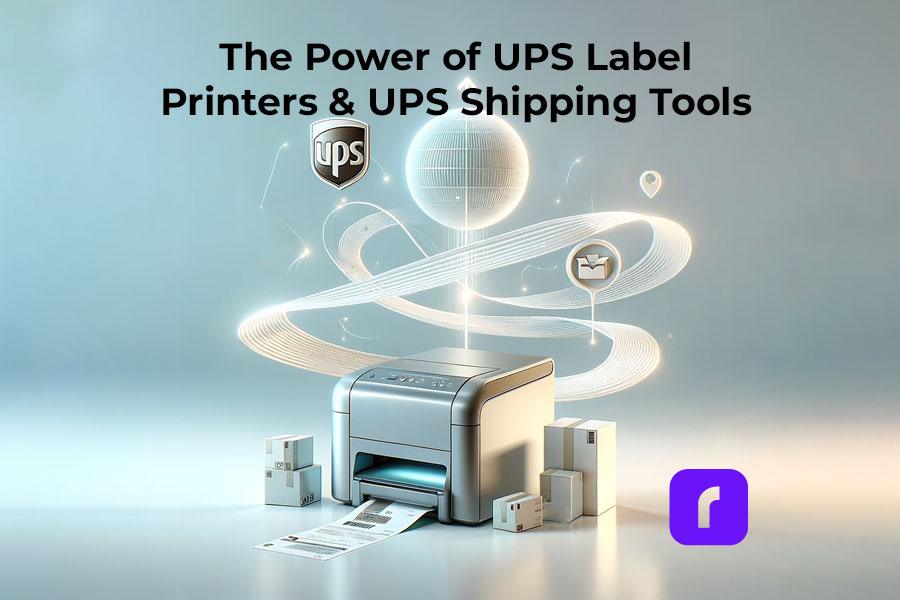
    The Power of UPS® Label Printers and UPS Shipping Tools

    In the bustling realm of e-commerce, the speed and reliability of your shipping operations directly influence customer satisfaction and business growth. Central to optimizing these operations is the choice of a UPS Label Printer. Here’s where Rollo emerges as the unparalleled solution that adheres to UPS’ stringent standards for shipping labels.

    The Essentials of UPS® Label Printers

    Why Do You Need a UPS Label Printer?

    There are several reasons why a person or business might need a label printer for creating UPS shipping labels:
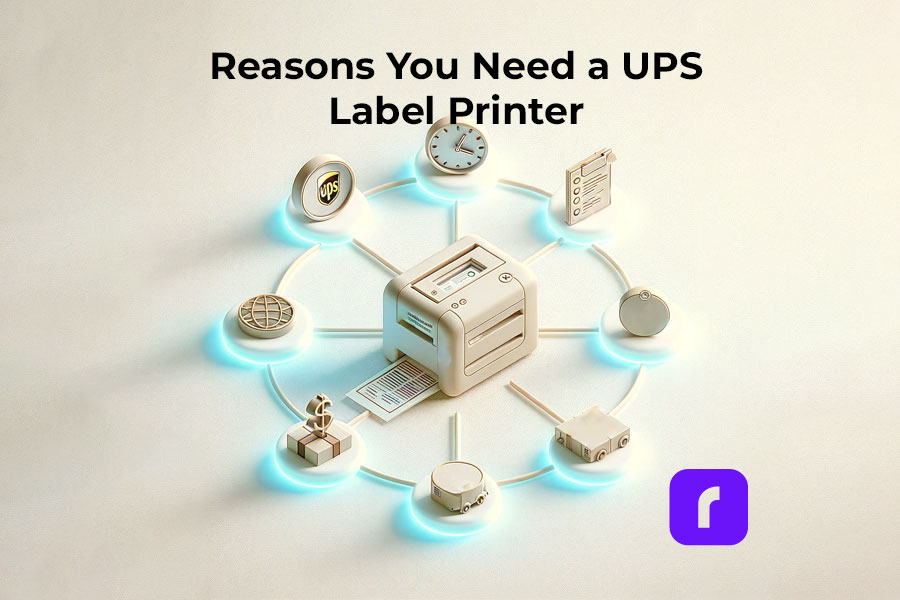
    Why Do You Need a UPS Label Printer?
    1. High Volume Shipping: For businesses that ship a large volume of packages, having a dedicated label printer can save a lot of time and streamline the shipping process.
    2. Efficiency: A dedicated label printer is faster and more efficient than using a standard printer, as it doesn’t require loading label sheets into a printer tray, reducing the risk of jams or misprints.
    3. Cost-Effectiveness: Over time, using a dedicated label printer can be more cost-effective than using a standard inkjet or laser printer, especially in terms of ink or toner costs and the cost of label sheets.
    4. Quality and Durability: Labels printed from a dedicated label printer are often more durable and of higher quality, which is important for ensuring that shipping information remains legible during transit.
    5. Convenience: Printing directly onto adhesive labels is more convenient and time-saving, eliminating the need for taping or gluing labels onto packages.
    6. Professional Appearance: Packages with printed labels look more professional, which can be important for businesses wanting to make a good impression on customers.
    7. Integration with Shipping Software: Many label printers can integrate directly with UPS’s shipping software or other shipping platforms, allowing for seamless printing of labels without having to manually enter data or adjust settings.
    8. Space-saving: Dedicated label printers are often more compact and can save valuable workspace compared to using a standard printer for the same task.
    9. Mobility: Some label printers are portable, allowing for label printing at various locations within a facility or even in field operations, which can be crucial for logistics and shipping operations that are not confined to a single space.
    10. Customization: Label printers often offer more options for customizing label size, format, and content, allowing businesses to add branding or specific instructions to their shipping labels.

    Having a UPS label printer is particularly beneficial for e-commerce businesses, logistics companies, and any organization that regularly ships goods, as it enhances efficiency, professionalism, and the overall shipping process.


    ⚠️ UPS Shipment Requirements

    UPS requires that UPS shipping labels are printed for all Domestic Air Shipments. Thus, if you are a business or a person shipping regularly within the USA, you will find yourself printing UPS shipping labels a lot.

    For domestic shipments via air services, it’s essential to utilize a UPS label generated from an automated shipping system (such as UPS.com or Rollo Ship App) or a UPS Air Shipping Document (ASD). The ASD consolidates your address label, tracking label, and shipping record into a single document. According to UPS, you can obtain specific ASDs for the following services:

    • UPS Next Day Air® Early
    • UPS Next Day Air® (also applicable for UPS Worldwide Express®)
    • UPS Next Day Air Saver®
    • UPS 2nd Day Air A.M.®
    • UPS 2nd Day Air®

    What Makes a UPS Label Printer Indispensable?

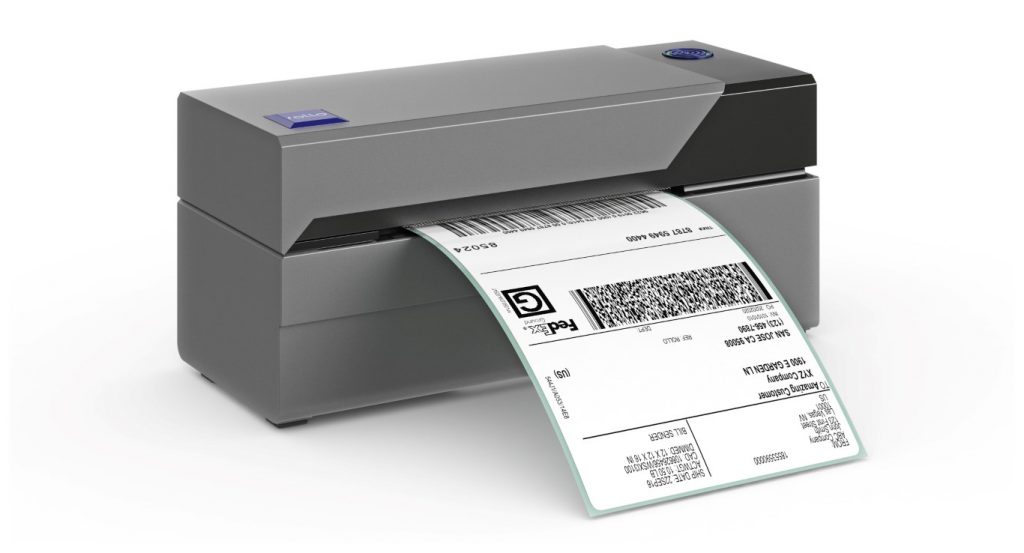
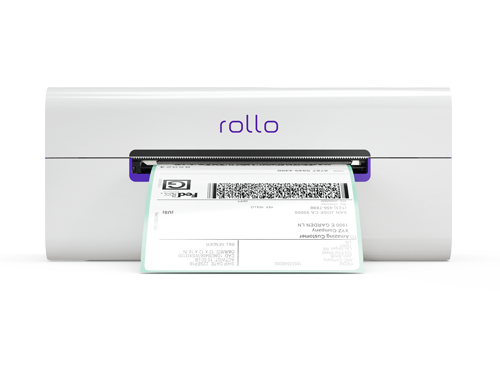
    In times when online shopping is the norm, the efficiency of getting orders out the door can set your store apart. Not only for online business owners but for the average shipper. This is where the Rollo Label Printer shines as an indispensable asset.

    Rollo Label Printer Features and Advantages

    Opting for a Rollo Label Printer, especially the Rollo Wireless UPS Label Printer, brings a suite of benefits to your shipping process:

    • This device champions direct thermal printing technology. This means eliminating the need for ink or tone. The pro for you as a business – reducing operational costs and increasing reliability.
    • Rollo’s UPS label printer’s compatibility with both Mac and Windows, without the hassle of installing drivers, streamlines the setup process, making it a straightforward choice for businesses of all sizes.
    Choose The Right UPS Label Printer for Your Needs

    Choosing the Right UPS Label Printer

    Navigating Through UPS Label Printer Options

    With a myriad of UPS label printers available, Rollo distinguishes itself by not just being a printer but a comprehensive shipping solution. Its wireless model, in particular, stands out as the best UPS thermal printer for Mac and Windows users alike. To make sure you choose the right one, avoid these common UPS printer buying mistakes. The lack of a driver requirement means you can get your shipping station operational in no time, focusing on what matters most—growing your business.

    Rollo Label Printer Setup and Integration

    The beauty of the Rollo Label Printer lies in its seamless integration into your shipping workflow. Whether you’re a small online boutique or a burgeoning e-commerce platform, the Rollo Wireless Label Printer’s setup is a breeze. Its intelligent label detection and high-resolution printing capabilities ensure that every label meets UPS’s precise specifications, guaranteeing smooth deliveries and satisfied customers.

    Valuable Options for Different Needs

    Rollo’s adaptability extends beyond operating systems. Whether you need the mobility provided by a wireless connection or the specific compatibility with Mac or Windows systems, the Rollo Label Printer is designed to cater to your unique business needs. Its efficiency and flexibility make it an unparalleled choice for modern online stores.


    Enhancing Your Shipping with Rollo Label Printers

    Rollo’s innovative approach to label printing extends beyond mere hardware. The company’s solutions are a testament to its understanding of the e-commerce landscape, offering tools that simplify and optimize the shipping process from start to finish.

    Features That Set Rollo Apart

    Rollo Label Printers, particularly the wireless model, are designed with the user in mind. They offer:

    • Direct thermal printing technology: This means you’ll never need to buy ink or toner again. It’s not just cost-effective; it’s also hassle-free.
    • High-speed printing: Capable of printing one label per second, Rollo printers ensure that even the largest order batches are processed quickly.
    • Wide compatibility: Whether you’re using a Mac, Windows, or even mobile devices like iPhones and Androids, Rollo printers seamlessly integrate with your preferred platform without the need for additional drivers.
    • Intelligent label detection: Rollo printers automatically detect and analyze the size and type of label being used, adjusting settings to ensure each label is printed perfectly.
    • Versatility: Capable of handling a wide range of label sizes, Rollo printers are suited for everything from shipping labels to ID badges, making them a versatile addition to any business.

    Get a Piece of Mind with Cutting-Edge Performance

    Order a UPS Label Printer from Rollo

    Seamless E-commerce Integration

    UPS Label Printing Software
    UPS Label Printing Software

    Integrating UPS WorldShip® with Rollo Printers

    In the expansive world of e-commerce, aligning your shipping process with both UPS WorldShip® and UPS label printers no matter their brand can significantly streamline operations. It also ensures your packages are dispatched swiftly and accurately. Here’s a distilled guide to seamlessly integrating UPS WorldShip® software with Rollo’s cutting-edge UPS label printers.

    Whether you’re setting up WorldShip for a Rollo USB UPS label printer or capitalizing on the driver-free convenience of a Rollo Wireless UPS label printer, this guide ensures a smooth installation process.

    UPS WorldShip® For Rollo USB Label Printer:

    🎬 🐾 Step 1 ➡️ UPS Label Printer Preparation

    • Ensure the Rollo USB UPS label printer is connected to power and your PC. (For Rollo Wireless, ensure you are connected to power and Wi-Fi. And you have done the printers’ initial installations.)
    • For Rollo USB, visit this installation guide.
    • For Rollo Wireless, refer to this video:


    • Load the labels into the printer.

    🐾 Step 2 ➡️ Access WorldShip’s Printing Setup: Open UPS WorldShip®, navigate to the Tools tab, select System Preferences, and then click Printing Setup.

    🐾 Step 3 ➡️ Adding the Rollo Printer: In the System Preferences Editor, under Printing Setup, enter a printer ID and select Label as the printer type. Then, click Add.

    🐾 Step 4 ➡️ Selecting Printer Type: In the Printer Selection window, click Add Printer. For Rollo, choose the “Other” option as the printer type.

    🐾 Step 5 ➡️ Installing the Printer: Follow the on-screen prompts to install your Rollo printer. If using a Rollo USB printer, select the appropriate communication port, usually USB001.

    🐾 Step 6 ➡️ Finalize Setup: After installation, verify the printer settings, ensuring the correct label stock dimensions and printer name are selected. Apply the changes.

    🏁 🐾 Step 7 ➡️ Print a Test Label: To ensure everything is set up correctly, print a test label from the Printing Setup tab in WorldShip.

    UPS WorldShip® For Rollo Wireless UPS Label Printer:

    The beauty of the Rollo Wireless UPS Label Printer lies in its driver-free operation for both Mac and Windows users. Since UPS WorldShip® requires direct communication with printers, those opting for a wireless setup should ensure their network settings allow for seamless interaction with WorldShip software. Although specific driver installation isn’t necessary for the wireless model, ensuring your computer and printer are on the same network is crucial for smooth operation.

    ✅ 💭 Integration Tips:

    • Customizing Label Settings: After setting up your printer, take a moment to customize your label settings in WorldShip to match the specific requirements of your Rollo printer. This ensures optimal clarity and formatting for your shipping labels.
    • Troubleshooting: If you encounter issues during the setup, UPS provides a Support Utility to help identify and resolve printer communication problems, ensuring a smooth integration process.

    By following these steps, Rollo users can efficiently integrate their UPS label printers with UPS WorldShip®. Alternatively, you can enjoy the hassle-free, no installation required shipping integration from Rollo – available for Desktop, and as a mobile app totally for free.
    UPS Shipping Discounts via Rollo Ship App

    Rollo Ship App – A Comprehensive Shipping Solution

    The Rollo Ship App is the companion piece to the Rollo UPS label printers, offering a suite of features that make shipping simpler and more cost-effective. With the app, users can:

    • Automatically import orders from various e-commerce platforms.
    • Access discounted shipping rates, thanks to Rollo’s negotiations with major carriers like UPS.
    • Print UPS shipping labels directly from their mobile device or desktop, without the need for a traditional printer setup.
    • Schedule pickups and track shipments with ease, providing a complete shipping solution that saves time and money.


    Looking for UPS Shipping Discounts?
    Enjoy Big Savings on the Go!

    Use the Rollo Ship App on your Desktop or your mobile,

    print UPS shipping labels easily
    Shipping Via UPS Website

    Another Alternative to UPS WorldShip® and Rollo Ship:

    Create a Shipping Label via UPS.com either with a profile or as a guest:

    • 🎬 🐾 Step 1 ➡️ Visit UPS.com > Top Left Menu > Shipping > Create Shipment.
    • 🐾 Step 2 ➡️ Input all the required information in the Shipping Form, such as the sender’s name, address, phone, and email along with the recipient’s name and address. Choose if you wish to receive status updates for this shipment.
    • 🐾 Step 3 ➡️ Fill in the details about the package you’re sending and pick the service options that align with your shipping requirements.
    • 🏁 🐾 Step 4 ➡️ Select how you’d like to pay and proceed to print the UPS shipping label.

    Maximizing Efficiency and Savings

    Cost-Effective Shipping with UPS Label Printers

    The question of cost is always at the forefront for online businesses, and Rollo’s solutions are designed with this in mind. By utilizing a UPS label printer like Rollo, businesses can enjoy:

    • 💰 Significant savings on shipping costs, thanks to Rollo’s efficient thermal printing technology and access to discounted rates.
    • 💰 Reduced overhead by eliminating the need for ink, toner, and maintenance associated with traditional printers.
    • 💰 Increased productivity, as Rollo printers and the Rollo Ship App streamline the entire shipping process, allowing businesses to focus on growth and customer satisfaction.

    Continuing from the discussion on the efficiency and cost savings offered by Rollo’s innovative shipping solutions, we’ll now explore real-world applications and the significant advantages that Rollo label printers bring to online stores, followed by addressing some of the most common queries through an FAQ section.

    *Discounts off UPS daily rates. Rates are limited to shipping from the U.S. only. Rates and any applicable discounts are subject to change at any time without notice. UPS®, the UPS® brandmark, and the color brown are trademarks of United Parcel Service of America, Inc. Used with permission. © 2020-2025 United Parcel Service of America, Inc. All rights reserved.

    Follow Rollo on:

    Frequently Asked Questions about UPS and Rollo’s UPS Label Printers:

    📌 Q: Does UPS provide label printers?

    💭 A: While UPS does not directly provide label printers, they recommend using high-quality thermal printers for printing their shipping labels. Rollo’s label printers exceed UPS’s requirements, ensuring compatibility and efficiency.


    📌 Q: How do I get a free UPS label printer?


    💭 A: Though obtaining a “free” UPS label printer might not be straightforward, investing in a Rollo printer is a cost-effective decision. The savings on ink, toner, and time, coupled with discounted shipping rates through the Rollo Ship App, ensure that the printer pays for itself over time.


    📌 Q: How do I print labels from UPS?

    💭 A: Printing UPS labels with a Rollo printer is a breeze. Once your shipment details are entered into UPS’s online platform or an integrated e-commerce site, simply select your Rollo printer and print. The label will come out crisp, clear, and ready to adhere to your package.


    📌 Q: Can I create my own UPS shipping label?

    💭 A: Yes, you can create your own UPS shipping label using UPS’s online services or through e-commerce platforms that integrate with UPS. Rollo printers can then print these labels, ensuring they meet UPS’s specifications.


    📌 Q: Is it more affordable to use a shipping label printer?


    💭 A: Absolutely. Using a shipping label printer like Rollo saves money in the long run. The initial investment is quickly offset by the savings on ink, toner, and maintenance costs associated with traditional printers. Additionally, the Rollo Ship App offers access to discounted shipping rates, further enhancing savings.
  • Depop Shipping: Secrets for Fast and Budget-Friendly Shipping

    Depop Shipping: Secrets for Fast and Budget-Friendly Shipping

    Depop has revolutionized the world of online fashion retail, creating an accessible platform for buying and selling unique and trendy items. Central to this thriving marketplace is Depop shipping, a critical component that bridges the gap between sellers and buyers. This comprehensive guide will delve into the nuances of Depop shipping, offering valuable insights and expert advice to ensure a smooth and stress-free shipping experience. Whether you’re a seasoned seller or a newcomer, mastering Depop shipping is key to success in this vibrant community.

    Things to Know About Depop Shipping

    What is Depop Shipping?

    At its core, Depop shipping refers to the process of sending sold items from sellers to buyers using various shipping methods. Depop offers a range of shipping options to accommodate the diverse needs of its community. This flexibility is crucial, as it allows sellers to tailor their shipping approach to each unique sale.

    Credit: Official Depop Pinterest Profile

    How Depop Shipping Works?

    For both sellers and buyers, understanding the shipping process is fundamental. Sellers are responsible for choosing their preferred shipping method, be it through Depop’s integrated services or external carriers. For buyers, knowing the shipping terms helps manage expectations regarding delivery times and costs.

    Understanding the Costs

    📌 How Much is Shipping on Depop?

    The cost of shipping on Depop is influenced by multiple factors which directly impact the final price. These include:

    • 📏 📦 Size and Weight of the Package: Larger and heavier items generally incur higher shipping fees. Depop categorizes items into different size brackets (extra small, small, medium, large, and extra-large), each with its own price range.
    • 📍 Destination: Shipping costs vary significantly based on whether the package is being sent locally, domestically, or internationally. International shipping, in particular, can be more expensive due to longer distances and customs fees.
    • 💲 Carrier Rates: Depop has partnerships with carriers like USPS and UPS, each offering different rates. 

    To accurately estimate shipping rates, sellers can utilize the shipping calculator provided by Depop. Alternatively, sellers can manually check rates on carrier websites for comparison.

    📌 Are Depop Shipping Labels Prepaid?

    Yes, Depop offers the convenience of prepaid shipping labels. This streamlines the shipping process, allowing sellers to focus more on their business and less on logistics.

    These labels can be easily generated within the app once an item is sold. Here’s how it benefits sellers:

    • Time-saving: Prepaid labels eliminate the need to manually input shipping details or visit a post office to pay for postage.
    • 🏠 Convenience: Labels can be printed at home or any place with printing access, providing flexibility for sellers.
    • 📍Automated Tracking: Prepaid labels come with tracking, automatically updating both seller and buyer on the shipment’s progress.

    📌 Is Depop Shipping Free?

    Depop itself does not offer free shipping; the cost is typically shouldered by either the seller or the buyer. However, sellers have the option to offer free shipping as an incentive. This tactic can be particularly effective in attracting buyers, as it simplifies the total cost they pay. Sellers often adjust their item prices to cover these shipping costs, thus maintaining their profit margins.

    Choosing the Right Shipping Method

    Overview of Depop Shipping Methods

    ☑️ In-app integrations with shipping carriers:
    Depop provides sellers with a versatile range of shipping options, catering to various needs and preferences. Understanding these options is crucial for optimizing your shipping strategy. Depop integrates with major carriers, offering in-app shipping solutions that simplify the process.

    ☑️ External shipping for customized prices:
    Additionally, sellers have the flexibility to opt for external shipping methods, allowing for a customized approach to each sale. This dual approach caters to diverse seller needs, from those looking for convenience to those seeking the most cost-effective solutions.

    The Cheapest Ways to Ship on Depop

    To achieve cost-effective shipping on Depop, sellers should consider a few strategies:

    • 📉 Comparing Carrier Rates: Check rates between Depop’s partnered carriers (like USPS and UPS) and third-party services to find the best deals.
    • 🔽 Flat Rate Shipping: For certain items, especially those of a consistent size and weight, flat rate options can offer significant savings.
    • 🎀 Tailored Shipping Methods: Align your shipping method with the item’s characteristics. Small, lightweight items might be cheaper to send via standard mail, whereas larger items might benefit from flat rate or courier services.

    Comparison: Depop Shipping with UPS vs USPS

    In the U.S., Depop’s collaboration with UPS and USPS provides sellers with distinct advantages:

    • USPS: Generally more economical for smaller, lighter packages. USPS offers reliable service with widespread reach, including APO, FPO, and DPO addresses.
    • UPS: Preferable for larger, heavier items due to its robust handling of bulkier shipments. UPS also offers detailed tracking and faster delivery options for urgent shipments.

    Did you know?
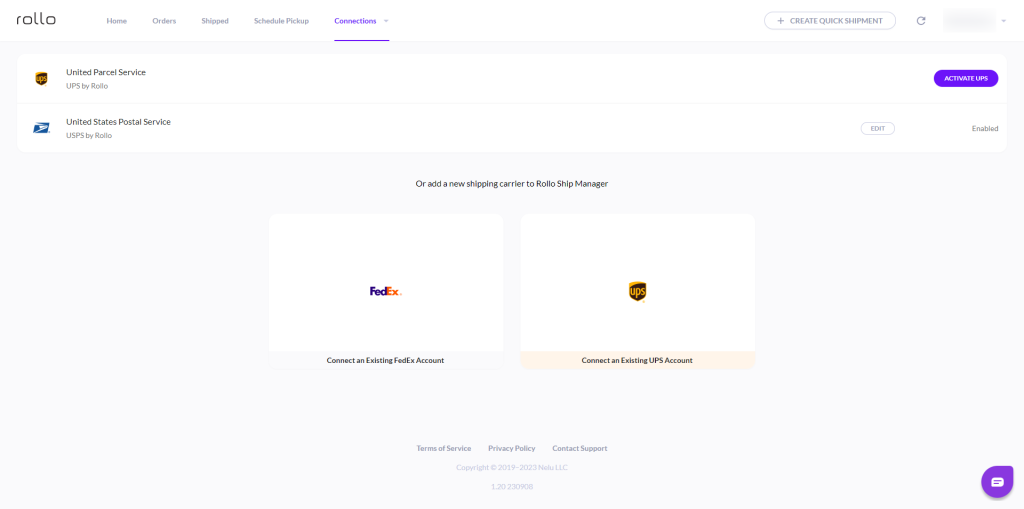
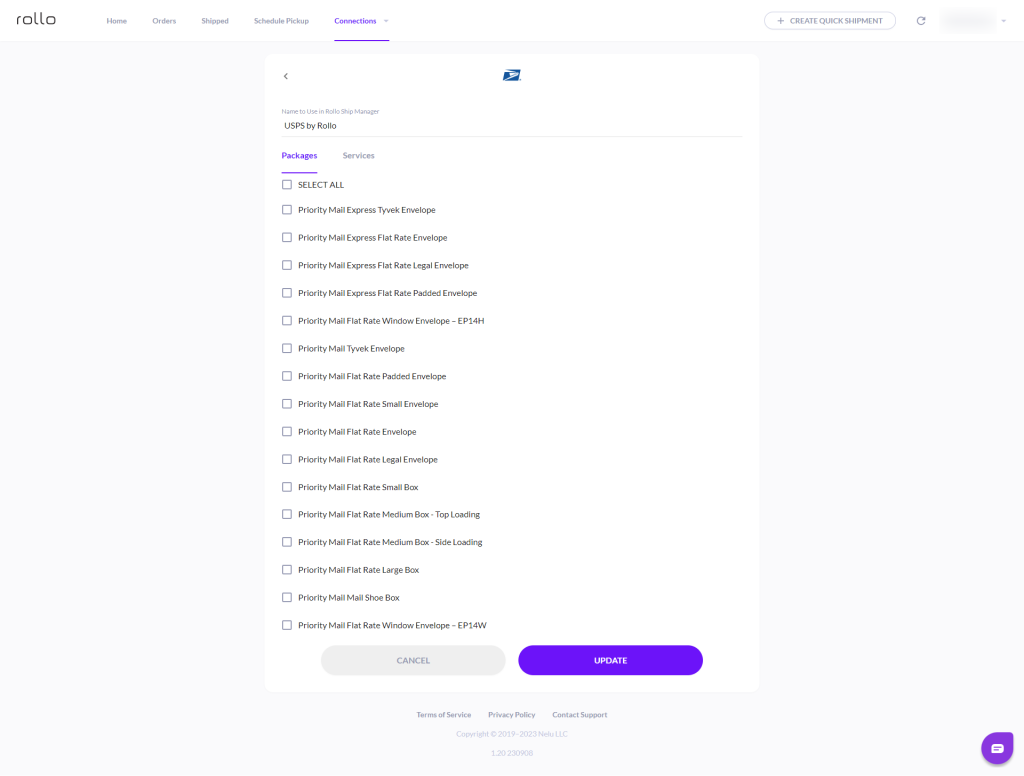
    You can link your USPS or UPS account to Rollo Ship, or create a new one within the Rollo app. Rollo has negotiated UPS and USPS shipping discounts to help the average shipper and businesses tackle shipping costs. Users can also schedule pickups, and get automatic tracking notifications.

    Incorporating Rollo Ship into Your Depop Shipping 

    The Rollo Ship App stands out as a versatile tool for Depop sellers, streamlining the shipping process across various platforms. This free-to-download app is available on iOS, Android, and Desktop, offering a unified platform to manage orders from multiple marketplaces.

    Key Features of the Rollo Ship App

    • 📯 Multi-Carrier Integration: Connect with major carriers like USPS, UPS, and FedEx directly through the app.
    • 💲Discounted Shipping Rates: Users benefit from up to 90% discounts on standard rates from major carriers.
    • ❌ 🛒 No Printer or Product Purchase Necessary: The app doesn’t require users to own a Rollo printer or any other Rollo product. It’s compatible with any standard printer.
    • 💻 📲 Multi-Platform Synchronization: Integrates with marketplaces like Amazon, Etsy, Shopify, and more, allowing for seamless management of orders.
    • 🤖 Artificial Intelligence (AI) Utilization: The app intelligently imports and groups orders, providing timely notifications and streamlining the shipping process.
    • 🔊 Automatic Recipient Notification: Recipients are automatically notified of their tracking information, enhancing customer experience.

    Benefits for Depop Sellers

    • 🪙 Cost-Effective: With minimal costs (5 cents per label, waived for the first 200 labels) and no monthly subscription, it’s economically viable.
    • ✏️ Simplified Process: Whether you are an individual seller or a small business, the app’s user-friendly interface and features like Exact Payment and international shipping support simplify logistics.
    • 🧵 Versatility: The app’s ability to work independently of store connections makes it ideal for various users, including service businesses.

    Strategic Integration with Depop Shipping

    Depop sellers can leverage the Rollo Ship App to enhance their shipping process. By comparing rates and services offered by Rollo’s integrated carriers with those of Depop’s partners, sellers can choose the most economical and efficient shipping method for each item. The flexibility to print labels from any printer, the convenience of scheduling pickups, and the advantage of discounted rates make the Rollo Ship App an invaluable asset for Depop sellers aiming to streamline their shipping operations and reduce costs.

    Claim USPS and UPS shipping discounts

    for your Depop shipping!

    How to Sell Effectively with Depop Shipping

    Steps for Listing Items on Depop

    Creating a successful listing on Depop involves several key steps:

    1. 📷 Taking High-Quality Photos: Capture clear, well-lit images of your items from multiple angles. Ensure the photos represent the true color and condition of the item.
    2. 🖊️ Writing Detailed Descriptions: Provide comprehensive details about the item, including size, material, brand, and any defects or unique features. Be honest and transparent to build trust with potential buyers.
    3. 📮 Including Accurate Shipping Information: Clearly state the shipping method, costs, and estimated delivery time. If you’re using Depop’s integrated shipping options, select the most appropriate one for your item. For external shipping methods, mention the carrier and any additional shipping details.
    How to Sell on Depop?

    Tips for Optimizing Shipping Options

    Selecting the right shipping options can enhance the appeal of your listings. Offering international shipping broadens your market, while free shipping can be a decisive factor for many buyers.

    To make your Depop listings more attractive:

    • 🌎 Offer International Shipping: This expands your customer base by making your items available to buyers worldwide. Highlight in your listing if you offer international shipping and include any additional costs or delivery times.
    • 🆓 Provide Free Shipping: Consider offering free shipping to attract more buyers. You can adjust your item’s price to cover the shipping costs. Free shipping often entices buyers as it simplifies the total cost they’ll pay.
    • 📬 Choose the Right Shipping Method: Depending on the item, select a shipping method that balances cost and delivery speed. For small, lightweight items, standard shipping might be the most economical, while larger items may require a different approach.
    • 💰 Use Flat Rate Shipping When Appropriate: For items that are heavy or bulky, flat rate shipping can be a cost-effective option. This means the shipping cost is the same, regardless of the destination, making it easier to manage and communicate with buyers.
    • 🔧 Leverage Tools Like Rollo Ship App: Use tools to compare shipping rates and services. The Rollo Ship App, for instance, allows you to access discounted rates and print shipping labels easily, adding efficiency to your shipping process.

    Selecting the Best Shipping Option

    Factors to Consider When Choosing Depop Shipping

    How to Tailor Shipping Options to Your Selling Strategy

    Align your shipping strategy with your overall selling goals. If quick sales are a priority, offering competitive shipping rates and fast delivery options can be effective.

    Aligning with Sales Goals:

    • 🛍️ For Quick Sales: Offer competitive shipping rates and faster delivery options. Highlight these features in your listings to attract buyers looking for quick purchases.
    • 📊 For Profit Maximization: Opt for the most cost-effective shipping method. This might mean using slower services for non-urgent items or finding carriers that offer the best balance between cost and delivery time.

    🎄 🦃 Seasonal and Promotional Considerations: During peak shopping seasons, adjust your shipping strategy to ensure timely delivery. Consider offering expedited shipping options during holidays or sales events.

    💹 Marketplace Trends and Competitor Analysis: Keep an eye on how other Depop sellers are handling shipping. Adapt your strategy to stay competitive in terms of both pricing and service offerings.

    Customer Preferences: Pay attention to buyer feedback and preferences. If your buyers value fast shipping, prioritize carriers with shorter delivery times.

    ⚙️ Utilization of Shipping Tools: Use tools like the Rollo Ship App for rate comparisons and efficient label printing. This can streamline your shipping process and potentially offer more competitive rates.

    How to Ship on Depop

    📌 Can You Use Depop for International Shipping?

    Yes, Depop facilitates international shipping.

    • Cost Considerations: Be aware that international shipping typically costs more than domestic shipping. These costs can vary widely depending on the destination country and package size.
    • Delivery Time: International shipments generally take longer to deliver. Delivery times can range from a few days to several weeks, depending on the destination and customs processing.

    📌 How Long Does Depop Shipping Take?

    Shipping times on Depop vary based on the shipping method and destination. Domestic shipments typically take a few days, while international shipping can take several weeks.

    📌 How to Change Shipping Address on Depop

    Sellers can update the shipping address through the Depop app before the shipping label is generated. This ensures the item reaches the correct destination.

    • When to Update: You can change the shipping address in the Depop app before generating the shipping label. 
    • How to Update: Go to the sold item in your Depop account and edit the shipping details. 

    Guide on How to Mark an Item as Shipped on Depop

    Once shipped, mark the item as shipped in your Depop account. This updates the buyer and Depop on the item’s status, enhancing transparency and trust.

    After shipping the item, go to your Depop account and find the sold item. Mark it as shipped to notify the buyer and Depop.

    Expert Tips:

    • 🌎 For International Shipping: Always research and compare different carriers for the best rates and delivery times. Include tracking and insurance for higher-value items for added security.
    • 📢 Communicate with Buyers: Keep your buyers informed about expected shipping times, especially for international orders. 
    • 📰 Stay Informed: Regularly check for updates in shipping policies or rates both on Depop and with external carriers. 

    Managing Shipping Labels

    📌 How to Print a Depop Shipping Label

    Printing a shipping label on Depop is straightforward. Once a sale is made, Depop generates a label, which can be printed directly from the app or from an email. You can choose to print Depop shipping labels from any printer, but it’s hassle-free if you use a label printer like Rollo’s.

    ⚠️ Steps How to Print a Depop Shipping Label:

    1. Go to your sold item in the Depop app.
    2. Select the option to generate a shipping label.
    3. Open the label file and select ‘Print.’
    4. Ensure your printer settings are correct for label size.

    Best Practices for Labeling and Packaging

    Using a reliable Depop label printer ensures clear and durable labels. Proper packaging protects the item during transit and reflects positively on your seller’s reputation.

    🏷️ Label Placement: Attach the label securely on a flat, visible surface of your package.

    🎀 Packaging Tips: Use sturdy boxes or envelopes, add padding for fragile items, and ensure the package is sealed well.

    Depop Label Printer: Rollo Wireless – A Game-Changer

    Features of Rollo Wireless Printers:

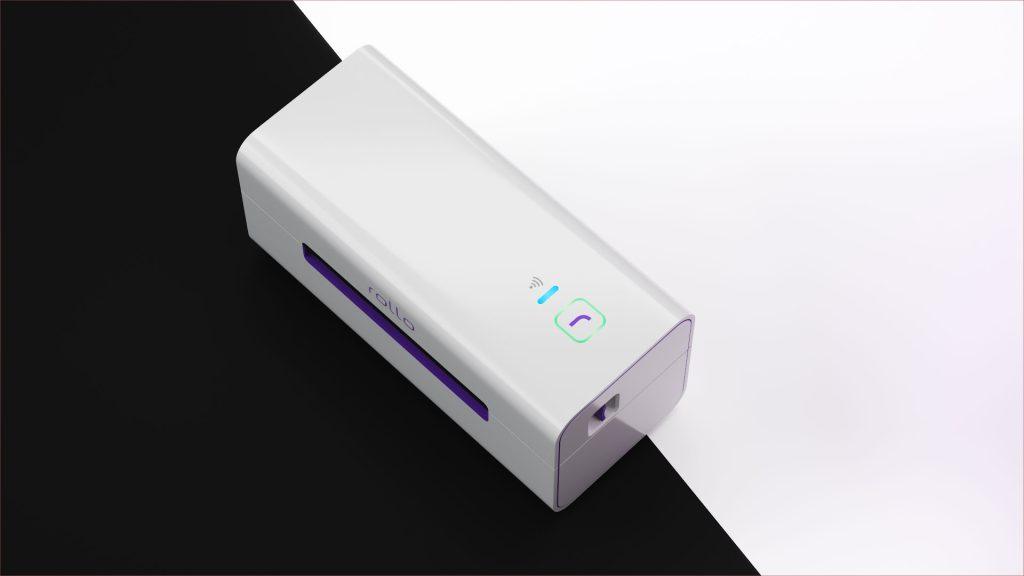
    • Long-Lasting Printing: Capable of printing up to 325,000 ft of labels without needing any ink.
    • Intelligent Label Detection: Automatically detects and crops labels, simplifying the printing process. This feature is a standout in the Rollo Wireless model.
    • Compatibility: Works with various devices – Mac, iPhone, iPad, Android, Windows, Chromebook, Linux. AirPrint and WiFi certified, making it perfect for printing from any app or file.
    • Marketplace Compatibility: Ideal for sellers on Poshmark, Mercari, Depop, and more.
    • Speed: Fast printing capabilities, delivering one label per second.
    • Portability: Compact design makes it easy to carry in a bag, ideal for sellers who are on the go.
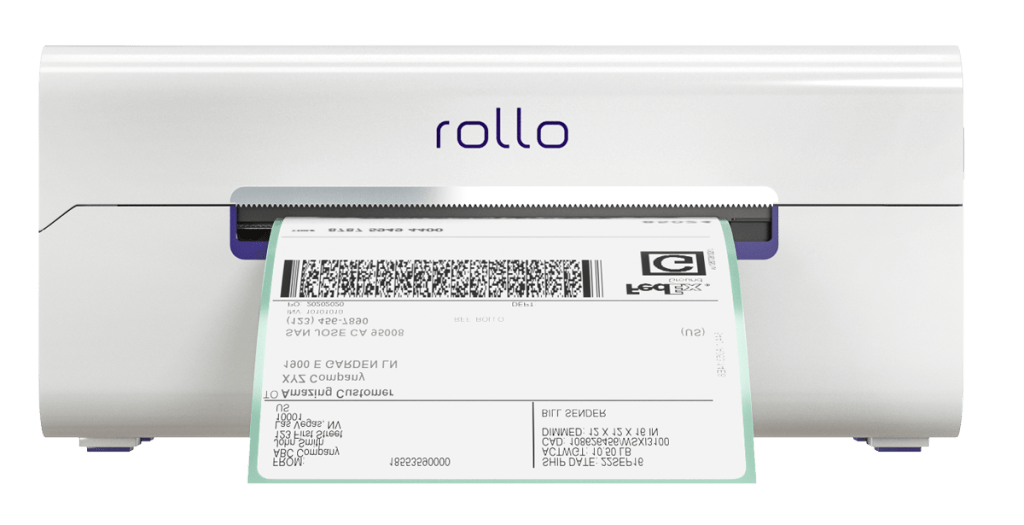
    Depop label printer by Rollo

    Why Choose Rollo Wireless for Your Depop Shipments

    • Efficiency: The ease and speed of printing with Rollo Wireless enhance your shipping process, allowing you to dispatch items quickly.
    • Quality: Clear and durable labels mean fewer issues with scanning and shipping.
    • Convenience: Print from anywhere, thanks to its wireless capabilities and compatibility with a wide range of devices.

    Upgrade your Depop shipping with a Rollo Wireless Label Printer.

    Fast, efficient, and reliable!

    Say goodbye to manual cropping and constant ink refills.

    Get yours now!

    Revolutionize your Depop shipping process!

    Expert Tips for Stress-Free Shipping

    Strategies for Efficient and Cost-Effective Shipping:

    • To optimize shipping costs, consider bulk purchasing shipping materials.
    • Always compare rates between different carriers
    • Utilizing flat-rate shipping for larger items can also be cost-effective.

    How to Ensure Customer Satisfaction with Your Shipping Process:

    Key to customer satisfaction:

    • prompt shipping
    • accurate tracking information
    • secure packaging

    Additionally, clear communication about shipping times and costs helps manage buyer expectations.

    Final Words

    Mastering Depop shipping is essential for success on the platform. By understanding the various facets of shipping – from costs and methods to label printing and international options – sellers can streamline their processes, save costs, and enhance buyer satisfaction. Remember, a smooth shipping experience not only ensures happy customers but also strengthens your reputation as a reliable seller on Depop. Embrace these expert tricks for stress-free shipping and watch your Depop store thrive.

    Follow Rollo on:

    📌 Q: Does Depop Pay for Shipping?

    💭 A: Depop does not cover shipping costs directly. The shipping fee is either incorporated into the selling price (resulting in ‘free shipping’ for the buyer) or added as a separate charge during the purchase process. Sellers should carefully consider their pricing strategy to ensure that shipping costs are adequately covered without deterring potential buyers with high overall prices.
  • Shopify Shipping Labels: The Beginner’s Handbook

    Shopify Shipping Labels: The Beginner’s Handbook

    Navigating the world of e-commerce can be a complex journey, especially when it comes to managing logistics. For Shopify store owners, understanding the intricacies of shipping labels is a vital step toward ensuring efficient, cost-effective delivery services. In this Shopify shipping labels guide, we delve into everything you need to know about creating, customizing, and optimizing shipping labels on Shopify. From the basics to advanced tips, this handbook is your go-to resource for mastering Shopify shipping labels.

    Features of Shopify Shipping Labels

    Features of Shopify Shipping Labels

    What are Shopify Shipping Labels?

    Shopify shipping labels are digital postage labels that can be easily created and printed directly from your Shopify dashboard. They play a crucial role in streamlining your shipping process, offering seamless integration with various carriers and providing a professional look to your packages. Here’s what makes them stand out:

    • 🥇 Easy Creation and Printing: Shopify allows you to generate and print shipping labels directly from the dashboard, in case you wish to opt out of third-party shipping apps.
    • 🧩 Integration with Multiple Carriers: Shopify shipping labels are integrated with major carriers like USPS, UPS, and DHL, offering a range of options for delivery speeds and prices. If you wish to take advantage of shipping discounts, or shipping via FedEx, you can utilize Rollo Ship App. 
    • 🪄 Custom Branding Options: Shopify allows customization of shipping labels with your brand’s logo and other details, enhancing brand visibility.
    • 👔 Professional Appearance: These labels provide a professional look to your shipments, featuring essential information like the sender’s address, recipient’s address, and a tracking barcode. Shipping labels from Shopify can also be generated in the Rollo Ship App by linking your Shopify store to the platform. The perks are you will get notified of every new order and can consolidate orders, provide tracking information, print shipping labels, and more. Read on to learn!
    • 🎯 Automation and Efficiency: The process of creating shipping labels in Shopify is streamlined, which can automatically pull in customer addresses and order details, saving time and reducing errors.

    Shopify Shipping Label Size

    The standard size for Shopify shipping labels is 4 x 6 inches, compatible with most thermal and regular printers. This size is optimized for readability by both humans and postal scanning systems.

    Shopify Shipping Label Settings

    Customizing your Shopify shipping label settings is straightforward. In your Shopify admin, you can adjust preferences like default package types, weights, and printing formats, ensuring a personalized and efficient shipping process.

    Shopify shipping labels’ settings offer a high degree of customization to match the specific needs of your business:

    • 📦 Default Package Types: You can set default package types to speed up the label creation process. This is especially useful if you frequently ship products of similar size and weight.
    • 📏 Adjustable Weights and Sizes: The ability to adjust package weight and size settings for each shipment allows for precise postage calculations, which is crucial for cost management.
    • 📝 Printing Format Customization: Shopify offers flexibility in printing formats. Whether you’re using a standard office printer or a specialized label printer, you can choose the format that works best for you.
    • 🦾 Integration with Shipping Apps: Shopify’s settings can integrate with various shipping apps for additional functionalities like bulk printing and advanced customization options.

    The design and functionality of Shopify shipping labels are geared towards making the e-commerce shipping process as efficient and straightforward as possible, while also offering the flexibility needed to accommodate the diverse needs of online businesses. This balance of ease of use and customization is what makes Shopify’s shipping label solution a valuable tool for online retailers.

    Pro Tip: When optimizing your Shopify shipping label settings for efficiency and cost-effectiveness, consider integrating with the Rollo App. This app complements Shopify’s customizable label settings by offering advanced features that cater to the diverse needs of e-commerce businesses.

    Here’s why Rollo Ship stands out as a valuable addition:

    How to Create?

    How to Create Shopify Shipping Labels?

    Creating a Shopify shipping label is a simple process:

    • Go to the ‘Orders’ section in your Shopify admin.
    • Select the order you’re shipping.
    • Choose the ‘Create shipping label’ option.
    • Enter the package details and select a shipping carrier and service.
    • Review and buy the label.

    How to Print Shopify Shipping Labels

    Once you’ve purchased a Shopify shipping label, printing it is just a click away:

    • Click on the ‘Print label’ button.
    • Ensure your printer is correctly set up.
    • Select “Print”, and your label is ready to be attached to your package.

    How Does It Work?

    📌 How Do Shopify Shipping Labels Work?

    Shopify’s shipping label feature integrates directly with your order management system. When an order is placed, Shopify uses the buyer’s address and your package details to generate a label with the correct postage.

    📌 How to Change Shipping Label Format on Shopify?

    Changing the shipping label format in Shopify is easy. In your shipping settings, you can select from various formats (like 4 x 6, 8.5 x 11) based on your printer type and preferences.

    Customizing Shopify Shipping Labels

    Options for Customization

    Shopify allows you to customize your shipping labels with your brand logo, return address, and other essential details. This customization not only enhances your brand visibility but also provides a professional touch to your shipments.

    Benefits of Customizing

    Customized shipping labels can significantly improve customer experience and reinforce brand recognition. They make your packages stand out and can lead to increased customer loyalty and brand recall.

    Cost & Payment

    Shopify Shipping Labels Cost

    The cost of Shopify shipping labels depends on factors like package weight, dimensions, and the selected carrier service. Shopify offers competitive rates, often lower than standard carrier costs.

    📌 Do You Have to Pay for Shipping Labels on Shopify?Yes, you do pay for shipping labels on Shopify, but the platform often provides discounts on standard carrier rates, making it a cost-effective option.

    📌 How Do You Pay for Shopify Shipping Labels?

    Payment for Shopify shipping labels is straightforward. Once you create a label, the cost is calculated and charged to your account. You can view and manage these expenses directly in your Shopify admin.

    Tips for Cost-Saving and Maximizing Efficiency

    • Compare carrier rates within Shopify to find the best deal.
    • Utilize Shopify’s discounts on bulk label purchases.
    • Optimize packaging to reduce weight and dimensions, lowering shipping costs.

    Shopify Shipping Label Printer

    Rollo Wireless Label Printer for shipping, barcode, inventory, decoration labels

    Rollo Wireless Shipping Label Printer

    When it comes to choosing the best label printer for Shopify, the Rollo wireless shipping label printer stands out as an exceptional choice. Renowned for its efficiency and versatility, this printer is a must-have for any Shopify store owner looking to streamline their shipping process.

    Features of the Rollo Printer:

    • High Volume Printing: With the capacity to print up to 325,000 ft of labels without any need for ink, the Rollo printer is ideal for businesses of all sizes.
    • Intelligent Label Detection: Say goodbye to the hassle of manually cropping your labels. The Rollo Wireless model automates this process, saving you time and effort.
    • Device Compatibility: The Rollo printer comes in two models:
    • Compact and Fast: Both models are compact enough to carry in your bag and offer fast printing capabilities, printing one label per second.

    Models

    There are two models:

    • Wireless: Compatible with a wide range of devices including Mac, iPhone, iPad, Android, Windows, Chromebook, and Linux. This AirPrint and WiFi-certified printer allows you to print from any app, on any file, from any device.
    • USB model: Offers Mac and Windows compatibility with USB connectivity.

    Why Choose Rollo for Shopify?

    Rollo printers are not just printers; they are a holistic solution for your Shopify shipping needs. Whether you are dealing with a handful of orders or managing a large volume, the Rollo printer’s versatility and speed make it an indispensable tool.

    Ready to revolutionize your shipping process? 

    Experience the efficiency

    and reliability that only Rollo can provide 

    for your Shopify store!

    Why Rollo is the Best Label Printer for Shopify Shipping Labels

    The Rollo printer’s compact size, versatility, and high-speed printing make it an ideal choice for Shopify store owners. Whether you’re handling large volumes or need a portable solution, Rollo fits the bill perfectly.

    The easiest way to print Shopify shipping labels is by connecting Shopify to Rollo Ship and via the Rollo printer

    Shopify Setup for Rollo Printer

    Setting up your Rollo Printer with Shopify is a breeze. Here’s how you can seamlessly integrate it into your Shopify shipping workflow:

    • Change Format for Optimal Printing: After purchasing a shipping label on Shopify, click on “Change Format” on the right-hand side of your screen.
    • Select the 4 x 6 Format: This is the ideal size for Rollo printers, ensuring your labels are perfectly formatted for printing.

    This simple setup process ensures that your Rollo printer works in harmony with Shopify, providing you with high-quality shipping labels every time.

    Shopify Multi-Carrier Shipping Label App: Rollo Ship

    The Rollo Ship App is a comprehensive solution for Shopify store owners looking to optimize their shipping process. This multi-functional app offers a variety of features that cater to the diverse needs of e-commerce businesses.

    Features of the Rollo Ship App

    Order Consolidation: Easily consolidate orders from Shopify and other platforms.

    Multi-Carrier Shipping: Ship with major carriers like UPS, USPS, and FedEx.

    Bulk Printing: Print shipping labels in bulk for increased efficiency.

    AI-Driven Fulfillment: Utilize AI for order fulfillment and tracking.

    Branding: Customize your shipments for brand consistency.

    E-commerce Integration: Connect with multiple marketplaces and e-commerce platforms.

    Enhance your Shopify shipping process today!

    take your Shopify shipping to the next level
    with streamlined operations,
    multi-carrier options, and advanced features.

    Shopify Setup for Rollo Ship App

    Integrating Shopify with your Rollo Ship account brings numerous benefits to your shipping operations:

    On the Rollo Ship iOS or Android App:

    1. 🐾 Launch and Login: Open the Rollo App and log in.
    2. 🐾 Navigate to Connections: Click the Menu Icon and select “Connections”.
    3. 🐾 Add Shopify as a Selling Channel: Press “Add New” and select Shopify.
    4. 🐾 Connect Your Store: Enter your Shopify store’s domain name (e.g., mystore.myshopify.com) and connect using your Shopify credentials.

    On Rollo Ship Web:

    1. 🐾 Login to Rollo Ship: Access your account on the Rollo Ship website.
    2. 🐾 Connect Shopify: Click on “Connection” → “Selling Channels”, then select the Shopify logo.
    3. 🐾 Complete the Setup: Enter your Shopify store’s domain and connect with your credentials.

    This integration allows for a streamlined process where Shopify orders are automatically available in Rollo Ship for easy label printing on your Rollo printer.

    Streamline Your Shopify Shipping!

    Final Words

    Navigating the realm of Shopify shipping labels might seem daunting at first, but with the right tools and knowledge, it transforms into a streamlined, efficient process. Throughout this article, we’ve covered the essentials—from the features and benefits of using Shopify’s shipping label system to the integration and optimization with the Rollo wireless shipping label printer and Rollo Ship App.

    Remember, the key to success in e-commerce shipping lies in understanding the nuances of the tools at your disposal. Shopify’s customizable settings, combined with the advanced capabilities of Rollo’s solutions, present a powerful duo for any Shopify store owner. Whether you’re printing your first label, customizing your shipping settings, or seeking the most efficient way to manage multiple orders, the journey toward efficient shipping is now within your grasp.

    Embrace the change, optimize your shipping, and propel your Shopify store towards greater heights of success.

    Follow Rollo on:

    Frequently Asked Questions about Shopify Shipping Labels

    📌 Q: Can you print Shopify shipping labels without an order?


    💭 A: Yes, Shopify allows the printing of shipping labels even without a direct order, which is useful for returns or exchanges.


    📌 Q: Can I use any label printer with Shopify?


    💭 A: Shopify supports a wide range of label printers, but for optimal performance and compatibility, printers like the Rollo Wireless are recommended.


    📌 Q: How to void a Shopify shipping label?

    💭 A: You can void a Shopify shipping label directly from your Shopify admin within a certain time frame after purchasing the
  • The Ultimate Guide to E-commerce Barcode Printing

    The Ultimate Guide to E-commerce Barcode Printing

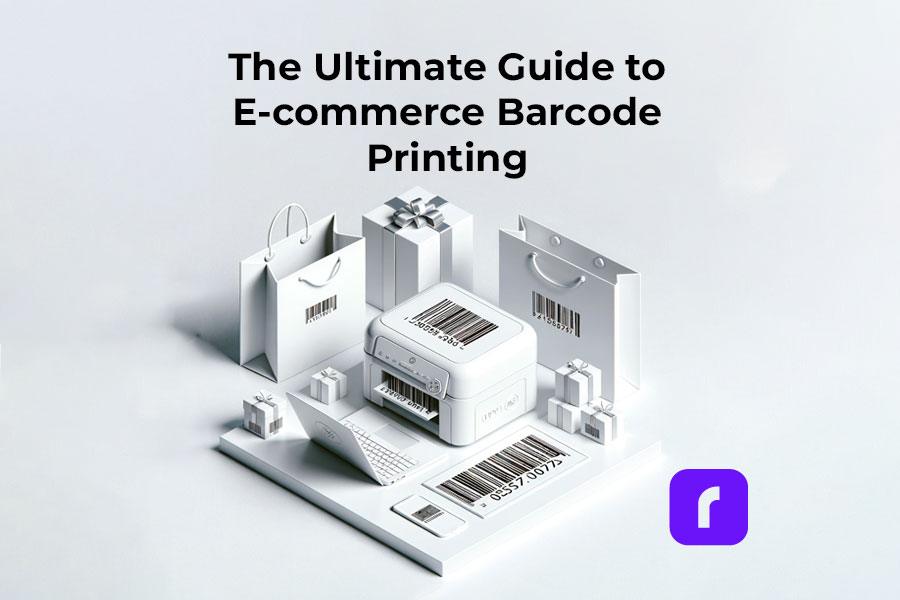
    Barcode printing is an unsung hero in e-commerce, streamlining the shipping process and enhancing efficiency. By reading this comprehensive guide, you can ensure your packages stay on track by following barcode printing standards.

    Overall, your understanding of how to print barcodes for your shipping labels is important for your e-commerce business. So, let’s dive into everything you need to know about barcode printing, all tailored for your e-commerce success.

    Understanding the Basics of Barcodes

    If you have bought a product since the 1970s, you have probably wondered what a barcode means.

    First, a barcode is a scannable image on a product or package composed of inked lines and spaces. Each barcode encodes data in a visual pattern that machines can interpret. This data usually represents something specific about the product, like its type, size, or manufacturer. 

    In the realm of e-commerce and shipping, barcodes play a vital role. They streamline the tracking of inventory, help process orders, and ensure that every item reaches the right destination. 

    By scanning a barcode, businesses can access a wealth of information about the product. This can make processes like checkout, stock management, and shipping faster and more accurate. Barcodes, therefore, are essential tools in modern commerce. They bridge the gap between physical products and digital data for seamless operations.

    Essentially, barcodes are more than just lines on a label; they are a language of efficiency in e-commerce. Understanding the various types can be the first step in your journey to understanding your own shipping labels.

    Here are the types of barcodes you may encounter:

    • UPC Barcodes: Universal and ideal for retail products. This barcode can encode 12 numerical digits and is fairly simple in structure.

    Example of a simple UPC barcode. Credit to: jing.fm. Source: Pinterest

    • QR Codes: A modern and versatile upgrade to the standard barcode which stores more information.

    Example of a simple QR barcode. Credit to: blog.hubspot.com. Source: Pinterest

    • Code 128: Widely used in shipping and packaging, these barcodes can encode letters and numbers.

    Examples of Barcode Type Standards. Credit to: creativemarket.com. Source: Pinterest

    Need more information? Check out our deep dive blog post about what makes up a barcode.

    Each type has its place in e-commerce, and knowing which to use is key to streamline shipping.

    Setting Up Your Barcode Printing Station

    Creating a barcode printing station is simple. A compact, efficient Rollo printer is your cornerstone. Setting up involves plugging in your printer, loading labels, and a few clicks on your computer. A space-saving and powerful tool, Rollo printers make this setup effortless.

    Utilities for Printing Barcodes

    • Rollo Ship: User-friendly and tailored for Rollo printers and the majority of e-commerce platforms.
    • Third-Party Software: Options like Barcode Generator for more basic needs.
    • E-commerce Platforms: Many have built-in barcode printing features.
    • A barcode label printer, ideally a wireless high-resolution one.

    Each utility offers unique features, and your choice will depend on your specific needs.

    HQ barcode and label printing

    Choosing the Right Barcode Labels

    Selecting the right adhesive label is crucial. Materials and sizes vary, each suited for different products. Rollo Printers can print rolls of 2″ x 1″ barcode thermal labels with no need for ink or toner refills ever.

    Don’t worry about printing barcodes again with Rollo Ship
    and our easy-to-use wireless thermal printers!

    Printing Barcodes with Precision and Efficiency

    Rollo printers are synonymous with precision. They produce clear, scannable barcodes, ensuring your packages move smoothly through the shipping process.

    Barcodes for Different Shipping Platforms

    • USPS: Often uses Intelligent Mail barcodes for efficient sorting and tracking.
    • UPS: Prefers MaxiCode barcodes, designed for quick scanning.
    • FedEx: Utilizes PDF417 barcodes, ideal for their tracking system.

    Understanding these differences helps you tailor your barcode printing for each platform, enhancing efficiency.

    Integrating Barcode Printing in Your Shipping Workflow

    Barcodes streamline your workflow, from sorting to track. Adding Rollo printers to your process means embracing efficiency. These printers integrate smoothly, enhancing your workflow without disrupting existing systems.

    Just look at our thermal printer effortlessly printing rolls of barcodes. Wouldn’t that be easy?

    Effortless and seamless shipping label printing. No monthly subscriptions!

    Print & Ship with

    Create custom labels for free!

    Integrate barcodes with your brand labels

    Troubleshooting Common Barcode Printing Issues

    Encountering issues with barcode printing is normal. However, you can easily fix common challenges like print quality and label alignment with simple adjustments. For more complex issues, Rollo’s customer support is ready to assist.

    Here are some frequent problems you may encounter while printing shipping barcodes and how to remedy them:

    If you are experiencing barcode clarity issues while printing with your Rollo printer, kindly refer to this troubleshooting guide:

    Step 1- Check File Quality: Ensure the original file is high quality. Use the provided sample label for testing.
    Step 2 – Printer Settings: If no improvement, adjust your printer’s settings.
    Step 3 – Print Sample Label: Print a 4 x 6 sample label from Rollo Ship to check printer health. This should be printed clearly.

    Potential Issues:
    Label Quality: Use high-quality labels for better prints. Rollo labels are recommended.
    Margins and Size: Ensure the design uses the full label without extra borders to avoid shrinking and fading.

    Darkness and Speed Settings:

    1. For Rollo X1040 Wireless
      Access the Rollo Printer Portal. Connect to the same Wi-Fi as your printer, open the Rollo App, and navigate to Menu > Settings > Default Rollo Printer > Settings. In “Printing Defaults,” adjust darkness and speed settings for better quality.
    2. Rollo X1038 USB Printers – Control Panel on your PC > Devices and Printers > Right-click on Rollo > Printer Preferences > Settings Tab > Adjust Speed and Density. On Mac > Access these settings directly from the print menu > Choose “Printer Default” for Darkness, Print Speed, Feature Sets

    Each of these issues can disrupt the efficiency of barcode use in e-commerce and shipping. Regularly maintaining your printing equipment and using the right materials helps avoid common barcode printing errors.

    A lot of these problems we discussed won’t happen when you let Rollo handle your e-commerce logistics. Save time, money, and trips to the post office with Rollo Ship.

    What About Printing QR Codes?

    QR codes and barcodes are both tools for storing information in a format that machines can read. However, they differ significantly in design and capacity. 

    Traditional barcodes are one-dimensional, consisting of vertical lines that represent data by varying their widths and spacings. They typically store limited information, such as a product number or price. Unlike QR codes, scanners read them in a single direction.

    QR codes, on the other hand, can hold much more data. They can hold URLs, text, or even geographic coordinates. QR codes are a square made up of black and white pixels and smartphones can scan them from any direction.

    This larger storage capacity makes QR codes ideal for a wider range of applications. from marketing and product labeling to digital ticketing and contactless payments.

    As barcodes evolve, so do Rollo printers. From traditional barcodes to advanced QR codes, Rollo equips our printers to handle it all. We keep your business ahead of the curve in the fast-paced e-commerce world.

    Summary

    Barcode printing is a cornerstone of efficient e-commerce shipping. With Rollo’s innovative solutions, it becomes a strategic advantage, streamlining your operations and propelling your business forward. Embrace the future of e-commerce with Rollo – where efficiency and innovation meet.

    Follow Rollo on:

    📌 Q: Can I print shipping barcodes using a standard office printer?

    💭 A: Yes, but we don’t recommend it. Office printers take a lot of ink and toner, and if you are shipping at any scale, that can get expensive. Plus the ink can smudge and make your package harder to deliver. Try a thermal printer instead, like the ones that Rollo sells.


    📌 Q: Do I need special software to generate barcodes for my products?

    💭 A: Yes, barcode generation requires software or online tools to create scannable barcodes.


    📌 Q: Are there different types of barcodes?

    💭 A: Yes, there are various barcode formats, like UPC or QR codes, each suited for different products and uses.
  • Navigate Standard Shipping: Plan Orders Wisely

    Navigate Standard Shipping: Plan Orders Wisely

    In the ever-evolving world of e-commerce, it is crucial to comprehend various shipping options. For both sellers and buyers, understanding the intricacies of these options is paramount. Standard shipping is important for transporting goods over long distances in the logistics industry. This guide covers the basics of standard shipping. It includes information on how long it takes, how much it costs, and which major carriers offer it. Some of the major carriers that offer it are UPS, USPS, and FedEx.

    What is standard shipping and how long does it take

    Defining What is Standard Shipping

    Standard shipping is often the default and most economical option provided by carriers. In contrast to express or overnight shipping, the standard one typically utilizes ground transportation. This makes it a cost-effective solution for deliveries that are not time-sensitive.

    Balancing between speed and affordability, standard shipping is a widely preferred choice for a plethora of e-commerce activities. It caters well to standard delivery needs, providing a reliable yet budget-friendly option for transporting goods.

    Assessing Standard Shipping Duration

    The length of standard shipping time depends on factors like distance, carrier choice, and shipping route details.

    📌 How Long Does Usually It Take for Standard Shipping?

    Typically, it takes within the United States ranges from 2 to 8 business days. For example, USPS’s standard shipping, known as USPS Ground Advantage, promises delivery within 2-5 business days. Similarly, services like UPS Ground and FedEx Ground generally take about 1-5 business days. These delivery times make this type of shipping a viable option for both personal and business shipments that do not require expedited service.

    Standard Shipping Tracking and Average Delivery Times

    Tracking and Transparency

    Most standard services offer tracking capabilities, providing visibility for both the sender and the recipient. Standard shipping tracking provides transparency and reassurance, helping customers know when their orders will arrive and plan accordingly. It not only enhances customer experience but also builds trust in the shipping process.

    Understanding the Averages

    The typical form of standard shipping involves the movement of parcels via ground services. Transit times and costs differ based on the carrier and where the package is going. Particularly favored for shipments that aren’t urgent but demand reliable delivery, this method is used.

    Standard shipping usually moves packages by trucks or trains, affecting delivery times and costs.

    Transit Times and Costs

    The average transit times for standard shipping can vary significantly based on the carrier and the distance to the final destination. For instance:

    • Within Regional Areas: Shipments within closer geographical areas usually reach their destination faster, often within 1-3 business days.
    • Cross-Country Shipments: For packages traveling across the country, the delivery can take longer, usually between 4-8 business days.

    The cost associated with standard shipping also varies. The cost of shipping depends on the parcel’s weight, size, distance, and the carrier’s pricing policies. Generally, standard shipping is a more cost-effective option compared to expedited shipping services.

    Reliability and Suitability

    Standard shipping is favored for its reliability. Although it may not be the fastest, this service is reliable and predictable. This is crucial for businesses that need to organize their logistics and inventory. It is also beneficial for individuals who are planning purchases and deliveries.

    Standard Shipping for Non-Urgent Deliveries

    This type of shipping is particularly suitable for non-urgent deliveries. It is commonly used for online shopping, small business orders, and personal shipments like gifts. It is not for urgent delivery but still arrives within a reasonable time frame.

    The Role of Major Carriers

    Major carriers like USPS, UPS, and FedEx offer standardized ground shipping options that cater to a wide range of shipping needs:

    • USPS: Known for its extensive reach and affordability, especially for smaller parcels.
    • UPS: Offers a balance between speed and cost, often used for slightly larger shipments.
    • FedEx: Renowned for its reliable tracking system and efficient ground shipping services.

    Deciphering What “Standard Shipping Only” Means

    When a seller or carrier specifies “standard shipping only,” they refer to the most basic form of shipping available—typically ground shipping. This option excludes expedited services like FedEx Ground or next-day delivery, striking a balance between affordability and timely delivery. It’s an ideal choice for standard ecommerce transactions where cost efficiency is paramount, and immediate delivery isn’t a necessity.

    Deciphering the phrase “standard shipping only” is crucial for understanding the shipping options available when making a purchase or planning a shipment. This specification by a seller or carrier points directly to the most basic, yet widely used form of shipping — typically ground shipping. Here’s a deeper look into what this entails:

    Standard Shipping as the Default Option

    When a seller indicates “standard shipping only,” they are essentially setting ground shipping as the default and perhaps the only shipping option for that particular transaction. This mode of shipping typically involves transporting goods via land-based vehicles like trucks or trains, which, while not the fastest means of transportation, offer a reliable and cost-effective way to move parcels.

    Standard shipping: methods, carriers, and more

    Exploring Standard Shipping Methods

    Standard shipping predominantly involves ground transportation, utilizing trucks and occasionally trains. This method is widely preferred for its cost-effectiveness and expansive reach, ensuring accessibility even to more remote areas. Ground shipping thus becomes synonymous with standard shipping, embodying a practical solution for a range of shipping needs.

    Courier Choices for Standard Shipping

    Major couriers like UPS, USPS, and FedEx offer standard shipping options. Each of these couriers has tailored their standard shipping services to cater to a broad range of needs, balancing speed, cost, and coverage.

    In the broader scope of courier services, standard shipping stands as a pivotal delivery option. It fits into a spectrum that ranges from class mail to standard international shipping, and even to expedited shipping for urgent deliveries. For customers seeking free shipping, standard options often emerge as the most feasible choice.

    Standard Shipping Pros and Cons

    Standard shipping is cheap and covers a wide range of packages, making it good for many different types of items. Standard shipping takes longer than expedited options like FedEx Ground or day delivery services. This can be a limitation for time-sensitive deliveries.

    ✅ Pros❌ Cons
    💰 Cost-Effective:
    Generally cheaper than expedited shipping options.
    ⏲️ Slower Delivery:
    Not ideal for urgent shipments.
    📮 Wider Package Acceptance:
    Suitable for a variety of package sizes and weights.
    📍 Limited by Geography:
    Longer delivery times for remote areas.
    🗺️ Tracking Availability:
    Most standard shipping options come with tracking.

    Incorporating Rollo Ship

    The Rollo Ship App is an essential tool for shipping for small business, offering versatile management of standard shipping. This app assists users in consolidating orders from various marketplaces, accessing more affordable shipping rates, and printing labels effortlessly, even without a Rollo printer. Its compatibility with major carriers like USPS, UPS, and FedEx makes it invaluable for simplifying shipping processes, particularly during the busy holiday season.

    Incorporating the Rollo Ship App into a standard shipping strategy offers a wealth of benefits. From accessing discounted rates and consolidating orders across various platforms to simplifying label printing and leveraging the strengths of major carriers, Rollo Ship enhances the efficiency and cost-effectiveness of shipping operations. For anyone looking to streamline their standard shipping processes, particularly in high-demand scenarios, Rollo Ship is an indispensable tool.

    Free registration, no monthly subscriptions, and 200 shipping labels on Rollo

    Standard Shipping with Major Carriers: UPS, USPS, and FedEx

    When exploring who delivers standard shipping, major carriers like USPS, UPS, and FedEx stand out. Each offers unique benefits:

    • UPS Ground Shipping: UPS offers reliable ground shipping with relatively fast delivery speeds, typically ranging from 1-5 business days. It’s a preferred choice for standard delivery that balances time and cost.
    ServiceDelivery TimeframeRatesCoverage
    UPS Ground1-5 business daysStarting at approximately $23.38 for a 5 lb package from NY to LA for example, without leveraging the discounts from Rollo Ship.All 50 states and Puerto Rico
    UPS Standard Shipping
    • USPS Standard Shipping: Known for its cost-effective rates and extensive reach, including PO boxes and military addresses. USPS standard shipping is ideal for less time-sensitive mail and packages.
    ServiceDelivery TimeframeRatesCoverage
    USPS Ground Advantage2-5 business daysAround $20.50 for a 5 lb package from NY to LA for example, without leveraging the discounts from Rollo Ship.All 50 states, PO boxes, U.S. military bases, territories, possessions, and Freely Associated States
    USPS Standard Shipping
    • FedEx Ground: Catering to both commercial and residential deliveries, FedEx Ground is recognized for its efficiency and tracking capabilities. It’s an excellent choice for standard shipping that requires precise tracking and faster ground shipping services.
    ServiceDelivery TimeframeRatesCoverage
    FedEx Ground (commercial) and FedEx Home Delivery (residential)1-5 business daysApproximately $22.46 for a 5 lb package from NY to LA for example, without leveraging the discounts from Rollo Ship.Commercial and residential addresses in all 50 states
    FedEx Standard Shipping

    Plan Holiday Season: Tips for eCommerce Sellers and Gift Buyers

    The holiday season is a critical period for both e-commerce sellers and gift buyers. Planning and understanding standard shipping deadlines are key to ensuring timely deliveries. Here are some tips to navigate this busy season effectively:

    🕔 Understand Carrier Deadlines: Each carrier, including UPS, USPS, and FedEx, has specific cut-off dates for holiday shipping. Knowing these deadlines can help in planning shipments and informing customers.

    🎀 Encourage Early Shopping: Advise customers to shop early to avoid the rush and potential delays common during the holiday season.

    📦 Offer Multiple Shipping Options: While standard shipping is cost-effective, offering a range of options, including expedited services, caters to varied customer needs.

    📢 Communicate Clearly: Keep your customers informed about expected shipping times and any potential delays. Transparency builds trust and reduces anxiety over order arrivals.

    💲Leverage Shipping Discounts and Tools: Utilize tools like the Rollo Ship App, which offers integration with multiple carriers and platforms, along with significant discounts, to manage shipping efficiently.

    Final Words

    In conclusion, standard shipping remains a cornerstone of e-commerce logistics, particularly during the holiday season. To achieve smooth and affordable shipping, it is crucial to understand this type of shipping with major carriers. Additionally, utilizing tools such as Rollo Ship can be beneficial. Lastly, planning ahead is also essential. Remember, the key to successful holiday season shipping lies in early planning, clear communication, and choosing the right shipping partners and tools.

    Follow Rollo on:

    Frequently Asked Questions

    📌 Q: Is Standard Shipping the Cheapest Option?


    💭 A: Generally, standard shipping is among the cheapest options available, especially when compared to expedited or overnight shipping services. Its affordability makes it a go-to choice for regular e-commerce shipments.
  • Rollo App: Speed Up and Improve Your Small Business Shipping

    Rollo App: Speed Up and Improve Your Small Business Shipping

    For many small business owners, shipping is the lifeblood of their operation, but it’s fraught with challenges that can hinder growth and test patience. From costly rates to cumbersome logistics, the hurdles are myriad. Enter the Rollo App, a game-changer in small business shipping solutions that streamlines this arduous process into a few simple clicks. The best part? 

    Accessing the power of Rollo Ship doesn’t require a hefty investment. There are no strings attached; no need to purchase a Rollo printer or any other Rollo products. It’s not just about creating labels or managing orders – it’s about elevating your entire small business shipping operation without additional overheads. Sign up for Rollo Ship for free and transform your small business shipping from a chore into a competitive advantage.

    Why Rollo Ship is the Best Shipping for Small Business

    Key Features That Make Rollo the Ideal Small Business Shipping Service

    Key Features That Make Rollo the Ideal Small Business Shipping Service

    🆓✅ The App Is Free to Use and Download

    🆓✅ No Monthly Subscription

    🆓✅ No Sign-Up Fee

    🆓✅ The First 200 Generated Shipping Labels Free

    ⚠️✅ No Need to Purchase a Rollo Printer

    ⚠️✅ No Need to Connect a Selling Channel to Be Able to Use the Rollo

    ⚠️✅ No Need to Link a Shipping Carrier’s Account to Be Able to Ship with the Rollo App

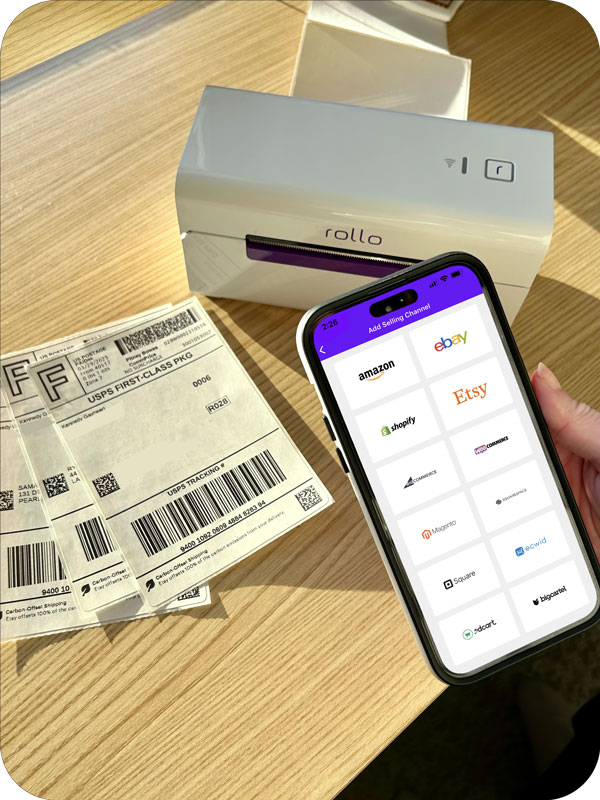
    🎁 Print Shipping Labels with the Rollo App on Any Printer

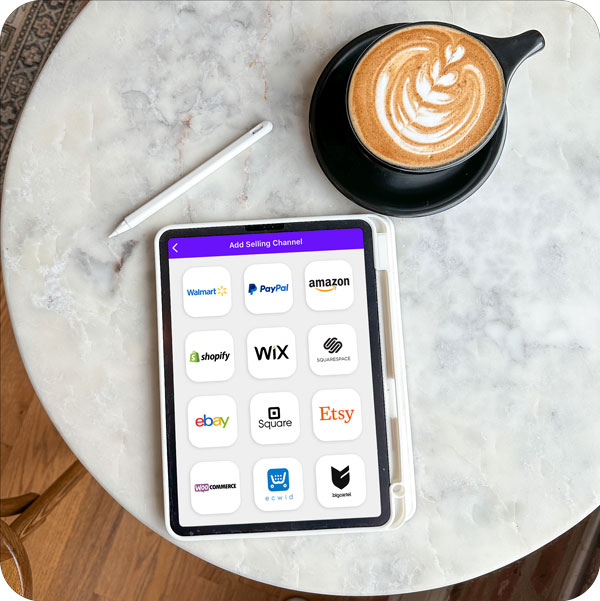
    🎁 Connect Selling Channels (Marketplaces and e-commerce Platforms) to Receive Order Notifications and Consolidate Orders/Shipping

    🎁 Link an Existing Shipping Carrier Account or Create One through the Rollo App – for UPS, USPS, and FedEx

    🎁 Every Next Generated Label after the 200th is just 0.05 cents.

    🟣 Group Orders and Shipments

    🟣 Get Tracking Notifications

    🟣 Get Order Notifications

    🟣 Up to 90% Off UPS, FedEx, and USPS shipping

    🟣 Compare Rates and Choose between The Best Value, The Fastest, and The Most Economical

    🟣 Print Shipping Labels in Bulk

    🟣 The More You Ship with the Rollo App, the More You Will Save

    Streamline Your Small Business Shipping:

    Say goodbye to manual order entry.

    Let AI do the heavy lifting for you!

    Seamless Connectivity with E-commerce Platforms

    In the current e-commerce boom, the Rollo App is a crucial ally, boasting an impressive ability to synchronize with an array of e-commerce platforms. Whether you’re selling handmade crafts on Etsy, running a dropshipping operation on Shopify, or managing a multi-platform storefront that spans across Amazon, eBay, and WooCommerce, Rollo Ship is the nexus of your shipping operations. This seamless connectivity not only eliminates the hassle of manual entry but opens up a streamlined path to fulfilling orders with precision and agility.

    AI-Powered Order Management

    Imagine a world where your small business shipping operations are not just automated but intelligently attuned to your business needs. Rollo Ship harnesses the power of artificial intelligence to oversee your order management.

    It vigilantly monitors your stores, importing and grouping orders, and notifying you of updates, thus carving out a path to a smarter workflow. This AI-driven efficiency means fewer errors, less time spent on repetitive tasks, and a laser focus on growing your business – all with the intelligence and adaptability that the modern small business owner deserves.

    Small Business Shipping Integrations at the Rollo Ship App

    In the hands of a small business, the Rollo App is not just a tool but a transformational force, propelling your shipping operations into a new stratum of efficiency, savings, and management. With Rollo Ship, the days of logistical frustration are behind you, replaced by a future where shipping is a strategic advantage, not a stumbling block.

    Convenient Label Printing and Design

    The Rollo App redefines the way small businesses approach label printing and design. Gone are the days of one-size-fits-all labels and the need for specialized printers. With Rollo’s Label Design Tool, you have the autonomy to create labels that resonate with your brand’s identity and meet your logistical needs. The tool is a haven of creativity and precision, allowing you to upload your own logos, and images, and even generate barcodes or QR codes.

    With a rich library of templates and the ability to customize sizes, your labels will not just carry a package to its destination; they’ll carry your brand’s signature. This level of professional label design is a powerful touchpoint with customers and can be achieved directly from your desktop or mobile device, all without spending a dime.

    Design with Ease:
    Create labels that capture your brand’s essence. Try Rollo’s Label Design Tool and impress your customers with every shipment.

    Efficient Shipping with Rollo Ship

    Free registration, no monthly subscriptions, and 200 shipping labels on Rollo

    Choosing the Right Shipping Solutions for Small Business

    Navigating through various carriers and small business shipping options can be daunting, but Rollo Ship simplifies this decision. The app assists you in comparing rates and services from leading carriers, ensuring you select the most cost-effective and reliable shipping solutions tailored to your business’s unique needs. Whether it’s balancing speed with economy for domestic shipping or finding the most efficient way to handle international logistics, Rollo’s interface provides the insights you need to make informed decisions. It’s about finding that sweet spot where cost savings meet customer satisfaction.

    Cutting Costs: How Rollo Helps Save on Small Business Shipping

    Unlocking Exclusive Shipping Rates

    At the heart of Rollo Ship’s cost-saving features are the exclusive shipping rates negotiated with major carriers. Accessing these rates is as simple as choosing Rollo as your shipping option within the app. These rates often beat what you would find directly through the carriers, lowering your expenses substantially. By leveraging Rollo’s volume discounts, small businesses can enjoy the kind of savings that were once reserved for larger enterprises. It’s a democratization of shipping that puts small business owners on an even playing field, allowing them to reinvest those savings back into their businesses. With Rollo, you don’t just ship; you ship smarter, broadening your margins and opportunities.

    Reducing Supply Expenses

    When it comes to shipping, the supplies you use can make a significant dent in your budget. Rollo eases this burden by offering an array of cost-effective, high-quality shipping supplies that don’t compromise on durability or functionality. Their selection includes eco-friendly FSC-certified thermal labels that are BPA-free, and available in various sizes and colors to suit every package type. Whether you require the standard 4×6 shipping labels or specialized sizes for unique products, Rollo ensures your supply costs stay low while your packaging standards remain high. Furthermore, their hybrid label holders are designed for versatility, accommodating both fanfold and roll labels, demonstrating Rollo’s commitment to making shipping more economical for small businesses.

    Comprehensive Small Business Shipping Options with Rollo

    Domestic and International Shipping Made Easy

    Navigating the intricacies of both domestic and international shipping is no small feat. Rollo simplifies this with services like the newly supported USPS Ground Advantage, offering delivery within 2-5 business days across the continental U.S., including built-in insurance of $100. Rollo doesn’t stop at the border; international shipping is streamlined through partnerships with global carriers. Features such as paperless customs invoices and landed cost estimations facilitate a seamless, hassle-free process for sending products worldwide. Rollo’s robust platform equips small businesses with the tools needed to expand their reach globally without getting entangled in logistical complexities.

    No Printer? No Problem!

    With Rollo, the notion that you need specialized equipment to start shipping is a myth. The Rollo App breaks down this barrier by enabling you to print shipping labels from any standard printer. This flexibility ensures that businesses can start shipping immediately, without the need for additional investments. Rollo embraces the idea that efficient small business shipping should be accessible to all, not just those with the means to purchase specific hardware.

    User Experiences: How Rollo Transforms Small Business Shipping

    The true measure of Rollo’s impact is seen in the stories of small business owners who have experienced transformational changes in their shipping processes. These users tell tales of reduced overhead, increased productivity, and customer satisfaction levels that seemed unattainable before integrating Rollo into their workflow. From entrepreneurs who have just embarked on their journey to seasoned sellers looking for optimization, the consensus is clear: Rollo Ship is a pivotal tool that propels small business shipping into a new echelon of efficiency and cost-effectiveness.

    At Good Habit Box Co., Tiffany found her calling in curating boxes that spark joy and foster good habits, turning routines into celebrations. Each box is a monthly nudge towards positivity, wrapped like a personal gift destined to inspire. It’s not just about the contents; it’s the experience—enriched by exclusive artist-made prints that subscribers adore.

    Tiffany’s passion is packing these boxes, knowing each one sends a ripple of happiness. And it’s not just her customers who’ve embraced good habits; her children, too, are learning life’s valuable lessons through this venture. Tiffany credits Rollo for adding a sleek, professional touch to her shipments, praising the ease and reliability that Rollo brings to her small business. It’s more than a printer; it’s a partner in her journey to spread good habits, one box at a time.

    A Creative Twist on Denim by an Emerging Artist – KSX Art

    An enterprising artist is redefining style by turning well-loved denim into custom-printed fashion statements. From thrift store finds to sought-after art pieces, their craft involves giving a second life to denim overalls and jackets with intricate, nature-inspired prints.

    As the business flourished, a new, larger studio space meant productivity could bloom. The days are now filled with creative freedom, a loyal pet by their side, and a thriving connection with a community of like-minded entrepreneurs.

    By incorporating Rollo Ship into their workflow, this artist ensures that each unique creation is shipped efficiently and reaches customers with a personal touch. Rollo’s intuitive shipping solutions let the artist’s designs take center stage.

    Discover Savings:
    Don’t let high shipping costs undercut your profits.
    Explore Rollo Ship and unlock exclusive carrier discounts.

    Are you ready to share your art with the world? Rollo Ship is here to help. Sign up today and take the hassle out of shipping, leaving you more time to create.

    Your Next Steps to Streamlined Shipping

    Sign Up for Free and Start Shipping Smarter

    The journey to smarter small business shipping is just a few clicks away. By signing up for Rollo, you’re not just enlisting a service, you’re embracing an evolution in shipping efficiency. This leap towards streamlined logistics requires no upfront costs, no subscriptions, and absolutely no commitment to purchase proprietary equipment. Rollo invites you to step into a world where shipping operations are optimized, and overheads are minimized, with the freedom to print on any printer and a guarantee of the best rates in the market.

    Final Words

    In a marketplace where agility and cost management are paramount, Rollo Ship emerges as an essential ally to small business shipping. It stands out with a suite of features designed to simplify your shipping process, reduce your expenses on supplies, and extend unbeatable shipping rates that were once a distant dream for the small business owner. The ease of integrating with your existing e-commerce platforms, coupled with the intelligence of AI-powered order management, places Rollo Ship at the forefront of shipping solutions.

    Efficient, economical, and user-friendly – Rollo is not just a shipping service; it’s an indispensable tool that scales with your business. It grows as you grow, adapting to your ever-expanding needs with a commitment to keeping costs low and satisfaction high. Whether shipping domestically or reaching customers across the globe, Rollo’s innovation makes it a breeze.

    Now, it’s your move. Sign up for Rollo today, and take the first step towards shipping that’s not only smarter but also reflects the ambition and smart management of your small business. Tap into the potential of Rollo Ship, and let’s set sail towards a horizon of success and growth.

    Empower Your Business:

    Ready to revolutionize your small business shipping process?

    Join Rollo Ship and ship smarter, not harder.

    Join the ranks of savvy small business owners who’ve transformed their shipping process. Sign up for Rollo Ship today and claim the competitive edge your business deserves.

    Follow Rollo on:

    Frequently Asked Questions about Rollo App and Small Business Shipping

    📌 Q: What is the best way to ship for small businesses?


    💭 A: The best shipping approach for small businesses combines cost-effectiveness with reliability. Rollo Ship offers just that by providing discounted rates from major carriers, a versatile app to manage shipments, and the ability to print shipping labels from any printer. Sign up for Rollo Ship to streamline your process and save significantly on shipping costs.


    📌 Q: Small business shipping tips for shipping from home?


    💭 A: Absolutely! First, designate a space in your home for packing and shipping. Use the Rollo App to organize orders, create and print labels, and schedule pickups without stepping outside. Remember, with Rollo, you get access to professional-grade small business shipping supplies that can handle a variety of needs, right from the comfort of your home. Get started with Rollo Ship now and turn your home business into a shipping powerhouse.


    📌 Q: How can I reduce my small business shipping costs?


    💭 A: Reducing shipping costs is critical for maintaining your bottom line. With Rollo Ship, you can access discounted shipping rates, compare carrier options to find the best deal, and use AI-powered tools to prevent errors and save time. Keep your costs low without compromising on service by signing up for Rollo Ship today.


    📌 Q: What strategies can I use for international shipping?


    💭 A: International shipping requires understanding complex regulations and finding cost-effective routes. Rollo Ship makes international logistics easier by offering features like paperless customs invoices and estimation of landed costs. Plus, with discounted rates for international carriers, you can expand your business globally more affordably. Ready to take your business worldwide? Rollo Ship is your partner in global logistics.
  • Shipping Printer Advantages for Small Businesses

    Shipping Printer Advantages for Small Businesses

    In the ever-evolving realm of e-commerce, efficiency isn’t just a luxury—it’s a necessity. For small businesses battling big competition, every edge counts. And this is where the game-changing shipping printer strides in. From precision and speed to unparalleled professionalism, these printers redefine how small businesses handle their shipping needs. For those navigating the bustling marketplaces of Shopify, Etsy, or eBay, this tool can elevate your operational game. Join us as we unravel the transformative power of shipping printers, spotlighting the trailblazing contributions of Rollo.

    In this deep dive, you’ll discover:

    • The undeniable edge a dedicated shipping label printer offers.
    • The battle of the giants: USB vs. Wireless printers and which suits your business best.
    • How printing speed can dramatically revamp your shipping processes.
    • The economic brilliance and innovation behind thermal printers.

    Stay with us as we guide you through these insights, ensuring your small business is geared up for e-commerce success.


    The Critical Role of Shipping Label Printers in Small Businesses

    Navigating the labyrinth of shipping and logistics is no small feat, especially for small businesses striving to leave a mark. Amidst this complexity, a shipping label printer emerges as more than just a tool—it’s an ally.

    Here’s why every ambitious small business should invest in one:

    Ready to propel your business into a new echelon of efficiency and professionalism?

    Discover how Rollo’s compact thermal printers can be the game-changer you’ve been searching for, offering perfect integrations with top marketplaces.

    USB vs. Wireless Shipping Printers: Finding Your Perfect Match

    The choice between USB and wireless shipping printers boils down to your business’s specific needs and the environment in which you operate. Both have distinctive advantages, but understanding the nuances can guide you to the right pick:

    FeaturesUSB Shipping PrinterThermal Wireless Shipping Printer
    🖇️ ConnectivityUSB ConnectionWi-Fi
    📱 MobilityLimitedHigh (Can print from various devices)
    ⚙️ Integration with DevicesPrimarily PC & MacPC, Mac, iPhone, Android, Chromebook
    🎀 Best ForStationary WorkspacesFlexible work environments

    THE GOOD NEWS?

    Rollo printers have it all.

    USB and Wireless.
    Compatible with Windows, Linux, Mac, iOS, Android, and Chromebook.

    For enterprises that value versatility and on-the-go printing capabilities, the thermal wireless shipping printer is a standout choice. It allows seamless printing from a plethora of devices, be it a Mac, iPhone, Android, or even a Chromebook.

    On the flip side, if you prefer a stable, direct connection and your operations are centered around a fixed workstation, a USB shipping printer might be your go-to. Remember, it’s all about aligning with your business’s rhythm and flow.

    Maximizing Efficiency with High-Speed Printers

    Time is money, especially for small businesses. A printer’s speed, often measured in labels per minute, directly affects a business’s shipping operations.

    📨 Swift Deliveries:

    With high printing speed, businesses can ensure timely dispatch, elevating customer satisfaction.

    Fewer Errors:

    Faster printers like Rollo reduce the waiting time, diminishing the chances of mixed-up labels and orders.

    For small businesses looking to upscale, investing in a printer that values your time, like the Rollo, which prints a label every second, can be transformative.

    Thermal Printers: The Cost-Effective Choice for Businesses

    In an era where small businesses strive to optimize every cent spent, thermal printers emerge as a beacon of cost-efficiency in the world of shipping. But what makes them such a compelling choice?

    Integration with Major Carriers: USPS, UPS, and More

    Shipping isn’t just about labels; it’s about ensuring your products land in the right hands. Integration with reliable carriers like USPS, UPS, and FedEx becomes crucial.

    📯 USPS shipping printer advantages:

    USPS is renowned for its extensive reach, catering to both domestic and international destinations. With a dedicated USPS shipping printer, businesses can efficiently produce labels that adhere to USPS’s stringent guidelines, ensuring packages are processed and delivered promptly.

    Did you know? 
    You can link your USPS account with the Rollo Ship app, or create a new one within the Rollo platform, all for free! Learn more about the benefits of USPS and Rollo.

    📨 UPS shipping printer integration benefits:

    UPS is synonymous with reliability. By integrating with a UPS-specific shipping printer, businesses benefit from smooth label generation that’s optimized for the carrier’s global logistics network, streamlining the shipping process.

    Did you know? 
    Users can connect their existing UPS accounts to the Rollo Ship app, or create a new one within the Rollo platform for free! Learn more about the perks of UPS and Rollo.

    📦 FedEx label printer:

    FedEx, a giant in global courier delivery services, has specific label requirements to expedite its shipping processes.

    By investing in a FedEx-compatible label printer, businesses can tap into the carrier’s vast and efficient delivery network, ensuring packages are handled with care and delivered in record time.

    Did you know? 
    Anyone can link their FedEx account to the Rollo Ship app for ease of FedEx shipping. Learn more about the pros of FedEx and Rollo.

    Rollo shipping label printers are perfect for:

    FedEx, USPS, and UPS shipping labels

    Expanding Your Business with Shipping Software

    In today’s digital age, the significance of robust shipping software for small businesses cannot be overstated. It acts as the backbone of e-commerce operations, streamlining the complex web of logistics, shipping rates, and customer interactions.

    📢 The significance of shipping software for small businesses:

    A comprehensive shipping software solution can dramatically reduce manual tasks.

    It:

    • automates rate comparisons
    • tracks packages in real-time
    • generates reports to assess operational efficiency

    These insights empower businesses to make informed decisions, bolstering their competitive edge.

    Did you know? 
    Rollo Ship App is a free to use and download software for Desktop, iOS, and Android. No obligations for a purchase of any of the Rollo products, no monthly subscriptions, and what is more the first 200 shipping labels generated are on us! Link accounts from shipping carriers and marketplaces with ease and no hidden terms.

    🎀 How it complements shipping label printers: While shipping software manages the digital aspects of logistics, shipping label printers bring the virtual to reality, materializing the digital data into tangible labels. In synergy, they ensure that the right package, with the correct label, reaches its intended destination at the best possible rate. This seamless integration of software and hardware transforms the shipping experience, propelling small businesses into a new realm of efficiency and customer satisfaction.

    Free registration, no monthly subscriptions, and 200 shipping labels on Rollo

    Shipping Printer Compatibility: From Mac to Android Phones

    In our diverse digital landscape, businesses operate across various devices. The true test of a superior shipping printer lies in its compatibility with these numerous platforms.

    Rollo Wireless Shipping Label Printer and Rollo Ship App/a> from Rollo on Vimeo.

    📱 💻 🖥️ Using a shipping printer for Mac, iPhone, Android, or Chromebook:

    Whether you’re a die-hard Apple enthusiast or swear by your Android, a versatile shipping printer bridges the gap. Rollo, for instance, offers models that integrate smoothly with Macs, iPhones, Android devices, and even Chromebooks.

    This broad compatibility ensures that businesses aren’t confined to a particular device or operating system.

    🔌🤖 Ensuring seamless operations regardless of the device:

    The beauty of a compatible shipping printer is its adaptability. Entrepreneurs can swiftly transition from processing orders on their Mac at the office to printing labels via their Android phone while on the go.

    This flexibility enhances efficiency, ensuring businesses stay ahead in the fast-paced world of e-commerce.

    Choosing the Right Shipping Printer Paper Size

    Labels are more than mere stickers; they represent your brand and ensure your product reaches its destination. Hence, selecting the correct label size is paramount.

    📐 🏷️ Importance of mailing labels and their sizes:

    From small barcode labels to more extensive shipping instructions, the size of the label can influence its readability and aesthetics. A well-sized label can carry essential information without appearing cluttered or compromising your brand’s visual identity.

    🎁 👔 How it impacts your business branding:

    Consistency in label size and design resonates with brand identity. Imagine receiving two packages from the same brand but with distinct label sizes—it might raise questions about the brand’s professionalism. Ensuring consistent and appropriate label sizes can enhance brand trust and recognition.

    shipping labels 4x6 stacked

    Shipping and Printing: A Comprehensive Guide for Businesses

    The harmony between shipping and printing is the cornerstone of efficient e-commerce operations.

    How to use shipping printer apps:

    Modern shipping printers, like those from Rollo, often come equipped with intuitive apps. These apps simplify the printing process, enabling businesses to print shipping labels, track packages, and even notify customers—all from a unified platform.

    Printing shipping labels efficiently:

    Efficiency is achieved by integrating your shipping software with the printer app. This integration ensures that labels reflect accurate shipping details, from the recipient’s address to the package weight, ensuring smooth deliveries.

    Professional Shipping Printers

    Why Your Business Should Consider Shipping Printer for Windows

    In the vast ecosystem of operating systems, Windows holds a dominant position. Leveraging a shipping printer designed for Windows can provide businesses with a competitive edge.

    Special features of pro shipping printer:

    Beyond basic printing capabilities, a pro version is optimized for enhanced performance. Features might include faster printing speeds, higher resolution prints, and more extensive integration capabilities with various shipping platforms.

    Seamless integration with Windows systems:

    A Windows-specific shipping printer will effortlessly integrate with the OS, minimizing setup times and ensuring consistent performance. For businesses operating primarily on Windows, this seamless integration can boost operational efficiency and reduce potential tech hiccups.

    Final Words

    In an age dominated by e-commerce, where speedy and efficient shipping can make or break a business, investing in a reliable shipping printer is not a luxury but a necessity. For small businesses, in particular, the ability to swiftly and accurately print shipping labels, integrate with diverse platforms, and maintain a professional appearance can significantly impact customer trust and overall brand perception.

    Remember, as you sail through the vast seas of e-commerce, your shipping process is akin to the wind in your sails. The right shipping printer, tailored to your needs, can ensure you navigate these waters with precision and speed.

    If you’re a small business owner looking to elevate your shipping process, consider the best shipping printer tailored to your specific needs. In a world of endless choices, make the one that will propel your business to greater heights.

    Follow Rollo on:

    Frequently Asked Questions:

    📌 Q: Can I use the shipping printer with Square?


    💭 A: Absolutely! Many modern shipping printers, like Rollo, are compatible with popular POS systems like Square. This integration allows businesses to manage sales and shipping from a unified platform.


    📌 Q: Which shipping printers are compatible with Mac systems?


    💭 A: Several shipping printers on the market offer compatibility with Mac systems. Rollo’s compact thermal printers, for instance, seamlessly integrate with Macs, ensuring a smooth printing experience without the need for tedious setups or third-party apps.


    📌 Q: How do I decide on the shipping printer paper size?


    💭 A: Your choice of paper size largely depends on the type of shipments you send out and your branding strategy. Standard shipping labels typically use 4×6-inch labels. However, for businesses that also need barcodes or smaller labels for internal purposes, additional sizes may be required. Always consider the information you need to convey, the appearance of the label on your packaging, and any brand aesthetics when deciding on the appropriate label size. If in doubt, consult with professionals or check out Rollo’s range of label sizes to find the perfect fit for your business.
  • Economy Shipping: A Cost-Saving Guide for E-commerce

    Economy Shipping: A Cost-Saving Guide for E-commerce

    In e-commerce, economy shipping is crucial. It’s more than just a logistical step in product delivery; it shapes customer experiences and brand loyalty. Your shipping strategy, especially the choice of shipping method, can significantly affect your brand. With increasing shipping rates and evolving consumer demands, economy shipping offers a cost-effective and reliable option. E-retailers seeking both should consider this method. Let’s explore how economy shipping can transform your online business strategy.

    Understanding Economy Shipping

    📌 What is Economy Shipping?
    Economy shipping, as its name suggests, is a cost-effective alternative to standard or expedited shipping methods. Shipping carriers like USPS, UPS, and FedEx provide economy shipping services, which essentially means that your package might take a little longer to reach its destination, but you’ll save on the costs. Typically, these services use the least expensive methods of transport, usually by road or water.

    📌 What is economy shipping USPS?

    USPS refers to their economy shipping option as ‘Parcel Select Lightweight’, an option designed for bulk shipments of lightweight packages. It’s a favorite for businesses shipping large quantities but with the patience to wait a few extra days.

    Economy vs. ground shipping often gets brought up

    While they might sound synonymous, ground shipping doesn’t always mean it’s the cheapest. Ground merely refers to the method – no air transport involved. Economy, on the other hand, is explicitly about saving costs, regardless of the mode of transport.

    Is Economy Shipping Right for Your Business?

    Is Economy Shipping Right for Your Business?

    In today’s e-commerce realm, major players like Amazon have set the bar high with promises of lightning-fast deliveries, even within the same day. This raises a pertinent question for many online retailers: Does adopting economy shipping mean surrendering to the larger competitors? However, the broader perspective provides a clearer, multi-faceted answer.

    Platforms using economy shipping options on Shopify or Amazon can greatly reduce operational costs. These savings are especially important for small or emerging businesses. For them, every dollar saved can be used for growth or innovation. It can also enhance other parts of the customer experience.

    In essence, economy shipping is not just a mere cost-saving measure; it’s an informed strategic choice. When executed with clarity and backed by robust tech solutions, it can be a win-win, aligning business savings with consumer preferences.

    The Big Players in Economy Shipping

    When we discuss economy shipping, three big names invariably pop up: USPS, UPS, and FedEx.

    Economy shipping has carved out a niche in the delivery world, providing cost-effective solutions without compromising on delivery times. Three industry giants dominate this space: USPS, UPS, and FedEx. Here’s a deeper dive into what each brings to the table in the realm of economy shipping:

    The Big Players in Economy Shipping

    Does USPS offer economy shipping? 

    Absolutely. As mentioned earlier, the USPS offers Parcel Select Lightweight, tailored for businesses looking for cost-effective bulk shipping options.

    USPS Economy Shipping

    The United States Postal Service (USPS) is often a preferred choice for businesses, particularly those within the U.S., seeking a blend of affordability and reliability. But does USPS offer economy shipping tailored for the e-commerce era? The answer is a resounding “Yes.”

    USPS introduced the ‘Parcel Select’ service. It’s a great solution for businesses, especially e-commerce ones, looking for cost-effective bulk shipping. The service isn’t just affordable. It’s designed to handle large volumes. This makes it perfect for businesses with seasonal sales spikes or consistent high-volume orders.

    Did you know?
    You can connect your USPS account to the Rollo app for ease of printing USPS shipping labels, consolidating shipments, scheduling pickups, and more. 

    Step 1: Log into your free Rollo account via ship.rollo.com or by downloading the Rollo app for free here.

    Step 2: Go to Connections > Shipping Carriers. Click on the USPS logo.

    Step 3: Enable the United States Postal Service and input your account information.

    Step 4: Once enabled, you can click on “Edit” to change the USPS services you wish to utilize. Select all that you want to use and click “Update”.

    Select the USPS shipping services you wish to enable in Rollo Ship app

    Does UPS offer economy shipping? 

    Yes, they do. Known as UPS Ground, it provides day-definite delivery, typically in 1-5 business days depending on the destination. Usually, it takes 2-5 business days.

    UPS Economy Shipping

    United Parcel Service (UPS) isn’t left behind in this economy shipping race. Many e-commerce enterprises and small businesses might wonder, does UPS offer economy shipping that competes with the USPS? They certainly do.

    Branded as ‘UPS Ground’, this service guarantees day-definite delivery, ensuring that packages typically reach their destinations within a window of 1 to 5 business days. This precision, coupled with UPS’s expansive network and robust tracking system, makes UPS Ground a go-to for businesses that prioritize both cost and predictability.

    Did you know?
    You can connect your UPS account to the Rollo app for ease of printing UPS shipping labels, consolidating shipments, scheduling pickups, and more. 

    How to link Rollo to your UPS account?

    Step 1: Log into your free Rollo account via ship.rollo.com or by downloading the Rollo app for free here.

    Step 2: Go to Connections > Shipping Carriers. Click on the UPS logo.

    Rollo Ship App - Connect Shipping Carriers

    Step 3: Click on the UPS logo:

    How to link your UPS account to the Rollo App

    Step 4: A pop-up will appear.
    Keep in mind⚠️ If you choose to connect your UPS account, you won’t be able to take advantage of the Rollo shipping discounts and all your UPS scheduled pickups will be canceled. If you wish to proceed, click “Proceed”.

    Important notice when you link your UPS account to Rollo

    Step 5: Read the UPS terms and conditions and click “I Agree”, then click on “Add Existing UPS Account”.

    read UPS systems terms and conditions

    Step 6: Input your information and your UPS account info. Then click “Connect”. And you are all set!

    add your UPS account information

    Does FedEx offer economy shipping? 

    FedEx has FedEx Ground, similar to UPS’s offer, which caters to both commercial and residential deliveries. FedEx economy shipping also takes 1-5 business days, with FedEx Ground Economy extending to 2-7 business days.

    FedEx Economy Shipping

    Last but by no means least, FedEx, another major player in the shipping industry, has its answer to economy shipping demands. Does FedEx offer economy shipping that stands toe-to-toe with its rivals? Absolutely.

    With ‘FedEx Ground‘, FedEx mirrors the offerings of its competitors, serving both commercial businesses and individual residential customers. What’s noteworthy about FedEx Ground is its comprehensive coverage, ensuring that packages, whether B2B or B2C, are delivered within the stipulated time frames, often mirroring the delivery windows of UPS Ground.

    Did you know?
    You can connect your FedEx account to the Rollo app for ease of printing FedEx shipping labels, consolidating shipments, scheduling picukps, and more. 

    How to link Rollo to your UPS account?

    Step 1: Log into your free Rollo account via ship.rollo.com or by downloading the Rollo app for free here.

    Step 2: Go to Connections > Shipping Carriers. Click on the UPS logo.

    Rollo Ship App - Connect Shipping Carriers

    Step 3: Click on the UPS logo:

    How to link your FedEx account to the Rollo App

    Step 3: Add your FedEx account information and click “Connect”. That’s it!

    Input your FedEx account information

    Tech and Economy Shipping: A Match Made in E-commerce Heaven

    Advanced: Technology is revolutionizing e-commerce, and Rollo Ship is a prime example. This advanced app combines Artificial Intelligence with e-commerce needs, improving shipping methods for businesses using platforms like BigCartel, Shopify, WooCommerce, and others supported by Rollo.

    Inclusive: Rollo Ship is notable for its broad compatibility and inclusivity. It’s not limited to traditional businesses; professionals like lawyers, doctors, and consultants can also find suitable shipping solutions. This shows Rollo Ship’s commitment to easy and accessible shipping for everyone.

    Cost-Efficient: The service is also highly cost-effective. It’s ideal for new entrepreneurs and cost-conscious businesses, offering shipping labels at only 5 cents each, with the first 200 labels free. This affordability helps businesses optimize operations without financial strain.

    But Rollo doesn’t stop there. Rollo Ship partners with big names like FedEx, UPS, and USPS, offering users huge discounts, sometimes up to 90%. Thanks to Rollo, technology and economy shipping come together, changing e-commerce by making top-tier shipping both cheap and easy to get.

    CHOOSE BETWEEN

    THE FASTEST, THE BEST VALUE AND

    THE CHEAPEST SHIPPING

    NO REGISTRATION FEES.

    NO MONTHLY SUBSCRIPTIONS.

    Global Reach through Economy International Shipping: Economy international shipping is key for businesses to expand globally. While domestic shipping is simpler, international shipping introduces more complexity.

    Challenges in International Shipping: Businesses face challenges like customs regulations, tariffs, language barriers, and longer transit times, which can affect economy international shipping time.

    Opportunities and Benefits: Despite these challenges, international shipping offers significant cost savings, increased revenue, and brand exposure.

    Simplifying the Process with Technology: Advances in technology, like those introduced by Rollo Ship, are streamlining international shipping. Features like paperless customs invoices reduce paperwork and accelerate customs clearance.

    Navigating International Economy Shipping

    Landed Cost Estimation Simplified: A major challenge in international shipping is predicting total costs, including taxes, duties, and fees.

    Rollo Ship’s Cost Transparency Tool: Rollo Ship provides a tool for businesses to see their international costs clearly. This aids in setting accurate prices and making informed decisions for overseas customers.

    In summary, international shipping is challenging, but technologies like Rollo Ship are making it easier and more cost-effective for businesses to access global markets.

    Economy Shipping: Navigating Returns

    Returns are an inevitable part of e-commerce. However, they don’t need to be a cost sink. Using economy shipping for returns can be a way to manage and even reduce these costs.

    The Bottom Line: Is Economy Shipping Worth It?

    For many e-commerce businesses, the answer is a resounding ‘Yes.’ Economy shipping helps businesses save money. They can either earn more or give discounts to customers.

    A Glimpse into the Future of Shipping

    Economy shipping, while currently considered a slower alternative to express methods, might undergo a transformation in the coming years.

    As shipping technology improves, tools like Rollo Ship are making things faster and better. What we call ‘economy’ today might be the normal way of shipping soon.

    To wrap things up, the world of e-commerce is fluid, and the rules are continually being rewritten. In this ever-evolving landscape, economy shipping stands as a testament to the industry’s commitment to affordability and innovation. As we move forward, businesses and customers alike will benefit from the wave of positive changes that such options bring to the table.

    Follow Rollo on:

    FAQs about Economy Shipping

    📌 Q: What is economy shipping? 

    💭 A: It’s a cost-saving method offered by major couriers, ensuring slower delivery times but at a much-reduced rate.


    📌 Q: How long does economy shipping take? 

    💭 A: Typically, domestic shipments are delivered within five business days.


    📌 Q: Is economy shipping safe? 

    💭 A: Absolutely. While it may be slower, the safety and care taken with packages remain the same.


    📌 Q: What’s the difference between economy and standard shipping? 

    💭 A: It’s primarily the delivery time and cost, with economy shipping being cheaper and slower.


    📌 Q: How much is economy shipping on eBay or Amazon? 

    💭 A: It varies based on the seller and the product, but with the rise of tools like Rollo Ship, many sellers can offer competitive rates.
  • Wireless Shipping Label Printer: Ideal for E-commerce

    Wireless Shipping Label Printer: Ideal for E-commerce

    In today’s digital-first landscape, e-commerce businesses thrive on seamless operations and time efficiency. As rapid shipping becomes a cornerstone for customer satisfaction, the move from cumbersome wired printers to innovative wireless shipping label printers is becoming standard. This transition isn’t just about eliminating wires; it’s about redefining how businesses handle shipping and enhancing customer experience.

    Reasons to Choose a Wireless Shipping Label Printer

    The Rising Demand for Wireless Thermal Shipping Label Printers

    In-depth Review: Rollo Wireless Shipping Label Printer

    Rollo Wireless Shipping Label Printer X1040

    Rollo’s Key Features:

    The Rollo wireless shipping label printer is more than just a device—it’s a revolution in the e-commerce labeling world.

    🎯 Ingenious intelligent label detection:

    No more time wasted on manual adjustments; with Rollo, you simply send your label data, and the wireless thermal shipping label printer seamlessly takes care of the rest.

    🎯 Unparalleled compatibility:
    Whether you’re a Mac enthusiast, a Windows professional, a Linux guru, or someone who loves the convenience of mobile devices like iPhones and Androids, the Rollo wireless shipping label printer integrates flawlessly. This vast compatibility spectrum positions the Rollo wireless label printer as a go-to for various e-commerce platforms, encompassing giants like Poshmark and Mercari, and catering to emerging marketplaces.

    Performance Metrics:

    🎯 Rollo is synonymous with efficiency.

    🎯 Remarkable Print Speed and Sharp Quality:
    This wireless shipping label printer for iPhone, Mac, and a multitude of other devices boasts a remarkable print speed, churning out a label every second. But Rollo doesn’t trade quality for speed. Each print from this wireless thermal shipping label printer 4×6 model exemplifies clarity, ensuring every barcode, QR code, and text remains scannable and legible.

    🎯 Easy Setup – Initial Use of Bluetooth and only WiFi afterward:
    The Rollo wireless shipping label printer AirPrint wi-fi model is a beacon in the labeling world, showcasing its strengths in compatibility, print quality, and rapid output. Rollo Wireless uses Bluetooth for its initial setup but is entirely WiFi-dependent afterward. The Rollo wireless label printer is easy to set up. It can also be used as a Bluetooth printer, requiring your phone’s Bluetooth for initial setup. It ensures smooth and efficient printing, making e-commerce shipments easy.

    Best Wireless Shipping Label Printers for Different Users

    The wireless shipping label printer for iPhone, Mac, Android, Windows, and Linux!

    🗨️ ❓ What do Rollo customers say:

    📌 “Awesome wifi printer! Easy setup & works great with Apple products”

    ~ Timothy H. (Verified Buyer)

    📌 “The perfect label printer for my home office. I am always moving with my computer and being able to print labels wireless was a must, and the Rollo Wireless Printer fits that role perfectly.”

    ~ Cory (Verified Buyer)

    📌 “I finally invested in the Rollo Wireless Printer and wish I had done it sooner! It’s saving me time and I love how easy it is to use!! Best purchase ever for my business!”

    ~ Kathi (Verified Buyer)

    🗨️ ❓ What do Rollo customers say:

    📌 “Works great from a phone or computer, I love that there is no ink or toner. The setup was super easy. The computer was a little bit of extra setup but Rollo support did an awesome job walking me through how to setup printing from Windows 11.”

    ~ Brian D. (Verified Buyer)

    📌 “I love my Rollo printer! It was so easy to set up and use. No more printing, cutting, and taping labels. I wish I’d bought it sooner!”

    ~ Janet Berry-Johnson (Verified Buyer)

    📌 “I’m not a real techie and was concerned I wouldn’t understand how to set it up-I watched your video and it was super easy! I love my Rollo wireless printer, it has simplified my shipping from my snake reselling business and I know I’m
    Saving money by not buying ink and paper for my printer. Wireless is the way to go!!!!”

    ~ Jane F. (Verified Buyer)

    🗨️ ❓ What do Rollo customers say:

    📌 “What a great product. I can’t recommend this printer enough if you print out labels for a living. The printer is easy to set up, easy to load, and easy to print. The Rollo support team is even better.”

    ~ Paul S. (Verified Buyer)

    📌 “Wish I had bought this years ago!”

    ~ Jerre Fisher (Verified Buyer)

    📌 “Been struggling with an ink printer for labels for far too long and finally made the change!”

    ~ Lisa (Verified Buyer)

    Making Custom Labels: An E-commerce Branding Strategy

    🎨 Custom Label Designing with Wireless Printers:

    A label isn’t just a piece of information; it’s a branding opportunity. The Rollo Label Design Tool is a testament to this. With its vast template library, custom sizes, and direct printing to label printers, creating a unique brand identity becomes effortless.

    👩‍🎨 The Importance of Label Aesthetics in Branding:

    First impressions count. A custom label, well-designed and printed in high quality, speaks volumes about a brand’s professionalism and attention to detail. It’s an opportunity to make an indelible mark in a customer’s mind.

    🖼️ Tips for Effective Custom Label Creation:

    Branding is as much science as it is art. Understand your brand colors, incorporate legible fonts, and use high-quality graphics. Consider incorporating barcodes or QR codes generated directly via tools like Rollo’s. Balance aesthetics with practicality, ensuring that while the label looks great, it remains functional.

    Must-have Features in a Wireless Shipping Label Printer for E-commerce

    1. Print Quality and Resolution
    2. Ease of Integration with E-commerce Platforms
    3. Printing Speed, or the Labels Generated per Minute
    4. Rolls and Continuous Printing
    5. Durability and Longevity
    1. 🖨️ Print Quality and Resolution:

    At the end of the day, a label printer’s main job is to print, and that too with clarity. In the bustling world of e-commerce, blurry labels can mean missed shipments, frustrated customers, and potential lost sales. Especially when creating custom labels, a high resolution is paramount. Wireless printers, particularly thermal ones, have enhanced print quality. They ensure that all labels, whether for shipping or branding, meet industry standards.

    Rollo wireless shipping label printer and its integration with marketplaces and e-commerce platforms

    2. ⚙️ 🏪 Ease of Integration with E-commerce Platforms:

    For an e-commerce business, seamless synchronization between your selling platform and your printer can save hours. This is where the Rollo Ship App shines.

    Integration with top platforms like Shopify, Etsy, and WooCommerce ensures that order processing and label printing are as streamlined as possible.

    3. 🚀 🏷️ Speed = Labels Per Minute:

    When orders pile up – a happy problem for any e-commerce business – the speed of your printer becomes crucial. A lagging printer can bottleneck the entire shipping process. Rollo’s compact thermal label printers promise a label per second, ensuring that high order volumes don’t translate into shipping delays.

    4. 🎞️ Rolls and Continuous Printing:

    There’s a reason why labels on a roll are preferred: they facilitate continuous printing. This, combined with wireless printers’ ability to detect label size intelligently, means bulk shipments are easier than ever. With options for both fanfold and roll labels, Rollo ensures businesses of all sizes can find what they need.

    5. 🪴 Durability and Longevity:

    In the dynamic environment of an e-commerce warehouse or even a small home office, equipment durability is paramount. The promise of up to 325,000 ft of label printing without ink replacement makes Rollo printers a long-term investment, ideal for businesses eyeing growth.

    Factors Influencing the Cost of Wireless Shipping Label Printers

    Brand Reputation: Is Rollo Wireless Worth the Price?

    Price is often seen as a reflection of quality. Rollo, with its impressive features and reliable performance, has carved out a niche for itself. While it might not be the cheapest option on the market, its robust build, and consistent results make it worth every penny for serious e-commerce businesses.

    ⚠️ Rollo stands out with its product warranty! When you buy a wireless shipping label printer from Rollo, you will get:
    ✔️ a complimentary pack of 500 thermal labels to boost your small business

    ✔️ 1-year replacement warranty for purchases made through the Rollo website

    ✔️ 30-day money-back guarantee

    ✔️ Free Ground Shipping in the continental United States. Delivery averages 3-4 days

    ✔️ The ability to print wirelessly via a Wi-Fi and AirPrint-certified product

    ✔️ The ability to print various types of labels: barcode labels, shipping labels, round labels, labels on a roll, and stacked labels in high printing quality.

    ✔️ Be on the move and print from a compact label printer, ink-free. Print from any device, any file, any program.

    Features vs. Price – Striking a Balance:

    When investing in a printer, it’s crucial to balance cost with the features you need. While it’s tempting to opt for the model with the most bells and whistles, understanding your business’s unique requirements can ensure you get the best value for your money. A solo entrepreneur might not need the same features as a large-scale operation, so choose wisely.

    NO INK, NO SMUDGES.

    FAST AND RELIABLE

    WIRELESS LABEL PRINTING

    In the End

    The landscape of e-commerce is evolving rapidly, and with it, the tools businesses rely on. Among these, wireless shipping label printers have emerged as game changers, revolutionizing the way e-commerce operations process orders and manage shipments. But beyond their wireless prowess, the printers’ ability to seamlessly integrate with e-commerce platforms, offer impeccable print quality, and cater to varying scale needs puts them head and shoulders above traditional printers.

    Whether you’re a newbie entering the e-commerce arena or an established player looking to optimize operations, it’s clear: investing in a top-notch wireless shipping label printer, like the Rollo, isn’t just a luxury, it’s an operational necessity. While the initial outlay might seem daunting, the long-term benefits in terms of efficiency, professionalism, and scalability are undeniable.

    Follow Rollo on:

    Frequently Asked Questions about Wireless Shipping Label Printers:

    📌 Q: What’s the difference between Wi-Fi and Bluetooth connectivity in label printers?


    💭 A: Wi-Fi allows printers to connect to local networks and facilitates remote printing from any device on the same network. Bluetooth, on the other hand, is a close-range communication method, often used for initial setups like in Rollo’s wireless model.


    📌 Q: How do wireless printers fare in terms of print quality compared to wired ones?


    💭 A: Modern wireless printers, especially thermal models, rival, if not surpass, their wired counterparts in print quality. Technological advancements have ensured wireless doesn’t mean compromised clarity.


    📌 Q: Are there any downsides to using wireless thermal label printers?


    💭 A: While they offer numerous benefits, wireless printers rely heavily on network stability. A weak or disrupted network might lead to printing issues. Moreover, initial costs might be higher compared to traditional models.


    📌 Q: Which brands are the most reliable for wireless label printing?


    💭 A: Rollo stands out with its innovative features, durability, and print quality. However, it’s always good practice to research and compare based on specific business needs.


    📌 Q: How do I ensure my wireless printer integrates well with my e-commerce platform?

    💭 A: Look for printers or accompanying apps that support integrations with top platforms. For instance, the Rollo Ship App integrates seamlessly with platforms like Shopify, WooCommerce, and Etsy, to name a few.
  • Squarespace Shipping Discounts & Labels via Rollo

    Squarespace Shipping Discounts & Labels via Rollo

    In the bustling realm of e-commerce, shipping plays a pivotal role in determining a business’s success. With rising customer expectations and the increasing need for swift, cost-effective deliveries, leveraging robust shipping solutions becomes indispensable. Squarespace, known for its seamless website-building capabilities, offers a platform where businesses can flourish. However, optimizing Squarespace shipping is crucial, and that’s where Rollo steps in, bridging the gap and ensuring your Squarespace store operates with unparalleled efficiency and customer satisfaction. This guide unveils the synergistic relationship between Squarespace and Rollo, showcasing how you can harness exclusive discounts, create professional labels effortlessly, and enjoy a seamless, integrated experience.

    What Is Squarespace? Understanding Squarespace

    Squarespace is a leading website builder designed to help individuals and businesses craft professional-looking websites without needing to delve into the intricacies of coding. With its intuitive drag-and-drop interface, vast template library, and extensive customization options, Squarespace enables users to build and manage their websites with ease, irrespective of their technical expertise.

    Why Should E-commerce Startups Consider Squarespace?

    How Does Squarespace Shipping Work?

    Squarespace endeavors to provide a holistic e-commerce experience, incorporating various shipping functionalities to meet diverse business needs. The platform allows store owners to set up region-specific shipping options, calculate real-time shipping rates, and manage orders effectively. However, the dynamic nature of e-commerce shipping necessitates more, and integrating Rollo can significantly augment Squarespace’s inherent capabilities.

    Rollo’s array of services, compatible with myriad marketplaces such as Amazon, Etsy, Shopify, and more, opens the door to enhanced flexibility and broader reach. It doesn’t just stop at compatibility; Rollo ensures that every new order from connected stores is automatically imported, grouped, and notified to the user, leveraging AI to remove manual hassles and streamline operations.

    How Does Squarespace Shipping Work

    For businesses striving for excellence, combining Squarespace’s robust platform with Rollo’s multifaceted shipping solutions (from shipping discounts, through shipping label printers, to thermal shipping labels) results in an unparalleled synergy, allowing store owners to focus more on growth and less on logistical intricacies.


    Elevating Squarespace Shipping Management with Rollo:

    While Squarespace sets the foundation for efficient e-commerce operations, Rollo enhances it by introducing a level of flexibility and automation that’s unmatched:

    The Synergistic Power of Squarespace and Rollo: A Match Made for E-commerce Excellence

    The integration of Rollo with the Squarespace platform isn’t just a mere combination of two tools but a harmonious union that brings together the best of design and Squarespace shipping operations. This synergy amplifies the capabilities of online stores, paving the way for a more streamlined, efficient, and growth-focused e-commerce experience.

    Rollo - all-in-one solution for shipping and Squarespace

    Does Squarespace Offer Shipping Discounts?

    Squarespace, with its versatile e-commerce solutions, provides a plethora of features designed to streamline your online store operations. However, when it comes to shipping discounts, its inherent offerings may leave room for more. Enter Rollo—a beacon of savings and efficiency in the shipping domain.

    Rollo empowers Squarespace users with exclusive shipping discounts, thanks to its negotiated rates with leading carriers such as UPS, USPS, and FedEx. These discounts can be a game-changer, enabling savings of up to 90%, a feature especially pivotal for small to medium-sized enterprises aiming to maximize profitability without compromising service quality.

    The utilization of Rollo not only brings substantial cost reductions but also ensures that the benefits are not confined to mere pricing. The seamless integration, AI-driven functionalities, and user-friendly interface make Rollo a quintessential partner for anyone looking to elevate their Squarespace shipping experience.

    Can You Print Shipping Labels from Squarespace

    While Squarespace offers its users the ability to manage orders and shipments, its primary focus isn’t on label printing. That’s where Rollo steps in to bridge the gap.

    Rollo’s Label Designer and Ship App stand out in their versatility. Whether you’re looking for pre-defined label templates or wish to design custom labels with your branding, Rollo Label Designer has you covered. Users can easily upload logos, images, barcodes, and even QR codes. The tool also provides a library of images, various shapes, sizes, and fonts, ensuring that your labels not only serve their functional purpose but also reflect your brand’s identity. This comes in as an immense support to your branding on Squarespace. 

    Integrating Rollo Ship App with Squarespace means that once an order is placed on your store, creating a shipping label is just a few clicks away. Additionally, given Rollo’s expertise in shipping, you can be assured that the labels adhere to all shipping standards, ensuring smooth transit and delivery.

    Connecting Squarespace with Rollo Ship:


    Squarespace Shipping Integration via Rollo Ship Mobile App (iOS or Android)
    🐾 Step 1: Open the Rollo App

    Begin by launching the Rollo Ship app on your smartphone. Download the app for free here.


    🐾 Step 2: Accessing the Menu

    Tap the Menu Icon, typically situated at the top-left corner of your screen.


    🐾 Step 3: Navigate to ‘Connections’

    From the drop-down menu, opt for “Connections” followed by “Selling Channels”.


    🐾 Step 4: Adding Squarespace

    Tap on the “ADD NEW” button.
    From the list of available selling channels, select ‘SquareSpace’.


    🐾 Step 5: Linking Your Account

    You’ll be prompted to enter your Squarespace account details. Make sure to provide accurate credentials for a successful connection.


    🐾 Step 6: Syncing Orders

    Post this authentication, your existing and upcoming Squarespace orders will get synchronized with the Rollo Ship. You can now manage shipping for these orders directly from the app.


    Squarespace Shipping Integration via Rollo Ship on Desktop
    🐾 Step 1: Accessing Rollo Ship on ship.rollo.com

    Begin by logging into the Rollo Ship web interface using your credentials.


    🐾 Step 2: Heading to ‘Connection’

    Spot the “Connection” tab on the primary navigation bar.
    From the dropdown, choose “Selling Channels”.


    🐾 Step 3: Selecting Squarespace

    Scroll through the available platforms until you spot the Squarespace logo.
    Click on it to initiate the connection process.


    🐾 Step 4: Initiating the Connection

    An option labeled ‘Connect’ will be visible. Click on it to proceed.


    🐾 Step 5: Authenticate Your Squarespace Account

    You’ll be redirected to a login window. Here, key in your Squarespace account credentials and continue.


    🐾 Step 6: Finalizing the Sync

    Upon successful authentication, Rollo Ship will automatically fetch your Squarespace orders, both existing and future ones. You can then proceed to manage and ship these orders right from the Rollo platform.

    The synergistic Squarespace shipping integration of Rollo Ship not only streamlines your shipping processes but also enhances efficiency, ensuring your business operates seamlessly. Happy Shipping!

    NO MONTHLY SUBSCRIPTIONS.

    Up to 90% off UPS, FedEx, and USPS shipping.

    Schedule pickups, consolidate orders,

    & print Squarespace shipping labels in bulk.

    Will Squarespace give my customer a tracking number?

    Squarespace, understanding the importance of keeping customers informed, has always emphasized the significance of providing tracking numbers for shipped items. Here’s a closer look:

    Benefits of Automated Tracking Notifications for Squarespace shipping via Rollo:

    Instant Updates for Your Squarespace Shipping: As soon as a label is created, tracking information is automatically sent to the customer without any delays.

    Reduced Errors with Squarespace Shipping: Automated processes mean less manual input, which significantly decreases the chances of mistakes.

    Enhanced Customer Experience: With instant, accurate tracking updates, customers feel more secure and satisfied with their shopping experience, leading to potential repeat business.

    For online retailers seeking the best shipping integration for Squarespace, the Rollo Ship App emerges as a front-runner. With its AI-driven order grouping and automatic import of Squarespace shipping orders, it simplifies the shipping process remarkably. Moreover, the absence of monthly subscription fees makes it a cost-effective solution for businesses. When comparing standard Squarespace shipping rates with Rollo’s discounted offers, there’s a noticeable difference. Many businesses leveraging the Rollo Ship App have reported significant savings. In one instance, a Squarespace store owner mentioned a noticeable reduction in their expenses, attributing it to Rollo’s discounts over traditional Squarespace shipping labels and rates.
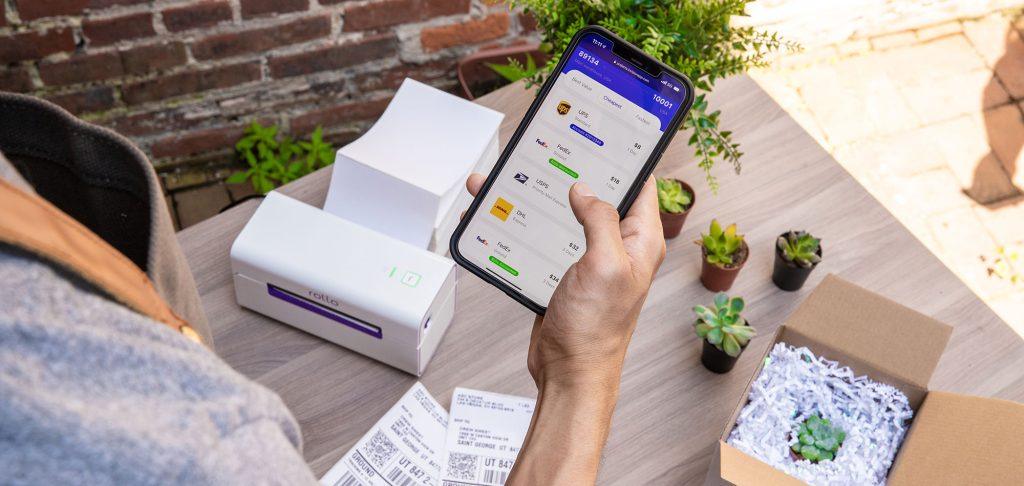
    The Squarespace Shipping Label Printer: Rollo It Is!

    Squarespace shipping label printer

    The Rollo shipping label printer stands out as a game-changer in the realm of e-commerce logistics. Designed with a blend of technological prowess and user-centric features, it offers the ability to print up to 325,000 feet of labels without any ink. Its intelligent label detection system, especially prevalent in the wireless model, eradicates the need for manual cropping, ensuring that labels are always precise. With compatibility extending across various devices including Mac, iPhone, Android, and Windows, the Rollo printer seamlessly integrates with platforms such as Squarespace, enabling merchants to print shipping labels directly from their storefronts.

    For Squarespace store owners, Rollo’s printer offers a streamlined solution to their shipping needs. The compact design ensures that it can fit in almost any workspace, yet it boasts a speed of printing one label per second, optimizing efficiency. Whether it’s a label for a boutique item sold internationally or a bulk shipment for a local distributor, the Rollo printer ensures clarity, speed, and reliability. When integrated with a Squarespace store, it guarantees that merchants can process orders swiftly, ensuring customers receive their purchases promptly and with the precise details outlined on their Squarespace shipping labels.

    Follow Rollo on:

    Frequently Asked Questions about Squarespace shipping:

    📌 Q: Who does Squarespace ship through? 


    💭 A: Squarespace offers its store owners flexibility by partnering with multiple shipping carriers to cater to various logistical needs. List of Squarespace Shipping Partners: USPS, UPS, FedEx, and DHL Express (Note: The exact list may vary based on location and Squarespace’s updates.)method.
  • Mercari Shipping: Boost Sales with Rollo Tools

    Mercari Shipping: Boost Sales with Rollo Tools

    In the era of online shopping, Mercari has emerged as a frontrunner, boasting over 15 million monthly active users. The platform provides a unique, user-friendly environment where both buyers and sellers can thrive. However, in this increasingly saturated market, ensuring a smooth shipping process isn’t just a nice-to-have—it’s a necessity. Enter Rollo, the game-changing ecosystem equipped with high-speed label printers, user-friendly shipping apps, and customization features designed to elevate your Mercari shipping process from mere logistics to a compelling part of your brand identity.

    The Synergy between Mercari and Rollo Tools

    When it comes to shipping, think of Mercari as your marketplace and Rollo as your back-office team. The Mercari platform offers an integrated space for listing your products, while Rollo ensures these products get to your buyers as efficiently and cost-effectively as possible. The partnership between these two platforms offers a seamless, end-to-end e-commerce experience, enabling you to focus more on scaling your business and less on logistics.

    How to Ship on Mercari: The Basics, Unpacked

    Mercari has democratized the marketplace for people interested in turning their unused items into cash or building a side hustle. However, where sellers often stumble is when it comes to managing the intricacies of shipping—calculating rates, printing labels, tracking packages, and even handling returns.

    Compatibility: How Rollo Works with Mercari

    The brilliance of Rollo’s suite of tools lies in its seamless compatibility with Mercari. Rollo’s printers support Mercari shipping label sizes, which means you won’t have to worry about resizing or reformatting. Simply Navigate to your Order Status page. Scroll to Shipping Information > Label and set the paper size to 4×6.

    Ease your Mercari shipping with Rollo label printers and Rollo Ship app

    Step-by-Step: A Basic Guide to Shipping on Mercari with Rollo

    1. 📰 List your product on Mercari: Set up your listing, including shipping fees.
    2. 📥 Receive an Order: You’ll get a notification when someone buys your product.
    3. 📱 Set Label size to 4×6 choosing the best shipping option in terms of speed, price, or type of service.
    4. 🖨️ Print the Label: Use your Rollo printer to print the shipping label.
    5. 🎁 Package the Product: Securely package your product and attach the shipping label.
    6. 📦 Drop Off or Schedule Pickup: Take the package to the shipping carrier or schedule a pickup through the Rollo Ship App.
    7. 📍 Track and Notify: Use the Rollo Ship App to keep track of the shipment and update the buyer.

    PRINT MERCARI SHIPPING AND BARCODE LABELS.

    Boost your Mercari sales!

    How Does Shipping Work with Mercari?

    Shipping is an integral part of the selling process on Mercari, but it also comes with its own set of challenges. How do you choose the best shipping carrier? How do you manage shipping costs?

    A Seamless Process: Rollo’s Solution to Mercari Shipping

    With the Rollo Ship App, these questions become much easier to answer. This all-in-one platform offers a range of shipping carriers, compares real-time rates, and even provides recommendations based on your specific needs. You no longer need to jump between multiple tabs or websites; everything is centralized.

    Shipping Carrier😊 Pros😞 Cons
    USPSAffordable, ReliableSlower for International Shipping
    UPSFast, Great for Larger PackagesCan be Expensive
    FedExQuick, Excellent TrackingPremium Rates
    Table: Pros and Cons of Shipping Carriers Compatible with Mercari

    Does Mercari Ship USPS or UPS?

    The Flexibility of Choice with Rollo Ship App

    One of the biggest perks of using Rollo for your Mercari shipping needs is the flexibility it offers in choosing your shipping carrier. The Rollo printer supports all major shipping carriers including  USPS, UPS, Fedex (along with other carriers), giving you the freedom to select the best option based on your shipping volume, speed requirements, and budget constraints.

    Tip: Save Money with Carrier Comparisons

    Use the Rollo Ship App to compare the cost and delivery times between carriers directly. The app pulls real-time data to help you make the most cost-effective decision.

    Rollo simplifies your Mercari shipping

    What Does It Cost to Ship on Mercari?

    Shipping costs on Mercari can vary widely depending on several factors such as item weight, dimensions, and shipping carrier. Mercari offers both prepaid and custom shipping options. The prepaid labels provided by Mercari are easy to use but might not always be the most cost-effective for every item type. If you choose to use your shipping label, costs will vary based on the carrier and service you select.

    Additional Tips for Cost-Saving:

    How Long Does Mercari Take to Ship?

    The shipping timeline on Mercari can vary depending on multiple factors, including the shipping carrier you choose, the shipping method, and the destination. Generally, it can take anywhere from 2-5 business days for standard shipping. Expedited options are also available but at a higher cost.

    Pro Tips for Faster Shipping

    How Do I Ship After Selling on Mercari?

    After making a sale on Mercari, you have the option to either use a prepaid Mercari shipping label or to arrange for your shipping. If you choose the prepaid label, you’ll need to print it, attach it to the packaging, and then drop off the package at the relevant carrier. If you opt for your shipping, you’ll need to enter the tracking information manually to keep the buyer updated.

    Steps to Ship After Selling on Mercari

    1. ✔️ Confirm Sale: Once the buyer pays for the item, you’ll get a notification.
    2. 📦 Choose Shipping Method: Decide between a prepaid Mercari label or your shipping option.
    3. 📨 Prepare Package: Safely package the item to prevent any damage during transit.
    4. 🏷️ Attach Label: If using a prepaid label, print and attach it to the package.
    5. 🚚 Drop Off: Take the package to the shipping carrier’s nearest drop-off point.
    6. 🌎 Update Tracking: If you’re using your shipping, manually input the tracking details into the Mercari platform to keep your buyer informed.


    What Shipping Should I Use for Mercari?

    Choosing the right shipping option is crucial for both customer satisfaction and your bottom line. Mercari offers a few different shipping methods, such as Mercari Prepaid Labels, Ship on Your Own, and Local Pickup.

    Shipping Method✅ Pros❌ Cons
    Mercari Prepaid LabelsEasy to use, tracking includedLimited to certain carriers
    Ship on Your OwnMore flexibility, potentially cheaperNo tracking unless you add it
    Local PickupNo shipping costsLimited to local buyers
    Rollo Ship AppBulk discounts, transparent pricing, multi-carrier supportRequires an initial setup, but it takes just a few moments.
    Table: Pros and Cons of Different Shipping Methods

    Additional Notes on the Rollo Ship App

    The Rollo Ship App offers significant advantages for Mercari sellers looking to optimize their shipping process. Its transparent pricing model allows you to view all costs upfront, eliminating any surprise fees. The app supports multiple carriers, giving you the freedom to choose the most cost-effective and timely options. One of the most compelling features is its ability to handle batch shipments, offering bulk discounts that can significantly reduce your shipping costs. Moreover, the Rollo printer seamlessly prints your shipping labels regardless of where you obtained them.

    Tips for Choosing the Right Shipping Method:

    By using the Rollo Ship App, you don’t just choose a shipping method; you adopt a comprehensive strategy that streamlines your entire Mercari shipping process, saving both time and money while enhancing customer satisfaction.

    NO MONTHLY SUBSCRIPTIONS.

    Up to 90% off UPS, FedEx, and USPS shipping.

    Schedule pickups, consolidate orders,

    & print Mercari shipping labels in bulk.

    Can I Pay for My Shipping on Mercari?

    Yes, you can pay for your shipping on Mercari, and you have the flexibility to choose the carrier and shipping speed. If you opt for this, you’ll need to provide the tracking number from the carrier you’ve chosen so that both you and the buyer can monitor the package’s journey.

    Tips for Paying for Your Shipping

    📊 Compare Carrier Rates

    Use tools to compare carrier rates to find the most cost-effective option for your shipping needs.

    🧮 Use a Shipping Calculator

    There are several online tools available that can help you accurately estimate shipping costs based on weight and dimensions.

    Do I Need a Box to Ship Mercari?

    Packaging is crucial when shipping any items sold on Mercari to ensure they arrive safely. While you do not need a specific ‘Mercari box,’ it is highly recommended to use sturdy packaging that can withstand the rigors of transit.

    Packaging Tips: Elevate Your Brand with Rollo Label Designer and Mailing Supplies

    🎀 The Importance of Professional Packaging

    Your packaging says a lot about your brand. It's the first physical touchpoint that customers have with your product, and you want to make it memorable. With Rollo's Label Designer, you can elevate your packaging game to create a lasting impression.

    🏷️ Create Custom Labels with Rollo Label Designer

    Standard shipping labels get the job done, but why stop there when you can customize and stand out? Rollo Label Designer allows you to create custom labels that can include your logo, a personalized message, or even a promotional offer. These custom labels not only add a touch of professionalism but can also serve as a marketing tool.

    😊 Quality Labels Lead to Satisfied Customers

    The quality of the label matters just as much as the design. Rollo’s labels are durable, water-resistant, and eco-friendly, ensuring that your package arrives in pristine condition. This helps boost customer confidence and encourages repeat business.

    📏 Optimize Size with Rollo’s Various Label Options

    Rollo Label Designer supports a range of sizes, including the popular 4x6 Mercari shipping label. You can easily adjust the size based on your packaging needs, ensuring that you don't waste space or material.

    ✉️ Rollo Mailing Supplies: A One-Stop Solution

    In addition to labels, Rollo also offers a range of mailing supplies like boxes, poly mailers, and bubble wrap. These materials are designed to be eco-friendly and cost-effective, allowing you to maintain a sustainable shipping strategy without breaking the bank.

    💜 Why Choose Rollo Mailing Supplies?

    When you use Rollo mailing supplies, you're not just opting for quality but also for consistency. Every package that leaves your hands will maintain a standard of excellence, setting you apart from competitors on the Mercari platform.

    Incorporating Rollo’s Label Designer and mailing supplies into your packaging strategy offers an excellent opportunity to elevate your brand, boost sales, and increase customer satisfaction.

    How to Get a Mercari shipping label?
    Upon selling an item on Mercari, the platform prompts the seller to choose their preferred shipping method. If the seller opts for Mercari’s prepaid labels, they can access and download the shipping label directly from their Mercari dashboard. This label will include the shipping cost and carrier details, whether it’s USPS or UPS, based on the seller’s selection or the buyer’s chosen shipping method. Once downloaded, it’s ready to be printed.

    How to Print a Mercari shipping label on a Rollo printer?


    1. Setup: Ensure your Rollo printer is properly connected to your computer and the necessary drivers are installed (if you are using a Rollo USB label printer) or your Rollo wireless is connected to the WiFi network. For setup instructions kindly visit this page.
    2. Download Label: Access your Mercari dashboard and download the Mercari shipping label you want to print. With Rollo Wireless you can print from any device, any app, or any file thanks to it being WiFi and AirPrint certified.
    3. Open Label: Open the downloaded label using a compatible viewer like Adobe Acrobat or any image viewer.
    4. Printer Settings: In the print dialogue, select your connected Rollo printer. Make sure the label size is set to 4×6 (standard size for most shipping labels) or as per the dimensions of the label you have. If accurately set up initially, Rollo automatically remembers the settings of your labels.
    5. Print: Click on the ‘Print’ button.
    6. Quality Check: Once printed, ensure that all the details on the label are clear and legible.
    7. Apply to Package: Carefully peel off the label and stick it onto your package, ensuring it’s securely attached and visible.

    Utilizing a Rollo printer for your Mercari shipping needs ensures high-quality, smudge-proof labels that are easily scannable, elevating the professionalism of your shipments and improving the shipping experience for both you and your buyers.

    Follow Rollo on:

    Frequently Asked Questions about Mercari shipping:

    📌 Q: Does Mercari Ship USPS or UPS?


    💭 A: Mercari provides shipping options through both USPS and UPS. Sellers can choose their preferred carrier when listing their items or use their shipping method.


    📌 Q: Does Mercari charge the seller for shipping?

    💭 A: Yes, Mercari offers sellers the option to either pay for the shipping costs themselves or pass them on to the buyer. If the seller chooses to pay, the shipping cost is deducted from the sale proceeds.
  • Shopify Label Printer Secrets: How Rollo Simplifies Labeling

    Shopify Label Printer Secrets: How Rollo Simplifies Labeling

    In the fast-paced, highly competitive landscape of e-commerce, every little edge you can gain counts. The efficiency and effectiveness of your shipping process can make or break customer satisfaction and your bottom line. This is why it’s essential to select the right label printer—a tool that often goes overlooked yet is foundational to your operation. Among the plethora of options available, one name consistently rises to the top for Shopify users: the Rollo label printer.

    This comprehensive guide will explore the ins and outs of why Rollo is frequently cited as the best Shopify label printer. We will delve into its feature-rich capabilities that can simplify, speed up, and even greenify your shipping process.

    The Intricacies of Shopify labels and label printers

    The Intricacies of Shopify labels and label printers

    📌 Does Shopify have a label printer?

    While Shopify itself doesn’t manufacture or sell label printers, the platform is highly compatible with various third-party label printers, giving you plenty of options to choose from. However, one printer that stands out from the rest for Shopify users is the Rollo label printer.

    Rollo doesn’t just print labels; it revolutionizes the way you handle your shipping by offering features like intelligent label detection and thermal printing technology. With Rollo, you don’t need any ink, and you can forget manually cropping your labels. Just send them to Rollo, and the machine takes care of the rest. The printer is available in two models, one of which offers wireless capabilities, making it a perfect fit for those seeking a Shopify-supported wireless label printer.

    Rollo also plays well with Shopify, thanks to its seamless integration with the platform via the Rollo Ship app. This allows you to manage your Shopify orders and print shipping labels directly, enhancing your Shopify label printing experience. With Rollo, you’ll be wondering why you didn’t switch to this label printer sooner.

    📌 Do You Need a Shipping Label for Shopify?

    Yes, if you’re running an e-commerce business through Shopify, shipping labels are essential for fulfilling customer orders. However, creating and printing these labels doesn’t have to be a cumbersome process, especially when you use the Rollo label printer. With Rollo, you can easily print 4×6 shipping labels for your Shopify orders, saving you time and effort.

    Rollo elevates your Shopify label printing experience by offering various eco-friendly label sizes and choices. The printer provides both FSC-certified and BPA-free thermal labels, allowing you to make environmentally responsible decisions while managing your business.

    If you’re using Rollo’s Ship App, the cost to create a shipping label is as low as 5 cents per label, and this fee is even waived for your first 200 labels. Plus, the app has shipping discounts negotiated with major carriers like UPS, USPS, and FedEx. Discounts can be up to 90% off, making Rollo not just the best choice for your Shopify label printing but also the most cost-effective one.

    📌 What Label Sizes Does Shopify Support for Shipping?

    Shopify allows you to print labels in various sizes, but when it comes to seamless integration and convenience, the 4×6-inch label is a crowd favorite. This size is standard for most shipping carriers and is perfect for all kinds of packaging, from envelopes to boxes.

    The Rollo label printer goes hand-in-hand with this, as it not only supports 4×6-inch labels but also offers you an array of other sizes to choose from. Even better, Rollo’s thermal labels are eco-friendly, FSC-certified, and BPA-free. With Rollo, you’re not confined to Shopify’s limited label sizes; you have the flexibility to choose labels that fit your unique shipping needs. If you’re looking to diversify your label sizes beyond what Shopify traditionally offers, Rollo is the best Shopify label printer for that job.

    📌 How Do I Create Labels in Shopify?

    Creating labels in Shopify is straightforward, but with Rollo, it becomes even simpler. You can create labels directly within your Shopify account, and then choose Rollo as your designated printer.

    • In Shopify: Go to the ‘Orders’ section in your Shopify dashboard.
    • Select Orders: Choose the orders for which you’d like to print shipping labels.
    • Create Label: Click on ‘Create Shipping Label’ and follow the prompts.
    • Format: If you’re using Rollo, remember to click on ‘Change Format’ on the right-hand side and select the 4×6-inch size for optimal printing.
    • Print: Once the label is ready, choose Rollo from the list of printers and hit ‘Print’.

    Alternatively, you can consolidate this process using the Rollo Ship App, which directly integrates with Shopify. Once linked, your orders will automatically populate within the Rollo Ship. From there, you can create and print multiple labels at once, streamlining your entire shipping operation.

    What Makes Rollo the Best Shopify Label Printer

    Technological Superiority of Rollo as the Best Shopify Label Printer

    What label maker is compatible with Shopify? Is Rollo compatible with Shopify?

    Enter Rollo, a printer that not only claims compatibility but goes above and beyond in delivering a smooth, fast, and reliable Shopify label printing process. Yes, you read that right—Rollo is fully compatible with Shopify and offers features that make it the preferred choice for many online business owners.

    Rollo’s Compatibility Features:

    • Seamless Integration: Connect your Rollo printer to Shopify effortlessly through Rollo Ship.
    • Speed: Print up to one label per second, making your shipping process faster than ever.
    • Flexibility: Rollo’s range of label sizes and eco-friendly options makes it ideal for various shipping needs.
    • Multiple Platforms: Beyond Shopify label printer, it also integrates well with other marketplaces like Poshmark, Etsy, and eBay.

    Advanced Shopify Label Printing Capabilities with Rollo

    Rollo as Your Shopify label printer

    PRINT SHOPIFY SHIPPING AND BARCODE LABELS.

    Transform your Shopify business today.

    Eco-Friendly Choices: A Responsible Shopify Label Printer

    Eco-Friendly Thermal Labels for Your Shopify Business

    When you opt for Rollo, you’re also making a responsible environmental choice. The printer uses eco-friendly FSC-certified and BPA-free thermal labels. These labels come in various sizes and colors, offering Shopify store owners flexibility while being environmentally conscious.

    Sustainable Shipping Supplies: Beyond Shopify Label Printing

    But it doesn’t stop at labels. Rollo also offers a range of eco-friendly shipping supplies including no-noise heavy-duty shipping tape, bubble mailers, and poly mailers that are water-resistant, durable, and lightweight. All these elements make Rollo not just the best Shopify label printer, but also a holistic solution for your shipping needs.

    How to Connect a Rollo Label Printer to Shopify

    Connecting a Rollo label printer to your Shopify store doesn’t require a computer science degree. It’s straightforward and can be completed in just a few steps.

    Steps for USB Model:

    Step 1 🐾 – Power Up and Connect: Turn on your Rollo printer and connect it to your computer via the provided USB cable.

    Step 2 🐾 – Install Drivers: Visit Rollo’s website to download the appropriate drivers for your operating system (Mac or Windows).

    Step 3 🐾 – Printer Settings: Go to your computer’s Control Panel > Devices and Printers (for Windows) or System Preferences > Printers & Scanners (for Mac). Make sure the Rollo printer is selected as the default printer.

    To print from Shopify directly to your USB Rollo printer, follow these instructions.

    Steps for Wireless Model:

    Step 1 🐾 – Power Up: Make sure your wireless Rollo printer is on.

    Step 2 🐾 – Connect to Wi-Fi: Use the Rollo printer’s built-in interface to connect it to your Wi-Fi network.

    Step 3 🐾 – Download the Rollo App and enable your Bluetooth.

    Step 4 🐾 – Follow the instructions from the app. It’s easy and fast.

    Integrating Rollo App with Shopify:

    Step 1 🐾 – Open Rollo Ship: Either via the web or the app, log into your Rollo Ship account.

    Step 2 🐾 – Navigate to ‘Connections‘: Look for ‘Selling Channels’ and select ‘ADD NEW,’ then choose Shopify.

    Step 3 🐾 – Enter Shopify Credentials: You’ll need to input your Shopify store’s domain name (e.g., mystore.myshopify.com) and follow the prompts to allow permissions.

    Step 4 🐾 – Finalize Connection: Your Shopify store should now be connected to Rollo, and you can begin importing orders and printing labels directly.

    By integrating Rollo with Shopify, you can consolidate your orders, utilize advanced shipping features, and ultimately save both time and money. It’s an upgrade that brings your Shopify label printing to the next level.

    Rollo Ship: The Perfect Complement for Shopify Label Printing

    NO MONTHLY SUBSCRIPTIONS.

    Up to 90% off UPS, FedEx, and USPS shipping.

    Why Rollo is the Best Shopify Label Printer for Your Business

    From unmatched speed to intelligent label detection and thermal printing technology, Rollo offers a plethora of features that make it stand out as the best Shopify label printer. With the added benefit of the Rollo Ship app and Label Design Tool, you can manage, design, and print all your shipping needs seamlessly. Coupled with its environmental responsibility and extensive compatibility across multiple platforms, choosing Rollo as your Shopify label printer is a decision you won’t regret.

    When it comes to Shopify label printers, Rollo provides an unrivaled, comprehensive experience, making it an indispensable tool for anyone serious about running a streamlined, efficient, and profitable e-commerce business.

    Follow Rollo on:

    Frequently Asked Questions about Shopify Label Printers:

    📌 Q: Does Shopify charge to print shipping labels?


    💭 A: No, Shopify itself does not charge you for the actual printing of shipping labels. However, the cost of purchasing the shipping label through Shopify will depend on the carrier and shipping options you choose.


    📌 Q: Can you print labels directly from Shopify?


    💭 A: The simple answer is yes, you can print labels directly from Shopify. Shopify has built-in features that allow you to purchase and print shipping labels right from your Shopify dashboard. However, the process can become much more streamlined and cost-effective when you integrate a dedicated label printer like Rollo.


  • The Perfect Label Printer for Small Business Owners

    The Perfect Label Printer for Small Business Owners

    In the competitive landscape of entrepreneurship, every minute and dollar counts. That’s why investing in the right equipment is paramount for efficiency and cost-effectiveness. A label printer for small business operations serves as one of those critical investments that can significantly elevate your workflow. Whether you’re in e-commerce, retail, or any service industry, the importance of a dependable label printer can’t be overstated. From streamlining your shipping process to efficiently sorting your inventory, a label printer is more than just an accessory—it’s a necessity for modern small businesses. In this in-depth guide, we zoom in on Rollo printers, delving into their features, benefits, and complementary services to help you determine if they’re the right fit for your business needs.

    What Type of Label Printers Exist?

    In today’s fast-paced business environment, the utility of a label printer extends far beyond merely sticking addresses on packages. Different types of label printers are designed to perform specialized functions. Whether you’re searching for a shipping label printer for small business logistics or an address label printer for client correspondence, you’ll find that the market is brimming with options.

    Rollo makes your choice simpler by offering two versatile yet distinct models that cater to a wide range of business needs. Here’s a breakdown:

    Rollo label printer for small business

    Key Features:

    🤖 Intelligent Label Detection
    The printer automatically detects the label size, reducing manual settings adjustments and errors.

    🗃️ Multiple Device Compatibility
    Whether you’re an Apple aficionado or a Windows warrior, this printer has you covered.

    🖨️ Print Speeds
    Time is money, and with Rollo, you save both. The printer churns out one label per second.

    🏪 Marketplace Compatibility
    Ideal for businesses operating on marketplaces like Poshmark, Mercari, Depop, and many more.

    Rollo USB label printer

    Key Features:

    🔌 USB Connected
    Simple, reliable connectivity via USB makes setup a breeze.

    🖨️ Quickly Prints
    Like its wireless sibling, this model also prints one label per second.

    🤖 Intelligent Label Detection
    Say goodbye to manual cropping and resizing; the printer does it for you.

    💰 Small Business-Friendly
    Ideal for businesses that operate from a stationary location and prefer the reliability of a wired connection.

    Why Choose a Rollo Printer?

    Regardless of which model you opt for, both come with Rollo’s intelligent label detection technology. They are also incredibly compact, meaning you can easily carry them in your bag, and are designed for quick, efficient printing—attributes that any small business owner would appreciate.

    By offering two models that are both high-quality and fast, Rollo ensures there’s a label printer for small business owners like you.

    What Type of Printer is Best for Labels?

    When it comes to printing labels, thermal printers often emerge as the go-to choice for small businesses. Unlike inkjet or laser printers, thermal printers don’t require ink, making them a cost-effective solution for businesses that need to print a lot of labels.

    Printer TypeInk RequirementSpeedCost
    Thermal😊 No🚀 Fast💲Low
    Inkjet😞Yes🛩️ Medium💲💲💲High
    Laser😊 No🚀 Fast💲💲💲High
    Table 1: Printer Types and Their Features

    When seeking the ideal label printer for small business owners, it’s crucial to understand the different types of printers available on the market and what they offer. Although inkjet and laser printers are capable of handling label printing, thermal printers frequently steal the spotlight, especially for business needs. But why is that?

    So, when it comes to deciding what type of printer is best for labels, thermal printers like Rollo’s offer a compelling case. With cost-saving benefits, high-speed printing, durable labels, and versatility, they serve as an indispensable tool for any small business looking to optimize its operations.

    Benefits of Using a Label Printer for Small Business Owners

    Label printers offer numerous advantages:

    💜 High-Quality Labels: Print crisp and clear labels every time.

    💜 Speed: Quickly prints a lot of labels, with some models like Rollo offering a speed of one label per second.

    💜 Cost-Effectiveness: Printing labels in-house can be a significant cost saver, especially when printing a lot of labels.

    FeatureWireless ModelUSB Model
    Intelligent Label Detection✅ Yes✅ Yes
    Print Speed🚀 1 label/second🚀 1 label/second
    OS Compatibility💻💻💻💻💻Multiple💻 💻Mac, Windows
    Connectivityᯤ WiFi, AirPrint🔌USB
    Table 2: Rollo Printer Features

    How to Print Business Labels at Home

    Printing business labels at home has never been easier thanks to user-friendly models like those from Rollo. Here’s a simple guide to get you started:

    🐾 Step 1 – Set Up Your Printer:

    Connect your Rollo printer via WiFi or USB cable.

    🐾 Step 2 – Choose the Type of Label:

    Rollo offers a variety of eco-friendly FSC-certified and BPA-free thermal labels.

    🐾 Step 3 – Design the Label:

    Use the Rollo Label Design Tool to create custom labels. Upload your logo, images, barcodes, or QR codes.

    🐾 Step 4 – Print:

    With a simple click, your high-quality labels will be printed at high print speeds.

    Which Printer is Good for Label Printing?

    When considering a label printer for small business needs, it’s crucial to look for certain features like print speeds, label quality, and compatibility. Rollo’s printers emerge as an ideal choice due to their versatile compatibility with multiple devices, including Mac, iPhone, iPad, Android, Windows, and more. What sets Rollo apart is its intelligent label detection. You don’t have to worry about manually cropping your labels; just send them to Rollo, and the printer does the rest. This feature is available in Rollo’s wireless model.

    Why Should I Buy a Label Printer?

    The question isn’t so much why you should buy a label printer, but rather why you haven’t already! A thermal label printer for small businesses, like the Rollo model, can save you an immense amount of time.

    Here’s why:

    Quickly Prints: No more waiting around; Rollo printers can churn out one label per second.

    High Quality: No ink smudging or label jams. Rollo guarantees high-quality, professional-looking labels.

    Cost-Effective: With no ink required and the ability to print a lot of labels in one go, you save money in the long run.

    Eco-friendly: Rollo’s variety of FSC-certified and BPA-free thermal labels are a bonus for those looking to make sustainable choices.

    What is the Best Printer to Print Labels from Home?

    If you’re considering printing labels from the comfort of your home, Rollo’s wireless model is a top pick. Being AirPrint and WiFi certified, this model allows you to print directly from your phone, tablet, or computer. It’s compatible with various marketplaces like Poshmark, Mercari, Depop, and many others, making it a versatile choice for all kinds of small business owners.

    What is the Best Printer to Print Labels from Home

    Do You Need a Special Printer to Print Labels?

    When it comes to label printing, a common question that small business owners ask is, “Do I really need a specialized label printer?” Technically, a standard office printer can do the job. However, for those who want to gain a competitive edge, a specialized label printer for small business needs, like the ones offered by Rollo, can provide several distinct advantages.

    So, while a general office printer could suffice for basic tasks, using a specialized label printer for small business applications offers a much broader range of options and benefits. With Rollo, you’ll not just be printing labels; you’ll be optimizing your business for success.

    What Kind of Printer Do I Need to Print Barcode Labels?

    If your small business requires you to print barcodes, a printer like Rollo is a prime choice. Its Label Design Tool not only allows you to create custom labels but also to generate barcodes and QR codes, making it a versatile tool for all your label needs.

    PRINT LABELS EFFORTLESSLY.

    ELEVATE YOUR SMALL BUSINESS

    What is the Difference Between a Label Maker and a Label Printer for small business owners?

    At first glance, label makers and label printers may appear to serve the same purpose: they both print labels, after all. However, when it comes to functionality and versatility, especially in the context of small business operations, there are some key differences worth noting. Understanding these differences can help small business owners make an informed decision about what kind of device best meets their needs.

    Label Makers: The Basics
    Label makers are best suited for simple, one-off tasks. These might include naming folders, tagging equipment, or identifying office supplies. While they are quick and easy to use for these basic labeling tasks, their capabilities are somewhat limited. Generally, they don’t offer the range of label sizes, types, or customizations that a small business might require for more complex operations.

    Label Printers for Small Businesses: The Game Changer
    On the other hand, a label printer for small business applications like those offered by Rollo brings a whole new level of versatility to the table. With the capability to print various types of labels—be it shipping labels, barcodes, or QR codes—these devices are geared toward multifaceted business tasks.

    While label makers can handle basic labeling tasks, a label printer for small business owners who require more sophisticated features and capabilities would be the smarter investment. With options like Rollo, you're not just buying a printer; you're investing in a comprehensive solution to streamline your business's various labeling needs.

    The Rollo Ship App: A Convenient Solution

    The Rollo Ship App is a standout feature that complements Rollo’s printers. Available for iOS, Android, and Desktop, the app allows consolidation of orders from multiple marketplaces like Amazon, Etsy, BigCartel, and more. Moreover, the app utilizes AI to automatically import your new orders from stores, group them, and notify you.

    • Cost: No monthly subscription. Creating a shipping label costs just 5 cents per label, waived for your first 200 labels.
    • Shipping Discounts: Negotiated with major carriers like UPS, USPS, and FedEx, you can enjoy up to 90% off on shipping.
    • Multiple Labels: Print multiple labels at once to expedite your shipping process.
    FeatureDescription
    Cost5 cents per label (first 200 free)
    Shipping DiscountsUp to 90% off
    Multiple Label PrintingYes
    AI-poweredAuto-import and grouping of orders
    CompatibilityAmazon, Etsy, Shopify, and many more
    Table 3: Rollo Ship App Features

    PRINT LABELS AND CLAIM SHIPPING DISCOUNTS

    STREAMLINE YOUR SHIPPING

    The Rollo Label Design Tool: An Edge Over Others

    Another feature that sets Rollo apart is its Label Design Tool. Unlike other platforms, signing up is free, and you can use a variety of shapes, sizes, and fonts to create the perfect label. You can even upload your logo, and images, and generate barcodes or QR codes right in the tool.

    DESIGN CUSTOM LABELS.

    PRINT DIRECTLY FROM THE APP.

    NO LABEL ADJUSTMENTS.

    Shipping and Packaging Supplies: More Than Just Printers

    While Rollo excels in providing the best label printer for small businesses, they also offer a variety of eco-friendly shipping and packaging supplies:

    💜 Eco-Friendly Labels: Choose from FSC-certified and BPA-free thermal labels.

    💜 Mailers: Lightweight, durable, and water-resistant bubble and poly mailers.

    💜 Shipping Scales: Digital scales with smart functions like Tare, Hold, and Auto Shut Off for battery saving.

    ItemFeature
    🏷️ Labels💚 Eco-friendly, FSC-certified, BPA-free
    ✉️ Mailers☔ Lightweight, durable, water-resistant
    ⚖️ Shipping Scales💪 Smart functions, up to 110 lbs capacity
    Table 4: Rollo Shipping and Packaging Supplies

    Conclusion

    Finding the perfect label printer for your small business doesn’t have to be a daunting task. With comprehensive solutions like Rollo, you get not just a high-quality and fast label printer but also a range of services and supplies to make your business operations smoother. From the Rollo Ship App’s cost-effectiveness and convenience to the Label Design Tool’s versatility, Rollo offers an all-encompassing package that every small business owner should consider.

    Follow Rollo on:

    Frequently Asked Questions about the Label Printer for Small Businesses:

    📌 Q: How to Print Shipping Labels for Small Businesses?


    💭 A: Printing shipping labels is a breeze with the Rollo Ship App. The app is available for iOS, Android, and Desktop and can integrate with Amazon, Etsy, Shopify, and more. With the use of AI, the app will automatically import your new orders, group them, and even notify you—making your life easier.


    📌 Q: Can All Printers Print on Sticker Paper?

    💭 A: Most inkjet and laser printers can print on sticker paper, but the quality and durability may not be ideal. For small businesses, using a specialized label printer for small businesses like Rollo ensures high-quality and durable labels that can withstand various conditions. Rollo’s thermal printers, in particular, are well-suited for such tasks.
  • Poshmark Shipping Simplified: From Listing to Mailing

    Poshmark Shipping Simplified: From Listing to Mailing

    The advent of online selling platforms like Poshmark has drastically reshaped our perspective on fashion retail. No longer are we limited to the confines of brick-and-mortar stores or the traditional modes of buying and selling.

    Instead, Poshmark, among others, has introduced a dynamic, flexible, and vast digital marketplace. It effectively bridges the gap between enthusiastic sellers and discerning buyers. But it doesn’t just stop at being a mere platform for listing products. Its true prowess lies in the seamless integration of multiple aspects of online retail, with shipping being a pivotal feature. Poshmark currently does not support international shipping and only facilitates domestic U.S. shipping.

    For the uninitiated, the realm of online selling, paired with the challenges of shipping, can seem a tad overwhelming. But, fret not! Whether you’re new to Poshmark shipping or a seasoned seller, this guide offers clear shipping advice.

    We’ll guide you through Poshmark shipping, from listing an item to delivering it to your buyer.

    Selling on Poshmark, how to ship Poshmark orders?

    🏪 What is Poshmark

    Poshmark is a major online platform for buying and selling fashion, accessories, and home goods. It has changed how people see fashion, making it easy and profitable. Sellers on Poshmark enjoy its user-friendly interface and active community that trades and shares style advice.

    Sites like Poshmark, Mercari, and Depop each offer a unique spin on online reselling. While similar, Poshmark holds its distinctive charm and vast audience. It is a premier choice for many looking to delve into online fashion commerce.

    🛍️ How to Sell on Poshmark

    Before we dive into the Poshmark shipping specifics, it’s crucial to understand the selling process. The process begins with listing an item. Take clear, high-quality photos of the clothing or accessories you want to sell. Provide an accurate and catchy description, set a price, and post it.

    Jumping into the world of Poshmark selling might seem overwhelming initially, but with a bit of insight, the process becomes clear and effortless. Here’s a more in-depth look:

    So, while the initial listing is a straightforward affair, the nuances of selling on Poshmark lie in mastering these individual elements. Perfect them, and you’re well on your way to becoming a Poshmark selling star. 

    Once your item sells, Poshmark sends a prepaid, pre-addressed Poshmark shipping label to your linked email address. Simple, right? But that’s just the beginning.

    🏤 How Do Poshmark Shipping Costs Work?

    Poshmark has made the shipping process as streamlined as possible. Once your item sells:

    📦 Phase 1: Print the Label – Use the prepaid, pre-addressed Poshmark shipping label sent to your email. If your item weighs more than 5 lbs, you can easily upgrade your Poshmark shipping label from the app by requesting a new shipping label.

    📦 Phase 2: Package the Item – Use any box or padded envelope for packaging. If shipping electronics, ensure they’re appropriately packed. If the package exceeds the 5-pound limit, sellers can select ‘Need New Shipping Label’ in the app to request an upgraded label.

    📦 Phase 3: Drop Off or Schedule Pickup – Either drop the package at a USPS mailbox or local post office or schedule a USPS pickup. Poshmark uses priority mail for packages up to 5 lbs and offers a flat rate for priority shipping. Sellers should choose the appropriate shipping method based on the item size and weight, and Poshmark provides pre-paid shipping labels for priority shipping. Poshmark offers different shipping methods, including priority mail, to ensure timely delivery.

    PRO TIP: You can schedule your Poshmark shipping via USPS with the Rollo Ship App.

    Poshmark shipping might seem intricate at first glance, but the platform’s genius lies in how it’s taken the fuss out of the shipping process. Let’s delve deeper:

    💜 Rollo – The Best Label Printer for Poshmark

    Firstly, the Rollo thermal label printer’s capacity is impressive. It offers up to 325,000 ft of label printing without the need for any ink thanks to its direct thermal technology.

    If adjusting Poshmark shipping labels has been a hassle, Rollo’s intelligent label detection comes to your rescue. Simply send your label details straight to the Rollo label printer, particularly if you’re taking advantage of the wireless model.

    best label printer for Poshmark shipping

    The convenience doesn’t end there. Whether you’re team iPhone, Android, Mac, Windows, or even Linux, the Poshmark label printer by Rollo has you covered. Thanks to being both AirPrint and WiFi certified, you can seamlessly print your Poshmark label from any device, any app, or any file.

    No more being tethered to a particular device or location. Plus, if you’re diversifying your online selling platforms beyond Poshmark, know that Rollo is compatible with a range of marketplaces and sites like Mercari and Depop. This makes selling on Poshmark a child’s game.

    For those who prefer a direct connection, the USB model offers easy plug-and-play for both Mac and Windows users. And let’s not forget the astonishing speed of this Poshmark label printer – churning out labels at a rate of one per second. Its compact design ensures it can fit snugly in your workspace or even in your bag, should you need to take it on the go.

    WIRELESS. INK-FREE. EASY.

    Print Poshmark shipping labels.

    In essence, when it comes to Poshmark label printing, the Rollo printer offers an unparalleled mix of efficiency, versatility, and convenience. It ensures every sale transitions smoothly to a shipped package.

    Available on iOS, Android, and Desktop, the Rollo Ship App has become a seller’s dream tool. Imagine being able to consolidate all your orders across a myriad of marketplaces – from giants like Amazon, eBay, and Shopify to niche platforms like BigCartel and SquareSpace – all in one intuitive interface. With its extensive integration capabilities, transitioning between different selling platforms becomes fluid and hassle-free.

    Harnessing the power of AI, the app not only efficiently imports your fresh orders but also groups and notifies you, ensuring you’re always one step ahead. But the convenience doesn’t stop there. Sold an item? The app can automatically alert the recipient with their tracking details, giving them peace of mind and reducing the number of “Where’s my order?” queries you might receive.

    Perhaps you’re a lawyer, doctor, or another service provider? With the Rollo Ship App, you aren’t obliged to link up to e-commerce platforms, allowing you to leverage impressive shipping discounts regardless of your professional background. And, if you’re worried about having to purchase the Rollo printer just to use the app, fret not. The app is versatile, allowing label creation that you can print on any printer at your disposal.

    Notably, Rollo champions inclusivity. Whether you’re a seasoned entrepreneur or just starting out, the app doesn’t demand business verification, a relief to many. Cost-effectiveness is also central to Rollo’s ethos. Forget about monthly subscriptions.

    Creating a shipping label will only set you back a nominal 5 cents, and even that’s waived for your first 200 labels. On top of that, the hefty shipping discounts negotiated with major carriers like UPS, USPS, and FedEx can lead to savings of up to 90%.

    NO MONTHLY SUBSCRIPTIONS.

    Schedule Pickups.

    Group Orders.
    Get up to 90% off shipping.

    Now, back to the issue of dispatching your item. If you’re swamped with orders or just prefer the convenience of dispatching from your doorstep, scheduling a USPS pickup is not only an option but an absolute breeze with the Rollo Ship App. Should you find yourself with multiple packages ready to go, the app effortlessly supports bulk label printing, cutting down on the time spent and letting you get back to what you do best – selling.

    ✂️ How to Prepare Your Items for Poshmark Shipping with the Rollo Touch

    The beauty of selling on sites like Poshmark lies in the joy of sending a beloved item to someone who will cherish it. But that joy can quickly turn sour if items aren’t shipped properly. Ensuring your items are primed for their journey can spell the difference between a one-time sale and a repeat customer. Here’s how to nail it:

    🎁 1. Packaging: Every garment you sell is a reflection of your personal brand. When Poshmark shipping, items should be neatly folded and encased in a pristine plastic bag before placement in a box or envelope. This not only protects the item from unforeseen damage, moisture, or dirt but showcases a level of professionalism that buyers will appreciate.

    Preparing Items to Sell and Ship on Poshmark

    📦 2. Protection for Fragile Items: Some items, especially accessories or delicate fabrics, require extra padding. Tools like bubble wrap, plush tissue paper, or even repurposed newspapers can serve as a cushion, safeguarding your items from the bumps and jostles of transit.

    3. Weight Matters: Before sealing that package, ensure you’re not overstepping the weight boundaries set by your Poshmark shipping label. An overweight package could lead to delays or additional charges. In case your item surpasses the weight limit, be sure to upgrade your label accordingly.

    🔝 4. Personal Branding with Rollo’s Label Design Tool: Here’s where the magic of personal touch comes into play. While thank you cards or ribbons are always delightful, Rollo’s Label Design Tool takes packaging personalization to the next level. Offering a host of customizable label templates, including those specifically sized for thermal prints, this tool is a dream for any seller looking to stand out.

    Signing up is a breeze and, believe it or not, absolutely free. Unlike many platforms that limit customization, Rollo gives you the freedom to determine your label’s size, ensuring a perfect fit every time.

    Want to emblazon your logo on your package? Or perhaps a QR code leading to your store or a special discount? With the Rollo Label Design Tool, creating these custom labels is a cinch. Upload your own images, generate barcodes, or delve into the rich image library for inspiration.

    NO MONTHLY SUBSCRIPTIONS.

    PRINT DIRECTLY FROM THE APP.

    Make professional labels

    FOR FREE!

    For those special touches that make a buyer’s day, consider crafting a personalized “Thank You” sticker or even promotional barcode labels to adorn your package. With a variety of shapes, sizes, fonts, and design elements at your disposal, the sky's the limit. Decorate your package, showcase your brand, and give your buyers an unboxing experience they'll remember and appreciate. It's these seemingly small gestures, empowered by tools like Rollo's Label Design Tool, that foster loyalty and keep customers coming back.

    🖨️ How to Print a Poshmark Shipping Label for a Sale

    Using Rollo’s compact direct thermal label printer simplifies the printing process. After receiving your Poshmark label in the email:

    🐾 Step 1: Open the Label – Access your email from any device connected to your Rollo printer. The shipping fee is typically covered by the buyer, but sellers can offer free or discounted shipping.

    🐾 Step 2: Select Print – Choose the 4”x6” label size for optimal printing. Poshmark has negotiated flat shipping rates with USPS, which apply to packages up to 5 lbs.

    🐾 Step 3: Stick the Label – Once printed, peel off the adhesive backing and affix the label to your package. Make sure it’s secure and clearly visible.

    If you’ve got a Rollo thermal label printer at your side, this task becomes even more streamlined. Here’s a snapshot of how effortless the process can be:

    💜 Seamless Integration with Rollo: Upon making a sale, Poshmark sends you the shipping label directly to your email. With Rollo’s wireless model, it doesn’t matter where you access your email. Whether it’s your smartphone, tablet, or desktop – if it’s connected to the Rollo printer, you’re golden.

    💜 One-Tap Printing: Navigate to the received label and simply select the print option. Rollo’s printers are designed for precision, so always opt for the 4”x6” label size to ensure your printout fits perfectly on your package. And with Rollo’s intelligent label detection in the wireless model, manual adjustments become a thing of the past. The printer intuitively understands the label dimensions, saving you time and potential printing errors.

    💜 Stick with Ease: The beauty of these labels lies in their adhesive backing. Once the label rolls out of your Rollo printer, it’s ready to go. Just peel and stick it onto your package. Ensure it’s smooth, wrinkle-free, and positioned where it’s most visible.

    📏 What Size Are Poshmark Shipping Labels?

    Another essential aspect is the size of Poshmark shipping labels. Typically, these labels fit standard printer sizes. However, if you’re using a label printer, like the Rollo direct thermal label printers, the 4”x6” adhesive labels are ideal. Rollo printers, especially, stand out as a suitable choice for Poshmark sellers because of their compact design and wireless capabilities, which allow for easy printing from virtually any device.

    In Conclusion

    Whether you’re a seasoned Poshmark seller or a newbie, understanding and simplifying the shipping process is crucial. Using the Rollo thermal printer makes Poshmark shipping easier and more professional, letting you focus on selling. In online sales, quick and efficient shipping is key to customer satisfaction. So, master your Poshmark shipping, and you’re on your way to becoming a top Poshmark seller!

    Follow Rollo on:

    Frequently Asked Questions:

    📌 Q: Do Poshmark Shipping Labels Expire?

    💭 A: There’s a timeframe to use your Poshmark shipping label. Typically, if you don’t ship the item within seven days of the sale, the buyer has the right to cancel the order. If by the 21st day after the purchase, the item remains unshipped, Poshmark may automatically cancel it. Hence, it’s vital to ensure you use the label within the stipulated period to maintain your seller reputation and ensure customer satisfaction.


    📌 Q: Why Do You Need a Thermal Label Printer for Poshmark Shipping?


    💭 A: While it’s possible to print Poshmark shipping labels on standard printers, a thermal label printer offers advantages. Thermal printers, such as Rollo, don’t need ink and can print up to 325,000 ft of labels without a refill. Secondly, they offer fast printing speeds—Rollo printers can print one label per second! Plus, with the wireless Rollo model, sellers can print labels directly from their phones, tablets, or laptops.


    📌 Q: Is Poshmark Shipping Free for the Seller?

    💭 A: In Poshmark shipping is that the buyer covers the cost. Once an item sells, Poshmark charges the buyer a flat shipping rate and emails the seller a prepaid Poshmark shipping label. This process ensures the seller doesn’t have to deal with the intricacies of calculating shipping costs.
  • Label Printer for Shipping: A Wise Investment

    Label Printer for Shipping: A Wise Investment

    When it comes to the realm of e-commerce or any business where shipping plays a significant role, a label printer for shipping stands out as an indispensable asset. This critical tool is more than just an aid; it’s a game-changer, meticulously designed to accelerate your business operations and elevate your efficiency, forming the backbone of an effective shipping strategy.

    Whether you’re a small business shipping handcrafted items, a bustling e-commerce store dispatching hundreds of products a day, or a burgeoning artist shipping your work, a label printer is a tool that promises to make your journey smoother and more efficient. Its importance transcends the simplicity of its function, printing labels.

    Understanding the role of a label printer in your shipping process is akin to appreciating the effect of a well-oiled machine in a factory. It’s a catalyst, a facilitator that empowers you to focus on the core of your business without getting entangled in the complexities of logistics and shipping.

    Label printers for shipping are not just about printing clear, professional labels that withstand the rigors of shipping; they are an investment in simplifying your workflow, saving you time, and enhancing the overall professional image of your business. The role of a label printer for shipping extends beyond the simple mechanics of its operation; it’s about the ripple effect that this potent tool can have on your business’s functionality and success.

    Join us as we delve deeper into the world of label printers, unpacking the compelling reasons why this tool is a strategic investment rather than a simple operational accessory. Explore with us the transformative power a label printer for shipping can have in boosting your business’s operational efficiency and propelling you toward your goals. Let’s unravel the multitude of ways investing in a label printer can transform your shipping process into a smooth, streamlined, and efficient powerhouse.

    The Indispensable Role of The Label Printer for Shipping

    In the vast, intricate world of shipping, the significance of clear and precise labels is beyond measure. They are not merely a nice-to-have accessory; they are an absolute necessity, acting as the fundamental bridge of communication between your business and the shipping carriers. A label printer for shipping doesn’t just streamline this crucial aspect of logistics but brings a plethora of other benefits to the table.

    Thus, label printers for shipping are not simply about producing labels; they are an essential asset that optimizes your shipping process, improves your business’s professional image, and serves as a powerful tool for long-term success and growth.

    How to Print Shipping Labels for a Small Business

    For a small business owner, figuring out an efficient system for printing shipping labels can feel like navigating a complex maze. It starts with a trip to the post office or local carrier, standing in long queues, and paying to have each label printed individually. This not only eats into their valuable time but also their profits. Over time, these challenges lead small business owners to explore other options, such as printing shipping labels from the comfort of their own workspace.

    The traditional printing methods can indeed be a hassle. They’re often time-consuming, prone to errors, and inconvenient, especially when dealing with large volumes. However, a solution exists in the form of a label printer for shipping, a tool designed to simplify this crucial task, offering ease and efficiency in equal measures.

    For instance, Rollo’s range of high-quality label printers has proven to be a game-changer for many small businesses. They seamlessly integrate with multiple platforms, allowing business owners to generate and print their shipping labels at their own pace, at any time, directly from their workspace.

    The process is quite straightforward. You start by inputting your shipping information into the system. Next, you select the appropriate label size based on the package. Then, with a simple click of a button, you have a crisp, professional-looking label ready to adhere to your package.

    But the benefits of using a Rollo label printer don’t stop at just printing thermal labels. Rollo provides a unique offering for small business owners through the Rollo Ship App. This software provides a centralized platform to manage all your shipping needs. It’s compatible with many marketplaces and shipping carriers, making it easy to manage multiple shipping profiles and addresses.

    What’s more, the Rollo Ship App comes with a cost-saving bonus. The first 200 labels you print are entirely free. After that, each label costs a mere five cents. This is a huge boon for small businesses trying to manage their costs. Plus, there’s no need to worry about monthly subscriptions or hidden charges. You pay for what you use and nothing more.

    As small business owners become more familiar with the system, they discover other time-saving features, such as the ability to schedule pickups directly via the Rollo Ship App. This means no more trips to the post office or carrier, saving even more time for the business owner to focus on what they do best – growing their business.

    In essence, when it comes to the question of how to print shipping labels for a small business efficiently, Rollo provides an answer that is not only straightforward but also cost-effective, efficient, and empowering for business owners.

    📌 Do You Need a Special Printer for Shipping Labels?

    The question many ask is, “Do you need a special printer for shipping labels?” The answer is a resounding “yes.” A dedicated label printer, like the thermal label printer for shipping, ensures efficiency, speed, and precision. Moreover, these printers are more cost-effective as they use heat to print labels, eliminating the need for ink or toner.

    📌 Is a Label Printer for Shipping Worth It?

    As a business owner, you’ll often find yourself questioning whether certain investments are worthwhile. One such investment might be a shipping label printer. You might find yourself wondering, “Is a shipping label printer really worth it?” Well, let’s dive deeper into this topic and analyze the value proposition it offers.

    While the answer can depend on factors such as your shipping volume and specific business needs, it’s generally observed that the advantages of a dedicated label printer significantly surpass its cost. Here’s a closer look at why:

    1. 🗂️ Streamlined Shipping Process

    A label printer for shipping is specifically designed to produce high-quality shipping labels quickly and efficiently. It eliminates the hassle of manually creating labels or dealing with standard printers, making your shipping process smoother and more organized.

    2. 📈 Increased Productivity

    Label printers are fast, with some models capable of printing dozens of labels per minute. This means less time spent on label production and more time to focus on other critical aspects of your business.

    3. ✅ Reduced Errors

    Manual labeling can be prone to errors, which can lead to misdeliveries or returns. A label printer for shipping significantly reduces these risks, as you can review and correct the shipping information before printing.

    4. 🎀 Enhanced Professional Image

    Shipping labels are often the first thing your customers see when they receive their package. A clean, clear, and professionally printed label can enhance your brand image and show your customers that you prioritize quality in every aspect of your business.

    To further illustrate the cost-effectiveness of a shipping label printer, let’s consider a simple comparison:

    Traditional Printing MethodsShipping Label Printer
    SpeedSlow, manual processFast, automated process
    QualityInconsistentConsistently high
    Error PotentialHighSignificantly lower
    Professional ImageAverageExcellent
    Long-term CostsHigh (ink, paper, time)Lower (labels, time)

    As observed in the table, the advantages of using a dedicated shipping label printer are manifold. Although there’s an initial upfront cost involved, the long-term savings in time, ink, paper, and the avoidance of potential errors make it a worthwhile investment.

    Moreover, you might even find that using a label printer can lead to cost savings in other areas of your business. For example, the time saved by using a label printer can be redirected toward tasks that generate more revenue for your business.

    So, is a shipping label printer worth it? Given the manifold benefits and potential for cost savings, it seems clear that for most businesses with regular shipping needs, the answer is a resounding yes. Investing in a dedicated label printer can provide immense value, offering a significant return on investment in terms of time, money, efficiency, and professionalism.

    The Benefits of a Wireless Label Printer for Shipping

    As the digital age progresses, technological advancements continue to revolutionize how we operate our businesses. One such advancement that’s making a big splash in the shipping world is the introduction of wireless shipping label printers. Among these, the Rollo Wireless Label Printer X1040 stands out with its robust features and ease of use. These innovative tools are reshaping our understanding of convenience and efficiency in shipping processes.

    The primary advantage of wireless label printers like the X1040 is the freedom they offer. Being wireless, they are not tethered to a single device or location. Instead, you have the flexibility to print high-quality shipping labels from any device connected to your Wi-Fi network. Whether you’re using a computer, laptop, phone, or tablet device, you can send your print jobs directly to the printer. This freedom to print from anywhere within your Wi-Fi range brings an unprecedented level of convenience and agility to your shipping process.

    Furthermore, the Rollo Wireless Shipping Label Printer X1040 is AirPrint® enabled. This feature allows seamless printing from your Apple devices without the need for additional drivers or software. With a few simple taps on your iPhone, iPad, or Mac, your labels can be printed immediately, making it an incredibly user-friendly option.

    Compatibility is another crucial aspect where the X1040 shines. This wireless printer for shipping labels isn’t restricted to just a single marketplace or device type. It is compatible with all major marketplaces, including Amazon, Etsy, eBay, Shopify, and more. Whether you’re operating on a Mac, Windows, iPhone, iPad, Android, or Chromebook, you can easily integrate your device with the X1040. Such wide-ranging compatibility ensures that no matter where your business operations are centered, the X1040 can fit seamlessly into your existing systems.

    The Rollo X1040 label printer for shipping labels also comes equipped with intelligent label detection. With this feature, the printer automatically recognizes the size and type of the label you’re using. This means no more manually adjusting the label settings or struggling with misaligned prints. The printer takes care of these details, leaving you with perfectly printed labels every time.

    Finally, in addition to all these benefits, the Rollo wireless label printer for shipping comes with a complimentary pack of 500 4×6 shipping labels to get you started.

    In conclusion, the Rollo Wireless Label Printer X1040 is more than just a printer. It’s a complete, user-friendly solution designed to elevate your shipping process. By combining the flexibility of wireless printing with extensive compatibility and smart features, the Rollo wireless label printer for shipping positions itself as an invaluable asset for any business, offering a transformative approach to label printing for shipping.

    Rollo Wireless Label Printer for shipping, barcode, inventory, decoration labels

    Table 1: Rollo Wireless Label Printer for Shipping X1040 Specifications

    FeatureDetail
    Included Labels500 4×6 shipping labels
    ConnectivityHigh-speed wireless, AirPrint® enabled
    Ideal Label Size4″x6″
    Marketplace CompatibilityAll (including Amazon, Etsy, eBay, Shopify)
    Device CompatibilityMac, Windows, iPhone, iPad, Android
    Dimensions8 × 4 × 4 in
    Special FeatureIntelligent label detection

    The X1040 is a particularly good label printer for Etsy shipping due to its compatibility with the Rollo Ship Manager, making the integration of your Etsy store a breeze.

    Print smudge and water-resistant

    shipping labels

    wirelessly!

    The Value of a Cheap Label Printer for Shipping

    Every business, big or small, has to deal with the delicate balance of managing costs while ensuring operational efficiency. Startups and small businesses, in particular, often face the challenge of optimizing their shipping process without breaking the bank. If you’re in this situation, you might find yourself wondering if it’s possible to enjoy the benefits of a high-quality label printer for shipping without a hefty price tag. The answer is a resounding yes, thanks to affordable options like the Rollo USB label printer for shipping. 

    Despite its lower price point, the Rollo USB label printer doesn’t skimp on quality or performance. It offers the same high-quality printing you’d expect from premium models, meaning you don’t have to sacrifice quality for affordability. It’s a testament to the fact that efficiency in your shipping process doesn’t always have to come with a high cost.

    One of the key advantages of the Rollo USB label printer for shipping is its compatibility with a wide range of operating systems. Whether your workstation runs on Mac or Windows, you can seamlessly integrate this printer into your operations. This broad compatibility ensures that regardless of your tech setup, the Rollo USB printer can smoothly fit into your business ecosystem.

    Connectivity is another critical aspect of the printer’s design that enhances its usability. With USB connectivity, setting up and using the printer is as easy as plugging in a cable. This simple setup eliminates complicated installation processes or the need for specialized technical knowledge, making it an accessible choice for businesses of all sizes.

    Rollo USB Thermal Shipping Label Printer

    Moreover, the Rollo USB printer’s compact design ensures it won’t take up much space in your workspace. This makes it an excellent option for businesses operating in small offices or even from home. Despite its small size, it’s capable of handling a wide variety of label sizes, giving you the flexibility to meet your specific shipping needs.

    In addition to its practical benefits, investing in an affordable label printer for shipping like the Rollo USB model can also have a positive impact on your bottom line. By reducing your reliance on external printing services, you’re likely to see significant cost savings over time. Plus, having your own printer offers the convenience of printing labels exactly when you need them, reducing the risk of delays in your shipping process.

    To summarize, the value of an affordable label printer like the Rollo USB printer extends beyond its price tag. It’s a robust, high-performing, and easy-to-use tool that can enhance your shipping process without straining your budget. It’s an investment that offers significant returns, making it a smart choice for startups and small businesses looking to optimize their operations and improve their efficiency.

    Choosing the Right Label Printer for Shipping Packages

    Now that we’ve highlighted the benefits of investing in a label printer for shipping, the question remains, “How do you choose the right one for your business?” Consider factors like your shipping volume, the types of labels you need, your budget, and your technological capabilities.

    Conclusion

    In today’s competitive e-commerce landscape, investing in a high-quality label printer for shipping is not just wise; it’s a necessity. Whether you’re a small business owner looking for an affordable USB-connected option, an Etsy seller needing seamless integration, or a large enterprise requiring the flexibility of wireless printing, the right label printer for shipping can significantly enhance your shipping process, ultimately improving your bottom line.

    Remember, the right investment in your business today sets the stage for success tomorrow.

    Follow Rollo on:

  • The Inkless Printer: A Thermal Revolution

    The Inkless Printer: A Thermal Revolution

    The digital revolution is not limited to smartphones and computers. It extends to various parts of our lives, and one such extension is the modern marvel of inkless thermal printers. The concept of printing without ink, once a sci-fi dream, has now become a reality. The thermal printing technology revolutionized the way we look at the printing process, making it simpler, more efficient, and more environmentally friendly.

    Inkless printers, as the name suggests, do not use ink cartridges or toners. Rather than relying on conventional ink, these printers leverage thermal technology to create text and graphics on specially designed thermal paper or labels. This advancement has initiated a thermal revolution in the printing industry, creating a radical shift in how we print.


    The Evolution of Printing and the Inkless Revolution

    From manual block printing in ancient civilizations to Gutenberg’s mechanical movable type in the 15th century, and finally, to digital printing, the journey of printing technology has been remarkable. However, the introduction of ink-free printers has caused a revolution unlike any seen before.

    The inkless revolution embodies a leap toward simplicity and efficiency. Traditional inkjet printers, while effective, are often complex, requiring constant attention to ink levels, cartridge replacements, and maintenance. Inkless printers eliminate these challenges, offering a fuss-free and streamlined printing experience.

    What is an Inkless Printer?

    An inkless printer is a distinct category of printer that generates text and images without the necessity for ink or toner cartridges. Instead, it uses thermal technology that applies heat on specially coated thermal paper or labels. This technology has paved the way for the thermal revolution in the printing industry, enhancing efficiency and reducing environmental impact.

    📌 How Do Inkless Printers Work?

    Their operation is remarkably innovative yet straightforward. They work on the principle of thermal printing. When thermal paper, coated with a special heat-sensitive compound, passes over the thermal print head, it reacts to the heat and changes color to form text or images.

    An excellent example of this technology in action is the Rollo small label printers. With the capability of printing up to 325,000 feet of labels without any ink, Rollo printers signify a major leap in inkless printing technology. Moreover, they offer intelligent label detection, eliminating the need for manually cropping your labels. All you need to do is send the data to Rollo, and it takes care of the rest.

    Do Inkless Printers Print Color?

    Typically, they are used for black-and-white printing, such as receipts or shipping labels. However, technological advances have introduced Zink (Zero Ink) printers, which are capable of full-color printing. These printers use special paper embedded with color-forming elements, which are activated by heat to produce color prints.

    Types of Inkless Printers

    Inkless printers come in various types, from pocket-sized portable devices to larger, more robust models for industrial use. Notably, Rollo offers two variants of small-label printers – a wireless model and a USB model – operating through a USB cable connection.

    The portable wireless printer is highly versatile and compatible with Mac, iPhone, iPad, Android, Windows, Chromebook, and Linux. It’s also AirPrint and WiFi certified, which means you can print directly from your phone, from any app, or any device. On the other hand, the USB model, while requiring a cord for connection, is compatible with both Mac and Windows systems.

    Both models are compact enough to fit in your bag, making them perfect for on-the-go printing. These models are an emanation of the portable printer. Despite their size, they do not compromise on speed, delivering a remarkable one label per second.

    Inkless Printer Pros and Cons: A Deeper Look

    Pros

    Cons

    In conclusion, while there are several pros and cons to using inkless printers, many find that the benefits, like cost savings, speed, and ease of maintenance, outweigh the drawbacks. As technology continues to advance, we can expect the limitations of inkless thermal printers to further decrease, making them an increasingly attractive option for many printing needs.


    Benefits of Inkless Printing

    Inkless printing comes with a host of benefits. It is cost-effective as it eliminates the ongoing expense of ink cartridges. Additionally, these printers are faster, quieter, and require less maintenance than conventional printers. They also take up less space, making them perfect for small workspaces.

    The efficiency of Rollo’s inkless label printers is a testament to these benefits. With the ability to handle extensive printing without any ink and intelligent label detection technology, Rollo printers offer unparalleled efficiency and convenience.


    The Rollo Difference: Inkless Printers vs. Traditional Printers


    In an era where speed, efficiency, and sustainability hold the highest currency, choosing the right printing technology can make a world of difference. While traditional ink or laser printers have long held sway in the realm of printing, the dawn of inkless printers brings a fresh perspective brimming with distinct advantages. This is especially true when considering the game-changing capabilities of Rollo’s label printers – the perfect companion for your home-based or online-based business.

    The Difference Rollo Inkless Printers Make

    At the heart of the shift towards inkless printing is the promise of speed and simplicity. Inkless printers, as the name suggests, eliminate the need for ink or toner cartridges, thereby eliminating the costs, mess, and maintenance often associated with them. The process is streamlined, focusing on the job at hand — printing. What’s more, without the constraints of ink, these printers can churn out documents at significantly quicker speeds, catering to businesses that need large volumes of prints in shorter spans of time. This efficiency is paramount in fields such as e-commerce, logistics, or retail where large amounts of labels, such as shipping labels, need to be printed swiftly and efficiently, and packaging needs to be impeccable.

    Among the ranks of inkless printers, Rollo’s label printers stand apart. These printers encapsulate the essence of modern printing — compact, fast, and fuss-free. Forget about bulky printers that commandeer your desk space. Rollo’s label printers are designed with a small footprint, seamlessly fitting into any work environment, be it a bustling office or a cozy home setup.

    However, don’t let their compact size fool you. When it comes to performance, Rollo printers punch well above their weight. With a remarkable printing speed of one label per second, they make short work of any label printing task. That’s 60 labels in a minute, and 3,600 in an hour — think of the time saved and the productivity gained.

    Rollo’s label printers also lend themselves perfectly to the demands of today’s connected world. They offer compatibility with a wide range of devices and platforms, from Mac, Windows, iPhone, iPad, Android, Chromebook to Linux. The ability to print from your phone, any app, any file, from any device gives you unparalleled flexibility and convenience. With the Rollo wireless model, you can even leverage the power of AirPrint and WiFi for cord-free printing.

    In a nutshell, when compared to traditional printers, Rollo’s inkless printers transform the often tedious task of printing into a swift, streamlined, and sustainable process. They embody the perfect blend of modern design, cutting-edge technology, and user-friendly operation. Whether you’re an individual needing occasional label printing or a business requiring frequent high-volume printing, Rollo’s label printers deliver every time. It’s not just about printing labels, it’s about enhancing your printing experience. It’s the Rollo difference.

    Print ink-free labels.

    Easy. Fast. Cheap.


    📌 Are Inkless Printers Cheaper?

    Yes, in the long run, inkless printers can be significantly cheaper. While the initial cost of an inkless printer might be higher than a traditional inkjet or laser printer, it’s the ongoing cost that makes a difference. Inkless printers don’t require costly ink or toner replacements, which can significantly reduce operating costs over time.

    The Role of Inkless Printers in Environmental Sustainability

    With growing concerns about environmental sustainability, inkless printing technology shines as a beacon of green innovation. Traditional printers generate waste in the form of used cartridges and toners, which often end up in landfills, contributing to environmental pollution. On the other hand, inkless printers produce minimal waste, making them a more environmentally friendly choice.

    Inkless Printer Paper

    Inkless printer paper, or thermal paper, has a special coating that reacts to heat. When this paper passes through a thermal printer, the heat from the printer causes the coating to react, creating darkened areas that form images or text. The use of this paper is one of the reasons why inkless printers are more environmentally friendly since they produce less waste compared to traditional printers.

    Paper Printing, Inkless Printing and The Future

    Inkless Printing and the Future of Printing Technology

    As technology continues to advance, inkless printing holds immense potential. Not only does it simplify the printing process, but it also pushes the boundaries of what is possible with printing technology. With innovations like Rollo’s compact and intelligent label printers, we are witnessing just the beginning of this thermal revolution.

    The ability to print vast amounts of labels without any ink, combined with intelligent label detection technology, paints a promising picture of the future of printing technology.

    Common Questions About Inkless Printers

    The concept of inkless printing is still new to many, and it’s natural to have questions. Some common inquiries include thermal paper’s cost-effectiveness, print quality, and the printers’ lifespan. As users discover the practicality and benefits of inkless printers, we believe they will become a staple in homes and businesses alike.

    Practical Applications of Inkless Printers

    In the bustling retail sector, inkless printers like Rollo’s models streamline the process of printing price tags, inventory labels, or receipts, supporting the sector’s high-paced demands. In healthcare, they enable swift printing of patient IDs or prescription labels, promoting efficiency and accuracy. At home, these printers are excellent for crafting, home businesses, or even managing household organization with clearly printed labels. This versatility of Rollo’s label printers showcases how they’ve made the task of label printing effortless and within reach for various sectors and everyday users.

    Conclusion

    In conclusion, the inkless printer represents a significant advancement in printing technology. With the thermal revolution paving the way for a more efficient and sustainable printing process, the future of printing is not just inkless—it’s brilliant. Whether you’re a small business owner, a teacher, a crafter, or just someone looking for a convenient and effective printing solution, the inkless printer could be the answer. It’s time to embrace the thermal revolution and step into the future of printing with inkless printers.

    Follow Rollo on:

    Frequently Asked Questions:

    📌 Q: What is the Other Name for Inkless Printer?

    💭 A: Inkless printers are also commonly referred to as thermal printers. This is because they utilize thermal technology to produce prints.


    📌 Q: Do Inkless Printers Need Special Paper?

    💭 A: Yes, inkless printers require special thermal paper to print. This paper is coated with a heat-sensitive material that reacts to the heat generated by the printer, forming images or text. Regular paper will not work with inkless printers as it lacks this heat-sensitive coating.
  • How a Shipping Label Printer Transforms Businesses

    How a Shipping Label Printer Transforms Businesses

    Ahoy, fellow shippers! Welcome aboard the Rollo Express, where we’re all about making shipping a breeze. If you’re tired of the hassle and chaos that comes with manual shipping processes, fear not! We have just the solution for you: the magnificent Rollo shipping label printer. In this article, we’ll embark on a voyage to explore how this remarkable device can revolutionize your business and simplify your shipping operations. So grab your life vest, adjust your captain’s hat, and prepare to set sail on a journey of efficiency and success!

    The Power of Shipping Label Printers

    Ah, the wonders of shipping label printers! These little marvels are like the fairy godmothers of the shipping world, waving their magic wands to transform your business operations. With the ability to swiftly and accurately print labels, shipping label printers are here to save the day. Say goodbye to the days of scribbling addresses by hand and hello to the realm of professionalism and efficiency!

    Picture this: you’re running a bustling small business, receiving orders left and right. Amidst the chaos, manually writing labels becomes a daunting task. But fear not! A shipping label printer can be your loyal first mate, automating the label printing process and ensuring precise, professional-looking labels with ease. Just imagine the time and effort you’ll save, allowing you to focus on other important aspects of your business, like brainstorming catchy pirate-themed marketing campaigns.

    Now, let’s address the question on everyone’s mind:

    📌 Is it cheaper to use a shipping label printer?

    It is! While there may be an initial investment, the long-term savings are worth their weight in gold doubloons. By automating the label printing process, you’ll bid farewell to expensive ink cartridges and hello to a treasure trove of cost savings. Plus, the time saved by using a shipping label printer allows you to focus on other aspects of your business, like plotting world domination… er, we mean, customer satisfaction!
    But let’s delve into the power of Rollo shipping label printers specifically. Prepare to be amazed! These label printers boast impressive features that will make your shipping process a breeze:

    Both the wireless and USB models of Rollo printers are compact and portable, making them ideal for businesses of all sizes. Despite their small size, these printers deliver exceptional speed, allowing you to print up to one label per second. It’s like having a loyal crew member who works tirelessly to ensure your shipping labels are printed with utmost efficiency.

    In conclusion, shipping label printers are the unsung heroes of the shipping world. They eliminate the tedious task of manual label writing, boost efficiency, and save you both time and money. When it comes to powerhouses in the industry, Rollo shipping label printers stand tall with their eco-friendly ink-free technology, intelligent label detection, and convenient wireless or USB connectivity options. So why wait? Set sail on a journey of simplified shipping with a Rollo shipping label printer and experience the transformative power for yourself!

    Choosing the Right Shipping Label Printer

    When it comes to choosing the perfect shipping label printer, it’s important to navigate the waters wisely. Consider the unique needs of your business, such as print speed, connectivity options, and compatibility with your favorite e-commerce platforms. After all, you wouldn’t want a printer that gets seasick with your chosen shipping software, right?

    Now, let’s answer the burning question:

    📌 What printer do you need to print shipping labels?

    Ah, fear not, dear shipper! A shipping label printer is precisely what you need. These marvelous devices are specifically designed to handle the rigors of printing shipping labels. With their precision and reliability, they’ll have you sailing smoothly through the seas of shipping with labels that are as crisp as a freshly ironed pirate’s shirt.

    Efficiency and Cost Savings

    Ahoy, efficiency enthusiasts! Picture this: with a shipping label printer by your side, you’ll be sailing through your daily tasks like a seagull on a summer breeze. The time saved by automating the label printing process will have you twirling your peg leg in joy. Your shipping process will be smoother than a dolphin gliding through crystal-clear waters. Plus, the cost savings will make you feel like you’ve discovered a hidden treasure chest!

    Shipping Label Printers - Cost and Efficiency

    By harnessing the power of a shipping label printer, you unlock a world of efficiency and cost savings. Time is money, as they say, and this device can help you save both. With just a few clicks, you can generate and print labels in a matter of seconds, eliminating the need for manual writing or wrestling with finicky printers. And let’s not forget about the ink. Those pesky ink cartridges can be expensive, but fear not! The ink-free technology used in shipping label printers ensures a sustainable and cost-effective printing process. So hoist the Jolly Roger of savings and set sail towards cost-effective label printing!
    Now, let’s tackle the question that’s been marinating in your mind:

    📌 What is the cheapest way to make labels?

    Well, me hearties, it’s as simple as finding a trusty shipping label printer. By eliminating the need for expensive ink cartridges and reducing manual labor, these printers are a frugal shipper’s dream come true. Your wallet will thank you as you navigate the seas of savings, charting a course toward prosperity.

    Special Features and Considerations

    Avast, ye curious shipper! As you embark on your quest for the perfect shipping label printer, keep an eye out for special features and considerations. Look for printers that seamlessly integrate with your favorite e-commerce and web platforms, like the Rollo shipping label printer. With its compatibility and user-friendly interface, it’ll have you sailing smoothly through your shipping operations in no time.

    Special Features and Considerations of Shipping Label Printers

    When evaluating different shipping label printers, consider the features that will make your life as a shipper easier. Look for devices that offer connectivity options such as USB, Bluetooth, or wireless capabilities, allowing you to effortlessly print labels from multiple devices or even while sipping your favorite grog from the comfort of your captain’s quarters. Additionally, ensure that the printer supports the label sizes you require, so you can handle both large packages and tiny treasure chests with ease.

    🚤 Ahoy, mateys! Have you heard of the legendary Rollo shipping label printer? This mighty vessel of printing power is the stuff of legends. With its advanced technology and eco-friendly ink-free printing, it's a game-changer for businesses both big and small. 

    💜 The Rollo printer offers seamless integration with popular shipping software, making it a reliable companion as you navigate the treacherous waters of e-commerce. Its compact design and whisper-quiet operation allow you to enjoy the serenity of a calm sea while conquering your shipping tasks. So unleash the power of the Rollo shipping label printer and set sail toward a new era of efficiency and sustainability.

    THE ROLLO SHIPPING LABEL PRINTERS ARE INVESTMENTS WORTH BUYING.

    Go Inkless.

    Go Thermal.

    Print Labels Sustainably.

    Effortlessly.

    Home Printing Solutions

    If you’re a landlubber operating from the comfort of your own shipyard, fret not! Home printing solutions are here to save the day. When it comes to finding the best home printer for labels, look for models that offer high-quality printing, versatility, and ease of use. With the right printer by your side, you can conquer your shipping adventures right from your home office, without ever stepping foot on a plank.

    Ahoy, DIY enthusiasts! We hear your call for the best home printer for labels, and we’re here to deliver. Whether you’re printing labels for your Etsy store or simply indulging your creative side, there are printers out there that will make your labels shine brighter than a mermaid’s tail. Look for printers that offer exceptional print quality, allowing your labels to stand out amidst the vast ocean of packages.

    • 👍 Versatility is key, too. Seek printers that can handle different label sizes and materials, so you’re ready to tackle any shipping challenge that comes your way.
    • 👍 Ease of use is a treasure worth seeking, as you want a printer that won’t leave you feeling like a clueless landlubber.
    • 👍 Find a printer with a user-friendly interface and straightforward setup process, allowing you to sail smoothly through the seas of label printing.

    How Can I Find a Shipping Label Printer On a Budget?

    ⚓ Ahoy, savvy shipper on a budget! We know that finding a shipping label printer that won’t make your wallet walk the plank can be a challenge. But fear not, for we have a treasure map to guide you! 🧙

    🧭 Start by navigating the vast online marketplaces, where you can uncover hidden gems and discounted prices. Look for promotions, compare prices, and read reviews from fellow sailors who have charted this course before. With a little bit of wit and a dash of luck, you’ll find a shipping label printer that fits your budget without sacrificing quality.

    As you embark on your quest to find a budget-friendly shipping label printer, keep an eye out for the following tips and tricks.

    • 🐾 📢 Firstly, explore reputable online retailers and auction sites, where you can often find great deals on both new and gently used printers. Don’t be afraid to venture into the realm of refurbished devices, as they can offer substantial savings without compromising performance.
    • 🐾 👴🏽 Secondly, consider opting for models that are a generation or two older. While they may lack the latest bells and whistles, they can still deliver excellent label printing capabilities at a fraction of the cost.
    • 🐾 ⭐⭐⭐⭐⭐ Finally, read reviews and seek recommendations from other shippers who have been on a similar quest. Their insights and experiences can guide you toward hidden treasures and help you avoid treacherous waters.

    Final Words

    ⚓ Ahoy, fearless shippers! You’ve embarked on a grand adventure through the seas of shipping label printers, discovering how these mighty devices can revolutionize your business. With their power, efficiency, and cost savings, they are the wind in your sails and the anchor of your success. Whether you choose a thermal shipping label printer, a wireless marvel, or the legendary Rollo shipping label printer, your journey toward streamlined shipping begins with a single label print.

    ⛵ So set sail, dear shipper, with a label printer as your first mate. Embrace the simplicity, efficiency, and savings that come with this game-changing tool. May your shipping process be as smooth as glassy waters, your labels as clear as the starry night sky, and your business thrive on the winds of success. Bon voyage, fellow shippers, and may your shipping adventures be nothing short of legendary!

    Follow Rollo on:

    Frequently Asked Questions about Shipping Label Printers

    📌 Q: Do you have to pay for shipping if you have a label printer?

    📢 Short Answer: Yes, you still have to pay for shipping.

    💭 A: Having a label printer does not exempt you from paying for shipping. While a label printer enables you to print shipping labels conveniently, the actual cost of shipping is determined by the shipping carrier or service you choose. The label printer simplifies the label creation process, but shipping fees are separate and dependent on the carrier’s pricing structure.


    📌 Q: Do you need a shipping label printer for small businesses?

    📢 Short Answer: It is recommended.

    💭 A: While a shipping label printer can greatly streamline shipping operations for small businesses, it is not a strict requirement. Small businesses have various options for printing shipping labels, including online platforms and print-on-demand services. However, investing in a shipping label printer offers benefits such as cost savings, efficiency, and the ability to customize labels. It ultimately depends on the specific needs and volume of shipping for each small business.


    📌 Q: How does a label printer work for shipping?


    💭 A: A label printer for shipping utilizes thermal printing technology to create professional labels without the need for ink. It connects to a computer or mobile device, allowing you to design and print customized shipping labels quickly and accurately. It simplifies the process, saving time and ensuring clear, high-quality labels for your shipments.
  • How to Print Shipping Labels on eBay

    How to Print Shipping Labels on eBay

    Imagine this: You’ve just made a sale on eBay, the exhilaration is tangible, and the anticipation for a positive review is building, but how to print shipping labels on eBay? Now, the challenge begins – getting that item from your hands to your buyer’s doorstep swiftly, safely, and without any hitches. This is where the importance of efficient shipping leaps into the spotlight.

    Mastering the art of efficient shipping on eBay, whether you’re a novice just making your first sale or a veteran seller with an established customer base, is akin to threading the needle of success. The speed at which you handle your orders, from processing to doorstep delivery, could make the world of difference in retaining your buyers or watching your sales dwindle.

    And the first step towards ensuring a smooth journey for your sold items? It all starts with your shipping labels.

    Printing shipping labels on eBay directly is not only a breeze but a tool that packs a powerful punch of convenience. With a few mouse clicks, you can generate a shipping label, sort out your postage payments, and keep a keen eye on your shipments. This guide will be your companion, taking you step by step through the process of printing a shipping label on eBay, transforming this crucial task into a walk in the park. So, let’s embark on this journey together, unlocking the secrets to efficient shipping on eBay.

    Manage eBay Labels, eBay Orders and eBay Shipments

    What Is eBay?

    • Online auction and e-commerce site
    • Allows users to buy and sell goods and services
    • Most popular e-commerce platform worldwide

    Think of eBay as a bustling digital marketplace that gives people and businesses from every corner of the globe the power to buy and sell almost anything. Since its humble beginnings in 1995, eBay has steadily grown to become a titan in the e-commerce world. It’s a thriving hub where millions of buyers and sellers engage in trade across a dazzling array of categories. From fashion to electronics, art to collectibles, and cars to knick-knacks, eBay truly is a treasure trove of diverse products. No wonder eBay printing is a task to tackle and sellers are looking for the best way to ship on eBay.

    What sets eBay apart from your run-of-the-mill online retailers is its signature auction-style sales. While there are opportunities to snap up items instantly with the ‘Buy It Now’ option, it’s the thrill of the bidding process that sets pulses racing. This competitive shopping environment often translates into sweet deals for buyers and impressive returns for sellers.

    But eBay isn’t just about buying and selling. It’s a platform that aims to make transactions as smooth as possible with a toolkit full of features designed to aid the process. One such feature, and it’s a game-changer, is the ability to print shipping labels straight from the site. This nifty feature cuts down the hassle of sending purchased items, saving sellers precious time and effort. For buyers, it amplifies their shopping experience by ensuring their goodies are shipped via a dependable and traceable method. EBay shipping labels have become a significant part of online entrepreneur’s life.

    How to Print Shipping Labels on eBay

    Navigating the complex maze of shipping can be daunting, but it doesn’t have to be. We’ve distilled the process down to its most essential steps, offering you a clear, user-friendly guide on how to print shipping labels on eBay. So, dust off your printer, gather your shipping information, and let’s simplify the world of online postage!

    Preparing eBay Orders for Shipments

    Preparing How to Print Shipping Labels on eBay

    🐾 Step 1: Ensure you have a printer with an internet connection

    🐾 Step 2: Gather all necessary shipping information

    🐾 Step 3: Have a scale handy to weigh packages

    Before you even start, ensure that you have a printer with an internet connection at your disposal. While any printer will suffice for most, we highly recommend the Rollo shipping label printer – a cutting-edge thermal printer meticulously designed for shipping labels, and considered by many as the best label printer for eBay. Its high-speed printing and superior label quality make it a trustworthy ally in your shipping adventures.

    Also, gather all necessary shipping information. You’ll need the exact address of the buyer and the details of the item you’re shipping, including its weight and dimensions. For this, it’s useful to have a scale handy to accurately weigh your packages. Remember, accurate weight and size information is crucial for correct postage calculation.

    How to Print Shipping Labels on eBay without the Rollo Ship App

    🐾 Step 1: Log into your eBay account.

    🐾 Step 2: Select “Order Details” from the “My eBay” page. > Once you are logged into your account, navigate to the “My eBay” dropdown on your home page then select the “Selling” option. 

    🐾 Step 3: Choose the order you want to ship. > You are now in your Seller Hub. From there, hover over the “Orders” tab and click on “Awaiting Shipment.”

    🐾 Step 4: Select “Print Shipping Label“. > Click “Print Shipment” beside the order you’d like to print a shipping label for.

    🐾 Step 5: Select your preferred shipping service. > Select the proper dimensions and service type for your shipment. Be sure to double-check that everything is correct before moving on. 

    🐾 Step 6: Purchase your label. > Once all of your shipment details are finalized, click the “Purchase and print label” button.

    🐾 Step 7: Print using a shipping label printer. > Now your shipping label is ready to print! Pair and print off your label from your shipping label printer.

    🐾 Step 8: Attach the shipping label. > Peel and stick your shipping label to a shipping container of your choice (i.e. a cardboard box or poly mailer) and ship!

    How to Print Shipping Labels on eBay – with Rollo Ship and Rollo Printer

    🐾 Step 1: Go to ship.rollo.com and sign up for free. If you are using an Android device, download the Rollo app for free from the Google Play store, alternatively for iOS users – on the Apple store. The shipping app is also accessible via browser.

    🐾 Step 2: Link your eBay store with the Rollo Ship app.

    THEN:

    🐾 Step 1: Get Notified of All New Orders

    While on the “Home” page once logged in to Rollo Ship, you will see “Orders” from all your connected selling channels. All orders will have statutes. To set what statuses are visible to you, you can go to “Name of the account” > “Settings” > “Notification Preferences” > “Notify of all new orders in any status”


    🐾 Step 2: Go to “Orders” next to “Home” at the top left corner.


    🐾 Step 3: Select the order you want to ship from the selling channel you want to ship.

    If there are new orders awaiting shipment you will be able to see that through statuses.


    🐾 Step 4: Click on “Create Labels” or on the row with the order you need to ship.


    🐾 Step 5: Click “Create Label” or click on the ⋮ symbol and choose “Print packing slip”.

    If it is a grouped order, you will be able to print multiple shipping labels at once. Simply click on “Create multiple labels” or “Print Packing Slips”.


    💡PRO TIP:

    Rollo Ship’s AI groups similar orders together to help navigate shipping costs and streamline your process.


    🐾 Step 6: Select the dimensions of your package and the features you would like to add

    like Shipping Date, Insurance, or Signature required. Then click “Calculate Shipping Rates”.


    🐾 Step 7: Rollo Ship will present you with a variety of options – Best value, Economic, and Fastest – all via different carriers – USPS, UPS, or FedEx. Simply click on “Buy Label”.


    ⚠️ NOTE: These are test rates for the purpose of showcasing. Rates vary depending on carrier, package size, service chosen, and distance.


    💡PRO TIP:

    The first 200 labels with your Rollo Ship account are on us.
    Every next label is 5 cents.
    This rate is separate from the shipping costs owed to the carrier and is exclusive ONLY via Rollo Ship.


    💡PRO TIP 2:

    Rollo Ship offers shipping discounts up to 90% off with UPS, USPS, and FedEx.
    Such discounts are unavailable if you print your eBay labels from eBay directly.

    Now, your shipping label is ready for the spotlight! Bring in your Rollo printer and watch as it effortlessly prints out your shipping label. The result is a clear, professional-looking label that’s ready to guide your package on its journey.

    Peel off the label and stick it on your chosen shipping container, whether it’s a sturdy cardboard box or a flexible poly mailer. Now you’re ready to ship! With the shipping label securely attached, your package is ready to be sent off to its new home.

    In essence, printing shipping labels on eBay is a breeze once you know the steps. So take this guide, arm yourself with your Rollo printer, and conquer the world of eBay shipping with ease and confidence. Happy selling!

    The Best Label Printers for eBay Sellers

    So many printers, so little time! When choosing a printer that’s right for you, it’s important to narrow down the features that are most essential to you and your business. 

    Rollo Wireless Thermal Printer

    Leading the shipping industry in innovation, the Rollo Wireless is a compact machine that utilizes thermal printing technology that entirely cuts out the consumer’s need for ink.  Compatible with all major e-commerce platforms like eBay, Amazon, and Shopify, its smart label detection system is accurate and efficient in printing a variety of label types.

    Easy to use and efficient, the Rollo Wireless allows you to print from anywhere, whether that be from your laptop, phone, or tablet. While Rollo Wireless is slightly higher in price, it is an investment that keeps on giving in time and money saved.

    Conclusion 

    As we conclude this comprehensive guide on how to print shipping labels on eBay, it’s worth taking a moment to appreciate the larger picture. eBay, as an e-commerce giant, has effectively democratized the buying and selling process, enabling transactions on a global scale from the comfort of our homes or offices. It’s not just a platform; it’s a global marketplace that brings the world to your doorstep.

    A key cog in this well-oiled machine is the seemingly humble shipping label. It’s easy to overlook its importance, but its role in the smooth operation of online trade is pivotal. Printing shipping labels on eBay is a straightforward process designed to be accessible to all users. The simplicity and efficiency of this feature allow even the most novice sellers to handle shipping like a pro.

    But these labels do more than just adorn your packages. They serve as a reliable guide in the vast world of logistics, ensuring packages are delivered on time and to the right destination. They act as the beacon that directs your sold items through the labyrinthine channels of postal services, straight to the expectant buyer.

    In essence, eBay and its streamlined processes, like printing shipping labels, underscore the platform’s commitment to making online selling and buying as smooth and convenient as possible. It’s these meticulous details that make eBay a preferred platform for millions of users worldwide. As you step into the exciting world of eBay selling, armed with your printed shipping labels, remember that you’re part of a vibrant, global e-commerce community. Here’s to many successful sales and timely deliveries!

    Follow Rollo on:

    Frequently Asked Questions

    📌 Q: Can I use eBay to print shipping labels?

    Short Answer: Yes ✅

    💭 A: Yes, you can. eBay has built-in functionality that allows sellers to print shipping labels directly from their platform. However, if you’re looking for a streamlined process that allows order grouping, consolidation, and printing all in one place, consider using the Rollo Ship app. It integrates with eBay and other e-commerce platforms, saving you time and reducing the likelihood of errors.


    📌 Q: Can I print eBay shipping labels from my phone?

    Short Answer: Yes ✅

    💭 A: You can print eBay shipping labels from your phone, provided you have access to a printer that supports mobile printing. That being said, using a dedicated shipping label printer like the Rollo printer can make the process much more efficient. Furthermore, using an app like Rollo Ship can enhance your productivity as it allows you to handle all your shipping tasks from your phone, including order grouping and consolidation.


    📌 Q: Can I handwrite a shipping label on eBay?

    Short Answer: Technically yes ✅

    💭 A: Technically, you can handwrite a shipping label for your eBay orders. However, this is not recommended as it may lead to errors or misinterpretation by postal services, resulting in delivery delays or failures. Additionally, handwritten labels might not provide tracking capabilities, which are essential for both sellers and buyers on eBay. Using a professional solution like Rollo printer to print your labels can ensure they’re clear, readable, and include all necessary information like tracking codes. Plus, when used in conjunction with the Rollo Ship app, it can greatly simplify and streamline your shipping process.
  • Unlock: Cheap Shipping for Small Business

    Unlock: Cheap Shipping for Small Business

    Every small business owner knows the challenges of finding cheap shipping for small business needs. It’s like walking on a tightrope. On one hand, you want to provide your customers with fast and reliable shipping without breaking their wallets. On the other, it’s crucial to manage your shipping costs to maintain profitability.

    The good news is, you don’t have to walk this line alone. Meet Rollo Ship, a revolutionary app designed to transform shipping for small business owners.

    Understanding the Basics of Cheap Shipping for Small Business

    When we talk about cheap shipping for small businesses, we’re not just referring to the lowest possible costs. The focus is on value: getting the best services for the most affordable rates. This balance is critical for maintaining customer satisfaction and business sustainability.

    When it comes to cheap shipping for small businesses, the cost of shipping is influenced by a multitude of factors. These include package size, weight, carrier selection, and even shipping timing. However, understanding these factors and how to navigate them effectively can make the difference between profit and loss.

    By understanding these factors, you can make informed decisions to create an effective and affordable shipping strategy. The aim is not just to find cheap shipping for your small business. Delivering value at every step of your customer’s shopping journey, turning shipping from a cost center into a powerful competitive advantage.


    In essence, affordable, fast, and reliable shipping forms part of your customer service strategy. A strategy that directly influences your reputation and customer loyalty. By ensuring cheap shipping for your small business, you're not only optimizing your operations but also enhancing your customers' shopping experience, boosting your chances of building a loyal customer base.

    Shipping is more than just a necessary business process; it’s an integral part of your business strategy. If managed effectively, affordable shipping can boost your profits, enhance your market position, and improve customer satisfaction. So, if you haven’t already, it’s time to delve into the world of cheap shipping for your small business and unlock the benefits it holds.

    Strategies to Reduce Shipping Costs for Small Businesses

    5 Tips for Cheap Shipping

    💰 💜 PRO TIP #1
    Leverage Carrier Discounts: Utilize platforms like Rollo Ship to access significant discounts from major carriers.

    📦 📐 PRO TIP #2
    Optimize Packaging: Use properly sized packaging to avoid excess dimensional weight charges.


    🧩 🎯 PRO TIP #3
    Use a Multi-carrier Strategy: Use the strengths of different carriers to your advantage, choosing the best one for each unique shipment.


    📅 🍂 🍃 PRO TIP #4
    Plan for Seasonal Changes: Anticipate rate changes during peak seasons and plan accordingly.


    🤖 🖥️ PRO TIP #5
    Automate Shipping Processes: Streamline operations and save time with shipping automation tools.


    READY TO UNLOCK CHEAP SHIPPING RATES & SAVE BIG?

    Register with Rollo Ship today!

    Get started with our gift of the first 200 labels for free.

    Automating Shipping for Efficiency and Cost-Savings

    In the modern business world, automation is the key to efficiency and cost savings. Automating your shipping processes can significantly cut down on labor costs, reduce human error, and speed up order fulfillment, all contributing to more affordable shipping for your small business.
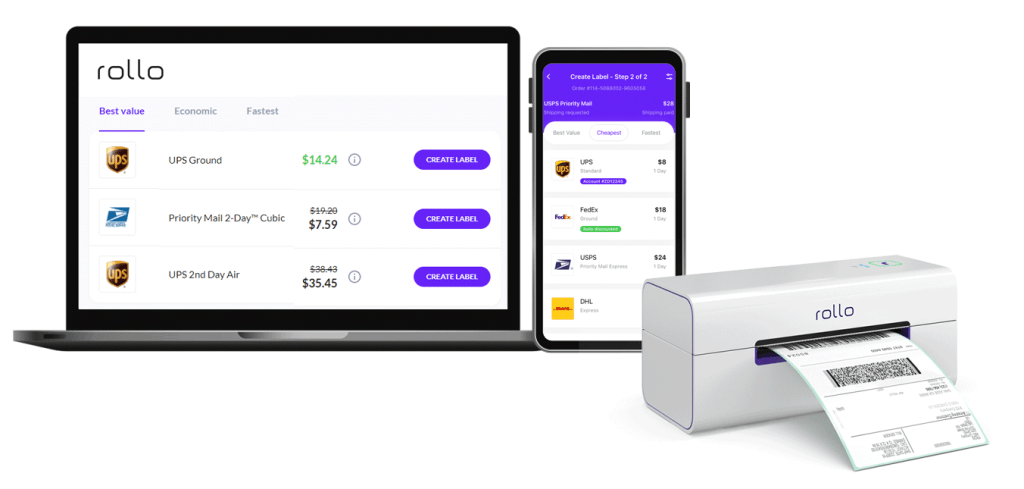
    One critical aspect of shipping automation is order processing. Automatically importing orders from your e-commerce platforms, assigning them to the correct carriers and services, and printing shipping labels can save you a substantial amount of time and effort. Not only does this mean fewer employees are needed to manage your shipping process, but it also reduces the chances of costly mistakes that could occur with manual handling.

    Rollo Ship: Your Partner in Shipping Automation

    Rollo Ship takes automation to another level, providing a suite of features designed to streamline your shipping process. It integrates seamlessly with a variety of e-commerce platforms including Amazon, eBay, Shopify, Etsy, and more, allowing for effortless order importation and management.

    Automate Your Shipping with Rollo

    The platform’s AI technology can group similar orders, optimizing your shipping strategy and potentially saving you even more on costs. Moreover, with Rollo Ship, you can automate notifications to customers, providing tracking numbers and enhancing customer satisfaction.

    Shipping automation with Rollo Ship doesn’t just mean cheap shipping for your small business; it means smarter, more efficient operations that can drive the success of your business in the long run.

    Take the first step towards shipping automation today.

    Rollo Ship is available for Android, iOS, and Desktop.

    Download Rollo Ship For FREE

    Building Affordable Shipping Tactics for Your E-commerce Business

    Effective e-commerce strategies go beyond selling quality products. They involve cheap shipping for small business operations. This is because high shipping costs are a common deterrent for online shoppers.

    To combat this, Rollo Ship offers solutions to implement cheap shipping for small businesses. Its artificial intelligence (AI) capability groups similar orders, further streamlining the process and lowering costs.

    Unlike other shipping apps, Rollo Ship is not limited to store-based businesses. It is compatible with various e-commerce platforms, including Amazon, eBay, Shopify, Etsy, BigCartel, WooCommerce, Walmart, Shift4Shop, BigCommerce, Wix, Squarespace, Ecwid, Square, Magento, and PayPal. Whatever your business type, Rollo Ship has got you covered!

    Want to give your BUSINESS

    a competitive edge?

    Integrate Your Store with Rollo Ship!

    More on How to connect selling channels here.

    How to Implement an Affordable Shipping Solution for Your Business

    Taking the leap into cheap shipping for small businesses doesn’t have to be a daunting task. In fact, with the right tool, it’s easier than you might think. If your business has been struggling with high shipping costs, it’s time to introduce Rollo Ship into your shipping strategy.

    🐾 Step 1: Register for a Rollo Ship Account

    Kickstart your journey by registering for a free account. The first 200 shipping labels are on us, so you’ll start saving right off the bat.


    🐾 Step 2: Integrate your Platforms

    Whether your business operates on Amazon, eBay, Shopify, or any other e-commerce platform, Rollo Ship integrates seamlessly. Once you’ve linked your accounts, your orders will automatically populate within the app.


    🐾 Step 3: Optimize Shipping Details

    Rollo Ship’s AI will group similar orders and recommend the best shipping methods based on package details, allowing you to maximize savings.


    🐾 Step 4: Schedule Pickups

    Arrange pickups directly through the app with UPS, USPS, or FedEx. No more running to drop-off locations – let them come to you.


    🐾 Step 5: Monitor your Shipments

    From providing tracking numbers to recipients to giving you updates on new orders, Rollo Ship ensures you’re always in the loop.

    Cheapest Way to Ship Based on Package Details

    One of the essential elements of cheap shipping for small businesses is understanding how package details impact shipping costs. The size, weight, and even shape of your packages can drastically affect your shipping rates.
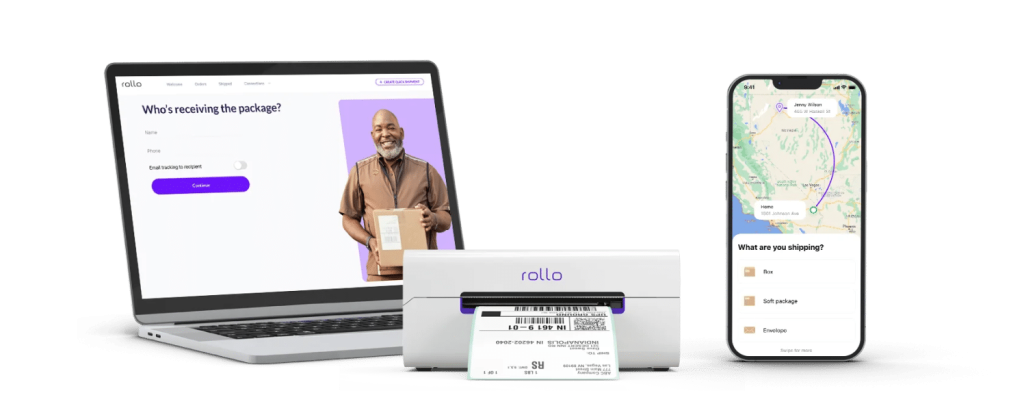
    Now, let’s consider Rollo Ship. With the power to compare rates between carriers like UPS, USPS, and FedEx, Rollo Ship gives you insights on the cheapest shipping rates based on your package details. You can evaluate different options and make the most cost-effective choice for each shipment.

    Pricing and Cost Analysis

    Navigating the world of shipping costs can seem like a labyrinth. With so many variables at play, how can you make sure you’re choosing the most affordable shipping for your small business? Let’s unravel the mystery.

    Save on Shipping

    📌 What is the cheapest shipping option for small businesses?

    No one-size-fits-all answer exists for this question as shipping costs can vary widely based on package size, weight, and destination. But fret not, Rollo Ship brings all the information you need to your fingertips. By comparing rates from leading carriers like UPS, USPS, and FedEx, Rollo Ship helps you find the most cost-effective shipping option for each package.

    Want to leverage the strengths of all these carriers? Register for your free Rollo Ship account now!

    Understanding Shipping Costs: How do I calculate shipping costs?

    Calculating shipping costs manually can be a complex task. You have to factor in package weight, dimensions, shipping zones, and carrier rates. But with Rollo Ship, you can automate this process. The app provides accurate cost estimates, giving you the information you need to make cost-effective shipping decisions.

    Pro Tip from Rollo: Use Flat-Rate Shipping

    📌 What is a good flat rate for shipping?

    Flat-rate shipping can be a great way to simplify your shipping costs. However, it’s crucial to ensure your flat rate is competitive and covers your shipping expenses. The “good” rate varies based on factors like the average weight and size of your shipments. Rollo Ship can help you determine a cost-effective flat rate by analyzing your shipping history and trends.

    Let’s Compare Different Carriers. Carrier-Specific Policies and Costs

    To offer the best cheap shipping for small business needs, it’s crucial to understand the pros and cons of each carrier.

    Carrier Pros Cons
    UPS Reliable; an extensive network Can be expensive for lightweight packages
    USPS Economical; ideal for small items Slower delivery times for lower-priced options
    FedEx Fast delivery; reliable Higher costs for international shipping

    ⚠️ Fortunately, with Rollo Ship, you won’t have to choose between these carriers. You’ll enjoy huge discounts with all three and can pick the best for each shipment, offering cheap shipping for small business needs.

    Understanding UPS and USPS Shipping Costs

    Shipping costs can sometimes feel like a guessing game, especially when trying to compare services like UPS and USPS. Let’s unravel these mysteries and make shipping a transparent process.

    📌 Does UPS charge by weight or size?

    UPS takes both the weight and size of the package into consideration. The carrier applies what’s known as “dimensional weight pricing”. That is, they calculate the cost based on both the package’s actual weight and its dimensional weight (a calculation based on the package’s volume). The larger of the two is what you pay for.

    📌 How much does UPS charge per pound?

    UPS rates per pound depend on various factors, including the shipping origin and destination, package dimensions, and the service level you choose.

    Package Price US National Flat Rate
    Starting Price
    Extra Small (max. volume 100 in2) $10.20
    Small (max. volume 250 in2) $13.35
    Medium (max. volume 650 in2) $16.05
    Large (max. volume 1,050 in2) $21.05
    Extra Large (max. volume 1,728 in2) $26.05

    NOTE: However, with Rollo Ship, you get access to substantial UPS discounts – making it more affordable and cheap shipping for small business needs.

    📌 Does USPS go by weight or size?

    Like UPS, USPS also uses dimensional weight pricing for packages larger than a cubic foot sent via Priority Mail or Priority Mail Express. However, for smaller packages, they typically charge based on the package’s actual weight. Here is a handy tool to calculate your dimensional weight pricing.

    Remember: the price stated by the carrier for your dimensional weight can be up to 90% OFF with Rollo Ship.

    📌 How much does USPS charge per pound?

    USPS rates per pound vary depending on factors like the destination, package size, and the service you select. Thus, there is no firm starting rate. The USPS shipping rate would depend on your type of shipping campaign: USPS Marketing Mail (suitable if you send bulk mail like 200 postage /50 lbs) or First-Class Mail (for single-piece mail).

    First-Class Mail USPS
    Type of Mail
    Price per piece
    Postcard $0.35
    Folded Self-mailer $0.50
    Letter $0.50
    Flat
    (USPS defines this as
    Anything bigger than a standard letter
    but smaller than a parcel in weight or dimension
    “,
    should weigh < 4 oz)
    $1.22

    ⚠️Keep in mind that there are more charges to be added and calculated. They all vary on destination, size, service, and the number of items you are mailing.

    However, thanks to Rollo Ship, you can enjoy discounted USPS rates that help you achieve cheap shipping for your small business.

    📌 How much does it cost to ship at USPS?

    The cost to ship with USPS depends on the package weight, size, and distance traveled. USPS offers various services like Priority Mail, First-Class Mail, and Retail Ground, each with different pricing structures. Rollo Ship provides you with an easy way to compare USPS rates for your packages. The shipping app also ensures you always choose the most cost-effective option.

    How Rollo Ship Transforms Cheap Shipping for Small Businesses

    As a small business owner, you need a partner who understands your challenges, especially when it comes to shipping. Enter Rollo Ship, your ultimate ally in the quest for affordable shipping. Rollo Ship doesn’t merely promise cheap shipping for small businesses; it delivers a full suite of features designed to streamline your entire shipping process and drive your business growth.

    The Innovation of Rollo Ship App

    Conclusion

    In conclusion, achieving cheap shipping for small business operations doesn’t have to be a daunting task. With Rollo Ship as your partner, you can unlock access to discounted rates, streamlined operations, and advanced technology designed to make your shipping process a breeze.

    So why wait? Embrace the revolution of cheap shipping for small businesses with Rollo Ship today and propel your business toward greater success!

    Follow Rollo on:

    Frequently asked questions:

    📌 Q: What company has the cheapest shipping rates?
    Short Answer: Rollo Ship


    💭 A:  The “cheapest” shipping company can vary depending on your specific needs. UPS might be more affordable for heavier packages, while USPS could be cost-effective for smaller, lighter parcels. With Rollo Ship, you don’t have to choose one over the others. You get access to significant discounts from all three carriers and can choose the best for each shipment.


    📌 Q: Is it cheaper to send 2 small boxes or one big box?
    Short Answer: It depends.


    💭 A:  The answer depends on the weight, size, and destination of your items. Sometimes, shipping two small boxes can be more cost-effective than one large box due to dimensional weight pricing. Rollo Ship’s AI technology can help you make this decision by providing a cost comparison based on your package details.