Rollo

Tag: mobile printing

  • FedEx Labels Made Easy: Your Fast Shipping Guide

    FedEx Labels Made Easy: Your Fast Shipping Guide

    Shipping can be a big challenge for any business, big or small. But what if you could make it easier? FedEx labels and Rollo Ship can help you do just that.

    Rollo Ship makes working with your FedEx account simple. It lets you create, customize, and manage your shipping labels easily. Whether you’re shipping in the US or abroad, Rollo Ship makes it all easier. In this guide, we’ll show you how to make shipping smoother, use Rollo Ship’s features, and get your packages ready fast.

    Understanding FedEx Labels: What You Need to Know
    Understanding FedEx Labels

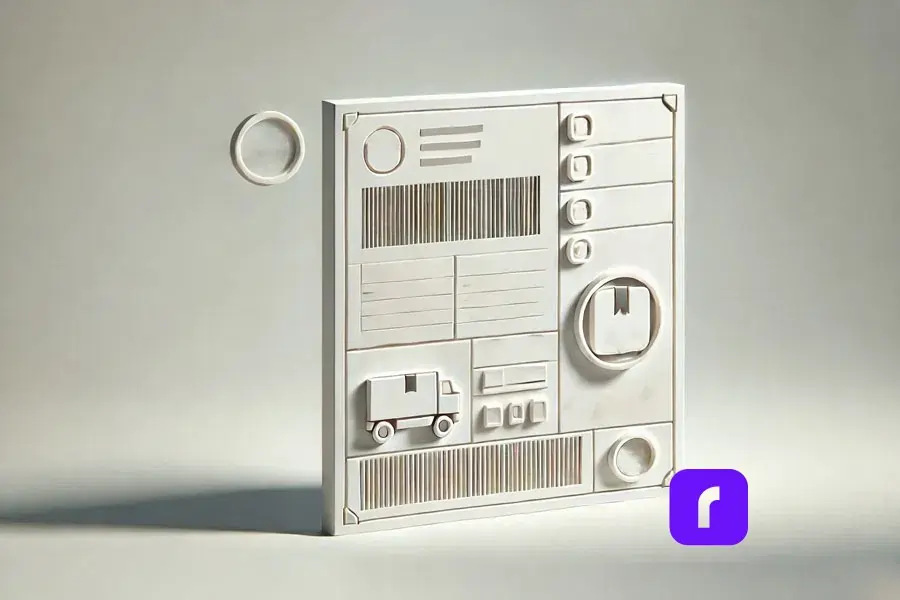
    FedEx labels are more than just stickers. They ensure your packages arrive on time and in good shape. Each label has important info like addresses, a tracking code, and shipping details. Knowing the different types of FedEx labels helps you pick the right one for your needs.

    Types of FedEx Shipping Labels

    FedEx has labels for all kinds of shipping:

    Type of LabelDescriptionUse Case
    ๐Ÿšš๐Ÿ“ฆ Domestic Shipping LabelsUsed for shipping within the United States. Ideal for services like FedEx Ground and FedEx Express.Shipping packages across the country.
    ๐ŸŒโœˆ๏ธ International Shipping LabelsIncludes additional details required for customs, such as harmonized codes and commercial invoices.Essential for cross-border shipping.
    ๐Ÿ”„๐Ÿ˜ข Returns LabelsDesigned for easy returns, allowing customers to send items back to the seller without hassle.Commonly included in e-commerce shipments for returns.

    Does FedEx Provide Free Labels?

    Yes, FedEx gives out free labels in some cases. For example, you can get return shipping labels for free when handling returns through FedEx. They also give out envelopes and packaging with free labels. But, for standard shipping labels, you need to make them yourself using Rollo Ship. It’s a shipping software that works well with FedEx.

    How to Generate FedEx Labels with Rollo Ship

    Getting FedEx labels with Rollo Ship is easy and fast. This platform lets you handle all your shipping needs in one place. It works with your FedEx account for a smooth process. You can also print USPS shipping labels through Rollo Ship, giving you options for each shipment.

    Using Rollo Ship for Seamless Label Creation

    Creating labels with Rollo Ship is simple, whether you’re shipping a few items or lots. Here’s how to start:

    1. โœ๏ธ Log in to Rollo Ship: First, log in to Rollo Ship with your details. If you don’t have an account, setting one up is quick and free.
    2. ๐Ÿ”— Connect Your FedEx Account: To use FedEx services in Rollo Ship, link your FedEx account. This lets you use your rates and manage shipments through Rollo Ship.
    3. ๐Ÿ“ฆ Enter Shipping Details: After linking, start making labels by adding the recipient’s info, package weight, and shipping method. Rollo Ship fills in most of the info from your FedEx account, saving time and reducing mistakes.
    4. ๐Ÿ–จ๏ธ Generate the Label: After adding all the details, click โ€œCreate Label.โ€ You can print the FedEx shipping label from your browser. You can use any printer, including Rolloโ€™s thermal printer, which is great for labels.

    Can I Use My Existing FedExยฎ Account?

    Yes, you can! Rollo Ship lets you link your FedEx account, so you can use your rates and preferences. This makes your shipping process smooth and efficient, without having to use different platforms.

    Customizing Your Labels and Orders with Rollo Ship

    Customizing your shipping is important to make your brand stand out. Rollo Ship offers more than just label sizes. You can also add branding, personalized messages, and more.

    Leverage the Rollo Label Design App: Rollo Shipโ€™s integration with the Rollo Label Use the Rollo Label Design App: Rollo Ship works with the Rollo Label Design App for even more customization. This free app lets you create or change label designs. It has tools and templates for any shipping need, from standard labels to special packages.

    • ๐ŸŽจ Choose a Template or Start from Scratch: You can pick from over 500 pre-designed templates or start fresh. Customize everything, from size and color to your logo and fonts.
    • โœจ Add Personal Touches: Make your labels special by adding custom messages, a QR code, or special instructions. This is great for e-commerce businesses to improve the unboxing experience.

    Printing Options: After customizing your labels, you can print them from the Rollo Label Design App or save them for later in Rollo Ship. This makes sure your branding is consistent in all shipments.

    How Do I Print a FedEx Label Without Instructions?

    If you know the process well, Rollo Ship makes it easy. Just enter the details, customize if you want, and print your label. No need for step-by-step guides. This is perfect for those who value speed and efficiency.

    Printing FedEx Labels: Rollo Ship vs. at the Store

    When printing FedEx labels, you have choices. You can print at home with Rollo Ship or use FedExโ€™s in-store services.

    The Benefits of Using Rollo Ship for Printing at Home

    Printing at home with Rollo Ship has many benefits. You can compare and pick the best shipping rates for your packages. Rollo Ship works with multiple carriers to help you save money:

    • ๐Ÿ’ฐ Cost Efficiency: Printing at home saves you money compared to FedExโ€™s in-store services. This is very helpful for businesses with lots of shipments, that sell on Mercari, Shopify, or other platforms.
    • โฐ Time Savings: Rollo Ship lets you manage shipping from home or office. This saves time, which is great during busy periods.
    • ๐Ÿ“ฑ Flexibility: With Rolloโ€™s FedEx label printer, you can print labels from any device. This keeps your shipping running smoothly, even when youโ€™re away.

    When to Consider FedEx Services for Label Printing

    While home printing is convenient, there are times when FedEx services are better:

    • ๐Ÿ“ฆ Large or Complex Shipments: FedExโ€™s in-store services are great for big or special packages.
    • โš™๏ธ Technical Issues: If your printer breaks down, FedEx locations are a reliable backup.

    Can FedEx Print Labels for You?

    Yes, FedEx can print labels for you at any FedEx Office location. This is helpful for professional printing or if you have technical problems with your equipment.

    Mobile and Wireless Printing On-the-Go with Rollo Ship
    mobile and wireless printing on the go with Rollo Ship

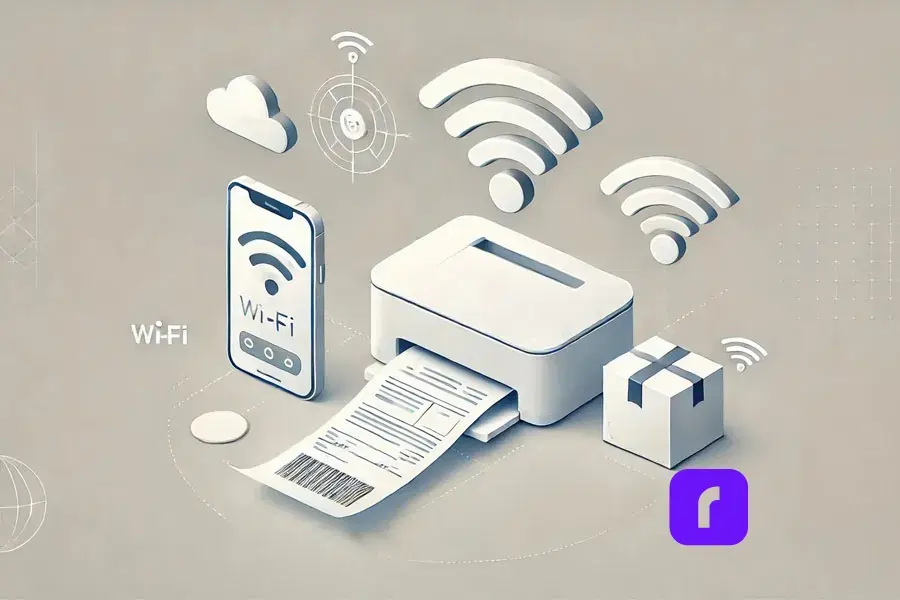
    In todayโ€™s fast-paced world, managing shipping on the go is key. Rollo Ship lets you print FedEx labels from your phone or tablet. You can use an AirPrint printer or Rolloโ€™s wireless barcode label printer. This keeps you in control, wherever you are.

    How to Print a FedEx Label from Your Phone

    Printing from your mobile is easy and fast with Rollo Ship:

    1. ๐Ÿ“ฒ Download the Rollo Ship App: Get it on iOS and Android. The app brings desktop features to your mobile.
    2. ๐ŸŒ Connect Your Printer: Make sure your Rollo printer is on Wi-Fi. The app works well with Rolloโ€™s wireless portable printer and others.
    3. ๐Ÿ“‘ Create and Print Your Label: Make a new label in the app. Enter shipping details and pick your printer. Then, print from your phone.

    The Advantages of Mobile Printing

    • ๐Ÿƒ Convenience: Mobile printing lets you work from anywhere. It keeps your shipping going without pause.
    • ๐Ÿš€ Efficiency: Manage your shipping from your hand. Create labels and schedule pickups easily.
    • ๐Ÿ•’ Real-Time Management: The Rollo Ship app lets you track shipments and update details in real time. This keeps your business running smoothly, no matter where you are.

    Sustainable Shipping Practices with FedEx and Rollo Ship

    sustainable shipping practices with Rollo ship

    Businesses are focusing more on eco-friendly shipping. Rollo Ship and FedEx offer ways to lessen your environmental impact.

    Sustainable Shipping with FedEx Labels

    FedEx is dedicated to being green. They offer eco-friendly shipping options:

    • ๐ŸŒฑ Recycled FedEx Packaging: FedEx has packaging made from recycled materials. This reduces waste.
    • ๐Ÿ“„ Electronic Documentation: Choose electronic trade documents when you can. It cuts down on paper and makes customs clearance easier for international shipments.

    How Rollo Ship Supports Sustainable Practices

    Rollo Ship is built for sustainability. It has features that cut down on waste and boost efficiency:

    • ๐ŸŒ Thermal Printing: Rolloโ€™s thermal printers donโ€™t need ink or toner. This reduces waste and environmental impact.
    • ๐Ÿท๏ธ Durable Labels: Rolloโ€™s labels last long. This means you donโ€™t need to reprint as often, saving resources.

    Can I Use My Printer to Print Shipping Labels?

    Yes, with Rollo Ship and Rolloโ€™s thermal printer, you can print high-quality labels at home. This supports green practices and lowers your environmental footprint.

    Troubleshooting and Rollo Best Practices for Label Printing
    Troubleshooting and best practices with Rollo

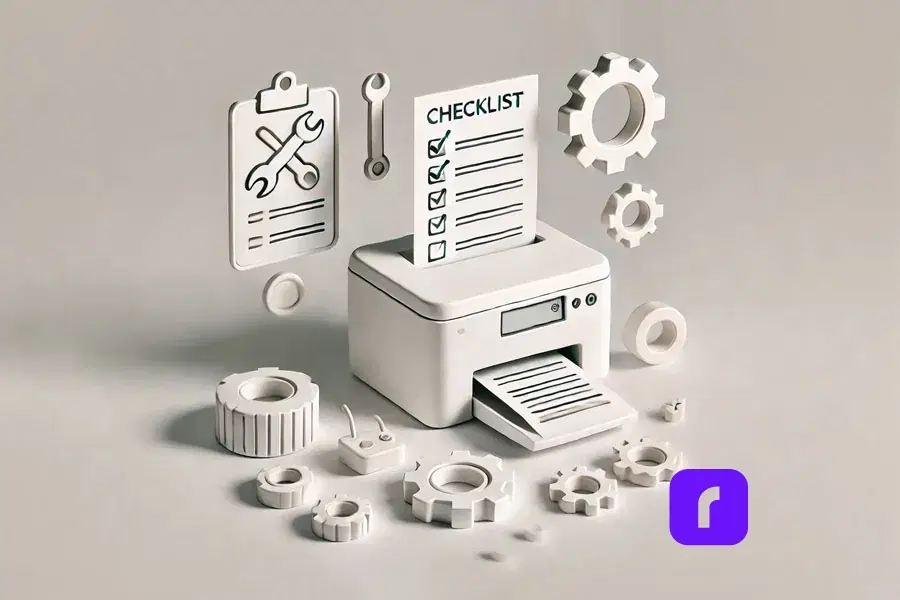
    Even with great tools, you might run into problems printing labels. Here are common issues and how to fix them.

    Troubleshooting Common Issues with Rollo Ship

    If youโ€™re having trouble printing your FedEx labels, try these solutions:

    • ๐Ÿ› ๏ธ Misaligned Labels: Make sure your printer settings match the label size. Adjust Rollo Ship settings to fix any alignment problems.
    • ๐Ÿ“ถ Connection Problems: If your printer wonโ€™t connect, restart your router and printer. Also, update your printerโ€™s firmware.
    • ๐Ÿงผ Print Quality Issues: For streaks or smudges, clean the printer head. Regular upkeep can solve most quality issues.

    How Do I Print a Label Without a Printer?

    If you donโ€™t have a printer, use FedEx Office or another printing service. You can also email the label to someone with a printer or use a cloud service to access it on another device.

    Best Practices for Flawless Label Printing with Rollo Ship

    To print labels perfectly, follow these tips:

    • โœ… Use the Right Shipping Supplies: Choose high-quality label paper that works with your printer. Rolloโ€™s labels are made for Rollo printers.
    • ๐Ÿ” Check Settings Before Printing: Double-check your printer settings, like paper size and orientation, to avoid mistakes.
    • ๐Ÿงน Regular Maintenance: Keep your printer clean and check for firmware updates. This ensures the best performance.

    Advanced Label Management with Rollo Ship
    Advanced label management with Rollo Ship

    For businesses with lots of shipments, managing labels is key. Rollo Ship has tools to help you manage labels better and work with your systems.

    Mass Creating FedEx Labels with Rollo Ship

    Rollo Ship makes creating many labels easy, perfect for high-volume shipping:

    • ๐Ÿ“„ Upload a CSV File: Upload a list of shipments in a CSV file. Rollo Ship will create labels for each, saving time and reducing errors.
    • ๐Ÿ–จ๏ธ Automated Label Printing: Print all your labels at once with Rolloโ€™s thermal printer. This makes the process smooth and efficient.

    How Rollo Enhances Label Management

    Rollo Ship works well with FedEx Ship Manager, offering a single platform for all shipping needs:

    • ๐ŸŽฏ Streamlined Workflow: Manage everything from one place, from creating labels to tracking and sending notifications.
    • โšก Increased Efficiency: Rolloโ€™s fast printing and reliable performance help even the busiest days go smoothly.

    How Do I Mass Create a FedEx Label?

    To create FedEx labels in bulk, upload your shipment data to Rollo Ship via a CSV file. The platform will make all your labels at once, letting you print them in bulk and streamline your shipping.

    Simplify Your Shipping with FedEx Labels and Rollo Ship

    Simplify FedEx shipping labels with Rollo Ship

    Shipping doesnโ€™t have to be hard. With FedEx labels and Rollo Ship, you can make your shipping process easy and efficient. Whether you run a small business or manage logistics for a big company, Rollo Ship makes printing FedEx labels simple, quick, and reliable.

    Rollo Ship offers tools like mobile printing and advanced label management to help you manage your shipping. Check out Rollo Ship today and see how it can make your businessโ€™s shipping easier, saving you time and boosting your productivity.


    Follow Rollo on:


    Frequently Asked Questions About FedEx Labels

    ๐Ÿ“Œ Q: What are FedEx labels and how do they work?

    ๐Ÿ’ญ A:ย FedEx labels are essential for tracking and delivering your packages. Each label includes vital information such as sender and recipient addresses, a tracking barcode, and shipping details to ensure your package reaches its destination securely and on time.


    ๐Ÿ“Œ Q: How can I create a FedEx shipping label?

    ๐Ÿ’ญ A: You can create a FedEx shipping label using FedEx’s online tools, such as FedEx Ship Manager, or by using integrated platforms like Rollo Ship. Simply enter the shipment details, select your shipping service, and generate the label for printing.


    ๐Ÿ“Œ Q: Can I print FedEx labels at home?

    ๐Ÿ’ญ A:ย Yes, you can easily print FedEx labels at home using your own printer. Services like Rollo Ship allow you to generate and print labels from any device, ensuring flexibility and convenience.


    ๐Ÿ“Œ Q: What types of FedEx labels are available?

    ๐Ÿ’ญ A:ย FedEx offers several types of labels tailored to different shipping needs, including Domestic Shipping Labels for U.S. deliveries, International Shipping Labels for cross-border shipments, and Returns Labels for hassle-free customer returns.


    ๐Ÿ“Œ Q: How do I customize a FedEx shipping label?
    ๐Ÿ’ญ A:ย You can customize your FedEx shipping labels using tools like the Rollo Label Design App. This allows you to add your logo, special instructions, and other personalized elements to your labels for a branded shipping experience.
  • The Wireless Portable Printer for Subscription Box Creators

    The Wireless Portable Printer for Subscription Box Creators

    Subscription boxes are now a big deal. They offer a new way for entrepreneurs to make money. The key is to find good shipping solutions that are affordable and easy to use. That’s where a wireless portable printer comes in. It’s a game-changer for anyone starting or growing a subscription box business.

    This article will show you how wireless portable printers can change your business. You’ll see how they save money and help you brand better. We’ll cover how to set them up, print lots of stuff, and keep them running well. Plus, we’ll talk about how they’re good for the planet and keep your business safe.

    These small printers are great for moving around. They make packing and shipping easier. You can print labels and inserts anywhere, whether you’re at home, in an office, or at events.

    How Portable Printers Benefit Subscription Box Businesses

    wireless portable printer surrounded by homes boxes and laptop

    Streamline Packaging and Shipping

    Wireless portable printers are a big help for subscription box businesses. They let you print labels and inserts right when you need them. This means you don’t have to print things ahead of time or have a special station for it.

    Let’s say you’re getting ready to send out beauty boxes. With a mobile printer, you can print labels for each box as you pack it. This saves time and reduces mistakes. If you get a sudden order, you can print what you need right away. This flexibility is key as your business grows, letting you handle changes in orders easily.

    Cost-Effectiveness

    For small businesses and startups, saving money is key. Wireless portable printers are cheaper than big office printers like the HP Officejet. They save money by not needing expensive, big equipment and by cutting down on waste.

    Letโ€™s break it down:

    • ๐Ÿ’ฐ Equipment costs: A good wireless portable printer costs $100-$300. This is much less than big office printers like the HP Officejet.
    • ๐Ÿงพ Supplies: Label rolls for portable printers are cheaper than sheet labels. Buying them in bulk saves even more money.
    • โšก Energy savings: Portable printers use less power than big ones. This means lower electricity bills.
    • ๐Ÿ  Space savings: These printers are small. So, you donโ€™t need to use a lot of space for them.

    Over time, these savings can be thousands of dollars. This lets you put that money back into growing your subscription box business.

    For High Quality Options Consider Using Rollo’s Shipping Labels

    Mobility and Flexibility

    Wireless printers make your business more flexible. You can print labels and materials anywhere. This is great for working from home, a co-working space, or even at a trade show.

    Imagine youโ€™re at a food festival with your snack subscription box. A visitor wants to sign up right away. With your portable printer, you can print a welcome packet and shipping label on the spot. This makes the customer happy and secures the sale.

    This flexibility helps you grow your business easily. As your business gets bigger, you can set up more packing stations without needing a lot of space. This is important in the fast-paced world of subscription boxes, where being quick to adapt can be the difference between success and failure.

    Setting Up and Integrating a Wireless Portable Printer

    Compatibility with Subscription Platforms

    Wireless portable printers work well with popular subscription platforms and shipping software. This makes your workflow smoother and reduces mistakes.

    Hereโ€™s how to set up your wireless portable printer with a subscription platform:

    1. โœ… Choose a compatible printer: Make sure your printer works with your platform. Most big brands work with platforms like Shopify, WooCommerce, and Cratejoy.
    2. ๐Ÿ“ฅ Install necessary software: Get the printer driver and any needed software from the manufacturerโ€™s website.
    3. ๐Ÿ“ถ Connect to your network: Use your printerโ€™s Wi-Fi setup to connect it to your network.
    4. ๐Ÿ›  Configure your subscription platform: In your platformโ€™s settings, find the โ€œShippingโ€ or โ€œFulfillmentโ€ section. There, you can add a new printer.
    5. ๐Ÿ–จ Select your printer: Pick your wireless portable printer from the list of devices.
    6. ๐Ÿงช Test the integration: Print a test label to check if everything is working right.

    Simple Setup Process

    Setting up a wireless portable printer is easy. It’s much simpler than setting up big devices like all-in-one printers. Here’s how to do it:

    1. ๐Ÿ“ฆ Unbox the printer and remove all packaging materials.
    2. ๐Ÿ”Œ Plug in the power adapter and make sure itโ€™s connected to a reliable power source.
    3. ๐ŸŽซ Load the label roll according to the manufacturerโ€™s instructions.
    4. โš™ Press the power button to turn on the printer.
    5. ๐Ÿ“ฑ Download the printerโ€™s mobile app from an Android phone, Iphone, or tablet.
    6. ๐Ÿ“ก Open the app and follow the prompts on your screen to connect your printer to the Wi-Fi network.

    Once connected, you can start printing from your mobile device or computer.

    If you have trouble setting up, check the user manual or the manufacturerโ€™s support website. Common problems include weak Wi-Fi, not being on the same network, or outdated app or firmware.

    Connectivity Options

    Wireless portable printers have different ways to connect:

    • ๐Ÿ“ฑ Bluetooth: Great for quick, direct connections between your printer and a single device. Itโ€™s perfect for mobile use but has a limited range.
    • ๐ŸŒ Wi-Fi: Allows multiple mobile devices to connect to the printer over a wider range. This is the most versatile option for most subscription box businesses.
    • ๐Ÿ”Œ USB: While not wireless, USB connectivity is useful for initial setup or as a backup if wireless options arenโ€™t available.

    For most subscription box businesses, Wi-Fi connectivity is the best choice. It lets you print from many devices and places in your workspace. This flexibility helps you manage your growing business well.

    Handling Volume and Speed with a Wireless Portable Printer

    Printing Capacity

    One worry about using a wireless portable printer for a subscription box business is its ability to handle lots of labels. Luckily, many small mobile printers are made for small businesses. They can handle the needs of a growing subscription service.

    Most wireless portable printers can print 50-300 labels per roll, depending on the model. This lets you print hundreds of labels without needing to change rolls often. It’s great for businesses shipping dozens to hundreds of boxes each month.

    As your business grows, you can add more printers. This way, you can increase your printing capacity as needed. You don’t have to spend a lot on big equipment.

    Speed and quality are key when shipping subscription boxes. You need to process orders fast, especially when it’s busy. But you also want your labels to look professional and clear.

    Wireless portable printers print fast, from 50 to 150 labels per minute. This speed helps you handle a lot of orders quickly, even when it’s busy.

    For example, Rolloโ€™s wireless printers can print up to 238 labels per minute at 203 dpi. This means your labels will be clear and easy to scan. This reduces the chance of delivery problems because of bad labels.

    In real life, this means you can print labels for 2000 boxes in less than 10 minutes. This lets you focus on picking great products and growing your business.

    Enhancing Branding and Customization

    Customization Capabilities

    Using a wireless portable printer for your subscription box business is exciting. You can enhance your branding with customized labels and inserts. These printers help you create a unique experience for your customers.

    With a wireless portable printer, you can print:

    • ๐ŸŽจ Custom shipping labels with your logo and brand colors
    • ๐Ÿ“ Personalized thank-you notes
    • ๐Ÿงพ Product information cards
    • ๐ŸŽ Special offer inserts
    • ๐Ÿ“ฑ Social media call-to-action cards

    Rollo has a custom label design app. It lets you create and print personalized labels from your mobile device.

    This customization makes your subscription box stand out. For example, a book subscription box could include a custom-printed bookmark. This enhances the value and memorability of the subscription.

    Impact on Brand Image

    Using a wireless portable printer shows you care about every detail of your customers’ experience. This can make them happier, more loyal, and likely to tell others about your box.

    Eco-Friendly Options

    More people want eco-friendly packaging. Many wireless portable printers work with sustainable label materials. This lets you show your brand values through your packaging.

    For example, you could use:

    • ๐ŸŒฑ Recyclable thermal labels
    • โ™ป๏ธ Labels made from post-consumer recycled materials
    • ๐ŸŒ Biodegradable options for inserts and promotional materials

    Highlighting your use of these materials in your marketing can attract eco-conscious consumers. It shows your brand’s commitment to sustainability.

    Best Practices for Using a Wireless Portable Printer

    Bulk Printing Best Practices

    To print labels efficiently, follow these tips:

    • ๐Ÿงน Prepare your data: Make sure your customer information is correct before printing.
    • ๐Ÿšš Group similar labels: Organize labels by carrier to make packing easier.
    • ๐Ÿ“‚ Use templates: Save label templates for different products or box sizes to speed up future prints.
    • ๐Ÿ•’ Schedule print jobs: Print during off-peak hours to avoid network issues.
    • ๐Ÿ“ฆ Keep spare supplies: Have extra label rolls ready to avoid delays.

    Maintenance Tips

    Regular maintenance keeps your printer working well. Here’s a maintenance schedule:

    • ๐Ÿงผ Daily: Clean the print head and check for label jams.
    • ๐Ÿ” Weekly: Clean the platen roller and update firmware if needed.
    • ๐Ÿงฝ Monthly: Deep clean the printer and check the power cable and connections.

    By following these tips, you can keep your printer in good shape and ensure quality prints.

    Transport and Portability

    Wireless portable printers are easy to move around. They are perfect for moving to a new office or for trade shows. These printers are made for easy transport.

    When moving your printer:

    • ๐ŸŽ’ Use a padded case to protect it from bumps and drops.
    • ๐Ÿงป Remove the label roll if youโ€™ll be traveling long distances.
    • ๐Ÿ”Œ Bring an extension cord to easily access outlets.

    Many subscription box businesses use portable printers at events. For example, a craft subscription box company could set up a booth at a local makerโ€™s fair. They can print custom labels for sign-ups and create buzz.

    Integrating with Existing Software and Enhancing Security

    Shipping Software Compatibility

    Wireless portable printers work well with popular shipping software. This makes your fulfillment process smoother, saving time and reducing mistakes.

    Most of these printers work with major shipping platforms. This makes automating your fulfillment easy. You can:

    • ๐Ÿ”„ Automatically import orders from your e-commerce platform
    • ๐Ÿ–จ Generate and print shipping labels with a single click
    • ๐Ÿšš Update order statuses and tracking information automatically

    Using these integrations lets you automate your shipping. This means you can focus on growing your business instead of dealing with logistics.

    Security Considerations

    Wireless printing is convenient, but security is key. Here are some tips to keep your printing secure:

    • ๐Ÿ”’ Use strong, unique passwords for your printerโ€™s Wi-Fi connection.
    • ๐Ÿ”„ Regularly update your printerโ€™s firmware to patch any security vulnerabilities.
    • ๐Ÿ›ก Set up a separate Wi-Fi network for your printers to isolate them from your main business network if possible.
    • ๐Ÿ›  Enable encryption on your wireless network.
    • ๐Ÿ‘ฅ Regularly audit who has access to your printing system and revoke unnecessary permissions.

    By following these steps, you can protect customer info and keep your business safe.

    Environmental and Sustainability Benefits

    Reducing Waste

    Wireless portable printers help reduce waste in your business. They use eco-friendly eCommerce practices. Unlike traditional printers, they donโ€™t need ink cartridges, which can harm the environment.

    This on-demand printing can lead to:

    • ๐Ÿ—‘ Less paper waste from misprinted or outdated labels.
    • ๐Ÿšฎ Reduced plastic waste from ink cartridges and ribbon cartridges (many portable printers use direct thermal printing, which doesnโ€™t require ink).
    • โšก Lower energy consumption compared to larger office printers.

    Using on-demand printing solutions can greatly reduce paper waste. This is because businesses only print what they need, cutting down on unnecessary materials.

    Eco-Friendly Materials

    Many wireless portable printers work with eco-friendly label materials. This helps you lessen your environmental impact. You can choose from:

    • ๐Ÿž FSC-certified labels from responsibly sourced paper.
    • โ™ป๏ธ Labels from recycled materials.
    • ๐ŸŒฑ Biodegradable thermal labels.

    Using these options helps your business and appeals to eco-conscious consumers. A Nielsen study showed 73% of global consumers want to buy more eco-friendly products.

    Final Words

    Wireless portable printers are great for subscription box businesses. They help with operations, costs, branding, and sustainability. The right printer and practices can boost your efficiency and customer satisfaction.

    These devices are flexible and powerful for subscription boxes. They’re perfect for new businesses or improving existing ones. A wireless portable printer can be a key tool for success.

    Starting or improving your subscription box? Think about how a wireless portable printer can change your packaging and shipping. It can help you create great unboxing experiences, manage growth, and build a sustainable business.

    Ready to change your subscription box shipping? Check out our wireless mobile printers. Find the best one to make your operations smoother and boost your brand.


    Follow Rollo on:


    Frequently Asked Questions About Wireless Portable Printers

    ๐Ÿ“Œ Q: Can a wireless portable printer handle high-volume printing for subscription boxes?

    ๐Ÿ’ญ A:ย Yes, most wireless portable printers are designed to handle high-volume printing. Depending on the model, they can print hundreds of labels per hour, making them suitable for growing subscription box businesses.


    ๐Ÿ“Œ Q: What are the key factors to consider when choosing a wireless portable printer for my subscription box business?

    ๐Ÿ’ญ A: Key factors to consider include print speed, label capacity, connectivity options, compatibility with your subscription platform, and whether the printer supports eco-friendly label materials. Itโ€™s also important to consider the total cost of ownership, including supplies and maintenance.


    ๐Ÿ“Œ Q: Can you hook up a wireless printer to a cell phone?

    ๐Ÿ’ญ A:ย Yes, most wireless portable printers can easily connect to a cell phone via Wi-Fi or Bluetooth. This allows you to print directly from your mobile device, making it convenient for on-the-go printing needs.


    ๐Ÿ“Œ Q: How do portable printers work without ink?

    ๐Ÿ’ญ A:ย Portable printers that work without ink typically use thermal printing technology. This method applies heat to special thermal paper, creating images and text without the need for traditional ink or toner.


    ๐Ÿ“Œ Q: What is the biggest advantage of a wireless printer compared to a regular printer?

    ๐Ÿ’ญ A:ย The biggest advantage of a wireless printer is its flexibility and portability. Unlike regular printers that are often stationary and connected to a single device, wireless printers can be moved easily and used with multiple devices, making them ideal for small businesses and mobile professionals.
  • The Mini Portable Printer for Mobile Professionals

    The Mini Portable Printer for Mobile Professionals

    The mini portable printer is becoming increasingly popular in our fast-paced, mobile-centric world. These compact devices offer a perfect blend of versatility, efficiency, and performance, making them a must-have for professionals and businesses on the go. In this guide, we’ll dive into the world of mini portable printers, with a special focus on Rollo and its mission to make shipping easier, faster, and more fun for small and medium-sized businesses.

    Understanding Mini Portable Printers

    First things first, let’s talk about what mini portable printers are and how they work. Also known as a portable thermal printer, these nifty little devices are designed to be compact and lightweight, so you can take them with you wherever you go. They use either thermal printing technology, which creates images through heat on special paper, or inkjet technology, which sprays ink onto paper. Thermal printers are particularly convenient because they don’t require ink cartridges.

    Rollo has made a big impact on the market with its wireless label printer, which is specifically designed for online sellers and small businesses. It’s efficient, reliable, and easy to use โ€“ everything you need to streamline your shipping process.

    How does a mini portable printer work?

    Mini portable printers work by using either thermal printing technology, which creates images through heat on special paper, or inkjet technology, which sprays ink onto paper. Thermal printers do not require ink cartridges, making them more convenient and cost-effective.

    Market Overview and Projected Growth

    graph displaying projected growth of mini portable printer market

    The mini portable printer market is booming, with more and more people looking for ways to combine mobility and document solutions. Here’s a quick rundown of the market:

    Market Size and Growth:

    • ๐Ÿ“ˆ The portable printer market is expected to grow at a CAGR of around 18.84% between 2022 and 2027, with a forecast increase of USD 10,241.35 million during this period.
    • ๐ŸŒ In 2016, the global portable printer market was valued at around $844 million and is projected to reach $1,643 million by 2023, growing at a CAGR of 10.2%.
    • ๐Ÿš€ By 2032, the market is anticipated to surpass a valuation of $21,909 million, growing at a CAGR of 7.6% between 2022 and 2032.

    Market Drivers:

    • ๐Ÿ“ฑ There’s a growing demand for combining mobility and document solutions for remote/mobile workforce.
    • ๐Ÿ–จ๏ธ People are looking for convenient and compact printing solutions for on-the-go printing.
    • ๐Ÿ’ป The increasing adoption of smart devices like smartphones, tablets, and laptops is driving the market.
    • โš™๏ธ Technological advancements like improved battery life, wireless connectivity, and thermal printing are also contributing to growth.

    Market Segmentation:

    • ๐Ÿ–จ๏ธ By Type: Thermal and inkjet printers dominate the market.
    • ๐Ÿšš By Application: Transportation & logistics, retail, manufacturing, healthcare, and others.
    • ๐ŸŒ By Geography: Asia-Pacific, North America, Europe, South America, Middle East & Africa.
    • ๐Ÿ’ผ Rollo is also making waves with its focus on helping online sellers and small businesses.

    Technical Specifications and Performance Metrics

    When you’re shopping for a mini portable printer, there are a few key technical specs and performance metrics to keep in mind:

    • ๐Ÿ“ DPI (dots per inch): This measures the print quality โ€“ the higher the DPI, the sharper and more detailed the prints will be.
    • โšก Print speed: How many pages or labels the printer can churn out per minute.
    • ๐ŸŒ Connectivity options: Look for printers with wireless connectivity like Bluetooth or WiFi for maximum flexibility.
    • ๐Ÿ”Œ Power options: Ensure your printer comes with a power plug cable suitable for your needs, especially for consistent usage.

    Rollo’s printers are known for their high efficiency and reliability, which is why they’re such a popular choice for online sellers.

    Does mini portable printer need ink?

    Most mini portable printers, like thermal printers, do not need ink. They use heat to print on special thermal paper. Inkjet mini printers do require ink cartridges, but they are designed to be compact and efficient.

    Diverse Use Case Scenarios

    Mini portable printers are incredibly versatile and can be used in a wide range of scenarios:

    • ๐Ÿ›’ E-commerce Applications: Printing shipping labels, invoices, and branding materials.
    • ๐Ÿฅ Healthcare: Patient wristbands and medication labels.
    • ๐Ÿท๏ธ Retail: Price tags and promotional materials.
    • ๐Ÿšš Logistics: Barcodes and shipping labels.

    Rollo’s printers are particularly well-suited for e-commerce workflows, helping online sellers streamline their operations and save time and money.

    Barnacle Foods: Scaling with Rollo’s Mini Portable Printer

    Don’t just take our word for it โ€“ here’s what real users have to say about Rollo’s printers:

    Barnacle Foods, a kelp-based food company from Juneau, Alaska, has experienced firsthand the benefits of using Rollo’s mini portable printers for their shipping needs. Founded in 2016 by a group of friends who shared a passion for fishing and discovered the potential of kelp, Barnacle Foods has grown into a thriving business that sells a variety of kelp-based products, including their top-selling Bullwhip Hot Sauce.

    One of the co-founders of Barnacle Foods shares their experience with Rollo’s printers. “When we started out with our website, we would just ship labels using our inkjet printer, which was super expensive. We were looking for thermal printers and found that Rollo is a really cost-effective option with great service.”

    One of the standout features of Rollo’s printers for Barnacle Foods is the ease of setup and use. “It doesn’t take really any time to set up. You’ll be going that day and thanking yourself,” the co-founder explains. The company also appreciates the convenient recurring orders for labels, which ensures they always have the supplies they need without having to remember to place orders manually.

    As Barnacle Foods continues to grow and expand its reach, the co-founder is confident that Rollo’s printers will be there to support their shipping needs. “Our Rollo printer can print way more than we can pack right now, so we think as our business continues to grow, it’ll be there for us so we can continue to send more kelp to more people.”

    Barnacle Foods’ success story highlights the impact that reliable and efficient mini portable printers can have on small and medium-sized businesses, particularly those in the e-commerce space. By streamlining their shipping process and reducing costs associated with traditional inkjet printers, Rollo’s printers have become an integral part of Barnacle Foods’ operations, supporting their mission to share the benefits of kelp with a wider audience.

    Comparison with Other Portable Printers

    So how do mini portable printers stack up against other types of portable printers? Let’s take a closer look:

    • ๐Ÿ“ถ Wireless thermal printers: These are similar to mini portable printers, but they’re typically larger and more expensive. They offer high-quality prints and are great for high-volume printing.
    • ๐Ÿ’ง Inkjet portable printers: These use ink cartridges instead of thermal printing technology. They can print in color, but the print quality may not be as sharp as thermal printers. They’re also more expensive to operate due to the cost of ink cartridges.

    What are the disadvantages of a portable printer?

    Disadvantages of portable printers include limited print sizes, lower print speeds compared to larger models, and potentially higher costs per print. However, their portability and convenience often outweigh these drawbacks for mobile use.

    How Does Rollo Stand Out?

    While Rollo’s mini portable printer falls under the wireless thermal printer category, it boasts a key advantage for online sellers: its compact, user-friendly design. Here’s how:

    • Designed for Efficiency: Rollo’s printers are known for their streamlined operation, perfect for optimizing your workflow.
    • Seamless Integration: Rollo integrates effortlessly with the Rollo Ship app, creating a cohesive shipping ecosystem.
    • Focus on E-commerce Needs: From Rollo’s printer to the Ship app, everything is geared towards making life easier for online sellers.

    Sustainability and Environmental Impact

    One of the great things about thermal printing technology is that it’s more environmentally friendly than other types of printing. Here’s why:

    • ๐Ÿšฎ Thermal printers don’t use ink or toner, which means there’s less waste and fewer consumables to dispose of.
    • โ™ป๏ธ Thermal paper is recyclable, so you can reduce your environmental impact even further by recycling your used labels and receipts.
    • ๐ŸŒฑ Rollo is committed to sustainability and eco-friendly practices, so you can feel good about using their printers.

    How do mini printers print without ink?

    Mini printers, such as thermal printers, print without ink by using heat-sensitive paper. The printhead applies heat to specific areas, causing a reaction that produces the desired text or image.

    Maintenance Tips and Troubleshooting

    To keep your mini portable printer in top shape, there are a few key maintenance tips to keep in mind:

    • ๐Ÿงผ Clean the printhead regularly to prevent buildup and ensure sharp, clear prints.
    • ๐Ÿท๏ธ Use high-quality thermal paper or labels to avoid jams and ensure smooth operation.
    • ๐ŸŒก๏ธ Store your printer in a cool, dry place when not in use to prevent damage.

    If you do run into issues with your printer, here are some common troubleshooting tips:

    • ๐Ÿ“œ Check the paper or label roll to make sure it’s loaded correctly and not jammed.
    • ๐Ÿ”Œ Make sure the printer is charged or plugged in and turned on.
    • ๐Ÿ”„ Restart the printer and try printing again.
    • ๐Ÿ“ž If all else fails, consult the manufacturer’s support resources or contact customer service for help.

    Rollo’s printers are known for their reliability, but these tips can help you keep them running smoothly for years to come.

    As technology continues to evolve, we can expect to see some exciting new developments in the world of mini portable printers. Here are a few trends and innovations to watch out for:

    • ๐ŸŒ IoT (Internet of Things) integration: Printers that can connect to the internet and communicate with other devices will become more common, enabling new use cases and workflows.
    • ๐Ÿค– AI (Artificial Intelligence) and machine learning: Printers that can learn from user behavior and preferences will be able to offer more personalized and efficient printing experiences.
    • ๐ŸŒฟ Sustainable and eco-friendly materials: As consumers become more environmentally conscious, we can expect to see more printers that use sustainable and recyclable materials.

    Rollo is always looking for ways to innovate and improve their printers, so it will be exciting to see what they come up with next.

    Choosing the Right Mini Portable Printer

    With so many options on the market, choosing the best mini thermal printer can be a daunting task. Here are a few key factors to consider:

    • ๐Ÿ–จ๏ธ Print quality: Look for printers with high DPI and sharp, clear prints.
    • ๐Ÿ“ถ Connectivity: Choose a printer with wireless connectivity options that suit your needs, such as Bluetooth or WiFi.
    • ๐Ÿ›ก๏ธ Durability: If you’ll be using your printer on the go, look for one that’s built to withstand bumps and jostles.
    • ๐Ÿ’ฐ Cost: Consider the upfront cost of the printer as well as the ongoing cost of consumables like thermal paper or labels.

    When in doubt, it’s always a good idea to test out a printer before you buy it. Many retailers offer in-store demonstrations or free trials, so take advantage of these opportunities to see how the printer performs in real-world scenarios.

    For small and medium-sized businesses, Rollo’s printers are an excellent choice. They’re reliable, efficient, and easy to use, making them a top pick for online sellers and other businesses that need to print labels and other materials on the go.

    Final Words

    Mini portable printers are a powerful tool for mobile professionals and businesses of all sizes. Their portability, versatility, and high-quality printing capabilities make them a perfect solution for printing on the go. Whether you’re an entrepreneur running an online store or a field worker needing to print receipts or reports, a mini portable printer can boost your productivity and efficiency.

    When choosing a mini portable printer, consider your specific needs and budget. For online sellers and e-commerce businesses, Rollo stands out as a top choice. Rollo’s mini portable printers are specifically designed for streamlining shipping and labeling tasks. Their user-friendly design, seamless integration with the Rollo Ship app, and focus on efficiency make them an excellent fit for businesses that need a reliable and cost-effective printing solution.

    So, if you’re looking to take your printing on the go and improve your workflow, consider investing in a mini portable printer. For e-commerce businesses, look no further than Rollo โ€“ their innovative printers and app are designed to make your life easier and help your business thrive.


    Follow Rollo on:


    Frequently Asked Questions About The Mini Portable Printer

    ๐Ÿ“Œ Q: What are the main advantages of mini portable printers over traditional printers?

    ๐Ÿ’ญ A:ย Mini portable printers, such as pocket printers and handheld printers, are designed for mobility and convenience, making them ideal for on-the-go printing tasks.


    ๐Ÿ“Œ Q: How do mini portable printers contribute to sustainability?

    ๐Ÿ’ญ A: Thermal mini printers eliminate the need for ink or toner, reducing waste and environmental impact.


    ๐Ÿ“Œ Q: What should I consider when choosing a mini portable printer for my business?

    ๐Ÿ’ญ A:ย Consider the type of printer (e.g., thermal, inkjet, dye-sublimation), print quality, connectivity options, and whether you need features like battery power or wireless connectivity.


    ๐Ÿ“Œ Q: How do I maintain my mini portable printer?

    Regularly clean the printhead, use high-quality paper, and follow the manufacturer’s maintenance guidelines to ensure longevity and optimal performance.


    ๐Ÿ“Œ Q: Can I print from my phone or tablet using a mini portable printer?

    ๐Ÿ’ญ A:ย Yes, many mini portable printers offer wireless connectivity options such as Bluetooth or WiFi, allowing you to print directly from your smartphone or tablet.