Rollo

Tag: Label Printing

  • FedEx Labels Made Easy: Your Fast Shipping Guide

    FedEx Labels Made Easy: Your Fast Shipping Guide

    Shipping can be a big challenge for any business, big or small. But what if you could make it easier? FedEx labels and Rollo Ship can help you do just that.

    Rollo Ship makes working with your FedEx account simple. It lets you create, customize, and manage your shipping labels easily. Whether you’re shipping in the US or abroad, Rollo Ship makes it all easier. In this guide, we’ll show you how to make shipping smoother, use Rollo Ship’s features, and get your packages ready fast.

    Understanding FedEx Labels: What You Need to Know
    Understanding FedEx Labels

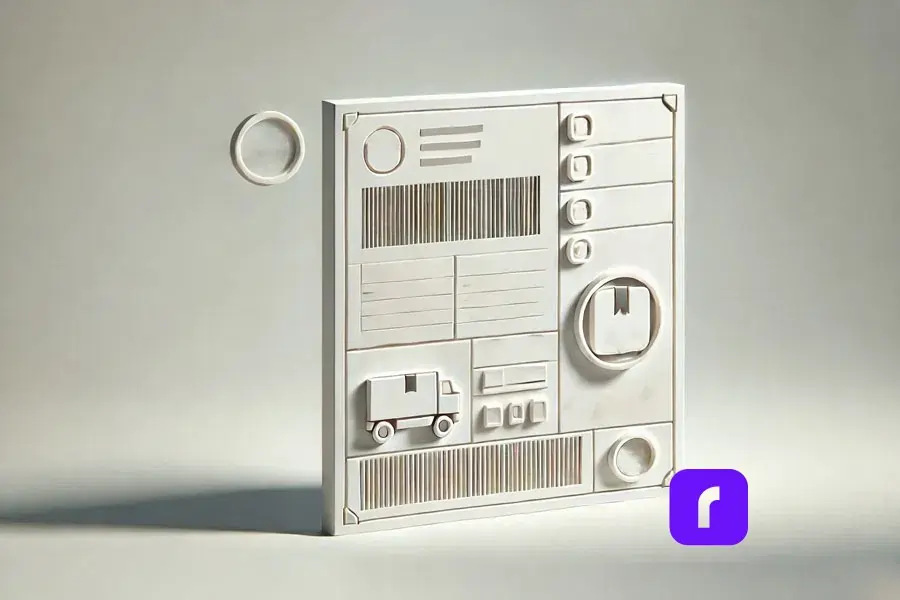
    FedEx labels are more than just stickers. They ensure your packages arrive on time and in good shape. Each label has important info like addresses, a tracking code, and shipping details. Knowing the different types of FedEx labels helps you pick the right one for your needs.

    Types of FedEx Shipping Labels

    FedEx has labels for all kinds of shipping:

    Type of LabelDescriptionUse Case
    🚚📦 Domestic Shipping LabelsUsed for shipping within the United States. Ideal for services like FedEx Ground and FedEx Express.Shipping packages across the country.
    🌍✈️ International Shipping LabelsIncludes additional details required for customs, such as harmonized codes and commercial invoices.Essential for cross-border shipping.
    🔄😢 Returns LabelsDesigned for easy returns, allowing customers to send items back to the seller without hassle.Commonly included in e-commerce shipments for returns.

    Does FedEx Provide Free Labels?

    Yes, FedEx gives out free labels in some cases. For example, you can get return shipping labels for free when handling returns through FedEx. They also give out envelopes and packaging with free labels. But, for standard shipping labels, you need to make them yourself using Rollo Ship. It’s a shipping software that works well with FedEx.

    How to Generate FedEx Labels with Rollo Ship

    Getting FedEx labels with Rollo Ship is easy and fast. This platform lets you handle all your shipping needs in one place. It works with your FedEx account for a smooth process. You can also print USPS shipping labels through Rollo Ship, giving you options for each shipment.

    Using Rollo Ship for Seamless Label Creation

    Creating labels with Rollo Ship is simple, whether you’re shipping a few items or lots. Here’s how to start:

    1. ✏️ Log in to Rollo Ship: First, log in to Rollo Ship with your details. If you don’t have an account, setting one up is quick and free.
    2. 🔗 Connect Your FedEx Account: To use FedEx services in Rollo Ship, link your FedEx account. This lets you use your rates and manage shipments through Rollo Ship.
    3. 📦 Enter Shipping Details: After linking, start making labels by adding the recipient’s info, package weight, and shipping method. Rollo Ship fills in most of the info from your FedEx account, saving time and reducing mistakes.
    4. 🖨️ Generate the Label: After adding all the details, click “Create Label.” You can print the FedEx shipping label from your browser. You can use any printer, including Rollo’s thermal printer, which is great for labels.

    Can I Use My Existing FedEx® Account?

    Yes, you can! Rollo Ship lets you link your FedEx account, so you can use your rates and preferences. This makes your shipping process smooth and efficient, without having to use different platforms.

    Customizing Your Labels and Orders with Rollo Ship

    Customizing your shipping is important to make your brand stand out. Rollo Ship offers more than just label sizes. You can also add branding, personalized messages, and more.

    Leverage the Rollo Label Design App: Rollo Ship’s integration with the Rollo Label Use the Rollo Label Design App: Rollo Ship works with the Rollo Label Design App for even more customization. This free app lets you create or change label designs. It has tools and templates for any shipping need, from standard labels to special packages.

    • 🎨 Choose a Template or Start from Scratch: You can pick from over 500 pre-designed templates or start fresh. Customize everything, from size and color to your logo and fonts.
    • Add Personal Touches: Make your labels special by adding custom messages, a QR code, or special instructions. This is great for e-commerce businesses to improve the unboxing experience.

    Printing Options: After customizing your labels, you can print them from the Rollo Label Design App or save them for later in Rollo Ship. This makes sure your branding is consistent in all shipments.

    How Do I Print a FedEx Label Without Instructions?

    If you know the process well, Rollo Ship makes it easy. Just enter the details, customize if you want, and print your label. No need for step-by-step guides. This is perfect for those who value speed and efficiency.

    Printing FedEx Labels: Rollo Ship vs. at the Store

    When printing FedEx labels, you have choices. You can print at home with Rollo Ship or use FedEx’s in-store services.

    The Benefits of Using Rollo Ship for Printing at Home

    Printing at home with Rollo Ship has many benefits. You can compare and pick the best shipping rates for your packages. Rollo Ship works with multiple carriers to help you save money:

    • 💰 Cost Efficiency: Printing at home saves you money compared to FedEx’s in-store services. This is very helpful for businesses with lots of shipments, that sell on Mercari, Shopify, or other platforms.
    • ⏰ Time Savings: Rollo Ship lets you manage shipping from home or office. This saves time, which is great during busy periods.
    • 📱 Flexibility: With Rollo’s FedEx label printer, you can print labels from any device. This keeps your shipping running smoothly, even when you’re away.

    When to Consider FedEx Services for Label Printing

    While home printing is convenient, there are times when FedEx services are better:

    • 📦 Large or Complex Shipments: FedEx’s in-store services are great for big or special packages.
    • ⚙️ Technical Issues: If your printer breaks down, FedEx locations are a reliable backup.

    Can FedEx Print Labels for You?

    Yes, FedEx can print labels for you at any FedEx Office location. This is helpful for professional printing or if you have technical problems with your equipment.

    Mobile and Wireless Printing On-the-Go with Rollo Ship
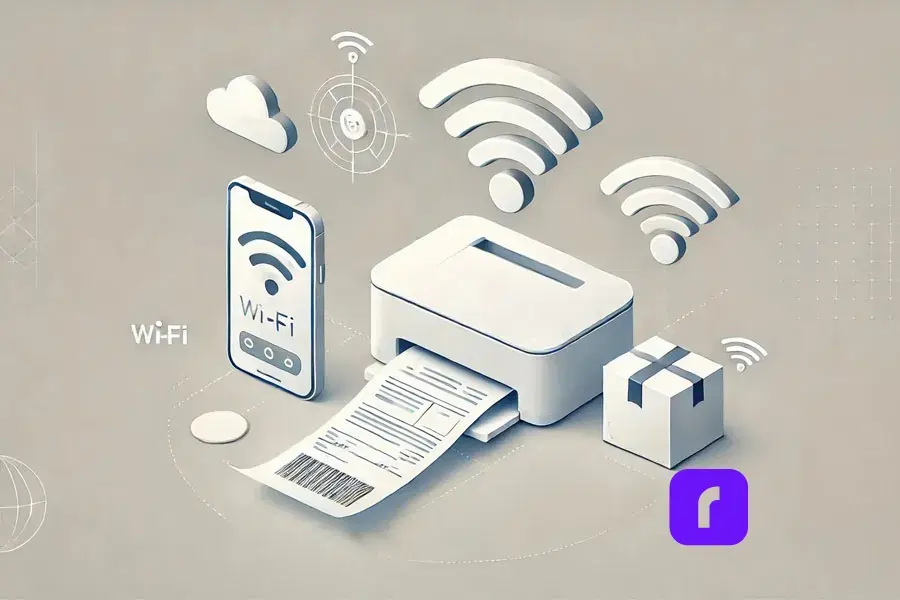
    mobile and wireless printing on the go with Rollo Ship

    In today’s fast-paced world, managing shipping on the go is key. Rollo Ship lets you print FedEx labels from your phone or tablet. You can use an AirPrint printer or Rollo’s wireless barcode label printer. This keeps you in control, wherever you are.

    How to Print a FedEx Label from Your Phone

    Printing from your mobile is easy and fast with Rollo Ship:

    1. 📲 Download the Rollo Ship App: Get it on iOS and Android. The app brings desktop features to your mobile.
    2. 🌐 Connect Your Printer: Make sure your Rollo printer is on Wi-Fi. The app works well with Rollo’s wireless portable printer and others.
    3. 📑 Create and Print Your Label: Make a new label in the app. Enter shipping details and pick your printer. Then, print from your phone.

    The Advantages of Mobile Printing

    • 🏃 Convenience: Mobile printing lets you work from anywhere. It keeps your shipping going without pause.
    • 🚀 Efficiency: Manage your shipping from your hand. Create labels and schedule pickups easily.
    • 🕒 Real-Time Management: The Rollo Ship app lets you track shipments and update details in real time. This keeps your business running smoothly, no matter where you are.

    Sustainable Shipping Practices with FedEx and Rollo Ship

    sustainable shipping practices with Rollo ship

    Businesses are focusing more on eco-friendly shipping. Rollo Ship and FedEx offer ways to lessen your environmental impact.

    Sustainable Shipping with FedEx Labels

    FedEx is dedicated to being green. They offer eco-friendly shipping options:

    • 🌱 Recycled FedEx Packaging: FedEx has packaging made from recycled materials. This reduces waste.
    • 📄 Electronic Documentation: Choose electronic trade documents when you can. It cuts down on paper and makes customs clearance easier for international shipments.

    How Rollo Ship Supports Sustainable Practices

    Rollo Ship is built for sustainability. It has features that cut down on waste and boost efficiency:

    • 🌍 Thermal Printing: Rollo’s thermal printers don’t need ink or toner. This reduces waste and environmental impact.
    • 🏷️ Durable Labels: Rollo’s labels last long. This means you don’t need to reprint as often, saving resources.

    Can I Use My Printer to Print Shipping Labels?

    Yes, with Rollo Ship and Rollo’s thermal printer, you can print high-quality labels at home. This supports green practices and lowers your environmental footprint.

    Troubleshooting and Rollo Best Practices for Label Printing
    Troubleshooting and best practices with Rollo

    Even with great tools, you might run into problems printing labels. Here are common issues and how to fix them.

    Troubleshooting Common Issues with Rollo Ship

    If you’re having trouble printing your FedEx labels, try these solutions:

    • 🛠️ Misaligned Labels: Make sure your printer settings match the label size. Adjust Rollo Ship settings to fix any alignment problems.
    • 📶 Connection Problems: If your printer won’t connect, restart your router and printer. Also, update your printer’s firmware.
    • 🧼 Print Quality Issues: For streaks or smudges, clean the printer head. Regular upkeep can solve most quality issues.

    How Do I Print a Label Without a Printer?

    If you don’t have a printer, use FedEx Office or another printing service. You can also email the label to someone with a printer or use a cloud service to access it on another device.

    Best Practices for Flawless Label Printing with Rollo Ship

    To print labels perfectly, follow these tips:

    • Use the Right Shipping Supplies: Choose high-quality label paper that works with your printer. Rollo’s labels are made for Rollo printers.
    • 🔍 Check Settings Before Printing: Double-check your printer settings, like paper size and orientation, to avoid mistakes.
    • 🧹 Regular Maintenance: Keep your printer clean and check for firmware updates. This ensures the best performance.

    Advanced Label Management with Rollo Ship
    Advanced label management with Rollo Ship

    For businesses with lots of shipments, managing labels is key. Rollo Ship has tools to help you manage labels better and work with your systems.

    Mass Creating FedEx Labels with Rollo Ship

    Rollo Ship makes creating many labels easy, perfect for high-volume shipping:

    • 📄 Upload a CSV File: Upload a list of shipments in a CSV file. Rollo Ship will create labels for each, saving time and reducing errors.
    • 🖨️ Automated Label Printing: Print all your labels at once with Rollo’s thermal printer. This makes the process smooth and efficient.

    How Rollo Enhances Label Management

    Rollo Ship works well with FedEx Ship Manager, offering a single platform for all shipping needs:

    • 🎯 Streamlined Workflow: Manage everything from one place, from creating labels to tracking and sending notifications.
    • Increased Efficiency: Rollo’s fast printing and reliable performance help even the busiest days go smoothly.

    How Do I Mass Create a FedEx Label?

    To create FedEx labels in bulk, upload your shipment data to Rollo Ship via a CSV file. The platform will make all your labels at once, letting you print them in bulk and streamline your shipping.

    Simplify Your Shipping with FedEx Labels and Rollo Ship

    Simplify FedEx shipping labels with Rollo Ship

    Shipping doesn’t have to be hard. With FedEx labels and Rollo Ship, you can make your shipping process easy and efficient. Whether you run a small business or manage logistics for a big company, Rollo Ship makes printing FedEx labels simple, quick, and reliable.

    Rollo Ship offers tools like mobile printing and advanced label management to help you manage your shipping. Check out Rollo Ship today and see how it can make your business’s shipping easier, saving you time and boosting your productivity.


    Follow Rollo on:


    Frequently Asked Questions About FedEx Labels

    📌 Q: What are FedEx labels and how do they work?

    💭 A: FedEx labels are essential for tracking and delivering your packages. Each label includes vital information such as sender and recipient addresses, a tracking barcode, and shipping details to ensure your package reaches its destination securely and on time.


    📌 Q: How can I create a FedEx shipping label?

    💭 A: You can create a FedEx shipping label using FedEx’s online tools, such as FedEx Ship Manager, or by using integrated platforms like Rollo Ship. Simply enter the shipment details, select your shipping service, and generate the label for printing.


    📌 Q: Can I print FedEx labels at home?

    💭 A: Yes, you can easily print FedEx labels at home using your own printer. Services like Rollo Ship allow you to generate and print labels from any device, ensuring flexibility and convenience.


    📌 Q: What types of FedEx labels are available?

    💭 A: FedEx offers several types of labels tailored to different shipping needs, including Domestic Shipping Labels for U.S. deliveries, International Shipping Labels for cross-border shipments, and Returns Labels for hassle-free customer returns.


    📌 Q: How do I customize a FedEx shipping label?
    💭 A: You can customize your FedEx shipping labels using tools like the Rollo Label Design App. This allows you to add your logo, special instructions, and other personalized elements to your labels for a branded shipping experience.
  • Label Printing for Online Sellers: Professional and Quick

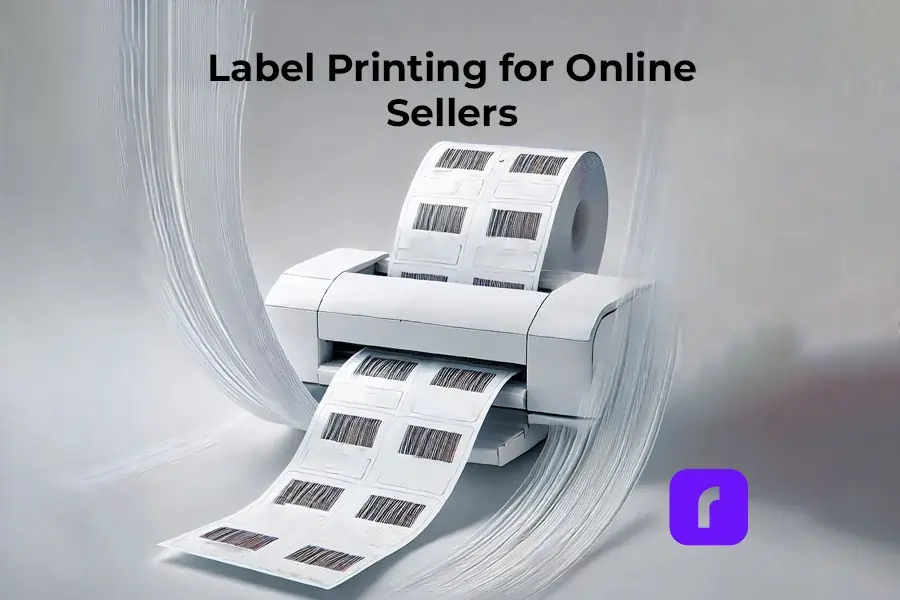
    Label Printing for Online Sellers: Professional and Quick

    In the world of online selling, having quick and professional label printing is key. Labels are more than just package markers. They are vital for branding, keeping customers happy, and running smoothly. Custom sticker labels let sellers personalize their orders, choosing the right materials and designs for their needs.

    Label Printing via Rollo

    Printing labels is crucial for businesses, especially those selling online. To print labels with the Rollo label printer, follow these steps:

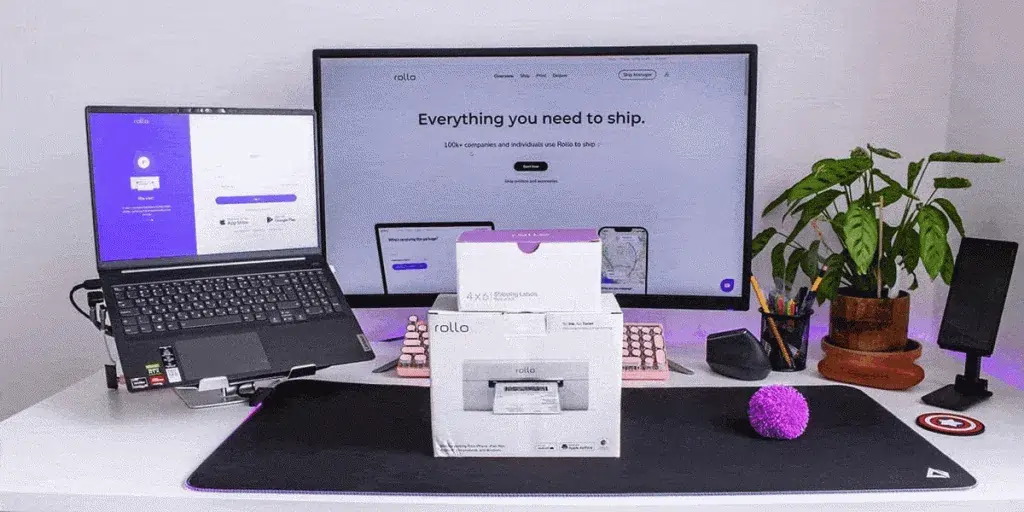
    Rollo wireless printer box in front of laptop and desktop monitor.

    1. Connect to Your Label Printer

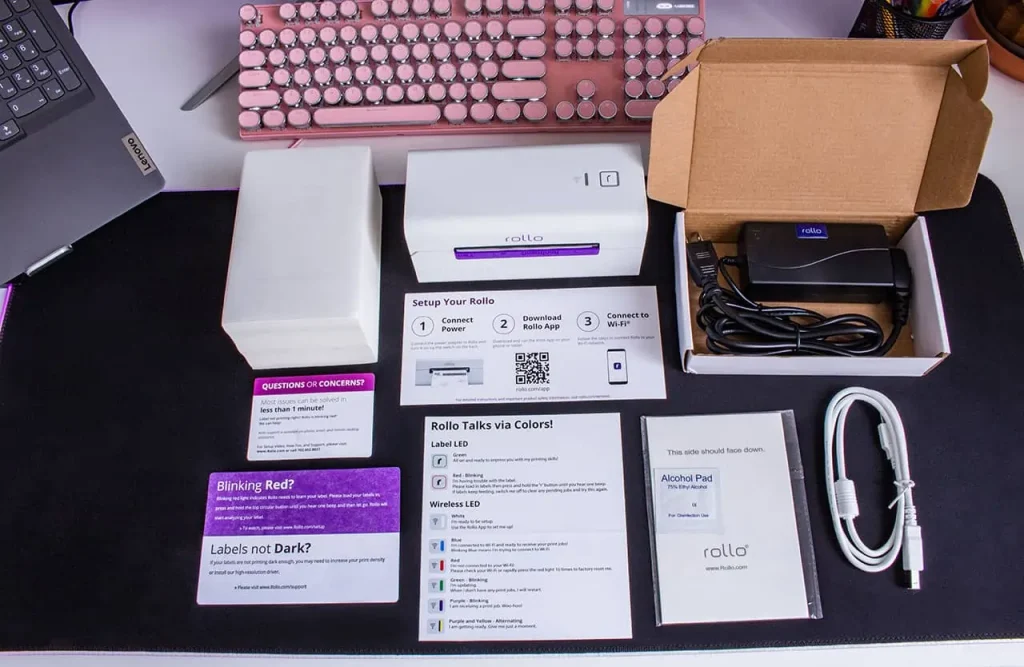
    • First, make sure your Rollo label printer is connected to your computer or network. For the USB model, plug it in with the USB cable. Download the needed drivers. More here.
    • For the wireless model, connect it to your WiFi network by following the setup on the Rollo wireless setup page.

    2. Load the Labels

    Put your labels into the printer. Make sure they’re aligned with the guides to avoid mistakes.

    3. Open the Rollo Ship App

    Start the Rollo Ship App on your device. It’s free to use! This app makes managing your label printing easy.

    4. Import Orders

    Use the app to add your orders from your online stores. For a full list of integrations, check here. This makes sure all your shipping details are ready for printing.

    5. Print Your Labels

    Pick the orders you want to print labels for. The Rollo printer will quickly make your labels. They’re ready to go on your packages. No more work needed! Yay!

    Detailed Customization Options with Rollo Label Design Tool

    Creating custom labels with the Rollo Label Design Tool is easy and free.

    The tool lets you upload or make your own design. It has lots of templates and sizes, unlike other platforms. You can print your labels in the exact size you need, ensuring they’re precise and consistent.

    Advanced Customization Techniques

    Advanced customization is key for enhancing your brand with custom labels. Here are some strategies:

    Typography

    Choose fonts that are easy to read and match your brand’s tone. Whether it’s a fun font for kids’ products or a sleek one for tech, the right font is important.

    Layout and Design

    Make sure your label design is simple and not too busy. Important info should be easy to see, and the design should be balanced.

    Get Into Label Design.

    Benefits of Rollo Ship App and Rollo Label Printers

    Integration with E-commerce Platforms

    Rollo Ship App and Rollo printers work well with Amazon, TikTok Shop, and Shopify. Some other popular platform integrations include:

    They make managing orders and shipping easy. They import orders automatically and let you track shipments in real-time.

    This keeps your customers happy and informed.


    Speed and Efficiency of Label Printing

    Rollo printers print labels fast, up to one per second.

    They can handle a lot of labels without needing ink. 325,000 feet to be exact. This makes them great for sellers who ship a lot.

    Rollo also has smart features that make printing labels quick and easy. This means you can get orders out faster, making customers happier.


    Enhancing Brand Perception with Professional Labels

    Good-looking labels are key for online sellers. They make your brand look better and improve customer experience. Rollo’s Label Design Tool lets you create labels that match your brand.

    You can add logos, images, and even barcodes. This makes your labels unique and helps your brand stand out.


    Start Shipping Label Printing in Bulk.

    Label Printing in Word

    If you like using Microsoft Word, Rollo printers work with it. Here’s how to print labels in Word:

    1. Open a new document.
    2. Go to the ‘Mailings’ tab > select ‘Labels’. In the dialog box click on ‘Options’.
    3. Choose the type of label you are using. Word has many templates. You can also customize them.
    4. Enter your label details in the ‘Address’ box. You can add images and barcodes too.
    5. Set up your printer. Make sure it’s connected via USB or the same network.
    6. Click ‘Print’. Word will send the label info to your Rollo printer, and it will print them.


    How to Print PDF to Barcode Labels

    Printing PDFs to barcode labels is common for businesses. Here’s how to do it with a Rollo barcode label printer:

    1. Prepare the PDF File: Make sure your PDF is ready for barcode labels. Each page should match one label.
    2. Open the PDF: Use a PDF reader like Adobe Acrobat Reader to open your file.
    3. Select Print: Go to ‘File’ and choose ‘Print’ in the PDF reader.
    4. Set Printer Options: Pick your Rollo label printer. Choose the right label size and orientation in the settings.
    5. Adjust Settings for Barcode: Set the print quality to high for clear barcodes. Make sure labels are aligned right.
    6. Click ‘Print’. Your Rollo label printer will print each label accurately. This makes sure barcodes are scannable and clear.


    High-Quality Label Printing.

    Successful Businesses Using Rollo

    Artisan Soap Company

    An Artisan Soap Company uses Rollo to make labels that show off its natural ingredients and quality. They add botanical illustrations to highlight their eco-friendly and handcrafted products. They also use polypropylene labels that look like they have no label, are oil and water-resistant, and fit well with products that get wet or oily.

    These labels make the products look better and show the company’s commitment to quality and the environment. The Rollo printer can handle detailed designs and keeps the print quality high. This means the labels are made well and fast.

    High-End Candle Brand

    A high-end candle brand uses Rollo to make simple labels that look luxurious. They use sleek logos and colors to show they are premium. They also use a permanent marker for adding details to labels, making it easy to customize.

    Choosing a simple design makes the labels look good and easy to read. The Rollo printer’s accuracy and reliability help keep the high standards customers expect. This leads to good reviews and more business.

    Comparison with Competitors

    Many platforms offer label printing and shipping solutions. But Rollo stands out in key areas that make it a top choice for online sellers.

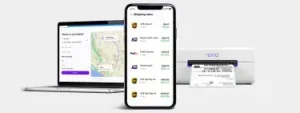
    laptop and mobile phone with Rollo Ship dashboard on screen next to rollo wireless label printer.

    Unique Selling Points of Rollo

    Rollo printers print labels fast, up to one per second. This makes shipping quicker and more efficient. Roll labels are also great for big orders and work well with label dispensers. This speed is key for businesses with lots of orders or need to ship fast.

    Customization 

    The Rollo Label Design Tool lets users create custom labels with logos, images, barcodes, and QR codes. It has many templates and allows for custom sizes. This is important for businesses wanting to stand out and show their brand.

    User-Friendly Interface 

    Speed and Efficiency 

    The Rollo Ship App is easy to use, unlike some other platforms. It makes managing shipping simple. Users can import orders, compare rates, print labels, and track shipments all in one place. This saves time and effort, letting businesses focus on other important things.

    Cost Efficiency 

    Rollo uses direct thermal label printing, which saves money by not needing ink or toner. It also works with many label types, saving more money. The Rollo Ship App gives access to special shipping rates, helping small businesses save on shipping costs.

    Customer Support and Service 

    Rollo is known for its great customer support. The team answers quickly and helps solve problems. This makes users feel supported and helps them enjoy using Rollo.

    Environmental Impact 

    Rollo cares about the environment. They use FSC-certified and BPA-free labels. No ink cartridges needed. This reduces waste and helps businesses be more eco-friendly. Plus, this sustainable approach appeals to conscious consumers.

    Testimonials and User Experiences

    Positive Feedback 

    Many users love Rollo for its easy setup and reliable performance. It offers customizable labels and quick service. A business owner says printing labels with Rollo is fun and efficient (Shipping School). Others save money with Rollo’s direct thermal printing, no ink or toner needed (Ynet News).

    label printing with Rollo printers.

    User Tips and Best Practices

    Regular Maintenance 

    To keep your printer working well and printing quality labels:

    • Clean the printhead often to avoid quality issues.
    • Follow the manufacturer’s maintenance tips, including cleaning and updates.
    rollo printer printing barcode labels

    Optimize Settings 

    Use the Rollo Ship App to improve your label settings:

    • Adjust print quality and speed as needed. Better quality might slow down printing.
    • Manage your label templates and settings in the app for consistency and efficiency.

    Leverage Discounts

    The Rollo Ship App offers big shipping discounts, great for those who ship a lot:

    • Use the app to find the best shipping rates and save money.
    • Check the app for new discounts and promotions to keep saving.

    User Experiences and Feedback 

    Customers love how easy Rollo is to use and how reliable it is:

    • They find the setup simple and the app easy to use. It’s great for managing orders and tracking shipments.
    • Even when there are problems, Rollo’s support team is quick to help. This keeps operations running smoothly.
    rollo printer printing labels with thumbs up signs and five stars symbols around it to represent user feedback.

    Advanced Shipping Strategies

    Batch Processing for High-Volume Shippers 

    Batch processing is key for those who ship a lot. The Rollo Ship App lets users print many labels at once. This makes shipping faster and saves a lot of time.

    Optimizing International Shipping 

    Businesses wanting to ship worldwide will find Rollo’s solutions great. It offers features like paperless customs invoices and cost estimates. These make international shipping easier and more affordable.

    Leveraging AI for Predictive Shipping Analytics 

    The Rollo Ship App uses AI to improve shipping. AI helps group orders, predict costs, and find the best routes. This makes shipping smooth for both businesses and customers.

    Conclusion

    Using tools like the Rollo Ship App and Rollo printers can really help your online sales. They work well with e-commerce sites and offer many customization options. Plus, they’re good for the environment.
    By using these tools, you can make your shipping better. This will also make your brand look good and help the planet.

    Follow Rollo on:

    Frequently asked questions

    Q: How to print labels?

    A: Printing labels with Rollo is simple. Connect your Rollo label printer to your device and load the labels. For more detailed instructions, visit the setup guide.
    Use the free software by Rollo. Sign up to Rollo Ship for shipping discounts and order consolidation from different marketplaces. Enjoy Rollo Label Designer to create custom labels and print them directly.


    Q: How to print labels in Word?

    A: You can print labels in Word by creating a new document, selecting the Labels option under Mailings, and entering your label details. Print the document using your Rollo label printer for high-quality labels.


    Q: How to print PDFs to barcode labels?

    A: To print PDF to barcode labels, open the PDF file, ensure the correct label size is selected in the print settings, and send the file to your Rollo label printer. The intelligent label detection feature will handle the rest.


    Q: What are the benefits of using sticker labels?

    A: Sticker labels provide customizable label solutions for various needs, including product packaging, personal artwork, and event favors. They are easy to order and personalize, with no extra costs for custom shapes and sizes.
  • The Shipping Solutions That Scale Online Businesses

    The Shipping Solutions That Scale Online Businesses

    As a small or mid-sized business selling online, you know the drill. You need reliable shipping solutions to deliver the goods. Customers expect fast delivery, easy tracking, and perfect fulfillment.

    Juggling orders across multiple platforms while navigating shipping carriers and rates? It’s a big mess.

    But fear not, we’ve got the solution that’ll make your life easier (and a whole lot more fun!). Get ready to explore all-in-one shipping solutions, your new tool for efficient operations and satisfied customers.

    The Beauty of All-in-One Shipping Solutions

    a tablet device with deliver trucks, packages representing shipping solutions for online sellers.

    What is an all-in-one shipping solution? It’s a tool that puts everything you need for shipping in one place. No more jumping between many websites and apps to send out packages.

    With Rollo, you can bring in orders from all your sales channels like Shopify, Amazon, and eBay. You can print discounted labels easily, schedule pickups from home, and track every shipment without leaving the platform. It’s a dream come true for logistics lovers.

    The real beauty is how it streamlines your operations. By centralizing shipping, you avoid redundancies, miscommunications, and the chaos of juggling multiple systems. This means more productivity and efficiency!

    Shipping Solutions Make E-Commerce Easier

    As an online seller, fulfilling orders is a big job. Managing sales channels, tracking orders, and printing labels is overwhelming. It can make you want to quit.

    But what if you could make all those hard processes disappear? That’s what Rollo’s shipping solutions promise to do.

    By working with major e-commerce platforms, Rollo automatically imports and organizes your new orders. You don’t have to do anything. No more switching between tabs and typing addresses by hand – Rollo’s got you covered.

    Even better, Rollo uses artificial intelligence to group similar orders together for faster shipping. So instead of printing labels one order at a time, you can do a bunch with just a few clicks. This is a huge boost to your productivity!

    The Key to Online Shipping Success

    Okay, so Rollo sounds great so far. But what should you look for in a top-notch shipping solution for your online business? Here are some key features:

    • 📦 Real-Time Tracking: Nobody likes wondering where their package is. Rollo’s real-time tracking lets you and your customers see every step of the journey.
    • 🖨️ Automated Label Printing: No need to manually print labels one-by-one. Rollo makes it easy with just a few clicks.
    • 💻 Multi-Platform Compatibility: Rollo works with Shopify, Amazon, eBay, and your own website. No more hassle with integrations.
    • 🎨 Custom Branding: Create branded labels that make your packages stand out. Rollo’s designer makes it easy.

    Why Rollo Stands Out Among Shipping Solutions

    There are many shipping solutions out there. But Rollo is special for several reasons:

    • 📡 Wireless Label Printing: Rollo works with wireless label printers like the Rollo printer.

    No more cords or print server headaches. Print labels from any device, anywhere. It’s super convenient!

    • 💸 Unbeatable Discounts: Rollo gives you big discounts from major carriers. You can save up to 90% off standard prices.
    • 🔍 No Hidden Fees: Rollo is upfront about pricing. No hidden charges or fees. You only pay $0.05 per label after 200 free shipments.
    • 🔗 Seamless Integrations: Rollo works with many e-commerce platforms and marketplaces. Connect with Amazon, eBay, Shopify, and more. You can also link your carrier accounts or ship directly with them.

    Switching to Rollo is a smart move for e-commerce businesses. It saves time, money, and stress. Who wouldn’t want that?

    Taking Your Online Business to New Heights

    laptop displaying shipping solutions that takes online businesses to new heights.

    Rollo does more than just make shipping easier. An optimized logistics operation can help your business grow.

    Rollo’s bulk shipping lets you handle more orders without extra work. This means you can fulfill more orders quickly. It’s great for growing businesses.

    Rollo’s discounts mean you keep more profit per order. This extra money can help you grow your business. You can invest in marketing and more.

    Custom branding with Rollo can also wow your customers. You can print shipping labels that show off your brand. This can make your customers loyal from the start.

    The Bottom Line? Using Rollo makes your business grow fast and saves money. It opens up many chances for your business to grow big.

    A Shipping Solutions Partner You Can Trust

    Being efficient and saving money is key. But, you also need a reliable shipping partner. Rollo helps you in all these ways:

    • 🚀 Ship orders easily with Rollo. It imports orders, groups them, and tells you. It uses AI to ship similar orders together, making you more productive.
    • 🔒 Keep your data safe with Rollo. It uses strong security and encryption to protect your customers’ info.
    • 📈 Rollo grows with your business. It scales up or down as you need, without extra costs.
    • ⚙️ Make Rollo fit your business. Customize labels, reports, and workflows to match your needs.

    Choosing Rollo as your shipping partner lets you focus on growing your business. You won’t have to worry about shipping problems anymore.

    Final Words

    Running a successful online business is hard. You have to manage inventory, marketing, customer service, and shipping. It’s a lot to handle.

    But, having a good shipping solution can change everything. It saves you time, money, and energy. You can focus on other important things.

    If shipping is stressing you out, it’s time for a change. Get rid of the old ways and upgrade your shipping process.


    Follow Rollo on:


    Frequently Asked Questions About All-in-One Shipping Solutions

    📌 Q: What are shipping solutions?

    💭 A: Shipping solutions are tools and services that streamline the process of getting products from sellers to customers. They include features like label printing, order tracking, and carrier rate comparisons, helping businesses manage shipments efficiently and cost-effectively.


    📌 Q: Why should I use an all-in-one shipping solution?

    💭 A: An all-in-one shipping solution streamlines your shipping operations by consolidating all tasks into one platform, reducing errors, saving time, and improving efficiency.


    📌 Q: What features should I look for in a shipping solution?

    💭 A: Key features include real-time tracking, automated label printing, multi-platform compatibility, cost-saving options, and integration with major carriers.


    📌 Q: What is the most cost-effective way to ship heavy items?

    The most cost-effective method varies, but using a shipping solution that offers bulk shipping discounts and efficient carrier selection can help reduce costs.


    📌 Q: What are the different types of shipping solutions available?

    💭 A: Types include software solutions, third-party logistics (3PL) providers, integrated shipping platforms, and carrier-specific solutions.
  • Easily Print Your FedEx Shipping Label with Rollo

    Easily Print Your FedEx Shipping Label with Rollo

    Hey there, busy entrepreneurs! You’re busy shipping out your products and your carrier of choice is FedEx, but how do you print the FedEx shipping label? We’ve got an awesome trick that’ll make this process a total breeze. Say goodbye to those pesky old methods and hello to slick, streamlined efficiency with Rollo’s killer integration for FedEx shipping labels.

    [ez-toc]

    Yeah, you read that right – Rollo is the ultimate FedEx shipping label solution when it comes to getting those precious parcels out the door. This nifty app will save you loads of time and cash, taking a huge load off your mind. So quit sweating the small stuff and let’s dive into how Rollo can transform your FedEx shipping process into a well-oiled (yet totally simple) machine.

    Setting Up Your FedEx Account with Rollo

    Integrating your FedEx account with Rollo is a crucial step to streamline your shipping process. By linking your accounts, you unlock a range of features designed to save you time and money, such as instant label printing, discounted shipping rates, and seamless order management. This setup ensures that all your shipping details are automatically synced, eliminating the need for manual data entry and reducing the risk of errors. Plus, with Rollo’s user-friendly interface, you can complete this integration in just a few simple steps.

    For detailed step-by-step instructions on how to link your FedEx account with Rollo, check out this comprehensive guide: FedEx Label Printers: How to Set Up and Print Labels.

    Additional Tips and Insights

    Security Measures:

    Rollo uses advanced encryption and security protocols to ensure your data is protected during the integration process. This ensures that your FedEx account details and shipping information remain confidential and secure.

    Troubleshooting Tips:

    • Issue: Unable to link FedEx account.
      Solution: Double-check that your FedEx account details are correct and that your internet connection is stable. If the problem persists, contact Rollo’s support team for assistance.
    • Issue: Labels not printing correctly.
      Solution: Ensure that your printer settings are configured correctly and that your printer is compatible with thermal label printing. Refer to the printer’s manual or Rollo’s support for detailed instructions.

    Detailed Benefits:

    By integrating FedEx with Rollo, you can take advantage of exclusive discounted shipping rates, saving you significant costs on each shipment. Additionally, the seamless syncing of order details from multiple e-commerce platforms means less time spent on manual data entry and more accurate shipping information.

    Benefits of Using Rollo for FedEx Shipping Labels

    Now that you’re all set up, let’s talk about why Rollo is worth its weight in gold (actually, it’s really affordable but you get the metaphor).

    Think about all those times you’ve had to:

    • ✏️ Manually punch in all those fiddly shipping details
    • 💻 Keep updating annoying desktop software
    • 📄 Physically print out label after label

    What a colossal pain, right? With Rollo, you can kiss those hassles goodbye and embrace a whole new level of ruthless efficiency:

    • Lightning-fast label printing: Just a couple of clicks and taps and bam – pro-looking shipping label ready to slap on your package.
    • 💸 Cost-cutter supreme: Rollo negotiates exclusive rates with FedEx to bring you the lowest possible prices. More money in your pocket? Yes, please!
    • 🎨 Custom Label Design: Rollo’s label design app lets you create your own custom labels, adding a personal touch to your packages.

    Speaking of which, new users can sign up with Rollo Ship for free! There are zero monthly fees, and the first 200 labels are on us. So why not give Rollo a whirl and experience the difference for yourself?

    Advanced Features of Rollo’s FedEx Integration

    Okay, but what if your shipping needs are a bit more advanced? Well, good news – Rollo has integrated a bunch of boss features to cater to power users too:

    • 🚚 Schedule Pickups Effortlessly: Just a few taps in the app lets you set up a hassle-free pickup from FedEx, right at your doorstep. No more schlepping boxes to the store!
    • 📦 Ship with FedEx using Rollo: Directly ship through the Rollo App by linking your FedEx® account. Generate affordable FedEx shipping labels, paying just 5 cents per label after your initial 200 complimentary labels.
    • 🖨️ Flexibility in Printing: Generate labels via any printer, not just Rollo’s. Rollo Ship is accessible on iOS, Android, and Desktop, allowing you to manage orders from multiple platforms under one account.
    • ⚙️ Instant Set-Up: Seamlessly integrate with your online stores, including Amazon, eBay, BigCartel, Shopify, and many more. With our pre-built connectors, witness your orders sync with Rollo Ship in real time.
    • No Need for Rollo Products: You don’t need to purchase any Rollo products to use Rollo Ship. It caters to both personal and professional shipping needs, offering domestic and international delivery services.
    • Efficiency at its Peak: Print numerous labels simultaneously, and provide automatic recipient tracking updates for a seamless customer experience. There are no requirements for minimum shipping volume.
    • 🔄 Master Returns Like a Pro: Creating and managing return labels is an absolute breeze. Just specify the instructions when creating your shipping label, and it generates a returns label automagically.

    Integration with E-commerce Platforms

    If you’re running an online store, you’re going to love how Rollo gels with all the major e-commerce platforms out there. Here’s just a taste:

    • WooCommerce: Simple but powerful integration to synchronize all your WooCommerce orders with shipping details.
    • Shopify: With the official Shopify app, you can print shipping labels directly from your Shopify dashboard. Easy peasy!
    • Magento: The Rollo plugin brings all its FedEx wizardry to your Magento storefront.

    No matter which platform is powering your bustling online empire, you can count on Rollo to keep those orders flying out quickly and affordably.

    Additionally, Rollo is continuously developing new integrations with various e-commerce platforms, so keep an eye out for even more seamless e-commerce solutions!

    Tips and Best Practices for Using Rollo with FedEx

    To wrap things up, let’s run through a few pro tips to ensure you’re squeezing every last drop of awesomeness from the Rollo/FedEx combo:

    • 🖨️ Go inkless: The Rollo’s FedEx shipping label printer can print about 650,000 shipping labels before needing replacement. Say goodbye to ink and toner expenses!
    • 🚚 Consolidate shipments: If you’ve got a bunch of small orders going to the same area, you can easily bundle them into a single, more affordable shipment.
    • 📦 Bulk up on supplies: Rollo can auto-order FedEx packaging and have it delivered right to your door. Hello, ultimate convenience!
    • 💾 Saved settings: Once you’ve got all your preferences just right, save them as a template to breeze through future shipments.

    And hey, if you stumble on any other brilliant tips or workflow hacks of your own, we’d love for you to share them with the Rollo community on Facebook! They’re all about that continuous improvement.

    Final Words

    Well, there you have it – literally everything you need to know about making FedEx shipping a total breeze with Rollo. This integration truly is a game-changer for small businesses and solo entrepreneurs working hard to grow their operations.

    With Rollo handling the logistics like a well-oiled machine, you can finally shelve all those frustrating shipping tasks and get back to focusing on the really important stuff – developing killer products, providing amazing service, and hustling towards your big dreams.

    So what are you waiting for? Give Rollo a shot today with that exclusive discount, and experience a whole new level of seamless shipping success. Your precious time (and sanity) will thank you!

    Follow Rollo on:

    Frequently Asked Questions About FedEx Shipping Labels

    📌 Q: How do I create a FedEx shipping label with Rollo?

    💭 A: Creating a FedEx shipping label with Rollo is simple. First, sync your FedEx account through the Rollo integrations menu. Then, go to the shipment creation section and enter key details like the destination address, package weight, and dimensions. Once everything is filled in, click the button to generate your professional shipping label.

    📌 Q: Does FedEx provide free shipping labels?

    💭 A: Yes, FedEx provides free return shipping labels in certain situations, particularly for businesses with a returns policy. Including a prepaid label when shipping orders is a smart move. Rollo makes creating and managing these return labels easy and efficient.

    📌 Q: How can I ship with FedEx without a printer?

    💭 A: Shipping with FedEx without a printer is easy. Generate a QR code through the FedEx mobile app or Rollo’s integration. Then, visit any FedEx location, where a team member can scan and print the code onto a shipping label for you.

    📌 Q: How do you make a shipping label for FedEx?

    💭 A: Traditionally, you might use the FedEx website or mobile apps, but Rollo simplifies the process. With Rollo’s integration, you can print shipping labels with just a few taps, making the process quick and hassle-free.

  • Using a Thermal Printer as a Mailing Label Printer

    Using a Thermal Printer as a Mailing Label Printer

    When you’re running an online business, few things are as crucial as the seamless flow of your shipping operations. After all, delivering orders swiftly and reliably is the lifeblood of e-commerce success.

    Although you mostly send out packages, sometimes you need to send out a letter or important documents in the form of an envelope. So what do you do? Do you leave the house to go buy “mailing labels”? Believe it or not, you can actually use your thermal wireless label printer as a de facto mailing label printer.

    [ez-toc]

    Yet, for many small and medium-sized entrepreneurs, the versatile capabilities of today’s label printers often get overlooked – until it becomes an unsolvable headache, that is.

    Enter thermal printing. This state of the art technology isn’t just for shipping labels – it can operate as a mailing label printer too. And yes, thermal technology, provides an arsenal of benefits, such as ease of use, and makes the logistics of your business, faster, and cheaper.

    Hence, if you’re marketing yourself as an online seller or are running an e-commerce venture and looking for good label printing methods, pay attention.

    Versatility of Thermal Mailing Label Printer

    The Versatility of Thermal Printers

    Thermal printers are much more versatile than they usually are thought of. Certainly, they are known for producing shipping-labels of superior quality and using them effortlessly, yet they are capable of much more than just marking packages.

    In this regard, one of the strengths of thermal printers is printing mailing labels for letters, envelopes, and other documents. Using thermal technology, these mailing label printers deliver crisp, clear text on durable materials that will satisfy all your mailing needs, whether you are sending out invoices, thank-you notes, or any other essential correspondence.

    Did you know?🤔 The direct thermal printing technology used by Rollo printers doesn’t require ink or toner.
    This means you never have to worry about running out of ink at a critical moment, making your mailing
    process smoother and more reliable.

    However, it does not stop there. Thermal printers can handle a complete range of label sizes, from the standard 4×6 inch shipping labels to more compact 4×2 inch versions which come in hand for envelopes and post cards. It offers you the additional advantage of integrating your label generation process with both shipping and mailing tasks, using only one device.

    Benefits of Using Thermal Printers for Mailing Labels

    So, why should you consider trading in your old inkjet or laser printer for a mailing label printer with thermal technology when it comes to your mailing label needs? Let’s break down the key advantages:

    • ⚡ Speed: Thermal printers are lightning-fast, able to churn out labels in a matter of seconds. No more waiting around for your printer to spit out address after address – thermal technology keeps your productivity humming along.
    • 💸 Cost-Effectiveness: Ink and toner can really add up, especially if you’re doing a lot of mailing. Thermal printers, on the other hand, use heat to transfer the image onto the label, avoiding those pesky ink cartridge expenses. Over time, the savings can be substantial.
    • 🛡️ Durability: Those thermal-printed labels are built to last, resisting smudging, fading, and environmental factors like moisture and temperature changes. Your mailing labels will arrive looking just as crisp and professional as the day you printed them.
    Keep in Mind:🧠 While thermal mailing label printers are excellent for labels, they're also sensitive to
    extreme temperatures and sunlight. Store your labels in a cool, dry place to prevent fading and ensure they
    retain their quality during storage and transportation.

    Choosing the Right Thermal Mailing Label Printer

    When it comes to selecting a thermal-powered mailing label printer, there are a few key factors to consider:

    • 🔍 Resolution: For clear, legible text on your labels, you’ll want to look for a printer with high resolution – at least 300 dpi, but 400 dpi or more is even better.
    • 📏 Label Sizes: Make sure the mailing label printer can accommodate the range of label sizes you’ll need, whether that’s standard 4×6 inch shipping labels or more compact 4×2 inch options for envelopes and postcards.
    • 📶 Connectivity: Look for a printer that plays nicely with your existing systems, whether that’s seamless integration with your e-commerce platform or the ability to easily connect via USB or Wi-Fi.
    Pro Tip:💡 To ensure the highest quality prints for your mailing labels, always adjust your printer settings
    according to the specific label material you are using. This ensures that the heat settings align perfectly
    with the label type for crisp, clear results every time.

    Setting Up Your Thermal-Powered Mailing Label Printer

    Alright, so you’ve got yourself a shiny new mailing label printer and you’re ready to start cranking out those mailing labels. No problem! Setting it up is a breeze.

    The key is finding the right label type for your needs. For mailing purposes, Rollo’s 2″ x 1″ barcode labels are a great option. These direct thermal labels come in six color options and are ideal for printing barcodes, addresses, and other critical information on envelopes and small packages.

    Once you’ve got your labels squared away, it’s time to get the printer configured. The Rollo Label Designer software makes this super easy. Just fire it up, create a new label template, and start customizing. You can add your business logo, barcode, and all sorts of other goodies to really make those labels pop.

    The best part is, you don’t have to be a design wizard to make it look good. The software has tons of pre-made templates and tools to help you whip up professional-quality labels in no time. Just drag, drop, and voila – you’re ready to print.

    Quick Insight:💭 Investing in a high-resolution mailing label printer can drastically improve the legibility of
    your mailing labels, especially for small text or detailed graphics. This small upgrade can make a big
    difference in presenting a professional image to your customers.

    Software for Efficient Label Printing

    Now that you’ve got your labels all set up, it’s time to talk about the software side of things. Sure, you could just print straight from the mailing label printer, but why stop there?

    If you’re doing a lot of bulk mailings, you’ll definitely want to look into combing Rollo’s label design software with the capabilities of your mailing label printer. These tools together make cranking out address labels a breeze – you just plug in your mailing label printer, design your template, and let the software handle the rest. Talk about efficiency!

    And don’t forget about Rollo Ship – the shipping platform that integrates right with all of your e-commerce stores, making the whole label printing process a cinch. Ship all orders at once. Rollo will automatically import your new orders from stores, group them, and notify you. No more jumping between different apps and websites. Just ship straight from Rollo Ship and watch those orders fly out the door.

    NO MONTHLY SUBSCRIPTIONS.


    When you print shipping and mailing labels with Rollo, the first 200 are on us.


    Every next label is just 5 cents.


    Schedule pickups, consolidate orders, and print bulk labels.


    Up to 90% off UPS, FedEx, and USPS shipping.


    JOIN FOR FREE NOW

    Maintaining Your Thermal-Powered Mailing Label Printer

    Like any piece of equipment, your trusty mailing label printer is going to need a little TLC to keep it running at its best. But don’t worry, it’s a pretty straightforward process.

    First and foremost, make sure you’re using the right kind of labels. Rollo’s got a whole lineup of options, from 4×6 stack labels, circle labels, to 2×1 barcode labels, and each one has its own unique purpose. Read up on the recommended uses of these labels to get the best value out of them.

    And when it comes to the mailing label printer itself, a little regular maintenance goes a long way. Give the print head a gentle cleaning every so often to prevent any buildup or blockages. You can find all the instructions in the user manual, or check out Rollo’s handy how-to videos online.

    By staying on top of these simple maintenance tasks, you can ensure your thermal printer keeps churning out crisp, professional-looking labels for years to come. Trust me, it’s a whole lot easier than dealing with dried-up ink cartridges and smeared addresses.

    Mailing Label Printer Success: A Fluid Artist’s Story

    Meet Jen, a talented fluid artist who creates stunning charcuterie boards and unique resin artwork. Her business thrives on creativity and craftsmanship, but as demand for her work grew, so did the need for a more efficient shipping solution.

    In the early days, Jen managed orders manually, handwriting labels and packaging each piece with care. While her artistic process was fluid and unpredictable, her shipping workflow needed more structure. That’s when she discovered Rollo.

    “I found Rollo through Instagram,” Jen shares. “It has been a game changer—it works so well, and it’s so easy to use. I don’t make the mistakes that happen when handwriting things out.”

    Switching to a Rollo printer transformed Jen’s fulfillment process, helping her scale her business without compromising the personal touch her customers love. Here’s how Rollo improved her operations:

    • Efficiency & Speed: With Rollo, Jen can quickly print labels at the right size, streamlining her order processing and reducing fulfillment time.
      💸 Cost Savings: No more spending on ink cartridges—Rollo’s thermal printing technology eliminates unnecessary costs, allowing Jen to invest more in her art.
      🖨️ Professional Print Quality: Every label is crisp and clear, ensuring her shipments look polished and professional.
      📦 Seamless Packaging Workflow: With her “mini business center,” Jen now has an organized space for printing, packing, and shipping orders with ease.

    For Jen, the switch to Rollo wasn’t just about convenience—it was a smart business move. “I love my Rollo because it’s so reliable,” she says. “It has completely changed the way I handle my orders.”

    Inspiration Corner:✨ Jen’s story is proof that the right tools can make all the
    difference in a growing business. By switching to a Rollo label printer, she’s
    been able to focus on what she does best—creating beautiful, one-of-a-kind
    artwork—while simplifying her shipping process.

    Final Words

    When it comes to streamlining your business operations, a versatile mailing label printer can be an absolute game-changer. From lightning-fast label printing to cost-saving efficiencies, these nifty little thermal-powered machines offer a host of benefits that can take your e-commerce or small business to the next level.

    Whether you’re shipping out orders or mailing important documents, a thermal mailing label printer like the Rollo can handle it all with ease. And with the right software and label options, you can customize your labels to perfection, giving your business a professional edge.

    So, if you’re tired of dealing with the hassles and expenses of a traditional mailing label printer, it might be time to make the switch to thermal technology. Your wallet will thank you.

    Final Thought:🔮 Embracing thermal printing technology for your mailing needs isn’t just about improving
    efficiency; it’s about setting a standard of professionalism and reliability in every interaction with
    your customers. Make the switch and watch your business grow.

    Follow Rollo on:

    Frequently Asked Questions About Mailing Label Printers

    📌 Q: What makes thermal printers a better option for mailing labels compared to inkjet or laser printers?

    💭 A: Thermal printers are faster, more cost-effective, and produce durable labels that are resistant to smudging and environmental factors, making them ideal for high-volume mailing needs.

    📌 Q: Can I use any type of label with a thermal mailing label printer?

    💭 A: No, thermal-powered mailing label printers require specific types of labels that are heat-sensitive. It’s important to use the correct labels to ensure quality and prevent damage to the printer.

    📌 Q: How do I maintain my mailing label printer to ensure it operates efficiently?

    💭 A: Regular maintenance includes cleaning the print head, using the correct type of labels, and storing labels in a cool, dry place. Refer to your printer’s manual for detailed maintenance guidelines.

    📌 Q: Are mailing label printers cost-effective for small businesses?

    💭 A: Yes, mailing label printers can be very cost-effective due to their low operational costs—no ink or toner needed—and their efficiency, which is ideal for businesses that require frequent label printing.

    📌 Q: What should I look for when choosing a thermal printer for mailing labels?

    💭 A: Consider the printer’s resolution, label size compatibility, and connectivity options to ensure it fits your business needs and can integrate seamlessly with your existing systems.