Rollo

Tag: label printer

  • Top Label Printer Hacks to Simplify Your Festive Labeling

    Top Label Printer Hacks to Simplify Your Festive Labeling

    As the holiday season approaches, the demand for efficient and creative label printing solutions rises. Label printers, with their diverse capabilities, have become indispensable tools for both personal and business use. In this article, we’ll explore the various types of label printers, how to choose one that suits your needs, and creative ways to utilize them for festive labeling. Our guide will help you navigate the world of label printers, ensuring that your holiday preparations are both fun and efficient.

    Understanding Label Printers

    The Versatility of Label Printers in Festive Times

    Label printers, more than just tools, are versatile solutions for various labeling needs. Their flexibility and adaptability make them indispensable, especially during festive times when unique and high-quality labels are in demand.
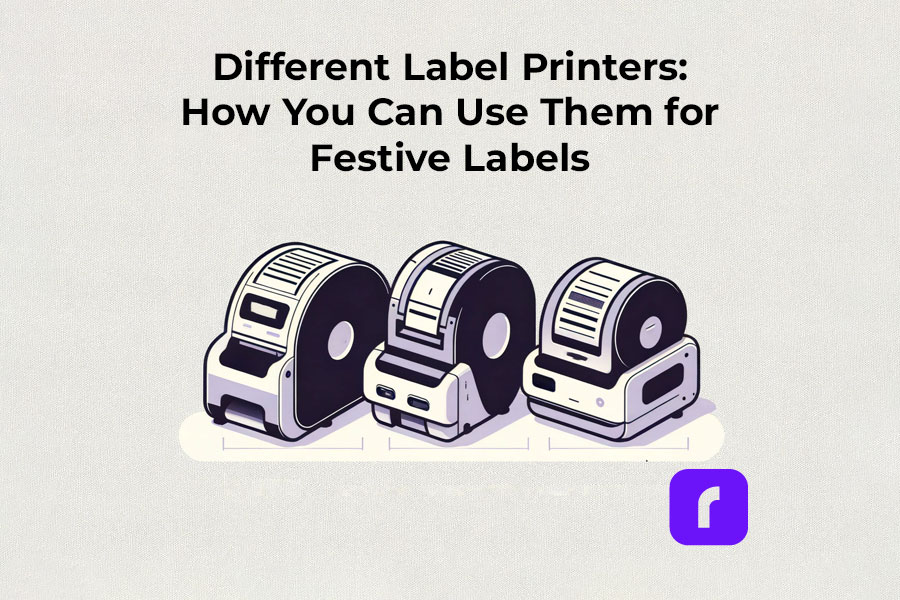
    Different Label Printers: How You Can Use Them for Festive Labels

    Thermal label printers

    Thermal label printers stand out for their efficiency. Using direct thermal printing technology, they eliminate the need for ink or toner, which is a significant advantage over traditional printing methods. This inkless approach not only saves time but also reduces operational costs. Thermal label printers are perfect for creating shipping labels, product labels, and even festive decorations, delivering consistent print quality.

    Did You Know? 
    Rollo's thermal label printers aren't just for basic label printing. These versatile machines, using direct thermal printing technology, make ink and toner a thing of the past. This not only streamlines your printing process but also slashes ongoing costs.
    Rollo printers excel in versatility, handling tasks like shipping labels (FedEx, UPS, USPS), marketplace labels (Amazon), barcodes, name tags, decorative labels, and more!

    Wireless label printers

    The advent of wireless label printers has revolutionized the way we handle label printing tasks. These printers offer the convenience of printing from anywhere within their connectivity range. Whether you’re using a smartphone, tablet, or laptop, the ability to print labels wirelessly adds a layer of flexibility that is particularly useful during busy holiday seasons. You can effortlessly print address labels, gift tags, and more, without being tethered to a physical location.

    Experience the freedom to print from anywhere – whether it's from your phone, tablet, or laptop. Perfect for the holiday rush, these printers make crafting address labels, unique gift tags, and more, incredibly easy and efficient. No cords, no limits. Dive into the world of hassle-free, wireless printing with Rollo.

    Barcode and Sticker Label Printers

    For businesses and individuals alike, barcode label printers are essential for product identification and inventory management. Sticker label printers, on the other hand, add a creative touch to personal and professional projects. They are ideal for custom labels on gifts, making each present unique and personal. The ability to design and print high-quality, custom stickers enhances the aesthetic of any holiday package.

    Did You Know? 
    Explore unlimited creativity with the Rollo Label Design Tool, a free platform for designing custom labels. Stand out with unique features like custom sizes, your own logos, intricate designs, barcodes, and QR codes. With a vast free image library and various shapes, sizes, and fonts, the possibilities are endless. Print your tailored labels in any size directly to your Rollo printer or any other printer without the need to cut them.

    Take a look at some of the creative ways Rollo users have utilized our sticker label printers:

    Empower Your Creativity with Rollo

    Join the Rollo Label Designer today,

    and bring your unique label designs to life.

    Whether for business branding

    or personal projects,

    your perfect label is

    just a few clicks away.

    Small and Portable Label Printers

    The compactness of small label printers makes them an excellent choice for limited spaces, while portable label printers offer the utmost convenience for on-the-go printing. They are particularly beneficial for event planners, craft enthusiasts, and small business owners who need to print labels at different locations.

    Did You Know? 
    Rollo's label printers are ultra-compact and portable, weighing just 3 lbs and sized like a hardcover novel (8 × 4 × 4 inches). Ideal for event planners, crafters, and small business owners, they offer the convenience of printing anywhere. Rollo transforms label printing with devices that fit in small spaces and travel bags, bringing high-quality printing to your fingertips.

    Commercial Label Printers:

    For higher-volume printing needs, commercial label printers are the go-to choice. With faster print speeds and the ability to handle a variety of label sizes, these printers are designed for efficiency and durability, essential for businesses during peak seasons like holidays.

    Did You Know? 
    When it comes to handling large volumes of label printing, Rollo label printers are highly capable and efficient. They can print one label per second, equating to 60 labels in a minute and 3,600 labels in an hour. This impressive speed makes Rollo printers particularly suitable for environments where efficiency is critical, such as e-commerce, logistics, or retail.

    Label Printers with Apps:

    Modern label printers often come with companion apps, making label design and printing more accessible and user-friendly. These apps allow users to create custom labels with ease, offering a range of templates and design options.

    Rollo is transforming the label printing landscape with its advanced apps, including the Rollo Label Designer and Rollo Ship App.

    The essence of a good label printer lies in its ability to produce a variety of labels, from simple address labels to intricate custom designs. The print resolution of these printers ensures that every detail, no matter how small, is crisp and clear. This is crucial when printing intricate designs or small text on product labels.

    Whether you’re a small business owner streamlining your shipping process or an individual adding a personal touch to your holiday gifts, there’s a label printer out there to meet your needs.

    Choosing the Right Label Printer

    Selecting the right label printer involves considering several factors like print resolution, print speed, and the variety of labels it can produce. If you’re looking for a printer that offers mobility, a portable label printer might be your best bet. For businesses, a commercial label printer that can handle a higher volume of labels at greater speeds is essential. It’s also important to look for printers that are compatible with different devices and software for seamless operation.

    Label Printer Buying Guide

    Step 1: Assess Your Label Printing Needs

    Before diving into the specifics of label printers, it’s crucial to understand your individual or business requirements. Ask yourself:

    • What type of labels will you primarily print? (e.g., shipping labels, product labels, barcode labels)
    • What volume of labels do you anticipate printing regularly?
    • Do you need a printer that’s easily portable or one that will remain in a fixed location?

    Step 2: Consider Key Features

    • Print Resolution: Measured in DPI (dots per inch), print resolution affects the clarity and detail of your labels. Higher DPI is essential for labels requiring fine detail, such as barcodes or product labels.
    • Print Speed: Speed is measured in labels per minute. Crucial for high-volume printing environments like warehouses or shipping centers.
    • Label Variety: Consider printers that support different label sizes and types for versatility.
    • Portability: If mobility is vital, look for lightweight, compact printers with battery options.

    Step 3: Check Compatibility and Connectivity

    • Device Compatibility: Ensure the printer is compatible with the operating systems of your computers or mobile devices. Check for compatibility with software or apps you plan to use for label designing.
    • Connectivity Options: Options include USB, Wi-Fi, Bluetooth, or Ethernet. Wireless connectivity is useful for printing from multiple devices or locations.

    Step 4: Balance Cost and Efficiency

    • Initial Cost vs Long-Term Savings: While some printers may be cheaper upfront, consider long-term costs like ink, toner, or special label paper. Thermal printers, which don’t require ink or toner, can offer significant savings over time.
    • Efficiency and Productivity: Printers offering high print speeds and easy label loading can boost productivity, especially in commercial settings.

    Step 5: Additional Considerations

    • Durability: For heavy-duty use, look for printers built to withstand high-volume printing and frequent handling.
    • After-Sales Support: Consider the warranty and customer support offered by the manufacturer.
    • Environmental Impact: Some printers are more eco-friendly, using less power or producing less waste.
    • Brand Reputation: Research brands for reliability and customer satisfaction.

    Step 6: Making the Final Decision

    Once you’ve evaluated these factors, compare a few models that meet your criteria. Read reviews and user feedback to understand real-world performance and reliability. Don’t hesitate to contact manufacturers or sellers for any specific queries or demonstrations.

    How to Print Labels at Home
    How to Print Labels at Home

    Printing labels at home is straightforward with the right label printer. The process typically involves selecting the right type of label, designing your label using a software or app, and then printing it directly from your device. Many label printers come with user-friendly interfaces and applications that make this process a breeze, even for beginners. It’s an efficient way to manage home organization, holiday preparations, or even small business needs.

    Printing labels at home can be an efficient way to manage various tasks, from organizing your space to preparing for the holidays or supporting your small business. Here’s how to navigate the process with ease:
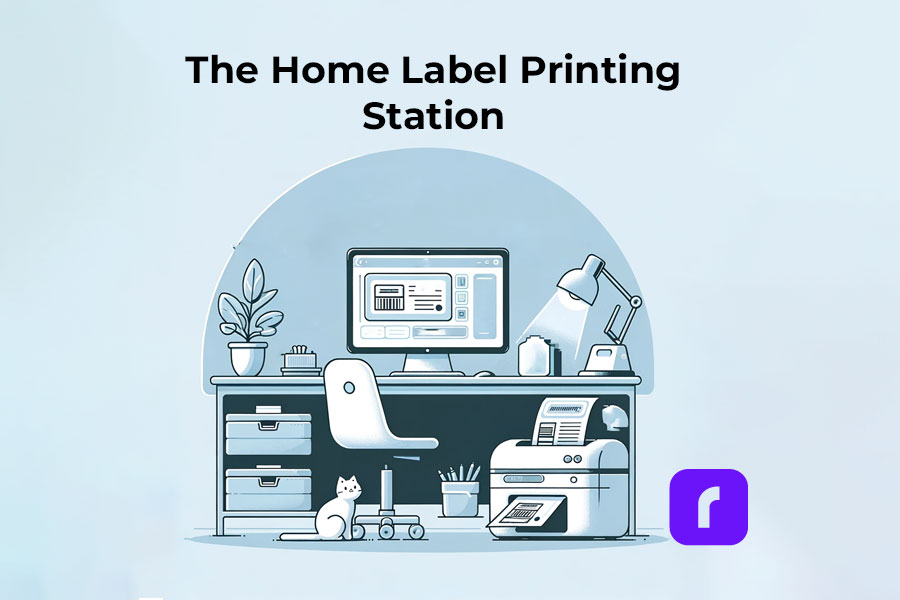
    The Home Label Printing Station

    🎬 Step 1: Choose the Right Label Printer

    Have in mind what we already mentioned about:

    🟣 Assessing Your Label Printing Needs: shipping, barcode, decorative, etc.
    If you are unaware of all the printers you would like to print, we advise you to choose an ultimate solution like Rollo – capable of printing various types of thermal labels.

    🟣 Printer Types: Consider a portable label printer for mobility or a commercial one for high volumes.
    The best choice would be a printer with the efficiency of commercial ones and the size of a portable printer. Like the Rollo wireless printer.

    🟣 Compatibility: Ensure the printer works with your devices and software.
    If you are switching devices regularly, look for a widely compatible option. Such as the Rollo wireless – compatible with iOS, Android, Windows, Mac, Linux, and Chromebook.


    ➡️ Step 2: Select Suitable Labels

    🟣 Label Types: Choose from a variety of labels (e.g., shipping, barcode, sticker). Know your label sizes: barcode labels are size 2×1 inches, shipping labels are 4×6 inches, etc.

    🟣 Size and Material: Match the label size and material to your printer’s capabilities – e.g. if you are using a regular inkjet printer, use regular paper, if you have a thermal label printer – print on thermal labels only.


    ➡️ Step 3: Design Your Labels

    🟣 Software/App Usage: Utilize the printer’s companion app or software for designing labels.

    🟣 Customization: Add text, images, logos, or barcodes as needed. Utilize the features of apps like the Rollo Label Designer App for advanced customizations.


    ➡️ Step 4: Set Up Your Printer

    🟣 Install Printer Drivers: Ensure your printer’s drivers are installed on your device.
    Did you know that the Rollo wireless label printer does not require any driver installation and it takes only 5 minutes to set up?

    🟣 Load Labels: Properly load the labels into the printer according to the manufacturer’s instructions.


    🔚 Step 5: Print the Labels

    🟣 Connectivity: Connect your printer to your device via USB, Wi-Fi, or Bluetooth, depending on its type of technology.

    🟣 Print Settings: Select the correct printer and label size in the print settings.

    🟣 Print Quality: Choose the desired print quality (DPI settings) based on your label’s purpose.
    Did you know that the Rollo label printers have an industry-standard printing quality of 203 dpi?

    📢 Post-Printing Steps

    • Label Application: Peel and stick your thermal labels.
    • Storage: Store any unused thermal labels in a cool, dry place to maintain their quality.

    ⚠️ Tips for Effective Label Printing

    • Test Prints: Do a few test prints to ensure alignment and quality.
    • Regular Maintenance: Clean your printer regularly to ensure consistent print quality.
    • Software Updates: Keep the printer’s software or app updated for new features and improved performance.

    Festive Labeling Ideas

    Label printers shine the brightest during the holiday season. They offer endless possibilities for creative labeling. You can design custom labels for gift bottles or create unique stickers for candles. The use of label printers extends to crafting personalized address labels, adding a touch of warmth to your holiday mail. With these printers, you can bring a personal touch to every aspect of your festive preparations.
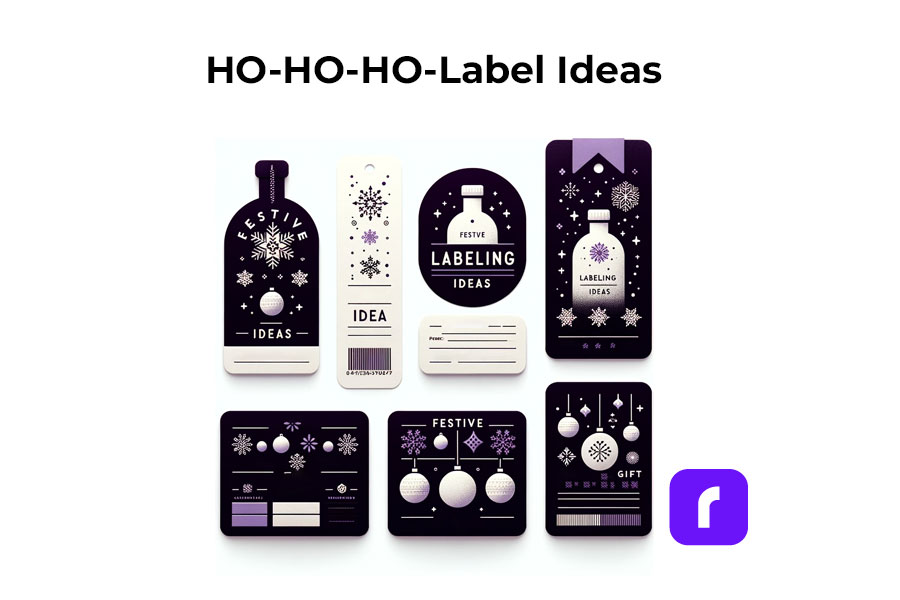
    Festive Label Ideas
    ;

    Personalized Gift Wrapping:

    • 🎁 Custom Gift Tags: Design and print custom tags for each gift, adding a personal message or the recipient’s name.
    • ❄️ Theme-Based Labels: Create labels that match your holiday theme, such as snowflakes for a winter wonderland or stars for a night-themed party.

    Home Decoration:

    • 🪟 Window Stickers: Print festive designs like snowflakes or reindeer to adorn your windows.
    • 🪑 Table Setting Labels: Create name tags for place settings or labels for homemade food items on your holiday table.

    Holiday Cards and Mail:

    • ✉️ Address Labels: Design address labels with festive graphics for sending out holiday cards.
    • 📦 Seal Stickers: Make custom stickers to seal envelopes, adding a festive touch.

    Party Favors and Decor:

    • 🍾 Bottle Labels: Customize labels for wine or beverage bottles served at parties.
    • 🎉 Party Favor Tags: Create unique tags for party favors, reflecting the holiday spirit.

    Organizing Holiday Supplies:

    • 🛅 Storage Bin Labels: Print labels for organizing holiday decorations, making next year’s setup easier.
    • 🎀 Gift Wrap Station Tags: Label compartments or containers at your gift-wrapping station for easy access to ribbons, tags, and paper.

    Children’s Activities:

    • 🎨 DIY Sticker Sheets: Print a sheet of holiday-themed stickers for children to decorate and play with.
    • 📅 Advent Calendar Labels: Create numbered labels for a homemade advent calendar filled with treats or activities.

    DIY Crafts and Gifts:

    • 🫙 Jar Labels for Homemade Goodies: Make labels for jars of homemade jams, cookies, or candies, perfect for gifting.
    • 📕 Book Labels: For book gifts, print personalized book labels with a holiday message.

    As you gear up for the festive season, remember that saving on shipping costs is just as important as efficiency. Our Money Saving eBay Shipping Label Guide provides eBay sellers with essential tips to keep shipping expenses low during the busiest time of the year.

    Final Words

    Label printers are more than just a tool; they are a gateway to creativity and efficiency, especially during the festive season. By understanding the different types available, how to choose the right one, and the multitude of ways they can be used, you can transform your labeling tasks into an enjoyable part of your holiday preparations. Remember to consider factors like cost, efficiency, and compatibility to make the most out of your label printer.

    Follow Rollo on:
  • UPS® Shipping Labels: How to Print at Home

    UPS® Shipping Labels: How to Print at Home

    In today’s fast-paced world, where timely deliveries are more crucial than ever, UPS shipping labels have become indispensable tools in the shipping and delivery process. For small business owners who are constantly managing a flurry of orders, and for individuals eager to send packages to their loved ones, the ability to create and print UPS shipping labels from home is a game-changer.

    It simplifies what used to be a complex process, making it manageable right from your living room. This guide will walk you through the steps to handle UPS shipping labels efficiently, ensuring your packages are ready for their journey quickly and correctly.

    Understanding UPS® Shipping Labels

    What are UPS Shipping Labels?

    Think of UPS shipping labels as the lifeline for your packages. They’re not just ordinary pieces of paper; they carry the essential DNA of your shipment.

    Each label holds crucial information:

    • where your package is from (origin) = sender’s information: name, address, phone;
    • where it’s headed (destination) = recipient’s information: name, address, phone;
    • the specifics of the shipment = weight, type of UPS service chosen, and more;
    • a unique tracking code
    What are UPS Shipping Labels?

    This code is particularly important as it allows you to follow the package’s journey, ensuring it reaches its destination safely. These UPS labels serve as a critical bridge between you, the shipping service (UPS), and the recipient, making sure everyone is on the same page about where your package is and when it’s expected to arrive.

    By incorporating these steps and understanding the importance of a well-prepared UPS shipping label, you’re not just sending a package; you’re ensuring its safe and timely arrival. Whether you’re shipping a product to a customer or a gift to a family member, the accuracy and clarity of your UPS shipping labels can make all the difference.

    So, let’s delve into the process of creating and printing these labels at home, ensuring your shipments are handled with the utmost care and professionalism.

    The Significance of Shipping Labels in Logistics

    Shipping labels are the backbone of logistics, serving roles far beyond simple identifiers:

    • pivotal in tracking, allowing both senders and recipients to monitor shipments in real time;
    • streamline inventory management and inspection processes;
    • provide essential information on package contents, origins, and destinations.

    Major carriers like UPS understand the importance of efficient shipping labels and invest significantly in their development. This investment enhances the accuracy and organization of shipping processes, ensuring each package is tracked and managed meticulously.

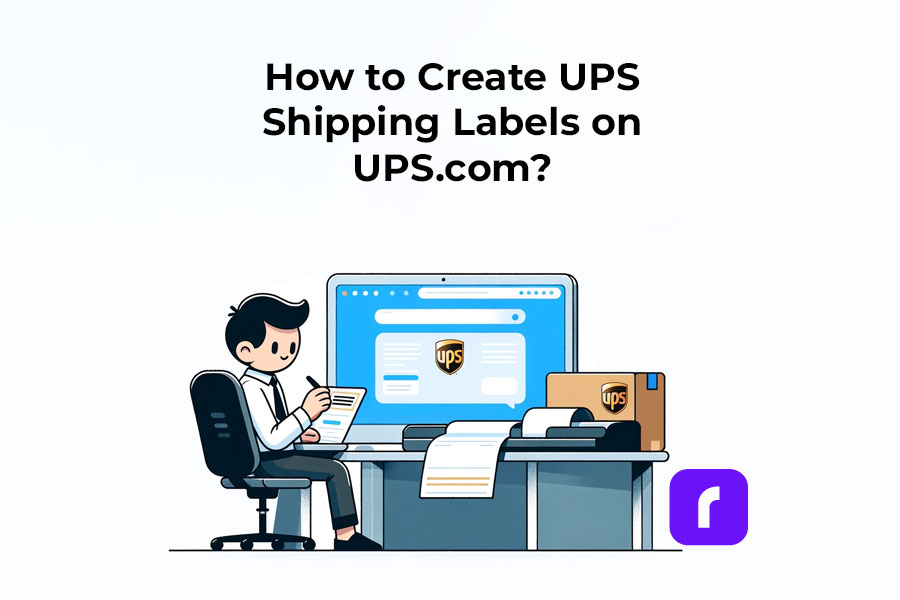
    Creating Your UPS Shipping Labels on UPS.com

    How to create UPS shipping labels on UPS.com
    ⚠️ For those committed to using UPS.com directly: Keep the default settings on UPS.com and crop the label as outlined in this article.


    Ready to print your UPS shipping label at home? Make sure you have a standard printer and either regular printing paper or specialized label sheets. It’s vital to check that your printer has sufficient ink and is functioning properly to avoid any printing issues.

    While you’re exploring ways to print UPS shipping labels at home, don’t miss our comprehensive Money Saving eBay Shipping Label Guide. It’s packed with tips and tricks to help eBay sellers reduce their shipping costs effectively.

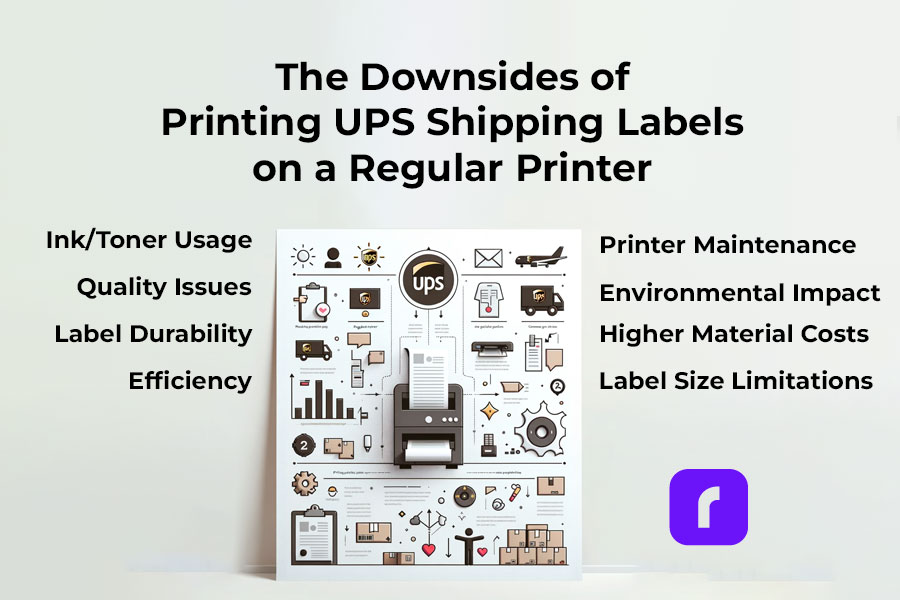
    Downsides of Printing UPS Shipping Labels on a Regular Printer

    ⚠️ Warning! Downsides of Printing UPS Shipping Labels from a Regular Printer

    • ✒️🖨️ Ink/Toner Usage: Regular printers use ink or toner, which can be costly over time, especially for high-volume shipping.
    • 🔎📝 Quality Issues: Inkjet and laser printers may not offer the same clarity and durability in labels as thermal printers, leading to smudging or fading.
    • 🏷️💧 Label Durability: Labels printed from regular printers are often less resistant to water and handling, which can result in damage during transit.
    • 🦥⏳ Efficiency: Printing labels on standard printers is generally slower, making it less efficient for those with frequent or bulk shipping needs.
    • 🏷️📐 Label Size Limitations: Regular printers may have restrictions on the size of labels they can print, potentially complicating the process for specific UPS label sizes.
    • ⬆️💰 Increased Material Costs: Using regular printers requires additional label sheets or sticker paper, which adds to the overall cost.
    • 🔧🖨️ Printer Maintenance: Regular printers used frequently for label printing may require more maintenance and are more prone to jams and other mechanical issues.
    • 🚫 🟢 Environmental Impact: Regular ink printers contribute more to waste and environmental impact compared to thermal printers, which don’t use ink cartridges.
    ⚠️ Keep in mind that you may need to visit a UPS store to print your UPS shipping labels if you don't have a printer or face technical difficulties.

    PRO TIP: 
    For a smoother printing experience, consider using a dedicated shipping label printer compatible with UPS labels. Shipping label printers like the Rollo Wireless Label Printer offer quick, easy, and high-quality printing, ensuring your labels are clear and professional. With the right printer, you can streamline your shipping process, making it more efficient and reliable.

    Ready to elevate your shipping game?
    Opt for a specialized shipping label printer today and experience hassle-free label printing for your UPS shipments!

    Claim UPS shipping discounts

    and

    Print 200 Shipping Labels for Free

    Printing UPS Shipping Labels at Home with a Shipping Label Printer

    ⬇️ Sign Up for Rollo Ship for Free – App or Desktop

    No monthly subscriptions, no download fee, no registration fee.
    You can choose either the mobile app for iOS and Android or the desktop version.


    ➡️ Log Into Rollo Ship


    ➡️ Select or Create a Shipment

    If you have connected stores (like Shopify, Amazon, etc.), simply select an order to print a shipping label. The details for your shipments will be automatically imported. 
    If you don’t have connected marketplaces, click on ‘Create Shipment’ on your home screen and input the sender and recipient’s shipping details.


    ➡️ Verify Order and Input Package Details

    Double-check the recipient’s address and shipping requirements.
    Enter the package dimensions and type.


    ➡️ Choose the UPS Service you need at a cheaper shipping rate.

    Click “Calculate Shipping Rates” to view different delivery options.
    Select the UPS service that suits your needs.
    With Rollo Ship, you benefit from negotiated UPS shipping discounts.


    ➡️ Buy the Shipping Label or Leverage the 200 Free Labels from Rollo.

    The first 200 shipping labels are free, but shipping fees still apply.


    🔚 Print Label

    Ensure your device is linked to the Rollo shipping label thermal printer.
    The label will be formatted perfectly for printing.

    Print clear and durable UPS shipping labels

    Easy, Fast, Convenient, Clearly

    Incorporating the Rollo Ship App and the Rollo Wireless Printer into your shipping process not only simplifies the creation and printing of UPS shipping labels but also ensures accuracy and efficiency. Whether you’re a small business or an individual shipper, these tools provide a seamless, hassle-free shipping experience, giving you more time to focus on what matters most. Start using these innovative solutions today and transform the way you handle your shipping needs.

    Did you know?
    You can easily integrate your existing UPS account with Rollo Ship at no cost, or even set up a new one directly in the Rollo app?
    
    Rollo offers valuable shipping discounts with UPS®, designed to help both regular shippers and businesses reduce their shipping costs. Additionally, Rollo Ship users can conveniently schedule pickups and receive automated tracking updates for their shipments.

    UPS Shipping Label Costs and Validity

    Are UPS Shipping Labels Free?

    While creating a UPS shipping label is generally free, additional costs may apply for features like tracking and insurance. It’s important to factor in these costs when calculating your overall shipping expenses.

    UPS Shipping Label Validity and Expiration

    UPS shipping labels are typically valid for a specific period, often 90 days from the date of creation. It’s crucial to use the label within this validity period to ensure smooth processing of your shipment.

    Handling and Placing UPS Shipping Labels

    Correct Sizes and Placement of UPS Shipping Labels

    Standard UPS labels are typically 4×6 inches. Placement is key; the label should be affixed to the top surface of the package, avoiding any seams or edges where it might get torn or obscured.

    Attaching UPS Shipping Labels on Different Package Types

    Whether you’re using a box or an envelope, make sure the label is securely attached and fully visible. For special package types, consult UPS guidelines to ensure proper labeling.

    Advanced UPS Shipping Label Options

    How to Order, Edit, and Cancel UPS Shipping Labels

    Managing your labels is easy with UPS. You can order, modify, or even cancel your labels through the UPS website or app. This flexibility is particularly useful for businesses managing multiple shipments.

    Special Considerations for International Shipments

    For international shipments, additional details like customs information may be required. Ensure these are accurately filled out to avoid delays.

    Poly Mailer for Shipping

    Tips for Efficient Use of UPS Shipping Labels

    Best Practices for Preparing a UPS Box for Shipping

    Preparing your package for shipping with UPS is crucial for its safe and timely delivery. Here’s how Rollo’s shipping and packaging supplies can enhance this process:

    Select the Right Label:

    Rollo offers eco-friendly, FSC-certified, BPA-free thermal labels in various sizes and colors. For standard shipments, their 4×6 shipping labels in white, available in fanfold or roll, are perfect. They also provide colorful 2-inch circle labels and 2×1 barcode labels on a roll for specialized needs.

    Ensure Secure Packaging:

    Use Rollo’s no-noise heavy-duty shipping tape for a strong seal.

    For items needing extra protection, their bubble mailers and poly mailers come in various sizes. These mailers are extremely lightweight, durable, and water-resistant, and feature a strong peel-and-seal closure, ensuring your package stays secure and protected.

    Weigh Your Package Accurately: Rollo’s heavy-duty shipping scale with a separate reading panel makes it easy to get accurate weight measurements. It features smart functions like Tare (net weight), Hold (weight memory), and Auto Shut Off to save battery life. It’s accurate up to 0.07 ounces and can handle packages up to 110 lbs.

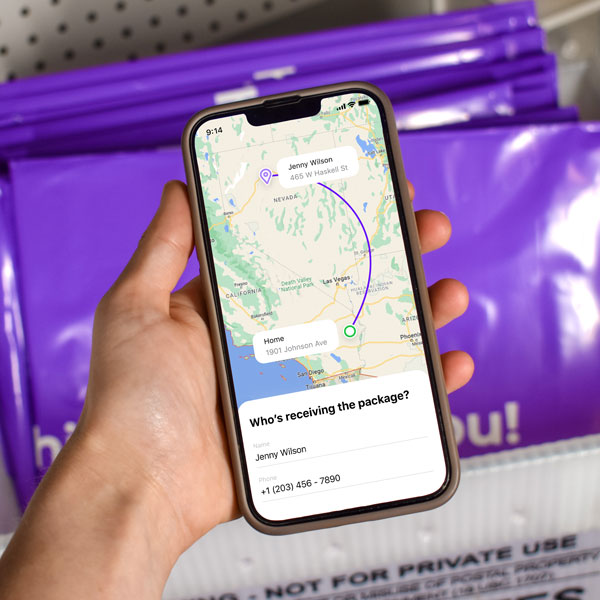
    UPS shipping with cheaper rates when using Rollo Ship app

    Utilizing UPS Shipping Labels for Business Efficiency

    Integrating label creation and printing into your shipping workflow can significantly enhance business efficiency. Rollo products are designed to streamline this process:

    • Use the Rollo Ship App: This app simplifies creating UPS shipping labels, allowing you to consolidate orders from various platforms and generate labels effortlessly. It’s user-friendly and ideal for businesses managing multiple shipments.
    • Print with the Rollo Wireless Label Printer: Combine the Rollo Ship App with the Rollo Wireless Label Printer for a complete labeling solution. This printer is compatible with various label sizes, including 4×6 inches, and uses direct thermal printing technology, which is fast and ink-free. It’s perfect for high-volume shipping needs.
    • Optimize Your Shipping Supplies: With Rollo’s range of packaging supplies, you can ensure that every package you send out is well-prepared. Their hybrid label holder is suitable for both fanfold and roll labels, making it versatile for different packaging needs.

    Final Words

    Printing UPS shipping labels at home makes managing your packages easy and effective. Whether you’re sending something across town or to the other side of the world, the right label is key. It’s a small step, but it makes a big difference in making sure your package gets where it’s going. So, each time you stick that label on, know that you’re on the right track to a successful delivery.

    Discounts off UPS daily rates. Rates are limited to shipping from the U.S. only. Rates and any applicable discounts are subject to change at any time without notice. UPS®, the UPS® brandmark, and the color brown are trademarks of United Parcel Service of America, Inc. Used with permission. © 2020-2025 United Parcel Service of America, Inc. All rights reserved.

    Follow Rollo on:

    FAQs

    📌 Q: What do UPS shipping labels require?

    💭 A: Accurate sender and recipient information, package details, and a tracking number.


    📌 Q: How long are UPS shipping labels good for?

    💭 A: Typically, they are valid for 90 days from the date of creation.


    📌 Q: Can I Handwrite a Shipping Label?


    💭 A: While handwritten labels are possible, printed labels are preferred for accuracy and readability. Handwritten labels must be clear and include all necessary information.


    📌 Q: Do I Need to Print My Own Shipping Label for UPS?


    💭 A: No, you don’t necessarily have to print your own UPS shipping label. If you’re unable to print at home, you can have it printed at a UPS store. For a more convenient solution, consider using the Rollo Ship App and Rollo Wireless Label Printer to create and print your labels easily at home.


    📌 Q: Where to Print a Shipping Label for Free?


    💭 A: While free label printing isn’t typically available, you can get labels printed at UPS stores for a fee. Alternatively, using the Rollo Wireless Label Printer at home can be a more cost-effective solution in the long run, allowing you to print labels anytime you need.
  • The Ultimate Guide to E-commerce Barcode Printing

    The Ultimate Guide to E-commerce Barcode Printing

    Barcode printing is an unsung hero in e-commerce, streamlining the shipping process and enhancing efficiency. By reading this comprehensive guide, you can ensure your packages stay on track by following barcode printing standards.

    Overall, your understanding of how to print barcodes for your shipping labels is important for your e-commerce business. So, let’s dive into everything you need to know about barcode printing, all tailored for your e-commerce success.

    Understanding the Basics of Barcodes

    If you have bought a product since the 1970s, you have probably wondered what a barcode means.

    First, a barcode is a scannable image on a product or package composed of inked lines and spaces. Each barcode encodes data in a visual pattern that machines can interpret. This data usually represents something specific about the product, like its type, size, or manufacturer. 

    In the realm of e-commerce and shipping, barcodes play a vital role. They streamline the tracking of inventory, help process orders, and ensure that every item reaches the right destination. 

    By scanning a barcode, businesses can access a wealth of information about the product. This can make processes like checkout, stock management, and shipping faster and more accurate. Barcodes, therefore, are essential tools in modern commerce. They bridge the gap between physical products and digital data for seamless operations.

    Essentially, barcodes are more than just lines on a label; they are a language of efficiency in e-commerce. Understanding the various types can be the first step in your journey to understanding your own shipping labels.

    Here are the types of barcodes you may encounter:

    • UPC Barcodes: Universal and ideal for retail products. This barcode can encode 12 numerical digits and is fairly simple in structure.

    Example of a simple UPC barcode. Credit to: jing.fm. Source: Pinterest

    • QR Codes: A modern and versatile upgrade to the standard barcode which stores more information.

    Example of a simple QR barcode. Credit to: blog.hubspot.com. Source: Pinterest

    • Code 128: Widely used in shipping and packaging, these barcodes can encode letters and numbers.

    Examples of Barcode Type Standards. Credit to: creativemarket.com. Source: Pinterest

    Need more information? Check out our deep dive blog post about what makes up a barcode.

    Each type has its place in e-commerce, and knowing which to use is key to streamline shipping.

    Setting Up Your Barcode Printing Station

    Creating a barcode printing station is simple. A compact, efficient Rollo printer is your cornerstone. Setting up involves plugging in your printer, loading labels, and a few clicks on your computer. A space-saving and powerful tool, Rollo printers make this setup effortless.

    Utilities for Printing Barcodes

    • Rollo Ship: User-friendly and tailored for Rollo printers and the majority of e-commerce platforms.
    • Third-Party Software: Options like Barcode Generator for more basic needs.
    • E-commerce Platforms: Many have built-in barcode printing features.
    • A barcode label printer, ideally a wireless high-resolution one.

    Each utility offers unique features, and your choice will depend on your specific needs.

    HQ barcode and label printing

    Choosing the Right Barcode Labels

    Selecting the right adhesive label is crucial. Materials and sizes vary, each suited for different products. Rollo Printers can print rolls of 2″ x 1″ barcode thermal labels with no need for ink or toner refills ever.

    Don’t worry about printing barcodes again with Rollo Ship
    and our easy-to-use wireless thermal printers!

    Printing Barcodes with Precision and Efficiency

    Rollo printers are synonymous with precision. They produce clear, scannable barcodes, ensuring your packages move smoothly through the shipping process.

    Barcodes for Different Shipping Platforms

    • USPS: Often uses Intelligent Mail barcodes for efficient sorting and tracking.
    • UPS: Prefers MaxiCode barcodes, designed for quick scanning.
    • FedEx: Utilizes PDF417 barcodes, ideal for their tracking system.

    Understanding these differences helps you tailor your barcode printing for each platform, enhancing efficiency.

    Integrating Barcode Printing in Your Shipping Workflow

    Barcodes streamline your workflow, from sorting to track. Adding Rollo printers to your process means embracing efficiency. These printers integrate smoothly, enhancing your workflow without disrupting existing systems.

    Just look at our thermal printer effortlessly printing rolls of barcodes. Wouldn’t that be easy?

    Effortless and seamless shipping label printing. No monthly subscriptions!

    Print & Ship with

    Create custom labels for free!

    Integrate barcodes with your brand labels

    Troubleshooting Common Barcode Printing Issues

    Encountering issues with barcode printing is normal. However, you can easily fix common challenges like print quality and label alignment with simple adjustments. For more complex issues, Rollo’s customer support is ready to assist.

    Here are some frequent problems you may encounter while printing shipping barcodes and how to remedy them:

    If you are experiencing barcode clarity issues while printing with your Rollo printer, kindly refer to this troubleshooting guide:

    Step 1- Check File Quality: Ensure the original file is high quality. Use the provided sample label for testing.
    Step 2 – Printer Settings: If no improvement, adjust your printer’s settings.
    Step 3 – Print Sample Label: Print a 4 x 6 sample label from Rollo Ship to check printer health. This should be printed clearly.

    Potential Issues:
    Label Quality: Use high-quality labels for better prints. Rollo labels are recommended.
    Margins and Size: Ensure the design uses the full label without extra borders to avoid shrinking and fading.

    Darkness and Speed Settings:

    1. For Rollo X1040 Wireless
      Access the Rollo Printer Portal. Connect to the same Wi-Fi as your printer, open the Rollo App, and navigate to Menu > Settings > Default Rollo Printer > Settings. In “Printing Defaults,” adjust darkness and speed settings for better quality.
    2. Rollo X1038 USB Printers – Control Panel on your PC > Devices and Printers > Right-click on Rollo > Printer Preferences > Settings Tab > Adjust Speed and Density. On Mac > Access these settings directly from the print menu > Choose “Printer Default” for Darkness, Print Speed, Feature Sets

    Each of these issues can disrupt the efficiency of barcode use in e-commerce and shipping. Regularly maintaining your printing equipment and using the right materials helps avoid common barcode printing errors.

    A lot of these problems we discussed won’t happen when you let Rollo handle your e-commerce logistics. Save time, money, and trips to the post office with Rollo Ship.

    What About Printing QR Codes?

    QR codes and barcodes are both tools for storing information in a format that machines can read. However, they differ significantly in design and capacity. 

    Traditional barcodes are one-dimensional, consisting of vertical lines that represent data by varying their widths and spacings. They typically store limited information, such as a product number or price. Unlike QR codes, scanners read them in a single direction.

    QR codes, on the other hand, can hold much more data. They can hold URLs, text, or even geographic coordinates. QR codes are a square made up of black and white pixels and smartphones can scan them from any direction.

    This larger storage capacity makes QR codes ideal for a wider range of applications. from marketing and product labeling to digital ticketing and contactless payments.

    As barcodes evolve, so do Rollo printers. From traditional barcodes to advanced QR codes, Rollo equips our printers to handle it all. We keep your business ahead of the curve in the fast-paced e-commerce world.

    Summary

    Barcode printing is a cornerstone of efficient e-commerce shipping. With Rollo’s innovative solutions, it becomes a strategic advantage, streamlining your operations and propelling your business forward. Embrace the future of e-commerce with Rollo – where efficiency and innovation meet.

    Follow Rollo on:

    📌 Q: Can I print shipping barcodes using a standard office printer?

    💭 A: Yes, but we don’t recommend it. Office printers take a lot of ink and toner, and if you are shipping at any scale, that can get expensive. Plus the ink can smudge and make your package harder to deliver. Try a thermal printer instead, like the ones that Rollo sells.


    📌 Q: Do I need special software to generate barcodes for my products?

    💭 A: Yes, barcode generation requires software or online tools to create scannable barcodes.


    📌 Q: Are there different types of barcodes?

    💭 A: Yes, there are various barcode formats, like UPC or QR codes, each suited for different products and uses.
  • Label Printer for Shipping: A Wise Investment

    Label Printer for Shipping: A Wise Investment

    When it comes to the realm of e-commerce or any business where shipping plays a significant role, a label printer for shipping stands out as an indispensable asset. This critical tool is more than just an aid; it’s a game-changer, meticulously designed to accelerate your business operations and elevate your efficiency, forming the backbone of an effective shipping strategy.

    Whether you’re a small business shipping handcrafted items, a bustling e-commerce store dispatching hundreds of products a day, or a burgeoning artist shipping your work, a label printer is a tool that promises to make your journey smoother and more efficient. Its importance transcends the simplicity of its function, printing labels.

    Understanding the role of a label printer in your shipping process is akin to appreciating the effect of a well-oiled machine in a factory. It’s a catalyst, a facilitator that empowers you to focus on the core of your business without getting entangled in the complexities of logistics and shipping.

    Label printers for shipping are not just about printing clear, professional labels that withstand the rigors of shipping; they are an investment in simplifying your workflow, saving you time, and enhancing the overall professional image of your business. The role of a label printer for shipping extends beyond the simple mechanics of its operation; it’s about the ripple effect that this potent tool can have on your business’s functionality and success.

    Join us as we delve deeper into the world of label printers, unpacking the compelling reasons why this tool is a strategic investment rather than a simple operational accessory. Explore with us the transformative power a label printer for shipping can have in boosting your business’s operational efficiency and propelling you toward your goals. Let’s unravel the multitude of ways investing in a label printer can transform your shipping process into a smooth, streamlined, and efficient powerhouse.

    The Indispensable Role of The Label Printer for Shipping

    In the vast, intricate world of shipping, the significance of clear and precise labels is beyond measure. They are not merely a nice-to-have accessory; they are an absolute necessity, acting as the fundamental bridge of communication between your business and the shipping carriers. A label printer for shipping doesn’t just streamline this crucial aspect of logistics but brings a plethora of other benefits to the table.

    Thus, label printers for shipping are not simply about producing labels; they are an essential asset that optimizes your shipping process, improves your business’s professional image, and serves as a powerful tool for long-term success and growth.

    How to Print Shipping Labels for a Small Business

    For a small business owner, figuring out an efficient system for printing shipping labels can feel like navigating a complex maze. It starts with a trip to the post office or local carrier, standing in long queues, and paying to have each label printed individually. This not only eats into their valuable time but also their profits. Over time, these challenges lead small business owners to explore other options, such as printing shipping labels from the comfort of their own workspace.

    The traditional printing methods can indeed be a hassle. They’re often time-consuming, prone to errors, and inconvenient, especially when dealing with large volumes. However, a solution exists in the form of a label printer for shipping, a tool designed to simplify this crucial task, offering ease and efficiency in equal measures.

    For instance, Rollo’s range of high-quality label printers has proven to be a game-changer for many small businesses. They seamlessly integrate with multiple platforms, allowing business owners to generate and print their shipping labels at their own pace, at any time, directly from their workspace.

    The process is quite straightforward. You start by inputting your shipping information into the system. Next, you select the appropriate label size based on the package. Then, with a simple click of a button, you have a crisp, professional-looking label ready to adhere to your package.

    But the benefits of using a Rollo label printer don’t stop at just printing thermal labels. Rollo provides a unique offering for small business owners through the Rollo Ship App. This software provides a centralized platform to manage all your shipping needs. It’s compatible with many marketplaces and shipping carriers, making it easy to manage multiple shipping profiles and addresses.

    What’s more, the Rollo Ship App comes with a cost-saving bonus. The first 200 labels you print are entirely free. After that, each label costs a mere five cents. This is a huge boon for small businesses trying to manage their costs. Plus, there’s no need to worry about monthly subscriptions or hidden charges. You pay for what you use and nothing more.

    As small business owners become more familiar with the system, they discover other time-saving features, such as the ability to schedule pickups directly via the Rollo Ship App. This means no more trips to the post office or carrier, saving even more time for the business owner to focus on what they do best – growing their business.

    In essence, when it comes to the question of how to print shipping labels for a small business efficiently, Rollo provides an answer that is not only straightforward but also cost-effective, efficient, and empowering for business owners.

    📌 Do You Need a Special Printer for Shipping Labels?

    The question many ask is, “Do you need a special printer for shipping labels?” The answer is a resounding “yes.” A dedicated label printer, like the thermal label printer for shipping, ensures efficiency, speed, and precision. Moreover, these printers are more cost-effective as they use heat to print labels, eliminating the need for ink or toner.

    📌 Is a Label Printer for Shipping Worth It?

    As a business owner, you’ll often find yourself questioning whether certain investments are worthwhile. One such investment might be a shipping label printer. You might find yourself wondering, “Is a shipping label printer really worth it?” Well, let’s dive deeper into this topic and analyze the value proposition it offers.

    While the answer can depend on factors such as your shipping volume and specific business needs, it’s generally observed that the advantages of a dedicated label printer significantly surpass its cost. Here’s a closer look at why:

    1. 🗂️ Streamlined Shipping Process

    A label printer for shipping is specifically designed to produce high-quality shipping labels quickly and efficiently. It eliminates the hassle of manually creating labels or dealing with standard printers, making your shipping process smoother and more organized.

    2. 📈 Increased Productivity

    Label printers are fast, with some models capable of printing dozens of labels per minute. This means less time spent on label production and more time to focus on other critical aspects of your business.

    3. ✅ Reduced Errors

    Manual labeling can be prone to errors, which can lead to misdeliveries or returns. A label printer for shipping significantly reduces these risks, as you can review and correct the shipping information before printing.

    4. 🎀 Enhanced Professional Image

    Shipping labels are often the first thing your customers see when they receive their package. A clean, clear, and professionally printed label can enhance your brand image and show your customers that you prioritize quality in every aspect of your business.

    To further illustrate the cost-effectiveness of a shipping label printer, let’s consider a simple comparison:

    Traditional Printing MethodsShipping Label Printer
    SpeedSlow, manual processFast, automated process
    QualityInconsistentConsistently high
    Error PotentialHighSignificantly lower
    Professional ImageAverageExcellent
    Long-term CostsHigh (ink, paper, time)Lower (labels, time)

    As observed in the table, the advantages of using a dedicated shipping label printer are manifold. Although there’s an initial upfront cost involved, the long-term savings in time, ink, paper, and the avoidance of potential errors make it a worthwhile investment.

    Moreover, you might even find that using a label printer can lead to cost savings in other areas of your business. For example, the time saved by using a label printer can be redirected toward tasks that generate more revenue for your business.

    So, is a shipping label printer worth it? Given the manifold benefits and potential for cost savings, it seems clear that for most businesses with regular shipping needs, the answer is a resounding yes. Investing in a dedicated label printer can provide immense value, offering a significant return on investment in terms of time, money, efficiency, and professionalism.

    The Benefits of a Wireless Label Printer for Shipping

    As the digital age progresses, technological advancements continue to revolutionize how we operate our businesses. One such advancement that’s making a big splash in the shipping world is the introduction of wireless shipping label printers. Among these, the Rollo Wireless Label Printer X1040 stands out with its robust features and ease of use. These innovative tools are reshaping our understanding of convenience and efficiency in shipping processes.

    The primary advantage of wireless label printers like the X1040 is the freedom they offer. Being wireless, they are not tethered to a single device or location. Instead, you have the flexibility to print high-quality shipping labels from any device connected to your Wi-Fi network. Whether you’re using a computer, laptop, phone, or tablet device, you can send your print jobs directly to the printer. This freedom to print from anywhere within your Wi-Fi range brings an unprecedented level of convenience and agility to your shipping process.

    Furthermore, the Rollo Wireless Shipping Label Printer X1040 is AirPrint® enabled. This feature allows seamless printing from your Apple devices without the need for additional drivers or software. With a few simple taps on your iPhone, iPad, or Mac, your labels can be printed immediately, making it an incredibly user-friendly option.

    Compatibility is another crucial aspect where the X1040 shines. This wireless printer for shipping labels isn’t restricted to just a single marketplace or device type. It is compatible with all major marketplaces, including Amazon, Etsy, eBay, Shopify, and more. Whether you’re operating on a Mac, Windows, iPhone, iPad, Android, or Chromebook, you can easily integrate your device with the X1040. Such wide-ranging compatibility ensures that no matter where your business operations are centered, the X1040 can fit seamlessly into your existing systems.

    The Rollo X1040 label printer for shipping labels also comes equipped with intelligent label detection. With this feature, the printer automatically recognizes the size and type of the label you’re using. This means no more manually adjusting the label settings or struggling with misaligned prints. The printer takes care of these details, leaving you with perfectly printed labels every time.

    Finally, in addition to all these benefits, the Rollo wireless label printer for shipping comes with a complimentary pack of 500 4×6 shipping labels to get you started.

    In conclusion, the Rollo Wireless Label Printer X1040 is more than just a printer. It’s a complete, user-friendly solution designed to elevate your shipping process. By combining the flexibility of wireless printing with extensive compatibility and smart features, the Rollo wireless label printer for shipping positions itself as an invaluable asset for any business, offering a transformative approach to label printing for shipping.

    Rollo Wireless Label Printer for shipping, barcode, inventory, decoration labels

    Table 1: Rollo Wireless Label Printer for Shipping X1040 Specifications

    FeatureDetail
    Included Labels500 4×6 shipping labels
    ConnectivityHigh-speed wireless, AirPrint® enabled
    Ideal Label Size4″x6″
    Marketplace CompatibilityAll (including Amazon, Etsy, eBay, Shopify)
    Device CompatibilityMac, Windows, iPhone, iPad, Android
    Dimensions8 × 4 × 4 in
    Special FeatureIntelligent label detection

    The X1040 is a particularly good label printer for Etsy shipping due to its compatibility with the Rollo Ship Manager, making the integration of your Etsy store a breeze.

    Print smudge and water-resistant

    shipping labels

    wirelessly!

    The Value of a Cheap Label Printer for Shipping

    Every business, big or small, has to deal with the delicate balance of managing costs while ensuring operational efficiency. Startups and small businesses, in particular, often face the challenge of optimizing their shipping process without breaking the bank. If you’re in this situation, you might find yourself wondering if it’s possible to enjoy the benefits of a high-quality label printer for shipping without a hefty price tag. The answer is a resounding yes, thanks to affordable options like the Rollo USB label printer for shipping. 

    Despite its lower price point, the Rollo USB label printer doesn’t skimp on quality or performance. It offers the same high-quality printing you’d expect from premium models, meaning you don’t have to sacrifice quality for affordability. It’s a testament to the fact that efficiency in your shipping process doesn’t always have to come with a high cost.

    One of the key advantages of the Rollo USB label printer for shipping is its compatibility with a wide range of operating systems. Whether your workstation runs on Mac or Windows, you can seamlessly integrate this printer into your operations. This broad compatibility ensures that regardless of your tech setup, the Rollo USB printer can smoothly fit into your business ecosystem.

    Connectivity is another critical aspect of the printer’s design that enhances its usability. With USB connectivity, setting up and using the printer is as easy as plugging in a cable. This simple setup eliminates complicated installation processes or the need for specialized technical knowledge, making it an accessible choice for businesses of all sizes.

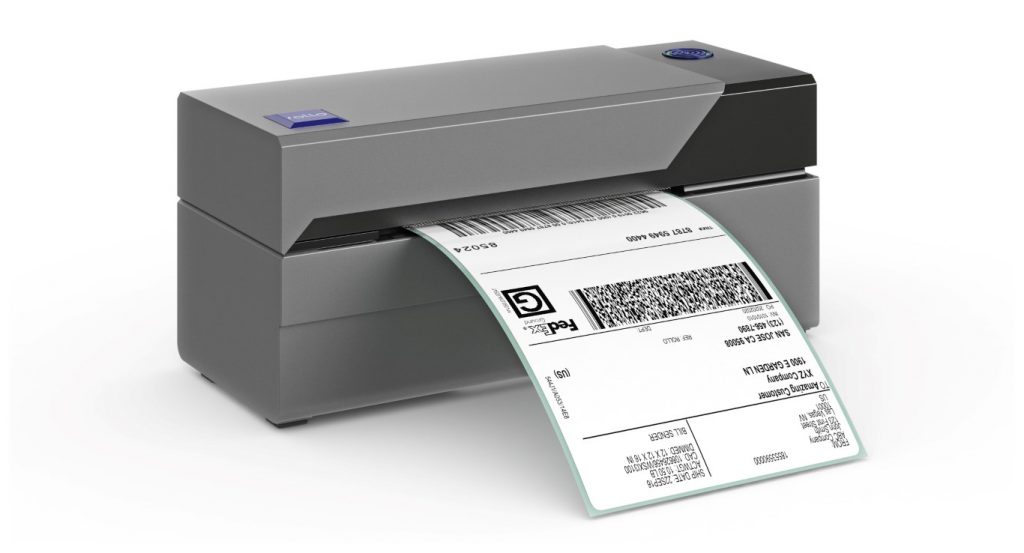
    Rollo USB Thermal Shipping Label Printer

    Moreover, the Rollo USB printer’s compact design ensures it won’t take up much space in your workspace. This makes it an excellent option for businesses operating in small offices or even from home. Despite its small size, it’s capable of handling a wide variety of label sizes, giving you the flexibility to meet your specific shipping needs.

    In addition to its practical benefits, investing in an affordable label printer for shipping like the Rollo USB model can also have a positive impact on your bottom line. By reducing your reliance on external printing services, you’re likely to see significant cost savings over time. Plus, having your own printer offers the convenience of printing labels exactly when you need them, reducing the risk of delays in your shipping process.

    To summarize, the value of an affordable label printer like the Rollo USB printer extends beyond its price tag. It’s a robust, high-performing, and easy-to-use tool that can enhance your shipping process without straining your budget. It’s an investment that offers significant returns, making it a smart choice for startups and small businesses looking to optimize their operations and improve their efficiency.

    Choosing the Right Label Printer for Shipping Packages

    Now that we’ve highlighted the benefits of investing in a label printer for shipping, the question remains, “How do you choose the right one for your business?” Consider factors like your shipping volume, the types of labels you need, your budget, and your technological capabilities.

    Conclusion

    In today’s competitive e-commerce landscape, investing in a high-quality label printer for shipping is not just wise; it’s a necessity. Whether you’re a small business owner looking for an affordable USB-connected option, an Etsy seller needing seamless integration, or a large enterprise requiring the flexibility of wireless printing, the right label printer for shipping can significantly enhance your shipping process, ultimately improving your bottom line.

    Remember, the right investment in your business today sets the stage for success tomorrow.

    Follow Rollo on:

  • The Future of the Wireless Thermal Label Printer Industry

    The Future of the Wireless Thermal Label Printer Industry

    In a world where technology is always evolving, why would you opt for slow, broken-down, ink printers that take up space and leave your pages wet and smudgy? It’s time to upgrade to wireless thermal printing. Thermal printing removes the need for ink and replaces it with fast and easy printing that doesn’t rely on constant cartridge changes and constant upkeep. Instead, heat is applied directly to chemically treated paper that darkens when warmed. They are also much faster than your average printer, with the ability to print one label per second. 

    There are so many sectors of the workforce that rely on thermal printers every day. From hospitals and labels to warehouses and grocery stores – printing labels, receipts, and documents is part of the daily routine. 

    On a smaller scale, shipping label printers can be used by virtually anyone, but are especially helpful for those running their own businesses. With wireless thermal label printers, small business owners can print shipping labels from home (or anywhere with WiFi!) quickly and effectively. Specifically with Rollo, it is not only fast and easy but cheap too. Rollo offers shipping discounts, has intelligent label detection (no more wasting time on manually cropping your labels), and is easy to peel and stick labels for all packages. 
    Want to know more about wireless thermal label printers? Keep reading! 

    What is a Wireless Thermal Label Printer?

    Rather than using ink, toner, and printing ribbons, thermal printing creates a label by means of heat. The thermal print head applies heat to chemically treated label paper that darkens when warmed, creating your desired text or image. More on the depths of thermal printers in this article.

    📌 How does Rollo work without ink?

    Rollo label printers are direct thermal printers. Thus they utilize direct thermal printing technology – a technique in which the heated print head is applied directly to thermal paper, causing a chemical reaction that turns the label black. This method not only saves money on ink but is also a more eco-friendly approach to printing. 

    Benefits of Wireless Connectivity in Label Printers

    In this day and age we are all well aware of the benefits of wireless connectivity, but what you may not know is the extent to which this technology is beneficial for label printing. Wireless connectivity means no more connecting cables or being tied to your desktop computer and printer. As long as you are within the printer’s range, you can work and print from anywhere. This creates more flexibility and efficiency in the labeling process that previously did not exist. 

    Wireless thermal label printers (Rollo specifically) are portable, making them easy to pick up and bring to wherever you need them. They can be easily used in homes, offices, warehouses, factories, and pretty much anywhere you can think of that has WiFi. 

    The Impact of Wireless Thermal Label Printers on Business Efficiency

    Taping labels to packages is a thing of the past. By switching to wireless thermal label printers, users are able to easily peel the label off the sheet and stick it directly onto the package. This saves time and enhances both shipping and logistics operations. 

    The Impact of Wireless Thermal Label Printers on Business Efficiency

    Such printers are also more cost-effective, due to their lower supply and maintenance costs. Thermal printing does not require the purchase of ink ribbons, cartridges, or toner, so the main cost is just the labels themselves. Having fewer moving parts makes them more reliable and durable than traditional printers. Not to mention, they’re more reliable for businesses such as grocery stores and retailers that have a high number of receipts printed on a daily basis. 

    Wireless thermal label printers not only benefit the business but benefit the customer as well. Using these printers creates a more efficient point-of-sale experience, with faster printing labels and receipts. 

    Streamlining Warehouse Management and Inventory Tracking

    Wireless thermal label printers are not just for printing labels and receipts. They are also of great use when it comes to streamlining warehouse management and inventory tracking. These printers have the ability to print barcodes quickly, wirelessly, and without ink. Barcodes make it simple to track items so you have accurate inventory information and can avoid running out of products. Not to mention, it makes pricing and checkout a breeze. 


    Mobile Printing Solutions and Their Role in the Industry

    The Rise of Mobile Wireless Thermal Label Printers 

    When it comes to printers, Rollo is unmatched. This high-speed wireless thermal label printer is Airprint enabled and is compatible with Macs, Windows, iPhones, iPads, and Android devices. It is additionally compatible with all marketplaces including Amazon, Etsy, eBay, Shopify, and more. This compact printer requires no ink or toner, has intelligent label detection (no need to manually crop your labels), and can print about 650,000 shipping labels (327,360 ft)! 

    Mobile Printing in Various Industries

    Mobile printing benefits a wide range of industries and serves several purposes: 

    🏥 Hospitals and labs: print important documents and label patient samples 

    🏪 Grocery stores and retail: quickly print receipts and keep track of inventory with printed barcode labels 

    🏭 Warehouses and manufacturers: keep track of inventory with barcode labels and clearly identify samples when pulled for inspections 

    📦 Couriers and shipping industry: easily print delivery labels and receipts, pick up notices, documents, etc. 

    🛒 Small businesses: print shipping labels from home (or anywhere with WiFi!) 


    Sustainability and the Wireless Thermal Label Printer Industry

    Addressing Environmental Concerns with Eco-Friendly Materials 

    Now more than ever it is vital to be making more eco-conscious decisions when it comes to what you buy (and how you print). Unlike laserjet printing, thermal printing saves on ink, paper, and electricity. Thermal printers do not use ink and toner so there is no need to constantly be purchasing and discarding cartridges that pollute the environment. 

    In addition, wireless thermal label printers are more eco-friendly because they use less electricity than traditional printers. While traditional printers must be plugged into a power source and printed via a desktop, wireless thermal label printers are not plugged in and can print from your phone, laptop, or tablet. Wireless thermal label printers print much faster than traditional printing which saves on power and electricity as well. 

    Sustainability and the Wireless Thermal Label Printer Industry

    Rollo labels are eco-friendly and FSC Certified, which is the gold standard designation for wood harvested from forests that are responsibly managed, socially beneficial, environmentally conscious, and economically viable. Using these labels and wireless thermal printing also saves on paper because the labels are precise and sized while laser printers typically use the entire 8.5×11 sheet whether or not it is actually necessary. 

    Along with the labels being FSC Certified, Rollo offers refurbished products that are backed by a six-month warranty. Rather than discarding returned products, the company ensures that the printers are up to standard and sells them at a lower price point – eliminating potential waste and giving the printers a second “life”.  

    Wireless Connectivity and Rollo: How Do They Work Together?

    With the evolution of wireless technology, the use of wireless thermal label printers like Rollo is becoming increasingly popular. Not only is Rollo fast, easy, and economical, but it also offers shipping discounts, intelligent label detection, and easy-to-peel-and-stick labels for all packages. These features are great, but one might wonder: 

    📌 How Does Rollo Connect to Wi-Fi?

    To connect your Rollo wireless printer to Wi-Fi, first turn on your Rollo wireless thermal label printer and feed labels in from the back. Then, turn the Bluetooth on your phone and download the Rollo app. Wait for your phone to discover the printer. After your phone recognizes your Rollo, select your WiFi network and you’re all set to print. As a reminder, this setup can be done from anywhere within your WiFi’s range.

    For convenience, you can refer to the setup guide or this article exploring a setup experience.

    Now, you might be asking:

    📌 Can you print wirelessly with Rollo? 

    Absolutely! The convenience of Rollo is that it allows you to print wirelessly, giving you more flexibility and efficiency in your label printing process. Whether you are a small business owner running your operations from home or a large business, wireless printing can make your work much smoother.

    However, it’s also essential to address this common question:

    📌 Does Rollo need wifi?

    To print wirelessly, yes, Rollo does need WiFi. Without a WiFi connection, you wouldn’t be able to print wirelessly. But don’t worry, if you don’t have WiFi, Rollo can also be connected directly to your computer through a USB.

    Bluetooth Capability in Wireless Thermal Label Printers

    When it comes to wireless printing, a question often asked is:

    📌 Do all wireless printers have Bluetooth?

    While many wireless printers do incorporate Bluetooth technology to facilitate easy printing from various devices, not all do. The technology used in wireless printers can vary depending on the model and the brand.

    Now, how about Rollo?

    📌 Does Rollo have Bluetooth?

    Rollo printers do not come with Bluetooth capability. However, Rollo wireless thermal label printers utilize Bluetooth during their setup process. Rollo shipping label printers also use Wi-Fi for their wireless printing, which allows a broad range of connectivity.

    Wireless thermal printing is indeed the future of printing, with Rollo being a prime example of the benefits of this technology. Whether you’re managing a large warehouse or running a small business from your home, wireless thermal printers like Rollo can significantly improve your efficiency, cost-effectiveness, and convenience in label printing. To ensure you get the most out of your Rollo wireless thermal label printer, remember to maintain a secure Wi-Fi connection and follow the proper setup process.

    Security and Privacy Concerns in Wireless Thermal Label Printing

    The Role of Software and Apps in Wireless Thermal Label Printing

    There are plenty of mobile apps for seamless printing, but not all apps are created equal. The Rollo app is the user-friendly printing app of your dreams. Setup and usage are quick and painless so you can focus more on selling and shipping. 

    Rollo Integrations 

    The Rollo Wireless Thermal Printer has incredible integration abilities. Not only does it work with Rollo Ship App, it works with platforms including (but not limited to): Shopify, Etsy, PayPal, eBay, Amazon, ShipStation, UPS, USPS, FedEx Ship Manager, Poshmark, and many more. 

    THE ROLLO WIRELESS THERMAL LABEL PRINTER IS AN INVESTMENT WORTH BUYING.

    Go Wireless.

    Print Labels Sustainably.

    The Future of the Wireless Thermal Label Printer Industry

    Wireless thermal label printers are created with relatively new technology, so where do they go from here? It is predicted that the wireless thermal label printer industry will continue to gain popularity in the coming years. People want efficiency and mobility, and these printers do just that. They are more compact, durable, and overall cheaper than the laser printers we’ve all been using for years.  

    The development and use of 5G have only helped the growth of the wireless industry. 5G is a network that connects everything and everyone virtually, making the need for cables “virtually” useless when it comes to thermal printing. 

    Thermal printers will be expanding applications in new industries and markets, far from just grocery and retail stores. They will continue to be great tools for managing inventory on larger and larger scales as well as being used in hospitals, dental offices, etc. for labels and documents. 

    Follow Rollo on:

    Frequently Asked Questions about Wireless Thermal Label Printers

    📌Q: Is a wireless thermal label printer better than a USB thermal label printer?

    Short Answer: ✅ Yes.

    A: A wireless thermal label printer does not require any cables, has both WiFi and USB connectivity capabilities, works with desktops, phones, laptops, iPads, etc., and has over-the-air updates. A USB thermal label printer only has USB connectivity capabilities, only works with desktop computers, and does not have over-the-air updates. 


    📌 Q: Is a label printer the same as a thermal printer?


    Short Answer: ❌ No.

    A: A traditional label printer requires the use of ink, toner, and printing ribbons making it more expensive, harder to maintain, and less eco-friendly than a thermal printer. A thermal printer does not require any of the above materials, thus making it easier to operate and maintain. For this reason, thermal printers are also more cost-effective and eco-friendly. 


    📌 Q: Can you connect the label printer to iPad?


    Short Answer: ✅ Yes.

    A: You can connect a label printer to an iPad, provided the printer is compatible with AirPrint or offers its own app for iOS devices. Note that the Rollo Wireless Label Printer is AirPrint certified. Keep in mind that compatibility can vary across different printer models, so you should confirm this with the specific printer’s documentation.


    📌 Q: Can you use a thermal printer with an iPad?

    Short Answer: ✅ Yes.

    A: Similarly, you can use a thermal printer with an iPad, as long as the thermal printer supports wireless printing through either AirPrint or a dedicated iOS application. It is absolutely possible with Rollo. Always check the printer’s specifications or user manual for details on device compatibility.
  • The Best Label Printer for eBay & Your Store

    The Best Label Printer for eBay & Your Store


    The best label printer for eBay sellers is an indispensable tool for streamlining your shipping process, boosting efficiency, and presenting a professional image to your customers. But why do you need it and what is it? The advent of online platforms like eBay has catalyzed a retail revolution. With just a few clicks, virtually anyone can set up an eBay store and dive headfirst into the world of e-commerce. This newfound accessibility has democratized retail, breaking down barriers and opening up countless opportunities for both established businesses and enterprising individuals alike.

    However, while eBay provides a convenient marketplace, successful selling requires more than just listing products. Sellers must also navigate logistical hurdles – particularly in the realms of shipping and handling. This aspect of eBay selling is frequently undervalued, but it’s fundamental in preserving a high seller rating and promoting customer satisfaction. After all, customers expect their purchases to arrive in a timely and undamaged manner, and the smallest hiccup in shipping can lead to negative reviews and lost sales.

    Business decisions for your eBay Store - choose Rollo label printers

    Shipping efficiency is not merely a luxury; it’s a necessity. Every package must be properly labeled to ensure it reaches the right destination. Clear, precise labeling isn’t just about addressing packages correctly, though. It’s also about streamlining the shipping process, tracking packages, and providing a professional presentation to the customer. A mislabeled package can lead to delays, misdeliveries, or even lost goods – all of which can harm a seller’s reputation. That’s why you need the best label printer for eBay.

    Recognizing these challenges, many eBay sellers have turned to label printers as a solution. These devices, designed to print high-quality labels quickly and efficiently, have become increasingly popular in the e-commerce world. But why exactly have label printers become such a staple for eBay stores?

    In summary, eBay sellers have started using label printers to tackle the challenges of shipping and handling, and to increase the efficiency and professionalism of their stores. This simple device can significantly improve a store’s operations, and as we’ll explore in this article, one label printer stands out above the rest for eBay sellers: the Rollo label printer.

    Unpacking the eBay Selling Scene

    As the eBay marketplace continues to grow and buzz with activity, it’s becoming increasingly apparent that succeeding as a seller on this platform involves more than simply listing items. Whether you’re a novice eBay seller or a seasoned veteran, there’s one aspect of the selling process that remains critically important: shipping.

    Shipping, as it turns out, is often a make-or-break factor in the eBay selling scene. It’s not just about getting your items from point A to point B. It’s about doing so efficiently, reliably, and professionally. A crucial tool in achieving this is a reliable label printer.

    When asked, “What is the importance of a reliable label printer for eBay sellers?” the answer is three-fold.

    • Firstly, the best label printer for eBay saves time. It automates the tedious process of hand-writing addresses or printing out labels on a standard printer, trimming precious minutes off your packaging process.
    • Secondly, the best label printer for eBay reduces errors. The printer interfaces directly with your eBay selling account, reducing the chance of human error in transcribing addresses.
    • Finally, the best label printer imparts a professional image, sending a message to your customers that you’re a serious seller who invests in providing a top-notch buying experience.

    📌 Can I make my own shipping label for eBay?
    📌 Can I print eBay shipping labels from my phone?


    ✍️ The good news is, ‘Yes’, you can make your own shipping label for eBay as long as your labels meet shipping standards. And, with the right tools like Rollo Ship, you can even print your labels from your phone.


    📌 How do I label a package on eBay?

    ✍️ It’s quite straightforward – once a sale is made, you can print a postage label directly from the eBay platform, which can then be affixed to your package. This process becomes even more streamlined with a label printer.


    📌 Do I need a label printer to sell on eBay?

    ✍️ No, you don’t need one. However, having one can significantly enhance your efficiency, accuracy, and professionalism. It’s an investment that can save you time and headaches in the long run.

    📌 Do I have to use eBay postage labels?

    ✍️ No. You aren’t obliged to use eBay postage labels. But they do provide a convenient and time-saving option, automatically populated with the buyer’s address and shipping details from your eBay account.


    📌 Does eBay charge to print shipping labels?

    ✍️ Typically, the cost of printing shipping labels is included in your shipping costs, which are either paid by the buyer or factored into your product pricing. eBay doesn’t directly pay for shipping – that’s usually a cost absorbed by the buyer or the seller, depending on your shipping policy.


    📌 How can eBay sellers cut down on their shipping costs?

    ✍️ Enter Rollo Ship – a versatile order fulfillment and automation software. Rollo Ship integrates with major e-commerce platforms, including eBay, and provides substantial discounts on shipping rates with major carriers like UPS, USPS, and FedEx.


    📌 How to sell on eBay without paying shipping? How to ship eBay items cheaply?

    ✍️ By leveraging the power of Rollo Ship, sellers can significantly reduce their shipping expenses, adding to their bottom line.

    In conclusion, while eBay’s selling scene is complex and challenging, with the right tools and knowledge, sellers can significantly enhance their efficiency, professionalism, and ultimately, their success. As we’ll explore in the next section, a critical tool in achieving this is a reliable label printer. In this case, it is more than just reliable, it’s the best label printer for eBay – Rollo.

    The Cornerstone of Efficiency: Label Printers for eBay Sellers

    Quality label printers have emerged as the cornerstone of efficiency in eBay selling. They can transform the way you conduct your eBay business, notably by improving efficiency, reducing potential errors, and enhancing professionalism. But with so many options on the market, and so many factors to consider, how can an eBay seller decide on the best label printer for eBay and their needs?

    Label Printers for eBay Sellers

    A good label printer like Rollo offers high-quality, efficient, and reliable label printing that integrates seamlessly with eBay. As we dive deeper into the features and benefits of Rollo printers in the next section, you’ll see why they are the go-to choice for many successful eBay sellers.

    An In-Depth Look at Rollo & Why It Is The Best Label Printer for eBay

    When it comes to label printers for eBay and label printers in general, Rollo stands out as a game-changer for eBay sellers. Known for its speed, versatility, and affordability, the Rollo printer offers unique features that make them ideal for eBay businesses. These features include high-speed printing, the ability to handle various label sizes, and compatibility with all major shipping platforms, including eBay. This answers the query “Why is Rollo considered the best label printer for eBay?”

    In-depth look at Rollo label printers for eBay


    Rollo has gained a significant reputation in the label printer market and for a good reason. We offer printers that are tailor-made to suit the needs of eBay sellers. With a blend of speed, versatility, and affordability, Rollo printers are a key asset for online retailers, allowing you to streamline your logistics and present a professional image to your customers. But what is it about these printers that make them a top choice? To answer the question “Why are Rollo printers considered the best for eBay?” we need to delve into the specific features of their two flagship models, the Rollo Wireless and Rollo USB.

    Rollo Wireless Label Printer

    The Rollo Wireless printer is a high-speed, wireless thermal label printer that offers a multitude of features for eBay sellers. With a focus on efficiency and versatility, the Rollo Wireless supports a wide variety of label sizes and is compatible with all major shipping platforms, including eBay. A closer look at its features will help understand why it’s a preferred choice:

    https://staging.rollo.com/product/rollo-wireless-printer/

    Rollo USB Label Printer

    The Rollo USB printer, on the other hand, offers USB connectivity and is specifically designed to maximize the efficiency of label printing for eBay sellers.

    https://staging.rollo.com/product/rollo-printer/

    In conclusion, both the Rollo Wireless and Rollo USB printers are packed with features that make them ideal choices for eBay sellers. Whether you need the flexibility of wireless printing or the simplicity of a USB connection, Rollo has a solution for you. With their speed, reliability, and ease of use, it’s clear why Rollo printers have become a staple for successful eBay businesses.

    Tips to Leverage the Power of the best label printers for eBay – Rollo Printers

    Maximizing efficiency with a Rollo printer is easy once you understand its full potential. You can take advantage of its high-speed printing to handle large quantities of labels in less time. Its compatibility with platforms like eBay also allows you to seamlessly print labels directly from the platform.

    A Rollo label printer can significantly improve your eBay business by streamlining your shipping process. To make the most out of your Rollo printer and confirm it is the best label printer for eBay, follow these tips:

    1. Understand the Printer’s Features: Familiarize yourself with the unique features of your Rollo printer, whether it’s the Rollo Wireless or the Rollo USB. Understand its printing speed, label size compatibility, and connectivity options.
    2. Use Its High-Speed Printing: Leverage the printer’s speed. The Rollo printers can print one label per second, meaning you can handle large quantities of labels in less time.
    3. Direct Printing from eBay: Save time by printing labels directly from eBay. Rollo printers are compatible with eBay, allowing for a seamless printing experience.
    4. No Ink Needed: Remember that Rollo printers use thermal printing technology, so there’s no need to spend money on ink or toner.
    5. Use Compatible Labels: To ensure high-quality prints, use labels that are compatible with Rollo printers.
    6. Leverage Versatility: Rollo printers can print on a variety of label sizes. Make use of this versatility based on your specific needs.
    7. Keep Your Printer Updated: Ensure your printer’s firmware and drivers are up-to-date to maintain optimal performance.
    8. Take Advantage of Rollo’s Support: Rollo has comprehensive customer service. If you’re unsure about anything, don’t hesitate to reach out to them.

    Support and Troubleshooting for Rollo Printers

    Rollo offers comprehensive customer service, warranty, and after-sales services. In case of any issues with your Rollo printer, their dedicated support team is always ready to assist. Whether it’s eBay label printing problems or general troubleshooting, you can count on Rollo’s support team to guide you through.

    Rollo is renowned for its robust customer service, warranty, and after-sales services. If you encounter any issues with your Rollo printer, their dedicated support team is always ready to assist.

    • Customer Service: Rollo provides excellent customer service with a dedicated team to address any queries or issues you might have with your printer. They are quick to respond and are committed to ensuring that their customers have a smooth experience.
    • Warranty: Rollo offers a 1-year replacement warranty on all our printers. This means if your printer experiences any manufacturing defects within the first year, Rollo will replace it.
    • After-Sales Services: Besides the warranty, Rollo offers comprehensive after-sales services. Whether it’s providing maintenance tips, software updates, or resolving technical issues, the team is ready to assist.

    For common troubleshooting queries such as “What to do when my Rollo printer faces issues?“, here are a few tips:

    1. Printer Not Connecting: If your Rollo printer isn’t connecting, check your USB or Wi-Fi connection. Ensure your device is properly connected and your Wi-Fi is stable. For Wi-Fi issues, try restarting your router.
    2. Printer Not Printing Properly: If your labels aren’t printing correctly, ensure you’re using compatible labels. Also, check your print settings to ensure they match the label size. For instance, refer to this solution if your labels aren’t dark enough. All troubleshooting of print quality issues, label issues, and other issues can be found within the support library.
    3. eBay Label Printing Problems: If you’re having trouble printing labels directly from eBay, ensure your Rollo printer is set as the default printer on your system. You may also need to adjust your browser settings to allow pop-ups from eBay.
    4. How to connect eBay and Rollo Ship.
    5. How to set up your Rollo printer to print eBay shipping labels.

    Remember, if you’re facing a problem that you can’t troubleshoot yourself, don’t hesitate to reach out to Rollo’s customer support. They have a comprehensive knowledge base and are always ready to assist their customers.

    Summing Up: Why Rollo Stands Out for eBay Sellers

    To sum up, Rollo stands as the best label printer for eBay due to its efficiency, versatility, and excellent customer support. Its unique features and compatibility with eBay make it an essential tool for every eBay seller.

    In conclusion, if you want to elevate your eBay business and enhance your shipping efficiency, investing in a Rollo printer is a step in the right direction. Start leveraging the power of Rollo today and experience the difference it can make for your eBay store.

    Follow Rollo on:

    Frequently asked questions:

    📌 Which printer is best for label printing?

    ✍️ The Rollo printer is the best label printer for eBay and for label printing due to its high-speed output, versatility with labels, and ease of use.


    📌 How to use a label printer with eBay?

    ✍️ To use a label printer with eBay, you simply need to configure your eBay account to print 4×6 shipping labels, which can then be printed directly using a Rollo printer.


    📌 Does eBay pay for shipping when you sell?

    ✍️ No, eBay does not pay for shipping; instead, the cost can be incorporated into your listing price, paid separately by the buyer, or absorbed by you as the seller. Rollo Ship can provide shipping discounts to help you with the shipping costs.
  • How to Get a UPS® Thermal Printer for Free?

    How to Get a UPS® Thermal Printer for Free?

    With the rapid expansion of the e-commerce market and escalating shipping costs, small businesses are continuously seeking methods to optimize their operations and reduce expenses. One viable solution is to print shipping labels in-house, which can result in substantial savings. Some items or services, such as printing supplies and equipment, can be obtained cost-free, adding to the convenience and benefits. In this comprehensive guide, we delve into the possibility of renting a thermal printer from UPS and compare it to other options such as purchasing a Rollo thermal printer. We will discuss the advantages and disadvantages of renting a UPS thermal printer, compare it with alternatives from USPS and FedEx, and highlight the benefits of investing in a Rollo printer for your small business.

    Does UPS offer a thermal printer for shipping labels for free?
    UPS offers the Zebra LP 2844 thermal printer for rent to businesses, which allows them to print shipping labels without making a significant upfront investment. 
    But is it entirely free?
    However, it is not entirely free, as there is usually a small weekly fee depending on your shipping volume. In some cases, if you have a high shipping volume, UPS may waive the rental fee.
    Who can qualify for a free UPS thermal printer?
    To qualify for a thermal printer from UPS, you will need to open a UPS business account and discuss the rental option with your account manager. 


    It is important to keep in mind that while renting a UPS thermal printer may seem like an affordable option, there are ongoing fees and limitations to consider, such as limited functionality and courier options.

    UPS® Thermal Printer Rental: Pros and Cons

    Let’s examine the pros and cons of renting a UPS thermal printer in more detail.

    Pros:

    Reduced initial investment:
    By renting a thermal printer from UPS, you can avoid the substantial upfront cost of purchasing a printer, which can be particularly beneficial for small businesses with limited capital.

    Free shipping supplies:
    UPS provides free branded boxes, shipping tags, customs forms, label pouches, and blank thermal printing labels, helping you save on shipping costs and further enhancing the cost-effectiveness of renting a printer.

    Basic printing capabilities:
    The Zebra LP 2844 is a simple, functional printer that accomplishes its primary purpose without any unnecessary features. It’s a practical option for businesses seeking a no-frills solution for printing shipping labels.

    Cons:

    Limited functionality:
    The rented printer lacks advanced features such as wireless printing and compatibility with multiple label sizes and brands. This limitation may hinder your ability to adapt to evolving business needs or take advantage of more efficient printing solutions.

    Ongoing rental fee:
    Although the weekly fee for renting a printer is relatively small, it can accumulate over time, especially if you are not shipping at high volumes. In the long run, purchasing a printer outright may be more cost-effective.

    Limited courier options:
    Renting a UPS thermal printer may tie you to UPS as your primary shipping provider, restricting your ability to select the courier that best aligns with your business needs and potentially limiting your ability to negotiate more favorable shipping rates.

    Do USPS and FedEx Offer Thermal Printers for Free?

    USPS and FedEx also offer thermal printers to their customers, but their programs and availability may differ from UPS. It is crucial to contact your local post office or FedEx account manager to learn about their specific offerings and requirements. By doing so, you can make a well-informed decision about which provider’s thermal printer rental program best suits your business needs.

    Step-by-Step Guide: How to get a free thermal printer from UPS

    To obtain a thermal printer from UPS, follow these steps:

    Step 1: 💻 Create an online business account with UPS.
    Visit the UPS website and sign up for a business account, providing all the necessary information.
    Step 2: 📲 Call UPS customer support.
    Once your account is set up, contact UPS customer support at 1-800-742-5877. Their representatives are available Monday through Friday from 7 am to 9 pm EST.
    Step 3: 🧑 Speak to a customer service representative.
    When prompted by the automated system, enter 0 on your keypad to be directed to a customer service representative. Request that they connect you with an account manager to activate and set up your account.
    Step 4: 💲 Discuss renting a printer from UPS.
    Talk to your account manager about renting a printer from UPS. The company typically charges a weekly fee for printer rental, but the account manager may waive this fee if you are shipping at high volumes. If the UPS thermal printer breaks, UPS will provide a replacement printer free of charge by contacting the account manager.
    Step 5: 🗎 Understand qualification requirements.
    Be aware that qualifying for a free thermal printer from UPS is determined by your monthly shipping volume. You may have to pay a weekly fee if you are not shipping frequently. Ensure you understand these requirements before committing to a rental agreement.

    Maintenance and Support for The Granted UPS Thermal Printer

    If you encounter issues with your rented UPS thermal printer, contact UPS customer support for assistance. They can provide troubleshooting tips or, in some cases, replace the printer if necessary. Regular maintenance, such as cleaning the print head and replacing worn parts, is essential to ensure the printer’s optimal performance and extend its lifespan.

    Freebies and Discounts from Shipping Companies and Rollo

    Shipping companies like UPS, USPS, and FedEx often offer free shipping supplies, such as boxes, labels, and packaging materials, to help businesses save on costs. You can order free shipping supplies from UPS from their website or via phone during their work hours. According to UPS, it usually takes 5 to 7 business days for these to be received. As stated by them, they are free of charge. Often, pre-printed UPS labels are not available online.

    These freebies can significantly reduce your shipping expenses, especially for small businesses with limited budgets.

    Additionally, Rollo provides shipping discounts through the Rollo Ship App up to 90% off, along with freebies like sample labels when you purchase a Rollo printer.

    Rollo Thermal Printers: A Better Solution for Small Businesses

    Rollo shipping label printer: a better solution for small businesses

    Despite the initial investment, purchasing a Rollo thermal printer can be a more cost-effective and versatile solution for your small business. Here’s why:

    🚀 Compatibility with multiple couriers:
    Rollo printers can print shipping labels for UPS, USPS, and FedEx, giving you more freedom in choosing the courier that fits your business needs. This flexibility allows you to take advantage of the most competitive shipping rates and services.
    🎇 Advanced features: 
    Rollo printers offer advanced features such as wireless printing and compatibility with various label sizes and brands, providing more flexibility in your shipping process. These features can improve efficiency and potentially save you time and money in the long run.
    🚀 Integration with platforms and operating systems: 
    Rollo printers seamlessly integrate with popular e-commerce platforms and operating systems, streamlining your shipping workflow. This integration can simplify your shipping process, allowing you to spend more time focusing on growing your business.

    Maintenance and Support of Your Rollo Thermal Printer

    Proper maintenance and support are essential for the longevity and optimal performance of your Rollo thermal printer. Here is a comprehensive guide to help you maintain your Rollo printer and seek support when needed:

    By following these maintenance and support guidelines, you can ensure the longevity and optimal performance of your Rollo thermal printer, ultimately saving your small business time and money while streamlining your shipping process.

    Step-by-Step Guide: Printing UPS Labels with Rollo using blank thermal labels

    To print UPS shipping labels using your Rollo printer, follow these steps:


    Refurbished Rollo Printers: A Budget-Friendly Alternative

    If you are on a tight budget, consider purchasing a refurbished Rollo printer. Refurbished printers offer a cost-effective solution without compromising on quality or performance.
    These printers have been carefully:
    ✅ inspected

    ✅ repaired

    ✅ tested
    to ensure they meet Rollo’s high-quality standards.


    As a result, you can trust that you are investing in a reliable and efficient thermal printer for your small business.

    One of the main advantages of choosing a refurbished Rollo printer is the significant cost savings compared to buying a brand-new device. This makes it an attractive choice for budget-conscious small businesses looking to optimize their shipping processes without breaking the bank.

    Despite being refurbished, these printers are still certified by Rollo and come with a six-month warranty, providing you with peace of mind and protection for your investment. This warranty ensures that if any issues arise within the covered period, Rollo will provide support and, if necessary, repair or replace the printer.

    In summary, refurbished Rollo printers offer a budget-friendly alternative that allows you to take advantage of the benefits of a Rollo thermal printer without incurring the full cost of a brand-new device. With the backing of a six-month warranty from Rollo, you can confidently invest in a refurbished printer, knowing that you have a reliable and cost-effective solution for your small business’s shipping needs.


    Comparing the UPS thermal printer and Rollo Printers

    The Zebra LP 2844 and Rollo X1040 are both thermal printers designed for printing shipping labels. Here’s a comparison of their features and capabilities:

    Zebra LP 2844, offered for rent by UPS:

    • Connectivity: Wired (USB, parallel, and serial interfaces)
    • Intended for: Desktop
    • Label Compatibility: Limited to specific label sizes and brands
    • Print Speed: Up to 4 inches per second
    • Resolution: 203 dpi
    • Courier Compatibility: Primarily designed for UPS, but can be used for other couriers with some adjustments
    • Wireless Printing: Not available
    • Integration: Limited integration with e-commerce platforms and operating systems
    • Cost: Available for rent from UPS, usually with a small weekly fee. It is a RENTAL. To be purchased it can be found for $184.89 as new and $149.95 as used on different marketplaces.
    • Model from: 2009 onwards

    Rollo X1040 Shipping Label Printer:

    • Connectivity: Wired (USB) and Wireless (Wi-Fi)
    • Intended for: Desktop and Mobile
    • Label Compatibility: Works with various label sizes and brands
    • Print Speed: Up to 4.7 inches per second
    • Resolution: 203 dpi
    • Courier Compatibility: Works with multiple couriers, including UPS, USPS, and FedEx
    • Wireless Printing: Available. WiFi and AirPrint Certified.
    • Integration: Seamless integration with popular e-commerce platforms (Etsy, eBay, Shopify, Magento, PayPal, Walmart, Amazon, Wix, WooCommerce, and more) and operating systems (Linux, Mac, Windows, Android, iOS)
    • Cost: One-time purchase, no ongoing rental fees. New from $179.99 and refurbished from $159.99.
    • Model from: 2016 onwards
    Comparing UPS Thermal Printer and Rollo Shipping Label Printers

    Comparison between The USPS Thermal Printer for Rent and Rollo Thermal Printers

    FeatureZebra LP 2844Rollo X1040
    ConnectivityWiredUSB & Wireless
    Label CompatibilityLimitedVarious
    Print SpeedUp to 4 ipsUp to 4.7 ips
    Resolution203 dpi203 dpi
    Courier CompatibilityUPS (primarily)UPS, USPS, FedEx
    Wireless PrintingNot availableAvailable, WiFi & AirPrint
    IntegrationLimitedSeamless
    CostRental feeOne-time purchase


    Note: Based on the comparison, the Rollo X1040 offers more flexibility, advanced features, and compatibility with multiple shipping couriers, making it a more versatile choice for small businesses. No wonder it is considered one of the best thermal printer for UPS labels.

    Conclusion

    Renting a UPS thermal printer may seem like a convenient and affordable option for small businesses, but it is essential to consider the long-term benefits and limitations. Investing in a Rollo thermal printer offers greater flexibility, advanced features, and compatibility with multiple shipping couriers, making it a smart choice for growing businesses. With easy integration, wireless printing capabilities, and ongoing support, a Rollo printer can help streamline your shipping process and ultimately save your business time and money.

    By weighing the pros and cons of renting a UPS thermal printer against purchasing a Rollo printer or even considering a refurbished Rollo printer, you can make the best decision for your small business’s unique needs. Regardless of the option you choose, it’s crucial to remain informed about the latest shipping solutions and strategies to continue optimizing your operations and staying competitive in the ever-evolving e-commerce landscape.

    *Discounts off UPS daily rates. Rates are limited to shipping from the U.S. only. Rates and any applicable discounts are subject to change at any time without notice. UPS®, the UPS® brandmark, and the color brown are trademarks of United Parcel Service of America, Inc. Used with permission. © 2020-2025 United Parcel Service of America, Inc. All rights reserved.


    Follow Rollo on:

    Frequently Asked Questions about UPS Thermal Printers

    Q: What thermal printer does UPS use?

    Short Answer: Zebra LP 2844 for weekly rent.
    A: UPS utilizes the Zebra LP 2844 thermal printer for printing shipping labels, offering it as a rental option for businesses to streamline their shipping processes.


    Q: Does UPS give out free thermal printers?

    Short Answer: For rent, not entirely free.
    A: UPS does not provide completely free thermal printers; however, they offer rental options for businesses, sometimes with a small weekly fee, depending on shipping volume.


    Q: How to order supplies from UPS?

    Short Answer: Via phone during business hours or via their website.
    A: To order supplies from UPS, visit their website, log in to your UPS account, and navigate to the “Order Supplies” section. Select the desired items, add them to your cart, and complete the checkout process. Alternatively, contact them during business hours on the phone and speak to a representative.