Let’s face it: running eCommerce order fulfillment for an online business isn’t a walk in the park. Between juggling inventory management, processing orders, and keeping customers happy, it’s easy to feel overwhelmed. But here’s the kicker – today’s shoppers aren’t just looking for great products. They’re on the hunt for brands that care about the planet too.
That’s where an eco-friendly order fulfillment process comes in. It’s not just a buzzword; it’s a smart way to boost your brand and keep Mother Nature smiling.
In this article, we’ll dive into how you can make your fulfillment process greener, smoother, and more cost-effective. We’ll cover everything from sustainable packaging to tech that’ll make your life easier (hello, Rollo printers!). So, grab a coffee, and let’s explore how you can turn every shipment into a brand-boosting, earth-loving masterpiece.
Jump to a Section
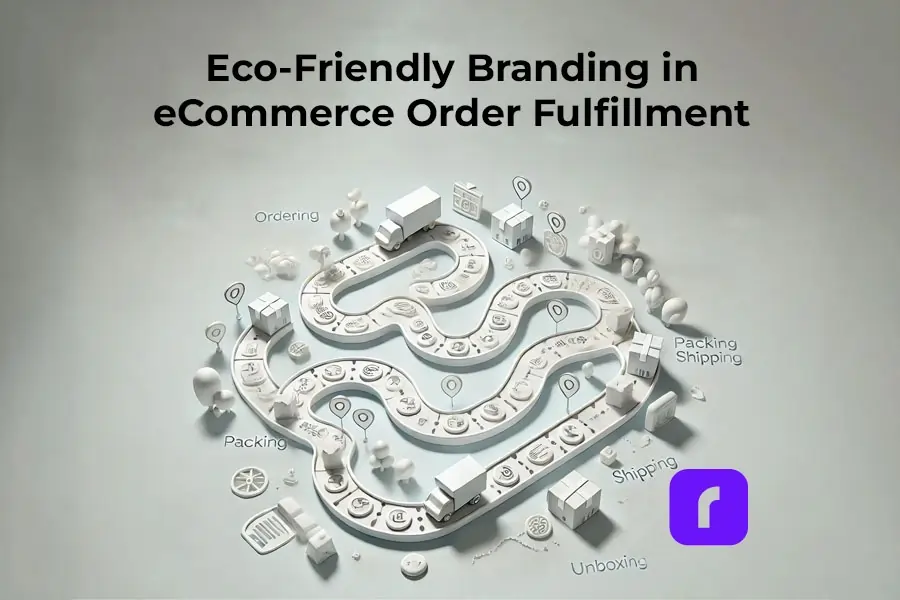
Understanding The eCommerce Order Fulfillment Process
Before we jump into the eco-friendly stuff, let’s break down what the ecommerce order fulfillment process actually is.
In simple terms, it’s everything that happens from the moment a customer clicks “buy” to when they’re unboxing their goodies at home.
The key parts of order fulfillment are:
📦 Inventory management: Keeping track of what you’ve got in stock.
📋 Order processing: Picking, packing, and getting orders ready to ship.
🚚 Shipping: Getting those packages out the door and to your customers.
Sounds straightforward, right? But here’s the thing – how you handle these steps can make or break your eCommerce business. Do it well, and you’ll have customers singing your praises. Mess it up, and… well, let’s just say those one-star reviews aren’t fun for anyone.
Choosing the Right Order Fulfillment Services: DIY or Outsource?
Now, you’ve got two main options when it comes to order fulfillment: doing it yourself (in-house fulfillment) or outsourcing to a dedicated fulfillment center. Both have their pros and cons, so let’s break it down.
In-House Fulfillment: The DIY Approach
Pros:
📦 You’re in control of everything
🎨 Can add personal touches easily
🚀 Great for an eCommerce business just starting out
Cons:
⏰ Can be time-consuming
🏠 You’ll need space to store inventory
🔄 Scaling up can be challenging
Third Party Fulfillment Center: Letting the Pros Handle It
Pros:
⏳ Frees up your time for other aspects of your eCommerce business
💰 Can be more cost-effective as you grow
🛠️ Access to advanced technology and expertise
Cons:
🕹️ Less control over the order fulfillment process
💸 Order fulfillment services can be pricey
🌱 Might not align with your brand’s eco-friendly goals
So, which is better? It really depends on your business. If you’re just starting out and want to keep costs low, in-house fulfillment might be your best bet. But if you’re growing fast and struggling to keep up with orders, partnering with a reliable third party fulfillment center could be a game-changer.
When choosing a fulfillment center, keep these factors in mind:
📈 Scalability: Can they grow with your business?
💲 Cost: How do their fees stack up against your budget?
⏱️ Reliability: Do they have a track record of getting orders out on time?
🌿 Eco-friendliness: Do they offer sustainable packaging options?
Remember, your eCommerce fulfillment process doesn’t have to be set in stone. As your business grows, you can always switch things up.
Tech Talk: How Gadgets Can Make Your Fulfillment Greener
Now, let’s talk tech. The right tools can make your eCommerce fulfillment process smoother, faster, and – you guessed it – more eco-friendly. And no, you don’t need a degree in rocket science to use them.
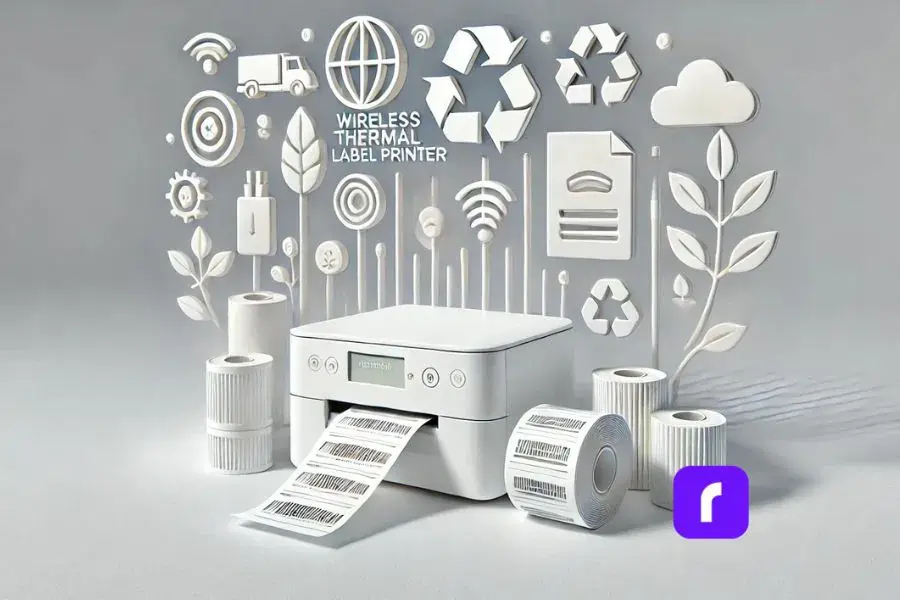
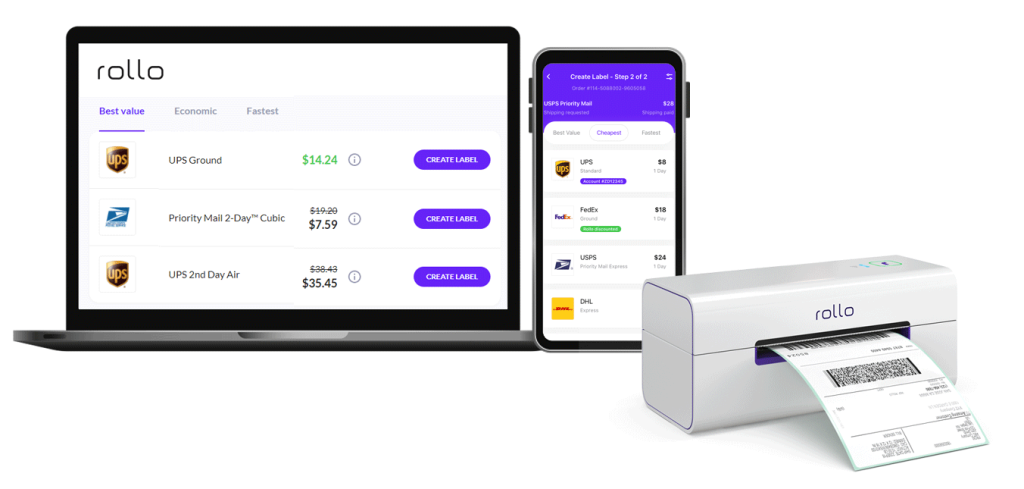
One game-changer for small businesses? Wireless label printers like those from Rollo. These nifty devices can print shipping labels on demand, which means:
♻️ Less waste: You print exactly what you need, when you need it.
🖨️ No more ink cartridges: Thermal printing means no more tossing empty cartridges in the trash.
💡 Energy efficiency: These printers use less power than traditional models.
Here’s a quick rundown of how tech can make your fulfillment greener:
Feature
Description
Thermal Label Printer
Quick, efficient label printing without ink or toner
Rollo Ship App
Centralized platform for weighing packages, comparing rates, and scheduling pickups
Carrier Integration
Partnerships with UPS, FedEx, USPS for convenient shipping options
Package Weighing
Accurate weight measurement for precise shipping costs
Eco-Friendly Solutions
Thermal printing reduces waste; sustainable shipping options available
Automated Order Processing
Streamlined order management and label creation
Real-Time Tracking
Track shipments and manage deliveries efficiently
Customization
Custom labels for branding and personalized messages
Pickup Scheduling
Schedule carrier pickups directly from the app
These features not only streamline your order fulfillment process but also support eco-friendly practices, making your eCommerce operations more sustainable and efficient.
But it’s not just about printers. A good inventory management system can help you avoid overstocking (which often leads to waste) and ensure you’re using materials efficiently.
Here’s a quick rundown of how tech can make your fulfillment greener:
🤖 Automated picking systems: These can reduce errors and minimize the need for re-shipping (and all the packaging that comes with it).
🌿 Choosing eco-conscious carriers: Partner with UPS and FedEx, who are reducing their carbon footprints through fleet efficiency and alternative fuel vehicles.
📧 Digital invoicing: Cut down on paper waste by sending receipts and invoices electronically.
The best part? Many of these tech solutions are surprisingly affordable for small businesses. It’s not about replacing your whole system overnight – even small changes can make a big difference.
Common Challenges in Eco-Friendly eCommerce Order Fulfillment
Let’s be real – going green isn’t always a walk in the park. There are some hurdles you’ll need to jump, but don’t worry, we’ve got your back. Here are some common challenges and how to tackle them:
Challenge 1: Managing Inventory Without Overstock
Overstock is the arch-nemesis of sustainable business. It ties up your cash, takes up space, and often leads to waste. But how do you keep enough stock without going overboard?
Solution: Use data to your advantage. Evaluate your sales channels for patterns, consider seasonal trends, and use inventory management software to help you predict what you’ll need. Start small and adjust your fulfillment strategy as you go – it’s better to occasionally run out of an item than to be stuck with excess stock.
Let’s face it – sustainable packaging often costs more. But before you throw in the towel, consider this:
Solution: Start small. You don’t need to overhaul everything at once. Begin with simple swaps like paper tape instead of plastic, or use boxes made from recycled materials. As for those Rollo label printers we mentioned? They use thermal printing, which means no ink cartridges to dispose of. Small changes add up!
Challenge 3: Handling Returns Sustainably
Returns are a fact of life in ecommerce, but they can be a real headache for eco-conscious businesses.
Solution: Make your return policy clear to reduce unnecessary returns. When returns do happen, try to salvage and reuse packaging materials where possible. And here’s a pro tip: include clear, easy-to-follow return instructions with each order to minimize mistakes and reduce the chance of items being sent back and forth multiple times.
Challenge 4: Balancing Speed and Sustainability
Customers want their orders fast, but the quickest shipping methods aren’t always the most eco-friendly.
Solution: Be upfront with your customers. Offer a slightly slower, more eco-friendly shipping option at a discount. You might be surprised how many people are willing to wait an extra day or two if it means helping the environment (and saving a few bucks).
Remember, overcoming these challenges is a journey, not a destination. It’s okay to take it one step at a time. The important thing is that you’re making an effort – and trust me, your customers will notice and appreciate it.
Branding Through Fulfillment: Making Every Package Count
Alright, let’s talk branding. Your packaging isn’t just a way to get products from A to B – it’s a golden opportunity to make a lasting impression through your order fulfillment process. And when you do it in an eco-friendly way? That’s when the magic happens.
Custom Labels: Your Secret Weapon
First things first – labels. They’re small, but they pack a punch. With a wireless label printer like Rollo’s, you can create custom labels that scream “you” without screaming at the environment. Here’s why they’re awesome:
🎨 Personalization: Add your logo, a fun message, or even the customer’s name.
📦 Consistency: Every label looks crisp and professional, boosting your brand image.
🔄 Flexibility: Change designs on the fly for seasonal promotions or special events.
Packaging That Tells Your Story
Now, onto the main event – the packaging itself. This is where you can really let your brand personality shine. Here are some ideas:
♻️ Use recycled or biodegradable materials: Think cardboard, paper, or even mushroom-based packaging for cushioning.
🎨 Get creative with design: Use earth-toned inks or embossing instead of flashy colors.
✍️ Include a personal touch: A handwritten note or a small freebie made from sustainable materials can go a long way.
🔄 Make it functional: Design your packaging so it can be easily reused or repurposed.
Remember, the goal is to create an unboxing experience that’s memorable for all the right reasons. You want your customers to feel good about their purchase, not guilty about the waste.
Here’s a pro tip: be open about your eco-friendly efforts. Include a small card explaining the sustainable features of your packaging. Or better yet, use that Rollo printer to add a QR code to your shipping label that links to a page about your green initiatives.
By making your commitment to sustainability clear, you’re not just sending a product – you’re sending a message. And that message says, “We care about more than just profits. We care about the planet.”
Scaling a Sustainable eCommerce Order Fulfillment Process
Now, I know what you’re thinking. “This all sounds great, but I’m just a small business. Can I really make a difference?” The answer is a resounding yes! In fact, small businesses are often better positioned to implement eco-friendly practices. You’re more agile, more in touch with your customers, and more able to make quick changes.
Finding the Right Fulfillment Center Partners
As you grow, you might need to look for fulfillment partners. The key is to find a fulfillment center that aligns with your values. Here’s what to look for:
🌿 Sustainable practices: Do they use eco-friendly packaging? Energy-efficient warehouses?
📝 Transparency: Are they open about their environmental impact?
🛠️ Flexibility: Can they accommodate your specific eco-friendly requests?
Don’t be afraid to ask potential partners tough questions about their sustainability practices. A good partner will appreciate your commitment to the environment.
Keeping It Cost-Effective
Going green doesn’t have to break the bank. Here are some budget-friendly ideas:
🛒 Bulk buying: Purchase eco-friendly packaging materials in larger quantities to save money.
📦 Minimize packaging: Use right-sized boxes to reduce material use and shipping costs.
🖨️ Leverage technology: Tools like Rollo printers can help you save on label costs in the long run.
🎁 Offer incentives: Give customers a small discount for choosing eco-friendly shipping options.
Remember, sustainability is an investment. It might cost a bit more upfront, but it can lead to loyal customers and a stronger brand in the long run.
Shipping Smarter: Cutting Costs While Staying Green
Shipping – it’s a necessary evil in the world of ecommerce. But here’s the good news: with a bit of clever thinking, you can reduce both your costs and your environmental impact. Let’s dive into some strategies:
Right-Sizing Your Packages
Ever received a tiny item in a massive box? It’s not just annoying for the customer – it’s bad for your bottom line and the environment. Here’s how to avoid it:
✉️ Use poly mailers for soft goods: They’re lightweight and take up less space.
📦 Invest in a variety of box sizes: This way, you can choose the best fit for each order.
🛠️ Consider custom boxes: If you have standard-sized products, custom boxes can minimize wasted space.
Optimizing Your eCommerce Order Fulfillment Process
A streamlined shipping process, often provided by specialized order fulfillment services, isn’t just more efficient – it’s more eco-friendly too. Here’s how to make it happen:
📦 Batch your orders: Process and ship orders in batches to reduce the number of pickup trips.
🖥️ Use advanced software:shipping solutions like Rollo Ship can help you compare rates and find the most efficient routes.
📍 Offer local pickup: For nearby customers, this can eliminate shipping altogether.
This is where those Rollo printers really shine. Accurate, easy-to-read labels mean:
🚚 Fewer misdeliveries: Less fuel wasted on return trips.
⚡ Faster processing: Packages spend less time in transit.
🖨️ No wasted labels: Print exactly what you need, when you need it.
Making Returns Work for You
Returns are inevitable, but they don’t have to be a sustainability nightmare. Try these tips:
📝 Provide clear product information: Good descriptions and photos can reduce unnecessary returns.
📦 Use resealable packaging: This makes it easier for customers to use the same package for returns.
📚 Consolidate return shipments: If possible, wait to process returns in batches.
Remember, every small change adds up. You don’t need to implement everything at once – start with what makes the most sense for your business and go from there.
For example, if you’re shipping with UPS, printing accurate UPS labels for shipping can streamline your process, making it easier to manage and track your packages while also supporting eco-friendly practices.
Staying Ahead: Trends and Best Practices in Eco-Friendly Fulfillment
The world of eco-friendly ecommerce is always evolving. Staying on top of the latest trends isn’t just good for the planet – it’s good for business too. Let’s take a look at what’s hot in the world of green fulfillment:
Trend 1: Carbon-Neutral Shipping
More companies are adopting carbon-neutral shipping by offsetting emissions through projects like reforestation. This helps balance the carbon footprint of shipping.
How to implement it: Use online calculators to measure emissions and partner with carbon offset providers. Some carriers offer built-in offset options to simplify the process.
Trend 2: Reusable Packaging Systems
Innovative companies are moving towards reusable packaging, which can be returned and reused, reducing waste and fostering customer loyalty.
How to implement it: Start small by offering incentives for returning packaging in good condition. Design durable packaging that can be repurposed, and communicate these benefits to customers.
Trend 3: Compostable Materials
The rise of plant-based and compostable packaging materials, like cornstarch and seaweed-based options, provides eco-friendly alternatives to traditional plastics.
How to implement it: Replace traditional packaging with compostable options like corrugated paper padding or compostable mailers. Educate customers on proper disposal to enhance eco-friendly practices.
Best Practices for Eco-Friendly Packaging and Shipping
📚 Educate your customers: Use your packaging to explain your eco-friendly choices and how customers can properly recycle or compost materials.
🤝 Partner with like-minded suppliers: Look for suppliers who share your commitment to sustainability.
🔄 Continuously assess and improve: Regularly review your fulfillment process to find new opportunities for sustainability.
🗣️ Be transparent: Share your eco-friendly journey with your customers. They’ll appreciate your honesty and efforts.
🏷️ Don’t forget the details: Even small things like using water-activated paper tape instead of plastic tape can make a difference.
Remember, becoming more eco-friendly is a journey, not a destination. It’s okay to start small and gradually implement more sustainable practices as you grow.
Final Words
We’ve covered a lot of ground, from the basics of order fulfillment to cutting-edge trends in eco-friendly practices. But here’s the bottom line: sustainable fulfillment isn’t just good for the planet – it’s good for your business too.
By implementing eco-friendly practices, you’re not just reducing your environmental impact. You’re also:
🌟 Standing out from the competition: In a sea of brown boxes, your sustainable packaging can make a real impression.
🤝 Building customer loyalty: Today’s consumers care about the environment. Show them you care too, and they’ll stick with you.
💵 Potentially saving money: While some eco-friendly options might cost more upfront, many can lead to savings in the long run.
📈 Future-proofing your business: As environmental regulations tighten, you’ll be ahead of the curve.
Remember, you don’t need to overhaul your entire operation overnight. Start small, perhaps with a label thermal printer to reduce label waste, or by swapping out one type of packaging for a more sustainable option. Test, learn, and grow from there.
The key is to keep your customers in the loop. Let them know about your efforts and invite them to be part of your sustainability journey. You might be surprised at how much they appreciate it.
So, are you ready to take your first step towards eco-friendly fulfillment? Trust me, your customers (and the planet) will thank you. And who knows? You might just find that going green is the best business decision you’ve ever made.
Frequently Asked Questions About eCommerce Order Fulfillment
📌 Q: What is eCommerce order fulfillment?
💭 A: eCommerce order fulfillment is the process of receiving, processing, and delivering online orders to customers. It includes inventory management, picking and packing products, shipping, and handling returns.rinting labels.
📌 Q: How does the eCommerce order fulfillment process work?
💭 A: The eCommerce order fulfillment process typically involves several steps: receiving and storing inventory, picking and packing products when an order is placed, shipping the order to the customer, and managing returns if necessary.
📌 Q: What are the key components of an effective eCommerce fulfillment strategy?
💭 A: Key components include efficient inventory management, accurate order processing, reliable shipping solutions, and a strong returns management system. Implementing technology and automation can also streamline these processes.
📌 Q: How can I choose the right fulfillment service for my eCommerce business?
Consider factors like cost, scalability, technology, and the company’s track record. Look for a fulfillment service that aligns with your business size, product type, and long-term goals, and offers transparent pricing and reliable service.
📌 Q: How can home-based resellers optimize their order fulfillment process?
💭 A: Home-based resellers can optimize their order fulfillment process by using Rollo’s thermal label printer and Rollo Ship app, which streamline label printing, package weighing, carrier selection, and scheduling pickups—all from home.
📌 Q: How can Rollo’s shipping solutions help home-based resellers choose the best carrier rates?
💭 A: Rollo’s shipping solutions enable resellers to compare rates from top carriers like UPS, FedEx, and USPS directly within the app. This ensures they select the most cost-effective option for each order, optimizing the fulfillment process.
It’s no secret, that more and more people are selling products online, especially on Amazon. In fact, retail e-commerce sales are estimated to exceed 6.3 trillion U.S. dollars worldwide in 2024 and beyond. This alone proves the importance of an Amazon label printer.
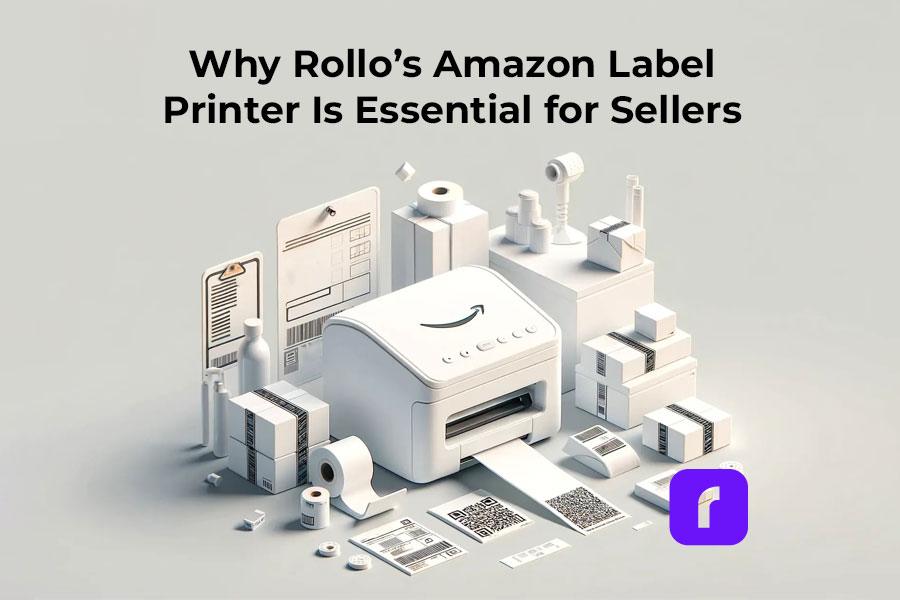
But let’s be real, running an Amazon business is not a walk in the park. It’s a constant juggling act between listing products, managing inventory, and getting those orders out the door like a well-oiled machine. And when it comes to shipping, having a reliable label printer can make all the difference. That’s where Rollo’s thermal label printer comes in – its’ tailor-made for Amazon sellers looking to scale their online business.
[ez-toc]
The Importance of a Reliable Amazon Label Printer
As an Amazon seller, your days are likely a whirlwind of tasks – from sourcing products and updating listings to processing orders and dealing with customer inquiries. Amidst this chaos, having a high-quality label printer by your side can be a total game-changer. Here’s why:
⏱️ Efficiency: Let’s face it, time is money. With Rollo’s Amazon label printer, you can kiss those painfully slow label printing sessions goodbye. This zippy little thing cranks out labels at lightning speed, ensuring you can pack and ship orders with minimal delays – even during those crazy peak sale periods.
🎯 Accuracy: Mis-labeled packages are a surefire way to invite a world of headaches. From misrouted shipments to disgruntled customers, it’s a mess you don’t want any part of. Rollo’s printer virtually eliminates the risk of human error, ensuring your labels are printed with pinpoint accuracy every single time.
📦 Professionalism: First impressions count, especially in the world of e-commerce. Crisp, well-designed labels give your packages a polished, professional look that screams “quality business” to your customers. It’s a small touch that can go a long way in building trust and brand loyalty.
Why Choose Rollo’s Amazon Label Printer?
When it comes to choosing the right label printer for your Amazon business, Rollo’s Amazon Label Printer stands out as a top contender. This printer combines efficiency, cost-effectiveness, and versatility in a compact and durable package. Whether you’re handling a high volume of orders or need a reliable device for everyday use, Rollo’s printer is designed to meet and exceed your expectations. Here are some compelling reasons to consider Rollo’s Amazon Label Printer for your labeling needs:
🚀 High-Speed Printing: Prints labels at 150 mm/s, meaning one label per second, perfect for high-volume sales.
💸 Thermal Printing Technology: Uses thermal printing, so no expensive ink or toner cartridges are needed.
🏷️ Versatile Label Compatibility: Compatible with various label sizes and materials for all your labeling needs.
🔧 User-Friendly Design: Easy to set up and use with intuitive controls, saving you time and hassle.
🛠️ Compact and Durable: Small footprint but built to last, fitting seamlessly into any workspace.
How Rollo’s Amazon Label Printer Enhances Your Business
Investing in the right tools can significantly impact your business’s efficiency and productivity. Rollo’s Amazon Label Printer is designed to streamline your operations, reduce costs, and improve overall workflow. Here’s how:
Streamlined Shipping Processes: In the fast-paced world of e-commerce, speed is king. With Rollo’s printer at your disposal, you can wave goodbye to those sluggish label printing sessions that used to bottleneck your shipping process. Now, you can breeze through orders, getting packages prepped and out the door with lightning-fast efficiency – because let’s be honest, nobody wants to deal with those dreaded “late shipment” complaints.
Improved Inventory Management: Accurate labeling is the backbone of any well-run inventory system. With Rollo’s printer ensuring flawless barcode and product labels every single time, you can wave goodbye to those pesky misplaced or misidentified items that used to throw a wrench in your operations. Smooth inventory management? Check.
Cost Savings: Let’s talk numbers for a minute. By eliminating the need for expensive ink or toner cartridges, Rollo’s thermal printer can save you a pretty penny over time. And with its durable construction designed to withstand the rigors of daily use, you won’t have to worry about constantly shelling out cash for replacements or repairs. It’s an investment that pays for itself in spades.
Seamless Amazon Integration: Rollo’s Amazon Label Printer integrates seamlessly with Amazon’s shipping system, making it easy to print shipping labels directly from your Amazon seller account. This integration simplifies your workflow and enhances your operational efficiency. For more details on how Rollo integrates with Amazon, check out our Amazon Integration page.
A Success Story with Rollo’s Amazon Label Printer
When Sarah, a busy mom of two, decided to pursue her entrepreneurial dream of launching an embroidery business, she knew efficiency would be key. Juggling a new venture alongside family responsibilities was no easy feat, but Rollo’s thermal label printer became her secret weapon for streamlining operations.
“That first year, I worked really hard,” Sarah recalls. “I opened the shop right after having my second baby, so basically, I had two babies – my business and her.” With little time to spare, she found herself stitching embroidery hoops late into the night, exhausted but determined to make her dream a reality.
However, Sarah quickly realized that the laborious process of manually printing shipping labels was becoming a bottleneck, sapping her precious time and energy. “The saddest part of that whole year of working like this is that I didn’t make any money,” she admits.
Determined to turn things around, Sarah decided to streamline her processes, and that’s when she discovered Rollo’s thermal label printer. “My second year, I was able to replace my old income and double it,” she beams. The high-speed printing and hassle-free operation of Rollo’s printer allowed her to focus on what mattered most – growing her business and spending quality time with her family.
By her third year, Sarah’s hard work and smart investments paid off in a big way. “I reached six figures in my business, and I made it all happen here in this little corner of my living room,” she says with pride.
Sarah’s success story is a testament to the power of perseverance and the right tools. “It’s not a sprint; it’s definitely a marathon, and there’s no overnight success,” she reflects. “You’ve got to roll up your sleeves and get to work. And if you remember your passion and have that determination, I think you can get to where you want to be.”
With Rollo’s thermal label printer by her side, Sarah was able to turn her dream into a thriving reality, proving that the right tools can make all the difference for entrepreneurial moms and small business owners alike.
Final Words
In the fast-paced, competitive world of Amazon selling, having the right tools can make all the difference between just getting by and absolutely crushing it. Sarah’s journey shows us that with the right support, like Rollo’s Amazon label printer, success is within reach.
Rollo’s thermal label printer is one of those secret weapons that can propel your business to new heights of efficiency, accuracy, and professionalism. With its lightning-fast printing speeds, cost-effective thermal technology, and versatile label compatibility, this little dynamo will streamline your shipping processes and help you stay on top of your inventory like a boss. And let’s not forget its user-friendly design and compact durability, making it a no-brainer addition to any Amazon seller’s workspace.
So, if you’re ready to take your Amazon game to the next level, don’t sleep on Rollo’s label printer. It’s the cost-effective, high-performance solution that’ll have you wondering how you ever managed without it. Trust us, your future self (and your bottom line) will thank you.
Follow Rollo on:
Frequently Asked Questions About Amazon Label Printers
📌 Q: What type of labels can Rollo’s Amazon Label Printer print?
💭 A: Rollo’s printer is compatible with a wide range of label sizes and materials, including shipping labels, barcode labels, and inventory tags. It can print 4×6 labels, 2×1 labels, and 2×1 circle labels, offering you versatility for all your labeling needs.
📌 Q: Do I need to buy ink or toner for Rollo’s Amazon label printer?
💭 A:No, Rollo’s Amazon label printer uses thermal printing technology, which means you don’t need to purchase ink or toner. You only need heat-sensitive label rolls, making it a cost-effective and low-maintenance option.
📌 Q: How durable is Rollo’s Amazon Label Printer?
💭 A: Despite its compact size, Rollo’s printer is built to withstand the demands of a busy Amazon business. Its rugged construction ensures longevity and reliability, even in high-traffic workspaces. Impressively, it can print up to 650,000 labels before needing to be replaced, making it a long-term investment for your business.
📌 Q: Does Rollo’s printer integrate with Amazon’s shipping system?
💭 A: Yes, Rollo’s Amazon Label Printer integrates seamlessly with Amazon’s shipping system, making it easy to print shipping labels directly from your Amazon seller account. This integration simplifies your workflow and enhances your operational efficiency.
📌 Q: How fast does Rollo’s Amazon Label Printer print?
💭 A: Rollo’s printer can print at a speed of 150 mm/s, which translates to one label per second. This high-speed printing is perfect for handling high-volume sales periods efficiently.
We’ve all ordered things online, and when we open the box, we always go straight for the actual item we ordered. But right in front of you, there’s a packing slip or detailed receipt listing the items in the box. Most of us take a quick glance and move on to the product itself. Here’s the deal – these unassuming pieces of paper low-key run the show when it comes to shipping. Businesses ship out tons of orders daily, each packed to the brim. How can you keep track of what’s actually inside those boxes? That’s where the packing slip comes into play.
[ez-toc]
According to the shipping experts, “A packing slip is crucial for businesses because it provides a record of what was shipped, just in case any parcels are damaged or go missing during transit.” Translation? Packing slips act as cool referees, keeping everything legit and accounted for. And honestly, that’s a pretty big deal in the fast-paced world of shipping and logistics.
Your Packing Slip 101
So let’s break it down – what exactly is a packing slip? At its core, a packing slip is an itemized list detailing every item included in a particular package. Nothing crazy, right? But don’t let the simplicity fool you, because that basic info is vital. Packing slips make sure your customers get exactly what they ordered, preventing returns and refunds. These types of shipping documents have been around for ages too. Like, we’re talking all the way back to Ancient Rome where merchants were jotting down cargo deeds aboard their ships. Pretty cool heritage for a humble document.
How it Stacks Up: Packing Slip vs Other Shipping Docs
Before we dive into the nitty-gritty of customization, let’s get one thing straight – a packing slip isn’t the only document that tags along for the shipping joyride. There’s a whole squad of paperwork out there, each doing their own thing. It’s like a shipping version of the Avengers, but less…super.
Packing Slip vs. Shipping Label
The shipping label is sort of the celebrity of the group. It’s right out there on display for all to see with the vital shipping details like the destination address emblazoned across its body. The packing slip, on the other hand, is the more humble, backstage kind of documentation. While a shipping label tells the courier where a package is headed, the packing slip tells you (and the recipient) exactly what’s inside. And look, getting the details wrong can be a real headache-inducer. Case in point? “According to the fulfillment gurus at Falcon, nearly 2% of all shipping invoices contain errors.” That may not sound like much, but when you’re a high-volume operation, those tiny percentages add up quick. To avoid such errors and increase efficiency, it’s recommended to use a wireless label printer that uses thermal technology and doesn’t require ink or toner.
Whereas a packing slip is like your honest bestie telling you the unfiltered truth about your package contents, an invoice is more like that subtly shady pal always trying to get you to cough up some cash. The key distinction? A packing slip simply lists the items included, while an invoice requests payment and outlines the nitty-gritty financial deets like amount owed and payment terms. Sure, these two documents are buds that sometimes travel together, but their end goals are vastly different. A packing slip wants transparency, but Ms. Invoice is all about securing the bag.
Packing Slip vs. Bill of Lading
Now, it’s important to note that a packing slip is not the same as a bill of lading. They are two distinct shipping documents that serve different purposes:
Packing Slip:
📦 Created by the shipper/seller and included inside the shipment package.
📋 Lists product details like descriptions, SKUs, quantities, etc.
✅ Helps the recipient confirm the shipment contents match what was ordered.
🚫 Does not serve as a legal contract or document of title.
📊 Used more for operational purposes like order fulfillment and inventory management.
Bill of Lading:
📝 Issued by the carrier to the shipper once goods are loaded for shipment.
📜 Serves as a receipt of goods, contract of carriage, and may transfer ownership title.
🔍 Contains details like shipper, consignee, carrier, goods description, and terms of shipment.
⚖️ Legally obligates the carrier to transport and deliver goods as stated.
🌐 Required for international shipping and transferring ownership during transit.
While both contain shipment details, a packing slip is an informal document for verifying contents, whereas a bill of lading is a legally binding transportation contract and document of title.
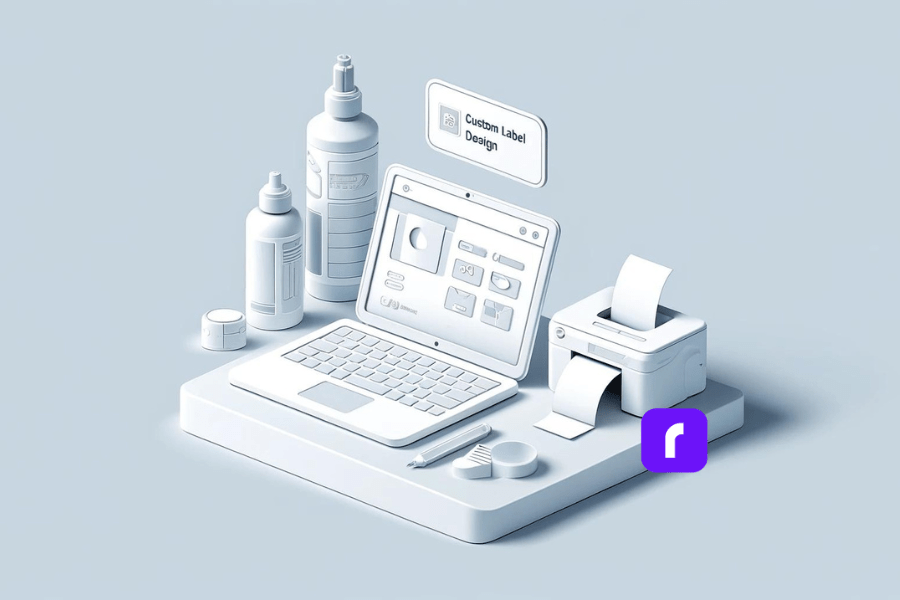
Making it Your Own with Rollo’s Custom Label Design App
Now we’ve covered the basics, it’s time to talk customization and personal flair. Because let’s be real, boring packing slips are a missed opportunity to build brand recognition and offer a more unique unboxing experience.
Enter: Rollo’s Custom Label Design App. This nifty tool lets you elevate your standard packing slips and shipping labels to showcase your business’s signature style and personality. From uploading logos to tweaking colors and fonts, the app gives you full control over transforming those humble delivery documents into on-brand extensions of your company’s vibe.
Speaking of branding, did you know custom packing slips can seriously amplify your professional credibility? Personalizing them with your company name, message, and style isn’t just about aesthetics – it’s an easy win for leveling up your brand identity and consumer experience. Plus, who doesn’t love a little extra panache and personality injected into the otherwise mundane process of receiving and unpacking shipments? It’s like getting a cheeky wink from the brand with every order.
You can access Rollo’s free Label Design App through the web at Rollo Label Design App or by downloading the app from the Google Play Store (Android) or Apple App Store (iOS).
Enough preamble – let’s walk through how to actually make customized packing slip magic happen with Rollo’s app:
Access the App: Start by accessing the app through the web or downloading it from the Google Play Store or Apple App Store.
Choose a Label Size:
Option 1: Select a pre-existing free label template in standard sizes like 2×1 in, 2×2 in, 4×6 in, etc.
Option 2: Start with a blank canvas by entering your desired custom label size dimensions.
Upload Your Assets: Add your logo, color palette, font picks, and any other branding elements you want represented. You can also upload images, QR codes, and barcodes.
Pick a Design Template: Select from thousands of designs that closely resemble a packing slip and then include the necessary information. Think of this as the blank canvas for your masterpiece.
Make it Your Own: From here, it’s a personal branding playground. Adjust colors, rearrange elements, incorporate logos or graphics, and tweak every last detail to capture your brand’s essence. Choose from thousands of icons, shapes, and fonts in the app’s library, or utilize pre-made templates as a starting point and modify them.
Include Vital Order Info: The app lets you include important order information like barcodes and QR codes too. Because melding form and function is always the goal.
Print Directly from the App: A key advantage of Rollo’s Label Design App is the ability to directly print your custom labels from the app to a Rollo thermal printer (wireless or USB models) without any additional steps. This streamlines the label printing workflow.
Save and Review: Once you’re happy with your creation, save it and give it one last look before locking it in.
Hit Print: You’re all set! Just print out those beautifully branded packing slips and let them work their magic.
And if you get stuck along the way, no worries – the app has easy-to-follow tool tips and an intuitive interface to keep things running smoothly.
Introducing Rollo Ship, your all-in-one solution for hassle-free shipping and label printing.
NO MONTHLY SUBSCRIPTIONS.
When you print a custom packing slip with Rollo, the first 200 are on us.
Every next label is just 5 cents.
Schedule pickups, consolidate orders, and print bulk labels.
Responsibility for Preparing Packing Slips: The task of creating and including packing slips typically falls on the warehouse or fulfillment team. These individuals are responsible for pulling and packing the products for shipment, ensuring that each order is accompanied by the correct documentation. For individual online sellers, it’s important to include a packing slip with each shipment to provide the recipient with a detailed list of the items inside the package.
Legal Requirements: While there is no overarching legal mandate requiring packing slips specifically, the Fair Packaging and Labeling Act does require that product information, such as contents and manufacturer details, is clearly conveyed for all consumer commodities. Therefore, while you may not need to use a formal packing slip, the same basic product and order information must be provided in some form with each shipment.
Placement of Packing Slips: It is generally not advisable to place packing slips on the exterior of the package. External placement can lead to the slips getting damaged, lost, or obscured. Additionally, packing slips may contain sensitive information that you wouldn’t want publicly displayed.
Data and Functionality:
Core Details Included on Packing Slips: Packing slips typically include essential order details such as:
#️⃣ Order number/ID
📝 Detailed item descriptions
🔢 Quantities of each item
👤 Customer name and contact info
🏠 Shipping address
📦 Any tracking numbers
🗒️ Special notes or instructions
Choosing the right shipping document: Despite the efficiency of combining documents, a packing slip cannot serve as a shipping label. Shipping labels require specific data formatting and barcodes that enable carriers to scan and track packages effectively, which packing slips do not provide.
Accounting for Received Shipments: When receiving a shipment, you should record the transaction based on the packing slip contents as a purchase. This increases your inventory asset value and accounts payable liability. Once the actual invoice is issued and paid, the accounts payable liability is cleared out.
The Shipping Sidekick You Didn’t Know You Needed
We’ve covered a ton of ground here, from defining what a packing slip is, to customizing them into branding powerhouses to tackling all the nitty-gritty questions. At the end of the day, a packing slip is an essential document that keeps the whole shipping process and customer experience running smoothly behind the scenes. While it may not be the most glamorous part of the process, its impact is hard to overstate. Let’s recap a few key takeaways:
📃 Packing slips provide a legit record of what’s shipped, protecting both businesses and customers
🔄 They play a distinct role from other shipping documents like labels and invoices
🎨 With a tool like Rollo’s Custom Label Design App, you can transform packing slips into on-brand unboxing delights
🌐 There’s a world of nuance in the pragmatic considerations around generating, utilizing and processing packing slips
But perhaps the biggest win of all? The ability for smaller ecommerce businesses and solopreneurs to optimize their shipping operations with smart, professional documentation like customized packing slips.
Final Words
These days, branded unboxing experiences and polished order fulfillment practices aren’t just for the big corporate players anymore. With just a touch of technical know-how and an intuitive tool like Rollo’s, any ambitious merchant can level up their shipping game and customer satisfaction in one fell swoop. So look, packing slips may not be the most riveting topic on the surface. But dig deeper and you’ll find an unsung hero worth celebrating – one that keeps orders detailed, boxes accounted for, and consumer confidence intact. Isn’t it time you showed your shipping sidekick a little more love? After all, great things often ship in the humblest of packages.
Follow Rollo on:
Frequently Asked Questions About Packing Slips
📌 Q: What is a packing slip?
💭 A: A packing slip is a document included with a shipment that lists the items being sent. It is important because it helps both the shipper and the recipient verify that the correct items have been included in the shipment.
📌 Q: How does a packing slip differ from an invoice?
💭 A: A packing slip lists the items in a shipment but does not include pricing or payment information, whereas an invoice includes item prices, total amounts due, and payment terms.
📌 Q: Is a packing slip necessary for all shipments?
💭 A: While not legally required, packing slips are highly recommended for brand awareness, customer experience, accurate order fulfillment, and to avoid discrepancies between what was ordered and what was shipped.
📌 Q: Can a packing slip be used as a shipping label?
💭 A: No, a packing slip cannot serve as a shipping label. Shipping labels contain specific data formatting and barcodes required for carriers to scan and track packages effectively.
What seems like never-ending Amazon shipping label regulations can tie sellers’ hands behind their backs. However, properly understanding and implementing labeling and shipping requirements is key to smoothly navigating the Amazon landscape.
As an Amazon seller, staying compliant brings order processing efficiencies critical for business growth and profitability. It also makes the difference between delighted customers and headaches over delayed or lost shipments.
This Amazon shipping label guide breaks down everything sellers need to master – from label specifications to choosing the right label printers. Let’s unravel the technical side of Amazon shipping to set your fulfillment operations up for success.
[ez-toc]
Did you know? 🤔 Barcode Dual-System: Amazon tracks inventory with two barcodes: the
manufacturer's and the FNSKU. This ensures every product is correctly linked to
its seller.
Demystifying Amazon Shipping Label Rules
Amazon sets strict standards for labeling shipments to their warehouses and customers which is why it’s important to understand Amazon labels. Meeting specifications for labels and packages ensures smooth processing through their systems.
Labeling Requirements
All shipments sent to Amazon need FNSKUs – unique product identifiers used to track inventory – printed as text or scannable barcodes on labels. You also need to meet size, color, and adhesive guidelines.
Keep in mind ⚠️ Essential Scannable Barcodes: Every item sent to Amazon must have a
scannable barcode. Missing or unscannable barcodes lead to fulfillment delays.
📦 Packaging Rules Amazon dictates package sizes, materials, sealing methods, and prep instructions per product. Boxes should have an extra 3 inches of clearance and be new and sturdy.
🔖 Barcode Specifications Code 128 barcodes must print clearly, measure at least 1 inch long, and pass Amazon’s validation process
As labeling rules constantly evolve, sellers shouldn’t reinvent the wheel. Rollo’s versatile printers make light work of shifting requirements to help brands package and ship smart while avoiding penalties. Join Rollo to step into selling success on Amazon.
📌 Q: Do I need a business license to sell on Amazon?
💭 A: No, Amazon does not require a business license for you to start selling on its platform. However, depending on your state’s laws, you may need a sales tax license.
📌 Q: Can I sell on Amazon without an LLC?
💭 A: Yes, you can sell on Amazon without forming an LLC. While an LLC can provide personal liability protection, it’s not a requirement for selling on Amazon.
📌 Q: What type of printer is best for Amazon FBA labels?
💭 A: Rollo’s thermal label printers are ideal for Amazon FBA labels, offering ink-free printing, smart label detection, and compatibility with various label sizes.
📌 Q: Do I need a barcode for FBA?
💭 A: Yes, all items sent to Amazon FBA must have a scannable barcode, such as an FNSKU or a manufacturer’s barcode if enrolled in Amazon’s Brand Registry.
Keep in mind ⚠️ Adapting to Evolving Guidelines: Amazon shipping label and
packaging guidelines are constantly refined. Staying updated is key to smooth
fulfillment.
Key Takeaways on Amazon Shipping Labels
If two things ring clear about selling on Amazon, it’s the abundance of rules and lack of leeway. Their stringent Amazon shipping label policies can overwhelm new sellers.
But viewing standards as enablers instead of roadblocks sets your business up for efficiency gains. Compliance and quality packaging prevent losses from rejected inventory or orders getting severely delayed or lost.
This peace of mind lets sellers focus on customer experience, leveraging Fulfillment By Amazon programs to scale success.
As labeling rules constantly evolve, sellers shouldn’t reinvent the wheel. Rollo’s versatile printers make light work of shifting requirements to help brands package and ship smart while avoiding penalties. Join Rollo to step into selling success on Amazon.
📌 Q: Do I need a business license to sell on Amazon?
💭 A: No, Amazon does not require a business license for you to start selling on its platform. However, depending on your state’s laws, you may need a sales tax license.
📌 Q: Can I sell on Amazon without an LLC?
💭 A: Yes, you can sell on Amazon without forming an LLC. While an LLC can provide personal liability protection, it’s not a requirement for selling on Amazon.
📌 Q: What type of printer is best for Amazon FBA labels?
💭 A: Rollo’s thermal label printers are ideal for Amazon FBA labels, offering ink-free printing, smart label detection, and compatibility with various label sizes.
📌 Q: Do I need a barcode for FBA?
💭 A: Yes, all items sent to Amazon FBA must have a scannable barcode, such as an FNSKU or a manufacturer’s barcode if enrolled in Amazon’s Brand Registry.
[/vc_column][/vc_row]
The bottom line? Master the Amazon shipping label to quickly rank products, expand order capacity, and enter exclusive programs for boosted profitability.
[/vc_column_text]
NO MONTHLY SUBSCRIPTIONS.
The first 200 shipping labels (Amazon shipping labels) are on us.
Every next label is just 5 cents.
Schedule pickups, consolidate orders, and print bulk labels.
Keep in mind ⚠️ Adapting to Evolving Guidelines: Amazon shipping label and
packaging guidelines are constantly refined. Staying updated is key to smooth
fulfillment.
Key Takeaways on Amazon Shipping Labels
If two things ring clear about selling on Amazon, it’s the abundance of rules and lack of leeway. Their stringent Amazon shipping label policies can overwhelm new sellers.
But viewing standards as enablers instead of roadblocks sets your business up for efficiency gains. Compliance and quality packaging prevent losses from rejected inventory or orders getting severely delayed or lost.
This peace of mind lets sellers focus on customer experience, leveraging Fulfillment By Amazon programs to scale success.
As labeling rules constantly evolve, sellers shouldn’t reinvent the wheel. Rollo’s versatile printers make light work of shifting requirements to help brands package and ship smart while avoiding penalties. Join Rollo to step into selling success on Amazon.
📌 Q: Do I need a business license to sell on Amazon?
💭 A: No, Amazon does not require a business license for you to start selling on its platform. However, depending on your state’s laws, you may need a sales tax license.
📌 Q: Can I sell on Amazon without an LLC?
💭 A: Yes, you can sell on Amazon without forming an LLC. While an LLC can provide personal liability protection, it’s not a requirement for selling on Amazon.
📌 Q: What type of printer is best for Amazon FBA labels?
💭 A: Rollo’s thermal label printers are ideal for Amazon FBA labels, offering ink-free printing, smart label detection, and compatibility with various label sizes.
📌 Q: Do I need a barcode for FBA?
💭 A: Yes, all items sent to Amazon FBA must have a scannable barcode, such as an FNSKU or a manufacturer’s barcode if enrolled in Amazon’s Brand Registry.
📦🏷️ FBA handles the fulfillment process once inventory arrives at Amazon’s warehouses. However accurate item labeling is vital for Amazon to store and ship units properly.
📦✅ Seller Fulfilled Prime lets merchants who don’t use FBA sell to Prime customers while handling fulfillment themselves. Items still need proper barcode labeling though.
🚚📦 FBA Onsite brings FBA services to sellers via pickup and delivery instead of requiring shipment to Amazon warehouses. However, existing labeling standards remain.
The bottom line? Master the Amazon shipping label to quickly rank products, expand order capacity, and enter exclusive programs for boosted profitability.
[/vc_column_text]
NO MONTHLY SUBSCRIPTIONS.
The first 200 shipping labels (Amazon shipping labels) are on us.
Every next label is just 5 cents.
Schedule pickups, consolidate orders, and print bulk labels.
Keep in mind ⚠️ Adapting to Evolving Guidelines: Amazon shipping label and
packaging guidelines are constantly refined. Staying updated is key to smooth
fulfillment.
Key Takeaways on Amazon Shipping Labels
If two things ring clear about selling on Amazon, it’s the abundance of rules and lack of leeway. Their stringent Amazon shipping label policies can overwhelm new sellers.
But viewing standards as enablers instead of roadblocks sets your business up for efficiency gains. Compliance and quality packaging prevent losses from rejected inventory or orders getting severely delayed or lost.
This peace of mind lets sellers focus on customer experience, leveraging Fulfillment By Amazon programs to scale success.
As labeling rules constantly evolve, sellers shouldn’t reinvent the wheel. Rollo’s versatile printers make light work of shifting requirements to help brands package and ship smart while avoiding penalties. Join Rollo to step into selling success on Amazon.
📌 Q: Do I need a business license to sell on Amazon?
💭 A: No, Amazon does not require a business license for you to start selling on its platform. However, depending on your state’s laws, you may need a sales tax license.
📌 Q: Can I sell on Amazon without an LLC?
💭 A: Yes, you can sell on Amazon without forming an LLC. While an LLC can provide personal liability protection, it’s not a requirement for selling on Amazon.
📌 Q: What type of printer is best for Amazon FBA labels?
💭 A: Rollo’s thermal label printers are ideal for Amazon FBA labels, offering ink-free printing, smart label detection, and compatibility with various label sizes.
📌 Q: Do I need a barcode for FBA?
💭 A: Yes, all items sent to Amazon FBA must have a scannable barcode, such as an FNSKU or a manufacturer’s barcode if enrolled in Amazon’s Brand Registry.
[/vc_column][/vc_row]
Taking these measures pays off – 93% of online experiences influence customer satisfaction. So don’t let labeling hiccups negatively impact service quality.
📦🏷️ FBA handles the fulfillment process once inventory arrives at Amazon’s warehouses. However accurate item labeling is vital for Amazon to store and ship units properly.
📦✅ Seller Fulfilled Prime lets merchants who don’t use FBA sell to Prime customers while handling fulfillment themselves. Items still need proper barcode labeling though.
🚚📦 FBA Onsite brings FBA services to sellers via pickup and delivery instead of requiring shipment to Amazon warehouses. However, existing labeling standards remain.
The bottom line? Master the Amazon shipping label to quickly rank products, expand order capacity, and enter exclusive programs for boosted profitability.
[/vc_column_text]
NO MONTHLY SUBSCRIPTIONS.
The first 200 shipping labels (Amazon shipping labels) are on us.
Every next label is just 5 cents.
Schedule pickups, consolidate orders, and print bulk labels.
Keep in mind ⚠️ Adapting to Evolving Guidelines: Amazon shipping label and
packaging guidelines are constantly refined. Staying updated is key to smooth
fulfillment.
Key Takeaways on Amazon Shipping Labels
If two things ring clear about selling on Amazon, it’s the abundance of rules and lack of leeway. Their stringent Amazon shipping label policies can overwhelm new sellers.
But viewing standards as enablers instead of roadblocks sets your business up for efficiency gains. Compliance and quality packaging prevent losses from rejected inventory or orders getting severely delayed or lost.
This peace of mind lets sellers focus on customer experience, leveraging Fulfillment By Amazon programs to scale success.
As labeling rules constantly evolve, sellers shouldn’t reinvent the wheel. Rollo’s versatile printers make light work of shifting requirements to help brands package and ship smart while avoiding penalties. Join Rollo to step into selling success on Amazon.
📌 Q: Do I need a business license to sell on Amazon?
💭 A: No, Amazon does not require a business license for you to start selling on its platform. However, depending on your state’s laws, you may need a sales tax license.
📌 Q: Can I sell on Amazon without an LLC?
💭 A: Yes, you can sell on Amazon without forming an LLC. While an LLC can provide personal liability protection, it’s not a requirement for selling on Amazon.
📌 Q: What type of printer is best for Amazon FBA labels?
💭 A: Rollo’s thermal label printers are ideal for Amazon FBA labels, offering ink-free printing, smart label detection, and compatibility with various label sizes.
📌 Q: Do I need a barcode for FBA?
💭 A: Yes, all items sent to Amazon FBA must have a scannable barcode, such as an FNSKU or a manufacturer’s barcode if enrolled in Amazon’s Brand Registry.
[/vc_column][/vc_row]
📄💰🔒 What legal documents are needed? Keep income statements, invoices, and expense records for taxes. Have liability insurance, registered business names, and sales permits if mandated in your state.
Inventory and Fulfillment Strategies
📦📊 How many items do you need to utilize FBA? Amazon recommends sending at least 15-50 units of each product when starting. High-volume listings should maintain over 75 units to avoid going out of stock.
📦🚚 How can sellers handle order fulfillment? Let FBA handle storage, picking, and shipping by sending full cartons of inventory to Amazon warehouses. Or, manage your own warehousing and order processing workflows while still leveraging Amazon’s platform and tools.
[/vc_column_text]
Boosting Efficiency and Sales on Amazon
A proper Amazon shipping label helps sellers provide a stellar customer experience, driving conversion and loyalty. It also unlocks Amazon programs to scale success.
Delivering 5-Star Customer Experiences
A legible Amazon shipping label facilitates accurate shipping so customers receive orders on time without hassles. This helps earn reviews and repeat purchases.
Other efficiencies like consolidating shipments also improve the customer experience while saving seller costs. Sellers who master inventory management through FBA ship the optimal number of packages per order.
Taking these measures pays off – 93% of online experiences influence customer satisfaction. So don’t let labeling hiccups negatively impact service quality.
📦🏷️ FBA handles the fulfillment process once inventory arrives at Amazon’s warehouses. However accurate item labeling is vital for Amazon to store and ship units properly.
📦✅ Seller Fulfilled Prime lets merchants who don’t use FBA sell to Prime customers while handling fulfillment themselves. Items still need proper barcode labeling though.
🚚📦 FBA Onsite brings FBA services to sellers via pickup and delivery instead of requiring shipment to Amazon warehouses. However, existing labeling standards remain.
The bottom line? Master the Amazon shipping label to quickly rank products, expand order capacity, and enter exclusive programs for boosted profitability.
NO MONTHLY SUBSCRIPTIONS.
The first 200 shipping labels (Amazon shipping labels) are on us.
Every next label is just 5 cents.
Schedule pickups, consolidate orders, and print bulk labels.
Keep in mind ⚠️ Adapting to Evolving Guidelines: Amazon shipping label and
packaging guidelines are constantly refined. Staying updated is key to smooth
fulfillment.
Key Takeaways on Amazon Shipping Labels
If two things ring clear about selling on Amazon, it’s the abundance of rules and lack of leeway. Their stringent Amazon shipping label policies can overwhelm new sellers.
But viewing standards as enablers instead of roadblocks sets your business up for efficiency gains. Compliance and quality packaging prevent losses from rejected inventory or orders getting severely delayed or lost.
This peace of mind lets sellers focus on customer experience, leveraging Fulfillment By Amazon programs to scale success.
As labeling rules constantly evolve, sellers shouldn’t reinvent the wheel. Rollo’s versatile printers make light work of shifting requirements to help brands package and ship smart while avoiding penalties. Join Rollo to step into selling success on Amazon.
📌 Q: Do I need a business license to sell on Amazon?
💭 A: No, Amazon does not require a business license for you to start selling on its platform. However, depending on your state’s laws, you may need a sales tax license.
📌 Q: Can I sell on Amazon without an LLC?
💭 A: Yes, you can sell on Amazon without forming an LLC. While an LLC can provide personal liability protection, it’s not a requirement for selling on Amazon.
📌 Q: What type of printer is best for Amazon FBA labels?
💭 A: Rollo’s thermal label printers are ideal for Amazon FBA labels, offering ink-free printing, smart label detection, and compatibility with various label sizes.
📌 Q: Do I need a barcode for FBA?
💭 A: Yes, all items sent to Amazon FBA must have a scannable barcode, such as an FNSKU or a manufacturer’s barcode if enrolled in Amazon’s Brand Registry.
[/vc_column][/vc_row]Proper registration and planning help sellers manage labeling along with expanding order volumes.
Getting Your Business Ducks in a Row
💼🏛️📝 Do sellers need business licenses or LLCs? Having business licenses and formal registering as an LLC protects sellers from personal liability but isn’t mandated to sell on Amazon. However, many states do require sales tax licenses.
📄💰🔒 What legal documents are needed? Keep income statements, invoices, and expense records for taxes. Have liability insurance, registered business names, and sales permits if mandated in your state.
Inventory and Fulfillment Strategies
📦📊 How many items do you need to utilize FBA? Amazon recommends sending at least 15-50 units of each product when starting. High-volume listings should maintain over 75 units to avoid going out of stock.
📦🚚 How can sellers handle order fulfillment? Let FBA handle storage, picking, and shipping by sending full cartons of inventory to Amazon warehouses. Or, manage your own warehousing and order processing workflows while still leveraging Amazon’s platform and tools.
[/vc_column_text]
Boosting Efficiency and Sales on Amazon
A proper Amazon shipping label helps sellers provide a stellar customer experience, driving conversion and loyalty. It also unlocks Amazon programs to scale success.
Delivering 5-Star Customer Experiences
A legible Amazon shipping label facilitates accurate shipping so customers receive orders on time without hassles. This helps earn reviews and repeat purchases.
Other efficiencies like consolidating shipments also improve the customer experience while saving seller costs. Sellers who master inventory management through FBA ship the optimal number of packages per order.
Taking these measures pays off – 93% of online experiences influence customer satisfaction. So don’t let labeling hiccups negatively impact service quality.
📦🏷️ FBA handles the fulfillment process once inventory arrives at Amazon’s warehouses. However accurate item labeling is vital for Amazon to store and ship units properly.
📦✅ Seller Fulfilled Prime lets merchants who don’t use FBA sell to Prime customers while handling fulfillment themselves. Items still need proper barcode labeling though.
🚚📦 FBA Onsite brings FBA services to sellers via pickup and delivery instead of requiring shipment to Amazon warehouses. However, existing labeling standards remain.
The bottom line? Master the Amazon shipping label to quickly rank products, expand order capacity, and enter exclusive programs for boosted profitability.
NO MONTHLY SUBSCRIPTIONS.
The first 200 shipping labels (Amazon shipping labels) are on us.
Every next label is just 5 cents.
Schedule pickups, consolidate orders, and print bulk labels.
Keep in mind ⚠️ Adapting to Evolving Guidelines: Amazon shipping label and
packaging guidelines are constantly refined. Staying updated is key to smooth
fulfillment.
Key Takeaways on Amazon Shipping Labels
If two things ring clear about selling on Amazon, it’s the abundance of rules and lack of leeway. Their stringent Amazon shipping label policies can overwhelm new sellers.
But viewing standards as enablers instead of roadblocks sets your business up for efficiency gains. Compliance and quality packaging prevent losses from rejected inventory or orders getting severely delayed or lost.
This peace of mind lets sellers focus on customer experience, leveraging Fulfillment By Amazon programs to scale success.
As labeling rules constantly evolve, sellers shouldn’t reinvent the wheel. Rollo’s versatile printers make light work of shifting requirements to help brands package and ship smart while avoiding penalties. Join Rollo to step into selling success on Amazon.
📌 Q: Do I need a business license to sell on Amazon?
💭 A: No, Amazon does not require a business license for you to start selling on its platform. However, depending on your state’s laws, you may need a sales tax license.
📌 Q: Can I sell on Amazon without an LLC?
💭 A: Yes, you can sell on Amazon without forming an LLC. While an LLC can provide personal liability protection, it’s not a requirement for selling on Amazon.
📌 Q: What type of printer is best for Amazon FBA labels?
💭 A: Rollo’s thermal label printers are ideal for Amazon FBA labels, offering ink-free printing, smart label detection, and compatibility with various label sizes.
📌 Q: Do I need a barcode for FBA?
💭 A: Yes, all items sent to Amazon FBA must have a scannable barcode, such as an FNSKU or a manufacturer’s barcode if enrolled in Amazon’s Brand Registry.
[/vc_column][/vc_row]
Proper registration and planning help sellers manage labeling along with expanding order volumes.
Getting Your Business Ducks in a Row
💼🏛️📝 Do sellers need business licenses or LLCs? Having business licenses and formal registering as an LLC protects sellers from personal liability but isn’t mandated to sell on Amazon. However, many states do require sales tax licenses.
📄💰🔒 What legal documents are needed? Keep income statements, invoices, and expense records for taxes. Have liability insurance, registered business names, and sales permits if mandated in your state.
Inventory and Fulfillment Strategies
📦📊 How many items do you need to utilize FBA? Amazon recommends sending at least 15-50 units of each product when starting. High-volume listings should maintain over 75 units to avoid going out of stock.
📦🚚 How can sellers handle order fulfillment? Let FBA handle storage, picking, and shipping by sending full cartons of inventory to Amazon warehouses. Or, manage your own warehousing and order processing workflows while still leveraging Amazon’s platform and tools.
[/vc_column_text]
Boosting Efficiency and Sales on Amazon
A proper Amazon shipping label helps sellers provide a stellar customer experience, driving conversion and loyalty. It also unlocks Amazon programs to scale success.
Delivering 5-Star Customer Experiences
A legible Amazon shipping label facilitates accurate shipping so customers receive orders on time without hassles. This helps earn reviews and repeat purchases.
Other efficiencies like consolidating shipments also improve the customer experience while saving seller costs. Sellers who master inventory management through FBA ship the optimal number of packages per order.
Taking these measures pays off – 93% of online experiences influence customer satisfaction. So don’t let labeling hiccups negatively impact service quality.
📦🏷️ FBA handles the fulfillment process once inventory arrives at Amazon’s warehouses. However accurate item labeling is vital for Amazon to store and ship units properly.
📦✅ Seller Fulfilled Prime lets merchants who don’t use FBA sell to Prime customers while handling fulfillment themselves. Items still need proper barcode labeling though.
🚚📦 FBA Onsite brings FBA services to sellers via pickup and delivery instead of requiring shipment to Amazon warehouses. However, existing labeling standards remain.
The bottom line? Master the Amazon shipping label to quickly rank products, expand order capacity, and enter exclusive programs for boosted profitability.
NO MONTHLY SUBSCRIPTIONS.
The first 200 shipping labels (Amazon shipping labels) are on us.
Every next label is just 5 cents.
Schedule pickups, consolidate orders, and print bulk labels.
Keep in mind ⚠️ Adapting to Evolving Guidelines: Amazon shipping label and
packaging guidelines are constantly refined. Staying updated is key to smooth
fulfillment.
Key Takeaways on Amazon Shipping Labels
If two things ring clear about selling on Amazon, it’s the abundance of rules and lack of leeway. Their stringent Amazon shipping label policies can overwhelm new sellers.
But viewing standards as enablers instead of roadblocks sets your business up for efficiency gains. Compliance and quality packaging prevent losses from rejected inventory or orders getting severely delayed or lost.
This peace of mind lets sellers focus on customer experience, leveraging Fulfillment By Amazon programs to scale success.
As labeling rules constantly evolve, sellers shouldn’t reinvent the wheel. Rollo’s versatile printers make light work of shifting requirements to help brands package and ship smart while avoiding penalties. Join Rollo to step into selling success on Amazon.
📌 Q: Do I need a business license to sell on Amazon?
💭 A: No, Amazon does not require a business license for you to start selling on its platform. However, depending on your state’s laws, you may need a sales tax license.
📌 Q: Can I sell on Amazon without an LLC?
💭 A: Yes, you can sell on Amazon without forming an LLC. While an LLC can provide personal liability protection, it’s not a requirement for selling on Amazon.
📌 Q: What type of printer is best for Amazon FBA labels?
💭 A: Rollo’s thermal label printers are ideal for Amazon FBA labels, offering ink-free printing, smart label detection, and compatibility with various label sizes.
📌 Q: Do I need a barcode for FBA?
💭 A: Yes, all items sent to Amazon FBA must have a scannable barcode, such as an FNSKU or a manufacturer’s barcode if enrolled in Amazon’s Brand Registry.
[/vc_column][/vc_row]
Printing ASIN Labels
✅ Set printer to warehouse-grade 2×4 labels on Rollo.
✅ Enter 15-digit ASIN text strings clearly.
✅ Ensure text is crisp and scannable with no fading.
✅ Firmly affix labels visibly on all product cases/boxes.
Now let’s address operational questions sellers have about labeling.
[/vc_column_text]
Legal and Inventory Considerations
Proper registration and planning help sellers manage labeling along with expanding order volumes.
Getting Your Business Ducks in a Row
💼🏛️📝 Do sellers need business licenses or LLCs? Having business licenses and formal registering as an LLC protects sellers from personal liability but isn’t mandated to sell on Amazon. However, many states do require sales tax licenses.
📄💰🔒 What legal documents are needed? Keep income statements, invoices, and expense records for taxes. Have liability insurance, registered business names, and sales permits if mandated in your state.
Inventory and Fulfillment Strategies
📦📊 How many items do you need to utilize FBA? Amazon recommends sending at least 15-50 units of each product when starting. High-volume listings should maintain over 75 units to avoid going out of stock.
📦🚚 How can sellers handle order fulfillment? Let FBA handle storage, picking, and shipping by sending full cartons of inventory to Amazon warehouses. Or, manage your own warehousing and order processing workflows while still leveraging Amazon’s platform and tools.
Boosting Efficiency and Sales on Amazon
A proper Amazon shipping label helps sellers provide a stellar customer experience, driving conversion and loyalty. It also unlocks Amazon programs to scale success.
Delivering 5-Star Customer Experiences
A legible Amazon shipping label facilitates accurate shipping so customers receive orders on time without hassles. This helps earn reviews and repeat purchases.
Other efficiencies like consolidating shipments also improve the customer experience while saving seller costs. Sellers who master inventory management through FBA ship the optimal number of packages per order.
Taking these measures pays off – 93% of online experiences influence customer satisfaction. So don’t let labeling hiccups negatively impact service quality.
📦🏷️ FBA handles the fulfillment process once inventory arrives at Amazon’s warehouses. However accurate item labeling is vital for Amazon to store and ship units properly.
📦✅ Seller Fulfilled Prime lets merchants who don’t use FBA sell to Prime customers while handling fulfillment themselves. Items still need proper barcode labeling though.
🚚📦 FBA Onsite brings FBA services to sellers via pickup and delivery instead of requiring shipment to Amazon warehouses. However, existing labeling standards remain.
The bottom line? Master the Amazon shipping label to quickly rank products, expand order capacity, and enter exclusive programs for boosted profitability.
NO MONTHLY SUBSCRIPTIONS.
The first 200 shipping labels (Amazon shipping labels) are on us.
Every next label is just 5 cents.
Schedule pickups, consolidate orders, and print bulk labels.
Keep in mind ⚠️ Adapting to Evolving Guidelines: Amazon shipping label and
packaging guidelines are constantly refined. Staying updated is key to smooth
fulfillment.
Key Takeaways on Amazon Shipping Labels
If two things ring clear about selling on Amazon, it’s the abundance of rules and lack of leeway. Their stringent Amazon shipping label policies can overwhelm new sellers.
But viewing standards as enablers instead of roadblocks sets your business up for efficiency gains. Compliance and quality packaging prevent losses from rejected inventory or orders getting severely delayed or lost.
This peace of mind lets sellers focus on customer experience, leveraging Fulfillment By Amazon programs to scale success.
As labeling rules constantly evolve, sellers shouldn’t reinvent the wheel. Rollo’s versatile printers make light work of shifting requirements to help brands package and ship smart while avoiding penalties. Join Rollo to step into selling success on Amazon.
📌 Q: Do I need a business license to sell on Amazon?
💭 A: No, Amazon does not require a business license for you to start selling on its platform. However, depending on your state’s laws, you may need a sales tax license.
📌 Q: Can I sell on Amazon without an LLC?
💭 A: Yes, you can sell on Amazon without forming an LLC. While an LLC can provide personal liability protection, it’s not a requirement for selling on Amazon.
📌 Q: What type of printer is best for Amazon FBA labels?
💭 A: Rollo’s thermal label printers are ideal for Amazon FBA labels, offering ink-free printing, smart label detection, and compatibility with various label sizes.
📌 Q: Do I need a barcode for FBA?
💭 A: Yes, all items sent to Amazon FBA must have a scannable barcode, such as an FNSKU or a manufacturer’s barcode if enrolled in Amazon’s Brand Registry.
[/vc_column][/vc_row]
✅ Apply flat to products without overlaps or covering text.
[/vc_column_text]
Printing Shipping Labels
✅ Set printer to 4×6 label sheets.
✅ Generate labels through Amazon Seller Central or other software.
✅ Validate print quality and barcode readability.
✅ Stick securely to boxes according to Amazon guidelines.
Printing ASIN Labels
✅ Set printer to warehouse-grade 2×4 labels on Rollo.
✅ Enter 15-digit ASIN text strings clearly.
✅ Ensure text is crisp and scannable with no fading.
✅ Firmly affix labels visibly on all product cases/boxes.
Now let’s address operational questions sellers have about labeling.
Legal and Inventory Considerations
Proper registration and planning help sellers manage labeling along with expanding order volumes.
Getting Your Business Ducks in a Row
💼🏛️📝 Do sellers need business licenses or LLCs? Having business licenses and formal registering as an LLC protects sellers from personal liability but isn’t mandated to sell on Amazon. However, many states do require sales tax licenses.
📄💰🔒 What legal documents are needed? Keep income statements, invoices, and expense records for taxes. Have liability insurance, registered business names, and sales permits if mandated in your state.
Inventory and Fulfillment Strategies
📦📊 How many items do you need to utilize FBA? Amazon recommends sending at least 15-50 units of each product when starting. High-volume listings should maintain over 75 units to avoid going out of stock.
📦🚚 How can sellers handle order fulfillment? Let FBA handle storage, picking, and shipping by sending full cartons of inventory to Amazon warehouses. Or, manage your own warehousing and order processing workflows while still leveraging Amazon’s platform and tools.
Boosting Efficiency and Sales on Amazon
A proper Amazon shipping label helps sellers provide a stellar customer experience, driving conversion and loyalty. It also unlocks Amazon programs to scale success.
Delivering 5-Star Customer Experiences
A legible Amazon shipping label facilitates accurate shipping so customers receive orders on time without hassles. This helps earn reviews and repeat purchases.
Other efficiencies like consolidating shipments also improve the customer experience while saving seller costs. Sellers who master inventory management through FBA ship the optimal number of packages per order.
Taking these measures pays off – 93% of online experiences influence customer satisfaction. So don’t let labeling hiccups negatively impact service quality.
📦🏷️ FBA handles the fulfillment process once inventory arrives at Amazon’s warehouses. However accurate item labeling is vital for Amazon to store and ship units properly.
📦✅ Seller Fulfilled Prime lets merchants who don’t use FBA sell to Prime customers while handling fulfillment themselves. Items still need proper barcode labeling though.
🚚📦 FBA Onsite brings FBA services to sellers via pickup and delivery instead of requiring shipment to Amazon warehouses. However, existing labeling standards remain.
The bottom line? Master the Amazon shipping label to quickly rank products, expand order capacity, and enter exclusive programs for boosted profitability.
NO MONTHLY SUBSCRIPTIONS.
The first 200 shipping labels (Amazon shipping labels) are on us.
Every next label is just 5 cents.
Schedule pickups, consolidate orders, and print bulk labels.
Keep in mind ⚠️ Adapting to Evolving Guidelines: Amazon shipping label and
packaging guidelines are constantly refined. Staying updated is key to smooth
fulfillment.
Key Takeaways on Amazon Shipping Labels
If two things ring clear about selling on Amazon, it’s the abundance of rules and lack of leeway. Their stringent Amazon shipping label policies can overwhelm new sellers.
But viewing standards as enablers instead of roadblocks sets your business up for efficiency gains. Compliance and quality packaging prevent losses from rejected inventory or orders getting severely delayed or lost.
This peace of mind lets sellers focus on customer experience, leveraging Fulfillment By Amazon programs to scale success.
As labeling rules constantly evolve, sellers shouldn’t reinvent the wheel. Rollo’s versatile printers make light work of shifting requirements to help brands package and ship smart while avoiding penalties. Join Rollo to step into selling success on Amazon.
📌 Q: Do I need a business license to sell on Amazon?
💭 A: No, Amazon does not require a business license for you to start selling on its platform. However, depending on your state’s laws, you may need a sales tax license.
📌 Q: Can I sell on Amazon without an LLC?
💭 A: Yes, you can sell on Amazon without forming an LLC. While an LLC can provide personal liability protection, it’s not a requirement for selling on Amazon.
📌 Q: What type of printer is best for Amazon FBA labels?
💭 A: Rollo’s thermal label printers are ideal for Amazon FBA labels, offering ink-free printing, smart label detection, and compatibility with various label sizes.
📌 Q: Do I need a barcode for FBA?
💭 A: Yes, all items sent to Amazon FBA must have a scannable barcode, such as an FNSKU or a manufacturer’s barcode if enrolled in Amazon’s Brand Registry.
[/vc_column][/vc_row]Printing FNSKU Labels
✅ Set printer to 3×5 label sheets.
✅ Enter FNSKU text strings with font >12pt.
✅ Print labels and validate barcodes scan properly.
✅ Apply flat to products without overlaps or covering text.
[/vc_column_text]
Printing Shipping Labels
✅ Set printer to 4×6 label sheets.
✅ Generate labels through Amazon Seller Central or other software.
✅ Validate print quality and barcode readability.
✅ Stick securely to boxes according to Amazon guidelines.
Printing ASIN Labels
✅ Set printer to warehouse-grade 2×4 labels on Rollo.
✅ Enter 15-digit ASIN text strings clearly.
✅ Ensure text is crisp and scannable with no fading.
✅ Firmly affix labels visibly on all product cases/boxes.
Now let’s address operational questions sellers have about labeling.
Legal and Inventory Considerations
Proper registration and planning help sellers manage labeling along with expanding order volumes.
Getting Your Business Ducks in a Row
💼🏛️📝 Do sellers need business licenses or LLCs? Having business licenses and formal registering as an LLC protects sellers from personal liability but isn’t mandated to sell on Amazon. However, many states do require sales tax licenses.
📄💰🔒 What legal documents are needed? Keep income statements, invoices, and expense records for taxes. Have liability insurance, registered business names, and sales permits if mandated in your state.
Inventory and Fulfillment Strategies
📦📊 How many items do you need to utilize FBA? Amazon recommends sending at least 15-50 units of each product when starting. High-volume listings should maintain over 75 units to avoid going out of stock.
📦🚚 How can sellers handle order fulfillment? Let FBA handle storage, picking, and shipping by sending full cartons of inventory to Amazon warehouses. Or, manage your own warehousing and order processing workflows while still leveraging Amazon’s platform and tools.
Boosting Efficiency and Sales on Amazon
A proper Amazon shipping label helps sellers provide a stellar customer experience, driving conversion and loyalty. It also unlocks Amazon programs to scale success.
Delivering 5-Star Customer Experiences
A legible Amazon shipping label facilitates accurate shipping so customers receive orders on time without hassles. This helps earn reviews and repeat purchases.
Other efficiencies like consolidating shipments also improve the customer experience while saving seller costs. Sellers who master inventory management through FBA ship the optimal number of packages per order.
Taking these measures pays off – 93% of online experiences influence customer satisfaction. So don’t let labeling hiccups negatively impact service quality.
📦🏷️ FBA handles the fulfillment process once inventory arrives at Amazon’s warehouses. However accurate item labeling is vital for Amazon to store and ship units properly.
📦✅ Seller Fulfilled Prime lets merchants who don’t use FBA sell to Prime customers while handling fulfillment themselves. Items still need proper barcode labeling though.
🚚📦 FBA Onsite brings FBA services to sellers via pickup and delivery instead of requiring shipment to Amazon warehouses. However, existing labeling standards remain.
The bottom line? Master the Amazon shipping label to quickly rank products, expand order capacity, and enter exclusive programs for boosted profitability.
NO MONTHLY SUBSCRIPTIONS.
The first 200 shipping labels (Amazon shipping labels) are on us.
Every next label is just 5 cents.
Schedule pickups, consolidate orders, and print bulk labels.
Keep in mind ⚠️ Adapting to Evolving Guidelines: Amazon shipping label and
packaging guidelines are constantly refined. Staying updated is key to smooth
fulfillment.
Key Takeaways on Amazon Shipping Labels
If two things ring clear about selling on Amazon, it’s the abundance of rules and lack of leeway. Their stringent Amazon shipping label policies can overwhelm new sellers.
But viewing standards as enablers instead of roadblocks sets your business up for efficiency gains. Compliance and quality packaging prevent losses from rejected inventory or orders getting severely delayed or lost.
This peace of mind lets sellers focus on customer experience, leveraging Fulfillment By Amazon programs to scale success.
As labeling rules constantly evolve, sellers shouldn’t reinvent the wheel. Rollo’s versatile printers make light work of shifting requirements to help brands package and ship smart while avoiding penalties. Join Rollo to step into selling success on Amazon.
📌 Q: Do I need a business license to sell on Amazon?
💭 A: No, Amazon does not require a business license for you to start selling on its platform. However, depending on your state’s laws, you may need a sales tax license.
📌 Q: Can I sell on Amazon without an LLC?
💭 A: Yes, you can sell on Amazon without forming an LLC. While an LLC can provide personal liability protection, it’s not a requirement for selling on Amazon.
📌 Q: What type of printer is best for Amazon FBA labels?
💭 A: Rollo’s thermal label printers are ideal for Amazon FBA labels, offering ink-free printing, smart label detection, and compatibility with various label sizes.
📌 Q: Do I need a barcode for FBA?
💭 A: Yes, all items sent to Amazon FBA must have a scannable barcode, such as an FNSKU or a manufacturer’s barcode if enrolled in Amazon’s Brand Registry.
[/vc_column][/vc_row]
Printing FNSKU Labels
✅ Set printer to 3×5 label sheets.
✅ Enter FNSKU text strings with font >12pt.
✅ Print labels and validate barcodes scan properly.
✅ Apply flat to products without overlaps or covering text.
[/vc_column_text]
Printing Shipping Labels
✅ Set printer to 4×6 label sheets.
✅ Generate labels through Amazon Seller Central or other software.
✅ Validate print quality and barcode readability.
✅ Stick securely to boxes according to Amazon guidelines.
Printing ASIN Labels
✅ Set printer to warehouse-grade 2×4 labels on Rollo.
✅ Enter 15-digit ASIN text strings clearly.
✅ Ensure text is crisp and scannable with no fading.
✅ Firmly affix labels visibly on all product cases/boxes.
Now let’s address operational questions sellers have about labeling.
Legal and Inventory Considerations
Proper registration and planning help sellers manage labeling along with expanding order volumes.
Getting Your Business Ducks in a Row
💼🏛️📝 Do sellers need business licenses or LLCs? Having business licenses and formal registering as an LLC protects sellers from personal liability but isn’t mandated to sell on Amazon. However, many states do require sales tax licenses.
📄💰🔒 What legal documents are needed? Keep income statements, invoices, and expense records for taxes. Have liability insurance, registered business names, and sales permits if mandated in your state.
Inventory and Fulfillment Strategies
📦📊 How many items do you need to utilize FBA? Amazon recommends sending at least 15-50 units of each product when starting. High-volume listings should maintain over 75 units to avoid going out of stock.
📦🚚 How can sellers handle order fulfillment? Let FBA handle storage, picking, and shipping by sending full cartons of inventory to Amazon warehouses. Or, manage your own warehousing and order processing workflows while still leveraging Amazon’s platform and tools.
Boosting Efficiency and Sales on Amazon
A proper Amazon shipping label helps sellers provide a stellar customer experience, driving conversion and loyalty. It also unlocks Amazon programs to scale success.
Delivering 5-Star Customer Experiences
A legible Amazon shipping label facilitates accurate shipping so customers receive orders on time without hassles. This helps earn reviews and repeat purchases.
Other efficiencies like consolidating shipments also improve the customer experience while saving seller costs. Sellers who master inventory management through FBA ship the optimal number of packages per order.
Taking these measures pays off – 93% of online experiences influence customer satisfaction. So don’t let labeling hiccups negatively impact service quality.
📦🏷️ FBA handles the fulfillment process once inventory arrives at Amazon’s warehouses. However accurate item labeling is vital for Amazon to store and ship units properly.
📦✅ Seller Fulfilled Prime lets merchants who don’t use FBA sell to Prime customers while handling fulfillment themselves. Items still need proper barcode labeling though.
🚚📦 FBA Onsite brings FBA services to sellers via pickup and delivery instead of requiring shipment to Amazon warehouses. However, existing labeling standards remain.
The bottom line? Master the Amazon shipping label to quickly rank products, expand order capacity, and enter exclusive programs for boosted profitability.
NO MONTHLY SUBSCRIPTIONS.
The first 200 shipping labels (Amazon shipping labels) are on us.
Every next label is just 5 cents.
Schedule pickups, consolidate orders, and print bulk labels.
Keep in mind ⚠️ Adapting to Evolving Guidelines: Amazon shipping label and
packaging guidelines are constantly refined. Staying updated is key to smooth
fulfillment.
Key Takeaways on Amazon Shipping Labels
If two things ring clear about selling on Amazon, it’s the abundance of rules and lack of leeway. Their stringent Amazon shipping label policies can overwhelm new sellers.
But viewing standards as enablers instead of roadblocks sets your business up for efficiency gains. Compliance and quality packaging prevent losses from rejected inventory or orders getting severely delayed or lost.
This peace of mind lets sellers focus on customer experience, leveraging Fulfillment By Amazon programs to scale success.
As labeling rules constantly evolve, sellers shouldn’t reinvent the wheel. Rollo’s versatile printers make light work of shifting requirements to help brands package and ship smart while avoiding penalties. Join Rollo to step into selling success on Amazon.
📌 Q: Do I need a business license to sell on Amazon?
💭 A: No, Amazon does not require a business license for you to start selling on its platform. However, depending on your state’s laws, you may need a sales tax license.
📌 Q: Can I sell on Amazon without an LLC?
💭 A: Yes, you can sell on Amazon without forming an LLC. While an LLC can provide personal liability protection, it’s not a requirement for selling on Amazon.
📌 Q: What type of printer is best for Amazon FBA labels?
💭 A: Rollo’s thermal label printers are ideal for Amazon FBA labels, offering ink-free printing, smart label detection, and compatibility with various label sizes.
📌 Q: Do I need a barcode for FBA?
💭 A: Yes, all items sent to Amazon FBA must have a scannable barcode, such as an FNSKU or a manufacturer’s barcode if enrolled in Amazon’s Brand Registry.
[/vc_column][/vc_row]
Correct handling also prevents hiccups:
👀 Watch out for smudged/faded text and test scan barcodes.
✋ Smooth labels carefully onto boxes without wrinkles, folds, or overlaps.
With steps for printing different Amazon shipping label types, mastering these techniques ensures smooth label application and barcode readability, setting the stage for flawless fulfillment processes.
[/vc_column_text]
Walkthrough: Printing an Amazon Shipping Label
Printing FNSKU Labels
✅ Set printer to 3×5 label sheets.
✅ Enter FNSKU text strings with font >12pt.
✅ Print labels and validate barcodes scan properly.
✅ Apply flat to products without overlaps or covering text.
Printing Shipping Labels
✅ Set printer to 4×6 label sheets.
✅ Generate labels through Amazon Seller Central or other software.
✅ Validate print quality and barcode readability.
✅ Stick securely to boxes according to Amazon guidelines.
Printing ASIN Labels
✅ Set printer to warehouse-grade 2×4 labels on Rollo.
✅ Enter 15-digit ASIN text strings clearly.
✅ Ensure text is crisp and scannable with no fading.
✅ Firmly affix labels visibly on all product cases/boxes.
Now let’s address operational questions sellers have about labeling.
Legal and Inventory Considerations
Proper registration and planning help sellers manage labeling along with expanding order volumes.
Getting Your Business Ducks in a Row
💼🏛️📝 Do sellers need business licenses or LLCs? Having business licenses and formal registering as an LLC protects sellers from personal liability but isn’t mandated to sell on Amazon. However, many states do require sales tax licenses.
📄💰🔒 What legal documents are needed? Keep income statements, invoices, and expense records for taxes. Have liability insurance, registered business names, and sales permits if mandated in your state.
Inventory and Fulfillment Strategies
📦📊 How many items do you need to utilize FBA? Amazon recommends sending at least 15-50 units of each product when starting. High-volume listings should maintain over 75 units to avoid going out of stock.
📦🚚 How can sellers handle order fulfillment? Let FBA handle storage, picking, and shipping by sending full cartons of inventory to Amazon warehouses. Or, manage your own warehousing and order processing workflows while still leveraging Amazon’s platform and tools.
Boosting Efficiency and Sales on Amazon
A proper Amazon shipping label helps sellers provide a stellar customer experience, driving conversion and loyalty. It also unlocks Amazon programs to scale success.
Delivering 5-Star Customer Experiences
A legible Amazon shipping label facilitates accurate shipping so customers receive orders on time without hassles. This helps earn reviews and repeat purchases.
Other efficiencies like consolidating shipments also improve the customer experience while saving seller costs. Sellers who master inventory management through FBA ship the optimal number of packages per order.
Taking these measures pays off – 93% of online experiences influence customer satisfaction. So don’t let labeling hiccups negatively impact service quality.
📦🏷️ FBA handles the fulfillment process once inventory arrives at Amazon’s warehouses. However accurate item labeling is vital for Amazon to store and ship units properly.
📦✅ Seller Fulfilled Prime lets merchants who don’t use FBA sell to Prime customers while handling fulfillment themselves. Items still need proper barcode labeling though.
🚚📦 FBA Onsite brings FBA services to sellers via pickup and delivery instead of requiring shipment to Amazon warehouses. However, existing labeling standards remain.
The bottom line? Master the Amazon shipping label to quickly rank products, expand order capacity, and enter exclusive programs for boosted profitability.
NO MONTHLY SUBSCRIPTIONS.
The first 200 shipping labels (Amazon shipping labels) are on us.
Every next label is just 5 cents.
Schedule pickups, consolidate orders, and print bulk labels.
Keep in mind ⚠️ Adapting to Evolving Guidelines: Amazon shipping label and
packaging guidelines are constantly refined. Staying updated is key to smooth
fulfillment.
Key Takeaways on Amazon Shipping Labels
If two things ring clear about selling on Amazon, it’s the abundance of rules and lack of leeway. Their stringent Amazon shipping label policies can overwhelm new sellers.
But viewing standards as enablers instead of roadblocks sets your business up for efficiency gains. Compliance and quality packaging prevent losses from rejected inventory or orders getting severely delayed or lost.
This peace of mind lets sellers focus on customer experience, leveraging Fulfillment By Amazon programs to scale success.
As labeling rules constantly evolve, sellers shouldn’t reinvent the wheel. Rollo’s versatile printers make light work of shifting requirements to help brands package and ship smart while avoiding penalties. Join Rollo to step into selling success on Amazon.
📌 Q: Do I need a business license to sell on Amazon?
💭 A: No, Amazon does not require a business license for you to start selling on its platform. However, depending on your state’s laws, you may need a sales tax license.
📌 Q: Can I sell on Amazon without an LLC?
💭 A: Yes, you can sell on Amazon without forming an LLC. While an LLC can provide personal liability protection, it’s not a requirement for selling on Amazon.
📌 Q: What type of printer is best for Amazon FBA labels?
💭 A: Rollo’s thermal label printers are ideal for Amazon FBA labels, offering ink-free printing, smart label detection, and compatibility with various label sizes.
📌 Q: Do I need a barcode for FBA?
💭 A: Yes, all items sent to Amazon FBA must have a scannable barcode, such as an FNSKU or a manufacturer’s barcode if enrolled in Amazon’s Brand Registry.
[/vc_column][/vc_row]
Set your labeling processes up for success by:
🧹 Maintaining clean print heads and restocking thermal labels regularly.
🖨️ Using label sheets compatible with your printer type and Amazon’s requirements.
🔍 Setting print resolution above 203 dpi for crisp barcodes.
📐 Ensuring proper label calibration and alignment with template guides.
Correct handling also prevents hiccups:
👀 Watch out for smudged/faded text and test scan barcodes.
✋ Smooth labels carefully onto boxes without wrinkles, folds, or overlaps.
With steps for printing different Amazon shipping label types, mastering these techniques ensures smooth label application and barcode readability, setting the stage for flawless fulfillment processes.
[/vc_column_text]
Walkthrough: Printing an Amazon Shipping Label
Printing FNSKU Labels
✅ Set printer to 3×5 label sheets.
✅ Enter FNSKU text strings with font >12pt.
✅ Print labels and validate barcodes scan properly.
✅ Apply flat to products without overlaps or covering text.
Printing Shipping Labels
✅ Set printer to 4×6 label sheets.
✅ Generate labels through Amazon Seller Central or other software.
✅ Validate print quality and barcode readability.
✅ Stick securely to boxes according to Amazon guidelines.
Printing ASIN Labels
✅ Set printer to warehouse-grade 2×4 labels on Rollo.
✅ Enter 15-digit ASIN text strings clearly.
✅ Ensure text is crisp and scannable with no fading.
✅ Firmly affix labels visibly on all product cases/boxes.
Now let’s address operational questions sellers have about labeling.
Legal and Inventory Considerations
Proper registration and planning help sellers manage labeling along with expanding order volumes.
Getting Your Business Ducks in a Row
💼🏛️📝 Do sellers need business licenses or LLCs? Having business licenses and formal registering as an LLC protects sellers from personal liability but isn’t mandated to sell on Amazon. However, many states do require sales tax licenses.
📄💰🔒 What legal documents are needed? Keep income statements, invoices, and expense records for taxes. Have liability insurance, registered business names, and sales permits if mandated in your state.
Inventory and Fulfillment Strategies
📦📊 How many items do you need to utilize FBA? Amazon recommends sending at least 15-50 units of each product when starting. High-volume listings should maintain over 75 units to avoid going out of stock.
📦🚚 How can sellers handle order fulfillment? Let FBA handle storage, picking, and shipping by sending full cartons of inventory to Amazon warehouses. Or, manage your own warehousing and order processing workflows while still leveraging Amazon’s platform and tools.
Boosting Efficiency and Sales on Amazon
A proper Amazon shipping label helps sellers provide a stellar customer experience, driving conversion and loyalty. It also unlocks Amazon programs to scale success.
Delivering 5-Star Customer Experiences
A legible Amazon shipping label facilitates accurate shipping so customers receive orders on time without hassles. This helps earn reviews and repeat purchases.
Other efficiencies like consolidating shipments also improve the customer experience while saving seller costs. Sellers who master inventory management through FBA ship the optimal number of packages per order.
Taking these measures pays off – 93% of online experiences influence customer satisfaction. So don’t let labeling hiccups negatively impact service quality.
📦🏷️ FBA handles the fulfillment process once inventory arrives at Amazon’s warehouses. However accurate item labeling is vital for Amazon to store and ship units properly.
📦✅ Seller Fulfilled Prime lets merchants who don’t use FBA sell to Prime customers while handling fulfillment themselves. Items still need proper barcode labeling though.
🚚📦 FBA Onsite brings FBA services to sellers via pickup and delivery instead of requiring shipment to Amazon warehouses. However, existing labeling standards remain.
The bottom line? Master the Amazon shipping label to quickly rank products, expand order capacity, and enter exclusive programs for boosted profitability.
NO MONTHLY SUBSCRIPTIONS.
The first 200 shipping labels (Amazon shipping labels) are on us.
Every next label is just 5 cents.
Schedule pickups, consolidate orders, and print bulk labels.
Keep in mind ⚠️ Adapting to Evolving Guidelines: Amazon shipping label and
packaging guidelines are constantly refined. Staying updated is key to smooth
fulfillment.
Key Takeaways on Amazon Shipping Labels
If two things ring clear about selling on Amazon, it’s the abundance of rules and lack of leeway. Their stringent Amazon shipping label policies can overwhelm new sellers.
But viewing standards as enablers instead of roadblocks sets your business up for efficiency gains. Compliance and quality packaging prevent losses from rejected inventory or orders getting severely delayed or lost.
This peace of mind lets sellers focus on customer experience, leveraging Fulfillment By Amazon programs to scale success.
As labeling rules constantly evolve, sellers shouldn’t reinvent the wheel. Rollo’s versatile printers make light work of shifting requirements to help brands package and ship smart while avoiding penalties. Join Rollo to step into selling success on Amazon.
📌 Q: Do I need a business license to sell on Amazon?
💭 A: No, Amazon does not require a business license for you to start selling on its platform. However, depending on your state’s laws, you may need a sales tax license.
📌 Q: Can I sell on Amazon without an LLC?
💭 A: Yes, you can sell on Amazon without forming an LLC. While an LLC can provide personal liability protection, it’s not a requirement for selling on Amazon.
📌 Q: What type of printer is best for Amazon FBA labels?
💭 A: Rollo’s thermal label printers are ideal for Amazon FBA labels, offering ink-free printing, smart label detection, and compatibility with various label sizes.
📌 Q: Do I need a barcode for FBA?
💭 A: Yes, all items sent to Amazon FBA must have a scannable barcode, such as an FNSKU or a manufacturer’s barcode if enrolled in Amazon’s Brand Registry.
[/vc_column][/vc_row]
See how to leverage Rollo and other printer types when building operational capacity.
🧹 Maintaining clean print heads and restocking thermal labels regularly.
🖨️ Using label sheets compatible with your printer type and Amazon’s requirements.
🔍 Setting print resolution above 203 dpi for crisp barcodes.
📐 Ensuring proper label calibration and alignment with template guides.
Correct handling also prevents hiccups:
👀 Watch out for smudged/faded text and test scan barcodes.
✋ Smooth labels carefully onto boxes without wrinkles, folds, or overlaps.
With steps for printing different Amazon shipping label types, mastering these techniques ensures smooth label application and barcode readability, setting the stage for flawless fulfillment processes.
Walkthrough: Printing an Amazon Shipping Label
Printing FNSKU Labels
✅ Set printer to 3×5 label sheets.
✅ Enter FNSKU text strings with font >12pt.
✅ Print labels and validate barcodes scan properly.
✅ Apply flat to products without overlaps or covering text.
Printing Shipping Labels
✅ Set printer to 4×6 label sheets.
✅ Generate labels through Amazon Seller Central or other software.
✅ Validate print quality and barcode readability.
✅ Stick securely to boxes according to Amazon guidelines.
Printing ASIN Labels
✅ Set printer to warehouse-grade 2×4 labels on Rollo.
✅ Enter 15-digit ASIN text strings clearly.
✅ Ensure text is crisp and scannable with no fading.
✅ Firmly affix labels visibly on all product cases/boxes.
Now let’s address operational questions sellers have about labeling.
Legal and Inventory Considerations
Proper registration and planning help sellers manage labeling along with expanding order volumes.
Getting Your Business Ducks in a Row
💼🏛️📝 Do sellers need business licenses or LLCs? Having business licenses and formal registering as an LLC protects sellers from personal liability but isn’t mandated to sell on Amazon. However, many states do require sales tax licenses.
📄💰🔒 What legal documents are needed? Keep income statements, invoices, and expense records for taxes. Have liability insurance, registered business names, and sales permits if mandated in your state.
Inventory and Fulfillment Strategies
📦📊 How many items do you need to utilize FBA? Amazon recommends sending at least 15-50 units of each product when starting. High-volume listings should maintain over 75 units to avoid going out of stock.
📦🚚 How can sellers handle order fulfillment? Let FBA handle storage, picking, and shipping by sending full cartons of inventory to Amazon warehouses. Or, manage your own warehousing and order processing workflows while still leveraging Amazon’s platform and tools.
Boosting Efficiency and Sales on Amazon
A proper Amazon shipping label helps sellers provide a stellar customer experience, driving conversion and loyalty. It also unlocks Amazon programs to scale success.
Delivering 5-Star Customer Experiences
A legible Amazon shipping label facilitates accurate shipping so customers receive orders on time without hassles. This helps earn reviews and repeat purchases.
Other efficiencies like consolidating shipments also improve the customer experience while saving seller costs. Sellers who master inventory management through FBA ship the optimal number of packages per order.
Taking these measures pays off – 93% of online experiences influence customer satisfaction. So don’t let labeling hiccups negatively impact service quality.
📦🏷️ FBA handles the fulfillment process once inventory arrives at Amazon’s warehouses. However accurate item labeling is vital for Amazon to store and ship units properly.
📦✅ Seller Fulfilled Prime lets merchants who don’t use FBA sell to Prime customers while handling fulfillment themselves. Items still need proper barcode labeling though.
🚚📦 FBA Onsite brings FBA services to sellers via pickup and delivery instead of requiring shipment to Amazon warehouses. However, existing labeling standards remain.
The bottom line? Master the Amazon shipping label to quickly rank products, expand order capacity, and enter exclusive programs for boosted profitability.
NO MONTHLY SUBSCRIPTIONS.
The first 200 shipping labels (Amazon shipping labels) are on us.
Every next label is just 5 cents.
Schedule pickups, consolidate orders, and print bulk labels.
Keep in mind ⚠️ Adapting to Evolving Guidelines: Amazon shipping label and
packaging guidelines are constantly refined. Staying updated is key to smooth
fulfillment.
Key Takeaways on Amazon Shipping Labels
If two things ring clear about selling on Amazon, it’s the abundance of rules and lack of leeway. Their stringent Amazon shipping label policies can overwhelm new sellers.
But viewing standards as enablers instead of roadblocks sets your business up for efficiency gains. Compliance and quality packaging prevent losses from rejected inventory or orders getting severely delayed or lost.
This peace of mind lets sellers focus on customer experience, leveraging Fulfillment By Amazon programs to scale success.
As labeling rules constantly evolve, sellers shouldn’t reinvent the wheel. Rollo’s versatile printers make light work of shifting requirements to help brands package and ship smart while avoiding penalties. Join Rollo to step into selling success on Amazon.
📌 Q: Do I need a business license to sell on Amazon?
💭 A: No, Amazon does not require a business license for you to start selling on its platform. However, depending on your state’s laws, you may need a sales tax license.
📌 Q: Can I sell on Amazon without an LLC?
💭 A: Yes, you can sell on Amazon without forming an LLC. While an LLC can provide personal liability protection, it’s not a requirement for selling on Amazon.
📌 Q: What type of printer is best for Amazon FBA labels?
💭 A: Rollo’s thermal label printers are ideal for Amazon FBA labels, offering ink-free printing, smart label detection, and compatibility with various label sizes.
📌 Q: Do I need a barcode for FBA?
💭 A: Yes, all items sent to Amazon FBA must have a scannable barcode, such as an FNSKU or a manufacturer’s barcode if enrolled in Amazon’s Brand Registry.
[/vc_column][/vc_row]
Choosing suitable printers and using them properly ensures readable labels that drive efficiency.
Finding the Right Printers
☄️ Laser Printers offer crisp, professional FNSKU labels affordably but have limitations in printing versatile barcode labels.
✒️ Inkjet Printers also print labels affordably but face smudging, fading, and adhesive compatibility issues with moisture.
🖨️ Rollo’s Amazon shipping label printer solves these problems with tailored direct thermal printing for barcode labels from 1 inch to 4 inches wide. With ink-free printing and smart label detection, Rollo takes the guesswork out of printing shipping and inventory labels.
See how to leverage Rollo and other printer types when building operational capacity.
🧹 Maintaining clean print heads and restocking thermal labels regularly.
🖨️ Using label sheets compatible with your printer type and Amazon’s requirements.
🔍 Setting print resolution above 203 dpi for crisp barcodes.
📐 Ensuring proper label calibration and alignment with template guides.
Correct handling also prevents hiccups:
👀 Watch out for smudged/faded text and test scan barcodes.
✋ Smooth labels carefully onto boxes without wrinkles, folds, or overlaps.
With steps for printing different Amazon shipping label types, mastering these techniques ensures smooth label application and barcode readability, setting the stage for flawless fulfillment processes.
Walkthrough: Printing an Amazon Shipping Label
Printing FNSKU Labels
✅ Set printer to 3×5 label sheets.
✅ Enter FNSKU text strings with font >12pt.
✅ Print labels and validate barcodes scan properly.
✅ Apply flat to products without overlaps or covering text.
Printing Shipping Labels
✅ Set printer to 4×6 label sheets.
✅ Generate labels through Amazon Seller Central or other software.
✅ Validate print quality and barcode readability.
✅ Stick securely to boxes according to Amazon guidelines.
Printing ASIN Labels
✅ Set printer to warehouse-grade 2×4 labels on Rollo.
✅ Enter 15-digit ASIN text strings clearly.
✅ Ensure text is crisp and scannable with no fading.
✅ Firmly affix labels visibly on all product cases/boxes.
Now let’s address operational questions sellers have about labeling.
Legal and Inventory Considerations
Proper registration and planning help sellers manage labeling along with expanding order volumes.
Getting Your Business Ducks in a Row
💼🏛️📝 Do sellers need business licenses or LLCs? Having business licenses and formal registering as an LLC protects sellers from personal liability but isn’t mandated to sell on Amazon. However, many states do require sales tax licenses.
📄💰🔒 What legal documents are needed? Keep income statements, invoices, and expense records for taxes. Have liability insurance, registered business names, and sales permits if mandated in your state.
Inventory and Fulfillment Strategies
📦📊 How many items do you need to utilize FBA? Amazon recommends sending at least 15-50 units of each product when starting. High-volume listings should maintain over 75 units to avoid going out of stock.
📦🚚 How can sellers handle order fulfillment? Let FBA handle storage, picking, and shipping by sending full cartons of inventory to Amazon warehouses. Or, manage your own warehousing and order processing workflows while still leveraging Amazon’s platform and tools.
Boosting Efficiency and Sales on Amazon
A proper Amazon shipping label helps sellers provide a stellar customer experience, driving conversion and loyalty. It also unlocks Amazon programs to scale success.
Delivering 5-Star Customer Experiences
A legible Amazon shipping label facilitates accurate shipping so customers receive orders on time without hassles. This helps earn reviews and repeat purchases.
Other efficiencies like consolidating shipments also improve the customer experience while saving seller costs. Sellers who master inventory management through FBA ship the optimal number of packages per order.
Taking these measures pays off – 93% of online experiences influence customer satisfaction. So don’t let labeling hiccups negatively impact service quality.
📦🏷️ FBA handles the fulfillment process once inventory arrives at Amazon’s warehouses. However accurate item labeling is vital for Amazon to store and ship units properly.
📦✅ Seller Fulfilled Prime lets merchants who don’t use FBA sell to Prime customers while handling fulfillment themselves. Items still need proper barcode labeling though.
🚚📦 FBA Onsite brings FBA services to sellers via pickup and delivery instead of requiring shipment to Amazon warehouses. However, existing labeling standards remain.
The bottom line? Master the Amazon shipping label to quickly rank products, expand order capacity, and enter exclusive programs for boosted profitability.
NO MONTHLY SUBSCRIPTIONS.
The first 200 shipping labels (Amazon shipping labels) are on us.
Every next label is just 5 cents.
Schedule pickups, consolidate orders, and print bulk labels.
Keep in mind ⚠️ Adapting to Evolving Guidelines: Amazon shipping label and
packaging guidelines are constantly refined. Staying updated is key to smooth
fulfillment.
Key Takeaways on Amazon Shipping Labels
If two things ring clear about selling on Amazon, it’s the abundance of rules and lack of leeway. Their stringent Amazon shipping label policies can overwhelm new sellers.
But viewing standards as enablers instead of roadblocks sets your business up for efficiency gains. Compliance and quality packaging prevent losses from rejected inventory or orders getting severely delayed or lost.
This peace of mind lets sellers focus on customer experience, leveraging Fulfillment By Amazon programs to scale success.
As labeling rules constantly evolve, sellers shouldn’t reinvent the wheel. Rollo’s versatile printers make light work of shifting requirements to help brands package and ship smart while avoiding penalties. Join Rollo to step into selling success on Amazon.
📌 Q: Do I need a business license to sell on Amazon?
💭 A: No, Amazon does not require a business license for you to start selling on its platform. However, depending on your state’s laws, you may need a sales tax license.
📌 Q: Can I sell on Amazon without an LLC?
💭 A: Yes, you can sell on Amazon without forming an LLC. While an LLC can provide personal liability protection, it’s not a requirement for selling on Amazon.
📌 Q: What type of printer is best for Amazon FBA labels?
💭 A: Rollo’s thermal label printers are ideal for Amazon FBA labels, offering ink-free printing, smart label detection, and compatibility with various label sizes.
📌 Q: Do I need a barcode for FBA?
💭 A: Yes, all items sent to Amazon FBA must have a scannable barcode, such as an FNSKU or a manufacturer’s barcode if enrolled in Amazon’s Brand Registry.
[/vc_column][/vc_row]
🖨️ Print Quality: Labels must print clearly in black ink on white labels without smearing or fading.
🧼 Adhesives: Use removable adhesives that don’t leave residue behind or tear packaging.
📏 Label Sizes: From 1×3 inches for shipping labels to 3×5 inches for FNSKUs. Measure carefully.
📦 Label Placement: Attach labels smoothly to packages, and avoid wrinkles for clear readability.
With labeling rules clear, how do sellers integrate printing into their workflow?
[/vc_column_text]
Did you know? 🤔 Sustainability Strides: Amazon's move to recyclable packaging in
Europe and eliminating single-use plastic in India highlights its sustainability
efforts.
Print Your Amazon Shipping Label the Smart Way
Choosing suitable printers and using them properly ensures readable labels that drive efficiency.
Finding the Right Printers
☄️ Laser Printers offer crisp, professional FNSKU labels affordably but have limitations in printing versatile barcode labels.
✒️ Inkjet Printers also print labels affordably but face smudging, fading, and adhesive compatibility issues with moisture.
🖨️ Rollo’s Amazon shipping label printer solves these problems with tailored direct thermal printing for barcode labels from 1 inch to 4 inches wide. With ink-free printing and smart label detection, Rollo takes the guesswork out of printing shipping and inventory labels.
See how to leverage Rollo and other printer types when building operational capacity.
🧹 Maintaining clean print heads and restocking thermal labels regularly.
🖨️ Using label sheets compatible with your printer type and Amazon’s requirements.
🔍 Setting print resolution above 203 dpi for crisp barcodes.
📐 Ensuring proper label calibration and alignment with template guides.
Correct handling also prevents hiccups:
👀 Watch out for smudged/faded text and test scan barcodes.
✋ Smooth labels carefully onto boxes without wrinkles, folds, or overlaps.
With steps for printing different Amazon shipping label types, mastering these techniques ensures smooth label application and barcode readability, setting the stage for flawless fulfillment processes.
Walkthrough: Printing an Amazon Shipping Label
Printing FNSKU Labels
✅ Set printer to 3×5 label sheets.
✅ Enter FNSKU text strings with font >12pt.
✅ Print labels and validate barcodes scan properly.
✅ Apply flat to products without overlaps or covering text.
Printing Shipping Labels
✅ Set printer to 4×6 label sheets.
✅ Generate labels through Amazon Seller Central or other software.
✅ Validate print quality and barcode readability.
✅ Stick securely to boxes according to Amazon guidelines.
Printing ASIN Labels
✅ Set printer to warehouse-grade 2×4 labels on Rollo.
✅ Enter 15-digit ASIN text strings clearly.
✅ Ensure text is crisp and scannable with no fading.
✅ Firmly affix labels visibly on all product cases/boxes.
Now let’s address operational questions sellers have about labeling.
Legal and Inventory Considerations
Proper registration and planning help sellers manage labeling along with expanding order volumes.
Getting Your Business Ducks in a Row
💼🏛️📝 Do sellers need business licenses or LLCs? Having business licenses and formal registering as an LLC protects sellers from personal liability but isn’t mandated to sell on Amazon. However, many states do require sales tax licenses.
📄💰🔒 What legal documents are needed? Keep income statements, invoices, and expense records for taxes. Have liability insurance, registered business names, and sales permits if mandated in your state.
Inventory and Fulfillment Strategies
📦📊 How many items do you need to utilize FBA? Amazon recommends sending at least 15-50 units of each product when starting. High-volume listings should maintain over 75 units to avoid going out of stock.
📦🚚 How can sellers handle order fulfillment? Let FBA handle storage, picking, and shipping by sending full cartons of inventory to Amazon warehouses. Or, manage your own warehousing and order processing workflows while still leveraging Amazon’s platform and tools.
Boosting Efficiency and Sales on Amazon
A proper Amazon shipping label helps sellers provide a stellar customer experience, driving conversion and loyalty. It also unlocks Amazon programs to scale success.
Delivering 5-Star Customer Experiences
A legible Amazon shipping label facilitates accurate shipping so customers receive orders on time without hassles. This helps earn reviews and repeat purchases.
Other efficiencies like consolidating shipments also improve the customer experience while saving seller costs. Sellers who master inventory management through FBA ship the optimal number of packages per order.
Taking these measures pays off – 93% of online experiences influence customer satisfaction. So don’t let labeling hiccups negatively impact service quality.
📦🏷️ FBA handles the fulfillment process once inventory arrives at Amazon’s warehouses. However accurate item labeling is vital for Amazon to store and ship units properly.
📦✅ Seller Fulfilled Prime lets merchants who don’t use FBA sell to Prime customers while handling fulfillment themselves. Items still need proper barcode labeling though.
🚚📦 FBA Onsite brings FBA services to sellers via pickup and delivery instead of requiring shipment to Amazon warehouses. However, existing labeling standards remain.
The bottom line? Master the Amazon shipping label to quickly rank products, expand order capacity, and enter exclusive programs for boosted profitability.
NO MONTHLY SUBSCRIPTIONS.
The first 200 shipping labels (Amazon shipping labels) are on us.
Every next label is just 5 cents.
Schedule pickups, consolidate orders, and print bulk labels.
Keep in mind ⚠️ Adapting to Evolving Guidelines: Amazon shipping label and
packaging guidelines are constantly refined. Staying updated is key to smooth
fulfillment.
Key Takeaways on Amazon Shipping Labels
If two things ring clear about selling on Amazon, it’s the abundance of rules and lack of leeway. Their stringent Amazon shipping label policies can overwhelm new sellers.
But viewing standards as enablers instead of roadblocks sets your business up for efficiency gains. Compliance and quality packaging prevent losses from rejected inventory or orders getting severely delayed or lost.
This peace of mind lets sellers focus on customer experience, leveraging Fulfillment By Amazon programs to scale success.
As labeling rules constantly evolve, sellers shouldn’t reinvent the wheel. Rollo’s versatile printers make light work of shifting requirements to help brands package and ship smart while avoiding penalties. Join Rollo to step into selling success on Amazon.
📌 Q: Do I need a business license to sell on Amazon?
💭 A: No, Amazon does not require a business license for you to start selling on its platform. However, depending on your state’s laws, you may need a sales tax license.
📌 Q: Can I sell on Amazon without an LLC?
💭 A: Yes, you can sell on Amazon without forming an LLC. While an LLC can provide personal liability protection, it’s not a requirement for selling on Amazon.
📌 Q: What type of printer is best for Amazon FBA labels?
💭 A: Rollo’s thermal label printers are ideal for Amazon FBA labels, offering ink-free printing, smart label detection, and compatibility with various label sizes.
📌 Q: Do I need a barcode for FBA?
💭 A: Yes, all items sent to Amazon FBA must have a scannable barcode, such as an FNSKU or a manufacturer’s barcode if enrolled in Amazon’s Brand Registry.
[/vc_column][/vc_row]Printing your Amazon shipping label correctly, both in format and physically, prevents problems.
🖨️ Print Quality: Labels must print clearly in black ink on white labels without smearing or fading.
🧼 Adhesives: Use removable adhesives that don’t leave residue behind or tear packaging.
📏 Label Sizes: From 1×3 inches for shipping labels to 3×5 inches for FNSKUs. Measure carefully.
📦 Label Placement: Attach labels smoothly to packages, and avoid wrinkles for clear readability.
With labeling rules clear, how do sellers integrate printing into their workflow?
[/vc_column_text]
Did you know? 🤔 Sustainability Strides: Amazon's move to recyclable packaging in
Europe and eliminating single-use plastic in India highlights its sustainability
efforts.
Print Your Amazon Shipping Label the Smart Way
Choosing suitable printers and using them properly ensures readable labels that drive efficiency.
Finding the Right Printers
☄️ Laser Printers offer crisp, professional FNSKU labels affordably but have limitations in printing versatile barcode labels.
✒️ Inkjet Printers also print labels affordably but face smudging, fading, and adhesive compatibility issues with moisture.
🖨️ Rollo’s Amazon shipping label printer solves these problems with tailored direct thermal printing for barcode labels from 1 inch to 4 inches wide. With ink-free printing and smart label detection, Rollo takes the guesswork out of printing shipping and inventory labels.
See how to leverage Rollo and other printer types when building operational capacity.
🧹 Maintaining clean print heads and restocking thermal labels regularly.
🖨️ Using label sheets compatible with your printer type and Amazon’s requirements.
🔍 Setting print resolution above 203 dpi for crisp barcodes.
📐 Ensuring proper label calibration and alignment with template guides.
Correct handling also prevents hiccups:
👀 Watch out for smudged/faded text and test scan barcodes.
✋ Smooth labels carefully onto boxes without wrinkles, folds, or overlaps.
With steps for printing different Amazon shipping label types, mastering these techniques ensures smooth label application and barcode readability, setting the stage for flawless fulfillment processes.
Walkthrough: Printing an Amazon Shipping Label
Printing FNSKU Labels
✅ Set printer to 3×5 label sheets.
✅ Enter FNSKU text strings with font >12pt.
✅ Print labels and validate barcodes scan properly.
✅ Apply flat to products without overlaps or covering text.
Printing Shipping Labels
✅ Set printer to 4×6 label sheets.
✅ Generate labels through Amazon Seller Central or other software.
✅ Validate print quality and barcode readability.
✅ Stick securely to boxes according to Amazon guidelines.
Printing ASIN Labels
✅ Set printer to warehouse-grade 2×4 labels on Rollo.
✅ Enter 15-digit ASIN text strings clearly.
✅ Ensure text is crisp and scannable with no fading.
✅ Firmly affix labels visibly on all product cases/boxes.
Now let’s address operational questions sellers have about labeling.
Legal and Inventory Considerations
Proper registration and planning help sellers manage labeling along with expanding order volumes.
Getting Your Business Ducks in a Row
💼🏛️📝 Do sellers need business licenses or LLCs? Having business licenses and formal registering as an LLC protects sellers from personal liability but isn’t mandated to sell on Amazon. However, many states do require sales tax licenses.
📄💰🔒 What legal documents are needed? Keep income statements, invoices, and expense records for taxes. Have liability insurance, registered business names, and sales permits if mandated in your state.
Inventory and Fulfillment Strategies
📦📊 How many items do you need to utilize FBA? Amazon recommends sending at least 15-50 units of each product when starting. High-volume listings should maintain over 75 units to avoid going out of stock.
📦🚚 How can sellers handle order fulfillment? Let FBA handle storage, picking, and shipping by sending full cartons of inventory to Amazon warehouses. Or, manage your own warehousing and order processing workflows while still leveraging Amazon’s platform and tools.
Boosting Efficiency and Sales on Amazon
A proper Amazon shipping label helps sellers provide a stellar customer experience, driving conversion and loyalty. It also unlocks Amazon programs to scale success.
Delivering 5-Star Customer Experiences
A legible Amazon shipping label facilitates accurate shipping so customers receive orders on time without hassles. This helps earn reviews and repeat purchases.
Other efficiencies like consolidating shipments also improve the customer experience while saving seller costs. Sellers who master inventory management through FBA ship the optimal number of packages per order.
Taking these measures pays off – 93% of online experiences influence customer satisfaction. So don’t let labeling hiccups negatively impact service quality.
📦🏷️ FBA handles the fulfillment process once inventory arrives at Amazon’s warehouses. However accurate item labeling is vital for Amazon to store and ship units properly.
📦✅ Seller Fulfilled Prime lets merchants who don’t use FBA sell to Prime customers while handling fulfillment themselves. Items still need proper barcode labeling though.
🚚📦 FBA Onsite brings FBA services to sellers via pickup and delivery instead of requiring shipment to Amazon warehouses. However, existing labeling standards remain.
The bottom line? Master the Amazon shipping label to quickly rank products, expand order capacity, and enter exclusive programs for boosted profitability.
NO MONTHLY SUBSCRIPTIONS.
The first 200 shipping labels (Amazon shipping labels) are on us.
Every next label is just 5 cents.
Schedule pickups, consolidate orders, and print bulk labels.
Keep in mind ⚠️ Adapting to Evolving Guidelines: Amazon shipping label and
packaging guidelines are constantly refined. Staying updated is key to smooth
fulfillment.
Key Takeaways on Amazon Shipping Labels
If two things ring clear about selling on Amazon, it’s the abundance of rules and lack of leeway. Their stringent Amazon shipping label policies can overwhelm new sellers.
But viewing standards as enablers instead of roadblocks sets your business up for efficiency gains. Compliance and quality packaging prevent losses from rejected inventory or orders getting severely delayed or lost.
This peace of mind lets sellers focus on customer experience, leveraging Fulfillment By Amazon programs to scale success.
As labeling rules constantly evolve, sellers shouldn’t reinvent the wheel. Rollo’s versatile printers make light work of shifting requirements to help brands package and ship smart while avoiding penalties. Join Rollo to step into selling success on Amazon.
📌 Q: Do I need a business license to sell on Amazon?
💭 A: No, Amazon does not require a business license for you to start selling on its platform. However, depending on your state’s laws, you may need a sales tax license.
📌 Q: Can I sell on Amazon without an LLC?
💭 A: Yes, you can sell on Amazon without forming an LLC. While an LLC can provide personal liability protection, it’s not a requirement for selling on Amazon.
📌 Q: What type of printer is best for Amazon FBA labels?
💭 A: Rollo’s thermal label printers are ideal for Amazon FBA labels, offering ink-free printing, smart label detection, and compatibility with various label sizes.
📌 Q: Do I need a barcode for FBA?
💭 A: Yes, all items sent to Amazon FBA must have a scannable barcode, such as an FNSKU or a manufacturer’s barcode if enrolled in Amazon’s Brand Registry.
[/vc_column][/vc_row]
Printing your Amazon shipping label correctly, both in format and physically, prevents problems.
🖨️ Print Quality: Labels must print clearly in black ink on white labels without smearing or fading.
🧼 Adhesives: Use removable adhesives that don’t leave residue behind or tear packaging.
📏 Label Sizes: From 1×3 inches for shipping labels to 3×5 inches for FNSKUs. Measure carefully.
📦 Label Placement: Attach labels smoothly to packages, and avoid wrinkles for clear readability.
With labeling rules clear, how do sellers integrate printing into their workflow?
[/vc_column_text]
Did you know? 🤔 Sustainability Strides: Amazon's move to recyclable packaging in
Europe and eliminating single-use plastic in India highlights its sustainability
efforts.
Print Your Amazon Shipping Label the Smart Way
Choosing suitable printers and using them properly ensures readable labels that drive efficiency.
Finding the Right Printers
☄️ Laser Printers offer crisp, professional FNSKU labels affordably but have limitations in printing versatile barcode labels.
✒️ Inkjet Printers also print labels affordably but face smudging, fading, and adhesive compatibility issues with moisture.
🖨️ Rollo’s Amazon shipping label printer solves these problems with tailored direct thermal printing for barcode labels from 1 inch to 4 inches wide. With ink-free printing and smart label detection, Rollo takes the guesswork out of printing shipping and inventory labels.
See how to leverage Rollo and other printer types when building operational capacity.
🧹 Maintaining clean print heads and restocking thermal labels regularly.
🖨️ Using label sheets compatible with your printer type and Amazon’s requirements.
🔍 Setting print resolution above 203 dpi for crisp barcodes.
📐 Ensuring proper label calibration and alignment with template guides.
Correct handling also prevents hiccups:
👀 Watch out for smudged/faded text and test scan barcodes.
✋ Smooth labels carefully onto boxes without wrinkles, folds, or overlaps.
With steps for printing different Amazon shipping label types, mastering these techniques ensures smooth label application and barcode readability, setting the stage for flawless fulfillment processes.
Walkthrough: Printing an Amazon Shipping Label
Printing FNSKU Labels
✅ Set printer to 3×5 label sheets.
✅ Enter FNSKU text strings with font >12pt.
✅ Print labels and validate barcodes scan properly.
✅ Apply flat to products without overlaps or covering text.
Printing Shipping Labels
✅ Set printer to 4×6 label sheets.
✅ Generate labels through Amazon Seller Central or other software.
✅ Validate print quality and barcode readability.
✅ Stick securely to boxes according to Amazon guidelines.
Printing ASIN Labels
✅ Set printer to warehouse-grade 2×4 labels on Rollo.
✅ Enter 15-digit ASIN text strings clearly.
✅ Ensure text is crisp and scannable with no fading.
✅ Firmly affix labels visibly on all product cases/boxes.
Now let’s address operational questions sellers have about labeling.
Legal and Inventory Considerations
Proper registration and planning help sellers manage labeling along with expanding order volumes.
Getting Your Business Ducks in a Row
💼🏛️📝 Do sellers need business licenses or LLCs? Having business licenses and formal registering as an LLC protects sellers from personal liability but isn’t mandated to sell on Amazon. However, many states do require sales tax licenses.
📄💰🔒 What legal documents are needed? Keep income statements, invoices, and expense records for taxes. Have liability insurance, registered business names, and sales permits if mandated in your state.
Inventory and Fulfillment Strategies
📦📊 How many items do you need to utilize FBA? Amazon recommends sending at least 15-50 units of each product when starting. High-volume listings should maintain over 75 units to avoid going out of stock.
📦🚚 How can sellers handle order fulfillment? Let FBA handle storage, picking, and shipping by sending full cartons of inventory to Amazon warehouses. Or, manage your own warehousing and order processing workflows while still leveraging Amazon’s platform and tools.
Boosting Efficiency and Sales on Amazon
A proper Amazon shipping label helps sellers provide a stellar customer experience, driving conversion and loyalty. It also unlocks Amazon programs to scale success.
Delivering 5-Star Customer Experiences
A legible Amazon shipping label facilitates accurate shipping so customers receive orders on time without hassles. This helps earn reviews and repeat purchases.
Other efficiencies like consolidating shipments also improve the customer experience while saving seller costs. Sellers who master inventory management through FBA ship the optimal number of packages per order.
Taking these measures pays off – 93% of online experiences influence customer satisfaction. So don’t let labeling hiccups negatively impact service quality.
📦🏷️ FBA handles the fulfillment process once inventory arrives at Amazon’s warehouses. However accurate item labeling is vital for Amazon to store and ship units properly.
📦✅ Seller Fulfilled Prime lets merchants who don’t use FBA sell to Prime customers while handling fulfillment themselves. Items still need proper barcode labeling though.
🚚📦 FBA Onsite brings FBA services to sellers via pickup and delivery instead of requiring shipment to Amazon warehouses. However, existing labeling standards remain.
The bottom line? Master the Amazon shipping label to quickly rank products, expand order capacity, and enter exclusive programs for boosted profitability.
NO MONTHLY SUBSCRIPTIONS.
The first 200 shipping labels (Amazon shipping labels) are on us.
Every next label is just 5 cents.
Schedule pickups, consolidate orders, and print bulk labels.
Keep in mind ⚠️ Adapting to Evolving Guidelines: Amazon shipping label and
packaging guidelines are constantly refined. Staying updated is key to smooth
fulfillment.
Key Takeaways on Amazon Shipping Labels
If two things ring clear about selling on Amazon, it’s the abundance of rules and lack of leeway. Their stringent Amazon shipping label policies can overwhelm new sellers.
But viewing standards as enablers instead of roadblocks sets your business up for efficiency gains. Compliance and quality packaging prevent losses from rejected inventory or orders getting severely delayed or lost.
This peace of mind lets sellers focus on customer experience, leveraging Fulfillment By Amazon programs to scale success.
As labeling rules constantly evolve, sellers shouldn’t reinvent the wheel. Rollo’s versatile printers make light work of shifting requirements to help brands package and ship smart while avoiding penalties. Join Rollo to step into selling success on Amazon.
📌 Q: Do I need a business license to sell on Amazon?
💭 A: No, Amazon does not require a business license for you to start selling on its platform. However, depending on your state’s laws, you may need a sales tax license.
📌 Q: Can I sell on Amazon without an LLC?
💭 A: Yes, you can sell on Amazon without forming an LLC. While an LLC can provide personal liability protection, it’s not a requirement for selling on Amazon.
📌 Q: What type of printer is best for Amazon FBA labels?
💭 A: Rollo’s thermal label printers are ideal for Amazon FBA labels, offering ink-free printing, smart label detection, and compatibility with various label sizes.
📌 Q: Do I need a barcode for FBA?
💭 A: Yes, all items sent to Amazon FBA must have a scannable barcode, such as an FNSKU or a manufacturer’s barcode if enrolled in Amazon’s Brand Registry.
[/vc_column][/vc_row]
Each label type has its specifications for content, print quality, size, and adhesive. And every product needs certain labels – getting this right is vital.
[/vc_column_text]
Did you know? 🤔 ASIN vs. FNSKU: For Amazon FBA, both the universal ASIN and
Amazon-specific FNSKU are needed on labels for efficient tracking and inventory
management. For FBM sales, only the ASIN is required, since sellers manage
fulfillment directly.
Amazon Shipping Label Specifications to Follow
Printing your Amazon shipping label correctly, both in format and physically, prevents problems.
🖨️ Print Quality: Labels must print clearly in black ink on white labels without smearing or fading.
🧼 Adhesives: Use removable adhesives that don’t leave residue behind or tear packaging.
📏 Label Sizes: From 1×3 inches for shipping labels to 3×5 inches for FNSKUs. Measure carefully.
📦 Label Placement: Attach labels smoothly to packages, and avoid wrinkles for clear readability.
With labeling rules clear, how do sellers integrate printing into their workflow?
Did you know? 🤔 Sustainability Strides: Amazon's move to recyclable packaging in
Europe and eliminating single-use plastic in India highlights its sustainability
efforts.
Print Your Amazon Shipping Label the Smart Way
Choosing suitable printers and using them properly ensures readable labels that drive efficiency.
Finding the Right Printers
☄️ Laser Printers offer crisp, professional FNSKU labels affordably but have limitations in printing versatile barcode labels.
✒️ Inkjet Printers also print labels affordably but face smudging, fading, and adhesive compatibility issues with moisture.
🖨️ Rollo’s Amazon shipping label printer solves these problems with tailored direct thermal printing for barcode labels from 1 inch to 4 inches wide. With ink-free printing and smart label detection, Rollo takes the guesswork out of printing shipping and inventory labels.
See how to leverage Rollo and other printer types when building operational capacity.
🧹 Maintaining clean print heads and restocking thermal labels regularly.
🖨️ Using label sheets compatible with your printer type and Amazon’s requirements.
🔍 Setting print resolution above 203 dpi for crisp barcodes.
📐 Ensuring proper label calibration and alignment with template guides.
Correct handling also prevents hiccups:
👀 Watch out for smudged/faded text and test scan barcodes.
✋ Smooth labels carefully onto boxes without wrinkles, folds, or overlaps.
With steps for printing different Amazon shipping label types, mastering these techniques ensures smooth label application and barcode readability, setting the stage for flawless fulfillment processes.
Walkthrough: Printing an Amazon Shipping Label
Printing FNSKU Labels
✅ Set printer to 3×5 label sheets.
✅ Enter FNSKU text strings with font >12pt.
✅ Print labels and validate barcodes scan properly.
✅ Apply flat to products without overlaps or covering text.
Printing Shipping Labels
✅ Set printer to 4×6 label sheets.
✅ Generate labels through Amazon Seller Central or other software.
✅ Validate print quality and barcode readability.
✅ Stick securely to boxes according to Amazon guidelines.
Printing ASIN Labels
✅ Set printer to warehouse-grade 2×4 labels on Rollo.
✅ Enter 15-digit ASIN text strings clearly.
✅ Ensure text is crisp and scannable with no fading.
✅ Firmly affix labels visibly on all product cases/boxes.
Now let’s address operational questions sellers have about labeling.
Legal and Inventory Considerations
Proper registration and planning help sellers manage labeling along with expanding order volumes.
Getting Your Business Ducks in a Row
💼🏛️📝 Do sellers need business licenses or LLCs? Having business licenses and formal registering as an LLC protects sellers from personal liability but isn’t mandated to sell on Amazon. However, many states do require sales tax licenses.
📄💰🔒 What legal documents are needed? Keep income statements, invoices, and expense records for taxes. Have liability insurance, registered business names, and sales permits if mandated in your state.
Inventory and Fulfillment Strategies
📦📊 How many items do you need to utilize FBA? Amazon recommends sending at least 15-50 units of each product when starting. High-volume listings should maintain over 75 units to avoid going out of stock.
📦🚚 How can sellers handle order fulfillment? Let FBA handle storage, picking, and shipping by sending full cartons of inventory to Amazon warehouses. Or, manage your own warehousing and order processing workflows while still leveraging Amazon’s platform and tools.
Boosting Efficiency and Sales on Amazon
A proper Amazon shipping label helps sellers provide a stellar customer experience, driving conversion and loyalty. It also unlocks Amazon programs to scale success.
Delivering 5-Star Customer Experiences
A legible Amazon shipping label facilitates accurate shipping so customers receive orders on time without hassles. This helps earn reviews and repeat purchases.
Other efficiencies like consolidating shipments also improve the customer experience while saving seller costs. Sellers who master inventory management through FBA ship the optimal number of packages per order.
Taking these measures pays off – 93% of online experiences influence customer satisfaction. So don’t let labeling hiccups negatively impact service quality.
📦🏷️ FBA handles the fulfillment process once inventory arrives at Amazon’s warehouses. However accurate item labeling is vital for Amazon to store and ship units properly.
📦✅ Seller Fulfilled Prime lets merchants who don’t use FBA sell to Prime customers while handling fulfillment themselves. Items still need proper barcode labeling though.
🚚📦 FBA Onsite brings FBA services to sellers via pickup and delivery instead of requiring shipment to Amazon warehouses. However, existing labeling standards remain.
The bottom line? Master the Amazon shipping label to quickly rank products, expand order capacity, and enter exclusive programs for boosted profitability.
NO MONTHLY SUBSCRIPTIONS.
The first 200 shipping labels (Amazon shipping labels) are on us.
Every next label is just 5 cents.
Schedule pickups, consolidate orders, and print bulk labels.
Keep in mind ⚠️ Adapting to Evolving Guidelines: Amazon shipping label and
packaging guidelines are constantly refined. Staying updated is key to smooth
fulfillment.
Key Takeaways on Amazon Shipping Labels
If two things ring clear about selling on Amazon, it’s the abundance of rules and lack of leeway. Their stringent Amazon shipping label policies can overwhelm new sellers.
But viewing standards as enablers instead of roadblocks sets your business up for efficiency gains. Compliance and quality packaging prevent losses from rejected inventory or orders getting severely delayed or lost.
This peace of mind lets sellers focus on customer experience, leveraging Fulfillment By Amazon programs to scale success.
As labeling rules constantly evolve, sellers shouldn’t reinvent the wheel. Rollo’s versatile printers make light work of shifting requirements to help brands package and ship smart while avoiding penalties. Join Rollo to step into selling success on Amazon.
📌 Q: Do I need a business license to sell on Amazon?
💭 A: No, Amazon does not require a business license for you to start selling on its platform. However, depending on your state’s laws, you may need a sales tax license.
📌 Q: Can I sell on Amazon without an LLC?
💭 A: Yes, you can sell on Amazon without forming an LLC. While an LLC can provide personal liability protection, it’s not a requirement for selling on Amazon.
📌 Q: What type of printer is best for Amazon FBA labels?
💭 A: Rollo’s thermal label printers are ideal for Amazon FBA labels, offering ink-free printing, smart label detection, and compatibility with various label sizes.
📌 Q: Do I need a barcode for FBA?
💭 A: Yes, all items sent to Amazon FBA must have a scannable barcode, such as an FNSKU or a manufacturer’s barcode if enrolled in Amazon’s Brand Registry.
[/vc_column][/vc_row]
Failing to meet any requirement risks packages getting lost or rejected. But what other label types are needed for Amazon FBA?
[/vc_column_text]
Pro Tip: 💡 Eco-friendly Packaging: With Amazon reducing packaging waste, consider
your product's packaging choices. It saves costs and appeals to eco-conscious
customers.
Decoding FBA Labeling
🏷️ FNSKU Labels identify products for storage, picking, and shipping in Amazon’s warehouses. You need to stick one FNSKU label on each unit.
📦 Amazon Shipping Labels are generated when an order comes in. They ensure packages ship to the right customer addresses.
🔖 ASIN Labels help Amazon identify products during receipt. Include product ASIN text or barcodes on units or shipping boxes.
Each label type has its specifications for content, print quality, size, and adhesive. And every product needs certain labels – getting this right is vital.
Did you know? 🤔 ASIN vs. FNSKU: For Amazon FBA, both the universal ASIN and
Amazon-specific FNSKU are needed on labels for efficient tracking and inventory
management. For FBM sales, only the ASIN is required, since sellers manage
fulfillment directly.
Amazon Shipping Label Specifications to Follow
Printing your Amazon shipping label correctly, both in format and physically, prevents problems.
🖨️ Print Quality: Labels must print clearly in black ink on white labels without smearing or fading.
🧼 Adhesives: Use removable adhesives that don’t leave residue behind or tear packaging.
📏 Label Sizes: From 1×3 inches for shipping labels to 3×5 inches for FNSKUs. Measure carefully.
📦 Label Placement: Attach labels smoothly to packages, and avoid wrinkles for clear readability.
With labeling rules clear, how do sellers integrate printing into their workflow?
Did you know? 🤔 Sustainability Strides: Amazon's move to recyclable packaging in
Europe and eliminating single-use plastic in India highlights its sustainability
efforts.
Print Your Amazon Shipping Label the Smart Way
Choosing suitable printers and using them properly ensures readable labels that drive efficiency.
Finding the Right Printers
☄️ Laser Printers offer crisp, professional FNSKU labels affordably but have limitations in printing versatile barcode labels.
✒️ Inkjet Printers also print labels affordably but face smudging, fading, and adhesive compatibility issues with moisture.
🖨️ Rollo’s Amazon shipping label printer solves these problems with tailored direct thermal printing for barcode labels from 1 inch to 4 inches wide. With ink-free printing and smart label detection, Rollo takes the guesswork out of printing shipping and inventory labels.
See how to leverage Rollo and other printer types when building operational capacity.
🧹 Maintaining clean print heads and restocking thermal labels regularly.
🖨️ Using label sheets compatible with your printer type and Amazon’s requirements.
🔍 Setting print resolution above 203 dpi for crisp barcodes.
📐 Ensuring proper label calibration and alignment with template guides.
Correct handling also prevents hiccups:
👀 Watch out for smudged/faded text and test scan barcodes.
✋ Smooth labels carefully onto boxes without wrinkles, folds, or overlaps.
With steps for printing different Amazon shipping label types, mastering these techniques ensures smooth label application and barcode readability, setting the stage for flawless fulfillment processes.
Walkthrough: Printing an Amazon Shipping Label
Printing FNSKU Labels
✅ Set printer to 3×5 label sheets.
✅ Enter FNSKU text strings with font >12pt.
✅ Print labels and validate barcodes scan properly.
✅ Apply flat to products without overlaps or covering text.
Printing Shipping Labels
✅ Set printer to 4×6 label sheets.
✅ Generate labels through Amazon Seller Central or other software.
✅ Validate print quality and barcode readability.
✅ Stick securely to boxes according to Amazon guidelines.
Printing ASIN Labels
✅ Set printer to warehouse-grade 2×4 labels on Rollo.
✅ Enter 15-digit ASIN text strings clearly.
✅ Ensure text is crisp and scannable with no fading.
✅ Firmly affix labels visibly on all product cases/boxes.
Now let’s address operational questions sellers have about labeling.
Legal and Inventory Considerations
Proper registration and planning help sellers manage labeling along with expanding order volumes.
Getting Your Business Ducks in a Row
💼🏛️📝 Do sellers need business licenses or LLCs? Having business licenses and formal registering as an LLC protects sellers from personal liability but isn’t mandated to sell on Amazon. However, many states do require sales tax licenses.
📄💰🔒 What legal documents are needed? Keep income statements, invoices, and expense records for taxes. Have liability insurance, registered business names, and sales permits if mandated in your state.
Inventory and Fulfillment Strategies
📦📊 How many items do you need to utilize FBA? Amazon recommends sending at least 15-50 units of each product when starting. High-volume listings should maintain over 75 units to avoid going out of stock.
📦🚚 How can sellers handle order fulfillment? Let FBA handle storage, picking, and shipping by sending full cartons of inventory to Amazon warehouses. Or, manage your own warehousing and order processing workflows while still leveraging Amazon’s platform and tools.
Boosting Efficiency and Sales on Amazon
A proper Amazon shipping label helps sellers provide a stellar customer experience, driving conversion and loyalty. It also unlocks Amazon programs to scale success.
Delivering 5-Star Customer Experiences
A legible Amazon shipping label facilitates accurate shipping so customers receive orders on time without hassles. This helps earn reviews and repeat purchases.
Other efficiencies like consolidating shipments also improve the customer experience while saving seller costs. Sellers who master inventory management through FBA ship the optimal number of packages per order.
Taking these measures pays off – 93% of online experiences influence customer satisfaction. So don’t let labeling hiccups negatively impact service quality.
📦🏷️ FBA handles the fulfillment process once inventory arrives at Amazon’s warehouses. However accurate item labeling is vital for Amazon to store and ship units properly.
📦✅ Seller Fulfilled Prime lets merchants who don’t use FBA sell to Prime customers while handling fulfillment themselves. Items still need proper barcode labeling though.
🚚📦 FBA Onsite brings FBA services to sellers via pickup and delivery instead of requiring shipment to Amazon warehouses. However, existing labeling standards remain.
The bottom line? Master the Amazon shipping label to quickly rank products, expand order capacity, and enter exclusive programs for boosted profitability.
NO MONTHLY SUBSCRIPTIONS.
The first 200 shipping labels (Amazon shipping labels) are on us.
Every next label is just 5 cents.
Schedule pickups, consolidate orders, and print bulk labels.
Keep in mind ⚠️ Adapting to Evolving Guidelines: Amazon shipping label and
packaging guidelines are constantly refined. Staying updated is key to smooth
fulfillment.
Key Takeaways on Amazon Shipping Labels
If two things ring clear about selling on Amazon, it’s the abundance of rules and lack of leeway. Their stringent Amazon shipping label policies can overwhelm new sellers.
But viewing standards as enablers instead of roadblocks sets your business up for efficiency gains. Compliance and quality packaging prevent losses from rejected inventory or orders getting severely delayed or lost.
This peace of mind lets sellers focus on customer experience, leveraging Fulfillment By Amazon programs to scale success.
As labeling rules constantly evolve, sellers shouldn’t reinvent the wheel. Rollo’s versatile printers make light work of shifting requirements to help brands package and ship smart while avoiding penalties. Join Rollo to step into selling success on Amazon.
📌 Q: Do I need a business license to sell on Amazon?
💭 A: No, Amazon does not require a business license for you to start selling on its platform. However, depending on your state’s laws, you may need a sales tax license.
📌 Q: Can I sell on Amazon without an LLC?
💭 A: Yes, you can sell on Amazon without forming an LLC. While an LLC can provide personal liability protection, it’s not a requirement for selling on Amazon.
📌 Q: What type of printer is best for Amazon FBA labels?
💭 A: Rollo’s thermal label printers are ideal for Amazon FBA labels, offering ink-free printing, smart label detection, and compatibility with various label sizes.
📌 Q: Do I need a barcode for FBA?
💭 A: Yes, all items sent to Amazon FBA must have a scannable barcode, such as an FNSKU or a manufacturer’s barcode if enrolled in Amazon’s Brand Registry.