Rollo

Tag: inkless label printer

  • Inkless Sticker Printers: Easy Branding & Artists’ Delight

    Inkless Sticker Printers: Easy Branding & Artists’ Delight

    Nowadays e-commerce businesses and artists alike seek innovative solutions to stand out. Enter the inkless sticker printer – a marvel of technology that combines efficiency with creativity. These printers are not just tools; they’re gateways to enhanced branding for businesses and a new realm of expression for artists. In this detailed guide, we’ll explore how inkless sticker printers are revolutionizing both the commercial and creative landscapes.

    The Revolution of Inkless Printing in E-commerce and Art

    Inkless Printing: Bridging Technology and Creativity

    Inkless printing isn’t just a technological advancement; it’s a bridge connecting the functional needs of e-commerce with the imaginative world of artists. This innovative method uses thermal technology, eliminating the need for ink cartridges or toners. 

    The result? A cleaner, more efficient, and cost-effective way to print. For businesses, this means crisp, professional labels and stickers at a fraction of the cost. For artists, it’s the freedom to create without the mess or expense of traditional printing.
    The Revolution of Inkless Printing in E-commerce and Art

    Why Inkless Sticker Printers are a Game Changer

    Inkless sticker printers are more than just printers; they are a pivotal shift in how we think about printing. By using “inkless printers” and “thermal printers,” users enjoy a seamless, clean, and eco-friendly printing experience. The absence of ink means no smudging, no drying time, and no frequent cartridge replacements.

     For e-commerce brands, this translates to professional-looking, durable labels that enhance brand image. Artists, on the other hand, find a reliable tool that translates their visions into vivid stickers, without compromising on quality.

    Inkless Sticker Printers for E-commerce Branding

    Simplifying Branding with Inkless Sticker Printers

    E-commerce branding is a delicate balance of consistency, efficiency, and creativity. Here, inkless sticker printers, particularly wireless inkless models, are revolutionizing the way businesses handle their branding needs:

    • 🖨️ Anywhere Printing: Imagine being at a trade show and printing additional promotional stickers right from your phone. Or, updating your product labels instantly in response to a trending event. This level of flexibility allows businesses to react dynamically to market changes and opportunities.
    • 🧑‍💻 Streamlined Processes: From printing shipping labels in your warehouse to creating custom stickers for a new product line, the process is seamless. There’s no need for bulky setups or constant ink replacements. A small, efficient printer can handle various tasks, reducing clutter and streamlining operations.
    • A small artisanal soap company used a wireless inkless printer to create custom labels for a limited edition line. They were able to design, print, and apply the labels within a day, responding quickly to a trending natural ingredient.
    Maximizing Efficiency and Appeal in E-Commerce with Inkless Sticker Printers

    Maximizing Efficiency and Appeal in E-Commerce

    Inkless sticker printers are not just about convenience; they’re about presenting your brand in the best possible light while keeping pace with the demands of e-commerce:

    • Durability and Quality: Products go through a lot from warehouse to customer. Inkless sticker printers produce labels that are smudge-proof and water-resistant, ensuring your brand’s image remains pristine no matter the journey.
    • 🚀 Speed and Volume: Time-sensitive promotions, seasonal sales, and high-volume order periods are less of a logistical challenge. With the ability to print quickly and reliably, businesses can prepare for peak times without the fear of running low on essential branding materials.
    • An online fashion retailer utilized an inkless label printer during their peak holiday sale season. They were able to produce thousands of custom-branded labels daily, keeping up with the surge in orders without compromising the brand’s upscale image.

    Real-World Success: E-commerce Brands Thriving with Inkless Printing

    The stories of businesses benefiting from inkless printing are many and varied, highlighting how this technology is a game-changer across industries:

    • 💻 Small Startups: A boutique coffee roaster used inkless printing to create unique labels for each blend. This not only helped in establishing a strong brand identity but also allowed for quick changes based on customer feedback and seasonal offerings.
    • 👨‍💼 Established Companies: A large online book retailer switched to inkless label printers for their shipping process. They reported a significant reduction in operational costs and a noticeable improvement in the speed and efficiency of their fulfillment process.
    • 🏬 Innovative Entrepreneurs: A custom gadget accessory store began offering personalized stickers with each order using an inkless portable printer. This added a personal touch that customers loved and led to repeat business and positive reviews.

    Inkless sticker printers are more than just a utility; they’re a strategic asset for any e-commerce business looking to enhance its branding while maintaining efficiency and quality. They represent a smart investment into a company’s future, offering the agility and professionalism needed to thrive in today’s competitive marketplace.
    A New Canvas for Artists

    Unleashing Artistic Potential with Inkless Sticker Printers

    Inkless Sticker Printers: A New Canvas for Artists

    Artists continually seek new mediums and methods to express their creativity. Inkless sticker printers, particularly portable inkless printers and compact inkless printers have emerged as innovative tools, expanding the creative horizons for artists of all types.

    Unleashing Creativity with Portability and Compactness

    • 🚴 On-the-Go Creativity: Portable inkless printers empower artists to print their work anywhere, be it at a café, in a park, or during an art fair. This mobility opens up new possibilities for spontaneous creation and sharing.
    • 🏠 Space-saving solutions: Compact inkless printers fit perfectly in small studios or traveling art kits. They don’t require a dedicated space, making them ideal for urban artists or those who prefer a minimalist setup.
    • A street artist known for her vibrant murals started carrying a portable inkless printer to print stickers of her work. She hands them out to spectators, expanding her reach and leaving a lasting impression.

    Transforming Artistic Expression and Commerce

    • 🖼️ Merchandising Art: Artists can diversify their income by turning their artwork into stickers, and selling them at events, online, or in local art shops. It’s a low-cost way to enter the world of merchandise, appealing to fans who might want a piece of art without the price tag of an original.
    • ⚙️ Customizing Gear and Spaces: Artists often personalize their tools and workspaces. Inkless sticker printers allow for high-quality, custom stickers that can adorn laptops, sketchbooks, studio walls, and more, reflecting the artist’s style and brand.
    • An illustrator began creating custom stickers of her popular characters using a compact inkless sticker printer. She included these as a bonus with art print sales, enhancing customer satisfaction and adding a personal touch.

    From Vision to Reality: Artists’ Experiences with Inkless Printing

    cross the artistic spectrum, the sentiment is clear: inkless sticker printers have significantly impacted the creative and logistical aspects of being an artist.

    Speed and Efficiency in Art Production

    • 📚 Quick Prototyping: Artists can quickly print test stickers to check color accuracy and design details, ensuring the final product matches their vision.
    • ✖️ Bulk Creation: For artists preparing for a show or convention, being able to print large quantities of stickers in a short amount of time is invaluable. This efficiency reduces stress and allows for more time spent on creating new art.
    • A comic book artist used an inkless sticker printer to create limited edition stickers for each comic issue release. This not only became a sought-after collectible but also significantly boosted her booth traffic at conventions.

    Reducing Costs and Enhancing Focus

    • 💰 Lowered Production Costs: Without the need for ink cartridges, artists save on continual costs. The only expense is the special thermal paper, which is often more economical than inkjet or laser prints.
    • 🖌️ Shifting Focus to Creativity: With the logistical ease of inkless printing, artists can dedicate more time to their craft rather than the intricacies of printing and selling.

    Inkless sticker printers are not just changing the way artists create and sell their work; they’re expanding the very definition of what a canvas can be. From portable devices enabling printing in the field to compact models fitting snugly in cramped studios, these printers are unlocking new creative and commercial potentials for artists worldwide. Whether it’s through transforming artwork into wearable merchandise or personalizing spaces and tools, inkless printers are becoming an indispensable tool in the modern artist’s arsenal.

    Tips for Artists to Maximize Their Creative Output

    Artists looking to maximize the potential of inkless sticker printers can employ a variety of strategies to enhance their creative output and ensure the longevity and effectiveness of their equipment.
    Here’s how:

    1. 🎨 Diversify Your Palette with Varied Materials:

    🧪 Explore Beyond the Basics: Venture into the world of unusual printing materials. Some inkless sticker printers can handle more than just standard sticker paper.

    • How: Try synthetic papers, reflective materials, or even translucent sheets for unique effects.

    🔬 Material Matchmaking: Pair the texture and finish of different materials with your art style.

    • How: A glossy finish might enhance vibrant colors, while a matte finish could complement more subdued or detailed works.

    2. 🎀 Fine-Tune Your Art for Inkless Intricacies:

    🏅 Embrace Boldness: Designs with stark contrasts and clear lines generally produce the best results with thermal printing.

    • How: Consider adjusting your color palette and line work to suit the medium.

    🎯 Test and Iterate: Create a series of small test prints to see how your designs translate to stickers.

    • How: Adjust shading, line thickness, and detail based on these results to perfect your final product.

    3. 🔧 Regular Rituals for Printer Care:

    🗝️ Cleanliness is Key: Keep your printer clean and dust-free.

    • How: A regular wipe-down with a soft, dry cloth can prevent build-up that might affect print quality.

    📃 Follow the Guide: Each printer has its unique needs.

    • How: Adhere strictly to the manufacturer’s maintenance instructions for the best performance and longevity.

    4. 💡 Embrace the Experimental Mindset:

    🧩 Mix and Match: Don’t shy away from combining different materials and design styles.

    • Why: This experimentation can lead to a signature style or innovative new product line.

    💭 Feedback Loop: Share your creations with your community and gather feedback.

    • Why: Seeing how others interact with your stickers can provide insights and inspiration for future designs.

    5. 🧲 Optimize Your Workflow:

    🏆 Template Triumphs: Create templates for your most common sticker sizes and types.

    • Why: This will speed up the production process and ensure consistency across your work.

    Batch Brilliance: When possible, print in batches to maximize efficiency.

    • Why: This approach saves time and can make the best use of your materials.

    6. 🍃 Sustainability in Practice:

    💚 Eco-Friendly Choices: Opt for sustainable materials where possible.

    • Why: Many suppliers offer eco-friendly options for thermal printing that don’t compromise on quality.

    ♻️ Repurpose and Reuse: Think creatively about how you can use every bit of your materials.

    • How: Use misprints or offcuts as test pieces or turn them into a unique collage or mixed media art.

    7. 🤔 Market Smart:

    🧑‍🎓 Know Your Audience: Tailor your sticker designs to fit your market’s preferences while staying true to your artistic vision.

    • Why: Understanding what resonates with your audience can guide successful creations.

    😎 Showcase Versatility: Display the various ways your stickers can be used – on laptops, water bottles, cars, or wall art.

    • Why: This not only demonstrates versatility but can also spark ideas in potential buyers.

    By incorporating these tips into your routine, you can not only ensure that your inkless sticker printer remains a reliable tool but also push the boundaries of your creative expression, finding new ways to captivate and engage your audience. The key is to keep experimenting, adapting, and always looking for ways to blend your artistic vision with the practicalities of the medium.

    Rollo’s Inkless Printer Solutions

    Rollo Wireless Label Printer: E-commerce and Artistic Flexibility

    Rollo understands the diverse needs of e-commerce businesses and artists. The Rollo Wireless Label Printer isn’t just a tool; it’s a partner in your creative and commercial journey.

    • Its direct thermal printing technology means you can print up to 325,000 ft of labels without any ink, which equals 650,000 shipping labels.
    • With a 203 dpi resolution and support for a wide range of paper widths, this printer offers the versatility and quality that modern e-commerce and artists demand.
    • Plus, its fast printing capabilities and intelligent label detection make it a standout choice for anyone looking to boost efficiency and quality.

    Rollo USB Label Printer: Precision and Performance

    For those who prefer a wired connection, the Rollo USB Label Printer offers high-speed, high-quality printing with the same reliability and performance as its wireless counterpart. Compatible with an array of operating systems and platforms, it’s ideal for 4″ x 6″ shipping labels, branding stickers, and much more. Its eco-friendly approach and long-lasting design make it a smart investment for businesses and artists focused on sustainability and quality.

    Creating with Rollo Label Design Tool

    The Rollo Label Design Tool is more than just software; it’s a creative suite. Whether you’re designing intricate labels for your e-commerce products or unique stickers for your art, this tool offers the flexibility and features you need. With a variety of templates, custom sizes, and the ability to upload your designs, the possibilities are endless. It’s free to sign up, and creating custom labels doesn’t cost a thing.

    Are you ready to elevate your

    e-commerce branding or artistic endeavors?

    Start your journey towards

    better branding and artistic expression now!

    Inspiration and Ideas

    Innovative Branding Ideas for E-commerce Entrepreneurs

    Ecommerce branding ideas

    For e-commerce entrepreneurs, branding is everything. Inkless sticker printers open up a world of possibilities. Consider creating custom labels for each product line, or seasonal stickers to add a festive touch to your packaging. You can also print QR codes linking to your website or social media pages, enhancing customer engagement. Remember, every package you send out is an opportunity to make an impression – make it count with creative, branded touches.

    Exploring Artistic Horizons: Ideas for Artists Using Inkless Sticker Printers

    Artists can use inkless printers to bring a whole new dimension to their work. Create limited edition stickers of your artwork to sell or give away at shows. Use printed labels to sign or brand your pieces. You could even offer personalized stickers as part of a commission. The portability of some inkless sticker printers means you can even print on the go, perfect for artists who find inspiration in the outside world.

    Final Words

    Inkless sticker printers are more than just a tool; they’re a revolution in printing technology that offers incredible benefits for both e-commerce entrepreneurs and artists. With their efficiency, quality, and versatility, these printers provide a powerful way to enhance branding efforts and artistic expression. As the world of e-commerce and art continues to evolve, inkless printing stands out as a smart, sustainable, and effective solution.

    Follow Rollo on:

    Frequently Asked Questions:

    📌 Q: What is the difference between thermal and inkless printers?

    💭 A: In essence, all thermal printers are inkless, but not all inkless printers are thermal. Thermal printers use heat to create an image on special paper, while other inkless technologies might use different methods. It’s also important to note that while special thermal paper is needed for inkless printing, the variety and quality available today mean you can find one that suits your specific needs, whether for crisp shipping labels or vibrant art stickers.


    📌 Q: Are inkless printers the right choice for your business or art?
    💭 A: Deciding on an inkless printer involves weighing several factors. For businesses, the speed, cost-effectiveness, and professional finish of inkless sticker printers can significantly enhance branding efforts. Artists, meanwhile, appreciate the ease of use, the ability to produce small runs of stickers or labels, and the quality of the output. Consider your volume of printing, the types of materials you want to print on, and your budget. Inkless printers are generally worth the investment for those looking for an efficient, high-quality, and eco-friendly printing solution.
  • Top Label Printer Hacks to Simplify Your Festive Labeling

    Top Label Printer Hacks to Simplify Your Festive Labeling

    As the holiday season approaches, the demand for efficient and creative label printing solutions rises. Label printers, with their diverse capabilities, have become indispensable tools for both personal and business use. In this article, we’ll explore the various types of label printers, how to choose one that suits your needs, and creative ways to utilize them for festive labeling. Our guide will help you navigate the world of label printers, ensuring that your holiday preparations are both fun and efficient.

    Understanding Label Printers

    The Versatility of Label Printers in Festive Times

    Label printers, more than just tools, are versatile solutions for various labeling needs. Their flexibility and adaptability make them indispensable, especially during festive times when unique and high-quality labels are in demand.

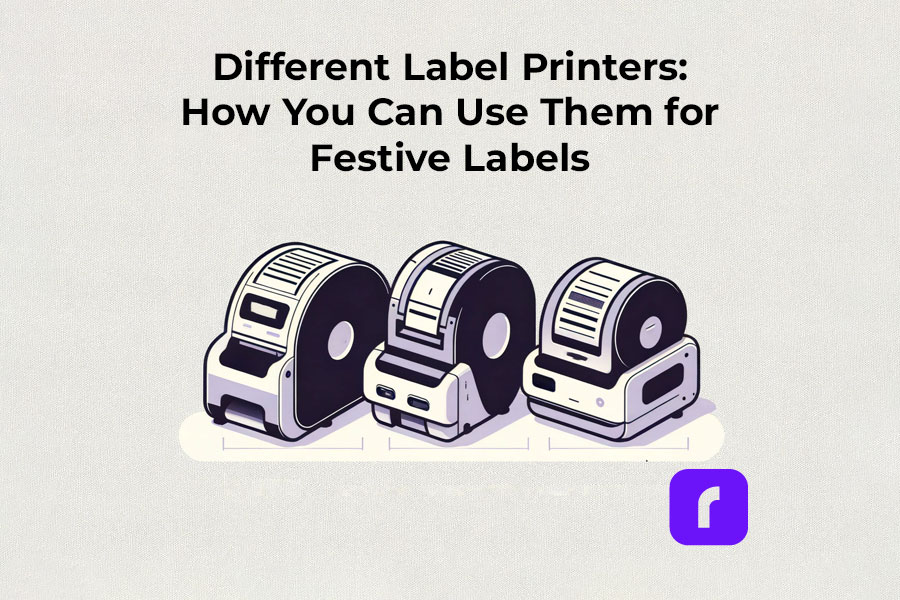
    Different Label Printers: How You Can Use Them for Festive Labels

    Thermal label printers

    Thermal label printers stand out for their efficiency. Using direct thermal printing technology, they eliminate the need for ink or toner, which is a significant advantage over traditional printing methods. This inkless approach not only saves time but also reduces operational costs. Thermal label printers are perfect for creating shipping labels, product labels, and even festive decorations, delivering consistent print quality.

    Did You Know? 
    Rollo's thermal label printers aren't just for basic label printing. These versatile machines, using direct thermal printing technology, make ink and toner a thing of the past. This not only streamlines your printing process but also slashes ongoing costs.
    Rollo printers excel in versatility, handling tasks like shipping labels (FedEx, UPS, USPS), marketplace labels (Amazon), barcodes, name tags, decorative labels, and more!

    Wireless label printers

    The advent of wireless label printers has revolutionized the way we handle label printing tasks. These printers offer the convenience of printing from anywhere within their connectivity range. Whether you’re using a smartphone, tablet, or laptop, the ability to print labels wirelessly adds a layer of flexibility that is particularly useful during busy holiday seasons. You can effortlessly print address labels, gift tags, and more, without being tethered to a physical location.

    Experience the freedom to print from anywhere – whether it's from your phone, tablet, or laptop. Perfect for the holiday rush, these printers make crafting address labels, unique gift tags, and more, incredibly easy and efficient. No cords, no limits. Dive into the world of hassle-free, wireless printing with Rollo.

    Barcode and Sticker Label Printers

    For businesses and individuals alike, barcode label printers are essential for product identification and inventory management. Sticker label printers, on the other hand, add a creative touch to personal and professional projects. They are ideal for custom labels on gifts, making each present unique and personal. The ability to design and print high-quality, custom stickers enhances the aesthetic of any holiday package.

    Did You Know? 
    Explore unlimited creativity with the Rollo Label Design Tool, a free platform for designing custom labels. Stand out with unique features like custom sizes, your own logos, intricate designs, barcodes, and QR codes. With a vast free image library and various shapes, sizes, and fonts, the possibilities are endless. Print your tailored labels in any size directly to your Rollo printer or any other printer without the need to cut them.

    Take a look at some of the creative ways Rollo users have utilized our sticker label printers:

    Empower Your Creativity with Rollo

    Join the Rollo Label Designer today,

    and bring your unique label designs to life.

    Whether for business branding

    or personal projects,

    your perfect label is

    just a few clicks away.

    Small and Portable Label Printers

    The compactness of small label printers makes them an excellent choice for limited spaces, while portable label printers offer the utmost convenience for on-the-go printing. They are particularly beneficial for event planners, craft enthusiasts, and small business owners who need to print labels at different locations.

    Did You Know? 
    Rollo's label printers are ultra-compact and portable, weighing just 3 lbs and sized like a hardcover novel (8 × 4 × 4 inches). Ideal for event planners, crafters, and small business owners, they offer the convenience of printing anywhere. Rollo transforms label printing with devices that fit in small spaces and travel bags, bringing high-quality printing to your fingertips.

    Commercial Label Printers:

    For higher-volume printing needs, commercial label printers are the go-to choice. With faster print speeds and the ability to handle a variety of label sizes, these printers are designed for efficiency and durability, essential for businesses during peak seasons like holidays.

    Did You Know? 
    When it comes to handling large volumes of label printing, Rollo label printers are highly capable and efficient. They can print one label per second, equating to 60 labels in a minute and 3,600 labels in an hour. This impressive speed makes Rollo printers particularly suitable for environments where efficiency is critical, such as e-commerce, logistics, or retail.

    Label Printers with Apps:

    Modern label printers often come with companion apps, making label design and printing more accessible and user-friendly. These apps allow users to create custom labels with ease, offering a range of templates and design options.

    Rollo is transforming the label printing landscape with its advanced apps, including the Rollo Label Designer and Rollo Ship App.

    The essence of a good label printer lies in its ability to produce a variety of labels, from simple address labels to intricate custom designs. The print resolution of these printers ensures that every detail, no matter how small, is crisp and clear. This is crucial when printing intricate designs or small text on product labels.

    Whether you’re a small business owner streamlining your shipping process or an individual adding a personal touch to your holiday gifts, there’s a label printer out there to meet your needs.

    Choosing the Right Label Printer

    Selecting the right label printer involves considering several factors like print resolution, print speed, and the variety of labels it can produce. If you’re looking for a printer that offers mobility, a portable label printer might be your best bet. For businesses, a commercial label printer that can handle a higher volume of labels at greater speeds is essential. It’s also important to look for printers that are compatible with different devices and software for seamless operation.

    Label Printer Buying Guide

    Step 1: Assess Your Label Printing Needs

    Before diving into the specifics of label printers, it’s crucial to understand your individual or business requirements. Ask yourself:

    • What type of labels will you primarily print? (e.g., shipping labels, product labels, barcode labels)
    • What volume of labels do you anticipate printing regularly?
    • Do you need a printer that’s easily portable or one that will remain in a fixed location?

    Step 2: Consider Key Features

    • Print Resolution: Measured in DPI (dots per inch), print resolution affects the clarity and detail of your labels. Higher DPI is essential for labels requiring fine detail, such as barcodes or product labels.
    • Print Speed: Speed is measured in labels per minute. Crucial for high-volume printing environments like warehouses or shipping centers.
    • Label Variety: Consider printers that support different label sizes and types for versatility.
    • Portability: If mobility is vital, look for lightweight, compact printers with battery options.

    Step 3: Check Compatibility and Connectivity

    • Device Compatibility: Ensure the printer is compatible with the operating systems of your computers or mobile devices. Check for compatibility with software or apps you plan to use for label designing.
    • Connectivity Options: Options include USB, Wi-Fi, Bluetooth, or Ethernet. Wireless connectivity is useful for printing from multiple devices or locations.

    Step 4: Balance Cost and Efficiency

    • Initial Cost vs Long-Term Savings: While some printers may be cheaper upfront, consider long-term costs like ink, toner, or special label paper. Thermal printers, which don’t require ink or toner, can offer significant savings over time.
    • Efficiency and Productivity: Printers offering high print speeds and easy label loading can boost productivity, especially in commercial settings.

    Step 5: Additional Considerations

    • Durability: For heavy-duty use, look for printers built to withstand high-volume printing and frequent handling.
    • After-Sales Support: Consider the warranty and customer support offered by the manufacturer.
    • Environmental Impact: Some printers are more eco-friendly, using less power or producing less waste.
    • Brand Reputation: Research brands for reliability and customer satisfaction.

    Step 6: Making the Final Decision

    Once you’ve evaluated these factors, compare a few models that meet your criteria. Read reviews and user feedback to understand real-world performance and reliability. Don’t hesitate to contact manufacturers or sellers for any specific queries or demonstrations.

    How to Print Labels at Home

    How to Print Labels at Home

    Printing labels at home is straightforward with the right label printer. The process typically involves selecting the right type of label, designing your label using a software or app, and then printing it directly from your device. Many label printers come with user-friendly interfaces and applications that make this process a breeze, even for beginners. It’s an efficient way to manage home organization, holiday preparations, or even small business needs.

    Printing labels at home can be an efficient way to manage various tasks, from organizing your space to preparing for the holidays or supporting your small business. Here’s how to navigate the process with ease:

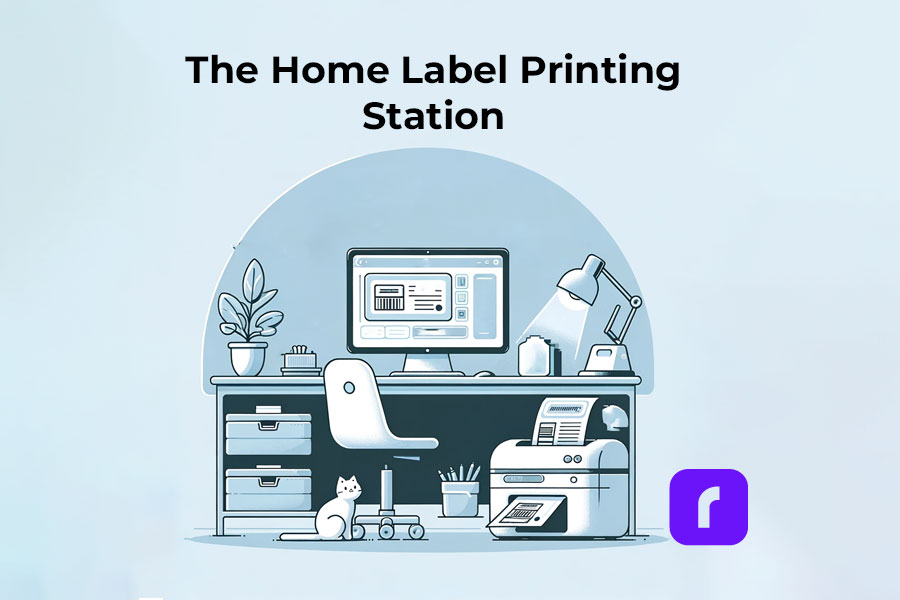
    The Home Label Printing Station

    🎬 Step 1: Choose the Right Label Printer

    Have in mind what we already mentioned about:

    🟣 Assessing Your Label Printing Needs: shipping, barcode, decorative, etc.
    If you are unaware of all the printers you would like to print, we advise you to choose an ultimate solution like Rollo – capable of printing various types of thermal labels.

    🟣 Printer Types: Consider a portable label printer for mobility or a commercial one for high volumes.
    The best choice would be a printer with the efficiency of commercial ones and the size of a portable printer. Like the Rollo wireless printer.

    🟣 Compatibility: Ensure the printer works with your devices and software.
    If you are switching devices regularly, look for a widely compatible option. Such as the Rollo wireless – compatible with iOS, Android, Windows, Mac, Linux, and Chromebook.


    ➡️ Step 2: Select Suitable Labels

    🟣 Label Types: Choose from a variety of labels (e.g., shipping, barcode, sticker). Know your label sizes: barcode labels are size 2×1 inches, shipping labels are 4×6 inches, etc.

    🟣 Size and Material: Match the label size and material to your printer’s capabilities – e.g. if you are using a regular inkjet printer, use regular paper, if you have a thermal label printer – print on thermal labels only.


    ➡️ Step 3: Design Your Labels

    🟣 Software/App Usage: Utilize the printer’s companion app or software for designing labels.

    🟣 Customization: Add text, images, logos, or barcodes as needed. Utilize the features of apps like the Rollo Label Designer App for advanced customizations.


    ➡️ Step 4: Set Up Your Printer

    🟣 Install Printer Drivers: Ensure your printer’s drivers are installed on your device.
    Did you know that the Rollo wireless label printer does not require any driver installation and it takes only 5 minutes to set up?

    🟣 Load Labels: Properly load the labels into the printer according to the manufacturer’s instructions.


    🔚 Step 5: Print the Labels

    🟣 Connectivity: Connect your printer to your device via USB, Wi-Fi, or Bluetooth, depending on its type of technology.

    🟣 Print Settings: Select the correct printer and label size in the print settings.

    🟣 Print Quality: Choose the desired print quality (DPI settings) based on your label’s purpose.
    Did you know that the Rollo label printers have an industry-standard printing quality of 203 dpi?

    📢 Post-Printing Steps

    • Label Application: Peel and stick your thermal labels.
    • Storage: Store any unused thermal labels in a cool, dry place to maintain their quality.

    ⚠️ Tips for Effective Label Printing

    • Test Prints: Do a few test prints to ensure alignment and quality.
    • Regular Maintenance: Clean your printer regularly to ensure consistent print quality.
    • Software Updates: Keep the printer’s software or app updated for new features and improved performance.

    Festive Labeling Ideas

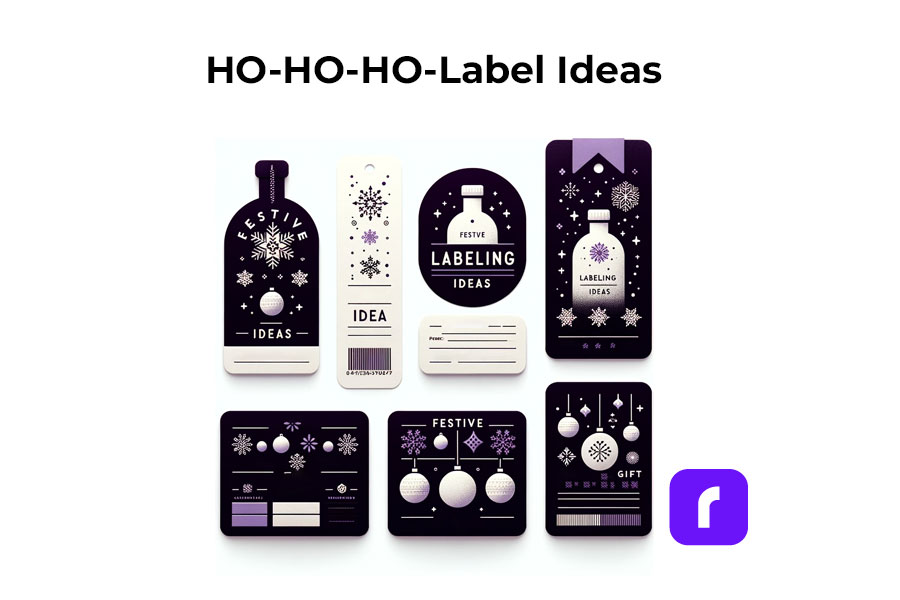
    Label printers shine the brightest during the holiday season. They offer endless possibilities for creative labeling. You can design custom labels for gift bottles or create unique stickers for candles. The use of label printers extends to crafting personalized address labels, adding a touch of warmth to your holiday mail. With these printers, you can bring a personal touch to every aspect of your festive preparations.

    Festive Label Ideas
    ;

    Personalized Gift Wrapping:

    • 🎁 Custom Gift Tags: Design and print custom tags for each gift, adding a personal message or the recipient’s name.
    • ❄️ Theme-Based Labels: Create labels that match your holiday theme, such as snowflakes for a winter wonderland or stars for a night-themed party.

    Home Decoration:

    • 🪟 Window Stickers: Print festive designs like snowflakes or reindeer to adorn your windows.
    • 🪑 Table Setting Labels: Create name tags for place settings or labels for homemade food items on your holiday table.

    Holiday Cards and Mail:

    • ✉️ Address Labels: Design address labels with festive graphics for sending out holiday cards.
    • 📦 Seal Stickers: Make custom stickers to seal envelopes, adding a festive touch.

    Party Favors and Decor:

    • 🍾 Bottle Labels: Customize labels for wine or beverage bottles served at parties.
    • 🎉 Party Favor Tags: Create unique tags for party favors, reflecting the holiday spirit.

    Organizing Holiday Supplies:

    • 🛅 Storage Bin Labels: Print labels for organizing holiday decorations, making next year’s setup easier.
    • 🎀 Gift Wrap Station Tags: Label compartments or containers at your gift-wrapping station for easy access to ribbons, tags, and paper.

    Children’s Activities:

    • 🎨 DIY Sticker Sheets: Print a sheet of holiday-themed stickers for children to decorate and play with.
    • 📅 Advent Calendar Labels: Create numbered labels for a homemade advent calendar filled with treats or activities.

    DIY Crafts and Gifts:

    • 🫙 Jar Labels for Homemade Goodies: Make labels for jars of homemade jams, cookies, or candies, perfect for gifting.
    • 📕 Book Labels: For book gifts, print personalized book labels with a holiday message.

    As you gear up for the festive season, remember that saving on shipping costs is just as important as efficiency. Our Money Saving eBay Shipping Label Guide provides eBay sellers with essential tips to keep shipping expenses low during the busiest time of the year.

    Final Words

    Label printers are more than just a tool; they are a gateway to creativity and efficiency, especially during the festive season. By understanding the different types available, how to choose the right one, and the multitude of ways they can be used, you can transform your labeling tasks into an enjoyable part of your holiday preparations. Remember to consider factors like cost, efficiency, and compatibility to make the most out of your label printer.

    Follow Rollo on: