Have you ever opened your closet and thought, “I’ve barely worn this. Someone else would love it!” Selling on Poshmark makes that thought a reality. Whether you’re clearing out your wardrobe or building a side hustle, Poshmark is a fantastic platform to sell clothes, shoes, and accessories—and earn some extra cash.
But let’s be honest: shipping can be a headache. Figuring out labels, packing supplies, and getting to the post office takes time you’d rather spend making sales or enjoying your day. Don’t worry, though—this guide covers everything you need to know about how to sell on Poshmark while saving big on shipping. From setting up your account to streamlining your shipping process (spoiler: Rollo makes it easy), we’ve got you covered.
Ready to turn your Poshmark closet into a money-making machine? Let’s dive in.
Learn More Below
Why Poshmark is Perfect for Online Sellers
What is Poshmark?
Poshmark is more than just an app—it’s a social marketplace where you can sell new and gently used clothing, accessories, and even home goods. Think of it as a cross between eBay and Instagram. You list your items, share them with followers, and participate in “Posh Parties” to boost visibility.
Why Do Sellers Love Poshmark?
It’s easy to see why Poshmark is a go-to for so many sellers. The platform provides a built-in audience of fashion enthusiasts who are actively looking for great deals. Plus, with its prepaid shipping labels, you don’t have to worry about calculating postage—Poshmark handles it for you.
Whether you’re a small business owner or just clearing out your closet, Poshmark’s user-friendly app and vibrant community make it a standout choice.
Setting Up Your Poshmark Closet
How to Create a Poshmark Account
Starting is simple. Download the app, create your account, and set up your profile. Understanding how to sell on Poshmark is as simple as making your closet attractive, engaging buyers, and delivering great service. Be sure to add a friendly bio and a profile picture that reflects your personal style—it’s your first chance to make a good impression.
Don’t forget to link your bank account so you can get paid directly. Once a sale is completed, Poshmark deposits your earnings into your account.
Branding Your Closet
Your Poshmark closet is like your storefront. To stand out, create a cohesive look that reflects your style. Use consistent photo backgrounds and write descriptions with a friendly, personal touch. The more polished and professional your closet looks, the more buyers you’ll attract.
Crafting Listings That Attract Buyers
Photography Tips
When learning how to sell on Poshmark, make sure to stage your items in good lighting. High-quality photos will attract buyers and increase your chances of making a sale. Take high-quality photos with natural light and a clean, neutral background. Show multiple angles, and don’t forget close-ups of any unique features or flaws (buyers appreciate honesty).
Pro tip: Use a hanger or mannequin to display clothes—it makes them look much more appealing than laying them flat on a bed or floor.
Writing Descriptions That Sell
Descriptions should be detailed but not overwhelming. Include key details like brand, size, condition, and any standout features. For example: “Gently worn Nike Air Max sneakers, size 9, excellent condition, with minor scuffing on the sole.”
Use relevant keywords to make your listings searchable. Phrases like “women’s size medium blouse” or “vintage leather purse” help your items get found.
Pricing Strategies
Research similar items to see what they’re selling for, and aim for a fair, competitive price. If you’re willing to negotiate, mark your item slightly higher to leave room for offers. Bundling items is another great way to boost sales while offering buyers a deal.
Sharing your listings is essential to staying visible. Poshmark is a social platform, so the more you share—your items and others’—the more eyes you’ll get on your closet.
Participating in Posh Parties is another great way to increase visibility. These are themed virtual events where you can showcase your items in front of a broader audience.
Building Buyer Relationships
Good customer service goes a long way. Shoppers appreciate responsive sellers who clearly understand how to sell on Poshmark and deliver a seamless buying experience. Respond quickly to questions, ship items promptly, and include a handwritten thank-you note or a small freebie to leave a lasting impression. Happy buyers often return for more.
Simplifying Shipping with Rollo
How Poshmark’s Shipping Works
Once you make a sale, Poshmark emails you a prepaid, pre-addressed shipping label. All you have to do is print it, package your item, and drop it off at the post office. Easy, right?
Why Rollo is a Game-Changer
If you’re selling multiple items a week—or even just a few—Rollo’s wireless label printer is a lifesaver. It prints professional, easy-to-read shipping labels in seconds, saving you time and hassle. Plus, with Rollo Ship, you can connect your UPS account to access discounted shipping rates for orders outside Poshmark.
Say goodbye to struggling with scissors and tape. With Rollo, you’re set up for smooth, stress-free Poshmark shipping every time.
As your business grows, staying organized is key. Once you master how to sell on Poshmark and streamline your shipping process, you can focus on expanding your inventory to drive more sales. Use tools like spreadsheets to track what you’ve listed, sold, and shipped. And don’t be afraid to source more inventory from thrift stores or consignment shops—it’s a great way to keep your closet fresh.
Using Analytics to Improve Sales
Poshmark provides data on what’s selling and how your listings are performing. Use this to your advantage. Identify best-sellers, spot trends, and adjust your strategy accordingly.
Avoiding Common Pitfalls
Items You Shouldn’t Sell
Poshmark has strict guidelines on prohibited items, like counterfeit goods or heavily damaged pieces. Make sure you’re familiar with these to avoid account issues.
Pricing and Communication Mistakes
Don’t overprice your items, but don’t undercut yourself either. And always communicate clearly with buyers—whether it’s answering questions or updating them on shipping.
Final Words
Selling on Poshmark is a fun and rewarding way to earn extra cash—or even build a thriving business. By following these tips, you’ll create standout listings, engage with buyers, and save big on shipping. And with tools like Rollo’s wireless label printer, managing your orders has never been easier.
Ready to take your Poshmark game to the next level? Start listing, shipping, and growing your business today!
Frequently Asked Questions How to Sell on Poshmark
📌 Q: How much does it cost to sell on Poshmark?
💭 A: Poshmark charges a flat fee of $2.95 for sales under $15 and a 20% commission for sales over $15. These fees cover the use of Poshmark’s platform, community tools, and prepaid shipping labels, making it easy for sellers to focus on listing and shipping items.
📌 Q: Do I need a printer to sell on Poshmark?
💭 A:No, a printer isn’t required to sell on Poshmark, but using a label printer like Rollo can make shipping faster and more professional. If you don’t have a printer at home, you can use local print shops or office supply stores to print Poshmark’s prepaid shipping labels.
📌 Q: What is a Poshmark Party?
💭 A: Poshmark Parties are virtual events where users can share and shop themed listings in real time, like “Best in Dresses” or “Wardrobe Essentials.” These parties help sellers boost visibility for their items and connect with potential buyers actively looking for specific types of fashion.
📌 Q: How do I attract more buyers?
💭 A: To attract more buyers on Poshmark, share your listings daily to keep them visible, participate in Poshmark Parties for added exposure, and offer bundle deals to encourage bulk purchases. Additionally, engaging with other users by commenting, liking, and sharing their closets can help build connections and attract more sales. Using high-quality photos and detailed descriptions can further make your listings stand out.
📌 Q: Can I really make money on Poshmark?
💭 A: Yes, you can make money on Poshmark by following key strategies like creating high-quality listings with great photos, using competitive pricing, and staying active in the community by sharing listings and participating in Poshmark Parties. Many sellers earn hundreds of dollars a month, with some even turning it into a full-time online business by sourcing inventory and building a loyal customer base.
The advent of online selling platforms like Poshmark has drastically reshaped our perspective on fashion retail. No longer are we limited to the confines of brick-and-mortar stores or the traditional modes of buying and selling.
Instead, Poshmark, among others, has introduced a dynamic, flexible, and vast digital marketplace. It effectively bridges the gap between enthusiastic sellers and discerning buyers. But it doesn’t just stop at being a mere platform for listing products. Its true prowess lies in the seamless integration of multiple aspects of online retail, with shipping being a pivotal feature. Poshmark currently does not support international shipping and only facilitates domestic U.S. shipping.
For the uninitiated, the realm of online selling, paired with the challenges of shipping, can seem a tad overwhelming. But, fret not! Whether you’re new to Poshmark shipping or a seasoned seller, this guide offers clear shipping advice.
We’ll guide you through Poshmark shipping, from listing an item to delivering it to your buyer.
🏪 What is Poshmark
Poshmark is a major online platform for buying and selling fashion, accessories, and home goods. It has changed how people see fashion, making it easy and profitable. Sellers on Poshmark enjoy its user-friendly interface and active community that trades and shares style advice.
Sites like Poshmark, Mercari, and Depop each offer a unique spin on online reselling. While similar, Poshmark holds its distinctive charm and vast audience. It is a premier choice for many looking to delve into online fashion commerce.
🛍️ How to Sell on Poshmark
Before we dive into the Poshmark shipping specifics, it’s crucial to understand the selling process. The process begins with listing an item. Take clear, high-quality photos of the clothing or accessories you want to sell. Provide an accurate and catchy description, set a price, and post it.
Jumping into the world of Poshmark selling might seem overwhelming initially, but with a bit of insight, the process becomes clear and effortless. Here’s a more in-depth look:
1. 💎Mastering the Listing:
To make a successful sale, begin with a good listing. The first step is photography. When showcasing your item, ensure you take photos under good lighting conditions, preferably natural light. Capture different angles, highlighting any unique features or possible imperfections. This transparency not only builds trust with potential buyers but also aids in painting a holistic picture of what they’re investing in.
2. 📢Crafting a Stellar Description:
The description is where you can truly sell your item. Dive into specifics such as the brand, size, material, and care instructions. But more than just the facts, weave a story. Why did you love this piece? Is it a limited edition? Maybe it pairs perfectly with a summer dress or a winter coat. Bringing out the personality of the item can genuinely make it stand out amidst the sea of listings.
3. 🏷️Price It Right:
While it might be tempting to price your items high, remember the online marketplace is competitive. Research similar items on Poshmark to gauge the going rate. Consider factors like brand, condition, and rarity. Also, anticipate possible negotiations. Many buyers on Poshmark propose offers, so it’s wise to have a minimum acceptable price in mind.
4. 🎁Seamless Post-Sale Process:
Once your item finds its eager buyer, Poshmark steps in to streamline the rest. The platform’s dedication to sellers is evident with the automatic provision of a prepaid, pre-addressed Poshmark shipping label, making the next steps almost second nature. All you need to concern yourself with is packaging the product safely and securely and printing the Poshmark shipping label. Sellers can manage their shipping labels and other account settings through the ‘account tab’ on Poshmark.
So, while the initial listing is a straightforward affair, the nuances of selling on Poshmark lie in mastering these individual elements. Perfect them, and you’re well on your way to becoming a Poshmark selling star.
Once your item sells, Poshmark sends a prepaid, pre-addressed Poshmark shipping label to your linked email address. Simple, right? But that’s just the beginning.
🏤 How Do Poshmark Shipping Costs Work?
Poshmark has made the shipping process as streamlined as possible. Once your item sells:
📦 Phase 1: Print the Label – Use the prepaid, pre-addressed Poshmark shipping label sent to your email. If your item weighs more than 5 lbs, you can easily upgrade your Poshmark shipping label from the app by requesting a new shipping label.
📦 Phase 2:Package the Item – Use any box or padded envelope for packaging. If shipping electronics, ensure they’re appropriately packed. If the package exceeds the 5-pound limit, sellers can select ‘Need New Shipping Label’ in the app to request an upgraded label.
📦 Phase 3:Drop Off or Schedule Pickup – Either drop the package at a USPS mailbox or local post office or schedule a USPS pickup. Poshmark uses priority mail for packages up to 5 lbs and offers a flat rate for priority shipping. Sellers should choose the appropriate shipping method based on the item size and weight, and Poshmark provides pre-paid shipping labels for priority shipping. Poshmark offers different shipping methods, including priority mail, to ensure timely delivery.
PRO TIP: You can schedule your Poshmark shipping via USPS with the Rollo Ship App.
Poshmark shipping might seem intricate at first glance, but the platform’s genius lies in how it’s taken the fuss out of the shipping process. Let’s delve deeper:
1. 🖨️Printing Your Poshmark Shipping Label:
When you get a sale notification, Poshmark quickly sends a prepaid, pre-addressed shipping label to your email. The process seems simple: open, click, print. Yet, for those who desire the absolute best label printer for Poshmark, the Rollo shipping label printer raises the stakes significantly.
💜 Rollo – The Best Label Printer for Poshmark
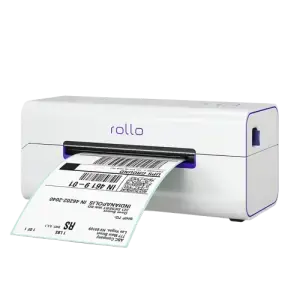
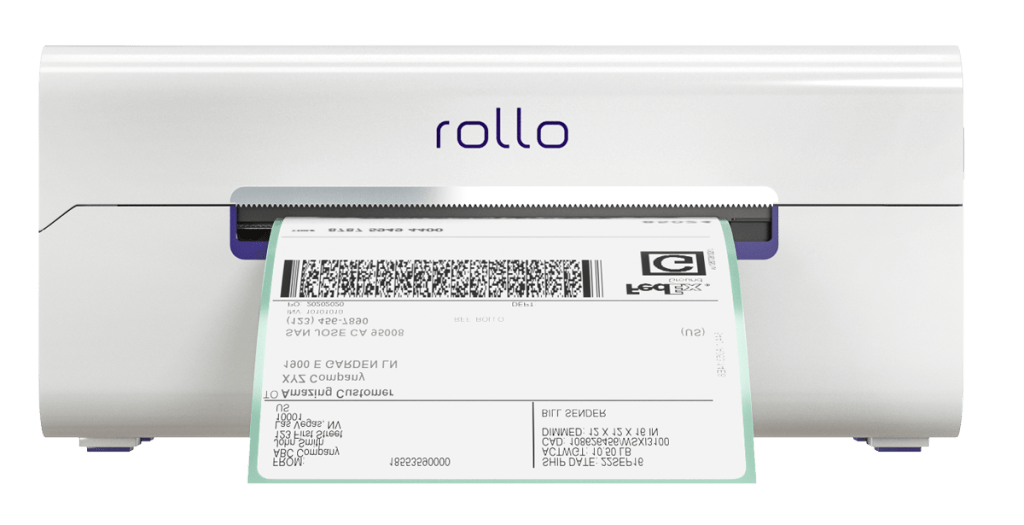
Firstly, the Rollo thermal label printer’s capacity is impressive. It offers up to 325,000 ft of label printing without the need for any ink thanks to its direct thermal technology.
If adjusting Poshmark shipping labels has been a hassle, Rollo’s intelligent label detection comes to your rescue. Simply send your label details straight to the Rollo label printer, particularly if you’re taking advantage of the wireless model.
The convenience doesn’t end there. Whether you’re team iPhone, Android, Mac, Windows, or even Linux, the Poshmark label printer by Rollo has you covered. Thanks to being both AirPrint and WiFi certified, you can seamlessly print your Poshmark label from any device, any app, or any file.
No more being tethered to a particular device or location. Plus, if you’re diversifying your online selling platforms beyond Poshmark, know that Rollo is compatible with a range of marketplaces and sites like Mercari and Depop. This makes selling on Poshmark a child’s game.
For those who prefer a direct connection, the USB model offers easy plug-and-play for both Mac and Windows users. And let’s not forget the astonishing speed of this Poshmark label printer – churning out labels at a rate of one per second. Its compact design ensures it can fit snugly in your workspace or even in your bag, should you need to take it on the go.
In essence, when it comes to Poshmark label printing, the Rollo printer offers an unparalleled mix of efficiency, versatility, and convenience. It ensures every sale transitions smoothly to a shipped package.
2. ⚖️Weighing the Item:
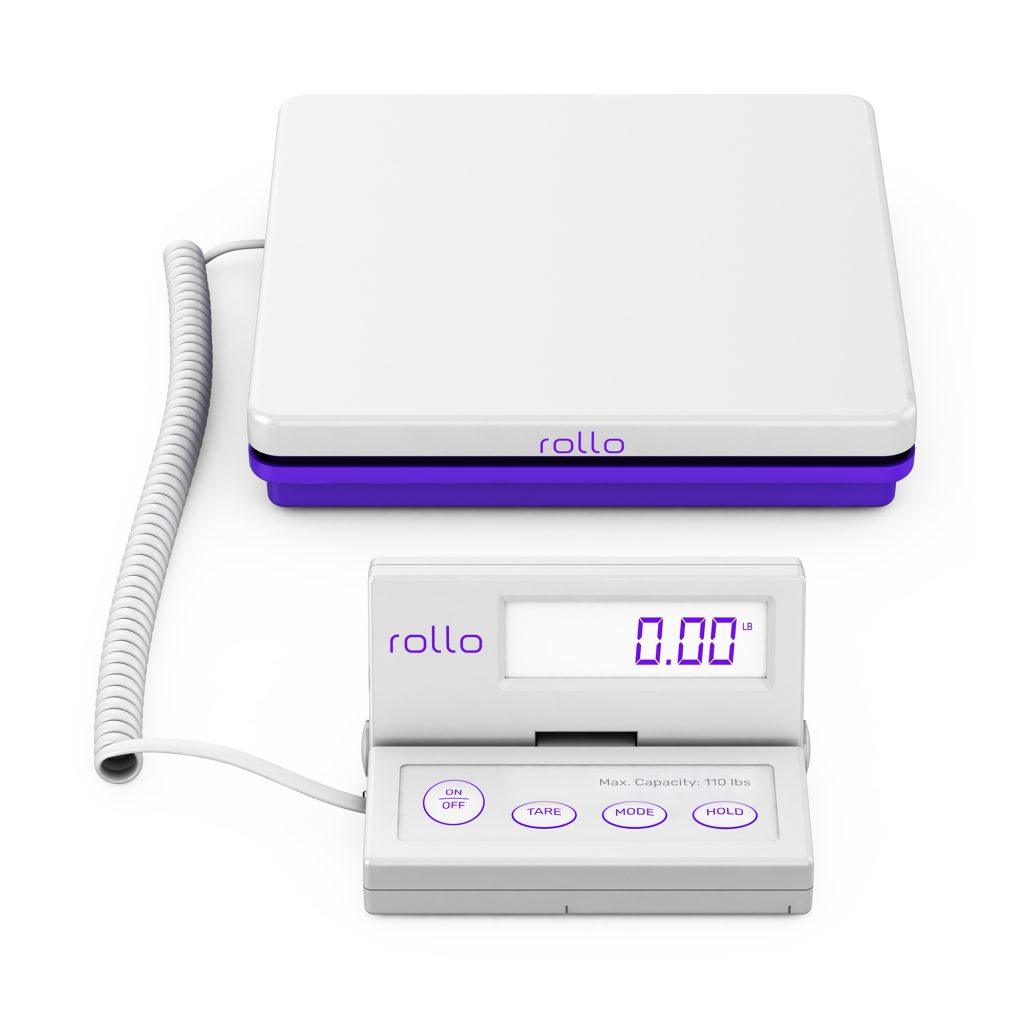
While Poshmark provides labels for items up to 5 lbs, what happens if your product weighs slightly more? This is where the Rollo digital shipping scale shines. With smart functions like Tare and Hold, you get accurate readings up to 0.07 ounces. Its robust capacity of up to 110 lbs ensures even bulkier items are handled with precision. The scale offers dual charging options for convenience. It also has a separate reading panel means never having to awkwardly angle boxes to read the weight.
While any standard box or padded envelope can do, if you’re looking for an edge in presentation and protection, Rollo’s range of packaging supplies is a game-changer. Rollo’s poly mailers and bubble mailers are not just lightweight and durable. They are also water-resistant, ensuring your sold items remain safe from external elements. Their light weight also saves on shipping costs. The peel-and-seal feature of these mailers further reduces the packaging time, offering both security and convenience.
Once your prized item is neatly packed and labeled, you have a wealth of choices in how you send it off to its eager recipient. While traditional methods like dropping your package at a nearby USPS mailbox or visiting the local post office are always viable, those desiring a more modern, streamlined approach should look no further than the Rollo Ship App.
Available on iOS, Android, and Desktop, the Rollo Ship App has become a seller’s dream tool. Imagine being able to consolidate all your orders across a myriad of marketplaces – from giants like Amazon, eBay, and Shopify to niche platforms like BigCartel and SquareSpace – all in one intuitive interface. With its extensive integration capabilities, transitioning between different selling platforms becomes fluid and hassle-free.
Harnessing the power of AI, the app not only efficiently imports your fresh orders but also groups and notifies you, ensuring you’re always one step ahead. But the convenience doesn’t stop there. Sold an item? The app can automatically alert the recipient with their tracking details, giving them peace of mind and reducing the number of “Where’s my order?” queries you might receive.
Perhaps you’re a lawyer, doctor, or another service provider? With the Rollo Ship App, you aren’t obliged to link up to e-commerce platforms, allowing you to leverage impressive shipping discounts regardless of your professional background. And, if you’re worried about having to purchase the Rollo printer just to use the app, fret not. The app is versatile, allowing label creation that you can print on any printer at your disposal.
Notably, Rollo champions inclusivity. Whether you’re a seasoned entrepreneur or just starting out, the app doesn’t demand business verification, a relief to many. Cost-effectiveness is also central to Rollo’s ethos. Forget about monthly subscriptions.
Creating a shipping label will only set you back a nominal 5 cents, and even that’s waived for your first 200 labels. On top of that, the hefty shipping discounts negotiated with major carriers like UPS, USPS, and FedEx can lead to savings of up to 90%.
Now, back to the issue of dispatching your item. If you’re swamped with orders or just prefer the convenience of dispatching from your doorstep, scheduling a USPS pickup is not only an option but an absolute breeze with the Rollo Ship App. Should you find yourself with multiple packages ready to go, the app effortlessly supports bulk label printing, cutting down on the time spent and letting you get back to what you do best – selling.
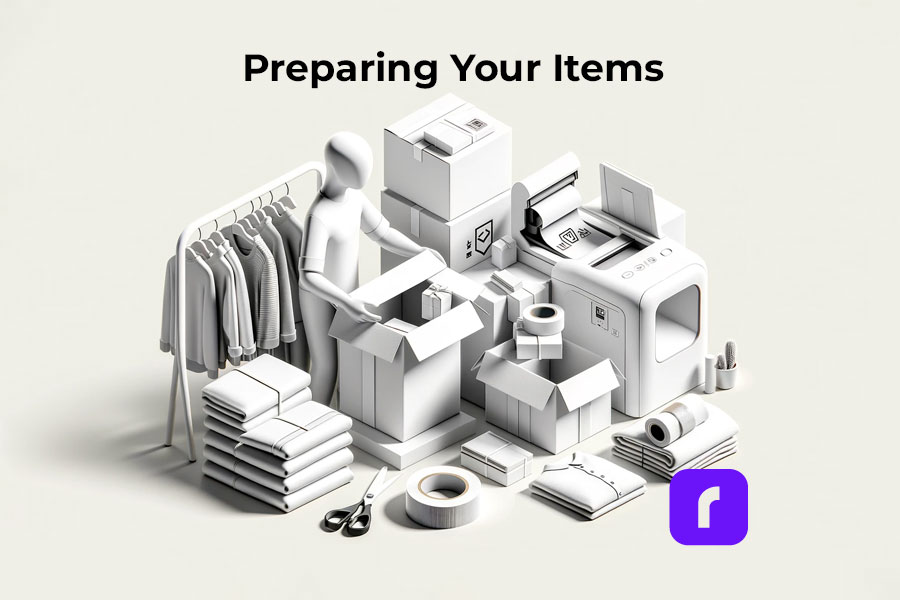
✂️ How to Prepare Your Items for Poshmark Shipping with the Rollo Touch
The beauty of selling on sites like Poshmark lies in the joy of sending a beloved item to someone who will cherish it. But that joy can quickly turn sour if items aren’t shipped properly. Ensuring your items are primed for their journey can spell the difference between a one-time sale and a repeat customer. Here’s how to nail it:
🎁 1. Packaging: Every garment you sell is a reflection of your personal brand. When Poshmark shipping, items should be neatly folded and encased in a pristine plastic bag before placement in a box or envelope. This not only protects the item from unforeseen damage, moisture, or dirt but showcases a level of professionalism that buyers will appreciate.
📦 2. Protection for Fragile Items: Some items, especially accessories or delicate fabrics, require extra padding. Tools like bubble wrap, plush tissue paper, or even repurposed newspapers can serve as a cushion, safeguarding your items from the bumps and jostles of transit.
✅ 3. Weight Matters: Before sealing that package, ensure you’re not overstepping the weight boundaries set by your Poshmark shipping label. An overweight package could lead to delays or additional charges. In case your item surpasses the weight limit, be sure to upgrade your label accordingly.
🔝 4. Personal Branding with Rollo’s Label Design Tool: Here’s where the magic of personal touch comes into play. While thank you cards or ribbons are always delightful, Rollo’s Label Design Tool takes packaging personalization to the next level. Offering a host of customizable label templates, including those specifically sized for thermal prints, this tool is a dream for any seller looking to stand out.
Signing up is a breeze and, believe it or not, absolutely free. Unlike many platforms that limit customization, Rollo gives you the freedom to determine your label’s size, ensuring a perfect fit every time.
Want to emblazon your logo on your package? Or perhaps a QR code leading to your store or a special discount? With the Rollo Label Design Tool, creating these custom labels is a cinch. Upload your own images, generate barcodes, or delve into the rich image library for inspiration.
For those special touches that make a buyer’s day, consider crafting a personalized “Thank You” sticker or even promotional barcode labels to adorn your package. With a variety of shapes, sizes, fonts, and design elements at your disposal, the sky's the limit. Decorate your package, showcase your brand, and give your buyers an unboxing experience they'll remember and appreciate. It's these seemingly small gestures, empowered by tools like Rollo's Label Design Tool, that foster loyalty and keep customers coming back.
🖨️ How to Print a Poshmark Shipping Label for a Sale
Using Rollo’s compact direct thermal label printer simplifies the printing process. After receiving your Poshmark label in the email:
🐾 Step 1:Open the Label – Access your email from any device connected to your Rollo printer. The shipping fee is typically covered by the buyer, but sellers can offer free or discounted shipping.
🐾 Step 2:Select Print – Choose the 4”x6” label size for optimal printing. Poshmark has negotiated flat shipping rates with USPS, which apply to packages up to 5 lbs.
🐾 Step 3:Stick the Label – Once printed, peel off the adhesive backing and affix the label to your package. Make sure it’s secure and clearly visible.
If you’ve got a Rollo thermal label printer at your side, this task becomes even more streamlined. Here’s a snapshot of how effortless the process can be:
💜 Seamless Integration with Rollo: Upon making a sale, Poshmark sends you the shipping label directly to your email. With Rollo’s wireless model, it doesn’t matter where you access your email. Whether it’s your smartphone, tablet, or desktop – if it’s connected to the Rollo printer, you’re golden.
💜 One-Tap Printing: Navigate to the received label and simply select the print option. Rollo’s printers are designed for precision, so always opt for the 4”x6” label size to ensure your printout fits perfectly on your package. And with Rollo’s intelligent label detection in the wireless model, manual adjustments become a thing of the past. The printer intuitively understands the label dimensions, saving you time and potential printing errors.
💜 Stick with Ease: The beauty of these labels lies in their adhesive backing. Once the label rolls out of your Rollo printer, it’s ready to go. Just peel and stick it onto your package. Ensure it’s smooth, wrinkle-free, and positioned where it’s most visible.
📏 What Size Are Poshmark Shipping Labels?
Another essential aspect is the size of Poshmark shipping labels. Typically, these labels fit standard printer sizes. However, if you’re using a label printer, like the Rollo direct thermal label printers, the 4”x6” adhesive labels are ideal. Rollo printers, especially, stand out as a suitable choice for Poshmark sellers because of their compact design and wireless capabilities, which allow for easy printing from virtually any device.
In Conclusion
Whether you’re a seasoned Poshmark seller or a newbie, understanding and simplifying the shipping process is crucial. Using the Rollo thermal printer makes Poshmark shipping easier and more professional, letting you focus on selling. In online sales, quick and efficient shipping is key to customer satisfaction. So, master your Poshmark shipping, and you’re on your way to becoming a top Poshmark seller!
💭 A: There’s a timeframe to use your Poshmark shipping label. Typically, if you don’t ship the item within seven days of the sale, the buyer has the right to cancel the order. If by the 21st day after the purchase, the item remains unshipped, Poshmark may automatically cancel it. Hence, it’s vital to ensure you use the label within the stipulated period to maintain your seller reputation and ensure customer satisfaction.
📌 Q: Why Do You Need a Thermal Label Printer for Poshmark Shipping?
💭 A: While it’s possible to print Poshmark shipping labels on standard printers, a thermal label printer offers advantages. Thermal printers, such as Rollo, don’t need ink and can print up to 325,000 ft of labels without a refill. Secondly, they offer fast printing speeds—Rollo printers can print one label per second! Plus, with the wireless Rollo model, sellers can print labels directly from their phones, tablets, or laptops.
📌 Q: Is Poshmark Shipping Free for the Seller?
💭 A: In Poshmark shipping is that the buyer covers the cost. Once an item sells, Poshmark charges the buyer a flat shipping rate and emails the seller a prepaid Poshmark shipping label. This process ensures the seller doesn’t have to deal with the intricacies of calculating shipping costs.