Rollo

Tag: grow your business online

  • The Perfect Label Printer for Small Business Owners

    The Perfect Label Printer for Small Business Owners

    In the competitive landscape of entrepreneurship, every minute and dollar counts. That’s why investing in the right equipment is paramount for efficiency and cost-effectiveness. A label printer for small business operations serves as one of those critical investments that can significantly elevate your workflow. Whether you’re in e-commerce, retail, or any service industry, the importance of a dependable label printer can’t be overstated. From streamlining your shipping process to efficiently sorting your inventory, a label printer is more than just an accessory—it’s a necessity for modern small businesses. In this in-depth guide, we zoom in on Rollo printers, delving into their features, benefits, and complementary services to help you determine if they’re the right fit for your business needs.

    What Type of Label Printers Exist?

    In today’s fast-paced business environment, the utility of a label printer extends far beyond merely sticking addresses on packages. Different types of label printers are designed to perform specialized functions. Whether you’re searching for a shipping label printer for small business logistics or an address label printer for client correspondence, you’ll find that the market is brimming with options.

    Rollo makes your choice simpler by offering two versatile yet distinct models that cater to a wide range of business needs. Here’s a breakdown:

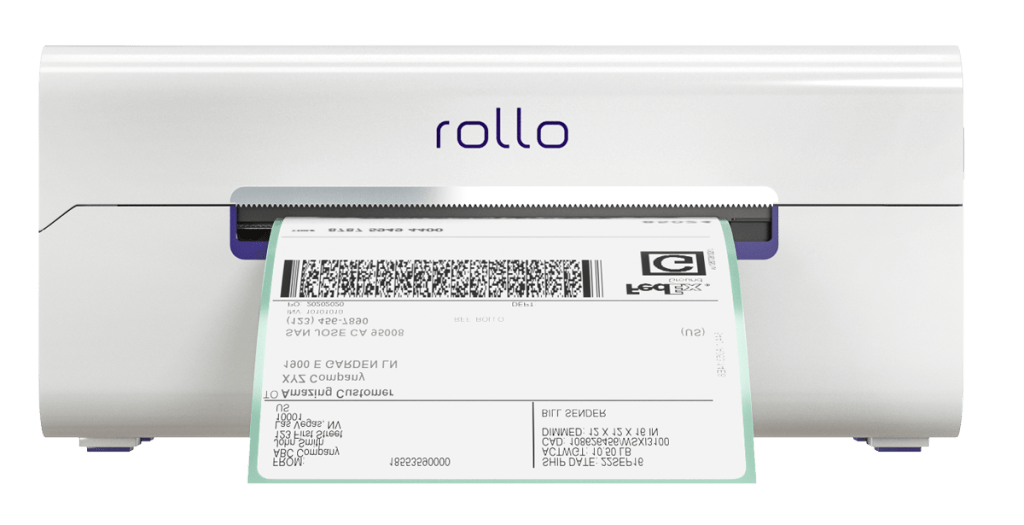
    Rollo label printer for small business

    Key Features:

    🤖 Intelligent Label Detection
    The printer automatically detects the label size, reducing manual settings adjustments and errors.

    🗃️ Multiple Device Compatibility
    Whether you’re an Apple aficionado or a Windows warrior, this printer has you covered.

    🖨️ Print Speeds
    Time is money, and with Rollo, you save both. The printer churns out one label per second.

    🏪 Marketplace Compatibility
    Ideal for businesses operating on marketplaces like Poshmark, Mercari, Depop, and many more.

    Rollo USB label printer

    Key Features:

    🔌 USB Connected
    Simple, reliable connectivity via USB makes setup a breeze.

    🖨️ Quickly Prints
    Like its wireless sibling, this model also prints one label per second.

    🤖 Intelligent Label Detection
    Say goodbye to manual cropping and resizing; the printer does it for you.

    💰 Small Business-Friendly
    Ideal for businesses that operate from a stationary location and prefer the reliability of a wired connection.

    Why Choose a Rollo Printer?

    Regardless of which model you opt for, both come with Rollo’s intelligent label detection technology. They are also incredibly compact, meaning you can easily carry them in your bag, and are designed for quick, efficient printing—attributes that any small business owner would appreciate.

    By offering two models that are both high-quality and fast, Rollo ensures there’s a label printer for small business owners like you.

    What Type of Printer is Best for Labels?

    When it comes to printing labels, thermal printers often emerge as the go-to choice for small businesses. Unlike inkjet or laser printers, thermal printers don’t require ink, making them a cost-effective solution for businesses that need to print a lot of labels.

    Printer TypeInk RequirementSpeedCost
    Thermal😊 No🚀 Fast💲Low
    Inkjet😞Yes🛩️ Medium💲💲💲High
    Laser😊 No🚀 Fast💲💲💲High
    Table 1: Printer Types and Their Features

    When seeking the ideal label printer for small business owners, it’s crucial to understand the different types of printers available on the market and what they offer. Although inkjet and laser printers are capable of handling label printing, thermal printers frequently steal the spotlight, especially for business needs. But why is that?

    So, when it comes to deciding what type of printer is best for labels, thermal printers like Rollo’s offer a compelling case. With cost-saving benefits, high-speed printing, durable labels, and versatility, they serve as an indispensable tool for any small business looking to optimize its operations.

    Benefits of Using a Label Printer for Small Business Owners

    Label printers offer numerous advantages:

    💜 High-Quality Labels: Print crisp and clear labels every time.

    💜 Speed: Quickly prints a lot of labels, with some models like Rollo offering a speed of one label per second.

    💜 Cost-Effectiveness: Printing labels in-house can be a significant cost saver, especially when printing a lot of labels.

    FeatureWireless ModelUSB Model
    Intelligent Label Detection✅ Yes✅ Yes
    Print Speed🚀 1 label/second🚀 1 label/second
    OS Compatibility💻💻💻💻💻Multiple💻 💻Mac, Windows
    Connectivityᯤ WiFi, AirPrint🔌USB
    Table 2: Rollo Printer Features

    How to Print Business Labels at Home

    Printing business labels at home has never been easier thanks to user-friendly models like those from Rollo. Here’s a simple guide to get you started:

    🐾 Step 1 – Set Up Your Printer:

    Connect your Rollo printer via WiFi or USB cable.

    🐾 Step 2 – Choose the Type of Label:

    Rollo offers a variety of eco-friendly FSC-certified and BPA-free thermal labels.

    🐾 Step 3 – Design the Label:

    Use the Rollo Label Design Tool to create custom labels. Upload your logo, images, barcodes, or QR codes.

    🐾 Step 4 – Print:

    With a simple click, your high-quality labels will be printed at high print speeds.

    Which Printer is Good for Label Printing?

    When considering a label printer for small business needs, it’s crucial to look for certain features like print speeds, label quality, and compatibility. Rollo’s printers emerge as an ideal choice due to their versatile compatibility with multiple devices, including Mac, iPhone, iPad, Android, Windows, and more. What sets Rollo apart is its intelligent label detection. You don’t have to worry about manually cropping your labels; just send them to Rollo, and the printer does the rest. This feature is available in Rollo’s wireless model.

    Why Should I Buy a Label Printer?

    The question isn’t so much why you should buy a label printer, but rather why you haven’t already! A thermal label printer for small businesses, like the Rollo model, can save you an immense amount of time.

    Here’s why:

    Quickly Prints: No more waiting around; Rollo printers can churn out one label per second.

    High Quality: No ink smudging or label jams. Rollo guarantees high-quality, professional-looking labels.

    Cost-Effective: With no ink required and the ability to print a lot of labels in one go, you save money in the long run.

    Eco-friendly: Rollo’s variety of FSC-certified and BPA-free thermal labels are a bonus for those looking to make sustainable choices.

    What is the Best Printer to Print Labels from Home?

    If you’re considering printing labels from the comfort of your home, Rollo’s wireless model is a top pick. Being AirPrint and WiFi certified, this model allows you to print directly from your phone, tablet, or computer. It’s compatible with various marketplaces like Poshmark, Mercari, Depop, and many others, making it a versatile choice for all kinds of small business owners.

    What is the Best Printer to Print Labels from Home

    Do You Need a Special Printer to Print Labels?

    When it comes to label printing, a common question that small business owners ask is, “Do I really need a specialized label printer?” Technically, a standard office printer can do the job. However, for those who want to gain a competitive edge, a specialized label printer for small business needs, like the ones offered by Rollo, can provide several distinct advantages.

    So, while a general office printer could suffice for basic tasks, using a specialized label printer for small business applications offers a much broader range of options and benefits. With Rollo, you’ll not just be printing labels; you’ll be optimizing your business for success.

    What Kind of Printer Do I Need to Print Barcode Labels?

    If your small business requires you to print barcodes, a printer like Rollo is a prime choice. Its Label Design Tool not only allows you to create custom labels but also to generate barcodes and QR codes, making it a versatile tool for all your label needs.

    PRINT LABELS EFFORTLESSLY.

    ELEVATE YOUR SMALL BUSINESS

    What is the Difference Between a Label Maker and a Label Printer for small business owners?

    At first glance, label makers and label printers may appear to serve the same purpose: they both print labels, after all. However, when it comes to functionality and versatility, especially in the context of small business operations, there are some key differences worth noting. Understanding these differences can help small business owners make an informed decision about what kind of device best meets their needs.

    Label Makers: The Basics
    Label makers are best suited for simple, one-off tasks. These might include naming folders, tagging equipment, or identifying office supplies. While they are quick and easy to use for these basic labeling tasks, their capabilities are somewhat limited. Generally, they don’t offer the range of label sizes, types, or customizations that a small business might require for more complex operations.

    Label Printers for Small Businesses: The Game Changer
    On the other hand, a label printer for small business applications like those offered by Rollo brings a whole new level of versatility to the table. With the capability to print various types of labels—be it shipping labels, barcodes, or QR codes—these devices are geared toward multifaceted business tasks.

    While label makers can handle basic labeling tasks, a label printer for small business owners who require more sophisticated features and capabilities would be the smarter investment. With options like Rollo, you're not just buying a printer; you're investing in a comprehensive solution to streamline your business's various labeling needs.

    The Rollo Ship App: A Convenient Solution

    The Rollo Ship App is a standout feature that complements Rollo’s printers. Available for iOS, Android, and Desktop, the app allows consolidation of orders from multiple marketplaces like Amazon, Etsy, BigCartel, and more. Moreover, the app utilizes AI to automatically import your new orders from stores, group them, and notify you.

    • Cost: No monthly subscription. Creating a shipping label costs just 5 cents per label, waived for your first 200 labels.
    • Shipping Discounts: Negotiated with major carriers like UPS, USPS, and FedEx, you can enjoy up to 90% off on shipping.
    • Multiple Labels: Print multiple labels at once to expedite your shipping process.
    FeatureDescription
    Cost5 cents per label (first 200 free)
    Shipping DiscountsUp to 90% off
    Multiple Label PrintingYes
    AI-poweredAuto-import and grouping of orders
    CompatibilityAmazon, Etsy, Shopify, and many more
    Table 3: Rollo Ship App Features

    PRINT LABELS AND CLAIM SHIPPING DISCOUNTS

    STREAMLINE YOUR SHIPPING

    The Rollo Label Design Tool: An Edge Over Others

    Another feature that sets Rollo apart is its Label Design Tool. Unlike other platforms, signing up is free, and you can use a variety of shapes, sizes, and fonts to create the perfect label. You can even upload your logo, and images, and generate barcodes or QR codes right in the tool.

    DESIGN CUSTOM LABELS.

    PRINT DIRECTLY FROM THE APP.

    NO LABEL ADJUSTMENTS.

    Shipping and Packaging Supplies: More Than Just Printers

    While Rollo excels in providing the best label printer for small businesses, they also offer a variety of eco-friendly shipping and packaging supplies:

    💜 Eco-Friendly Labels: Choose from FSC-certified and BPA-free thermal labels.

    💜 Mailers: Lightweight, durable, and water-resistant bubble and poly mailers.

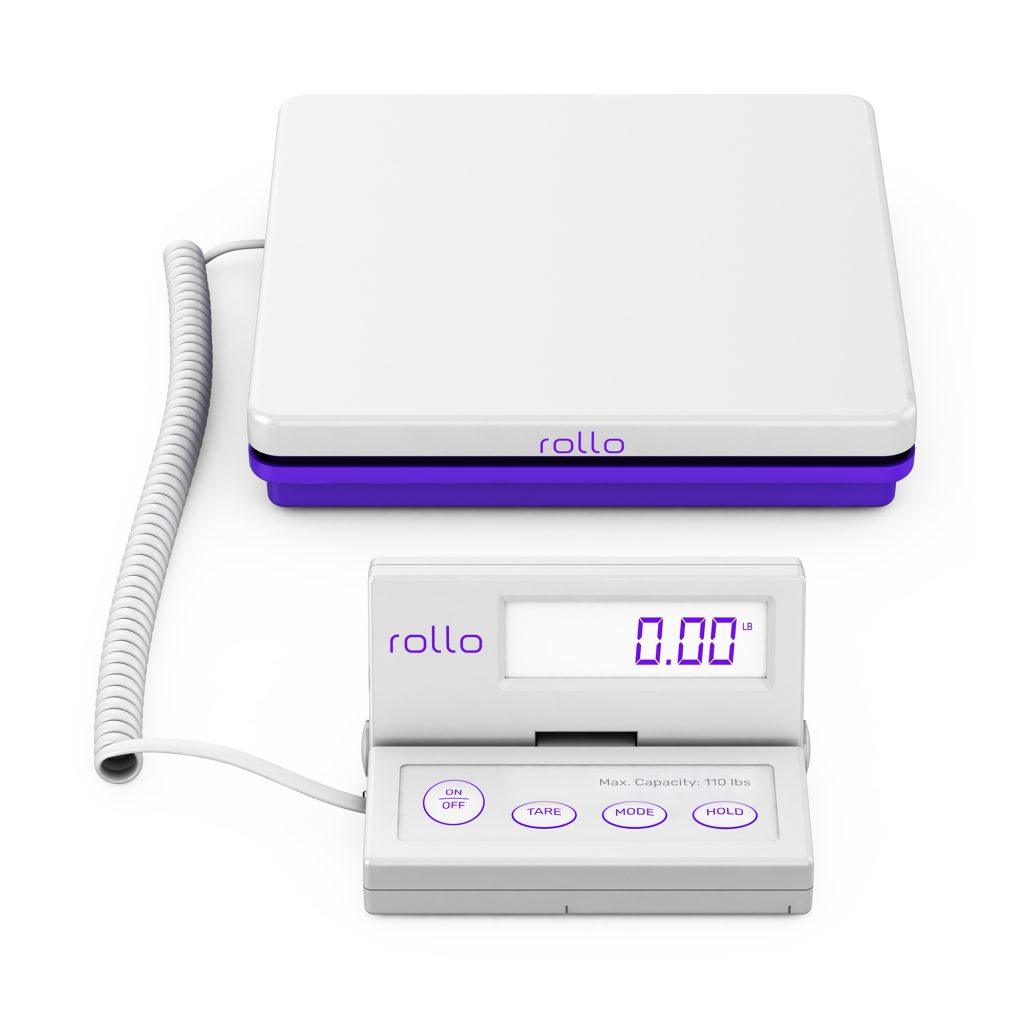
    💜 Shipping Scales: Digital scales with smart functions like Tare, Hold, and Auto Shut Off for battery saving.

    ItemFeature
    🏷️ Labels💚 Eco-friendly, FSC-certified, BPA-free
    ✉️ Mailers☔ Lightweight, durable, water-resistant
    ⚖️ Shipping Scales💪 Smart functions, up to 110 lbs capacity
    Table 4: Rollo Shipping and Packaging Supplies

    Conclusion

    Finding the perfect label printer for your small business doesn’t have to be a daunting task. With comprehensive solutions like Rollo, you get not just a high-quality and fast label printer but also a range of services and supplies to make your business operations smoother. From the Rollo Ship App’s cost-effectiveness and convenience to the Label Design Tool’s versatility, Rollo offers an all-encompassing package that every small business owner should consider.

    Follow Rollo on:

    Frequently Asked Questions about the Label Printer for Small Businesses:

    📌 Q: How to Print Shipping Labels for Small Businesses?


    💭 A: Printing shipping labels is a breeze with the Rollo Ship App. The app is available for iOS, Android, and Desktop and can integrate with Amazon, Etsy, Shopify, and more. With the use of AI, the app will automatically import your new orders, group them, and even notify you—making your life easier.


    📌 Q: Can All Printers Print on Sticker Paper?
    💭 A: Most inkjet and laser printers can print on sticker paper, but the quality and durability may not be ideal. For small businesses, using a specialized label printer for small businesses like Rollo ensures high-quality and durable labels that can withstand various conditions. Rollo’s thermal printers, in particular, are well-suited for such tasks.
  • Poshmark Shipping Simplified: From Listing to Mailing

    Poshmark Shipping Simplified: From Listing to Mailing

    The advent of online selling platforms like Poshmark has drastically reshaped our perspective on fashion retail. No longer are we limited to the confines of brick-and-mortar stores or the traditional modes of buying and selling.

    Instead, Poshmark, among others, has introduced a dynamic, flexible, and vast digital marketplace. It effectively bridges the gap between enthusiastic sellers and discerning buyers. But it doesn’t just stop at being a mere platform for listing products. Its true prowess lies in the seamless integration of multiple aspects of online retail, with shipping being a pivotal feature. Poshmark currently does not support international shipping and only facilitates domestic U.S. shipping.

    For the uninitiated, the realm of online selling, paired with the challenges of shipping, can seem a tad overwhelming. But, fret not! Whether you’re new to Poshmark shipping or a seasoned seller, this guide offers clear shipping advice.

    We’ll guide you through Poshmark shipping, from listing an item to delivering it to your buyer.

    Selling on Poshmark, how to ship Poshmark orders?

    🏪 What is Poshmark

    Poshmark is a major online platform for buying and selling fashion, accessories, and home goods. It has changed how people see fashion, making it easy and profitable. Sellers on Poshmark enjoy its user-friendly interface and active community that trades and shares style advice.

    Sites like Poshmark, Mercari, and Depop each offer a unique spin on online reselling. While similar, Poshmark holds its distinctive charm and vast audience. It is a premier choice for many looking to delve into online fashion commerce.

    🛍️ How to Sell on Poshmark

    Before we dive into the Poshmark shipping specifics, it’s crucial to understand the selling process. The process begins with listing an item. Take clear, high-quality photos of the clothing or accessories you want to sell. Provide an accurate and catchy description, set a price, and post it.

    Jumping into the world of Poshmark selling might seem overwhelming initially, but with a bit of insight, the process becomes clear and effortless. Here’s a more in-depth look:

    So, while the initial listing is a straightforward affair, the nuances of selling on Poshmark lie in mastering these individual elements. Perfect them, and you’re well on your way to becoming a Poshmark selling star. 

    Once your item sells, Poshmark sends a prepaid, pre-addressed Poshmark shipping label to your linked email address. Simple, right? But that’s just the beginning.

    🏤 How Do Poshmark Shipping Costs Work?

    Poshmark has made the shipping process as streamlined as possible. Once your item sells:

    📦 Phase 1: Print the Label – Use the prepaid, pre-addressed Poshmark shipping label sent to your email. If your item weighs more than 5 lbs, you can easily upgrade your Poshmark shipping label from the app by requesting a new shipping label.

    📦 Phase 2: Package the Item – Use any box or padded envelope for packaging. If shipping electronics, ensure they’re appropriately packed. If the package exceeds the 5-pound limit, sellers can select ‘Need New Shipping Label’ in the app to request an upgraded label.

    📦 Phase 3: Drop Off or Schedule Pickup – Either drop the package at a USPS mailbox or local post office or schedule a USPS pickup. Poshmark uses priority mail for packages up to 5 lbs and offers a flat rate for priority shipping. Sellers should choose the appropriate shipping method based on the item size and weight, and Poshmark provides pre-paid shipping labels for priority shipping. Poshmark offers different shipping methods, including priority mail, to ensure timely delivery.

    PRO TIP: You can schedule your Poshmark shipping via USPS with the Rollo Ship App.

    Poshmark shipping might seem intricate at first glance, but the platform’s genius lies in how it’s taken the fuss out of the shipping process. Let’s delve deeper:

    💜 Rollo – The Best Label Printer for Poshmark

    Firstly, the Rollo thermal label printer’s capacity is impressive. It offers up to 325,000 ft of label printing without the need for any ink thanks to its direct thermal technology.

    If adjusting Poshmark shipping labels has been a hassle, Rollo’s intelligent label detection comes to your rescue. Simply send your label details straight to the Rollo label printer, particularly if you’re taking advantage of the wireless model.

    best label printer for Poshmark shipping

    The convenience doesn’t end there. Whether you’re team iPhone, Android, Mac, Windows, or even Linux, the Poshmark label printer by Rollo has you covered. Thanks to being both AirPrint and WiFi certified, you can seamlessly print your Poshmark label from any device, any app, or any file.

    No more being tethered to a particular device or location. Plus, if you’re diversifying your online selling platforms beyond Poshmark, know that Rollo is compatible with a range of marketplaces and sites like Mercari and Depop. This makes selling on Poshmark a child’s game.

    For those who prefer a direct connection, the USB model offers easy plug-and-play for both Mac and Windows users. And let’s not forget the astonishing speed of this Poshmark label printer – churning out labels at a rate of one per second. Its compact design ensures it can fit snugly in your workspace or even in your bag, should you need to take it on the go.

    WIRELESS. INK-FREE. EASY.

    Print Poshmark shipping labels.

    In essence, when it comes to Poshmark label printing, the Rollo printer offers an unparalleled mix of efficiency, versatility, and convenience. It ensures every sale transitions smoothly to a shipped package.

    Available on iOS, Android, and Desktop, the Rollo Ship App has become a seller’s dream tool. Imagine being able to consolidate all your orders across a myriad of marketplaces – from giants like Amazon, eBay, and Shopify to niche platforms like BigCartel and SquareSpace – all in one intuitive interface. With its extensive integration capabilities, transitioning between different selling platforms becomes fluid and hassle-free.

    Harnessing the power of AI, the app not only efficiently imports your fresh orders but also groups and notifies you, ensuring you’re always one step ahead. But the convenience doesn’t stop there. Sold an item? The app can automatically alert the recipient with their tracking details, giving them peace of mind and reducing the number of “Where’s my order?” queries you might receive.

    Perhaps you’re a lawyer, doctor, or another service provider? With the Rollo Ship App, you aren’t obliged to link up to e-commerce platforms, allowing you to leverage impressive shipping discounts regardless of your professional background. And, if you’re worried about having to purchase the Rollo printer just to use the app, fret not. The app is versatile, allowing label creation that you can print on any printer at your disposal.

    Notably, Rollo champions inclusivity. Whether you’re a seasoned entrepreneur or just starting out, the app doesn’t demand business verification, a relief to many. Cost-effectiveness is also central to Rollo’s ethos. Forget about monthly subscriptions.

    Creating a shipping label will only set you back a nominal 5 cents, and even that’s waived for your first 200 labels. On top of that, the hefty shipping discounts negotiated with major carriers like UPS, USPS, and FedEx can lead to savings of up to 90%.

    NO MONTHLY SUBSCRIPTIONS.

    Schedule Pickups.

    Group Orders.
    Get up to 90% off shipping.

    Now, back to the issue of dispatching your item. If you’re swamped with orders or just prefer the convenience of dispatching from your doorstep, scheduling a USPS pickup is not only an option but an absolute breeze with the Rollo Ship App. Should you find yourself with multiple packages ready to go, the app effortlessly supports bulk label printing, cutting down on the time spent and letting you get back to what you do best – selling.

    ✂️ How to Prepare Your Items for Poshmark Shipping with the Rollo Touch

    The beauty of selling on sites like Poshmark lies in the joy of sending a beloved item to someone who will cherish it. But that joy can quickly turn sour if items aren’t shipped properly. Ensuring your items are primed for their journey can spell the difference between a one-time sale and a repeat customer. Here’s how to nail it:

    🎁 1. Packaging: Every garment you sell is a reflection of your personal brand. When Poshmark shipping, items should be neatly folded and encased in a pristine plastic bag before placement in a box or envelope. This not only protects the item from unforeseen damage, moisture, or dirt but showcases a level of professionalism that buyers will appreciate.

    Preparing Items to Sell and Ship on Poshmark

    📦 2. Protection for Fragile Items: Some items, especially accessories or delicate fabrics, require extra padding. Tools like bubble wrap, plush tissue paper, or even repurposed newspapers can serve as a cushion, safeguarding your items from the bumps and jostles of transit.

    3. Weight Matters: Before sealing that package, ensure you’re not overstepping the weight boundaries set by your Poshmark shipping label. An overweight package could lead to delays or additional charges. In case your item surpasses the weight limit, be sure to upgrade your label accordingly.

    🔝 4. Personal Branding with Rollo’s Label Design Tool: Here’s where the magic of personal touch comes into play. While thank you cards or ribbons are always delightful, Rollo’s Label Design Tool takes packaging personalization to the next level. Offering a host of customizable label templates, including those specifically sized for thermal prints, this tool is a dream for any seller looking to stand out.

    Signing up is a breeze and, believe it or not, absolutely free. Unlike many platforms that limit customization, Rollo gives you the freedom to determine your label’s size, ensuring a perfect fit every time.

    Want to emblazon your logo on your package? Or perhaps a QR code leading to your store or a special discount? With the Rollo Label Design Tool, creating these custom labels is a cinch. Upload your own images, generate barcodes, or delve into the rich image library for inspiration.

    NO MONTHLY SUBSCRIPTIONS.

    PRINT DIRECTLY FROM THE APP.

    Make professional labels

    FOR FREE!

    For those special touches that make a buyer’s day, consider crafting a personalized “Thank You” sticker or even promotional barcode labels to adorn your package. With a variety of shapes, sizes, fonts, and design elements at your disposal, the sky's the limit. Decorate your package, showcase your brand, and give your buyers an unboxing experience they'll remember and appreciate. It's these seemingly small gestures, empowered by tools like Rollo's Label Design Tool, that foster loyalty and keep customers coming back.

    🖨️ How to Print a Poshmark Shipping Label for a Sale

    Using Rollo’s compact direct thermal label printer simplifies the printing process. After receiving your Poshmark label in the email:

    🐾 Step 1: Open the Label – Access your email from any device connected to your Rollo printer. The shipping fee is typically covered by the buyer, but sellers can offer free or discounted shipping.

    🐾 Step 2: Select Print – Choose the 4”x6” label size for optimal printing. Poshmark has negotiated flat shipping rates with USPS, which apply to packages up to 5 lbs.

    🐾 Step 3: Stick the Label – Once printed, peel off the adhesive backing and affix the label to your package. Make sure it’s secure and clearly visible.

    If you’ve got a Rollo thermal label printer at your side, this task becomes even more streamlined. Here’s a snapshot of how effortless the process can be:

    💜 Seamless Integration with Rollo: Upon making a sale, Poshmark sends you the shipping label directly to your email. With Rollo’s wireless model, it doesn’t matter where you access your email. Whether it’s your smartphone, tablet, or desktop – if it’s connected to the Rollo printer, you’re golden.

    💜 One-Tap Printing: Navigate to the received label and simply select the print option. Rollo’s printers are designed for precision, so always opt for the 4”x6” label size to ensure your printout fits perfectly on your package. And with Rollo’s intelligent label detection in the wireless model, manual adjustments become a thing of the past. The printer intuitively understands the label dimensions, saving you time and potential printing errors.

    💜 Stick with Ease: The beauty of these labels lies in their adhesive backing. Once the label rolls out of your Rollo printer, it’s ready to go. Just peel and stick it onto your package. Ensure it’s smooth, wrinkle-free, and positioned where it’s most visible.

    📏 What Size Are Poshmark Shipping Labels?

    Another essential aspect is the size of Poshmark shipping labels. Typically, these labels fit standard printer sizes. However, if you’re using a label printer, like the Rollo direct thermal label printers, the 4”x6” adhesive labels are ideal. Rollo printers, especially, stand out as a suitable choice for Poshmark sellers because of their compact design and wireless capabilities, which allow for easy printing from virtually any device.

    In Conclusion

    Whether you’re a seasoned Poshmark seller or a newbie, understanding and simplifying the shipping process is crucial. Using the Rollo thermal printer makes Poshmark shipping easier and more professional, letting you focus on selling. In online sales, quick and efficient shipping is key to customer satisfaction. So, master your Poshmark shipping, and you’re on your way to becoming a top Poshmark seller!

    Follow Rollo on:

    Frequently Asked Questions:

    📌 Q: Do Poshmark Shipping Labels Expire?

    💭 A: There’s a timeframe to use your Poshmark shipping label. Typically, if you don’t ship the item within seven days of the sale, the buyer has the right to cancel the order. If by the 21st day after the purchase, the item remains unshipped, Poshmark may automatically cancel it. Hence, it’s vital to ensure you use the label within the stipulated period to maintain your seller reputation and ensure customer satisfaction.


    📌 Q: Why Do You Need a Thermal Label Printer for Poshmark Shipping?


    💭 A: While it’s possible to print Poshmark shipping labels on standard printers, a thermal label printer offers advantages. Thermal printers, such as Rollo, don’t need ink and can print up to 325,000 ft of labels without a refill. Secondly, they offer fast printing speeds—Rollo printers can print one label per second! Plus, with the wireless Rollo model, sellers can print labels directly from their phones, tablets, or laptops.


    📌 Q: Is Poshmark Shipping Free for the Seller?

    💭 A: In Poshmark shipping is that the buyer covers the cost. Once an item sells, Poshmark charges the buyer a flat shipping rate and emails the seller a prepaid Poshmark shipping label. This process ensures the seller doesn’t have to deal with the intricacies of calculating shipping costs.
  • How a Shipping Label Printer Transforms Businesses

    How a Shipping Label Printer Transforms Businesses

    Ahoy, fellow shippers! Welcome aboard the Rollo Express, where we’re all about making shipping a breeze. If you’re tired of the hassle and chaos that comes with manual shipping processes, fear not! We have just the solution for you: the magnificent Rollo shipping label printer. In this article, we’ll embark on a voyage to explore how this remarkable device can revolutionize your business and simplify your shipping operations. So grab your life vest, adjust your captain’s hat, and prepare to set sail on a journey of efficiency and success!

    The Power of Shipping Label Printers

    Ah, the wonders of shipping label printers! These little marvels are like the fairy godmothers of the shipping world, waving their magic wands to transform your business operations. With the ability to swiftly and accurately print labels, shipping label printers are here to save the day. Say goodbye to the days of scribbling addresses by hand and hello to the realm of professionalism and efficiency!

    Picture this: you’re running a bustling small business, receiving orders left and right. Amidst the chaos, manually writing labels becomes a daunting task. But fear not! A shipping label printer can be your loyal first mate, automating the label printing process and ensuring precise, professional-looking labels with ease. Just imagine the time and effort you’ll save, allowing you to focus on other important aspects of your business, like brainstorming catchy pirate-themed marketing campaigns.

    Now, let’s address the question on everyone’s mind:

    📌 Is it cheaper to use a shipping label printer?

    It is! While there may be an initial investment, the long-term savings are worth their weight in gold doubloons. By automating the label printing process, you’ll bid farewell to expensive ink cartridges and hello to a treasure trove of cost savings. Plus, the time saved by using a shipping label printer allows you to focus on other aspects of your business, like plotting world domination… er, we mean, customer satisfaction!

    But let’s delve into the power of Rollo shipping label printers specifically. Prepare to be amazed! These label printers boast impressive features that will make your shipping process a breeze:

    Both the wireless and USB models of Rollo printers are compact and portable, making them ideal for businesses of all sizes. Despite their small size, these printers deliver exceptional speed, allowing you to print up to one label per second. It’s like having a loyal crew member who works tirelessly to ensure your shipping labels are printed with utmost efficiency.

    In conclusion, shipping label printers are the unsung heroes of the shipping world. They eliminate the tedious task of manual label writing, boost efficiency, and save you both time and money. When it comes to powerhouses in the industry, Rollo shipping label printers stand tall with their eco-friendly ink-free technology, intelligent label detection, and convenient wireless or USB connectivity options. So why wait? Set sail on a journey of simplified shipping with a Rollo shipping label printer and experience the transformative power for yourself!

    Choosing the Right Shipping Label Printer

    When it comes to choosing the perfect shipping label printer, it’s important to navigate the waters wisely. Consider the unique needs of your business, such as print speed, connectivity options, and compatibility with your favorite e-commerce platforms. After all, you wouldn’t want a printer that gets seasick with your chosen shipping software, right?

    Now, let’s answer the burning question:

    📌 What printer do you need to print shipping labels?

    Ah, fear not, dear shipper! A shipping label printer is precisely what you need. These marvelous devices are specifically designed to handle the rigors of printing shipping labels. With their precision and reliability, they’ll have you sailing smoothly through the seas of shipping with labels that are as crisp as a freshly ironed pirate’s shirt.

    Efficiency and Cost Savings

    Ahoy, efficiency enthusiasts! Picture this: with a shipping label printer by your side, you’ll be sailing through your daily tasks like a seagull on a summer breeze. The time saved by automating the label printing process will have you twirling your peg leg in joy. Your shipping process will be smoother than a dolphin gliding through crystal-clear waters. Plus, the cost savings will make you feel like you’ve discovered a hidden treasure chest!

    Shipping Label Printers - Cost and Efficiency

    By harnessing the power of a shipping label printer, you unlock a world of efficiency and cost savings. Time is money, as they say, and this device can help you save both. With just a few clicks, you can generate and print labels in a matter of seconds, eliminating the need for manual writing or wrestling with finicky printers. And let’s not forget about the ink. Those pesky ink cartridges can be expensive, but fear not! The ink-free technology used in shipping label printers ensures a sustainable and cost-effective printing process. So hoist the Jolly Roger of savings and set sail towards cost-effective label printing!

    Now, let’s tackle the question that’s been marinating in your mind:

    📌 What is the cheapest way to make labels?

    Well, me hearties, it’s as simple as finding a trusty shipping label printer. By eliminating the need for expensive ink cartridges and reducing manual labor, these printers are a frugal shipper’s dream come true. Your wallet will thank you as you navigate the seas of savings, charting a course toward prosperity.

    Special Features and Considerations

    Avast, ye curious shipper! As you embark on your quest for the perfect shipping label printer, keep an eye out for special features and considerations. Look for printers that seamlessly integrate with your favorite e-commerce and web platforms, like the Rollo shipping label printer. With its compatibility and user-friendly interface, it’ll have you sailing smoothly through your shipping operations in no time.

    Special Features and Considerations of Shipping Label Printers

    When evaluating different shipping label printers, consider the features that will make your life as a shipper easier. Look for devices that offer connectivity options such as USB, Bluetooth, or wireless capabilities, allowing you to effortlessly print labels from multiple devices or even while sipping your favorite grog from the comfort of your captain’s quarters. Additionally, ensure that the printer supports the label sizes you require, so you can handle both large packages and tiny treasure chests with ease.

    🚤 Ahoy, mateys! Have you heard of the legendary Rollo shipping label printer? This mighty vessel of printing power is the stuff of legends. With its advanced technology and eco-friendly ink-free printing, it's a game-changer for businesses both big and small. 

    💜 The Rollo printer offers seamless integration with popular shipping software, making it a reliable companion as you navigate the treacherous waters of e-commerce. Its compact design and whisper-quiet operation allow you to enjoy the serenity of a calm sea while conquering your shipping tasks. So unleash the power of the Rollo shipping label printer and set sail toward a new era of efficiency and sustainability.

    THE ROLLO SHIPPING LABEL PRINTERS ARE INVESTMENTS WORTH BUYING.

    Go Inkless.

    Go Thermal.

    Print Labels Sustainably.

    Effortlessly.

    Home Printing Solutions

    If you’re a landlubber operating from the comfort of your own shipyard, fret not! Home printing solutions are here to save the day. When it comes to finding the best home printer for labels, look for models that offer high-quality printing, versatility, and ease of use. With the right printer by your side, you can conquer your shipping adventures right from your home office, without ever stepping foot on a plank.

    Ahoy, DIY enthusiasts! We hear your call for the best home printer for labels, and we’re here to deliver. Whether you’re printing labels for your Etsy store or simply indulging your creative side, there are printers out there that will make your labels shine brighter than a mermaid’s tail. Look for printers that offer exceptional print quality, allowing your labels to stand out amidst the vast ocean of packages.

    • 👍 Versatility is key, too. Seek printers that can handle different label sizes and materials, so you’re ready to tackle any shipping challenge that comes your way.
    • 👍 Ease of use is a treasure worth seeking, as you want a printer that won’t leave you feeling like a clueless landlubber.
    • 👍 Find a printer with a user-friendly interface and straightforward setup process, allowing you to sail smoothly through the seas of label printing.

    How Can I Find a Shipping Label Printer On a Budget?

    ⚓ Ahoy, savvy shipper on a budget! We know that finding a shipping label printer that won’t make your wallet walk the plank can be a challenge. But fear not, for we have a treasure map to guide you! 🧙

    🧭 Start by navigating the vast online marketplaces, where you can uncover hidden gems and discounted prices. Look for promotions, compare prices, and read reviews from fellow sailors who have charted this course before. With a little bit of wit and a dash of luck, you’ll find a shipping label printer that fits your budget without sacrificing quality.

    As you embark on your quest to find a budget-friendly shipping label printer, keep an eye out for the following tips and tricks.

    • 🐾 📢 Firstly, explore reputable online retailers and auction sites, where you can often find great deals on both new and gently used printers. Don’t be afraid to venture into the realm of refurbished devices, as they can offer substantial savings without compromising performance.
    • 🐾 👴🏽 Secondly, consider opting for models that are a generation or two older. While they may lack the latest bells and whistles, they can still deliver excellent label printing capabilities at a fraction of the cost.
    • 🐾 ⭐⭐⭐⭐⭐ Finally, read reviews and seek recommendations from other shippers who have been on a similar quest. Their insights and experiences can guide you toward hidden treasures and help you avoid treacherous waters.

    Final Words

    ⚓ Ahoy, fearless shippers! You’ve embarked on a grand adventure through the seas of shipping label printers, discovering how these mighty devices can revolutionize your business. With their power, efficiency, and cost savings, they are the wind in your sails and the anchor of your success. Whether you choose a thermal shipping label printer, a wireless marvel, or the legendary Rollo shipping label printer, your journey toward streamlined shipping begins with a single label print.

    ⛵ So set sail, dear shipper, with a label printer as your first mate. Embrace the simplicity, efficiency, and savings that come with this game-changing tool. May your shipping process be as smooth as glassy waters, your labels as clear as the starry night sky, and your business thrive on the winds of success. Bon voyage, fellow shippers, and may your shipping adventures be nothing short of legendary!

    Follow Rollo on:

    Frequently Asked Questions about Shipping Label Printers

    📌 Q: Do you have to pay for shipping if you have a label printer?

    📢 Short Answer: Yes, you still have to pay for shipping.

    💭 A: Having a label printer does not exempt you from paying for shipping. While a label printer enables you to print shipping labels conveniently, the actual cost of shipping is determined by the shipping carrier or service you choose. The label printer simplifies the label creation process, but shipping fees are separate and dependent on the carrier’s pricing structure.


    📌 Q: Do you need a shipping label printer for small businesses?

    📢 Short Answer: It is recommended.

    💭 A: While a shipping label printer can greatly streamline shipping operations for small businesses, it is not a strict requirement. Small businesses have various options for printing shipping labels, including online platforms and print-on-demand services. However, investing in a shipping label printer offers benefits such as cost savings, efficiency, and the ability to customize labels. It ultimately depends on the specific needs and volume of shipping for each small business.


    📌 Q: How does a label printer work for shipping?


    💭 A: A label printer for shipping utilizes thermal printing technology to create professional labels without the need for ink. It connects to a computer or mobile device, allowing you to design and print customized shipping labels quickly and accurately. It simplifies the process, saving time and ensuring clear, high-quality labels for your shipments.
  • Unlock: Cheap Shipping for Small Business

    Unlock: Cheap Shipping for Small Business

    Every small business owner knows the challenges of finding cheap shipping for small business needs. It’s like walking on a tightrope. On one hand, you want to provide your customers with fast and reliable shipping without breaking their wallets. On the other, it’s crucial to manage your shipping costs to maintain profitability.

    The good news is, you don’t have to walk this line alone. Meet Rollo Ship, a revolutionary app designed to transform shipping for small business owners.

    Understanding the Basics of Cheap Shipping for Small Business

    When we talk about cheap shipping for small businesses, we’re not just referring to the lowest possible costs. The focus is on value: getting the best services for the most affordable rates. This balance is critical for maintaining customer satisfaction and business sustainability.

    When it comes to cheap shipping for small businesses, the cost of shipping is influenced by a multitude of factors. These include package size, weight, carrier selection, and even shipping timing. However, understanding these factors and how to navigate them effectively can make the difference between profit and loss.

    By understanding these factors, you can make informed decisions to create an effective and affordable shipping strategy. The aim is not just to find cheap shipping for your small business. Delivering value at every step of your customer’s shopping journey, turning shipping from a cost center into a powerful competitive advantage.


    In essence, affordable, fast, and reliable shipping forms part of your customer service strategy. A strategy that directly influences your reputation and customer loyalty. By ensuring cheap shipping for your small business, you're not only optimizing your operations but also enhancing your customers' shopping experience, boosting your chances of building a loyal customer base.

    Shipping is more than just a necessary business process; it’s an integral part of your business strategy. If managed effectively, affordable shipping can boost your profits, enhance your market position, and improve customer satisfaction. So, if you haven’t already, it’s time to delve into the world of cheap shipping for your small business and unlock the benefits it holds.

    Strategies to Reduce Shipping Costs for Small Businesses

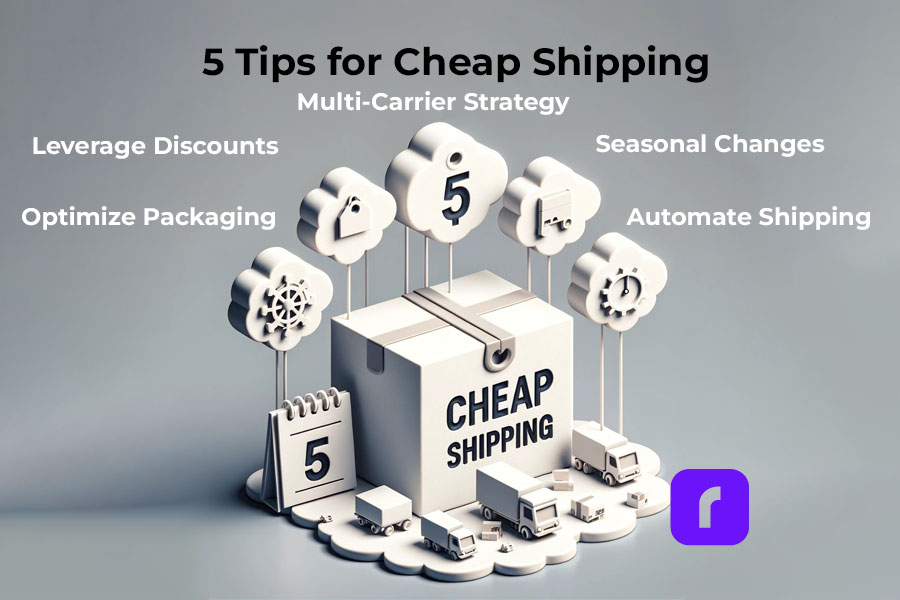
    5 Tips for Cheap Shipping

    💰 💜 PRO TIP #1
    Leverage Carrier Discounts: Utilize platforms like Rollo Ship to access significant discounts from major carriers.

    📦 📐 PRO TIP #2
    Optimize Packaging: Use properly sized packaging to avoid excess dimensional weight charges.


    🧩 🎯 PRO TIP #3
    Use a Multi-carrier Strategy: Use the strengths of different carriers to your advantage, choosing the best one for each unique shipment.


    📅 🍂 🍃 PRO TIP #4
    Plan for Seasonal Changes: Anticipate rate changes during peak seasons and plan accordingly.


    🤖 🖥️ PRO TIP #5
    Automate Shipping Processes: Streamline operations and save time with shipping automation tools.


    READY TO UNLOCK CHEAP SHIPPING RATES & SAVE BIG?

    Register with Rollo Ship today!

    Get started with our gift of the first 200 labels for free.

    Automating Shipping for Efficiency and Cost-Savings

    In the modern business world, automation is the key to efficiency and cost savings. Automating your shipping processes can significantly cut down on labor costs, reduce human error, and speed up order fulfillment, all contributing to more affordable shipping for your small business.

    One critical aspect of shipping automation is order processing. Automatically importing orders from your e-commerce platforms, assigning them to the correct carriers and services, and printing shipping labels can save you a substantial amount of time and effort. Not only does this mean fewer employees are needed to manage your shipping process, but it also reduces the chances of costly mistakes that could occur with manual handling.

    Rollo Ship: Your Partner in Shipping Automation

    Rollo Ship takes automation to another level, providing a suite of features designed to streamline your shipping process. It integrates seamlessly with a variety of e-commerce platforms including Amazon, eBay, Shopify, Etsy, and more, allowing for effortless order importation and management.

    Automate Your Shipping with Rollo

    The platform’s AI technology can group similar orders, optimizing your shipping strategy and potentially saving you even more on costs. Moreover, with Rollo Ship, you can automate notifications to customers, providing tracking numbers and enhancing customer satisfaction.

    Shipping automation with Rollo Ship doesn’t just mean cheap shipping for your small business; it means smarter, more efficient operations that can drive the success of your business in the long run.

    Take the first step towards shipping automation today.

    Rollo Ship is available for Android, iOS, and Desktop.

    Download Rollo Ship For FREE

    Building Affordable Shipping Tactics for Your E-commerce Business

    Effective e-commerce strategies go beyond selling quality products. They involve cheap shipping for small business operations. This is because high shipping costs are a common deterrent for online shoppers.

    To combat this, Rollo Ship offers solutions to implement cheap shipping for small businesses. Its artificial intelligence (AI) capability groups similar orders, further streamlining the process and lowering costs.

    Unlike other shipping apps, Rollo Ship is not limited to store-based businesses. It is compatible with various e-commerce platforms, including Amazon, eBay, Shopify, Etsy, BigCartel, WooCommerce, Walmart, Shift4Shop, BigCommerce, Wix, Squarespace, Ecwid, Square, Magento, and PayPal. Whatever your business type, Rollo Ship has got you covered!

    Want to give your BUSINESS

    a competitive edge?

    Integrate Your Store with Rollo Ship!

    More on How to connect selling channels here.

    How to Implement an Affordable Shipping Solution for Your Business

    Taking the leap into cheap shipping for small businesses doesn’t have to be a daunting task. In fact, with the right tool, it’s easier than you might think. If your business has been struggling with high shipping costs, it’s time to introduce Rollo Ship into your shipping strategy.

    🐾 Step 1: Register for a Rollo Ship Account

    Kickstart your journey by registering for a free account. The first 200 shipping labels are on us, so you’ll start saving right off the bat.


    🐾 Step 2: Integrate your Platforms

    Whether your business operates on Amazon, eBay, Shopify, or any other e-commerce platform, Rollo Ship integrates seamlessly. Once you’ve linked your accounts, your orders will automatically populate within the app.


    🐾 Step 3: Optimize Shipping Details

    Rollo Ship’s AI will group similar orders and recommend the best shipping methods based on package details, allowing you to maximize savings.


    🐾 Step 4: Schedule Pickups

    Arrange pickups directly through the app with UPS, USPS, or FedEx. No more running to drop-off locations – let them come to you.


    🐾 Step 5: Monitor your Shipments

    From providing tracking numbers to recipients to giving you updates on new orders, Rollo Ship ensures you’re always in the loop.

    Cheapest Way to Ship Based on Package Details

    One of the essential elements of cheap shipping for small businesses is understanding how package details impact shipping costs. The size, weight, and even shape of your packages can drastically affect your shipping rates.

    Now, let’s consider Rollo Ship. With the power to compare rates between carriers like UPS, USPS, and FedEx, Rollo Ship gives you insights on the cheapest shipping rates based on your package details. You can evaluate different options and make the most cost-effective choice for each shipment.

    Pricing and Cost Analysis

    Navigating the world of shipping costs can seem like a labyrinth. With so many variables at play, how can you make sure you’re choosing the most affordable shipping for your small business? Let’s unravel the mystery.

    Save on Shipping

    📌 What is the cheapest shipping option for small businesses?

    No one-size-fits-all answer exists for this question as shipping costs can vary widely based on package size, weight, and destination. But fret not, Rollo Ship brings all the information you need to your fingertips. By comparing rates from leading carriers like UPS, USPS, and FedEx, Rollo Ship helps you find the most cost-effective shipping option for each package.

    Want to leverage the strengths of all these carriers? Register for your free Rollo Ship account now!

    Understanding Shipping Costs: How do I calculate shipping costs?

    Calculating shipping costs manually can be a complex task. You have to factor in package weight, dimensions, shipping zones, and carrier rates. But with Rollo Ship, you can automate this process. The app provides accurate cost estimates, giving you the information you need to make cost-effective shipping decisions.

    Pro Tip from Rollo: Use Flat-Rate Shipping

    📌 What is a good flat rate for shipping?

    Flat-rate shipping can be a great way to simplify your shipping costs. However, it’s crucial to ensure your flat rate is competitive and covers your shipping expenses. The “good” rate varies based on factors like the average weight and size of your shipments. Rollo Ship can help you determine a cost-effective flat rate by analyzing your shipping history and trends.

    Let’s Compare Different Carriers. Carrier-Specific Policies and Costs

    To offer the best cheap shipping for small business needs, it’s crucial to understand the pros and cons of each carrier.

    Carrier Pros Cons
    UPS Reliable; an extensive network Can be expensive for lightweight packages
    USPS Economical; ideal for small items Slower delivery times for lower-priced options
    FedEx Fast delivery; reliable Higher costs for international shipping

    ⚠️ Fortunately, with Rollo Ship, you won’t have to choose between these carriers. You’ll enjoy huge discounts with all three and can pick the best for each shipment, offering cheap shipping for small business needs.

    Understanding UPS and USPS Shipping Costs

    Shipping costs can sometimes feel like a guessing game, especially when trying to compare services like UPS and USPS. Let’s unravel these mysteries and make shipping a transparent process.

    📌 Does UPS charge by weight or size?

    UPS takes both the weight and size of the package into consideration. The carrier applies what’s known as “dimensional weight pricing”. That is, they calculate the cost based on both the package’s actual weight and its dimensional weight (a calculation based on the package’s volume). The larger of the two is what you pay for.

    📌 How much does UPS charge per pound?

    UPS rates per pound depend on various factors, including the shipping origin and destination, package dimensions, and the service level you choose.

    Package Price US National Flat Rate
    Starting Price
    Extra Small (max. volume 100 in2) $10.20
    Small (max. volume 250 in2) $13.35
    Medium (max. volume 650 in2) $16.05
    Large (max. volume 1,050 in2) $21.05
    Extra Large (max. volume 1,728 in2) $26.05

    NOTE: However, with Rollo Ship, you get access to substantial UPS discounts – making it more affordable and cheap shipping for small business needs.

    📌 Does USPS go by weight or size?

    Like UPS, USPS also uses dimensional weight pricing for packages larger than a cubic foot sent via Priority Mail or Priority Mail Express. However, for smaller packages, they typically charge based on the package’s actual weight. Here is a handy tool to calculate your dimensional weight pricing.

    Remember: the price stated by the carrier for your dimensional weight can be up to 90% OFF with Rollo Ship.

    📌 How much does USPS charge per pound?

    USPS rates per pound vary depending on factors like the destination, package size, and the service you select. Thus, there is no firm starting rate. The USPS shipping rate would depend on your type of shipping campaign: USPS Marketing Mail (suitable if you send bulk mail like 200 postage /50 lbs) or First-Class Mail (for single-piece mail).

    First-Class Mail USPS
    Type of Mail
    Price per piece
    Postcard $0.35
    Folded Self-mailer $0.50
    Letter $0.50
    Flat
    (USPS defines this as
    Anything bigger than a standard letter
    but smaller than a parcel in weight or dimension
    “,
    should weigh < 4 oz)
    $1.22

    ⚠️Keep in mind that there are more charges to be added and calculated. They all vary on destination, size, service, and the number of items you are mailing.

    However, thanks to Rollo Ship, you can enjoy discounted USPS rates that help you achieve cheap shipping for your small business.

    📌 How much does it cost to ship at USPS?

    The cost to ship with USPS depends on the package weight, size, and distance traveled. USPS offers various services like Priority Mail, First-Class Mail, and Retail Ground, each with different pricing structures. Rollo Ship provides you with an easy way to compare USPS rates for your packages. The shipping app also ensures you always choose the most cost-effective option.

    How Rollo Ship Transforms Cheap Shipping for Small Businesses

    As a small business owner, you need a partner who understands your challenges, especially when it comes to shipping. Enter Rollo Ship, your ultimate ally in the quest for affordable shipping. Rollo Ship doesn’t merely promise cheap shipping for small businesses; it delivers a full suite of features designed to streamline your entire shipping process and drive your business growth.

    The Innovation of Rollo Ship App

    Conclusion

    In conclusion, achieving cheap shipping for small business operations doesn’t have to be a daunting task. With Rollo Ship as your partner, you can unlock access to discounted rates, streamlined operations, and advanced technology designed to make your shipping process a breeze.

    So why wait? Embrace the revolution of cheap shipping for small businesses with Rollo Ship today and propel your business toward greater success!

    Follow Rollo on:

    Frequently asked questions:

    📌 Q: What company has the cheapest shipping rates?
    Short Answer: Rollo Ship


    💭 A:  The “cheapest” shipping company can vary depending on your specific needs. UPS might be more affordable for heavier packages, while USPS could be cost-effective for smaller, lighter parcels. With Rollo Ship, you don’t have to choose one over the others. You get access to significant discounts from all three carriers and can choose the best for each shipment.


    📌 Q: Is it cheaper to send 2 small boxes or one big box?
    Short Answer: It depends.


    💭 A:  The answer depends on the weight, size, and destination of your items. Sometimes, shipping two small boxes can be more cost-effective than one large box due to dimensional weight pricing. Rollo Ship’s AI technology can help you make this decision by providing a cost comparison based on your package details.
  • The 4×6 Label Printer: A Guide to Mastering Mailing

    The 4×6 Label Printer: A Guide to Mastering Mailing

    Whether you’re a bustling business frequently firing off packages, or an occasional sender of parcels, understanding the magic behind the 4×6 label printer can elevate your mailing game to new heights. Amidst a sea of choices, Rollo’s 4×6 label printer – both its sleek USB and state-of-the-art wireless versions – command attention with their outstanding efficiency and user-friendly design.

    Diving into the World of the 4×6 Label Printer

    Imagine a device meticulously engineered to spit out pristine, high-quality 4×6-inch labels – the gold standard for shipping labels. Welcome to the world of the 4×6 label printer, an indispensable ally for businesses of all scales, particularly those in the e-commerce arena. They not only lend a professional touch to your packages but also turbocharge your shipping process.

    But can you print 4×6 shipping labels on a regular printer? Technically, yes. Practically, it’s a bit like using a sledgehammer to crack a nut – overkill, and frustratingly inefficient. Regular printers weren’t born to print labels, leading to paper wastage, alignment hiccups, and the dreaded paper jam. Enter the 4×6 label printer – purpose-built champions of shipping labels, offering an undeniably more streamlined and cost-effective solution.

    The Book of 4x6 Label Printers

    What size paper do I need for a 4×6 label?

    The magic of a 4×6 label printer lies in its specificity – they’re designed with one job in mind, and they do it exceptionally well. As the name suggests, these printers require 4×6-inch label paper to create clear, professional-grade shipping labels.

    But what exactly does a 4×6 label look like? Imagine a standard postcard – that’s approximately the size of a 4×6 label. It’s large enough to accommodate all essential shipping information, yet compact enough to fit neatly on your parcel.

    In the world of the 4×6 label printer, thermal printing technology reigns supreme. This technology has two main forms: direct thermal and thermal transfer. The one your printer requires depends on its design.

    Direct thermal printers use chemically treated, heat-sensitive labels that blacken when the printer’s thermal printhead applies heat to them. They’re ideal for short-lived labels like shipping labels and receipt labels, which don’t need to resist heat or sunlight.
    On the other hand, thermal transfer printers melt wax or resin-based ink onto the label from a ribbon. This method provides greater resistance to heat and light, making it ideal for longer-lasting labels.
    Both types of thermal printers work well with the 4×6 label printer, delivering crisp, clear labels every time. So, the next time you’re looking for the right paper for your 4×6 label printer, you know exactly what you need – 4×6-inch thermal label paper, either direct or thermal transfer, depending on your printer type.

    The Types of 4×6 Label Printer

    Before delving into the key features of the 4×6 label printer, let’s first discuss some of the different types of printers you might encounter on your search.

    The Direct Thermal Printer:
    These printers use heat-sensitive labels that blacken when the printer’s thermal printhead applies heat to them. These are ideal for shipping labels and receipt labels that don’t need to withstand heat or sunlight for an extended period. However, they do not offer color printing options.
    Read more about direct thermal printers here.
    The Thermal Transfer Printer:
    Unlike direct thermal printers, these printers utilize a thermal ribbon for printing. This ribbon is heated by the printer, melting the ink onto the label. Thermal transfer printers offer more durability against heat and sunlight, making them ideal for labels that need to last longer. They do require the use of specific thermal transfer labels and ribbons, though.
    The Desktop Label Printer:
    These types of printers are compact and space-saving, making them suitable for small to medium-sized businesses with limited workspace. While they are smaller and generally more affordable, they may not have the same printing speed or durability as some industrial models.
    The Industrial Label Printer:
    These are larger and more robust, designed for high-volume printing in industrial environments. They offer faster printing speeds and longer life spans, but they also come with a higher price tag and require more space.
    The Wireless Label Printer:
    This label printer offers the convenience of printing from any device within your network without the need for a physical connection. It offers the same high-quality printing as their wired counterparts, with the added benefit of flexibility and ease of use. However, they may require a more complex setup process.
    Buy Rollo 4×6 Wireless Label Printer
    The USB Label Printer:
    USB label printers are the standard for most businesses and you can enjoy a Rollo USB printer with full capabilities. They offer high-quality printing and are typically easy to set up. However, they lack the flexibility and mobility of wireless printers.
    Buy Rollo 4×6 USB Label Printer

    Among these types, a 4×6 label printer like the Rollo stands out for its combination of high-speed, high-resolution printing, durability, and sleek design. Whether in a wireless or USB model, we offer a user-friendly interface and versatility in label support, making Rollo an excellent choice for various printing needs.

    Key Features of a 4×6 Label Printer

    When navigating the world of the 4×6 label printer, there are a few standout features to keep an eye on.

    Print Speed and Resolution:

    In the fast-paced world of business, time is money. High print speed and resolution can significantly boost your productivity. The Rollo 4×6 label printer is powerhouses in this respect, churning out up to 238 labels per minute at a resolution of 203 DPI, making them a top pick for businesses needing a large volume of shipping labels in a flash.

    Durability and Design:

    The lifespan and aesthetics of your printer are other key considerations. A printer should not only be robust and reliable but also carry a design that complements your workspace. The Rollo printer is renowned for its sturdy build and sleek, compact design that effortlessly fits into any workspace, big or small.

    Connectivity Options:

    In this digital age, connectivity options are paramount. The ability to connect via USB is standard, but wireless connectivity takes convenience to the next level. The Rollo Wireless Printer, for instance, allows you to print labels from any device within your network, offering unrivaled flexibility.

    Support for Various Label Types and Sizes:

    While this guide focuses on the 4×6 label printer, your business needs may extend beyond this size or type. Opting for a printer that can support a variety of label sizes and types can future-proof your investment. Rollo printers shine in this aspect, accommodating a wide range of label sizes and types for diverse business needs.

    Navigating the Marketplace: Key Considerations When Buying a 4×6 Label Printer

    Knowing Your Needs:
    The first port of call when choosing a 4×6 label printer is understanding your unique printing needs. This will be largely dictated by the volume and frequency of your printing requirements. For instance, a Mac user who regularly sends out a high volume of packages will have different needs from a Windows user who only occasionally requires a label printer. It’s also essential to consider the types of labels you’ll be printing. If you’re primarily printing shipping labels, a dedicated 4×6 thermal shipping label printer like Rollo could be a perfect fit.
    Budget & Cost of Ownership:
    It’s easy to fixate on the upfront cost of the printer, but it’s equally important to consider the long-term cost of ownership. This includes the ongoing cost of labels and any other consumables the printer may require. Thermal printers, like those offered by Rollo, can be more economical in the long run because they don’t require ink or toner. Instead, they use heat-sensitive labels, which can lead to significant cost savings over time.
    Compatibility:
    Another critical consideration is ensuring that the printer you choose is compatible with your operating system and the software you plan to use. This will enable a smooth and efficient label printing process. Rollo printers, for instance, are a great choice in this regard. They are compatible with both Windows and Mac systems and integrate seamlessly with a host of shipping platforms and marketplaces. This makes them a versatile choice capable of catering to a wide range of business needs.
    Ease of Use:
    A label printer should be easy to set up and use. Some printers require a steep learning curve, which can be a significant drawback, especially if you have a high turnover of staff. Look for a printer with a straightforward setup process and intuitive controls.
    Versatility:
    While we’re focusing on the 4×6 label printer, it’s worth considering whether the printer can handle different label sizes. This will give you more flexibility if your needs change in the future.
    Support & Warranty:
    Even the most advanced printer can occasionally encounter issues, so it’s crucial to have access to reliable customer support.
    The Rollo Label Printer comes with 1-year replacement warranty for both: new devices and 6-months for the refurbished label printer. There is also a 30-day money back guarantee for both kinds.

    Keeping these considerations in mind will help you navigate the wide array of many 4×6 label printer on the market and find the one that best suits your specific needs.

    Shop for a Refurbished 4×6 Label Printer
    Shop for a New 4×6 Label Printer

    How many 4×6 labels on a roll?

    The number of labels on a roll can vary based on the manufacturer. For Rollo-compatible label rolls, you can find options ranging from 220 labels to 500 labels per roll. 

    Rollo 4×6 Rolled Labels

    The Rollo FSC-certfied labels offered at our Shop are 500 per roll.

    Rollo 4×6 Fanfold Labels

    Alternatively, Rollo FSC-certified 4×6 fanfold are also available 500 per pack.

    NOTE: The lifespan of Rollo USB and wireless 4×6 label printer is about 650,000 shipping labels.

    Shop for 4×6 Labels

    How to Load a 4 x 6 Label Roll/Fanfold

    Loading a 4×6 label roll or fanfold labels into a Rollo printer is a straightforward process:

    1

    Open the top cover of the printer.
    2

    Place the label roll on the holder or load the fanfold labels at the back.
    3

    Feed the labels into the printer, ensuring the labels are facing up.
    4

    Close the printer’s top cover.
    5

    Adjust the label guides to fit the width of your labels.

    Maintenance and Troubleshooting Tips for a 4×6 Label Printer

    Ensuring the longevity and peak performance of your 4×6 label printer requires regular maintenance and a keen eye for troubleshooting potential issues. Here are some practical tips to help you keep your printer in tip-top shape:

    Maintenance and Troubleshooting Tips for a 4×6 Label Printer

    Cleaning:

    Just as a car needs regular oil changes, your label printer needs periodic cleaning to keep it running smoothly. This process primarily involves the print head and roller, which can accumulate dust and adhesive residue over time, potentially impairing print quality and printer performance. To clean these parts, use a soft, lint-free cloth or a specialized cleaning card, if provided by the manufacturer. Avoid using harsh chemicals or abrasive materials, as they could damage the printer’s sensitive components.

    Proper Handling:

    Physical damage can be the quickest route to a non-functioning printer. Therefore, always handle your printer with care. Avoid dropping it or placing heavy objects on it. When moving the printer, do so gently to prevent any internal parts from shifting or breaking. Remember, your printer is an investment, and treating it as such can extend its lifespan considerably.

    Updating Firmware and Drivers:

    Keeping your printer’s firmware and drivers updated is a crucial aspect of maintaining its performance and compatibility. Manufacturers regularly release updates to improve functionality, fix bugs, and ensure compatibility with the latest software and operating systems. Regularly check the manufacturer’s website for any available updates and install them promptly to keep your printer running at its best.

    Troubleshooting Print Quality Issues:

    If you start noticing a decline in print quality, don’t panic. This could be due to a variety of factors, including a dirty print head, the use of low-quality labels, or incorrect print settings. Start by cleaning the print head as outlined above. If the issue persists, check the quality of your labels. Substandard labels can produce poor results, so always ensure you’re using high-quality labels recommended by the manufacturer. If all else fails, review your print settings. These should match the label size and type you’re using. If you’re unsure of the optimal settings, consult your printer’s user manual or the manufacturer’s customer support.

    By adhering to these maintenance and troubleshooting guidelines, you can help ensure your 4×6 label printer continues to provide high-quality, efficient printing for years to come.

    Need Help With Your Rollo 4×6 Label Printer? Contact Rollo Support!

    The Future of Label Printing

    With the growth of e-commerce, the demand for efficient and reliable label printing solutions will only increase. Innovations such as wireless printing, mobile printing, and cloud connectivity are making label printing more accessible and convenient. The 4×6 label printer wireless models, like the Rollo Label Printer, are leading the way in this evolution.

    Conclusion

    Choosing the right 4×6 label printer can significantly streamline your shipping process, saving you time and resources. When it comes to functionality, cost-effectiveness, and ease of use, Rollo’s 4×6 label printer, both wireless and USB, is hard to beat. They offer fast, high-quality printing and work seamlessly with a range of platforms, making them a worthwhile investment for any business or individual with regular shipping needs.

    Whether you’re a Mac user seeking the best 4×6 label printer for Mac, or you’re in search of a reliable 4×6 label printer wireless model, Rollo offers excellent options tailored to your needs. As the future of label printing evolves, Rollo continues to innovate, offering top-quality, user-friendly solutions for all your label printing needs.

    FAQs

    How to print 4×6 FedEx labels

    With future-focused printers like Rollo, it’s as simple as selecting the 4×6 label size in the FedEx shipping software and hitting the ‘Print’ button. The printer automatically adjusts to the correct settings.

    Does USPS use 4×6 labels

    Absolutely. The United States Postal Service (USPS) uses 4×6 labels for its shipping labels, making a 4×6 label printer an invaluable tool if you frequently ship via USPS.

    How to get free 4×6 shipping labels

    Some shipping carriers, including UPS and FedEx, offer free labels to their account holders. Additionally, shipping platforms like Shopify offer free 4×6 label templates that you can print using your label printer.
    [elfsight_instagram_feed id=”1″]
  • Forget The Regular Printer. Introducing the Thermal Printer for Shipping Labels

    Forget The Regular Printer. Introducing the Thermal Printer for Shipping Labels

    Print labels with ease with Rollo’s thermal printer for shipping labels. Learn how using regular inkjet and laser printers compares to a specialized label printer when it comes to shipping labels, brand labels, and barcodes. Unleash your e-commerce potential now!

    The E-Commerce Boom

    The “new normal” saw a surge of new e-commerce businesses as people realized their entrepreneurial dreams. Creating websites, building Shopify and Amazon pages, and establishing an online presence is exciting, but eventually, you hit a practical roadblock: how do you ship products to your customers? Can you print shipping labels using a regular printer? The short answer is yes, but there are pros and cons to each option. Understanding these differences can greatly impact your e-commerce success.

    Printing Shipping Labels on: Inkjet Printers, Laser Printers, and Thermal Printers


    Option 1: Inkjet Printers – The Basic Household Printer

    The oldest type of printer used is the inkjet printer. They are common in most households, using ink cartridges to print on regular paper. It’s possible to print shipping labels with an inkjet printer by simply sending a PDF of the label and taping it to your package. However, the lack of specialization means these labels are more fragile, prone to smudging, and expensive to maintain due to frequent ink cartridge replacements.

    Pros 🙂 Cons 😟
    ✔️ Low upfront cost if you already own one ❌ Fragile labels prone to tearing and smudging
    ✔️ Supplies are easy to find ❌ Expensive ink replacements
      ❌Time-consuming label application process
    Steps to Print Shipping Labels with Inkjet Printer
    Step 1: Do your initial inkjet printer setup as instructed by the manufacturer.
    Step 2: Send your label as a PDF to the inkjet printer. Note that in most cases the label will be printed in full paper size and it may appear huge.
    Step 3: Print your shipping label out on a regular sheet of paper. You may want to add a cover to your label as it may tear, being printed on regular paper. If the shipping label gets damaged, the package can get lost. 
    Step 4: Tape your shipping label to your package. However, using too much tape will also mess with the scanners.


    Note:
    Not only the paper, but also the ink for these printers is also very fragile.
    Getting the packages exposed to any harsh weather or treatment, the label could smudge the information on your shipping label, making the package undeliverable. This will lead to gaining a lot of unhappy customers for your small business

    Using adhesive labels with your inkjet printer is not an option. They are difficult to size for all packages, the paper is more expensive, and the ink is even more prone to smudging.

    Using inkjet printers run out of ink fast. While ink cartridges are easy to replace, doing so isn’t cheap. You could find your shipping costs going up very fast if your business takes off.

    Option 2: Laser Printers – The Office Printer Upgrade

    Laser printers are more common in office settings and provide higher-quality prints using toner instead of ink. Though they feature the word ‘laser,’ these devices cleverly manipulate static electricity to attach toner to printer paper and are most commonly used for printing photographs. Thanks to this, they print more finely-grained documents and use less ink.

    Pros 🙂 Cons 😟
    ✔️ Better quality labels than inkjet printers ❌ Higher upfront cost
    ✔️ Less frequent toner refills ❌ More expensive toner
    ✔️ More cost-effective for larger volumes ❌ Requires specific materials and compatible adhesive labels

    The higher quality, more durable labels, and less frequent toner replacements make this a better option than inkjet printers. However, laser printers have a higher upfront cost, require specific materials, and their toner can be more expensive than inkjet cartridges.


    Note: However, there are some downsides. Laser printers cost more upfront and are more specialized than inkjet printers. They require a  specific “laser-compatible print media”, meaning they don’t take any old printer paper from the store. The toner they use is also more expensive than standard inkjet cartridges. So, while you don’t have to replace them as often, they do cost more when you do.
    Steps to Print Shipping Labels with Laser Printer
    Step 1: Do your initial laser printer setup as instructed by the manufacturer.
    Step 2: Send your label as a PDF to the laser printer. Note that in most cases the label will be printed in full paper size and it may appear huge.
    Step 3: Print your shipping label out on a specific paper that is “laser-compatible”. You will be able to print more labels with less frequent toner refills. However, your toner will be more expensive.
    Step 4: Tape your shipping label to your package. 


    Option 3: Thermal Printers – The E-Commerce Game Changer

    But what are thermal label printers? Thermal label printers use heat to print on labels, eliminating the need for ink or toner. This means you’ll never have to spend money on cartridges or toner again. The labels are sturdy, smudge-proof, and long-lasting. The only downside is the higher upfront cost.

    Pros 🙂 Cons 😟
    ✔️ No ink or toner expenses ❌ Higher upfront cost for a specialized product
    ✔️ Durable and cost-effective labels  
    ✔️ Ideal for growing e-commerce businesses  
    Steps to Print Shipping Labels with Laser Printer
    Step 1: Do your initial thermal printer setup.
    For Rollo Wireless Label Printer follow this guide.
    For Rollo USB Label Printer follow this one.
    With Rollo thermal label printer you can print brand labels (circle and square), barcode labels, and shipping labels. 
    Step 2: If you want to print labels from your phone, download the Rollo app here. To print labels from your computer, download and Install the relevant Driver for your operating system: Windows or Mac.
    Step 3: Insert your labels in with the printable side up.
    Step 4: Run the automatic label identification.
    This is done only once so that the printer learns the settings of your label.
    Step 4 (Optional): Create your custom labels.
    You can design your own labels with Rollo Label Designer.
    Step 5 (Optional): Use Rollo Ship.
    To get discounted shipping rates, schedule package pick-ups, create shipping labels with ease, and register for free to Rollo Ship App.
    Step 6: Print and Stick your labels to your package. No manual cropping.
    Your labels will be printed in the correct shipping label size: 4 x 6. Both, the label paper and the print quality are durable to outside conditions, making your package deliverable at all costs. Thanks to intelligent label detection, you don’t need to crop all your labels manually. Just print, peel, stick. 


    How to Choose the Right Printer for Your E-Commerce Business

    Choosing a Thermal Printer for Shipping Labels

    While you can print shipping labels using a regular printer, the level of your e-commerce ambitions should guide your choice. Occasional hobbyists may find inkjet or laser printers sufficient, but those looking to scale their business and save time should invest in a quality thermal label printer.

    Transform Your E-Commerce Shipping with The Best Thermal Printer for Shipping Labels

    Shipping your products should be a fun and rewarding experience, and Rollo can help you achieve that. Over 100,000 small businesses and entrepreneurs use Rollo label printers to save money and ship efficiently.

    Rollo printers are ideal for shipping labels 4×6, and are compatible with multiple marketplaces such as Amazon, Etsy, eBay, and Shopify. Just like the inkjet and laser printers, Rollo’s thermal printer for shipping labels is compatible with all operating systems. Refurbished printers with a 6-month warranty are also available, minimizing your starting cost and doubling the eco-friendly impact of your business.

    Benefits of Using Rollo’s Thermal Printer for Shipping Labels Your Shipping Labels

    When it comes to shipping, efficiency is key. Rollo thermal printer for shipping labels not only provides high-quality, durable labels but also streamlines your shipping process. By using a thermal label printer, you’ll save time on printing, cutting, and taping, allowing you to focus on growing your e-commerce business.

    Benefits of Using Rollo’s Thermal Printer for Shipping Labels
    ✔️User-friendly setup and integration: Integrate with various operating systems, marketplaces, and shipping carriers.
    ✔️ Print fast and reliably. High-speed wireless or USB printing with AirPrint® enabled.
    ✔️ Save time on printing, cutting, and taping labels.
    ✔️ Inkless Printing – Save on Costs and Save the Environment
    ✔️ Print Shipping, Barcode, or Brand Labels.
    ✔️ Design your own labels.
    ✔️ Discount options on shipping rates when using the Rollo Ship App.
    ✔️ Reliable Customer Support.


    Why Choose Rollo’s Thermal Printer for Shipping Labels Over Regular Inkjet and Laser Printers

    If you’re serious about growing your e-commerce business, it’s time to upgrade to Rollo’s cheap thermal printer for shipping labels. You’ll experience improved efficiency, cost savings, and professional-quality labels that will impress your customers and enhance your brand.

    Don’t let outdated printing methods hold you back. Embrace the future of e-commerce shipping and join the thousands of entrepreneurs who have already discovered the benefits of our thermal printer for shipping labels and stickers. Get started today and watch your business soar.

    ✅ Boost Your Brand Image with Rollo Professional Labels

    In the competitive world of e-commerce, your brand image is crucial. High-quality, durable, and professional-looking shipping labels can make a significant difference in how your customers perceive your business. With our thermal printer for shipping labels, you’ll be able to create labels that make your packages stand out, elevating your brand and leaving a lasting impression.

    ✅ Our Thermal Printer for Shipping Labels Offers Customizable Label Options

    Our thermal printer for shipping labels bluetooth enabled or USB-connected, offers a variety of label sizes and materials to choose from, ensuring that your shipping labels always fit your packaging perfectly. With the flexibility to customize your labels, you can create a consistent and cohesive look for your brand.

    ✅ With Rollo You Have Improved Customer Experience

    A professional-looking package not only reflects well on your brand but also enhances the customer experience. When customers receive a well-packaged item with a high-quality label, they’re more likely to trust your business and become repeat customers. If you decide to create your own custom labels, you can do so with the Rollo Design Tool. While regular free online design tools like Canva are very user and beginner-friendly, they are not customized for label sizes such as circular brand labels, barcode labels, or shipping labels. 

    Rollo Helps You Succeed

    Look no further. Choose your Rollo Thermal Printer.

    In Conclusion: Rollo Is Your Partner in E-Commerce Success

    Embrace the future of e-commerce shipping and invest in a thermal printer for shipping labels today. With Rollo by your side, you’ll be well on your way to achieving e-commerce success and realizing your entrepreneurial dreams.

    Follow Rollo on:


    Frequently Asked Questions about The Thermal Printer for Shipping Labels

    Q: What is the difference between a thermal printer for shipping labels and a regular inkjet or laser printer?

    Short Answer:

    Printer Type Supplies Used Paper Type Cost Efficiency Overall Satisfaction
    Inkjet Printers Use Ink Regular Paper Cheap short-term, but unsuitable solution 🙁
    Label Printers Use Toner More Expensive Paper Cheap temporary, but unsuitable solution 😐
    Thermal Printers Inkless Eco-friendly durable labels Great for the long-term, saving money and time 😊

    Long Answer: The main difference between a thermal printer for shipping labels and a regular inkjet or laser printer is the printing technology. A thermal printer for shipping labels uses heat to print on specialized labels, eliminating the need for ink or toner, while inkjet and laser printers rely on ink or toner cartridges. Thermal printers offer more durable, smudge-free labels, cost savings over time, and improved efficiency.

    Q: What labels should I use for my thermal printer?

    Short answer: All labels are printed on heat-sensitive label paper, FSC-certified, and BPA-free.

    Label Sizes
    Shipping Labels 4×6 inches
    Barcode Labels 2×1 inches
    Circle Labels 2 inches diameter (1 inch Core Size, 4 inches Outer Diameter)

    Long Answer: For your thermal printer, use labels specifically designed for thermal printing. These labels have a heat-sensitive coating that reacts to the printer’s heat, producing clear and durable prints. Rollo’s thermal printer for shipping labels is compatible with a variety of label sizes and materials, including eco-friendly, FSC-certified labels, providing flexibility and customization for your shipping needs.