Rollo

Tag: FedEx shipping

  • FedEx Labels Made Easy: Your Fast Shipping Guide

    FedEx Labels Made Easy: Your Fast Shipping Guide

    Shipping can be a big challenge for any business, big or small. But what if you could make it easier? FedEx labels and Rollo Ship can help you do just that.

    Rollo Ship makes working with your FedEx account simple. It lets you create, customize, and manage your shipping labels easily. Whether you’re shipping in the US or abroad, Rollo Ship makes it all easier. In this guide, we’ll show you how to make shipping smoother, use Rollo Ship’s features, and get your packages ready fast.

    Understanding FedEx Labels: What You Need to Know

    Understanding FedEx Labels

    FedEx labels are more than just stickers. They ensure your packages arrive on time and in good shape. Each label has important info like addresses, a tracking code, and shipping details. Knowing the different types of FedEx labels helps you pick the right one for your needs.

    Types of FedEx Shipping Labels

    FedEx has labels for all kinds of shipping:

    Type of LabelDescriptionUse Case
    🚚📦 Domestic Shipping LabelsUsed for shipping within the United States. Ideal for services like FedEx Ground and FedEx Express.Shipping packages across the country.
    🌍✈️ International Shipping LabelsIncludes additional details required for customs, such as harmonized codes and commercial invoices.Essential for cross-border shipping.
    🔄😢 Returns LabelsDesigned for easy returns, allowing customers to send items back to the seller without hassle.Commonly included in e-commerce shipments for returns.

    Does FedEx Provide Free Labels?

    Yes, FedEx gives out free labels in some cases. For example, you can get return shipping labels for free when handling returns through FedEx. They also give out envelopes and packaging with free labels. But, for standard shipping labels, you need to make them yourself using Rollo Ship. It’s a shipping software that works well with FedEx.

    How to Generate FedEx Labels with Rollo Ship

    Getting FedEx labels with Rollo Ship is easy and fast. This platform lets you handle all your shipping needs in one place. It works with your FedEx account for a smooth process. You can also print USPS shipping labels through Rollo Ship, giving you options for each shipment.

    Using Rollo Ship for Seamless Label Creation

    Creating labels with Rollo Ship is simple, whether you’re shipping a few items or lots. Here’s how to start:

    1. ✏️ Log in to Rollo Ship: First, log in to Rollo Ship with your details. If you don’t have an account, setting one up is quick and free.
    2. 🔗 Connect Your FedEx Account: To use FedEx services in Rollo Ship, link your FedEx account. This lets you use your rates and manage shipments through Rollo Ship.
    3. 📦 Enter Shipping Details: After linking, start making labels by adding the recipient’s info, package weight, and shipping method. Rollo Ship fills in most of the info from your FedEx account, saving time and reducing mistakes.
    4. 🖨️ Generate the Label: After adding all the details, click “Create Label.” You can print the FedEx shipping label from your browser. You can use any printer, including Rollo’s thermal printer, which is great for labels.

    Can I Use My Existing FedEx® Account?

    Yes, you can! Rollo Ship lets you link your FedEx account, so you can use your rates and preferences. This makes your shipping process smooth and efficient, without having to use different platforms.

    Customizing Your Labels and Orders with Rollo Ship

    Customizing your shipping is important to make your brand stand out. Rollo Ship offers more than just label sizes. You can also add branding, personalized messages, and more.

    Leverage the Rollo Label Design App: Rollo Ship’s integration with the Rollo Label Use the Rollo Label Design App: Rollo Ship works with the Rollo Label Design App for even more customization. This free app lets you create or change label designs. It has tools and templates for any shipping need, from standard labels to special packages.

    • 🎨 Choose a Template or Start from Scratch: You can pick from over 500 pre-designed templates or start fresh. Customize everything, from size and color to your logo and fonts.
    • Add Personal Touches: Make your labels special by adding custom messages, a QR code, or special instructions. This is great for e-commerce businesses to improve the unboxing experience.

    Printing Options: After customizing your labels, you can print them from the Rollo Label Design App or save them for later in Rollo Ship. This makes sure your branding is consistent in all shipments.

    How Do I Print a FedEx Label Without Instructions?

    If you know the process well, Rollo Ship makes it easy. Just enter the details, customize if you want, and print your label. No need for step-by-step guides. This is perfect for those who value speed and efficiency.

    Printing FedEx Labels: Rollo Ship vs. at the Store

    When printing FedEx labels, you have choices. You can print at home with Rollo Ship or use FedEx’s in-store services.

    The Benefits of Using Rollo Ship for Printing at Home

    Printing at home with Rollo Ship has many benefits. You can compare and pick the best shipping rates for your packages. Rollo Ship works with multiple carriers to help you save money:

    • 💰 Cost Efficiency: Printing at home saves you money compared to FedEx’s in-store services. This is very helpful for businesses with lots of shipments, that sell on Mercari, Shopify, or other platforms.
    • ⏰ Time Savings: Rollo Ship lets you manage shipping from home or office. This saves time, which is great during busy periods.
    • 📱 Flexibility: With Rollo’s FedEx label printer, you can print labels from any device. This keeps your shipping running smoothly, even when you’re away.

    When to Consider FedEx Services for Label Printing

    While home printing is convenient, there are times when FedEx services are better:

    • 📦 Large or Complex Shipments: FedEx’s in-store services are great for big or special packages.
    • ⚙️ Technical Issues: If your printer breaks down, FedEx locations are a reliable backup.

    Can FedEx Print Labels for You?

    Yes, FedEx can print labels for you at any FedEx Office location. This is helpful for professional printing or if you have technical problems with your equipment.

    Mobile and Wireless Printing On-the-Go with Rollo Ship
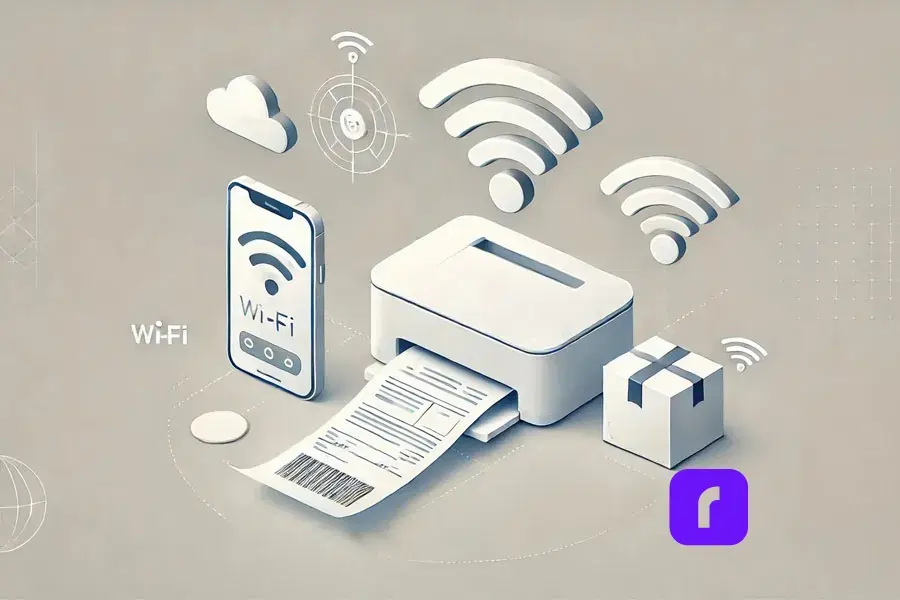
    mobile and wireless printing on the go with Rollo Ship

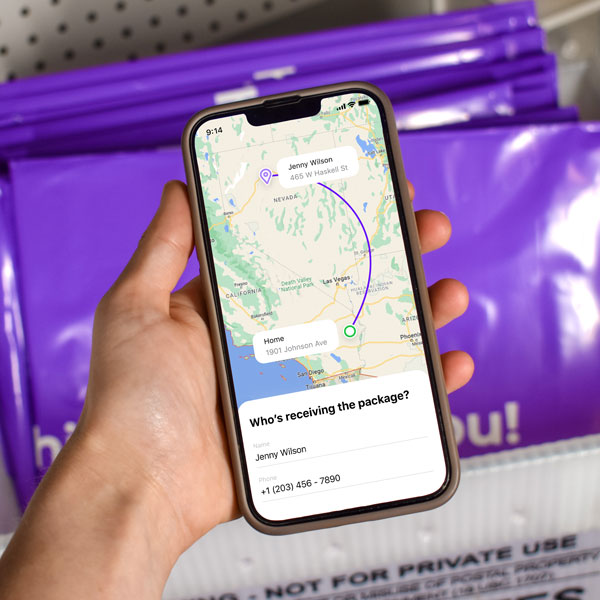
    In today’s fast-paced world, managing shipping on the go is key. Rollo Ship lets you print FedEx labels from your phone or tablet. You can use an AirPrint printer or Rollo’s wireless barcode label printer. This keeps you in control, wherever you are.

    How to Print a FedEx Label from Your Phone

    Printing from your mobile is easy and fast with Rollo Ship:

    1. 📲 Download the Rollo Ship App: Get it on iOS and Android. The app brings desktop features to your mobile.
    2. 🌐 Connect Your Printer: Make sure your Rollo printer is on Wi-Fi. The app works well with Rollo’s wireless portable printer and others.
    3. 📑 Create and Print Your Label: Make a new label in the app. Enter shipping details and pick your printer. Then, print from your phone.

    The Advantages of Mobile Printing

    • 🏃 Convenience: Mobile printing lets you work from anywhere. It keeps your shipping going without pause.
    • 🚀 Efficiency: Manage your shipping from your hand. Create labels and schedule pickups easily.
    • 🕒 Real-Time Management: The Rollo Ship app lets you track shipments and update details in real time. This keeps your business running smoothly, no matter where you are.

    Sustainable Shipping Practices with FedEx and Rollo Ship

    sustainable shipping practices with Rollo ship

    Businesses are focusing more on eco-friendly shipping. Rollo Ship and FedEx offer ways to lessen your environmental impact.

    Sustainable Shipping with FedEx Labels

    FedEx is dedicated to being green. They offer eco-friendly shipping options:

    • 🌱 Recycled FedEx Packaging: FedEx has packaging made from recycled materials. This reduces waste.
    • 📄 Electronic Documentation: Choose electronic trade documents when you can. It cuts down on paper and makes customs clearance easier for international shipments.

    How Rollo Ship Supports Sustainable Practices

    Rollo Ship is built for sustainability. It has features that cut down on waste and boost efficiency:

    • 🌍 Thermal Printing: Rollo’s thermal printers don’t need ink or toner. This reduces waste and environmental impact.
    • 🏷️ Durable Labels: Rollo’s labels last long. This means you don’t need to reprint as often, saving resources.

    Can I Use My Printer to Print Shipping Labels?

    Yes, with Rollo Ship and Rollo’s thermal printer, you can print high-quality labels at home. This supports green practices and lowers your environmental footprint.

    Troubleshooting and Rollo Best Practices for Label Printing
    Troubleshooting and best practices with Rollo

    Even with great tools, you might run into problems printing labels. Here are common issues and how to fix them.

    Troubleshooting Common Issues with Rollo Ship

    If you’re having trouble printing your FedEx labels, try these solutions:

    • 🛠️ Misaligned Labels: Make sure your printer settings match the label size. Adjust Rollo Ship settings to fix any alignment problems.
    • 📶 Connection Problems: If your printer won’t connect, restart your router and printer. Also, update your printer’s firmware.
    • 🧼 Print Quality Issues: For streaks or smudges, clean the printer head. Regular upkeep can solve most quality issues.

    How Do I Print a Label Without a Printer?

    If you don’t have a printer, use FedEx Office or another printing service. You can also email the label to someone with a printer or use a cloud service to access it on another device.

    Best Practices for Flawless Label Printing with Rollo Ship

    To print labels perfectly, follow these tips:

    • Use the Right Shipping Supplies: Choose high-quality label paper that works with your printer. Rollo’s labels are made for Rollo printers.
    • 🔍 Check Settings Before Printing: Double-check your printer settings, like paper size and orientation, to avoid mistakes.
    • 🧹 Regular Maintenance: Keep your printer clean and check for firmware updates. This ensures the best performance.

    Advanced Label Management with Rollo Ship

    Advanced label management with Rollo Ship

    For businesses with lots of shipments, managing labels is key. Rollo Ship has tools to help you manage labels better and work with your systems.

    Mass Creating FedEx Labels with Rollo Ship

    Rollo Ship makes creating many labels easy, perfect for high-volume shipping:

    • 📄 Upload a CSV File: Upload a list of shipments in a CSV file. Rollo Ship will create labels for each, saving time and reducing errors.
    • 🖨️ Automated Label Printing: Print all your labels at once with Rollo’s thermal printer. This makes the process smooth and efficient.

    How Rollo Enhances Label Management

    Rollo Ship works well with FedEx Ship Manager, offering a single platform for all shipping needs:

    • 🎯 Streamlined Workflow: Manage everything from one place, from creating labels to tracking and sending notifications.
    • Increased Efficiency: Rollo’s fast printing and reliable performance help even the busiest days go smoothly.

    How Do I Mass Create a FedEx Label?

    To create FedEx labels in bulk, upload your shipment data to Rollo Ship via a CSV file. The platform will make all your labels at once, letting you print them in bulk and streamline your shipping.

    Simplify Your Shipping with FedEx Labels and Rollo Ship

    Simplify FedEx shipping labels with Rollo Ship

    Shipping doesn’t have to be hard. With FedEx labels and Rollo Ship, you can make your shipping process easy and efficient. Whether you run a small business or manage logistics for a big company, Rollo Ship makes printing FedEx labels simple, quick, and reliable.

    Rollo Ship offers tools like mobile printing and advanced label management to help you manage your shipping. Check out Rollo Ship today and see how it can make your business’s shipping easier, saving you time and boosting your productivity.


    Follow Rollo on:


    Frequently Asked Questions About FedEx Labels

    📌 Q: What are FedEx labels and how do they work?

    💭 A: FedEx labels are essential for tracking and delivering your packages. Each label includes vital information such as sender and recipient addresses, a tracking barcode, and shipping details to ensure your package reaches its destination securely and on time.


    📌 Q: How can I create a FedEx shipping label?

    💭 A: You can create a FedEx shipping label using FedEx’s online tools, such as FedEx Ship Manager, or by using integrated platforms like Rollo Ship. Simply enter the shipment details, select your shipping service, and generate the label for printing.


    📌 Q: Can I print FedEx labels at home?

    💭 A: Yes, you can easily print FedEx labels at home using your own printer. Services like Rollo Ship allow you to generate and print labels from any device, ensuring flexibility and convenience.


    📌 Q: What types of FedEx labels are available?

    💭 A: FedEx offers several types of labels tailored to different shipping needs, including Domestic Shipping Labels for U.S. deliveries, International Shipping Labels for cross-border shipments, and Returns Labels for hassle-free customer returns.


    📌 Q: How do I customize a FedEx shipping label?
    💭 A: You can customize your FedEx shipping labels using tools like the Rollo Label Design App. This allows you to add your logo, special instructions, and other personalized elements to your labels for a branded shipping experience.
  • Picking the Best Shipping Carrier for Your Online Store

    Picking the Best Shipping Carrier for Your Online Store

    Delivering orders on time and at a good price is key for any online business. Choosing the right shipping carrier affects your customers’ happiness, your costs, and your profits.

    This article looks at major shipping carriers to help online sellers pick the best ones. It focuses on important factors like cost, speed, tracking, and compatibility.

    We show how Rollo Ship connects sellers to many carriers. It gets discounted rates and provides helpful data to improve efficiency.

    Understanding Shipping Carriers

    Types of Shipping Carriers

    Main Types of Carriers

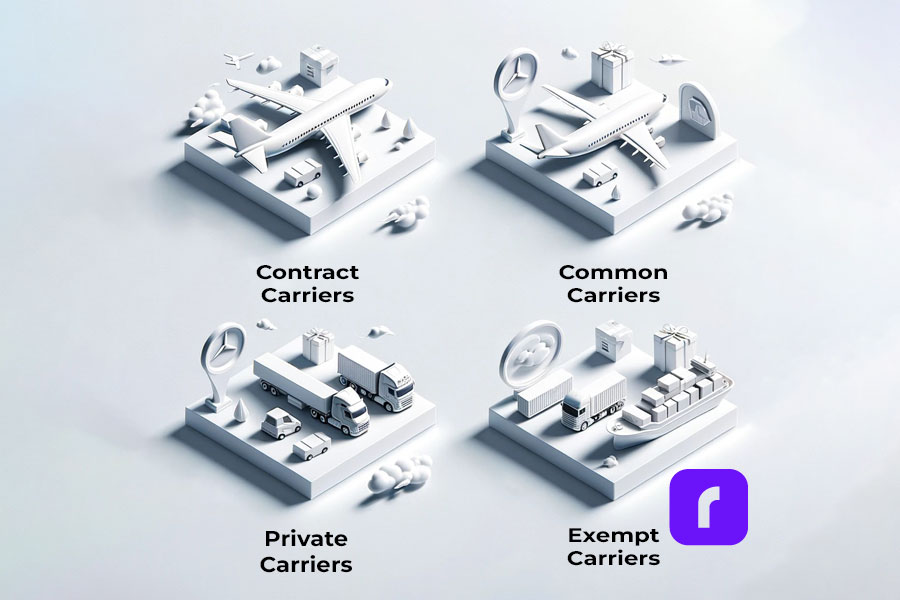
    Broadly, there are four kinds of carriers:

    • 🚚📦 Common Carriers: Major companies like FedEx, UPS, and USPS that offer standard services.
    • 📦✍️ Contract Carriers: Private shippers contracted by a single company for specialized needs.
    • 🏢🚐 Private Carriers: A brand or retailer’s own delivery service. For example, Amazon’s vans.
    • 🛑📄 Exempt Carriers: Special circumstances exempt small shippers from some regulations.

    Knowing these types helps sellers evaluate carriers. Important criteria: customization, integration, and cost-effectiveness for their business.

    Rollo Ship easily connects with all the best shipping carriers.

    Did you know? 🤔 In 2021 UPS, FedEx, and USPS collectively handle almost 90% of all e-commerce shipments in the United States. Each shipping carrier has unique strengths, making them indispensable to online sellers. 
    Shipping Carriers for International Shipments

    Choosing The Best Shipping Carrier

    An online seller’s success depends heavily on fast and reliable shipping. So what’s the best shipping carrier?

    ⚠️ Keep in mind that when evaluating carriers, consider not just the cost but also the value-added services like tracking and insurance options, which can significantly impact customer satisfaction. 

    The best shipping carriers like USPS, UPS, and FedEx have huge networks making them versatile picks. USPS provides affordable postal services domestically and abroad. UPS promises fast ground and air transportation with doorstep deliveries. FedEx offers speedy express shipping and specialty solutions like cold chain logistics.

    But sellers need to look deeper than just brand names. Evaluate transit times, costs, tracking visibility, billing terms, etc. based on product types and delivery requirements.

    For example, UPS and FedEx are faster but cost more than USPS. Retailers focused on speed may prefer UPS/FedEx despite higher rates.

    Rollo Ship allows comparing real-time rates across carriers to make informed trade-off decisions.

    UPS vs FedEx Comparison

    Choosing between UPS and FedEx needn’t be an either-or decision. Each shipping carrier excels on specific parameters catering to particular business needs.

    • 📦🛠️🏪🌐 For multichannel brands, UPS provides shipping tools and more in-store service outlets nationwide as convenient pickup/dropoff points.
    • ❓🆚📈🔍💼 So instead of a broad ”Is UPS better than FedEx?” question, evaluate their differentiated strengths aligned to product types, routes, and working capital needs.
    • 🚢⚖️📊🎯 Rollo Ship allows impartial shipping carrier capability and rate benchmarking tailored to business priorities.
    PRO TIP:  For shipments requiring fast delivery within the United States, FedEx's overnight options might be more cost-effective, especially for lighter packages. However, for heavier shipments or less urgent deliveries, UPS Ground can offer substantial savings.
    Carrier Discounts with Rollo Shipp Features and Benefits
    UPS Yes Discounted UPS rates for various shipping options.
    USPS Yes Competitive USPS rates for domestic and international.
    FedEx Account linking available Integration with Rollo for streamlined FedEx shipments.


    Optimizing Shipping Strategies

    Fast Shipping Options

    For internet buyers wanting instant gratification, fast delivery wins market share. What’s the fastest shipping carrier option?

    FedEx and UPS provide the quickest global ground and air transportation. In the US, UPS Ground offers 1-5 days nationwide delivery with economy alternatives too.

    UPS Next Day Air® Early ensures guaranteed delivery by 8 AM to major cities and for most cities between 8:30 AM and 9:30 AM the next business day for urgent shipments. FedEx First Overnight® ensures items arrive by 8-9:30 AM in most areas, with some locations by 2 PM the next business day. Though expensive, these overnight services enable lightning-fast fulfillment.

    But raw speed can’t be the only deciding factor. Sellers must balance velocity with reliability, costs, item characteristics, etc.

    Rollo Ship allows easily comparing delivery speeds and pricing across carriers to determine the optimum fit. Its automated workflows streamline expedited shipments.

    Did you know? 🤔 Choosing a shipping option with a delivery guarantee can sometimes be more cost-effective than opting for the fastest delivery time. Carriers often refund the shipping costs if the delivery guarantee is not met. 

    Lowering Shipping Costs

    ⚠️ Keep in mind Dimensional weight pricing means that the space your package occupies on a vehicle may cost more than its actual weight. Optimizing packaging to reduce volume can lead to significant savings.

    Finding the Most Affordable Shipping Carrier

    How can e-commerce sellers identify and access the most budget-friendly shipping carrier options? Comparing rates across providers based on product weight brackets, zones, and surcharges serves as a baseline benchmark.

    Large shippers can additionally negotiate custom contracts with volume discounts factored in. However, evaluating logistics infrastructure support capabilities remains equally imperative – choosing an inexperienced courier just for cost savings can negatively impact orders and customers.

    Coping with Fulfillment Spikes

    Peak trading events can overwhelm e-commerce operations with a barrage of orders. Robust preparation and coordination with partners help smooth these spikes. Forecasting additional staffing, inventory, and shipping bandwidth required well in advance is key.

    Big sellers can stipulate volume-based contingencies in partner and shipping carrier contracts. Smaller companies can use aggregators like Rollo Ship to handle overflow requirements. Staggering promotions over a longer timeframe also evenly distributes order volumes.

    Using Rollo Ship App for shipping carrier discounts

    Enhancing Shipping Operations

    Streamlining Operations via Technology

    Leveraging technology is now imperative, not optional, given mammoth e-commerce order volumes.

    • 🤖 Automated systems can capture purchases, print labels, provide tracking updates, check addresses, reconcile invoices, etc. Removing these manual tasks boosts productivity.
    • 💰 Built-in rate shopping engines dynamically find the least-cost shipping carrier for every order. Batch printing, customs forms, manifests, etc. also optimize bulk fulfillment.
    • 👀 End-to-end visibility via tracking alerts, analytics, etc. helps avoid stalled orders and customer disputes too.

    Rollo Ship delivers these benefits by automating complex processes like international shipping compliance at scale. Integrating a high-quality commercial label printer into this ecosystem further elevates operational efficiency, ensuring that every package is labeled accurately and dispatched without delay.

    PRO TIP:  Integrating your shipping software with inventory and customer management systems can streamline operations, reduce errors, and improve customer communication.

    The Role of Process Automation

    Order processing automation can tremendously improve productivity for transaction-driven e-commerce businesses. Automated systems save time and prevent errors by capturing purchases, checking addresses, printing labels, providing tracking updates, and reconciling carrier invoices. This frees up staff from repetitive manual work.

    Built-in rate shopping engines dynamically identify the least-cost shipping options for every order. Integrated analytics drive further optimizations in packaging, allocation, and delivery timelines. Rollo Ship specializes in enabling such intelligent automation seamlessly across client systems and workflows.

    Shipping Automation with Shipping Carriers

    Getting Discounted Rates

    Large shippers can negotiate custom rates with big carriers because of their high volumes. These special rates match their common product types and shipping routes. Even small sellers can get pre-negotiated discounts from shipping aggregators like Rollo without huge order volumes.

    By combining bargaining power across all their clients, these logistics platforms secure exclusive pricing impossible for individual online stores. So working with specialists like Rollo Ship allows merchants of any size to reduce shipping costs and improve efficiency.

    Managing Global Shipping Challenges

    Expanding overseas brings geographical and regulatory intricacies in shipping. Choosing between air, sea, and road transport, brokers, etc. gets complex.

    Typically, e-commerce sellers engage major parcel carriers like DHL Express, FedEx, or UPS for international package delivery given their global reach spanning 220+ countries.

    US sellers must also confirm officially approved air, sea, and land carriers overseas to comply with Federal Maritime Commission rules.

    Platforms like Rollo Ship simplify these nuances for compliant trouble-free worldwide shipping. It integrates leading domestic and global couriers, staying updated on evolving customs and regulations.

    Did you know? 🤔 Customs duties and taxes can account for a significant portion of the total shipping cost when shipping internationally. Using a shipping carrier that offers customs brokerage services can simplify the process and avoid delays. 

    Shipping Internationally

    For brands targeting worldwide markets, navigating myriad shipping regulations and customs can seem daunting initially. Working with carriers intimately aware of each region’s protocols, paperwork trail and tariffs enables rapid global scale. US entities must pay special attention to officially designated trade channels and overseas documentation mandates. Solutions like Rollo Ship and freight forwarders ease cross-border intricacies by centralizing country-specific compliance stipulations.

    Eco-friendly packaging

    Focusing on Sustainability and Efficiency

    Rightsizing Packaging

    Optimizing parcel packaging significantly impacts cost-efficiency and sustainability. Precision-fitting cartons and protective padding to products reduce dimensional weight expenses charged by carriers. Minimizing packaging volume also lowers waste.

    However adequate insulation against damage remains non-negotiable for fragile goods. Solutions like Rollo Ship can suggest optimum box and mailer sizes balancing these factors.

    Adopting Eco-Friendly Practices

    With sustainability becoming imperative, e-commerce entities must integrate green considerations in supply chains. Eco-packaging, right-sized parcels, shipment consolidation, carbon offsetting via volumes, localized sourcing, etc. render operations greener.

    Return/reuse programs that give products multiple life cycles further advance environmental goals. Small firms can embrace such initiatives by partnering with logistics aggregators like Rollo Ship implementing sustainability across their network.

    ⚠️ Keep in mind Using eco-friendly packaging not only reduces environmental impact but can also resonate with customers, enhancing brand loyalty and potentially driving sales.

    Improving Customer Experience

    Improving Delivery Transparency

    Proactively updating customers regarding order status via tracking and notifications improves the experience even for relaxed delivery options. Unifying multi-carrier tracking in online storefronts enables centralized visibility without managing disparate portals.

    For international purchases, accounting for customs procedures and exchange zones sets realistic delivery expectations. Frequent, contextually relevant communication is key – especially on any exceptions.

    PRO TIP:  Providing customers with options for delivery dates and times can significantly enhance satisfaction. Consider carriers that offer flexible delivery services.

    Insuring Deliveries

    Despite best efforts, in-transit damage or losses remain inevitable at the e-commerce scale. Having adequate parcel insurance and formally declaring merchandise value provides a financial buffer to recover such episodic costs. Tracking goods with precision through transit forms the foundation for submitting carrier liability or insurance claims. Specialized solutions like Rollo Ship proactively flag exceptions before customer complaints occur, minimizing the probability of claims.

    Effortless Returns Process

    Managing returns is integral for customer satisfaction, revenue retention, and cost control. Defining flexible but unambiguous return policies and providing rapid no-questions-asked options builds goodwill. Dedicated portals for initiating returns including prepaid shipping labels minimize buyer effort.

    However, efficiently processing returned inventory, reimbursing credits, and evaluating restocking feasibility quickly becomes complex without automation. Specialized solutions like Rollo Return software handle these multifaceted reverse supply chain tasks while minimizing overheads.

    Maximize Your Shipping Efficiency with Top Carriers!

    Enjoy Big Savings on the Go!

    Use the Rollo Ship App on your Desktop or your mobile,

    compare rates and print shipping labels from leading carriers effortlessly.

    Final Words

    Did you know? 🤔 Streamlining your logistics processes is a key strategy for customer retention in the logistics industry. Customers expect fast, efficient shipping and delivery, and any delays or issues can significantly impact their experience, influencing their decision to continue doing business with you. 

    Strategically selecting and managing shipping carriers can generate tremendous ROI for e-commerce businesses. As we saw, major carriers have specific strengths suiting particular business needs.

    Adaptable solutions like Rollo Ship serve as a pivotal tool for sellers in this decision process. The system provides a single view and access to a tool that compares rates from multiple carriers. It also has automation features that help businesses improve shipping efficiency and reduce costs.

    Online sellers can focus on innovation and customer service by letting logistics partners handle shipping tasks. This leads to e-commerce success.

    Follow Rollo on:

    Frequently Asked Questions about The Best Shipping Carrier for eCommerce:

    📌 Q: What Defines a Shipping Carrier?

    💭 A: A shipping carrier is an entity responsible for transporting goods from the sender (shipper) to the recipient (consignee). The shipper, typically the owner or supplier of the commodities, entrusts their goods to the shipping carrier for delivery. Carriers play a crucial role in the logistics chain by ensuring the safe and timely delivery of packages.


    📌 What are The Four Main Types of Shipping Carriers?

    💭 A: Shipping carriers are categorized into four main types, each designed to meet specific shipping needs. These categories include local carriers, ideal for nearby deliveries; regional carriers, covering broader areas within a specific region; national carriers, which operate across the country; and consolidated carriers, which amalgamate shipments from various shippers for efficiency.


    📌 How Do Shippers and Carriers Differ?

    💭 A: The key difference between a shipper and a carrier lies in their roles within the shipping process. A shipper, also known as a consignor, is the originator of the goods being shipped, often the producer or seller. The carrier, on the other hand, is the service provider tasked with the physical transportation of goods, bearing responsibility for any loss or damage incurred during transit.


    📌 Between UPS and USPS, Which is More Economical for Shipping a 20 lb Box?

    💭 A: Choosing between UPS and USPS for shipping a 20 lb box depends on various factors, including package dimensions and destination. Generally, USPS offers more cost-effective solutions for packages weighing up to 70 lbs, which is their weight limit for shipping. However, it’s worth considering shipping with Rollo Ship to access discounts on UPS and USPS shipping rates, potentially making both carriers more affordable depending on your specific needs. For the most accurate pricing, it’s recommended to check the Rollo app or the carrier’s website directly. For packages exceeding 70 lbs, UPS Ground and FedEx Ground present the most affordable options, albeit with longer delivery times.
  • FedEx Label Printers: How to Set Up and Print Labels

    FedEx Label Printers: How to Set Up and Print Labels

    In today’s rapidly evolving eCommerce world, the efficiency of your shipping operations can make or break your business. One cornerstone of that efficiency is having a reliable FedEx label printer. Whether you’re an established online retailer, a growing small business, or an individual looking to simplify your shipping process, choosing the right FedEx label printer is crucial.

    So, how do you go about selecting the best label printer for FedEx shipping labels? In this in-depth guide, we aim to provide comprehensive insights. We’ll delve into the impressive features of Rollo printers and the Rollo Ship app, which, when used in tandem, can significantly streamline your FedEx label printing processes.

    Why Choose a Thermal Printer for Printing Shipping Labels from FedEx

    When considering various FedEx label printers, you’ll find numerous options, including inkjet and laser printers. However, when it comes to printing FedEx shipping labels, thermal printers often hold the edge. Why is that?

    Rollo Wireless Printer and Rollo Ship App from Rollo on Vimeo.

    Key Advantages of Thermal Printers as FedEx Label Printers

    • No Ink or Toner: One of the biggest advantages is that thermal FedEx label printers don’t require ink or toner. This alone can save you a lot of time and money in the long run.
    • Speed is of the Essence: With FedEx’s strict timelines, a slow printer can be a bottleneck. Thermal printers are renowned for their speed, often printing a label in less than a second.
    • Quality and Reliability: The last thing you need is a smudged or unreadable label. Thermal printers offer high-quality prints that are easy to scan, making them ideal FedEx label printers.

    Rollo Printers: The Best Label Printer for FedEx

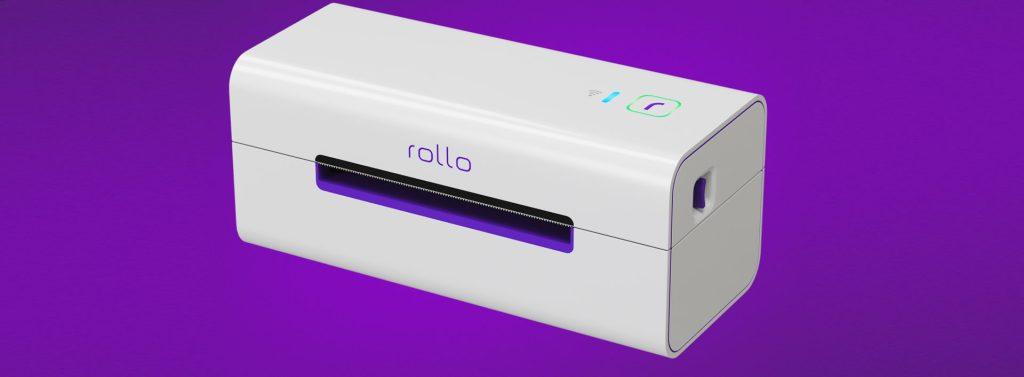
    FedEx label printer

    When it comes to choosing the best FedEx label printer, it’s hard to overlook what Rollo printers bring to the table to create labels:

    • Unmatched Efficiency: These printers have an astonishing capability of printing up to 325,000 feet of thermal labels without requiring any ink or toner. That’s efficiency redefined.
    • Smart Label Detection: Say goodbye to the tedious task of manually adjusting your labels. Rollo printers automatically detect label sizes, with the intelligent feature being particularly enhanced in the wireless model.
    • Wide-ranging Compatibility: Rollo printers can be easily integrated into virtually any tech ecosystem. Whether you’re operating on a Mac, Windows, iPhone, iPad, Android, or even Chromebook, these printers have you covered. Their compatibility is further extended as they are AirPrint and WiFi certified, which makes printing from any device a breeze.

    What Sets Rollo Apart: The Rollo Ship App

    The Rollo Ship App is another compelling reason why the purchase of a Rollo printer is an excellent choice for a FedEx label printer. This app, available on multiple platforms including iOS, Android, and Desktop, not only consolidates your shipping needs but also offers a myriad of features that make it stand out.

    Empowerment Through Unified Carrier Connections

    Beyond just selling channels, the Rollo Ship App steps up the game by offering an integrated platform to manage all your shipping carrier accounts. Instead of juggling multiple carrier portals and interfaces, Rollo offers a singular dashboard. This not only means less hassle but also quicker decisions as you can compare and choose the best shipping options at a glance.

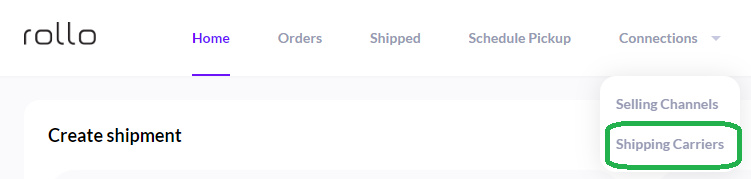
    Here’s how simple it is: With just a few taps, you can link your Rollo FedEx label printer and your shipping carriers. Dive into the Rollo Ship App, navigate to “Connections”, move to “Shipping Carriers”, and there you are – just a click on the FedEx logo, a swift entry of your FedEx details, and you’re all set. Shipping with FedEx, or any other carrier for that matter, becomes as easy as hitting the “print” button.

    How to print FedEx shipping labels by connecting Rollo to your FedEx account

    Step 1: Log into your Rollo Ship App on your Desktop via ship.rollo.com or on your mobile app.

    Link Your Shipping Carriers' accounts to Rollo Ship App for free

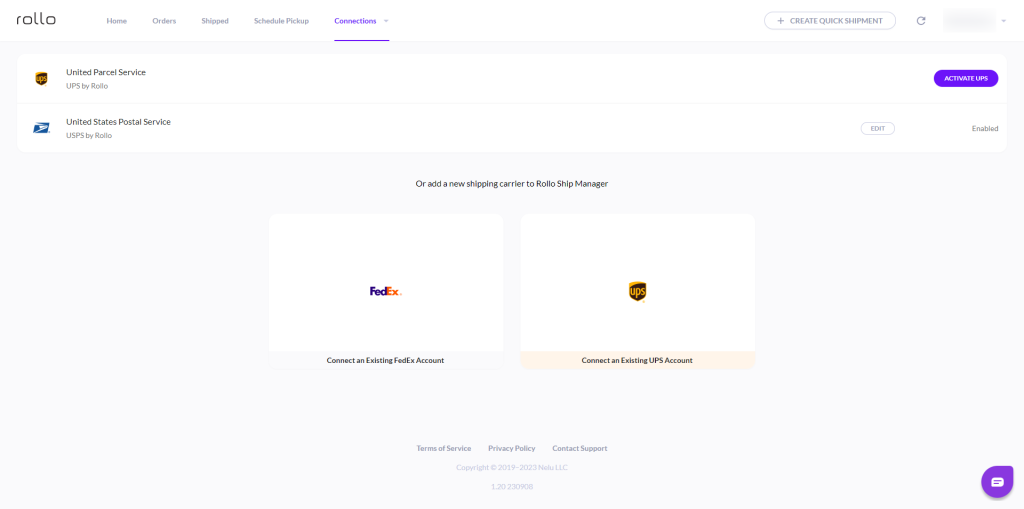
    Step 2: Click on Connections > Shipping Carriers. Click on the FedEx logo:

    Connect FedEx account to Rollo Ship for ease of printing FedEx shipping labels

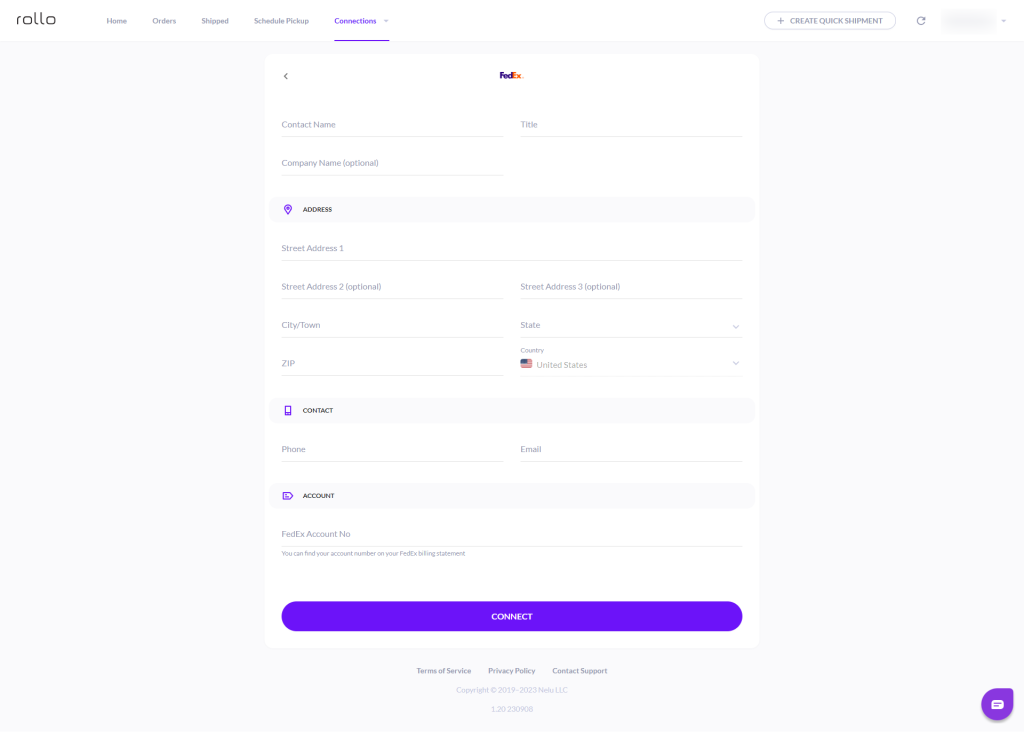
    Step 3: Input your information and your FedEx Account number:

    Link your FedEx and Rollo accounts

    Features That Make the Rollo Ship App Indispensable for FedEx Shipping Labels

    • Unified Dashboard: One account lets you integrate orders from various marketplaces. This includes popular platforms like Amazon, Etsy, Shopify, and eBay among others, simplifying your FedEx label printer experience.
    • AI-Driven: With advanced AI algorithms, the Rollo Ship App will automatically import your new orders from connected stores, group them, and even notify you. This is especially useful when using FedEx shipping labels for bulk shipments.
    • Automated Notifications: Once your FedEx shipping labels are printed and your packages are shipped, the app can automatically notify your customers with tracking information.
    • Zero Obligations: The best part? You are not obliged to connect your store to use this app, nor do you have to own a Rollo printer to print FedEx labels.

    A Closer Look: The Cost-Effectiveness of Rollo Ship App

    In terms of cost, this app is a game-changer. There is no monthly subscription fee, and the cost to create a shipping label is a nominal 5 cents, which is waived for your first 200 labels. Additionally, Rollo has negotiated shipping discounts with major carriers, including FedEx, that can result in up to 90% off on your shipping costs.

    Step-By-Step Guide: Setting Up Your Rollo FedEx Label Printer

    The Rollo FedEx label printer streamlines the shipping process, offering you a seamless way to print various types of shipping labels, including FedEx labels. With user-friendly features and compatibility with a range of platforms, this printer is a reliable choice for all your shipping needs. Here’s your definitive guide to getting it all set up:

    Initial Setup
    🐾 Step 1:
    🔌 Connect Your Rollo Printer

    The first step is to ensure your Rollo printer is connected to both a power source and your computing device. Whether you’re using a traditional USB connection or taking advantage of Rollo’s wireless capabilities, make sure the connections are secure. For a full tutorial on the Rollo printer setup, please, visit this page.


    Initial Setup
    🐾 Step 2:
    ⬇️ Download Required Drivers

    One of the advantages of the Rollo wireless printer is that it doesn’t require any brand-specific drivers. However, if you are using the FedEx Ship Manager software, you’ll need to download the Zebra LP 2844 thermal printer drivers, which are compatible with your Rollo printer. Additionally, for the older model of Rollo, you will need a driver. Please, refer to this tutorial.


    Initial Setup
    🐾 Step 3:
    🔎 Identify Printer Port

    Connect the USB cable from your Rollo printer or link your wireless Rollo to your computer/device and turn on the printer. Press the feed button on the printer cover to ensure it is properly configured.


    Fine-Tuning Your Printer for FedEx Labels
    🐾 Step 1:
    💻 Configure Port Settings

    If your computer uses a COM port, you’ll need to adjust the port’s flow control settings. For older versions of Windows, set the flow control to “Hardware.” If you’re running Windows Vista or later, set it to “Xon/Xoff.”


    Fine-Tuning Your Printer for FedEx Labels
    🐾 Step 2:
    💾 Install Printer Driver

    A New Hardware Wizard will pop up, guiding you through the process of installing the printer driver files. Once the necessary files are copied over, click “Finish” to complete the driver installation.


    Fine-Tuning Your Printer for FedEx Labels
    🐾 Step 3:
    🔗Printer Preferences

    The last step in this phase is to exit the Preferences screen. Make sure to click the “Save/Update” button to finalize your settings.


    Fine-Tuning Your Printer for FedEx Labels
    🐾 Step 4:
    📎 Testing Your Setup

    Before you start your shipping operations, it’s crucial to test your new setup to ensure it works flawlessly.


    Fine-Tuning Your Printer for FedEx Labels
    🐾 Step 5:
    🕹️ Navigate to FedEx Ship Manager

    Log into your FedEx account and go to the FedEx Ship Manager. This is where you’ll control all your shipping activities, including label printing.


    Fine-Tuning Your Printer for FedEx Labels
    🐾 Step 6:
    ✅ Select Your Rollo Printer

    From the list of available label printers, choose your Rollo printer to ensure that it’s configured properly with FedEx Ship Manager.


    Fine-Tuning Your Printer for FedEx Labels
    🐾 Step 7:
    📄 Run a Test Print

    Initiate a test print from the FedEx Ship Manager to print a sample FedEx label. If the label prints out as expected, congratulations! You’ve successfully set up your Rollo FedEx label printer.

    ⚠️ Extra Tips

    • 👓 It’s worth mentioning that setting up your Rollo printer on FedEx Ship Manager might require an activation code, which FedEx will email to you after verifying your account information.
    • 🖨️ Rollo can be installed as a ZPL printer, especially beneficial if you plan to use FedEx Ship Manager for your shipping needs.
    • 📢 If you want an alternative to FedEx Ship Manager, consider commercial platforms like Rollo Ship App. Such platforms are FedEx-approved partners and offer a simpler setup process.

    By successfully setting up your Rollo FedEx label printer, you’ve significantly improved your shipping capabilities, particularly for printing FedEx shipping labels.

    The Ultimate FedEx Label Printer Solution

    When it comes to finding the best label printer for FedEx, the Rollo thermal printer, accompanied by the feature-rich Rollo Ship App, offers a holistic and cost-effective solution. The Rollo printer’s easy setup, rapid printing, and exceptional reliability make it a superb choice for any FedEx shipping needs, whether you’re a small business owner or running a large-scale operation.

    This comprehensive guide aimed to shed light on why Rollo stands out as the best FedEx label printer and how you can set it up to print FedEx shipping labels effortlessly. With the Rollo Ship App’s wide array of functionalities, you can streamline your FedEx label printing, enhance your logistics, and substantially reduce your shipping costs.

    So if you’re still pondering the question, “What is the best FedEx label printer for me?” The answer is clear: Look no further than a Rollo thermal printer.

    Rollo Ship App: A Closer Look

    If you’re already familiar with Rollo’s FedEx label printer, you might be intrigued by another tool in the Rollo suite: the Rollo Ship App. This application serves as a centralized hub, connecting the dots between multiple platforms and your shipping process. Designed to streamline the entire shipping workflow, from order management to label printing, let’s dive deeper into the remarkable features that make the Rollo Ship App a must-have tool for e-commerce vendors.

    NO MONTHLY SUBSCRIPTIONS.

    The first 200 FedEx shipping labels are free.

    Every next generated label is 5 cents.

    Up to 90% off UPS, FedEx, and USPS shipping.

    In summary, the Rollo Ship App isn’t just an add-on to your Rollo FedEx label printer; it’s a comprehensive shipping solution. With its AI-driven automation, multi-platform support, cost-effectiveness, broad integration capabilities, and partnership with major carriers like FedEx, the Rollo Ship App is a powerhouse that can significantly uplift your shipping game

    Final Thoughts: Why Rollo is the Go-To FedEx Label Printer

    If you’re looking for the best label printer for FedEx, you cannot go wrong with a Rollo printer, especially when coupled with their advanced Ship App. Easy to set up, convenient to use, and cost-effective in operation, it’s the all-in-one FedEx shipping label solution you’ve been searching for.

    Whether you’re just starting out with your shipping journey or looking to optimize your established operations, Rollo provides a highly effective and efficient way to handle your FedEx shipping labels. So when it comes to selecting a FedEx label printer, make Rollo your first choice.

    Follow Rollo on:

    Frequently Asked Questions about FedEx label printer:

    📌 Q1: What Label Printers Work with FedEx Ship Manager?


    💭 A1: Not all label printers are compatible with FedEx Ship Manager. However, Rollo printers, given their compatibility with the Zebra LP 2844 drivers, can easily be used with the FedEx Ship Manager.


    📌 Q2: Does FedEx Provide Label Printers?

    💭 A2: FedEx itself does not provide label printers. However, they have a list of recommended printers, and it’s worth noting that the Rollo thermal printer is an excellent choice for printing FedEx labels.


    📌 Q3: Can I Print Out My Own FedEx Label?

    💭 A3: Absolutely! With a reliable FedEx label printer like Rollo, you can print your own shipping labels right from the FedEx website or through the FedEx Ship Manager. All you need is to ensure that your printer is set up correctly, as outlined in the guide above.


    📌 Q4: Can FedEx Print a Label from Your Phone?

    💭 A4: Yes, you can! The Rollo Ship App allows you to manage your shipping needs from your smartphone, and it will also automatically notify the recipient of their tracking info. You can then simply head to your local FedEx location, present your QR code, and have them print it for you if you wish.


    📌 Q5: Is It Cheaper to Print FedEx Labels at Home?

    💭 A5: Most certainly! When you print FedEx labels at home using your own FedEx label printer, like a Rollo printer, you can save money. Plus, the Rollo Ship App offers shipping discounts of up to 90% off with major carriers, including FedEx.


    📌 Q6: Can You Print FedEx Labels on a Thermal Printer?

    💭 A6: Absolutely, thermal printers are ideal for printing FedEx shipping labels. They’re fast, efficient, and don’t require any ink. Rollo’s compact direct thermal label printers are perfect for this job.


    📌 Q7: Can I Print My Own FedEx Label?

    💭 A7: Yes, you can! With the right FedEx label printer like a Rollo thermal printer, you can easily print your FedEx labels from the comfort of your home or office.


    📌 Q8: Which Label Printers Work with FedEx?

    💭 A8: Various label printers are compatible with FedEx, but as this guide illustrates, a Rollo thermal printer stands out as one of the best FedEx label printer options due to its efficiency, cost-effectiveness, and wide-ranging compatibility.
  • Rollo’s Guide to The Cheapest Way to Ship a Package

    Rollo’s Guide to The Cheapest Way to Ship a Package

    Shipping costs can often make or break a deal, especially when you’re constantly on the lookout for the cheapest way to ship a package. From small business owners to everyday people sending gifts to loved ones, everyone wants to save on shipping. That’s where Rollo comes into the picture, offering a comprehensive suite of tools designed specifically to minimize your shipping expenses. From intelligent thermal label printers to a robust shipping app with carrier discounts, Rollo is a one-stop solution for all your shipping needs.

    In this guide, we will delve into how Rollo’s diverse range of products and services can not only simplify your shipping process but also help you discover the cheapest way to ship a package. Whether you’re shipping domestically or internationally, dealing with heavy or lightweight items, or operating on various online platforms, Rollo has got you covered.

    Understanding Shipping Costs

    Shipping costs are a complex equation influenced by several variables: weight, size, distance, and speed. Each of these factors plays a crucial role in the final shipping rate, and missing the mark on any of them can significantly bump up your costs.

    What Determines Shipping Costs

    Understanding these four key factors can greatly assist you in finding the cheapest way to ship a package. And with Rollo’s suite of tools and services, that task becomes significantly simpler and more efficient.

    Types of Shipping Options with Major Carriers

    Shipping options are as diverse as the carriers that offer them, and choosing the best one can be a maze if you don’t know where to look. Rollo Ship makes this easier by providing you access to a host of discounted shipping options from major carriers such as UPS, USPS, and FedEx. Here’s a look at what each of these carriers offers:

    Thanks to Rollo Ship’s partnerships with these carriers, you can avail of substantial discounts that can be as high as 90% off standard rates. When you use the Rollo Ship app, it intelligently compares real-time quotes from these carriers, ensuring that you always find the cheapest way to ship a package—be it a small envelope or a heavy crate. Moreover, you can print your discounted shipping labels directly through the app, using Rollo’s thermal label printers for maximum convenience and efficiency.

    By leveraging Rollo Ship’s discounted rates and AI-driven platform, you can optimize your shipping costs regardless of the carrier or service you choose, making it the go-to tool for both businesses and individuals who prioritize savings without compromising on service quality.

    General Guide for The Cheapest Way to Ship a Package

    What is the Cheapest Way to Ship a Package?

    Using Rollo Ship, you can compare rates from various carriers and choose the cheapest option. The app is compatible across iOS, Android, and Desktop, allowing you to manage your shipping seamlessly.

    What Determines the Cheapest Way to Ship a Package?

    Package Size

    Cheapest Way to Ship a Small Package


    Small packages can often be deceptively expensive to ship, particularly when shipping costs are determined by both size and weight. Rollo Ship comes to the rescue with significant discounts that make it an ideal choice for cost-effective shipping solutions. By negotiating bulk rates with major carriers like USPS, FedEx, and UPS, Rollo Ship ensures that you’re getting the best bang for your buck.

    Bubble Mailer

    But the savings don’t stop at just carrier discounts. Rollo also offers shipping supplies that are both functional and economical. One of the standout products in their line is the Rollo bubble mailer. These mailers are not just lightweight, which contributes to lower shipping costs, but are also water-resistant. This dual advantage ensures that you’re saving money while also providing a secure shipping environment for your products.

    Rollo’s poly mailers offer a similar set of advantages. Available in various sizes, these mailers are extremely light, cutting down on weight-based shipping costs. They’re also water-resistant and durable, offering added protection for your items during the shipping process.

    Poly mailer

    The Rollo Ship App makes it easy to apply these discounts and select these supplies right from your dashboard. It integrates seamlessly with popular e-commerce platforms, enabling you to process orders and print discounted labels in bulk. The app even allows for advanced customization features, giving you the flexibility to choose between various mailer sizes and types based on the items you’re shipping.

    Therefore, when it comes to shipping small packages, Rollo Ship provides a comprehensive suite of options that focus not just on immediate costs, but also on long-term savings and product safety.

    Cheapest Way to Ship a Large Package Using Rollo’s Scales


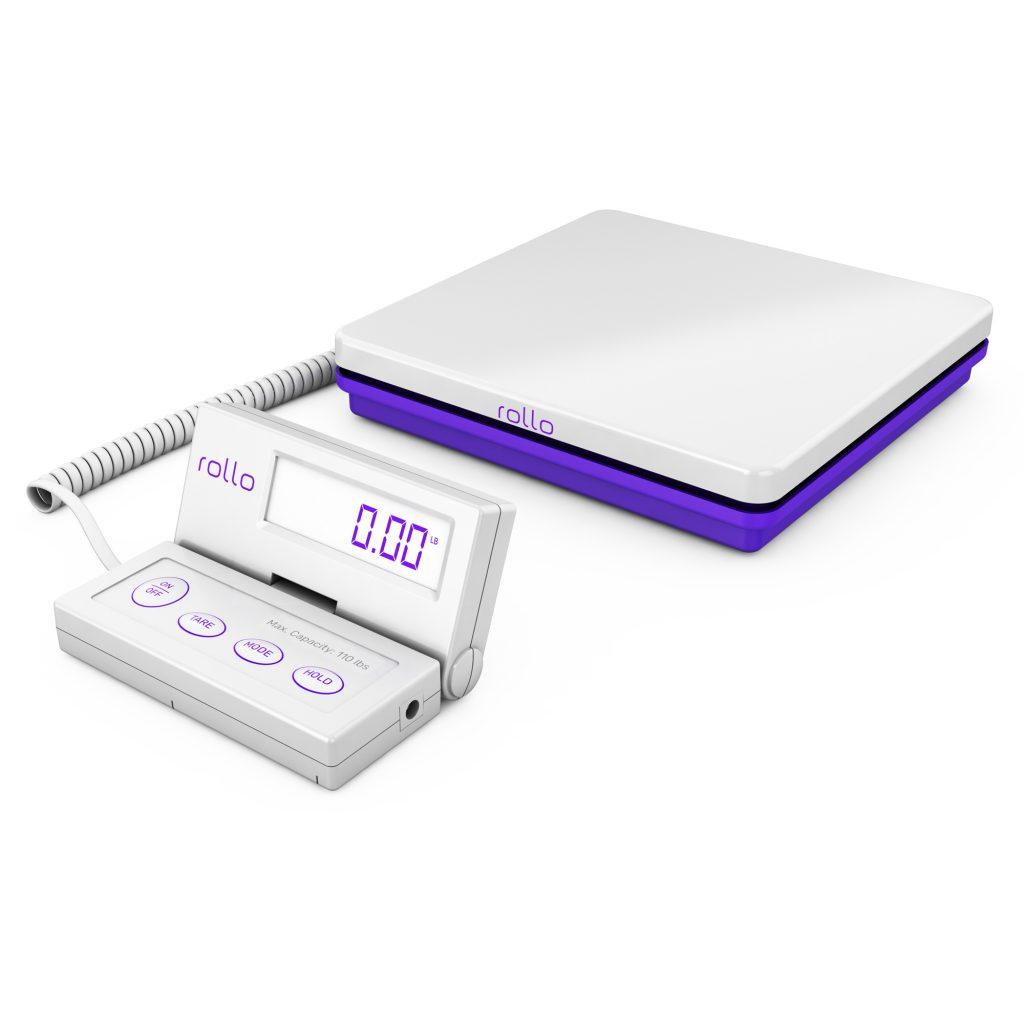
    When you’re dealing with large or bulky packages, the stakes are high. A miscalculation in weight or size can lead to significantly higher shipping costs. This is where Rollo’s heavy-duty shipping scale shines. Designed to handle up to 110 lbs and accurate to within 0.07 ounces, this scale ensures you pay for exactly what you ship—no more, no less.

    Rollo digital shipping scale heavy duty

    The scale comes with smart features like Tare and Hold. ‘Tare’ allows you to zero out the weight of any container, ensuring that you’re only measuring the weight of the goods inside. ‘Hold’ is particularly useful for large packages that might obstruct the view of the display; the weight reading will hold even after you remove the package, giving you time to note it down.

    The scale is integrated seamlessly with the Rollo Ship App. When you weigh your package, the information can be directly transferred to the app, where you can complete your shipping process by comparing rates from various carriers and selecting the cheapest one.

    When shipping large packages, many carriers have oversized fees that can substantially increase the shipping cost. By ensuring you have accurate measurements, you can confidently choose a shipping option that accommodates your package size without extra fees. Additionally, Rollo Ship’s negotiated rates with major carriers can make those large package deliveries much less daunting.

    Package Weight

    Cheapest Way to Ship a Heavy Package

    Shipping heavy packages usually takes a toll on your wallet. However, Rollo Ship’s deep discounts with carriers like UPS, FedEx, and USPS can significantly lessen this burden. The app also has a consolidation feature, grouping your heavy shipments together, potentially qualifying you for bulk shipping discounts.

    Cheapest Way to Ship an Envelope

    For lighter items like envelopes, Rollo Ship offers discounted rates that can lead to substantial savings over time. The Label Design Tool can also help you create professional and custom labels for your envelopes, adding a personalized touch without breaking the bank.

    Speed of Delivery

    Rollo Ship Discounts Make USPS the Cheapest Way to Ship a Package Quickly

    If you’re looking for fast yet affordable shipping, USPS often emerges as the winner, particularly for small-to-medium-sized packages. By taking advantage of Rollo Ship’s negotiated rates with USPS, you can often get your packages delivered more quickly without paying premium rates.

    What it takes to ship a packages

    Specialized Shipping Scenarios

    Cheapest Way to Ship a Package Internationally

    Global shipping can often be exorbitant. However, Rollo Ship also negotiates rates with international carriers, making global shipping significantly more affordable. The app’s AI capabilities can even group your orders based on destination countries, ensuring that you get the most bang for your buck.

    Cheapest Way to Ship a Package on Depop

    Depop sellers, rejoice! Rollo’s printers and Ship App integrate seamlessly with Depop, and sites like Depop – Mercari, Poshmark, and more, allowing you to manage your orders and find the most cost-effective shipping options all in one place.


    Cheapest Way to Ship a Box of Clothes

    In the competitive world of online clothing retail, every cent truly does matter, and finding the cheapest way to ship a package can make or break your profit margins. Rollo Ship is a lifesaver in this domain. One of its standout features is its integration with a multitude of e-commerce platforms, from Shopify and Etsy to WooCommerce and Magento. This is particularly advantageous for clothing sellers, who often use these platforms to reach millions of online shoppers.

    When an order comes through any of these platforms, Rollo Ship’s app automatically imports the order details. From there, you can effortlessly print discounted shipping labels using Rollo’s eco-friendly thermal printers or any other printer. Rollo does not oblige you to use Rollo printers in order to take advantage of the cheap shipping rates.

    You also don’t need to be a business owner to enjoy shipping discounts. However, using Rollo label printers with thermal labels that are not only BPA-free but also FSC-certified, makes them an eco-friendly and economical choice for shipping clothing. The thermal labels also help maintain the integrity and presentation of the packaged clothes, adding an extra layer of professionalism to your business.

    The Rollo Ship app’s dashboard also allows you to review and compare shipping rates from various carriers. By presenting real-time shipping costs, it ensures you’re not only choosing the cheapest shipping option but also the one that suits your delivery timeframe. This is vital for customer satisfaction and can lead to more positive reviews, repeat business, and ultimately, higher sales.

    Comparing Rollo Ship Discounts: USPS vs. FedEx vs. UPS.

    Which one is the cheapest way to ship a package?

    One of the major highlights of using Rollo Ship is the real-time rate comparison feature, which is especially useful when you’re looking for the cheapest way to ship a package. With just a few clicks, users can see up-to-date rates from major carriers such as USPS, FedEx, and UPS. The platform has successfully negotiated substantial discounts with these carriers, meaning you’re seeing rates that you might not find elsewhere.

    For users, this feature eliminates the tedious task of jumping from one carrier’s website to another to compare rates. It consolidates all the necessary information in one place, allowing you to make quick, informed decisions on how to ship your packages most economically. This is particularly advantageous for businesses that deal with high shipping volumes and cannot afford to waste time manually comparing rates.

    For the purpose of showcasing, we provided Rollo Ship with a sample address of the shipper in Buffalo, NY, and the recipient’s address in Worcester, MA.

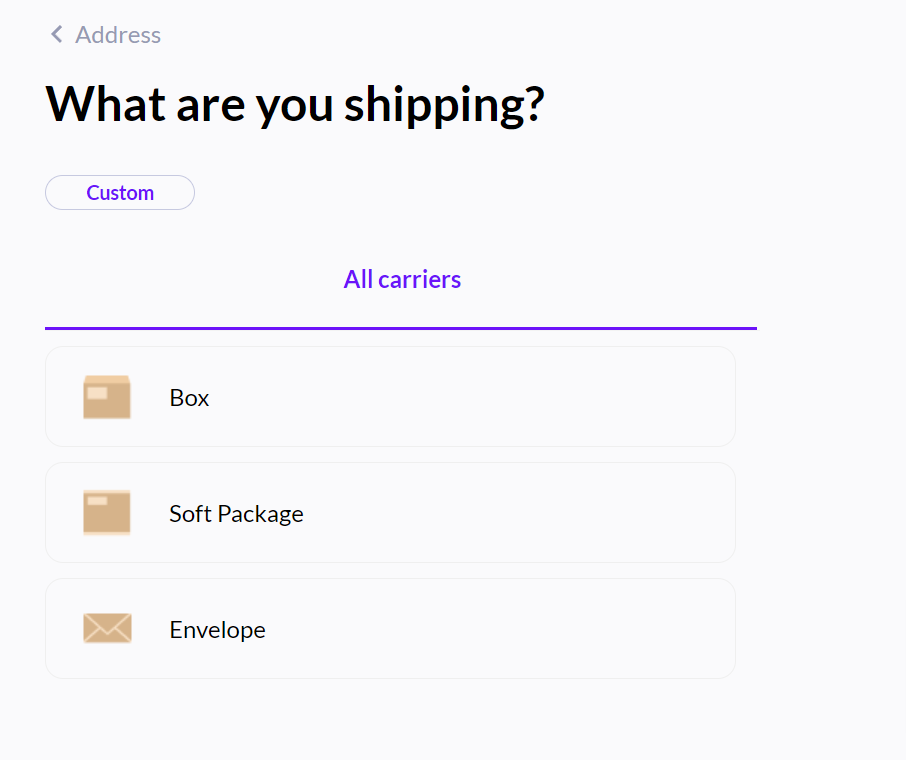
    After inputting both addresses, Rollo Ship asks what type of package you are shipping: a box, a soft package, or an envelope.

    cheapest way to ship

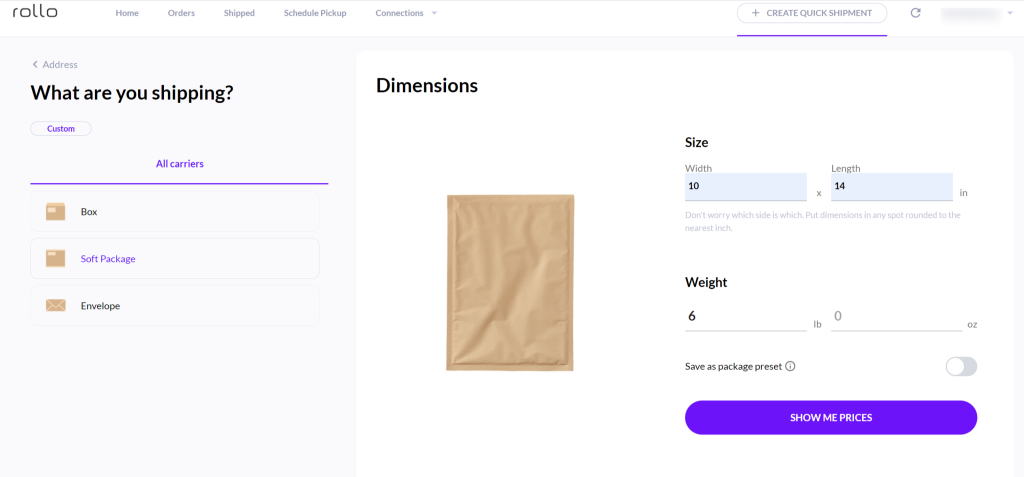
    The Rollo Ship app then requires adding dimensions and weight. The ones seen in the picture below are samples for the purpose of demonstration.

    cheapest way to ship a package using Rollo Ship

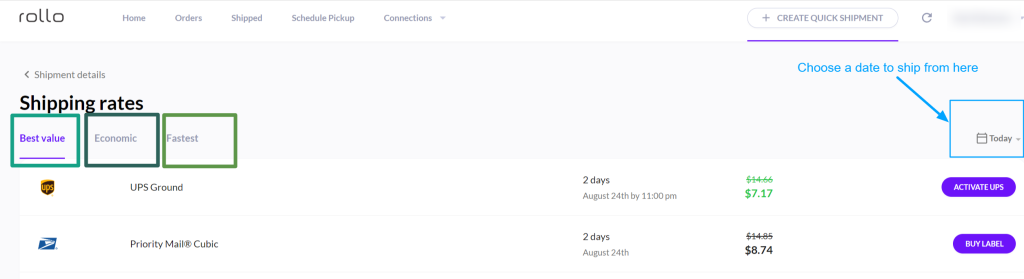
    Rollo presents shipping possibilities for the Best Value, the most Economic, and the Fastest delivery:

    This feature doesn’t just showcase the rates; it also indicates the estimated delivery times, which lets you weigh the cost against speed. It’s all too common for businesses to choose the cheapest option without considering delivery speed, only to face customer complaints later. With Rollo Ship, you get a balanced view, making it easier to choose an option that meets all your requirements—speed, cost, and reliability.

    And the beauty of Rollo Ship? You can get the cheapest way to ship a package from any device – your Android, iPhone, tablet, or PC.

    NO MONTHLY SUBSCRIPTIONS.

    Schedule Pickups.

    Group Orders.

    The Cheapest Way to Ship a Package.
    Up to 90% off.

    Top 5 Tips for Finding the Cheapest Way to Ship a Package with Rollo

    Finding the cheapest way to ship a package with Rollo isn’t just about clicking a few buttons; it’s an art and a science. Here are five golden rules to master this:

    1. 🤖 Harness the Power of AI:
      Rollo’s AI features are like your personal shipping assistant, automatically grouping and importing orders, and even suggesting the most cost-effective shipping methods.
    2. 📊 Compare, Compare, Compare:
      Always use Rollo Ship’s real-time comparison feature to scrutinize shipping rates from multiple carriers. It’s like having a bidding war where the lowest price wins, but for shipping!
    3. ⚖️ Weigh it Right:
      An accurate weight is your best defense against overpaying. Rollo’s heavy-duty digital scale should be your go-to tool for this.
    4. 💚 Go Green and Save Green:
      Rollo’s eco-friendly thermal labels are a win-win, benefiting both Mother Earth and your bottom line.
    5. 🎨 Be Your Own Designer:
      Forget about pricey pre-printed labels. Rollo’s free Label Design Tool lets you customize labels to your heart’s content, adding professionalism without adding costs.

    How to Use Rollo’s Label Design Features for More Affordable Shipping

    Have you ever thought about the aesthetics of your labels as a way to save money? It’s a thing! With Rollo’s free Label Design Tool, the luxury of customized labels is no longer reserved for big companies with deep pockets. The tool is loaded with a variety of templates, allowing you to drag and drop logos, add QR codes, and even adjust the layout to fit your branding.

    The tool seamlessly integrates with Rollo printers, meaning you can print directly in various sizes, depending on your needs. It’s like having an in-house design studio but without the hefty price tag. Now, you can ship packages that not only reach their destination cost-effectively but also arrive looking like a million bucks, courtesy of your personalized, professional labels.

    With these tools and tips in hand, Rollo equips you to find the cheapest and most effective shipping solutions, proving that quality doesn’t have to be sacrificed for cost-efficiency.

    Follow Rollo on:

    Frequently Asked Questions about the Cheapest Way to Ship a Package:

    📌 Q: Is it Cheaper to Ship with USPS or UPS for Expedited Deliveries?


    💭 A: When it comes to urgent shipments, both USPS and UPS have their merits. With Rollo Ship, you can easily compare rates and estimated delivery times side by side, making it easy to choose the option that best suits your needs both in terms of speed and cost.
  • The Shipping Discount Matters. Here’s How to Get It

    The Shipping Discount Matters. Here’s How to Get It

    In the vast, interconnected world of commerce, shipping stands as a silent giant. It’s the unsung bridge between sellers and buyers, artists and admirers, and loved ones separated by distance. Almost invisibly, it binds the global tapestry of trade and connection.

    But with this essential service comes a price. Whether you’re an entrepreneur with a thriving online store or someone simply sending a heartfelt gift across states, you universally feel the financial burden of shipping. For business magnates, shipping costs might be just another line in a ledger, but for the majority, these expenses can take a toll on one’s wallet.

    Now imagine a world where you have a secret weapon—a hack, if you will—that significantly slashes these costs. That’s right; we’re talking about the coveted shipping discount. It's like the golden ticket for anyone who frequently mails packages, providing a much-desired respite from mounting postal charges.
    In this digital era, everything, including commerce, has seen a shift online. Marketplaces are now at our fingertips, and global reach is just a click away. But the real game-changer? Digital platforms and integrations that offer insights, tools, and avenues to secure a shipping discount.
    Being in the know, understanding the nuances, and leveraging these digital tools can drastically change the dynamics of your shipping expenses, whether they impact your personal finances or the bottom line of your burgeoning business.

    Join us as we delve deep, unpacking the secrets behind shipping discounts, understanding their importance, and exploring how they can be your financial game-changer in the world of commerce.

    Why Everyone Should Care About Shipping Discounts

    The importance of the shipping discount transcends demographics. From everyday individuals to large-scale business owners, the ripple effect of these savings can be monumental. It’s not merely about reducing expenses—it’s about creating opportunities, amplifying gestures, and ensuring sustainable growth. Let’s dive into why every segment of shippers should be on the hunt for those elusive discounted rates:

    Cheap Shipping for Everyone

    👪 Shipping to Families and Friends

    The allure of distant lands has always been enticing, but with it comes the ever-present challenge of staying connected. Remember the euphoria of selecting the perfect birthday gift for a college buddy or the joy of sharing a festive surprise with a relative on another coast? These emotions, while priceless, have traditionally come with a price tag in the form of shipping costs.

    But what if every heartfelt gesture, every personal touch, could become more affordable? By tapping into discounted shipping rates, you can savor these moments of connection without the lingering worry of cost. Just picture this: Christmas gifts are sent to multiple family members across states, with savings that allow you to add one more surprise in each package.

    Not many tools offer a shipping discount for personal needs. The majority require you to be a business. Here is where Rollo Ship shines. The app is free to register and provides shipping discounts regardless of whether you are a business or an average shipper for personal needs.

    👔 Business Owners of All Sizes and Spheres

    In the intricate ballet of business operations, every cost element dances in tandem. For those who’ve embraced the digital age by setting up shop on platforms that Rollo Ship seamlessly integrates with—like Shopify, WooCommerce, or Etsy—the shipping cost becomes a critical partner in this dance. By understanding and leveraging shipping discounts, business owners aren’t just reducing outflows; they’re enhancing their brand reputation. Imagine offering customers competitive or even free shipping rates due to your savings, thereby boosting customer loyalty and order volume.

    Rollo Ship is suitable for all business sizes, from startups to big e-commerce stores, or even service-based businesses looking to ship important documents. An advantage over other shipping platforms, limiting their discounts to online stores only.

    🧑‍🎓 A Rookie in the Shipping Journey

    The entrepreneurial journey is one paved with challenges, excitement, and tight budgets. When a self-starter embarks on the path of launching an online store, each financial decision plays a pivotal role in the story of their venture. Initial capital is often limited. Here’s where discounted shipping shines like a beacon.

    Suppose you’re that budding entrepreneur shipping your first batch of handcrafted goods. With reduced shipping costs, you might be able to offer promotions, reinvest savings into inventory, or even enhance product packaging. It’s not just about saving—it’s about amplifying every business opportunity that comes your way.

    🎨 Shipping Is Art and Art Needs Shipping

    Art—each stroke of the brush, every twist of the sculpture, the very essence of an artist’s soul captured on canvas. When it’s time to share this piece of oneself with the world, or perhaps with a buyer or gallery, shipping costs can be a dampener.

    For an artist, the journey of their creation doesn’t end in the studio—it extends to the hands of the beholder, no matter how distant. Imagine an artist from Seattle shipping their artwork to an appreciator in Paris. International shipping discounts can make this voyage less financially taxing, ensuring that art remains accessible and the artist’s passion remains undeterred.

    🛒 Resellers – Buy, Sell, Ship. All over again.

    In the dynamic world of reselling, margins are king. Every purchase decision, every sale, and yes, every shipping choice directly impacts profit. Think of a savvy reseller procuring vintage goods and listing them across various online platforms. Each sale comes with the question: “How much will it cost to ship?”

    Shipping Discounts for Resellers

    By incorporating a shipping discount, the answer becomes a lot more favorable. For a reseller, a few dollars saved on each shipment can culminate in substantial annual savings, possibly translating into thousands of extra dollars in profit.

    The crux of it all is simple: shipping, an omnipresent facet of our interconnected world, holds the potential for savings at every turn. It’s an opportunity waiting to be seized, and with the right knowledge and tools, it can transform the way we send and receive, sell and buy, share and connect.

    Demystifying Cheap Shipping

    Shipping doesn’t always have to be expensive. Here are ways you can slash your costs:

    1. Domestic Shipping: The Quest for Affordable Rates

    “How do I ship stuff across the country without burning a hole in my pocket?” This is a question many have asked. The solution is often simpler than imagined:

    💹 Volume Discounts

    Major shipping carriers, especially the likes of USPS, often provide USPS discounts for individuals or businesses that ship items in bulk. 
    So, if you're a small business owner regularly dispatching products, you stand a good chance to avail yourself of these shipping discounts.

    📦 Shipping Solutions

    In our digital age, numerous shipping solutions allow you to compare rates and shipping discounts from various carriers. These platforms consolidate rates, sometimes even offering USPS postage at reduced prices, ensuring you always get the most economical option available.
    Demystifying Cheap Shipping

    2. Parcel Shipping: Dimensions Matter

    Shipping a package cheaply isn’t just about finding a carrier with low rates. The size and weight of your parcel play a pivotal role:

    📐 Weight & Dimensions

    Imagine you've crafted a beautiful handmade lamp that you need to ship. Instead of using a large box with lots of filler material, selecting a box that snugly fits the lamp, with just enough protective cushioning, can significantly reduce your shipping costs. A lighter, more compact package often translates to cheap shipping rates.

    3. International Shipping: Bridging Borders Affordably

    With international shipping, costs can escalate quickly. But with strategic choices, those costs can be mitigated:

    ✉️ Specialized Carriers

    Many carriers specialize in international services, making them adept at navigating the nuances of cross-border shipping. Utilizing services like USPS Priority Mail Express International or other major shipping carrier accounts can offer competitive international shipping rates. Moreover, they ensure your package's timely and safe arrival, no matter the destination.

    The Secret Behind Flat Rate Shipping: When to Use and When to Refrain

    The allure of flat-rate shipping is undeniable. A fixed price, regardless of the weight? It sounds enticing. But understanding when it’s truly beneficial is crucial.

    📢 The Ideal Scenario for Flat Rate

    Let's say you're shipping a collection of heavy books from New York to California. With regular weight-based rates, this could be expensive. However, with flat-rate shipping, especially if the items fit within the designated box, you could save substantially. This is the scenario where the question, "Is flat rate shipping cheaper?" gets a resounding 'yes'.

    ➕ ➖ The Weight vs. Flat Rate Dilemma

    Now, imagine sending a lightweight scarf to a neighboring state. Is it cheaper to ship flat rate or by weight? In cases like these, weight-based rates often win out. 
    It's vital to have a clear understanding of your package's weight and dimensions and to compare rates before making a choice. Tools that print shipping labels often provide rate comparisons, making the decision-making process seamless.

    Comparing Major Carriers

    With the boom in online shopping, e-commerce platforms have recognized the need for affordable shipping:

    eBay, Poshmark, and Shopify

    Each of these platforms has carved a niche in the online selling space, and their tie-ups with carriers present a golden opportunity:

    Integrated Discounts

    Ever pondered how to discount shipping on eBay? Or maybe Poshmark or Shopify? These platforms seamlessly integrate with carriers to offer you discounted shipping rates.

    It’s as simple as accessing their shipping settings, selecting your preferred service, and voilà! Discounts unlocked.

    Strategies for Businesses: How To Get Shipping Discounts

    Shipping costs can be daunting, especially for SMEs. But with the right strategies, those costs can be more manageable:

    In summary, whether you’re a solo entrepreneur or a growing enterprise, there’s a shipping discount out there tailored to your needs. It’s all about research, leveraging the right platforms, and making informed decisions to ensure every package sent doesn’t weigh down your budget.

    Finding the Best Shipping Discounts: The Power of Platforms Like Rollo

    In the vast and often confusing realm of shipping, platforms like Rollo emerge as lifesavers. They are not just about facilitating your shipping needs; they offer a holistic approach to ensure every parcel you send is economical and efficient.

    With the constant buzz about cheap shipping and discounted rates, it’s easy to get lost. How do you determine what’s genuinely affordable?

    When platforms like Rollo come into play, the integration with multiple carriers ensures that you’re presented with the cheapest shipping rates possible. By automatically comparing rates, they eliminate the guesswork, ensuring you save time and money simultaneously.

    How to Get Discounted Shipping Rates For Your Business: Rollo to the Rescue

    Business shipping is more than just sending products from point A to point B; it’s a dance of reliability, efficiency, and affordability choreographed to the rhythm of customer expectations. From Etsy artist working from their cozy home studio to e-commerce behemoths operating on platforms like WooCommerce, the challenges of shipping are myriad. Yet, the goal remains singular: delivering products safely, quickly, and affordably.

    Solutions Tailored for Every Business Size

    Rollo isn’t just another shipping platform. Its strengths lie in its adaptability. Here’s why Rollo is the shipping solution par excellence:

    NO MONTHLY SUBSCRIPTIONS.

    SAVE BIG. GET YOUR SHIPPING DISCOUNTS.

    Making Every Cent Count in Shipping

    In the end, the essence of shipping discounts revolves around two things: affordability and efficiency. Rollo embodies both. No longer do you need to be torn between different carriers or bogged down by manual comparisons.

    Every package, whether it’s a precious gift to a loved one or a bulk business shipment, holds value. And with the right platform, you ensure that value is never compromised by excessive shipping costs.

    Follow Rollo on:

    Frequently Asked Questions:

    📌 Q: Can you get discounts on USPS shipping?

    💭 A: Many platforms and services offer reduced rates with USPS, and among them, Rollo Ship stands out. Using Rollo Ship, businesses can access deeply discounted USPS rates, making shipping both efficient and cost-effective.


    📌 Q: Do businesses get discounted shipping rates?


    💭 A: Yes, businesses often receive discounted shipping rates, especially when they ship in volume. Many carriers, including USPS, FedEx, and UPS, offer business programs or tiered pricing structures that provide reduced rates to businesses based on their shipping frequency and volume. Utilizing platforms like Rollo Ship further enhances these discounts, streamlining the shipping process and ensuring businesses get the most cost-effective rates available.
  • How Is a Shipping Label Created?

    How Is a Shipping Label Created?

    and what does the ‘Shipping label created’ status mean? Shipping labels are a crucial component of the logistics and e-commerce industries, ensuring smooth and accurate package delivery. The ‘Label Created Not Yet in System’ status means the package is not moving through the carrier’s network but is being prepared for pickup. In this comprehensive guide, we will explore how to create shipping labels for major couriers, dive into the step-by-step process of using the Rollo Ship App, and answer common questions related to shipping label creation.

    📦 Creating Shipping Labels

    Creating shipping labels is a crucial step in the shipping process, as they ensure packages are correctly routed to their destinations while providing tracking capabilities. Shipping labels can be generated manually or through online shipping platforms, depending on the shipper’s preference and the resources available. When a shipping label is created but not yet scanned by the carrier, the package is not officially in the carrier’s system for tracking purposes.

    ✉️ Components of a Shipping Label

    Shipping labels contain the following essential information:


    Manual Shipping Label Creation

    Manually creating shipping labels involves writing or typing the necessary information on a label, which is then affixed to the package. This process can be time-consuming and prone to errors, as it requires looking up addresses, service codes, and other details. However, it can be a viable option for small businesses or individuals with a low volume of shipments.

    Online Shipping Platforms

    Online shipping platforms offer a more efficient and accurate method of generating shipping labels. These platforms, often provided by couriers or third-party companies, allow users to input the required information, select shipping services, and print shipping labels directly from their computers or mobile devices.

    Some advantages of online shipping platforms include:

    💜 Automation: The platform can automatically retrieve addresses and other details from connected e-commerce platforms or address books, reducing the risk of errors.

    💜 Shipping cost calculation: Online platforms can calculate shipping costs based on package dimensions, weight, and shipping service, helping users make informed decisions and avoid unexpected fees.

    💜 Bulk label creation: Users can create multiple shipping labels at once, streamlining the process for businesses with a high volume of shipments.

    💜 Integration with couriers: Online shipping platforms often integrate directly with major couriers, allowing users to schedule pickups, track packages, and manage shipments more efficiently.

    Shipping labels are created by either manually inputting the necessary information onto a label or using an online shipping platform to generate and print the labels. Online platforms offer increased efficiency, accuracy, and convenience compared to manual label creation, making them a popular choice for businesses and individuals alike.

    Creating Shipping Labels for Major Couriers

    Creating shipping labels for major couriers such as FedEx, UPS, and USPS is an essential step in ensuring accurate and timely package delivery. Each courier has its own online shipping platform, which streamlines the label creation process. Additionally, understanding the ‘Label Created Not Yet in System’ shipping status is crucial. This status indicates that the order is prepared for shipment, with the shipping label generated, or that the order is still in the fulfillment process within the warehouse. Below, we provide a more detailed overview of creating shipping labels for each of these major couriers.

    Creating Shipping Labels for Major Shipping Carriers

    How to Create a FedEx Shipping Label

    FedEx offers a user-friendly online platform called FedEx Ship Manager for creating shipping labels. Follow these steps to generate a FedEx shipping label:

    🐾 1. Register for a FedEx account:
    If you don't have a FedEx account, sign up for one at fedex.com.
    
    🐾 2. Access FedEx Ship Manager: 
    Visit fedex.com and log in to your account. Click "Ship" in the top menu to access FedEx Ship Manager.
    
    🐾 3. Create a new shipment: 
    Select "Create a Shipment" from the main menu to start the process.
    
    🐾 4. Enter shipment details: 
    Fill in the necessary information, including sender and recipient addresses, package dimensions, weight, and shipping service. You can also add optional services, such as insurance or signature confirmation, if desired.
    
    🐾 5. Choose shipping options:
    Select the desired shipping service based on delivery speed, cost, and other factors. FedEx Ship Manager will display the available options and their corresponding rates.
    
    🐾 6. Review and confirm details: 
    Double-check the shipment information for accuracy and make any necessary adjustments before proceeding.
    
    🐾 7. Pay and print the shipping label: 
    Enter your payment information and complete the transaction. Once the payment is processed, you can print the shipping label using a standard or thermal printer. Affix the label to your package, ensuring it is visible and securely attached.
    

    How to Create a UPS Shipping Label

    UPS provides an online shipping platform called UPS CampusShip, which simplifies the shipping label creation process. Here are the steps to create a UPS shipping label:

    🐾 1. Register for a UPS account: 
    If you don't have a UPS account, sign up for one at ups.com.
    
    🐾 2. Access UPS CampusShip: 
    Visit ups.com and log in to your account. Click "Shipping" in the top menu and select "Create a Shipment" to access UPS CampusShip.
    
    🐾 3. Enter shipment details: 
    Input the necessary information, such as sender and recipient addresses, package dimensions, weight, and shipping service. You can also add optional services like insurance or signature confirmation, if needed.
    
    🐾 4. Choose shipping options: 
    Select the desired shipping service based on factors like delivery speed, cost, and availability. UPS CampusShip will display the available options along with their rates.
    
    🐾 5. Review and confirm details: 
    Review the shipment information for accuracy and make any necessary adjustments.
    
    🐾 6. Pay and print the shipping label: 
    Enter your payment information and complete the transaction. Once the payment is processed, print the shipping label using a standard or thermal printer. Attach the label to your package, making sure it is visible and securely fastened.

    How to Create a USPS Shipping Label

    USPS offers an online shipping platform called USPS Click-N-Ship, which streamlines the process of creating shipping labels. Follow these steps to generate a USPS shipping label:

    🐾 1. Register for a USPS account: 
    If you don't have a USPS account, sign up for one at usps.com.
    
    🐾 2. Access USPS Click-N-Ship: 
    Visit usps.com and log in to your account. Click "Click-N-Ship" in the top menu to access the platform.
    
    🐾 3. Create a new shipment: 
    Select "Create a Label" from the main menu to start the process.
    
    🐾 4. Enter shipment details: 
    Fill in the necessary information, including sender and recipient addresses, package dimensions, weight, and shipping service. You can also add optional services, such as insurance or signature confirmation, if desired.
    
    🐾 5. Choose shipping options: 
    Select the desired shipping service based on factors like delivery speed, cost, and availability. USPS Click-N-Ship will display the available options along with their rates.
    
    🐾 6. Review and confirm details: 
    Double-check the shipment information for accuracy and make any necessary adjustments before proceeding.
    
    🐾 7. Pay and print the shipping label: 
    Enter your payment information and complete the transaction. Once the payment is processed, print the shipping label using a standard or thermal printer. Affix the label to your package, ensuring it is visible and securely attached.
    A Guide to Creating Shipping Labels

    Additional Tips for Creating Shipping Labels with Major Couriers

    When creating shipping labels with FedEx, UPS, or USPS, keep these tips in mind to ensure a smooth and efficient process:

    💜 Keep your address book updated: Maintain an up-to-date address book within your courier account to streamline the label creation process and minimize the risk of errors.

    💜 Save shipment preferences: Save your preferred shipping services and options within your courier account for quick and easy access during future shipments.

    💜 Monitor your shipments: Track your packages using the tracking numbers provided on the shipping labels to stay informed about their progress and address any issues that may arise.

    💜 Consider using shipping software: Shipping software solutions, like ShipStation or Shippo, can integrate with multiple couriers and e-commerce platforms, simplifying the shipping label creation process and providing additional features like bulk label creation, discounted shipping rates, and centralized shipment management.


    By following the steps and tips outlined above, you can efficiently create shipping labels with major couriers like FedEx, UPS, and USPS, ensuring accurate and timely delivery of your packages.

    Step-by-Step Guide to Creating a Shipping Label with the Rollo Ship App

    The Rollo Ship App is a convenient and efficient tool for creating shipping labels, offering compatibility with various platforms and shipping carriers. The following is a detailed guide on using the Rollo Ship App to generate shipping labels.


    ⏱️ How Long Does It Take to Create a Shipping Label?

    The time required to create a shipping label varies depending on the method used. For online platforms, it can take just a few minutes to input the necessary information and generate the label. Manual label creation can take longer, especially if you need to look up addresses, service codes, or other details.

    Time Required to Create Shipping Labels and Advantages of Rollo Ship App

    Method/Platform Time Required to Create Shipping Label Additional Considerations
    Manual Label Creation 10-15 minutes (Varies) Need to look up addresses, service codes, and other details.
    Online Platforms (UPS, USPS, FedEx) 5-10 minutes (Varies) Requires visiting individual courier websites, creating an account for each, and logging in separately.
    Rollo Ship App 2-5 minutes (Varies) Centralized platform for managing shipments with multiple couriers; no need to visit separate websites.

    Advantages of the Rollo Ship App

    The Rollo Ship App offers several advantages over traditional methods of shipping label creation, such as manual creation or using individual courier websites:

    By leveraging the Rollo Ship App’s unique features and capabilities, users can save time and effort in creating shipping labels while enjoying a more efficient and streamlined shipping experience.

    ➡️ What Happens After a Shipping Label Is Created

    Once the shipping label has been created and affixed to the package, it is ready to be handed over to the courier for processing and delivery. The courier scans the label’s barcode to register the package into their tracking system and route it to the destination. Throughout its journey, the package’s progress can be monitored using the tracking number on the shipping label.

    Steps UPS Rollo Ship App
    1. Handover UPS Store, UPS Drop Box, UPS Access Point, or scheduled pickup Appropriate courier location or scheduled pickup
    2. Barcode Scanning Package registered in UPS tracking system and routed based on destination Package registered in selected courier’s tracking system and routed based on destination
    3. Sorting & Routing UPS sorting facilities Selected courier’s sorting facilities
    4. Tracking Updates Package movement, estimated delivery time, possible delays Centralized tracking for multiple couriers, package movement, estimated delivery time, possible delays
    Stages of Shipping after status “Shipping Label Created” with UPS vs Rollo Ship App
    Steps USPS Rollo Ship App
    1. Handover USPS Post Office, USPS Drop Box, USPS Collection Point, or scheduled pickup Appropriate courier location or scheduled pickup
    2. Barcode Scanning Package registered in USPS tracking system and routed based on destination Package registered in selected courier’s tracking system and routed based on destination
    3. Sorting & Routing USPS sorting facilities Selected courier’s sorting facilities
    4. Tracking Updates Package movement, estimated delivery time, possible delays Centralized tracking for multiple couriers, package movement, estimated delivery time, possible delays
    Stages of Shipping after status “Shipping Label Created” with USPS vs Rollo Ship App
    Steps FedEx Rollo Ship App
    1. Handover FedEx Office, FedEx Drop Box, FedEx Authorized ShipCenter, or scheduled pickup Appropriate courier location or scheduled pickup
    2. Barcode Scanning Package registered in FedEx tracking system and routed based on destination Package registered in selected courier’s tracking system and routed based on destination
    3. Sorting & Routing FedEx sorting facilities Selected courier’s sorting facilities
    4. Tracking Updates Package movement, estimated delivery time, possible delays Centralized tracking for multiple couriers, package movement, estimated delivery time, possible delays
    Stages of Shipping after status “Shipping Label Created” with FedEx vs Rollo Ship App

    What Does “Shipping Label Created” Mean with Different Couriers ❓

    “Shipping label created” is a status update that indicates the shipper has generated a shipping label for the package, but the courier has not yet received or scanned it into their system. This status may vary slightly among different couriers. It means the package has not yet been scanned into the carrier’s system:

    'Shipping Label Created' Status with Carriers

    How Long After Shipping Label Created UPS Ships

    For UPS, the status "Label Created" or "Order Processed: Ready for UPS" signifies that: 
    - the shipping label has been created,
    - only the shipping cost has been settled,
    - UPS is awaiting the package to process it for its first transit scan.

    This status does not indicate the package moving through the carrier's network, but rather that the retailer is preparing the order for pick up from the warehouse.

    Once UPS scans the package, the status will update to "In Transit."
    Seldomly, it may also mean that your parcel is yet to be dispatched.
    Usually it takes a couple of days, but sometimes it may take around 5 business days.

    How Long After Shipping Label Created FedEx Ships


    For FedEx, the status "Label Created" or "Shipment information sent to FedEx" indicates that:
    - the shipper has generated the shipping label, and FedEx is awaiting the package.
    
    - FedEx has received the information and is preparing for pickup, not having scanned your parcel yet.
    
    The status will change to "Picked Up" or "In Transit" once FedEx receives and scans the package.
    Usually, FedEx generates a tracking number within 24 hours of the label being generated.

    What Does Shipping Label Created-USPS Awaiting Item

    For USPS, the status "Shipping Label Created, USPS Awaiting Item" means:
    the shipper has generated the shipping label, but USPS has not yet received the package.
    
    The status will update to "Accepted" or "In Transit" once USPS scans the package into their system.


    Tip for eCommerce sellers: Sometimes packages get stuck for a few days on status “label created”, thus, it may be a good idea to postdate your shipping label and be proactive with your customer, informing them on a possible delay. This way, you will reduce the chance for customer dissatisfaction. 

    Note: If you get stuck on a “label created” status with any of the carriers, try reaching out to their customer service to double-check if there is any technical issue and expedite the process. To understand more on another status “Ready to Ship”, refer to this article.

    Conclusion

    Understanding the process of creating shipping labels and the meaning of the “Shipping Label Created” status is essential for both e-commerce businesses and customers. The Rollo Ship App is an excellent tool for streamlining label creation and shipment management, ensuring a smooth and efficient shipping experience. Familiarizing yourself with the specific requirements and processes of major couriers like FedEx, UPS, and USPS will further enhance your shipping expertise and help avoid potential delays or issues in package delivery.

    Follow Rollo on:

    Frequently Asked Questions

    Q: What does “shipping label created” mean?
    Short Answer: A courier is yet to receive/scan your package.

    A: This status indicates that the shipper has generated a shipping label for your package, but the courier hasn’t yet received or scanned the item into their system.
    Q: How long does it take for a package to be shipped after a shipping label is created?
    Short Answer: Generally a few days post creating the label.

    A: The timing can vary by courier and the shipper’s schedule. Generally, the package is handed over to the courier within a few days of the shipping label being created.
    Q: What should I do if the status of my package is stuck on “shipping label created”?
    Short Answer: Contact the customer service of the carrier.

    A: Should the status of your package remain unchanged for an extended period, consider contacting the customer service of the respective courier for assistance. They can provide more information or help resolve any potential issues.
  • Multi Carrier Shipping Software & Money-Saving Tips

    Multi Carrier Shipping Software & Money-Saving Tips

    In today’s competitive e-commerce landscape, businesses must continually find ways to optimize their operations and reduce costs while delivering a superior customer experience. One of the most significant opportunities for cost reduction lies in the shipping process. By implementing multi carrier shipping software, businesses can save money and streamline their operations. In this article, we will explore how multi-carrier shipping software can help you save money on shipping costs and how the Rollo Ship App can be the perfect solution for your business.

    The Importance of Multi Carrier Shipping Software

    What is Multi-Carrier Shipping?

    Multi-carrier shipping refers to the practice of using multiple shipping carriers to fulfill your orders. This strategy allows businesses to:

    • select the most cost-effective and efficient shipping option for each order;
    • take into account factors such as delivery speed, carrier performance, and negotiated rates;
    • ensure that businesses are always getting the best possible shipping rates and services for their customers’ experiences.

    As a business owner, there are many things you’ll be responsible for paying for daily. One is shipping if you offer a free shipping option to your customers. Rather than foot the expense without seeking discounts, why not do what you can to save a few dollars? It won’t require much effort from you and can help your business profit more frequently.

    Money-Saving Tips That Help You Save on Shipping

    Money-Saving Tips on Shipping Costs

    Every dollar that you spend on your business is an investment in your future. Finding ways to decrease shipping costs allows you to serve your customers better. You’ll be able to send their items out faster than before.

    Here are 7 strategic approaches to help you save on shipping costs while maintaining exceptional service standards as your business grows:

    • Opt for free boxes and mailers from the carriers;
    • Prioritize efficient packaging techniques for more seamless shipping operations;
    • Buy shipping supplies in bulk from shipping partners;
    • Compare carriers’ rates;
    • Take advantage of shipping discounts from third-party providers who already negotiated good rates from single carriers;
    • Invest in efficient printing solutions such as a thermal label printer, to reduce the manual processes;
    • Optimize your shipping strategy – utilize slower shipping for non-urgent orders, and more.

    By adopting these seven tactics, you can effectively reduce your shipping expenses while maintaining a high level of customer satisfaction. Your business will benefit from increased efficiency, allowing you to focus on growth and continued success.


    Rollo: The Mess-Free, Highly-Efficient, Less Costly Shipping Option

    Shipping shouldn’t cost you a fortune, and with Rollo, it doesn’t. Once you’ve purchased your printer, all you need to do is select which carrier you want to ship your packages with today. There’s no messy ink or cartridges adding cost to your supply budget. You’re also able to save up to 90 percent on shipping expenses, meaning that you can ship more frequently, using the fastest shipping times, and for less money.

    The Benefits of Using Multi-Carrier Shipping Software by Rollo Ship

    Rollo Ship is designed to simplify and streamline multi carrier shipping for businesses of all sizes. Its comprehensive set of features and integrations allows businesses to easily manage shipments from multiple carriers while benefiting from discounted shipping rates. It is among the multi carrier shipping software solutions that are innovative for both: small and big entrepreneurs.

    Read on to find the reasons why it may even be the best multi carrier shipping software:

    • Integration with multiple carriers
    • Marketplace Integrations
    • Using AI for Automated Shipping
    • Centralizes your shipping and order fulfillment process
    • Offers discounted shipping rates
    • Offers scheduling of pickups and order automation

    Ready to revolutionize your shipping process? 

    By integrating seamlessly multi carrier shipping software, you will get a comprehensive solution for businesses looking to save money on shipping costs and streamline their operations. With its user-friendly interface, powerful features, and extensive integrations, Rollo Ship is the ideal choice for businesses looking to harness the full potential of multi carrier shipping software.

    More Shipping Strategies for Your Business

    Shipping Strategies for Businesses

    Achieving Cost Savings through Rate Comparison

    One of the primary benefits of multi carrier shipping software is the ability to compare shipping rates across various carriers. Each carrier offers different rates and services, and by comparing these options, businesses can identify the most cost-effective solution for their specific shipping needs. Rollo Ship makes this process simple by providing discounted prices with UPS, USPS, and FedEx up to 90% off, ensuring you always get the best possible rates.

    Streamline Your Shipping

    Key Takeaways

    Multi carrier shipping software is a powerful tool for businesses looking to save money on shipping costs and improve their overall operations. By comparing rates, negotiating better deals, and leveraging automated shipping solutions like Rollo Ship, businesses can significantly reduce their shipping expenses while providing a better customer experience.

    Rollo Ship’s free-to-use platform, compatibility with leading marketplaces, and discounted prices with top carriers make it the perfect solution for businesses looking to capitalize on the benefits of multi carrier shipping software. With scheduled pickups, order automation, and real-time rate comparisons, Rollo Ship enables businesses to streamline their shipping processes and focus on growing their bottom line.

    💜 Don't let shipping costs hold your business back – start using Rollo Ship today and unlock the potential of multi carrier shipping software.

    Follow Rollo on:

    Frequently Asked Questions about Multi-carrier Shipping Software

    📌 Q: What is multi-carrier shipping?

    💭 A: Short Answer: Using several carriers for your shipments.

    💭 A: Multi-carrier shipping is a strategy that involves using multiple shipping carriers to deliver your products to customers. It allows businesses to compare shipping rates, transit times, and service levels among different carriers, helping to optimize cost, delivery speed, and customer satisfaction. By leveraging the strengths of various carriers, businesses can streamline their shipping processes, increase flexibility, and improve overall efficiency.


    📌 Q: What is multi-carrier shipping software?

    💭 A: Short Answer: A software/online platform integrating multiple carriers and allowing you to ship your products.

    💭 A: Multi-carrier shipping software is a digital solution intended to help businesses streamline their shipping process by integrating multiple shipping carriers into one platform. Key features of such software may include rate comparison, label generation, shipment tracking, automation and marketplace integration, and reporting & analytics.