Rollo

Tag: Eco-Friendly Printing

  • Unlock Perfect Prints: Label Thermal Printer Secrets!

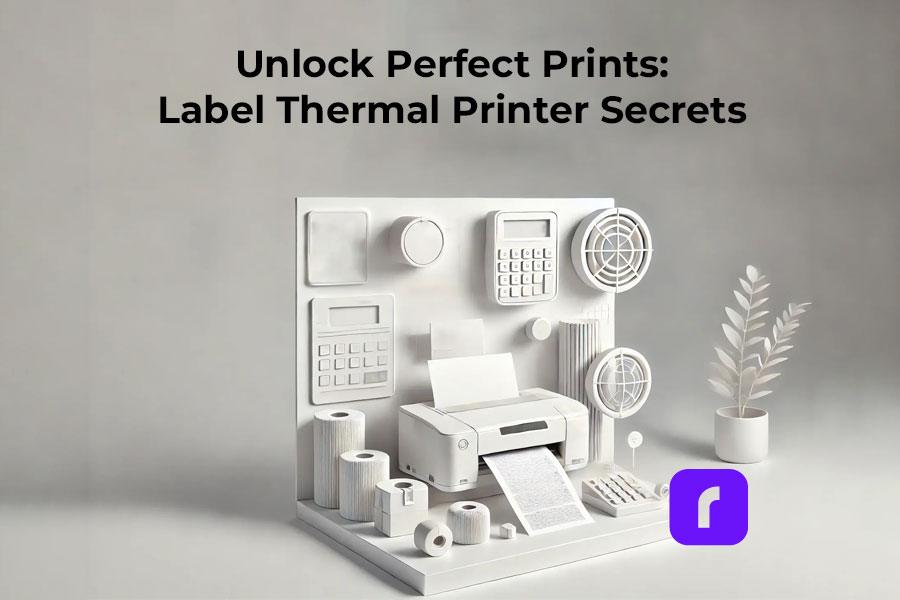
    Unlock Perfect Prints: Label Thermal Printer Secrets!

    Ever wondered how those perfectly printed shipping labels magically appear on your packages? Well, let me introduce you to the wizard behind the curtain: the label thermal printer. These nifty devices are revolutionizing the way online sellers and small businesses handle their shipping needs. And trust me, once you’ve got one of these bad boys on your team, you’ll wonder how you ever managed without it.

    Now, I know what you’re thinking. “Great, another piece of tech to clutter up my workspace.” But hold that thought. These printers are compact, efficient, and could be the game-changer your business has been waiting for. And when it comes to label thermal printers, Rollo is a name that keeps popping up. They’ve got some pretty sweet features that we’ll dive into later, so stick around.


    What’s the Deal with Label Thermal Printers?
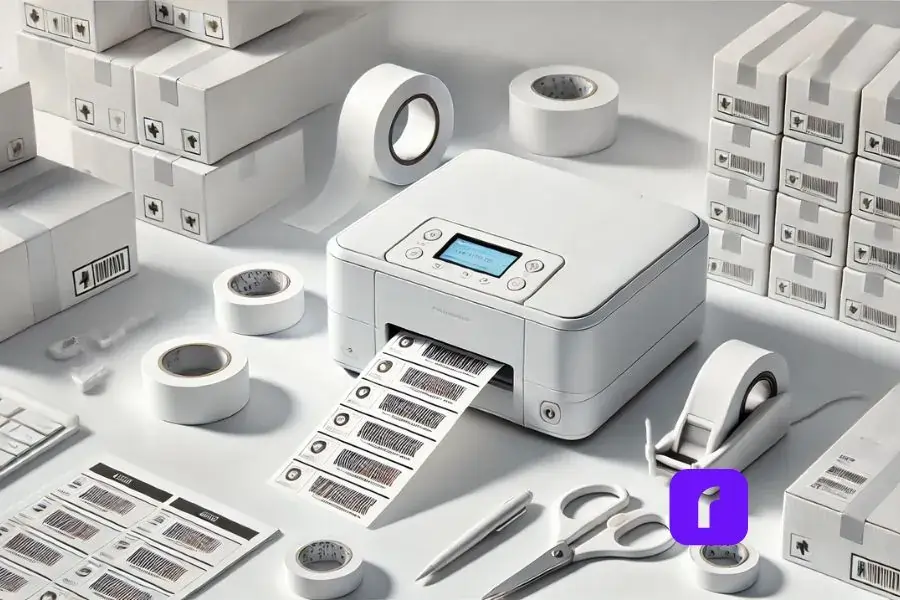


    Let’s break it down. Label thermal printers are like the cool kids of the printing world. They don’t need ink or toner – how’s that for a party trick? Instead, they use heat to create images on specially coated paper. It’s like magic, but with science.

    These printers can churn out all sorts of labels. Shipping labels? Check. Barcode labels? You got it. Product labels? No problem. They’re versatile little machines, ready to tackle whatever labeling challenge you throw at them.

    But here’s where it gets really interesting. The labels produced by thermal printers are incredibly durable. They resist fading, smudging, and water damage better than your average inkjet-printed label. So your packages arrive looking as crisp and professional as the day you sent them out. Pretty neat, right?


    Picking the Perfect Printer for Your Business

    Now, let’s talk shopping. When you’re in the market for a label thermal printer, you’ve got options. There are many brands like Rollo all vying for your attention. But how do you choose?

    First off, think about what you need. Are you shipping out a few packages a week, or are you running a full-scale e-commerce operation? Your volume will dictate the kind of printer you need.

    Next, consider the features. Some printers, like a mini portable printer, can connect to your phone or tablet, letting you print labels on the go. Others integrate their shipping software seamlessly with e-commerce platforms, making your life a whole lot easier. And then there’s print quality – because nobody wants a label that looks like it went through the wash before it even left your office.


    Cost is another factor to weigh up. While label thermal printers might seem pricier upfront compared to your standard inkjet printer, they can save you a bundle in the long run. No more shelling out for expensive ink cartridges – just the labels themselves. It’s like the printer that keeps on giving.

    Speaking of giving, let’s talk about what Rollo brings to the table. Their label thermal printer is known for their speed and reliability – two things you definitely want when you’re trying to get those orders out the door. Plus, they’re compatible with all major shipping platforms. It’s like they’re playing nice with everyone in the sandbox.


    Getting Connected: It’s Easier Than You Think
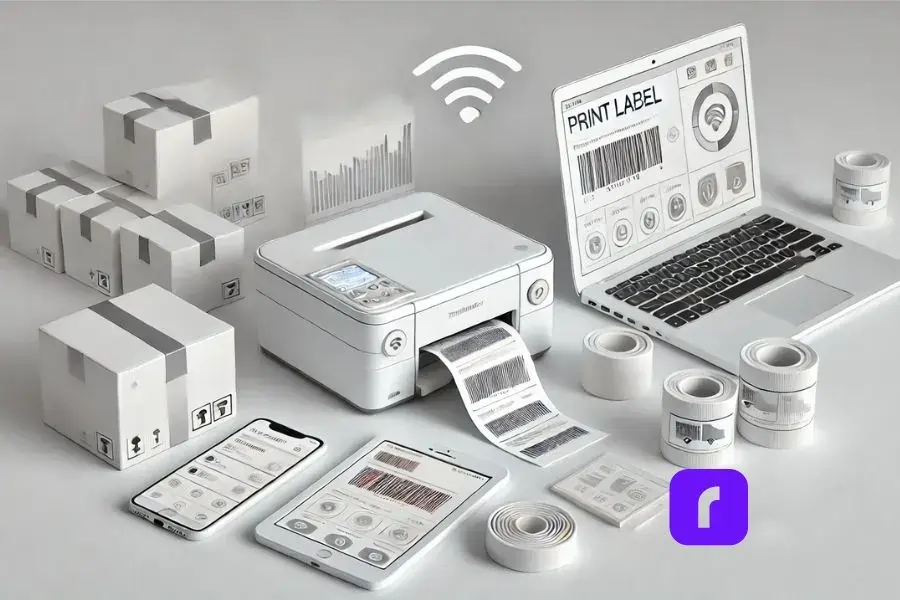


    Minimalist depiction of a modern workspace featuring a label thermal printer wirelessly connected to multiple devices. The setup includes a smartphone, tablet, and laptop with blank screens, highlighting device versatility without text distractions. A nearby shipping box with a freshly printed label emphasizes multitasking capabilities. The design uses a predominantly white and light color scheme with subtle 3D effects, conveying simplicity, seamless integration, and a clean aesthetic.


    Remember the days when setting up a new piece of tech meant hours of frustration and maybe a few choice words? Well, those days are (mostly) behind us. Setting up a label thermal printer is usually a breeze.

    Many modern label printers, including Rollo’s lineup, can connect to your devices wirelessly. That means you can print labels from your computer, tablet, or even your smartphone. Imagine being able to print a shipping label while you’re packing an order – no more running back and forth to your desk. It’s multitasking at its finest.

    But what about integrating with your e-commerce platform? Good news – most label thermal printers play well with the big names in e-commerce. Whether you’re team Shopify, Amazon, eBay, or any other platform, chances are there’s a label printer out there ready to make your life easier.

    And setup? It’s usually as simple as plugging in the printer, installing any necessary software, and you’re off to the races. No computer science degree required.


    Making Your Labels Look Their Best

    Alright, let’s talk quality. After all, your labels are often the first impression your customers get of your business. You want them looking sharp, right?

    The good news is, label thermal printers are capable of producing some seriously high-quality prints. But like any tool, they need a bit of TLC to perform at their best.

    First up, consider your label material. Not all thermal labels are created equal. Cheaper labels might save you a few bucks upfront, but they could lead to faded or smudged prints down the line. It’s worth investing in good quality labels – your future self will thank you.


    Next, let’s talk printer settings. Most label thermal printers come with software that lets you adjust things like print darkness and speed. Don’t be afraid to play around with these settings to find what works best for your labels and your printer.

    Here’s a pro tip: keep your print head clean. A dirty print head can lead to streaky or faded prints. Most printers come with cleaning instructions – follow them, and your prints will thank you.

    And remember, practice makes perfect. Don’t be discouraged if your first few labels don’t look like works of art. Take some time to experiment with different settings and label types. Before you know it, you’ll be churning out professional-looking labels like a pro.


    Keeping Your Label Thermal Printer Ready
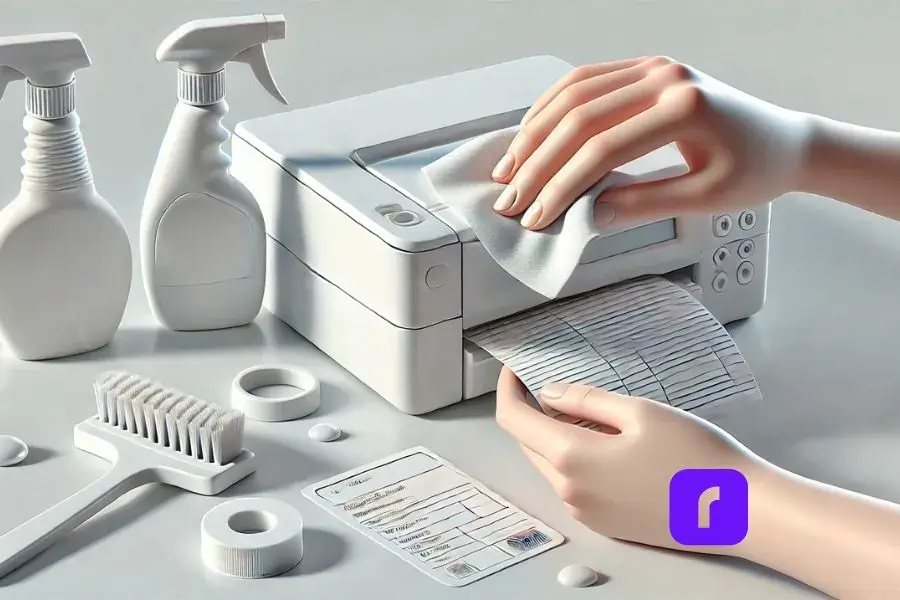


    pair of hands holding cleaning cloth to clean label thermal printer.


    Now, I know what you’re thinking. “Great, another piece of equipment to maintain.” But hear me out – taking care of your label thermal printer is actually pretty simple, and it can save you a lot of headaches down the road. Here are a few key points to keep in mind:

    Keep it clean:


      • 🧽 Dust and debris can build up over time, affecting print quality.
      • 🧴 Periodically wiping it down with a soft, lint-free cloth can work wonders.


    Take care of the print head:


      • ❤️ The print head is the heart of your printer and needs regular cleaning.
      • 📅 Most brands recommend cleaning the print head every few thousand prints.
      • 🧼 Cleaning is usually as simple as running a cleaning card through the printer.


    Troubleshoot common issues:


      • 📰 Paper jam: Check for obstructions and ensure you’re using the right size labels.
      • 🔧 Faded prints: Adjust your print settings or clean the print head.


    And if you ever need to replace the print head or calibrate the printer, don’t sweat it. These tasks might sound daunting, but they’re usually straightforward. Most printers come with detailed instructions, and there are plenty of helpful videos online if you need a visual guide.

    Remember, a little TLC goes a long way. Treat your printer right, and it’ll be your trusty sidekick for years to come.


    Beyond Shipping: The Many Faces of Label Thermal Printers
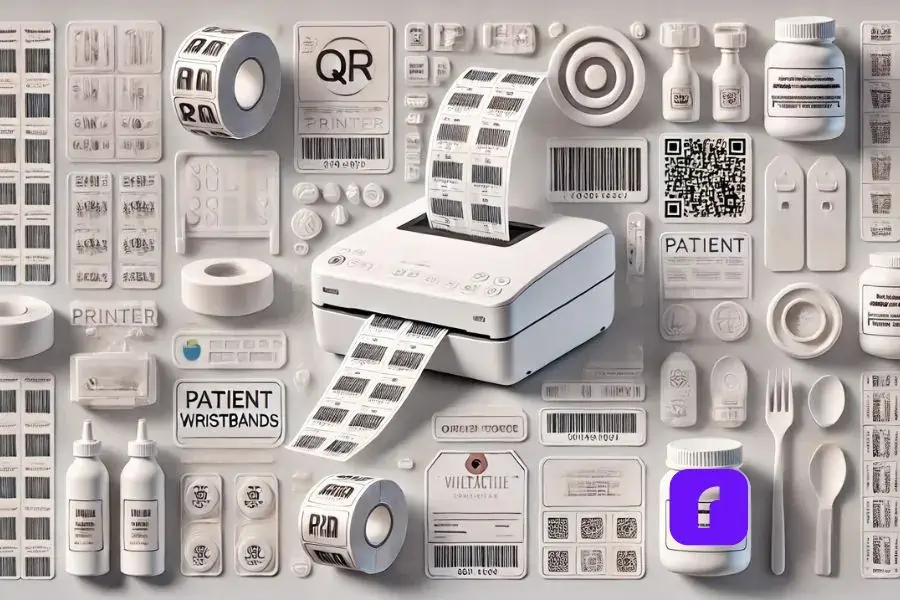


    Minimalist collage showcasing a label thermal printer in action, printing various label types such as barcodes, QR codes, and product labels. Surrounding the printer are stylized, simplified illustrations of applications: a retail shelf with price tags, a healthcare setting with patient wristbands, and a gourmet food jar with an ingredient label. The design features predominantly white and light colors with subtle 3D effects for depth, creating a clean and serene visual aesthetic.


    Sure, shipping labels might be the bread and butter of label thermal printers, but these versatile machines have a few more tricks up their sleeves.

    Need to print barcodes or QR codes? Label thermal printers have got you covered. They’re perfect for inventory management, product labeling, or even creating interactive marketing materials. And the best part? The prints are crisp and scannable – no more squinting at blurry barcodes.

    But what about specialized industries? Can these printers adapt to unique needs? Absolutely! Label thermal printers have found their way into diverse sectors:


      • 🏥 Healthcare: Used for patient wristbands and specimen labels.
      • 🛍️ Retail: Employed for price tags and inventory labels.
      • 🍎 Food Industry: Essential for ingredient lists and expiration dates.


    These printers are chameleons, adapting to the specific requirements of each field they enter. Whether you’re running a pharmacy, a boutique, or a gourmet food shop, there’s likely a thermal printing solution tailored to your needs.


    And let’s not forget about the power of design at your fingertips. Many label thermal printers, like the Rollo Wireless, come with their own label design apps. These apps are like having a graphic designer in your pocket. Need a sleek logo for your artisanal jam jars? Want to create eye-catching QR codes for your pop-up shop? The app’s got you covered.

    With a library of templates, icons, and customizable designs, you can whip up professional-looking labels in minutes. No design degree required! Plus, these apps often sync across devices, so you can start a design on your phone during your commute and finish it on your desktop at work. From simple shipping labels to intricate product packaging, the possibilities are endless. It’s like having a mini design studio that works seamlessly with your printer – talk about a dynamic duo!

    This replacement maintains the conversational tone while highlighting the capabilities of label design apps, which are becoming increasingly important in the thermal printing ecosystem. It emphasizes the versatility and user-friendliness of these apps, which can greatly expand the utility of label thermal printers for various users.


    Printing Green: Rollo’s Eco-Friendly Label Thermal Printer



    Eco Friendly Label Thermal Printer.


    Let’s talk green – and no, we’re not just talking about the color of your labels. Rollo’s label thermal printers are surprisingly eco-friendly. Who knew printing could be kind to Mother Nature?

    For starters, these printers are ink-free zones. No more tossing out empty cartridges or feeling guilty about plastic waste. Plus, Rollo offers FSC-certified labels from responsibly managed forests. It’s like hugging a tree with every shipment!

    But what about energy use? Good news! Thermal printers are energy-efficient little machines, sipping power like it’s a fine wine. And with Rollo’s printers designed to last through hundreds of thousands of labels, you’re looking at less electronic waste in the long run.

    Worried about keeping up with high-volume demands? Rollo’s got you covered there too. These printers can churn out labels faster than you can say “eco-friendly,” handling hundreds per day without breaking a sweat.

    So whether you’re a small-batch artisan or an e-commerce mogul, Rollo’s label thermal printers offer a solution that’s good for your business and kinder to the planet. Who says you can’t print green?


    The Shipping Software That Powers Your Business

    Now, let’s dive into the real game-changer: Rollo Ship. This isn’t just any shipping software – it’s your new business best friend.

    Rollo Ship is like having a personal shipping assistant. It seamlessly integrates with major e-commerce platforms, from Amazon to Shopify, consolidating all your orders in one place. No more juggling multiple tabs or losing track of shipments!

    But here’s where it gets really smart: Rollo Ship uses AI to group similar orders, streamlining your fulfillment process. It’s like having a tiny robot organizer in your computer.

    Worried about shipping costs? Rollo Ship has your back with discounts up to 90% off retail rates from major carriers. And with its pay-per-label model (just 5 cents per label after your first 200 free ones), it’s budget-friendly for businesses of all sizes.

    The best part? You don’t need to be an e-commerce whiz to use it. Whether you’re a bustling online store or a local business that ships occasionally, Rollo Ship adapts to your needs. It’s not just software – it’s a shipping revolution at your fingertips.


    Final Words

    So there you have it – the ins and outs of label thermal printers. From their magical ink-free printing to their versatility and eco-friendly options, these little powerhouses are changing the game for online sellers and small businesses.

    Remember when we talked about Rollo at the beginning? Well, they’re worth a second look. Their printers are known for being fast, reliable, and compatible with just about everything. Plus, they’re designed with small businesses in mind – they get what you need and they deliver.

    At the end of the day, a label thermal printer could be the unsung hero your business needs. It might not be the most glamorous piece of equipment in your arsenal, but it could be the one that makes your life a whole lot easier. And in the world of small business, isn’t that what we’re all after?

    So go ahead, give label thermal printers a chance. Your shipping process (and your sanity) will thank you.


    Follow Rollo on:


  •  


    Frequently Asked Questions About The Label Thermal Printer


    📌 Q: What is a label thermal printer?

    💭 A: A label thermal printer is a type of printer that uses heat to create images on specially coated paper. Unlike traditional printers, it doesn’t require ink or toner, making it an efficient and cost-effective option for printing labels.

    📌 Q: How does a thermal printer work?

    💭 A: Thermal printers work by applying heat to a special thermal paper, which changes color when heated. The printer’s thermal head generates heat in precise locations, forming images, text, or barcodes on the label.

    📌 Q: What types of labels can I print with a thermal printer?

    💭 A: Thermal printers can print a variety of labels, including shipping labels, barcode labels, product labels, and more. They are highly versatile and suitable for numerous applications.

    📌 Q: Do thermal printers require special labels?

    Yes, thermal printers require thermal labels, which are coated with a special heat-sensitive material. Using non-thermal labels can result in poor print quality and damage to the printer.

    📌 Q: Can I use a thermal printer with my e-commerce platform?
    💭 A: Yes, many thermal printers are compatible with major e-commerce platforms like Shopify, Amazon, and eBay. They often come with software or integration capabilities to streamline the printing process.


  • Commercial Label Printer: How to Choose The Right One

    Commercial Label Printer: How to Choose The Right One

    All types of companies need good label printing to keep their operations running smoothly. Investing in a commercial label printer delivers versatility, efficiency, and savings – key pillars that set businesses up for success.

    This guide will explore everything you need to know, from the technologies powering modern label printers to practical factors like maintenance and integration. Read on to make an informed decision in choosing the right labeling solution for your evolving business needs.

    Did you know? 🤔 Did you know that efficient label printing can reduce operational costs by up to 30% for businesses? 

    Understanding Commercial Label Printers

    Understanding Commercial Label Printers

    Before we dive into specific features, let’s clearly define what a commercial label printer is and how it differs from a regular home or office printer.

    What is a Commercial Label Printer Used For?

    Designed for high-volume label printing needs, commercial label printers empower businesses to efficiently create product labels, shipping labels, barcode labels, packaging components, signage, and much more in-house. This eliminates reliance on third-party printing services.

    Common applications include:

    • 📦 Product and inventory labeling
    • 🚚 Shipping and postage labels
    • 📊 Barcode and QR code generation
    • 📦 Boxes, bags, and packaging printing
    • 🎁 Promotional and gift labeling
    • 🎉 Event materials and signage
    • 🏥 Patient record labeling in healthcare
    • 💻 Asset tracking and IT equipment tagging
    • 🌟 And countless other uses

    With on-demand printing capabilities measured in thousands of labels per day, investing in the right commercial equipment brings labeling operations entirely under your own control.

    Commercial vs Regular Label Printers: Key Differences

    While regular document printers found in most offices allow basic label printing, commercial label makers are in a class of their own. Built for business, commercial printers offer:

    • 🏭 Industrial-grade production: Print up to thousands of labels per day with speeds exceeding 5 inches per second. Regular printers max out at a few dozen per day.
    • ⚙️ Advanced functionalities: Features like automatic cutters, peel & present mechanisms, and label rolls ensure smooth high-volume printing. Most basic printers lack these capabilities.
    • 🔩 Durable parts designed for constant use: Expect a minimum 5-year lifespan supported by solid warranties – far longer than the lifespan of a regular printer.
    • 🔄 Flexibility: Print on a wide array of label materials and sizes exceeding well beyond address or shipping label capabilities on conventional printers.
    • 🔍 Precision and consistency: Get sharp, detailed prints even at small font sizes thanks to advanced printing technologies exceeding 600 or 1200 DPI resolution.

    Pick a label printer that handles your business’s current and future printing volumes. It should grow with your company rather than limit it. Buying a higher-capacity printer now saves money later on. The long-term savings make the initial investment worthwhile for most small and large businesses.

    ⚠️ Keep in mind While exploring commercial label printers, it's crucial to consider not just the initial cost but also the printer's compatibility with various label materials and technologies. This ensures your chosen solution can adapt to future labeling requirements and industry trends, maximizing your investment's value over time.


    Technologies and Features Behind Commercial Label Printers

    Modern commercial label printers leverage innovative technologies to deliver versatile, high-quality printing with precision and efficiency. Let’s explore some of these technologies empowering businesses daily:

    Innovative Printing Technologies

    Industrial label printers rely on thermal, inkjet or laser technology to transform blank label materials into professional-grade items. Highlights include:

    • 🔥 Thermal Printing: Uses heat to transfer images onto thermally sensitive labels, delivering sharp and consistent results cost-effectively. Ideal for shipping labels, product labels, healthcare, and more.
    • 💧 Inkjet Printing: Squirts tiny ink droplets creating images directly onto the label surface. Delivers vibrant multi-color printing. Best suited for high-detail promotional, gift, and retail labeling applications.
    • Laser Printing: Uses electrostatic charges and toner to fuse print onto labels, similar to how office copiers work. Allows printing on specialty label stocks. Ideal for durable goods and manufacturing labeling.

    Start Commercial Label Printing.

    Efficiently, Fast, Eco-friendly.

    Commercial label printers now come in thermal, inkjet, or laser technologies. Prioritize color needs, print quality, material flexibility, and printing volume when choosing the best technology for your business.

    PRO TIP:  When evaluating the technologies and features behind commercial label printers, consider printers with scalable resolutions. Printers offering adjustable DPI (dots per inch) settings provide flexibility for various applications, from high-detail graphics for promotional labels to simple, clear text for shipping labels. This adaptability ensures your printer can meet diverse printing needs as your business evolves.

    Commercial Label Printers are Versatile in Materials and Designs

    Versatility in Materials and Designs

    The materials your business prints on depend entirely on the application and product. Modern commercial label printers offer versatility in handling:

    • 📄 Paper and synthetic labels like matte, high-gloss, or polyester options.
    • 🛡️ Specialty label materials including weatherproof, security, high-temperature, metallic, magnetic stripes, and more.
    • Different label finishes from frosted to reflective – all popular in gifts, retail, and food packaging.
    • 🔲 Various label shapes and sizes like round, rectangular, or die cut.

    These printers use design software for printing text, numbers, barcodes, tables, diagrams, and images onto labels.

    This equates to endless labeling possibilities allowing customization to new products, changing regulations, and evolving business needs.

    Connectivity for Modern Business Needs

    Many businesses now store data in the cloud. So label printers need to connect to these centralized systems. Most commercial printers easily plug into:

    • 🔌 USB: Simple plug-and-play connectivity to individual computers.
    • 🌐 Ethernet: Wired network connectivity for access by multiple devices.
    • 📶 Wi-Fi: Wireless network connectivity centrally managed through infrastructures.

    More advanced network management protocols like SNMP allow deeper integration with business networks and systems.

    How To Select the Right Commercial Label Printer

    Label printer technology keeps improving quickly. So the printer you need today may not fit your future business growth. But considering a few key factors allows you to make a printer investment that scales up with your company’s expanding needs:

    Key Consideration Factors

    Assess requirements across three key areas – volume, materials/purpose, and connectivity:

    • 📈 Current and Expected Volume: Print speed, duty cycle, and input label roll size must match usage levels. Thermal printers handle most moderate-volume labeling needs, with inkjet and laser stepping in for 24/7 production.
    • 🏷️ Label Materials and Purpose: The label stock, ink/toner durability, resolution, and colors dictate which print technology is best suited. Consider end-use when prioritizing criteria.
    • 🌍 Networking and Connectivity: More networked environments benefit from centrally connected printers with protocols like SNMP allowing deeper integration with systems.

    While upfront cost drives most purchase decisions, don’t let that be the dominant factor. An undersized label printer incapable of growing with your business turns out far more expensive long-term.

    Did you know? 🤔 The rise of smart labels with RFID and NFC technology allows for real-time tracking and consumer engagement. Even address labels Amazon uses now are incorporating these smart technologies. This trend towards digital printing also supports small batch and personalized label production. When choosing a label printer, consider one that accommodates these advanced features to future-proof your investment. 

    Cost Considerations and Calculating ROI

    The printer itself represents only one piece of the investment. Ink, toner, label materials, maintenance parts, and possible downtime also add up over years of ownership.

    Consider:

    • 💸 Operational Costs: Factor around 2 years of ink/toner, labels, and parts into cost projections when comparing models. Cheaper printers have higher long-term running costs.
    • 💰 Value Over Lifespan: Given 5+ year lifecycles, a commercial label printer costing more upfront often saves money over the long run through efficiencies.
    • ⚖️ Scalability: Weigh if capabilities accommodate reasonable business growth without requiring whole replacements after just 1-2 years.

    When you calculate costs over the several-year lifespan of a commercial printer, you always save money by printing in-house instead of outsourcing. You also gain efficiency and can respond faster to customers.

    Advanced Applications to Enhance Business Functions

    Advanced Applications of Commercial Label Printers to Enhance Business Operations

    Beyond everyday shipping and inventory labels, modern commercial printers empower advanced applications:

    Barcode and QR Code Printing

    A commercial barcode printer for labeling streamlines inventory management and shipping by allowing tracking through production, warehouse storage, final mile delivery, and even customer use.

    Most commercial label printers seamlessly integrate with barcode label design software for printing scan-readable UPC, QR, and other codes. RFID smart labeling takes it a step further by actively tracking goods.

    This brings simplicity where spreadsheets and manual tracking once created headaches.

    Eco-Friendly Printing

    Sustainability in labeling influences everything from materials used to energy efficiency of printers, and responsible disposal/recycling.

    Many modern commercial printers adopt eco-conscious practices like:

    • ♻️ Recycled label materials using post-consumer waste content.
    • 🌱 Soy-based inks replacing oil-based options.
    • 💡 Energy efficiency reduces power consumption, sometimes by 40% or more.
    • 🔄 Responsible recycling programs to keep printer components out of landfills.

    Decisions like opting for thermal printing and only printing what’s essential further minimize environmental footprints.

    ⚠️ Keep in mind As you delve into advanced applications to enhance your business functions, remember that the integration capabilities of your commercial label printer with existing systems and workflows are just as important as its technical features. Ensuring seamless connectivity can significantly streamline operations and boost efficiency.

    ENHANCE BUSINESS FUNCTION WITH ROLLO SHIP.

    The first 200 shipping labels (commercial shipping labels) are on us.

    Every next label is just 5 cents.

    Schedule pickups, consolidate orders, and print bulk labels.

    Up to 90% off UPS, FedEx, and USPS shipping.


    Maintaining and Troubleshooting Commercial Label Printers

    Maintaining and Troubleshooting Commercial Label Printers

    Commercial label printers last longer than regular office printers. But taking good care of them extends their life and keeps them performing well.


    Maintenance Tips

    Follow some basic usage and maintenance guidelines to keep printers in top shape:

    • Use only approved label materials to avoid jamming and wear.
    • 🧹 Schedule periodic cleaning using compressed air, lint-free cloths, and cleaning cartridges.
    • 🛠️ Follow manufacturer-recommended maintenance schedules to replace key components like printheads before they fail.
    • 🔄 Keep firmware and drivers updated to maximize performance and fix bugs.
    • 🧽 Clean out dust and label fragments before buildup impairs printing.

    Respecting simple precautions goes a long way to enjoying years of trouble-free operation.


    Software Integration

    While all commercial label printers include basic design software, third-party programs integrate tightly to boost capabilities.

    Learn all about Rollo’s shipping integrations for e-commerce platforms, marketplaces, and major shipping carriers.

    Specialty software helps make the most of commercial printers. Programs for specific barcodes, hazard labels, graphics, and data help get the full value from the printers.

    Look for label software that delivers:

    • 🔗 Compatibility with major printers to avoid limitations. Web-based apps offer wider support.
    • 📊 Barcode generation with verification checks to confirm scanability.
    • 🎨 Graphics libraries for logos, icons, and images to enhance visuals.
    • 🖥️ CSV/database connectivity for printing serialized variable data.
    • 🧙‍♂️ Template design wizards speeding up common label jobs.
    • Certified compliance templates meeting regulatory mandates.

    While built-in and free label software works for basic needs, commercial solutions speed up specialized labeling projects.


    Troubleshooting Common Printer Issues

    Like any device, label printers can have jams, feeding problems, or low ink warnings. But knowing basic troubleshooting fixes most issues.

    • 🚫 Misfeeds or jamming – Gently remove labels and fragments causing obstructions. Avoid tearing the label material and use caution around heated printheads.
    • 🧽 Streaking/Fading Print – Clean printheads and platen rolls according to cleaning instructions. Replace worn parts as needed.
    • ⚙️ Sync Errors – Update printer and computer software if you see blinking lights or uneven printing.
    • 🌐 Network Issues – With cloud-connected printers, check wires, reboot wifi, or set static IPs to fix connection problems.

    Following factory-prescribed maintenance, using approved media, and avoiding label fragments/dust build-up minimizes problems. Refer to manufacturer guides for step-by-step troubleshooting advice on any specific models in use.

    PRO TIP:  Regularly calibrating your commercial label printer can significantly reduce the chances of print errors and misalignments. This simple maintenance step ensures consistent quality and efficiency, saving time and resources by minimizing the need for reprints and adjustments. Always refer to your printer's manual for specific calibration instructions to keep it operating at peak performance.


    The Future of Commercial Label Printers

    While meeting today’s demands, commercial printers continuously adopt the latest technology innovations to deliver more value:

    Emerging Printer-Side Innovations

    • 📊 Embedded sensors monitor printer health stats for preventative alerts and predictive maintenance.
    • 🌍 Expanded connectivity protocols allow managing fleets of dispersed printers from a central dashboard.
    • 🤖 Automated maintenance performs prescribed cleaning and upkeep without user intervention.
    • 🕶️ Augmented reality-enabled printers integrate with smart glasses for diagnoses and troubleshooting guides projected virtually in the field of vision.


    Label & Material Advancements

    • 📡 RFID smart tags transform standard labels into micro-networked trackers relaying data to enterprise systems.
    • 📱 NFC (near-field communication) allows tap-scanning labels with mobile devices to pull up detailed information.
    • 🌡️ Smart labels change visual properties by reacting to temperatures, tampering or other states.
    • 🛡️ Highly durable specialty label materials expand the range of printable surfaces from textiles to electronics.

    Tighter Infrastructure Integration

    • 🔗 APIs and instant platform integration allow embedding label printing capabilities into eCommerce sites, mobile apps, ERP systems, and custom software.
    • ⚙️ End-to-end automated workflows tie together enterprise data, custom-designed labels, validated output, and multilayered business logic for integrated processes not previously possible.
    Did you know? 🤔 According to a recent report by Smithers Pira, the future of label printing looks bright, with the market expected to grow from $39.46 billion in 2018 to a staggering $49.90 billion by 2024, marking a growth rate of 4.0%. This significant increase highlights the evolving demand and technological advancements in the label printing industry. 

    Final Words: The Key to Maintaining Efficiency

    An investment in the right commercial label printer today pays dividends through years of use, only seeing returns multiply as labeling needs grow over time.

    ⚠️ Keep in mind In your journey to select the right commercial label printer, remember that this decision is not just about addressing current needs but also about anticipating future demands. Investing in a versatile and scalable printing solution will serve your business well into the future, supporting growth and adapting to evolving market trends.

    While next-generation technology holds exciting potential, even current affordable and capable options deliver value, safety compliance, customer responsiveness, and sustainability – all central to staying competitively efficient in this modern economy.

    Hopefully, this guide provided helpful insights into the full lifecycle around selecting, using, and maintaining industrial label printers optimized for the unique needs of your business.

    What label printing technology does your business currently use? Share your experiences or questions below!

    Follow Rollo on:

    Frequently Asked Questions about Choosing The Right Commercial Label Printer:

    📌 Q: What factors should I consider when choosing a commercial label printer?

    💭 A: Consider print volume, label material compatibility, print technology (thermal, inkjet, or laser), connectivity options (USB, Ethernet, Wi-Fi), and future scalability to ensure the printer meets both current and future needs.


    📌 Q: How do I decide between thermal, inkjet, and laser label printers?

    💭 A: Thermal printers are ideal for most businesses due to their cost efficiency and reliability for continuous label printing. Unlike inkjet printers, which require frequent ink purchases, and laser printers, known for their high initial costs and energy use, thermal printers offer a more economical and sustainable solution for producing high-quality labels without extra expenses.


    📌 Q: Can commercial label printers integrate with my existing business systems?

    💭 A: Yes, many modern label printers support various connectivity options and protocols like SNMP for integration with business networks, ERP systems, and cloud-based platforms, enhancing workflow efficiency.


    📌 Q: What maintenance is required to keep a commercial label printer in good condition?

    💭 A: Regular maintenance includes using approved label materials, periodic cleaning with compressed air and lint-free cloths, following the manufacturer’s maintenance schedule for component replacement, and keeping firmware and drivers updated.


    📌 Q: How can I calculate the ROI of investing in a commercial label printer?

    💭 A: Consider the initial purchase cost, operational costs (ink, toner, labels, maintenance), and potential savings from in-house printing versus outsourcing. Factor in efficiency gains, reduced downtime, and the ability to quickly respond to labeling needs, which can significantly impact ROI.