The mini portable printer is becoming increasingly popular in our fast-paced, mobile-centric world. These compact devices offer a perfect blend of versatility, efficiency, and performance, making them a must-have for professionals and businesses on the go. In this guide, we’ll dive into the world of mini portable printers, with a special focus on Rollo and its mission to make shipping easier, faster, and more fun for small and medium-sized businesses.
Hop to a Topic
Understanding Mini Portable Printers
First things first, let’s talk about what mini portable printers are and how they work. Also known as a portable thermal printer, these nifty little devices are designed to be compact and lightweight, so you can take them with you wherever you go. They use either thermal printing technology, which creates images through heat on special paper, or inkjet technology, which sprays ink onto paper. Thermal printers are particularly convenient because they don’t require ink cartridges.
Rollo has made a big impact on the market with its wireless label printer, which is specifically designed for online sellers and small businesses. It’s efficient, reliable, and easy to use – everything you need to streamline your shipping process.
How does a mini portable printer work?
Mini portable printers work by using either thermal printing technology, which creates images through heat on special paper, or inkjet technology, which sprays ink onto paper. Thermal printers do not require ink cartridges, making them more convenient and cost-effective.
Market Overview and Projected Growth

The mini portable printer market is booming, with more and more people looking for ways to combine mobility and document solutions. Here’s a quick rundown of the market:
Market Size and Growth:
- 📈 The portable printer market is expected to grow at a CAGR of around 18.84% between 2022 and 2027, with a forecast increase of USD 10,241.35 million during this period.
- 🌍 In 2016, the global portable printer market was valued at around $844 million and is projected to reach $1,643 million by 2023, growing at a CAGR of 10.2%.
- 🚀 By 2032, the market is anticipated to surpass a valuation of $21,909 million, growing at a CAGR of 7.6% between 2022 and 2032.
Market Drivers:
- 📱 There’s a growing demand for combining mobility and document solutions for remote/mobile workforce.
- 🖨️ People are looking for convenient and compact printing solutions for on-the-go printing.
- 💻 The increasing adoption of smart devices like smartphones, tablets, and laptops is driving the market.
- ⚙️ Technological advancements like improved battery life, wireless connectivity, and thermal printing are also contributing to growth.
Market Segmentation:
- 🖨️ By Type: Thermal and inkjet printers dominate the market.
- 🚚 By Application: Transportation & logistics, retail, manufacturing, healthcare, and others.
- 🌍 By Geography: Asia-Pacific, North America, Europe, South America, Middle East & Africa.
- 💼 Rollo is also making waves with its focus on helping online sellers and small businesses.
Technical Specifications and Performance Metrics
When you’re shopping for a mini portable printer, there are a few key technical specs and performance metrics to keep in mind:
- 📏 DPI (dots per inch): This measures the print quality – the higher the DPI, the sharper and more detailed the prints will be.
- ⚡ Print speed: How many pages or labels the printer can churn out per minute.
- 🌐 Connectivity options: Look for printers with wireless connectivity like Bluetooth or WiFi for maximum flexibility.
- 🔌 Power options: Ensure your printer comes with a power plug cable suitable for your needs, especially for consistent usage.
Rollo’s printers are known for their high efficiency and reliability, which is why they’re such a popular choice for online sellers.
Does mini portable printer need ink?
Most mini portable printers, like thermal printers, do not need ink. They use heat to print on special thermal paper. Inkjet mini printers do require ink cartridges, but they are designed to be compact and efficient.
Diverse Use Case Scenarios
Mini portable printers are incredibly versatile and can be used in a wide range of scenarios:
- 🛒 E-commerce Applications: Printing shipping labels, invoices, and branding materials.
- 🏥 Healthcare: Patient wristbands and medication labels.
- 🏷️ Retail: Price tags and promotional materials.
- 🚚 Logistics: Barcodes and shipping labels.
Rollo’s printers are particularly well-suited for e-commerce workflows, helping online sellers streamline their operations and save time and money.
Barnacle Foods: Scaling with Rollo’s Mini Portable Printer
Don’t just take our word for it – here’s what real users have to say about Rollo’s printers:
Barnacle Foods, a kelp-based food company from Juneau, Alaska, has experienced firsthand the benefits of using Rollo’s mini portable printers for their shipping needs. Founded in 2016 by a group of friends who shared a passion for fishing and discovered the potential of kelp, Barnacle Foods has grown into a thriving business that sells a variety of kelp-based products, including their top-selling Bullwhip Hot Sauce.
One of the co-founders of Barnacle Foods shares their experience with Rollo’s printers. “When we started out with our website, we would just ship labels using our inkjet printer, which was super expensive. We were looking for thermal printers and found that Rollo is a really cost-effective option with great service.”
One of the standout features of Rollo’s printers for Barnacle Foods is the ease of setup and use. “It doesn’t take really any time to set up. You’ll be going that day and thanking yourself,” the co-founder explains. The company also appreciates the convenient recurring orders for labels, which ensures they always have the supplies they need without having to remember to place orders manually.
As Barnacle Foods continues to grow and expand its reach, the co-founder is confident that Rollo’s printers will be there to support their shipping needs. “Our Rollo printer can print way more than we can pack right now, so we think as our business continues to grow, it’ll be there for us so we can continue to send more kelp to more people.”
Barnacle Foods’ success story highlights the impact that reliable and efficient mini portable printers can have on small and medium-sized businesses, particularly those in the e-commerce space. By streamlining their shipping process and reducing costs associated with traditional inkjet printers, Rollo’s printers have become an integral part of Barnacle Foods’ operations, supporting their mission to share the benefits of kelp with a wider audience.
Comparison with Other Portable Printers
So how do mini portable printers stack up against other types of portable printers? Let’s take a closer look:
- 📶 Wireless thermal printers: These are similar to mini portable printers, but they’re typically larger and more expensive. They offer high-quality prints and are great for high-volume printing.
- 💧 Inkjet portable printers: These use ink cartridges instead of thermal printing technology. They can print in color, but the print quality may not be as sharp as thermal printers. They’re also more expensive to operate due to the cost of ink cartridges.
What are the disadvantages of a portable printer?
Disadvantages of portable printers include limited print sizes, lower print speeds compared to larger models, and potentially higher costs per print. However, their portability and convenience often outweigh these drawbacks for mobile use.
How Does Rollo Stand Out?
While Rollo’s mini portable printer falls under the wireless thermal printer category, it boasts a key advantage for online sellers: its compact, user-friendly design. Here’s how:
- Designed for Efficiency: Rollo’s printers are known for their streamlined operation, perfect for optimizing your workflow.
- Seamless Integration: Rollo integrates effortlessly with the Rollo Ship app, creating a cohesive shipping ecosystem.
- Focus on E-commerce Needs: From Rollo’s printer to the Ship app, everything is geared towards making life easier for online sellers.
Sustainability and Environmental Impact
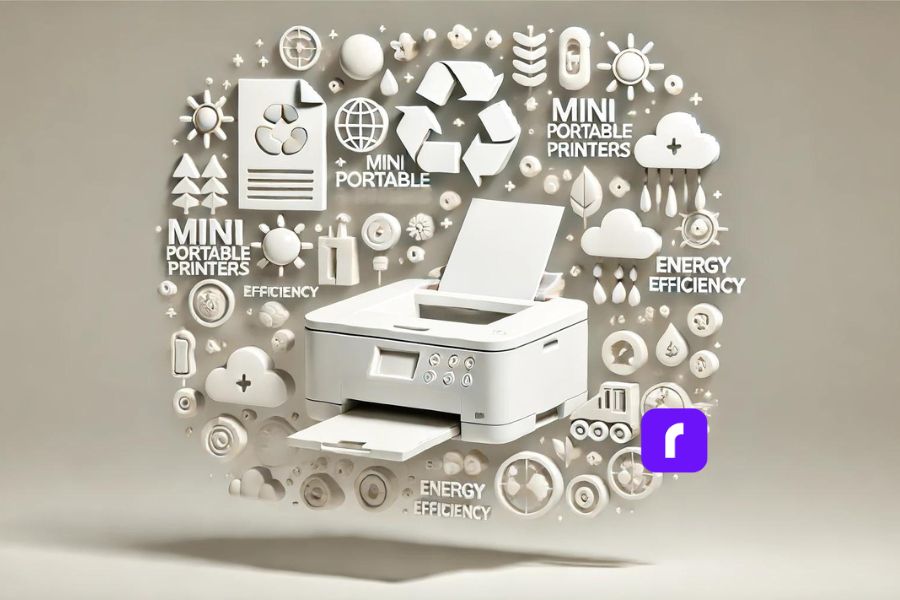
One of the great things about thermal printing technology is that it’s more environmentally friendly than other types of printing. Here’s why:
- 🚮 Thermal printers don’t use ink or toner, which means there’s less waste and fewer consumables to dispose of.
- ♻️ Thermal paper is recyclable, so you can reduce your environmental impact even further by recycling your used labels and receipts.
- 🌱 Rollo is committed to sustainability and eco-friendly practices, so you can feel good about using their printers.
How do mini printers print without ink?
Mini printers, such as thermal printers, print without ink by using heat-sensitive paper. The printhead applies heat to specific areas, causing a reaction that produces the desired text or image.
Maintenance Tips and Troubleshooting
To keep your mini portable printer in top shape, there are a few key maintenance tips to keep in mind:
- 🧼 Clean the printhead regularly to prevent buildup and ensure sharp, clear prints.
- 🏷️ Use high-quality thermal paper or labels to avoid jams and ensure smooth operation.
- 🌡️ Store your printer in a cool, dry place when not in use to prevent damage.
If you do run into issues with your printer, here are some common troubleshooting tips:
- 📜 Check the paper or label roll to make sure it’s loaded correctly and not jammed.
- 🔌 Make sure the printer is charged or plugged in and turned on.
- 🔄 Restart the printer and try printing again.
- 📞 If all else fails, consult the manufacturer’s support resources or contact customer service for help.
Rollo’s printers are known for their reliability, but these tips can help you keep them running smoothly for years to come.
Future Trends and Innovations
As technology continues to evolve, we can expect to see some exciting new developments in the world of mini portable printers. Here are a few trends and innovations to watch out for:
- 🌐 IoT (Internet of Things) integration: Printers that can connect to the internet and communicate with other devices will become more common, enabling new use cases and workflows.
- 🤖 AI (Artificial Intelligence) and machine learning: Printers that can learn from user behavior and preferences will be able to offer more personalized and efficient printing experiences.
- 🌿 Sustainable and eco-friendly materials: As consumers become more environmentally conscious, we can expect to see more printers that use sustainable and recyclable materials.
Rollo is always looking for ways to innovate and improve their printers, so it will be exciting to see what they come up with next.
Choosing the Right Mini Portable Printer
With so many options on the market, choosing the best mini thermal printer can be a daunting task. Here are a few key factors to consider:
- 🖨️ Print quality: Look for printers with high DPI and sharp, clear prints.
- 📶 Connectivity: Choose a printer with wireless connectivity options that suit your needs, such as Bluetooth or WiFi.
- 🛡️ Durability: If you’ll be using your printer on the go, look for one that’s built to withstand bumps and jostles.
- 💰 Cost: Consider the upfront cost of the printer as well as the ongoing cost of consumables like thermal paper or labels.
When in doubt, it’s always a good idea to test out a printer before you buy it. Many retailers offer in-store demonstrations or free trials, so take advantage of these opportunities to see how the printer performs in real-world scenarios.
For small and medium-sized businesses, Rollo’s printers are an excellent choice. They’re reliable, efficient, and easy to use, making them a top pick for online sellers and other businesses that need to print labels and other materials on the go.
Final Words
Mini portable printers are a powerful tool for mobile professionals and businesses of all sizes. Their portability, versatility, and high-quality printing capabilities make them a perfect solution for printing on the go. Whether you’re an entrepreneur running an online store or a field worker needing to print receipts or reports, a mini portable printer can boost your productivity and efficiency.
When choosing a mini portable printer, consider your specific needs and budget. For online sellers and e-commerce businesses, Rollo stands out as a top choice. Rollo’s mini portable printers are specifically designed for streamlining shipping and labeling tasks. Their user-friendly design, seamless integration with the Rollo Ship app, and focus on efficiency make them an excellent fit for businesses that need a reliable and cost-effective printing solution.
So, if you’re looking to take your printing on the go and improve your workflow, consider investing in a mini portable printer. For e-commerce businesses, look no further than Rollo – their innovative printers and app are designed to make your life easier and help your business thrive.
Follow Rollo on:
Frequently Asked Questions About The Mini Portable Printer
📌 Q: What are the main advantages of mini portable printers over traditional printers?
📌 Q: How do mini portable printers contribute to sustainability?
📌 Q: What should I consider when choosing a mini portable printer for my business?
📌 Q: How do I maintain my mini portable printer?
📌 Q: Can I print from my phone or tablet using a mini portable printer?