What seems like never-ending Amazon shipping label regulations can tie sellers’ hands behind their backs. However, properly understanding and implementing labeling and shipping requirements is key to smoothly navigating the Amazon landscape.
As an Amazon seller, staying compliant brings order processing efficiencies critical for business growth and profitability. It also makes the difference between delighted customers and headaches over delayed or lost shipments.
This Amazon shipping label guide breaks down everything sellers need to master – from label specifications to choosing the right label printers. Let’s unravel the technical side of Amazon shipping to set your fulfillment operations up for success.
[ez-toc]

Did you know? 🤔 Barcode Dual-System: Amazon tracks inventory with two barcodes: the
manufacturer's and the FNSKU. This ensures every product is correctly linked to
its seller.
Demystifying Amazon Shipping Label Rules
Amazon sets strict standards for labeling shipments to their warehouses and customers which is why it’s important to understand Amazon labels. Meeting specifications for labels and packages ensures smooth processing through their systems.
Labeling Requirements
All shipments sent to Amazon need FNSKUs – unique product identifiers used to track inventory – printed as text or scannable barcodes on labels. You also need to meet size, color, and adhesive guidelines.
Keep in mind ⚠️ Essential Scannable Barcodes: Every item sent to Amazon must have a
scannable barcode. Missing or unscannable barcodes lead to fulfillment delays.
- 📦 Packaging Rules Amazon dictates package sizes, materials, sealing methods, and prep instructions per product. Boxes should have an extra 3 inches of clearance and be new and sturdy.
- 🔖 Barcode Specifications Code 128 barcodes must print clearly, measure at least 1 inch long, and pass Amazon’s validation process
As labeling rules constantly evolve, sellers shouldn’t reinvent the wheel. Rollo’s versatile printers make light work of shifting requirements to help brands package and ship smart while avoiding penalties. Join Rollo to step into selling success on Amazon.
Follow Rollo on:
Frequently Asked Questions about Amazon Shipping Label Strategies:
📌 Q: Do I need a business license to sell on Amazon?
📌 Q: Can I sell on Amazon without an LLC?
📌 Q: What type of printer is best for Amazon FBA labels?
📌 Q: Do I need a barcode for FBA?
Up to 90% off UPS, FedEx, and USPS shipping.
[/vc_column_text]
Keep in mind ⚠️ Adapting to Evolving Guidelines: Amazon shipping label and
packaging guidelines are constantly refined. Staying updated is key to smooth
fulfillment.
If two things ring clear about selling on Amazon, it’s the abundance of rules and lack of leeway. Their stringent Amazon shipping label policies can overwhelm new sellers.
But viewing standards as enablers instead of roadblocks sets your business up for efficiency gains. Compliance and quality packaging prevent losses from rejected inventory or orders getting severely delayed or lost.
This peace of mind lets sellers focus on customer experience, leveraging Fulfillment By Amazon programs to scale success.
As labeling rules constantly evolve, sellers shouldn’t reinvent the wheel. Rollo’s versatile printers make light work of shifting requirements to help brands package and ship smart while avoiding penalties. Join Rollo to step into selling success on Amazon.
Follow Rollo on:
Frequently Asked Questions about Amazon Shipping Label Strategies:
📌 Q: Do I need a business license to sell on Amazon?
📌 Q: Can I sell on Amazon without an LLC?
📌 Q: What type of printer is best for Amazon FBA labels?
📌 Q: Do I need a barcode for FBA?
The bottom line? Master the Amazon shipping label to quickly rank products, expand order capacity, and enter exclusive programs for boosted profitability.
[/vc_column_text]
NO MONTHLY SUBSCRIPTIONS.
The first 200 shipping labels (Amazon shipping labels) are on us.
Every next label is just 5 cents.
Schedule pickups, consolidate orders, and print bulk labels.
Up to 90% off UPS, FedEx, and USPS shipping.
Keep in mind ⚠️ Adapting to Evolving Guidelines: Amazon shipping label and
packaging guidelines are constantly refined. Staying updated is key to smooth
fulfillment.
If two things ring clear about selling on Amazon, it’s the abundance of rules and lack of leeway. Their stringent Amazon shipping label policies can overwhelm new sellers.
But viewing standards as enablers instead of roadblocks sets your business up for efficiency gains. Compliance and quality packaging prevent losses from rejected inventory or orders getting severely delayed or lost.
This peace of mind lets sellers focus on customer experience, leveraging Fulfillment By Amazon programs to scale success.
As labeling rules constantly evolve, sellers shouldn’t reinvent the wheel. Rollo’s versatile printers make light work of shifting requirements to help brands package and ship smart while avoiding penalties. Join Rollo to step into selling success on Amazon.
Follow Rollo on:
Frequently Asked Questions about Amazon Shipping Label Strategies:
📌 Q: Do I need a business license to sell on Amazon?
📌 Q: Can I sell on Amazon without an LLC?
📌 Q: What type of printer is best for Amazon FBA labels?
📌 Q: Do I need a barcode for FBA?
Compliant labeling lets sellers access coveted programs:
- 📦🏷️ FBA handles the fulfillment process once inventory arrives at Amazon’s warehouses. However accurate item labeling is vital for Amazon to store and ship units properly.
- 📦✅ Seller Fulfilled Prime lets merchants who don’t use FBA sell to Prime customers while handling fulfillment themselves. Items still need proper barcode labeling though.
- 🚚📦 FBA Onsite brings FBA services to sellers via pickup and delivery instead of requiring shipment to Amazon warehouses. However, existing labeling standards remain.
The bottom line? Master the Amazon shipping label to quickly rank products, expand order capacity, and enter exclusive programs for boosted profitability.
[/vc_column_text]
NO MONTHLY SUBSCRIPTIONS.
The first 200 shipping labels (Amazon shipping labels) are on us.
Every next label is just 5 cents.
Schedule pickups, consolidate orders, and print bulk labels.
Up to 90% off UPS, FedEx, and USPS shipping.
Keep in mind ⚠️ Adapting to Evolving Guidelines: Amazon shipping label and
packaging guidelines are constantly refined. Staying updated is key to smooth
fulfillment.
If two things ring clear about selling on Amazon, it’s the abundance of rules and lack of leeway. Their stringent Amazon shipping label policies can overwhelm new sellers.
But viewing standards as enablers instead of roadblocks sets your business up for efficiency gains. Compliance and quality packaging prevent losses from rejected inventory or orders getting severely delayed or lost.
This peace of mind lets sellers focus on customer experience, leveraging Fulfillment By Amazon programs to scale success.
As labeling rules constantly evolve, sellers shouldn’t reinvent the wheel. Rollo’s versatile printers make light work of shifting requirements to help brands package and ship smart while avoiding penalties. Join Rollo to step into selling success on Amazon.
Follow Rollo on:
Frequently Asked Questions about Amazon Shipping Label Strategies:
📌 Q: Do I need a business license to sell on Amazon?
📌 Q: Can I sell on Amazon without an LLC?
📌 Q: What type of printer is best for Amazon FBA labels?
📌 Q: Do I need a barcode for FBA?
Taking these measures pays off – 93% of online experiences influence customer satisfaction. So don’t let labeling hiccups negatively impact service quality.
Opening Doors to Amazon Programs
Compliant labeling lets sellers access coveted programs:
- 📦🏷️ FBA handles the fulfillment process once inventory arrives at Amazon’s warehouses. However accurate item labeling is vital for Amazon to store and ship units properly.
- 📦✅ Seller Fulfilled Prime lets merchants who don’t use FBA sell to Prime customers while handling fulfillment themselves. Items still need proper barcode labeling though.
- 🚚📦 FBA Onsite brings FBA services to sellers via pickup and delivery instead of requiring shipment to Amazon warehouses. However, existing labeling standards remain.
The bottom line? Master the Amazon shipping label to quickly rank products, expand order capacity, and enter exclusive programs for boosted profitability.
[/vc_column_text]
NO MONTHLY SUBSCRIPTIONS.
The first 200 shipping labels (Amazon shipping labels) are on us.
Every next label is just 5 cents.
Schedule pickups, consolidate orders, and print bulk labels.
Up to 90% off UPS, FedEx, and USPS shipping.
Keep in mind ⚠️ Adapting to Evolving Guidelines: Amazon shipping label and
packaging guidelines are constantly refined. Staying updated is key to smooth
fulfillment.
If two things ring clear about selling on Amazon, it’s the abundance of rules and lack of leeway. Their stringent Amazon shipping label policies can overwhelm new sellers.
But viewing standards as enablers instead of roadblocks sets your business up for efficiency gains. Compliance and quality packaging prevent losses from rejected inventory or orders getting severely delayed or lost.
This peace of mind lets sellers focus on customer experience, leveraging Fulfillment By Amazon programs to scale success.
As labeling rules constantly evolve, sellers shouldn’t reinvent the wheel. Rollo’s versatile printers make light work of shifting requirements to help brands package and ship smart while avoiding penalties. Join Rollo to step into selling success on Amazon.
Follow Rollo on:
Frequently Asked Questions about Amazon Shipping Label Strategies:
📌 Q: Do I need a business license to sell on Amazon?
📌 Q: Can I sell on Amazon without an LLC?
📌 Q: What type of printer is best for Amazon FBA labels?
📌 Q: Do I need a barcode for FBA?
Inventory and Fulfillment Strategies
- 📦📊 How many items do you need to utilize FBA? Amazon recommends sending at least 15-50 units of each product when starting. High-volume listings should maintain over 75 units to avoid going out of stock.
- 📦🚚 How can sellers handle order fulfillment? Let FBA handle storage, picking, and shipping by sending full cartons of inventory to Amazon warehouses. Or, manage your own warehousing and order processing workflows while still leveraging Amazon’s platform and tools.
[/vc_column_text]

Boosting Efficiency and Sales on Amazon
A proper Amazon shipping label helps sellers provide a stellar customer experience, driving conversion and loyalty. It also unlocks Amazon programs to scale success.
Delivering 5-Star Customer Experiences
A legible Amazon shipping label facilitates accurate shipping so customers receive orders on time without hassles. This helps earn reviews and repeat purchases.
Other efficiencies like consolidating shipments also improve the customer experience while saving seller costs. Sellers who master inventory management through FBA ship the optimal number of packages per order.
Taking these measures pays off – 93% of online experiences influence customer satisfaction. So don’t let labeling hiccups negatively impact service quality.
Opening Doors to Amazon Programs
Compliant labeling lets sellers access coveted programs:
- 📦🏷️ FBA handles the fulfillment process once inventory arrives at Amazon’s warehouses. However accurate item labeling is vital for Amazon to store and ship units properly.
- 📦✅ Seller Fulfilled Prime lets merchants who don’t use FBA sell to Prime customers while handling fulfillment themselves. Items still need proper barcode labeling though.
- 🚚📦 FBA Onsite brings FBA services to sellers via pickup and delivery instead of requiring shipment to Amazon warehouses. However, existing labeling standards remain.
The bottom line? Master the Amazon shipping label to quickly rank products, expand order capacity, and enter exclusive programs for boosted profitability.
NO MONTHLY SUBSCRIPTIONS.
The first 200 shipping labels (Amazon shipping labels) are on us.
Every next label is just 5 cents.
Schedule pickups, consolidate orders, and print bulk labels.
Up to 90% off UPS, FedEx, and USPS shipping.
Keep in mind ⚠️ Adapting to Evolving Guidelines: Amazon shipping label and
packaging guidelines are constantly refined. Staying updated is key to smooth
fulfillment.
If two things ring clear about selling on Amazon, it’s the abundance of rules and lack of leeway. Their stringent Amazon shipping label policies can overwhelm new sellers.
But viewing standards as enablers instead of roadblocks sets your business up for efficiency gains. Compliance and quality packaging prevent losses from rejected inventory or orders getting severely delayed or lost.
This peace of mind lets sellers focus on customer experience, leveraging Fulfillment By Amazon programs to scale success.
As labeling rules constantly evolve, sellers shouldn’t reinvent the wheel. Rollo’s versatile printers make light work of shifting requirements to help brands package and ship smart while avoiding penalties. Join Rollo to step into selling success on Amazon.
Follow Rollo on:
Frequently Asked Questions about Amazon Shipping Label Strategies:
📌 Q: Do I need a business license to sell on Amazon?
📌 Q: Can I sell on Amazon without an LLC?
📌 Q: What type of printer is best for Amazon FBA labels?
📌 Q: Do I need a barcode for FBA?
Getting Your Business Ducks in a Row
- 💼🏛️📝 Do sellers need business licenses or LLCs? Having business licenses and formal registering as an LLC protects sellers from personal liability but isn’t mandated to sell on Amazon. However, many states do require sales tax licenses.
- 📄💰🔒 What legal documents are needed? Keep income statements, invoices, and expense records for taxes. Have liability insurance, registered business names, and sales permits if mandated in your state.
Inventory and Fulfillment Strategies
- 📦📊 How many items do you need to utilize FBA? Amazon recommends sending at least 15-50 units of each product when starting. High-volume listings should maintain over 75 units to avoid going out of stock.
- 📦🚚 How can sellers handle order fulfillment? Let FBA handle storage, picking, and shipping by sending full cartons of inventory to Amazon warehouses. Or, manage your own warehousing and order processing workflows while still leveraging Amazon’s platform and tools.
[/vc_column_text]
Boosting Efficiency and Sales on Amazon
A proper Amazon shipping label helps sellers provide a stellar customer experience, driving conversion and loyalty. It also unlocks Amazon programs to scale success.
Delivering 5-Star Customer Experiences
A legible Amazon shipping label facilitates accurate shipping so customers receive orders on time without hassles. This helps earn reviews and repeat purchases.
Other efficiencies like consolidating shipments also improve the customer experience while saving seller costs. Sellers who master inventory management through FBA ship the optimal number of packages per order.
Taking these measures pays off – 93% of online experiences influence customer satisfaction. So don’t let labeling hiccups negatively impact service quality.
Opening Doors to Amazon Programs
Compliant labeling lets sellers access coveted programs:
- 📦🏷️ FBA handles the fulfillment process once inventory arrives at Amazon’s warehouses. However accurate item labeling is vital for Amazon to store and ship units properly.
- 📦✅ Seller Fulfilled Prime lets merchants who don’t use FBA sell to Prime customers while handling fulfillment themselves. Items still need proper barcode labeling though.
- 🚚📦 FBA Onsite brings FBA services to sellers via pickup and delivery instead of requiring shipment to Amazon warehouses. However, existing labeling standards remain.
The bottom line? Master the Amazon shipping label to quickly rank products, expand order capacity, and enter exclusive programs for boosted profitability.
NO MONTHLY SUBSCRIPTIONS.
The first 200 shipping labels (Amazon shipping labels) are on us.
Every next label is just 5 cents.
Schedule pickups, consolidate orders, and print bulk labels.
Up to 90% off UPS, FedEx, and USPS shipping.
Keep in mind ⚠️ Adapting to Evolving Guidelines: Amazon shipping label and
packaging guidelines are constantly refined. Staying updated is key to smooth
fulfillment.
If two things ring clear about selling on Amazon, it’s the abundance of rules and lack of leeway. Their stringent Amazon shipping label policies can overwhelm new sellers.
But viewing standards as enablers instead of roadblocks sets your business up for efficiency gains. Compliance and quality packaging prevent losses from rejected inventory or orders getting severely delayed or lost.
This peace of mind lets sellers focus on customer experience, leveraging Fulfillment By Amazon programs to scale success.
As labeling rules constantly evolve, sellers shouldn’t reinvent the wheel. Rollo’s versatile printers make light work of shifting requirements to help brands package and ship smart while avoiding penalties. Join Rollo to step into selling success on Amazon.
Follow Rollo on:
Frequently Asked Questions about Amazon Shipping Label Strategies:
📌 Q: Do I need a business license to sell on Amazon?
📌 Q: Can I sell on Amazon without an LLC?
📌 Q: What type of printer is best for Amazon FBA labels?
📌 Q: Do I need a barcode for FBA?
Proper registration and planning help sellers manage labeling along with expanding order volumes.
Getting Your Business Ducks in a Row
- 💼🏛️📝 Do sellers need business licenses or LLCs? Having business licenses and formal registering as an LLC protects sellers from personal liability but isn’t mandated to sell on Amazon. However, many states do require sales tax licenses.
- 📄💰🔒 What legal documents are needed? Keep income statements, invoices, and expense records for taxes. Have liability insurance, registered business names, and sales permits if mandated in your state.
Inventory and Fulfillment Strategies
- 📦📊 How many items do you need to utilize FBA? Amazon recommends sending at least 15-50 units of each product when starting. High-volume listings should maintain over 75 units to avoid going out of stock.
- 📦🚚 How can sellers handle order fulfillment? Let FBA handle storage, picking, and shipping by sending full cartons of inventory to Amazon warehouses. Or, manage your own warehousing and order processing workflows while still leveraging Amazon’s platform and tools.
[/vc_column_text]
Boosting Efficiency and Sales on Amazon
A proper Amazon shipping label helps sellers provide a stellar customer experience, driving conversion and loyalty. It also unlocks Amazon programs to scale success.
Delivering 5-Star Customer Experiences
A legible Amazon shipping label facilitates accurate shipping so customers receive orders on time without hassles. This helps earn reviews and repeat purchases.
Other efficiencies like consolidating shipments also improve the customer experience while saving seller costs. Sellers who master inventory management through FBA ship the optimal number of packages per order.
Taking these measures pays off – 93% of online experiences influence customer satisfaction. So don’t let labeling hiccups negatively impact service quality.
Opening Doors to Amazon Programs
Compliant labeling lets sellers access coveted programs:
- 📦🏷️ FBA handles the fulfillment process once inventory arrives at Amazon’s warehouses. However accurate item labeling is vital for Amazon to store and ship units properly.
- 📦✅ Seller Fulfilled Prime lets merchants who don’t use FBA sell to Prime customers while handling fulfillment themselves. Items still need proper barcode labeling though.
- 🚚📦 FBA Onsite brings FBA services to sellers via pickup and delivery instead of requiring shipment to Amazon warehouses. However, existing labeling standards remain.
The bottom line? Master the Amazon shipping label to quickly rank products, expand order capacity, and enter exclusive programs for boosted profitability.
NO MONTHLY SUBSCRIPTIONS.
The first 200 shipping labels (Amazon shipping labels) are on us.
Every next label is just 5 cents.
Schedule pickups, consolidate orders, and print bulk labels.
Up to 90% off UPS, FedEx, and USPS shipping.
Keep in mind ⚠️ Adapting to Evolving Guidelines: Amazon shipping label and
packaging guidelines are constantly refined. Staying updated is key to smooth
fulfillment.
If two things ring clear about selling on Amazon, it’s the abundance of rules and lack of leeway. Their stringent Amazon shipping label policies can overwhelm new sellers.
But viewing standards as enablers instead of roadblocks sets your business up for efficiency gains. Compliance and quality packaging prevent losses from rejected inventory or orders getting severely delayed or lost.
This peace of mind lets sellers focus on customer experience, leveraging Fulfillment By Amazon programs to scale success.
As labeling rules constantly evolve, sellers shouldn’t reinvent the wheel. Rollo’s versatile printers make light work of shifting requirements to help brands package and ship smart while avoiding penalties. Join Rollo to step into selling success on Amazon.
Follow Rollo on:
Frequently Asked Questions about Amazon Shipping Label Strategies:
📌 Q: Do I need a business license to sell on Amazon?
📌 Q: Can I sell on Amazon without an LLC?
📌 Q: What type of printer is best for Amazon FBA labels?
📌 Q: Do I need a barcode for FBA?
Printing ASIN Labels
-
- ✅ Set printer to warehouse-grade 2×4 labels on Rollo.
- ✅ Enter 15-digit ASIN text strings clearly.
- ✅ Ensure text is crisp and scannable with no fading.
- ✅ Firmly affix labels visibly on all product cases/boxes.
Now let’s address operational questions sellers have about labeling.
[/vc_column_text]
Legal and Inventory Considerations
Proper registration and planning help sellers manage labeling along with expanding order volumes.
Getting Your Business Ducks in a Row
- 💼🏛️📝 Do sellers need business licenses or LLCs? Having business licenses and formal registering as an LLC protects sellers from personal liability but isn’t mandated to sell on Amazon. However, many states do require sales tax licenses.
- 📄💰🔒 What legal documents are needed? Keep income statements, invoices, and expense records for taxes. Have liability insurance, registered business names, and sales permits if mandated in your state.
Inventory and Fulfillment Strategies
- 📦📊 How many items do you need to utilize FBA? Amazon recommends sending at least 15-50 units of each product when starting. High-volume listings should maintain over 75 units to avoid going out of stock.
- 📦🚚 How can sellers handle order fulfillment? Let FBA handle storage, picking, and shipping by sending full cartons of inventory to Amazon warehouses. Or, manage your own warehousing and order processing workflows while still leveraging Amazon’s platform and tools.
Boosting Efficiency and Sales on Amazon
A proper Amazon shipping label helps sellers provide a stellar customer experience, driving conversion and loyalty. It also unlocks Amazon programs to scale success.
Delivering 5-Star Customer Experiences
A legible Amazon shipping label facilitates accurate shipping so customers receive orders on time without hassles. This helps earn reviews and repeat purchases.
Other efficiencies like consolidating shipments also improve the customer experience while saving seller costs. Sellers who master inventory management through FBA ship the optimal number of packages per order.
Taking these measures pays off – 93% of online experiences influence customer satisfaction. So don’t let labeling hiccups negatively impact service quality.
Opening Doors to Amazon Programs
Compliant labeling lets sellers access coveted programs:
- 📦🏷️ FBA handles the fulfillment process once inventory arrives at Amazon’s warehouses. However accurate item labeling is vital for Amazon to store and ship units properly.
- 📦✅ Seller Fulfilled Prime lets merchants who don’t use FBA sell to Prime customers while handling fulfillment themselves. Items still need proper barcode labeling though.
- 🚚📦 FBA Onsite brings FBA services to sellers via pickup and delivery instead of requiring shipment to Amazon warehouses. However, existing labeling standards remain.
The bottom line? Master the Amazon shipping label to quickly rank products, expand order capacity, and enter exclusive programs for boosted profitability.
NO MONTHLY SUBSCRIPTIONS.
The first 200 shipping labels (Amazon shipping labels) are on us.
Every next label is just 5 cents.
Schedule pickups, consolidate orders, and print bulk labels.
Up to 90% off UPS, FedEx, and USPS shipping.
Keep in mind ⚠️ Adapting to Evolving Guidelines: Amazon shipping label and
packaging guidelines are constantly refined. Staying updated is key to smooth
fulfillment.
If two things ring clear about selling on Amazon, it’s the abundance of rules and lack of leeway. Their stringent Amazon shipping label policies can overwhelm new sellers.
But viewing standards as enablers instead of roadblocks sets your business up for efficiency gains. Compliance and quality packaging prevent losses from rejected inventory or orders getting severely delayed or lost.
This peace of mind lets sellers focus on customer experience, leveraging Fulfillment By Amazon programs to scale success.
As labeling rules constantly evolve, sellers shouldn’t reinvent the wheel. Rollo’s versatile printers make light work of shifting requirements to help brands package and ship smart while avoiding penalties. Join Rollo to step into selling success on Amazon.
Follow Rollo on:
Frequently Asked Questions about Amazon Shipping Label Strategies:
📌 Q: Do I need a business license to sell on Amazon?
📌 Q: Can I sell on Amazon without an LLC?
📌 Q: What type of printer is best for Amazon FBA labels?
📌 Q: Do I need a barcode for FBA?
[/vc_column_text]
Printing Shipping Labels
-
- ✅ Set printer to 4×6 label sheets.
- ✅ Generate labels through Amazon Seller Central or other software.
- ✅ Validate print quality and barcode readability.
- ✅ Stick securely to boxes according to Amazon guidelines.
Printing ASIN Labels
-
- ✅ Set printer to warehouse-grade 2×4 labels on Rollo.
- ✅ Enter 15-digit ASIN text strings clearly.
- ✅ Ensure text is crisp and scannable with no fading.
- ✅ Firmly affix labels visibly on all product cases/boxes.
Now let’s address operational questions sellers have about labeling.
Legal and Inventory Considerations
Proper registration and planning help sellers manage labeling along with expanding order volumes.
Getting Your Business Ducks in a Row
- 💼🏛️📝 Do sellers need business licenses or LLCs? Having business licenses and formal registering as an LLC protects sellers from personal liability but isn’t mandated to sell on Amazon. However, many states do require sales tax licenses.
- 📄💰🔒 What legal documents are needed? Keep income statements, invoices, and expense records for taxes. Have liability insurance, registered business names, and sales permits if mandated in your state.
Inventory and Fulfillment Strategies
- 📦📊 How many items do you need to utilize FBA? Amazon recommends sending at least 15-50 units of each product when starting. High-volume listings should maintain over 75 units to avoid going out of stock.
- 📦🚚 How can sellers handle order fulfillment? Let FBA handle storage, picking, and shipping by sending full cartons of inventory to Amazon warehouses. Or, manage your own warehousing and order processing workflows while still leveraging Amazon’s platform and tools.
Boosting Efficiency and Sales on Amazon
A proper Amazon shipping label helps sellers provide a stellar customer experience, driving conversion and loyalty. It also unlocks Amazon programs to scale success.
Delivering 5-Star Customer Experiences
A legible Amazon shipping label facilitates accurate shipping so customers receive orders on time without hassles. This helps earn reviews and repeat purchases.
Other efficiencies like consolidating shipments also improve the customer experience while saving seller costs. Sellers who master inventory management through FBA ship the optimal number of packages per order.
Taking these measures pays off – 93% of online experiences influence customer satisfaction. So don’t let labeling hiccups negatively impact service quality.
Opening Doors to Amazon Programs
Compliant labeling lets sellers access coveted programs:
- 📦🏷️ FBA handles the fulfillment process once inventory arrives at Amazon’s warehouses. However accurate item labeling is vital for Amazon to store and ship units properly.
- 📦✅ Seller Fulfilled Prime lets merchants who don’t use FBA sell to Prime customers while handling fulfillment themselves. Items still need proper barcode labeling though.
- 🚚📦 FBA Onsite brings FBA services to sellers via pickup and delivery instead of requiring shipment to Amazon warehouses. However, existing labeling standards remain.
The bottom line? Master the Amazon shipping label to quickly rank products, expand order capacity, and enter exclusive programs for boosted profitability.
NO MONTHLY SUBSCRIPTIONS.
The first 200 shipping labels (Amazon shipping labels) are on us.
Every next label is just 5 cents.
Schedule pickups, consolidate orders, and print bulk labels.
Up to 90% off UPS, FedEx, and USPS shipping.
Keep in mind ⚠️ Adapting to Evolving Guidelines: Amazon shipping label and
packaging guidelines are constantly refined. Staying updated is key to smooth
fulfillment.
If two things ring clear about selling on Amazon, it’s the abundance of rules and lack of leeway. Their stringent Amazon shipping label policies can overwhelm new sellers.
But viewing standards as enablers instead of roadblocks sets your business up for efficiency gains. Compliance and quality packaging prevent losses from rejected inventory or orders getting severely delayed or lost.
This peace of mind lets sellers focus on customer experience, leveraging Fulfillment By Amazon programs to scale success.
As labeling rules constantly evolve, sellers shouldn’t reinvent the wheel. Rollo’s versatile printers make light work of shifting requirements to help brands package and ship smart while avoiding penalties. Join Rollo to step into selling success on Amazon.
Follow Rollo on:
Frequently Asked Questions about Amazon Shipping Label Strategies:
📌 Q: Do I need a business license to sell on Amazon?
📌 Q: Can I sell on Amazon without an LLC?
📌 Q: What type of printer is best for Amazon FBA labels?
📌 Q: Do I need a barcode for FBA?
-
-
- ✅ Set printer to 3×5 label sheets.
- ✅ Enter FNSKU text strings with font >12pt.
- ✅ Print labels and validate barcodes scan properly.
- ✅ Apply flat to products without overlaps or covering text.
-
[/vc_column_text]
Printing Shipping Labels
-
- ✅ Set printer to 4×6 label sheets.
- ✅ Generate labels through Amazon Seller Central or other software.
- ✅ Validate print quality and barcode readability.
- ✅ Stick securely to boxes according to Amazon guidelines.
Printing ASIN Labels
-
- ✅ Set printer to warehouse-grade 2×4 labels on Rollo.
- ✅ Enter 15-digit ASIN text strings clearly.
- ✅ Ensure text is crisp and scannable with no fading.
- ✅ Firmly affix labels visibly on all product cases/boxes.
Now let’s address operational questions sellers have about labeling.
Legal and Inventory Considerations
Proper registration and planning help sellers manage labeling along with expanding order volumes.
Getting Your Business Ducks in a Row
- 💼🏛️📝 Do sellers need business licenses or LLCs? Having business licenses and formal registering as an LLC protects sellers from personal liability but isn’t mandated to sell on Amazon. However, many states do require sales tax licenses.
- 📄💰🔒 What legal documents are needed? Keep income statements, invoices, and expense records for taxes. Have liability insurance, registered business names, and sales permits if mandated in your state.
Inventory and Fulfillment Strategies
- 📦📊 How many items do you need to utilize FBA? Amazon recommends sending at least 15-50 units of each product when starting. High-volume listings should maintain over 75 units to avoid going out of stock.
- 📦🚚 How can sellers handle order fulfillment? Let FBA handle storage, picking, and shipping by sending full cartons of inventory to Amazon warehouses. Or, manage your own warehousing and order processing workflows while still leveraging Amazon’s platform and tools.
Boosting Efficiency and Sales on Amazon
A proper Amazon shipping label helps sellers provide a stellar customer experience, driving conversion and loyalty. It also unlocks Amazon programs to scale success.
Delivering 5-Star Customer Experiences
A legible Amazon shipping label facilitates accurate shipping so customers receive orders on time without hassles. This helps earn reviews and repeat purchases.
Other efficiencies like consolidating shipments also improve the customer experience while saving seller costs. Sellers who master inventory management through FBA ship the optimal number of packages per order.
Taking these measures pays off – 93% of online experiences influence customer satisfaction. So don’t let labeling hiccups negatively impact service quality.
Opening Doors to Amazon Programs
Compliant labeling lets sellers access coveted programs:
- 📦🏷️ FBA handles the fulfillment process once inventory arrives at Amazon’s warehouses. However accurate item labeling is vital for Amazon to store and ship units properly.
- 📦✅ Seller Fulfilled Prime lets merchants who don’t use FBA sell to Prime customers while handling fulfillment themselves. Items still need proper barcode labeling though.
- 🚚📦 FBA Onsite brings FBA services to sellers via pickup and delivery instead of requiring shipment to Amazon warehouses. However, existing labeling standards remain.
The bottom line? Master the Amazon shipping label to quickly rank products, expand order capacity, and enter exclusive programs for boosted profitability.
NO MONTHLY SUBSCRIPTIONS.
The first 200 shipping labels (Amazon shipping labels) are on us.
Every next label is just 5 cents.
Schedule pickups, consolidate orders, and print bulk labels.
Up to 90% off UPS, FedEx, and USPS shipping.
Keep in mind ⚠️ Adapting to Evolving Guidelines: Amazon shipping label and
packaging guidelines are constantly refined. Staying updated is key to smooth
fulfillment.
If two things ring clear about selling on Amazon, it’s the abundance of rules and lack of leeway. Their stringent Amazon shipping label policies can overwhelm new sellers.
But viewing standards as enablers instead of roadblocks sets your business up for efficiency gains. Compliance and quality packaging prevent losses from rejected inventory or orders getting severely delayed or lost.
This peace of mind lets sellers focus on customer experience, leveraging Fulfillment By Amazon programs to scale success.
As labeling rules constantly evolve, sellers shouldn’t reinvent the wheel. Rollo’s versatile printers make light work of shifting requirements to help brands package and ship smart while avoiding penalties. Join Rollo to step into selling success on Amazon.
Follow Rollo on:
Frequently Asked Questions about Amazon Shipping Label Strategies:
📌 Q: Do I need a business license to sell on Amazon?
📌 Q: Can I sell on Amazon without an LLC?
📌 Q: What type of printer is best for Amazon FBA labels?
📌 Q: Do I need a barcode for FBA?
-
-
- ✅ Set printer to 3×5 label sheets.
- ✅ Enter FNSKU text strings with font >12pt.
- ✅ Print labels and validate barcodes scan properly.
- ✅ Apply flat to products without overlaps or covering text.
-
[/vc_column_text]
Printing Shipping Labels
-
- ✅ Set printer to 4×6 label sheets.
- ✅ Generate labels through Amazon Seller Central or other software.
- ✅ Validate print quality and barcode readability.
- ✅ Stick securely to boxes according to Amazon guidelines.
Printing ASIN Labels
-
- ✅ Set printer to warehouse-grade 2×4 labels on Rollo.
- ✅ Enter 15-digit ASIN text strings clearly.
- ✅ Ensure text is crisp and scannable with no fading.
- ✅ Firmly affix labels visibly on all product cases/boxes.
Now let’s address operational questions sellers have about labeling.
Legal and Inventory Considerations
Proper registration and planning help sellers manage labeling along with expanding order volumes.
Getting Your Business Ducks in a Row
- 💼🏛️📝 Do sellers need business licenses or LLCs? Having business licenses and formal registering as an LLC protects sellers from personal liability but isn’t mandated to sell on Amazon. However, many states do require sales tax licenses.
- 📄💰🔒 What legal documents are needed? Keep income statements, invoices, and expense records for taxes. Have liability insurance, registered business names, and sales permits if mandated in your state.
Inventory and Fulfillment Strategies
- 📦📊 How many items do you need to utilize FBA? Amazon recommends sending at least 15-50 units of each product when starting. High-volume listings should maintain over 75 units to avoid going out of stock.
- 📦🚚 How can sellers handle order fulfillment? Let FBA handle storage, picking, and shipping by sending full cartons of inventory to Amazon warehouses. Or, manage your own warehousing and order processing workflows while still leveraging Amazon’s platform and tools.
Boosting Efficiency and Sales on Amazon
A proper Amazon shipping label helps sellers provide a stellar customer experience, driving conversion and loyalty. It also unlocks Amazon programs to scale success.
Delivering 5-Star Customer Experiences
A legible Amazon shipping label facilitates accurate shipping so customers receive orders on time without hassles. This helps earn reviews and repeat purchases.
Other efficiencies like consolidating shipments also improve the customer experience while saving seller costs. Sellers who master inventory management through FBA ship the optimal number of packages per order.
Taking these measures pays off – 93% of online experiences influence customer satisfaction. So don’t let labeling hiccups negatively impact service quality.
Opening Doors to Amazon Programs
Compliant labeling lets sellers access coveted programs:
- 📦🏷️ FBA handles the fulfillment process once inventory arrives at Amazon’s warehouses. However accurate item labeling is vital for Amazon to store and ship units properly.
- 📦✅ Seller Fulfilled Prime lets merchants who don’t use FBA sell to Prime customers while handling fulfillment themselves. Items still need proper barcode labeling though.
- 🚚📦 FBA Onsite brings FBA services to sellers via pickup and delivery instead of requiring shipment to Amazon warehouses. However, existing labeling standards remain.
The bottom line? Master the Amazon shipping label to quickly rank products, expand order capacity, and enter exclusive programs for boosted profitability.
NO MONTHLY SUBSCRIPTIONS.
The first 200 shipping labels (Amazon shipping labels) are on us.
Every next label is just 5 cents.
Schedule pickups, consolidate orders, and print bulk labels.
Up to 90% off UPS, FedEx, and USPS shipping.
Keep in mind ⚠️ Adapting to Evolving Guidelines: Amazon shipping label and
packaging guidelines are constantly refined. Staying updated is key to smooth
fulfillment.
If two things ring clear about selling on Amazon, it’s the abundance of rules and lack of leeway. Their stringent Amazon shipping label policies can overwhelm new sellers.
But viewing standards as enablers instead of roadblocks sets your business up for efficiency gains. Compliance and quality packaging prevent losses from rejected inventory or orders getting severely delayed or lost.
This peace of mind lets sellers focus on customer experience, leveraging Fulfillment By Amazon programs to scale success.
As labeling rules constantly evolve, sellers shouldn’t reinvent the wheel. Rollo’s versatile printers make light work of shifting requirements to help brands package and ship smart while avoiding penalties. Join Rollo to step into selling success on Amazon.
Follow Rollo on:
Frequently Asked Questions about Amazon Shipping Label Strategies:
📌 Q: Do I need a business license to sell on Amazon?
📌 Q: Can I sell on Amazon without an LLC?
📌 Q: What type of printer is best for Amazon FBA labels?
📌 Q: Do I need a barcode for FBA?
- 👀 Watch out for smudged/faded text and test scan barcodes.
- ✋ Smooth labels carefully onto boxes without wrinkles, folds, or overlaps.
With steps for printing different Amazon shipping label types, mastering these techniques ensures smooth label application and barcode readability, setting the stage for flawless fulfillment processes.
[/vc_column_text]
Walkthrough: Printing an Amazon Shipping Label
Printing FNSKU Labels
-
-
- ✅ Set printer to 3×5 label sheets.
- ✅ Enter FNSKU text strings with font >12pt.
- ✅ Print labels and validate barcodes scan properly.
- ✅ Apply flat to products without overlaps or covering text.
-
Printing Shipping Labels
-
- ✅ Set printer to 4×6 label sheets.
- ✅ Generate labels through Amazon Seller Central or other software.
- ✅ Validate print quality and barcode readability.
- ✅ Stick securely to boxes according to Amazon guidelines.
Printing ASIN Labels
-
- ✅ Set printer to warehouse-grade 2×4 labels on Rollo.
- ✅ Enter 15-digit ASIN text strings clearly.
- ✅ Ensure text is crisp and scannable with no fading.
- ✅ Firmly affix labels visibly on all product cases/boxes.
Now let’s address operational questions sellers have about labeling.
Legal and Inventory Considerations
Proper registration and planning help sellers manage labeling along with expanding order volumes.
Getting Your Business Ducks in a Row
- 💼🏛️📝 Do sellers need business licenses or LLCs? Having business licenses and formal registering as an LLC protects sellers from personal liability but isn’t mandated to sell on Amazon. However, many states do require sales tax licenses.
- 📄💰🔒 What legal documents are needed? Keep income statements, invoices, and expense records for taxes. Have liability insurance, registered business names, and sales permits if mandated in your state.
Inventory and Fulfillment Strategies
- 📦📊 How many items do you need to utilize FBA? Amazon recommends sending at least 15-50 units of each product when starting. High-volume listings should maintain over 75 units to avoid going out of stock.
- 📦🚚 How can sellers handle order fulfillment? Let FBA handle storage, picking, and shipping by sending full cartons of inventory to Amazon warehouses. Or, manage your own warehousing and order processing workflows while still leveraging Amazon’s platform and tools.
Boosting Efficiency and Sales on Amazon
A proper Amazon shipping label helps sellers provide a stellar customer experience, driving conversion and loyalty. It also unlocks Amazon programs to scale success.
Delivering 5-Star Customer Experiences
A legible Amazon shipping label facilitates accurate shipping so customers receive orders on time without hassles. This helps earn reviews and repeat purchases.
Other efficiencies like consolidating shipments also improve the customer experience while saving seller costs. Sellers who master inventory management through FBA ship the optimal number of packages per order.
Taking these measures pays off – 93% of online experiences influence customer satisfaction. So don’t let labeling hiccups negatively impact service quality.
Opening Doors to Amazon Programs
Compliant labeling lets sellers access coveted programs:
- 📦🏷️ FBA handles the fulfillment process once inventory arrives at Amazon’s warehouses. However accurate item labeling is vital for Amazon to store and ship units properly.
- 📦✅ Seller Fulfilled Prime lets merchants who don’t use FBA sell to Prime customers while handling fulfillment themselves. Items still need proper barcode labeling though.
- 🚚📦 FBA Onsite brings FBA services to sellers via pickup and delivery instead of requiring shipment to Amazon warehouses. However, existing labeling standards remain.
The bottom line? Master the Amazon shipping label to quickly rank products, expand order capacity, and enter exclusive programs for boosted profitability.
NO MONTHLY SUBSCRIPTIONS.
The first 200 shipping labels (Amazon shipping labels) are on us.
Every next label is just 5 cents.
Schedule pickups, consolidate orders, and print bulk labels.
Up to 90% off UPS, FedEx, and USPS shipping.
Keep in mind ⚠️ Adapting to Evolving Guidelines: Amazon shipping label and
packaging guidelines are constantly refined. Staying updated is key to smooth
fulfillment.
If two things ring clear about selling on Amazon, it’s the abundance of rules and lack of leeway. Their stringent Amazon shipping label policies can overwhelm new sellers.
But viewing standards as enablers instead of roadblocks sets your business up for efficiency gains. Compliance and quality packaging prevent losses from rejected inventory or orders getting severely delayed or lost.
This peace of mind lets sellers focus on customer experience, leveraging Fulfillment By Amazon programs to scale success.
As labeling rules constantly evolve, sellers shouldn’t reinvent the wheel. Rollo’s versatile printers make light work of shifting requirements to help brands package and ship smart while avoiding penalties. Join Rollo to step into selling success on Amazon.
Follow Rollo on:
Frequently Asked Questions about Amazon Shipping Label Strategies:
📌 Q: Do I need a business license to sell on Amazon?
📌 Q: Can I sell on Amazon without an LLC?
📌 Q: What type of printer is best for Amazon FBA labels?
📌 Q: Do I need a barcode for FBA?
- 🧹 Maintaining clean print heads and restocking thermal labels regularly.
- 🖨️ Using label sheets compatible with your printer type and Amazon’s requirements.
- 🔍 Setting print resolution above 203 dpi for crisp barcodes.
- 📐 Ensuring proper label calibration and alignment with template guides.
Correct handling also prevents hiccups:
- 👀 Watch out for smudged/faded text and test scan barcodes.
- ✋ Smooth labels carefully onto boxes without wrinkles, folds, or overlaps.
With steps for printing different Amazon shipping label types, mastering these techniques ensures smooth label application and barcode readability, setting the stage for flawless fulfillment processes.
[/vc_column_text]
Walkthrough: Printing an Amazon Shipping Label
Printing FNSKU Labels
-
-
- ✅ Set printer to 3×5 label sheets.
- ✅ Enter FNSKU text strings with font >12pt.
- ✅ Print labels and validate barcodes scan properly.
- ✅ Apply flat to products without overlaps or covering text.
-
Printing Shipping Labels
-
- ✅ Set printer to 4×6 label sheets.
- ✅ Generate labels through Amazon Seller Central or other software.
- ✅ Validate print quality and barcode readability.
- ✅ Stick securely to boxes according to Amazon guidelines.
Printing ASIN Labels
-
- ✅ Set printer to warehouse-grade 2×4 labels on Rollo.
- ✅ Enter 15-digit ASIN text strings clearly.
- ✅ Ensure text is crisp and scannable with no fading.
- ✅ Firmly affix labels visibly on all product cases/boxes.
Now let’s address operational questions sellers have about labeling.
Legal and Inventory Considerations
Proper registration and planning help sellers manage labeling along with expanding order volumes.
Getting Your Business Ducks in a Row
- 💼🏛️📝 Do sellers need business licenses or LLCs? Having business licenses and formal registering as an LLC protects sellers from personal liability but isn’t mandated to sell on Amazon. However, many states do require sales tax licenses.
- 📄💰🔒 What legal documents are needed? Keep income statements, invoices, and expense records for taxes. Have liability insurance, registered business names, and sales permits if mandated in your state.
Inventory and Fulfillment Strategies
- 📦📊 How many items do you need to utilize FBA? Amazon recommends sending at least 15-50 units of each product when starting. High-volume listings should maintain over 75 units to avoid going out of stock.
- 📦🚚 How can sellers handle order fulfillment? Let FBA handle storage, picking, and shipping by sending full cartons of inventory to Amazon warehouses. Or, manage your own warehousing and order processing workflows while still leveraging Amazon’s platform and tools.
Boosting Efficiency and Sales on Amazon
A proper Amazon shipping label helps sellers provide a stellar customer experience, driving conversion and loyalty. It also unlocks Amazon programs to scale success.
Delivering 5-Star Customer Experiences
A legible Amazon shipping label facilitates accurate shipping so customers receive orders on time without hassles. This helps earn reviews and repeat purchases.
Other efficiencies like consolidating shipments also improve the customer experience while saving seller costs. Sellers who master inventory management through FBA ship the optimal number of packages per order.
Taking these measures pays off – 93% of online experiences influence customer satisfaction. So don’t let labeling hiccups negatively impact service quality.
Opening Doors to Amazon Programs
Compliant labeling lets sellers access coveted programs:
- 📦🏷️ FBA handles the fulfillment process once inventory arrives at Amazon’s warehouses. However accurate item labeling is vital for Amazon to store and ship units properly.
- 📦✅ Seller Fulfilled Prime lets merchants who don’t use FBA sell to Prime customers while handling fulfillment themselves. Items still need proper barcode labeling though.
- 🚚📦 FBA Onsite brings FBA services to sellers via pickup and delivery instead of requiring shipment to Amazon warehouses. However, existing labeling standards remain.
The bottom line? Master the Amazon shipping label to quickly rank products, expand order capacity, and enter exclusive programs for boosted profitability.
NO MONTHLY SUBSCRIPTIONS.
The first 200 shipping labels (Amazon shipping labels) are on us.
Every next label is just 5 cents.
Schedule pickups, consolidate orders, and print bulk labels.
Up to 90% off UPS, FedEx, and USPS shipping.
Keep in mind ⚠️ Adapting to Evolving Guidelines: Amazon shipping label and
packaging guidelines are constantly refined. Staying updated is key to smooth
fulfillment.
If two things ring clear about selling on Amazon, it’s the abundance of rules and lack of leeway. Their stringent Amazon shipping label policies can overwhelm new sellers.
But viewing standards as enablers instead of roadblocks sets your business up for efficiency gains. Compliance and quality packaging prevent losses from rejected inventory or orders getting severely delayed or lost.
This peace of mind lets sellers focus on customer experience, leveraging Fulfillment By Amazon programs to scale success.
As labeling rules constantly evolve, sellers shouldn’t reinvent the wheel. Rollo’s versatile printers make light work of shifting requirements to help brands package and ship smart while avoiding penalties. Join Rollo to step into selling success on Amazon.
Follow Rollo on:
Frequently Asked Questions about Amazon Shipping Label Strategies:
📌 Q: Do I need a business license to sell on Amazon?
📌 Q: Can I sell on Amazon without an LLC?
📌 Q: What type of printer is best for Amazon FBA labels?
📌 Q: Do I need a barcode for FBA?
See how to leverage Rollo and other printer types when building operational capacity.
[/vc_column_text]
PRINT YOUR AMAZON SHIPPING LABEL WIRELESSLY.
From any device, any app, or any file.
Expert Printing Techniques
Set your labeling processes up for success by:
- 🧹 Maintaining clean print heads and restocking thermal labels regularly.
- 🖨️ Using label sheets compatible with your printer type and Amazon’s requirements.
- 🔍 Setting print resolution above 203 dpi for crisp barcodes.
- 📐 Ensuring proper label calibration and alignment with template guides.
Correct handling also prevents hiccups:
- 👀 Watch out for smudged/faded text and test scan barcodes.
- ✋ Smooth labels carefully onto boxes without wrinkles, folds, or overlaps.
With steps for printing different Amazon shipping label types, mastering these techniques ensures smooth label application and barcode readability, setting the stage for flawless fulfillment processes.
Walkthrough: Printing an Amazon Shipping Label
Printing FNSKU Labels
-
-
- ✅ Set printer to 3×5 label sheets.
- ✅ Enter FNSKU text strings with font >12pt.
- ✅ Print labels and validate barcodes scan properly.
- ✅ Apply flat to products without overlaps or covering text.
-
Printing Shipping Labels
-
- ✅ Set printer to 4×6 label sheets.
- ✅ Generate labels through Amazon Seller Central or other software.
- ✅ Validate print quality and barcode readability.
- ✅ Stick securely to boxes according to Amazon guidelines.
Printing ASIN Labels
-
- ✅ Set printer to warehouse-grade 2×4 labels on Rollo.
- ✅ Enter 15-digit ASIN text strings clearly.
- ✅ Ensure text is crisp and scannable with no fading.
- ✅ Firmly affix labels visibly on all product cases/boxes.
Now let’s address operational questions sellers have about labeling.
Legal and Inventory Considerations
Proper registration and planning help sellers manage labeling along with expanding order volumes.
Getting Your Business Ducks in a Row
- 💼🏛️📝 Do sellers need business licenses or LLCs? Having business licenses and formal registering as an LLC protects sellers from personal liability but isn’t mandated to sell on Amazon. However, many states do require sales tax licenses.
- 📄💰🔒 What legal documents are needed? Keep income statements, invoices, and expense records for taxes. Have liability insurance, registered business names, and sales permits if mandated in your state.
Inventory and Fulfillment Strategies
- 📦📊 How many items do you need to utilize FBA? Amazon recommends sending at least 15-50 units of each product when starting. High-volume listings should maintain over 75 units to avoid going out of stock.
- 📦🚚 How can sellers handle order fulfillment? Let FBA handle storage, picking, and shipping by sending full cartons of inventory to Amazon warehouses. Or, manage your own warehousing and order processing workflows while still leveraging Amazon’s platform and tools.
Boosting Efficiency and Sales on Amazon
A proper Amazon shipping label helps sellers provide a stellar customer experience, driving conversion and loyalty. It also unlocks Amazon programs to scale success.
Delivering 5-Star Customer Experiences
A legible Amazon shipping label facilitates accurate shipping so customers receive orders on time without hassles. This helps earn reviews and repeat purchases.
Other efficiencies like consolidating shipments also improve the customer experience while saving seller costs. Sellers who master inventory management through FBA ship the optimal number of packages per order.
Taking these measures pays off – 93% of online experiences influence customer satisfaction. So don’t let labeling hiccups negatively impact service quality.
Opening Doors to Amazon Programs
Compliant labeling lets sellers access coveted programs:
- 📦🏷️ FBA handles the fulfillment process once inventory arrives at Amazon’s warehouses. However accurate item labeling is vital for Amazon to store and ship units properly.
- 📦✅ Seller Fulfilled Prime lets merchants who don’t use FBA sell to Prime customers while handling fulfillment themselves. Items still need proper barcode labeling though.
- 🚚📦 FBA Onsite brings FBA services to sellers via pickup and delivery instead of requiring shipment to Amazon warehouses. However, existing labeling standards remain.
The bottom line? Master the Amazon shipping label to quickly rank products, expand order capacity, and enter exclusive programs for boosted profitability.
NO MONTHLY SUBSCRIPTIONS.
The first 200 shipping labels (Amazon shipping labels) are on us.
Every next label is just 5 cents.
Schedule pickups, consolidate orders, and print bulk labels.
Up to 90% off UPS, FedEx, and USPS shipping.
Keep in mind ⚠️ Adapting to Evolving Guidelines: Amazon shipping label and
packaging guidelines are constantly refined. Staying updated is key to smooth
fulfillment.
If two things ring clear about selling on Amazon, it’s the abundance of rules and lack of leeway. Their stringent Amazon shipping label policies can overwhelm new sellers.
But viewing standards as enablers instead of roadblocks sets your business up for efficiency gains. Compliance and quality packaging prevent losses from rejected inventory or orders getting severely delayed or lost.
This peace of mind lets sellers focus on customer experience, leveraging Fulfillment By Amazon programs to scale success.
As labeling rules constantly evolve, sellers shouldn’t reinvent the wheel. Rollo’s versatile printers make light work of shifting requirements to help brands package and ship smart while avoiding penalties. Join Rollo to step into selling success on Amazon.
Follow Rollo on:
Frequently Asked Questions about Amazon Shipping Label Strategies:
📌 Q: Do I need a business license to sell on Amazon?
📌 Q: Can I sell on Amazon without an LLC?
📌 Q: What type of printer is best for Amazon FBA labels?
📌 Q: Do I need a barcode for FBA?
Choosing suitable printers and using them properly ensures readable labels that drive efficiency.
Finding the Right Printers
- ☄️ Laser Printers offer crisp, professional FNSKU labels affordably but have limitations in printing versatile barcode labels.
- ✒️ Inkjet Printers also print labels affordably but face smudging, fading, and adhesive compatibility issues with moisture.
- 🖨️ Rollo’s Amazon shipping label printer solves these problems with tailored direct thermal printing for barcode labels from 1 inch to 4 inches wide. With ink-free printing and smart label detection, Rollo takes the guesswork out of printing shipping and inventory labels.
See how to leverage Rollo and other printer types when building operational capacity.
[/vc_column_text]
PRINT YOUR AMAZON SHIPPING LABEL WIRELESSLY.
From any device, any app, or any file.
Expert Printing Techniques
Set your labeling processes up for success by:
- 🧹 Maintaining clean print heads and restocking thermal labels regularly.
- 🖨️ Using label sheets compatible with your printer type and Amazon’s requirements.
- 🔍 Setting print resolution above 203 dpi for crisp barcodes.
- 📐 Ensuring proper label calibration and alignment with template guides.
Correct handling also prevents hiccups:
- 👀 Watch out for smudged/faded text and test scan barcodes.
- ✋ Smooth labels carefully onto boxes without wrinkles, folds, or overlaps.
With steps for printing different Amazon shipping label types, mastering these techniques ensures smooth label application and barcode readability, setting the stage for flawless fulfillment processes.
Walkthrough: Printing an Amazon Shipping Label
Printing FNSKU Labels
-
-
- ✅ Set printer to 3×5 label sheets.
- ✅ Enter FNSKU text strings with font >12pt.
- ✅ Print labels and validate barcodes scan properly.
- ✅ Apply flat to products without overlaps or covering text.
-
Printing Shipping Labels
-
- ✅ Set printer to 4×6 label sheets.
- ✅ Generate labels through Amazon Seller Central or other software.
- ✅ Validate print quality and barcode readability.
- ✅ Stick securely to boxes according to Amazon guidelines.
Printing ASIN Labels
-
- ✅ Set printer to warehouse-grade 2×4 labels on Rollo.
- ✅ Enter 15-digit ASIN text strings clearly.
- ✅ Ensure text is crisp and scannable with no fading.
- ✅ Firmly affix labels visibly on all product cases/boxes.
Now let’s address operational questions sellers have about labeling.
Legal and Inventory Considerations
Proper registration and planning help sellers manage labeling along with expanding order volumes.
Getting Your Business Ducks in a Row
- 💼🏛️📝 Do sellers need business licenses or LLCs? Having business licenses and formal registering as an LLC protects sellers from personal liability but isn’t mandated to sell on Amazon. However, many states do require sales tax licenses.
- 📄💰🔒 What legal documents are needed? Keep income statements, invoices, and expense records for taxes. Have liability insurance, registered business names, and sales permits if mandated in your state.
Inventory and Fulfillment Strategies
- 📦📊 How many items do you need to utilize FBA? Amazon recommends sending at least 15-50 units of each product when starting. High-volume listings should maintain over 75 units to avoid going out of stock.
- 📦🚚 How can sellers handle order fulfillment? Let FBA handle storage, picking, and shipping by sending full cartons of inventory to Amazon warehouses. Or, manage your own warehousing and order processing workflows while still leveraging Amazon’s platform and tools.
Boosting Efficiency and Sales on Amazon
A proper Amazon shipping label helps sellers provide a stellar customer experience, driving conversion and loyalty. It also unlocks Amazon programs to scale success.
Delivering 5-Star Customer Experiences
A legible Amazon shipping label facilitates accurate shipping so customers receive orders on time without hassles. This helps earn reviews and repeat purchases.
Other efficiencies like consolidating shipments also improve the customer experience while saving seller costs. Sellers who master inventory management through FBA ship the optimal number of packages per order.
Taking these measures pays off – 93% of online experiences influence customer satisfaction. So don’t let labeling hiccups negatively impact service quality.
Opening Doors to Amazon Programs
Compliant labeling lets sellers access coveted programs:
- 📦🏷️ FBA handles the fulfillment process once inventory arrives at Amazon’s warehouses. However accurate item labeling is vital for Amazon to store and ship units properly.
- 📦✅ Seller Fulfilled Prime lets merchants who don’t use FBA sell to Prime customers while handling fulfillment themselves. Items still need proper barcode labeling though.
- 🚚📦 FBA Onsite brings FBA services to sellers via pickup and delivery instead of requiring shipment to Amazon warehouses. However, existing labeling standards remain.
The bottom line? Master the Amazon shipping label to quickly rank products, expand order capacity, and enter exclusive programs for boosted profitability.
NO MONTHLY SUBSCRIPTIONS.
The first 200 shipping labels (Amazon shipping labels) are on us.
Every next label is just 5 cents.
Schedule pickups, consolidate orders, and print bulk labels.
Up to 90% off UPS, FedEx, and USPS shipping.
Keep in mind ⚠️ Adapting to Evolving Guidelines: Amazon shipping label and
packaging guidelines are constantly refined. Staying updated is key to smooth
fulfillment.
If two things ring clear about selling on Amazon, it’s the abundance of rules and lack of leeway. Their stringent Amazon shipping label policies can overwhelm new sellers.
But viewing standards as enablers instead of roadblocks sets your business up for efficiency gains. Compliance and quality packaging prevent losses from rejected inventory or orders getting severely delayed or lost.
This peace of mind lets sellers focus on customer experience, leveraging Fulfillment By Amazon programs to scale success.
As labeling rules constantly evolve, sellers shouldn’t reinvent the wheel. Rollo’s versatile printers make light work of shifting requirements to help brands package and ship smart while avoiding penalties. Join Rollo to step into selling success on Amazon.
Follow Rollo on:
Frequently Asked Questions about Amazon Shipping Label Strategies:
📌 Q: Do I need a business license to sell on Amazon?
📌 Q: Can I sell on Amazon without an LLC?
📌 Q: What type of printer is best for Amazon FBA labels?
📌 Q: Do I need a barcode for FBA?
- 🖨️ Print Quality: Labels must print clearly in black ink on white labels without smearing or fading.
- 🧼 Adhesives: Use removable adhesives that don’t leave residue behind or tear packaging.
- 📏 Label Sizes: From 1×3 inches for shipping labels to 3×5 inches for FNSKUs. Measure carefully.
- 📦 Label Placement: Attach labels smoothly to packages, and avoid wrinkles for clear readability.
With labeling rules clear, how do sellers integrate printing into their workflow?
[/vc_column_text]
Did you know? 🤔 Sustainability Strides: Amazon's move to recyclable packaging in
Europe and eliminating single-use plastic in India highlights its sustainability
efforts.
Print Your Amazon Shipping Label the Smart Way
Choosing suitable printers and using them properly ensures readable labels that drive efficiency.
Finding the Right Printers
- ☄️ Laser Printers offer crisp, professional FNSKU labels affordably but have limitations in printing versatile barcode labels.
- ✒️ Inkjet Printers also print labels affordably but face smudging, fading, and adhesive compatibility issues with moisture.
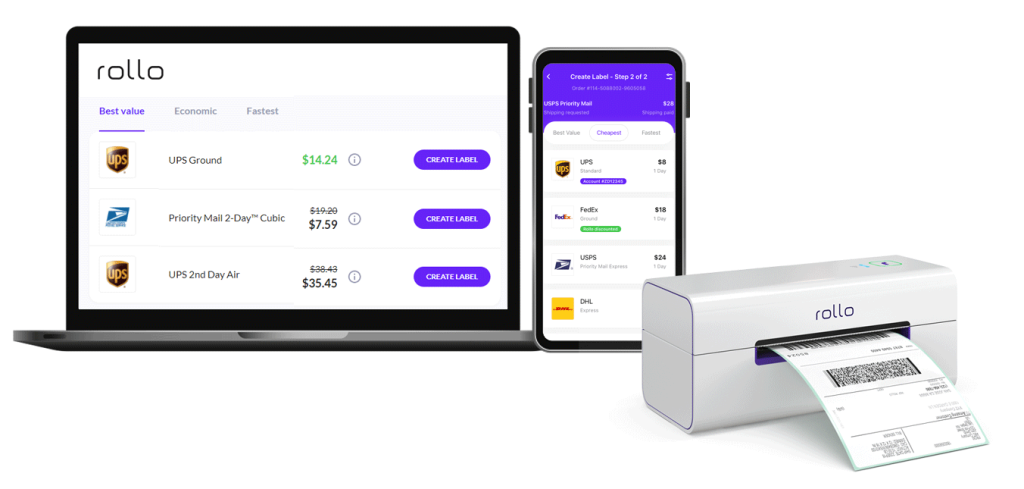
- 🖨️ Rollo’s Amazon shipping label printer solves these problems with tailored direct thermal printing for barcode labels from 1 inch to 4 inches wide. With ink-free printing and smart label detection, Rollo takes the guesswork out of printing shipping and inventory labels.
See how to leverage Rollo and other printer types when building operational capacity.
PRINT YOUR AMAZON SHIPPING LABEL WIRELESSLY.
From any device, any app, or any file.
Expert Printing Techniques
Set your labeling processes up for success by:
- 🧹 Maintaining clean print heads and restocking thermal labels regularly.
- 🖨️ Using label sheets compatible with your printer type and Amazon’s requirements.
- 🔍 Setting print resolution above 203 dpi for crisp barcodes.
- 📐 Ensuring proper label calibration and alignment with template guides.
Correct handling also prevents hiccups:
- 👀 Watch out for smudged/faded text and test scan barcodes.
- ✋ Smooth labels carefully onto boxes without wrinkles, folds, or overlaps.
With steps for printing different Amazon shipping label types, mastering these techniques ensures smooth label application and barcode readability, setting the stage for flawless fulfillment processes.
Walkthrough: Printing an Amazon Shipping Label
Printing FNSKU Labels
-
-
- ✅ Set printer to 3×5 label sheets.
- ✅ Enter FNSKU text strings with font >12pt.
- ✅ Print labels and validate barcodes scan properly.
- ✅ Apply flat to products without overlaps or covering text.
-
Printing Shipping Labels
-
- ✅ Set printer to 4×6 label sheets.
- ✅ Generate labels through Amazon Seller Central or other software.
- ✅ Validate print quality and barcode readability.
- ✅ Stick securely to boxes according to Amazon guidelines.
Printing ASIN Labels
-
- ✅ Set printer to warehouse-grade 2×4 labels on Rollo.
- ✅ Enter 15-digit ASIN text strings clearly.
- ✅ Ensure text is crisp and scannable with no fading.
- ✅ Firmly affix labels visibly on all product cases/boxes.
Now let’s address operational questions sellers have about labeling.
Legal and Inventory Considerations
Proper registration and planning help sellers manage labeling along with expanding order volumes.
Getting Your Business Ducks in a Row
- 💼🏛️📝 Do sellers need business licenses or LLCs? Having business licenses and formal registering as an LLC protects sellers from personal liability but isn’t mandated to sell on Amazon. However, many states do require sales tax licenses.
- 📄💰🔒 What legal documents are needed? Keep income statements, invoices, and expense records for taxes. Have liability insurance, registered business names, and sales permits if mandated in your state.
Inventory and Fulfillment Strategies
- 📦📊 How many items do you need to utilize FBA? Amazon recommends sending at least 15-50 units of each product when starting. High-volume listings should maintain over 75 units to avoid going out of stock.
- 📦🚚 How can sellers handle order fulfillment? Let FBA handle storage, picking, and shipping by sending full cartons of inventory to Amazon warehouses. Or, manage your own warehousing and order processing workflows while still leveraging Amazon’s platform and tools.
Boosting Efficiency and Sales on Amazon
A proper Amazon shipping label helps sellers provide a stellar customer experience, driving conversion and loyalty. It also unlocks Amazon programs to scale success.
Delivering 5-Star Customer Experiences
A legible Amazon shipping label facilitates accurate shipping so customers receive orders on time without hassles. This helps earn reviews and repeat purchases.
Other efficiencies like consolidating shipments also improve the customer experience while saving seller costs. Sellers who master inventory management through FBA ship the optimal number of packages per order.
Taking these measures pays off – 93% of online experiences influence customer satisfaction. So don’t let labeling hiccups negatively impact service quality.
Opening Doors to Amazon Programs
Compliant labeling lets sellers access coveted programs:
- 📦🏷️ FBA handles the fulfillment process once inventory arrives at Amazon’s warehouses. However accurate item labeling is vital for Amazon to store and ship units properly.
- 📦✅ Seller Fulfilled Prime lets merchants who don’t use FBA sell to Prime customers while handling fulfillment themselves. Items still need proper barcode labeling though.
- 🚚📦 FBA Onsite brings FBA services to sellers via pickup and delivery instead of requiring shipment to Amazon warehouses. However, existing labeling standards remain.
The bottom line? Master the Amazon shipping label to quickly rank products, expand order capacity, and enter exclusive programs for boosted profitability.
NO MONTHLY SUBSCRIPTIONS.
The first 200 shipping labels (Amazon shipping labels) are on us.
Every next label is just 5 cents.
Schedule pickups, consolidate orders, and print bulk labels.
Up to 90% off UPS, FedEx, and USPS shipping.
Keep in mind ⚠️ Adapting to Evolving Guidelines: Amazon shipping label and
packaging guidelines are constantly refined. Staying updated is key to smooth
fulfillment.
If two things ring clear about selling on Amazon, it’s the abundance of rules and lack of leeway. Their stringent Amazon shipping label policies can overwhelm new sellers.
But viewing standards as enablers instead of roadblocks sets your business up for efficiency gains. Compliance and quality packaging prevent losses from rejected inventory or orders getting severely delayed or lost.
This peace of mind lets sellers focus on customer experience, leveraging Fulfillment By Amazon programs to scale success.
As labeling rules constantly evolve, sellers shouldn’t reinvent the wheel. Rollo’s versatile printers make light work of shifting requirements to help brands package and ship smart while avoiding penalties. Join Rollo to step into selling success on Amazon.
Follow Rollo on:
Frequently Asked Questions about Amazon Shipping Label Strategies:
📌 Q: Do I need a business license to sell on Amazon?
📌 Q: Can I sell on Amazon without an LLC?
📌 Q: What type of printer is best for Amazon FBA labels?
📌 Q: Do I need a barcode for FBA?
- 🖨️ Print Quality: Labels must print clearly in black ink on white labels without smearing or fading.
- 🧼 Adhesives: Use removable adhesives that don’t leave residue behind or tear packaging.
- 📏 Label Sizes: From 1×3 inches for shipping labels to 3×5 inches for FNSKUs. Measure carefully.
- 📦 Label Placement: Attach labels smoothly to packages, and avoid wrinkles for clear readability.
With labeling rules clear, how do sellers integrate printing into their workflow?
[/vc_column_text]
Did you know? 🤔 Sustainability Strides: Amazon's move to recyclable packaging in
Europe and eliminating single-use plastic in India highlights its sustainability
efforts.
Print Your Amazon Shipping Label the Smart Way
Choosing suitable printers and using them properly ensures readable labels that drive efficiency.
Finding the Right Printers
- ☄️ Laser Printers offer crisp, professional FNSKU labels affordably but have limitations in printing versatile barcode labels.
- ✒️ Inkjet Printers also print labels affordably but face smudging, fading, and adhesive compatibility issues with moisture.
- 🖨️ Rollo’s Amazon shipping label printer solves these problems with tailored direct thermal printing for barcode labels from 1 inch to 4 inches wide. With ink-free printing and smart label detection, Rollo takes the guesswork out of printing shipping and inventory labels.
See how to leverage Rollo and other printer types when building operational capacity.
PRINT YOUR AMAZON SHIPPING LABEL WIRELESSLY.
From any device, any app, or any file.
Expert Printing Techniques
Set your labeling processes up for success by:
- 🧹 Maintaining clean print heads and restocking thermal labels regularly.
- 🖨️ Using label sheets compatible with your printer type and Amazon’s requirements.
- 🔍 Setting print resolution above 203 dpi for crisp barcodes.
- 📐 Ensuring proper label calibration and alignment with template guides.
Correct handling also prevents hiccups:
- 👀 Watch out for smudged/faded text and test scan barcodes.
- ✋ Smooth labels carefully onto boxes without wrinkles, folds, or overlaps.
With steps for printing different Amazon shipping label types, mastering these techniques ensures smooth label application and barcode readability, setting the stage for flawless fulfillment processes.
Walkthrough: Printing an Amazon Shipping Label
Printing FNSKU Labels
-
-
- ✅ Set printer to 3×5 label sheets.
- ✅ Enter FNSKU text strings with font >12pt.
- ✅ Print labels and validate barcodes scan properly.
- ✅ Apply flat to products without overlaps or covering text.
-
Printing Shipping Labels
-
- ✅ Set printer to 4×6 label sheets.
- ✅ Generate labels through Amazon Seller Central or other software.
- ✅ Validate print quality and barcode readability.
- ✅ Stick securely to boxes according to Amazon guidelines.
Printing ASIN Labels
-
- ✅ Set printer to warehouse-grade 2×4 labels on Rollo.
- ✅ Enter 15-digit ASIN text strings clearly.
- ✅ Ensure text is crisp and scannable with no fading.
- ✅ Firmly affix labels visibly on all product cases/boxes.
Now let’s address operational questions sellers have about labeling.
Legal and Inventory Considerations
Proper registration and planning help sellers manage labeling along with expanding order volumes.
Getting Your Business Ducks in a Row
- 💼🏛️📝 Do sellers need business licenses or LLCs? Having business licenses and formal registering as an LLC protects sellers from personal liability but isn’t mandated to sell on Amazon. However, many states do require sales tax licenses.
- 📄💰🔒 What legal documents are needed? Keep income statements, invoices, and expense records for taxes. Have liability insurance, registered business names, and sales permits if mandated in your state.
Inventory and Fulfillment Strategies
- 📦📊 How many items do you need to utilize FBA? Amazon recommends sending at least 15-50 units of each product when starting. High-volume listings should maintain over 75 units to avoid going out of stock.
- 📦🚚 How can sellers handle order fulfillment? Let FBA handle storage, picking, and shipping by sending full cartons of inventory to Amazon warehouses. Or, manage your own warehousing and order processing workflows while still leveraging Amazon’s platform and tools.
Boosting Efficiency and Sales on Amazon
A proper Amazon shipping label helps sellers provide a stellar customer experience, driving conversion and loyalty. It also unlocks Amazon programs to scale success.
Delivering 5-Star Customer Experiences
A legible Amazon shipping label facilitates accurate shipping so customers receive orders on time without hassles. This helps earn reviews and repeat purchases.
Other efficiencies like consolidating shipments also improve the customer experience while saving seller costs. Sellers who master inventory management through FBA ship the optimal number of packages per order.
Taking these measures pays off – 93% of online experiences influence customer satisfaction. So don’t let labeling hiccups negatively impact service quality.
Opening Doors to Amazon Programs
Compliant labeling lets sellers access coveted programs:
- 📦🏷️ FBA handles the fulfillment process once inventory arrives at Amazon’s warehouses. However accurate item labeling is vital for Amazon to store and ship units properly.
- 📦✅ Seller Fulfilled Prime lets merchants who don’t use FBA sell to Prime customers while handling fulfillment themselves. Items still need proper barcode labeling though.
- 🚚📦 FBA Onsite brings FBA services to sellers via pickup and delivery instead of requiring shipment to Amazon warehouses. However, existing labeling standards remain.
The bottom line? Master the Amazon shipping label to quickly rank products, expand order capacity, and enter exclusive programs for boosted profitability.
NO MONTHLY SUBSCRIPTIONS.
The first 200 shipping labels (Amazon shipping labels) are on us.
Every next label is just 5 cents.
Schedule pickups, consolidate orders, and print bulk labels.
Up to 90% off UPS, FedEx, and USPS shipping.
Keep in mind ⚠️ Adapting to Evolving Guidelines: Amazon shipping label and
packaging guidelines are constantly refined. Staying updated is key to smooth
fulfillment.
If two things ring clear about selling on Amazon, it’s the abundance of rules and lack of leeway. Their stringent Amazon shipping label policies can overwhelm new sellers.
But viewing standards as enablers instead of roadblocks sets your business up for efficiency gains. Compliance and quality packaging prevent losses from rejected inventory or orders getting severely delayed or lost.
This peace of mind lets sellers focus on customer experience, leveraging Fulfillment By Amazon programs to scale success.
As labeling rules constantly evolve, sellers shouldn’t reinvent the wheel. Rollo’s versatile printers make light work of shifting requirements to help brands package and ship smart while avoiding penalties. Join Rollo to step into selling success on Amazon.
Follow Rollo on:
Frequently Asked Questions about Amazon Shipping Label Strategies:
📌 Q: Do I need a business license to sell on Amazon?
📌 Q: Can I sell on Amazon without an LLC?
📌 Q: What type of printer is best for Amazon FBA labels?
📌 Q: Do I need a barcode for FBA?
- 🖨️ Print Quality: Labels must print clearly in black ink on white labels without smearing or fading.
- 🧼 Adhesives: Use removable adhesives that don’t leave residue behind or tear packaging.
- 📏 Label Sizes: From 1×3 inches for shipping labels to 3×5 inches for FNSKUs. Measure carefully.
- 📦 Label Placement: Attach labels smoothly to packages, and avoid wrinkles for clear readability.
With labeling rules clear, how do sellers integrate printing into their workflow?
[/vc_column_text]
Did you know? 🤔 Sustainability Strides: Amazon's move to recyclable packaging in
Europe and eliminating single-use plastic in India highlights its sustainability
efforts.
Print Your Amazon Shipping Label the Smart Way
Choosing suitable printers and using them properly ensures readable labels that drive efficiency.
Finding the Right Printers
- ☄️ Laser Printers offer crisp, professional FNSKU labels affordably but have limitations in printing versatile barcode labels.
- ✒️ Inkjet Printers also print labels affordably but face smudging, fading, and adhesive compatibility issues with moisture.
- 🖨️ Rollo’s Amazon shipping label printer solves these problems with tailored direct thermal printing for barcode labels from 1 inch to 4 inches wide. With ink-free printing and smart label detection, Rollo takes the guesswork out of printing shipping and inventory labels.
See how to leverage Rollo and other printer types when building operational capacity.
PRINT YOUR AMAZON SHIPPING LABEL WIRELESSLY.
From any device, any app, or any file.
Expert Printing Techniques
Set your labeling processes up for success by:
- 🧹 Maintaining clean print heads and restocking thermal labels regularly.
- 🖨️ Using label sheets compatible with your printer type and Amazon’s requirements.
- 🔍 Setting print resolution above 203 dpi for crisp barcodes.
- 📐 Ensuring proper label calibration and alignment with template guides.
Correct handling also prevents hiccups:
- 👀 Watch out for smudged/faded text and test scan barcodes.
- ✋ Smooth labels carefully onto boxes without wrinkles, folds, or overlaps.
With steps for printing different Amazon shipping label types, mastering these techniques ensures smooth label application and barcode readability, setting the stage for flawless fulfillment processes.
Walkthrough: Printing an Amazon Shipping Label
Printing FNSKU Labels
-
-
- ✅ Set printer to 3×5 label sheets.
- ✅ Enter FNSKU text strings with font >12pt.
- ✅ Print labels and validate barcodes scan properly.
- ✅ Apply flat to products without overlaps or covering text.
-
Printing Shipping Labels
-
- ✅ Set printer to 4×6 label sheets.
- ✅ Generate labels through Amazon Seller Central or other software.
- ✅ Validate print quality and barcode readability.
- ✅ Stick securely to boxes according to Amazon guidelines.
Printing ASIN Labels
-
- ✅ Set printer to warehouse-grade 2×4 labels on Rollo.
- ✅ Enter 15-digit ASIN text strings clearly.
- ✅ Ensure text is crisp and scannable with no fading.
- ✅ Firmly affix labels visibly on all product cases/boxes.
Now let’s address operational questions sellers have about labeling.
Legal and Inventory Considerations
Proper registration and planning help sellers manage labeling along with expanding order volumes.
Getting Your Business Ducks in a Row
- 💼🏛️📝 Do sellers need business licenses or LLCs? Having business licenses and formal registering as an LLC protects sellers from personal liability but isn’t mandated to sell on Amazon. However, many states do require sales tax licenses.
- 📄💰🔒 What legal documents are needed? Keep income statements, invoices, and expense records for taxes. Have liability insurance, registered business names, and sales permits if mandated in your state.
Inventory and Fulfillment Strategies
- 📦📊 How many items do you need to utilize FBA? Amazon recommends sending at least 15-50 units of each product when starting. High-volume listings should maintain over 75 units to avoid going out of stock.
- 📦🚚 How can sellers handle order fulfillment? Let FBA handle storage, picking, and shipping by sending full cartons of inventory to Amazon warehouses. Or, manage your own warehousing and order processing workflows while still leveraging Amazon’s platform and tools.
Boosting Efficiency and Sales on Amazon
A proper Amazon shipping label helps sellers provide a stellar customer experience, driving conversion and loyalty. It also unlocks Amazon programs to scale success.
Delivering 5-Star Customer Experiences
A legible Amazon shipping label facilitates accurate shipping so customers receive orders on time without hassles. This helps earn reviews and repeat purchases.
Other efficiencies like consolidating shipments also improve the customer experience while saving seller costs. Sellers who master inventory management through FBA ship the optimal number of packages per order.
Taking these measures pays off – 93% of online experiences influence customer satisfaction. So don’t let labeling hiccups negatively impact service quality.
Opening Doors to Amazon Programs
Compliant labeling lets sellers access coveted programs:
- 📦🏷️ FBA handles the fulfillment process once inventory arrives at Amazon’s warehouses. However accurate item labeling is vital for Amazon to store and ship units properly.
- 📦✅ Seller Fulfilled Prime lets merchants who don’t use FBA sell to Prime customers while handling fulfillment themselves. Items still need proper barcode labeling though.
- 🚚📦 FBA Onsite brings FBA services to sellers via pickup and delivery instead of requiring shipment to Amazon warehouses. However, existing labeling standards remain.
The bottom line? Master the Amazon shipping label to quickly rank products, expand order capacity, and enter exclusive programs for boosted profitability.
NO MONTHLY SUBSCRIPTIONS.
The first 200 shipping labels (Amazon shipping labels) are on us.
Every next label is just 5 cents.
Schedule pickups, consolidate orders, and print bulk labels.
Up to 90% off UPS, FedEx, and USPS shipping.
Keep in mind ⚠️ Adapting to Evolving Guidelines: Amazon shipping label and
packaging guidelines are constantly refined. Staying updated is key to smooth
fulfillment.
If two things ring clear about selling on Amazon, it’s the abundance of rules and lack of leeway. Their stringent Amazon shipping label policies can overwhelm new sellers.
But viewing standards as enablers instead of roadblocks sets your business up for efficiency gains. Compliance and quality packaging prevent losses from rejected inventory or orders getting severely delayed or lost.
This peace of mind lets sellers focus on customer experience, leveraging Fulfillment By Amazon programs to scale success.
As labeling rules constantly evolve, sellers shouldn’t reinvent the wheel. Rollo’s versatile printers make light work of shifting requirements to help brands package and ship smart while avoiding penalties. Join Rollo to step into selling success on Amazon.
Follow Rollo on:
Frequently Asked Questions about Amazon Shipping Label Strategies:
📌 Q: Do I need a business license to sell on Amazon?
📌 Q: Can I sell on Amazon without an LLC?
📌 Q: What type of printer is best for Amazon FBA labels?
📌 Q: Do I need a barcode for FBA?
[/vc_column_text]
Did you know? 🤔 ASIN vs. FNSKU: For Amazon FBA, both the universal ASIN and
Amazon-specific FNSKU are needed on labels for efficient tracking and inventory
management. For FBM sales, only the ASIN is required, since sellers manage
fulfillment directly.
Amazon Shipping Label Specifications to Follow
Printing your Amazon shipping label correctly, both in format and physically, prevents problems.
- 🖨️ Print Quality: Labels must print clearly in black ink on white labels without smearing or fading.
- 🧼 Adhesives: Use removable adhesives that don’t leave residue behind or tear packaging.
- 📏 Label Sizes: From 1×3 inches for shipping labels to 3×5 inches for FNSKUs. Measure carefully.
- 📦 Label Placement: Attach labels smoothly to packages, and avoid wrinkles for clear readability.
With labeling rules clear, how do sellers integrate printing into their workflow?
Did you know? 🤔 Sustainability Strides: Amazon's move to recyclable packaging in
Europe and eliminating single-use plastic in India highlights its sustainability
efforts.
Print Your Amazon Shipping Label the Smart Way
Choosing suitable printers and using them properly ensures readable labels that drive efficiency.
Finding the Right Printers
- ☄️ Laser Printers offer crisp, professional FNSKU labels affordably but have limitations in printing versatile barcode labels.
- ✒️ Inkjet Printers also print labels affordably but face smudging, fading, and adhesive compatibility issues with moisture.
- 🖨️ Rollo’s Amazon shipping label printer solves these problems with tailored direct thermal printing for barcode labels from 1 inch to 4 inches wide. With ink-free printing and smart label detection, Rollo takes the guesswork out of printing shipping and inventory labels.
See how to leverage Rollo and other printer types when building operational capacity.
PRINT YOUR AMAZON SHIPPING LABEL WIRELESSLY.
From any device, any app, or any file.
Expert Printing Techniques
Set your labeling processes up for success by:
- 🧹 Maintaining clean print heads and restocking thermal labels regularly.
- 🖨️ Using label sheets compatible with your printer type and Amazon’s requirements.
- 🔍 Setting print resolution above 203 dpi for crisp barcodes.
- 📐 Ensuring proper label calibration and alignment with template guides.
Correct handling also prevents hiccups:
- 👀 Watch out for smudged/faded text and test scan barcodes.
- ✋ Smooth labels carefully onto boxes without wrinkles, folds, or overlaps.
With steps for printing different Amazon shipping label types, mastering these techniques ensures smooth label application and barcode readability, setting the stage for flawless fulfillment processes.
Walkthrough: Printing an Amazon Shipping Label
Printing FNSKU Labels
-
-
- ✅ Set printer to 3×5 label sheets.
- ✅ Enter FNSKU text strings with font >12pt.
- ✅ Print labels and validate barcodes scan properly.
- ✅ Apply flat to products without overlaps or covering text.
-
Printing Shipping Labels
-
- ✅ Set printer to 4×6 label sheets.
- ✅ Generate labels through Amazon Seller Central or other software.
- ✅ Validate print quality and barcode readability.
- ✅ Stick securely to boxes according to Amazon guidelines.
Printing ASIN Labels
-
- ✅ Set printer to warehouse-grade 2×4 labels on Rollo.
- ✅ Enter 15-digit ASIN text strings clearly.
- ✅ Ensure text is crisp and scannable with no fading.
- ✅ Firmly affix labels visibly on all product cases/boxes.
Now let’s address operational questions sellers have about labeling.
Legal and Inventory Considerations
Proper registration and planning help sellers manage labeling along with expanding order volumes.
Getting Your Business Ducks in a Row
- 💼🏛️📝 Do sellers need business licenses or LLCs? Having business licenses and formal registering as an LLC protects sellers from personal liability but isn’t mandated to sell on Amazon. However, many states do require sales tax licenses.
- 📄💰🔒 What legal documents are needed? Keep income statements, invoices, and expense records for taxes. Have liability insurance, registered business names, and sales permits if mandated in your state.
Inventory and Fulfillment Strategies
- 📦📊 How many items do you need to utilize FBA? Amazon recommends sending at least 15-50 units of each product when starting. High-volume listings should maintain over 75 units to avoid going out of stock.
- 📦🚚 How can sellers handle order fulfillment? Let FBA handle storage, picking, and shipping by sending full cartons of inventory to Amazon warehouses. Or, manage your own warehousing and order processing workflows while still leveraging Amazon’s platform and tools.
Boosting Efficiency and Sales on Amazon
A proper Amazon shipping label helps sellers provide a stellar customer experience, driving conversion and loyalty. It also unlocks Amazon programs to scale success.
Delivering 5-Star Customer Experiences
A legible Amazon shipping label facilitates accurate shipping so customers receive orders on time without hassles. This helps earn reviews and repeat purchases.
Other efficiencies like consolidating shipments also improve the customer experience while saving seller costs. Sellers who master inventory management through FBA ship the optimal number of packages per order.
Taking these measures pays off – 93% of online experiences influence customer satisfaction. So don’t let labeling hiccups negatively impact service quality.
Opening Doors to Amazon Programs
Compliant labeling lets sellers access coveted programs:
- 📦🏷️ FBA handles the fulfillment process once inventory arrives at Amazon’s warehouses. However accurate item labeling is vital for Amazon to store and ship units properly.
- 📦✅ Seller Fulfilled Prime lets merchants who don’t use FBA sell to Prime customers while handling fulfillment themselves. Items still need proper barcode labeling though.
- 🚚📦 FBA Onsite brings FBA services to sellers via pickup and delivery instead of requiring shipment to Amazon warehouses. However, existing labeling standards remain.
The bottom line? Master the Amazon shipping label to quickly rank products, expand order capacity, and enter exclusive programs for boosted profitability.
NO MONTHLY SUBSCRIPTIONS.
The first 200 shipping labels (Amazon shipping labels) are on us.
Every next label is just 5 cents.
Schedule pickups, consolidate orders, and print bulk labels.
Up to 90% off UPS, FedEx, and USPS shipping.
Keep in mind ⚠️ Adapting to Evolving Guidelines: Amazon shipping label and
packaging guidelines are constantly refined. Staying updated is key to smooth
fulfillment.
If two things ring clear about selling on Amazon, it’s the abundance of rules and lack of leeway. Their stringent Amazon shipping label policies can overwhelm new sellers.
But viewing standards as enablers instead of roadblocks sets your business up for efficiency gains. Compliance and quality packaging prevent losses from rejected inventory or orders getting severely delayed or lost.
This peace of mind lets sellers focus on customer experience, leveraging Fulfillment By Amazon programs to scale success.
As labeling rules constantly evolve, sellers shouldn’t reinvent the wheel. Rollo’s versatile printers make light work of shifting requirements to help brands package and ship smart while avoiding penalties. Join Rollo to step into selling success on Amazon.
Follow Rollo on:
Frequently Asked Questions about Amazon Shipping Label Strategies:
📌 Q: Do I need a business license to sell on Amazon?
📌 Q: Can I sell on Amazon without an LLC?
📌 Q: What type of printer is best for Amazon FBA labels?
📌 Q: Do I need a barcode for FBA?
[/vc_column_text]
Pro Tip: 💡 Eco-friendly Packaging: With Amazon reducing packaging waste, consider
your product's packaging choices. It saves costs and appeals to eco-conscious
customers.
Decoding FBA Labeling
- 🏷️ FNSKU Labels identify products for storage, picking, and shipping in Amazon’s warehouses. You need to stick one FNSKU label on each unit.
- 📦 Amazon Shipping Labels are generated when an order comes in. They ensure packages ship to the right customer addresses.
- 🔖 ASIN Labels help Amazon identify products during receipt. Include product ASIN text or barcodes on units or shipping boxes.
Each label type has its specifications for content, print quality, size, and adhesive. And every product needs certain labels – getting this right is vital.
Did you know? 🤔 ASIN vs. FNSKU: For Amazon FBA, both the universal ASIN and
Amazon-specific FNSKU are needed on labels for efficient tracking and inventory
management. For FBM sales, only the ASIN is required, since sellers manage
fulfillment directly.
Amazon Shipping Label Specifications to Follow
Printing your Amazon shipping label correctly, both in format and physically, prevents problems.
- 🖨️ Print Quality: Labels must print clearly in black ink on white labels without smearing or fading.
- 🧼 Adhesives: Use removable adhesives that don’t leave residue behind or tear packaging.
- 📏 Label Sizes: From 1×3 inches for shipping labels to 3×5 inches for FNSKUs. Measure carefully.
- 📦 Label Placement: Attach labels smoothly to packages, and avoid wrinkles for clear readability.
With labeling rules clear, how do sellers integrate printing into their workflow?
Did you know? 🤔 Sustainability Strides: Amazon's move to recyclable packaging in
Europe and eliminating single-use plastic in India highlights its sustainability
efforts.
Print Your Amazon Shipping Label the Smart Way
Choosing suitable printers and using them properly ensures readable labels that drive efficiency.
Finding the Right Printers
- ☄️ Laser Printers offer crisp, professional FNSKU labels affordably but have limitations in printing versatile barcode labels.
- ✒️ Inkjet Printers also print labels affordably but face smudging, fading, and adhesive compatibility issues with moisture.
- 🖨️ Rollo’s Amazon shipping label printer solves these problems with tailored direct thermal printing for barcode labels from 1 inch to 4 inches wide. With ink-free printing and smart label detection, Rollo takes the guesswork out of printing shipping and inventory labels.
See how to leverage Rollo and other printer types when building operational capacity.
PRINT YOUR AMAZON SHIPPING LABEL WIRELESSLY.
From any device, any app, or any file.
Expert Printing Techniques
Set your labeling processes up for success by:
- 🧹 Maintaining clean print heads and restocking thermal labels regularly.
- 🖨️ Using label sheets compatible with your printer type and Amazon’s requirements.
- 🔍 Setting print resolution above 203 dpi for crisp barcodes.
- 📐 Ensuring proper label calibration and alignment with template guides.
Correct handling also prevents hiccups:
- 👀 Watch out for smudged/faded text and test scan barcodes.
- ✋ Smooth labels carefully onto boxes without wrinkles, folds, or overlaps.
With steps for printing different Amazon shipping label types, mastering these techniques ensures smooth label application and barcode readability, setting the stage for flawless fulfillment processes.
Walkthrough: Printing an Amazon Shipping Label
Printing FNSKU Labels
-
-
- ✅ Set printer to 3×5 label sheets.
- ✅ Enter FNSKU text strings with font >12pt.
- ✅ Print labels and validate barcodes scan properly.
- ✅ Apply flat to products without overlaps or covering text.
-
Printing Shipping Labels
-
- ✅ Set printer to 4×6 label sheets.
- ✅ Generate labels through Amazon Seller Central or other software.
- ✅ Validate print quality and barcode readability.
- ✅ Stick securely to boxes according to Amazon guidelines.
Printing ASIN Labels
-
- ✅ Set printer to warehouse-grade 2×4 labels on Rollo.
- ✅ Enter 15-digit ASIN text strings clearly.
- ✅ Ensure text is crisp and scannable with no fading.
- ✅ Firmly affix labels visibly on all product cases/boxes.
Now let’s address operational questions sellers have about labeling.
Legal and Inventory Considerations
Proper registration and planning help sellers manage labeling along with expanding order volumes.
Getting Your Business Ducks in a Row
- 💼🏛️📝 Do sellers need business licenses or LLCs? Having business licenses and formal registering as an LLC protects sellers from personal liability but isn’t mandated to sell on Amazon. However, many states do require sales tax licenses.
- 📄💰🔒 What legal documents are needed? Keep income statements, invoices, and expense records for taxes. Have liability insurance, registered business names, and sales permits if mandated in your state.
Inventory and Fulfillment Strategies
- 📦📊 How many items do you need to utilize FBA? Amazon recommends sending at least 15-50 units of each product when starting. High-volume listings should maintain over 75 units to avoid going out of stock.
- 📦🚚 How can sellers handle order fulfillment? Let FBA handle storage, picking, and shipping by sending full cartons of inventory to Amazon warehouses. Or, manage your own warehousing and order processing workflows while still leveraging Amazon’s platform and tools.
Boosting Efficiency and Sales on Amazon
A proper Amazon shipping label helps sellers provide a stellar customer experience, driving conversion and loyalty. It also unlocks Amazon programs to scale success.
Delivering 5-Star Customer Experiences
A legible Amazon shipping label facilitates accurate shipping so customers receive orders on time without hassles. This helps earn reviews and repeat purchases.
Other efficiencies like consolidating shipments also improve the customer experience while saving seller costs. Sellers who master inventory management through FBA ship the optimal number of packages per order.
Taking these measures pays off – 93% of online experiences influence customer satisfaction. So don’t let labeling hiccups negatively impact service quality.
Opening Doors to Amazon Programs
Compliant labeling lets sellers access coveted programs:
- 📦🏷️ FBA handles the fulfillment process once inventory arrives at Amazon’s warehouses. However accurate item labeling is vital for Amazon to store and ship units properly.
- 📦✅ Seller Fulfilled Prime lets merchants who don’t use FBA sell to Prime customers while handling fulfillment themselves. Items still need proper barcode labeling though.
- 🚚📦 FBA Onsite brings FBA services to sellers via pickup and delivery instead of requiring shipment to Amazon warehouses. However, existing labeling standards remain.
The bottom line? Master the Amazon shipping label to quickly rank products, expand order capacity, and enter exclusive programs for boosted profitability.
NO MONTHLY SUBSCRIPTIONS.
The first 200 shipping labels (Amazon shipping labels) are on us.
Every next label is just 5 cents.
Schedule pickups, consolidate orders, and print bulk labels.
Up to 90% off UPS, FedEx, and USPS shipping.
Keep in mind ⚠️ Adapting to Evolving Guidelines: Amazon shipping label and
packaging guidelines are constantly refined. Staying updated is key to smooth
fulfillment.
If two things ring clear about selling on Amazon, it’s the abundance of rules and lack of leeway. Their stringent Amazon shipping label policies can overwhelm new sellers.
But viewing standards as enablers instead of roadblocks sets your business up for efficiency gains. Compliance and quality packaging prevent losses from rejected inventory or orders getting severely delayed or lost.
This peace of mind lets sellers focus on customer experience, leveraging Fulfillment By Amazon programs to scale success.
As labeling rules constantly evolve, sellers shouldn’t reinvent the wheel. Rollo’s versatile printers make light work of shifting requirements to help brands package and ship smart while avoiding penalties. Join Rollo to step into selling success on Amazon.
Follow Rollo on:
Frequently Asked Questions about Amazon Shipping Label Strategies:
📌 Q: Do I need a business license to sell on Amazon?
📌 Q: Can I sell on Amazon without an LLC?
📌 Q: What type of printer is best for Amazon FBA labels?
📌 Q: Do I need a barcode for FBA?