Rollo

Tag: barcode labels

  • Label Printing for Online Sellers: Professional and Quick

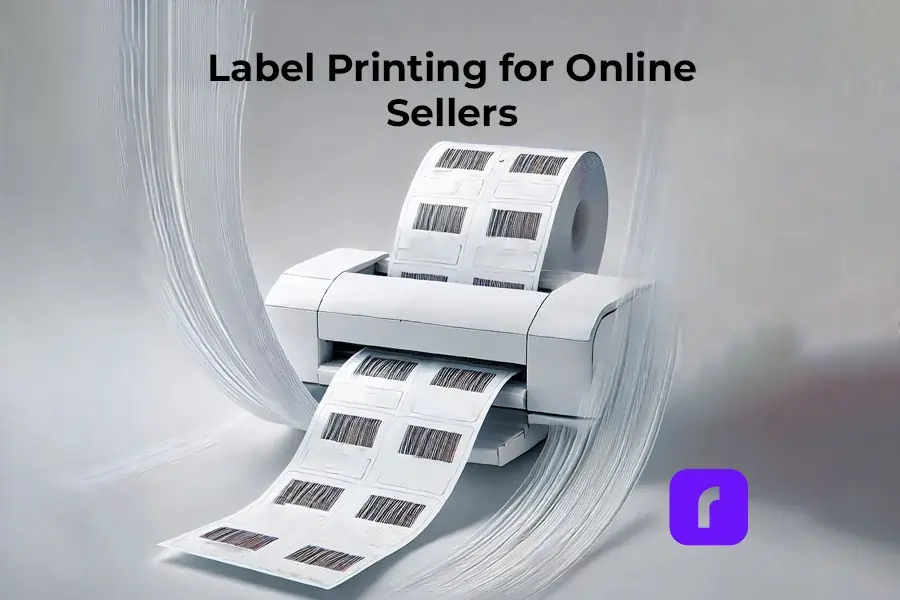
    Label Printing for Online Sellers: Professional and Quick

    In the world of online selling, having quick and professional label printing is key. Labels are more than just package markers. They are vital for branding, keeping customers happy, and running smoothly. Custom sticker labels let sellers personalize their orders, choosing the right materials and designs for their needs.

    Label Printing via Rollo

    Printing labels is crucial for businesses, especially those selling online. To print labels with the Rollo label printer, follow these steps:
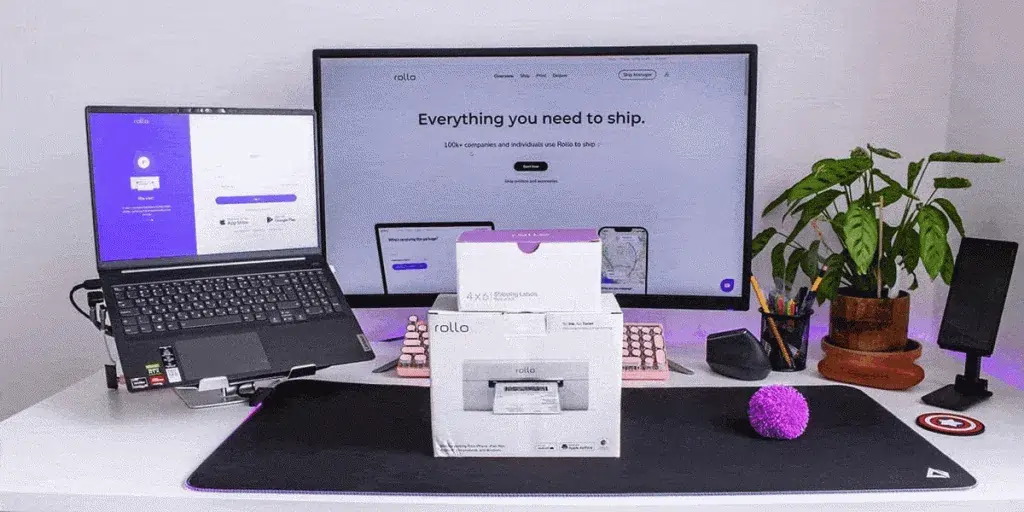
    Rollo wireless printer box in front of laptop and desktop monitor.

    1. Connect to Your Label Printer

    • First, make sure your Rollo label printer is connected to your computer or network. For the USB model, plug it in with the USB cable. Download the needed drivers. More here.
    • For the wireless model, connect it to your WiFi network by following the setup on the Rollo wireless setup page.

    2. Load the Labels

    Put your labels into the printer. Make sure they’re aligned with the guides to avoid mistakes.

    3. Open the Rollo Ship App

    Start the Rollo Ship App on your device. It’s free to use! This app makes managing your label printing easy.

    4. Import Orders

    Use the app to add your orders from your online stores. For a full list of integrations, check here. This makes sure all your shipping details are ready for printing.

    5. Print Your Labels

    Pick the orders you want to print labels for. The Rollo printer will quickly make your labels. They’re ready to go on your packages. No more work needed! Yay!

    Detailed Customization Options with Rollo Label Design Tool

    Creating custom labels with the Rollo Label Design Tool is easy and free.

    The tool lets you upload or make your own design. It has lots of templates and sizes, unlike other platforms. You can print your labels in the exact size you need, ensuring they’re precise and consistent.

    Advanced Customization Techniques

    Advanced customization is key for enhancing your brand with custom labels. Here are some strategies:

    Typography

    Choose fonts that are easy to read and match your brand’s tone. Whether it’s a fun font for kids’ products or a sleek one for tech, the right font is important.

    Layout and Design

    Make sure your label design is simple and not too busy. Important info should be easy to see, and the design should be balanced.

    Get Into Label Design.

    Benefits of Rollo Ship App and Rollo Label Printers

    Integration with E-commerce Platforms

    Rollo Ship App and Rollo printers work well with Amazon, TikTok Shop, and Shopify. Some other popular platform integrations include:

    They make managing orders and shipping easy. They import orders automatically and let you track shipments in real-time.

    This keeps your customers happy and informed.


    Speed and Efficiency of Label Printing

    Rollo printers print labels fast, up to one per second.

    They can handle a lot of labels without needing ink. 325,000 feet to be exact. This makes them great for sellers who ship a lot.

    Rollo also has smart features that make printing labels quick and easy. This means you can get orders out faster, making customers happier.


    Enhancing Brand Perception with Professional Labels

    Good-looking labels are key for online sellers. They make your brand look better and improve customer experience. Rollo’s Label Design Tool lets you create labels that match your brand.

    You can add logos, images, and even barcodes. This makes your labels unique and helps your brand stand out.


    Start Shipping Label Printing in Bulk.

    Label Printing in Word

    If you like using Microsoft Word, Rollo printers work with it. Here’s how to print labels in Word:

    1. Open a new document.
    2. Go to the ‘Mailings’ tab > select ‘Labels’. In the dialog box click on ‘Options’.
    3. Choose the type of label you are using. Word has many templates. You can also customize them.
    4. Enter your label details in the ‘Address’ box. You can add images and barcodes too.
    5. Set up your printer. Make sure it’s connected via USB or the same network.
    6. Click ‘Print’. Word will send the label info to your Rollo printer, and it will print them.


    How to Print PDF to Barcode Labels

    Printing PDFs to barcode labels is common for businesses. Here’s how to do it with a Rollo barcode label printer:

    1. Prepare the PDF File: Make sure your PDF is ready for barcode labels. Each page should match one label.
    2. Open the PDF: Use a PDF reader like Adobe Acrobat Reader to open your file.
    3. Select Print: Go to ‘File’ and choose ‘Print’ in the PDF reader.
    4. Set Printer Options: Pick your Rollo label printer. Choose the right label size and orientation in the settings.
    5. Adjust Settings for Barcode: Set the print quality to high for clear barcodes. Make sure labels are aligned right.
    6. Click ‘Print’. Your Rollo label printer will print each label accurately. This makes sure barcodes are scannable and clear.


    High-Quality Label Printing.

    Successful Businesses Using Rollo

    Artisan Soap Company

    An Artisan Soap Company uses Rollo to make labels that show off its natural ingredients and quality. They add botanical illustrations to highlight their eco-friendly and handcrafted products. They also use polypropylene labels that look like they have no label, are oil and water-resistant, and fit well with products that get wet or oily.

    These labels make the products look better and show the company’s commitment to quality and the environment. The Rollo printer can handle detailed designs and keeps the print quality high. This means the labels are made well and fast.

    High-End Candle Brand

    A high-end candle brand uses Rollo to make simple labels that look luxurious. They use sleek logos and colors to show they are premium. They also use a permanent marker for adding details to labels, making it easy to customize.

    Choosing a simple design makes the labels look good and easy to read. The Rollo printer’s accuracy and reliability help keep the high standards customers expect. This leads to good reviews and more business.

    Comparison with Competitors

    Many platforms offer label printing and shipping solutions. But Rollo stands out in key areas that make it a top choice for online sellers.
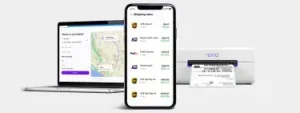
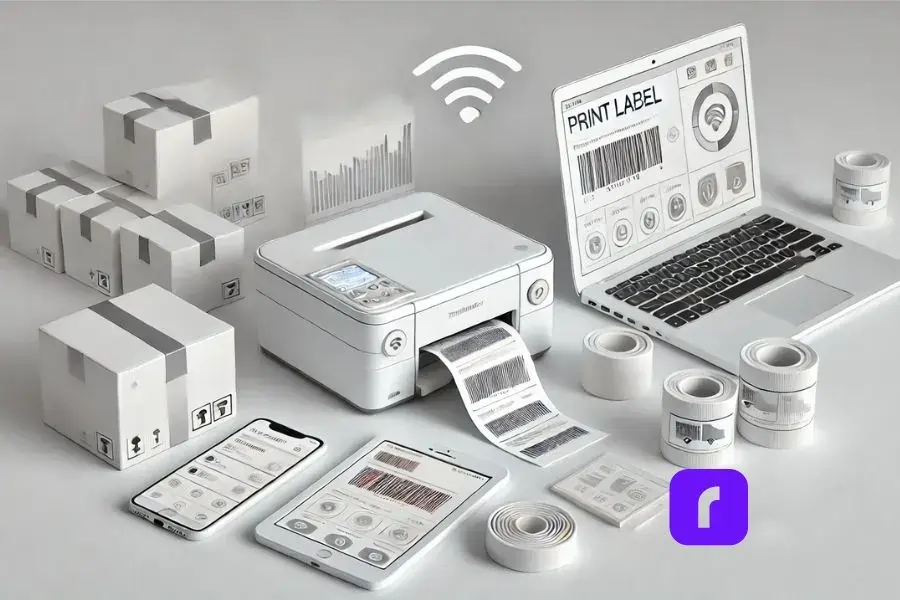
    laptop and mobile phone with Rollo Ship dashboard on screen next to rollo wireless label printer.

    Unique Selling Points of Rollo

    Rollo printers print labels fast, up to one per second. This makes shipping quicker and more efficient. Roll labels are also great for big orders and work well with label dispensers. This speed is key for businesses with lots of orders or need to ship fast.

    Customization 

    The Rollo Label Design Tool lets users create custom labels with logos, images, barcodes, and QR codes. It has many templates and allows for custom sizes. This is important for businesses wanting to stand out and show their brand.

    User-Friendly Interface 

    Speed and Efficiency 

    The Rollo Ship App is easy to use, unlike some other platforms. It makes managing shipping simple. Users can import orders, compare rates, print labels, and track shipments all in one place. This saves time and effort, letting businesses focus on other important things.

    Cost Efficiency 

    Rollo uses direct thermal label printing, which saves money by not needing ink or toner. It also works with many label types, saving more money. The Rollo Ship App gives access to special shipping rates, helping small businesses save on shipping costs.

    Customer Support and Service 

    Rollo is known for its great customer support. The team answers quickly and helps solve problems. This makes users feel supported and helps them enjoy using Rollo.

    Environmental Impact 

    Rollo cares about the environment. They use FSC-certified and BPA-free labels. No ink cartridges needed. This reduces waste and helps businesses be more eco-friendly. Plus, this sustainable approach appeals to conscious consumers.

    Testimonials and User Experiences

    Positive Feedback 

    Many users love Rollo for its easy setup and reliable performance. It offers customizable labels and quick service. A business owner says printing labels with Rollo is fun and efficient (Shipping School). Others save money with Rollo’s direct thermal printing, no ink or toner needed (Ynet News).
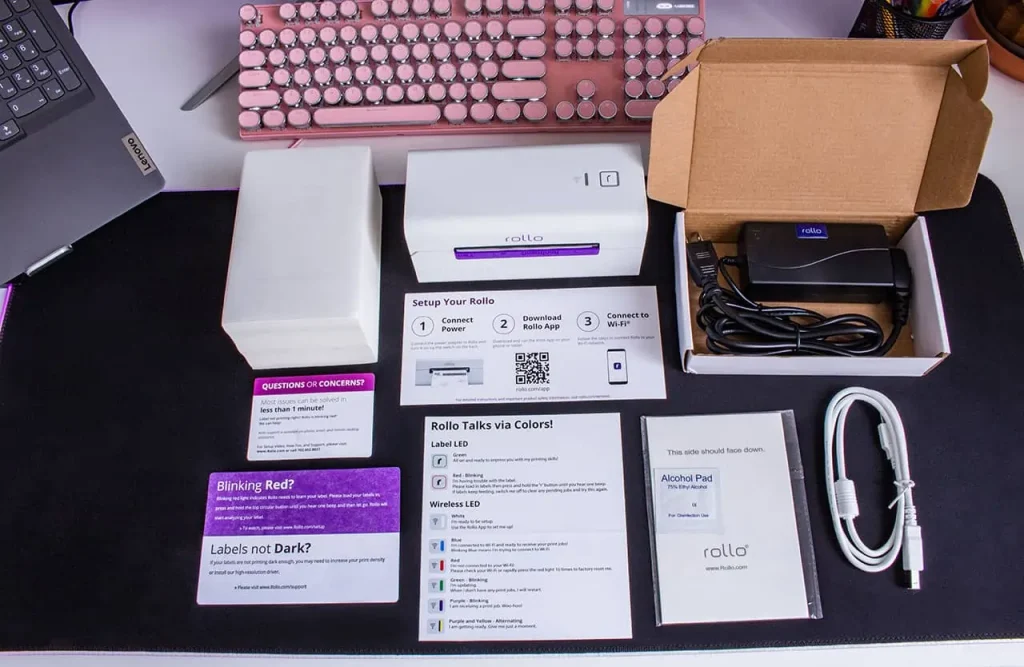
    label printing with Rollo printers.

    User Tips and Best Practices

    Regular Maintenance 

    To keep your printer working well and printing quality labels:

    • Clean the printhead often to avoid quality issues.
    • Follow the manufacturer’s maintenance tips, including cleaning and updates.
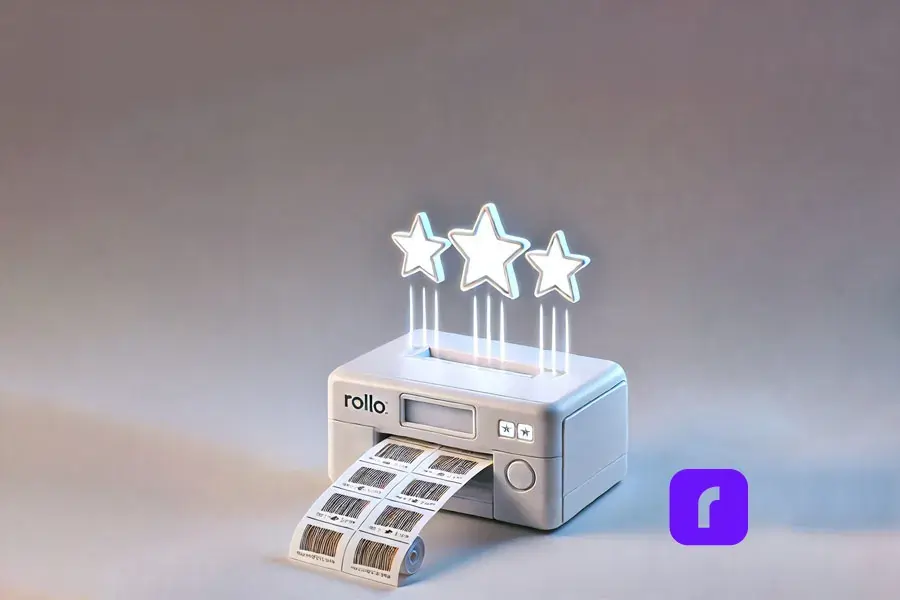
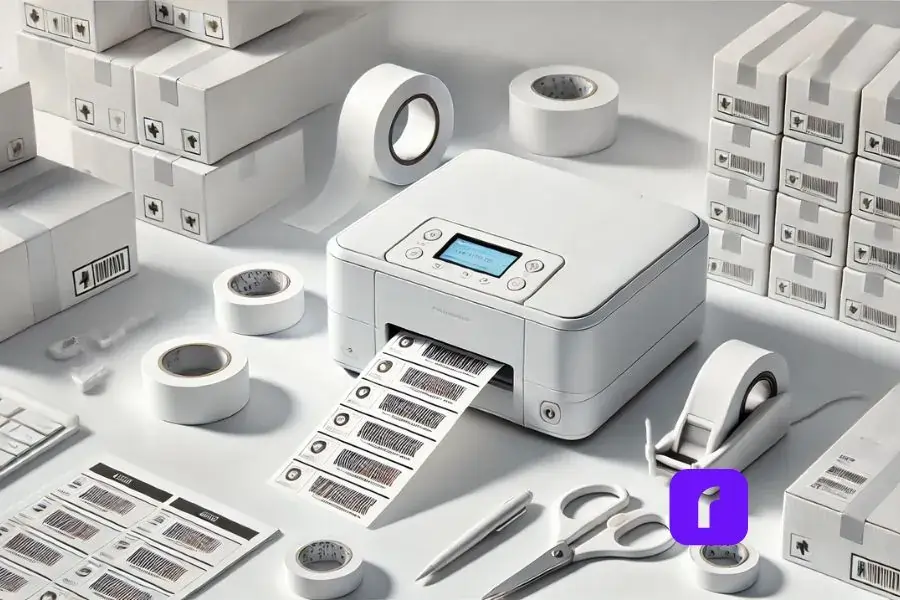
    rollo printer printing barcode labels

    Optimize Settings 

    Use the Rollo Ship App to improve your label settings:

    • Adjust print quality and speed as needed. Better quality might slow down printing.
    • Manage your label templates and settings in the app for consistency and efficiency.

    Leverage Discounts

    The Rollo Ship App offers big shipping discounts, great for those who ship a lot:

    • Use the app to find the best shipping rates and save money.
    • Check the app for new discounts and promotions to keep saving.

    User Experiences and Feedback 

    Customers love how easy Rollo is to use and how reliable it is:

    • They find the setup simple and the app easy to use. It’s great for managing orders and tracking shipments.
    • Even when there are problems, Rollo’s support team is quick to help. This keeps operations running smoothly.
    rollo printer printing labels with thumbs up signs and five stars symbols around it to represent user feedback.

    Advanced Shipping Strategies

    Batch Processing for High-Volume Shippers 

    Batch processing is key for those who ship a lot. The Rollo Ship App lets users print many labels at once. This makes shipping faster and saves a lot of time.

    Optimizing International Shipping 

    Businesses wanting to ship worldwide will find Rollo’s solutions great. It offers features like paperless customs invoices and cost estimates. These make international shipping easier and more affordable.

    Leveraging AI for Predictive Shipping Analytics 

    The Rollo Ship App uses AI to improve shipping. AI helps group orders, predict costs, and find the best routes. This makes shipping smooth for both businesses and customers.

    Conclusion

    Using tools like the Rollo Ship App and Rollo printers can really help your online sales. They work well with e-commerce sites and offer many customization options. Plus, they’re good for the environment.
    By using these tools, you can make your shipping better. This will also make your brand look good and help the planet.

    Follow Rollo on:

    Frequently asked questions

    Q: How to print labels?

    A: Printing labels with Rollo is simple. Connect your Rollo label printer to your device and load the labels. For more detailed instructions, visit the setup guide.
    Use the free software by Rollo. Sign up to Rollo Ship for shipping discounts and order consolidation from different marketplaces. Enjoy Rollo Label Designer to create custom labels and print them directly.


    Q: How to print labels in Word?

    A: You can print labels in Word by creating a new document, selecting the Labels option under Mailings, and entering your label details. Print the document using your Rollo label printer for high-quality labels.


    Q: How to print PDFs to barcode labels?

    A: To print PDF to barcode labels, open the PDF file, ensure the correct label size is selected in the print settings, and send the file to your Rollo label printer. The intelligent label detection feature will handle the rest.


    Q: What are the benefits of using sticker labels?
    A: Sticker labels provide customizable label solutions for various needs, including product packaging, personal artwork, and event favors. They are easy to order and personalize, with no extra costs for custom shapes and sizes.
  • Unlock Perfect Prints: Label Thermal Printer Secrets!

    Unlock Perfect Prints: Label Thermal Printer Secrets!

    Ever wondered how those perfectly printed shipping labels magically appear on your packages? Well, let me introduce you to the wizard behind the curtain: the label thermal printer. These nifty devices are revolutionizing the way online sellers and small businesses handle their shipping needs. And trust me, once you’ve got one of these bad boys on your team, you’ll wonder how you ever managed without it.

    Now, I know what you’re thinking. “Great, another piece of tech to clutter up my workspace.” But hold that thought. These printers are compact, efficient, and could be the game-changer your business has been waiting for. And when it comes to label thermal printers, Rollo is a name that keeps popping up. They’ve got some pretty sweet features that we’ll dive into later, so stick around.


    What’s the Deal with Label Thermal Printers?


    Let’s break it down. Label thermal printers are like the cool kids of the printing world. They don’t need ink or toner – how’s that for a party trick? Instead, they use heat to create images on specially coated paper. It’s like magic, but with science.

    These printers can churn out all sorts of labels. Shipping labels? Check. Barcode labels? You got it. Product labels? No problem. They’re versatile little machines, ready to tackle whatever labeling challenge you throw at them.
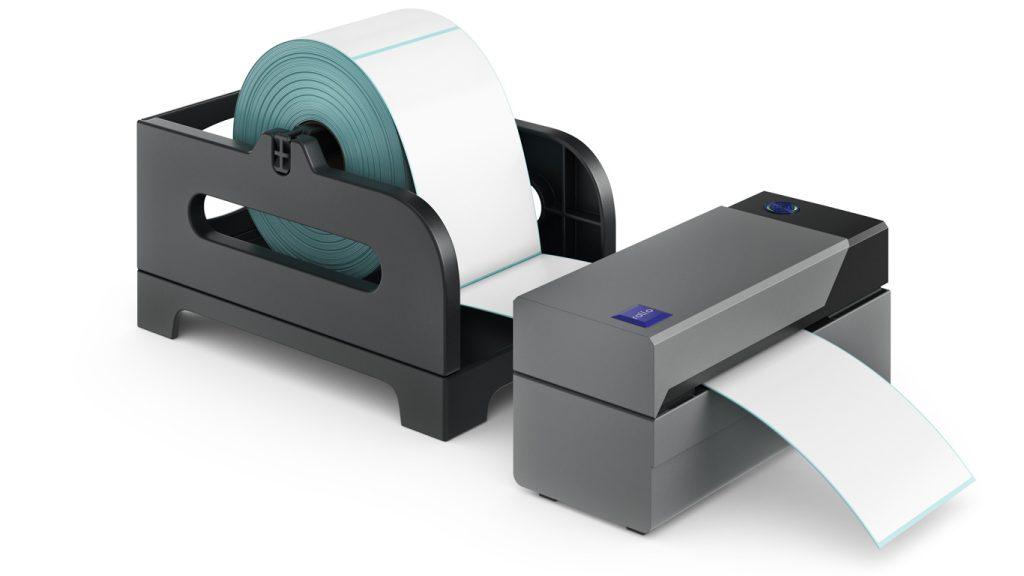
    But here’s where it gets really interesting. The labels produced by thermal printers are incredibly durable. They resist fading, smudging, and water damage better than your average inkjet-printed label. So your packages arrive looking as crisp and professional as the day you sent them out. Pretty neat, right?


    Picking the Perfect Printer for Your Business

    Now, let’s talk shopping. When you’re in the market for a label thermal printer, you’ve got options. There are many brands like Rollo all vying for your attention. But how do you choose?

    First off, think about what you need. Are you shipping out a few packages a week, or are you running a full-scale e-commerce operation? Your volume will dictate the kind of printer you need.

    Next, consider the features. Some printers, like a mini portable printer, can connect to your phone or tablet, letting you print labels on the go. Others integrate their shipping software seamlessly with e-commerce platforms, making your life a whole lot easier. And then there’s print quality – because nobody wants a label that looks like it went through the wash before it even left your office.


    Cost is another factor to weigh up. While label thermal printers might seem pricier upfront compared to your standard inkjet printer, they can save you a bundle in the long run. No more shelling out for expensive ink cartridges – just the labels themselves. It’s like the printer that keeps on giving.

    Speaking of giving, let’s talk about what Rollo brings to the table. Their label thermal printer is known for their speed and reliability – two things you definitely want when you’re trying to get those orders out the door. Plus, they’re compatible with all major shipping platforms. It’s like they’re playing nice with everyone in the sandbox.


    Getting Connected: It’s Easier Than You Think


    Minimalist depiction of a modern workspace featuring a label thermal printer wirelessly connected to multiple devices. The setup includes a smartphone, tablet, and laptop with blank screens, highlighting device versatility without text distractions. A nearby shipping box with a freshly printed label emphasizes multitasking capabilities. The design uses a predominantly white and light color scheme with subtle 3D effects, conveying simplicity, seamless integration, and a clean aesthetic.


    Remember the days when setting up a new piece of tech meant hours of frustration and maybe a few choice words? Well, those days are (mostly) behind us. Setting up a label thermal printer is usually a breeze.

    Many modern label printers, including Rollo’s lineup, can connect to your devices wirelessly. That means you can print labels from your computer, tablet, or even your smartphone. Imagine being able to print a shipping label while you’re packing an order – no more running back and forth to your desk. It’s multitasking at its finest.

    But what about integrating with your e-commerce platform? Good news – most label thermal printers play well with the big names in e-commerce. Whether you’re team Shopify, Amazon, eBay, or any other platform, chances are there’s a label printer out there ready to make your life easier.

    And setup? It’s usually as simple as plugging in the printer, installing any necessary software, and you’re off to the races. No computer science degree required.


    Making Your Labels Look Their Best

    Alright, let’s talk quality. After all, your labels are often the first impression your customers get of your business. You want them looking sharp, right?

    The good news is, label thermal printers are capable of producing some seriously high-quality prints. But like any tool, they need a bit of TLC to perform at their best.

    First up, consider your label material. Not all thermal labels are created equal. Cheaper labels might save you a few bucks upfront, but they could lead to faded or smudged prints down the line. It’s worth investing in good quality labels – your future self will thank you.


    Next, let’s talk printer settings. Most label thermal printers come with software that lets you adjust things like print darkness and speed. Don’t be afraid to play around with these settings to find what works best for your labels and your printer.

    Here’s a pro tip: keep your print head clean. A dirty print head can lead to streaky or faded prints. Most printers come with cleaning instructions – follow them, and your prints will thank you.

    And remember, practice makes perfect. Don’t be discouraged if your first few labels don’t look like works of art. Take some time to experiment with different settings and label types. Before you know it, you’ll be churning out professional-looking labels like a pro.


    Keeping Your Label Thermal Printer Ready


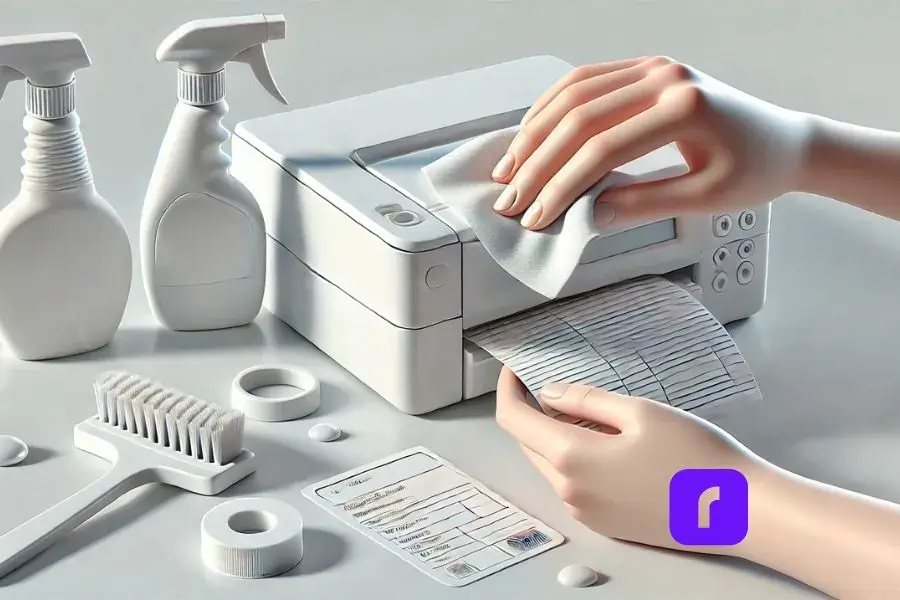
    pair of hands holding cleaning cloth to clean label thermal printer.


    Now, I know what you’re thinking. “Great, another piece of equipment to maintain.” But hear me out – taking care of your label thermal printer is actually pretty simple, and it can save you a lot of headaches down the road. Here are a few key points to keep in mind:

    Keep it clean:


      • 🧽 Dust and debris can build up over time, affecting print quality.
      • 🧴 Periodically wiping it down with a soft, lint-free cloth can work wonders.


    Take care of the print head:


      • ❤️ The print head is the heart of your printer and needs regular cleaning.
      • 📅 Most brands recommend cleaning the print head every few thousand prints.
      • 🧼 Cleaning is usually as simple as running a cleaning card through the printer.


    Troubleshoot common issues:


      • 📰 Paper jam: Check for obstructions and ensure you’re using the right size labels.
      • 🔧 Faded prints: Adjust your print settings or clean the print head.


    And if you ever need to replace the print head or calibrate the printer, don’t sweat it. These tasks might sound daunting, but they’re usually straightforward. Most printers come with detailed instructions, and there are plenty of helpful videos online if you need a visual guide.

    Remember, a little TLC goes a long way. Treat your printer right, and it’ll be your trusty sidekick for years to come.


    Beyond Shipping: The Many Faces of Label Thermal Printers


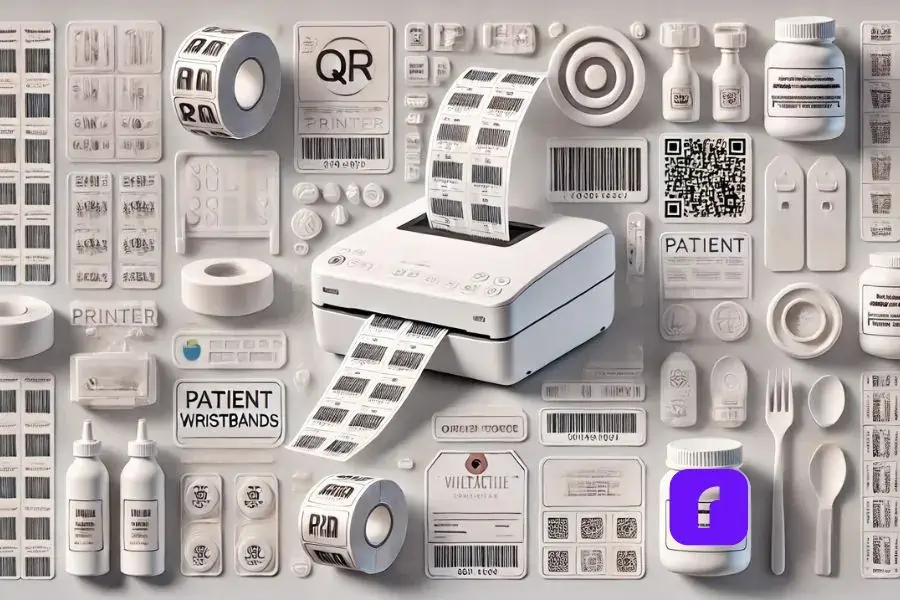
    Minimalist collage showcasing a label thermal printer in action, printing various label types such as barcodes, QR codes, and product labels. Surrounding the printer are stylized, simplified illustrations of applications: a retail shelf with price tags, a healthcare setting with patient wristbands, and a gourmet food jar with an ingredient label. The design features predominantly white and light colors with subtle 3D effects for depth, creating a clean and serene visual aesthetic.


    Sure, shipping labels might be the bread and butter of label thermal printers, but these versatile machines have a few more tricks up their sleeves.

    Need to print barcodes or QR codes? Label thermal printers have got you covered. They’re perfect for inventory management, product labeling, or even creating interactive marketing materials. And the best part? The prints are crisp and scannable – no more squinting at blurry barcodes.

    But what about specialized industries? Can these printers adapt to unique needs? Absolutely! Label thermal printers have found their way into diverse sectors:


      • 🏥 Healthcare: Used for patient wristbands and specimen labels.
      • 🛍️ Retail: Employed for price tags and inventory labels.
      • 🍎 Food Industry: Essential for ingredient lists and expiration dates.


    These printers are chameleons, adapting to the specific requirements of each field they enter. Whether you’re running a pharmacy, a boutique, or a gourmet food shop, there’s likely a thermal printing solution tailored to your needs.


    And let’s not forget about the power of design at your fingertips. Many label thermal printers, like the Rollo Wireless, come with their own label design apps. These apps are like having a graphic designer in your pocket. Need a sleek logo for your artisanal jam jars? Want to create eye-catching QR codes for your pop-up shop? The app’s got you covered.

    With a library of templates, icons, and customizable designs, you can whip up professional-looking labels in minutes. No design degree required! Plus, these apps often sync across devices, so you can start a design on your phone during your commute and finish it on your desktop at work. From simple shipping labels to intricate product packaging, the possibilities are endless. It’s like having a mini design studio that works seamlessly with your printer – talk about a dynamic duo!

    This replacement maintains the conversational tone while highlighting the capabilities of label design apps, which are becoming increasingly important in the thermal printing ecosystem. It emphasizes the versatility and user-friendliness of these apps, which can greatly expand the utility of label thermal printers for various users.


    Printing Green: Rollo’s Eco-Friendly Label Thermal Printer


    Eco Friendly Label Thermal Printer.


    Let’s talk green – and no, we’re not just talking about the color of your labels. Rollo’s label thermal printers are surprisingly eco-friendly. Who knew printing could be kind to Mother Nature?

    For starters, these printers are ink-free zones. No more tossing out empty cartridges or feeling guilty about plastic waste. Plus, Rollo offers FSC-certified labels from responsibly managed forests. It’s like hugging a tree with every shipment!

    But what about energy use? Good news! Thermal printers are energy-efficient little machines, sipping power like it’s a fine wine. And with Rollo’s printers designed to last through hundreds of thousands of labels, you’re looking at less electronic waste in the long run.

    Worried about keeping up with high-volume demands? Rollo’s got you covered there too. These printers can churn out labels faster than you can say “eco-friendly,” handling hundreds per day without breaking a sweat.

    So whether you’re a small-batch artisan or an e-commerce mogul, Rollo’s label thermal printers offer a solution that’s good for your business and kinder to the planet. Who says you can’t print green?


    The Shipping Software That Powers Your Business

    Now, let’s dive into the real game-changer: Rollo Ship. This isn’t just any shipping software – it’s your new business best friend.

    Rollo Ship is like having a personal shipping assistant. It seamlessly integrates with major e-commerce platforms, from Amazon to Shopify, consolidating all your orders in one place. No more juggling multiple tabs or losing track of shipments!

    But here’s where it gets really smart: Rollo Ship uses AI to group similar orders, streamlining your fulfillment process. It’s like having a tiny robot organizer in your computer.

    Worried about shipping costs? Rollo Ship has your back with discounts up to 90% off retail rates from major carriers. And with its pay-per-label model (just 5 cents per label after your first 200 free ones), it’s budget-friendly for businesses of all sizes.

    The best part? You don’t need to be an e-commerce whiz to use it. Whether you’re a bustling online store or a local business that ships occasionally, Rollo Ship adapts to your needs. It’s not just software – it’s a shipping revolution at your fingertips.


    Final Words

    So there you have it – the ins and outs of label thermal printers. From their magical ink-free printing to their versatility and eco-friendly options, these little powerhouses are changing the game for online sellers and small businesses.

    Remember when we talked about Rollo at the beginning? Well, they’re worth a second look. Their printers are known for being fast, reliable, and compatible with just about everything. Plus, they’re designed with small businesses in mind – they get what you need and they deliver.

    At the end of the day, a label thermal printer could be the unsung hero your business needs. It might not be the most glamorous piece of equipment in your arsenal, but it could be the one that makes your life a whole lot easier. And in the world of small business, isn’t that what we’re all after?

    So go ahead, give label thermal printers a chance. Your shipping process (and your sanity) will thank you.


    Follow Rollo on:


  •  


    Frequently Asked Questions About The Label Thermal Printer


    📌 Q: What is a label thermal printer?

    💭 A: A label thermal printer is a type of printer that uses heat to create images on specially coated paper. Unlike traditional printers, it doesn’t require ink or toner, making it an efficient and cost-effective option for printing labels.

    📌 Q: How does a thermal printer work?

    💭 A: Thermal printers work by applying heat to a special thermal paper, which changes color when heated. The printer’s thermal head generates heat in precise locations, forming images, text, or barcodes on the label.

    📌 Q: What types of labels can I print with a thermal printer?

    💭 A: Thermal printers can print a variety of labels, including shipping labels, barcode labels, product labels, and more. They are highly versatile and suitable for numerous applications.

    📌 Q: Do thermal printers require special labels?
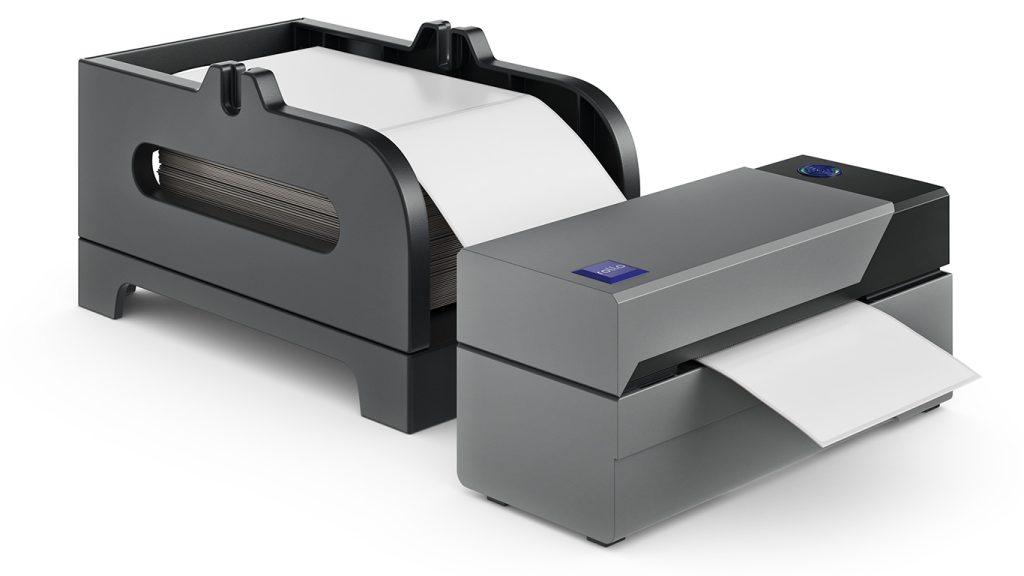
    Yes, thermal printers require thermal labels, which are coated with a special heat-sensitive material. Using non-thermal labels can result in poor print quality and damage to the printer.

    📌 Q: Can I use a thermal printer with my e-commerce platform?

    💭 A: Yes, many thermal printers are compatible with major e-commerce platforms like Shopify, Amazon, and eBay. They often come with software or integration capabilities to streamline the printing process.


  • Eco-Friendly Sticker Label Printer For Creative Label Ideas

    Eco-Friendly Sticker Label Printer For Creative Label Ideas

    Sticker Label printers have come a long way from simply churning out basic shipping and product labels. Modern label printers have many functions for creative projects and branding. They can print without ink, have easy-to-use software, and use eco-friendly materials. A good quality sticker label printer is essential for both creative projects and business branding needs.

    Understanding the range of possibilities unlocked by these innovations is key to maximizing value. Whether you’re a crafter exploring printable sticker ideas or a business strengthening branding through custom labels, the right sticker label printer unlocks new potential.

    Did you know? 🤔 The move towards eco-friendly printing solutions is not just a
    trend but a response to growing environmental concerns. Today's sticker label
    printers are at the forefront of this shift, offering sustainable options that
    don't compromise on quality or creativity.

    [ez-toc]

    Exploring the Multifaceted Uses of a Sticker Label Printer

    Once regarded as purely utilitarian tools, sticker label printers now power creative applications from scrapbooking to gift personalization and beyond. The versatility of a modern sticker label printer allows it to be used for countless applications. Their versatility stems from technologies that printable on an expansive range of materials with precision and consistency.

    Direct thermal printing allows many label printers to apply images and text directly onto specially coated paper simply using heat, eliminating the need for toner or ink. The results are waterproof, smudge-proof, and fade-resistant labels customizable to any project.

    Keep in mind ⚠️ While direct thermal printing offers a quick and efficient way to
    produce labels, exploring direct thermal printing, the technology used by
    Rollo's Sticker Label Printer, can unlock even more creative possibilities with
    a wider range of materials and finishes.

    Meanwhile, thermal transfer printing provides even more substrate flexibility using heat to transfer images from a ribbon onto the material. This accommodates everything from glossy photo paper to acetate film for weatherproof decals.

    These techniques turn virtually any printable surface into potential sticker sheet stock or part of a creative endeavor. Common examples include:

    • 🏷️ Custom return address labels
    • 📸 Photo collage sticker sheets
    • 📅 Planner stickers
    • 🎫 Event signage and name badges
    • 📦 Personalized packaging
    • 🖼️ Decorative window and wall decals
    • 🚗 Bumper stickers and car decals
    • 📔 Unique stickers for scrapbooks or journals
    Pro Tip: 💡 When unleashing your creativity with a sticker label printer, don't
    overlook the power of experimenting with different materials and finishes.
    Many printers support a variety of substrates beyond traditional paper labels,
    including transparent, metallic, and textured options. This versatility
    can elevate your projects from simple labels to standout pieces that
    capture attention.

    The versatility empowers endless custom crafts and labeling functionality at home, school, events, small businesses, and beyond.

    Unleashing Creativity with a Sticker Label Printer

    Unleashing Creativity with Your Sticker Label Printer

    Most label printer manufacturers provide complementary software to unleash creative potential.

    Intuitive design apps allow you to customize templates or create new label and sticker ideas from scratch. Built-in drawing tools, text effects, and image libraries streamline building professional-looking designs.

    Bring personalized gifts and creative projects to life with capabilities like:

    • 📸 Uploading photos to create custom photo collage labels
    • 🎨 Designing planner stickers tuned to your lifestyle
    • 🎄 Printing decorative window decals with holiday designs
    • 🎁 Making personalized favor and gift tags
    • 🏷️ Producing branding and inventory asset tags
    • 📛 Creating event signage with attendee name badges

    With the right sticker label printer and design software, your creativity knows no bounds.

    Unique designs make regular labels stand out, whether you’re organizing at home, adding a personal touch to gifts, or sending an order to your customers

    Transfer paper support additionally broadens the possibilities for one-of-a-kind iron-on decals and stickers. For instance, create unique bumper stickers, water bottles, storage boxes, and scrapbook pages from the same custom designs.

    Pro Tip: 💡 When exploring the creative potential of your label printer, don't
    hesitate to mix and match software features with your unique ideas. Combining
    built-in drawing tools with your own photos or designs can lead to truly unique
    creations that stand out. Remember, the only limit is your imagination!
    Embracing Sustainability in Label Printing

    Embracing Sustainability with The Sticker Label Printer

    Environmental responsibility gains increasing priority in consumer preferences and buying decisions across industries. Eco-conscious printing aligns with those values. Many eco-friendly sticker label printers use recycled materials and energy-efficient processes.

    Direct thermal printing’s ink-free process provides one avenue for more sustainable label production through:

    • 🗑️ Reduced material waste from cartridges and toners
    • ♻️ Ability to print on recycled label materials
    • ⚡ Energy efficiency in the printing process
    • 🚫 Avoiding VOCs from conventional ink

    Many modern label printers take sustainability further by using Forest Stewardship Council (FSC) certified label rolls. This designation verifies sourcing paper pulp from responsibly managed forests.

    Did you know? 🤔 Did you know that choosing eco-friendly label materials for
    your sticker label printer not only benefits the environment but can also
    appeal to a growing segment of consumers looking for sustainable products?
    By using labels made from recycled materials or certified by the
    Forest Stewardship Council (FSC), you're not just making an eco-friendly
    choice; you're also making a smart branding decision.

    Prioritizing recycled materials demonstrates shared values increasingly expected from environmentally conscious businesses. It also enables customer education about making sustainable choices accessible at every purchasing level.

    Innovation of Sticker Label Printer

    The Innovation Driving Today’s Label Printers

    Intelligent design permeates modern label printing’s core technology and functionality, powering everything seen already plus:

    • 🤖 Automatic label format detection
    • 📦 Pre-formatted label packs for common uses
    • 🔧 Automated feed alignment
    • 🔄 Easy cartridge-free material changes

    Innovations in sticker label printer technology have greatly expanded their capabilities. For example, the Rollo sticker label printer scans each new label roll to detect size, shape, and orientation. Print preferences instantly adjust for optimal alignment without manual calibration.

    Material flexibility reaches new heights with direct thermal technology spanning matte, glossy, clear, metallic, and even pre-cut label sheets. Meanwhile, thermal transfer options encompass weatherproof vinyl and heat transfer materials for countless applications.

    Demand-driven engineering even cuts routine printer maintenance like cleaning print heads. Smart sensors gauge usage patterns to handle upkeep autonomously between jobs.

    Innovations build upon the core foundations of earlier thermal printing but with expanded creative prospects in focus alongside commercial applications.

    Keep in mind: ⚠️ that while the latest innovations in label printing technology
    offer incredible flexibility and efficiency, the key to truly leveraging these
    advancements lies in regular maintenance and staying updated on new software
    releases. This ensures your sticker label printer remains at the cutting edge,
    ready to bring your creative visions to life.

    Strengthening Your Brand with High-Quality Labels

    A high-quality sticker label printer is a must for producing professional product labels and branding materials. Label production intersects branding and marketing through:

    • 📦 Product Packaging – Custom label designs help products stand out on shelves and convey brand identity with logos, stylized text, and graphics. These communicate brand values to build connections distinct from competitors.
    • 🏷️ Barcode Labels – Essential for inventory, tracking, pricing, and point-of-sale scanning. Reliable barcode printing maintains critical organization.
    • 🚚 Shipping Labels – Reinforce branding with custom return addresses and shipping labels featuring logos, graphics, and stylized text. Both functional and an advertising touchpoint.

    Detail and print quality go hand in hand with professionalism across labeling applications, backed by crisp text, logos, and scannable barcodes.

    Pro Tip: 💡 High-quality labels are a direct reflection of your brand's
    commitment to excellence. Investing in a label printer that offers
    precision and durability, like those with direct thermal or thermal
    transfer capabilities, ensures that every label you produce enhances
    your brand's image.

    Direct thermal printing’s precision empowers flawless results, essential for marketability. Thermal transfer takes durability further with smudge, tear, water, fade, and scratch resistance for long-lasting brand exposure.

    Maximizing Efficiency and Creativity in Label Printing

    Maximizing Efficiency and Creativity in Label Printing

    Modern innovations place versatile, professional-quality printing within anyone’s reach. Properly maintaining your sticker label printer is key for efficient operation. Consider the following tips to hit the ground running:

    Streamline Label Design

    • 💻 Use label printer software to access ready-made templates for common applications like shipping labels, file folder labels, and name badges formatted to the correct size.
    • 🎨 Start designs from scratch when templates don’t suffice. Drawing tools, text effects, image uploads, and drag-and-drop simplicity speed layouts.
    • 🔄 Create batches when printing multiple units of a label design to conserve supplies.

    Organize Media Efficiently

    • 🗄️ Store label rolls neatly to prevent dust and debris build-up.
    • ⏱️ Use print-time estimates before jobs to anticipate required material.
    • 🔍 Monitor usage to reorder specialized media before stock outs.
    Did you know? 🤔 that organizing your media efficiently and using print-time
    estimates can significantly reduce waste and save on costs? By planning your
    label printing jobs carefully, you can ensure that every label is printed
    efficiently, maximizing the potential of your label printer.

    Enhance Print Quality

    • 🧪 Print a small test batch when using new label materials to confirm ideal settings.
    • 🧼 Clean the print head when changing between glossy and matte materials to prevent residue transfer.
    • 📐 Check label alignment with automated positioning systems before full print jobs.

    The same strategies that maximize efficiency day-to-day lay the foundations for fully harnessing creative possibilities over time.

    Modern label printers mark a new frontier empowering remarkably versatility. Whether pursuing practical organization or embracing creative passions, the right printing capabilities unlock potential in ways unimaginable just a generation ago.

    Innovations like direct thermal and thermal transfer printing continue removing barriers with design flexibility, precision results, intuitive software, and sustainable materials. Supporting those engineering feats, intelligent technology streamlines everything from nourish detection to routine maintenance.

    These capabilities provide invaluable tools adaptable across personal and professional domains for ordinary and extraordinary labeling needs alike. If you need a versatile sticker label printer for creative projects or business uses, Rollo’s modern options offer amazing possibilities.

    Keep in mind: ⚠️ as you explore the vast possibilities of modern label
    printing, the journey doesn't end with purchasing the right equipment.
    Continuous learning, experimenting with new materials, and embracing
    the latest software updates are essential steps in unlocking the full
    potential of your eco-friendly sticker label printer.

    Follow Rollo on:

    Frequently Asked Questions about The Sticker Label Printer for Creative Label Ideas:

    📌 Q: Can eco-friendly label printers handle high-volume printing tasks?

    💭 A: Yes, many modern eco-friendly label printers are designed to handle high-volume printing tasks efficiently. They are equipped with advanced technologies that ensure fast printing speeds without compromising on quality or environmental standards.

    📌 Q: Are there biodegradable options for label materials?

    💭 A: Yes, alongside recycled materials, some label printers support biodegradable label options. These materials break down more quickly in the environment, further reducing the ecological footprint of your printing activities.

    📌 Q: How do I dispose of or recycle used label rolls?

    💭 A: Many manufacturers, including Rollo, encourage recycling used label rolls. It’s best to check with the manufacturer of your label printer for specific recycling guidelines. Additionally, local recycling centers may accept these items.

    📌 Q: Are there any limitations to the types of designs I can print with Rollo’s eco-friendly thermal label printer?

    💭 A: With Rollo’s label design app, users can create custom labels for a wide array of use cases, from simple text to complex graphics. While the thermal printing process means labels are produced in black and white, the app’s versatility, combined with the printer’s high resolution, allows for significant creativity in label design. The use of various label materials further enhances design flexibility, making Rollo’s printer a powerful tool for both personal and professional labeling needs.
  • Commercial Label Printer: How to Choose The Right One

    Commercial Label Printer: How to Choose The Right One

    All types of companies need good label printing to keep their operations running smoothly. Investing in a commercial label printer delivers versatility, efficiency, and savings – key pillars that set businesses up for success.

    This guide will explore everything you need to know, from the technologies powering modern label printers to practical factors like maintenance and integration. Read on to make an informed decision in choosing the right labeling solution for your evolving business needs.

    Did you know? 🤔 Did you know that efficient label printing can reduce operational costs by up to 30% for businesses? 

    Understanding Commercial Label Printers

    Understanding Commercial Label Printers

    Before we dive into specific features, let’s clearly define what a commercial label printer is and how it differs from a regular home or office printer.

    What is a Commercial Label Printer Used For?

    Designed for high-volume label printing needs, commercial label printers empower businesses to efficiently create product labels, shipping labels, barcode labels, packaging components, signage, and much more in-house. This eliminates reliance on third-party printing services.

    Common applications include:

    • 📦 Product and inventory labeling
    • 🚚 Shipping and postage labels
    • 📊 Barcode and QR code generation
    • 📦 Boxes, bags, and packaging printing
    • 🎁 Promotional and gift labeling
    • 🎉 Event materials and signage
    • 🏥 Patient record labeling in healthcare
    • 💻 Asset tracking and IT equipment tagging
    • 🌟 And countless other uses

    With on-demand printing capabilities measured in thousands of labels per day, investing in the right commercial equipment brings labeling operations entirely under your own control.

    Commercial vs Regular Label Printers: Key Differences

    While regular document printers found in most offices allow basic label printing, commercial label makers are in a class of their own. Built for business, commercial printers offer:

    • 🏭 Industrial-grade production: Print up to thousands of labels per day with speeds exceeding 5 inches per second. Regular printers max out at a few dozen per day.
    • ⚙️ Advanced functionalities: Features like automatic cutters, peel & present mechanisms, and label rolls ensure smooth high-volume printing. Most basic printers lack these capabilities.
    • 🔩 Durable parts designed for constant use: Expect a minimum 5-year lifespan supported by solid warranties – far longer than the lifespan of a regular printer.
    • 🔄 Flexibility: Print on a wide array of label materials and sizes exceeding well beyond address or shipping label capabilities on conventional printers.
    • 🔍 Precision and consistency: Get sharp, detailed prints even at small font sizes thanks to advanced printing technologies exceeding 600 or 1200 DPI resolution.

    Pick a label printer that handles your business’s current and future printing volumes. It should grow with your company rather than limit it. Buying a higher-capacity printer now saves money later on. The long-term savings make the initial investment worthwhile for most small and large businesses.

    ⚠️ Keep in mind While exploring commercial label printers, it's crucial to consider not just the initial cost but also the printer's compatibility with various label materials and technologies. This ensures your chosen solution can adapt to future labeling requirements and industry trends, maximizing your investment's value over time.


    Technologies and Features Behind Commercial Label Printers

    Modern commercial label printers leverage innovative technologies to deliver versatile, high-quality printing with precision and efficiency. Let’s explore some of these technologies empowering businesses daily:

    Innovative Printing Technologies

    Industrial label printers rely on thermal, inkjet or laser technology to transform blank label materials into professional-grade items. Highlights include:

    • 🔥 Thermal Printing: Uses heat to transfer images onto thermally sensitive labels, delivering sharp and consistent results cost-effectively. Ideal for shipping labels, product labels, healthcare, and more.
    • 💧 Inkjet Printing: Squirts tiny ink droplets creating images directly onto the label surface. Delivers vibrant multi-color printing. Best suited for high-detail promotional, gift, and retail labeling applications.
    • Laser Printing: Uses electrostatic charges and toner to fuse print onto labels, similar to how office copiers work. Allows printing on specialty label stocks. Ideal for durable goods and manufacturing labeling.

    Start Commercial Label Printing.

    Efficiently, Fast, Eco-friendly.

    Commercial label printers now come in thermal, inkjet, or laser technologies. Prioritize color needs, print quality, material flexibility, and printing volume when choosing the best technology for your business.

    PRO TIP:  When evaluating the technologies and features behind commercial label printers, consider printers with scalable resolutions. Printers offering adjustable DPI (dots per inch) settings provide flexibility for various applications, from high-detail graphics for promotional labels to simple, clear text for shipping labels. This adaptability ensures your printer can meet diverse printing needs as your business evolves.

    Commercial Label Printers are Versatile in Materials and Designs

    Versatility in Materials and Designs

    The materials your business prints on depend entirely on the application and product. Modern commercial label printers offer versatility in handling:

    • 📄 Paper and synthetic labels like matte, high-gloss, or polyester options.
    • 🛡️ Specialty label materials including weatherproof, security, high-temperature, metallic, magnetic stripes, and more.
    • Different label finishes from frosted to reflective – all popular in gifts, retail, and food packaging.
    • 🔲 Various label shapes and sizes like round, rectangular, or die cut.

    These printers use design software for printing text, numbers, barcodes, tables, diagrams, and images onto labels.

    This equates to endless labeling possibilities allowing customization to new products, changing regulations, and evolving business needs.

    Connectivity for Modern Business Needs

    Many businesses now store data in the cloud. So label printers need to connect to these centralized systems. Most commercial printers easily plug into:

    • 🔌 USB: Simple plug-and-play connectivity to individual computers.
    • 🌐 Ethernet: Wired network connectivity for access by multiple devices.
    • 📶 Wi-Fi: Wireless network connectivity centrally managed through infrastructures.

    More advanced network management protocols like SNMP allow deeper integration with business networks and systems.

    How To Select the Right Commercial Label Printer

    Label printer technology keeps improving quickly. So the printer you need today may not fit your future business growth. But considering a few key factors allows you to make a printer investment that scales up with your company’s expanding needs:

    Key Consideration Factors

    Assess requirements across three key areas – volume, materials/purpose, and connectivity:

    • 📈 Current and Expected Volume: Print speed, duty cycle, and input label roll size must match usage levels. Thermal printers handle most moderate-volume labeling needs, with inkjet and laser stepping in for 24/7 production.
    • 🏷️ Label Materials and Purpose: The label stock, ink/toner durability, resolution, and colors dictate which print technology is best suited. Consider end-use when prioritizing criteria.
    • 🌍 Networking and Connectivity: More networked environments benefit from centrally connected printers with protocols like SNMP allowing deeper integration with systems.

    While upfront cost drives most purchase decisions, don’t let that be the dominant factor. An undersized label printer incapable of growing with your business turns out far more expensive long-term.

    Did you know? 🤔 The rise of smart labels with RFID and NFC technology allows for real-time tracking and consumer engagement. Even address labels Amazon uses now are incorporating these smart technologies. This trend towards digital printing also supports small batch and personalized label production. When choosing a label printer, consider one that accommodates these advanced features to future-proof your investment. 

    Cost Considerations and Calculating ROI

    The printer itself represents only one piece of the investment. Ink, toner, label materials, maintenance parts, and possible downtime also add up over years of ownership.

    Consider:

    • 💸 Operational Costs: Factor around 2 years of ink/toner, labels, and parts into cost projections when comparing models. Cheaper printers have higher long-term running costs.
    • 💰 Value Over Lifespan: Given 5+ year lifecycles, a commercial label printer costing more upfront often saves money over the long run through efficiencies.
    • ⚖️ Scalability: Weigh if capabilities accommodate reasonable business growth without requiring whole replacements after just 1-2 years.

    When you calculate costs over the several-year lifespan of a commercial printer, you always save money by printing in-house instead of outsourcing. You also gain efficiency and can respond faster to customers.

    Advanced Applications to Enhance Business Functions

    Advanced Applications of Commercial Label Printers to Enhance Business Operations

    Beyond everyday shipping and inventory labels, modern commercial printers empower advanced applications:

    Barcode and QR Code Printing

    A commercial barcode printer for labeling streamlines inventory management and shipping by allowing tracking through production, warehouse storage, final mile delivery, and even customer use.

    Most commercial label printers seamlessly integrate with barcode label design software for printing scan-readable UPC, QR, and other codes. RFID smart labeling takes it a step further by actively tracking goods.

    This brings simplicity where spreadsheets and manual tracking once created headaches.

    Eco-Friendly Printing

    Sustainability in labeling influences everything from materials used to energy efficiency of printers, and responsible disposal/recycling.

    Many modern commercial printers adopt eco-conscious practices like:

    • ♻️ Recycled label materials using post-consumer waste content.
    • 🌱 Soy-based inks replacing oil-based options.
    • 💡 Energy efficiency reduces power consumption, sometimes by 40% or more.
    • 🔄 Responsible recycling programs to keep printer components out of landfills.

    Decisions like opting for thermal printing and only printing what’s essential further minimize environmental footprints.

    ⚠️ Keep in mind As you delve into advanced applications to enhance your business functions, remember that the integration capabilities of your commercial label printer with existing systems and workflows are just as important as its technical features. Ensuring seamless connectivity can significantly streamline operations and boost efficiency.

    ENHANCE BUSINESS FUNCTION WITH ROLLO SHIP.

    The first 200 shipping labels (commercial shipping labels) are on us.

    Every next label is just 5 cents.

    Schedule pickups, consolidate orders, and print bulk labels.

    Up to 90% off UPS, FedEx, and USPS shipping.


    Maintaining and Troubleshooting Commercial Label Printers

    Maintaining and Troubleshooting Commercial Label Printers

    Commercial label printers last longer than regular office printers. But taking good care of them extends their life and keeps them performing well.


    Maintenance Tips

    Follow some basic usage and maintenance guidelines to keep printers in top shape:

    • Use only approved label materials to avoid jamming and wear.
    • 🧹 Schedule periodic cleaning using compressed air, lint-free cloths, and cleaning cartridges.
    • 🛠️ Follow manufacturer-recommended maintenance schedules to replace key components like printheads before they fail.
    • 🔄 Keep firmware and drivers updated to maximize performance and fix bugs.
    • 🧽 Clean out dust and label fragments before buildup impairs printing.

    Respecting simple precautions goes a long way to enjoying years of trouble-free operation.


    Software Integration

    While all commercial label printers include basic design software, third-party programs integrate tightly to boost capabilities.

    Learn all about Rollo’s shipping integrations for e-commerce platforms, marketplaces, and major shipping carriers.

    Specialty software helps make the most of commercial printers. Programs for specific barcodes, hazard labels, graphics, and data help get the full value from the printers.

    Look for label software that delivers:

    • 🔗 Compatibility with major printers to avoid limitations. Web-based apps offer wider support.
    • 📊 Barcode generation with verification checks to confirm scanability.
    • 🎨 Graphics libraries for logos, icons, and images to enhance visuals.
    • 🖥️ CSV/database connectivity for printing serialized variable data.
    • 🧙‍♂️ Template design wizards speeding up common label jobs.
    • Certified compliance templates meeting regulatory mandates.

    While built-in and free label software works for basic needs, commercial solutions speed up specialized labeling projects.


    Troubleshooting Common Printer Issues

    Like any device, label printers can have jams, feeding problems, or low ink warnings. But knowing basic troubleshooting fixes most issues.

    • 🚫 Misfeeds or jamming – Gently remove labels and fragments causing obstructions. Avoid tearing the label material and use caution around heated printheads.
    • 🧽 Streaking/Fading Print – Clean printheads and platen rolls according to cleaning instructions. Replace worn parts as needed.
    • ⚙️ Sync Errors – Update printer and computer software if you see blinking lights or uneven printing.
    • 🌐 Network Issues – With cloud-connected printers, check wires, reboot wifi, or set static IPs to fix connection problems.

    Following factory-prescribed maintenance, using approved media, and avoiding label fragments/dust build-up minimizes problems. Refer to manufacturer guides for step-by-step troubleshooting advice on any specific models in use.

    PRO TIP:  Regularly calibrating your commercial label printer can significantly reduce the chances of print errors and misalignments. This simple maintenance step ensures consistent quality and efficiency, saving time and resources by minimizing the need for reprints and adjustments. Always refer to your printer's manual for specific calibration instructions to keep it operating at peak performance.


    The Future of Commercial Label Printers

    While meeting today’s demands, commercial printers continuously adopt the latest technology innovations to deliver more value:

    Emerging Printer-Side Innovations

    • 📊 Embedded sensors monitor printer health stats for preventative alerts and predictive maintenance.
    • 🌍 Expanded connectivity protocols allow managing fleets of dispersed printers from a central dashboard.
    • 🤖 Automated maintenance performs prescribed cleaning and upkeep without user intervention.
    • 🕶️ Augmented reality-enabled printers integrate with smart glasses for diagnoses and troubleshooting guides projected virtually in the field of vision.


    Label & Material Advancements

    • 📡 RFID smart tags transform standard labels into micro-networked trackers relaying data to enterprise systems.
    • 📱 NFC (near-field communication) allows tap-scanning labels with mobile devices to pull up detailed information.
    • 🌡️ Smart labels change visual properties by reacting to temperatures, tampering or other states.
    • 🛡️ Highly durable specialty label materials expand the range of printable surfaces from textiles to electronics.

    Tighter Infrastructure Integration

    • 🔗 APIs and instant platform integration allow embedding label printing capabilities into eCommerce sites, mobile apps, ERP systems, and custom software.
    • ⚙️ End-to-end automated workflows tie together enterprise data, custom-designed labels, validated output, and multilayered business logic for integrated processes not previously possible.
    Did you know? 🤔 According to a recent report by Smithers Pira, the future of label printing looks bright, with the market expected to grow from $39.46 billion in 2018 to a staggering $49.90 billion by 2024, marking a growth rate of 4.0%. This significant increase highlights the evolving demand and technological advancements in the label printing industry. 

    Final Words: The Key to Maintaining Efficiency

    An investment in the right commercial label printer today pays dividends through years of use, only seeing returns multiply as labeling needs grow over time.

    ⚠️ Keep in mind In your journey to select the right commercial label printer, remember that this decision is not just about addressing current needs but also about anticipating future demands. Investing in a versatile and scalable printing solution will serve your business well into the future, supporting growth and adapting to evolving market trends.

    While next-generation technology holds exciting potential, even current affordable and capable options deliver value, safety compliance, customer responsiveness, and sustainability – all central to staying competitively efficient in this modern economy.

    Hopefully, this guide provided helpful insights into the full lifecycle around selecting, using, and maintaining industrial label printers optimized for the unique needs of your business.

    What label printing technology does your business currently use? Share your experiences or questions below!

    Follow Rollo on:

    Frequently Asked Questions about Choosing The Right Commercial Label Printer:

    📌 Q: What factors should I consider when choosing a commercial label printer?

    💭 A: Consider print volume, label material compatibility, print technology (thermal, inkjet, or laser), connectivity options (USB, Ethernet, Wi-Fi), and future scalability to ensure the printer meets both current and future needs.


    📌 Q: How do I decide between thermal, inkjet, and laser label printers?

    💭 A: Thermal printers are ideal for most businesses due to their cost efficiency and reliability for continuous label printing. Unlike inkjet printers, which require frequent ink purchases, and laser printers, known for their high initial costs and energy use, thermal printers offer a more economical and sustainable solution for producing high-quality labels without extra expenses.


    📌 Q: Can commercial label printers integrate with my existing business systems?

    💭 A: Yes, many modern label printers support various connectivity options and protocols like SNMP for integration with business networks, ERP systems, and cloud-based platforms, enhancing workflow efficiency.


    📌 Q: What maintenance is required to keep a commercial label printer in good condition?

    💭 A: Regular maintenance includes using approved label materials, periodic cleaning with compressed air and lint-free cloths, following the manufacturer’s maintenance schedule for component replacement, and keeping firmware and drivers updated.


    📌 Q: How can I calculate the ROI of investing in a commercial label printer?

    💭 A: Consider the initial purchase cost, operational costs (ink, toner, labels, maintenance), and potential savings from in-house printing versus outsourcing. Factor in efficiency gains, reduced downtime, and the ability to quickly respond to labeling needs, which can significantly impact ROI.
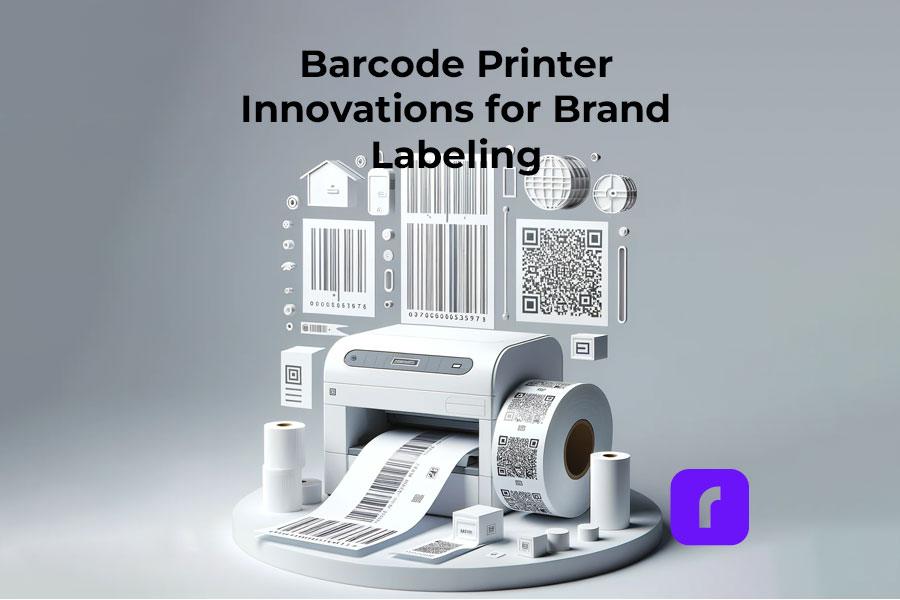
  • Barcode Printer Innovations for Brand Labeling

    Barcode Printer Innovations for Brand Labeling

    In the bustling world of business, particularly for small enterprises, the significance of efficient and effective branding cannot be overstated. Among the myriad tools at a business’s disposal, barcode printers stand out as a crucial component for inventory management and brand labeling. Rollo, as a frontrunner in this arena, offers innovative solutions tailored to meet these needs. This article delves into how Rollo’s barcode printers revolutionize the process of brand labeling, offering insights and practical advice to leverage these tools for your business’s success.

    Selecting the Ideal Barcode Printer for Your Business Needs

    Choosing a Barcode Printer

    For small businesses, the choice of a barcode printer can significantly impact operational efficiency. Rollo’s range of barcode printers, designed with small businesses in mind, caters to various requirements. Whether you’re an online retailer, a brick-and-mortar store, or a hybrid, Rollo printers offer compatibility and versatility.

    The Rollo Wireless Label Printer stands out for its convenience and ease of use. It’s perfect for businesses operating in dynamic environments where mobility and flexibility are key. On the other hand, the Rollo USB Label Printer, with its robust connectivity options, is ideal for stationary setups, offering reliability and high-volume barcode label printing capabilities.

    Rollo’s Advanced Label Printers: A Game-Changer in Label Printing

    Rollo label printers are not just about printing labels; they are about transforming the way businesses handle branding and logistics. The Wireless and USB Label Printers both use direct thermal printing technology, eliminating the need for ink or toner, which is a cost-effective solution for small businesses. With up to 650,000 shipping label capacity and a 203 dpi resolution, these printers ensure the clarity and longevity of your labels.

    One of Rollo’s unique features is its intelligent label detection. This technology simplifies the barcode printing process by automatically identifying and aligning different label sizes, a boon for businesses that use a variety of label types.

    Start Barcode Label Printing.

    Efficiently, Fast, Eco-friendly.

    The Efficiency of Thermal Barcode Printing

    Thermal barcode label printing, a technology Rollo barcode label printers utilize, is a boon for businesses looking for efficiency and quality. This method uses heat to produce images on labels, eliminating the need for ink, toner, or ribbons. This not only reduces ongoing costs but also ensures fewer mechanical issues, leading to less downtime and maintenance.

    The direct thermal barcode printing technology is particularly suited for businesses that require quick, on-demand printing, such as e-commerce platforms, where time and accuracy are of the essence.

    How to Print Barcodes from Excel Using a Rollo Barcode Printer

    How to Print Barcodes from Excel

    1. Preparing Your Data in Excel

    • Firstly, it’s important to have your product information neatly organized in an Excel spreadsheet.
    • Each product should have a unique identifier, like a product code or SKU (Stock Keeping Unit). For instance, if you’re managing a clothing store, your Excel sheet might have columns for Item ID, Description (like ‘Blue T-shirt’), Size, and Price.

    2. Generating Barcodes in Excel

    To convert these identifiers into barcodes, you have two main options:

    • Excel’s Barcode Font: Excel supports barcode fonts that can transform your text data into barcode format. You simply install the barcode font and apply it to the data column in your Excel sheet.
    • Online Barcode Generators: These tools allow you to input your data and generate a barcode image file. You can then import these images back into your Excel spreadsheet. For instance, you could use an online generator to create barcodes for each product code in your inventory.

    3. Setting Up Your Rollo Barcode Printer

    Connect your Rollo barcode printer to your computer:

    Ensure you have the correct label size loaded in the printer.

    Rollo barcode printers support a range of sizes, making them versatile for various barcode printing needs.

    4. Printing Your Barcodes from Excel

    With your Rollo barcode label printer set up and your barcodes ready in Excel, it’s time to print:

    • Highlight the cells containing your barcode data.
    • Go to ‘File’ > ‘Print’ in Excel.
    • Select your Rollo barcode printer from the list of printers.
    • Adjust the print settings to match the size and layout of your labels.
    • Click ‘Print’ to start printing your barcode labels.

    Mastering Barcode Label Printing with Rollo

    Rollo barcode printers are designed for simplicity and adaptability in printing barcode labels. Whether you’re labeling products for sale, shipping goods, or managing inventory, the process is streamlined:

    • Load Labels: Insert the label roll or fanfold labels into your Rollo barcode label printer.
    • Design Barcodes: Use any standard design software or opt for Rollo’s tools to create your barcode labels. You might design a label for a new line of products with both the product’s barcode and its name clearly printed.
    • Print: Once your design is ready, send it to the Rollo barcode printer. The printer accommodates various label sizes, perfect for different applications, from small price tags to larger shipping labels.

    Designing Custom Barcode Labels with Rollo’s Free Label Designer

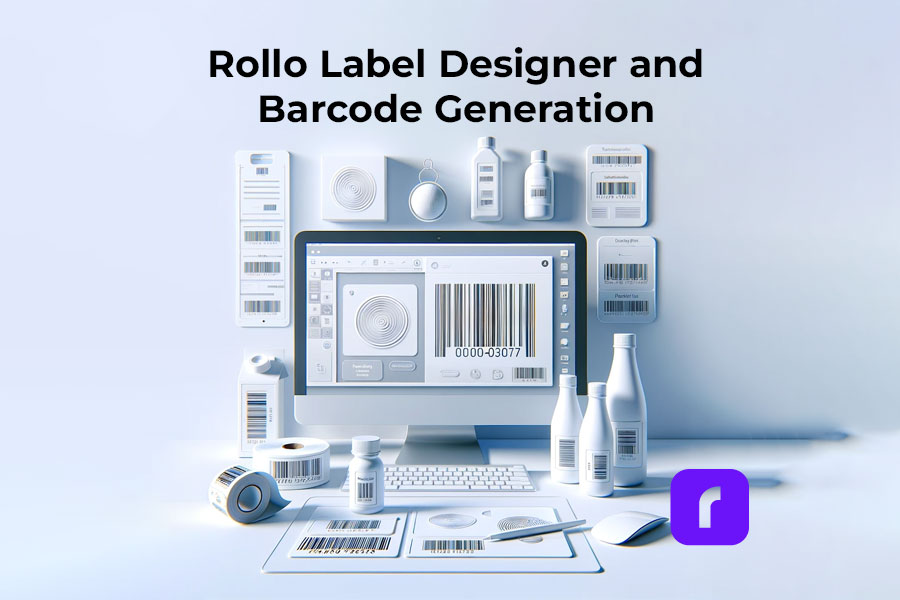
    Rollo Label Designer and Barcode Generation

    Rollo’s Label Designer tool elevates barcode labels from mere functional items to integral parts of your branding strategy. With this tool, you can:

    • Import Your Logo: Customize your barcode labels with your brand’s logo for enhanced brand recognition.
    • Include QR Codes: Add QR codes linking to promotional content, your website, or digital thank-you notes. For example, a QR code on a product label could lead customers to a video demonstrating the product’s use.
    • Generate Barcodes: Directly create barcodes within the tool, integrating them seamlessly into your custom label design.
    • Incorporate Brand Elements: Use the tool to add colors, fonts, and images that align with your brand identity. This could mean using specific color schemes that reflect your brand or adding unique graphics that resonate with your brand story.

    This structured approach to using Rollo’s barcode printer and design tools can significantly enhance the efficiency and effectiveness of your product labeling and branding efforts. By integrating these steps into your workflow, you can ensure that your products are not only easily identifiable and trackable but also carry a strong brand presence in the market.

    Generate, Import, and Design Labels with QR Codes and Barcodes.

    Create and Print Directly to Your Barcode Printer.

    Useful Tips for Barcode Generation

    Generating barcodes that are both efficient and reliable is key to smooth business operations, especially when it comes to inventory management and sales tracking. Here’s how you can ensure your barcodes meet these crucial standards:

    1. Ensure Clarity: High Contrast Is Key

    • Color Contrast: Make sure there’s a stark contrast between the barcode itself (usually black) and the background (typically white). This contrast is vital for scanners to easily read the barcode. Avoid using colors like red or green for the barcode or background, as these can cause issues with optical scanners.
    • Clear Printing: Ensure that your Rollo barcode printer is producing crisp, clear prints. Blurry or smudged barcodes can lead to scanning errors. Regularly clean your barcode label printer to maintain print quality.

    2. Maintain Standard Sizes: Adherence to Universal Readability

    • Standard Dimensions: Use industry-standard dimensions for your barcodes. For instance, a typical retail barcode (EAN-13 or UPC-A) should be about 1.469 inches wide and 1.02 inches high, including the quiet zones (blank margins) on either side of the bars.
    • Scaling Barcodes: If you need to scale your barcode, do it proportionally. Disproportionate scaling can distort the barcode, making it unreadable. Rollo’s design tools can help maintain these proportions automatically.
    • Quiet Zones: Ensure there’s adequate space around the barcode. The quiet zone is typically 10 times the width of the narrowest bar in the barcode. This space is crucial for scanners to distinguish the barcode from other texts or designs on the label.

    3. Test Scannability: Regular Testing With Various Scanners

    • Use Different Scanners: Test your barcodes with various types of scanners to ensure universal readability. This includes handheld scanners, mobile scanning apps, and industrial scanners.
    • Real-World Testing: Test barcodes in the environment they’ll be used. Factors like lighting, distance, and angle can affect scanning. For example, a barcode that scans well in a brightly lit office might not scan as easily in a dim warehouse.
    • Regular Audits: Conduct regular scanning tests as part of your quality control process. This ensures any issues with barcode clarity or printing can be identified and rectified promptly.

    By following these tips, you can enhance the efficiency and reliability of your barcode system. This leads to smoother transactions and inventory processes, ultimately contributing to a more streamlined and successful business operation. Remember, the effectiveness of your barcode system greatly depends on the initial design and ongoing maintenance of your barcodes. Using a Rollo barcode printer ensures high-quality prints, but it’s equally important to design and test your barcodes with these best practices in mind.

    Choosing the Right Labels for Your Barcode Printing Needs

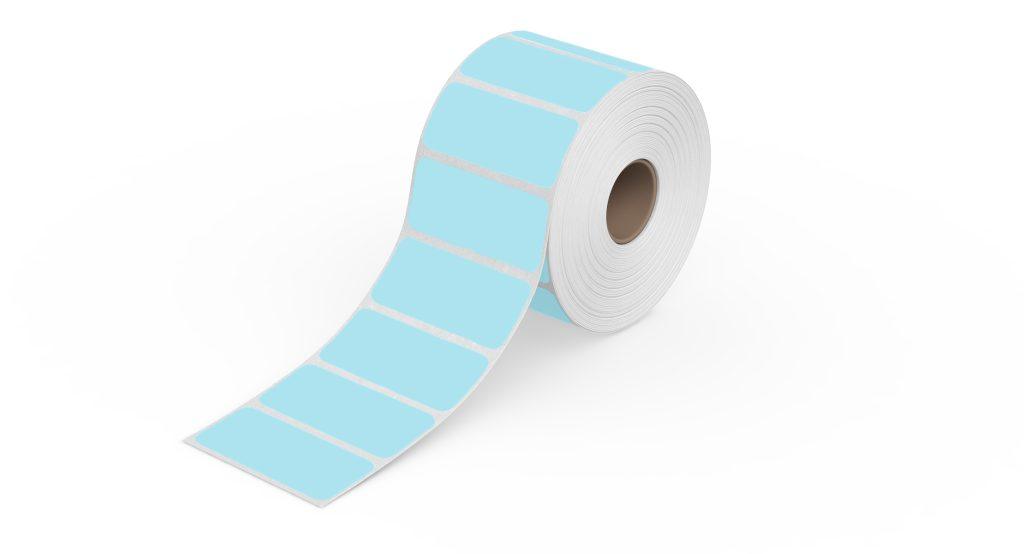
    thermal barcode labels

    Selecting the right labels is vital for the longevity and effectiveness of your barcodes. Rollo offers a variety of eco-friendly, FSC-certified, and BPA-free thermal labels. These labels are not only environmentally responsible but also ensure high-quality prints. When choosing labels, consider factors like adhesive quality, durability, and resistance to elements like water and heat.

    Use Thermal Barcode Labels

    Ensure Barcode Perfection

    The Business Benefits of Using a Thermal Label Printer for Inventory

    For small businesses, the choice of technology used for inventory management can significantly impact overall efficiency and cost-effectiveness. Rollo’s thermal label printers offer a range of benefits that make them an ideal choice for such businesses. Let’s delve deeper into these advantages:

    1. Cost-Effective: Minimizing Operational Expenses

    • No Ink or Toner Needed: Unlike traditional inkjet or laser printers, thermal printers don’t require ink cartridges or toner, leading to substantial savings over time. For a small business, where every dollar counts, this reduction in consumable costs can make a significant difference.
    • Reduced Maintenance Costs: Thermal printers have fewer moving parts compared to other types of printers, which means there’s less that can go wrong. This lower maintenance requirement translates into reduced costs for repairs and servicing.
    • Longevity of Equipment: Generally, thermal printers have a longer lifespan due to their simplicity and durability. This means a longer interval before replacement is needed, offering a better return on investment.

    2. Time-Saving: Enhancing Productivity

    • Rapid Printing Speeds: Rollo’s thermal label printers are capable of printing labels rapidly – often one label per second. This speed enables businesses to complete labeling tasks more quickly, freeing up time for other essential activities.
    • Ease of Use: The simplicity in the design of thermal printers means less time spent on training staff. The straightforward process of loading labels and printing them directly from applications like Excel or Rollo’s own software minimizes the learning curve.
    • Immediate Label Output: Thermal printing creates labels that are dry and ready to use immediately, eliminating any wait time for ink drying, which can be a bottleneck in operations that require quick turnaround.

    3. Space-Saving: Optimizing Workspace

    • Compact Design: Rollo printers are known for their compact footprint, making them suitable for small offices or retail spaces where every inch of space is valuable. This compactness allows for more efficient use of the workspace.
    • Flexibility in Placement: Due to their size, thermal printers can be conveniently placed in multiple locations, such as a shipping station, a warehouse corner, or beside a checkout counter, optimizing workflow.

    4. Eco-Friendly: Promoting Sustainable Practices

    • Less Waste: Thermal printers produce less waste compared to inkjet or laser printers. Since there are no cartridges or toners, there’s a significant reduction in plastic waste.
    • Energy Efficient: Thermal printers generally consume less power than traditional printers, which not only reduces electricity costs but also minimizes the carbon footprint of the business.
    • Eco-friendly Label Options: Many thermal labels, including those offered by Rollo, are made with eco-friendly materials, further supporting sustainable business practices.

    Additional Specific Benefits for Small Businesses

    • Accurate Inventory Tracking: With clear, durable labels, inventory tracking becomes more precise, reducing errors in stock management.
    • Customizable Labeling Solutions: The ability to create customized labels on-demand, including barcodes, QR codes, and detailed product information, enhances brand visibility and customer engagement.
    • Improved Compliance: For businesses in sectors that require strict labeling standards (like food, pharmaceuticals, or logistics), thermal printers offer the precision and consistency needed for compliance.

    Rollo’s thermal barcode printers not only provide direct financial benefits through cost savings but also contribute to greater operational efficiency, space optimization, and environmental sustainability. These advantages are particularly crucial for small businesses looking to grow and maintain competitive in an increasingly challenging market.

    Looking Ahead: The Future of Barcode Printing in Branding and Inventory Management

    The barcode printing industry is continually evolving, with advancements in technology and changing market needs. This section will explore upcoming trends and potential innovations in barcode printing, particularly as they pertain to branding and inventory management.

    Final Words

    In conclusion, Rollo’s barcode printers offer a blend of efficiency, versatility, and innovation, making them an invaluable asset for small businesses. Whether it’s through their cutting-edge label printers, eco-friendly label options, or user-friendly design tools, Rollo is committed to empowering businesses in their branding and inventory management endeavors.

  • The Ultimate Guide to E-commerce Barcode Printing

    The Ultimate Guide to E-commerce Barcode Printing

    Barcode printing is an unsung hero in e-commerce, streamlining the shipping process and enhancing efficiency. By reading this comprehensive guide, you can ensure your packages stay on track by following barcode printing standards.

    Overall, your understanding of how to print barcodes for your shipping labels is important for your e-commerce business. So, let’s dive into everything you need to know about barcode printing, all tailored for your e-commerce success.

    Understanding the Basics of Barcodes

    If you have bought a product since the 1970s, you have probably wondered what a barcode means.

    First, a barcode is a scannable image on a product or package composed of inked lines and spaces. Each barcode encodes data in a visual pattern that machines can interpret. This data usually represents something specific about the product, like its type, size, or manufacturer. 

    In the realm of e-commerce and shipping, barcodes play a vital role. They streamline the tracking of inventory, help process orders, and ensure that every item reaches the right destination. 

    By scanning a barcode, businesses can access a wealth of information about the product. This can make processes like checkout, stock management, and shipping faster and more accurate. Barcodes, therefore, are essential tools in modern commerce. They bridge the gap between physical products and digital data for seamless operations.

    Essentially, barcodes are more than just lines on a label; they are a language of efficiency in e-commerce. Understanding the various types can be the first step in your journey to understanding your own shipping labels.

    Here are the types of barcodes you may encounter:

    • UPC Barcodes: Universal and ideal for retail products. This barcode can encode 12 numerical digits and is fairly simple in structure.

    Example of a simple UPC barcode. Credit to: jing.fm. Source: Pinterest

    • QR Codes: A modern and versatile upgrade to the standard barcode which stores more information.

    Example of a simple QR barcode. Credit to: blog.hubspot.com. Source: Pinterest

    • Code 128: Widely used in shipping and packaging, these barcodes can encode letters and numbers.

    Examples of Barcode Type Standards. Credit to: creativemarket.com. Source: Pinterest

    Need more information? Check out our deep dive blog post about what makes up a barcode.

    Each type has its place in e-commerce, and knowing which to use is key to streamline shipping.

    Setting Up Your Barcode Printing Station

    Creating a barcode printing station is simple. A compact, efficient Rollo printer is your cornerstone. Setting up involves plugging in your printer, loading labels, and a few clicks on your computer. A space-saving and powerful tool, Rollo printers make this setup effortless.

    Utilities for Printing Barcodes

    • Rollo Ship: User-friendly and tailored for Rollo printers and the majority of e-commerce platforms.
    • Third-Party Software: Options like Barcode Generator for more basic needs.
    • E-commerce Platforms: Many have built-in barcode printing features.
    • A barcode label printer, ideally a wireless high-resolution one.

    Each utility offers unique features, and your choice will depend on your specific needs.

    HQ barcode and label printing

    Choosing the Right Barcode Labels

    Selecting the right adhesive label is crucial. Materials and sizes vary, each suited for different products. Rollo Printers can print rolls of 2″ x 1″ barcode thermal labels with no need for ink or toner refills ever.

    Don’t worry about printing barcodes again with Rollo Ship
    and our easy-to-use wireless thermal printers!

    Printing Barcodes with Precision and Efficiency

    Rollo printers are synonymous with precision. They produce clear, scannable barcodes, ensuring your packages move smoothly through the shipping process.

    Barcodes for Different Shipping Platforms

    • USPS: Often uses Intelligent Mail barcodes for efficient sorting and tracking.
    • UPS: Prefers MaxiCode barcodes, designed for quick scanning.
    • FedEx: Utilizes PDF417 barcodes, ideal for their tracking system.

    Understanding these differences helps you tailor your barcode printing for each platform, enhancing efficiency.

    Integrating Barcode Printing in Your Shipping Workflow

    Barcodes streamline your workflow, from sorting to track. Adding Rollo printers to your process means embracing efficiency. These printers integrate smoothly, enhancing your workflow without disrupting existing systems.

    Just look at our thermal printer effortlessly printing rolls of barcodes. Wouldn’t that be easy?

    Effortless and seamless shipping label printing. No monthly subscriptions!

    Print & Ship with

    Create custom labels for free!

    Integrate barcodes with your brand labels

    Troubleshooting Common Barcode Printing Issues

    Encountering issues with barcode printing is normal. However, you can easily fix common challenges like print quality and label alignment with simple adjustments. For more complex issues, Rollo’s customer support is ready to assist.

    Here are some frequent problems you may encounter while printing shipping barcodes and how to remedy them:

    If you are experiencing barcode clarity issues while printing with your Rollo printer, kindly refer to this troubleshooting guide:

    Step 1- Check File Quality: Ensure the original file is high quality. Use the provided sample label for testing.
    Step 2 – Printer Settings: If no improvement, adjust your printer’s settings.
    Step 3 – Print Sample Label: Print a 4 x 6 sample label from Rollo Ship to check printer health. This should be printed clearly.

    Potential Issues:
    Label Quality: Use high-quality labels for better prints. Rollo labels are recommended.
    Margins and Size: Ensure the design uses the full label without extra borders to avoid shrinking and fading.

    Darkness and Speed Settings:

    1. For Rollo X1040 Wireless
      Access the Rollo Printer Portal. Connect to the same Wi-Fi as your printer, open the Rollo App, and navigate to Menu > Settings > Default Rollo Printer > Settings. In “Printing Defaults,” adjust darkness and speed settings for better quality.
    2. Rollo X1038 USB Printers – Control Panel on your PC > Devices and Printers > Right-click on Rollo > Printer Preferences > Settings Tab > Adjust Speed and Density. On Mac > Access these settings directly from the print menu > Choose “Printer Default” for Darkness, Print Speed, Feature Sets

    Each of these issues can disrupt the efficiency of barcode use in e-commerce and shipping. Regularly maintaining your printing equipment and using the right materials helps avoid common barcode printing errors.

    A lot of these problems we discussed won’t happen when you let Rollo handle your e-commerce logistics. Save time, money, and trips to the post office with Rollo Ship.

    What About Printing QR Codes?

    QR codes and barcodes are both tools for storing information in a format that machines can read. However, they differ significantly in design and capacity. 

    Traditional barcodes are one-dimensional, consisting of vertical lines that represent data by varying their widths and spacings. They typically store limited information, such as a product number or price. Unlike QR codes, scanners read them in a single direction.

    QR codes, on the other hand, can hold much more data. They can hold URLs, text, or even geographic coordinates. QR codes are a square made up of black and white pixels and smartphones can scan them from any direction.

    This larger storage capacity makes QR codes ideal for a wider range of applications. from marketing and product labeling to digital ticketing and contactless payments.

    As barcodes evolve, so do Rollo printers. From traditional barcodes to advanced QR codes, Rollo equips our printers to handle it all. We keep your business ahead of the curve in the fast-paced e-commerce world.

    Summary

    Barcode printing is a cornerstone of efficient e-commerce shipping. With Rollo’s innovative solutions, it becomes a strategic advantage, streamlining your operations and propelling your business forward. Embrace the future of e-commerce with Rollo – where efficiency and innovation meet.

    Follow Rollo on:

    📌 Q: Can I print shipping barcodes using a standard office printer?

    💭 A: Yes, but we don’t recommend it. Office printers take a lot of ink and toner, and if you are shipping at any scale, that can get expensive. Plus the ink can smudge and make your package harder to deliver. Try a thermal printer instead, like the ones that Rollo sells.


    📌 Q: Do I need special software to generate barcodes for my products?

    💭 A: Yes, barcode generation requires software or online tools to create scannable barcodes.


    📌 Q: Are there different types of barcodes?

    💭 A: Yes, there are various barcode formats, like UPC or QR codes, each suited for different products and uses.
  • The Barcode Label: Decoded

    The Barcode Label: Decoded

    In the era of rapid technology development, businesses are constantly seeking tools to optimize and streamline their operations. Barcode labels, an often overlooked aspect of inventory management and product distribution, are critical for efficient business operations. This article will dive into the significance of barcode labels, their various types, uses, and how to create them.

    What Is a Barcode Label?

    A barcode label is a tool for representing data in a way that machines can easily read. It consists of parallel lines of varying widths and spacings, with each line or space, including its bar width, representing a specific number. A barcode label can be attached to items, and with the use of a barcode scanner, the data can be read and recorded efficiently.

    Barcode Label Database

    Why Barcodes Are Important?

    Barcodes are an essential part of modern business operations, making tasks faster, and more efficient, and reducing the chance of human error. They simplify tracking, managing inventory, pricing, and a host of other operations that would otherwise be labor-intensive and prone to mistakes.

    While there are various types of barcode formats, the most common is the Universal Product Code (UPC), a standard used worldwide for tracking consumer goods. The UPC is a numeric-only barcode and includes a manufacturer’s unique company number and a product number.

    The Types of a Barcode Label

    There are several types of barcode labels, but the most common are linear barcodes and 2D barcodes. Businesses can choose between printed or blank barcode labels depending on their needs. Linear barcodes are one-dimensional and can be read in a single direction. They are typically used in retail and warehouse environments. On the other hand, 2D barcodes, such as QR codes, store information horizontally and vertically, allowing for greater data storage.

    Barcode Label Standards

    There are specific standards for barcode labels to ensure they’re uniform and readable worldwide. These standards include size, color, location of the product, and print quality. Organizations such as the GS1 and the ISO have set these standards to ensure global compatibility.

    Uses of Barcode Labels

    Creating and Printing A Barcode Label

    Navigating The Creation and Printing of Barcode Labels

    📌 Can I Print My Own Barcode Label?

    Yes, you can print your own barcode label. All you need is a barcode printer, label software to create the barcode, and the correct label material. This makes the process cost-effective and efficient, especially for small businesses that require flexibility in their operations.

    📌 How to Put a Barcode on a Label?

    Creating a barcode label involves generating the barcode using specialized software, inputting the data you want to be encoded, and printing it on the label using a barcode printer. You can also include other essential information on the label, like the product’s name and price.

    📌 How to Make a Barcode Label for Free?

    There are online tools available that allow you to create barcode labels for free. All you have to do is input the data you want to encode, select the type of barcode you want to use, and the tool will generate the barcode for you. You can then download and print the barcode label.

    Barcode Labels for Business and Product Distribution

    📌 Do I Need a Barcode to Sell My Product?

    Having a barcode on your product is not legally required but is practically essential. It simplifies inventory management, and pricing, and is usually a requirement by most retailers and online platforms like Walmart.

    Barcode Labels for Business and Distribution

    📌 How Do I Set Up a Barcode for My Small Business?

    Setting up a barcode for your business involves getting a unique company prefix from an organization like GS1, deciding what type of barcode you want to use, and purchasing a barcode printer or using a barcode printing service.

    📌 Do I Need a Barcode to Sell on Walmart?

    Yes, Walmart requires all products sold on their platform to have a barcode. This is to streamline their inventory management and ensure accurate pricing.

    How Rollo Barcode Labels Help You Budget

    📌 How Much Does a Barcode Label Cost?

    The cost of a barcode label varies depending on the size, type, and quantity. However, a good deal is available with Rollo barcode labels. For just $9.99, you can get a 1,000-piece thermal barcode label roll. These labels are 2×1 inches, perfect for barcodes and inventory tags. They’re compatible with FBA FNSKU / ASIN Barcodes and come in an array of colors: green, blue, yellow, white, pink, and purple.

    *FBA FNSKU Barcode is a barcode used by Amazon and stands for Fulfillment by Amazon (FBA) Fulfillment Network Stock Keeping Unit (FNSKU)
    *ASIN Barcode is another Amazon-used code and stands for: Amazon Standard Identification Numbers

    Rollo Barcode Label in Pink

    Get Organized. Stay Creative.

    Thermal. Colorful. Eco.

    Barcode Labels

    📌 Is It Cheaper to Print Your Own Labels or Buy Them?

    With Rollo, you can generate custom QR codes or barcodes on a thermal label for FREE with the Rollo Label Design app. There is more, you can print these barcodes directly on thermal labels like the ones provided by Rollo in size 2×1 inches and specialized for barcodes. The high number of labels per roll makes it cost-effective no matter the size of your printing job.

    ⚠️ Rollo barcode labels are perfect for inventory if you seek quality and are on a budget. Available in various colors, this barcode label roll is enough for 1,000 barcode labels!

    Rollo 2x1 Thermal Barcode Label in Blue

    Barcode Advantages

    Barcode technology has revolutionized inventory management and tracking, pricing, and a host of other applications across various industries. Here are the key advantages of using barcodes:

    Remember, the effectiveness of barcode labels depends on the quality of the labels themselves. It’s crucial to use high-quality labels, like Rollo barcode labels, to ensure the most accurate and efficient scanning.

    AdvantagesDisadvantages
    ✅ Speed and Efficiency⛔ Readability Issues
    ✅ Accuracy⛔Dependence on Specialized Devices
    ✅ Cost-Efficiency⛔ Limited Data Storage
    ✅ Versatility⛔ Technical Issues and Errors
    ✅ Improved Inventory Control⛔ Standardization and Compatibility Issues
    ✅ Easy Implementation
    ✅ Scalability

    While the disadvantages represent potential challenges, the substantial benefits of barcode systems generally make them a worthwhile investment for businesses. Plus, many of these challenges can be addressed through proper implementation and use of barcodes.

    Barcode Label Disadvantages

    While barcodes undeniably bring a host of benefits and efficiencies to businesses, they do come with their own set of drawbacks. It’s essential to understand these potential challenges to effectively implement barcode systems and make the most out of their use. Let’s delve deeper into some of the potential disadvantages of barcodes.

    Despite these disadvantages, it’s crucial to note that the benefits of using barcode labels in most businesses significantly outweigh these challenges. And with technological advances, many of these issues are continually being addressed and mitigated. For instance, the advent of smartphones as barcode scanners provides a cost-effective alternative to traditional scanners, and improvements in print quality have reduced the incidence of unreadable barcodes. Thus, understanding these drawbacks simply aids in better implementation and optimal use of barcode systems.

    Barcode and Inventory Management

    Today, we live in a digital world where our smartphones have become an extension of ourselves, streamlining many of our day-to-day activities. This convenience also extends into the realm of inventory management. Did you ever imagine that your iPhone could double as a barcode scanner for managing inventory? Well, it can, and it’s as impressive as it sounds!

    Thanks to a myriad of handy apps, your iPhone can easily morph into a compact, easy-to-use scanner, eliminating the need for chunky, expensive, standalone barcode scanners. This means that an essential tool for your business could be sitting right there in your pocket.

    So, how does this magic happen?

    Well, these smart apps utilize your iPhone's camera to snap the barcode labels and interpret the barcode's distinct, parallel lines into a language that the software understands. This captured data then integrates seamlessly with your inventory management system, helping to mitigate the risk of errors that manual data input can bring.
    Embracing your iPhone as a barcode scanner can work wonders for your business. Not only does it significantly cut down the time spent on inventory management tasks and save on hardware investments, but it also brings a level of flexibility to accessing and updating your inventory data. Plus, the ubiquitous familiarity with smartphones makes the transition to using such apps relatively smooth for most people.

    The Barcode Label Printer You Need

    The perfect solution to your barcode printing needs is closer than you think. If you’re seeking efficiency, accuracy, and ease of use, then you should seriously consider the Rollo barcode printers. Rollo has two top-of-the-line models designed to cater to various needs – the Rollo Wireless and the Rollo USB. Both of these barcode label printer models are designed with businesses in mind, streamlining the process of printing barcode labels and optimizing your inventory management system.

    Barcode labels can be printed on various materials, including paper.

    The Rollo Wireless is a high-speed wireless thermal label printer that offers the convenience of printing from any device wirelessly. This AirPrint® enabled printer allows you to print high-quality barcode labels through your Wi-Fi using your computer, laptop, phone, or tablet. It boasts compatibility with a vast array of platforms including Amazon, Etsy, eBay, Shopify, PayPal, and more, making it a versatile tool in any retail or warehouse setting. This printer also supports a variety of operating systems – Mac, Windows 10+, iPhone, iPad and Android devices, Linux, and Chromebook – ensuring seamless integration with your existing systems. With a 203 dpi resolution, your barcodes will be crisp, clear, and easy to scan.

    Go Wireless, Be Effortless

    Print Barcodes

    with Rollo Wireless!

    On the other hand, if you prefer a wired connection, the Rollo USB is your go-to option. This advanced direct thermal printer delivers high-speed printing at 150mm/s, equating to one shipping label per second. It eliminates the need for toner or ink with its direct thermal technology, saving you the hassle of regular replacements and reducing your operating costs. This barcode label printer is compatible with all marketplaces and works efficiently with both Windows (XP and newer) and Mac (10.9 and newer) operating systems.

    Stay Wired

    Print Barcodes with

    Rollo USB Barcode Printer!

    Whether you opt for the Rollo Wireless or the Rollo USB, both models can efficiently print barcodes and QR codes using a 2×1 barcode label roll. However, please note that for roll labels, you’ll need a label holder, while a label holder is not necessary for fanfold labels. Whichever model you choose, Rollo ensures top-notch performance, reliability, and ease of use, making your barcode label printing tasks a breeze.

    The Rollo barcode printer models are designed to make your life easier and your business operations more efficient. They provide an excellent return on investment through their durability, low operating costs, and superior printing capabilities. Choose Rollo, and take your barcode label printing to the next level.

    How to Print Barcode Labels on Rollo

    Printing barcode labels with Rollo printers, whether you are using the Rollo Wireless or the Rollo USB, is straightforward.

    HOW TO PRINT BARCODE LABELS ON ROLLO WIRELESS?

    📦 🔌 Step 1: Unbox the printer and set up the Rollo wireless printer according to the manufacturer’s instructions.

    For a detailed video on how to set up your wireless barcode printer, visit: https://staging.rollo.com/wireless/


    💻 📱 Step 2: Connect your device (PC, Mac, tablet, or smartphone) to the same Wi-Fi network as your Rollo printer.


    🌐 Step 3: Add the Rollo printer to your device’s list of printers.

    On a Mac, go to Settings > Printers > Click on “+” to add Printer > Choose Rollo X1040.
    On a PC, visit Start Menu > Printers & Scanners > Click on “Add a printer or scanner” > Choose Rollo X1040.


    🖨️ Step 4: Set up the labels in your Rollo printer.

    Press the side release button to open the cover and remove any labels inside.
    Adjust the purple guides to match the width of your new label, then close the cover.
    Feed the new labels from the back of Rollo. Make sure the label you peel off is facing up (toward the ceiling).
    Rollo will now learn your labels.


    🎀 Step 5: Rollo supports 4″ x 6″, 2″ x 1″, and 2″ round labels by default. If you need to use a custom label size, you can add it via the Rollo Printer Portal.


    Thus, your barcode labels will be easily detected. If you experience any issues with printing, check the troubleshooting tips and support library.


    🎉 Step 6: With your label set up and your Rollo printer connected to your device, you can now print your barcode labels.

    Sign up for free for the Rollo Label Design app to create QR codes and custom barcodes in ready-to-print barcode label settings.


    HOW TO PRINT BARCODE LABELS ON ROLLO USB?

    📦 🔌 Step 1: Unbox your Rollo USB printer and connect it to a power source.


    💻 Step 2: Install your labels into the printer for it to recognize them. Follow the same label setup steps as above.


    📥 Step 3: Download and install the necessary drivers for the Rollo USB printer.

    For direct access to Rollo drivers, please, visit: https://staging.rollo.com/setup-usb/ > “Install Driver”


    ✍️ Step 4: Create your custom QR code or barcode using the Rollo Label Design Tool. This tool is free to use.

    Sign up for free and take advantage of the free label templates and custom label designs.


    🎉 Step 5: Print your barcode labels directly from the Rollo Label Design Tool.

    By following these steps, you’ll be able to seamlessly print your barcode labels using either the Rollo Wireless or Rollo USB printers.

    Create Barcodes and Print Them Directly with Rollo

    Generate QR Codes &

    Barcode Labels

    FOR FREE

    Conclusion

    In conclusion, barcode labels are an integral part of modern business operations. Understanding their importance, how to create and use them, and their implications on cost and registration can give you a competitive edge in managing your business. Notably, quality barcode labels like Rollo’s provide a perfect blend of price and quality, ensuring smooth operations for your business.

    Follow Rollo on:

    📌 How Do I Register a Barcode for My Product?

    You can register a barcode for your product through organizations like GS1. They provide unique company prefixes, ensuring your barcodes are globally unique.


    📌 Do Barcodes Need to Be Registered?


    Registration of barcodes isn’t legally required but is strongly advised. It ensures your barcodes are unique and prevents conflicts with other companies.


    📌 Can I Sell a Product Without a Barcode?

    While it’s possible to sell a product without a barcode, it is generally not advisable, especially for retail products. Most retailers require barcodes for inventory and pricing purposes.


    📌 How Do I Create a SKU Barcode?


    Creating a SKU barcode involves encoding your SKU (Stock Keeping Unit) number into the barcode. This number is unique to each item in your inventory, making it easier to track individual products.
  • Thermal Labels: An In-Depth Look

    Thermal Labels: An In-Depth Look

    Thermal labels have brought about a significant shift in how businesses of all scales manage their inventory, shipping, and logistical tasks. Direct thermal printing technology eliminates the need for ink or toner and is environmentally friendly, making it an ideal choice for modern businesses. In a world that is increasingly aware of environmental sustainability, offerings like Rollo’s eco-friendly, FSC-certified thermal labels have taken center stage in modern business operations.

    What Are Thermal Labels?

    Simply put, thermal labels are a kind of specialized label that harnesses the power of a heat-sensitive material and a thermal printer to generate top-notch prints. What sets these labels apart from the crowd is their unique printing methodology – rather than depending on ink or toner as traditional printers do, they utilize heat to imprint images or text onto the labels. This process works by applying heat directly to the label, which reacts with the heat-sensitive material to produce desired print. Because of their resilience in the face of diverse temperatures and environmental settings, these labels have carved out a niche for themselves as a preferred choice across a range of sectors, including retail, healthcare, shipping, logistics, and more.

    📌 Are Thermal Labels Better?

    Absolutely, yes. Thermal labels pack a punch with a multitude of advantages over their traditional counterparts. First off, they are a boon to your budget since they completely skip the need for ink or toner. They also boast speedy printing capabilities, making them a perfect match for businesses juggling large-scale printing jobs. But perhaps one of their standout qualities is their smudge-proof nature, guaranteeing that the labels stay crisp and easy to read, no matter what.

    What is the Use of Thermal Labels?

    Thermal labels find use in a broad range of applications. Whether it is product identification, barcode printing, shipping labels, or name tags, you will find thermal labels in action. Owing to their durability and superior print quality, these labels have become a trusted ally for businesses that require precise tracking and identification.

    Various applications of Thermal Labels

    The Pivotal Role of Thermal Labels in Various Applications

    Thermal labels have taken a central role in modern industries, with their diverse applications extending from inventory management to the efficient logistics of shipping. The accurate tracking and identification they provide make them an invaluable asset to any business. Let’s delve into the various uses of thermal labels to understand why they have become such an integral part of commercial operations.

    📌 ✒️ Do Thermal Labels Need Ink?

    No, thermal labels do not require ink or toner. Instead, they utilize a unique heat-sensitive material that darkens when subjected to a certain temperature. This heat-based printing mechanism eliminates the requirement for ink cartridges, which can be expensive and need regular replacement. The absence of ink also means there’s no risk of smudging or blotting, ensuring a clean and clear print every time. This technological advantage makes thermal printers an economical and efficient choice for businesses with high-volume printing needs.

    Understanding the Characteristics of Thermal Labels

    As efficient as thermal labels are, it’s vital to understand their characteristics to use them effectively. They are designed to respond to heat, which means they can be affected by their storage environment and the conditions they are exposed to during use. Different thermal labels may also have different sensitivities to heat, resulting in varying print qualities. Understanding these characteristics will enable you to select the right thermal labels for your specific requirements and ensure their proper handling and storage for optimum performance.

    📌 How Long Do Thermal Prints Last?

    The longevity of thermal prints is primarily dependent on the conditions they are exposed to. In an ideal environment—clean, dry, and away from direct sunlight—thermal prints can retain their quality for several years. However, elements such as excessive heat, direct sunlight, and abrasive conditions can cause the print to fade prematurely. To ensure the durability of the print, thermal labels should be stored and used in conditions that do not subject them to undue heat or harsh physical contact.

    📌 ☀️ Do Thermal Labels Fade in the Sun?

    Yes, thermal labels can fade over time when exposed to direct sunlight. The UV radiation in sunlight generates heat, which can activate the heat-sensitive material in the labels, leading to fading. Although thermal labels are designed for durability, they are not invincible. It’s advisable to store and use thermal labels away from prolonged direct sunlight to prevent premature fading and maintain their print quality.

    📌 ❓How Do I Know If My Labels Are Thermal?

    The simplest way to determine whether your labels are thermal is to perform a scratch test. By applying a bit of pressure and scratching the surface of the label with a coin or a fingernail, you can observe if it leaves a dark mark. The mark appears because the friction generates heat, activating the heat-sensitive material. This test provides a quick and easy way to confirm the nature of your labels.

    📌 ⚫ Do Thermal Labels Turn Black?

    Extreme heat or friction can indeed cause thermal labels to turn black. This is because the heat-sensitive material in the label darkens in response to such conditions. Excessive friction generates heat, leading to a similar reaction. It’s essential to handle thermal labels with care and store them in a suitable environment to prevent accidental activation and maintain their integrity.

    📌 Can Thermal Labels Get Wet? Are Thermal Labels Waterproof?

    While thermal labels are designed to resist mild exposure to moisture, they are not completely waterproof. Too much water can interfere with the heat-sensitive material and cause smudging or deterioration of the print. It’s recommended to keep thermal labels away from wet environments or ensure that they are adequately protected if they need to be used in such conditions.

    📌 🌡️ What Temperature Do Thermal Labels Work?

    Thermal labels work best at room temperature. Extreme temperatures—either too cold or too hot—can affect the heat-sensitive material in the labels, potentially leading to poor print quality or unintended darkening. It’s, therefore, crucial to use and store thermal labels at a moderate temperature to maintain their effectiveness and ensure high-quality prints.

    📌 Do Thermal Labels Smudge?

    Thermal labels have the significant advantage of not smudging, ensuring clear and reliable prints every time. This smudge resistance comes from the absence of ink or toner in the printing process, which is a common culprit for smudging in traditional printing. This makes thermal labels an excellent choice for applications requiring high-definition and durable prints, such as barcode labels.

    📌 What Temperature Should Thermal Paper be Stored At?

    Thermal paper should ideally be stored at room temperature. High temperatures can activate the heat-sensitive coating on the paper, causing it to darken, while extremely cold temperatures can damage the paper’s structure. It’s also recommended to store thermal paper in a low-humidity environment to prevent moisture absorption, which could interfere with the heat-sensitive coating.

    📌 ♻️ Are Thermal Labels Recyclable?

    Yes, thermal labels are recyclable. However, some thermal labels contain Bisphenol A (BPA), a chemical compound that could be harmful if released into the environment during recycling. While there are BPA-free thermal labels available, it’s important to understand the composition of your labels and dispose of them responsibly. As businesses continue to focus on sustainability, the demand for eco-friendly thermal labels, like the ones offered by Rollo, is growing.

    NOTE: Rollo's thermal labels are BPA-FREE.

    ♻️ 🌎 Eco-Friendly Solutions by Rollo

    In line with the global push towards more sustainable business practices, Rollo is at the forefront of providing eco-friendly, Forest Stewardship Council (FSC) certified thermal labels. We’ve developed a diverse range of products to cater to different business needs, all maintaining a commitment to environmental responsibility:

    Rollo offers free shipping for orders $25 and up. If you purchase two packs of labels, you’ll qualify for this free shipping benefit.

    Follow Rollo on:

    Frequently Asked Questions

    Q: 📑 What happens if you put normal paper in a thermal printer?


    Short Reply: It won’t print.
    A: ❌ Should you try to use regular paper in a thermal printer, you’ll find that it won’t result in any print output. This is because thermal printers operate by heating thermal paper, which comes with a unique heat-reactive coating – something that regular paper simply doesn’t have.


    Q: 🖨️ Can you use thermal labels in a regular printer?


    Short Reply: No, incompatible.
    A: ❌ No, thermal labels cannot be used in a regular printer. Thermal labels are designed for thermal printers, which use heat to produce images and text. Regular printers use ink or toner, which won’t work properly on thermal labels.


    Q: 🕯️Can you use thermal labels on candles?


    Short Reply: Yes, with caution.
    A: ✅ Yes, you can use thermal labels on candles. But remember, they don’t play well with high heat – it could make them turn black or fade. So, in a nutshell: handle with care.
    When you know how to use them right, thermal labels can become a key part of your business operations. Opt for thermal labels if you’re on the hunt for a cost-friendly, high-quality, and eco-conscious labeling solution.
    Even though thermal labels can go on candles, keep in mind that heat can mess with the print on the label. The best practice is to stick the labels on the glass or holder, not straight on the wax, and always keep them clear of the flame.