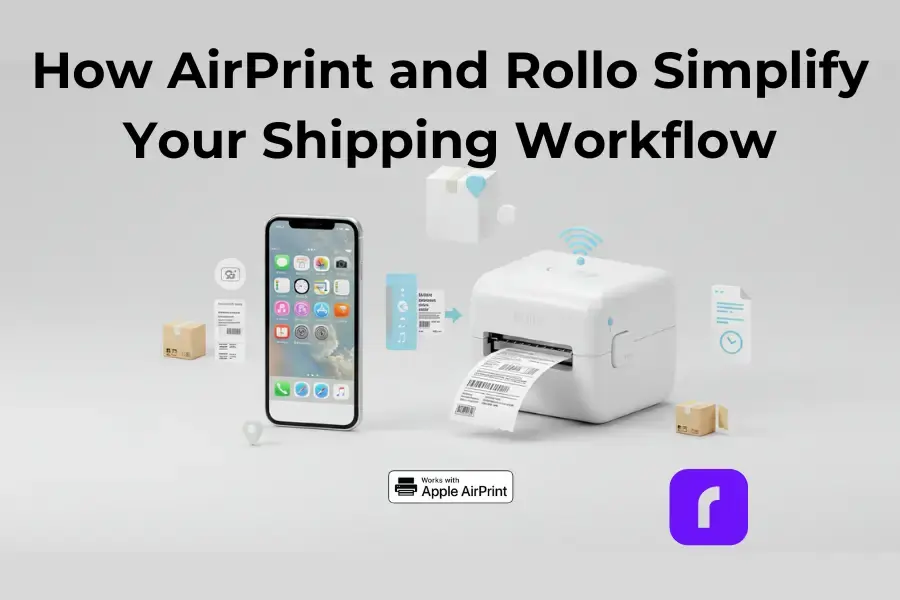
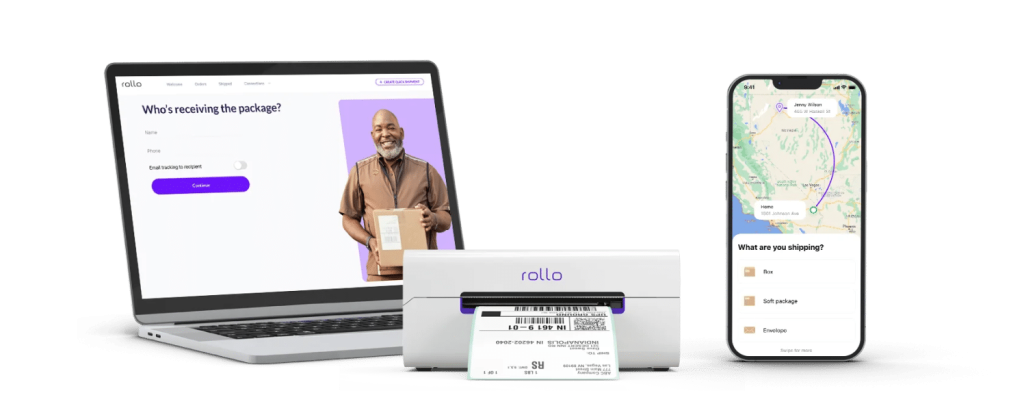
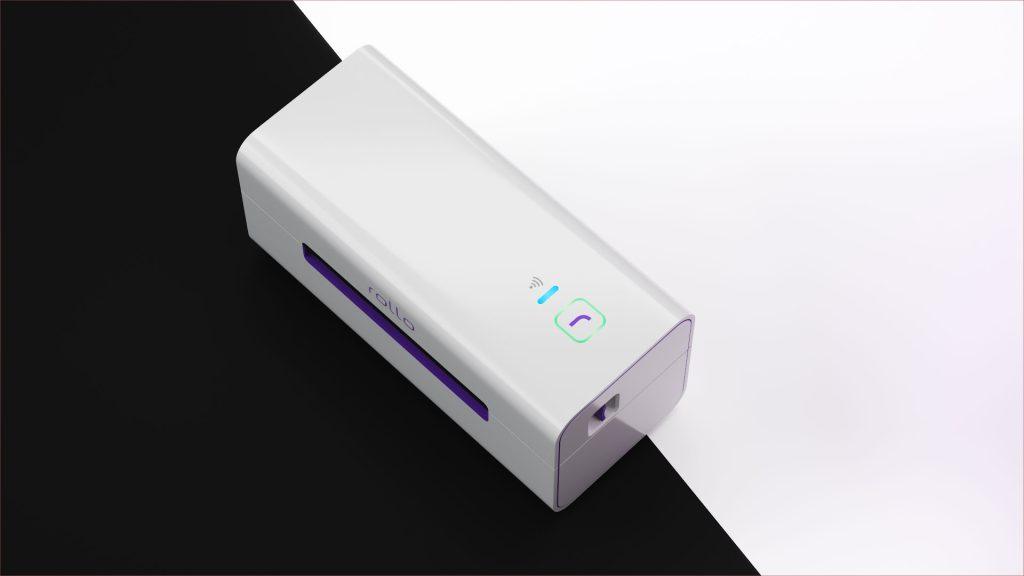
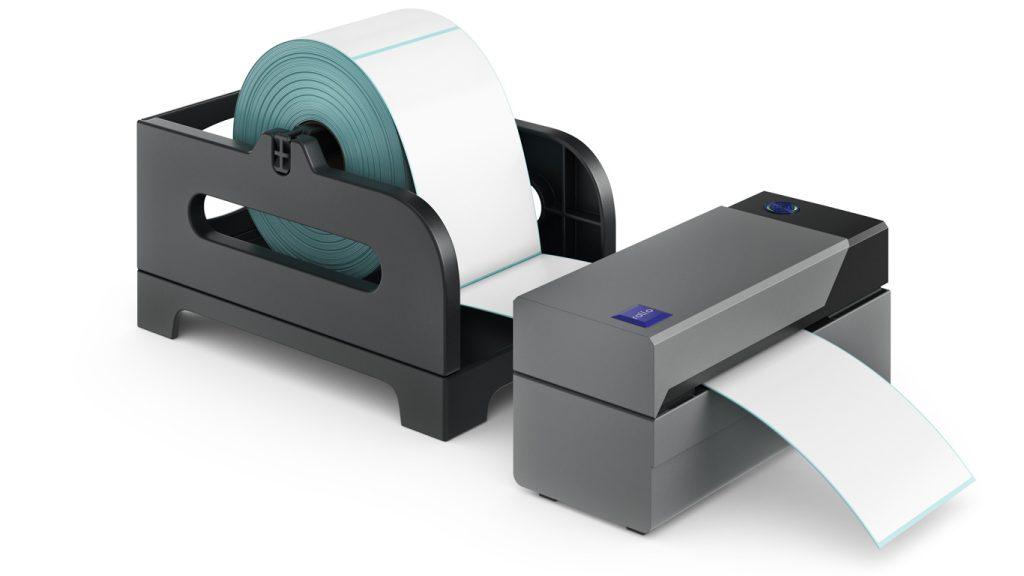
Imagine that your online store just had a record-breaking weekend. Orders are pouring in, your customers are thrilled, but now comes the hard part—printing all those shipping labels. You fire up your printer, wrestle with driver installations, and spend far too long aligning label sheets. It’s enough to make anyone wish for an easier way.
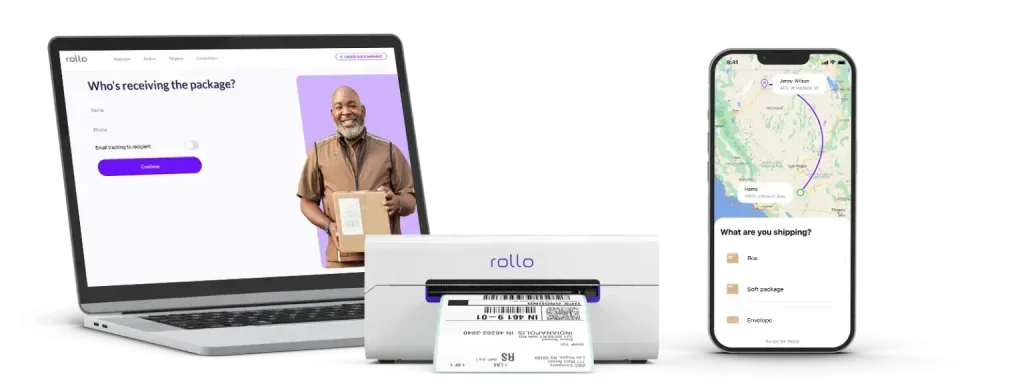
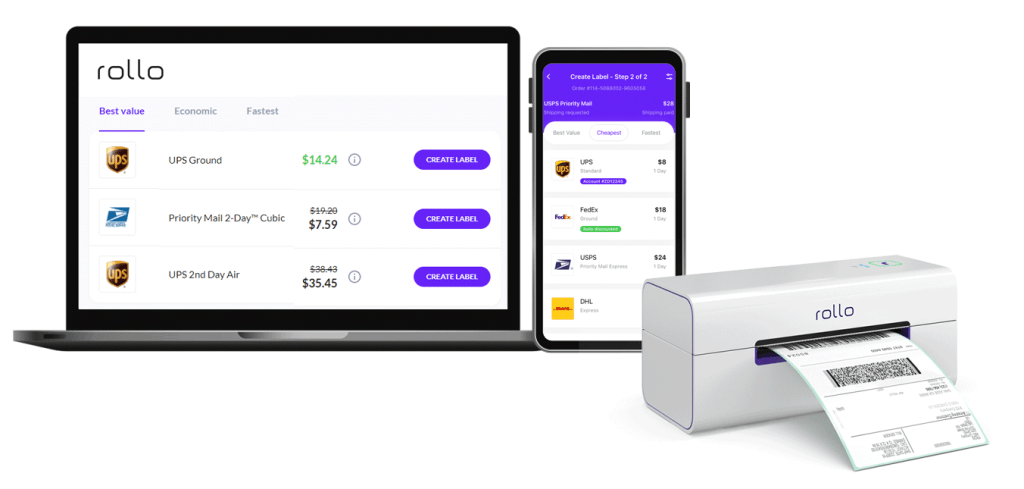
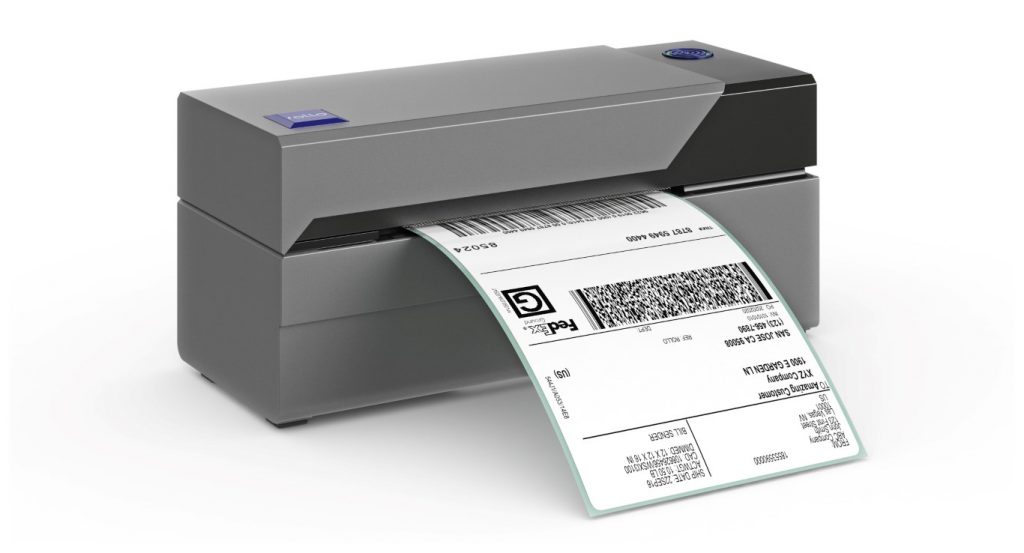
Good news: there is an easier way. Enter AirPrint and the Rollo Wireless Label Printer—a dynamic duo that turns printing into the simplest step of your workflow. Whether you’re an online seller managing hundreds of orders or a small business shipping a few packages a day, Rollo’s AirPrinting capabilities seamlessly save you time, reduce stress, and keep your operations running like clockwork.
In this article, we’ll walk you through what AirPrint is, why it pairs so perfectly with the Rollo Wireless Label Printer, and how to use them together to supercharge your shipping workflow.
Article Roadmap
What is AirPrint?
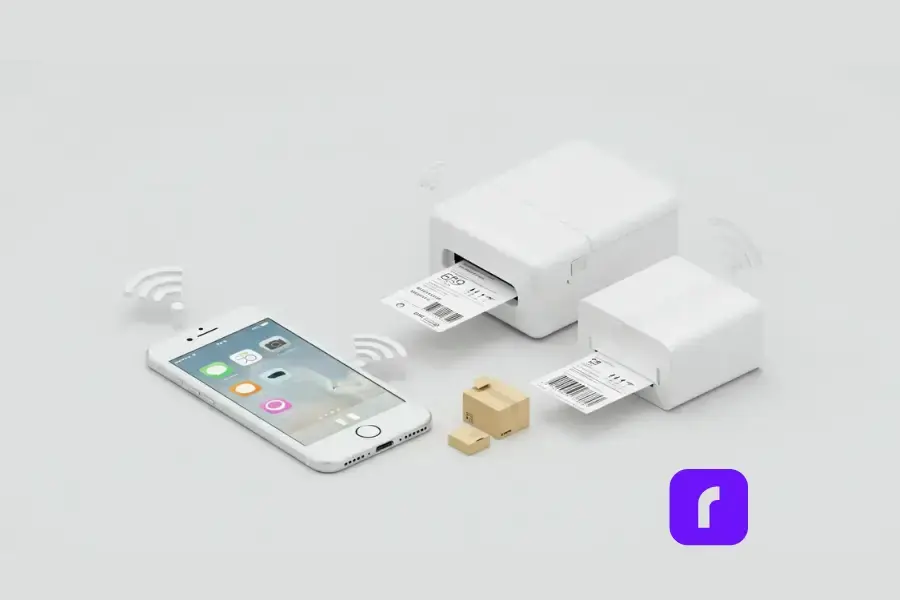
AirPrint is Apple’s driverless wireless printing technology, and if you’ve ever groaned at the thought of installing a printer driver, you’ll understand why it’s such a game-changer. Designed for iPhones, iPads, and Macs, this Apple feature allows you to print directly from your Apple mobile device without the need for additional software or hardware setup. You just need to be on the same wireless network as your label printers.
Why AirPrint is Perfect for Shipping Labels
For small businesses and online sellers, that use Apple devices, efficiency is everything. Apple’s printing feature makes it possible to print high-quality shipping labels, from any Apple device with just a few taps—no cables, no drivers, no delays. Plus, it works perfectly with the Rollo Wireless Label Printer, a device designed specifically for speed and simplicity. Together, they transform label printing from a chore into a breeze.
How to Set it Up with Rollo Wireless Label Printer
Step 1: Connect Rollo to Your Wi-Fi Network
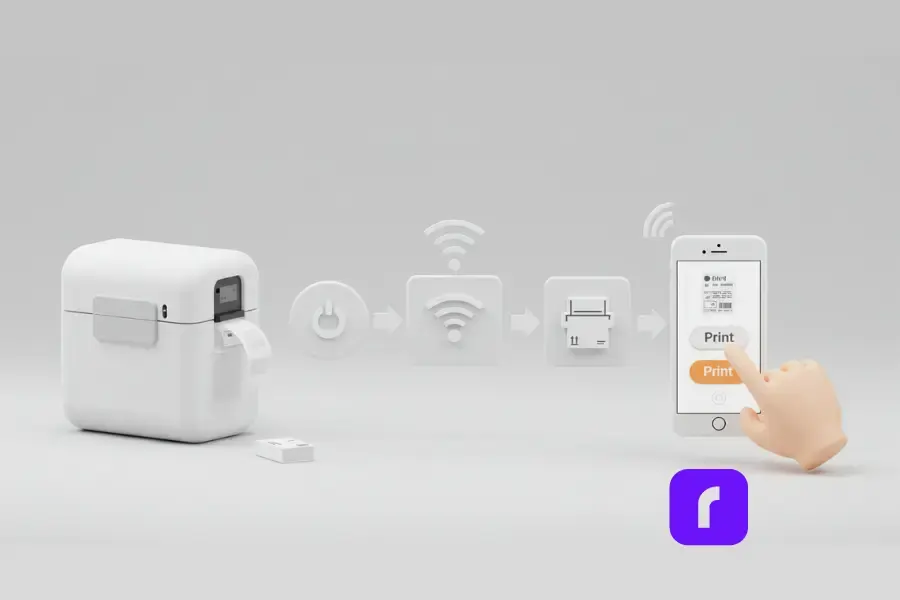
First things first: get your Rollo Wireless Label Printer connected to your Wi-Fi network. Here’s how:
Power on your Rollo printer.
Press and hold the Wi-Fi button until the indicator light flashes.
Use your Apple device to connect to the printer’s Wi-Fi signal.
Follow the instructions in the Rollo app or web interface to connect the printer to your home or office Wi-Fi network.
Once connected, tap print, and Rollo will work its magic.
Step 2: Enable AirPrint on Your Apple Device
Good news—if you’re using an Apple device, this Apple feature is already built-in. To enable it:
Open the file or label you want to print.
Tap the Share icon, then select Print.
Choose your Rollo Wireless Label Printer from the list of nearby printers.
That’s it. No drivers, no installations, no headaches.
Step 3: Print Your First Label
Ready to test it out? Select a shipping label file, adjust any necessary settings (like the paper size or label dimensions), and hit Print. Your Rollo Wireless Label Printer will do the rest, churning out crisp, professional labels in seconds.
For small business owners, time is money. Rollo simplifies your shipping workflow in ways that are hard to overstate.
Streamlining Your Workflow
With your any of your iOS devices and Rollo’s software solutions, there’s no need for a computer, but it’s always welcomed! You can print labels directly from your iPhone or iPad while sipping your morning coffee. The wireless connection also means you’re not tethered to a specific workstation, giving you the freedom to work from anywhere in your home or office.
Real-World Use Cases
Take Sarah, for example. She runs a thriving Etsy shop selling handmade candles. Before switching to Rollo, she spent hours each week troubleshooting her old printer. Now? She prints labels straight from her iPhone in under a minute, leaving her with more time to focus on creating new designs.
Seamless Integration with Rollo Ship
Pair Apple’s printing feature from your iOS devices with Rollo Ship, and you’ve got a shipping powerhouse. The app lets you compare shipping rates, batch process orders, and generate labels—all while integrating directly with major marketplaces like Amazon, eBay, and Shopify. It’s a one-stop shop for managing your shipping needs.
Even the best technology can hit a snag now and then. Here are a few common issues and how to fix them.
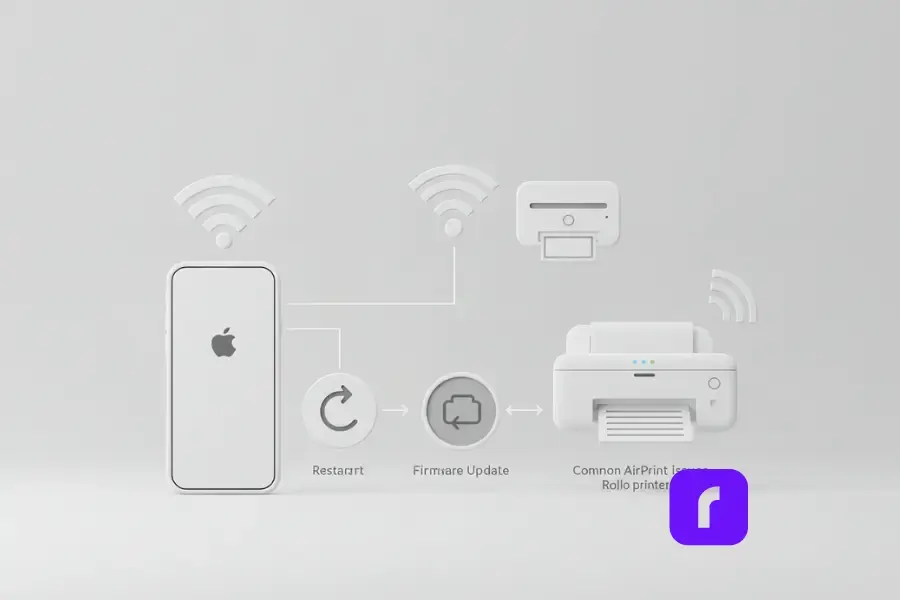
Why Isn’t My Rollo Printer Showing Up?
📶 Ensure both devices are on the same Wi-Fi network. If your printer and Apple device aren’t connected to the same network, they won’t be able to communicate.
🔄 Restart your printer and device. Sometimes, a quick reboot is all it takes to resolve connectivity issues.
🔧 Update your firmware. Check the Rollo app or website to ensure your printer’s firmware is up to date.
How to Optimize Your Printing Experience
📱 Keep your devices close. AirPrint works best when your printer and Apple device are within range of your Wi-Fi router.
🚫 Minimize network interference. Avoid using this Apple feature on overly crowded Wi-Fi networks, as this can cause delays.
Best Practices for Using Rollo with iOS Devices
Maximizing Efficiency
If you’re handling a high volume of orders, use Rollo’s bulk printing feature to save time. By batch processing labels, you can print dozens in one go without ever needing to adjust settings or re-align paper.
Pro Tip: Save even more time by pre-loading your printer with a roll of 4×6 labels. Rollo’s intelligent label detection means you won’t have to worry about cropping or alignment.
While Bluetooth printing may work for simple, low-volume tasks, it’s limited in range and speed, making it less suitable for business needs. AirPrint, on the other hand, offers faster, more reliable performance over Wi-Fi, enabling seamless high-volume printing without interruptions.
To dive deeper into the differences between this Apple feature and Bluetooth, check out our comprehensive comparison: AirPrint Printer vs. Bluetooth Printer.
Eco-Friendly Printing with Rollo
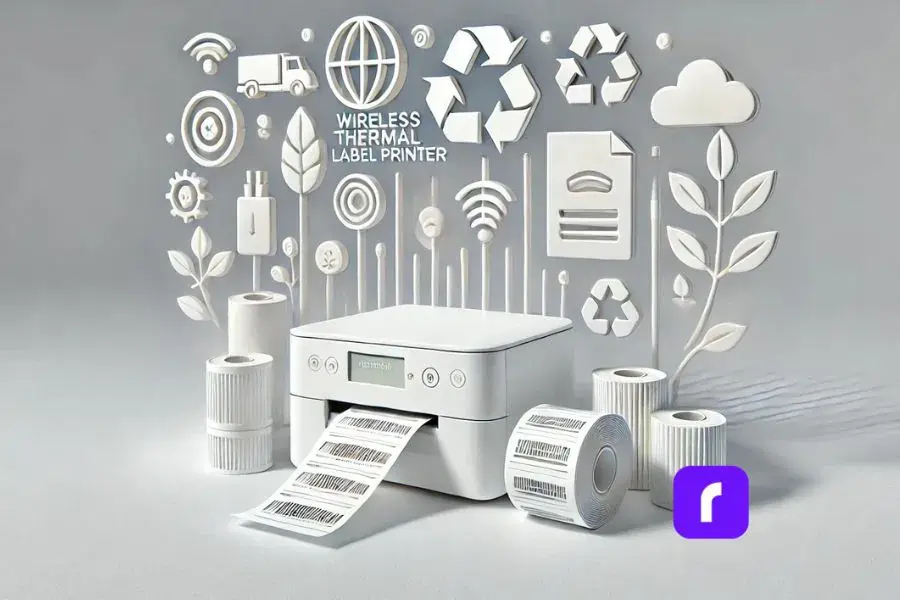
Rollo’s direct thermal printing technology doesn’t just save you money on ink—it’s also better for the environment. By eliminating cartridges and minimizing waste, you’re making a sustainable choice for your business.
Final Words
AirPrint and the Rollo Wireless Label Printer are the ultimate tools for streamlining your shipping workflow. Together, they make printing faster, simpler, and more reliable—exactly what small business owners and online sellers need to stay ahead of the game.
📌 Q: Can I use AirPrint with devices other than Apple?
💭 A: Unfortunately, AirPrint is exclusive to Apple devices. However, Rollo supports other wireless printing options for Android, Windows, and more.
📌 Q: What types of labels can Rollo print with AirPrint?
💭 A:Rollo is ideal for 4×6 shipping labels but can also handle smaller label sizes, stickers, and custom dimensions.
📌 Q: Why isn’t my Rollo printer showing up in AirPrint?
💭 A: Ensure your printer and Apple device are on the same Wi-Fi network, and check for any pending firmware updates.
📌 Q: How secure is AirPrint for sensitive business documents?
💭 A: AirPrint uses your Wi-Fi network’s security protocols, ensuring your data is as secure as the network itself. For additional security, ensure your network is password-protected and updated with the latest firmware.
📌 Q: Can AirPrint work without Wi-Fi?
💭 A: No, AirPrint requires a Wi-Fi connection to function. It works over a wireless network to detect and connect with compatible printers. If Wi-Fi is unavailable, consider using Rollo’s USB connection as an alternative.
Shipping can be tricky. One minute you’re celebrating a big sale, and the next, you’re staring at a shipping label wondering how such a small package can cost so much to send. In 2024 alone, businesses spent approximately $32.26 billion on USPS shipping and packages—a figure that reflects just how significant USPS rates are for businesses.
If you’re an online seller or small business owner, you’ve likely felt this pinch. The good news? You don’t have to pay full price on USPS shipping. There are simple strategies and tools—like Rollo Ship—that can help you cut costs and streamline your shipping process.
In this guide, we’ll break down everything you need to know about lowering your USPS rates. From understanding what affects pricing to practical tips for saving, we’ll cover it all. Ready to keep more money in your pocket? Let’s dive in.
Why USPS Rates Matter for Your Business
Shipping isn’t just an expense—it’s part of your customer experience. High shipping rates can eat into your profit margins or force you to raise prices, potentially scaring off customers. And let’s not forget how confusing USPS pricing can be, with terms like “cubic pricing” or “commercial rates” leaving many scratching their heads.
But here’s the thing: understanding USPS rates doesn’t have to be overwhelming. By learning what influences these rates and leveraging the right tools, you can make smarter shipping decisions and improve your bottom line.
Key Factors That Affect USPS Rates
How Weight, Size, and Zones Influence Rates
USPS determines shipping costs based on a few key factors:
📦 Weight: Heavier packages naturally cost more to ship.
📏 Size: Larger packages may be subject to dimensional pricing, which charges based on the package’s size rather than weight.
🌎 Zones: USPS divides the U.S. into shipping zones. The further your package travels, the higher the cost.
Pro Tip: Understanding USPS Ground Advantage can help you navigate shipping zones and choose cost-effective services for your business. Check out our USPS Ground Advantage Explained article for a deep dive.
Shipping smarter often starts with packaging, and small tweaks can lead to big savings. Follow these tips to optimize your packaging and reduce costs:
📦 Choose the Right Shipping Service:
For heavy items, use flat-rate boxes to lock in a predictable cost, regardless of weight.
For smaller, dense packages, take advantage of cubic pricing, where rates are based on volume instead of weight—a great way to save extra cash.
📏 Minimize Package Dimensions:
Use snug-fitting packaging materials to avoid paying for unnecessary space.
Be mindful of oversized boxes, as USPS may charge based on volume instead of weight.
📚 Bundle Small Items:
Consolidate multiple small items headed to the same destination into a single larger box to maximize efficiency and savings.
Choosing the right shipping carrier is essential for balancing cost and reliability. Here’s where Rollo Ship makes life easier. Compare costs across USPS services in seconds to find the perfect balance between size, weight, and delivery speed. Small businesses that optimize their packaging with tools like Rollo can save both time and money, giving you more room to focus on growing your brand.
In 2024, USPS increased rates for several popular services, including First-Class Mail and Priority Mail. While these changes are frustrating, they’re not uncommon. Adapting to shipping rate increases doesn’t have to be overwhelming. Here are some practical steps businesses can take to stay ahead:
📊 Analyze Your Shipping Patterns: Conduct regular reviews of your shipment profiles. Look at weight, size, destination, and frequency to identify areas for cost-saving adjustments.
🛠️ Optimize Packaging: Train warehouse staff on best practices for packaging and adjust materials to avoid charges related to oversized packages or additional handling fees.
🚚 Diversify Shipping Options: Work with multiple carriers and explore alternative shipping methods like regional carriers or freight consolidation. Tools like Rollo Ship can help you compare rates in real time.
💼 Negotiate Contracts: If you frequently ship in high volumes, negotiate terms with carriers to secure more favorable pricing.
💰 Adjust Customer Pricing: Implement strategies like free shipping thresholds or incentives for slower, more cost-effective shipping options to offset higher costs.
📚 Invest in Technology: Leverage advanced tools like shipping software to automate rate comparisons, track updates, and streamline your logistics. Consider investing in a thermal label printer to save time and reduce printing costs for shipping labels.
By staying proactive and implementing these strategies, businesses can not only minimize the impact of rate hikes but also create a more efficient and cost-effective shipping process.
Let’s talk savings—big ones. USPS offers commercial pricing discounts that can drastically lower your shipping costs, but here’s the catch: you won’t find them at your local Post Office. These discounted rates are reserved for businesses that use approved shipping tools, and that’s where Rollo Ship comes in. Check out The Shipping Discount to learn how these savings can transform your business.
Features and Benefits of Rollo Ship
With Rollo Ship, you can simplify every aspect of your shipping process. Compare USPS rates in seconds, print labels effortlessly, and schedule free USPS pickups—all while saving up to 90% on shipping costs. Whether you’re shipping books, handmade candles, or bulk orders, Rollo Ship is the smart solution for busy business owners.
Feature
Description
Benefit
Unbeatable USPS Rates
Save up to 90% on USPS rates without needing a USPS account.
Broad range of services to fit various shipping needs.
E-commerce Integration
Compatible with platforms like Amazon, Etsy, and Shopify.
Streamlined order management from one place.
Rollo Wireless Label Printer
Prints ink-free, high-quality labels with intelligent label detection and 500 complimentary labels included.
Effortless label creation with no manual adjustments needed.
Rate Comparison Tool
Compare USPS shipping rates in seconds.
Always secure the best deal for your shipments.
Free USPS Pickups
Schedule pickups directly from the app.
Eliminate Post Office trips and save time.
For small business owners, these features aren’t just convenient—they’re transformative. Lower shipping costs mean you can reinvest in your business, offer more competitive pricing, and breathe a little easier knowing your profits aren’t being eaten up by postage.
Lowering USPS shipping rates doesn’t have to be complicated. By understanding key factors like weight, size, and zones, optimizing your packaging, and leveraging commercial pricing discounts, you can unlock significant savings for your business. Tools like Rollo Ship make it even easier, offering seamless e-commerce integration, discounted rates, and time-saving features like USPS pickups—all designed to streamline your workflow.
Every dollar saved on shipping is a dollar you can reinvest into your business, whether it’s expanding your product line, enhancing customer experience, or simply enjoying greater profit margins. Why wait to take control of your shipping costs? Start using Rollo Ship today and see the difference it makes in your bottom line.
📌 Q: What qualifies as commercial pricing for USPS?
💭 A: Commercial pricing is available to businesses that use approved shipping software, like Rollo Ship, or print labels online.
📌 Q: How can I get lower USPS shipping rates?
💭 A:Sign up for commercial pricing, optimize your packaging, and use tools like Rollo Ship to access up to 90% discounted rates.
📌 Q: What is the difference between USPS Flat Rate and Cubic Pricing?
💭 A: Flat Rate offers a fixed price for boxes, while Cubic Pricing charges based on package volume. Cubic Pricing is ideal for small, dense packages but requires commercial pricing.
📌 Q: How do USPS zones affect shipping costs?
💭 A: USPS zones represent shipping distances. The further the package travels, the higher the rate for most services.
Looking to save big on your shipping costs? With Rollo Ship, accessing incredible UPS® discounts is easier than ever. Whether you’re sending packages across town or internationally, Rollo Ship offers up to 85% off on UPS services. That means reliable deliveries, fast shipping options, and significant savings—all in one streamlined platform.
Ready to unlock savings? Let’s dive in and explore how you can tap into these UPS discounts with Rollo Ship.
Get Ready to Dive In
What is Rollo Ship?
Rollo Ship is a cutting-edge shipping platform designed to help individuals and businesses save time and money on their shipping needs. By providing access to premium discounts and deals on UPS services, Rollo Ship makes it easier than ever to reduce your shipping costs. Whether you’re a small business owner or an individual looking to send packages more affordably, Rollo Ship offers a valuable resource to help you save. With Rollo Ship, you can enjoy big savings on a wide range of UPS services, ensuring that your shipping operations are both cost-effective and efficient.
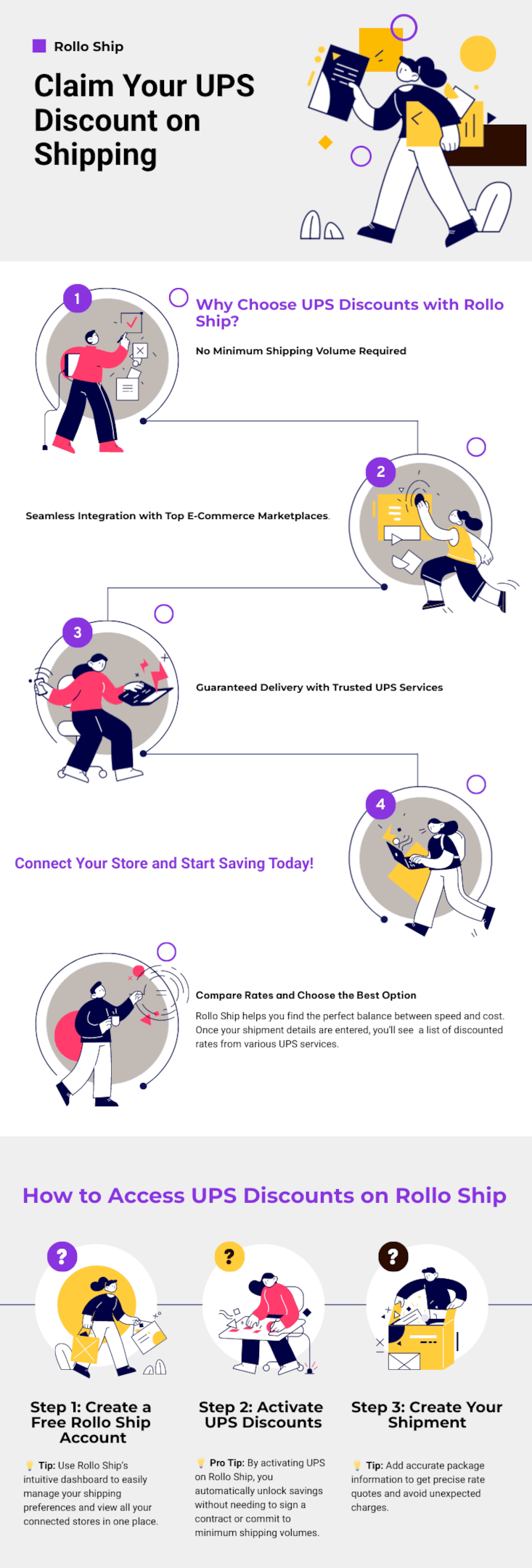
Why Choose UPS Discounts with Rollo Ship?
When it comes to shipping, saving money and delivering on time is key to business success. With Rollo Ship, accessing incredible UPS discounts and competitive shipping rates is simple and hassle-free. Here’s why choosing Rollo Ship for your UPS shipping needs is a smart move:
1. No Minimum Shipping Volume Required
Unlike other platforms, Rollo Ship offers UPS discounts without requiring a minimum shipping volume. Whether you’re sending a single package or managing high-volume orders, you get the same great rates.
💡 Why This Matters:
Better Cash Flow – Lower your costs on each shipment, freeing up resources for other aspects of your business.
Flexibility for Any Business Size – Enjoy discounted rates for both large and small shipments, including UPS Ground packages and expedited services.
Save Consistently – No need to worry about shipping quotas or losing discounts during slower periods.
Example: If you’re shipping non-urgent ground packages, choose UPS® Ground and get up to 81% off—perfect for reducing your expenses without sacrificing reliability.
2. Seamless Integration with Top E-Commerce Marketplaces
Managing shipments from multiple sales channels can be time-consuming. Rollo Ship solves this problem by integrating seamlessly with major e-commerce platforms like Amazon, eBay, Shopify, and now TikTok Shop. Now, you can handle all your shipping services in one place, saving time and avoiding errors.
💡 Why This Matters:
Wide Range of Shipping Options – Choose from standard UPS Ground packages, faster options like UPS Next Day Air® Early, or budget-friendly choices like UPS Next Day Air Saver®.
Centralized Order Management – Sync orders from all your online stores and manage everything from a single dashboard.
No Manual Data Entry – Automatically import order details, including recipient information and package weights.
Example: Selling products across Shopify and Amazon? With Rollo Ship, you can import your orders, compare rates for various UPS services, and choose the best fit based on speed and cost. Whether it’s day air early for urgent deliveries or day air saver for end-of-day drop-offs, Rollo Ship has you covered.
3. Guaranteed Delivery with Trusted UPS Services
Trust is crucial when shipping products to your customers. With Rollo Ship, you have access to a variety of UPS shipping services, including UPS® Ground, Next Day Air® Early, and international options like UPS Worldwide Express Plus®. These services offer guaranteed delivery times, ensuring your packages arrive as expected.
💡 Why This Matters:
On-Time Guarantee – With services like Next Day Air® Early, you can ensure delivery as early as 8 AM the next business day, boosting customer satisfaction.
Reliable Shipping for Any Need – Choose from UPS Ground for cost-effective domestic deliveries or expedited services for time-sensitive packages.
Additional Transit Time Information – Easily access additional transit time estimates for each shipping service, allowing you to set realistic delivery expectations.
Example: For urgent shipments, select UPS Next Day Air® Early to guarantee morning delivery. If you need a more economical solution, UPS Ground Saver is perfect for non-urgent ground packages, offering substantial savings while maintaining reliable service.
Rollo Ship simplifies your entire shipping process, providing access to significant UPS discounts, easy integration with your favorite platforms, and reliable delivery services for all your needs. Start saving on UPS Ground packages, expedited services like day air saver, and everything in between.
Rollo Ship simplifies the process of finding the best UPS shipping deals, making it easy for users to save on every shipment. To get started, simply log in to the Rollo Ship platform for free and enter your package details. The registration and use of Rollo Ship is entirely freeof charge. You’ll receive instant quotes and can compare prices across various UPS services to find the best deal. You’ll only pay for the UPS discount shipping service you choose. Rollo Ship also offers a suite of tools and resources designed to help you optimize your shipping operations. From rate comparisons to smart label printing, Rollo Ship provides everything you need to streamline your shipping process and maximize your savings.
How to Access UPS Discounts on Rollo Ship
Rollo Ship is designed to make accessing UPS discounts quick, easy, and efficient. In just a few simple steps, you can start saving on all your shipments, whether you’re sending out a single package or handling high-volume business orders through various shipping carriers. Here’s a step-by-step guide to get you started:
Step 1: Create a Free Rollo Ship Account
Head over to the Rollo Ship website and sign up with just your email address. The process is fast, and it’s completely free. Once your account is set up, you gain instant access to powerful shipping tools and discounted rates on UPS services.
💡 Tip: Use Rollo Ship’s intuitive dashboard to easily manage your shipping preferences and view all your connected stores in one place.
Step 2: Activate UPS Discounts
After creating your account, it’s time to activate the UPS discounts. Navigate to Connections > Shipping Carriers > United Parcel Service, and click the “ACTIVATE UPS” button. This step enables you to access discounted rates on a wide variety of UPS services, from UPS® Ground to Next Day Air® Early.
💡 Pro Tip: By activating UPS on Rollo Ship, you automatically unlock savings without needing to sign a contract or commit to minimum shipping volumes.
Step 3: Create Your Shipment
Ready to send a package? Enter the shipment details, including the origin, destination, and package weight. Rollo Ship makes it simple to handle both domestic and international shipments, providing clear options for selecting the best UPS service based on your needs.
💡 Tip: Add accurate package information to get precise rate quotes and avoid unexpected charges.
Step 4: Compare Rates and Choose the Best Option
Rollo Ship helps you find the perfect balance between speed and cost. Once your shipment details are entered, you’ll see a list of rate quotes and discounted rates from various UPS services. Choose from options like:
UPS® Ground Saver for the most economical choice when additional transit time is acceptable.
UPS® Ground for affordable, reliable delivery within 1-5 business days.
UPS Next Day Air® Early for guaranteed morning delivery, ideal for urgent packages.
Step 5: Print Labels Directly from the App
With your service selected, it’s time to print your UPS shipping labels. Rollo Ship is compatible with any device, including smartphones and tablets, making it easy to print labels directly from the app using your Rollo printer.
💡 Pro Tip: Use the Smart Label Printing feature for automatic label size detection, eliminating the need for manual adjustments.
Overview of UPS Services with Discounted Rates on Rollo Ship
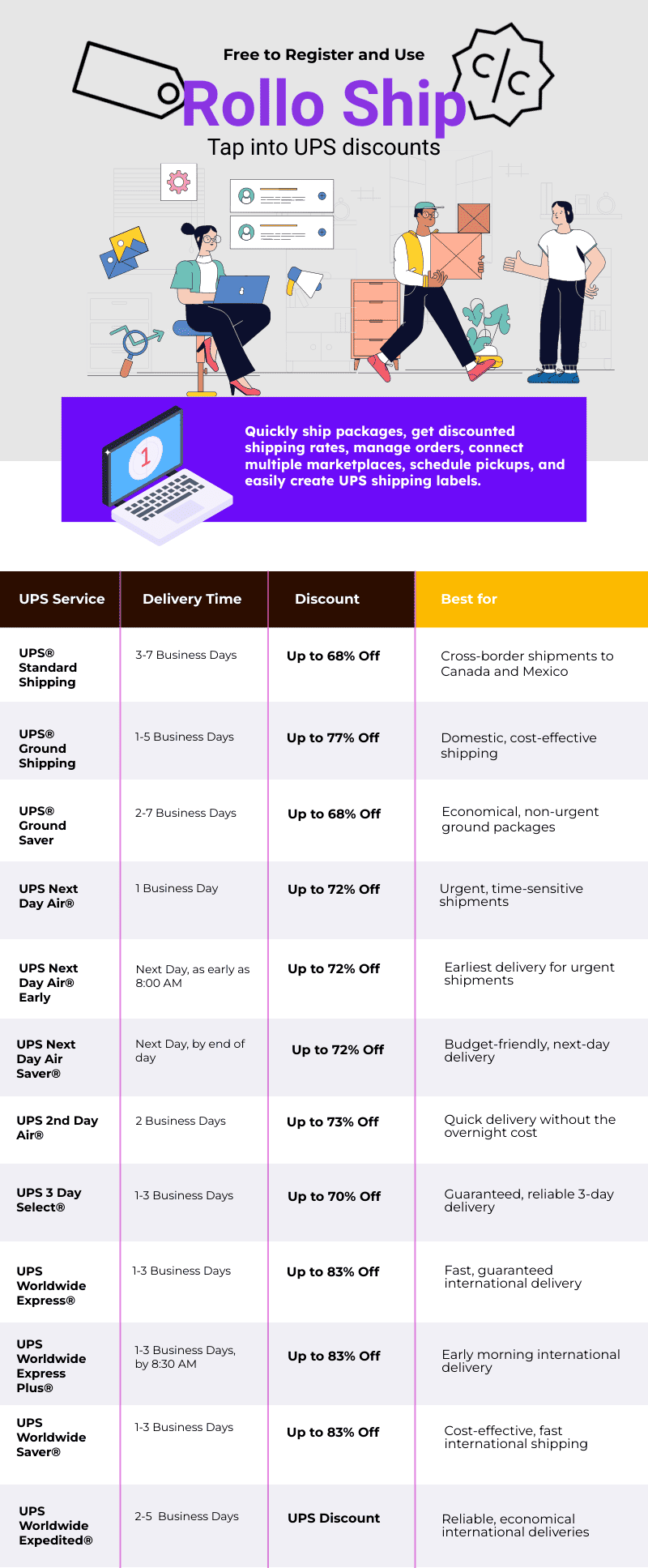
Rollo Ship gives you access to a comprehensive list of UPS shipping services with various delivery options, each designed to cater to specific delivery needs, whether domestic or international. From urgent overnight deliveries to cost-effective ground options, there’s a service for every type of shipment. Below is a detailed overview of the available UPS services on Rollo Ship, including delivery times, discount rates, and ideal use cases.
Note: Discounts are based on UPS daily rates and are available for shipments originating from the U.S. only. Rates and applicable discounts are subject to change without notice.
For the most accurate and up-to-date information on delivery times and services, please refer to the official UPS website.
More on the UPS Shipping Services
UPS® Standard Shipping
Delivery Time: 3-7 Business Days
Overview: Ideal for cross-border shipments to Canada and Mexico, offering reliable delivery without the high cost of express services.
Best For: Businesses shipping non-urgent items internationally within North America.
Overview: A cost-effective, reliable option for domestic shipping services. With up to 81% off, it’s perfect for businesses looking to save on ground deliveries without compromising on service.
Best For: Domestic shipments where speed is not the top priority.
Example: Use UPS® Ground for shipping bulk orders or heavy items across the country at a lower cost.
Overview: This is an economical ground shipping service designed for non-urgent deliveries. While it may take slightly longer, the savings can be substantial.
Best For: Small businesses looking to cut shipping costs on less time-sensitive packages.
Tip: Choose UPS® Ground Saver for promotional items or non-urgent product shipments.
Delivery Time: Next Business Day, by the end of the day
Overview: Offers next-day delivery at a lower cost than standard Next Day Air®. Ideal for packages that don’t need to arrive first thing in the morning.
Best For: Businesses seeking a balance between speed and cost.
Tip: Choose Next Day Air Saver® for non-urgent, high-value packages.
Benefits of Using UPS Paperless™ Invoice with Rollo Ship
When shipping internationally, paperwork can slow you down. The UPS Paperless™ Invoice feature on Rollo Ship streamlines the process, helping you save time and reduce errors.
No More Printed Invoices – Go digital and avoid the hassle of printing multiple copies.
Faster Customs Clearance – Electronic submissions speed up the customs process, ensuring your packages reach their destination quickly.
Minimize Mistakes – Eliminate manual data entry and reduce the risk of documentation errors.
Go Paperless with Rollo Ship – Save Time and Money!
How Rollo Ship Helps You Save with UPS Shipping Discounts
Rollo Ship not only gives you access to discounted rates but also maximizes your savings with smart, efficient features:
Instant Rate Comparison – Instantly compare available rates for every shipment, highlighting the best deal based on your preferences.
Smart Label Printing – Compatible with any device, including AirPrint, making it easy to print labels from your phone, tablet, or computer.
Order Management – Sync all your orders from platforms like Amazon, Shopify, and eBay into one centralized location for efficient processing.
Tips for Maximizing Your UPS Discounts with Rollo Ship
Bundle Shipments – Group multiple packages together when possible to save even more.
Select the Right Service – For fast delivery, choose UPS Next Day Air® Early. For more cost-effective options, try UPS® Ground Saver.
Leverage Analytics – Use Rollo Ship’s insights to track your shipping patterns and adjust your strategy based on data trends.
When shipping with UPS, avoiding common mistakes can save you both time and money. Here are a few pitfalls to watch out for:
Not Comparing Rates: Failing to compare UPS rates can lead to overpaying for shipping services. Use Rollo Ship to find the best deals and save up to 81% on UPS Ground shipments.
Using Incorrect Packaging: Using the wrong packaging can result in damaged goods and additional costs. Ensure you use sturdy packaging materials and follow UPS guidelines to protect your shipments.
Not Tracking Packages: Failing to track packages can result in lost or delayed shipments. Use Rollo Ship to track your packages and stay up-to-date on delivery status, ensuring your shipments arrive on time.
By avoiding these common mistakes, you can enhance your shipping efficiency and save significantly on your UPS services.
Troubleshooting and Support
If you encounter any issues with your UPS shipping, Rollo Ship is here to help. Our dedicated support team is available to assist with any questions or concerns you may have. Simply log in to your Rollo Ship account and contact us through our support portal. We are committed to resolving any issues quickly and efficiently, so you can continue shipping with confidence. Whether you need help with rate comparisons, label printing, or tracking your packages, Rollo Ship’s support team is ready to provide the assistance you need.
📌 Q: Which UPS services does Rollo Ship offer discounts on?
💭 A: Rollo Ship has negotiated big UPS discounted rates on the below UPS services: On Domestic UPS Shipping: UPS® Ground, UPS® Ground Saver, UPS Next Day Air® Early, UPS Next Day Air®, UPS Next Day Air Saver®, UPS 2nd Day Air®, and UPS 3 Day Select®.
On International UPS Shipping: UPS® Standard, UPS Worldwide Express®, UPS Worldwide Expedited®, UPS Worldwide Express Plus®, and UPS Worldwide Saver®.
📌 Q: Can I Use UPS discounts if I don’t have a UPS account?
💭 A: Absolutely. All it takes is to join Rollo Ship for free and activate UPS as a carrier. Once you create a shipment, you will be able to see all UPS discounts relevant to your type of package and shipment.
📌 Q: How much does it cost to use Rollo Ship?
💭 A: Rollo Ship is free to register and use. The platform is available for Desktop, iOS, and Android. The app is also free to download.
Discounts off UPS daily rates. Rates are limited to shipping from the U.S. only. Rates and any applicable discounts are subject to change at any time without notice. UPS®, the UPS® brandmark, and the color brown are trademarks of United Parcel Service of America, Inc. Used with permission.
Are you an indie author looking to get your books into readers’ hands without breaking the bank on shipping? If so, you’ve likely run into the challenge of balancing affordability with reliability. Shipping costs can quickly add up, especially for heavy items like books, making it tough to keep profits up while providing a great customer experience. That’s where USPS media mail comes in.
In this article, we’ll explore why indie authors love USPS media mail, how it helps save on shipping costs, and tips for making the most of this budget-friendly option. Whether you’re new to shipping or looking for ways to optimize your process, this guide has you covered. Let’s dive into the details and discover how you can keep more of your hard-earned royalties while ensuring your books reach readers safely and efficiently.
All About USPS Media Mail
What Is USPS Media Mail?
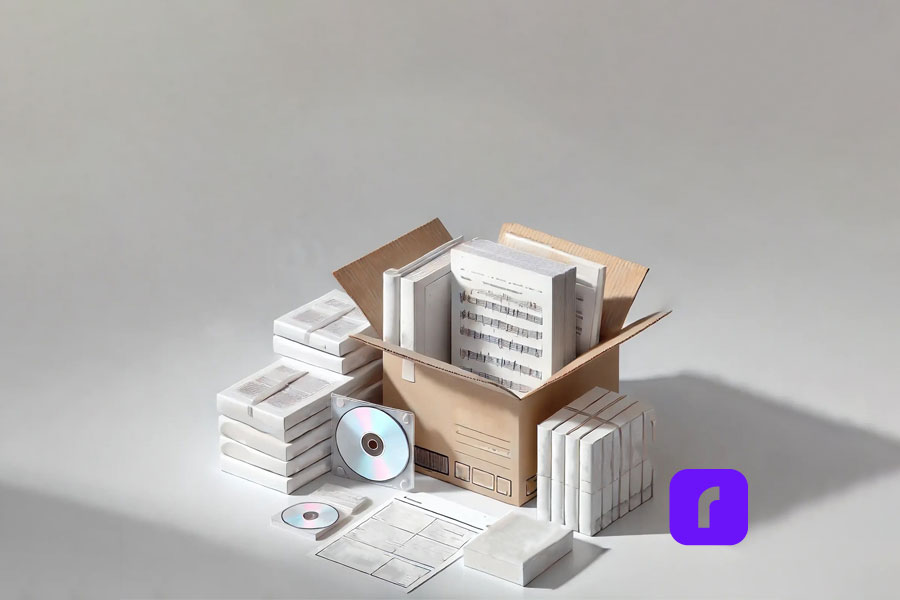
USPS Media Mail is a special mailing service, by the United States Postal Service, designed for educational materials, including books (at least 8 pages), printed music, sound and video recordings (such as CDs/DVDs), play scripts, and manuscripts, 16-mm films, loose-leaf pages with binders and other related media.
The primary appeal of Media Mail is its affordability, as it allows shippers to send heavy packages at significantly reduced rates compared to other services like Priority Mail. To ensure you follow all requirements, it’s important to review the USPS Media Mail Guidelines.
For indie authors, this is a game-changer. If you’re sending out signed copies or handling direct sales, Media Mail allows you to ship books at a lower cost, keeping more of your earnings. It’s ideal for shipments that don’t need to arrive immediately but still need to reach readers safely and reliably.
The Benefits of Media Mail for Shipping Books as an Indie Author
A Cost-Effective Way to Ship Books and More
One of Media Mail’s biggest advantages is the savings it offers. While Priority Mail charges based on both weight and distance, Media Mail calculates postage mainly by weight, making it ideal for shipping heavy items like books.
For instance, a 1-pound package starts at $4.63 with Media Mail, while a 2-pound package costs around $5.38. In comparison, the same package could cost nearly double with Priority Mail, depending on distance.
These savings add up, especially for authors sending out multiple copies or handling pre-orders. By saving on shipping costs, indie authors can offer more competitive pricing or even add free shipping promotions without sacrificing their profit margins.
Simplified Process for Small Businesses
Media Mail is also easier to navigate than many might think. By using USPS-approved packaging and following the guidelines for eligible materials, authors can take advantage of this affordable shipping option with minimal hassle. However, one common challenge is labeling and purchasing postage, especially for those new to selling and shipping books.
This is where Rollo comes in. Rollo’s wireless label printer, combined with Rollo Ship App, simplifies the process by allowing authors to purchase postage, print USPS shipping labels, and track shipments—all from one platform. This solution helps authors focus on what they love most: writing and connecting with readers.
USPS Media Mail rates start at $4.63 for packages weighing up to 1 pound, with each additional pound adding approximately $0.75 to the total cost. For the most accurate pricing, sign in to the Rollo Ship App and take advantage of the shipping discounts negotiated by Rollo. Additionally, schedule a USPS pickup for your shipments. Here’s an updated media mail rate pricing table for 2024. Keep in mind, that the accuracy can be updated and USPS reserves the right to change the pricing.
Weight (lbs)
Media Mail
Priority Mail
1
$4.63
$8.55
2
$5.38
$9.65
5
$7.63
$14.25
10
$11.38
$20.00
15
$15.13
$30.00
Media Mail allows packages up to 70 pounds, making it an excellent option for shipping bulkier items like books or large orders of educational materials. While delivery times can range from 2 to 10 days, the cost savings can be significant when compared to faster services like Priority Mail.
With Rollo Ship, indie authors can easily calculate and print the correct postage from home, ensuring they always meet USPS guidelines without needing a trip to the post office.
Proper packaging is essential to ensure that books arrive in perfect condition. For Media Mail, use sturdy boxes or padded envelopes, and secure items with bubble wrap to prevent damage. Make sure to include a return address and label the package clearly with the recipient’s address.
With Rollo’s wireless label printer, you can print high-quality labels directly from your home or office. This makes it easy to ensure that your packages are properly labeled and ready for shipment. Rollo’s system is compatible with USPS, so you can trust that your labels will meet postal standards.
Avoiding Common Mistakes with USPS Media Mail
USPS Media Mail comes with specific restrictions, such as the prohibition of including non-media items like bookmarks or promotional flyers. Violating these rules could result in your package being reclassified, which means additional charges. By double-checking package contents and using the right materials, authors can avoid delays or unexpected fees.
Comparing USPS Media Mail Shipping to Other Options
Media Mail vs. Priority Mail: Which Is Right for You?
While Media Mail is the cheapest option for shipping books, it’s not always the fastest. Delivery times for Media Mail typically range from 2 to 10 days, depending on the destination. In contrast, Priority Mail offers faster delivery, usually within 1 to 3 days, but at a higher cost.
If you’re sending out pre-orders or need to ensure a book arrives quickly, it may be worth investing in Priority Mail. However, for regular shipments where speed is not a priority, Media Mail’s cost savings make it the better choice. Rollo Ship makes switching between these services simple, allowing authors to choose the best option for each order.
Rollo Packaging Options for USPS Media Mail
When shipping books and media items with USPS Media Mail, choosing the right packaging can make a big difference in ensuring your items arrive safely. Rollo offers high-quality packaging solutions that are ideal for Media Mail shipments, including poly mailers and bubble mailers.
💜 Poly Mailers: Rollo’s bright purple “This One’s For You” poly mailers are strong, water-resistant, and come with a simple peel-and-seal feature. They’re a lightweight option that helps keep shipping costs down while providing protection for non-fragile media items like books or printed materials. Available in packs of 50, these mailers add a professional and fun touch to your packaging.
🛡️ Bubble Mailers: For items that need extra cushioning, Rollo’s “This One’s For You” bubble mailers are lined with air-filled bubbles to protect your media during transit. These mailers are especially useful for delicate items like CDs, DVDs, or hardcover books that require a bit more protection. Like the poly mailers, they feature an easy peel-and-seal design, ensuring quick and efficient packaging. Packs of 25 make it easy to stock up and save.
By using Rollo’s poly or bubble mailers, indie authors can ensure their shipments meet USPS Media Mail guidelines while adding a touch of brand flair to every package. Plus, the lightweight design helps maintain lower shipping costs, keeping more of your earnings in your pocket.
USPS Media Mail offers a budget-friendly way for indie authors to ship books and other educational materials, making it an ideal choice for those looking to maximize their profits while reaching more readers. By understanding Media Mail’s guidelines, leveraging its cost advantages, and using the right packaging, authors can enjoy significant savings on shipping.
Rollo is here to make that process even smoother. With Rollo’s wireless label printer and Rollo Ship, you can streamline every step, from printing postage to tracking packages—all from the comfort of your workspace. Ready to transform how you handle shipping?
💭 A: USPS Media Mail allows you to ship specific items at reduced rates, including books with at least eight pages, printed educational materials, sound recordings (like CDs and vinyl records), video recordings (such as DVDs), playscripts, manuscripts, printed sheet music, and computer-readable media containing educational content. It also covers printed test materials and loose-leaf medical pages for educational use. Be sure to include only eligible items to avoid additional charges.
📌 Q: How Much Does USPS Media Mail Cost?
💭 A: USPS Media Mail starts at $4.63 for packages weighing up to 1 pound, with rates increasing by about $0.75 for each additional pound. For example, a 5-pound package costs $7.63, and a 10-pound package costs $11.38. Media Mail allows for a maximum weight of 70 pounds, making it ideal for sending heavier items like books at a lower cost. While delivery times are longer (2-10 days), the savings can be substantial compared to faster options like Priority Mail.
📌 Q: How Long Does USPS Media Mail Take to Arrive?
💭 A: USPS Media Mail typically takes 2-8 business days for delivery, depending on the destination and other factors like postal volume. While this is slower compared to Priority Mail (1-3 days) or First-Class Mail (1-3 days), it offers significant cost savings. However, Media Mail packages are subject to inspection by USPS, which can occasionally cause delays. If speed is a priority, consider using faster services like Priority Mail. Media Mail is best for non-urgent shipments where affordability is more important than delivery speed.
📌 Q: Can I Include Non-Media Items in a USPS Media Mail Package?
💭 A: No, non-media items cannot be included in a USPS Media Mail package. Media Mail is strictly for specific educational and media materials such as books (with at least 8 pages), CDs, DVDs, printed music, and educational charts. Items like personal notes, advertising materials, clothing, or blank media (e.g., empty journals, blank CDs) are prohibited. Including ineligible items may result in USPS reclassifying the package and charging higher postage rates. USPS reserves the right to inspect Media Mail packages to ensure compliance, so it’s best to include only qualifying items.
📌 Q: How Does the USPS Inspect Media Mail Packages for Compliance?
💭 A: USPS reserves the right to open and inspect Media Mail packages, and such inspection is performed to ensure compliance with content guidelines. These inspections are conducted randomly, with postal employees checking that only approved items—like books, printed educational materials, and media—are included. Prohibited items, such as personal notes or advertising, can lead to additional postage charges. If non-compliant, the package may be reclassified, and the recipient could pay the difference before receiving it. Inspections can also cause delivery delays, so it’s crucial to follow Media Mail guidelines closely.
Are your shipments taking too long? Shipping delays can upset customers and hurt sales. Fast, reliable shipping is key to keeping customers happy.
UPS Worldwide Express® can help speed up your shipping. It offers guaranteed next-business-day delivery worldwide. This article will show how UPS Worldwide Express can help your business, along with Rollo’s wireless label printers and Rollo Ship.
Your Roadmap to UPS Worldwide Express
What is UPS Worldwide Express®?
UPS Worldwide Express® is a fast and reliable service for businesses. It delivers packages quickly to many places around the world. It’s great for sending small or big items.
UPS Worldwide Express is perfect for businesses that ship internationally. It ensures your packages arrive on time. It’s also good for e-commerce businesses that ship to many places.
Key Features of UPS Worldwide Express:
⏩ Guaranteed next-business-day delivery to major markets.
🌍 Reliable delivery to over 220 countries and territories.
🚚 Options for urgent freight and larger packages.
🛃 Integrated customs clearance services for smoother international transactions.
How to Ship with UPS Worldwide Express®
Step-by-Step Shipping Process
Shipping with UPS Worldwide Express is easy and fast. Here’s how it works for small and medium-sized businesses:
📱 Book Your Shipment: Use Rollo Ship to book a shipment. Connect your UPS account for big discounts. Choose UPS Worldwide Express and enter your package details.
📦 Prepare Your Package: Make sure your items are well-packed and labeled. Rollo’s wireless label printers and app help you make labels fast. This saves time when preparing shipments.
🔍 Track Your Shipment: UPS gives real-time tracking updates on Rollo Ship. This lets you and your customers know where the package is.
✅ Delivery Confirmation: UPS confirms delivery, so you know your package arrived on time. Rollo Ship’s tracking features make this easy to manage.
This easy process saves SMBs time and boosts efficiency. It keeps customers happy with quick deliveries. By using UPS Worldwide Express with Rollo Ship and Rollo’s wireless label printers, you can cut down on prep time. You also get shipping discounts and can focus on growing your business.
You don’t need a Rollo printer to benefit, but if you’re looking to buy one, avoid these common mistakes when buying a UPS printer.
For businesses with tight deadlines, next-business-day delivery is crucial. UPS Worldwide Express ensures packages arrive on time. This meets customer expectations, even for distant shipments.
Fast shipping is key for online sales. A survey shows that 91% of consumers value fast shipping. To stay competitive, offer quick, reliable shipping options.
Cost-Effective Shipping Solutions
UPS Worldwide Express balances speed with cost management. You can pick the right service for each shipment. This way, you save on shipping costs.
Small businesses can save more by bundling shipments or using bulk discounts. With the best printer for shipping, you can cut costs further. This is by making labels quickly and accurately.
UPS Worldwide Express® vs. Other Services
Choosing the right shipping service can be tough. Here’s a quick look at UPS Worldwide Express compared to UPS Express Saver® and UPS Expedited®.
Service
Delivery Time
Cost
Best For
UPS Worldwide Express®
Next-business-day delivery
Higher cost
Urgent shipments requiring guaranteed speed
UPS Express Saver®
2-3 business days
Moderate cost
Non-urgent, budget-conscious international shipments
UPS Worldwide Saver®
3-5 business days
Lower cost
Less time-sensitive shipments
If your business needs to prioritize speed and reliability, UPS Worldwide Express® is the ideal option. For less urgent deliveries, Express Saver or Expedited may offer more cost-effective solutions.
Cost-Saving Tips with UPS Worldwide Express
Maximize Efficiency with Rollo Printers
Using Rollo’s wireless label printers with UPS Worldwide Express saves a lot of time. You can print labels and prepare packages quickly. This makes shipping faster and more accurate.
Time and Cost-Saving Strategies
To save money with UPS Worldwide Express, try these tips:
📦 Optimize packaging: Use the smallest, most efficient packaging for your products to reduce shipping costs.
📉 Bulk shipping discounts: When shipping multiple packages, take advantage of bulk discounts offered by UPS.
🕒 Plan ahead: For non-urgent deliveries, consider using UPS’s more affordable options, like UPS Worldwide Economy.
These strategies help your business save money. You still get fast delivery times. This way, you get both speed and savings.
Final Words
Fast, reliable shipping is key for online sellers and small businesses. UPS Worldwide Express offers next-business-day delivery worldwide. This ensures your customers get their packages on time.
Using Rollo’s wireless label printers makes shipping even faster. You can print labels in seconds. Learn how Rollo can make your shipping process smoother today. Start using UPS Worldwide Express for faster shipping.
Frequently Asked Questions About UPS Worldwide Express
📌 Q: How fast is UPS Worldwide Express shipping?
💭 A: UPS Worldwide Express offers next-business-day delivery to major global cities, making it ideal for businesses with urgent shipping needs. For regions outside these primary areas, deliveries typically arrive within two to three business days. This service is perfect for companies looking to ensure fast and reliable international deliveries without any guesswork.
📌 Q: What are the size and weight limits for UPS Worldwide Express?
💭 A: The size and weight limits for UPS Worldwide Express depend on the destination country, but generally, packages can weigh up to 150 pounds (68 kg) and have a combined length and girth of 165 inches (419 cm). This makes it suitable for both smaller parcels and larger, bulkier items. However, it’s important to verify specific limits based on your package and destination using UPS’s online tools or customer service.
📌 Q: How does Rollo integrate with UPS Worldwide Express?
💭 A: Rollo integrates seamlessly with UPS Worldwide Express through the Rollo Ship app, which connects your UPS account along with other carriers like FedEx and USPS. It also integrates with e-commerce platforms such as Shopify, WooCommerce, and eBay, allowing you to automatically print shipping labels directly from your UPS account. This integration streamlines your entire shipping process, saving time and reducing errors by managing everything in one place.
📌 Q: How can I save money with UPS Worldwide Express?
💭 A: To maximize savings with UPS Worldwide Express, consider these strategies: Optimize packaging to reduce weight and dimensions, which directly affect shipping costs. Take advantage of bulk shipping discounts if you’re sending multiple packages. For less time-sensitive shipments, use UPS Worldwide Saver or UPS Worldwide Economy, which offer reliable service at lower rates for slower delivery times. Utilize Rollo wireless label printers to streamline the label generation process, reducing preparation time and minimizing errors that could lead to additional fees.
Is your business ready to streamline shipping like never before? Finding an affordable and efficient shipping solution is a constant challenge. Especially for online sellers and small to medium-sized businesses. What if there were a way to save up to 90% on shipping costs while delivering packages faster than ever? Meet USPS Priority Mail Cubic, a game-changing shipping service. This service is great for businesses looking to cut costs and ship smarter.
In this article, we’ll cover how this USPS Priority Mail Cubic can transform your shipping process. You’ll discover how this service can help you save big while maintaining speedy delivery. Making it a must-know solution for anyone shipping small packages.
At Rollo, we make shipping easier, faster, and a bit more fun. Let’s dive in and unlock new potential for your business!
Quick Navigation
Understanding USPS Priority Mail Cubic Pricing
What Is USPS Priority Mail Cubic?
USPS Priority Mail Cubic is a special shipping service. Rates are based on package size, not weight. This makes shipping small, heavy packages more affordable. It’s great for packages under 20 pounds and up to 0.5 cubic feet. It’s perfect for small shippers who want to save on shipping costs.
How to Calculate USPS Cubic Pricing
Calculating cubic pricing is easy:
Measure your package’s length, width, and height in inches. Round each down to the nearest quarter inch.
Multiply the length by the width and height to find cubic inches.
Divide the total cubic inches by 1,728 to get cubic feet.
For example, a 10″ x 8″ x 6″ package is 480 cubic inches. Dividing by 1,728 gives you about 0.28 cubic feet.
Benefit #1 – Significant Cost Savings
Priority Mail Cubic rates offer big cost savings. This is because weight is not a factor. Rates are based on package size. This means you can ship heavy items without a high price.
💰 Save up to 90% compared to standard shipping rates.
📦 Businesses shipping over 50,000 packages per year could save up to $110,000.
🏷️ It’s especially good for packages over 4 pounds but small in size.
These savings can dramatically improve your bottom line. Which can allow you to reinvest in your business. Resulting in more competitive pricing to your customers.
🚀 Delivery in 1–3 business days, like express services.
📆 Reliable shipping schedules that make customers happy.
🌐 Nationwide coverage without extra fees for homes or rural areas.
Faster delivery makes customers happier. This can lead to more sales and loyal customers.
Benefit #3 – Free Added Services
USPS Priority Mail Cubic saves you money on shipping. It also comes with many free services:
📍 Free package tracking lets you and your customers track shipments in real-time.
🔒 Up to $100 of insurance per package gives you peace of mind.
❌ No hidden fees or surcharges, unlike some private carriers.
These services make you look more professional and reliable to your customers.
Benefit #4 – Flexibility with Packaging
Use Your Own Box
Businesses with different products need flexibility. USPS Priority Mail Cubic offers:
📦 Use your own packaging that fits within size guidelines.
📐 Choose the right package size to save money.
👜 Ship boxes and soft packs for different products.
Using the right packaging saves you money on materials and shipping.
Benefit #5 – Competitive Advantage for Your Business
Leveraging USPS Priority Mail Cubic can give your business a significant edge:
🛒 Offer lower shipping costs to attract more customers.
🏆 Compete with larger retailers by providing fast, affordable shipping.
😊 Enhance customer satisfaction with reliable and efficient deliveries.
For example, a small electronics retailer using USPS Priority Mail Cubic and Rollo’s shipping solutions reduced their shipping costs by 30%, allowing them to lower prices and increase sales.
How Rollo Enhances the Benefits of USPS Priority Mail Cubic
Streamlining Your Shipping Process
Rollo makes shipping easier, faster, and more efficient. Our products work well with USPS Priority Mail Cubic:
💻 Rollo Ship calculates cubic pricing for you, so you don’t have to.
🔄 Our tools are easy to use, and our customer support is always there to help.
Final Words
USPS Priority Mail Cubic saves you money, delivers fast, and offers free services. It also lets you use your own packaging and gives you a competitive edge. By using these benefits, you can improve your shipping, make your customers happy, and increase your profits.
Want to improve your shipping? See how Rollo’s solutions can help you get the most from USPS Priority Mail Cubic.
Note: All data and statistics are based on industry research and may vary depending on individual circumstances.
As an online seller or small business owner, balancing cost-efficiency with dependable delivery can be challenging. That’s why understanding how UPS Ground Saver works and how it can benefit your business is critical. In this article, we’ll break down everything you need to know about this service, including shipping rates, and delivery times. Additionally, we’ll highlight ways to optimize your shipping process using Rollo’s tools, helping you maximize savings and streamline your operations.
By the end of this guide, you’ll discover how UPS Ground Saver can help you save on every shipment—while keeping your logistics efficient and competitive in today’s fast-paced market.
Inside This Post
What is UPS® Ground Saver?
UPS Ground Saver is a low-cost shipping service designed for businesses sending lightweight, low-value, non-urgent packages to U.S. residential addresses. As an economy ground service, it allows you to maintain profit margins on low-value shipments without sacrificing reliability. This service is perfect for businesses that don’t require expedited shipping but still want to ensure consistency and reliability with every shipment.
💡UPS® Ground Saver Features
💰 Cost savings: UPS Ground Saver is one of the most affordable UPS options, helping small businesses save on shipping costs.
📦 Lightweight and non-urgent shipments: Ideal for packages that don’t need immediate delivery and are under 70 lbs.
🏡 Residential delivery: Designed specifically for shipping to home addresses, including PO boxes and military addresses.
📅 Delivery Time: Deliveries Monday – Sunday, with 100% population coverage for Saturday deliveries and 71% for Sunday.
📏 Maximum size: 130 total inches
📍 Tracking: Door-to-door
🎯 No volume commitments: You can ship as much or as little as needed without worrying about meeting volume requirements.
By combining affordability with reliable delivery, UPS Ground Saver gives businesses the opportunity to offer low-cost shipping options to their customers without sacrificing service quality.
Benefits of UPS® Ground Saver?Why Should Businesses Use It?
UPS® Ground Saver offers a clear savings advantage and helps you manage shipping costs and offer your customer a positive delivery experience
Get the reliability of the UPS network at an incredibly competitive price. Plus: • UPS® Ground Saver packages are delivered Monday – Sunday • No volume commitments • UPS door-to-door tracking
What to do when shipping is more expensive than what you’re shipping? Look no further than UPS® Ground Saver to solve your shipping woes.
For businesses managing frequent shipments of small or low-value products, UPS Ground Saver offers important advantages. Let’s explore the key benefits:
How UPS Ground Saver Helps You Save on Shipping
Shipping costs can be a major pain point for businesses, especially for e-commerce sellers trying to stay competitive. UPS® Ground Saver provides one of the most affordable shipping options in the UPS network, making it ideal for businesses shipping non-urgent, lightweight items like books, apparel, or small consumer electronics.
By switching to UPS Ground Saver for eligible shipments, businesses can slash shipping expenses while maintaining reliability. Imagine sending out low-value products that don’t require expedited delivery—this service allows you to protect your margins while providing reliable shipping.
💡 Pro Tip: Pair UPS Ground Saver with Rollo’s exclusive UPS shipping discounts to further streamline your process. The Rollo Ship app allows you to compare rates, print labels, and track shipments, all in one place.
Reliability and Coverage: UPS Ground Saver’s Geographic Reach
The new UPS Ground Saver shipping is available for 48 contiguous states and is perfect for low-value, lightweight products, and non-urgent shipments with a total size of 130 inches.
What makes UPS Ground Saver so reliable?
delivers 7 days a week
UPS® Ground Saver Saturday deliveries have 100% population coverage
71% of the population coverage for UPS® Ground Saver Sunday delivery
UPS® Ground Saver packages reach more than 145 metro areas across the U.S.
Shipping is not one size fits all!
Explore UPS shipping options on the Rollo Ship app today!
Rollo offers big discounts on UPS shipping services. No monthly fees, and no fee for label generation. Just pay for the discounted UPS shipping.
How Does UPS Ground Saver Compare to Other Shipping Services?
When considering the best shipping options for your business, it’s essential to understand how UPS Ground Saver compares to other UPS services like UPS Ground and UPS SurePost. Let’s break it down:
UPS Ground vs. UPS Ground Saver:
🚚 UPS Ground is a faster service with day-definite delivery at a higher price point, making it ideal for businesses needing quicker deliveries.
💵 UPS Ground Saver, on the other hand, is a more economical option designed for lightweight, low-value shipments that aren’t time-sensitive.
UPS SurePost vs. UPS Ground Saver:
🏠 UPSGround Saver focuses primarily on residential deliveries and often offers lower rates for smaller, lightweight shipments.
📬 Both UPS SurePost and UPS Ground Saver rely on USPS for last-mile delivery, but UPS SurePost is designed for heavier packages and delivers to both business and residential addresses.
Step-by-Step: How to Ship Using UPS Ground Saver
Shipping with UPS Ground Saver is straightforward, especially when you use Rollo’s tools to streamline the process. Here’s how to get started:
📦 Prepare Your Package: Ensure your package meets the size and weight limits (under 70 lbs and less than 60 inches in length).
📱 Use Rollo Ship: Log in to the Rollo Ship app, compare shipping options, and select UPS Ground Saver for eligible packages.
🖨️ Print Labels: With Rollo’s wireless UPS label printer, you can print shipping labels quickly and efficiently, saving time.
🚚 Track Your Shipment: Use Rollo Ship to track your package from pickup by UPS to final delivery by USPS.
Shipping to Military Addresses and Special Considerations
UPS Ground Saver ships to military addresses and PO boxes. This feature is especially useful for businesses that serve customers in U.S. territories or military families.
💡 Pro Tip: With Rollo Ship, shipping to military addresses is simple. You can ensure your labels meet all necessary requirements to avoid delivery issues.
Final Words
Shipping doesn’t need to break your budget. UPS Ground Saver offers a reliable, low-cost solution for businesses shipping lightweight, low-value items. Whether you’re a small business sending out occasional packages or an e-commerce store shipping daily, UPS Ground Saver can help you optimize your shipping costs.
With Rollo’s tools, you can streamline your shipping process even further, printing labels faster, tracking shipments with ease, and ensuring that your logistics remain efficient. Ready to transform the way you ship? Discover how Rollo can help you save time, money, and effort while offering a seamless shipping experience.
Frequently Asked Questions About UPS® Ground Saver
📌 Q: How long does UPS Ground Saver take to deliver?
💭 A: UPS Ground Saver typically delivers within 2-7 business days, depending on the shipping distance and destination. Deliveries to urban areas may be faster deliveries, while rural locations might take longer. Weekend delivery options are also available at no additional cost.
📌 Q: What types of packages are best suited for UPS® Ground Saver?
💭 A:UPSGround Saver is ideal for lightweight, non-urgent shipments such as books, apparel, small electronics, and personal items. It’s specifically designed for packages under 70 lbs that don’t require expedited delivery.
📌 Q: What surcharges should I be aware of when using UPS® Ground Saver?
💭 A: UPS Ground Saver may incur the following surcharges, including: Over maximum limits surcharge: If your package exceeds size and weight restrictions, fees may go up to $1,250. Non-standard dimensions surcharge: Applies to packages exceeding specific length or cubic measurements. To avoid these fees, ensure your package complies with UPS Ground Saver’s dimensions and weight requirements.
📌 Q: How does UPS®Ground Saver’s insurance coverage work?
💭 A: UPS Ground Saver includes $100 of carrier liability, but this only applies while UPS handles the package. Once the package is handed over to USPS for last-mile delivery, UPS liability no longer applies. For added protection, businesses can purchase third-party insurance covering the entire shipping journey.
📌 Q: Can I integrate UPS® Ground Saver with my e-commerce platform?
💭 A: Yes, UPS Ground Saver can be easily integrated with e-commerce platforms like Shopify, WooCommerce, and Etsy using shipping tools like Rollo Ship. This allows you to automatically generate shipping labels, track packages, and streamline your fulfillment process from a single platform.
Did you know the wrong UPS printer can cost your business time and money? For online sellers and small businesses, shipping efficiently is key. But the wrong printer can make it a hassle. Common problems like compatibility issues, slow speeds, and constant ink replacements can slow you down. These issues can hurt your productivity and profits.
But, you can avoid these mistakes. By knowing what to look for, you can find the perfect UPS printer for your business. This article will guide you through common errors and how to avoid them. We’ll cover everything from choosing the right thermal printer to ensuring it works seamlessly with your software.
This guide will save you time, money, and stress. Ready to make your shipping process smoother and label printing easier? Let’s get started.
Everything You Need to Know
Why Choosing the Right UPS® Printer Matters for Your Business
For small to medium-sized businesses, time is money, especially in shipping. The right UPS printer can save you hours by speeding up label printing. It also improves integration with your shipping software and reduces costs.
Whether you’re printing FedEx labels or UPS® labels, the right printer makes it faster and more efficient. Invest in a printer that matches your shipping volume and needs. Rollo’s thermal printers are designed for small business owners. They offer ease of use and cost-saving features.
Common Mistakes to Avoid When Buying a UPS Printer
Mistake #1: Ignoring Printer Compatibility with UPS® Shipping Tools
One big mistake is buying a UPS printer without checking compatibility with UPS® shipping tools. Rollo may not connect directly with UPS® WorldShip or UPS CampusShip®, but it links to UPS® through Rollo Ship. This lets users generate UPS shipping labels, get discounted rates, and manage shipments in Rollo.
To avoid problems, make sure your printer works with your shipping platforms. With Rollo, you can ship with UPS and enjoy discounted rates and a streamlined process. You can also get USPS discounts through Rollo’s platform to cut shipping costs further.
Mistake #2: Choosing the Wrong Type of Printer
Many think any printer will work, but the type you choose matters a lot. Thermal printers are great for shipping labels because they don’t need ink or toner. This means you save money and don’t have to stop to refill ink as often.
Let’s compare:
🔥 Thermal Printers: Cost-efficient, fast, and optimized for shipping labels. Rollo’s thermal printers, for example, eliminate the need for ink and print high-quality labels in seconds.
💸 Laser Printers: Typically more expensive and slower for label printing. Requires toner.
💧 Inkjet Printers: Slower, more costly over time due to ink, and not as durable for label printing.
For businesses shipping many packages, thermal printers save a lot of money on ink.
Mistake #3: Overlooking Printer Setup and Driver Installation
Setting up a printer can be tricky. Each printer needs specific drivers to work with your computer and shipping software. If you don’t install the right driver, you might face delays and problems.
Rollo’s UPS printers have an easy setup guide. This makes it simple for anyone to start using them without trouble. Always follow the manufacturer’s guide for driver installation to avoid issues.
Mistake #4: Not Considering Long-Term Costs
Many focus on the initial cost of a printer but forget about ongoing expenses. Inkjet and laser printers need ink or toner, which can get expensive, especially for high-volume shipping.
Thermal printers like Rollo’s don’t need ink or toner, making them great for frequent label printing. Choosing a printer that saves you money in the long run can help your business grow.
How to Ensure You Choose the Best UPS Printer for Your Business
Research Printer Models Based on Your Business Needs
Before buying, find out which printer model fits your business best. A small e-commerce business might not need the most expensive model. But a big business shipping lots of packages might benefit from a fast thermal printer.
Look for a printer that balances speed, reliability, and works well with your shipping tools. Rollo’s wireless thermal printer connects easily with UPS, prints labels, and offers discounted shipping. They also have custom label printing for special needs.
Reading reviews and testimonials can help you make a good choice. Feedback from other businesses can tell you about a printer’s performance and ease of use.
Rollo has great reviews for its easy setup, smooth integration with UPS, and cost savings. Many small businesses say switching to Rollo improved their shipping and saved money.
Troubleshooting Printers for UPS® – Issues and Maintenance Tips
Even the best printers can run into problems. But, knowing how to fix common issues can save you a lot of time and stress. Here are some tips to help you solve typical UPS printer problems:
🧻 Paper Jams: Make sure the label paper is loaded right and there’s no blockage in the printer.
🔧 Driver Issues: Check if you have the latest drivers installed. Often, updating or reinstalling drivers fixes connection problems.
🔄 Label Alignment: If labels aren’t printing right, check your settings in the UPS software. Adjust margins if needed.
For those managing multiple e-commerce sites like Shopify or TikTok Shop, Rollo Ship can make shipping easier.
Final Words: Make the Smart Choice for Your Business
Choosing the right UPS printer is key to a better shipping process for your business. Avoiding common mistakes can save you time and reduce stress. Thermal printers, like those from Rollo, are cost-effective and reliable. They don’t need ink and work well with UPS shipping platforms.
Now you know what to avoid, it’s time to make better choices for your business. Whether you ship a few packages a day or lots, Rollo’s thermal printers can make your work easier. They help you focus on growing your business.
Ready to move forward? Check out Rollo’s range of thermal printers. See how they can make your shipping process smoother. Visit Rollo today and discover the future of shipping efficiency.
Frequently Asked Questions About Buying UPS Printers
📌 Q: What is the best UPS printer for a small business?
💭 A: When designing custom labels, it’s important to consider elements like color, typography, and imagery. Use colors that align with your brand identity, choose easy-to-read fonts, and ensure any logos or images are high quality. Tools like Rollo’s Custom Label Design App allow you to upload your logo and create professional labels quickly without needing advanced design skills.
📌 Q: What size labels are compatible with UPS printers?
💭 A: UPS recommends using 4×6-inch labels for shipping purposes, which is the standard size for thermal printers like Rollo. This label size is compatible with most UPS services and ensures that your labels meet the required specifications for efficient scanning and delivery.
📌 Q: Can I use my UPS printer for other carriers like FedEx or USPS?
💭 A: Yes, UPS-compatible printers like Rollo can also be used to print shipping labels for FedEx, USPS, and other carriers. Rollo printers offer flexibility for businesses that use multiple shipping services, making it a versatile solution for various shipping needs.
📌 Q: How do I know if my UPS printer is compatible with Rollo Ship?
💭 A: Rollo thermal printers are designed to be compatible with UPS and other shipping carriers. When using Rollo Ship, you can print UPS labels, compare rates, and track shipments. You can also add your existing UPS account or create a new one directly within Rollo Ship to start shipping immediately.
📌 Q: What are the benefits of using a thermal printer over a laser or inkjet printer for UPS labels?
💭 A: Thermal printers like Rollo are specifically optimized for printing shipping labels. Unlike laser or inkjet printers, thermal printers do not require ink or toner, significantly reducing long-term costs. They are faster, more reliable, and produce durable labels that are ideal for high-volume shipping needs.
Did you know that with Rollo Ship, you can save up to 90% on USPS shipping costs? For small to medium-sized online businesses, especially family-owned ones, shipping costs are one of the largest expenses, and every dollar counts. Fortunately, with Rollo Ship’s exclusive USPS discounts, you can reduce these costs, streamline your shipping process, and keep your business competitive.
Shipping can be complicated, especially when you’re dealing with bulk orders, international packages, or trying to keep costs low while meeting customer expectations. But by understanding how to access and use Rollo’s USPS discounts, you can ensure you’re not paying more than necessary, and take full control of your shipping strategy.
In this article, we’ll break down the most valuable USPS discounts available through Rollo Ship, show you how to access them, and compare USPS with other popular shipping services. We’ll also highlight Rollo’s solutions to help your business ship more efficiently and cost-effectively.
Your Guide Starts Here
The Most Valuable USPS Discounts for Online Businesses
When it comes to reducing shipping costs, Rollo Ship’s exclusive USPS discounts are designed specifically for businesses that ship frequently. Whether you’re sending out a handful of packages a week or hundreds, these discounts can make a significant difference in your bottom line.
Bulk Mailing Discounts
Through Rollo Ship, businesses can unlock exclusive USPS bulk mailing discounts. Rollo Ship simplifies access to USPS bulk rates, allowing businesses that send out high volumes of packages to save up to 90% on standard USPS pricing.
For example, if your business ships more than 500 packages per month, enrolling in USPS bulk mail through Rollo Ship offers significant savings. With Rollo Ship, the process of managing large volumes of shipments becomes easier, as the platform provides tools to help you organize and streamline your shipping operations.
USPS Ground Advantage Discounts
With Rollo Ship’s exclusive discounted rates for USPS Ground Advantage, businesses can save significantly on heavier packages without sacrificing delivery speed. Rollo Ship offers lower rates compared to standard USPS pricing, making it a perfect option for both domestic and international shipments.
For instance, shipping a 10-pound package across several states through USPS Ground Advantage with Rollo Ship provides a more affordable option than Priority Mail, and the savings add up with increased volume.
Seasonal USPS Promotions
Through Rollo Ship, businesses can take full advantage of USPS’s seasonal promotions, with the added benefit of Rollo’s year-round discounted USPS rates. These seasonal promotions are especially valuable during peak shipping seasons like the holidays, when businesses are sending higher volumes of packages.
By leveraging Rollo Ship’s bulk shipping tools, you can easily plan ahead for seasonal promotions and maximize your savings. Rollo’s platform helps you stay updated on the promotional calendar, so your business doesn’t miss out on these cost-saving opportunities.
How to Access USPS Discounts
Link Your USPS Account with Rollo
To access USPS discounts, the first step is to link your USPS account to Rollo Ship. Through the Rollo Ship platform, businesses can connect directly to USPS and start receiving exclusive discounted rates immediately, without the hassle of manually enrolling in complex USPS programs. Whether you’re just learning how to ship a package or managing hundreds of shipments a month, Rollo Ship simplifies the process and helps you save more.
Rollo Ship allows you to combine USPS loyalty programs with exclusive Rollo discounts to maximize your savings. The more you ship, the more you save, and Rollo makes it easy by automating much of the shipping process.
For instance, a small online retailer shipping 1,000 packages a month could see incremental savings increase as they continue to ship at high volumes, thanks to USPS loyalty incentives combined with Rollo Ship’s discounted rates.
Why USPS Discounts Are Ideal for E-commerce Businesses
Rollo’s exclusive USPS discounts are especially beneficial for small to medium-sized e-commerce businesses. With services like USPS Ground Advantage and bulk mailing programs, businesses can pay significantly less on domestic shipping, particularly for lighter packages.
USPS offers various affordable shipping options, from Priority Mail to First Class Package Service, that cater to different business needs. When combined with Rollo, e-commerce businesses can keep shipping costs low while maintaining reliable delivery for their customers.
For businesses shipping smaller items, Rollo’s exclusive shipping rates make it a top choice, allowing you to reduce costs without sacrificing speed or quality.
Common Mistakes to Avoid When Using USPS Discounts
While Rollo Ship’s USPS discounts are a great way to save on shipping, some common mistakes can prevent businesses from fully benefiting.
Not Enrolling in Available Programs
One of the biggest mistakes is simply not linking your USPS account through Rollo Ship. Many businesses assume that USPS discounts are applied automatically, but to receive these benefits, you need to link your accounts. With Rollo Ship, this process is automated, so you never miss out on savings.
Overlooking Seasonal Promotions
Another common mistake is overlooking seasonal promotions. These temporary discounts can offer substantial savings, but many businesses miss out because they don’t plan ahead. Rollo Ship provides tools to help you stay updated on USPS seasonal promotions, so you can align your shipping strategy with the best savings opportunities.
Best Practices for Maximizing USPS Discounts
Maximizing USPS discounts with Rollo Ship can make a big impact on your shipping expenses. Here are a few best practices:
Plan Ahead for Seasonal Promotions
Using Rollo Ship’s bulk shipping tools, you can prepare your shipments to coincide with USPS seasonal promotions, cutting costs significantly when volumes are at their highest. Keeping an eye on upcoming promotions can help you strategically ship during peak periods.
Tip: Keep a calendar of upcoming USPS promotions and ensure that your fulfillment team is aware of the best times to ship large volumes of packages.
Leverage Bulk Mailing Programs
If your business ships high volumes of packages, make sure you’re enrolled in USPS bulk mailing through Rollo Ship. This program allows you to save on every package sent, and Rollo Ship helps you consolidate shipments for greater savings.
Tip: Analyze your shipping data to determine whether you can consolidate smaller shipments into larger, more cost-effective batches to qualify for bulk discounts.
Choose the Right USPS Service for Your Packages
Choosing the right shipping service is key to maximizing savings. With Rollo Ship’s exclusive discounts, you can select cost-effective options like USPS Ground Advantage for heavier packages and First Class Package Service for lighter items.
Tip: Use USPS’s rate comparison tools to find the most affordable service for each package based on weight, size, and destination.
To take full advantage of Rollo Ship’s exclusive USPS discounts, automate your shipping processes using Rollo’s wireless label printer and Rollo Ship App. This saves time and reduces manual errors, ensuring you optimize your shipping costs at every step.
Tip: Automating your shipping operations can lead to faster fulfillment times, fewer mistakes, and optimized use of USPS discounts.
Monitoring your shipping performance is key to identifying where you can save more. Rollo Ship provides built-in tracking tools that allow you to log, track, and manage your shipping data in real-time. By using Rollo Ship’s dashboard, you can easily see how much you’re saving through exclusive USPS discount programs and adjust your shipping strategy accordingly to maximize cost efficiency.
Tip: Regularly review your shipping data in the Rollo Ship App to ensure you’re making the most of the available discounts. By analyzing your shipping patterns, you can make data-driven adjustments to further optimize your costs and streamline operations.
Final Words
For online businesses, cutting shipping costs is critical to staying competitive. With Rollo Ship’s exclusive USPS discounts, you can save significantly on every shipment, whether through bulk mailing, seasonal promotions, or loyalty programs. Rollo Ship makes the entire shipping process simple, allowing you to manage orders, print labels, and track shipments—all while accessing deep USPS discounts.
Ready to streamline your shipping and maximize your savings? Explore Rollo’s wireless label printer and download the Rollo app to start shipping smarter today.
📌 Q: How can I get USPS discounts for my business?
💭 A: To get USPS discounts for your business, you can sign up for USPS’s business programs like the Business Customer Gateway or link your USPS account to Rollo Ship. Rollo Ship offers exclusive USPS discounts, allowing you to save up to 90% on shipping costs. You can also take advantage of bulk mailing programs, loyalty rewards, and seasonal promotions for further savings.
📌 Q: What are the best USPS discounts for e-commerce businesses?
💭 A: The best USPS discounts for e-commerce businesses include bulk mailing discounts, USPS Ground Advantage, and seasonal promotions. With Rollo Ship, you can access exclusive rates for these services, which are ideal for businesses shipping a high volume of packages or heavier items. Rollo Ship also provides tools to automate shipping, making it easy to leverage USPS discounts effectively.
📌 Q: Do USPS discounts apply to all shipping services?
💭 A: No, USPS discounts do not apply to all shipping services. They are typically available for services like USPS Ground Advantage, Priority Mail, First Class Package Service, and Parcel Select Ground. You can maximize savings by choosing the right service for your business needs. Rollo Ship offers exclusive discounted rates for these services, which can be applied automatically when you use their platform.
📌 Q: How do I access USPS bulk mailing discounts?
💭 A: To access USPS bulk mailing discounts, businesses must send a high volume of packages or letters and enroll in a bulk mailing program through USPS or use a shipping platform like Rollo Ship. Rollo Ship simplifies the process, allowing you to automatically access these bulk discounts without manual enrollment. You just need to link your USPS account and start shipping through Rollo to enjoy reduced rates.
📌 Q: Do I need a USPS account to get discounts?
💭 A: Yes, you generally need a USPS account to access discounts, but if you use Rollo Ship, you can link your USPS account to their platform for exclusive discounted rates. Rollo Ship simplifies the process and ensures you’re getting the best USPS discounts without needing to manually enroll in multiple programs.
Shipping a package seems simple, but common mistakes can lead to frustrating delays. Whether you’re a business owner or shipping a personal item, knowing how to ship a package properly can save time, money, and a lot of headaches. By mastering the process and using tools like the Rollo Ship App, you’ll avoid errors that can cause delays and disruptions. This guide covers everything from packing tips to printing shipping labels and choosing the right carrier to ensure smooth delivery.
Scroll Through the Essentials
How to Ship a Package. Steps for Beginners
Shipping a package doesn’t have to be complicated. Here’s a quick breakdown of the process:
Easy Steps to Ship Your First Package
First, decide on the packaging—a box or an envelope. Tip: Use a flat-rate box if you’re unsure about size or weight.
Next, weigh your package and purchase postage online through a service like the Rollo Ship App.
Finally, print your shipping label and drop the package off at your preferred carrier location.
Packing Materials You’ll Need
To protect your items during shipping, use sturdy packing materials. This includes a well-fitted box, bubble wrap, and packing tape to secure your package. Avoid using weak materials like duct tape, as it may not withstand the shipping process.
Boxes or Envelopes: Choosing the Right Packaging
Your choice of packaging depends on what you’re shipping. Use padded envelopes for lightweight items and sturdy boxes for heavier or fragile goods. Make sure to select a box that fits the item closely to avoid damage from movement.
Avoid Common Shipping Mistakes That Lead to Delays
Many people make preventable mistakes when shipping packages. Here’s how to avoid them:
Incorrect Shipping Method: Choosing the wrong shipping service for your delivery needs can cause delays. For example, using standard shipping when you need express delivery can result in a late package.
Improper Packaging: Not securing your items with proper materials like bubble wrap or using a box that’s too large can lead to damaged goods and shipping delays.
Incorrect Label Format: Manually cropping labels or printing on standard paper can create issues. Instead, use a thermal shipping label printer like the Rollo Wireless Printer for quick, precise results.
Print Labels. No Ink. No Wires. Get a wireless thermal printer.
Your shipping label is more important than you might think. An incorrectly printed label can result in lost packages or delayed deliveries. Follow these steps to ensure it’s done right:
What is a Shipping Label? A shipping label contains all the necessary information for your package to reach its destination—such as sender and recipient details, tracking number, and barcodes.
Best Practices for Creating a Shipping Label To avoid mistakes, always double-check the shipping label format and ensure all information is accurate. Using the Rollo Ship App, you can automate this process and print shipping labels directly from your phone.
Using a Thermal Shipping Label Printer for the USPS If you ship frequently, invest in a thermal shipping label printer. The Rollo Wireless Printer offers fast printing, saving you from manually cutting and taping labels. It’s compatible with all major carriers, including USPS, ensuring a seamless process every time.
How to Ship a Package UPS: Ensuring Timely Delivery
UPS is one of the most reliable shipping carriers. Here’s how to ship a package with UPS and avoid delays:
Short Guide for UPS Shipping First, weigh your package using a digital scale to determine the correct postage. Next, purchase your shipping label via the Rollo Ship App and print it using your thermal printer. Finally, drop off your package at a UPS location or schedule a pickup through the app.
Avoiding UPS Delays Double-check your label information, especially the destination address and postage, to avoid errors. Also, make sure your package is packed securely using proper packing materials.
How to Ship a Package USPS: Avoiding Delays and Common Mistakes
USPS is a popular choice for small businesses and individuals alike, but shipping with the postal service comes with its own set of challenges. Follow these tips to ensure your package arrives on time.
USPS Priority Mail Boxes: Best for Flat Rate Shipping Using Priority Mail Boxes from USPS ensures that you pay a flat rate regardless of package weight. This is a great option for items that are heavy but fit into the box size. For extra convenience, print your shipping labels directly from your computer using a thermal label printer like Rollo.
How to Use a Postage Printer for USPS Labels Printing your own USPS shipping labels from home saves time and money. Use a postage printer like Rollo to print labels in seconds. Get setup instructions here.
Scheduling a USPS Pickup to Save Time You can skip the line at the post office by scheduling a pickup directly from the Rollo Ship App. Simply input your package details, print the label, and leave the package at your door for a mail carrier to collect.
Print Labels Ink-free. Get a Thermal Shipping Label Printer.
How to Ship a Package FedEx: Fast and Reliable Shipping
FedEx is known for its fast and reliable service, especially for express or international shipments. Here’s how to ship a package with FedEx and avoid delays.
Preparing Your FedEx Shipment To ensure quick delivery, use the Rollo Ship App to print your FedEx shipping label. This will guarantee that your package is accurately tracked and reaches its destination on time. If you need international shipping, the app will also handle customs forms and landed cost estimations.
Scheduling a FedEx Pickup With the Rollo Ship App, you can easily schedule a FedEx pickup. Just enter your shipment details and your package will be picked up directly from your home or business.
How Long Does Standard Shipping Take? A Breakdown
Understanding how long standard shipping takes is crucial for managing customer expectations or knowing when your package will arrive. Here’s a breakdown of average delivery times:
How Long Ground Shipping Takes Ground shipping is one of the most cost-effective options, especially for domestic deliveries. On average, it takes 3-7 business days for delivery within the U.S. If you need a faster option, consider using express mail or priority mail services, which can deliver in as little as 1-3 days.
Comparing Standard vs. Express Shipping Options While standard shipping is the most economical choice, express shipping options, like those offered by FedEx and UPS, can deliver packages within 1-2 business days. If speed is your top priority, consider express shipping, but keep in mind it usually comes at a higher cost. The Rollo Ship App helps you compare shipping methods and costs easily.
How to Calculate Shipping Costs and Time Use a shipping cost calculator to determine the best shipping method based on weight, size, and destination. This will help you choose between flat-rate boxes, standard shipping, or express mail options.
Packing Your Items: Best Practices
Proper packing is key to ensuring your package arrives safely. Poorly packed items may get damaged in transit, which could lead to costly delays and replacements.
Choose the Right Packing Materials Start with the basics: bubble wrap, padded envelopes, and strong boxes. For fragile items, use packing materials like foam peanuts or air cushions to fill empty spaces and cushion your items.
Properly Pack Your Boxes or Envelopes When packing your box, ensure there is little to no movement of the contents. For heavy or fragile items, add extra layers of protection. If using envelopes, padded or padded envelopes are best for protecting smaller or lighter items.
Avoid Overpacking or Underpacking Overpacking can lead to burst seams, while underpacking can cause items to shift and break. Always aim for the right balance, using the correct-sized box or envelope. If you’re using flat-rate boxes, make sure the contents fit snugly.
Return Address and Tracking: Crucial Details
Including a return address and tracking number is essential for every package, whether you’re sending personal items or managing shipments for your business.
Why Tracking Numbers Matter A tracking number helps both the sender and recipient follow the package’s journey. This is especially important if you’re shipping valuable items or need to provide proof of delivery. Always ensure the tracking number is visible on your shipping label.
Placing the Return Address Correctly Your return address ensures that if a package cannot be delivered, it will be returned to you. Place it in the top left corner of the box or envelope, or use the Rollo Ship App to automate label creation, including the return address.
Signature Confirmation: When to Use Extra Shipping Services
When shipping valuable or sensitive items, using additional services like signature confirmation can offer extra peace of mind.
When to Opt for Signature Confirmation If your package contains expensive or important items, use signature confirmation to ensure that it’s received by the intended person. This service is available through carriers like USPS, FedEx, and UPS.
Additional Services to Consider You may also want to include insurance or customs forms for international shipments. The Rollo Ship App makes it easy to add these services to your label, ensuring you’re covered in case of issues.
How to Avoid Additional Fees and Hidden Shipping Costs
Shipping can become expensive if you’re not careful with weight, dimensions, and shipping options. Avoid unnecessary fees by following these tips:
Watch Out for Extra Fees Carriers may charge extra for oversized packages, incorrect label formats, or insufficient postage. Always check your package’s weight and dimensions before purchasing a shipping label.
Use a Shipping Cost Calculator One of the best ways to avoid hidden costs is by using a shipping cost calculator. Tools like the Rollo Ship App allow you to calculate shipping rates in real-time based on your package details.
Schedule a Pickup or Drop Off: Which is Best for You?
You don’t have to waste time at the post office to send out your package. Scheduling a pickup or dropping it off at a nearby carrier location are both convenient options.
Benefits of Scheduling a Pickup Scheduling a pickup is a great way to save time, especially if you’re shipping multiple packages. With the Rollo Ship App, you can schedule pickups from your home or office. This is particularly useful for small businesses handling high shipping volumes.
When Dropping Off is Better If you’re shipping a high-value package or need it to be delivered quickly, dropping it off at a carrier location might be the better option to ensure the quickest processing time.
Understanding Shipping Discounts for Small Business Owners
Small business owners can significantly cut costs by taking advantage of shipping discounts. Here’s how you can leverage those savings.
How to Access Shipping Discounts Many platforms, including the Rollo Ship App, offer up to 90% off shipping rates. These discounts are available even if you don’t run a traditional e-commerce business—perfect for service providers who need to ship documents or goods.
Using Rollo Ship to Save Money The Rollo Ship App allows you to access discounted rates from major carriers like USPS, UPS, and FedEx, no matter your shipping volume.
How to Ship a Package Without Going to the Post Office
If standing in line at the post office sounds like a hassle, you’re not alone. Thanks to shipping solutions like Rollo Ship, you can handle everything from your home or office.
Print Labels and Schedule Pickups from Anywhere With the Rollo Ship App, you can print shipping labels from any device and schedule pickups at your convenience. The app works with all major carriers, making the shipping process completely hands-free.
Using a Shipping Label Printer to Save Time
Investing in a shipping label printer can save you hours in your shipping process. Instead of printing on paper, cutting, and taping, a thermal label printer like the Rollo Wireless Printer prints your labels in seconds, without ink or toner.
Why a Thermal Shipping Label Printer is a Game-Changer With thermal printing technology, you can print one label per second, ensuring speed and efficiency. These printers are compatible with major marketplaces like Amazon, Etsy, and eBay, making them ideal for high-volume sellers.
Effortless Integration with the Rollo Ship App The Rollo Ship App works seamlessly with Rollo printers, allowing you to print labels from any device, whether you’re shipping via USPS, UPS, or FedEx.
Avoiding Damage: How to Ensure Your Package is Delivered Safely
Damaged packages are a frequent source of customer dissatisfaction. Avoiding damage starts with using the right packaging materials and techniques.
How to Properly Pack Fragile Items
Use bubble wrap or foam for delicate items, and ensure the box or envelope is sturdy enough to handle transit. If you’re shipping something fragile or expensive, it’s worth investing in additional protection such as insurance or signature confirmation.
Labeling Your Package Correctly
Ensure your package is clearly labeled with a shipping label. The Rollo Ship App can generate labels that include all necessary information, minimizing the chances of your package getting lost or delayed.
Flat Rate Boxes vs. Custom Packaging: Which is More Cost-Effective?
One of the biggest decisions in shipping is whether to use a flat-rate box or custom packaging. Here’s how to decide which is best for you:
When Flat Rate Boxes Are Ideal
Flat-rate boxes from USPS offer a fixed price, no matter the weight, making them ideal for heavy items. They also come with built-in protection and easy labeling. However, if you’re shipping lightweight or smaller items, custom packaging may be more cost-effective.
Custom Packaging for Small or Oddly Shaped Items
If you’re shipping something that doesn’t fit neatly into a standard box, custom packaging can save money by reducing the overall size and weight. Use the Rollo Ship App to compare the best shipping rates for your package.
International Shipping: Avoiding Delays and Customs Issues
Shipping packages internationally requires a bit more attention to detail to avoid customs issues and delays.
Filling Out Customs Forms Correctly When shipping internationally, you need to fill out customs forms accurately. The Rollo Ship App makes this easy by generating the forms automatically when you create a shipping label. This reduces the chances of your package being held up at customs.
Ensuring On-Time Delivery for International Shipments Delays can happen due to incorrect forms, missing information, or prohibited items. Make sure to check the destination country’s rules and fill out all required documentation.
How to Ship a Package: Final Checklist
Before you send your package, run through this checklist to ensure everything is in place:
Packing Materials: Is your item packed securely with adequate padding?
Shipping Label: Did you print your label with the correct postage and address using a thermal label printer?
Return Address: Is your return address visible on the package?
Tracking Number: Does your package have a tracking number for easy monitoring?
Drop-Off or Pickup: Have you scheduled a pickup or plan to drop the package off at a carrier location?
Smooth Shipping
Whether you’re shipping through UPS, FedEx, or USPS, the process becomes seamless and hassle-free when you have the right tools. Download the Rollo Ship App today to simplify your shipping process and save money!
Shipping can be a big cost for small to medium-sized businesses, especially online ones. Finding the best shipping rates is key to saving money. It’s all about package size, delivery speed, and picking the right carrier.
In this article, we’ll talk about shipping costs, compare carriers, and look at shipping software. We’ll also share tips for finding the best rates. Plus, we’ll cover managing peak seasons and answer common shipping questions.
Map of the Article
At Rollo, we get how tough shipping can be. We aim to make it easier, faster, and even fun. Our wireless label printer and app help businesses cut costs and streamline their shipping.
Understanding Shipping Service Costs to Find The Best Rates
Shipping costs can be tricky, with many things affecting the price. Knowing these factors is the first step to getting the best rates for your business.
Factors Influencing Shipping Costs
Shipping costs depend on several key factors that can greatly affect your budget. Understanding these will help you choose the best rates and options for your business. Here are the main elements to consider:
📦 Package Size and Weight:
🚚 Carriers calculate shipping costs based on actual weight or dimensional weight—whichever is higher.
📏 Dimensional weight considers the size of the package, making it significant for large, lightweight items.
💡 Example: Shipping a large box of lightweight products like clothing might incur higher costs due to dimensional weight.
⏱️ Delivery Speed and Distance:
🚀 Faster delivery options (e.g., next-day or two-day shipping) are more expensive.
🌍 Shipping across long distances, particularly internationally, can significantly increase costs.
⚖️ Balancing speed and cost-effectiveness is crucial, and understanding your customer base can guide your choice.
Knowing these factors lets you optimize your shipping strategy. This way, you can manage costs better while still meeting your customers’ needs..
Choosing the right shipping carrier is key for managing costs. It helps you get the best rates and meet customer needs. Each carrier has its strengths, and the best one depends on your needs.
USPS: Reliability and Affordability
USPS is known for being reliable and affordable, especially for small packages. Services like USPS Priority Mail offer flat rate shipping. This means you pay the same price no matter the distance.
This is great for small businesses looking to save money. Using USPS with the Rollo app makes shipping easier.
FedEx: Speed and Precision
FedEx is great for businesses that need speed and precision. They offer FedEx Ground for cheaper shipping and FedEx Express for next-day delivery. This is perfect for urgent shipments.
Rollo’s wireless label printer works well with FedEx. It makes printing and tracking labels fast and reliable.
UPS: Versatile Shipping Solutions
UPS has many shipping options, making it good for businesses with different needs. They offer cost-effective ground shipping and faster air services. Using UPS with Rollo Ship helps manage all shipments from one place.
Making the Best Choice for Your Business
To choose wisely, compare the strengths of USPS, FedEx, and UPS. The table below shows their key features. It helps find the best carrier for your business:
Carrier
Strengths
Best For
Rollo Integration
USPS
Reliability and affordability, especially for small packages.
After picking a carrier, using Rollo’s tools can improve your shipping. For example, Rollo’s wireless portable printer makes printing labels easy. The Rollo app helps find the best rates, track shipments, and manage orders.
By using these tools, you can make your shipping better, save money, and ensure timely delivery to customers.
Who Has The Cheapest Shipping Rates?
The cheapest rates vary based on package size, weight, delivery speed, and distance. USPS is often the cheapest for small, lightweight packages, especially with flat rate options. For bigger or heavier packages, UPS or FedEx might be cheaper.
For international shipping, FedEx is a good choice for cost and service. Rollo’s app makes it easy to compare rates across carriers. This ensures you pick the cheapest option for each shipment.
Find The Best Shipping Rates Through Rollo Ship
Today’s business world moves fast. Shipping software and tools help save money, time, and improve accuracy. Rollo Ship, Rollo’s own software, helps you get the best shipping rates. It lets you manage and ship products from an app.
Rollo Ship changes how businesses ship. It cuts costs by comparing rates, printing labels, and tracking shipments. It works with many e-commerce sites. This lets you pick the best shipping rates for each package. It saves money and ensures fast delivery to customers.
Here’s how Rollo Ship and Rollo’s wireless label printer help:
📱 Multi-Device Compatibility: Print from smartphones, tablets, and computers without drivers, using Rollo Ship’s platform.
🛠️ Comprehensive Shipping Management: Manage orders, print labels, and track packages from Amazon, eBay, and Shopify with Rollo Ship.
📦 Streamlined Shipping Process: Rollo Ship makes shipping easy, from printing labels to tracking, for a smooth process.
🚚 Automated Tracking: Send tracking numbers to customers through Rollo Ship, improving communication and satisfaction.
Using Rollo Ship and Rollo’s wireless label printer streamlines your shipping. It finds the best rates and boosts efficiency. These tools make your operations smoother and improve customer satisfaction with timely deliveries.
How to Find The Best Shipping Rates for Your Small Business?
To get the best shipping rates, use shipping software to compare prices. Choose the cheapest option for each package. Also, use tools like Rollo’s wireless label printer to automate label printing. This saves time and reduces errors. Look for discounts from carriers, like bulk or small business programs, to save more.
Improve Customer Experience with The Best Shipping Rates
Shipping is key to a good customer experience. The right choices can make customers happy and loyal.
The Impact of Shipping on Customer Satisfaction
Fast, reliable shipping is vital for customer happiness. In today’s market, customers expect quick and perfect delivery. Meeting these expectations can lead to more business, positive reviews, and word-of-mouth.
An online electronics store with next-day delivery can attract urgent shoppers. Delays or damaged packages can harm your business with bad reviews and lost sales.
Choose the right shipping method and carrier to improve customer experience. Use tracking notifications to keep customers informed. Rollo’s label printers and Rollo Ship make tracking and notifications easy, ensuring happy customers.
Rollo’s Role in Improving Shipping Accuracy and Speed
Rollo’s label printing solutions help improve shipping accuracy and speed. They help businesses avoid common shipping mistakes. With Rollo’s wireless label printer, you can print clear labels that are easy to read and scan.
This reduces the risk of errors during shipping. For example, a small handmade jewelry business selling on Mercari can use Rollo’s printer. It quickly and accurately labels each package, ensuring it reaches the correct customer without delays.
Additionally, Rollo Ship automatically sends tracking numbers to customers. This keeps them informed of their order’s progress.
How Does Shipping Affect Customer Satisfaction?
Shipping is key to customer satisfaction. Fast, reliable shipping can lead to positive reviews and repeat business. On the other hand, delays, errors, or damaged packages can result in negative feedback and lost sales.
By using tools like Rollo’s label printer and shipping app, businesses can ensure accurate, timely deliveries. This meets customer expectations.
Tips to Cut Shipping Costs Without Compromising on Quality
Reducing shipping costs doesn’t mean sacrificing quality. By implementing strategic practices, you can save money while still providing excellent service.
Maximizing Discounts and Savings
Reducing shipping costs doesn’t always mean sacrificing quality. By taking advantage of discounts and savings offered by carriers, you can lower your expenses. Here are some practical ways to save:
💰 Take Advantage of Carrier Discounts:
📫 USPS offers discounted rates for small businesses through their USPS discounts program.
🎯 Rollo has negotiated shipping discounts with carriers, providing immediate savings with no minimum requirements.
📦 Use Bulk Shipping Discounts:
📉 Many carriers offer the best shipping rates when shipping in bulk, providing discounts that are ideal for businesses with high-volume shipping needs.
🏷️ Enroll in Small Business Programs:
💼 Some carriers offer special programs designed to help small businesses save on shipping costs.
By utilizing these savings opportunities, you can reduce your shipping expenses. This allows your business to allocate resources more efficiently while still providing great service to your customers.
Choosing the Right Shipping Method
Selecting the right shipping method is critical. It balances cost, secures the best shipping rates, and delivery time. Depending on your business needs and the nature of the products you’re shipping, different methods may offer better value. Here’s how you can choose the best shipping method:
🐢 For Non-Urgent Deliveries:
🚛 Use slower, ground shipping methods (e.g., USPS or UPS Ground) to save on costs.
🧳 Ideal for shipping non-perishable goods or items where speed is not a priority.
🚀 For Perishable or Time-Sensitive Deliveries:
📦 Invest in faster shipping options (e.g., FedEx Express) to ensure timely delivery.
🕒 Essential for products like perishable foods or urgent business supplies.
Choosing the correct shipping method based on your specific needs ensures timely and cost-effective delivery. This keeps both your business and your customers satisfied.
Is It Better to Ship with USPS or UPS?
The cost of shipping with USPS versus UPS depends on several factors. These include the size and weight of the package, the delivery speed, and the shipping distance. USPS typically offers lower rates for small, lightweight packages, especially with their flat rate options.
However, for larger or heavier packages, UPS may offer better rates, particularly for ground shipping. By comparing rates for each shipment using tools like Rollo Ship, you can ensure you’re getting the best deal.
Strategies for Managing Peak Seasons and Holiday Shipping
Peak seasons and holidays mean more orders. This can lead to higher shipping costs and delays. Plan ahead, get the best shipping rates, and use the right tools to manage these challenges.
It’s key to have a plan for peak seasons. Here’s a checklist to help you prepare:
Peak Season Shipping Checklist
Action
📦 Inventory Check
Make sure you have enough stock for more orders.
📅 Schedule Pickups in Advance
Book pickups early to avoid delays.
🗣️ Customer Communication
Let customers know about possible delays and offer shipping options.
🎯 Bulk Order Supplies
Buy shipping supplies in bulk for discounts.
Follow this checklist to manage peak seasons better. This way, your shipping will run smoothly, even when it’s busiest.
Rollo’s tools can also help during peak seasons. Rollo’s label printer and shipping tools help businesses stay ahead. With Rollo’s wireless label printer, you can print labels fast for many orders. This ensures packages are ready for shipment without delays. The Rollo app lets you schedule pickups in advance, saving you from last-minute trips.
Using Rollo’s tools streamlines your shipping. It reduces costs and ensures timely delivery, even in the busiest seasons.
Final Words: Simplify Your Shipping Strategy with Rollo
Shipping is crucial for a successful business. Finding the best shipping rates can save a lot of money. Understand what affects shipping costs, get the best rates, choose the right carriers, use shipping software, and focus on customer satisfaction. This way, you can optimize your shipping strategy and save money.
Rollo’s wireless label printer and app help businesses streamline shipping. They reduce costs and improve accuracy. With integrations with USPS, FedEx, and UPS, Rollo has everything you need for efficient shipping.
Ready to simplify your shipping strategy?
Explore Rollo’s range of tools and see how they can
Frequently Asked Questions About The Best Shipping Rates
📌 Q: What is the Best Way to Manage Shipping Costs?
💭 A: The best way to manage shipping costs is by using shipping software to compare rates from different carriers and choose the most cost-effective option for each shipment. Additionally, taking advantage of discounts and automating the label printing process with tools like Rollo’s wireless label printer can further reduce costs.
📌 Q: Is FedEx Cheaper Than UPS?
💭 A: Whether FedEx is cheaper than UPS depends on the specific details of your shipment, including the size, weight, and destination of the package. For smaller, lighter packages, UPS Ground might be more cost-effective, while FedEx could be better for expedited services. Comparing rates using Rollo Ship can help you determine the best option for your needs.
📌 Q: What is the Cheapest Way to Ship a 20 lb Box?
💭 A: The cheapest way to ship a 20 lb box depends on the shipping distance and delivery speed. For non-urgent shipments, ground shipping with USPS or UPS is typically the most economical option. For faster delivery, FedEx Ground may offer competitive rates. Always compare rates for your specific shipment using tools like the Rollo app to ensure you’re getting the best deal.
📌 Q: How Does Rollo Ship Compare to Other Shipping Software?
💭 A: Rollo Ship offers a unique blend of features tailored specifically for small and medium-sized businesses. Unlike other shipping software, Rollo Ship integrates seamlessly with Rollo’s wireless label printer, providing a streamlined experience from label printing to shipment tracking. Additionally, Rollo Ship offers real-time rate comparisons across multiple carriers, automated tracking notifications, and a user-friendly interface that simplifies the entire shipping process. This integration allows you to manage all your shipping needs from one platform, making it an ideal solution for businesses looking to enhance efficiency and reduce costs.
📌 Q: Can Rollo Ship Handle International Shipments?
💭 A: Yes, Rollo Ship is equipped to handle international shipments with ease. The software provides access to competitive international shipping rates from major carriers like FedEx and UPS, allowing you to choose the best option for your global customers. Rollo Ship also helps you navigate the complexities of customs and international regulations, ensuring that your packages reach their destinations without delays. Whether you’re expanding into new markets or serving existing international customers, Rollo Ship makes it simple and cost-effective to manage your global shipping needs.
Ever found yourself with a closet full of clothes you never wear or gadgets gathering dust? Maybe you’re a small business owner looking to expand your online presence. Selling on Mercari might just be the perfect way to turn your unused items into cash or grow your business.
In this guide, we’ll walk you through everything from setting up your account to shipping your first item. We’ll also share some insider tips to help you stand out in the Mercari marketplace. Ready to get started? Let’s go!
Chapter Overview
What is Mercari?
Mercari, pronounced “mer-car-ee,” not Mercury like the planet, is a user-friendly marketplace that’s been making waves in the e-commerce scene. Whether you’re a casual seller looking to declutter or a savvy entrepreneur aiming to boost sales, Mercari offers a straightforward way to reach millions of potential buyers. For those looking to optimize their Mercari shipping, using Rollo can provide significant advantages in efficiency and cost-effectiveness.
Founded in Japan, Mercari has quickly gained popularity in the United States for its ease of use and innovative features. The Mercari marketplace app allows users to shop directly from their smartphones, making it convenient for both buyers and sellers. Unlike some other platforms, Mercari focuses on creating a seamless and enjoyable experience for individual sellers and small businesses alike.
Starting Your Journey of Selling on Mercari
Setting Up Shop: Creating Your Mercari Account
First things first – setting up on Mercari is as easy as pie. Just download the app or head to their website, and you’ll be up and running in no time.
Here’s a quick rundown:
📲 Download the Mercari app or visit their website
🖱️ Click on “Sign Up”
📧 Enter your email address or link your Facebook or Apple account
📝 Fill in your basic info (name, address, etc.)
🎉 Voila! You’re in!
Remember, your profile is your storefront. Take a few minutes to make it shine. Add a friendly profile picture and a brief bio. It doesn’t have to be Shakespeare – just a few words about who you are and what you’re selling on Mercari. Buyers are more likely to purchase from sellers who seem real and trustworthy.
Getting to Know the Mercari App
Now that you’re in, take a moment to explore. The Mercari app is pretty intuitive, but it’s worth familiarizing yourself with its features. Swipe through the main sections: Home, Sell, Messages, and Profile.
The Home tab is where items for sale are found. It’s a good idea to browse around and see how other people selling on Mercari are listing similar items. The Sell button is your new best friend – that’s where the magic happens. Messages is where you’ll chat with potential buyers, and Profile is, well, your profile.
Don’t worry if it feels a bit overwhelming at first. Everyone starts somewhere, and soon navigation will become second nature.
Lights, Camera, Action: Listing Your Items on Mercari
Crafting Listings That Sell
Alright, the account is set up, and you’re ready to start selling. The key to success on Mercari? Great listings. And great listings start with great photos.
No fancy camera is needed – a smartphone will do just fine. Use natural lighting, as it makes a world of difference. Take items outside or near a window during the day. And don’t be shy – take multiple photos from different angles. Buyers want to see what they’re getting.
The Devil’s in The Details
Now, let’s talk about the listing description. This is where sellers get to shine. Be descriptive, but don’t write a novel. Include key details like size, color, condition, and any flaws (yes, be honest about those little imperfections – buyers appreciate it!).
Here’s a trick: think about what you’d want to know if you were buying the item. That’s what should be included in the description.
And don’t forget about keywords. If selling a red vintage leather jacket, make sure those words are in the title and description. It’ll help buyers find the item when searching and increase the chances your item sells.
Pricing: The Art of the Deal
Pricing can be tricky. You want to make a profit, but also want the items to sell. So how do you find that sweet spot?
Start by checking out similar items on Mercari. What are they selling for? Use that as a guideline, but don’t be afraid to adjust based on your item’s condition or any unique features.
Keep in mind Mercari’s selling fees – they take 10% of your sale price. Factor that into your pricing strategy. And don’t forget about shipping costs (more on that later).
Mercari has a nifty feature called “Smart Pricing.” It allows your price to fluctuate within a range you set, helping your item stay competitive. It’s worth trying, especially when just starting out.
Remember, the price can always be adjusted if an item isn’t selling. Sometimes a small price drop is all it takes to make a sale.
From You to Them: Mastering the Shipping Process
Alright, let’s talk shipping. It might not be the most exciting part of selling, but it’s crucial to get right. Mercari offers a few different shipping options, and choosing the right one can make a big difference in sales.
There are two main choices: use Mercari prepaid labels or ship on your own. If just starting out, Mercari’s prepaid labels are a godsend. They’re easy to use and come with shipping protection. Plus, there’s no need to worry about calculating shipping costs – it’s all done for you.
If you choose to ship on your own, you’ll need to enter the shipping cost when listing the item. Just make sure you’re accurate – nobody likes surprise shipping fees.
Pro tip: Consider offering free shipping. It may cut into profits a little, but buyers love free shipping. It can be the deciding factor between your item and a competitor’s. Just build the shipping cost into your item’s listing price.
Streamline Your Shipping with Rollo Ship
To take your shipping process to the next level, consider using Rollo Ship. Rollo Ship simplifies and streamlines your shipping needs, integrating seamlessly with your Mercari account and other sales channels. By adopting Rollo’s efficient shipping solutions, you can ensure that your shipping process is both cost-effective and reliable. Here’s how Rollo Ship can benefit you:
💸 Discounts You Deserve: Enjoy up to 90% off shipping rates, saving you money on every shipment.
🚚 No Lines, No Hassle: Have carriers pick up from your home or office, eliminating the need to wait in lines at the post office.
🔄 Effortless Integration: Rollo Ship automatically imports your new orders from various stores, groups them, and notifies you, making bulk shipping quick and easy.
🖨️ Universal Compatibility: Generate shipping labels and packing slips in PDF format that you can print with any printer, although using a Rollo printer offers the best experience.
How to Use Rollo Ship with Mercari
Using Rollo Ship with Mercari is straightforward. Once you receive a shipping label from Mercari, you can easily print it using your Rollo printer. Rollo’s thermal technology ensures your labels are printed quickly and without the need for ink, making the process efficient and hassle-free. Additionally, Rollo Ship’s user-friendly interface helps you manage all your shipments in one place, improving your overall shipping efficiency.
By incorporating Rollo Ship into your selling process, you not only save time and money but also enhance the professionalism and reliability of your shipping operations. This can lead to better customer satisfaction and more positive reviews.
Now, let’s discuss a little secret that’s revolutionized shipping processes: Rollo printers. These nifty devices are game-changers for anyone serious about selling on Mercari. With Rollo printers, you can easily print shipping labels that look professional and are ready in seconds.
Rollo’s small label printer is compact, fast, and designed specifically for printing shipping labels. No more fussing with ink cartridges or jamming paper into a regular printer. With a Rollo, a shipping label can be printed in seconds. This is made possible through the use of advanced thermal labels, which offer a hassle-free and efficient printing experience.
But the real beauty of Rollo is how it integrates with Mercari. Once an item is sold and the shipping label from Mercari is received, it can be printed directly on the Rollo printer. It’s quick, easy, and looks professional.
Many selling on Mercari can recall running to the post office every other day to print labels. Now, printing is done at home in a jiffy, saving countless hours and headaches.
Rollo’s thermal printing technology means no ink is needed, reducing waste and saving on costs. Plus, using a Rollo ensures labels are clear and scannable. That means smoother shipping and happier customers. Trust me, once you try a Rollo, you’ll wonder how you ever managed without it.
Custom Label Design Another fantastic feature is the free Rollo Label Designer app. It offers thousands of templates, allowing sellers to create personalized and branded labels. This not only adds a professional touch but also enhances the unboxing experience for buyers, potentially boosting seller ratings.
Keeping the Ball Rolling: Managing Sales and Customer Interactions
The Art of Customer Communication
So, items are listed and sales are starting to come in. Exciting, right? But now comes an equally important part of the process: interacting with buyers.
Good communication is key to selling on Mercari successfully. When a potential buyer asks a question, try to respond promptly. Even if busy, a quick “I’ll get back to you soon with more details” can go a long way.
Be friendly, but professional. Remember, a reputation as a seller is being built. A little courtesy can turn a one-time buyer into a repeat customer.
And here’s a trick: if someone seems interested but doesn’t buy right away, don’t be afraid to follow up. A gentle “Hey, are you still interested in this item? I’d be happy to answer any other questions!” can sometimes seal the deal.
Show Me the Money: Getting Paid on Mercari
Now for everyone’s favorite part – getting paid! Mercari makes this pretty straightforward. When a sale is made, the money goes into the Mercari balance. Once the buyer receives the item and rates the transaction, the balance can be transferred to a bank account.
Mercari offers direct deposits, which usually take 2-5 business days. If money is needed faster, they also have an Instant Pay feature. For a small fee, the balance can be transferred to a debit card instantly.
Just remember, Mercari holds payment until the buyer receives the item and rates the transaction. So the quicker you ship, the quicker you get paid!
Leveling Up: Advanced Tips for Selling on Mercari
Want to know the secret to making more sales on Mercari? Visibility. The more eyes on listings, the more likely they are to sell. Mercari uses an algorithm to determine which items show up in search results. While they don’t reveal exactly how it works, a few things can help:
📅 List items regularly. The algorithm seems to favor active sellers.
💸 Price competitively. Items priced well tend to show up higher in search results.
💬 Respond to messages quickly. Good customer service is rewarded.
🔑 Use relevant keywords in titles and descriptions.
And here’s a ninja trick: relist items every few weeks. It bumps them back up to the top of search results. Just be sure to delete the old listing first to avoid duplicates.
Ever notice how certain items seem to sell like hotcakes on Mercari? That’s market demand in action, and savvy sellers know how to ride that wave.
Keep an eye on trends. What’s popular in fashion right now? What tech gadgets are flying off the shelves? Adjust inventory and pricing accordingly.
For example, a surge in demand for home office equipment was noticed when remote work became more common. Focusing on listing items like desk organizers and laptop stands increased sales significantly.
But don’t just follow trends blindly. Think about your niche. What unique items can you offer that others might not have? Sometimes, the key to success is finding that perfect balance between popular items and unique offerings.
Real Talk: How Rollo Changed the Game
Remember the mention of Rollo printers earlier? Here’s a quick story about how it changed the Mercari game.
When selling first started, an old inkjet printer was used for shipping labels. It was a nightmare. The ink would smudge, the labels would peel off, and there were constant paper jams.
Then a Rollo printer was invested in. Game changer. Suddenly, printing labels went from being the most frustrating part of the day to something that could be done with eyes closed (not literally, of course – safety first!).
But it wasn’t just about convenience. The shipping process became more professional. Buyers started commenting on how quickly they received their items. Ratings improved. And you know what that meant? More sales.
The moral of the story? Don’t underestimate the power of streamlining your processes. Sometimes, a small investment can lead to big returns.
Selling on Mercari with Rollo can help increase your chances of success, from account setup to advanced selling strategies. But remember, the most important step is the first one – getting started.
Mercari offers a fantastic opportunity for online sellers of all levels. Whether looking to clear out your closet or build a thriving online business, the platform provides the tools needed to succeed.
Don’t forget to take great photos, write compelling descriptions, price competitively, and provide excellent customer service. And don’t forget about the power of efficient shipping – your Rollo printer could become your new best friend!
Every successful Mercari seller started exactly where you are now. They listed their first item, made their first sale, and grew from there. With patience, persistence, and the tips discussed, you can do the same.
So what are you waiting for? It’s time to turn those unused items into cash or take your online selling to the next level. Your Mercari success story starts now. Happy selling!
Frequently Asked Questions About Selling on Mercari
📌 Q: Is it cheaper to sell on eBay or Mercari?
💭 A: The cost to sell on eBay or Mercari can vary based on various factors such as selling fees, shipping costs, and the type of items being sold. Mercari typically has lower seller fees compared to eBay, but it’s important to consider all associated costs when choosing a platform.
📌 Q: What percentage does Mercari take?
💭 A: Mercari takes a 10% fee on the sale price of items sold on the platform.
📌 Q: How do I price my items on Mercari?
💭 A: Pricing items on Mercari involves researching similar items on the platform to understand their selling prices. Consider the condition of your item, its demand, and Mercari’s 10% selling fee. Using Mercari’s “Smart Pricing” feature can help you stay competitive.
📌 Q: Who pays for shipping on Mercari?
💭 A: On Mercari, either the seller or the buyer can pay for shipping. Sellers can include the shipping cost in their item price and offer “free shipping,” which is attractive to buyers.
📌 Q: How do sellers get paid on Mercari?
💭 A: Sellers on Mercari get paid once the buyer receives the item and rates the transaction. The payment is then transferred to the seller’s Mercari balance and can be transferred to their bank account.
📌 Q: Are Rollo shipping label printers compatible with Mercari?
💭 A: Absolutely! Rollo shipping label printers integrate seamlessly with Mercari, allowing you to print high-quality, professional labels in seconds. This integration helps streamline your shipping process and ensures your labels are always clear and scannable.
📌 Q: How do I print Mercari shipping labels with a Rollo printer?
💭 A: Printing Mercari shipping labels with a Rollo printer is straightforward. After making a sale on Mercari, you’ll receive an email with a “Print Shipping Label” button. Click the button to open the label, and print it directly using your Rollo printer. Rollo’s thermal technology ensures your labels are printed quickly and without the need for ink, making the process efficient and hassle-free.
📌 Q: What are the benefits of using a Rollo printer for Mercari shipping labels?
💭 A: Using a Rollo printer for Mercari shipping labels offers numerous benefits: ink-free convenience, premium-quality prints, rapid printing capabilities, and universal compatibility with various devices. Additionally, Rollo printers are compact and eco-friendly, reducing waste and saving on costs. These features collectively enhance your professionalism and efficiency as a seller.
Let’s face it: running eCommerce order fulfillment for an online business isn’t a walk in the park. Between juggling inventory management, processing orders, and keeping customers happy, it’s easy to feel overwhelmed. But here’s the kicker – today’s shoppers aren’t just looking for great products. They’re on the hunt for brands that care about the planet too.
That’s where an eco-friendly order fulfillment process comes in. It’s not just a buzzword; it’s a smart way to boost your brand and keep Mother Nature smiling.
In this article, we’ll dive into how you can make your fulfillment process greener, smoother, and more cost-effective. We’ll cover everything from sustainable packaging to tech that’ll make your life easier (hello, Rollo printers!). So, grab a coffee, and let’s explore how you can turn every shipment into a brand-boosting, earth-loving masterpiece.
Jump to a Section
Understanding The eCommerce Order Fulfillment Process
Before we jump into the eco-friendly stuff, let’s break down what the ecommerce order fulfillment process actually is.
In simple terms, it’s everything that happens from the moment a customer clicks “buy” to when they’re unboxing their goodies at home.
The key parts of order fulfillment are:
📦 Inventory management: Keeping track of what you’ve got in stock.
📋 Order processing: Picking, packing, and getting orders ready to ship.
🚚 Shipping: Getting those packages out the door and to your customers.
Sounds straightforward, right? But here’s the thing – how you handle these steps can make or break your eCommerce business. Do it well, and you’ll have customers singing your praises. Mess it up, and… well, let’s just say those one-star reviews aren’t fun for anyone.
Choosing the Right Order Fulfillment Services: DIY or Outsource?
Now, you’ve got two main options when it comes to order fulfillment: doing it yourself (in-house fulfillment) or outsourcing to a dedicated fulfillment center. Both have their pros and cons, so let’s break it down.
In-House Fulfillment: The DIY Approach
Pros:
📦 You’re in control of everything
🎨 Can add personal touches easily
🚀 Great for an eCommerce business just starting out
Cons:
⏰ Can be time-consuming
🏠 You’ll need space to store inventory
🔄 Scaling up can be challenging
Third Party Fulfillment Center: Letting the Pros Handle It
Pros:
⏳ Frees up your time for other aspects of your eCommerce business
💰 Can be more cost-effective as you grow
🛠️ Access to advanced technology and expertise
Cons:
🕹️ Less control over the order fulfillment process
💸 Order fulfillment services can be pricey
🌱 Might not align with your brand’s eco-friendly goals
So, which is better? It really depends on your business. If you’re just starting out and want to keep costs low, in-house fulfillment might be your best bet. But if you’re growing fast and struggling to keep up with orders, partnering with a reliable third party fulfillment center could be a game-changer.
When choosing a fulfillment center, keep these factors in mind:
📈 Scalability: Can they grow with your business?
💲 Cost: How do their fees stack up against your budget?
⏱️ Reliability: Do they have a track record of getting orders out on time?
🌿 Eco-friendliness: Do they offer sustainable packaging options?
Remember, your eCommerce fulfillment process doesn’t have to be set in stone. As your business grows, you can always switch things up.
Tech Talk: How Gadgets Can Make Your Fulfillment Greener
Now, let’s talk tech. The right tools can make your eCommerce fulfillment process smoother, faster, and – you guessed it – more eco-friendly. And no, you don’t need a degree in rocket science to use them.
One game-changer for small businesses? Wireless label printers like those from Rollo. These nifty devices can print shipping labels on demand, which means:
♻️ Less waste: You print exactly what you need, when you need it.
🖨️ No more ink cartridges: Thermal printing means no more tossing empty cartridges in the trash.
💡 Energy efficiency: These printers use less power than traditional models.
Here’s a quick rundown of how tech can make your fulfillment greener:
Feature
Description
Thermal Label Printer
Quick, efficient label printing without ink or toner
Rollo Ship App
Centralized platform for weighing packages, comparing rates, and scheduling pickups
Carrier Integration
Partnerships with UPS, FedEx, USPS for convenient shipping options
Package Weighing
Accurate weight measurement for precise shipping costs
Eco-Friendly Solutions
Thermal printing reduces waste; sustainable shipping options available
Automated Order Processing
Streamlined order management and label creation
Real-Time Tracking
Track shipments and manage deliveries efficiently
Customization
Custom labels for branding and personalized messages
Pickup Scheduling
Schedule carrier pickups directly from the app
These features not only streamline your order fulfillment process but also support eco-friendly practices, making your eCommerce operations more sustainable and efficient.
But it’s not just about printers. A good inventory management system can help you avoid overstocking (which often leads to waste) and ensure you’re using materials efficiently.
Here’s a quick rundown of how tech can make your fulfillment greener:
🤖 Automated picking systems: These can reduce errors and minimize the need for re-shipping (and all the packaging that comes with it).
🌿 Choosing eco-conscious carriers: Partner with UPS and FedEx, who are reducing their carbon footprints through fleet efficiency and alternative fuel vehicles.
📧 Digital invoicing: Cut down on paper waste by sending receipts and invoices electronically.
The best part? Many of these tech solutions are surprisingly affordable for small businesses. It’s not about replacing your whole system overnight – even small changes can make a big difference.
Common Challenges in Eco-Friendly eCommerce Order Fulfillment
Let’s be real – going green isn’t always a walk in the park. There are some hurdles you’ll need to jump, but don’t worry, we’ve got your back. Here are some common challenges and how to tackle them:
Challenge 1: Managing Inventory Without Overstock
Overstock is the arch-nemesis of sustainable business. It ties up your cash, takes up space, and often leads to waste. But how do you keep enough stock without going overboard?
Solution: Use data to your advantage. Evaluate your sales channels for patterns, consider seasonal trends, and use inventory management software to help you predict what you’ll need. Start small and adjust your fulfillment strategy as you go – it’s better to occasionally run out of an item than to be stuck with excess stock.
Let’s face it – sustainable packaging often costs more. But before you throw in the towel, consider this:
Solution: Start small. You don’t need to overhaul everything at once. Begin with simple swaps like paper tape instead of plastic, or use boxes made from recycled materials. As for those Rollo label printers we mentioned? They use thermal printing, which means no ink cartridges to dispose of. Small changes add up!
Challenge 3: Handling Returns Sustainably
Returns are a fact of life in ecommerce, but they can be a real headache for eco-conscious businesses.
Solution: Make your return policy clear to reduce unnecessary returns. When returns do happen, try to salvage and reuse packaging materials where possible. And here’s a pro tip: include clear, easy-to-follow return instructions with each order to minimize mistakes and reduce the chance of items being sent back and forth multiple times.
Challenge 4: Balancing Speed and Sustainability
Customers want their orders fast, but the quickest shipping methods aren’t always the most eco-friendly.
Solution: Be upfront with your customers. Offer a slightly slower, more eco-friendly shipping option at a discount. You might be surprised how many people are willing to wait an extra day or two if it means helping the environment (and saving a few bucks).
Remember, overcoming these challenges is a journey, not a destination. It’s okay to take it one step at a time. The important thing is that you’re making an effort – and trust me, your customers will notice and appreciate it.
Branding Through Fulfillment: Making Every Package Count
Alright, let’s talk branding. Your packaging isn’t just a way to get products from A to B – it’s a golden opportunity to make a lasting impression through your order fulfillment process. And when you do it in an eco-friendly way? That’s when the magic happens.
Custom Labels: Your Secret Weapon
First things first – labels. They’re small, but they pack a punch. With a wireless label printer like Rollo’s, you can create custom labels that scream “you” without screaming at the environment. Here’s why they’re awesome:
🎨 Personalization: Add your logo, a fun message, or even the customer’s name.
📦 Consistency: Every label looks crisp and professional, boosting your brand image.
🔄 Flexibility: Change designs on the fly for seasonal promotions or special events.
Packaging That Tells Your Story
Now, onto the main event – the packaging itself. This is where you can really let your brand personality shine. Here are some ideas:
♻️ Use recycled or biodegradable materials: Think cardboard, paper, or even mushroom-based packaging for cushioning.
🎨 Get creative with design: Use earth-toned inks or embossing instead of flashy colors.
✍️ Include a personal touch: A handwritten note or a small freebie made from sustainable materials can go a long way.
🔄 Make it functional: Design your packaging so it can be easily reused or repurposed.
Remember, the goal is to create an unboxing experience that’s memorable for all the right reasons. You want your customers to feel good about their purchase, not guilty about the waste.
Here’s a pro tip: be open about your eco-friendly efforts. Include a small card explaining the sustainable features of your packaging. Or better yet, use that Rollo printer to add a QR code to your shipping label that links to a page about your green initiatives.
By making your commitment to sustainability clear, you’re not just sending a product – you’re sending a message. And that message says, “We care about more than just profits. We care about the planet.”
Scaling a Sustainable eCommerce Order Fulfillment Process
Now, I know what you’re thinking. “This all sounds great, but I’m just a small business. Can I really make a difference?” The answer is a resounding yes! In fact, small businesses are often better positioned to implement eco-friendly practices. You’re more agile, more in touch with your customers, and more able to make quick changes.
Finding the Right Fulfillment Center Partners
As you grow, you might need to look for fulfillment partners. The key is to find a fulfillment center that aligns with your values. Here’s what to look for:
🌿 Sustainable practices: Do they use eco-friendly packaging? Energy-efficient warehouses?
📝 Transparency: Are they open about their environmental impact?
🛠️ Flexibility: Can they accommodate your specific eco-friendly requests?
Don’t be afraid to ask potential partners tough questions about their sustainability practices. A good partner will appreciate your commitment to the environment.
Keeping It Cost-Effective
Going green doesn’t have to break the bank. Here are some budget-friendly ideas:
🛒 Bulk buying: Purchase eco-friendly packaging materials in larger quantities to save money.
📦 Minimize packaging: Use right-sized boxes to reduce material use and shipping costs.
🖨️ Leverage technology: Tools like Rollo printers can help you save on label costs in the long run.
🎁 Offer incentives: Give customers a small discount for choosing eco-friendly shipping options.
Remember, sustainability is an investment. It might cost a bit more upfront, but it can lead to loyal customers and a stronger brand in the long run.
Shipping Smarter: Cutting Costs While Staying Green
Shipping – it’s a necessary evil in the world of ecommerce. But here’s the good news: with a bit of clever thinking, you can reduce both your costs and your environmental impact. Let’s dive into some strategies:
Right-Sizing Your Packages
Ever received a tiny item in a massive box? It’s not just annoying for the customer – it’s bad for your bottom line and the environment. Here’s how to avoid it:
✉️ Use poly mailers for soft goods: They’re lightweight and take up less space.
📦 Invest in a variety of box sizes: This way, you can choose the best fit for each order.
🛠️ Consider custom boxes: If you have standard-sized products, custom boxes can minimize wasted space.
Optimizing Your eCommerce Order Fulfillment Process
A streamlined shipping process, often provided by specialized order fulfillment services, isn’t just more efficient – it’s more eco-friendly too. Here’s how to make it happen:
📦 Batch your orders: Process and ship orders in batches to reduce the number of pickup trips.
🖥️ Use advanced software:shipping solutions like Rollo Ship can help you compare rates and find the most efficient routes.
📍 Offer local pickup: For nearby customers, this can eliminate shipping altogether.
This is where those Rollo printers really shine. Accurate, easy-to-read labels mean:
🚚 Fewer misdeliveries: Less fuel wasted on return trips.
⚡ Faster processing: Packages spend less time in transit.
🖨️ No wasted labels: Print exactly what you need, when you need it.
Making Returns Work for You
Returns are inevitable, but they don’t have to be a sustainability nightmare. Try these tips:
📝 Provide clear product information: Good descriptions and photos can reduce unnecessary returns.
📦 Use resealable packaging: This makes it easier for customers to use the same package for returns.
📚 Consolidate return shipments: If possible, wait to process returns in batches.
Remember, every small change adds up. You don’t need to implement everything at once – start with what makes the most sense for your business and go from there.
For example, if you’re shipping with UPS, printing accurate UPS labels for shipping can streamline your process, making it easier to manage and track your packages while also supporting eco-friendly practices.
Staying Ahead: Trends and Best Practices in Eco-Friendly Fulfillment
The world of eco-friendly ecommerce is always evolving. Staying on top of the latest trends isn’t just good for the planet – it’s good for business too. Let’s take a look at what’s hot in the world of green fulfillment:
Trend 1: Carbon-Neutral Shipping
More companies are adopting carbon-neutral shipping by offsetting emissions through projects like reforestation. This helps balance the carbon footprint of shipping.
How to implement it: Use online calculators to measure emissions and partner with carbon offset providers. Some carriers offer built-in offset options to simplify the process.
Trend 2: Reusable Packaging Systems
Innovative companies are moving towards reusable packaging, which can be returned and reused, reducing waste and fostering customer loyalty.
How to implement it: Start small by offering incentives for returning packaging in good condition. Design durable packaging that can be repurposed, and communicate these benefits to customers.
Trend 3: Compostable Materials
The rise of plant-based and compostable packaging materials, like cornstarch and seaweed-based options, provides eco-friendly alternatives to traditional plastics.
How to implement it: Replace traditional packaging with compostable options like corrugated paper padding or compostable mailers. Educate customers on proper disposal to enhance eco-friendly practices.
Best Practices for Eco-Friendly Packaging and Shipping
📚 Educate your customers: Use your packaging to explain your eco-friendly choices and how customers can properly recycle or compost materials.
🤝 Partner with like-minded suppliers: Look for suppliers who share your commitment to sustainability.
🔄 Continuously assess and improve: Regularly review your fulfillment process to find new opportunities for sustainability.
🗣️ Be transparent: Share your eco-friendly journey with your customers. They’ll appreciate your honesty and efforts.
🏷️ Don’t forget the details: Even small things like using water-activated paper tape instead of plastic tape can make a difference.
Remember, becoming more eco-friendly is a journey, not a destination. It’s okay to start small and gradually implement more sustainable practices as you grow.
Final Words
We’ve covered a lot of ground, from the basics of order fulfillment to cutting-edge trends in eco-friendly practices. But here’s the bottom line: sustainable fulfillment isn’t just good for the planet – it’s good for your business too.
By implementing eco-friendly practices, you’re not just reducing your environmental impact. You’re also:
🌟 Standing out from the competition: In a sea of brown boxes, your sustainable packaging can make a real impression.
🤝 Building customer loyalty: Today’s consumers care about the environment. Show them you care too, and they’ll stick with you.
💵 Potentially saving money: While some eco-friendly options might cost more upfront, many can lead to savings in the long run.
📈 Future-proofing your business: As environmental regulations tighten, you’ll be ahead of the curve.
Remember, you don’t need to overhaul your entire operation overnight. Start small, perhaps with a label thermal printer to reduce label waste, or by swapping out one type of packaging for a more sustainable option. Test, learn, and grow from there.
The key is to keep your customers in the loop. Let them know about your efforts and invite them to be part of your sustainability journey. You might be surprised at how much they appreciate it.
So, are you ready to take your first step towards eco-friendly fulfillment? Trust me, your customers (and the planet) will thank you. And who knows? You might just find that going green is the best business decision you’ve ever made.
Frequently Asked Questions About eCommerce Order Fulfillment
📌 Q: What is eCommerce order fulfillment?
💭 A: eCommerce order fulfillment is the process of receiving, processing, and delivering online orders to customers. It includes inventory management, picking and packing products, shipping, and handling returns.rinting labels.
📌 Q: How does the eCommerce order fulfillment process work?
💭 A: The eCommerce order fulfillment process typically involves several steps: receiving and storing inventory, picking and packing products when an order is placed, shipping the order to the customer, and managing returns if necessary.
📌 Q: What are the key components of an effective eCommerce fulfillment strategy?
💭 A: Key components include efficient inventory management, accurate order processing, reliable shipping solutions, and a strong returns management system. Implementing technology and automation can also streamline these processes.
📌 Q: How can I choose the right fulfillment service for my eCommerce business?
Consider factors like cost, scalability, technology, and the company’s track record. Look for a fulfillment service that aligns with your business size, product type, and long-term goals, and offers transparent pricing and reliable service.
📌 Q: How can home-based resellers optimize their order fulfillment process?
💭 A: Home-based resellers can optimize their order fulfillment process by using Rollo’s thermal label printer and Rollo Ship app, which streamline label printing, package weighing, carrier selection, and scheduling pickups—all from home.
📌 Q: How can Rollo’s shipping solutions help home-based resellers choose the best carrier rates?
💭 A: Rollo’s shipping solutions enable resellers to compare rates from top carriers like UPS, FedEx, and USPS directly within the app. This ensures they select the most cost-effective option for each order, optimizing the fulfillment process.
In today’s e-commerce landscape, shipping discounts are incredibly important, as shipping and fulfillment costs represent some of the biggest expenses for online businesses. In fact, shipping can account for 20-50% of total costs for e-commerce operations. With rising carrier rates and surcharges, managing these logistics costs is essential for maintaining profit margins.
The good news is that with some effort and know-how, e-commerce businesses can secure significant discounts on shipping, reducing associated costs and boosting their bottom line. This article will explore various proven strategies to save on shipping, focusing on simplicity, affordability, and leveraging emerging technologies.
📦 Weight – Heavier packages cost more to ship. Carriers have set rates based on weight brackets.
📐 Size – Even for similarly weighted packages, larger boxes incur higher fees. Dimensional (DIM) weight pricing looks at volume.
🌍 Distance – It’s more expensive to ship longer distances. Cross-country or international shipping adds to rates.
⏩ Speed – Faster transit times mean pricier service classes. Express is more costly than ground shipping.
We compared rates for some common parcel scenarios an online seller might encounter to demonstrate when each carrier wins out based purely on cost:
📦 5 lb package from New York City to Los Angeles
FedEx Home Delivery – $85.09
UPS Ground – $83.03
USPS Priority Mail – $10.40
📦📦 15 lb package from Miami to Portland
USPS Priority Mail – $18.40
FedEx Home Delivery – $159.39
UPS Ground – $166.54
🌍 2 lb package from Detroit to London
FedEx International Economy – $158.49
USPS Priority Mail International – $48.80
UPS Worldwide Expedited – $174.82
As you can see, the best shipping rate depends hugely on factors like destination, package weight, and service level required. Regularly rate comparing is key to savings.
Maximize Your Savings with Exclusive Shipping Discounts!
Discover How to Slash Your E-commerce Shipping Costs!
Take advantage of Rollo’s exclusive shipping discounts. Dive into a world where efficiency meets affordability at every turn.
Leverage the Rollo Ship App on your Desktop or mobile device to effortlessly
compare rates and print shipping labels from top carriers at unbeatable prices.
Here are some parting tips to leverage when creating your strategy for shipping discounts:
🔄 Use a multi-carrier platform to instantly compare rates across USPS, UPS, FedEx, DHL etc.
🖨️ Print labels and customs forms in batches to lower costs
⚙️ Set up automation rules for factors like weight, delivery speed etc.
📊 Maintain negotiated account rates across carriers
💸 Pass savings from commercial pricing onto your customers
📦 Consider a discounted USPS-focused platform like Rollo
Start Optimizing Your E-Commerce with Shipping Discounts Today
As an essential and often costly part of operations, optimizing fulfillment and finding shipping discounts needs to be a priority for e-commerce businesses looking to boost their bottom line.
Leveraging solutions that provide the automation, rate transparency, and commercial discounts required to minimize logistics spend can greatly reduce the time and effort required to manage the shipping process.
The experts at Rollo are ready to help customize a shipping solution perfect for the needs and budget of your rapidly growing online business. Get My Customized Quote or join the thousands of merchants who trust Rollo as their all-in-one shipping platform.
Follow Rollo on:
Frequently Asked Questionsabout The Best Shipping Discounts for eCommerce:
📌Q: What are shipping discounts and how can they benefit my e-commerce business?
💭 A: Shipping discounts are reductions on standard shipping rates that businesses can leverage to lower the cost of sending packages to their customers. These discounts can significantly reduce fulfillment expenses, allowing businesses to offer competitive shipping options or improve profit margins.
📌Q:How can I save on shipping costs with Rollo Ship?
💭 A: With Rollo Ship, you can unlock significant savings on your shipping costs, enjoying up to 90% off top carrier rates. Rollo Ship integrates seamlessly with your e-commerce platforms, allowing you to compare rates and print shipping labels from leading carriers effortlessly. There’s no need to wait in lines; have carriers pick up from your home or office. Plus, there are no sign-up or monthly fees involved. Each tracking number generated costs just 5 cents, a fee that is waived for your first 200 shipments. This nominal fee is easily offset by the substantial discounts you receive from Rollo’s discounted shipping rates, ensuring you get the discounts you deserve while streamlining your shipping process.
📌Q: Can I access Rollo’s shipping discounts without using a Rollo printer?
💭 A: Absolutely! You can take advantage of Rollo’s exclusive shipping discounts of up to 90% off top carrier rates without the need for a Rollo printer. Rollo Ship allows you to compare rates and print shipping labels directly from your desktop or mobile device, using any printer you have available. This means you can enjoy the substantial savings Rollo offers on shipping costs, streamline your shipping process, and enhance efficiency across your e-commerce operations, all without specific hardware requirements.
Q: Who offers the cheapest shipping rates?
💭 A: For those seeking the most cost-effective shipping solutions, USPS Priority Mail consistently emerges as the leading choice for budget-conscious shippers. Renowned for its competitive pricing, USPS Priority Mail delivers an unbeatable value proposition for 2-3 day shipping services. While FedEx, UPS, and other courier services provide comparable delivery timelines, USPS stands out for its affordability, making it the preferred option for those looking to optimize shipping costs without compromising on speed or reliability.
We compared rates for some common parcel scenarios an online seller might encounter to demonstrate when each carrier wins out based purely on cost:
📦 5 lb package from New York City to Los Angeles
FedEx Home Delivery – $85.09
UPS Ground – $83.03
USPS Priority Mail – $10.40
📦📦 15 lb package from Miami to Portland
USPS Priority Mail – $18.40
FedEx Home Delivery – $159.39
UPS Ground – $166.54
🌍 2 lb package from Detroit to London
FedEx International Economy – $158.49
USPS Priority Mail International – $48.80
UPS Worldwide Expedited – $174.82
As you can see, the best shipping rate depends hugely on factors like destination, package weight, and service level required. Regularly rate comparing is key to savings.
[/vc_column_text]
Maximize Your Savings with Exclusive Shipping Discounts!
Discover How to Slash Your E-commerce Shipping Costs!
Take advantage of Rollo’s exclusive shipping discounts. Dive into a world where efficiency meets affordability at every turn.
Leverage the Rollo Ship App on your Desktop or mobile device to effortlessly
compare rates and print shipping labels from top carriers at unbeatable prices.
Here are some parting tips to leverage when creating your strategy for shipping discounts:
🔄 Use a multi-carrier platform to instantly compare rates across USPS, UPS, FedEx, DHL etc.
🖨️ Print labels and customs forms in batches to lower costs
⚙️ Set up automation rules for factors like weight, delivery speed etc.
📊 Maintain negotiated account rates across carriers
💸 Pass savings from commercial pricing onto your customers
📦 Consider a discounted USPS-focused platform like Rollo
Start Optimizing Your E-Commerce with Shipping Discounts Today
As an essential and often costly part of operations, optimizing fulfillment and finding shipping discounts needs to be a priority for e-commerce businesses looking to boost their bottom line.
Leveraging solutions that provide the automation, rate transparency, and commercial discounts required to minimize logistics spend can greatly reduce the time and effort required to manage the shipping process.
The experts at Rollo are ready to help customize a shipping solution perfect for the needs and budget of your rapidly growing online business. Get My Customized Quote or join the thousands of merchants who trust Rollo as their all-in-one shipping platform.
Follow Rollo on:
Frequently Asked Questionsabout The Best Shipping Discounts for eCommerce:
📌Q: What are shipping discounts and how can they benefit my e-commerce business?
💭 A: Shipping discounts are reductions on standard shipping rates that businesses can leverage to lower the cost of sending packages to their customers. These discounts can significantly reduce fulfillment expenses, allowing businesses to offer competitive shipping options or improve profit margins.
📌Q:How can I save on shipping costs with Rollo Ship?
💭 A: With Rollo Ship, you can unlock significant savings on your shipping costs, enjoying up to 90% off top carrier rates. Rollo Ship integrates seamlessly with your e-commerce platforms, allowing you to compare rates and print shipping labels from leading carriers effortlessly. There’s no need to wait in lines; have carriers pick up from your home or office. Plus, there are no sign-up or monthly fees involved. Each tracking number generated costs just 5 cents, a fee that is waived for your first 200 shipments. This nominal fee is easily offset by the substantial discounts you receive from Rollo’s discounted shipping rates, ensuring you get the discounts you deserve while streamlining your shipping process.
📌Q: Can I access Rollo’s shipping discounts without using a Rollo printer?
💭 A: Absolutely! You can take advantage of Rollo’s exclusive shipping discounts of up to 90% off top carrier rates without the need for a Rollo printer. Rollo Ship allows you to compare rates and print shipping labels directly from your desktop or mobile device, using any printer you have available. This means you can enjoy the substantial savings Rollo offers on shipping costs, streamline your shipping process, and enhance efficiency across your e-commerce operations, all without specific hardware requirements.
Q: Who offers the cheapest shipping rates?
💭 A: For those seeking the most cost-effective shipping solutions, USPS Priority Mail consistently emerges as the leading choice for budget-conscious shippers. Renowned for its competitive pricing, USPS Priority Mail delivers an unbeatable value proposition for 2-3 day shipping services. While FedEx, UPS, and other courier services provide comparable delivery timelines, USPS stands out for its affordability, making it the preferred option for those looking to optimize shipping costs without compromising on speed or reliability.
[/vc_column][/vc_row]
[/vc_column_text]
Beyond researching rates, actively pursuing shipping discounts can greatly minimize fulfillment spend. Various avenues exist to significantly reduce shipping costs:
Leveraging Volume Discounts
Hefty shipping volumes provide negotiating power with carriers to obtain discounts. All major carriers offer programs like:
📉 USPS Commercial Base – Discounts starting at $240/year spend
📈 UPS Rates – Savings increased with higher volumes
💸 FedEx Advantage – Up to 70% off for qualifying accounts
Higher discounts apply at higher volumes. Multi-carrier platforms like Rollo aggregate volumes across carriers to help qualify.
⚠️ Keep in mind that while negotiating for better shipping discounts based on volume, it's essential to maintain a balance between cost savings and shipping efficiency. Don't compromise on delivery speed for discounts as it could affect customer experience.
Choosing the Optimal Service Level
Ensure you’re using the most cost-effective class of service for each delivery.
🔄 Compare Ground vs Express services across carriers
🌐 Evaluate zone-based pricing differences
✉️ Use USPS First Class for under 1 lb packages
Avoid overpaying for speed you don’t actually need.
PRO TIP: Always consider the delivery expectations of your customers when choosing the service level. Offering various shipping options at checkout can allow customers to choose what works best for them, potentially saving costs on shipping for both you and your customers.
Rollo Ship has negotiated major shipping discounts with carriers like USPS, UPS, and FedEx.
It allows you to choose the fastest, the most economical, or the best option per your shipping needs.
No two carriers have the same rates across all services. Regularly compare to find the best shipping discounts for each package or route.
Automated rate shopping services like Rollo Shipp can instantly return the lowest rate across USPS, UPS, FedEx etc. This engine shops rates in real-time across multiple carriers.
Third-Party Logistics Providers
Specialized logistics companies provide significant USPS rate shipping discounts through advanced technology, parcel presorting, and volume aggregation. Among other discounts include:
🔑 Access to USPS Commercial Plus and other exclusive discounts through innovative shipping solutions.
💰 Benefit from substantial postal discounts by optimizing your shipping strategy.
🤝 Enjoy the flexibility of single-carrier options with attractive discount offerings.
These logistics platforms simplify shipping, provide transparency, and integrate directly with e-commerce stores.
⚠️ Keep in mind that while third-party logistics providers can offer significant shipping discounts and efficiencies, it's crucial to choose a partner that integrates seamlessly with your existing e-commerce platform and workflows to avoid potential disruptions.
Using Automation to Boost Savings
Streamlining shipping workflows through automation not only saves time but also opens additional avenues for rate reductions.
🤖 Multi-Carrier Rate Shopping: Automatically comparing parcel quotes across multiple carriers ensures you always pay the lowest available rate for each package. No manual rate checks needed!
🖨️ Batch Label Printing: Printing shipping labels and customs forms in batches reduces tedious data entry and minimizes costly manual errors.
⚙️ Rules-Based Routing: Set rules to automatically route orders to the fastest, most affordable shipping services based on factors like weight, delivery speed required, or product type.
🏠 Address Validation: Correct addresses reduce failed deliveries and returns. Automated verification confirms accuracy before purchasing labels.
🛡️ Insurance Evaluation: Algorithmically determine when purchasing insurance is worthwhile based on parcel value vs. insurance rates for that zone.
These logistics platforms simplify shipping, provide transparency, and integrate directly with e-commerce stores.
PRO TIP: 💡 When setting up automation and rules-based routing, regularly review your shipping data to identify new patterns or changes in shipping needs. This ongoing analysis can reveal additional savings opportunities or areas for further optimization.
Which Carrier Should I Choose?
We compared rates for some common parcel scenarios an online seller might encounter to demonstrate when each carrier wins out based purely on cost:
📦 5 lb package from New York City to Los Angeles
FedEx Home Delivery – $85.09
UPS Ground – $83.03
USPS Priority Mail – $10.40
📦📦 15 lb package from Miami to Portland
USPS Priority Mail – $18.40
FedEx Home Delivery – $159.39
UPS Ground – $166.54
🌍 2 lb package from Detroit to London
FedEx International Economy – $158.49
USPS Priority Mail International – $48.80
UPS Worldwide Expedited – $174.82
As you can see, the best shipping rate depends hugely on factors like destination, package weight, and service level required. Regularly rate comparing is key to savings.
Maximize Your Savings with Exclusive Shipping Discounts!
Discover How to Slash Your E-commerce Shipping Costs!
Take advantage of Rollo’s exclusive shipping discounts. Dive into a world where efficiency meets affordability at every turn.
Leverage the Rollo Ship App on your Desktop or mobile device to effortlessly
compare rates and print shipping labels from top carriers at unbeatable prices.
Here are some parting tips to leverage when creating your strategy for shipping discounts:
🔄 Use a multi-carrier platform to instantly compare rates across USPS, UPS, FedEx, DHL etc.
🖨️ Print labels and customs forms in batches to lower costs
⚙️ Set up automation rules for factors like weight, delivery speed etc.
📊 Maintain negotiated account rates across carriers
💸 Pass savings from commercial pricing onto your customers
📦 Consider a discounted USPS-focused platform like Rollo
Start Optimizing Your E-Commerce with Shipping Discounts Today
As an essential and often costly part of operations, optimizing fulfillment and finding shipping discounts needs to be a priority for e-commerce businesses looking to boost their bottom line.
Leveraging solutions that provide the automation, rate transparency, and commercial discounts required to minimize logistics spend can greatly reduce the time and effort required to manage the shipping process.
The experts at Rollo are ready to help customize a shipping solution perfect for the needs and budget of your rapidly growing online business. Get My Customized Quote or join the thousands of merchants who trust Rollo as their all-in-one shipping platform.
Follow Rollo on:
Frequently Asked Questionsabout The Best Shipping Discounts for eCommerce:
📌Q: What are shipping discounts and how can they benefit my e-commerce business?
💭 A: Shipping discounts are reductions on standard shipping rates that businesses can leverage to lower the cost of sending packages to their customers. These discounts can significantly reduce fulfillment expenses, allowing businesses to offer competitive shipping options or improve profit margins.
📌Q:How can I save on shipping costs with Rollo Ship?
💭 A: With Rollo Ship, you can unlock significant savings on your shipping costs, enjoying up to 90% off top carrier rates. Rollo Ship integrates seamlessly with your e-commerce platforms, allowing you to compare rates and print shipping labels from leading carriers effortlessly. There’s no need to wait in lines; have carriers pick up from your home or office. Plus, there are no sign-up or monthly fees involved. Each tracking number generated costs just 5 cents, a fee that is waived for your first 200 shipments. This nominal fee is easily offset by the substantial discounts you receive from Rollo’s discounted shipping rates, ensuring you get the discounts you deserve while streamlining your shipping process.
📌Q: Can I access Rollo’s shipping discounts without using a Rollo printer?
💭 A: Absolutely! You can take advantage of Rollo’s exclusive shipping discounts of up to 90% off top carrier rates without the need for a Rollo printer. Rollo Ship allows you to compare rates and print shipping labels directly from your desktop or mobile device, using any printer you have available. This means you can enjoy the substantial savings Rollo offers on shipping costs, streamline your shipping process, and enhance efficiency across your e-commerce operations, all without specific hardware requirements.
Q: Who offers the cheapest shipping rates?
💭 A: For those seeking the most cost-effective shipping solutions, USPS Priority Mail consistently emerges as the leading choice for budget-conscious shippers. Renowned for its competitive pricing, USPS Priority Mail delivers an unbeatable value proposition for 2-3 day shipping services. While FedEx, UPS, and other courier services provide comparable delivery timelines, USPS stands out for its affordability, making it the preferred option for those looking to optimize shipping costs without compromising on speed or reliability.
[/vc_column][/vc_row]
The three major carriers in the US are USPS, UPS, and FedEx. Each has their own set of shipping discounts, services, fees, and zones. It pays to understand how their pricing works to find the best fit.
✉️ USPS bases costs on weight, distance traveled, and class of mail for packages under 70 pounds. First-Class is cheapest for under 1 lb while Priority Mail offers affordable rates for heavier packages.
🚚 UPS determines fees by weight bracket, distance, and service level. Ground shipping is economical for domestic packages while Express services expedite delivery.
📦 FedEx also prices based on weight, destination, and speed. Home Delivery and Ground provide budget ground transport options.
When comparing across carriers, there may not be a clear winner for every situation. Shipping a 2 lb package from New York to Los Angeles could be cheapest via Priority Mail whereas for a 10 lb package, UPS Ground may be more affordable. Understanding individual carrier rates allows you to optimize each shipment.
[/vc_column_text]
PRO TIP: To maximize your shipping discounts, consider diversifying your carrier options instead of relying on a single provider. By selecting carriers based on package size, destination, and delivery speed, you can optimize both shipping costs and efficiency, ensuring the best deal for each specific shipment.
Strategies to Unlock Shipping Discounts
Beyond researching rates, actively pursuing shipping discounts can greatly minimize fulfillment spend. Various avenues exist to significantly reduce shipping costs:
Leveraging Volume Discounts
Hefty shipping volumes provide negotiating power with carriers to obtain discounts. All major carriers offer programs like:
📉 USPS Commercial Base – Discounts starting at $240/year spend
📈 UPS Rates – Savings increased with higher volumes
💸 FedEx Advantage – Up to 70% off for qualifying accounts
Higher discounts apply at higher volumes. Multi-carrier platforms like Rollo aggregate volumes across carriers to help qualify.
⚠️ Keep in mind that while negotiating for better shipping discounts based on volume, it's essential to maintain a balance between cost savings and shipping efficiency. Don't compromise on delivery speed for discounts as it could affect customer experience.
Choosing the Optimal Service Level
Ensure you’re using the most cost-effective class of service for each delivery.
🔄 Compare Ground vs Express services across carriers
🌐 Evaluate zone-based pricing differences
✉️ Use USPS First Class for under 1 lb packages
Avoid overpaying for speed you don’t actually need.
PRO TIP: Always consider the delivery expectations of your customers when choosing the service level. Offering various shipping options at checkout can allow customers to choose what works best for them, potentially saving costs on shipping for both you and your customers.
Rollo Ship has negotiated major shipping discounts with carriers like USPS, UPS, and FedEx.
It allows you to choose the fastest, the most economical, or the best option per your shipping needs.
No two carriers have the same rates across all services. Regularly compare to find the best shipping discounts for each package or route.
Automated rate shopping services like Rollo Shipp can instantly return the lowest rate across USPS, UPS, FedEx etc. This engine shops rates in real-time across multiple carriers.
Third-Party Logistics Providers
Specialized logistics companies provide significant USPS rate shipping discounts through advanced technology, parcel presorting, and volume aggregation. Among other discounts include:
🔑 Access to USPS Commercial Plus and other exclusive discounts through innovative shipping solutions.
💰 Benefit from substantial postal discounts by optimizing your shipping strategy.
🤝 Enjoy the flexibility of single-carrier options with attractive discount offerings.
These logistics platforms simplify shipping, provide transparency, and integrate directly with e-commerce stores.
⚠️ Keep in mind that while third-party logistics providers can offer significant shipping discounts and efficiencies, it's crucial to choose a partner that integrates seamlessly with your existing e-commerce platform and workflows to avoid potential disruptions.
Using Automation to Boost Savings
Streamlining shipping workflows through automation not only saves time but also opens additional avenues for rate reductions.
🤖 Multi-Carrier Rate Shopping: Automatically comparing parcel quotes across multiple carriers ensures you always pay the lowest available rate for each package. No manual rate checks needed!
🖨️ Batch Label Printing: Printing shipping labels and customs forms in batches reduces tedious data entry and minimizes costly manual errors.
⚙️ Rules-Based Routing: Set rules to automatically route orders to the fastest, most affordable shipping services based on factors like weight, delivery speed required, or product type.
🏠 Address Validation: Correct addresses reduce failed deliveries and returns. Automated verification confirms accuracy before purchasing labels.
🛡️ Insurance Evaluation: Algorithmically determine when purchasing insurance is worthwhile based on parcel value vs. insurance rates for that zone.
These logistics platforms simplify shipping, provide transparency, and integrate directly with e-commerce stores.
PRO TIP: 💡 When setting up automation and rules-based routing, regularly review your shipping data to identify new patterns or changes in shipping needs. This ongoing analysis can reveal additional savings opportunities or areas for further optimization.
Which Carrier Should I Choose?
We compared rates for some common parcel scenarios an online seller might encounter to demonstrate when each carrier wins out based purely on cost:
📦 5 lb package from New York City to Los Angeles
FedEx Home Delivery – $85.09
UPS Ground – $83.03
USPS Priority Mail – $10.40
📦📦 15 lb package from Miami to Portland
USPS Priority Mail – $18.40
FedEx Home Delivery – $159.39
UPS Ground – $166.54
🌍 2 lb package from Detroit to London
FedEx International Economy – $158.49
USPS Priority Mail International – $48.80
UPS Worldwide Expedited – $174.82
As you can see, the best shipping rate depends hugely on factors like destination, package weight, and service level required. Regularly rate comparing is key to savings.
Maximize Your Savings with Exclusive Shipping Discounts!
Discover How to Slash Your E-commerce Shipping Costs!
Take advantage of Rollo’s exclusive shipping discounts. Dive into a world where efficiency meets affordability at every turn.
Leverage the Rollo Ship App on your Desktop or mobile device to effortlessly
compare rates and print shipping labels from top carriers at unbeatable prices.
Here are some parting tips to leverage when creating your strategy for shipping discounts:
🔄 Use a multi-carrier platform to instantly compare rates across USPS, UPS, FedEx, DHL etc.
🖨️ Print labels and customs forms in batches to lower costs
⚙️ Set up automation rules for factors like weight, delivery speed etc.
📊 Maintain negotiated account rates across carriers
💸 Pass savings from commercial pricing onto your customers
📦 Consider a discounted USPS-focused platform like Rollo
Start Optimizing Your E-Commerce with Shipping Discounts Today
As an essential and often costly part of operations, optimizing fulfillment and finding shipping discounts needs to be a priority for e-commerce businesses looking to boost their bottom line.
Leveraging solutions that provide the automation, rate transparency, and commercial discounts required to minimize logistics spend can greatly reduce the time and effort required to manage the shipping process.
The experts at Rollo are ready to help customize a shipping solution perfect for the needs and budget of your rapidly growing online business. Get My Customized Quote or join the thousands of merchants who trust Rollo as their all-in-one shipping platform.
Follow Rollo on:
Frequently Asked Questionsabout The Best Shipping Discounts for eCommerce:
📌Q: What are shipping discounts and how can they benefit my e-commerce business?
💭 A: Shipping discounts are reductions on standard shipping rates that businesses can leverage to lower the cost of sending packages to their customers. These discounts can significantly reduce fulfillment expenses, allowing businesses to offer competitive shipping options or improve profit margins.
📌Q:How can I save on shipping costs with Rollo Ship?
💭 A: With Rollo Ship, you can unlock significant savings on your shipping costs, enjoying up to 90% off top carrier rates. Rollo Ship integrates seamlessly with your e-commerce platforms, allowing you to compare rates and print shipping labels from leading carriers effortlessly. There’s no need to wait in lines; have carriers pick up from your home or office. Plus, there are no sign-up or monthly fees involved. Each tracking number generated costs just 5 cents, a fee that is waived for your first 200 shipments. This nominal fee is easily offset by the substantial discounts you receive from Rollo’s discounted shipping rates, ensuring you get the discounts you deserve while streamlining your shipping process.
📌Q: Can I access Rollo’s shipping discounts without using a Rollo printer?
💭 A: Absolutely! You can take advantage of Rollo’s exclusive shipping discounts of up to 90% off top carrier rates without the need for a Rollo printer. Rollo Ship allows you to compare rates and print shipping labels directly from your desktop or mobile device, using any printer you have available. This means you can enjoy the substantial savings Rollo offers on shipping costs, streamline your shipping process, and enhance efficiency across your e-commerce operations, all without specific hardware requirements.
Q: Who offers the cheapest shipping rates?
💭 A: For those seeking the most cost-effective shipping solutions, USPS Priority Mail consistently emerges as the leading choice for budget-conscious shippers. Renowned for its competitive pricing, USPS Priority Mail delivers an unbeatable value proposition for 2-3 day shipping services. While FedEx, UPS, and other courier services provide comparable delivery timelines, USPS stands out for its affordability, making it the preferred option for those looking to optimize shipping costs without compromising on speed or reliability.
[/vc_column][/vc_row]
Armed with this knowledge, you can start finding ways to optimize these variables, such as keeping parcel sizes small or choosing slower transit times. Every bit counts when managing high volumes!
[/vc_column_text]
Did you know? 🤔 Optimizing your strategy for finding shipping discounts can not only reduce costs but also significantly enhance customer satisfaction? Fast, affordable shipping is a top priority for online shoppers.
Comparing Carrier Rates and Classes of Service
The three major carriers in the US are USPS, UPS, and FedEx. Each has their own set of shipping discounts, services, fees, and zones. It pays to understand how their pricing works to find the best fit.
✉️ USPS bases costs on weight, distance traveled, and class of mail for packages under 70 pounds. First-Class is cheapest for under 1 lb while Priority Mail offers affordable rates for heavier packages.
🚚 UPS determines fees by weight bracket, distance, and service level. Ground shipping is economical for domestic packages while Express services expedite delivery.
📦 FedEx also prices based on weight, destination, and speed. Home Delivery and Ground provide budget ground transport options.
When comparing across carriers, there may not be a clear winner for every situation. Shipping a 2 lb package from New York to Los Angeles could be cheapest via Priority Mail whereas for a 10 lb package, UPS Ground may be more affordable. Understanding individual carrier rates allows you to optimize each shipment.
PRO TIP: To maximize your shipping discounts, consider diversifying your carrier options instead of relying on a single provider. By selecting carriers based on package size, destination, and delivery speed, you can optimize both shipping costs and efficiency, ensuring the best deal for each specific shipment.
Strategies to Unlock Shipping Discounts
Beyond researching rates, actively pursuing shipping discounts can greatly minimize fulfillment spend. Various avenues exist to significantly reduce shipping costs:
Leveraging Volume Discounts
Hefty shipping volumes provide negotiating power with carriers to obtain discounts. All major carriers offer programs like:
📉 USPS Commercial Base – Discounts starting at $240/year spend
📈 UPS Rates – Savings increased with higher volumes
💸 FedEx Advantage – Up to 70% off for qualifying accounts
Higher discounts apply at higher volumes. Multi-carrier platforms like Rollo aggregate volumes across carriers to help qualify.
⚠️ Keep in mind that while negotiating for better shipping discounts based on volume, it's essential to maintain a balance between cost savings and shipping efficiency. Don't compromise on delivery speed for discounts as it could affect customer experience.
Choosing the Optimal Service Level
Ensure you’re using the most cost-effective class of service for each delivery.
🔄 Compare Ground vs Express services across carriers
🌐 Evaluate zone-based pricing differences
✉️ Use USPS First Class for under 1 lb packages
Avoid overpaying for speed you don’t actually need.
PRO TIP: Always consider the delivery expectations of your customers when choosing the service level. Offering various shipping options at checkout can allow customers to choose what works best for them, potentially saving costs on shipping for both you and your customers.
Rollo Ship has negotiated major shipping discounts with carriers like USPS, UPS, and FedEx.
It allows you to choose the fastest, the most economical, or the best option per your shipping needs.
No two carriers have the same rates across all services. Regularly compare to find the best shipping discounts for each package or route.
Automated rate shopping services like Rollo Shipp can instantly return the lowest rate across USPS, UPS, FedEx etc. This engine shops rates in real-time across multiple carriers.
Third-Party Logistics Providers
Specialized logistics companies provide significant USPS rate shipping discounts through advanced technology, parcel presorting, and volume aggregation. Among other discounts include:
🔑 Access to USPS Commercial Plus and other exclusive discounts through innovative shipping solutions.
💰 Benefit from substantial postal discounts by optimizing your shipping strategy.
🤝 Enjoy the flexibility of single-carrier options with attractive discount offerings.
These logistics platforms simplify shipping, provide transparency, and integrate directly with e-commerce stores.
⚠️ Keep in mind that while third-party logistics providers can offer significant shipping discounts and efficiencies, it's crucial to choose a partner that integrates seamlessly with your existing e-commerce platform and workflows to avoid potential disruptions.
Using Automation to Boost Savings
Streamlining shipping workflows through automation not only saves time but also opens additional avenues for rate reductions.
🤖 Multi-Carrier Rate Shopping: Automatically comparing parcel quotes across multiple carriers ensures you always pay the lowest available rate for each package. No manual rate checks needed!
🖨️ Batch Label Printing: Printing shipping labels and customs forms in batches reduces tedious data entry and minimizes costly manual errors.
⚙️ Rules-Based Routing: Set rules to automatically route orders to the fastest, most affordable shipping services based on factors like weight, delivery speed required, or product type.
🏠 Address Validation: Correct addresses reduce failed deliveries and returns. Automated verification confirms accuracy before purchasing labels.
🛡️ Insurance Evaluation: Algorithmically determine when purchasing insurance is worthwhile based on parcel value vs. insurance rates for that zone.
These logistics platforms simplify shipping, provide transparency, and integrate directly with e-commerce stores.
PRO TIP: 💡 When setting up automation and rules-based routing, regularly review your shipping data to identify new patterns or changes in shipping needs. This ongoing analysis can reveal additional savings opportunities or areas for further optimization.
Which Carrier Should I Choose?
We compared rates for some common parcel scenarios an online seller might encounter to demonstrate when each carrier wins out based purely on cost:
📦 5 lb package from New York City to Los Angeles
FedEx Home Delivery – $85.09
UPS Ground – $83.03
USPS Priority Mail – $10.40
📦📦 15 lb package from Miami to Portland
USPS Priority Mail – $18.40
FedEx Home Delivery – $159.39
UPS Ground – $166.54
🌍 2 lb package from Detroit to London
FedEx International Economy – $158.49
USPS Priority Mail International – $48.80
UPS Worldwide Expedited – $174.82
As you can see, the best shipping rate depends hugely on factors like destination, package weight, and service level required. Regularly rate comparing is key to savings.
Maximize Your Savings with Exclusive Shipping Discounts!
Discover How to Slash Your E-commerce Shipping Costs!
Take advantage of Rollo’s exclusive shipping discounts. Dive into a world where efficiency meets affordability at every turn.
Leverage the Rollo Ship App on your Desktop or mobile device to effortlessly
compare rates and print shipping labels from top carriers at unbeatable prices.
Here are some parting tips to leverage when creating your strategy for shipping discounts:
🔄 Use a multi-carrier platform to instantly compare rates across USPS, UPS, FedEx, DHL etc.
🖨️ Print labels and customs forms in batches to lower costs
⚙️ Set up automation rules for factors like weight, delivery speed etc.
📊 Maintain negotiated account rates across carriers
💸 Pass savings from commercial pricing onto your customers
📦 Consider a discounted USPS-focused platform like Rollo
Start Optimizing Your E-Commerce with Shipping Discounts Today
As an essential and often costly part of operations, optimizing fulfillment and finding shipping discounts needs to be a priority for e-commerce businesses looking to boost their bottom line.
Leveraging solutions that provide the automation, rate transparency, and commercial discounts required to minimize logistics spend can greatly reduce the time and effort required to manage the shipping process.
The experts at Rollo are ready to help customize a shipping solution perfect for the needs and budget of your rapidly growing online business. Get My Customized Quote or join the thousands of merchants who trust Rollo as their all-in-one shipping platform.
Follow Rollo on:
Frequently Asked Questionsabout The Best Shipping Discounts for eCommerce:
📌Q: What are shipping discounts and how can they benefit my e-commerce business?
💭 A: Shipping discounts are reductions on standard shipping rates that businesses can leverage to lower the cost of sending packages to their customers. These discounts can significantly reduce fulfillment expenses, allowing businesses to offer competitive shipping options or improve profit margins.
📌Q:How can I save on shipping costs with Rollo Ship?
💭 A: With Rollo Ship, you can unlock significant savings on your shipping costs, enjoying up to 90% off top carrier rates. Rollo Ship integrates seamlessly with your e-commerce platforms, allowing you to compare rates and print shipping labels from leading carriers effortlessly. There’s no need to wait in lines; have carriers pick up from your home or office. Plus, there are no sign-up or monthly fees involved. Each tracking number generated costs just 5 cents, a fee that is waived for your first 200 shipments. This nominal fee is easily offset by the substantial discounts you receive from Rollo’s discounted shipping rates, ensuring you get the discounts you deserve while streamlining your shipping process.
📌Q: Can I access Rollo’s shipping discounts without using a Rollo printer?
💭 A: Absolutely! You can take advantage of Rollo’s exclusive shipping discounts of up to 90% off top carrier rates without the need for a Rollo printer. Rollo Ship allows you to compare rates and print shipping labels directly from your desktop or mobile device, using any printer you have available. This means you can enjoy the substantial savings Rollo offers on shipping costs, streamline your shipping process, and enhance efficiency across your e-commerce operations, all without specific hardware requirements.
Q: Who offers the cheapest shipping rates?
💭 A: For those seeking the most cost-effective shipping solutions, USPS Priority Mail consistently emerges as the leading choice for budget-conscious shippers. Renowned for its competitive pricing, USPS Priority Mail delivers an unbeatable value proposition for 2-3 day shipping services. While FedEx, UPS, and other courier services provide comparable delivery timelines, USPS stands out for its affordability, making it the preferred option for those looking to optimize shipping costs without compromising on speed or reliability.
Schedule a USPS pickup effortlessly in today’s fast-paced world where managing time effectively is crucial, especially for shipping and logistics. The United States Postal Service (USPS) offers a convenient way to handle your mailing needs from home or office. This article will guide you through the efficient scheduling of a USPS pickup, saving you time and hassle. Additionally, we’ll introduce the Rollo Ship App, a tool that further simplifies your shipping experience by integrating seamlessly with USPS services. Whether you’re a small business owner or simply sending a gift, understanding how to leverage USPS pickup services is key.
Understanding USPS Pickup Services
USPS pickup services are more than just a convenience; they are a crucial component for individuals and businesses alike, offering a reliable and efficient method to send packages without the need to visit a post office. This service proves particularly beneficial for those with bulk shipments, limited mobility, or simply a busy schedule. Whether it’s a single return package or multiple shipments, USPS is equipped to handle your needs. However, as straightforward as the service may seem, several common questions arise, delving into the specifics of what USPS will and won’t do. Let’s address these inquiries to clarify how USPS pickup services can work best for you.
❓ Will USPS pick up a package with a prepaid label?
Yes, USPS will pick up packages with prepaid labels. This makes it incredibly convenient for you to send packages without visiting the post office. Just ensure your labels are correctly attached and that your package is ready for shipment.
❓ Can USPS pick up a return package?
USPS can pick up return packages. This is particularly useful for businesses managing returns or individuals needing to send back items purchased online. Make sure your return label is attached and the package is sealed.
❓ Why won’t USPS pick up my package?
There could be several reasons why USPS didn’t pick up your package. It could be due to incorrect labeling, insufficient postage, or if the package doesn’t meet USPS guidelines. Sometimes, logistical issues or misunderstandings about the pickup location may arise. Always double-check the details of your pickup request and ensure your package is properly prepared.
❓ Why won’t the mailman take my outgoing mail?
If your mailman isn’t taking outgoing mail, it might be due to a lack of clear indication that the mail is indeed outgoing. It’s essential to place it in an easily visible area marked for pickup. If issues persist, contacting your local post office for clarification is advisable.
❓ Can I put USPS return packages in my mailbox?
Yes, you can generally put USPS return packages in your mailbox if they fit. Ensure the return label is visible and the mailbox flag is up to alert the mail carrier. For larger packages, scheduling a pickup or dropping them off at a USPS location may be necessary.
❓ Does USPS pick up outgoing mail?
Yes, USPS picks up outgoing mail. You can leave it in your mailbox with the flag up or schedule a pickup for larger quantities or packages through the USPS website or services like the Rollo Ship App.
❓ How does USPS schedule a pickup work?
Scheduling a USPS pickup is a simple and user-friendly process. You can request a pickup online through the USPS website or via apps like the Rollo Ship App. You’ll need to provide details about your package(s), including size, number, and location. You can choose between regular pickup during your mail carrier’s routine rounds or a specific time with their Pickup On Demand service. Once scheduled, ensure your packages are ready at the designated spot you specified.
🌐 The Convenience of Scheduling a USPS Pickup Online
The online process of scheduling a USPS pickup is designed with your convenience in mind. By visiting the USPS website or using tools like the Rollo Ship App, you can swiftly arrange for your packages to be picked up directly from your home or office. This service isn’t just about convenience; it’s also a cost-effective solution. For most packages, this pickup service is free, offering significant savings of both time and money.
Whether you’re sending out orders, returning online purchases, or just getting rid of clutter, USPS pickup services streamline the process. By understanding the specifics and preparing accordingly, you can ensure a smooth and efficient experience with USPS pickups, enhancing your shipping and mailing processes significantly.
How to request and schedule a USPS pickup?
📅 Step 1: Verify Your Pickup Location To Schedule a USPS Pickup
➡️ Before you schedule a USPS pickup, confirm that USPS offers pickup services at your location.
➡️ Most addresses are eligible, but it’s always good to check.
➡️ Once you’ve verified your location, provide the necessary details like your address and contact information.
❗ This is also the time to mention if there’s a dog at the address to ensure the carrier’s safety.
📅 Step 2: Designate Your Package Location While You Schedule a USPS Pickup
➡️ Next, decide where you’ll leave your packages for pickup. It could be at your front door, porch, or a designated secure area.
➡️ Ensure the location is accessible and safe for the carrier to collect your items.
📅 Step 3: Choose the Time and Date for the USPS Pickup
➡️ You can schedule a USPS pickup during regular mail delivery for free, or opt for a specific time with their Pickup On Demand service.
➡️ Decide what works best for you and set the date accordingly.
❗ Remember, you can always modify or cancel if your plans change.
📅🔚 Step 4: Indicate Your Package Types and Number
➡️ Specify the type and number of packages you’re sending when you schedule a USPS pickup.
➡️ Whether it’s Priority Mail Express for urgent deliveries or international service for overseas shipments, accurately indicating this information ensures a smooth pickup process.
Modifying or Canceling Your Scheduled Pickup
Modifying or canceling your scheduled USPS pickup is a flexible process designed to accommodate the unforeseen changes that often occur in daily life. Whether it’s a sudden change of plans, an error in the initial scheduling, or any other reason, USPS understands the need for adaptability and has made it quite simple to adjust your pickup details.
✏️ Modifying Your Scheduled USPS Pickup:
💻 Access Your Account: To modify your pickup, start by visiting the USPS website and logging into your account where you initially scheduled the pickup.
ℹ️ 🧐 Find Your Pickup Details: Navigate to the section where your upcoming pickups are listed. Here, you’ll find the details of all scheduled pickups, including dates, addresses, and the number of packages.
✍️🕒 Make Your Changes: Select the pickup you wish to modify. You can change various details like the pickup date, location, or the number and type of packages. After making the necessary adjustments, confirm the changes.
👁️✅ Review and Save: Ensure all the new details are correct. Save the changes, and you’ll receive a confirmation of the modification. It’s a good idea to keep this confirmation for your records.
⛔ Canceling Your Scheduled USPS Pickup:
🔐 Log Into Your Account: Visit the USPS website and sign in to the account used to schedule the pickup.
🔎 Locate Your Scheduled Pickup: Go to the area of the website where your scheduled pickups are listed.
❌ Select Cancel: Choose the pickup you want to cancel and select the option to cancel it. You might be asked to confirm your decision.
🆗 Confirmation: After canceling, you’ll receive a confirmation. Keep this as proof of the cancellation.
In both modifying and canceling your pickup, it’s crucial to undertake these changes well ahead of the scheduled time. This ensures that the mail carrier is notified in time and can adjust their route and schedule accordingly. Remember, USPS’s goal is to provide a flexible and user-friendly service. By allowing you to modify or cancel pickups, they help ensure that your shipping needs align with the ever-changing dynamics of your day-to-day life.
Rollo Ship App: Enhancing Your USPS Shipping Experience
In the digital age, an efficient shipping process is key to success, whether you’re running an e-commerce business or simply sending packages regularly. The Rollo Ship App emerges as a revolutionary tool, designed to streamline and enhance your USPS shipping experience. This app is a game-changer in the logistics and mailing world, offering an array of features that cater to the diverse needs of shippers.
The best part? It’s entirely free to download and use, and you don’t need to own a Rollo printer to take advantage of its comprehensive capabilities. You don’t even need to own a Rollo printer to benefit from its capabilities.
📅 Scheduling Pickups Made Easier with Rollo
It feels sometimes daunting when you have to schedule a USPS pickup, especially when you’re juggling a busy schedule. The Rollo Ship App simplifies this process significantly. With its user-friendly interface, you can schedule a pickup with just a few taps on your device. Whether you’re at home, in the office, or on the go, arranging for your packages to be picked up at a convenient time becomes an effortless task.
How to Schedule a USPS pickup in the Rollo Ship App:
📅 Step 1: Register for free and Log Into Rollo Ship. You can access it on Desktop or download the Rollo App for free for iOS and Android.
📅 Step 2: On the Rollo Ship home page, there are 2 possibilities to schedule a USPS pickup, both guiding via the same process ➡️ Go to “Schedule Pickup” at the top menu ➡️ Or click on “Start a pick up”
Not only does the app make scheduling easy, but it also offers valuable shipping discounts. These discounts can lead to substantial savings over time, especially for frequent shippers. The Rollo Ship App doesn’t just simplify your shipping process; it makes it more economical, providing a win-win solution for your shipping needs.
✅ Benefits of Choosing Rollo for Your Shipping Needs
💰 Cost-Effective Solutions: Rollo understands the importance of cost-saving in shipping. The app charges no monthly subscription fees, making it accessible to everyone. Additionally, Rollo offers the first 200 labels for free, providing a cost-effective start for new users.
🏬 Integration with Marketplaces: In today’s e-commerce-driven world, selling across various platforms is the norm. The Rollo Ship App integrates with multiple marketplaces and e-commerce platforms, including Amazon, Etsy, Shopify, and more. This integration means you can manage shipments across different channels seamlessly, saving time and reducing the hassle of switching between various platforms.
⚙️ Convenience and Flexibility: The Rollo Ship App is designed for convenience. You don’t need to purchase a Rollo printer or any other products to use the app. It’s about providing a flexible, user-friendly service that adapts to your specific shipping needs.
🤖 Enhanced Features: Rollo is committed to innovation and regularly updates the app with new features. These enhancements aim to continually improve the shipping experience, making it more efficient and user-friendly.
To sum up, the Rollo Ship App is more than just a shipping tool; it’s a comprehensive solution designed to make your USPS shipping experience as smooth and cost-effective as possible. Whether you’re a small business owner, an individual seller, or someone who frequently sends packages, Rollo provides the features and flexibility needed to manage your shipments efficiently and economically.
Tips and Tricks to efficiently schedule a USPS Pickup
Maximizing the benefits of USPS pickup services requires a blend of planning, understanding, and strategy. Here are some specific tips and tricks to ensure your shipping process is as smooth and efficient as possible:
1. 📬Understand Different Mail Types before you schedule a USPS pickup:
If you’re sending books, CDs, or other educational materials, Media Mail is a cost-effective option.
However, it’s subject to inspection, and any non-qualifying items can lead to delays and additional charges. Ensure your items strictly meet the Media Mail guidelines before choosing this option.
2. 📅Plan Ahead for Busy Periods
The weeks leading up to major holidays like Christmas see a significant increase in mail volume.
Plan and schedule your pickups well in advance during these times. Early scheduling not only secures your pickup but also helps you avoid the last-minute rush that could delay your shipments.
3. 🔢Accurately Estimate Your Package Volume Before You Schedule a USPS Pickup
If you’re shipping a large volume of packages, especially during promotional events or product launches, provide an accurate count when scheduling your pickup.
Underestimating can lead to the carrier not allocating enough space in their vehicle while overestimating consistently might lead to lower prioritization for your future pickups.
4. 📍Optimize Your Package Location
Choose a pickup location that’s easily accessible and secure.
If you’re in an apartment complex, instead of leaving packages outside your door where they might be missed or tampered with, consider a centralized location like the lobby or a mailroom where the carrier typically goes.
5. 📰Stay Informed About Service Changes
Be aware of service updates or changes, especially during extreme weather conditions. USPS might adjust pickup times or suspend services temporarily in certain areas. Stay updated through the USPS website or app to avoid any surprises.
6. 🏷️Label Clearly and Correctly Before You Schedule a USPS Pickup
Incorrectly labeled packages can lead to returns or delays.
For instance, if the pickup address on the package differs from the scheduled pickup location, it might confuse the carrier. Ensure all labels are accurate and match the information provided during scheduling.
7. 💭 🗨️ Communicate with Your Local Carrier
If you regularly schedule pickups, getting to know your local mail carrier can be beneficial. They’ll become familiar with your shipping habits and preferences, potentially offering more personalized service and advice.
8. ✔️Utilize Pickup Confirmation and Tracking
Once your pickup is completed, use the provided tracking number to monitor your shipment’s progress. This allows you to address any issues promptly and provides peace of mind.
9. 🕓Be Flexible and Have a Backup Plan Before You Schedule a USPS Pickup
Sometimes, pickups might be delayed or missed due to circumstances beyond anyone’s control. Have a backup plan, like knowing the location of your nearest USPS drop-off point, just in case.
10. 🗯️Feedback Matters
If you encounter any issues or have suggestions, provide feedback to USPS. Your input can help improve the service for everyone.
By following these specific tips and incorporating the examples into your shipping routine, you’ll enhance your efficiency and reliability, ensuring that your packages are picked up and delivered on time and in good condition.
Final Words
Knowing how to schedule a USPS pickup is a convenient and efficient way to manage your mailing needs. With the added benefits of the Rollo Ship App, it’s easier than ever to ensure your packages are sent off without a hitch. So why wait? Schedule a USPS pickup today and experience the ease and efficiency of USPS pickup services.
Frequently Asked Questions about How to Schedule a USPS pickup
📌 Q: Can you schedule a USPS pickup for free?
💭 A: Yes, you can schedule USPS pickups during regular mail delivery are generally free.
📌 Q: Will USPS pick up a package with a prepaid label?
💭 A: USPS will pick up a scheduled package as long as it meets the requirements.
📌 Q: Can I leave a package outside for USPS pickup?
💭 A: Yes, you can leave a package outside for USPS pickup, but it’s important to ensure that the package is securely placed in a spot that’s both safe and easily accessible for the mail carrier. Indicate in your pickup request where the package will be left, such as on your porch or at your doorstep. It’s also wise to consider weather conditions and the security of the area to prevent damage or theft. Always use clear labeling and proper packaging to ensure the package remains intact and identifiable until it’s collected by USPS.
📌 Q: Can I leave a package in my mailbox for pickup?
💭 A: Yes, for USPS pickups, you can leave a small package in your mailbox with the flag up, or for larger packages, place them near your mailbox or at a pre-arranged secure location.
📌 Q: What is USPS available for pickup?
💭 A: USPS available for pickup means the postal service offers to collect outgoing mail and packages directly from your specified location, whether it’s your home, office, or another address.
As an eBay seller, navigating the world of shipping can sometimes feel like you’re trying to solve a complex puzzle. But don’t worry! This helpful guide will teach you how to become an expert at using eBay shipping labels saving you time and money.
Additionally, it will guarantee that your packages reach their destinations without any problems.
Start with eBay Shipping Labels
How to Generate Your First eBay Shipping Label
Remember the first time you made a sale on eBay? The excitement, the rush? Now, it’s time to ship, and you might be wondering, “How do I get a shipping label on eBay?” It’s simpler than you think.
Head over to the ‘Sold’ section in My eBay or the Seller Hub, select your sold item, and click “Print shipping label.” Just like that, you are halfway there! If you encounter any issues, continue by logging in again or filing a ticket for support.
For a detailed guide on this process, you can check out Rollo’s blog post on How to Print Shipping Labels on eBay. This provides additional insights and step-by-step instructions that can be especially helpful for beginners.
Here are some more details on the step-by-step process:
Generating an eBay shipping label is a pretty easy.
➡️ Step 1: Log in to your eBay account and navigate to the Sold section under My eBay or Seller Hub. This shows all your recent sales.
➡️ Step 2: Locate the order you want to ship and click “Print shipping label.”
➡️ Step 3: Enter the package details like dimensions, weight, shipping service, and any special services like insurance or signature confirmation. eBay automatically calculates rates and discounts.
➡️ Step 4: Select the shipping service you want, purchase the label, and print directly on your printer or save the PDF.
It only takes a few minutes once you get the hang of it. Having the exact weight and dimensions helps ensure accurate rates too.
Early Challenges in eBay Selling: In the initial stages of eBay selling, navigating shipping logistics often presented a challenge. This was particularly true for new sellers. For instance, one such seller’s first transaction involved a vintage lamp, where the prospect of shipping it safely seemed overwhelming.
Rollo’s User-Friendly App for eBay Shipping: Thankfully, Rollo’s innovative app provided indispensable support for eBay sellers. It streamlined the shipping process by facilitating the selection of suitable packaging materials and boxes. This made what initially seemed like a complex task remarkably simple, especially for those new to eBay selling. The app’s integration with eBay ensured that sellers could manage their shipping needs efficiently, enhancing the overall ease of the selling experience. If sellers encounter any issues, they can file a ticket or request further assistance through the app.
Automated Shipping Label Creation: After the sale, eBay’s system effortlessly led the seller through the label creation process. It automatically calculated the shipping rates based on the package’s dimensions and weight, effectively acting as a virtual shipping assistant.
Seamless Label Printing and Notification Process: Rollo’s wireless label printing was straightforward and error-free. The seller simply had to attach the label to the package and send it off. The ease of the process was further highlighted when the seller received a prompt notification of the package’s arrival at the buyer’s destination.
Stress-Free Shipping Experience: This initial foray into eBay selling resulted in a stress-free approach to shipping for all future transactions. The seller’s early apprehension about shipping logistics was quickly alleviated by eBay’s streamlined and user-friendly process.
Every penny counts when you’re running an eBay business, so finding cost-effective shipping is crucial. The cheapest shipping option often depends on the size and weight of your sold item.
For smaller, lightweight packages (under 1 lb), USPS First-Class Mail offers the most budget-friendly rates. For heavier packages between 1-10 lbs, USPS Priority Mail is typically cheapest without sacrificing speed. And for large or heavy items over 10 lbs, consider discounted rates through eBay with carriers like UPS or FedEx Ground.
Compare rates from USPS, UPS, FedEx to find the best price for your item. Spending a minute is worth it. Those few dollars saved per order add over time.
Additionally, consider using the Rollo App to further optimize your shipping costs. Download the Rollo app and never pay full price for shipping ever again. The Rollo app automatically lets you know when you have a new order, sorts orders for you, and slashes shipping prices up to 90%. What more could you ask for? This tool can be a game-changer in managing your shipping needs efficiently and cost-effectively.
Save money by using your own packaging instead of buying supplies from the Post Office or carriers. Plain boxes, bubble mailers, and packing peanuts work just fine and cost a fraction of the price!
Is it cheaper to ship through eBay or go directly through the Post Office? In most cases, eBay offers better value. Here’s why:
Negotiated Discounts: eBay has negotiated special discounts with major shipping providers like USPS, UPS, and FedEx.
Access to Low Rates: As an eBay seller, you get access to some of the lowest shipping rates available.
Competitive Pricing: Often, these eBay discounts beat standard prices at the Post Office for identical services.
The eBay discounts apply whether you purchase labels via PayPal or directly with a credit card too. Just take an extra minute to compare eBay’s shipping rates versus retail rates when preparing your packages for shipment. That small effort could equate to major savings over time.
Technically you can handwrite a shipping label for your eBay packages. But there’s a catch – handwritten labels don’t include automatic tracking like eBay’s printed versions. Tracking is crucial for both you and your buyer’s peace of mind when items are in transit.
That’s why we generally do not recommend handwriting labels for eBay orders. Without a label from eBay or a carrier website, you won’t see tracking or delivery updates. If something goes wrong with that package, you have zero recourse either.
For your own protection as a seller, always print your shipping labels directly through eBay or connected carrier accounts. It takes the same effort as handwriting, but with huge advantages you don’t want to miss out on.
No Printer? No Problem!
What if you don’t have a working printer or any printer access? Not to worry – you can still print eBay shipping labels with some clever workarounds.
When you select QR code delivery on eBay, you get a special QR code with all the shipping details. Take this QR code on your phone to any Post Office location or UPS Store and ask them to scan and print it for you.
Many public libraries and office supply stores like Staples allow you to print remotely from your phone too. You email the PDF label to their print system, then go pick up the physical label for just a few cents.
If you don’t have a printer, you can still access label conveniences. These conveniences include:
Tracking: Keep track of your shipment from dispatch to delivery.
Discounted Rates: Benefit from reduced shipping costs available through eBay.
Delivery Updates: Stay informed with regular updates on your shipment’s status.
Insurance Options: Opt for additional security with insurance for your shipped items.
You can use creative solutions to access these benefits. Well worth the extra effort!
Fulfilling eBay orders with multiple items? Shipping each package separately can seem tricky initially. But thankfully eBay makes it simple.
When printing postage for a multi-item order, you can select “Print shipping label for each item” in the shipment flow. eBay will then generate individual labels with separate tracking numbers for each package going to your buyer.
This keeps every item organized with its own scannable tracking. Stop stressing about items getting mixed up! Being able to view tracking for each shipped product brings great peace of mind too.
Pro Tip: Color code your packages with coordinated address labels, tape, or packaging to match each eBay label. This helps avoid mixups down the line.
Voiding and Reprinting Labels: A Lifesaver
Mistakes happen, and eBay has built-in protections when you flub your shipping labels. Specifically, the ability to void and reprint labels comes in handy more often than you might expect.
You can cancel your label on eBay if you find a mistake within 5-21 days of buying it. The cancellation depends on the carrier. This refunds the postage value to your account. Then you can simply reprint a new corrected one!
Even if you don’t need to void the label, eBay enables free reprints within the first 5 days after purchase too. So if your home printer messes up or the ink smears, just reprint your label once more at no extra charge.
These safety measures are absolute lifesavers for the inevitable slip-ups during your shipping process. Just the peace of mind alone makes using eBay postage worth it!
The Cost of Convenience
Does Printing an eBay Label Cost Money?
Paying for postage is an inevitable expense as an eBay seller. The good news? While eBay doesn’t charge an extra fee for creating shipping labels through their system, you do pay face value for the labels themselves.
These shipping label charges simply cover the actual postal expenses with the carrier. In a sense, it’s like virtually “buying” postage. And keep in mind – we usually transparently pass on the shipping cost to buyers at checkout. So it shouldn’t eat into your profit margins.
Where eBay saves you money is through negotiated discounts. eBay works with USPS and other carriers to give exclusive rates that are not available elsewhere. That makes paying for postage through eBay well worth it!
Why Pay for eBay Shipping Labels?
“Why do I have to pay for a shipping label on eBay?” This question often comes up with new sellers. But when you consider what that label value represents, the charges make sense.
A shipping label covers the physical transportation costs for getting your package from you to your buyer. Whether USPS, UPS, or other carriers, they charge to handle and deliver packages – that’s their service.
You can think of postage cost as buying a ticket for your package’s journey to its destination. The further it travels, the more “fuel” required, and the higher the rate. eBay labels merely represent pre-paid postage for carriers to deliver your items.
Without a label, carriers have no record of your package in their system, nor the incentive to transport it. So paying for labels is essential, allowing you to tap into reliable shipping networks. The convenience of automatic tracking, scanning, and delivery updates makes label fees worthwhile too!
Shipping Internationally with eBay
Expanding Your Reach Globally
Shipping to an international buyer? The world is your oyster! eBay makes cross-border shipping simpler through their Global Shipping Program. This opens doors to customers across the globe without usual complexities of international postage and customs.
Here’s how it works:
When selling to an international eBay member, you send your package to an eBay shipping center in your country. This is instead of sending it directly overseas.
At the shipping center, we process your item further to meet customs and import rules, so you don’t have to worry.
Finally, eBay handles repacking and international transport via their discounted rates to the buyer’s address. You must pre-pay duties, tariffs, and taxes to avoid surprising your buyer with fees.
The Global Shipping Program centralizes the hardest parts about international logistics. You just focus on reliable domestic transport to eBay’s facility. Less risk, less hassle, happy worldwide buyers!
Pro Tip: Language barriers can further complicate global selling. List items with universal numeric units, sizes, and thorough image descriptions to maximize international visibility.
Final Tips and Tricks
eBay Shipping – A Community Perspective
Most experienced eBay sellers use eBay’s shipping labels or connected carrier accounts to fulfill orders. Why is this standard practice?
eBay labels and integrated carrier accounts offer exclusive discounts not available elsewhere, making shipping easier and more affordable. Significant cost reductions ultimately helps every seller’s bottom line.
Secondly, selling communities emphasize the reliability and transparency of labels that enable tracking and delivery updates for both buyer and seller visibility. This protects you in case of lost items or disputes.
Other reasons longtime sellers stick with embedded shipping options? The convenience of storing details like addresses, faster label generation, and integrated order management. Additionally, cookies are used for website functionality and user authentication, ensuring a smooth and secure experience. After you learn the ropes, it becomes second nature!
The “What Ifs” of eBay Shipping
What if you skip eBay’s streamlined shipping process and handle postage manually? While allowed, there are a few downsides:
No tracking – This opens you up to extra “item not received” cases if something goes awry in transit. Harder to prove delivery without scans.
Slower processing – Manually entering addresses and postage for labels adds extra steps compared to eBay’s handy data auto-population.
No discounts – You’ll pay standard retail rates at the Post Office without eBay’s 10-50% carrier discounts. Quickly adds up!
In the rare case an eBay sale doesn’t need tracking, you can safely save on postage with standard mail. But for valuable items, always utilize eBay labels and tracking for that peace of mind.
The Necessity of a Printer as an eBay Seller
While helpful, having your own printer is not 100% necessary to leverage eBay’s postage options as a seller. Sellers can use library printing, QR label workaround, and Post Office help for label features they want.
But for high volume sellers, investing in your own quality printer can be a worthwhile business expense. A great option for this is the Rollo Wireless Printer, known for its efficiency and ease of use in printing shipping labels. When shipping 50+ packages daily, the time savings from having a printer pays dividends long term. Not to mention avoiding possible kickbacks from third-party printer services eating into revenue.
If you ship less frequently, outsourcing label printing as needed works perfectly fine too. eBay empowers all sellers to tap into carrier discounts and traceability, with or without an in-home printer.
eBay shipping labels are more than just a convenient way to pay postage. They offer a useful set of tools for easy order processing, clear tracking, and cheaper shipping with just a few clicks.
By leveraging eBay’s integrated shipping solutions to your advantage, you save hours over tackling shipping manually. More importantly, it equips you to handle the logistical side of scaling an eBay business.
Remember, every successful power seller started small just like you. With some hands-on practice, you’ll be navigating eBay shipping labels like a pro. With the tips, perks, and insights shared, you have what you need to surpass buyer expectations.
Frequently Asked Questions about the eBay Shipping Label
How do I get a shipping label on eBay?
Getting a shipping label on eBay is as easy as pie! Simply log into your eBay account, go to the ‘Sold’ section under My eBay or Seller Hub, select your sold item, and click “Print shipping label.” Follow the prompts to enter package details, choose your shipping service, and voila – your label is ready to print!
What is the cheapest way to ship on eBay?
The cheapest shipping method on eBay often depends on your package’s size and weight. For items under 1 lb, USPS First-Class Mail usually offers the most economical rates. Heavier items between 1-10 lbs often find their best rates with USPS Priority Mail. And for those hefty items over 10 lbs, explore discounted rates through eBay with UPS or FedEx Ground.
Does it cost to print shipping labels on eBay?
While eBay doesn’t charge an extra fee for creating shipping labels, you do pay for the labels themselves. These charges cover the actual postal expenses with the carrier, similar to buying postage. But, eBay’s negotiated rates usually offer savings compared to standard carrier rates.
Is it cheaper to ship through eBay or the post office?
Generally, shipping through eBay can be cheaper than going directly through the post office. eBay offers exclusive discounts with major carriers like USPS, UPS, and FedEx that often beat the standard prices at the Post Office for identical services.
Who pays for the shipping label on eBay?
Typically, shipping costs are passed on to the buyer at checkout. As a seller, you’ll handle the logistics of purchasing and printing the label, but these costs are usually covered in the sale price.
As the holiday season approaches, the demand for efficient and creative label printing solutions rises. Label printers, with their diverse capabilities, have become indispensable tools for both personal and business use. In this article, we’ll explore the various types of label printers, how to choose one that suits your needs, and creative ways to utilize them for festive labeling. Our guide will help you navigate the world of label printers, ensuring that your holiday preparations are both fun and efficient.
Understanding Label Printers
The Versatility of Label Printers in Festive Times
Label printers, more than just tools, are versatile solutions for various labeling needs. Their flexibility and adaptability make them indispensable, especially during festive times when unique and high-quality labels are in demand.
Thermal label printers
Thermal label printers stand out for their efficiency. Using direct thermal printing technology, they eliminate the need for ink or toner, which is a significant advantage over traditional printing methods. This inkless approach not only saves time but also reduces operational costs. Thermal label printers are perfect for creating shipping labels, product labels, and even festive decorations, delivering consistent print quality.
Did You Know?
Rollo's thermal label printers aren't just for basic label printing. These versatile machines, using direct thermal printing technology, make ink and toner a thing of the past. This not only streamlines your printing process but also slashes ongoing costs.
Rollo printers excel in versatility, handling tasks like shipping labels (FedEx, UPS, USPS), marketplace labels (Amazon), barcodes, name tags, decorative labels, and more!
The advent of wireless label printers has revolutionized the way we handle label printing tasks. These printers offer the convenience of printing from anywhere within their connectivity range. Whether you’re using a smartphone, tablet, or laptop, the ability to print labels wirelessly adds a layer of flexibility that is particularly useful during busy holiday seasons. You can effortlessly print address labels, gift tags, and more, without being tethered to a physical location.
Experience the freedom to print from anywhere – whether it's from your phone, tablet, or laptop. Perfect for the holiday rush, these printers make crafting address labels, unique gift tags, and more, incredibly easy and efficient. No cords, no limits. Dive into the world of hassle-free, wireless printing with Rollo.
For businesses and individuals alike, barcode label printers are essential for product identification and inventory management. Sticker label printers, on the other hand, add a creative touch to personal and professional projects. They are ideal for custom labels on gifts, making each present unique and personal. The ability to design and print high-quality, custom stickers enhances the aesthetic of any holiday package.
Did You Know?
Explore unlimited creativity with the Rollo Label Design Tool, a free platform for designing custom labels. Stand out with unique features like custom sizes, your own logos, intricate designs, barcodes, and QR codes. With a vast free image library and various shapes, sizes, and fonts, the possibilities are endless. Print your tailored labels in any size directly to your Rollo printer or any other printer without the need to cut them.
Take a look at some of the creative ways Rollo users have utilized our sticker label printers:
The compactness of small label printers makes them an excellent choice for limited spaces, while portable label printers offer the utmost convenience for on-the-go printing. They are particularly beneficial for event planners, craft enthusiasts, and small business owners who need to print labels at different locations.
Did You Know?
Rollo's label printers are ultra-compact and portable, weighing just 3 lbs and sized like a hardcover novel (8 × 4 × 4 inches). Ideal for event planners, crafters, and small business owners, they offer the convenience of printing anywhere. Rollo transforms label printing with devices that fit in small spaces and travel bags, bringing high-quality printing to your fingertips.
Commercial Label Printers:
For higher-volume printing needs, commercial label printers are the go-to choice. With faster print speeds and the ability to handle a variety of label sizes, these printers are designed for efficiency and durability, essential for businesses during peak seasons like holidays.
Did You Know?
When it comes to handling large volumes of label printing, Rollo label printers are highly capable and efficient. They can print one label per second, equating to 60 labels in a minute and 3,600 labels in an hour. This impressive speed makes Rollo printers particularly suitable for environments where efficiency is critical, such as e-commerce, logistics, or retail.
Label Printers with Apps:
Modern label printers often come with companion apps, making label design and printing more accessible and user-friendly. These apps allow users to create custom labels with ease, offering a range of templates and design options.
Rollo is transforming the label printing landscape with its advanced apps, including the Rollo Label Designer and Rollo Ship App.
Rollo Label Printers and the Rollo Label Designer App
The Rollo Label Designer is a gateway to limitless creativity in label creation, offered for free with an array of customizable templates and sizes, unlike any other platform. It empowers users to create unique labels by uploading logos, images, barcodes, and QR codes or generating them within the tool. With a vast library of shapes, sizes, and fonts, your label designs are only limited by your imagination, and you can print them in the exact size you need directly to your Rollo printer.
Rollo Label Printers and the Rollo Ship App
The Rollo Ship App elevates this experience by offering comprehensive shipping solutions. It’s a free, versatile tool available for iOS, Android, and Desktop, which allows you to consolidate orders from various marketplaces, regardless of the device you’re using. This app stands out for its inclusivity; you don’t need to own a Rollo printer or any Rollo product to benefit from its features like discounted shipping rates, label designing, or scheduling pickups. It seamlessly integrates with major carriers like USPS, UPS, and FedEx and various e-commerce platforms, providing up to 90% discounts on shipping.
Furthermore, Rollo Ship utilizes AI to streamline your shipping process, automatically importing new orders, grouping them, and even notifying recipients of their tracking info. This app is ideal for businesses of all kinds, even service-oriented ones like law or medical practices, who can leverage these shipping discounts without the need to prove their business status.
With no monthly subscription and a cost of just 5 cents per label (waived for the first 200 labels), the Rollo Ship App is not just a tool but a strategic partner in your business. It’s constantly updated with new features like Exact Payment, support for international shipments, and Army, Fleet, and Diplomatic Post Office Address Support.
The essence of a good label printer lies in its ability to produce a variety of labels, from simple address labels to intricate custom designs. The print resolution of these printers ensures that every detail, no matter how small, is crisp and clear. This is crucial when printing intricate designs or small text on product labels.
Whether you’re a small business owner streamlining your shipping process or an individual adding a personal touch to your holiday gifts, there’s a label printer out there to meet your needs.
Choosing the Right Label Printer
Selecting the right label printer involves considering several factors like print resolution, print speed, and the variety of labels it can produce. If you’re looking for a printer that offers mobility, a portable label printer might be your best bet. For businesses, a commercial label printer that can handle a higher volume of labels at greater speeds is essential. It’s also important to look for printers that are compatible with different devices and software for seamless operation.
Label Printer Buying Guide
Step 1: Assess Your Label Printing Needs
Before diving into the specifics of label printers, it’s crucial to understand your individual or business requirements. Ask yourself:
What type of labels will you primarily print? (e.g., shipping labels, product labels, barcode labels)
What volume of labels do you anticipate printing regularly?
Do you need a printer that’s easily portable or one that will remain in a fixed location?
Step 2: Consider Key Features
Print Resolution: Measured in DPI (dots per inch), print resolution affects the clarity and detail of your labels. Higher DPI is essential for labels requiring fine detail, such as barcodes or product labels.
Print Speed: Speed is measured in labels per minute. Crucial for high-volume printing environments like warehouses or shipping centers.
Label Variety: Consider printers that support different label sizes and types for versatility.
Portability: If mobility is vital, look for lightweight, compact printers with battery options.
Step 3: Check Compatibility and Connectivity
Device Compatibility: Ensure the printer is compatible with the operating systems of your computers or mobile devices. Check for compatibility with software or apps you plan to use for label designing.
Connectivity Options: Options include USB, Wi-Fi, Bluetooth, or Ethernet. Wireless connectivity is useful for printing from multiple devices or locations.
Step 4: Balance Cost and Efficiency
Initial Cost vs Long-Term Savings: While some printers may be cheaper upfront, consider long-term costs like ink, toner, or special label paper. Thermal printers, which don’t require ink or toner, can offer significant savings over time.
Efficiency and Productivity: Printers offering high print speeds and easy label loading can boost productivity, especially in commercial settings.
Step 5: Additional Considerations
Durability: For heavy-duty use, look for printers built to withstand high-volume printing and frequent handling.
After-Sales Support: Consider the warranty and customer support offered by the manufacturer.
Environmental Impact: Some printers are more eco-friendly, using less power or producing less waste.
Brand Reputation: Research brands for reliability and customer satisfaction.
Step 6: Making the Final Decision
Once you’ve evaluated these factors, compare a few models that meet your criteria. Read reviews and user feedback to understand real-world performance and reliability. Don’t hesitate to contact manufacturers or sellers for any specific queries or demonstrations.
How to Print Labels at Home
Printing labels at home is straightforward with the right label printer. The process typically involves selecting the right type of label, designing your label using a software or app, and then printing it directly from your device. Many label printers come with user-friendly interfaces and applications that make this process a breeze, even for beginners. It’s an efficient way to manage home organization, holiday preparations, or even small business needs.
Printing labels at home can be an efficient way to manage various tasks, from organizing your space to preparing for the holidays or supporting your small business. Here’s how to navigate the process with ease:
🎬 Step 1: Choose the Right Label Printer
Have in mind what we already mentioned about:
🟣 Assessing Your Label Printing Needs: shipping, barcode, decorative, etc. If you are unaware of all the printers you would like to print, we advise you to choose an ultimate solution like Rollo – capable of printing various types of thermal labels.
🟣 Printer Types: Consider a portable label printer for mobility or a commercial one for high volumes. The best choice would be a printer with the efficiency of commercial ones and the size of a portable printer. Like the Rollo wireless printer.
🟣 Compatibility: Ensure the printer works with your devices and software. If you are switching devices regularly, look for a widely compatible option. Such as the Rollo wireless – compatible with iOS, Android, Windows, Mac, Linux, and Chromebook.
➡️ Step 2: Select Suitable Labels
🟣 Label Types: Choose from a variety of labels (e.g., shipping, barcode, sticker). Know your label sizes: barcode labels are size 2×1 inches, shipping labels are 4×6 inches, etc.
🟣 Size and Material: Match the label size and material to your printer’s capabilities – e.g. if you are using a regular inkjet printer, use regular paper, if you have a thermal label printer – print on thermal labels only.
➡️ Step 3: Design Your Labels
🟣 Software/App Usage: Utilize the printer’s companion app or software for designing labels.
🟣 Customization: Add text, images, logos, or barcodes as needed. Utilize the features of apps like the Rollo Label Designer App for advanced customizations.
➡️ Step 4: Set Up Your Printer
🟣 Install Printer Drivers: Ensure your printer’s drivers are installed on your device. Did you know that the Rollo wireless label printer does not require any driver installation and it takes only 5 minutes to set up?
🟣 Load Labels: Properly load the labels into the printer according to the manufacturer’s instructions.
🔚 Step 5: Print the Labels
🟣 Connectivity: Connect your printer to your device via USB, Wi-Fi, or Bluetooth, depending on its type of technology.
🟣 Print Settings: Select the correct printer and label size in the print settings.
🟣 Print Quality: Choose the desired print quality (DPI settings) based on your label’s purpose. Did you know that the Rollo label printers have an industry-standard printing quality of 203 dpi?
📢 Post-Printing Steps
Label Application: Peel and stick your thermal labels.
Storage: Store any unused thermal labels in a cool, dry place to maintain their quality.
⚠️ Tips for Effective Label Printing
Test Prints: Do a few test prints to ensure alignment and quality.
Regular Maintenance: Clean your printer regularly to ensure consistent print quality.
Software Updates: Keep the printer’s software or app updated for new features and improved performance.
Festive Labeling Ideas
Label printers shine the brightest during the holiday season. They offer endless possibilities for creative labeling. You can design custom labels for gift bottles or create unique stickers for candles. The use of label printers extends to crafting personalized address labels, adding a touch of warmth to your holiday mail. With these printers, you can bring a personal touch to every aspect of your festive preparations.
;
Personalized Gift Wrapping:
🎁 Custom Gift Tags: Design and print custom tags for each gift, adding a personal message or the recipient’s name.
❄️ Theme-Based Labels: Create labels that match your holiday theme, such as snowflakes for a winter wonderland or stars for a night-themed party.
Home Decoration:
🪟 Window Stickers: Print festive designs like snowflakes or reindeer to adorn your windows.
🪑 Table Setting Labels: Create name tags for place settings or labels for homemade food items on your holiday table.
Holiday Cards and Mail:
✉️ Address Labels: Design address labels with festive graphics for sending out holiday cards.
📦 Seal Stickers: Make custom stickers to seal envelopes, adding a festive touch.
Party Favors and Decor:
🍾 Bottle Labels: Customize labels for wine or beverage bottles served at parties.
🎉 Party Favor Tags: Create unique tags for party favors, reflecting the holiday spirit.
Organizing Holiday Supplies:
🛅 Storage Bin Labels: Print labels for organizing holiday decorations, making next year’s setup easier.
🎀 Gift Wrap Station Tags: Label compartments or containers at your gift-wrapping station for easy access to ribbons, tags, and paper.
Children’s Activities:
🎨 DIY Sticker Sheets: Print a sheet of holiday-themed stickers for children to decorate and play with.
📅 Advent Calendar Labels: Create numbered labels for a homemade advent calendar filled with treats or activities.
DIY Crafts and Gifts:
🫙 Jar Labels for Homemade Goodies: Make labels for jars of homemade jams, cookies, or candies, perfect for gifting.
📕 Book Labels: For book gifts, print personalized book labels with a holiday message.
As you gear up for the festive season, remember that saving on shipping costs is just as important as efficiency. Our Money Saving eBay Shipping Label Guide provides eBay sellers with essential tips to keep shipping expenses low during the busiest time of the year.
Final Words
Label printers are more than just a tool; they are a gateway to creativity and efficiency, especially during the festive season. By understanding the different types available, how to choose the right one, and the multitude of ways they can be used, you can transform your labeling tasks into an enjoyable part of your holiday preparations. Remember to consider factors like cost, efficiency, and compatibility to make the most out of your label printer.
In today’s fast-paced world, where timely deliveries are more crucial than ever, UPS shipping labels have become indispensable tools in the shipping and delivery process. For small business owners who are constantly managing a flurry of orders, and for individuals eager to send packages to their loved ones, the ability to create and print UPS shipping labels from home is a game-changer.
It simplifies what used to be a complex process, making it manageable right from your living room. This guide will walk you through the steps to handle UPS shipping labels efficiently, ensuring your packages are ready for their journey quickly and correctly.
Comprehensive Walkthrough
Understanding UPS® Shipping Labels
What are UPS Shipping Labels?
Think of UPS shipping labels as the lifeline for your packages. They’re not just ordinary pieces of paper; they carry the essential DNA of your shipment.
Each label holds crucial information:
where your package is from (origin) = sender’s information: name, address, phone;
where it’s headed (destination) = recipient’s information: name, address, phone;
the specifics of the shipment = weight, type of UPS service chosen, and more;
a unique tracking code
This code is particularly important as it allows you to follow the package’s journey, ensuring it reaches its destination safely. These UPS labels serve as a critical bridge between you, the shipping service (UPS), and the recipient, making sure everyone is on the same page about where your package is and when it’s expected to arrive.
By incorporating these steps and understanding the importance of a well-prepared UPS shipping label, you’re not just sending a package; you’re ensuring its safe and timely arrival. Whether you’re shipping a product to a customer or a gift to a family member, the accuracy and clarity of your UPS shipping labels can make all the difference.
So, let’s delve into the process of creating and printing these labels at home, ensuring your shipments are handled with the utmost care and professionalism.
The Significance of Shipping Labels in Logistics
Shipping labels are the backbone of logistics, serving roles far beyond simple identifiers:
pivotal in tracking, allowing both senders and recipients to monitor shipments in real time;
streamline inventory management and inspection processes;
provide essential information on package contents, origins, and destinations.
Major carriers like UPS understand the importance of efficient shipping labels and invest significantly in their development. This investment enhances the accuracy and organization of shipping processes, ensuring each package is tracked and managed meticulously.
Creating Your UPS Shipping Labels on UPS.com
❔ How to Create and Print a UPS Shipping Label on the UPS website
Crafting a UPS shipping label is a breeze.
➡️ Step 1: Visit the UPS website, Log In, and Create a Shipment.
To start, you’ll need a UPS account.
If you don’t have one, don’t worry—it’s quick and simple to set up.
Alternatively, you can ship as a guest.
Go to the UPS website.
Log into your UPS account. OR Click on “Shipping” > “Create a Shipment”
This is where you’ll fill in important delivery details, including the names and addresses of both the sender and the recipient. It’s the first step to ensuring your package embarks on its journey correctly.
➡️ Step 2: Enter Package Details and Select a UPS Service
Input specific information about your package, like its weight and contents.
After that, it’s time to pick a delivery option.
UPS offers a variety of services, such as UPS® Ground or UPS Next Day Air®, so choose one that matches your shipping needs.
➡️ Step 3: Pay. Download your UPS shipping label.
Finally, select your payment method.
Once payment is confirmed, your UPS shipping label is ready to download.
➡️ Step 4: Print your UPS shipping labels.
In the ‘Manage Shipments’ section on UPS.com, find and download your label. Print it using your home printer or your shipping label printer.
UPS also offers free software called UPS WorldShip ® for its customers, designed specifically for efficient and high-speed printing of 4 x 6 labels. However, using the UPS.com website for label printing can be more restrictive.
If UPS WorldShip ® isn’t your preference, consider using the Rollo Ship or other commercial solutions. These solutions integrate with UPS.com, enabling label printing in a 4 x 6 format at your negotiated rates. They are web-based, easy to use, and can be set up quickly.
Ready to print your UPS shipping label at home? Make sure you have a standard printer and either regular printing paper or specialized label sheets. It’s vital to check that your printer has sufficient ink and is functioning properly to avoid any printing issues.
While you’re exploring ways to print UPS shipping labels at home, don’t miss our comprehensive Money Saving eBay Shipping Label Guide. It’s packed with tips and tricks to help eBay sellers reduce their shipping costs effectively.
⚠️ Warning! Downsides of Printing UPS Shipping Labels from a Regular Printer
✒️🖨️ Ink/Toner Usage: Regular printers use ink or toner, which can be costly over time, especially for high-volume shipping.
🔎📝 Quality Issues: Inkjet and laser printers may not offer the same clarity and durability in labels as thermal printers, leading to smudging or fading.
🏷️💧 Label Durability: Labels printed from regular printers are often less resistant to water and handling, which can result in damage during transit.
🦥⏳ Efficiency: Printing labels on standard printers is generally slower, making it less efficient for those with frequent or bulk shipping needs.
🏷️📐 Label Size Limitations: Regular printers may have restrictions on the size of labels they can print, potentially complicating the process for specific UPS label sizes.
⬆️💰 Increased Material Costs: Using regular printers requires additional label sheets or sticker paper, which adds to the overall cost.
🔧🖨️ Printer Maintenance: Regular printers used frequently for label printing may require more maintenance and are more prone to jams and other mechanical issues.
🚫 🟢 Environmental Impact: Regular ink printers contribute more to waste and environmental impact compared to thermal printers, which don’t use ink cartridges.
⚠️ Keep in mind that you may need to visit a UPS store to print your UPS shipping labels if you don't have a printer or face technical difficulties.
Printing UPS Shipping Labels on a Rollo Shipping Label Printer
Install Rollo as a UPS Label Printer. Note that UPS.com’s thermal printer setting only supports 4 x 8 label sizes, not 4 x 6, so ensure you have the correct label size. This size constraint doesn’t apply when using UPS WorldShip ® or other commercial solutions like Rollo Ship!
For Printing from UPS WorldShip ® and Rollo USB shipping label printer, refer to these steps:
For printing UPS shipping labels with Rollo wireless, all you need to do is just send your labels to the printer.
PRO TIP:
For a smoother printing experience, consider using a dedicated shipping label printer compatible with UPS labels. Shipping label printers like the Rollo Wireless Label Printer offer quick, easy, and high-quality printing, ensuring your labels are clear and professional. With the right printer, you can streamline your shipping process, making it more efficient and reliable.
Ready to elevate your shipping game? Opt for a specialized shipping label printer today and experience hassle-free label printing for your UPS shipments!
Printing UPS Shipping Labels at Home with a Shipping Label Printer
⬇️ Sign Up for Rollo Ship for Free – App or Desktop
No monthly subscriptions, no download fee, no registration fee. You can choose either the mobile app for iOS and Android or the desktop version.
➡️ Log Into Rollo Ship
➡️ Select or Create a Shipment
If you have connected stores (like Shopify, Amazon, etc.), simply select an order to print a shipping label. The details for your shipments will be automatically imported. If you don’t have connected marketplaces, click on ‘Create Shipment’ on your home screen and input the sender and recipient’s shipping details.
➡️ Verify Order and Input Package Details
Double-check the recipient’s address and shipping requirements. Enter the package dimensions and type.
➡️ Choose the UPS Service you need at a cheaper shipping rate.
Click “Calculate Shipping Rates” to view different delivery options. Select the UPS service that suits your needs. With Rollo Ship, you benefit from negotiated UPS shipping discounts.
➡️ Buy the Shipping Label or Leverage the 200 Free Labels from Rollo.
The first 200 shipping labels are free, but shipping fees still apply.
🔚 Print Label
Ensure your device is linked to the Rollo shipping label thermal printer. The label will be formatted perfectly for printing.
Incorporating the Rollo Ship App and the Rollo Wireless Printer into your shipping process not only simplifies the creation and printing of UPS shipping labels but also ensures accuracy and efficiency. Whether you’re a small business or an individual shipper, these tools provide a seamless, hassle-free shipping experience, giving you more time to focus on what matters most. Start using these innovative solutions today and transform the way you handle your shipping needs.
Did you know?
You can easily integrate your existing UPS account with Rollo Ship at no cost, or even set up a new one directly in the Rollo app?

Rollo offers valuable shipping discounts with UPS®, designed to help both regular shippers and businesses reduce their shipping costs. Additionally, Rollo Ship users can conveniently schedule pickups and receive automated tracking updates for their shipments.
UPS Shipping Label Costs and Validity
Are UPS Shipping Labels Free?
While creating a UPS shipping label is generally free, additional costs may apply for features like tracking and insurance. It’s important to factor in these costs when calculating your overall shipping expenses.
UPS Shipping Label Validity and Expiration
UPS shipping labels are typically valid for a specific period, often 90 days from the date of creation. It’s crucial to use the label within this validity period to ensure smooth processing of your shipment.
Handling and Placing UPS Shipping Labels
Correct Sizes and Placement of UPS Shipping Labels
Standard UPS labels are typically 4×6 inches. Placement is key; the label should be affixed to the top surface of the package, avoiding any seams or edges where it might get torn or obscured.
Attaching UPS Shipping Labels on Different Package Types
Whether you’re using a box or an envelope, make sure the label is securely attached and fully visible. For special package types, consult UPS guidelines to ensure proper labeling.
Advanced UPS Shipping Label Options
How to Order, Edit, and Cancel UPS Shipping Labels
Managing your labels is easy with UPS. You can order, modify, or even cancel your labels through the UPS website or app. This flexibility is particularly useful for businesses managing multiple shipments.
Special Considerations for International Shipments
For international shipments, additional details like customs information may be required. Ensure these are accurately filled out to avoid delays.
Tips for Efficient Use of UPS Shipping Labels
Best Practices for Preparing a UPS Box for Shipping
Preparing your package for shipping with UPS is crucial for its safe and timely delivery. Here’s how Rollo’s shipping and packaging supplies can enhance this process:
Select the Right Label:
Rollo offers eco-friendly, FSC-certified, BPA-free thermal labels in various sizes and colors. For standard shipments, their 4×6 shipping labels in white, available in fanfold or roll, are perfect. They also provide colorful 2-inch circle labels and 2×1 barcode labels on a roll for specialized needs.
For items needing extra protection, their bubble mailers and poly mailers come in various sizes. These mailers are extremely lightweight, durable, and water-resistant, and feature a strong peel-and-seal closure, ensuring your package stays secure and protected.
Weigh Your Package Accurately: Rollo’s heavy-duty shipping scale with a separate reading panel makes it easy to get accurate weight measurements. It features smart functions like Tare (net weight), Hold (weight memory), and Auto Shut Off to save battery life. It’s accurate up to 0.07 ounces and can handle packages up to 110 lbs.
Utilizing UPS Shipping Labels for Business Efficiency
Integrating label creation and printing into your shipping workflow can significantly enhance business efficiency. Rollo products are designed to streamline this process:
Use the Rollo Ship App: This app simplifies creating UPS shipping labels, allowing you to consolidate orders from various platforms and generate labels effortlessly. It’s user-friendly and ideal for businesses managing multiple shipments.
Print with the Rollo Wireless Label Printer: Combine the Rollo Ship App with the Rollo Wireless Label Printer for a complete labeling solution. This printer is compatible with various label sizes, including 4×6 inches, and uses direct thermal printing technology, which is fast and ink-free. It’s perfect for high-volume shipping needs.
Optimize Your Shipping Supplies: With Rollo’s range of packaging supplies, you can ensure that every package you send out is well-prepared. Their hybrid label holder is suitable for both fanfold and roll labels, making it versatile for different packaging needs.
Final Words
Printing UPS shipping labels at home makes managing your packages easy and effective. Whether you’re sending something across town or to the other side of the world, the right label is key. It’s a small step, but it makes a big difference in making sure your package gets where it’s going. So, each time you stick that label on, know that you’re on the right track to a successful delivery.
💭 A: Accurate sender and recipient information, package details, and a tracking number.
📌 Q: How long are UPS shipping labels good for?
💭 A: Typically, they are valid for 90 days from the date of creation.
📌 Q: Can I Handwrite a Shipping Label?
💭 A: While handwritten labels are possible, printed labels are preferred for accuracy and readability. Handwritten labels must be clear and include all necessary information.
📌 Q: Do I Need to Print My Own Shipping Label for UPS?
💭 A: No, you don’t necessarily have to print your own UPS shipping label. If you’re unable to print at home, you can have it printed at a UPS store. For a more convenient solution, consider using the Rollo Ship App and Rollo Wireless Label Printer to create and print your labels easily at home.
📌 Q: Where to Print a Shipping Label for Free?
💭 A: While free label printing isn’t typically available, you can get labels printed at UPS stores for a fee. Alternatively, using the Rollo Wireless Label Printer at home can be a more cost-effective solution in the long run, allowing you to print labels anytime you need.
In the era of online shopping, Mercari has emerged as a frontrunner, boasting over 15 million monthly active users. The platform provides a unique, user-friendly environment where both buyers and sellers can thrive. However, in this increasingly saturated market, ensuring a smooth shipping process isn’t just a nice-to-have—it’s a necessity. Enter Rollo, the game-changing ecosystem equipped with high-speed label printers, user-friendly shipping apps, and customization features designed to elevate your Mercari shipping process from mere logistics to a compelling part of your brand identity.
The Synergy between Mercari and Rollo Tools
When it comes to shipping, think of Mercari as your marketplace and Rollo as your back-office team. The Mercari platform offers an integrated space for listing your products, while Rollo ensures these products get to your buyers as efficiently and cost-effectively as possible. The partnership between these two platforms offers a seamless, end-to-end e-commerce experience, enabling you to focus more on scaling your business and less on logistics.
How to Ship on Mercari: The Basics, Unpacked
Mercari has democratized the marketplace for people interested in turning their unused items into cash or building a side hustle. However, where sellers often stumble is when it comes to managing the intricacies of shipping—calculating rates, printing labels, tracking packages, and even handling returns.
Compatibility: How Rollo Works with Mercari
The brilliance of Rollo’s suite of tools lies in its seamless compatibility with Mercari. Rollo’s printers support Mercari shipping label sizes, which means you won’t have to worry about resizing or reformatting. Simply Navigate to your Order Status page. Scroll to Shipping Information > Label and set the paper size to 4×6.
Step-by-Step: A Basic Guide to Shipping on Mercari with Rollo
📰 List your product on Mercari: Set up your listing, including shipping fees.
📥 Receive an Order: You’ll get a notification when someone buys your product.
📱 Set Label size to 4×6 choosing the best shipping option in terms of speed, price, or type of service.
🖨️ Print the Label: Use your Rollo printer to print the shipping label.
🎁 Package the Product: Securely package your product and attach the shipping label.
📦 Drop Off or Schedule Pickup: Take the package to the shipping carrier or schedule a pickup through the Rollo Ship App.
📍 Track and Notify: Use the Rollo Ship App to keep track of the shipment and update the buyer.
Shipping is an integral part of the selling process on Mercari, but it also comes with its own set of challenges. How do you choose the best shipping carrier? How do you manage shipping costs?
A Seamless Process: Rollo’s Solution to Mercari Shipping
With the Rollo Ship App, these questions become much easier to answer. This all-in-one platform offers a range of shipping carriers, compares real-time rates, and even provides recommendations based on your specific needs. You no longer need to jump between multiple tabs or websites; everything is centralized.
Shipping Carrier
😊 Pros
😞 Cons
USPS
Affordable, Reliable
Slower for International Shipping
UPS
Fast, Great for Larger Packages
Can be Expensive
FedEx
Quick, Excellent Tracking
Premium Rates
Table: Pros and Cons of Shipping Carriers Compatible with Mercari
Does Mercari Ship USPS or UPS?
The Flexibility of Choice with Rollo Ship App
One of the biggest perks of using Rollo for your Mercari shipping needs is the flexibility it offers in choosing your shipping carrier. The Rollo printer supports all major shipping carriers including USPS, UPS, Fedex (along with other carriers), giving you the freedom to select the best option based on your shipping volume, speed requirements, and budget constraints.
Tip: Save Money with Carrier Comparisons
Use the Rollo Ship App to compare the cost and delivery times between carriers directly. The app pulls real-time data to help you make the most cost-effective decision.
What Does It Cost to Ship on Mercari?
Shipping costs on Mercari can vary widely depending on several factors such as item weight, dimensions, and shipping carrier. Mercari offers both prepaid and custom shipping options. The prepaid labels provided by Mercari are easy to use but might not always be the most cost-effective for every item type. If you choose to use your shipping label, costs will vary based on the carrier and service you select.
Additional Tips for Cost-Saving:
🛍️ Batch Shipments
If you’re shipping multiple items, some carriers offer bulk shipment discounts. This could be particularly beneficial if you have several orders to send out.
📨 Flat-Rate Options
Many carriers offer flat-rate shipping options, especially for heavier items. These can be a more economical choice as you don’t have to worry about weight affecting the price as long as it’s under the flat-rate box’s weight limit.
📊 Off-Peak Hours
Some shipping services provide discounted rates during off-peak hours or days. You might want to look into this as an option to cut down your shipping costs.
How Long Does Mercari Take to Ship?
The shipping timeline on Mercari can vary depending on multiple factors, including the shipping carrier you choose, the shipping method, and the destination. Generally, it can take anywhere from 2-5 business days for standard shipping. Expedited options are also available but at a higher cost.
Pro Tips for Faster Shipping
🗒️ Accurate Descriptions
Make sure the product descriptions and weights are accurate. Wrong information can lead to delays and extra costs.
⏱️ Ship ASAP
The quicker you can get the item out, the happier your customers will be. Aim to ship within 24 hours of receiving an order.
✅ Choose the Right Carrier
Different carriers have strengths and weaknesses depending on the shipping zones. Pick a carrier that excels in the zones where most of your customers reside.
How Do I Ship After Selling on Mercari?
After making a sale on Mercari, you have the option to either use a prepaid Mercari shipping label or to arrange for your shipping. If you choose the prepaid label, you’ll need to print it, attach it to the packaging, and then drop off the package at the relevant carrier. If you opt for your shipping, you’ll need to enter the tracking information manually to keep the buyer updated.
Steps to Ship After Selling on Mercari
✔️ Confirm Sale: Once the buyer pays for the item, you’ll get a notification.
📦 Choose Shipping Method: Decide between a prepaid Mercari label or your shipping option.
📨 Prepare Package: Safely package the item to prevent any damage during transit.
🏷️ Attach Label: If using a prepaid label, print and attach it to the package.
🚚 Drop Off: Take the package to the shipping carrier’s nearest drop-off point.
🌎 Update Tracking: If you’re using your shipping, manually input the tracking details into the Mercari platform to keep your buyer informed.
What Shipping Should I Use for Mercari?
Choosing the right shipping option is crucial for both customer satisfaction and your bottom line. Mercari offers a few different shipping methods, such as Mercari Prepaid Labels, Ship on Your Own, and Local Pickup.
Shipping Method
✅ Pros
❌ Cons
Mercari Prepaid Labels
Easy to use, tracking included
Limited to certain carriers
Ship on Your Own
More flexibility, potentially cheaper
No tracking unless you add it
Local Pickup
No shipping costs
Limited to local buyers
Rollo Ship App
Bulk discounts, transparent pricing, multi-carrier support
Requires an initial setup, but it takes just a few moments.
Table: Pros and Cons of Different Shipping Methods
Additional Notes on the Rollo Ship App
The Rollo Ship App offers significant advantages for Mercari sellers looking to optimize their shipping process. Its transparent pricing model allows you to view all costs upfront, eliminating any surprise fees. The app supports multiple carriers, giving you the freedom to choose the most cost-effective and timely options. One of the most compelling features is its ability to handle batch shipments, offering bulk discounts that can significantly reduce your shipping costs. Moreover, the Rollo printer seamlessly prints your shipping labels regardless of where you obtained them.
Tips for Choosing the Right Shipping Method:
🤓 Evaluate Your Product Range with Rollo’s Carrier Comparisons
Rollo Ship App allows you to compare different carriers side by side. If you’re selling items with varying sizes and weights, you can quickly determine which carrier offers the most cost-effective and efficient option for each product.
📈 Consider Your Margins Using Rollo’s Cost Analysis
Rollo Ship App offers a detailed cost analysis feature that takes into account not only the shipping fees but also packaging costs. This ensures you’re not just choosing the cheapest option but the one that maximizes your profit margins.
📚 Batch Shipments for Streamlined Operations
The Rollo Ship App allows you to handle multiple orders simultaneously, offering bulk discounts and saving you valuable time. You can batch-process labels for different carriers, all in one easy-to-use dashboard.
📢 Off-Peak Alerts for Cost Savings
Some carriers offer discounted rates during off-peak hours. The Rollo Ship App provides real-time alerts for such opportunities, allowing you to schedule your shipments at the most cost-effective times.
🗺️ Leverage Real-Time Tracking
The Rollo Ship App provides real-time tracking updates for multiple carriers, giving you and your customers peace of mind and reducing customer service inquiries about package whereabouts.
By using the Rollo Ship App, you don’t just choose a shipping method; you adopt a comprehensive strategy that streamlines your entire Mercari shipping process, saving both time and money while enhancing customer satisfaction.
Yes, you can pay for your shipping on Mercari, and you have the flexibility to choose the carrier and shipping speed. If you opt for this, you’ll need to provide the tracking number from the carrier you’ve chosen so that both you and the buyer can monitor the package’s journey.
Tips for Paying for Your Shipping
📊 Compare Carrier Rates
Use tools to compare carrier rates to find the most cost-effective option for your shipping needs.
🧮 Use a Shipping Calculator
There are several online tools available that can help you accurately estimate shipping costs based on weight and dimensions.
Do I Need a Box to Ship Mercari?
Packaging is crucial when shipping any items sold on Mercari to ensure they arrive safely. While you do not need a specific ‘Mercari box,’ it is highly recommended to use sturdy packaging that can withstand the rigors of transit.
Packaging Tips: Elevate Your Brand with Rollo Label Designer and Mailing Supplies
🎀 The Importance of Professional Packaging
Your packaging says a lot about your brand. It's the first physical touchpoint that customers have with your product, and you want to make it memorable. With Rollo's Label Designer, you can elevate your packaging game to create a lasting impression.
🏷️ Create Custom Labels with Rollo Label Designer
Standard shipping labels get the job done, but why stop there when you can customize and stand out? Rollo Label Designer allows you to create custom labels that can include your logo, a personalized message, or even a promotional offer. These custom labels not only add a touch of professionalism but can also serve as a marketing tool.
😊 Quality Labels Lead to Satisfied Customers
The quality of the label matters just as much as the design. Rollo’s labels are durable, water-resistant, and eco-friendly, ensuring that your package arrives in pristine condition. This helps boost customer confidence and encourages repeat business.
📏 Optimize Size with Rollo’s Various Label Options
Rollo Label Designer supports a range of sizes, including the popular 4x6 Mercari shipping label. You can easily adjust the size based on your packaging needs, ensuring that you don't waste space or material.
In addition to labels, Rollo also offers a range of mailing supplies like boxes, poly mailers, and bubble wrap. These materials are designed to be eco-friendly and cost-effective, allowing you to maintain a sustainable shipping strategy without breaking the bank.
💜 Why Choose Rollo Mailing Supplies?
When you use Rollo mailing supplies, you're not just opting for quality but also for consistency. Every package that leaves your hands will maintain a standard of excellence, setting you apart from competitors on the Mercari platform.
Incorporating Rollo’s Label Designer and mailing supplies into your packaging strategy offers an excellent opportunity to elevate your brand, boost sales, and increase customer satisfaction.
How to Get a Mercari shipping label? Upon selling an item on Mercari, the platform prompts the seller to choose their preferred shipping method. If the seller opts for Mercari’s prepaid labels, they can access and download the shipping label directly from their Mercari dashboard. This label will include the shipping cost and carrier details, whether it’s USPS or UPS, based on the seller’s selection or the buyer’s chosen shipping method. Once downloaded, it’s ready to be printed.
How to Print a Mercari shipping label on a Rollo printer?
Setup: Ensure your Rollo printer is properly connected to your computer and the necessary drivers are installed (if you are using a Rollo USB label printer) or your Rollo wireless is connected to the WiFi network. For setup instructions kindly visit this page.
Download Label: Access your Mercari dashboard and download the Mercari shipping label you want to print. With Rollo Wireless you can print from any device, any app, or any file thanks to it being WiFi and AirPrint certified.
Open Label: Open the downloaded label using a compatible viewer like Adobe Acrobat or any image viewer.
Printer Settings: In the print dialogue, select your connected Rollo printer. Make sure the label size is set to 4×6 (standard size for most shipping labels) or as per the dimensions of the label you have. If accurately set up initially, Rollo automatically remembers the settings of your labels.
Print: Click on the ‘Print’ button.
Quality Check: Once printed, ensure that all the details on the label are clear and legible.
Apply to Package: Carefully peel off the label and stick it onto your package, ensuring it’s securely attached and visible.
Utilizing a Rollo printer for your Mercari shipping needs ensures high-quality, smudge-proof labels that are easily scannable, elevating the professionalism of your shipments and improving the shipping experience for both you and your buyers.
Conclusion: Mercari Shipping Transformed with Rollo Tools
Shipping can often be the most complicated aspect of running an online business on Mercari. Yet, it’s also one of the most critical parts of the customer experience. From the moment a buyer chooses an item until it lands on their doorstep, your shipping process is under scrutiny. With the right tools and practices, however, it’s entirely possible to transform this challenging part into a competitive advantage.
Rollo’s extensive suite of products is designed to make this transformation seamless. Whether it’s the high-speed, high-quality label printing from Rollo printers, the end-to-end shipping management through the Rollo Ship App, or the brand-building customization offered by Rollo Label Designer, each element is aimed at making your life as a Mercari seller easier and more profitable.
So why settle for sub-par shipping practices when you can streamline, economize, and professionalize your Mercari shipping process with Rollo’s suite of tools? After all, in today’s competitive marketplace, the details matter. And with Rollo’s ecosystem at your fingertips, you have the opportunity to master those details and stand out from the crowd.
💭 A: Mercari provides shipping options through both USPS and UPS. Sellers can choose their preferred carrier when listing their items or use their shipping method.
📌 Q: Does Mercari charge the seller for shipping?
💭 A: Yes, Mercari offers sellers the option to either pay for the shipping costs themselves or pass them on to the buyer. If the seller chooses to pay, the shipping cost is deducted from the sale proceeds.
In the fast-paced, highly competitive landscape of e-commerce, every little edge you can gain counts. The efficiency and effectiveness of your shipping process can make or break customer satisfaction and your bottom line. This is why it’s essential to select the right label printer—a tool that often goes overlooked yet is foundational to your operation. Among the plethora of options available, one name consistently rises to the top for Shopify users: the Rollo label printer.
This comprehensive guide will explore the ins and outs of why Rollo is frequently cited as the best Shopify label printer. We will delve into its feature-rich capabilities that can simplify, speed up, and even greenify your shipping process.
The Intricacies of Shopify labels and label printers
📌 Does Shopify have a label printer?
While Shopify itself doesn’t manufacture or sell label printers, the platform is highly compatible with various third-party label printers, giving you plenty of options to choose from. However, one printer that stands out from the rest for Shopify users is the Rollo label printer.
Rollo doesn’t just print labels; it revolutionizes the way you handle your shipping by offering features like intelligent label detection and thermal printing technology. With Rollo, you don’t need any ink, and you can forget manually cropping your labels. Just send them to Rollo, and the machine takes care of the rest. The printer is available in two models, one of which offers wireless capabilities, making it a perfect fit for those seeking a Shopify-supported wireless label printer.
Rollo also plays well with Shopify, thanks to its seamless integration with the platform via the Rollo Ship app. This allows you to manage your Shopify orders and print shipping labels directly, enhancing your Shopify label printing experience. With Rollo, you’ll be wondering why you didn’t switch to this label printer sooner.
📌 Do You Need a Shipping Label for Shopify?
Yes, if you’re running an e-commerce business through Shopify, shipping labels are essential for fulfilling customer orders. However, creating and printing these labels doesn’t have to be a cumbersome process, especially when you use the Rollo label printer. With Rollo, you can easily print 4×6 shipping labels for your Shopify orders, saving you time and effort.
Rollo elevates your Shopify label printing experience by offering various eco-friendly label sizes and choices. The printer provides both FSC-certified and BPA-free thermal labels, allowing you to make environmentally responsible decisions while managing your business.
If you’re using Rollo’s Ship App, the cost to create a shipping label is as low as 5 cents per label, and this fee is even waived for your first 200 labels. Plus, the app has shipping discounts negotiated with major carriers like UPS, USPS, and FedEx. Discounts can be up to 90% off, making Rollo not just the best choice for your Shopify label printing but also the most cost-effective one.
📌 What Label Sizes Does Shopify Support for Shipping?
Shopify allows you to print labels in various sizes, but when it comes to seamless integration and convenience, the 4×6-inch label is a crowd favorite. This size is standard for most shipping carriers and is perfect for all kinds of packaging, from envelopes to boxes.
The Rollo label printer goes hand-in-hand with this, as it not only supports 4×6-inch labels but also offers you an array of other sizes to choose from. Even better, Rollo’s thermal labels are eco-friendly, FSC-certified, and BPA-free. With Rollo, you’re not confined to Shopify’s limited label sizes; you have the flexibility to choose labels that fit your unique shipping needs. If you’re looking to diversify your label sizes beyond what Shopify traditionally offers, Rollo is the best Shopify label printer for that job.
📌 How Do I Create Labels in Shopify?
Creating labels in Shopify is straightforward, but with Rollo, it becomes even simpler. You can create labels directly within your Shopify account, and then choose Rollo as your designated printer.
In Shopify: Go to the ‘Orders’ section in your Shopify dashboard.
Select Orders: Choose the orders for which you’d like to print shipping labels.
Create Label: Click on ‘Create Shipping Label’ and follow the prompts.
Format: If you’re using Rollo, remember to click on ‘Change Format’ on the right-hand side and select the 4×6-inch size for optimal printing.
Print: Once the label is ready, choose Rollo from the list of printers and hit ‘Print’.
Alternatively, you can consolidate this process using the Rollo Ship App, which directly integrates with Shopify. Once linked, your orders will automatically populate within the Rollo Ship. From there, you can create and print multiple labels at once, streamlining your entire shipping operation.
What Makes Rollo the Best Shopify Label Printer
Unmatched Speed
In the world of e-commerce, time is money. For every second you save in printing labels, you’re freeing up time to focus on other critical areas of your business, like customer service or marketing. This is where Rollo’s incredible speed sets it apart. It’s not just fast—it’s extraordinarily fast. With the ability to churn out one label per second, Rollo ensures that your shipping process will never be the bottleneck in your operation.
Eco-Friendly Choices
Sustainability is not just a buzzword; it’s a responsibility. The Rollo label printer aligns with this ethos by offering eco-friendly, FSC-certified, and BPA-free thermal labels. These come in various sizes and colors, so you don’t have to compromise on your brand’s look while making eco-conscious decisions. Rollo not only streamlines your shipping process but also helps you contribute positively to the environment.
Versatility
Operating an e-commerce business often means working with different platforms and devices. The last thing you need is a printer that’s restrictive. The Rollo label printer defies this by being remarkably versatile. Whether you’re on a Mac, Windows PC, Android device, iPhone, iPad, or even a Chromebook, Rollo’s compatibility has you covered. But the cherry on top is that it’s not just designed for Shopify; it’s a multi-platform champion, making it ideal for sellers on Poshmark, Mercari, Depop, and many other marketplaces.
Technological Superiority of Rollo as the Best Shopify Label Printer
What label maker is compatible with Shopify? Is Rollo compatible with Shopify?
Enter Rollo, a printer that not only claims compatibility but goes above and beyond in delivering a smooth, fast, and reliable Shopify label printing process. Yes, you read that right—Rollo is fully compatible with Shopify and offers features that make it the preferred choice for many online business owners.
Rollo’s Compatibility Features:
Seamless Integration: Connect your Rollo printer to Shopify effortlessly through Rollo Ship.
Speed: Print up to one label per second, making your shipping process faster than ever.
Flexibility: Rollo’s range of label sizes and eco-friendly options makes it ideal for various shipping needs.
Multiple Platforms: Beyond Shopify label printer, it also integrates well with other marketplaces like Poshmark, Etsy, and eBay.
The Easiest Way to Print Shopify Labels: Connect Shopify with Rollo
Now, here’s a game-changer: the absolute easiest way to print labels for your Shopify store is by connecting Shopify directly with the Rollo Shopify label printer. By doing so, you unlock a range of functionalities that can streamline your entire shipping process. With this integration, you can consolidate orders from various platforms into Rollo Ship, enjoy up to 90% off shipping discounts, and automatically notify your customers with tracking information. No fuss, no muss.
Intelligent Label Detection: A Step Above in Shopify Label Printing
One of the most compelling features that make Rollo the best Shopify label printer is its intelligent label detection. While most label printers require manual settings, Rollo automatically identifies the label size and type. This innovative feature is especially useful for those running a Shopify store, where a variety of Shopify shipping label sizes may be in use. You can switch between different label sizes seamlessly, and the printer adjusts itself automatically, thanks to its thermal printing technology.
USB and Wireless Options for Versatile Shopify Label Printing
The Rollo Shopify label printer comes in two different models to cater to your Shopify label printing needs. The first is a USB model, perfect for those who want a simple plug-and-play experience. The second is a wireless model, designed for those who need more flexibility. Both are compact enough to fit into your bag, making it easier than ever to run a mobile Shopify business. Moreover, the wireless option allows you to print barcode labels directly from your phone, a feature many Shopify store owners will find invaluable.
Multi-Platform Compatibility: More than Just a Shopify Label Printer
Rollo’s compatibility is not limited to Shopify; it offers a comprehensive solution for e-commerce businesses using multiple selling channels. With Rollo Ship, you can consolidate your orders not only from Shopify but also from Amazon, Etsy, eBay, WooCommerce, and other platforms. This feature is extremely convenient for Shopify store owners who operate on multiple marketplaces and need a reliable label printer that can handle it all.
User-Friendly Design: Making Shopify Label Printing a Breeze
One of the standout features that make Rollo the best Shopify label printer is its user-friendly design. The printer’s compact size means it won’t take up valuable workspace. Additionally, the Rollo Ship app has an intuitive interface that makes it easy to navigate, even for those who are new to Shopify label printing.
Advanced Shopify Label Printing Capabilities with Rollo
Thermal Printing Technology: The Future of Shopify Label Printers
One of the most groundbreaking features of Rollo printers is their thermal printing technology. With the ability to print up to 325,000 feet of labels without any ink, it is clearly an economical and efficient choice for any Shopify store owner. Plus, the technology ensures that the labels are printed crisply, making it the best barcode label printer for Shopify as well.
Wireless Capabilities: A Shopify-Supported Label Printer for the Modern Age
Being wireless means Rollo is also an excellent Shopify-supported label printer. Its wireless features are especially useful for businesses that require flexibility in printer placement. Whether it’s in a warehouse or a small home office, Rollo can be positioned wherever it suits you best.
Eco-Friendly Choices: A Responsible Shopify Label Printer
Eco-Friendly Thermal Labels for Your Shopify Business
When you opt for Rollo, you’re also making a responsible environmental choice. The printer uses eco-friendly FSC-certified and BPA-free thermal labels. These labels come in various sizes and colors, offering Shopify store owners flexibility while being environmentally conscious.
But it doesn’t stop at labels. Rollo also offers a range of eco-friendly shipping supplies including no-noise heavy-duty shipping tape, bubble mailers, and poly mailers that are water-resistant, durable, and lightweight. All these elements make Rollo not just the best Shopify label printer, but also a holistic solution for your shipping needs.
How to Connect a Rollo Label Printer to Shopify
Connecting a Rollo label printer to your Shopify store doesn’t require a computer science degree. It’s straightforward and can be completed in just a few steps.
Step 1 🐾 – Power Up and Connect: Turn on your Rollo printer and connect it to your computer via the provided USB cable.
Step 2 🐾 – Install Drivers: Visit Rollo’s website to download the appropriate drivers for your operating system (Mac or Windows).
Step 3 🐾 – Printer Settings: Go to your computer’s Control Panel > Devices and Printers (for Windows) or System Preferences > Printers & Scanners (for Mac). Make sure the Rollo printer is selected as the default printer.
Step 1 🐾 –Open Rollo Ship: Either via the web or the app, log into your Rollo Ship account.
Step 2 🐾 – Navigate to ‘Connections‘: Look for ‘Selling Channels’ and select ‘ADD NEW,’ then choose Shopify.
Step 3 🐾 – Enter Shopify Credentials: You’ll need to input your Shopify store’s domain name (e.g., mystore.myshopify.com) and follow the prompts to allow permissions.
Step 4 🐾 – Finalize Connection: Your Shopify store should now be connected to Rollo, and you can begin importing orders and printing labels directly.
By integrating Rollo with Shopify, you can consolidate your orders, utilize advanced shipping features, and ultimately save both time and money. It’s an upgrade that brings your Shopify label printing to the next level.
Rollo Ship: The Perfect Complement for Shopify Label Printing
One-Stop Solution for All Shopify Label Printer Needs
Running a successful Shopify store often means selling on multiple platforms. Rollo Ship is an app that can consolidate all your orders from different marketplaces, including Shopify, into one interface. You can use it with the best Shopify label printer—Rollo, or choose to print using any other printer. This makes it a versatile and indispensable tool for any Shopify store owner.
AI-Powered Efficiency: A Smart Shopify Label Printer
With the Rollo Ship app, available for iOS, Android, and Desktop, Rollo takes Shopify label printing to a new level. The app utilizes AI to automatically import your new orders from Shopify, group them, and even notify you when a new order is available. This makes Rollo much more than just a postage label printer for Shopify; it’s a comprehensive shipping solution.
Shipping Discounts: More Reasons to Choose Rollo as Your Shopify Label Printer
The Rollo Ship app has negotiated shipping discounts with major carriers like UPS, USPS, and FedEx, sometimes offering up to 90% off. For Shopify store owners looking to save on shipping costs, there couldn’t be a more perfect match.
No Monthly Subscription
While some shipping apps require a monthly subscription, the Rollo Ship does not. The only cost you’ll incur is a nominal 5 cents per label, which is even waived for your first 200 labels. For Shopify store owners conscious of their budget, this makes Rollo the best Shopify label printer and app combo for managing shipping labels affordably.
Why Rollo is the Best Shopify Label Printer for Your Business
From unmatched speed to intelligent label detection and thermal printing technology, Rollo offers a plethora of features that make it stand out as the best Shopify label printer. With the added benefit of the Rollo Ship app and Label Design Tool, you can manage, design, and print all your shipping needs seamlessly. Coupled with its environmental responsibility and extensive compatibility across multiple platforms, choosing Rollo as your Shopify label printer is a decision you won’t regret.
When it comes to Shopify label printers, Rollo provides an unrivaled, comprehensive experience, making it an indispensable tool for anyone serious about running a streamlined, efficient, and profitable e-commerce business.
📌 Q: Does Shopify charge to print shipping labels?
💭 A: No, Shopify itself does not charge you for the actual printing of shipping labels. However, the cost of purchasing the shipping label through Shopify will depend on the carrier and shipping options you choose.
📌 Q: Can you print labels directly from Shopify?
💭 A: The simple answer is yes, you can print labels directly from Shopify. Shopify has built-in features that allow you to purchase and print shipping labels right from your Shopify dashboard. However, the process can become much more streamlined and cost-effective when you integrate a dedicated label printer like Rollo.
Are you a Depop seller who finds Depop shipping a complicated maze? Are you struggling to get your Depop shipping labels printed and orders dispatched on time? You’re not alone. In today’s fast-paced online retail environment, getting Depop shipping right is more critical than ever. That’s why we’ve created this in-depth guide to walk you through the complexities of Depop shipping and, more importantly, how to print Depop shipping labels directly from your phone using Rollo. By streamlining your Depop shipping process and effortlessly printing your Depop shipping labels, you’ll save time, reduce errors, and improve your customer reviews.
This guide will answer all your questions about Depop shipping labels, shipping costs, and even international shipping options, helping you become a Depop shipping pro. If you’ve ever found yourself lost in the intricacies of Depop shipping labels or felt overwhelmed by the numerous shipping options Depop offers, then stick around. This guide is for you!
Why Shipping on Depop Matters for Sellers
As a Depop seller, you’re more than just a storefront; you’re a brand. A significant part of your brand image comes from how efficiently you can get your sold items into the hands of your buyers. Shipping isn’t just a logistical necessity—it’s a reputation builder. Offering free shipping can be a tempting strategy to attract more buyers, but it comes with its own set of challenges. Later in this article, we’ll discuss the pros and cons of free shipping, and how you can leverage Depop’s own shipping offers to your benefit.
Understanding Depop Shipping Costs
📌 Who Pays for Shipping?
Contrary to popular belief, Depop itself does not cover the cost of shipping. It’s either you, the seller, or the buyer who takes on that responsibility. When you list an item, you have the option to offer free shipping, which can be an attractive incentive for buyers. However, offering free shipping means you’ll need to factor the shipping costs into the price of the item. Alternatively, you can charge the buyer a separate shipping fee, which will vary based on the shipping options you choose.
Factors Affecting Shipping Cost
Size and Weight
Depop shipping costs depend on several factors, starting with the size and weight of the package. Extra-large items require special shipping considerations and will likely cost more to ship.
International Shipping
If you’re planning on expanding your Depop shop to international customers, be prepared for higher shipping fees. International shipping involves not just higher costs, but also customs duties and taxes that can vary by country. You’ll also need to understand what items are restricted or prohibited in different countries.
Flat Rate vs. Variable Rate
Flat rate shipping means you charge the same shipping fee for all buyers, regardless of their location. This can be simple and straightforward but could either overcharge or undercharge buyers based on the actual shipping costs. Variable rates are tailored to the buyer’s location and the package dimensions, giving a more accurate shipping price but requiring more effort on your part.
📌 What If You Offer Free Shipping?
Offering free shipping could increase your items’ appeal to potential buyers, but it’s a cost you’ll need to absorb. If you choose this route, you must consider the average shipping costs and incorporate that into your item’s price. But remember, free shipping can sometimes lead buyers to perceive your items as more valuable, possibly boosting sales and offsetting the extra cost.
Depop’s Own Offers
Depop often runs shipping promotions, which can be an excellent way for you to introduce free or discounted shipping to entice buyers. Keep an eye out for these offers, and consider participating to potentially increase your sales and followers.
Talking Point: So, does Depop make the seller pay for shipping? The short answer is no; the responsibility falls on either the seller or the buyer. The choice is yours, but each comes with its own set of implications, strategies, and costs.
Rollo Printers: Your Hassle-Free Solution for Printing Depop Shipping Labels
Are you tired of wrestling with your old inkjet printer every time you need to generate a Depop shipping label? Rollo Thermal Label Printers are here to revolutionize your Depop shipping label experience. These label printers are not just reliable but incredibly user-friendly, making the once tedious task of printing shipping labels a breeze. You can now manage all your Depop shipping right from your smartphone, thanks to Rollo’s seamless mobile integration and the fact that Rollo wireless printers are AirPrint and WiFi certified.
Simplifying the Depop Shipping Label Process with Rollo Printers
Gone are the days of complicated shipping label processes. Depop label printers by Rollo work seamlessly with the Rollo Ship app, making it easier than ever to print Depop shipping labels directly from your phone, tablet, or Desktop PC. Registration to the platform is completely free and there are no monthly subscriptions. Moreover, the first 200 shipping labels are on Rollo and users can enjoy up to 90% off FedEx, UPS, and USPS shipping. The Rollo printers support various label sizes, ensuring that you can handle everything from small packages to extra-large items without fuss.
PRINT DEPOP SHIPPING LABELS EFFORTLESSLY.
Make the switch to Rollo Label Printers for Depop.
When it comes to selling on Depop, security is paramount. Using Rollo Printers doesn’t mean you have to sacrifice safety for convenience. The Rollo Ship app complies with top-level security protocols, ensuring that your sensitive data remains confidential. Furthermore, Rollo Printers seamlessly integrates with Depop’s platform, meaning you still benefit from Depop’s seller protection policies.
How Does Depop Shipping Work?
Depop has rapidly ascended as a go-to platform for buying and selling unique, often handcrafted or vintage items. Shipping is the underpinning that makes this digital marketplace work smoothly. Wondering how to ship with Depop, both buyers and sellers are keen on a seamless and reliable shipping process. Which ultimately contributes to a fulfilling Depop experience.
Depop’s Shipping Landscape
How to ship on Depop? The platform provides two principal ways to handle shipping:
📦 Ship with Depop: This is Depop’s in-house shipping option, where the platform calculates the shipping cost based on the item’s size and weight, as well as the distance between the buyer and seller. This method provides shipping labels and tracking information automatically.
📦 Arrange Your Own Shipping: For sellers who want more control, Depop allows you to take charge of the entire shipping process, from choosing your courier to setting your shipping rates.
Regardless of which route you choose, the linchpin connecting the whole operation is the shipping label. But how to generate a shipping label with Rollo? This is not merely a sticker, but rather a barcode-laden document that tells the shipping and delivery services exactly where the package is headed. It also often includes tracking information that allows both the buyer and the seller to keep an eye on the package as it makes its way to its destination.
The Importance of Reliable Shipping Labels
An improperly printed or illegible label can be disastrous, leading to delays, lost packages, or even returned items. Furthermore, poor-quality labels can reflect badly on the seller, impacting ratings and future sales. It’s not just about getting the package from Point A to Point B; it’s about delivering a professional service that enhances your reputation and ensures customer satisfaction.
⭐ The Rollo Wireless Printer Advantage
That’s where the Rollo Wireless Printer comes into the picture. Unlike regular home printers, the Rollo Wireless Printer is designed specifically for high-quality label printing. Its thermal printing technology eliminates the need for ink or toner, providing crisp, clear labels that can withstand the rigors of shipping. It offers a high printing speed, meaning you can get multiple labels done in a fraction of the time it would take with other printers.
Furthermore, its wireless capabilities make it remarkably convenient. Imagine being able to print a shipping label from your smartphone as soon as you finalize a sale on the Depop app. This eliminates any need for cumbersome data transfers or the necessity to operate a full-sized computer for a simple task.
The Ins and Outs of Depop Shipping Labels
Think a shipping label is just a sticker? Think again. It’s an essential part of the shipping process, containing vital information like the buyer’s address, shipping costs, and tracking details. A well-printed label can make or break your shipping experience, which is why a Rollo Wireless Printer is your best ally.
📌 Do You Have to Use a Depop Shipping Label?
Depop provides the flexibility to arrange your own shipping, but their labels come with the bonus of seller protection. With Rollo Wireless Printers, not only do you get crisp, clear labels, but you also make the entire process incredibly streamlined.
📌 Does Depop Pay for Shipping Labels?
No, the cost of a shipping label is usually borne by either the buyer or the seller. If you offer free shipping, the cost will need to be included in the item’s price. Thankfully, Rollo Wireless Printers make bulk printing efficient, helping you save in the long run.
The Guide to Printing Depop Shipping Labels with Rollo Wireless Printers
The age of e-commerce is upon us, and platforms like Depop are making it easier than ever for anyone to become an online entrepreneur. But as any veteran seller will tell you, the real work starts once the sale is made. That’s where shipping comes into play. This guide takes you through the effortless and efficient process of printing Depop shipping labels using a Rollo Wireless Printer.
How to Get a Depop Shipping Label
Before you can print, you’ll need to generate a shipping label. But how do I get a shipping label from Depop?
This can be easily done within the Depop app or website after a sale has been completed. Typically, you’ll fill in details like the package dimensions, weight, and destination. Once the label is ready, it’s usually sent to you in a printable format such as a PDF.
Using Rollo Wireless Printer:
Download the PDF to the device connected to your Rollo Wireless Printer. You can print from any device.
Command the print.
🖨️ How to Print a Depop Shipping Label from Your Phone
The modern lifestyle demands mobility, and Rollo delivers on that front. Imagine you’re away from your desk when you make a sale on Depop. There’s no need to rush back to a computer to print your shipping label.
The Stepsto print a Depop shipping label from your mobile:
Sync your smartphone with your Rollo Wireless Printer via Wi-Fi.
Open the PDF of the shipping label on your phone.
Select the option to print, and choose the Rollo Wireless Printer.
Confirm the print job.
Just like that, your shipping label is ready to be affixed to your package.
How to Use a Depop Shipping Label with Rollo Wireless Printers
Printing your shipping label is just the first part of the journey. The next step involves ensuring the label is securely attached to your package, ensuring a smooth delivery process. The Rollo Wireless Printer uses thermal printing technology to produce water-resistant, smudge-proof labels.
What you’ll need:
🏷️ Your printed Depop label
📦 The package to be shipped
🖇️ Clear packing tape (for added security)
The Process:
Peel the backing off the printed label.
Carefully position the label on a flat, visible area of the package.
Press down firmly to ensure the label sticks.
For extra security, you may overlay the label with clear packing tape.
How to View and Edit a Depop Shipping Label with Rollo Wireless Printers
While most customization will occur within the Depop dashboard before you download your label.
👁️ Viewing Your Depop Shipping Label: You can preview your label within the Rollo Printer interface before the actual print, making it easier to spot any mistakes or inconsistencies.
✏️ Editing Your Depop Shipping Label: While it’s advisable to make all your primary edits within the Depop interface, Rollo does offer some level of editing before you print. Whether you want to change the label’s orientation or resize it to fit a specific packaging, you can do that within the Rollo interface.
Additional Considerations in Depop Shipping
The logistics of Depop shipping involve much more than just printing labels and sending packages on their way. From cost considerations to the choice of shipping methods, there’s a lot that goes into this seemingly straightforward process. The Rollo Wireless Printer emerges as a reliable partner in managing these variables efficiently. Below, we delve deeper into why Rollo is an indispensable asset for anyone serious about their Depop business.
💲 Shipping Costs and Fees: The Efficiency of Rollo Wireless Printers
It’s often said that “time is money,” and when it comes to shipping, both these resources are precious. The Rollo Wireless Printer is the epitome of efficiency. It is capable of churning out high-quality labels at record speed. But that’s just the tip of the iceberg.
By using thermal printing technology, the Rollo Wireless Printer eliminates the need for ink or toner. This is not only an eco-friendly choice but also a cost-saving one. You no longer have to frequently purchase expensive ink cartridges, meaning more money stays in your pocket. Moreover, the high-speed nature of the printer reduces electricity costs and frees you to focus on other aspects of your business.
🛫 Shipping Options and Methods: The Versatility of Rollo Wireless Printers
Depop sellers have various options when it comes to shipping—offering free shipping as a sales incentive, setting flat rates, or even branching into international markets. The Rollo Wireless Printer is versatile enough to accommodate all these approaches.
The printer supports multiple label sizes, making it perfect for a diverse range of packages, from small trinkets to larger goods. Its intuitive interface makes it easy to switch between different settings, adapting seamlessly to whatever shipping strategy you’ve adopted.
📯 The Post Office Alternative: Convenience with Rollo Wireless Printers
The traditional way of handling shipping involves lugging your sold items to the post office, standing in long lines, and manually filling out shipping details. This not only consumes time but also introduces room for human error.
Enter the Rollo Wireless Printer—a veritable post office at your fingertips. With this device in your workspace, you can manage all aspects of Depop shipping labels without stepping foot outside your door. The printer’s wireless functionality means you can print from anywhere in your home, while its robust construction ensures reliability even under heavy use.
Conclusion
Shipping might be the less glamorous side of online selling, but it’s arguably one of the most critical aspects of customer satisfaction and business growth. The Rollo Wireless Printer offers an unparalleled blend of efficiency, versatility, and convenience, making it an invaluable addition to any Depop seller’s toolkit to print Depop shipping labels. Forget about the hassles and hidden costs associated with traditional shipping methods; with Rollo, you’re investing in a streamlined, cost-effective future for your Depop business.
Transform your Depop shipping label process
from a chore into a breeze with Rollo Wireless Printers.
Experience the future of hassle-free, efficient shipping today!
📌 Q: Do You Need a Printer for Depop shipping labels?
💭 A: The short answer? You will need a Rollo label printer. Our thermal printers make it easier than ever to print your Depop shipping label from any app, and any device.
Navigating the vast landscape of selling on Amazon, one quickly realizes the paramount importance of Amazon labels. They are the vital connectors between your products and your customers, ensuring that each item reaches its rightful owner without a hitch. Whether it’s the standard Amazon shipping label attached to every package or the intricate Amazon barcode labels that help identify and track your products, understanding their significance is essential for every seller.
Moreover, in the era of digital technology, manual methods of printing and managing labels are increasingly being deemed obsolete. Enter Rollo: a game-changer in the realm of label printing. With the Rollo shipping label printer and the Rollo Ship platform, sellers can streamline their Amazon label printing process, ensuring accuracy and efficiency every step of the way.
So, if the labyrinth of Amazon labels leaves you bewildered or if you’re eager to harness the power of Rollo to simplify your selling on Amazon, you’ve landed on the right guide. Dive in as we unravel the intricacies of Amazon labels and showcase how Rollo can be your trusted ally in mastering them.
What Are Amazon Labels?
Amazon labels serve as the unique identifier for your product; think of it as an ID card that provides essential information for inventory management, shipping, and even customer returns. Neglecting this “ID card” or getting its details wrong could lead to logistical nightmares and unsatisfied customers, which no seller can afford.
Amazon ASIN Labels
Starting with Amazon ASIN Labels, ASIN stands for Amazon Standard Identification Number. This is a 10-character unique identifier that is assigned by Amazon and is used to manage the product catalog. It helps both Amazon and sellers track items and find them within the massive Amazon ecosystem. Imagine trying to find a single book in a library without the Dewey Decimal System or a catalog—pretty challenging, right? That’s what the ASIN does; it ensures each product can be located and identified with ease.
Amazon FBA Labels
Next, we have Amazon FBA (Fulfilled by Amazon) Labels, which are crucial if you’re using Amazon’s fulfillment services. When you ship your products to an Amazon fulfillment center, these labels help the staff and automated systems sort, store, and manage your inventory efficiently. Each FBA label contains information such as the product’s title, SKU, condition (new, used, etc.), and other essential data that make it easier for Amazon to handle your products correctly.
Amazon Shipping Labels
Lastly, Amazon Shipping Labels are vital for the actual transit of the package from the seller or Amazon’s warehouse to the customer’s doorstep. These labels feature key shipping details, such as the sender’s and recipient’s addresses, the tracking number, and often a barcode that can be scanned to update the package’s status.
Each of these labels plays a unique yet interconnected role in the broader Amazon ecosystem. ASIN labels ensure your product can be uniquely identified; FBA labels assist in inventory management within Amazon’s vast warehouses, and Shipping Labels ensure that the product reaches the customer promptly and accurately.
Label Type
Description
Importance
ASIN Label
Contains the Amazon Standard Identification Number
Product identification
FBA Label
Used for Fulfilled by Amazon services
Sorting and shipping
Shipping Label
Contains shipping details
Package tracking
Understanding these labels isn’t just Amazon policy; it’s good business practice that can streamline your operations and improve customer satisfaction.
What Is An Amazon Shipping Label?
At first glance, an Amazon shipping label might seem like a simple piece of paper slapped onto your package, but it’s much more than that. In essence, this label is the passport for your product’s journey from your warehouse—or Amazon’s—to the customer’s doorstep. Think of it as the “mission control” for each of your shipments. So what does it include, and why is it so essential?
📨 Sender’s Address: Your business or return address, ensuring the package can be sent back if there are delivery issues.
📩 Recipient’s Address: Detailed information on where your product is headed.
⚖️ Package Weight: Helps carriers determine shipping costs and the best transport method.
️️️️️️📍 Tracking Number: A unique code that allows both the seller and the customer to monitor the package’s journey.
Getting this label right is non-negotiable for efficient operations and happy customers. A mistake in the Amazon shipping label can result in delays, lost packages, and ultimately, unhappy customers. That's why it's vital to have a reliable method for generating and printing these Amazon labels, especially for brands sold in Amazon's store.
Enter Rollo Thermal Label Printers: A Game Changer for Amazon Labels
If you’re looking for an effortless, accurate, and efficient way to manage your Amazon labels, then look no further than Rollo thermal label printers. Specifically designed for high-volume sellers who need a dependable solution for their Amazon label printing, Rollo is a game-changer in several ways:
High Capacity: Rollo label printers can handle up to 325,000 ft of label printing without needing any ink, making them incredibly efficient for large-scale operations.
Smart Technology: With intelligent label detection, Rollo shipping label printers eliminate the hassle of manually cropping your Amazon labels. This feature is especially handy for Amazon shipping labels, which often need to be of a specific size and layout.
Speed and Convenience: The printer’s compact size and wireless options mean it can fit in almost any workspace. Plus, it can print one Amazon label per second, speeding up your shipping process considerably.
Multi-Platform Compatibility: Whether you’re operating from a Mac, Windows, Android, or even an iPhone, Rollo thermal label printers have got you covered.
Rollo Ship App
This companion app makes the entire process seamless. With the ability to consolidate orders from various marketplaces including Amazon, it’s an all-in-one solution for your shipping needs. And the best part? The cost per Amazon shipping label is just 5 cents, waived for your first 200 labels!
By making the task of creating Amazon labels, particularly Amazon shipping labels, a breeze, Rollo label printers empower sellers to focus more on growing their business and less on logistical challenges. So if you’re serious about selling on Amazon, investing in a Rollo thermal printer for your Amazon labels might just be the smartest move you make this year.
What Size Are Amazon FBA Labels?
When it comes to selling on Amazon through their Fulfilled by Amazon (FBA) program, even the seemingly minor details like the size of your Amazon FBA labels can make a significant difference. So, what size should your FBA labels be, and why does it matter so much?
Standard Size for Amazon FBA Labels:
The universally accepted standard size for Amazon FBA labels is 1 inch by 2 5/8 inches. This dimension is neither too large to crowd your package nor too small to risk being unscannable.
Why The Size Matters:
🔎 Scannability:
The labels must be easily scannable. Amazon’s fulfillment centers use these labels to track and manage inventory. A label that is too small may not scan properly, leading to delays or errors in the handling of your product.
🕵️ Product Identification:
Amazon FBA labels are essential for differentiating your products from similar items in the Amazon fulfillment center. An incorrect label size could mean your product gets lost in the shuffle.
👁️ Visibility:
The label size must be big enough to be easily seen but not so big that it obstructs other vital information on the packaging.
📖 Adherence to Amazon Guidelines:
Failing to comply with Amazon’s label size guidelines can result in complications such as fines, or your inventory might be marked as unfulfillable.
Standard FBA Label Size
Alternative Sizes
1″ x 2 5/8″
Custom sizes that are scannable
Alternative Sizes:
Though the standard size is most commonly used, Amazon allows for flexibility in the label size as long as they fit well on the product package and are easily scannable. Alternative dimensions should still comply with Amazon’s guidelines for label quality to ensure your products move smoothly through Amazon’s fulfillment network.
How to Print Amazon Labels
Printing Amazon labels is easy. If you’re using Amazon Seller Central, you simply go to your inventory, select the items you need labels for, and choose ‘Print Labels’. You can use regular printers for this, but a dedicated label printer like Rollo can make the process much more efficient.
Step
Action
1
Go to Amazon Seller Central and navigate to Inventory
2
Select items requiring labels
3
Use a dedicated label printer like Rollo for the best results
4
Use a dedicated label printer like Rollo for best results
How to Connect Amazon to the Rollo Ship App
If you’re looking to streamline your management of Amazon labels, Rollo can help. You can easily connect Amazon to Rollo Ship to print your labels directly and even get notified when new orders are in. Here’s how:
🐾 Step 6: Select how Rollo should identify your products (e.g., SKU)
🐾 Step 7: Click on Connect and enter your Amazon credentials
On Rollo Ship Web:
🐾 Step 1: Log in to Rollo Ship
🐾 Step 2: Click “Connection” > “Selling Channels”
🐾 Step 3: Find and click the Amazon logo
🐾 Step 4: Define Amazon order sources
🐾 Step 5: Select product identification method
🐾 Step 6: Click on Connect and input your Amazon details
Using Rollo Ship alongside Amazon streamlines your shipping process, saving time and reducing errors. By ensuring that your labels—be they ASIN, FBA, or shipping—are accurately printed and applied, you’ll enhance efficiency, improve customer satisfaction, and potentially boost your sales on the platform.
The best part? As soon as you print a label, Amazon gets notified with the tracking number.
NO MONTHLY SUBSCRIPTIONS.
The first 200 shipping labels (Amazon labels) are on us.
Every next label is just 5 cents.
Schedule pickups, consolidate orders, and print bulk labels.
An Amazon Standard Identification Number (ASIN) is a 10-character unique identifier assigned by Amazon. ASIN labels specifically contain this number and are vital for tracking and inventory management on the platform.
Importance of ASIN Labels
Why Use Them
Inventory Management
Makes sorting easier and more accurate
Tracking
Simplifies locating items in Amazon’s vast warehouses
How To Print Amazon ASIN Labels
If you’re wondering how to get those ASIN labels onto your products, the process is relatively straightforward. Here are the steps to print ASIN labels from Amazon Seller Central:
Step
Action
1
Log into Amazon Seller Central
2
Go to the Inventory menu
3
Select the items that need ASIN labels
4
Choose ‘Print Item Labels’
5
Use a label printer like Rollo for quick and efficient printing
How Do I Create an Amazon ASIN?
Creating an ASIN is a part of the process when you list a new product on Amazon. You’ll go through a product listing procedure in your Seller Central account, where an ASIN will be automatically generated for your new item. Here’s how:
Step
Action
1
Log into Amazon Seller Central
2
Click ‘Add a Product’
3
Complete the product listing form
4
An ASIN is generated once the listing is complete
What Labels Do You Need for Amazon?
There is a variety of labels that you might need, depending on what you’re selling and how you’re fulfilling orders. These labels are essential for products sold in Amazon’s store, especially for small businesses partnering with Amazon. In general, you will require:
ASIN Labels for product identification
FBA Labels if you’re using Fulfilled By Amazon
Shipping Labels for sending out your products
Label Type Needed
When It’s Required
ASIN Labels
Always for product identification
FBA Labels
When using Fulfilled By Amazon services
Shipping Labels
For all outgoing shipments
What Size Are Amazon Shipping Labels?
When you are in the business of selling on Amazon, understanding the ins and outs of Amazon labels can be a game-changer. One of the vital components that often raises questions is the size of Amazon shipping labels. Here’s what you need to know.
Small businesses partnering with Amazon must ensure their shipping labels are the correct size to guarantee accurate delivery of their products.
Standard Size of Amazon Shipping Labels:
Amazon shipping labels typically adhere to a standard size of 4×6 inches. This dimension is universally accepted and compatible with most shipping carriers, ensuring a smooth delivery process.
Why the Standard Size Matters
📦 Compatibility with Shipping Carriers:
The 4×6-inch Amazon shipping label is recognized and preferred by major shipping carriers. This means less hassle for you and faster processing of your shipments.
👓 Legibility: At 4×6 inches, the label is large enough to clearly display all essential information, like the recipient’s and sender’s address, package weight, and tracking number, ensuring there are no delays in the shipping process.
🖨️ Easy to Print:
The 4×6-inch format fits most label printers, including thermal printers and inkjet printers, making it convenient for sellers to print labels.
📏 Fits Various Packages: This size is versatile enough to fit on different types of packaging, from small boxes to large parcels, without overwhelming the look or crowding necessary information.
Rollo Label Printer Makes it Easy:
If you are looking for a reliable way to print your Amazon shipping labels, consider using a Rollo label printer. Its compact design is perfect for any workspace, and its intelligent label detection feature ensures that your Amazon labels come out perfectly every time. With Rollo, you can effortlessly print out your 4×6-inch Amazon shipping labels, streamlining your shipping process.
Understanding the nuances of Amazon shipping label sizes can save you from a lot of potential headaches down the road. Stick to the standard, especially when you’re just starting, to ensure that your shipping process is as smooth as possible.
For FBA, you need both ASIN and FBA labels. The ASIN labels are for individual products, and FBA labels are used to identify boxes in Amazon’s fulfillment centers.
FBA labels are essential for small business brands sold in Amazon’s store to ensure their products are managed efficiently.
FBA Label Requirement
Description
ASIN Labels
For individual items
FBA Labels
For shipping and sorting in Amazon’s warehouses
Do I Need a Printer to Sell on Amazon?
While you don’t necessarily need a printer to sell on Amazon, having one becomes crucial when you consider the importance of labels for efficient selling and shipping. If you are selling products that require labeling or if you are shipping the products yourself, a printer will be invaluable. Additionally, having a printer allows small businesses partnering with Amazon to reach their customers more efficiently by ensuring accurate label printing.
Why a Printer is Helpful
Description
Efficient Labeling
Quickly print ASIN, FBA, and shipping labels
Professional Appearance
Clean and clear labels look more professional
Streamlined Shipping
Speed up the shipping process with ready labels
What is the Best Printer for Amazon Labels?
For consistent and efficient label printing, Rollo is an excellent choice. Compatible with a range of devices, Rollo label printers are adept at printing various Amazon labels, ensuring they come out clear and precise every time.
Using a reliable printer like Rollo ensures that small business brands sold in Amazon’s stores can hear from their customers about timely deliveries and accurate labeling.
Printer Features
Why It’s Useful
Direct Thermal Printing
No need for ink which saves on long-term costs
Intelligent Label Detection
Efficiently identifies and prints without manual input
Wireless Connectivity
Print from multiple devices, anywhere in your workspace
Speed
Produces one label per second, making it suitable for bulk orders
How Do I Create a Shipping Label on Amazon?
Creating a shipping label on Amazon is straightforward. Here’s a brief guide:
🐾 Step 1: Log into your Amazon Seller Central account
Shop products from small businesses
in Amazon’s store by ensuring accurate shipping labels, which build customer confidence.
🐾 Step 2: Navigate to the ‘Orders’ section
🐾 Step 3: Choose the order for which you want to create a label
🐾 Step 4: Click on ‘Buy Shipping’
🐾 Step 5: Select your preferred carrier and shipping method
🐾 Step 6: Confirm details and print the label
Final Thoughts
Understanding and efficiently managing Amazon labels is crucial for sellers. From identifying products with ASIN labels to ensuring shipments are accurately labeled, this knowledge will streamline your operations. Combining Amazon’s robust selling platform with Rollo’s efficient label printing capabilities can set you up for immense success.
We hope this guide helps you in your Amazon selling journey. Remember, the right tools and knowledge are your stepping stones to success!
💭 A: Yes, Amazon offers shipping labels that you can print directly from your Seller Central account. These labels contain crucial information for shipping, including the carrier’s details and tracking number.
📌 Q: Does Amazon Provide Shipping Labels for Returns?
💭 A: Yes, Amazon provides return shipping labels for items that qualify for returns. When a customer initiates a return, they can print this label directly from their Amazon account to send the product back.
In the vast, interconnected world of commerce, shipping stands as a silent giant. It’s the unsung bridge between sellers and buyers, artists and admirers, and loved ones separated by distance. Almost invisibly, it binds the global tapestry of trade and connection.
But with this essential service comes a price. Whether you’re an entrepreneur with a thriving online store or someone simply sending a heartfelt gift across states, you universally feel the financial burden of shipping. For business magnates, shipping costs might be just another line in a ledger, but for the majority, these expenses can take a toll on one’s wallet.
Now imagine a world where you have a secret weapon—a hack, if you will—that significantly slashes these costs. That’s right; we’re talking about the coveted shipping discount. It's like the golden ticket for anyone who frequently mails packages, providing a much-desired respite from mounting postal charges.
In this digital era, everything, including commerce, has seen a shift online. Marketplaces are now at our fingertips, and global reach is just a click away. But the real game-changer? Digital platforms and integrations that offer insights, tools, and avenues to secure a shipping discount.
Being in the know, understanding the nuances, and leveraging these digital tools can drastically change the dynamics of your shipping expenses, whether they impact your personal finances or the bottom line of your burgeoning business.
Join us as we delve deep, unpacking the secrets behind shipping discounts, understanding their importance, and exploring how they can be your financial game-changer in the world of commerce.
Why Everyone Should Care About Shipping Discounts
The importance of the shipping discount transcends demographics. From everyday individuals to large-scale business owners, the ripple effect of these savings can be monumental. It’s not merely about reducing expenses—it’s about creating opportunities, amplifying gestures, and ensuring sustainable growth. Let’s dive into why every segment of shippers should be on the hunt for those elusive discounted rates:
👪 Shipping to Families and Friends
The allure of distant lands has always been enticing, but with it comes the ever-present challenge of staying connected. Remember the euphoria of selecting the perfect birthday gift for a college buddy or the joy of sharing a festive surprise with a relative on another coast? These emotions, while priceless, have traditionally come with a price tag in the form of shipping costs.
But what if every heartfelt gesture, every personal touch, could become more affordable? By tapping into discounted shipping rates, you can savor these moments of connection without the lingering worry of cost. Just picture this: Christmas gifts are sent to multiple family members across states, with savings that allow you to add one more surprise in each package.
Not many tools offer a shipping discount for personal needs. The majority require you to be a business. Here is where Rollo Ship shines. The app is free to register and provides shipping discounts regardless of whether you are a business or an average shipper for personal needs.
👔 Business Owners of All Sizes and Spheres
In the intricate ballet of business operations, every cost element dances in tandem. For those who’ve embraced the digital age by setting up shop on platforms that Rollo Ship seamlessly integrates with—like Shopify, WooCommerce, or Etsy—the shipping cost becomes a critical partner in this dance. By understanding and leveraging shipping discounts, business owners aren’t just reducing outflows; they’re enhancing their brand reputation. Imagine offering customers competitive or even free shipping rates due to your savings, thereby boosting customer loyalty and order volume.
Rollo Ship is suitable for all business sizes, from startups to big e-commerce stores, or even service-based businesses looking to ship important documents. An advantage over other shipping platforms, limiting their discounts to online stores only.
🧑🎓A Rookie in the Shipping Journey
The entrepreneurial journey is one paved with challenges, excitement, and tight budgets. When a self-starter embarks on the path of launching an online store, each financial decision plays a pivotal role in the story of their venture. Initial capital is often limited. Here’s where discounted shipping shines like a beacon.
Suppose you’re that budding entrepreneur shipping your first batch of handcrafted goods. With reduced shipping costs, you might be able to offer promotions, reinvest savings into inventory, or even enhance product packaging. It’s not just about saving—it’s about amplifying every business opportunity that comes your way.
🎨 Shipping Is Art and Art Needs Shipping
Art—each stroke of the brush, every twist of the sculpture, the very essence of an artist’s soul captured on canvas. When it’s time to share this piece of oneself with the world, or perhaps with a buyer or gallery, shipping costs can be a dampener.
For an artist, the journey of their creation doesn’t end in the studio—it extends to the hands of the beholder, no matter how distant. Imagine an artist from Seattle shipping their artwork to an appreciator in Paris. International shipping discounts can make this voyage less financially taxing, ensuring that art remains accessible and the artist’s passion remains undeterred.
🛒 Resellers – Buy, Sell, Ship. All over again.
In the dynamic world of reselling, margins are king. Every purchase decision, every sale, and yes, every shipping choice directly impacts profit. Think of a savvy reseller procuring vintage goods and listing them across various online platforms. Each sale comes with the question: “How much will it cost to ship?”
By incorporating a shipping discount, the answer becomes a lot more favorable. For a reseller, a few dollars saved on each shipment can culminate in substantial annual savings, possibly translating into thousands of extra dollars in profit.
The crux of it all is simple: shipping, an omnipresent facet of our interconnected world, holds the potential for savings at every turn. It’s an opportunity waiting to be seized, and with the right knowledge and tools, it can transform the way we send and receive, sell and buy, share and connect.
Demystifying Cheap Shipping
Shipping doesn’t always have to be expensive. Here are ways you can slash your costs:
1. Domestic Shipping: The Quest for Affordable Rates
“How do I ship stuff across the country without burning a hole in my pocket?” This is a question many have asked. The solution is often simpler than imagined:
💹 Volume Discounts
Major shipping carriers, especially the likes of USPS, often provide USPS discounts for individuals or businesses that ship items in bulk.
So, if you're a small business owner regularly dispatching products, you stand a good chance to avail yourself of these shipping discounts.
📦 Shipping Solutions
In our digital age, numerous shipping solutions allow you to compare rates and shipping discounts from various carriers. These platforms consolidate rates, sometimes even offering USPS postage at reduced prices, ensuring you always get the most economical option available.
2. Parcel Shipping: Dimensions Matter
Shipping a package cheaply isn’t just about finding a carrier with low rates. The size and weight of your parcel play a pivotal role:
📐 Weight & Dimensions
Imagine you've crafted a beautiful handmade lamp that you need to ship. Instead of using a large box with lots of filler material, selecting a box that snugly fits the lamp, with just enough protective cushioning, can significantly reduce your shipping costs. A lighter, more compact package often translates to cheap shipping rates.
3. International Shipping: Bridging Borders Affordably
With international shipping, costs can escalate quickly. But with strategic choices, those costs can be mitigated:
✉️ Specialized Carriers
Many carriers specialize in international services, making them adept at navigating the nuances of cross-border shipping. Utilizing services like USPS Priority Mail Express International or other major shipping carrier accounts can offer competitive international shipping rates. Moreover, they ensure your package's timely and safe arrival, no matter the destination.
The Secret Behind Flat Rate Shipping: When to Use and When to Refrain
The allure of flat-rate shipping is undeniable. A fixed price, regardless of the weight? It sounds enticing. But understanding when it’s truly beneficial is crucial.
📢 The Ideal Scenario for Flat Rate
Let's say you're shipping a collection of heavy books from New York to California. With regular weight-based rates, this could be expensive. However, with flat-rate shipping, especially if the items fit within the designated box, you could save substantially. This is the scenario where the question, "Is flat rate shipping cheaper?" gets a resounding 'yes'.
➕ ➖ The Weight vs. Flat Rate Dilemma
Now, imagine sending a lightweight scarf to a neighboring state. Is it cheaper to ship flat rate or by weight? In cases like these, weight-based rates often win out.
It's vital to have a clear understanding of your package's weight and dimensions and to compare rates before making a choice. Tools that print shipping labels often provide rate comparisons, making the decision-making process seamless.
Comparing Major Carriers
1. UPS discount on shipping: Beyond Just Deliveries
UPS isn’t just a delivery service; it’s a potential goldmine for those seeking cheap shipping rates. With UPS discount shipping:
Business Account Benefits:
By setting up a business account with UPS, companies can tap into a wide range of savings. This isn’t limited to just major corporations. Even small businesses stand to benefit from these shipping solutions tailored to their needs.
Loyalty Discounts:
Imagine being rewarded simply for being a consistent customer. UPS offers discounts to loyal customers who frequently utilize their services, making it an attractive option for recurring business shipping needs.
2. USPS: The Reliable Old-Timer
USPS might be one of the oldest carriers, but their offerings are anything but dated:
Small Package, Big Savings:
USPS shines, especially when it comes to smaller packages. Their USPS cheap shipping options like USPS Priority make them a go-to choice for many businesses and individuals alike.
USPS Postage Discounts:
Sending a postcard or a letter? Don’t pay the standard rates. Dive into USPS postage discounts. You’ll be surprised at how much you can save on shipping. Visit your local post office or their online portal for more details.
3. FedEx Shipping Discounts: Tailored for Business
When it comes to bulk shipping, FedEx reigns supreme:
FedEx Business Program: This isn’t just about FedEx shipping discounts. The program also equips businesses with tools and resources to streamline their shipping processes. Especially for small business owners, this can make a world of difference in terms of cost and efficiency.
Unlocking Shipping Discounts on Popular E-commerce Platforms
With the boom in online shopping, e-commerce platforms have recognized the need for affordable shipping:
eBay, Poshmark, and Shopify
Each of these platforms has carved a niche in the online selling space, and their tie-ups with carriers present a golden opportunity:
Integrated Discounts
Ever pondered how to discount shipping on eBay? Or maybe Poshmark or Shopify? These platforms seamlessly integrate with carriers to offer you discounted shipping rates.
It’s as simple as accessing their shipping settings, selecting your preferred service, and voilà! Discounts unlocked.
Strategies for Businesses: How To Get Shipping Discounts
Shipping costs can be daunting, especially for SMEs. But with the right strategies, those costs can be more manageable:
Business Rate Bonanza: The Volume Value
Often, businesses think discounts are a luxury only big corporations can afford. However, the reality is quite different. Most carriers provide tiered pricing structures, where shipping discounts are determined by shipment volume. This means as your shipments grow in quantity, you get closer to unlocking more significant shipping discounts.
Real-life scenario: A small business owner selling handmade crafts initially shipped 20-30 packages a month, paying standard rates. But as her business expanded to shipping 200+ packages monthly, she began enjoying volume discounts, turning her higher output into savings.
Negotiate, Negotiate, Negotiate!
Never underestimate the power of negotiation. If you’re a regular shipper with decent volume, you have some bargaining power. Approach your carriers and discuss the possibility of a shipping discount. Highlight your loyalty, volume, and potential for future business growth.
Real-life scenario: A tech startup, after launching a new product, anticipated a surge in its shipping volume. Instead of accepting the listed rates, they approached their carrier, negotiated, and managed to get a temporary shipping discount for six months, greatly aiding their product launch phase.
USPS Cheap Shipping: The Underrated Gem
The United States Postal Service (USPS) is often overlooked in favor of private carriers. However, USPS has steadily carved a niche for itself by providing competitive rates, especially for small to medium-sized parcels.
USPS Business Solutions: If you haven’t explored USPS’s business programs, you’re likely leaving money on the table. They offer services like USPS Priority Mail, which not only ensures faster delivery but also at discounted rates tailored for businesses.
Flat Rate Options: With USPS, the mantra often is – “If it fits, it ships.” Their flat rate boxes can be a goldmine for businesses. Regardless of the weight (up to a specified limit), if your product fits into one of their flat-rate boxes, you pay a fixed price. This is especially beneficial for heavier items that might cost more with other carriers.
Real-life scenario: An online bookstore, after doing a cost analysis, realized they were overspending with their current carrier. They switched to USPS’s flat rate boxes, allowing them to predict their shipping costs accurately and save significantly on heavier book bundles.
In summary, whether you’re a solo entrepreneur or a growing enterprise, there’s a shipping discount out there tailored to your needs. It’s all about research, leveraging the right platforms, and making informed decisions to ensure every package sent doesn’t weigh down your budget.
Finding the Best Shipping Discounts: The Power of Platforms Like Rollo
In the vast and often confusing realm of shipping, platforms like Rollo emerge as lifesavers. They are not just about facilitating your shipping needs; they offer a holistic approach to ensure every parcel you send is economical and efficient.
With the constant buzz about cheap shipping and discounted rates, it’s easy to get lost. How do you determine what’s genuinely affordable?
When platforms like Rollo come into play, the integration with multiple carriers ensures that you’re presented with the cheapest shipping rates possible. By automatically comparing rates, they eliminate the guesswork, ensuring you save time and money simultaneously.
How to Get Discounted Shipping Rates For Your Business: Rollo to the Rescue
Business shipping is more than just sending products from point A to point B; it’s a dance of reliability, efficiency, and affordability choreographed to the rhythm of customer expectations. From Etsy artist working from their cozy home studio to e-commerce behemoths operating on platforms like WooCommerce, the challenges of shipping are myriad. Yet, the goal remains singular: delivering products safely, quickly, and affordably.
Solutions Tailored for Every Business Size
Rollo isn’t just another shipping platform. Its strengths lie in its adaptability. Here’s why Rollo is the shipping solution par excellence:
Unbeatable Shipping Discounts
To illustrate, let’s revisit the example of our anonymous Rollo user, the jewelry artist on Shopify. The shipping discount she enjoys with Rollo isn’t a one-off; it’s consistent savings. Whether you’re shipping ten products or a thousand, Rollo ensures every penny is spent judiciously.
Seamless Integrations
Navigate the digital labyrinth of platforms like Shopify, Magento, and WooCommerce with ease. Rollo’s integration capability ensures you don’t waste time on manual data inputs. An anonymous Rollo Ship and Rollo Printer user recounted his experience, highlighting how he printed over 100 labels for his WooCommerce store in under 10 minutes—a testament to Rollo’s unmatched efficiency.
Bulk Benefits
Need to dispatch a large order? Rollo’s features like consolidating orders and bulk shipping are a lifesaver. Instead of processing each order individually, Rollo enables you to manage and ship bulk orders simultaneously, ensuring your operations remain streamlined even during peak business periods.
Labeling Leverage
With Rollo, printing bulk shipping labels isn’t just easy; it’s economical. To kick-start your Rollo experience, the first 200 shipping labels are absolutely free. And guess what?
Every subsequent label is just 5 cents. This means that even as you scale up, your costs remain stable.
Scheduling and Automation
One of Rollo’s underrated heroes is the option to schedule pickups. Whether you’re an independent seller who can’t make frequent post office trips or a major business with large shipments, this feature is a boon. No more missed pickups or delays. Everything happens at your pace and at your preferred time.
In the end, the essence of shipping discounts revolves around two things: affordability and efficiency. Rollo embodies both. No longer do you need to be torn between different carriers or bogged down by manual comparisons.
Every package, whether it’s a precious gift to a loved one or a bulk business shipment, holds value. And with the right platform, you ensure that value is never compromised by excessive shipping costs.
💭 A: Many platforms and services offer reduced rates with USPS, and among them, Rollo Ship stands out. Using Rollo Ship, businesses can access deeply discounted USPS rates, making shipping both efficient and cost-effective.
📌 Q: Do businesses get discounted shipping rates?
💭 A: Yes, businesses often receive discounted shipping rates, especially when they ship in volume. Many carriers, including USPS, FedEx, and UPS, offer business programs or tiered pricing structures that provide reduced rates to businesses based on their shipping frequency and volume. Utilizing platforms like Rollo Ship further enhances these discounts, streamlining the shipping process and ensuring businesses get the most cost-effective rates available.
When it comes to the realm of e-commerce or any business where shipping plays a significant role, a label printer for shipping stands out as an indispensable asset. This critical tool is more than just an aid; it’s a game-changer, meticulously designed to accelerate your business operations and elevate your efficiency, forming the backbone of an effective shipping strategy.
Whether you’re a small business shipping handcrafted items, a bustling e-commerce store dispatching hundreds of products a day, or a burgeoning artist shipping your work, a label printer is a tool that promises to make your journey smoother and more efficient. Its importance transcends the simplicity of its function, printing labels.
Understanding the role of a label printer in your shipping process is akin to appreciating the effect of a well-oiled machine in a factory. It’s a catalyst, a facilitator that empowers you to focus on the core of your business without getting entangled in the complexities of logistics and shipping.
Label printers for shipping are not just about printing clear, professional labels that withstand the rigors of shipping; they are an investment in simplifying your workflow, saving you time, and enhancing the overall professional image of your business. The role of a label printer for shipping extends beyond the simple mechanics of its operation; it’s about the ripple effect that this potent tool can have on your business’s functionality and success.
Join us as we delve deeper into the world of label printers, unpacking the compelling reasons why this tool is a strategic investment rather than a simple operational accessory. Explore with us the transformative power a label printer for shipping can have in boosting your business’s operational efficiency and propelling you toward your goals. Let’s unravel the multitude of ways investing in a label printer can transform your shipping process into a smooth, streamlined, and efficient powerhouse.
The Indispensable Role of The Label Printer for Shipping
In the vast, intricate world of shipping, the significance of clear and precise labels is beyond measure. They are not merely a nice-to-have accessory; they are an absolute necessity, acting as the fundamental bridge of communication between your business and the shipping carriers. A label printer for shipping doesn’t just streamline this crucial aspect of logistics but brings a plethora of other benefits to the table.
Reason 1: Quality
Label printers are meticulously designed to generate sharp, legible labels that adhere firmly to your packages, a trait that can’t be overstated in importance. The shipping process can be harsh and demanding, with packages being moved through various environments and conditions. Labels need to endure this journey, ensuring the vital information they hold remains intact and readable. The prints from these specialized printers are resilient and capable of withstanding the tests of transit, offering a degree of durability traditional printers may struggle to match.
Reason 2: Efficiency
Beyond the sheer quality of the labels produced, label printers for shipping excel in their ease of use and operational efficiency. They negate the need for manual labeling, a process fraught with the potential for human error, and one that is significantly time-consuming. By incorporating a label printer into your business operations, you expedite the process of preparing packages for dispatch, allowing your team to focus on other essential tasks. This directly translates to increased productivity and smoother workflow, key components to any successful business.
Reason 3: Aesthetics
Furthermore, label printers produce professional-looking labels, enhancing the aesthetic quality of your packages. This may seem trivial, but in an increasingly competitive e-commerce environment, even the smallest details can make a substantial difference. A crisp, professional label contributes to a positive unboxing experience for your customers, reinforcing your brand’s commitment to quality and attention to detail.
Reason 4: Savings
Lastly, investing in a label printer for shipping offers substantial cost savings over time. While there is an upfront cost involved, the long-term savings achieved by reducing the reliance on ink, minimizing labeling errors, and improving operational efficiency make it a financially sound choice.
Thus, label printers for shipping are not simply about producing labels; they are an essential asset that optimizes your shipping process, improves your business’s professional image, and serves as a powerful tool for long-term success and growth.
How to Print Shipping Labels for a Small Business
For a small business owner, figuring out an efficient system for printing shipping labels can feel like navigating a complex maze. It starts with a trip to the post office or local carrier, standing in long queues, and paying to have each label printed individually. This not only eats into their valuable time but also their profits. Over time, these challenges lead small business owners to explore other options, such as printing shipping labels from the comfort of their own workspace.
The traditional printing methods can indeed be a hassle. They’re often time-consuming, prone to errors, and inconvenient, especially when dealing with large volumes. However, a solution exists in the form of a label printer for shipping, a tool designed to simplify this crucial task, offering ease and efficiency in equal measures.
For instance, Rollo’s range of high-quality label printers has proven to be a game-changer for many small businesses. They seamlessly integrate with multiple platforms, allowing business owners to generate and print their shipping labels at their own pace, at any time, directly from their workspace.
The process is quite straightforward. You start by inputting your shipping information into the system. Next, you select the appropriate label size based on the package. Then, with a simple click of a button, you have a crisp, professional-looking label ready to adhere to your package.
But the benefits of using a Rollo label printer don’t stop at just printing thermal labels. Rollo provides a unique offering for small business owners through the Rollo Ship App. This software provides a centralized platform to manage all your shipping needs. It’s compatible with many marketplaces and shipping carriers, making it easy to manage multiple shipping profiles and addresses.
What’s more, the Rollo Ship App comes with a cost-saving bonus. The first 200 labels you print are entirely free. After that, each label costs a mere five cents. This is a huge boon for small businesses trying to manage their costs. Plus, there’s no need to worry about monthly subscriptions or hidden charges. You pay for what you use and nothing more.
As small business owners become more familiar with the system, they discover other time-saving features, such as the ability to schedule pickups directly via the Rollo Ship App. This means no more trips to the post office or carrier, saving even more time for the business owner to focus on what they do best – growing their business.
In essence, when it comes to the question of how to print shipping labels for a small business efficiently, Rollo provides an answer that is not only straightforward but also cost-effective, efficient, and empowering for business owners.
📌 Do You Need a Special Printer for Shipping Labels?
The question many ask is, “Do you need a special printer for shipping labels?” The answer is a resounding “yes.” A dedicated label printer, like the thermal label printer for shipping, ensures efficiency, speed, and precision. Moreover, these printers are more cost-effective as they use heat to print labels, eliminating the need for ink or toner.
📌 Is a Label Printer for Shipping Worth It?
As a business owner, you’ll often find yourself questioning whether certain investments are worthwhile. One such investment might be a shipping label printer. You might find yourself wondering, “Is a shipping label printer really worth it?” Well, let’s dive deeper into this topic and analyze the value proposition it offers.
While the answer can depend on factors such as your shipping volume and specific business needs, it’s generally observed that the advantages of a dedicated label printer significantly surpass its cost. Here’s a closer look at why:
1. 🗂️Streamlined Shipping Process
A label printer for shipping is specifically designed to produce high-quality shipping labels quickly and efficiently. It eliminates the hassle of manually creating labels or dealing with standard printers, making your shipping process smoother and more organized.
2. 📈Increased Productivity
Label printers are fast, with some models capable of printing dozens of labels per minute. This means less time spent on label production and more time to focus on other critical aspects of your business.
3. ✅Reduced Errors
Manual labeling can be prone to errors, which can lead to misdeliveries or returns. A label printer for shipping significantly reduces these risks, as you can review and correct the shipping information before printing.
4. 🎀Enhanced Professional Image
Shipping labels are often the first thing your customers see when they receive their package. A clean, clear, and professionally printed label can enhance your brand image and show your customers that you prioritize quality in every aspect of your business.
To further illustrate the cost-effectiveness of a shipping label printer, let’s consider a simple comparison:
Traditional Printing Methods
Shipping Label Printer
Speed
Slow, manual process
Fast, automated process
Quality
Inconsistent
Consistently high
Error Potential
High
Significantly lower
Professional Image
Average
Excellent
Long-term Costs
High (ink, paper, time)
Lower (labels, time)
As observed in the table, the advantages of using a dedicated shipping label printer are manifold. Although there’s an initial upfront cost involved, the long-term savings in time, ink, paper, and the avoidance of potential errors make it a worthwhile investment.
Moreover, you might even find that using a label printer can lead to cost savings in other areas of your business. For example, the time saved by using a label printer can be redirected toward tasks that generate more revenue for your business.
So, is a shipping label printer worth it? Given the manifold benefits and potential for cost savings, it seems clear that for most businesses with regular shipping needs, the answer is a resounding yes. Investing in a dedicated label printer can provide immense value, offering a significant return on investment in terms of time, money, efficiency, and professionalism.
The Benefits of a Wireless Label Printer for Shipping
As the digital age progresses, technological advancements continue to revolutionize how we operate our businesses. One such advancement that’s making a big splash in the shipping world is the introduction of wireless shipping label printers. Among these, the Rollo Wireless Label Printer X1040 stands out with its robust features and ease of use. These innovative tools are reshaping our understanding of convenience and efficiency in shipping processes.
The primary advantage of wireless label printers like the X1040 is the freedom they offer. Being wireless, they are not tethered to a single device or location. Instead, you have the flexibility to print high-quality shipping labels from any device connected to your Wi-Fi network. Whether you’re using a computer, laptop, phone, or tablet device, you can send your print jobs directly to the printer. This freedom to print from anywhere within your Wi-Fi range brings an unprecedented level of convenience and agility to your shipping process.
Furthermore, the Rollo Wireless Shipping Label Printer X1040 is AirPrint® enabled. This feature allows seamless printing from your Apple devices without the need for additional drivers or software. With a few simple taps on your iPhone, iPad, or Mac, your labels can be printed immediately, making it an incredibly user-friendly option.
Compatibility is another crucial aspect where the X1040 shines. This wireless printer for shipping labels isn’t restricted to just a single marketplace or device type. It is compatible with all major marketplaces, including Amazon, Etsy, eBay, Shopify, and more. Whether you’re operating on a Mac, Windows, iPhone, iPad, Android, or Chromebook, you can easily integrate your device with the X1040. Such wide-ranging compatibility ensures that no matter where your business operations are centered, the X1040 can fit seamlessly into your existing systems.
The Rollo X1040 label printer for shipping labels also comes equipped with intelligent label detection. With this feature, the printer automatically recognizes the size and type of the label you’re using. This means no more manually adjusting the label settings or struggling with misaligned prints. The printer takes care of these details, leaving you with perfectly printed labels every time.
Finally, in addition to all these benefits, the Rollo wireless label printer for shipping comes with a complimentary pack of 500 4×6 shipping labels to get you started.
In conclusion, the Rollo Wireless Label Printer X1040 is more than just a printer. It’s a complete, user-friendly solution designed to elevate your shipping process. By combining the flexibility of wireless printing with extensive compatibility and smart features, the Rollo wireless label printer for shipping positions itself as an invaluable asset for any business, offering a transformative approach to label printing for shipping.
Table 1: Rollo Wireless Label Printer for Shipping X1040 Specifications
Feature
Detail
Included Labels
500 4×6 shipping labels
Connectivity
High-speed wireless, AirPrint® enabled
Ideal Label Size
4″x6″
Marketplace Compatibility
All (including Amazon, Etsy, eBay, Shopify)
Device Compatibility
Mac, Windows, iPhone, iPad, Android
Dimensions
8 × 4 × 4 in
Special Feature
Intelligent label detection
The X1040 is a particularly good label printer for Etsy shipping due to its compatibility with the Rollo Ship Manager, making the integration of your Etsy store a breeze.
Every business, big or small, has to deal with the delicate balance of managing costs while ensuring operational efficiency. Startups and small businesses, in particular, often face the challenge of optimizing their shipping process without breaking the bank. If you’re in this situation, you might find yourself wondering if it’s possible to enjoy the benefits of a high-quality label printer for shipping without a hefty price tag. The answer is a resounding yes, thanks to affordable options like the Rollo USB label printer for shipping.
Despite its lower price point, the Rollo USB label printer doesn’t skimp on quality or performance. It offers the same high-quality printing you’d expect from premium models, meaning you don’t have to sacrifice quality for affordability. It’s a testament to the fact that efficiency in your shipping process doesn’t always have to come with a high cost.
One of the key advantages of the Rollo USB label printer for shipping is its compatibility with a wide range of operating systems. Whether your workstation runs on Mac or Windows, you can seamlessly integrate this printer into your operations. This broad compatibility ensures that regardless of your tech setup, the Rollo USB printer can smoothly fit into your business ecosystem.
Connectivity is another critical aspect of the printer’s design that enhances its usability. With USB connectivity, setting up and using the printer is as easy as plugging in a cable. This simple setup eliminates complicated installation processes or the need for specialized technical knowledge, making it an accessible choice for businesses of all sizes.
Moreover, the Rollo USB printer’s compact design ensures it won’t take up much space in your workspace. This makes it an excellent option for businesses operating in small offices or even from home. Despite its small size, it’s capable of handling a wide variety of label sizes, giving you the flexibility to meet your specific shipping needs.
In addition to its practical benefits, investing in an affordable label printer for shipping like the Rollo USB model can also have a positive impact on your bottom line. By reducing your reliance on external printing services, you’re likely to see significant cost savings over time. Plus, having your own printer offers the convenience of printing labels exactly when you need them, reducing the risk of delays in your shipping process.
To summarize, the value of an affordable label printer like the Rollo USB printer extends beyond its price tag. It’s a robust, high-performing, and easy-to-use tool that can enhance your shipping process without straining your budget. It’s an investment that offers significant returns, making it a smart choice for startups and small businesses looking to optimize their operations and improve their efficiency.
Choosing the Right Label Printer for Shipping Packages
Now that we’ve highlighted the benefits of investing in a label printer for shipping, the question remains, “How do you choose the right one for your business?” Consider factors like your shipping volume, the types of labels you need, your budget, and your technological capabilities.
Conclusion
In today’s competitive e-commerce landscape, investing in a high-quality label printer for shipping is not just wise; it’s a necessity. Whether you’re a small business owner looking for an affordable USB-connected option, an Etsy seller needing seamless integration, or a large enterprise requiring the flexibility of wireless printing, the right label printer for shipping can significantly enhance your shipping process, ultimately improving your bottom line.
Remember, the right investment in your business today sets the stage for success tomorrow.
An efficient organization is the heart of a productive workspace. Often overlooked, label holders are one such tool that can greatly enhance the flow and efficiency of any office. Their practical applications are boundless, and they can serve as vital components in maintaining order, boosting productivity, and ultimately, contributing to an improved work environment. Label holders come in various forms – from simplistic label roll holders and shipping label holders to more specialized variations like thermal label holders and metal label holders. The purpose of this article is to delve into 10 key reasons why label holders deserve a spot in your office.
Understanding the Different Types of Label Holders
Label holders play a crucial role in organizing, protecting, and presenting labels in various work environments. Each type has been thoughtfully crafted to cater to distinct labeling requirements, considering the unique challenges and demands of different workplaces. Here, we delve deeper into understanding the various types of label holders:
Type of Label Holder
Best For
Special Features
Simple Label Holder for Rolls
Basic labeling needs, typically in less demanding environments
Simple design, easy to use, and typically less expensive
Thermal Label Holder
Offices or environments using thermal printers
Designed to protect labels from potential heat and environmental damage
Hybrid Label Holder (like Rollo)
Dynamic office environments with various labeling needs
Accommodates both rolls and fan-fold labels, offering adaptability to changing needs
💜 Simple Label Holders for Rolls:
The most basic type of label holder is designed to accommodate roll labels. These are typically cylindrical in design and can hold rolls of labels wound around a central core. Simple label holders for rolls provide an easy way to organize, dispense, and store labels, preventing them from unwinding and becoming disordered. They can be stand-alone holders or affixed to walls, depending on the design, thereby allowing flexibility in how you choose to use your space. Such holders are essential in environments that make use of large quantities of roll labels, such as warehouses, logistics companies, and retail stores.
💜 Thermal Label Holders:
Thermal label holders are a more specialized type of label holder designed for use with thermal printers. Thermal printers work by selectively heating coated thermochromic paper or applying heat to a ribbon to produce an image. The labels used with these printers can be sensitive to heat and environmental damage. Therefore, thermal label holders are crafted to protect these labels, preserving their quality and ensuring that the print remains clear and legible for as long as possible. If your office relies heavily on thermal printing for labels, this type of holder is an indispensable accessory.
💜 Hybrid Label Holders:
Hybrid label holders, like the Rollo Label Holder, represent a versatile solution to label storage and dispensation. These holders have been innovatively designed to accommodate both roll labels and fan-fold labels, which are stacked labels that fold back and forth in a zig-zag pattern. Hybrid label holders offer maximum adaptability, making them ideal for workplaces with variable labeling needs. They allow the user to switch between different types of labels effortlessly, saving time and enhancing efficiency.
Understanding the different types of label holders helps you to make an informed decision when choosing the right label holder to suit your business needs. Factors to consider include the type of labels you frequently use, the volume of labels, the environmental conditions, available space, and the need for flexibility in positioning your label holders. With a plethora of options available, you are sure to find a label holder that ticks all your boxes.
10 Reasons Why You Should Use Hybrid Label Holders
To fully appreciate the significant advantages that hybrid label holders can provide in an office environment, let’s take an in-depth look at each of the following areas:
Reason #1: Efficiency in Organization
The organization is not merely about arranging things in an orderly manner but also about establishing systems that promote efficiency. Hybrid label holders serve as key organizational tools in any office, enabling the easy storage, categorization, and retrieval of different types of labels. Instead of spending valuable time searching for the right label among countless similar ones, a well-organized label holder allows for immediate identification and access. With hybrid label holders, that cater to both rolls and fan-fold labels, your labeling system is not only simplified but also made highly efficient, contributing to overall office productivity.
Reason #2: Versatility of Use
Hybrid label holders offer unparalleled versatility in label storage. They are innovatively designed to accommodate both rolls and fan-fold labels, providing a multi-functional storage solution. This means you can have different types of labels, each serving distinct purposes, stored neatly in one place. For offices handling a variety of labeling tasks, the adaptability of a hybrid label holder is a practical and convenient feature that can simplify daily operations.
Reason #3: Space Maximization
A well-organized workspace is a well-utilized one. Clutter can be a major productivity inhibitor, causing distraction, confusion, and inefficiency. Hybrid label holders, which offer compact and orderly storage for various labels, can effectively combat clutter in your office. By neatly storing your labels, you can better utilize your space, leading to a more organized, visually pleasing, and ultimately, more productive work environment.
Reason #4: Easy Assembly
In a busy office setting, every minute counts. Hybrid label holders like the Rollo Label Holder are designed with ease of use in mind, ensuring their assembly is straightforward and time-efficient. There’s no need for complicated instructions or additional tools, saving you from potential frustration and time waste. This thoughtful design allows you to put the label holder to use quickly, further enhancing your office’s operational efficiency.
Reason #5: Aesthetic Appeal
The aesthetic aspect of office tools is often overlooked, but it can significantly impact the overall ambiance of a workspace. Hybrid label holders, with their modern design and sleek lines, add a touch of sophistication to your office decor. Their low-profile structures blend seamlessly with various office styles, serving not just an organizational purpose but also enhancing the overall aesthetics of your workspace.
Reason #6: Durability
Offices are high-usage environments where equipment needs to stand the test of time. Hybrid label holders are typically constructed from robust materials like metal, promising high durability and longevity. Their resistance to wear and tear, even in busy workspaces, ensures they deliver excellent value for money. Investing in such sturdy label holders is a cost-effective strategy, providing long-lasting organization and efficiency.
Reason #7: Compatibility with Thermal Printers
Many offices rely on thermal printers for their labeling tasks. Hybrid label holders designed to accommodate thermal labels offer excellent support to these printers, securely storing and protecting the labels from heat and other potential damage. They play a vital role in ensuring the thermal labels remain in pristine condition, preserving their print quality for optimal output.
Reason #8: Catering to Various Sizes
Offices have diverse needs, and a one-size-fits-all approach is rarely efficient. Hybrid label holders, like the Rollo Label Holder, are designed to accommodate a broad spectrum of sizes, catering to different office requirements. Whether you need labels with a 1-inch core or those with a 5-inch width, these label holders are up to the task. This versatility in size accommodation further enhances their usefulness and adaptability in various office settings.
Reason #9: Enhanced Accessibility
A well-organized labeling system greatly improves accessibility. With a hybrid label holder, you no longer need to rummage through drawers or boxes to find the right label. Your labels, whether rolls or fan-fold, are neatly stored and easily reachable, making your tasks faster and less frustrating. This immediate access to labels not only speeds up operations but also enhances workflow efficiency.
Reason #10: Improves Productivity
The ultimate benefit of using hybrid label holders is the boost in productivity they offer. By streamlining the organization, maximizing space, enhancing accessibility, and providing a versatile solution for different labels, these label holders facilitate a smoother workflow. They significantly minimize interruptions and pave the way for seamless transitions between tasks, leading to improved efficiency and productivity in your office.
In conclusion, hybrid label holders, with their multifaceted benefits, are a valuable addition to any office aiming for efficiency, organization, and productivity. By catering to a wide range of labeling needs, they provide a comprehensive solution that is both practical and efficient, making them an essential tool in the modern workspace.
The process of choosing the right label holder for your office isn’t a one-size-fits-all scenario; it hinges heavily on the specific needs of your workspace and the types of labels that you regularly use. For instance, if your office frequently uses both roll and fan-fold labels, a hybrid solution such as the Rollo Label Holder could be your best bet. It brings together the best of both worlds, offering an adaptable tool for a dynamic work environment. Conversely, if your office relies heavily on thermal printing, you might find that a thermal label holder is your ideal match. It is specifically designed to cater to thermal labels, ensuring they remain in pristine condition when you need them.
The Rollo Label Holder shines with its distinctive design and range of features. With the ability to hold both roll and fan-fold labels, it’s a flexible solution that’s suited to your home-based e-commerce business or others with variable needs. Unlike other label holders, its hybrid nature ensures you don’t have to commit to one form of label storage, thus providing you with the freedom to change as your needs evolve.
✔️ Easy Assembly of Rollo Label Holder
When you’re running a busy office, you need equipment that’s easy to assemble and use. The Rollo Label Holder excels in this area. Its assembly process is straightforward and doesn’t require any extra tools. This easy assembly ensures you can get the holder up and running in no time, without any unnecessary downtime.
✔️ Space-Efficient Design of Rollo Label Holder
With dimensions of 9 x 6 x 4.5 inches when assembled, the Rollo Label Holder sports a compact design that makes it an excellent space-saving solution. Despite its small size, it can hold label rolls with a maximum outer diameter of 6 inches and a maximum label width of 5 inches, ensuring it doesn’t compromise capacity for compactness.
✔️ Robust Metal Build of Rollo Label Holder
Made from metal, the Rollo Hybrid Label Holder is designed for longevity. It can withstand the rigors of a bustling office environment, ensuring your investment lasts for years. The metal design also adds a sleek, professional touch to your workspace.
✔️ Integration of Rollo hybrid label holders with Thermal Printers
Importantly, the Rollo Label Holder is also compatible with any thermal printer not just Rollo thermal label printers. It’s designed to efficiently store and protect thermal labels, providing you with a seamless and efficient printing process. This compatibility is invaluable for offices that frequently use thermal printers and need a reliable solution for storing and protecting their labels. By pairing the Rollo Label Holder with your Rollo Thermal Printer, you can create a streamlined, efficient printing station in your office.
The Benefits of Specific Label Holders Combined into the Rollo Label Holder: Just as the Rollo Label Holder serves specific purposes, other label holder types offer unique benefits. Here’s why you might consider some of these specific label holders.
✅ Shipping Label Holder = Streamlining Your Shipping Process
If your business involves shipping goods, a shipping label holder can be a lifesaver. By keeping all your shipping labels organized and accessible, this label holder can significantly speed up your shipping process.
✅ Thermal Label Holder = Protection for Your Thermal Labels
Thermal labels require protection from heat and other elements that could damage them. A thermal label roll holder provides this protection, ensuring your thermal labels remain in perfect condition until they’re needed.
✅ Sticker Roll Holder = Organizing Your Stickers
For offices that use stickers for labeling or other purposes, a sticker roll holder is a great addition. It keeps your stickers neat, preventing them from becoming tangled or damaged, and provides easy access when you need to use them.
✅ Metal Label Holder = Durable and Stylish
If you’re looking for a label holder that’s both robust and stylish, a metal label holder is an excellent choice. It’s tough enough to withstand high-usage environments, and its sleek appearance can enhance the aesthetic of your office.
Integrating Label Holders with Thermal Printers
Pairing a label holder, like the Rollo Label Holder, with your thermal printer can truly streamline your printing process. This holder not only securely stores your thermal labels but also shields them, ensuring they are well-preserved and ready to be used at a moment’s notice.
Consequently, this leads to an uninterrupted and smoother printing process, preventing any potential issues caused by misplaced or damaged labels.
Imagine a bustling office environment – such seamless coordination can remarkably enhance your workflow efficiency, cut down waste, and save precious time. When you have a label holder that is compatible with your thermal printer, you can look forward to a consistently high-quality printing process. Say goodbye to the stress of dealing with lost or damaged labels!
Conclusion
To sum up, label holders are a foundational element in building a productive and efficient workspace. These adaptable tools can fulfill a broad array of needs, and picking the right one can significantly enhance your workflow and productivity. A label holder like the Rollo, with its flexibility and thermal printer compatibility, serves as an exemplary tool capable of revolutionizing your office’s organization, efficiency, and productivity levels.
So, why delay? Take the plunge towards a more organized, productive, and efficient workspace. Pick a label holder that aligns with your needs, and start enjoying the myriad of benefits it offers today!
📌 Q:Can I use label holders with all kinds of printers?
💭 Short Reply: It depends.
💭 A: Not all label holders are universal, some are designed specifically for certain types of printers. For instance, thermal label holders are built to withstand the heat from thermal printers and keep the labels in perfect condition. But, it’s always a good idea to double-check the product details to ensure it matches your printer’s specifications.
📌 Q:Are label holders always made out of metal?
💭 Short Reply: No.
💭 A: Metal is a common material used for label holders due to its sturdiness, but that’s not the only option. Depending on the design and purpose, label holders can also be made from plastic or other materials. So, don’t forget to peek at the product description to know exactly what your label holder is made from.
📌 Q:Do I need to use a label holder with fan-fold/stack labels?
💭 Short Reply: Not necessarily.
💭 A: While you can certainly use fan-fold labels without a holder, incorporating a label holder in your setup can offer some significant advantages. Especially if you opt for a hybrid label holder like the Rollo Label Holder, it can help keep your fan-fold labels organized, readily accessible, and safe from damage. It ensures that your labels are easy to find and dispense when needed, improving your workflow efficiency. So, while it’s not a strict necessity, using a label holder with fan-fold labels can make your work process much smoother and more effective.
In the era of rapid technology development, businesses are constantly seeking tools to optimize and streamline their operations. Barcode labels, an often overlooked aspect of inventory management and product distribution, are critical for efficient business operations. This article will dive into the significance of barcode labels, their various types, uses, and how to create them.
What Is a Barcode Label?
A barcode label is a tool for representing data in a way that machines can easily read. It consists of parallel lines of varying widths and spacings, with each line or space, including its bar width, representing a specific number. A barcode label can be attached to items, and with the use of a barcode scanner, the data can be read and recorded efficiently.
Why Barcodes Are Important?
Barcodes are an essential part of modern business operations, making tasks faster, and more efficient, and reducing the chance of human error. They simplify tracking, managing inventory, pricing, and a host of other operations that would otherwise be labor-intensive and prone to mistakes.
What is the most popular barcode format?
While there are various types of barcode formats, the most common is the Universal Product Code (UPC), a standard used worldwide for tracking consumer goods. The UPC is a numeric-only barcode and includes a manufacturer’s unique company number and a product number.
The Types of a Barcode Label
There are several types of barcode labels, but the most common are linear barcodes and 2D barcodes. Businesses can choose between printed or blank barcode labels depending on their needs. Linear barcodes are one-dimensional and can be read in a single direction. They are typically used in retail and warehouse environments. On the other hand, 2D barcodes, such as QR codes, store information horizontally and vertically, allowing for greater data storage.
Barcode Label Standards
There are specific standards for barcode labels to ensure they’re uniform and readable worldwide. These standards include size, color, location of the product, and print quality. Organizations such as the GS1 and the ISO have set these standards to ensure global compatibility.
Uses of Barcode Labels
🗃️ Inventory Barcode Labels
Barcode labels are used extensively in inventory management. They aid in keeping track of the quantity, location, and movement of products within warehouses and stores. This information is crucial in maintaining an optimal level of stock, preventing overstocking or stockouts, and ensuring timely replenishment.
👗 Barcode Labels for Clothing
In the fashion industry, barcode labels are used for pricing, inventory management, and theft prevention. They provide quick and accurate information about a piece of clothing, including its style, size, color, and price.
Creating and Printing A Barcode Label
📌 Can I Print My Own Barcode Label?
Yes, you can print your own barcode label. All you need is a barcode printer, label software to create the barcode, and the correct label material. This makes the process cost-effective and efficient, especially for small businesses that require flexibility in their operations.
📌 How to Put a Barcode on a Label?
Creating a barcode label involves generating the barcode using specialized software, inputting the data you want to be encoded, and printing it on the label using a barcode printer. You can also include other essential information on the label, like the product’s name and price.
📌 How to Make a Barcode Label for Free?
There are online tools available that allow you to create barcode labels for free. All you have to do is input the data you want to encode, select the type of barcode you want to use, and the tool will generate the barcode for you. You can then download and print the barcode label.
Barcode Labels for Business and Product Distribution
📌 Do I Need a Barcode to Sell My Product?
Having a barcode on your product is not legally required but is practically essential. It simplifies inventory management, and pricing, and is usually a requirement by most retailers and online platforms like Walmart.
📌 How Do I Set Up a Barcode for My Small Business?
Setting up a barcode for your business involves getting a unique company prefix from an organization like GS1, deciding what type of barcode you want to use, and purchasing a barcode printer or using a barcode printing service.
📌 Do I Need a Barcode to Sell on Walmart?
Yes, Walmart requires all products sold on their platform to have a barcode. This is to streamline their inventory management and ensure accurate pricing.
How Rollo Barcode Labels Help You Budget
📌 How Much Does a Barcode Label Cost?
The cost of a barcode label varies depending on the size, type, and quantity. However, a good deal is available with Rollo barcode labels. For just $9.99, you can get a 1,000-piece thermal barcode label roll. These labels are 2×1 inches, perfect for barcodes and inventory tags. They’re compatible with FBA FNSKU / ASIN Barcodes and come in an array of colors: green, blue, yellow, white, pink, and purple.
*FBA FNSKU Barcode is a barcode used by Amazon and stands for Fulfillment by Amazon (FBA) Fulfillment Network Stock Keeping Unit (FNSKU) *ASIN Barcode is another Amazon-used code and stands for: Amazon Standard Identification Numbers
📌 Is It Cheaper to Print Your Own Labels or Buy Them?
With Rollo, you can generate custom QR codes or barcodes on a thermal label for FREE with the Rollo Label Design app. There is more, you can print these barcodes directly on thermal labels like the ones provided by Rollo in size 2×1 inches and specialized for barcodes. The high number of labels per roll makes it cost-effective no matter the size of your printing job.
⚠️ Rollo barcode labels are perfect for inventory if you seek quality and are on a budget.Available in various colors, this barcode label roll is enough for 1,000 barcode labels!
Barcode Advantages
Barcode technology has revolutionized inventory management and tracking, pricing, and a host of other applications across various industries. Here are the key advantages of using barcodes:
⏲️ Speed & Efficiency
One of the most significant advantages of using barcodes is the speed and efficiency they provide. Scanning a barcode takes much less time than manually entering data, which can greatly speed up inventory management and checkout processes.
✅ Accuracy
Manual data entry is prone to human error. Barcode scanners, on the other hand, can read barcodes with extreme accuracy, greatly reducing the potential for mistakes in data entry.
💵 Cost-Efficiency
Although barcode systems require an initial investment, they can save businesses a considerable amount of money over time. The increased speed and accuracy of data entry can reduce labor costs, and improved inventory tracking can minimize losses due to mismanagement.
🕹️ Versatility
Barcode labels can be used on virtually any kind of item for any kind of data collection. This could include pricing or inventory information, or more complex data in the case of 2D barcodes.
🛂Improved Inventory Control
Although barcode systems require an initial investment, they can save businesses a considerable amount of money over time. The increased speed and accuracy of data entry can reduce labor costs, and improved inventory tracking can minimize losses due to mismanagement.
🎁 Scalability
Barcodes are incredibly scalable. Whether you’re running a small business with a single location or a large operation with multiple warehouses, a barcode system can grow your business.
⏱️ Time-Saving
Barcodes save time during the checkout process, enhancing customer satisfaction and allowing businesses to handle higher customer volumes.
⌛ Reduced Training Time
Training employees to use a barcode system is much easier and quicker than teaching them to memorize item prices or do manual data entry.
📖 Better Decision Making
Barcodes provide accurate data that can be used to make better business decisions, such as understanding sales trends or optimizing inventory levels.
📍 Traceability
Barcode labels are great for tracking products throughout the supply chain. This is especially important in industries like food and pharmaceuticals where recall potential exists.
Remember, the effectiveness of barcode labels depends on the quality of the labels themselves. It’s crucial to use high-quality labels, like Rollo barcode labels, to ensure the most accurate and efficient scanning.
Advantages
Disadvantages
✅ Speed and Efficiency
⛔ Readability Issues
✅ Accuracy
⛔Dependence on Specialized Devices
✅ Cost-Efficiency
⛔ Limited Data Storage
✅ Versatility
⛔ Technical Issues and Errors
✅ Improved Inventory Control
⛔ Standardization and Compatibility Issues
✅ Easy Implementation
✅ Scalability
While the disadvantages represent potential challenges, the substantial benefits of barcode systems generally make them a worthwhile investment for businesses. Plus, many of these challenges can be addressed through proper implementation and use of barcodes.
Barcode Label Disadvantages
While barcodes undeniably bring a host of benefits and efficiencies to businesses, they do come with their own set of drawbacks. It’s essential to understand these potential challenges to effectively implement barcode systems and make the most out of their use. Let’s delve deeper into some of the potential disadvantages of barcodes.
🔍 Readability Issues
Just as with barcodes themselves, barcode labels can become unreadable if they’re damaged or poorly printed. However, the quality of the label can also affect readability. For example, a high-quality label material, such as the one used by Rollo for our barcode labels, can resist smudging, tearing, or fading, ensuring the barcode remains readable.
🖨️ Dependence on Specialized Devices
Another disadvantage of barcode labels is their dependence on specialized devices for printing, scanning, and reading. Barcode scanners, label printers, and other hardware can represent a significant upfront investment, particularly for smaller businesses. Additionally, maintaining these devices, replacing broken or obsolete equipment, and training staff to use them effectively can also contribute to ongoing operational costs.
✖️ Limited Data Storage
Traditional barcodes, particularly one-dimensional barcodes like UPC, have a limited data capacity. They typically store less than 100 characters, limiting the information you can encode. While two-dimensional barcodes like QR codes can store more data, they require more sophisticated scanners to read.
The amount of data a barcode can store is determined by its format, not the label. However, the size and print quality of the label can affect the readability of barcodes that store more data, like QR codes.
🚩 Technical Issues and Errors
Just like any other technology, barcodes are prone to technical issues and errors. These can range from hardware malfunctions and software glitches to problems with wireless communication in a large warehouse. Such issues can interrupt operations and lead to inefficiencies until they are resolved.
You should keep in mind that the amount of data a barcode can store is determined by its format, not the label. However, the size and print quality of the label can affect the readability of barcodes that store more data, like QR codes.
🙅 Standardization and Compatibility Issues
While there are standards in place for barcodes, not all businesses or systems adhere to these standards. This could lead to compatibility issues when interacting with other businesses or integrating multiple systems within your own operations.
Despite these disadvantages, it’s crucial to note that the benefits of using barcode labels in most businesses significantly outweigh these challenges. And with technological advances, many of these issues are continually being addressed and mitigated. For instance, the advent of smartphones as barcode scanners provides a cost-effective alternative to traditional scanners, and improvements in print quality have reduced the incidence of unreadable barcodes. Thus, understanding these drawbacks simply aids in better implementation and optimal use of barcode systems.
Barcode and Inventory Management
Today, we live in a digital world where our smartphones have become an extension of ourselves, streamlining many of our day-to-day activities. This convenience also extends into the realm of inventory management. Did you ever imagine that your iPhone could double as a barcode scanner for managing inventory? Well, it can, and it’s as impressive as it sounds!
Thanks to a myriad of handy apps, your iPhone can easily morph into a compact, easy-to-use scanner, eliminating the need for chunky, expensive, standalone barcode scanners. This means that an essential tool for your business could be sitting right there in your pocket.
So, how does this magic happen?
Well, these smart apps utilize your iPhone's camera to snap the barcode labels and interpret the barcode's distinct, parallel lines into a language that the software understands. This captured data then integrates seamlessly with your inventory management system, helping to mitigate the risk of errors that manual data input can bring.
Embracing your iPhone as a barcode scanner can work wonders for your business. Not only does it significantly cut down the time spent on inventory management tasks and save on hardware investments, but it also brings a level of flexibility to accessing and updating your inventory data. Plus, the ubiquitous familiarity with smartphones makes the transition to using such apps relatively smooth for most people.
The Barcode Label Printer You Need
The perfect solution to your barcode printing needs is closer than you think. If you’re seeking efficiency, accuracy, and ease of use, then you should seriously consider the Rollo barcode printers. Rollo has two top-of-the-line models designed to cater to various needs – the Rollo Wireless and the Rollo USB. Both of these barcode label printer models are designed with businesses in mind, streamlining the process of printing barcode labels and optimizing your inventory management system.
Barcode labels can be printed on various materials, including paper.
The Rollo Wireless is a high-speed wireless thermal label printer that offers the convenience of printing from any device wirelessly. This AirPrint® enabled printer allows you to print high-quality barcode labels through your Wi-Fi using your computer, laptop, phone, or tablet. It boasts compatibility with a vast array of platforms including Amazon, Etsy, eBay, Shopify, PayPal, and more, making it a versatile tool in any retail or warehouse setting. This printer also supports a variety of operating systems – Mac, Windows 10+, iPhone, iPad and Android devices, Linux, and Chromebook – ensuring seamless integration with your existing systems. With a 203 dpi resolution, your barcodes will be crisp, clear, and easy to scan.
On the other hand, if you prefer a wired connection, the Rollo USB is your go-to option. This advanced direct thermal printer delivers high-speed printing at 150mm/s, equating to one shipping label per second. It eliminates the need for toner or ink with its direct thermal technology, saving you the hassle of regular replacements and reducing your operating costs. This barcode label printer is compatible with all marketplaces and works efficiently with both Windows (XP and newer) and Mac (10.9 and newer) operating systems.
Whether you opt for the Rollo Wireless or the Rollo USB, both models can efficiently print barcodes and QR codes using a 2×1 barcode label roll. However, please note that for roll labels, you’ll need a label holder, while a label holder is not necessary for fanfold labels. Whichever model you choose, Rollo ensures top-notch performance, reliability, and ease of use, making your barcode label printing tasks a breeze.
The Rollo barcode printer models are designed to make your life easier and your business operations more efficient. They provide an excellent return on investment through their durability, low operating costs, and superior printing capabilities. Choose Rollo, and take your barcode label printing to the next level.
How to Print Barcode Labels on Rollo
Printing barcode labels with Rollo printers, whether you are using the Rollo Wireless or the Rollo USB, is straightforward.
HOW TO PRINT BARCODE LABELS ON ROLLO WIRELESS?
📦 🔌 Step 1: Unbox the printer and set up the Rollo wireless printer according to the manufacturer’s instructions.
💻 📱 Step 2: Connect your device (PC, Mac, tablet, or smartphone) to the same Wi-Fi network as your Rollo printer.
🌐 Step 3: Add the Rollo printer to your device’s list of printers.
On a Mac, go to Settings > Printers > Click on “+” to add Printer > Choose Rollo X1040. On a PC, visit Start Menu > Printers & Scanners > Click on “Add a printer or scanner” > Choose Rollo X1040.
🖨️ Step 4: Set up the labels in your Rollo printer.
Press the side release button to open the cover and remove any labels inside. Adjust the purple guides to match the width of your new label, then close the cover. Feed the new labels from the back of Rollo. Make sure the label you peel off is facing up (toward the ceiling). Rollo will now learn your labels.
🎀 Step 5: Rollo supports 4″ x 6″, 2″ x 1″, and 2″ round labels by default. If you need to use a custom label size, you can add it via the Rollo Printer Portal.
In conclusion, barcode labels are an integral part of modern business operations. Understanding their importance, how to create and use them, and their implications on cost and registration can give you a competitive edge in managing your business. Notably, quality barcode labels like Rollo’s provide a perfect blend of price and quality, ensuring smooth operations for your business.
You can register a barcode for your product through organizations like GS1. They provide unique company prefixes, ensuring your barcodes are globally unique.
📌 Do Barcodes Need to Be Registered?
Registration of barcodes isn’t legally required but is strongly advised. It ensures your barcodes are unique and prevents conflicts with other companies.
📌 Can I Sell a Product Without a Barcode?
While it’s possible to sell a product without a barcode, it is generally not advisable, especially for retail products. Most retailers require barcodes for inventory and pricing purposes.
📌How Do I Create a SKU Barcode?
Creating a SKU barcode involves encoding your SKU (Stock Keeping Unit) number into the barcode. This number is unique to each item in your inventory, making it easier to track individual products.
Imagine this: You’ve just made a sale on eBay, the exhilaration is tangible, and the anticipation for a positive review is building, but how to print shipping labels on eBay? Now, the challenge begins – getting that item from your hands to your buyer’s doorstep swiftly, safely, and without any hitches. This is where the importance of efficient shipping leaps into the spotlight.
Mastering the art of efficient shipping on eBay, whether you’re a novice just making your first sale or a veteran seller with an established customer base, is akin to threading the needle of success. The speed at which you handle your orders, from processing to doorstep delivery, could make the world of difference in retaining your buyers or watching your sales dwindle.
And the first step towards ensuring a smooth journey for your sold items? It all starts with your shipping labels.
Printing shipping labels on eBay directly is not only a breeze but a tool that packs a powerful punch of convenience. With a few mouse clicks, you can generate a shipping label, sort out your postage payments, and keep a keen eye on your shipments. This guide will be your companion, taking you step by step through the process of printing a shipping label on eBay, transforming this crucial task into a walk in the park. So, let’s embark on this journey together, unlocking the secrets to efficient shipping on eBay.
What Is eBay?
Online auction and e-commerce site
Allows users to buy and sell goods and services
Most popular e-commerce platform worldwide
Think of eBay as a bustling digital marketplace that gives people and businesses from every corner of the globe the power to buy and sell almost anything. Since its humble beginnings in 1995, eBay has steadily grown to become a titan in the e-commerce world. It’s a thriving hub where millions of buyers and sellers engage in trade across a dazzling array of categories. From fashion to electronics, art to collectibles, and cars to knick-knacks, eBay truly is a treasure trove of diverse products. No wonder eBay printing is a task to tackle and sellers are looking for the best way to ship on eBay.
What sets eBay apart from your run-of-the-mill online retailers is its signature auction-style sales. While there are opportunities to snap up items instantly with the ‘Buy It Now’ option, it’s the thrill of the bidding process that sets pulses racing. This competitive shopping environment often translates into sweet deals for buyers and impressive returns for sellers.
But eBay isn’t just about buying and selling. It’s a platform that aims to make transactions as smooth as possible with a toolkit full of features designed to aid the process. One such feature, and it’s a game-changer, is the ability to print shipping labels straight from the site. This nifty feature cuts down the hassle of sending purchased items, saving sellers precious time and effort. For buyers, it amplifies their shopping experience by ensuring their goodies are shipped via a dependable and traceable method. EBay shipping labels have become a significant part of online entrepreneur’s life.
How to Print Shipping Labels on eBay
Navigating the complex maze of shipping can be daunting, but it doesn’t have to be. We’ve distilled the process down to its most essential steps, offering you a clear, user-friendly guide on how to print shipping labels on eBay. So, dust off your printer, gather your shipping information, and let’s simplify the world of online postage!
Preparing How to Print Shipping Labels on eBay
🐾 Step 1: Ensure you have a printer with an internet connection
🐾 Step 2: Gather all necessary shipping information
🐾 Step 3: Have a scale handy to weigh packages
Before you even start, ensure that you have a printer with an internet connection at your disposal. While any printer will suffice for most, we highly recommend the Rollo shipping label printer – a cutting-edge thermal printer meticulously designed for shipping labels, and considered by many as the best label printer for eBay. Its high-speed printing and superior label quality make it a trustworthy ally in your shipping adventures.
Also, gather all necessary shipping information. You’ll need the exact address of the buyer and the details of the item you’re shipping, including its weight and dimensions. For this, it’s useful to have a scale handy to accurately weigh your packages. Remember, accurate weight and size information is crucial for correct postage calculation.
💡 PRO TIP
If you choose to integrate your eBay store with the Rollo Ship app to take advantage of the shipping discounts with major carriers and discounted shipping labels to be printed, you can also enjoy the convenience of scheduling pickups as well as a contact list with addresses to ease and fasten your shipping process.
How to Print Shipping Labels on eBay without the Rollo Ship App
🐾 Step 2: Select “Order Details” from the “My eBay” page. > Once you are logged into your account, navigate to the “My eBay” dropdown on your home page then select the “Selling” option.
🐾 Step 3:Choose the order you want to ship. > You are now in your Seller Hub. From there, hover over the “Orders” tab and click on “Awaiting Shipment.”
🐾 Step 4: Select “Print Shipping Label“. > Click “Print Shipment” beside the order you’d like to print a shipping label for.
🐾 Step 5: Select your preferred shipping service. > Select the proper dimensions and service type for your shipment. Be sure to double-check that everything is correct before moving on.
🐾 Step 6: Purchase your label. > Once all of your shipment details are finalized, click the “Purchase and print label” button.
NOTE
All shipping fees associated with your shipment with be automatically billed to your paired PayPal account.
NOTE: Keep in mind this difference between eBay’s New vs. Classic Interface
New Interface:
During your label purchase, select 4″ x 6″ PDF as your label format.
Purchase and print your label
Classic Interface:
During the label creation process, select “Printer and label receipt preferences”.
On the following pop-up, pick any of the 4 x 6 label-sized printers.
You can use a regular inkjet or laser printer, however, you will need to resize your shipping labels and print them on regular paper, which is prone to wear, tear, and smudging, potentially making your package undeliverable.
🐾Step 8: Attach the shipping label. > Peel and stick your shipping label to a shipping container of your choice (i.e. a cardboard box or poly mailer) and ship!
How to Print Shipping Labels on eBay – with Rollo Ship and Rollo Printer
🐾 Step 1: Go to ship.rollo.com and sign up for free. If you are using an Android device, download the Rollo app for free from the Google Play store, alternatively for iOS users – on the Apple store. The shipping app is also accessible via browser.
🐾 Step 2: Link your eBay store with the Rollo Ship app.
How to connect eBay & Rollo App on MOBILE
Once logged into the Rollo App, navigate to the ☰ Menu at the top left screen.
Select “Connections” > “Selling Channels”> “Add New” > “eBay”> enter your account details to log into your eBay Store.
Hurray! All your eBay orders – future and current, are going to be available for shipping within moments.
How to connect eBay and Rollo App on DESKTOP via browser
Login into your newly created Rollo Ship account on ship.rollo.com
At the top menu, Select “Connections” > “Selling Channels”> “Scroll down until you see the eBay logo and click on it > click “Connect”> enter your eBay details to associate the two accounts
Hurray! You are ready.
THEN:
🐾 Step 1: Get Notified of All New Orders
While on the “Home” page once logged in to Rollo Ship, you will see “Orders” from all your connected selling channels. All orders will have statutes. To set what statuses are visible to you, you can go to “Name of the account” > “Settings” > “Notification Preferences” > “Notify of all new orders in any status”
🐾Step 2: Go to “Orders” next to “Home” at the top left corner.
🐾 Step 3: Select the order you want to ship from the selling channel you want to ship.
If there are new orders awaiting shipment you will be able to see that through statuses.
🐾 Step 4:Click on “Create Labels” or on the row with the order you need to ship.
🐾 Step 5:Click “Create Label” or click on the ⋮ symbol and choose “Print packing slip”.
If it is a grouped order, you will be able to print multiple shipping labels at once. Simply click on “Create multiple labels” or “Print Packing Slips”.
💡PRO TIP:
Rollo Ship’s AI groups similar orders together to help navigate shipping costs and streamline your process.
🐾 Step 6: Select the dimensions of your package and the features you would like to add
like Shipping Date, Insurance, or Signature required. Then click “Calculate Shipping Rates”.
🐾 Step 7: Rollo Ship will present you with a variety of options – Best value, Economic, and Fastest – all via different carriers – USPS, UPS, or FedEx. Simply click on “Buy Label”.
⚠️ NOTE: These are test rates for the purpose of showcasing. Rates vary depending on carrier, package size, service chosen, and distance.
💡PRO TIP:
✅ The first 200 labels with your Rollo Ship account are on us. ✅ Every next label is 5 cents. ✅ This rate is separate from the shipping costs owed to the carrier and is exclusive ONLY via Rollo Ship.
💡PRO TIP 2:
✅ Rollo Ship offers shipping discounts up to 90% off with UPS, USPS, and FedEx. ⛔ Such discounts are unavailable if you print your eBay labels from eBay directly.
Peel off the label and stick it on your chosen shipping container, whether it’s a sturdy cardboard box or a flexible poly mailer. Now you’re ready to ship! With the shipping label securely attached, your package is ready to be sent off to its new home.
Benefits of printing eBay shipping labels via the Rollo Ship App
✅ Easily creating 4×6 shipping labels for your eBay orders
✅ Getting notified when new orders are available
✅ Processing all your orders from multiple platforms from one App
✅ Printing to your Rollo printer
✅ eBay will be automatically notified of the tracking number once you make a label in Rollo Ship
In essence, printing shipping labels on eBay is a breeze once you know the steps. So take this guide, arm yourself with your Rollo printer, and conquer the world of eBay shipping with ease and confidence. Happy selling!
The Best Label Printers for eBay Sellers
So many printers, so little time! When choosing a printer that’s right for you, it’s important to narrow down the features that are most essential to you and your business.
Rollo Wireless Thermal Printer
Leading the shipping industry in innovation, the Rollo Wireless is a compact machine that utilizes thermal printing technology that entirely cuts out the consumer’s need for ink. Compatible with all major e-commerce platforms like eBay, Amazon, and Shopify, its smart label detection system is accurate and efficient in printing a variety of label types.
Easy to use and efficient, the Rollo Wireless allows you to print from anywhere, whether that be from your laptop, phone, or tablet. While Rollo Wireless is slightly higher in price, it is an investment that keeps on giving in time and money saved.
Conclusion
As we conclude this comprehensive guide on how to print shipping labels on eBay, it’s worth taking a moment to appreciate the larger picture. eBay, as an e-commerce giant, has effectively democratized the buying and selling process, enabling transactions on a global scale from the comfort of our homes or offices. It’s not just a platform; it’s a global marketplace that brings the world to your doorstep.
A key cog in this well-oiled machine is the seemingly humble shipping label. It’s easy to overlook its importance, but its role in the smooth operation of online trade is pivotal. Printing shipping labels on eBay is a straightforward process designed to be accessible to all users. The simplicity and efficiency of this feature allow even the most novice sellers to handle shipping like a pro.
But these labels do more than just adorn your packages. They serve as a reliable guide in the vast world of logistics, ensuring packages are delivered on time and to the right destination. They act as the beacon that directs your sold items through the labyrinthine channels of postal services, straight to the expectant buyer.
In essence, eBay and its streamlined processes, like printing shipping labels, underscore the platform’s commitment to making online selling and buying as smooth and convenient as possible. It’s these meticulous details that make eBay a preferred platform for millions of users worldwide. As you step into the exciting world of eBay selling, armed with your printed shipping labels, remember that you’re part of a vibrant, global e-commerce community. Here’s to many successful sales and timely deliveries!
💭 A: Yes, you can. eBay has built-in functionality that allows sellers to print shipping labels directly from their platform. However, if you’re looking for a streamlined process that allows order grouping, consolidation, and printing all in one place, consider using the Rollo Ship app. It integrates with eBay and other e-commerce platforms, saving you time and reducing the likelihood of errors.
📌 Q: Can I print eBay shipping labels from my phone?
Short Answer: Yes ✅
💭 A: You can print eBay shipping labels from your phone, provided you have access to a printer that supports mobile printing. That being said, using a dedicated shipping label printer like the Rollo printer can make the process much more efficient. Furthermore, using an app like Rollo Ship can enhance your productivity as it allows you to handle all your shipping tasks from your phone, including order grouping and consolidation.
📌 Q: Can I handwrite a shipping label on eBay?
Short Answer: Technically yes ✅
💭 A: Technically, you can handwrite a shipping label for your eBay orders. However, this is not recommended as it may lead to errors or misinterpretation by postal services, resulting in delivery delays or failures. Additionally, handwritten labels might not provide tracking capabilities, which are essential for both sellers and buyers on eBay. Using a professional solution like Rollo printer to print your labels can ensure they’re clear, readable, and include all necessary information like tracking codes. Plus, when used in conjunction with the Rollo Ship app, it can greatly simplify and streamline your shipping process.
Every small business owner knows the challenges of finding cheap shipping for small business needs. It’s like walking on a tightrope. On one hand, you want to provide your customers with fast and reliable shipping without breaking their wallets. On the other, it’s crucial to manage your shipping costs to maintain profitability.
The good news is, you don’t have to walk this line alone. Meet Rollo Ship, a revolutionary app designed to transform shipping for small business owners.
Understanding the Basics of Cheap Shipping for Small Business
When we talk about cheap shipping for small businesses, we’re not just referring to the lowest possible costs. The focus is on value: getting the best services for the most affordable rates. This balance is critical for maintaining customer satisfaction and business sustainability.
When it comes to cheap shipping for small businesses, the cost of shipping is influenced by a multitude of factors. These include package size, weight, carrier selection, and even shipping timing. However, understanding these factors and how to navigate them effectively can make the difference between profit and loss.
1. 📦 📐Package Size & Weight
One of the primary determinants of shipping costs is the package’s size and weight. Carriers like USPS, UPS, and FedEx all use dimensional weight (DIM). It is a pricing technique that considers both package weight and size, to calculate shipping rates. Understanding how DIM works can help you optimize your packaging to save costs without compromising the product’s safety during transit.
2. 🗺️📍Shipping Zones
Shipping costs also vary depending on the distance a package has to travel, otherwise known as the shipping zone. Essentially, the farther the destination from your business location, the higher the cost. However, with strategic planning and the use of regional carriers or fulfillment centers, you can mitigate the impact of shipping zones on your costs.
3. 📦⌚ Shipping Speed
Today’s customers expect quick deliveries, but expedited shipping comes at a premium. One way to offer faster shipping without escalating costs is to leverage different carriers’ strengths. For example, USPS might be cheaper for local, small packages. On the other hand, FedEx or UPS may be better for heavier, long-distance shipments.
4. 💹 💵 Carrier Rates
Different carriers offer various rates and services. While one might offer lower rates for certain package sizes or destinations, another might provide cheaper expedited shipping. Regularly reviewing and comparing carrier rates ensures you’re always getting the best deal.
5. ➕ 🟰 Additional Services
Additional services like package tracking, insurance, and signature requirement can add to shipping costs. However, they also provide added security and peace of mind for both you and your customers. Therefore, it’s about finding the right balance between cost and service level.
6. 🍃🍂 Seasonal Factors
Seasonal fluctuations can also affect shipping costs. For instance, during peak holiday seasons, carriers often increase their rates. Planning ahead for these changes can help you maintain consistent, affordable shipping rates for your customers.
By understanding these factors, you can make informed decisions to create an effective and affordable shipping strategy. The aim is not just to find cheap shipping for your small business. Delivering value at every step of your customer’s shopping journey, turning shipping from a cost center into a powerful competitive advantage.
Why Should Small Businesses Care About Shipping Costs?
In the vibrant world of small businesses, attention to detail is key. This holds especially true when it comes to shipping costs. They are a vital aspect that influences your bottom line, customer satisfaction, and overall business growth.
But why should small businesses care about shipping costs? Here are three compelling reasons.
1. Shipping Costs Directly Impact Profit Margins
Firstly, every cent counts in small businesses and shipping costs can sign defiantly affect your profitability. When you’re operating on a tight budget, inflated shipping costs can eat into your margins, reducing your overall profits. By finding ways to achieve cheap shipping for your small business, you can reduce your operating costs. This, in turn, increases your profit margins. It’s about balancing your budget wisely and ensuring your shipping costs don’t outweigh your profit potential.
2. Shipping Costs Influence the Total Cost of Goods and Services
Secondly, the cost of shipping often goes beyond merely transporting a package from point A to point B. It can increase the overall cost of your goods or services, making your products less competitive in the market. If you’re selling a product for $20, but the shipping cost adds another $10, it might discourage potential buyers. Therefore, offering affordable shipping can be a deciding factor for customers comparing similar products online. You will be given an edge in the highly competitive eCommerce marketplace.
3. Customer Satisfaction Hinges on Shipping Costs
Last but certainly not least, shipping costs can profoundly impact customer satisfaction. In today’s fast-paced digital era, customers expect their orders to arrive quickly, securely, and without incurring exorbitant costs. If customers perceive your shipping costs as too high or the delivery time too slow, it could damage their overall experience. Negative reviews are foreseeable as well as lost repeat business.
In essence, affordable, fast, and reliable shipping forms part of your customer service strategy. A strategy that directly influences your reputation and customer loyalty. By ensuring cheap shipping for your small business, you're not only optimizing your operations but also enhancing your customers' shopping experience, boosting your chances of building a loyal customer base.
Shipping is more than just a necessary business process; it’s an integral part of your business strategy. If managed effectively, affordable shipping can boost your profits, enhance your market position, and improve customer satisfaction. So, if you haven’t already, it’s time to delve into the world of cheap shipping for your small business and unlock the benefits it holds.
Strategies to Reduce Shipping Costs for Small Businesses
💰 💜 PRO TIP #1 Leverage Carrier Discounts: Utilize platforms like Rollo Ship to access significant discounts from major carriers.
📦 📐 PRO TIP #2 Optimize Packaging: Use properly sized packaging to avoid excess dimensional weight charges.
🧩 🎯 PRO TIP #3 Use a Multi-carrier Strategy: Use the strengths of different carriers to your advantage, choosing the best one for each unique shipment.
📅 🍂 🍃 PRO TIP #4 Plan for Seasonal Changes: Anticipate rate changes during peak seasons and plan accordingly.
🤖 🖥️ PRO TIP #5 Automate Shipping Processes: Streamline operations and save time with shipping automation tools.
Harnessing the Power of Rollo Ship
When it comes to achieving cheap shipping for small businesses, Rollo Ship is a game-changer. The platform empowers businesses by offering exclusive shipping discounts of up to 90% with UPS, USPS, and FedEx – some of the most reliable carriers in the industry. These substantial discounts significantly reduce your shipping costs, effectively paving the way for affordable shipping.
More Than Just Discounts
The value of Rollo Ship extends beyond just discounts. The platform helps businesses streamline their shipping operations, offering features like order automation, pickup scheduling, and tracking number notifications. These aspects of the service not only reduce your shipping costs but also save you time, contributing to a more efficient and productive operation.
READY TO UNLOCK CHEAP SHIPPING RATES & SAVE BIG?
Register with Rollo Ship today!
Get started with our gift of the first 200 labels for free.
Automating Shipping for Efficiency and Cost-Savings
In the modern business world, automation is the key to efficiency and cost savings. Automating your shipping processes can significantly cut down on labor costs, reduce human error, and speed up order fulfillment, all contributing to more affordable shipping for your small business.
One critical aspect of shipping automation is order processing. Automatically importing orders from your e-commerce platforms, assigning them to the correct carriers and services, and printing shipping labels can save you a substantial amount of time and effort. Not only does this mean fewer employees are needed to manage your shipping process, but it also reduces the chances of costly mistakes that could occur with manual handling.
Rollo Ship: Your Partner in Shipping Automation
Rollo Ship takes automation to another level, providing a suite of features designed to streamline your shipping process. It integrates seamlessly with a variety of e-commerce platforms including Amazon, eBay, Shopify, Etsy, and more, allowing for effortless order importation and management.
The platform’s AI technology can group similar orders, optimizing your shipping strategy and potentially saving you even more on costs. Moreover, with Rollo Ship, you can automate notifications to customers, providing tracking numbers and enhancing customer satisfaction.
Shipping automation with Rollo Ship doesn’t just mean cheap shipping for your small business; it means smarter, more efficient operations that can drive the success of your business in the long run.
Take the first step towards shipping automation today.
Rollo Ship is available for Android, iOS, and Desktop.
Building Affordable Shipping Tactics for Your E-commerce Business
Effective e-commerce strategies go beyond selling quality products. They involve cheap shipping for small business operations. This is because high shipping costs are a common deterrent for online shoppers.
To combat this, Rollo Ship offers solutions to implement cheap shipping for small businesses. Its artificial intelligence (AI) capability groups similar orders, further streamlining the process and lowering costs.
Unlike other shipping apps, Rollo Ship is not limited to store-based businesses. It is compatible with various e-commerce platforms, including Amazon, eBay, Shopify, Etsy, BigCartel, WooCommerce, Walmart, Shift4Shop, BigCommerce, Wix, Squarespace, Ecwid, Square, Magento, and PayPal. Whatever your business type, Rollo Ship has got you covered!
How to Implement an Affordable Shipping Solution for Your Business
Taking the leap into cheap shipping for small businesses doesn’t have to be a daunting task. In fact, with the right tool, it’s easier than you might think. If your business has been struggling with high shipping costs, it’s time to introduce Rollo Ship into your shipping strategy.
🐾 Step 1:Register for a Rollo Ship Account
Kickstart your journey by registering for a free account. The first 200 shipping labels are on us, so you’ll start saving right off the bat.
🐾 Step 2:Integrate your Platforms
Whether your business operates on Amazon, eBay, Shopify, or any other e-commerce platform, Rollo Ship integrates seamlessly. Once you’ve linked your accounts, your orders will automatically populate within the app.
🐾 Step 3:Optimize Shipping Details
Rollo Ship’s AI will group similar orders and recommend the best shipping methods based on package details, allowing you to maximize savings.
🐾 Step 4:Schedule Pickups
Arrange pickups directly through the app with UPS, USPS, or FedEx. No more running to drop-off locations – let them come to you.
🐾 Step 5:Monitor your Shipments
From providing tracking numbers to recipients to giving you updates on new orders, Rollo Ship ensures you’re always in the loop.
Cheapest Way to Ship Based on Package Details
One of the essential elements of cheap shipping for small businesses is understanding how package details impact shipping costs. The size, weight, and even shape of your packages can drastically affect your shipping rates.
Weight Matters
Generally, the lighter the package, the cheaper it will be to ship. So, consider product weight during the packaging process. Use lightweight packing materials when possible.
Size Counts
Carriers often use dimensional weight (calculated from length, width, and height) to determine shipping costs. Try to use the smallest package that safely secures your product.
Pack Smart
Efficient packaging not only reduces size and weight but also protects your items. Consider bubble wrap, packing peanuts, or air-filled plastic cushions to protect your goods without adding unnecessary weight.
Now, let’s consider Rollo Ship. With the power to compare rates between carriers like UPS, USPS, and FedEx, Rollo Ship gives you insights on the cheapest shipping rates based on your package details. You can evaluate different options and make the most cost-effective choice for each shipment.
Pricing and Cost Analysis
Navigating the world of shipping costs can seem like a labyrinth. With so many variables at play, how can you make sure you’re choosing the most affordable shipping for your small business? Let’s unravel the mystery.
📌 What is the cheapest shipping option for small businesses?
No one-size-fits-all answer exists for this question as shipping costs can vary widely based on package size, weight, and destination. But fret not, Rollo Ship brings all the information you need to your fingertips. By comparing rates from leading carriers like UPS, USPS, and FedEx, Rollo Ship helps you find the most cost-effective shipping option for each package.
Want to leverage the strengths of all these carriers? Register for your free Rollo Ship account now!
Understanding Shipping Costs: How do I calculate shipping costs?
Calculating shipping costs manually can be a complex task. You have to factor in package weight, dimensions, shipping zones, and carrier rates. But with Rollo Ship, you can automate this process. The app provides accurate cost estimates, giving you the information you need to make cost-effective shipping decisions.
Pro Tip from Rollo: Use Flat-Rate Shipping
📌 What is a good flat rate for shipping?
Flat-rate shipping can be a great way to simplify your shipping costs. However, it’s crucial to ensure your flat rate is competitive and covers your shipping expenses. The “good” rate varies based on factors like the average weight and size of your shipments. Rollo Ship can help you determine a cost-effective flat rate by analyzing your shipping history and trends.
Let’s Compare Different Carriers. Carrier-Specific Policies and Costs
To offer the best cheap shipping for small business needs, it’s crucial to understand the pros and cons of each carrier.
Carrier
Pros
Cons
UPS
Reliable; an extensive network
Can be expensive for lightweight packages
USPS
Economical; ideal for small items
Slower delivery times for lower-priced options
FedEx
Fast delivery; reliable
Higher costs for international shipping
⚠️ Fortunately, with Rollo Ship, you won’t have to choose between these carriers. You’ll enjoy huge discounts with all three and can pick the best for each shipment, offering cheap shipping for small business needs.
Understanding UPS and USPS Shipping Costs
Shipping costs can sometimes feel like a guessing game, especially when trying to compare services like UPS and USPS. Let’s unravel these mysteries and make shipping a transparent process.
📌 Does UPS charge by weight or size?
UPS takes both the weight and size of the package into consideration. The carrier applies what’s known as “dimensional weight pricing”. That is, they calculate the cost based on both the package’s actual weight and its dimensional weight (a calculation based on the package’s volume). The larger of the two is what you pay for.
📌 How much does UPS charge per pound?
UPS rates per pound depend on various factors, including the shipping origin and destination, package dimensions, and the service level you choose.
Package Price
US National Flat Rate Starting Price
Extra Small (max. volume 100 in2)
$10.20
Small (max. volume 250 in2)
$13.35
Medium (max. volume 650 in2)
$16.05
Large (max. volume 1,050 in2)
$21.05
Extra Large (max. volume 1,728 in2)
$26.05
NOTE: However, with Rollo Ship, you get access to substantial UPS discounts – making it more affordable and cheap shipping for small business needs.
📌 Does USPS go by weight or size?
Like UPS, USPS also uses dimensional weight pricing for packages larger than a cubic foot sent via Priority Mail or Priority Mail Express. However, for smaller packages, they typically charge based on the package’s actual weight. Here is a handy tool to calculate your dimensional weight pricing.
Remember: the price stated by the carrier for your dimensional weight can be up to 90% OFF with Rollo Ship.
📌 How much does USPS charge per pound?
USPS rates per pound vary depending on factors like the destination, package size, and the service you select. Thus, there is no firm starting rate. The USPS shipping rate would depend on your type of shipping campaign: USPS Marketing Mail (suitable if you send bulk mail like 200 postage /50 lbs) or First-Class Mail (for single-piece mail).
First-Class Mail USPS Type of Mail
Price per piece
Postcard
$0.35
Folded Self-mailer
$0.50
Letter
$0.50
Flat (USPS defines this as “Anything bigger than a standard letter but smaller than a parcel in weight or dimension“, should weigh < 4 oz)
$1.22
⚠️Keep in mind that there are more charges to be added and calculated. They all vary on destination, size, service, and the number of items you are mailing.
However, thanks to Rollo Ship, you can enjoy discounted USPS rates that help you achieve cheap shipping for your small business.
📌 How much does it cost to ship at USPS?
The cost to ship with USPS depends on the package weight, size, and distance traveled. USPS offers various services like Priority Mail, First-Class Mail, and Retail Ground, each with different pricing structures. Rollo Ship provides you with an easy way to compare USPS rates for your packages. The shipping app also ensures you always choose the most cost-effective option.
How Rollo Ship Transforms Cheap Shipping for Small Businesses
As a small business owner, you need a partner who understands your challenges, especially when it comes to shipping. Enter Rollo Ship, your ultimate ally in the quest for affordable shipping. Rollo Ship doesn’t merely promise cheap shipping for small businesses; it delivers a full suite of features designed to streamline your entire shipping process and drive your business growth.
One-Stop Shipping Solution for Every Business
Rollo Ship’s brilliance lies in its universal versatility. Whether you’re running an Etsy shop from your living room or managing a multi-channel eCommerce platform, Rollo Ship has got you covered. It integrates seamlessly with various eCommerce platforms including Amazon, eBay, Shopify, Etsy, WooCommerce, BigCommerce, Wix, and many more. With Rollo Ship, you have a single, unified platform to manage all your shipping needs, regardless of your business type or scale.
Affordable Pricing Model for Cheap Shipping for Small Business
At the core of Rollo Ship’s commitment to not only affordable but cheap shipping for small businesses is its remarkably economical pricing model. For a mere 5 cents per shipping label, you can leverage all the powerful features Rollo Ship offers. What’s more, your first 200 labels come with fees waived, allowing you to experience the benefits of Rollo Ship risk-free.
Flexibility and Convenience
Rollo Ship understands that every small business is unique, with specific needs and schedules. That’s why it offers you the flexibility to schedule pickups with all three major carriers – UPS, USPS, and FedEx. No more juggling different pickup times or grappling with conflicting carrier schedules. With Rollo Ship, you set the pace, and your shipping follows suit.
Smart Technology for Efficient Shipping
Rollo Ship harnesses the power of technology to make your shipping process smarter and more efficient. It provides real-time notifications of new orders, ensuring you never miss a beat. Plus, your customers receive immediate notifications with tracking numbers, enhancing their shopping experience.
Perhaps the most impressive feature of Rollo Ship is its use of AI to group similar orders. This advanced technology helps you streamline your packing process, saving you time and reducing potential errors. With Rollo Ship, you can optimize every step of your shipping process for maximum efficiency and cost-effectiveness.
Conclusion
In conclusion, achieving cheap shipping for small business operations doesn’t have to be a daunting task. With Rollo Ship as your partner, you can unlock access to discounted rates, streamlined operations, and advanced technology designed to make your shipping process a breeze.
So why wait? Embrace the revolution of cheap shipping for small businesses with Rollo Ship today and propel your business toward greater success!
📌 Q: What company has the cheapest shipping rates? Short Answer: Rollo Ship
💭 A: The “cheapest” shipping company can vary depending on your specific needs. UPS might be more affordable for heavier packages, while USPS could be cost-effective for smaller, lighter parcels. With Rollo Ship, you don’t have to choose one over the others. You get access to significant discounts from all three carriers and can choose the best for each shipment.
📌 Q: Is it cheaper to send 2 small boxes or one big box? Short Answer: It depends.
💭 A:The answer depends on the weight, size, and destination of your items. Sometimes, shipping two small boxes can be more cost-effective than one large box due to dimensional weight pricing. Rollo Ship’s AI technology can help you make this decision by providing a cost comparison based on your package details.
The best label printer for eBay sellers is an indispensable tool for streamlining your shipping process, boosting efficiency, and presenting a professional image to your customers. But why do you need it and what is it? The advent of online platforms like eBay has catalyzed a retail revolution. With just a few clicks, virtually anyone can set up an eBay store and dive headfirst into the world of e-commerce. This newfound accessibility has democratized retail, breaking down barriers and opening up countless opportunities for both established businesses and enterprising individuals alike.
However, while eBay provides a convenient marketplace, successful selling requires more than just listing products. Sellers must also navigate logistical hurdles – particularly in the realms of shipping and handling. This aspect of eBay selling is frequently undervalued, but it’s fundamental in preserving a high seller rating and promoting customer satisfaction. After all, customers expect their purchases to arrive in a timely and undamaged manner, and the smallest hiccup in shipping can lead to negative reviews and lost sales.
Shipping efficiency is not merely a luxury; it’s a necessity. Every package must be properly labeled to ensure it reaches the right destination. Clear, precise labeling isn’t just about addressing packages correctly, though. It’s also about streamlining the shipping process, tracking packages, and providing a professional presentation to the customer. A mislabeled package can lead to delays, misdeliveries, or even lost goods – all of which can harm a seller’s reputation. That’s why you need the best label printer for eBay.
Recognizing these challenges, many eBay sellers have turned to label printers as a solution. These devices, designed to print high-quality labels quickly and efficiently, have become increasingly popular in the e-commerce world. But why exactly have label printers become such a staple for eBay stores?
What the best label printer for eBay could do for your online business?
Firstly, good label printers for eBay sellers offer a level of speed and efficiency that manual labeling simply can’t match. With a label printer, sellers can print a large volume of labels in a short time, which is particularly useful for stores with high sales volumes.
Secondly, label printers for eBay stores create clean, professional labels that are easy to read and scan. This not only reduces the risk of shipping errors but also gives an eBay store a professional image, which can help build customer trust.
Lastly, many label printers integrate directly with eBay and other e-commerce platforms. This means that sellers can print shipping labels directly from their eBay accounts, which streamlines the shipping process even further.
In summary, eBay sellers have started using label printers to tackle the challenges of shipping and handling, and to increase the efficiency and professionalism of their stores. This simple device can significantly improve a store’s operations, and as we’ll explore in this article, one label printer stands out above the rest for eBay sellers: the Rollo label printer.
Unpacking the eBay Selling Scene
As the eBay marketplace continues to grow and buzz with activity, it’s becoming increasingly apparent that succeeding as a seller on this platform involves more than simply listing items. Whether you’re a novice eBay seller or a seasoned veteran, there’s one aspect of the selling process that remains critically important: shipping.
Shipping, as it turns out, is often a make-or-break factor in the eBay selling scene. It’s not just about getting your items from point A to point B. It’s about doing so efficiently, reliably, and professionally. A crucial tool in achieving this is a reliable label printer.
When asked, “What is the importance of a reliable label printer for eBay sellers?” the answer is three-fold.
Firstly, the best label printer for eBay saves time. It automates the tedious process of hand-writing addresses or printing out labels on a standard printer, trimming precious minutes off your packaging process.
Secondly, the best label printer for eBay reduces errors. The printer interfaces directly with your eBay selling account, reducing the chance of human error in transcribing addresses.
Finally, the best label printer imparts a professional image, sending a message to your customers that you’re a serious seller who invests in providing a top-notch buying experience.
All the questions surround the best label printer for eBay – what, how, why?
📌 Can I make my own shipping label for eBay? 📌 Can I print eBay shipping labels from my phone?
✍️ The good news is, ‘Yes’, you can make your own shipping label for eBay as long as your labels meet shipping standards. And, with the right tools like Rollo Ship, you can even print your labels from your phone.
📌 How do I label a package on eBay?
✍️ It’s quite straightforward – once a sale is made, you can print a postage label directly from the eBay platform, which can then be affixed to your package. This process becomes even more streamlined with a label printer.
📌 Do I need a label printer to sell on eBay?
✍️ No, you don’t need one. However, having one can significantly enhance your efficiency, accuracy, and professionalism. It’s an investment that can save you time and headaches in the long run.
📌 Do I have to use eBay postage labels?
✍️ No. You aren’t obliged to use eBay postage labels. But they do provide a convenient and time-saving option, automatically populated with the buyer’s address and shipping details from your eBay account.
📌 Does eBay charge to print shipping labels?
✍️ Typically, the cost of printing shipping labels is included in your shipping costs, which are either paid by the buyer or factored into your product pricing. eBay doesn’t directly pay for shipping – that’s usually a cost absorbed by the buyer or the seller, depending on your shipping policy.
📌 How can eBay sellers cut down on their shipping costs?
✍️ Enter Rollo Ship – a versatile order fulfillment and automation software. Rollo Ship integrates with major e-commerce platforms, including eBay, and provides substantial discounts on shipping rates with major carriers like UPS, USPS, and FedEx.
📌 How to sell on eBay without paying shipping?How to ship eBay items cheaply?
✍️ By leveraging the power of Rollo Ship, sellers can significantly reduce their shipping expenses, adding to their bottom line.
In conclusion, while eBay’s selling scene is complex and challenging, with the right tools and knowledge, sellers can significantly enhance their efficiency, professionalism, and ultimately, their success. As we’ll explore in the next section, a critical tool in achieving this is a reliable label printer. In this case, it is more than just reliable, it’s the best label printer for eBay – Rollo.
The Cornerstone of Efficiency: Label Printers for eBay Sellers
Quality label printers have emerged as the cornerstone of efficiency in eBay selling. They can transform the way you conduct your eBay business, notably by improving efficiency, reducing potential errors, and enhancing professionalism. But with so many options on the market, and so many factors to consider, how can an eBay seller decide on the best label printer for eBay and their needs?
📌 What size label printer for eBay?
📌 How to print labels on 4×6 paper from eBay?
Common questions that arise when considering a label printer include “What size label printer for eBay?” and “How to print labels on 4×6 paper from eBay?” The answers to these hinge on the specific needs and volume of your eBay business.
Generally, a good label printer for eBay should be able to handle a range of sizes, with a particular focus on 4×6 shipping labels, which are commonly used for packages. This versatility allows for adaptability, whether you’re sending out large packages or smaller mailers. Printing 4×6 labels from eBay is straightforward if your label printer supports this size, which the best label printer for eBay should do as Rollo, does.
📌 Can USPS print my label from eBay?
📌 How to print a shipping label on eBay without a printer?
Some sellers might not have access to a printer and might ask, “Can USPS print my label from eBay?” or “How to print a shipping label on eBay without a printer?” In these scenarios, after purchasing a shipping label on eBay, you can take your package to a local USPS store where they can print the label for you. However, this involves an additional step and can be time-consuming.
📌 How do I get a return label on eBay without a printer?
📌 What happens if I don’t have a printer for eBay return?
Without a printer, questions like “How do I get a return label on eBay without a printer?” or “What happens if I don’t have a printer for eBay return?” might arise. While not having a printer can complicate the return process, it doesn’t make it impossible. In these instances, the buyer can request a return label from the seller via mail, or they can visit a local print shop or library to print the return label.
📌 Can I handwrite a shipping label eBay?
The question might seem like an easy fix if you don’t have a label printer, but it’s not recommended. Handwritten labels are more prone to errors and often don’t appear as professional as printed labels.
📌 Why can’t I print a postage label on eBay?
It could be due to several reasons, including issues with your printer, the eBay platform, or your internet connection. Troubleshooting these areas should resolve the issue:
🖨️ Check your Printer Settings: Ensure that your printer, such as the Rollo label printer, is properly connected, switched on, and loaded with the correct label paper. Check your print settings to make sure it’s set to the correct printer and has the right label size selected.
💽 Update Printer Drivers: If your printer software or drivers are out of date, it may prevent you from printing labels correctly. Check the manufacturer’s website for the latest updates.
🚧 Update eBay Settings: Ensure your eBay account settings are configured to print 4×6 shipping labels. If you’re trying to print international labels, make sure your account is enabled for this.
🌐 Browser Issues: Sometimes, certain browsers may have problems with printing. Try using a different browser or clearing your browser’s cache and cookies.
💵 Payment Issues: Ensure your payment method on eBay is up to date, as eBay will not allow you to print a postage label if there’s an issue with the payment method.
📞 Contact eBay Support: If none of the above tips work, there might be an issue with your eBay account. Contact eBay customer service for further assistance.
📌 How to print a shipping label on eBay? 📌 How to print a return label on eBay?
The queries “How to print a shipping label on eBay,” “How to print a return label on eBay,” and “How to use a label printer with eBay” are often asked by new sellers or those new to using label printers. After selling an item on eBay, you can choose to print a shipping label directly from the platform. With a label printer, this process is seamless. The eBay platform can interface directly with your printer, allowing you to print shipping and return labels with just a few clicks.
📌 What type of printer is best for labels?
Finally, when considering “what type of printer is best for labels” and “which printer is best for label printing,” the answer is a dedicated label printer. While traditional printers can print labels, they’re often less efficient and more costly in the long run.
A good label printer like Rollo offers high-quality, efficient, and reliable label printing that integrates seamlessly with eBay. As we dive deeper into the features and benefits of Rollo printers in the next section, you’ll see why they are the go-to choice for many successful eBay sellers.
An In-Depth Look at Rollo & Why It Is The Best Label Printer for eBay
When it comes to label printers for eBay and label printers in general, Rollo stands out as a game-changer for eBay sellers. Known for its speed, versatility, and affordability, the Rollo printer offers unique features that make them ideal for eBay businesses. These features include high-speed printing, the ability to handle various label sizes, and compatibility with all major shipping platforms, including eBay. This answers the query “Why is Rollo considered the best label printer for eBay?”
Rollo has gained a significant reputation in the label printer market and for a good reason. We offer printers that are tailor-made to suit the needs of eBay sellers. With a blend of speed, versatility, and affordability, Rollo printers are a key asset for online retailers, allowing you to streamline your logistics and present a professional image to your customers. But what is it about these printers that make them a top choice? To answer the question “Why are Rollo printers considered the best for eBay?” we need to delve into the specific features of their two flagship models, the Rollo Wireless and Rollo USB.
Rollo Wireless Label Printer
The Rollo Wireless printer is a high-speed, wireless thermal label printer that offers a multitude of features for eBay sellers. With a focus on efficiency and versatility, the Rollo Wireless supports a wide variety of label sizes and is compatible with all major shipping platforms, including eBay. A closer look at its features will help understand why it’s a preferred choice:
The Rollo USB printer, on the other hand, offers USB connectivity and is specifically designed to maximize the efficiency of label printing for eBay sellers.
https://staging.rollo.com/product/rollo-printer/
In conclusion, both the Rollo Wireless and Rollo USB printers are packed with features that make them ideal choices for eBay sellers. Whether you need the flexibility of wireless printing or the simplicity of a USB connection, Rollo has a solution for you. With their speed, reliability, and ease of use, it’s clear why Rollo printers have become a staple for successful eBay businesses.
Tips to Leverage the Power of the best label printers for eBay – Rollo Printers
Maximizing efficiency with a Rollo printer is easy once you understand its full potential. You can take advantage of its high-speed printing to handle large quantities of labels in less time. Its compatibility with platforms like eBay also allows you to seamlessly print labels directly from the platform.
A Rollo label printer can significantly improve your eBay business by streamlining your shipping process. To make the most out of your Rollo printer and confirm it is the best label printer for eBay, follow these tips:
Understand the Printer’s Features: Familiarize yourself with the unique features of your Rollo printer, whether it’s the Rollo Wireless or the Rollo USB. Understand its printing speed, label size compatibility, and connectivity options.
Use Its High-Speed Printing: Leverage the printer’s speed. The Rollo printers can print one label per second, meaning you can handle large quantities of labels in less time.
Direct Printing from eBay: Save time by printing labels directly from eBay. Rollo printers are compatible with eBay, allowing for a seamless printing experience.
No Ink Needed: Remember that Rollo printers use thermal printing technology, so there’s no need to spend money on ink or toner.
Use Compatible Labels: To ensure high-quality prints, use labels that are compatible with Rollo printers.
Leverage Versatility: Rollo printers can print on a variety of label sizes. Make use of this versatility based on your specific needs.
Keep Your Printer Updated: Ensure your printer’s firmware and drivers are up-to-date to maintain optimal performance.
Take Advantage of Rollo’s Support: Rollo has comprehensive customer service. If you’re unsure about anything, don’t hesitate to reach out to them.
Support and Troubleshooting for Rollo Printers
Rollo offers comprehensive customer service, warranty, and after-sales services. In case of any issues with your Rollo printer, their dedicated support team is always ready to assist. Whether it’s eBay label printing problems or general troubleshooting, you can count on Rollo’s support team to guide you through.
Rollo is renowned for its robust customer service, warranty, and after-sales services. If you encounter any issues with your Rollo printer, their dedicated support team is always ready to assist.
Warranty: Rollo offers a 1-year replacement warranty on all our printers. This means if your printer experiences any manufacturing defects within the first year, Rollo will replace it.
After-Sales Services: Besides the warranty, Rollo offers comprehensive after-sales services. Whether it’s providing maintenance tips, software updates, or resolving technical issues, the team is ready to assist.
For common troubleshooting queries such as “What to do when my Rollo printer faces issues?“, here are a few tips:
Printer Not Connecting: If your Rollo printer isn’t connecting, check your USB or Wi-Fi connection. Ensure your device is properly connected and your Wi-Fi is stable. For Wi-Fi issues, try restarting your router.
eBay Label Printing Problems: If you’re having trouble printing labels directly from eBay, ensure your Rollo printer is set as the default printer on your system. You may also need to adjust your browser settings to allow pop-ups from eBay.
Remember, if you’re facing a problem that you can’t troubleshoot yourself, don’t hesitate to reach out to Rollo’s customer support. They have a comprehensive knowledge base and are always ready to assist their customers.
Summing Up: Why Rollo Stands Out for eBay Sellers
To sum up, Rollo stands as the best label printer for eBay due to its efficiency, versatility, and excellent customer support. Its unique features and compatibility with eBay make it an essential tool for every eBay seller.
In conclusion, if you want to elevate your eBay business and enhance your shipping efficiency, investing in a Rollo printer is a step in the right direction. Start leveraging the power of Rollo today and experience the difference it can make for your eBay store.
✍️ The Rollo printer is the best label printer for eBay and for label printing due to its high-speed output, versatility with labels, and ease of use.
📌 How to use a label printer with eBay?
✍️ To use a label printer with eBay, you simply need to configure your eBay account to print 4×6 shipping labels, which can then be printed directly using a Rollo printer.
📌 Does eBay pay for shipping when you sell?
✍️ No, eBay does not pay for shipping; instead, the cost can be incorporated into your listing price, paid separately by the buyer, or absorbed by you as the seller. Rollo Ship can provide shipping discounts to help you with the shipping costs.
In today’s bustling eCommerce world, “Ready to Ship” has taken on a new level of importance. Simply put, ‘Ready to Ship’ is a status indicating that a package is packaged, labeled, and prepared for courier pick up. This is the final step before the shipping process commences and is a crucial component of the supply chain.
Table of Contents
What does ready to ship mean?
For eCommerce businesses, ‘Ready to Ship’ is a key operational status. It indicates that a product order has been fully processed and is prepared to start its journey to the customer. Efficiently handling the ‘Ready to Ship’ phase can enhance customer satisfaction by ensuring timely delivery and establishing clear communication.
“Ready to Ship” and Major US Carriers
To give a holistic understanding of ‘Ready to Ship’, let’s look at how major US carriers like UPS, USPS, and FedEx approach this crucial phase.
What is “Ready to Ship“
‘Ready to Ship’, as we’ve established, refers to the status of a package once it has been prepared for shipping and is waiting to be picked up by a carrier. It means that the seller has completed their part of the shipping process and the package is now in the hands (or soon to be) of the carrier.
📌 What does ready to ship mean UPS?
When it comes to UPS, ‘Ready to Ship’ refers to the stage where a parcel has been packed and labeled, ready for UPS collection or drop-off. It’s the signal that your package is queued for transportation. The tracking update ‘Ready to Ship’ is a reassurance that everything on the sender’s end has been efficiently completed.
📌 What does ready to ship mean USPS?
USPS, like UPS, uses the ‘Ready to Ship’ status to indicate that a package is ready for pick-up or has been received at a USPS facility. So, when you see ‘Ready to Ship’ on a USPS tracking update, it simply means your package is prepared for the shipping journey.
📌 What does ready to ship mean FedEx?
Similarly, FedEx employs the ‘Ready to Ship’ status to signify that a package is prepared and awaiting transportation. However, sometimes, USPS packages can appear as ‘Ready to Ship’ without updates. This may occur due to delays in scanning or updating tracking information, not a cause for alarm as your package is still on its way.
How to Get a Package Ready for Shipping
When it comes to prepping a package for shipping, there are several key steps to bear in mind. The first of these involves packing your product with care. This could mean enlisting the help of bubble wrap or similar protective materials, particularly for items that are susceptible to damage. Doing so helps ensure that your product arrives at its destination in the same condition it was sent. If you are shipping from the comfort of your home, you may find this article helpful.
The next step is addressing the package properly. Make sure to print the customer’s address and any other shipping details clearly on the parcel. Any inaccuracies here could see your package winding up at the wrong doorstep, or worse, going undelivered entirely.
The final step is making sure your package is well-sealed. It’s imperative that the seal is strong and secure to prevent any chance of the package opening accidentally during its journey, which could potentially result in the loss or damage of the product within.
After diligently following through on each of these steps, your package has now achieved the ‘ready to ship’ status. At this point, it’s all set for the carrier, whether that’s UPS, USPS, or FedEx, to sweep in and begin the journey toward its destination. This stage is a pivotal one in the shipping process, marking the shift in responsibility for the product from the seller to the carrier.
📌 How Long Does it Take to Go from Preparing to Ship to Be Shipped?
The duration it takes for a package to transition from ‘Preparing to Ship’ to ‘Shipped’ can be influenced by various elements. These can range from how swiftly the seller manages to pack and label the parcel, to the carrier’s pickup timetable, and even the bulk of packages the carrier is dealing with at that moment.
On the whole, this process can span anywhere from a few hours to a couple of days. It’s essential to remember that the moment a package is tagged as ‘Shipped’, it signifies that the carrier has taken possession of the package, and it’s officially en route to its final destination – the customer.
📌 Why is My Package Stuck on “Ready to Ship”?
At times, you might notice that a package seems to linger in the ‘Ready to Ship’ stage longer than anticipated. This can occur due to a myriad of reasons. A typical cause is a delay in the carrier’s pickup schedule. Particularly during peak periods, there could be a gap between the time the package is prepped for shipment and when it’s physically picked up.
Alternatively, it could be a lag in updating the tracking system. In this case, the package may already be in transit, but the tracking status has yet to reflect this change. This is commonly seen when there’s a lack of updates on a package’s status.
In the grand scheme of things, a package remaining in the ‘Ready to Ship’ status for a while is typically not a reason for alarm. Of course, if you’re feeling anxious, reaching out to the carrier is a good idea. However, most of the time, a little extra patience is all that’s needed.
What are Ready to Ship Products?
“Ready to ship” products refer to items that are fully prepared and packaged, waiting to be shipped out upon receiving an order. These products stand in contrast to made-to-order or custom items that require a certain production or preparation time after an order is placed. Ready to ship products are packaged, labeled, and set on the warehouse or storage shelf, prepared to start their journey to the customer as soon as an order comes in.
For eCommerce businesses, offering ready to ship products has many advantages. Firstly, it reduces the lead time between an order being placed and the product being shipped, enhancing customer satisfaction. Secondly, it allows businesses to better manage their inventory by keeping a stock of pre-packaged products. This ensures they are not caught off guard by sudden spikes in demand. Finally, ready to ship products facilitate smoother operations by enabling businesses to spread the packaging workload over time, rather than rushing to package items after an order has been placed.
However, managing ready to ship products requires efficient inventory management and forecasting. Businesses need to accurately predict demand to decide how many ready to ship products they should keep in stock. They also need to ensure that these products are stored properly to maintain their quality until they are shipped. Despite these challenges, with the right strategies and tools, ready to ship products can greatly enhance an eCommerce business’s efficiency and customer satisfaction.
“Ready to Ship” and Major eCommerce Platforms
‘Ready to Ship’ is a vital concept not just for carriers and eCommerce businesses, but also for major online marketplaces like Amazon, Etsy, and eBay. Each of these platforms has its unique approach to handling ‘Ready to Ship’ statuses, and understanding these can be beneficial for both sellers and buyers.
“Ready to Ship” on Amazon
On Amazon, ‘Ready to Ship’ holds a significant place due to Amazon’s emphasis on quick and efficient delivery. Sellers on Amazon are required to update the status of an order to ‘Ready to Ship’ once they have packaged and labeled the item for delivery.
Amazon has a stringent delivery policy, and sellers who consistently meet the ‘Ready to Ship’ timelines are rewarded with higher rankings and visibility on the platform. Amazon’s Fulfillment by Amazon (FBA) program takes this a step further, with Amazon taking over the responsibility of packaging, labeling, and shipping the products, ensuring they are always ‘Ready to Ship’ when an order is placed.
“Ready to Ship” on Etsy
Etsy, a platform known for its handmade and unique products, also employs the ‘Ready to Ship’ status. Given that many of Etsy’s products are made-to-order, ‘Ready to Ship’ items are those that the seller has already created and can dispatch as soon as an order comes in.
For sellers, this means faster turnaround times and less stress about meeting shipping deadlines. For buyers, ‘Ready to Ship’ items on Etsy signal that they won’t have to wait for the item to be created and can expect quicker delivery. Also, Etsy shipping labels are a task to tackle. Learn how to be an Etsy pro on shipping labels here.
“Ready to Ship” on eBay
On eBay, ‘Ready to Ship’ is a crucial part of the seller’s responsibilities. Once a bid is won or a ‘Buy It Now’ purchase is made, sellers are expected to change the order status to ‘Ready to Ship’ once they’ve prepared the item for dispatch.
Much like Amazon, eBay values sellers who can swiftly move items to ‘Ready to Ship’ status, and this efficiency can positively influence a seller’s ratings and future sales. In fact, eBay’s ‘Fast ‘N Free’ label is applied to listings from sellers who have a history of quick shipping, indicating to buyers that their order will be promptly ‘Ready to Ship’.
Understanding Multi-Carrier Integration: Focus on Rollo Ship
To optimize ‘Ready to Ship’ handling, many eCommerce businesses turn to multi-carrier shipping software like Rollo Ship.
What is Rollo Ship?
Rollo Ship is a shipping software solution that integrates with multiple carriers, including UPS, USPS, and FedEx. It streamlines the shipping process, ensuring that ‘Ready to Ship’ statuses are promptly and correctly updated.
The Importance of Multi-Carrier Integration in eCommerce
Multi-carrier integration is vital for eCommerce businesses as it offers flexibility and cost-efficiency. It enables businesses to choose the best carrier for each shipment based on factors like cost, delivery speed, and package size.
How Rollo Ship Facilitates ‘Ready to Ship’ Status
Rollo Ship helps eCommerce businesses manage ‘Ready to Ship’ status by offering easy label printing, rate comparison among different carriers, and seamless integration with popular eCommerce platforms. It ensures your ‘Ready to Ship’ process is smooth, efficient, and cost-effective.
Benefits of Using Rollo Ship for ‘Ready to Ship’ Status
Utilizing Rollo Ship can significantly enhance your ‘Ready to Ship’ management. It simplifies the shipping process by automating tasks, such as label printing and tracking updates. This leads to reduced errors and increased efficiency.
Rollo Ship also ensures that ‘Ready to Ship’ statuses are promptly updated and communicated to both the business and the customer. This transparency can improve customer satisfaction and build trust.
Moreover, Rollo Ship can help businesses save on shipping costs. By offering carrier rate comparisons, it allows businesses to select the most cost-effective shipping option for each package.
Comparing ‘Ready to Ship’ Services: UPS, USPS, FedEx, and Rollo Ship
Each carrier has strengths and weaknesses when it comes to ‘Ready to Ship’ services. However, a common issue with all carriers can be the lack of regular tracking updates, causing packages to appear ‘stuck’ on ‘Ready to Ship’.
Rollo Ship, as a multi-carrier shipping solution, can alleviate these issues. It integrates with all major carriers, ensuring a smooth shipping process regardless of the chosen carrier. Its automation features minimize errors, while its easy-to-use interface keeps businesses in the loop about each package’s status.
Future Trends: ‘Ready to Ship’ in eCommerce
In the future, we may see more automation and real-time updates in ‘Ready to Ship’ services. This will provide more transparency and efficiency, benefiting both businesses and customers. Rollo Ship is poised to adapt to these trends, offering continued value to eCommerce businesses.
Conclusion: Maximizing the ‘Ready to Ship’ Advantage with Rollo Ship
In conclusion, understanding ‘Ready to Ship’ status and leveraging it effectively is crucial for eCommerce businesses. Major US carriers like UPS, USPS, and FedEx offer unique ‘Ready to Ship’ services, but utilizing a multi-carrier shipping solution like Rollo Ship can bring substantial advantages, from improved efficiency to cost savings.
💭 A: Your USPS package says ‘Ready to Ship’ when it’s been properly packaged, labeled, and is waiting for pickup or has been received at a USPS facility. It’s the last status update before the actual shipping process begins.
📌 Q:Can USPS deliver without updating?
💭 A: Yes, in some instances USPS might deliver your package without updating the tracking information due to oversight or technical issues. However, this is relatively rare as tracking updates are a standard part of their delivery process.
📌 Q: Why isn’t my package updating?
💭 A: Your package might not be updated due to several reasons, including delays in scanning, technical issues with the tracking system, or the package has not yet been picked up by the carrier. In most cases, this isn’t a cause for concern, but if the status remains unchanged for an extended period, it might be a good idea to contact the carrier.
Whether you run a small business or work at a bustling shipping office, or even find yourself frequently sending out packages from home, you’ve likely encountered the need for a shipping scale. The online shopping world has been revolutionized, and sellers and shippers now more than ever need accurate, reliable, and efficient tools to keep up with the rapidly increasing demand.
A shipping scale is an essential tool designed to provide accurate weight measurements of packages for postage purposes. With a plethora of scales available in the market, choosing the right one can be daunting. They range in capacity from light packages to heavy parcels, providing accurate measurements that help determine the correct postage and avoid any issues during shipping.
To make your decision easier, we will dive into all of the aspects of the shipping scale. The spotlight will be on one of the best shipping scales on the market, the Rollo Digital Shipping Scale. A comprehensive look into its unique features, capabilities, and value it brings to your business will demonstrate why it is a critical addition to your shipping arsenal.
Shipping Scale Basics
Before diving into the specifics, let’s understand the basics of shipping scales.
What is a shipping scale?
A shipping scale is a specialized scale designed to accurately weigh packages, letters, and other items that need to be mailed or shipped. It can be used in various settings including small businesses, large shipping departments in offices, or even at homes where frequent shipping of packages is required. Shipping scales are designed to cater to different weight capacities, from smaller items to heavier packages, ensuring accurate postage costs and preventing any issues during the shipping process.
Shipping Scales for Small Business
For small businesses, shipping scales can be a game-changer. For e-commerce or retail businesses that send out a significant amount of packages, a reliable shipping scale allows accurate weight measurements, ensuring accurate shipping costs and avoiding overpaying for postage. The Rollo Digital Shipping Scale, with its 110 lbs / 50 kg weight capacity, is perfect for a range of small business needs, from mailing letters to shipping heavier goods.
Shipping Scale for Packages
Packages come in all shapes and sizes, and a good shipping scale needs to accommodate this variability. A package shipping scale should have a sturdy platform to hold various sized packages and provide precise readings. The Rollo Digital Shipping Scale stands out in this area with its separate weight reading panel, which ensures package weight is visible no matter the box size.
Postal Scale for Home Use
For those who frequently send out packages from home, perhaps for a home-run business, or even personal shipments, a postal scale is a must. The convenience of being able to weigh items and calculate postage from the comfort of your own home saves time and simplifies the process. The Rollo Digital Shipping Scale, with its compact dimensions of 8 × 8 × 3 inches, makes it easy to store and use at home.
Shipping Scales for Office
Larger businesses and offices that handle bulk shipping can greatly benefit from an industrial-grade shipping scale. These scales need to handle higher volumes and weights while still providing precise readings. Even in such demanding environments, the Rollo Digital Shipping Scale can deliver due to its high weight capacity and precise accuracy of 0.07 oz / 2g.
Postal Scale Measurement
When it comes to measuring postage, precision is key. A small mistake can lead to significant costs or shipment returns. Postal scale measurements are usually available in both metric and imperial units for flexibility. The accuracy of the scale is paramount, as postage is often calculated based on weight brackets. With an accuracy of 0.07 ounces (2 gram), the Rollo Digital Scale allows you to avoid such problems, providing you with the precise weight of your package, thus ensuring accurate postage costs.
Shipping scales can greatly improve the efficiency of your business operations. But why do you need one?
Necessity & Use of Scales for Shipping
Shipping scales offer a host of benefits and are almost indispensable in any business that involves shipping products, or even for personal use when regularly shipping packages from home. But let’s go beyond the general benefits and delve deeper into specific scenarios that illustrate the necessity and use of shipping scales.
📌 Do I Need a Scale to Ship from Home?
The answer to this largely depends on how frequently you ship items from home. If you only send out packages occasionally, you might be able to manage without a scale, although this might mean frequent trips to the post office or courier service to get your package weighed. However, if you frequently send out packages, for example, if you run a home-based online business, a shipping scale is not just beneficial, it’s practically essential.
The reason is simple: convenience. A shipping scale like the Rollo Digital Shipping Scale allows you to accurately weigh your packages at home, calculate postage, and schedule pick-up or drop-off services, thereby saving time and effort that would otherwise be spent traveling to and from a courier or post office.
📌 How Do You Weigh Items at Home for Shipping?
Weighing items at home for shipping is straightforward if you have a shipping scale. Simply place your packaged item on the scale and record the weight displayed. The Rollo Digital Shipping Scale adds to this convenience with its separate weight reading panel, meaning your weight reading remains visible regardless of the size of your package.
Moreover, if your package contains multiple items, you can use the tare function. This allows you to weigh items individually by resetting the scale to zero after each item is weighed. The Rollo Digital Shipping Scale comes equipped with a Tare function, facilitating easy calculation of the total weight of multiple items.
📌 How Do I Estimate How Much My Package Weighs?
Estimating the weight of your package without a scale can be challenging and often leads to inaccuracies. While it’s possible to compare the weight of your package with an item of known weight, this method is hardly precise.
With a shipping scale, however, you can get an exact weight measurement, eliminating guesswork and the risk of overpaying or underpaying for postage. If you frequently ship items, a shipping scale is a wise investment that can quickly pay for itself in saved costs and avoided hassles.
For instance, the Rollo Digital Shipping Scale, with its high weight capacity and accuracy, ensures that you know the exact weight of your package. Its ease of use and additional features like the Hold function, which can remember the weight of the previous package, further add to its utility, making the process of estimating your package’s weight as simple as it can be.
📌 Why do you need a shipping scale?
Here’s why:
Avoid Overpaying for Postage: With a shipping scale, you know the exact weight of your package. This helps avoid overpaying for postage.
Efficient: Shipping scales streamline your operations by allowing you to weigh items at home or at your business premises, eliminating the need for a trip to the post office.
Accurate: Shipping scales provide accurate weight measurements, which is vital when estimating shipping costs.
One standout model that caters to all these requirements is the Rollo Digital Shipping Scale. It is designed for maximum efficiency with a capacity of 110 lbs / 50 kgs and an accuracy of 0.07 oz / 2g. This level of precision ensures that you avoid shipping cost adjustments by knowing your exact package weight.
But what if you don’t have a shipping scale on hand? Can other types of scales be used?
Alternatives to Shipping Scales
Can you use a food scale for shipping?
Can you use a kitchen scale for shipping?
Can you use a weight scale for shipping?
Can I use a bathroom scale to weigh packages?
Food scales, kitchen scales, and even bathroom scales can provide a rough estimate of your package’s weight, but they may not offer the precision required for accurate shipping costs. Additionally, most of these alternatives usually have a lower weight capacity compared to shipping scales. In summary, while these scales can work in a pinch, they aren’t recommended for regular use in a shipping context.
Here’s where the Rollo Digital Shipping Scale stands out. No matter the size of your package, its separate weight reading panel ensures your package weight will always be visible, unlike with a kitchen scale or a bathroom scale.
Accuracy and Calibration of Scales
📌⚖️ Can weight scales be off?
Yes, weight scales can be off due to a variety of factors such as wear and tear, improper handling, or changes in the environment like temperature and humidity. Regular calibration is necessary to maintain accuracy.
📌 ⚖️ How to calibrate a shipping scale?
Calibration of a shipping scale typically involves placing a known weight on the scale and adjusting the scale’s settings until it correctly reads that weight. Each scale will have specific calibration procedures detailed in its user manual.
📌 ⚖️ How accurate are freight scales?
Freight scales are designed to be highly accurate as they’re used in industries where precise weight measurements are crucial. However, their accuracy can be influenced by factors such as maintenance, calibration, and environmental conditions.
📌 ⚖️ Do scales lose accuracy over time?
Yes, scales can lose accuracy over time due to regular wear and tear, dust, mechanical shocks, and long periods of overloading. Regular calibration and maintenance help to maintain their accuracy.
📌 ⚖️ How do you check your scales are accurate?
Checking scale accuracy involves comparing the scale’s measurement to a known weight, often through calibration. If the scale’s reading matches the known weight within acceptable tolerance, it’s considered accurate.
📌 ⚖️ Is it bad to leave weight on a scale?
Leaving weight on a scale for extended periods can potentially damage the scale’s load cell, affecting its accuracy and longevity. It’s best to remove all weight when the scale is not in use.
📌 ⚖️ Why do scales give different readings?
Shipping scales can sometimes provide different readings due to factors like uneven surfaces or low batteries. The Rollo Digital Shipping Scale addresses these issues with its Hold Function and Tare Function. The Hold Function allows the scale to remember the weight of the previous package, ensuring consistent readings. The Tare Function enables the scale to measure the net weight of the package, excluding the weight of the container.
Shipping scale calibration
Shipping scale calibration is an important step to ensure accurate weight measurements. It involves comparing and adjusting the scale’s readings to match a known standard, usually done using test weights that adhere to international standards.
Accurate weight readings are paramount when it comes to shipping. Weight discrepancies can lead to incorrect postage, leading to returned packages or additional charges. That’s why shipping scales, like the Rollo Digital Shipping Scale, come with calibration features to ensure the accuracy of each reading.
Features and Quality of Shipping Scales
📌 What should I look for in a shipping scale?
When purchasing a shipping scale, there are several features to consider. Some of these include a label printer, display, weight capacity, accuracy, and power source.
One shipping scale that has proven its worth by delivering exceptional features and quality is the Rollo Digital Shipping Scale. This scale has a range of attributes that sets it apart, making it an excellent addition to your shipping toolkit.
Rollo Shipping Scale Review
The Rollo digital shipping postal scale is a high-performing, feature-rich, and affordable solution that caters to both small businesses and individual users. With its impressive capacity, accuracy, and additional functions, this shipping scale with display makes the weighing and shipping process straightforward and efficient.
Capacity and Weight
One of the standout features of the Rollo Digital Shipping Scale is its weight capacity. The scale can handle parcels up to 110 lbs or 50 kgs, making it perfect for both small and large packages. Regardless of your business type or scale, this device will cater to your needs, whether you’re sending out books, electronics, or even heavier items like machinery parts.
Accuracy
The accuracy of the Rollo Digital Shipping Scale is top-notch. It boasts an accuracy level of 0.07 oz or 2 grams. In the shipping world, where every ounce counts, this level of precision can help you avoid any unnecessary shipping adjustments. By knowing the exact weight of your package, you can accurately calculate the shipping costs upfront, saving both time and money in the long run. The Rollo Digital Shipping Scale meets the needs of most small to medium-sized businesses. Its high level of accuracy ensures you know your exact package weight, avoiding any unnecessary shipping adjustments.
🏷️ 🖶 Label Printer Compatibility
While the Rollo Digital Shipping Scale does not come with a built-in label printer, it is compatible with most label printers. This compatibility allows for a seamless, streamlined shipping process from weighing to labeling.
💎 Clear Display
The scale features a separate weight reading panel. No matter the size of your box, the weight of your package remains visible, ensuring accurate readings at all times.
🖳 Separate Weight Reading Panel
One of the unique features of the Rollo Digital Shipping Scale is its separate weight reading panel. This design ensures that no matter how small or large your package is, the weight reading is always visible. This clever design detail eradicates the common issue of larger packages blocking the view of the weight display.
⚖️ 🎁 Hold and Tare Functions
The Rollo Digital Shipping Scale includes two handy features – the Hold and Tare functions. With the Hold function, the scale can remember the weight of the previous package even after it has been removed. This is especially useful in busy shipping environments where weighing, recording, and packaging happen in quick succession.
The Tare function allows users to get the net weight of their package with a click of a button. This function subtracts the weight of the packaging or container, giving you the actual weight of the item you’re shipping.
🔋🔌Power Options & Auto Shut Off
The Rollo Digital Shipping Scale is powered either by two AAA batteries or an AC adapter, offering flexibility in different usage situations. Moreover, this scale has an auto shut-off function, designed to save battery life when the scale is not in use.
📐 Design & Dimensions
Weighing only 4 lbs and measuring 8 × 8 × 3 inches, the Rollo Digital Shipping Scale has a compact and lightweight design, making it suitable for any workspace. Its robust build ensures longevity and reliability, ensuring it will handle the everyday wear and tear of a busy shipping environment.
💲Cost
Despite its high-end features and robust design, the Rollo Digital Shipping Scale is surprisingly affordable, retailing at just 39.99 USD. This competitive price makes it a valuable addition to your shipping toolkit, offering excellent value for money without compromising quality and performance.
When selecting a shipping scale for your home, office, or business, several factors should guide your choice. These include the scale’s capacity, accuracy, power source, added features like the Tare and Hold functions, size, and cost.
🏦 Capacity
The capacity of the shipping scale should match your shipping needs. For small businesses and home use, a shipping scale like the Rollo Digital Shipping Scale with a capacity of 110 lbs / 50 kgs would be suitable. If you frequently ship larger items, consider a scale with a higher weight capacity.
🔋/ 🔌Power Source
Consider the power options of the scale. Does it run on batteries, or does it require a power outlet? The Rollo Digital Shipping Scale offers flexibility with both options available, ensuring it can work in various environments.
📐 Size and Design
The size and design of the scale matter, especially if you have limited space. A compact and lightweight scale like the Rollo Digital Shipping Scale could be an ideal choice in such cases.
⚖️ Accuracy
Accuracy is paramount when it comes to shipping scales. A scale with high accuracy can help avoid potential issues with postage fees and shipping adjustments. Rollo’s shipping scale, for example, offers accuracy to the nearest 0.07 oz or 2 grams, making it an excellent choice.
🎁 Added Features
Shipping scales often come with added features that can improve efficiency and ease of use. The Tare function allows for easy deduction of packaging weight, while the Hold function can keep a record of the weight even after the package is removed. Consider scales with these features for added convenience.
💲 Cost
Last but not least, the cost should align with your budget. However, always ensure you’re not compromising on necessary features and quality for a lower price. The Rollo Digital Shipping Scale, with its impressive features, high accuracy, and competitive price, offers excellent value for money.
Conclusion
Having a quality shipping scale can streamline your shipping operations, enhance efficiency, and save you money by ensuring accurate weight measurements. While alternatives to shipping scales exist, they often lack the precision and weight capacity required for reliable shipping calculations.
Remember, investing in a good shipping scale like the Rollo Digital Shipping Scale is not just buying a tool; it’s making a strategic decision to improve your shipping operations, leading to better customer satisfaction and the overall success of your business.
The Rollo Digital Shipping Scale is an excellent choice for anyone involved in shipping, from small business owners to those working from home. With its perfect blend of capacity, accuracy added features, and affordability, this shipping scale makes a valuable addition to any business or home shipping setup. After all, getting your shipping process right is a crucial step in ensuring customer satisfaction and the success of your business.
If you want to optimize your shipping processes, the Rollo Digital Shipping Scale might be the best choice you can make. It provides a simple, affordable, and accurate solution to your shipping weighing needs and ensures that you can focus on what you do best: growing your business.
Frequently Asked Questions about the Shipping Scale
Q: 🥕📦What is the difference between a shipping scale and a kitchen scale?
Short Answer: shipping scale for larger weights, kitchen for smaller items like food ingredients.
A: A shipping scale is designed specifically to handle larger weights and provide precise measurements for packages, while a kitchen scale is designed for measuring smaller, lighter items such as food ingredients with precision but usually has a lower weight capacity. Additionally, shipping scales often include features geared towards postal needs, such as determining postage costs, which kitchen scales typically do not.
Q: 🍳Will a kitchen scale work for postage?
Short Answer: No.
A: While a kitchen scale can give a rough estimate of a package’s weight and can be used for light items, it may lack the capacity and precision required for accurately determining postage costs for larger packages, which is typically offered by a shipping scale. Therefore, a shipping scale is recommended for regular postage calculation.
Q: 🍎Will a food scale work for shipping?
Short Answer: No.
A: A food scale can provide a ballpark weight for small, lightweight items intended for shipping, but they generally lack the weight capacity and precision necessary for accurately weighing larger parcels, a task for which a dedicated shipping scale is far better suited.
Whether you’re a bustling business frequently firing off packages, or an occasional sender of parcels, understanding the magic behind the 4×6 label printer can elevate your mailing game to new heights. Amidst a sea of choices, Rollo’s 4×6 label printer – both its sleek USB and state-of-the-art wireless versions – command attention with their outstanding efficiency and user-friendly design.
Diving into the World of the 4×6 Label Printer
Imagine a device meticulously engineered to spit out pristine, high-quality 4×6-inch labels – the gold standard for shipping labels. Welcome to the world of the 4×6 label printer, an indispensable ally for businesses of all scales, particularly those in the e-commerce arena. They not only lend a professional touch to your packages but also turbocharge your shipping process.
But can you print 4×6 shipping labels on a regular printer? Technically, yes. Practically, it’s a bit like using a sledgehammer to crack a nut – overkill, and frustratingly inefficient. Regular printers weren’t born to print labels, leading to paper wastage, alignment hiccups, and the dreaded paper jam. Enter the 4×6 label printer – purpose-built champions of shipping labels, offering an undeniably more streamlined and cost-effective solution.
What size paper do I need for a 4×6 label?
The magic of a 4×6 label printer lies in its specificity – they’re designed with one job in mind, and they do it exceptionally well. As the name suggests, these printers require 4×6-inch label paper to create clear, professional-grade shipping labels.
But what exactly does a 4×6 label look like? Imagine a standard postcard – that’s approximately the size of a 4×6 label. It’s large enough to accommodate all essential shipping information, yet compact enough to fit neatly on your parcel.
In the world of the 4×6 label printer, thermal printing technology reigns supreme. This technology has two main forms: direct thermal and thermal transfer. The one your printer requires depends on its design.
Direct thermal printers use chemically treated, heat-sensitive labels that blacken when the printer’s thermal printhead applies heat to them. They’re ideal for short-lived labels like shipping labels and receipt labels, which don’t need to resist heat or sunlight.
On the other hand, thermal transfer printers melt wax or resin-based ink onto the label from a ribbon. This method provides greater resistance to heat and light, making it ideal for longer-lasting labels.
Both types of thermal printers work well with the 4×6 label printer, delivering crisp, clear labels every time. So, the next time you’re looking for the right paper for your 4×6 label printer, you know exactly what you need – 4×6-inch thermal label paper, either direct or thermal transfer, depending on your printer type.
The Types of 4×6 Label Printer
Before delving into the key features of the 4×6 label printer, let’s first discuss some of the different types of printers you might encounter on your search.
The Direct Thermal Printer:
These printers use heat-sensitive labels that blacken when the printer’s thermal printhead applies heat to them. These are ideal for shipping labels and receipt labels that don’t need to withstand heat or sunlight for an extended period. However, they do not offer color printing options.
Unlike direct thermal printers, these printers utilize a thermal ribbon for printing. This ribbon is heated by the printer, melting the ink onto the label. Thermal transfer printers offer more durability against heat and sunlight, making them ideal for labels that need to last longer. They do require the use of specific thermal transfer labels and ribbons, though.
The Desktop Label Printer:
These types of printers are compact and space-saving, making them suitable for small to medium-sized businesses with limited workspace. While they are smaller and generally more affordable, they may not have the same printing speed or durability as some industrial models.
The Industrial Label Printer:
These are larger and more robust, designed for high-volume printing in industrial environments. They offer faster printing speeds and longer life spans, but they also come with a higher price tag and require more space.
The Wireless Label Printer:
This label printer offers the convenience of printing from any device within your network without the need for a physical connection. It offers the same high-quality printing as their wired counterparts, with the added benefit of flexibility and ease of use. However, they may require a more complex setup process.
Buy Rollo 4×6 Wireless Label Printer
The USB Label Printer:
USB label printers are the standard for most businesses and you can enjoy a Rollo USB printer with full capabilities. They offer high-quality printing and are typically easy to set up. However, they lack the flexibility and mobility of wireless printers.
Buy Rollo 4×6 USB Label Printer
Among these types, a 4×6 label printer like the Rollo stands out for its combination of high-speed, high-resolution printing, durability, and sleek design. Whether in a wireless or USB model, we offer a user-friendly interface and versatility in label support, making Rollo an excellent choice for various printing needs.
Key Features of a 4×6 Label Printer
When navigating the world of the 4×6 label printer, there are a few standout features to keep an eye on.
Print Speed and Resolution:
In the fast-paced world of business, time is money. High print speed and resolution can significantly boost your productivity. The Rollo 4×6 label printer is powerhouses in this respect, churning out up to 238 labels per minute at a resolution of 203 DPI, making them a top pick for businesses needing a large volume of shipping labels in a flash.
Durability and Design:
The lifespan and aesthetics of your printer are other key considerations. A printer should not only be robust and reliable but also carry a design that complements your workspace. The Rollo printer is renowned for its sturdy build and sleek, compact design that effortlessly fits into any workspace, big or small.
Connectivity Options:
In this digital age, connectivity options are paramount. The ability to connect via USB is standard, but wireless connectivity takes convenience to the next level. The Rollo Wireless Printer, for instance, allows you to print labels from any device within your network, offering unrivaled flexibility.
Support for Various Label Types and Sizes:
While this guide focuses on the 4×6 label printer, your business needs may extend beyond this size or type. Opting for a printer that can support a variety of label sizes and types can future-proof your investment. Rollo printers shine in this aspect, accommodating a wide range of label sizes and types for diverse business needs.
Navigating the Marketplace: Key Considerations When Buying a 4×6 Label Printer
Knowing Your Needs:
The first port of call when choosing a 4×6 label printer is understanding your unique printing needs. This will be largely dictated by the volume and frequency of your printing requirements. For instance, a Mac user who regularly sends out a high volume of packages will have different needs from a Windows user who only occasionally requires a label printer. It’s also essential to consider the types of labels you’ll be printing. If you’re primarily printing shipping labels, a dedicated 4×6 thermal shipping label printer like Rollo could be a perfect fit.
Budget & Cost of Ownership:
It’s easy to fixate on the upfront cost of the printer, but it’s equally important to consider the long-term cost of ownership. This includes the ongoing cost of labels and any other consumables the printer may require. Thermal printers, like those offered by Rollo, can be more economical in the long run because they don’t require ink or toner. Instead, they use heat-sensitive labels, which can lead to significant cost savings over time.
Compatibility:
Another critical consideration is ensuring that the printer you choose is compatible with your operating system and the software you plan to use. This will enable a smooth and efficient label printing process. Rollo printers, for instance, are a great choice in this regard. They are compatible with both Windows and Mac systems and integrate seamlessly with a host of shipping platforms and marketplaces. This makes them a versatile choice capable of catering to a wide range of business needs.
Ease of Use:
A label printer should be easy to set up and use. Some printers require a steep learning curve, which can be a significant drawback, especially if you have a high turnover of staff. Look for a printer with a straightforward setup process and intuitive controls.
Versatility:
While we’re focusing on the 4×6 label printer, it’s worth considering whether the printer can handle different label sizes. This will give you more flexibility if your needs change in the future.
Support & Warranty:
Even the most advanced printer can occasionally encounter issues, so it’s crucial to have access to reliable customer support.
The Rollo Label Printer comes with 1-year replacement warranty for both: new devices and 6-months for the refurbished label printer. There is also a 30-day money back guarantee for both kinds.
Keeping these considerations in mind will help you navigate the wide array of many 4×6 label printer on the market and find the one that best suits your specific needs.
Shop for a Refurbished 4×6 Label Printer
Shop for a New 4×6 Label Printer
How many 4×6 labels on a roll?
The number of labels on a roll can vary based on the manufacturer. For Rollo-compatible label rolls, you can find options ranging from 220 labels to 500 labels per roll.
Rollo 4×6 Rolled Labels
The Rollo FSC-certfied labels offered at our Shop are 500 per roll.
Rollo 4×6 Fanfold Labels
Alternatively, Rollo FSC-certified 4×6 fanfold are also available 500 per pack.
NOTE: The lifespan of Rollo USB and wireless 4×6 label printer is about 650,000 shipping labels.
Shop for 4×6 Labels
How to Load a 4 x 6 Label Roll/Fanfold
Loading a 4×6 label roll or fanfold labels into a Rollo printer is a straightforward process:
1
Open the top cover of the printer.
2
Place the label roll on the holder or load the fanfold labels at the back.
3
Feed the labels into the printer, ensuring the labels are facing up.
4
Close the printer’s top cover.
5
Adjust the label guides to fit the width of your labels.
Maintenance and Troubleshooting Tips for a 4×6 Label Printer
Ensuring the longevity and peak performance of your 4×6 label printer requires regular maintenance and a keen eye for troubleshooting potential issues. Here are some practical tips to help you keep your printer in tip-top shape:
Cleaning:
Just as a car needs regular oil changes, your label printer needs periodic cleaning to keep it running smoothly. This process primarily involves the print head and roller, which can accumulate dust and adhesive residue over time, potentially impairing print quality and printer performance. To clean these parts, use a soft, lint-free cloth or a specialized cleaning card, if provided by the manufacturer. Avoid using harsh chemicals or abrasive materials, as they could damage the printer’s sensitive components.
Proper Handling:
Physical damage can be the quickest route to a non-functioning printer. Therefore, always handle your printer with care. Avoid dropping it or placing heavy objects on it. When moving the printer, do so gently to prevent any internal parts from shifting or breaking. Remember, your printer is an investment, and treating it as such can extend its lifespan considerably.
Updating Firmware and Drivers:
Keeping your printer’s firmware and drivers updated is a crucial aspect of maintaining its performance and compatibility. Manufacturers regularly release updates to improve functionality, fix bugs, and ensure compatibility with the latest software and operating systems. Regularly check the manufacturer’s website for any available updates and install them promptly to keep your printer running at its best.
Troubleshooting Print Quality Issues:
If you start noticing a decline in print quality, don’t panic. This could be due to a variety of factors, including a dirty print head, the use of low-quality labels, or incorrect print settings. Start by cleaning the print head as outlined above. If the issue persists, check the quality of your labels. Substandard labels can produce poor results, so always ensure you’re using high-quality labels recommended by the manufacturer. If all else fails, review your print settings. These should match the label size and type you’re using. If you’re unsure of the optimal settings, consult your printer’s user manual or the manufacturer’s customer support.
By adhering to these maintenance and troubleshooting guidelines, you can help ensure your 4×6 label printer continues to provide high-quality, efficient printing for years to come.
With the growth of e-commerce, the demand for efficient and reliable label printing solutions will only increase. Innovations such as wireless printing, mobile printing, and cloud connectivity are making label printing more accessible and convenient. The 4×6 label printer wireless models, like the Rollo Label Printer, are leading the way in this evolution.
Conclusion
Choosing the right 4×6 label printer can significantly streamline your shipping process, saving you time and resources. When it comes to functionality, cost-effectiveness, and ease of use, Rollo’s 4×6 label printer, both wireless and USB, is hard to beat. They offer fast, high-quality printing and work seamlessly with a range of platforms, making them a worthwhile investment for any business or individual with regular shipping needs.
Whether you’re a Mac user seeking the best 4×6 label printer for Mac, or you’re in search of a reliable 4×6 label printer wireless model, Rollo offers excellent options tailored to your needs. As the future of label printing evolves, Rollo continues to innovate, offering top-quality, user-friendly solutions for all your label printing needs.
FAQs
How to print 4×6 FedEx labels
With future-focused printers like Rollo, it’s as simple as selecting the 4×6 label size in the FedEx shipping software and hitting the ‘Print’ button. The printer automatically adjusts to the correct settings.
Does USPS use 4×6 labels
Absolutely. The United States Postal Service (USPS) uses 4×6 labels for its shipping labels, making a 4×6 label printer an invaluable tool if you frequently ship via USPS.
How to get free 4×6 shipping labels
Some shipping carriers, including UPS and FedEx, offer free labels to their account holders. Additionally, shipping platforms like Shopify offer free 4×6 label templates that you can print using your label printer.
PayPal shipping labels simplify the intricate process of managing shipments for your online business. As an essential part of the shipping process, these labels can be conveniently generated directly from your PayPal account. Whether you’re a newcomer to an online business or an established merchant, our comprehensive guide will help you navigate the ins and outs of PayPal shipping labels, making your shipping needs more streamlined and efficient.
What Are PayPal Postage Labels?
A PayPal postage label or a shipping label in PayPal, is a prepaid shipping label that you can create directly on the PayPal platform. It contains crucial information such as the sender’s address, recipient’s address, package weight, and tracking number. Once you print and attach it to your package, it’s ready to be shipped. The cost of the label is directly deducted from your PayPal account.
PayPal Shipping Labels’ Size
The standard size for PayPal shipping labels is 4″ x 6″. This size fits perfectly on most shipping packages and is the standard used by USPS, UPS, and FedEx. However, you can adjust the size of the label to fit on 8.5″ x 11″ paper if you’re using a standard printer.
Do PayPal Shipping Labels Expire?
Yes, PayPal shipping labels do expire. They must be used within 24 hours of purchase. If the label is not used within this timeframe, you should request a refund and then purchase a new label.
Can I Buy Shipping Labels Through PayPal?
Absolutely! Purchasing a shipping label through PayPal is not only possible but also a process that offers ease and convenience. If you’re running an online business and using PayPal for your transactions, this feature can be a game-changer for your shipping needs. Here’s a more detailed breakdown of how to purchase a shipping label via PayPal:
🔖 Start off by ➡️
🐾 Step 1: Log into your PayPal account:
The first step is to access your PayPal account. Ensure that you have a sufficient balance to cover the cost of the shipping label. You can also link your PayPal account to your bank account or credit card for automatic withdrawals.
🐾 Step 2: Navigate to the “Activity” page:
On the main dashboard of your PayPal account, you’ll find an “Activity” tab at the top of the page. Click on this to view all your recent transactions.
🔖 Then ➡️
🐾 Step 3: Find the relevant transaction:
Scroll through your list of transactions to find the one for which you need to create a shipping label. This could be a recent sale you made or a specific order you’re processing. Click on the transaction to view its details.
🐾 Step 4: Click on the “Print Shipping Label” button:
In the transaction details, you’ll find a “Print Shipping Label” button. Clicking on this will direct you to a new page where you’ll input the necessary information for your shipping label.
🔖 Then ➡️
🐾 Step 5: Enter the package details:
Here, you’ll need to provide information about your package, including its weight, dimensions, and the type of package (box, envelope, etc.). Be as accurate as possible to ensure you pay the correct postage amount.
🐾 Step 6: Choose your preferred carrier:
PayPal partners with major carriers like USPS and UPS. Select the one that best suits your shipping needs based on factors like cost, delivery speed, and reliability.
🎉 and Finally ➡️
🐾 Step 7: Review the shipping cost:
After you’ve entered your package details and chosen a carrier, PayPal will calculate the cost of your shipping label. Review this to ensure it aligns with your expectations and budget.
🐾 Step 8: Click “Confirm and Pay”: If you’re satisfied with the shipping cost and the details entered, click on “Confirm and Pay”. The cost of the shipping label will be deducted from your PayPal balance.
➡️
🐾 Step 9: Print your label:
Once your payment is confirmed, you’ll be directed to a page where you can print your shipping label. Ensure your printer is set to the correct settings (usually 4″ x 6″ for shipping labels) and click on “Print Label.” Attach the printed label to your package, and it’s ready to be shipped!
By utilizing PayPal’s shipping label feature, you can streamline your shipping process and potentially save on shipping costs due to PayPal’s discounted rates with major carriers. With everything in one place, managing your online business becomes that much simpler.
PayPal Shipping Labels’ Cost
The cost of PayPal shipping labels depends on several factors, such as package weight, dimensions, and shipping distance. PayPal offers discounted rates from UPS, USPS, and FedEx, often saving sellers up to 50% compared to buying postage directly from the carrier.
Package Weight (Pounds)
USPS (Priority Mail)
UPS Ground
1
$7.64 – $9.35
$8.44 – $11
2
$8 – $12
$9.96 – $13
5
$15 – $20
$14 – $22
*These are estimated costs and can vary depending on the shipping distance and package dimensions.
*Please note that all cost estimates and procedures mentioned in this guide are accurate as of writing but may be subject to changes. Always check the most recent PayPal and carrier policies for the most accurate information.
How to Create PayPal Shipping Labels Without an Invoice
There might be instances where you want to create a shipping label without an invoice. Here’s how:
🐾 Step 1: Go to the PayPal Shipping Center – where Multiple Orders are displayed. If you don’t see this option in your account, you may need to turn it on in your PayPal settings.
🐾 Step 2: Click “Create” and then “Single Order.”
🐾 Step 3: Enter the recipient’s details, package details, and choose your preferred carrier.
🐾 Step 4: Click “Create Label.”
🐾 Step 5: Review the cost and click “Pay and Print.”
How to Print Shipping Labels from PayPal
Creating and printing shipping labels with PayPal can be accomplished with the following straightforward steps:
Step 1: Visit paypal.com/shipnow and log into your account.
Step 2: Enter the recipient’s details in the “Ship to address” field.
Step 3: Add Recipient’s Info.
You’ll be redirected to the “Create Shipping Label” page displaying your details (“Ship from”) and the recipient’s info (“Ship to”), which can be edited.
Step 4: “Email Note To Customer”
Check the “Email note to customer” box to notify your customers about the shipment.
Step 5: Select a Carrier.
Under “Shipping Information”, select USPS or UPS from the dropdown menu.
Step 6: Select Service Type – Varies with Each Carrier.
Choose the service type (e.g., First-Class Mail, Priority Mail) based on your carrier and delivery timeframe.
Step 7: Select Package Type – Varies with Each Carrier and Each Service Type. Select your package type (e.g., Medium Flat Rate Box for USPS). Note that available options will vary based on the chosen service type and carrier.
Tip: Use a digital scale for accurate package weight to avoid extra charges. Incorrect label or package selection may result in the package being returned to you.
Step 8: Select optional services.
Optionally, select additional services like USPS tracking, signature confirmation, or display postage cost on the label.
Tip: If you prefer to keep the shipping cost private from your customers, avoid selecting the ‘display postage cost on label’ option.
Step 9: Add Insurance and a Mailing Date.
Insurance and a mailing date can also be added. The mailing date can be the current day or a future date.
Step 10: PayPal Shipping Cost Calculator.
Click on “Calculate Shipping Cost” to review the total cost based on your selections.
Step 11: Pay Your PayPal Shipping.
Click “Confirm and Pay” to agree to PayPal’s terms and deduct the cost from your PayPal balance or the linked payment method.
Step 12: Preview Your PayPal Shipping Label.
A summary of your shipping details will appear, along with a “Print” button.
Step 13: Print & Stick
Click “Print” to review and start printing PayPal shipping labels.
IMPORTANT: Ensure barcodes on the label are not covered so couriers can scan them easily.
With these steps, you’ll be able to create shipping labels via PayPal efficiently, ensuring a smooth delivery process for your packages.
PayPal Shipping Labels Without Purchases/Orders
You can create a shipping label without a specific order on PayPal. Here’s how:
🐾 Step 1: Log into your PayPal account.
🐾 Step 2: Click on “Tools” and select “Multiple Order Shipping.”
🐾 Step 3: In the Multiple Order Shipping page, click “Create” and then “Single Order.”
🐾 Step 4: Enter the recipient’s details, package details, and select your preferred carrier.
🐾 Step 5: Click “Create Label.”
🐾 Step 6: Review the cost and click “Pay and Print.”
How to Reprint PayPal Shipping Labels
There might be situations where you need to reprint a shipping label. Don’t worry; PayPal has you covered. Here’s how you can do it:
🐾 Step 1: Log into your PayPal account.
🐾 Step 2: Go to “Activity” and find the transaction for which you want to reprint the shipping label.
🐾 Step 3: Click on the transaction details.
🐾 Step 4: Click on the “Reprint Label” option.
🐾 Step 5: The label will be displayed on a new page, ready for reprinting.
Keep in mind that PayPal allows you to reprint the label within 24 hours of its original creation.
❌ How to Cancel PayPal Shipping Labels
Often, we need to cancel a label due to inaccurate input of the weight, wrong address, or the order has been canceled. If you created a shipping label and decided not to use it, you can cancel it and get a refund. Follow these steps:
Step 1: Log into your PayPal account.
Step 2: Go to “Activity” and find the transaction related to the shipping label.
Step 3: Click on the transaction details.
Step 4: Click on “VOID LABEL”. Alternatively, you can find “VOID LABEL” by clicking back from the Print Stage of the label. You will be returned back to the “SHIPPING SUMMARY” page. “VOID LABEL” is a hyperlink at the bottom of the page, under “MORE OPTIONS”.
Step 5: You can select the reason for canceling the label and even email to the recipient.
Step 6: You’ll be prompted to confirm the cancellation. Click “YES”.
PayPal will submit your refund request to the shipping carrier. It will take a couple of days to be processed. If approved, the refund will be credited back to your PayPal account within 15 days.
Integrating the Rollo Ship App with PayPal
Here’s how to integrate the Rollo Ship App with your PayPal account:
Step 1: Download and install the Rollo Ship App.
Step 2: Open the app and navigate to the “Connections” menu.
Step 3: Click on “Selling Channels” and Select PayPal from the list.
Step 4: Click “Connect” and input your PayPal credentials.
Step 5: You are all set. All your future PayPal orders will be available for shipping.
TIP: In Rollo Ship > Settings > Notification Preferences > Select “Notify of all new orders in any status” if you wish to be notified of all new orders.
TIP 2: In Rollo Ship > Settings > Print and Email > Select “Automatically email tracking information to shipment recipient” to notify your customers of the tracking info”.
Rollo Ship App is a popular shipping solution that seamlessly integrates with PayPal. Printing from Rollo Ship costs just 5 cents per label, a fee that’s waived for your first 200 labels. Even better, the app offers discounted shipping rates, allowing you to save up to 90% off with major US carriers like UPS, USPS, and FedEx.
With the integration complete, you can now import your PayPal orders directly into the Rollo Ship App for easy label creation and printing.
How Rollo Printers Can Help with Printing Shipping Labels from PayPal
Rollo printers are designed to make printing shipping labels a breeze. Their high-speed printing capability can help you quickly produce labels for your packages. They support the standard 4″ x 6″ shipping labels used by PayPal and major carriers.
Using a Rollo printer to print your PayPal shipping labels is quite simple:
Step 1: Connect your Rollo printer to your computer.
Step 2: In your PayPal account, navigate to the Orders on the Shipping Center page.
Step 3: Create your shipping label following the steps provided earlier in this guide.
Step 4: When ready to print, select “Rollo Printer” as your printer.
Step 5: Click “Print,” and your shipping label will be printed in seconds. NO CROPPING, NO RESIZING. Rollo detects the labels automatically and prints them in the appropriate size.
Rollo printers are a smart investment for any business that does a lot of shipping. Not only do they save you time, but their compatibility with the Rollo Ship App and PayPal makes the shipping process even more seamless.
This comprehensive guide should empower you to navigate PayPal shipping labels effectively. By leveraging the power of PayPal and integrating efficient tools like Rollo Ship App and Rollo printers, you can streamline your shipping process and focus more on growing your business. Happy shipping!
PayPal Shipping Labels: Tips and Tricks
Now that you know the ins and outs of PayPal shipping labels, it’s time to share some additional tips and tricks that will help you get the most out of this service.
Use Options for PayPal Multiple Orders
The address of the person or business sending the package. This information is used in case the package needs to be returned due to delivery issues.
Take Advantage of PayPal’s Discounted Shipping Rates
As mentioned earlier, PayPal offers discounted rates for USPS, UPS, and FedEx. This can lead to significant savings over time, especially if you ship a high volume of packages. Make sure to compare rates between carriers to get the best deal.
Make Sure Your Shipping Address is Correct
Before creating a shipping label, double-check the shipping address. If the address is incorrect, the package could end up being returned to you or delivered to the wrong location.
Keep Track of Your Shipping Expenses
PayPal keeps a record of all your transactions, including those related to shipping. This can be useful for tracking your shipping expenses and can help you to budget more effectively.
Use Rollo Printer for Fast and Efficient Printing
Rollo printers provide high-quality labels quickly and efficiently. They’re compatible with any direct thermal label, including free UPS labels, providing flexibility and cost savings.
Conclusion
PayPal shipping labels are an excellent tool for businesses of all sizes. They allow you to streamline your shipping process, potentially saving you both time and money. By using PayPal for your shipping needs, you can handle all your transactions in one place, simplifying your operations.
Whether you’re a small business shipping a few packages a week or a large business shipping hundreds of packages a day, understanding how to create, use, and manage PayPal shipping labels is crucial. With this guide, you’re now well-equipped to take full advantage of this powerful tool.
Finally, integrating the Rollo Ship App and using Rollo printers can further enhance your shipping process, making it even easier to get your products into the hands of your customers. Happy shipping!
and what does the ‘Shipping label created’ status mean? Shipping labels are a crucial component of the logistics and e-commerce industries, ensuring smooth and accurate package delivery. The ‘Label Created Not Yet in System’ status means the package is not moving through the carrier’s network but is being prepared for pickup. In this comprehensive guide, we will explore how to create shipping labels for major couriers, dive into the step-by-step process of using the Rollo Ship App, and answer common questions related to shipping label creation.
📦 Creating Shipping Labels
Creating shipping labels is a crucial step in the shipping process, as they ensure packages are correctly routed to their destinations while providing tracking capabilities. Shipping labels can be generated manually or through online shipping platforms, depending on the shipper’s preference and the resources available. When a shipping label is created but not yet scanned by the carrier, the package is not officially in the carrier’s system for tracking purposes.
✉️ Components of a Shipping Label
Shipping labels contain the following essential information:
1. Sender’s address
The address of the person or business sending the package. This information is used in case the package needs to be returned due to delivery issues.
2. Recipient’s address
The address of the person or business receiving the package. This information is crucial for accurate package delivery.
3. Shipping service
The shipping service or method selected, such as overnight, priority, or standard shipping. This information helps the courier determine the transit time and route.
4.Barcode
A machine-readable representation of the tracking number, facilitating efficient processing and routing of the package by the courier.
5. Tracking number
A unique number assigned to the package, enabling both the shipper and the recipient to monitor its progress through the courier’s tracking system.
6. Package dimensions & weight
The size and weight of the package, used by the courier to calculate shipping costs and ensure proper handling during transit.
Manual Shipping Label Creation
Manually creating shipping labels involves writing or typing the necessary information on a label, which is then affixed to the package. This process can be time-consuming and prone to errors, as it requires looking up addresses, service codes, and other details. However, it can be a viable option for small businesses or individuals with a low volume of shipments.
Online Shipping Platforms
Online shipping platforms offer a more efficient and accurate method of generating shipping labels. These platforms, often provided by couriers or third-party companies, allow users to input the required information, select shipping services, and print shipping labels directly from their computers or mobile devices.
Some advantages of online shipping platforms include:
💜 Automation: The platform can automatically retrieve addresses and other details from connected e-commerce platforms or address books, reducing the risk of errors.
💜 Shipping cost calculation: Online platforms can calculate shipping costs based on package dimensions, weight, and shipping service, helping users make informed decisions and avoid unexpected fees.
💜 Bulk label creation: Users can create multiple shipping labels at once, streamlining the process for businesses with a high volume of shipments.
💜 Integration with couriers: Online shipping platforms often integrate directly with major couriers, allowing users to schedule pickups, track packages, and manage shipments more efficiently.
Shipping labels are created by either manually inputting the necessary information onto a label or using an online shipping platform to generate and print the labels. Online platforms offer increased efficiency, accuracy, and convenience compared to manual label creation, making them a popular choice for businesses and individuals alike.
Creating Shipping Labels for Major Couriers
Creating shipping labels for major couriers such as FedEx, UPS, and USPS is an essential step in ensuring accurate and timely package delivery. Each courier has its own online shipping platform, which streamlines the label creation process. Additionally, understanding the ‘Label Created Not Yet in System’ shipping status is crucial. This status indicates that the order is prepared for shipment, with the shipping label generated, or that the order is still in the fulfillment process within the warehouse. Below, we provide a more detailed overview of creating shipping labels for each of these major couriers.
How to Create a FedEx Shipping Label
FedEx offers a user-friendly online platform called FedEx Ship Manager for creating shipping labels. Follow these steps to generate a FedEx shipping label:
🐾 1. Register for a FedEx account:
If you don't have a FedEx account, sign up for one at fedex.com.
🐾 2. Access FedEx Ship Manager:
Visit fedex.com and log in to your account. Click "Ship" in the top menu to access FedEx Ship Manager.
🐾 3. Create a new shipment:
Select "Create a Shipment" from the main menu to start the process.
🐾 4. Enter shipment details:
Fill in the necessary information, including sender and recipient addresses, package dimensions, weight, and shipping service. You can also add optional services, such as insurance or signature confirmation, if desired.
🐾 5.Choose shipping options:
Select the desired shipping service based on delivery speed, cost, and other factors. FedEx Ship Manager will display the available options and their corresponding rates.
🐾 6. Review and confirm details:
Double-check the shipment information for accuracy and make any necessary adjustments before proceeding.
🐾 7. Pay and print the shipping label:
Enter your payment information and complete the transaction. Once the payment is processed, you can print the shipping label using a standard or thermal printer. Affix the label to your package, ensuring it is visible and securely attached.
How to Create a UPS Shipping Label
UPS provides an online shipping platform called UPS CampusShip, which simplifies the shipping label creation process. Here are the steps to create a UPS shipping label:
🐾 1. Register for a UPS account:
If you don't have a UPS account, sign up for one at ups.com.

🐾 2. Access UPS CampusShip:
Visit ups.com and log in to your account. Click "Shipping" in the top menu and select "Create a Shipment" to access UPS CampusShip.

🐾 3. Enter shipment details:
Input the necessary information, such as sender and recipient addresses, package dimensions, weight, and shipping service. You can also add optional services like insurance or signature confirmation, if needed.

🐾 4. Choose shipping options:
Select the desired shipping service based on factors like delivery speed, cost, and availability. UPS CampusShip will display the available options along with their rates.

🐾 5. Review and confirm details:
Review the shipment information for accuracy and make any necessary adjustments.

🐾 6. Pay and print the shipping label:
Enter your payment information and complete the transaction. Once the payment is processed, print the shipping label using a standard or thermal printer. Attach the label to your package, making sure it is visible and securely fastened.
How to Create a USPS Shipping Label
USPS offers an online shipping platform called USPS Click-N-Ship, which streamlines the process of creating shipping labels. Follow these steps to generate a USPS shipping label:
🐾 1.Register for a USPS account:
If you don't have a USPS account, sign up for one at usps.com.
🐾 2. Access USPS Click-N-Ship:
Visit usps.com and log in to your account. Click "Click-N-Ship" in the top menu to access the platform.
🐾 3.Create a new shipment:
Select "Create a Label" from the main menu to start the process.
🐾 4.Enter shipment details:
Fill in the necessary information, including sender and recipient addresses, package dimensions, weight, and shipping service. You can also add optional services, such as insurance or signature confirmation, if desired.
🐾 5. Choose shipping options:
Select the desired shipping service based on factors like delivery speed, cost, and availability. USPS Click-N-Ship will display the available options along with their rates.
🐾 6. Review and confirm details:
Double-check the shipment information for accuracy and make any necessary adjustments before proceeding.
🐾 7.Pay and print the shipping label:
Enter your payment information and complete the transaction. Once the payment is processed, print the shipping label using a standard or thermal printer. Affix the label to your package, ensuring it is visible and securely attached.
Additional Tips for Creating Shipping Labels with Major Couriers
When creating shipping labels with FedEx, UPS, or USPS, keep these tips in mind to ensure a smooth and efficient process:
💜 Keep your address book updated: Maintain an up-to-date address book within your courier account to streamline the label creation process and minimize the risk of errors.
💜 Save shipment preferences: Save your preferred shipping services and options within your courier account for quick and easy access during future shipments.
💜 Monitor your shipments: Track your packages using the tracking numbers provided on the shipping labels to stay informed about their progress and address any issues that may arise.
💜 Consider using shipping software: Shipping software solutions, like ShipStation or Shippo, can integrate with multiple couriers and e-commerce platforms, simplifying the shipping label creation process and providing additional features like bulk label creation, discounted shipping rates, and centralized shipment management.
By following the steps and tips outlined above, you can efficiently create shipping labels with major couriers like FedEx, UPS, and USPS, ensuring accurate and timely delivery of your packages.
Step-by-Step Guide to Creating a Shipping Label with the Rollo Ship App
The Rollo Ship App is a convenient and efficient tool for creating shipping labels, offering compatibility with various platforms and shipping carriers. The following is a detailed guide on using the Rollo Ship App to generate shipping labels.
👣 Step 1:
Download the Rollo Ship App on your iOS/Android device and install it. Alternatively, access Rollo Ship via browser.
Connect your e-commerce platform or marketplace account, if applicable. Rollo Ship is integratable with: Shopify, Etsy, WooCommerce, Ebay, Amazon, BigCartel, Walmart, Squarespace, Ecwid, Square, Wix, Magento, PayPal, and more.
Step 4:
Choose “Create Shipment” and enter the shipping address details in “From Address” & “To Address or contact”.
Alternatively, you can also click on “Create Quick Shipment” at the top right corner.
Tip: If you input your contacts “Add contacts” and add your address in “Add ship from address” in advance, you are optimizing your shipment process by reducing manual input.
Tip: Select “Email tracking to recipient” to help your customers with the tracking code.
👣 Step 5:
Enter the necessary shipment information, including sender and recipient details, package dimensions, and shipping service.
Step 6:
You can schedule a pick up.
👣 Step 7:
Review and confirm the details.
Step 8:
Choose the carrier you would like to use and take advantage of the shipping discounts.
👣 Step 9:
Print the shipping label using your Rollo label printer and attach it to your package. No ink, no label cutting, no label measurement. Rollo Print and Rollo Ship have figured it all out for you.
⏱️ How Long Does It Take to Create a Shipping Label?
The time required to create a shipping label varies depending on the method used. For online platforms, it can take just a few minutes to input the necessary information and generate the label. Manual label creation can take longer, especially if you need to look up addresses, service codes, or other details.
⌛ Time Required to Create Shipping Labels and Advantages of Rollo Ship App
Method/Platform
Time Required to Create Shipping Label
Additional Considerations
Manual Label Creation
10-15 minutes (Varies)
Need to look up addresses, service codes, and other details.
Online Platforms (UPS, USPS, FedEx)
5-10 minutes (Varies)
Requires visiting individual courier websites, creating an account for each, and logging in separately.
Rollo Ship App
2-5 minutes (Varies)
Centralized platform for managing shipments with multiple couriers; no need to visit separate websites.
✅ Advantages of the Rollo Ship App
The Rollo Ship App offers several advantages over traditional methods of shipping label creation, such as manual creation or using individual courier websites:
🤍 Centralized platform
The Rollo Ship App provides a single, unified platform for managing shipments with multiple couriers, such as UPS, USPS, and FedEx, without the need to visit separate websites or create individual accounts for each courier.
💜 Automated order detection
The software automatically detects new orders from connected e-commerce platforms, streamlining the shipping label creation process and reducing the time needed to input the necessary information.
🤍 Multi-carrier support
The Rollo Ship App enables users to create and manage shipping labels for multiple couriers, making it easier to compare shipping rates and services and choose the best option for each shipment.
💜 Integration with e-commerce platforms
The Rollo Ship App integrates seamlessly with popular e-commerce platforms like Shopify, WooCommerce, and Etsy, making it easy to manage shipments directly from your online store.
🤍 Bulk label creation
Users can create multiple shipping labels at once, saving time and effort when processing a high volume of shipments.
💜 Enhanced shipment tracking
The Rollo Ship App provides centralized shipment tracking, allowing users to monitor the progress of their packages across different couriers and stay informed about any potential issues or delays.
By leveraging the Rollo Ship App’s unique features and capabilities, users can save time and effort in creating shipping labels while enjoying a more efficient and streamlined shipping experience.
➡️ What Happens After a Shipping Label Is Created ❓
Once the shipping label has been created and affixed to the package, it is ready to be handed over to the courier for processing and delivery. The courier scans the label’s barcode to register the package into their tracking system and route it to the destination. Throughout its journey, the package’s progress can be monitored using the tracking number on the shipping label.
Steps
UPS
Rollo Ship App
1. Handover
UPS Store, UPS Drop Box, UPS Access Point, or scheduled pickup
Appropriate courier location or scheduled pickup
2. Barcode Scanning
Package registered in UPS tracking system and routed based on destination
Package registered in selected courier’s tracking system and routed based on destination
3. Sorting & Routing
UPS sorting facilities
Selected courier’s sorting facilities
4. Tracking Updates
Package movement, estimated delivery time, possible delays
Centralized tracking for multiple couriers, package movement, estimated delivery time, possible delays
Stages of Shipping after status “Shipping Label Created” with UPS vs Rollo Ship App
Steps
USPS
Rollo Ship App
1. Handover
USPS Post Office, USPS Drop Box, USPS Collection Point, or scheduled pickup
Appropriate courier location or scheduled pickup
2. Barcode Scanning
Package registered in USPS tracking system and routed based on destination
Package registered in selected courier’s tracking system and routed based on destination
3. Sorting & Routing
USPS sorting facilities
Selected courier’s sorting facilities
4. Tracking Updates
Package movement, estimated delivery time, possible delays
Centralized tracking for multiple couriers, package movement, estimated delivery time, possible delays
Stages of Shipping after status “Shipping Label Created” with USPS vs Rollo Ship App
Steps
FedEx
Rollo Ship App
1. Handover
FedEx Office, FedEx Drop Box, FedEx Authorized ShipCenter, or scheduled pickup
Appropriate courier location or scheduled pickup
2. Barcode Scanning
Package registered in FedEx tracking system and routed based on destination
Package registered in selected courier’s tracking system and routed based on destination
3. Sorting & Routing
FedEx sorting facilities
Selected courier’s sorting facilities
4. Tracking Updates
Package movement, estimated delivery time, possible delays
Centralized tracking for multiple couriers, package movement, estimated delivery time, possible delays
Stages of Shipping after status “Shipping Label Created” with FedEx vs Rollo Ship App
What Does “Shipping Label Created” Mean with Different Couriers ❓
“Shipping label created” is a status update that indicates the shipper has generated a shipping label for the package, but the courier has not yet received or scanned it into their system. This status may vary slightly among different couriers. It means the package has not yet been scanned into the carrier’s system:
How Long After Shipping Label Created UPS Ships❓
For UPS, the status "Label Created" or "Order Processed: Ready for UPS" signifies that:
- the shipping label has been created,
- only the shipping cost has been settled,
- UPS is awaiting the package to process it for its first transit scan.

This status does not indicate the package moving through the carrier's network, but rather that the retailer is preparing the order for pick up from the warehouse.

Once UPS scans the package, the status will update to "In Transit."
Seldomly, it may also mean that your parcel is yet to be dispatched.
Usually it takes a couple of days, but sometimes it may take around 5 business days.
How Long After Shipping Label Created FedEx Ships❓
For FedEx, the status "Label Created" or "Shipment information sent to FedEx" indicates that:
- the shipper has generated the shipping label, and FedEx is awaiting the package.

- FedEx has received the information and is preparing for pickup, not having scanned your parcel yet.

The status will change to "Picked Up" or "In Transit" once FedEx receives and scans the package.
Usually, FedEx generates a tracking number within 24 hours of the label being generated.
What Does Shipping Label Created-USPS Awaiting Item ❓
For USPS, the status "Shipping Label Created, USPS Awaiting Item" means:
the shipper has generated the shipping label, but USPS has not yet received the package.

The status will update to "Accepted" or "In Transit" once USPS scans the package into their system.
Tip for eCommerce sellers: Sometimes packages get stuck for a few days on status “label created”, thus, it may be a good idea to postdate your shipping label and be proactive with your customer, informing them on a possible delay. This way, you will reduce the chance for customer dissatisfaction.
Note: If you get stuck on a “label created” status with any of the carriers, try reaching out to their customer service to double-check if there is any technical issue and expedite the process. To understand more on another status “Ready to Ship”, refer to this article.
Conclusion
Understanding the process of creating shipping labels and the meaning of the “Shipping Label Created” status is essential for both e-commerce businesses and customers. The Rollo Ship App is an excellent tool for streamlining label creation and shipment management, ensuring a smooth and efficient shipping experience. Familiarizing yourself with the specific requirements and processes of major couriers like FedEx, UPS, and USPS will further enhance your shipping expertise and help avoid potential delays or issues in package delivery.
Short Answer: A courier is yet to receive/scan your package.
A: This status indicates that the shipper has generated a shipping label for your package, but the courier hasn’t yet received or scanned the item into their system.
Q: How long does it take for a package to be shipped after a shipping label is created?
Short Answer: Generally a few days post creating the label.
A: The timing can vary by courier and the shipper’s schedule. Generally, the package is handed over to the courier within a few days of the shipping label being created.
Q: What should I do if the status of my package is stuck on “shipping label created”?
Short Answer: Contact the customer service of the carrier.
A: Should the status of your package remain unchanged for an extended period, consider contacting the customer service of the respective courier for assistance. They can provide more information or help resolve any potential issues.
Print labels with ease with Rollo’s thermal printer for shipping labels. Learn how using regular inkjet and laser printers compares to a specialized label printer when it comes to shipping labels, brand labels, and barcodes. Unleash your e-commerce potential now!
The E-Commerce Boom
The “new normal” saw a surge of new e-commerce businesses as people realized their entrepreneurial dreams. Creating websites, building Shopify and Amazon pages, and establishing an online presence is exciting, but eventually, you hit a practical roadblock: how do you ship products to your customers?Can you print shipping labels using a regular printer?The short answer is yes, but there are pros and cons to each option. Understanding these differences can greatly impact your e-commerce success.
Option 1: Inkjet Printers – The Basic Household Printer
The oldest type of printer used is the inkjet printer. They are common in most households, using ink cartridges to print on regular paper. It’s possible to print shipping labels with an inkjet printer by simply sending a PDF of the label and taping it to your package. However, the lack of specialization means these labels are more fragile, prone to smudging, and expensive to maintain due to frequent ink cartridge replacements.
Pros 🙂
Cons 😟
✔️ Low upfront cost if you already own one
❌ Fragile labels prone to tearing and smudging
✔️ Supplies are easy to find
❌ Expensive ink replacements
❌Time-consuming label application process
Steps to Print Shipping Labels with Inkjet Printer
Step 1: Do your initial inkjet printer setup as instructed by the manufacturer.
Step 2: Send your label as a PDF to the inkjet printer. Note that in most cases the label will be printed in full paper size and it may appear huge.
Step 3: Print your shipping label out on a regular sheet of paper. You may want to add a cover to your label as it may tear, being printed on regular paper. If the shipping label gets damaged, the package can get lost.
Step 4: Tape your shipping label to your package. However, using too much tape will also mess with the scanners.
Note: – Not only the paper, but also the ink for these printers is also very fragile.
Getting the packages exposed to any harsh weather or treatment, the label could smudge the information on your shipping label, making the package undeliverable. This will lead to gaining a lot of unhappy customers for your small business.
– Using adhesive labels with your inkjet printer is not an option. They are difficult to size for all packages, the paper is more expensive, and the ink is even more prone to smudging.
– Using inkjet printers run out of ink fast. While ink cartridges are easy to replace, doing so isn’t cheap. You could find your shipping costs going up very fast if your business takes off.
Option 2: Laser Printers – The Office Printer Upgrade
Laser printers are more common in office settings and provide higher-quality prints using toner instead of ink. Though they feature the word ‘laser,’ these devices cleverly manipulate static electricity to attach toner to printer paper and are most commonly used for printing photographs. Thanks to this, they print more finely-grained documents and use less ink.
Pros 🙂
Cons 😟
✔️ Better quality labels than inkjet printers
❌ Higher upfront cost
✔️ Less frequent toner refills
❌ More expensive toner
✔️ More cost-effective for larger volumes
❌ Requires specific materials and compatible adhesive labels
The higher quality, more durable labels, and less frequent toner replacements make this a better option than inkjet printers. However, laser printers have a higher upfront cost, require specific materials, and their toner can be more expensive than inkjet cartridges.
Note: However, there are some downsides. Laser printers cost more upfront and are more specialized than inkjet printers. They require a specific “laser-compatible print media”, meaning they don’t take any old printer paper from the store. The toner they use is also more expensive than standard inkjet cartridges. So, while you don’t have to replace them as often, they do cost more when you do.
Steps to Print Shipping Labels with Laser Printer
Step 1: Do your initial laser printer setup as instructed by the manufacturer.
Step 2: Send your label as a PDF to the laser printer. Note that in most cases the label will be printed in full paper size and it may appear huge.
Step 3: Print your shipping label out on a specific paper that is “laser-compatible”. You will be able to print more labels with less frequent toner refills. However, your toner will be more expensive.
Step 4: Tape your shipping label to your package.
Option 3: Thermal Printers – The E-Commerce Game Changer
But what are thermal label printers? Thermal label printers use heat to print on labels, eliminating the need for ink or toner. This means you’ll never have to spend money on cartridges or toner again. The labels are sturdy, smudge-proof, and long-lasting. The only downside is the higher upfront cost.
Step 2: If you want to print labels from your phone, download the Rollo app here. To print labels from your computer, download and Install the relevant Driver for your operating system: Windows or Mac.
Step 3: Insert your labels in with the printable side up.
Step 4: Run the automatic label identification. This is done only once so that the printer learns the settings of your label.
Step 4 (Optional): Create your custom labels. You can design your own labels with Rollo Label Designer.
Step 5 (Optional): Use Rollo Ship. To get discounted shipping rates, schedule package pick-ups, create shipping labels with ease, and register for free to Rollo Ship App.
Step 6: Print and Stick your labels to your package. No manual cropping. Your labels will be printed in the correct shipping label size: 4 x 6. Both, the label paper and the print quality are durable to outside conditions, making your package deliverable at all costs. Thanks to intelligent label detection, you don’t need to crop all your labels manually. Just print, peel, stick.
How to Choose the Right Printer for Your E-Commerce Business
While you can print shipping labels using a regular printer, the level of your e-commerce ambitions should guide your choice. Occasional hobbyists may find inkjet or laser printers sufficient, but those looking to scale their business and save time should invest in a quality thermal label printer.
Transform Your E-Commerce Shipping with The Best Thermal Printer for Shipping Labels
Shipping your products should be a fun and rewarding experience, and Rollo can help you achieve that. Over 100,000 small businesses and entrepreneurs use Rollo label printers to save money and ship efficiently.
Rollo printers are ideal for shipping labels 4×6, and are compatible with multiple marketplaces such as Amazon, Etsy, eBay, and Shopify. Just like the inkjet and laser printers, Rollo’s thermal printer for shipping labels is compatible with all operating systems. Refurbished printers with a 6-month warranty are also available, minimizing your starting cost and doubling the eco-friendly impact of your business.
Benefits of Using Rollo’s Thermal Printer for Shipping Labels Your Shipping Labels
When it comes to shipping, efficiency is key. Rollo thermal printer for shipping labels not only provides high-quality, durable labels but also streamlines your shipping process. By using a thermal label printer, you’ll save time on printing, cutting, and taping, allowing you to focus on growing your e-commerce business.
Benefits of Using Rollo’s Thermal Printer for Shipping Labels
✔️User-friendly setup and integration: Integrate with various operating systems, marketplaces, and shipping carriers.
✔️ Print fast and reliably. High-speed wireless or USB printing with AirPrint® enabled.
✔️ Save time on printing, cutting, and taping labels.
✔️ Inkless Printing – Save on Costs and Save the Environment
✔️ Print Shipping, Barcode, or Brand Labels.
✔️ Design your own labels.
✔️ Discount options on shipping rates when using the Rollo Ship App.
Why Choose Rollo’s Thermal Printer for Shipping Labels Over Regular Inkjet and Laser Printers
If you’re serious about growing your e-commerce business, it’s time to upgrade to Rollo’s cheap thermal printer for shipping labels. You’ll experience improved efficiency, cost savings, and professional-quality labels that will impress your customers and enhance your brand.
Don’t let outdated printing methods hold you back. Embrace the future of e-commerce shipping and join the thousands of entrepreneurs who have already discovered the benefits of our thermal printer for shipping labels and stickers. Get started today and watch your business soar.
✅ Boost Your Brand Image with Rollo Professional Labels
In the competitive world of e-commerce, your brand image is crucial. High-quality, durable, and professional-looking shipping labels can make a significant difference in how your customers perceive your business. With our thermal printer for shipping labels, you’ll be able to create labels that make your packages stand out, elevating your brand and leaving a lasting impression.
Our thermal printer for shipping labels bluetooth enabled or USB-connected, offers a variety of label sizes and materials to choose from, ensuring that your shipping labels always fit your packaging perfectly. With the flexibility to customize your labels, you can create a consistent and cohesive look for your brand.
✅ With Rollo You Have Improved Customer Experience
A professional-looking package not only reflects well on your brand but also enhances the customer experience. When customers receive a well-packaged item with a high-quality label, they’re more likely to trust your business and become repeat customers. If you decide to create your own custom labels, you can do so with the Rollo Design Tool. While regular free online design tools like Canva are very user and beginner-friendly, they are not customized for label sizes such as circular brand labels, barcode labels, or shipping labels.
Competitive
✅ Rollo Thermal Label Printer Makes You Competitive in the E-commerce World
In an ever-growing and highly competitive e-commerce landscape, standing out from the crowd is vital for success. Our thermal printer for shipping labels gives you that edge by offering numerous benefits that help your business shine. Let’s explore how Rollo’s thermal printer for shipping labels can transform your e-commerce operations and pave the way to a thriving business.
Efficient
✅ Increased Efficiency and Time Savings with Specialized Shipping Label Printer
Time is a valuable resource, especially for e-commerce entrepreneurs who juggle multiple tasks daily. With a thermal printer for shipping labels, you’ll save valuable time by eliminating the need for manual cutting and taping labels onto packages. The fast printing speeds also mean you can process more orders in less time, allowing you to handle increased order volumes during peak seasons or promotional events.
Deliverable
✅ Enhanced Shipping Accuracy by Minimizing the Risks and Errors
Shipping errors can be costly and damaging to your reputation. The thermal printer for shipping labels ensures that your labels are always clear and legible, minimizing the risk of shipping errors due to smudged ink or torn labels. By reducing the chance of shipping errors, you can maintain a high level of customer satisfaction and minimize the expenses associated with returns and reshipments.
Reputation
✅ Build a Strong Reputation for Quality and Reliability
A professional image is crucial for attracting new customers and retaining existing ones.
By using a thermal printer for shipping labels, you’ll consistently create HQ and durable labels that reflect your commitment to excellence.
This attention to detail can lead to:
increased customer loyalty
positive reviews
solid reputation for quality and reliability.
Recognition
✅ Embrace The Power of Customization for Your Brand Recognition
A strong brand identity is essential for standing out in a crowded marketplace.
The thermal printer for shipping labels offers a range of customization options, including various label sizes and materials, allowing you to create labels that align with your brand’s aesthetic. This consistency in your packaging and labeling helps create a memorable and easily recognizable brand identity.
Scalability
✅ Grow Your E-Commerce Business Now
As your e-commerce business expands, your shipping needs will evolve. Our thermal printer for shipping labels is designed to let your business grow, allowing you to handle increased order volumes without compromising on label quality or efficiency. The cost savings associated with using a thermal printer for shipping labels also become more significant as your shipping needs increase, ensuring that your business remains competitive and profitable.
Integration
✅ Integration of Rollo’s Thermal Printer for Shipping Labels with Popular Shipping Platforms
Our thermal printer for shipping labels integrates effortlessly with popular e-commerce platforms and shipping carriers, including Shopify, Etsy, eBay, Amazon, WooCommerce, Walmart, Wix, Magento, PayPal, UPS, FedEx, USPS, and more. This seamless integration simplifies the shipping process and ensures that your labels meet the requirements of your chosen carrier, reducing the likelihood of shipping issues or delays.
Expandable
✅ Rollo Helps You Expand into New Markets: Consider Targeting Sustainable Businesses
By streamlining your shipping process and providing professional, high-quality labels, our thermal printer for shipping labels can help you expand into new markets and customer segments. For instance, you may decide to target environmentally conscious consumers by highlighting your use of eco-friendly, FSC-certified labels. By catering to the preferences of specific market segments, you can broaden your customer base and increase sales.
Sustainable
✅ With Rollo You Are Building a Sustainable E-Commerce Business Yourself
In today’s environmentally conscious society, businesses that prioritize sustainability are more likely to succeed. The thermal printer for shipping labels supports your efforts to build an eco-friendly e-commerce business by using BPA-free labels and eliminating the need for ink or toner, reducing waste and environmental impact. By adopting sustainable business practices, you’ll appeal to a wider audience and contribute to a healthier planet.
Investment
✅ A Worthwhile Investment for Long-Term Success
Although the upfront cost of a thermal printer for shipping labels may be higher than a traditional inkjet or laser printer, the long-term benefits and cost savings make it a worthwhile investment. As your e-commerce business grows, you’ll appreciate the efficiency, time savings, and professional-quality labels provided by a Rollo printer. By investing in a thermal label printer, you’re setting your business up for long-term success and profitability.
Customer Support
✅ Rollo Has an Excellent Customer Support System
When you choose Rollo, you’re not just purchasing a high-quality thermal label printer; you’re also gaining access to a dedicated support team committed to your success. Rollo customer service team is available to answer any questions and provide guidance on using your thermal label printer, ensuring a smooth and enjoyable experience from setup to ongoing usage.
Look no further. Choose your Rollo Thermal Printer.
In Conclusion: Rollo Is Your Partner in E-Commerce Success
Embrace the future of e-commerce shipping and invest in a thermal printer for shipping labels today. With Rollo by your side, you’ll be well on your way to achieving e-commerce success and realizing your entrepreneurial dreams.
Frequently Asked QuestionsaboutThe Thermal Printer for Shipping Labels
Q: What is the difference between a thermal printer for shipping labels and a regular inkjet or laser printer?
Short Answer:
Printer Type
Supplies Used
Paper Type
Cost Efficiency
Overall Satisfaction
Inkjet Printers
Use Ink
Regular Paper
Cheap short-term, but unsuitable solution
🙁
Label Printers
Use Toner
More Expensive Paper
Cheap temporary, but unsuitable solution
😐
Thermal Printers
Inkless
Eco-friendly durable labels
Great for the long-term, saving money and time
😊
Long Answer: The main difference between a thermal printer for shipping labels and a regular inkjet or laser printer is the printing technology. A thermal printer for shipping labels uses heat to print on specialized labels, eliminating the need for ink or toner, while inkjet and laser printers rely on ink or toner cartridges. Thermal printers offer more durable, smudge-free labels, cost savings over time, and improved efficiency.
Q: What labels should I use for my thermal printer?
Short answer: All labels are printed on heat-sensitive label paper, FSC-certified, and BPA-free.
LongAnswer: For your thermal printer, use labels specifically designed for thermal printing. These labels have a heat-sensitive coating that reacts to the printer’s heat, producing clear and durable prints. Rollo’s thermal printer for shipping labels is compatible with a variety of label sizes and materials, including eco-friendly, FSC-certified labels, providing flexibility and customization for your shipping needs.
Thermal printers have revolutionized the printing landscape with their efficiency, economy, and speed. They are particularly popular in the eCommerce industry for printing shipping labels, but their uses extend to various sectors, such as retail, healthcare, and logistics. In this article, we will explore the inner workings of a thermal printer, compare direct thermal and thermal transfer printing, and discuss the unique features of the Rollo Thermal Printer, which offers both wireless and USB connectivity and is AirPrint enabled for seamless printing.
Table of Contents:
What Is A Thermal Printer?
How Does Thermal Transfer Printing Work?
The Benefits of Thermal Printers
Disadvantages Of Thermal Printers
What Is A Thermal Printer Used For?
Difference Between Inkjet and Thermal Printers
How to Choose the Best Thermal Label Printer for Your Needs
FAQs
What Is A Thermal Printer?
A thermal printer is a type of printer that employs a heated printhead to generate black text or images on paper or other materials. These printers are known for their efficiency and cost-effectiveness, enabling quick and high-quality printing of labels, receipts, barcodes, ID badges, and custom stickers.
How Does a Thermal Printer Work?
A thermal printer is a type of printer that employs a heated printhead to generate black text or images on paper or other materials. These printers are known for their efficiency and cost-effectiveness, enabling quick and high-quality printing of labels, receipts, barcodes, ID badges, and custom stickers. To delve deeper into how a thermal printer works, let’s explore its inner mechanisms.
How Does Direct Thermal Printing Work?
Direct thermal printers use heat-sensitive thermal paper, eliminating the need for ink cartridges, toner, or ribbons. The printhead heats up and applies pressure to the paper, activating the chemical coating on the thermal paper and producing the desired image or text. While direct thermal printers have lower maintenance costs, the prints may fade over time due to exposure to sunlight or high temperatures. The average lifespan of a direct thermal printed label is approximately six to eight months. If you’ve observed that an old receipt has faded, this is the reason. Additionally, this type of printer can only print in a single color, which may not be suitable for every application.
How Does Thermal Transfer Printing Work?
Thermal transfer printers, on the other hand, use a wax-coated ribbon that melts upon contact with the heated printhead, transferring the ink onto the printing material. This method results in longer-lasting prints that are less prone to fading. However, thermal transfer printers require periodic ribbon replacement, leading to higher maintenance costs. This implies that thermal transfer printers have higher associated costs compared to direct thermal printers. Due to the increased number of mechanical components, these printers are also more prone to malfunction or encountering errors.
The Benefits of Thermal Printers
These key points will help you understand the functionality of a thermal printer and what it has to offer you. Thermal printers provide a range of advantages such as fast printing, cost-effective operation, high-quality images, adaptability to diverse media types, and reduced waste production.
Fast Printing Method – Thermal printers enable the creation and printing of labels within seconds, saving time and speeding up the production process, especially when shipping packages.
Economical – These printers offer efficient printing without the need for frequent replacement of costly inks and toners. Additionally, thermal printers require significantly less maintenance and repair.
High-Quality Images – Thermal printers produce clean and sharp images and text, ensuring excellent print quality.
Versatile Media Compatibility – Thermal printers can print on a variety of materials, including paper, labels, plastic, and other composite materials.
Reduced Waste – As highly efficient devices, thermal printers generate minimal waste, making them an ideal alternative to traditional inkjet or laser printers.
Disadvantages Of Thermal Printers
While thermal printers have numerous advantages, they also come with certain disadvantages, such as prints fading over time and restricted color printing options. Understanding both the pros and cons of thermal printers can help you determine if this type of printer is the right choice for you. Here is a list of the drawbacks associated with owning a thermal printer:
Fading Over Time – Thermal printers produce prints that may fade over time due to the paper’s sensitivity to direct heat and sunlight.
Limited Color Options – Typically, thermal printers can only print in one color. However, some thermal transfer printers on the market allow for multiple ribbons to be installed simultaneously, enabling multi-color printing.
Higher Initial Cost – Although thermal printers tend to be more expensive upfront than traditional inkjet printers, it’s essential to weigh the long-term savings gained by not needing to replace ink regularly.
What Is A Thermal Printer Used For?
Thermal printers have a wide range of applications across various industries, including retail, kiosks, hospitals, gas stations, labs, and offices. Many businesses and organizations opt for thermal printers primarily for printing shipping or product labels, resulting in significant savings on ink costs and discounted shipping labels. Some common uses for thermal printers are: shipping labels, product labels, asset labels, visitor ID labels, receipt printing, and
library labels.
1
💜 Shipping Labels – Thermal printers are widely used for printing shipping labels due to their ease of use and cost-effectiveness, leading to more efficient shipping processes.
2
💜 Product Labels – For businesses, product labeling is crucial. Thermal printers provide a simple solution for printing barcodes to be placed on products, making it easier for cash registers with barcode scanners to process transactions.
3
💜 Asset Labels – Companies can use thermal printers to create tracking stickers for their equipment, enabling them to monitor assets like computers, scanners, and machinery by printing tracking labels for newly acquired items.
4
💜 Visitor ID Labels – Thermal printers facilitate the printing of security ID labels for visitors, enhancing the security measures in place at certain businesses.
5
💜 Receipt Printing – Many retail stores rely on thermal printers for printing receipts, as they offer an affordable and straightforward method for providing customers with proof of purchase.
6
💜 Library Labels – As libraries transition to digital systems, they have adopted thermally printed barcodes for books, streamlining the checkout process.
Who Could Benefit From A Thermal Printer?
Thermal printers, such as the Rollo thermal labels printer, are ideal for businesses and individuals who require efficient and economical printing solutions. Industries that can benefit from thermal printers include:
1
💜 Logistics and Transportation: Inventory, shipping, receiving, packing, and return labels
💜 Healthcare: ID bracelets, lab, pharmacy, asset labeling
4
💜 Retail and Hospitality: Product labels, receipts, passes, ID badges, inventory
5
💜 Government: Asset Management, ID badges, management, supply chain labels
Difference Between Inkjet and Thermal Printers
Inkjet printers use ink that is sprayed onto the substrate in tiny droplets. While they have lower upfront costs compared to thermal printers, the maintenance and ink replacement costs are significantly higher. Thermal printers, such as the Rollo Thermal Printer, are more cost-effective in the long run due to their lower maintenance requirements and reduced ink or toner expenses. Additionally, thermal printers are generally more durable and portable, making them ideal for businesses that require frequent label printing.
Inkjet Printers
❓ Print Method
Ink is dispensed from a nozzle onto the substrate as tiny droplets.
💲 Costs:
Inkjet printers have a lower initial cost compared to thermal printers, but the ongoing ink and maintenance expenses are significantly higher.
🖼️ Print Quality:
Inkjet printers can produce high-quality prints, although the quality may deteriorate over time due to sunlight or moisture exposure.
⌛ Durability:
Inkjets have many moving parts, increasing the likelihood of breakdowns or clogged spray nozzles.
💼 Portability:
Most inkjet printers are not portable and are designed for home or office use.
🔌Power:
Inkjet printers typically use AC power, which is less energy-efficient than thermal printers.
🎯 Use Cases:
Ideal for home or office settings, inkjet printers are suitable for printing documents, photos, flyers, manuals, and signs.
Thermal Printers
❓ Print Method:
Thermal printers do not use ink or toner. They either use a wax pigment or a heated printhead to produce prints, depending on the type of thermal printer.
💲 Costs:
Although thermal printers have a higher upfront cost than inkjet printers, they are more affordable to maintain.
🖼️ Print Quality:
Thermal printers usually print in black, although some thermal transfer printers allow for colored ribbons. Print longevity is better, even though some fading may occur over time.
⌛ Durability:
Thermal printers require minimal maintenance, with printheads lasting for up to 10 years.
💼 Portability:
Thermal printers are generally compact and portable.
🎯 Use Cases:
Thermal printers are best suited for printing labels, barcodes, and receipts.
🔌 Power:
Thermal printers can be battery-operated or use AC power.
Inkjet Printers
Thermal Printers
Print Method
Nozzle-dispensed ink
Wax pigment or heated printhead
Costs
Lower upfront, higher ongoing
Higher upfront, lower ongoing
Print Quality
Can deteriorate over time
Limited colors, longer-lasting
Durability
More prone to issues
Low-maintenance, long-lasting printheads
Portability
Not portable
Compact and portable
Power
AC power
Battery-operated or AC power
Use Cases
Documents, photos, flyers, etc.
Labels, barcodes, receipts
How to Choose the Best Thermal Label Printer for Your Needs
When selecting a thermal printer, consider the following factors:
Printing Volume: Assess your printing needs to determine whether a direct thermal or thermal transfer printer is more suitable. Direct thermal printers are ideal for lower volume printing, while thermal transfer printers may be more appropriate for larger volumes.
Connectivity: Choose a printer with the appropriate connectivity options, such as USB or wireless, to suit your workspace and devices.
Print Quality: Opt for a thermal printer that offers high-quality images and text to ensure professional results.
Printer Size and Portability: Consider the size of the printer and its portability, especially if you have limited workspace or require a mobile printing solution.
Eco-Friendliness: Select a printer that uses eco-friendly materials, such as FSC certified labels, to minimize your environmental impact.
Shopping Thermal Printers
The Rollo Thermal Printer: An Efficient and Eco-Friendly Solution
If you are looking for a reliable, efficient, and eco-friendly printing solution, the Rollo 4×6 thermal label printer is an excellent choice. With its wireless, USB, and AirPrint-enabled capabilities, it offers a versatile and user-friendly experience for businesses and individuals who need to print shipping labels, barcodes, or other labels quickly and economically. By choosing Rollo Thermal Printers and their FSC-certified labels, you are not only optimizing your printing process but also supporting sustainable practices.
💜 Rollo USB Thermal Printer
The Rollo USB printer connects to Mac or Windows computers using a USB cord. It features label detection, allowing the use of various label types, which the printer will automatically recognize. Capable of printing one label per second, this cheap thermal printer is easily transportable.
The key difference between the Rollo USB and Rollo Wireless printer is the wireless connectivity, allowing users to send labels to the printer via Wi-Fi from any device. This AirPrint Certified printer doesn’t require driver installation and is compatible with Mac, iPhone, iPad, Android, Windows, Chromebook, and Linux. Like its USB counterpart, it can produce one label per second. Customers appreciate its portability and the convenience of printing without needing to plug in. Additionally, this printer updates itself automatically without requiring downloads or connection to a computer.
Mac, iPhone, iPad, Android, Windows, Chromebook, Linux
Portability
Compact and transportable
Compact and transportable
AirPrint Certified
No
Yes
Automatic Updates
No
Yes
FSC-Certified for Eco-Friendliness
Rollo is committed to sustainability and offers FSC-certified thermal labels, ensuring that the paper used in their labels comes from responsibly managed forests. By choosing Rollo Thermal Printers and their eco-friendly labels, you are not only optimizing your printing process but also supporting sustainable practices.
If you require a convenient solution for shipping or product labeling, a thermal printer is the ideal choice. Although thermal printers may not have the same capabilities as inkjets, their maintenance costs are significantly lower than traditional printers. Despite the initial higher investment in purchasing a thermal printer, the long-term benefits make it a worthwhile option.
Summing it up
In conclusion, a thermal printer is a versatile, efficient, and cost-effective solution for various printing needs, particularly for shipping labels, barcodes, and product labels. The Rollo Thermal Printer stands out as an exceptional choice, offering wireless, USB, and AirPrint-enabled capabilities, as well as compatibility with FSC-certified labels for eco-friendliness. By investing in a Rollo Thermal Printer, you can streamline your printing process, save on ink and maintenance costs, and contribute to sustainable practices. Embrace the benefits of thermal printing technology and enhance your business operations today.
FAQs
”Q: 📷 Are thermal printers suitable for printing photos?
Short Answer: 🗙 No, due to limited color capabilities.A: Thermal printers are not ideal for printing photos, as they typically print only in one color and have limited color capabilities. They are better suited for label and receipt printing.
”Q: ⌚ When is a thermal printer used?
Short Answer: shipping labels, receipts, barcodes, and product labels in various industriesA: A thermal printer is used for various printing tasks such as shipping labels, receipts, barcodes, product labels, ID badges, and more. They are commonly used in retail stores, kiosks, hospitals, gas stations, labs, and business offices.
”Q: ☔ Are thermal printer labels waterproof?
Short answer: 💧 water-resistant but not fully waterproofA: Thermal printer labels are generally water-resistant but not completely waterproof. The durability of the labels depends on the type of material used, with some materials offering better water resistance than others.
”Q: 💻 What thermal printer is compatible with Chromebook?
Short Answer: Rollo Wireless Thermal Printer X1040A: The Rollo Wireless Thermal Printer is compatible with Chromebook, as it supports Wi-Fi connectivity and doesn’t require any additional drivers to be installed. This makes it easy to print from a Chromebook or other compatible devices.
”Q: 🖨️ How Do Thermal Label Printers Work?
A: Thermal label printers, a specific type of thermal printer, operate using a heated printhead that activates either chemically treated specialty thermal paper or transfers solid black ink from a ribbon onto the material being printed. The key difference between thermal label printers and other thermal printers lies in their specialized use for label printing, making them essential tools for businesses needing efficient labeling solutions.
”Q: ❓ What Are Thermal Printers Used For?
A: Thermal printers are versatile tools with a multitude of applications, making them indispensable in various sectors. These printers are commonly used for tasks such as: printing shipping labels, generating product labels, creating asset labels, producing receipts, issuing ID badges, and streamlining library operations.
With the rapid expansion of the e-commerce market and escalating shipping costs, small businesses are continuously seeking methods to optimize their operations and reduce expenses. One viable solution is to print shipping labels in-house, which can result in substantial savings. Some items or services, such as printing supplies and equipment, can be obtained cost-free, adding to the convenience and benefits. In this comprehensive guide, we delve into the possibility of renting a thermal printer from UPS and compare it to other options such as purchasing a Rollo thermal printer. We will discuss the advantages and disadvantages of renting a UPS thermal printer, compare it with alternatives from USPS and FedEx, and highlight the benefits of investing in a Rollo printer for your small business.
❓  Does UPS offer a thermal printer for shipping labels for free?
UPS offers the Zebra LP 2844 thermal printer for rent to businesses, which allows them to print shipping labels without making a significant upfront investment.
❓  But is it entirely free?
However, it is not entirely free, as there is usually a small weekly fee depending on your shipping volume. In some cases, if you have a high shipping volume, UPS may waive the rental fee.
❓  Who can qualify for a free UPS thermal printer?
To qualify for a thermal printer from UPS, you will need to open a UPS business account and discuss the rental option with your account manager.
It is important to keep in mind that while renting a UPS thermal printer may seem like an affordable option, there are ongoing fees and limitations to consider, such as limited functionality and courier options.
UPS® Thermal Printer Rental: Pros and Cons
Let’s examine the pros and cons of renting a UPS thermal printer in more detail.
✅ Pros:
➕ Reduced initial investment: By renting a thermal printer from UPS, you can avoid the substantial upfront cost of purchasing a printer, which can be particularly beneficial for small businesses with limited capital.
➕ Free shipping supplies: UPS provides free branded boxes, shipping tags, customs forms, label pouches, and blank thermal printing labels, helping you save on shipping costs and further enhancing the cost-effectiveness of renting a printer.
➕ Basic printing capabilities: The Zebra LP 2844 is a simple, functional printer that accomplishes its primary purpose without any unnecessary features. It’s a practical option for businesses seeking a no-frills solution for printing shipping labels.
❌ Cons:
➖ Limited functionality: The rented printer lacks advanced features such as wireless printing and compatibility with multiple label sizes and brands. This limitation may hinder your ability to adapt to evolving business needs or take advantage of more efficient printing solutions.
➖ Ongoing rental fee: Although the weekly fee for renting a printer is relatively small, it can accumulate over time, especially if you are not shipping at high volumes. In the long run, purchasing a printer outright may be more cost-effective.
➖ Limited courier options: Renting a UPS thermal printer may tie you to UPS as your primary shipping provider, restricting your ability to select the courier that best aligns with your business needs and potentially limiting your ability to negotiate more favorable shipping rates.
Do USPS and FedEx Offer Thermal Printers for Free?
USPS and FedEx also offer thermal printers to their customers, but their programs and availability may differ from UPS. It is crucial to contact your local post office or FedEx account manager to learn about their specific offerings and requirements. By doing so, you can make a well-informed decision about which provider’s thermal printer rental program best suits your business needs.
Step-by-Step Guide: How to get a free thermal printer from UPS
To obtain a thermal printer from UPS, follow these steps:
Step 1: 💻Create an online business account with UPS.
Visit the UPS website and sign up for a business account, providing all the necessary information.
Step 2: 📲Call UPS customer support.
Once your account is set up, contact UPS customer support at 1-800-742-5877. Their representatives are available Monday through Friday from 7 am to 9 pm EST.
Step 3: 🧑Speak to a customer service representative.
When prompted by the automated system, enter 0 on your keypad to be directed to a customer service representative. Request that they connect you with an account manager to activate and set up your account.
Step 4: 💲Discuss renting a printer from UPS.
Talk to your account manager about renting a printer from UPS. The company typically charges a weekly fee for printer rental, but the account manager may waive this fee if you are shipping at high volumes. If the UPS thermal printer breaks, UPS will provide a replacement printer free of charge by contacting the account manager.
Step 5: 🗎Understand qualification requirements.
Be aware that qualifying for a free thermal printer from UPS is determined by your monthly shipping volume. You may have to pay a weekly fee if you are not shipping frequently. Ensure you understand these requirements before committing to a rental agreement.
Maintenance and Support for The Granted UPS Thermal Printer
If you encounter issues with your rented UPS thermal printer, contact UPS customer support for assistance. They can provide troubleshooting tips or, in some cases, replace the printer if necessary. Regular maintenance, such as cleaning the print head and replacing worn parts, is essential to ensure the printer’s optimal performance and extend its lifespan.
Freebies and Discounts from Shipping Companies and Rollo
Shipping companies like UPS, USPS, and FedEx often offer free shipping supplies, such as boxes, labels, and packaging materials, to help businesses save on costs. You can order free shipping supplies from UPS from their website or via phone during their work hours. According to UPS, it usually takes 5 to 7 business days for these to be received. As stated by them, they are free of charge. Often, pre-printed UPS labels are not available online.
These freebies can significantly reduce your shipping expenses, especially for small businesses with limited budgets.
Additionally, Rollo provides shipping discounts through the Rollo Ship App up to 90% off, along with freebies like sample labels when you purchase a Rollo printer.
Rollo Thermal Printers: A Better Solution for Small Businesses
Despite the initial investment, purchasing a Rollo thermal printer can be a more cost-effective and versatile solution for your small business. Here’s why:
🚀 Compatibility with multiple couriers:
Rollo printers can print shipping labels for UPS, USPS, and FedEx, giving you more freedom in choosing the courier that fits your business needs. This flexibility allows you to take advantage of the most competitive shipping rates and services.
🎇 Advanced features:
Rollo printers offer advanced features such as wireless printing and compatibility with various label sizes and brands, providing more flexibility in your shipping process. These features can improve efficiency and potentially save you time and money in the long run.
🚀 Integration with platforms and operating systems:
Rollo printers seamlessly integrate with popular e-commerce platforms and operating systems, streamlining your shipping workflow. This integration can simplify your shipping process, allowing you to spend more time focusing on growing your business.
Maintenance and Support of Your Rollo Thermal Printer
Proper maintenance and support are essential for the longevity and optimal performance of your Rollo thermal printer. Here is a comprehensive guide to help you maintain your Rollo printer and seek support when needed:
🫧 Regular Cleaning
Keeping your Rollo printer clean is crucial for maintaining its print quality and preventing issues such as smudging or illegible labels. Clean the print head and the printer’s interior regularly with a soft, lint-free cloth or a cleaning card designed specifically for thermal printers. It is recommended to clean the printer every time you replace a roll of labels or at least once a month, depending on your usage.
🤖 Firmware Updates
Regularly check for firmware updates on Rollo’s website or through the Rollo Printer Manager software. These updates can help improve your printer’s performance and resolve potential issues. Make sure to follow the instructions provided by Rollo when updating your printer’s firmware.
🦾 Proper Label Loading
Incorrectly loaded labels can lead to printing issues and damage the printer. Always follow the user manual or Rollo’s online resources for the correct label loading procedure. This will help prevent label jams and ensure consistent print quality.
⚙️ Printer Settings
Ensure that you have the correct print settings configured for your specific label size and type. Incorrect settings can result in poor print quality or label misalignment. You can adjust these settings through the Rollo Printer Manager software or your preferred printing application.
♟️ Routine Inspection
Regularly inspect your Rollo printer for any signs of wear or damage, such as worn or damaged rollers or gears. If you notice any issues, contact Rollo support for guidance on the appropriate course of action.
🎯 Support Resources
Rollo offers a wealth of online resources, including instructional videos, FAQs, and troubleshooting guides, to help you resolve common issues and optimize your printer’s performance. Visit the Rollo website or join the Rollo community on social media platforms for additional tips and support.
🎧 Customer Support
If you encounter issues with your Rollo printer that you cannot resolve using the available resources, contact Rollo customer support via email, phone, or live chat. Their knowledgeable and responsive support team can provide assistance and guide you through the troubleshooting process.
By following these maintenance and support guidelines, you can ensure the longevity and optimal performance of your Rollo thermal printer, ultimately saving your small business time and money while streamlining your shipping process.
Step-by-Step Guide: Printing UPS Labels with Rollousing blank thermal labels
To print UPS shipping labels using your Rollo printer, follow these steps:
Step 1: Set up your Rollo printer.
Assemble your Rollo printer and install the required drivers on your computer.
Step 2: Log in to your UPS account.
Access your UPS account and navigate to the “Create a Shipment” section.
Step 3: Enter shipping information.
Input the necessary shipping information and choose your preferred shipping service.
Step 4: Review shipment details.
Click “Continue” to review your shipment details and confirm the information is correct.
Step 5: Generate the label.
Select “Print Label” to generate the UPS shipping label.
Step 6: Download and open the label.
Download the label as a PDF or image file and open it in your preferred software.
Step 7: Connect your Rollo printer.
Ensure your Rollo printer is connected to your computer and loaded with the appropriate label size.
Step 8: Print the label.
Print the label using the correct print settings for your Rollo printer.
Refurbished Rollo Printers: A Budget-Friendly Alternative
If you are on a tight budget, consider purchasing a refurbished Rollo printer. Refurbished printers offer a cost-effective solution without compromising on quality or performance. These printers have been carefully: ✅ inspected
✅ repaired
✅ tested to ensure they meet Rollo’s high-quality standards.
As a result, you can trust that you are investing in a reliable and efficient thermal printer for your small business.
One of the main advantages of choosing a refurbished Rollo printer is the significant cost savings compared to buying a brand-new device. This makes it an attractive choice for budget-conscious small businesses looking to optimize their shipping processes without breaking the bank.
Despite being refurbished, these printers are still certified by Rollo and come with a six-month warranty, providing you with peace of mind and protection for your investment. This warranty ensures that if any issues arise within the covered period, Rollo will provide support and, if necessary, repair or replace the printer.
In summary, refurbished Rollo printers offer a budget-friendly alternative that allows you to take advantage of the benefits of a Rollo thermal printer without incurring the full cost of a brand-new device. With the backing of a six-month warranty from Rollo, you can confidently invest in a refurbished printer, knowing that you have a reliable and cost-effective solution for your small business’s shipping needs.
Comparing the UPS thermal printer and Rollo Printers
The Zebra LP 2844 and Rollo X1040 are both thermal printers designed for printing shipping labels. Here’s a comparison of their features and capabilities:
Zebra LP 2844, offered for rent by UPS:
Connectivity: Wired (USB, parallel, and serial interfaces)
Intended for: Desktop
Label Compatibility: Limited to specific label sizes and brands
Print Speed: Up to 4 inches per second
Resolution: 203 dpi
Courier Compatibility: Primarily designed for UPS, but can be used for other couriers with some adjustments
Wireless Printing: Not available
Integration: Limited integration with e-commerce platforms and operating systems
Cost: Available for rent from UPS, usually with a small weekly fee. It is a RENTAL. To be purchased it can be found for $184.89 as new and $149.95 as used on different marketplaces.
Model from: 2009 onwards
Rollo X1040 Shipping Label Printer:
Connectivity: Wired (USB) and Wireless (Wi-Fi)
Intended for: Desktop and Mobile
Label Compatibility: Works with various label sizes and brands
Print Speed: Up to 4.7 inches per second
Resolution: 203 dpi
Courier Compatibility: Works with multiple couriers, including UPS, USPS, and FedEx
Wireless Printing: Available. WiFi and AirPrint Certified.
Integration: Seamless integration with popular e-commerce platforms (Etsy, eBay, Shopify, Magento, PayPal, Walmart, Amazon, Wix, WooCommerce, and more) and operating systems (Linux, Mac, Windows, Android, iOS)
Cost: One-time purchase, no ongoing rental fees. New from $179.99 and refurbished from $159.99.
Model from: 2016 onwards
Comparison between The USPS Thermal Printer for Rent and Rollo Thermal Printers
Feature
Zebra LP 2844
Rollo X1040
Connectivity
Wired
USB & Wireless
Label Compatibility
Limited
Various
Print Speed
Up to 4 ips
Up to 4.7 ips
Resolution
203 dpi
203 dpi
Courier Compatibility
UPS (primarily)
UPS, USPS, FedEx
Wireless Printing
Not available
Available, WiFi & AirPrint
Integration
Limited
Seamless
Cost
Rental fee
One-time purchase
Note: Based on the comparison, the Rollo X1040 offers more flexibility, advanced features, and compatibility with multiple shipping couriers, making it a more versatile choice for small businesses.No wonder it is considered one of the best thermal printer for UPS labels.
Conclusion
Renting a UPS thermal printer may seem like a convenient and affordable option for small businesses, but it is essential to consider the long-term benefits and limitations. Investing in a Rollo thermal printer offers greater flexibility, advanced features, and compatibility with multiple shipping couriers, making it a smart choice for growing businesses. With easy integration, wireless printing capabilities, and ongoing support, a Rollo printer can help streamline your shipping process and ultimately save your business time and money.
By weighing the pros and cons of renting a UPS thermal printer against purchasing a Rollo printer or even considering a refurbished Rollo printer, you can make the best decision for your small business’s unique needs. Regardless of the option you choose, it’s crucial to remain informed about the latest shipping solutions and strategies to continue optimizing your operations and staying competitive in the ever-evolving e-commerce landscape.
Frequently Asked Questions about UPS Thermal Printers
Q: What thermal printer does UPS use?
Short Answer: Zebra LP 2844 for weekly rent. A: UPS utilizes the Zebra LP 2844 thermal printer for printing shipping labels, offering it as a rental option for businesses to streamline their shipping processes.
Q: Does UPS give out free thermal printers?
Short Answer: For rent, not entirely free. A: UPS does not provide completely free thermal printers; however, they offer rental options for businesses, sometimes with a small weekly fee, depending on shipping volume.
Q: How to order supplies from UPS?
Short Answer: Via phone during business hours or via their website. A: To order supplies from UPS, visit their website, log in to your UPS account, and navigate to the “Order Supplies” section. Select the desired items, add them to your cart, and complete the checkout process. Alternatively, contact them during business hours on the phone and speak to a representative.
Shipping can be one of the most significant expenses for small businesses. Fortunately, it’s possible to print postage at home and cut costs with the right approach and tools. This comprehensive guide will explore the benefits of printing postage at home, the necessary equipment and supplies, and how to use Rollo’s innovative products and services to save your business money on shipping labels and postage.
Benefits of Printing Postage at Home: Unlocking Savings and Efficiency
Printing postage at home offers numerous advantages that help streamline your shipping process, reduce expenses, and improve customer satisfaction. By leveraging solutions like Rollo’s thermal printers and discounted shipping services, you can enjoy several key benefits:
🤍 Cost Savings
One of the primary advantages of printing postage at home is the potential for significant cost savings. Traditional shipping methods can be expensive, especially if you’re paying retail prices for postage. By using cost-effective solutions like Rollo’s thermal printers and accessing discounted shipping services, you can dramatically reduce your shipping expenses by printing labels more efficiently, leaving more money in your pocket.
💜 Convenience
Printing postage at home provides unmatched convenience. Instead of making trips to the post office or waiting in line to buy postage, you can print postage whenever you need it, right from the comfort of your own home. This flexibility allows you to process shipments on your schedule, which can be especially beneficial for small businesses with limited resources.
🤍 Time Efficiency
Time is money, and printing postage at home helps you save both. By eliminating the need to visit the post office and streamlining your shipping process, you can process orders more quickly and efficiently. Faster shipping times can lead to happier customers, positive reviews, and ultimately, more sales.
💜 Improved Organization
Having a dedicated mailing station at home can help you stay organized and reduce errors in your shipping process. But most of all, it saves time. A well-organized space allows you to keep track of your inventory, shipping supplies, and packages more effectively. This organization can help prevent mislabeled packages, lost shipments, or other shipping-related issues that could negatively impact your business and customer satisfaction.
🤍 Customization & Branding
Printing postage at home also offers opportunities for customization and branding. With Rollo’s Design Label tool, you can create custom branded shipping labels that enhance your brand’s visibility and leave a lasting impression on your customers. This personalized touch can set your business apart from the competition and improve your customers’ overall experience.
💜 Enhanced Control
By printing postage at home, you gain more control over your shipping process. You can closely monitor shipping expenses, make adjustments to your packaging or shipping methods as needed, and respond to customer inquiries more quickly. This increased control can lead to more informed business decisions and improved customer service.
By embracing the benefits of printing postage at home, you can transform your shipping process, save money, and enhance your customers’ experience. Investing in solutions like Rollo’s thermal printers and discounted shipping services can help you unlock these advantages and set your business up for success.
Required Equipment and Supplies to Print Postage at Home
To print postage at home, you will need the following equipment and supplies:
💻 Computer: A computer with internet access is necessary for accessing postage software and online platforms.
🖨️ Printer: A printer, like Rollo’s thermal label printer, is essential for printing shipping labels and postage. Thermal printers are cost-effective and eco-friendly as they don’t require ink or toner.
⚖️ Scale: A digital scale, such as Rollo’s digital postage scale, will help you accurately weigh packages to ensure proper postage and avoid underpayment or overpayment.
🏷️ Labels and adhesive paper: To print shipping labels, you will need labels or adhesive paper compatible with your printer. Rollo offers eco-friendly 4×6 labels and barcode labels suitable for their thermal printers.
📦 Shipping supplies: You will need packaging materials, like boxes or mailers, packing tape, and any necessary cushioning materials to protect your products during shipping.
Exploring Postage Software and Online Platforms for Streamlined Shipping
In today’s digital era, numerous postage software and online platforms enable you to print postage at home, providing convenience, cost savings, and efficiency.
Here is an overview of some popular options and Rollo’s all-in-one solution, the Rollo Ship:
Platform
Description
Stamps
An online postage provider that allows users to buy and print USPS-approved postage directly from their computers.
USPS Click-N-Ship
An online shipping service provided by the United States Postal Service (USPS) for creating and printing shipping labels with postage for domestic and international shipments.
Endicia
An online postage platform specializing in providing shipping solutions for e-commerce businesses with a range of features, including printing USPS-approved postage, discounted shipping rates, and e-commerce platform integrations.
Rollo’s All-in-One Solution: Rollo Ship
While the platforms mentioned above offer various features and benefits to print postage online and at home, Rollo Ship stands out as a comprehensive, all-in-one solution for businesses looking to streamline their shipping process. This app offers multi-carrier shipping discounts integrated with various marketplaces, allowing users to calculate, print postage, and access significant shipping discounts all in one place.
Key features of Rollo Ship include:
Feature
Description
💜 Discounts
✅ Shipping discounts with UPS, USPS, and FedEx up to 90% off❗
💜 Multi-carrier integration
✅ Rollo Ship supports multiple carriers, enabling you to compare shipping rates and services, and choose the most cost-effective option for your needs.
💜 Marketplace integration
✅ Seamlessly import orders from popular e-commerce platforms, ensuring accurate and efficient order processing. ✅ The integrated marketplaces include: Amazon, Etsy, Shopify, Big Cartel, eBay, WooCommerce, Walmart, SquareSpace, Ecwid, Square, Wix, Magento, PayPal, and more.
💜 Shipping label customization
✅ Create custom shipping labels and branded packaging materials using Rollo’s Design Label tool to enhance your customers’ unboxing experience.
💜 Package tracking
✅ Easily track your shipments for additional security and peace of mind. ✅ Enjoy: Daily Scan Forms and Pickup History.
💜 Schedule Pickup
✅ Easily schedule and manage carrier pick ups with a click of a button.
💜 Statistics
✅ Enjoy stats about sales, the number of orders, shipments, and your savings.
💜 Order Consolidation
✅ Group orders from multiple marketplaces and create quick shipments.
💜 Automation
✅ Get automatically notified for new orders from your stores. ✅ AI groups similar orders for bulk shipping.
By choosing Rollo Ship, businesses can benefit from a streamlined, all-in-one shipping solution that simplifies the process of printing postage at home and provides access to discounted shipping rates. This powerful tool can help you save time, money, and improve your overall shipping experience.
How to Create the Perfect Home-Based Mailing Station with Rollo
Setting up a dedicated mailing station at home can significantly improve your shipping process, helping you stay organized, efficient, and professional. By following these tips and utilizing Rollo’s innovative products, you can create the ultimate home-based mailing station tailored to your needs.
Step 1: Choose a designated space
Step 2: Organize your supplies
Step 3: Set your computer, printer, and scale
Step 4: Keep shipping supplies and packaging materials within reach
Step 5: Optimize your workflow with Rollo Ship
Step 1: Choosing the designated space
select an area in your home that provides ample space for your equipment and supplies;
the space should be free from distractions and have a comfortable working environment;
consider factors like lighting, ventilation, and accessibility to ensure a productive and efficient mailing station;
Step 2: Organizing your supplies
keep your shipping supplies well-organized with storage solutions like shelves, drawers, or containers;
label storage areas for easy identification, and consider implementing a system to track your inventory levels;
Rollo’s eco-friendly labels and barcode labels can help you create a visually appealing and organized storage system;
Step 3: Setting up your computer, printer, and scale
Arrange your computer, Rollo’s thermal label printer (wireless or USB), and digital scale for postages in an ergonomic and accessible setup;
This arrangement will allow you to print labels, weigh packages, and manage your shipping process with ease;
Remember to keep cables and cords organized for a clutter-free workspace;
Step 4: Keeping your shipping supplies and packaging materials within reach
Ensure that your packaging materials, such as boxes, bubble wrap, and packing tape, are easily accessible for efficient packing and shipping;
Additionally, utilize Rollo’s Design Label tool to create custom branded labels, enhancing your packages’ appearance and creating a memorable unboxing experience for your customers;
Step 5: Optimizing your workflow with Rollo Ship
Streamline your shipping process by integrating Rollo Ship, a multi-carrier shipping platform that offers discounted shipping rates and seamless marketplace integration;
This powerful tool will enable you to calculate and print postage, track expenses, and manage shipments all from one convenient platform;
By following these tips and leveraging Rollo’s game-changing products and services, you can create a well-organized, efficient, and professional home-based mailing station. With Rollo on your side, you’ll save time, reduce shipping costs, and elevate your customers’ experience, giving your business a competitive edge. Invest in Rollo’s solutions today and transform your shipping process for the better.
Tips for Shipping from Home
💜 Weighing & Measuring Packages
Accurately weighing and measuring packages is crucial for proper postage and cost savings. Rollo’s digital postage scale can help you quickly and accurately weigh your packages. Be sure to measure the dimensions of your packages as well, as some carriers charge based on package size, not just weight.
🤍 Choosing the Most Cost-Effective Shipping Options
Select the most affordable shipping services based on factors like package weight, destination, and delivery speed. Rollo Ship can help you compare shipping options from various carriers and choose the most cost-effective solution for your needs.
💜 Bulk Shipping & Discounts
Consolidating shipments, taking advantage of bulk shipping discounts, or using discounted shipping services can help you save money. Rollo Ship offers multi-carrier shipping discounts, allowing you to access lower shipping rates for your packages.
🤍 Tracking & Insurance
Adding tracking and insurance options to your postage ensures additional security and peace of mind for both you and your customers. Rollo Ship allows you to easily add these features to your shipments, keeping your packages safe and your customers informed about their delivery status.
💜 International Shipping Considerations
Shipping packages internationally requires specific considerations, such as customs forms and additional shipping fees. Rollo Ship can help you navigate these requirements and find cost-saving strategies for international shipping.
🤍 Managing Postage Expenses
Tracking postage costs, budgeting for shipping expenses, and identifying opportunities to reduce overall shipping costs are essential for maintaining profitability. Rollo Ship can help you monitor and manage your shipping expenses, ensuring you stay on budget and keep costs low.
🤍 Eco-friendly Shipping Practices
Adopting environmentally friendly practices for packaging and shipping, such as using recycled materials and reducing waste, can save money and reduce your environmental impact. Rollo offers eco-friendly 4×6 labels and barcode labels compatible with our thermal printers, promoting sustainable shipping practices. While our inkless printers help save the environment, you can also shop for refurbished printers.
💜 Rollo’s Game-Changing Products and Services
Rollo’s innovative products and services provide an all-in-one solution for businesses looking to save money and streamline their shipping process.
Embrace the power of printing postage at home to significantly reduce costs and elevate your business operations. By harnessing Rollo’s innovative products and services, you’ll not only save money but also boost efficiency and create a memorable experience for your customers. Don’t wait – invest in Rollo’s cutting-edge solutions today and witness a remarkable transformation in your shipping process, leading to increased profitability and long-term success.
Q: 📦Can I print postage for multiple carriers using Rollo Ship? Short Answer: Yes.
A: Yes, Rollo Ship is a multi-carrier shipping platform that allows you to calculate and print postage for various carriers, ensuring you find the most cost-effective shipping option for your packages.
Q: 🖨️What are the benefits of using Rollo’s thermal label printers to print postage? Short Answer: fast, eco-friendly, money-saving
A: Rollo’s thermal label printers are inkless, which means you save on ink costs. They are also fast, efficient, and eco-friendly, making them an excellent investment for businesses looking to cut costs and improve their shipping process.
Q: 🖌️How can I create custom branded labels for my packages with Rollo? Short Answer: Via Rollo Label Designer
A: Rollo Label Designer tool allows you to create custom brand labels for your packages easily. This feature helps you enhance your brand’s visibility and create a memorable unboxing experience for your customers.
In today’s fast-paced world, postage from home has become more than just a convenience – it’s a necessity. With the advent of e-commerce and an increasing number of people working from home, efficient and cost-effective home mailing solutions have never been more critical. Let’s explore the world of postage from home, highlighting tips and tools that will transform your mailing experience. Learn more about Rollo thermal printers for shipping labels and the Rollo Ship App – an app that offers up to 90% discounts with USPS, UPS, and FedEx, as well as parcel pickup scheduling, order automation, tracking, and more.
Postage from Home Options: A Closer Look
Navigating the world of home postage can be overwhelming, but understanding the various options available is crucial to finding the right solution for your needs. Here, we delve deeper into the different postage from home options, including online shipping services, postage meters, and all-in-one solutions like Rollo’s thermal printer, Rollo Ship app, and Rollo’s digital scale.
Online Shipping Services
Online shipping services provide a convenient way to purchase and print postage labels from the comfort of your home. Popular platforms include USPS Click-N-Ship, UPS Internet Shipping, and FedEx Ship Manager. These services offer a user-friendly interface, allowing you to input package details, calculate shipping rates, and print labels using a regular home printer.
Note: Keep in mind that while this option is accessible and straightforward, it may not be the most efficient or cost-effective solution for high-volume shipping or e-commerce businesses.
Postage Meters
Postage meters are devices that print postage directly onto envelopes or adhesive labels. They are an excellent option for businesses that send a large volume of letters or small parcels. Postage meters are leased from authorized providers and can save you time by eliminating the need for individual stamps.
Note: Be warned that they often require a monthly fee and can be expensive for low-volume shippers or home-based businesses.
All-in-One Solutions:
Rollo’s Home Postage Printer, Rollo Ship App, and Rollo’s Digital Scale
For a comprehensive home postage solution, consider combining Rollo’s thermal printer, Rollo Ship app, and Rollo’s digital scale. This all-in-one approach offers several benefits:
Rollo’s thermal printer provides high-speed, high-resolution label printing compatible with all major shipping platforms and e-commerce sites.
The Rollo Ship app streamlines the shipping process by offering discounts of up to 90% with USPS, UPS, and FedEx, consolidating orders from different marketplaces, automating orders, and scheduling parcel pickups.
Rollo’s digital scale ensures accurate weight measurements, helping you avoid under or overpaying for postage and preventing unexpected shipping fees.
By integrating these three tools, you can create a seamless and efficient home postage system that caters to various shipping needs. This all-in-one solution is ideal for e-commerce businesses, home-based entrepreneurs, or anyone looking to optimize their mailing process while saving time and money.
Can I print postage at home? Exploring the Possibilities
Yes, you can print postage at home using online shipping services, postage meters, or thermal printers like the Rollo thermal printer. Online shipping services, such as USPS Click-N-Ship, UPS Internet Shipping, and FedEx Ship Manager, allow you to purchase and print postage labels from your computer. However, a more efficient and cost-effective option is the Rollo thermal printer, which integrates with multiple shipping platforms and e-commerce sites, offering a seamless postage printing experience. Sign up for Rollo Ship and enjoy the convenience of order automation, parcel pickup, shipping discounts with UPS, USPS, and FedEx, and many more home postage features.
You can print USPS stamps at home using online postage services or by purchasing printable postage sheets. However, these options may not be as efficient or economical as using a thermal printer like Rollo, which prints shipping labels directly onto adhesive labels. Rollo thermal printers are compatible with USPS, providing a hassle-free and cost-effective solution for printing postage at home.
How to Print Postage at Home: A Step-by-Step Guide
Printing postage at home can be a convenient, efficient, and cost-effective way to manage your shipping needs. Here’s a detailed guide on how to print postage at home using various options such as online shipping services, postage meters, or postage machines for small businesses:
Step 1: Choose a Suitable Postage Printing Option
Step 2: Register an Account with Your Chosen Shipping Platform or E-commerce Site
Step 3: Weigh Your Package Accurately
Step 4: Input Package Details
Step 5: Select Your Preferred Shipping Method and Carrier
Step 6: Purchase the Postage
Step 7: Print the Postage Label
Step 1:
Choose a Suitable Postage Printing Option
Evaluate the different postage printing methods available to find the one that best suits your needs. Options include online shipping services (e.g., USPS Click-N-Ship, UPS Internet Shipping, FedEx Ship Manager), postage meters, or a thermal printer like Rollo. Consider factors such as shipping volume, cost, and convenience when making your decision.
Step 2:
Register an Account with Your Chosen Shipping Platform or E-commerce Site
To access postage printing services, you may need to register an account with your chosen shipping platform or e-commerce site. This step usually involves providing basic information such as your name, email address, and shipping preferences.
Step 3:
Weigh Your Package Accurately
Use a reliable home postage scale, like Rollo’s digital scale, to obtain precise weight measurements for your package. Accurate weight measurements are crucial for determining the correct postage fees and avoiding unexpected surcharges.
Tip: You Need a Home Postage Scale
A home postage scale is an essential tool for accurately weighing packages and calculating shipping costs. Rollo offers a digital scale for postage, which is ideal for home use. This scale provides precise weight measurements, ensuring that you pay the correct postage fees and avoid unexpected surcharges. Pairing the Rollo digital scale with the Rollo thermal printer creates a comprehensive home postage solution, streamlining the entire mailing process.
Enter the package dimensions (length, width, and height) and destination address into the shipping platform or app. This information is necessary for calculating shipping rates and generating the appropriate postage label.
Step 5:
Select Your Preferred Shipping Method and Carrier
Choose your desired shipping method (e.g., standard, expedited, overnight) and carrier (e.g., USPS, UPS, FedEx) based on factors such as cost, delivery speed, and reliability. Some platforms may offer discounted rates or special promotions, so be sure to compare your options.
Step 6:
Purchase the Postage
Once you’ve selected your shipping method and carrier, proceed to purchase the postage. Most platforms will provide a cost breakdown, allowing you to review the charges before finalizing your purchase.
Step 7:
Print Postage Stamps
After purchasing the postage, it’s time to print the label. If you’re using an online shipping service, you can print the label using a standard inkjet or laser printer. However, for a more efficient and cost-effective solution, consider using a thermal printer like Rollo. The Rollo thermal printer offers high-speed, high-resolution printing, compatibility with multiple shipping platforms and e-commerce sites, and eliminates the need for ink or toner.
By following these steps, you can successfully print postage at home, streamlining your shipping process and saving time and money. Whether you’re an e-commerce business owner, a home-based entrepreneur, or simply looking for a more convenient way to manage your postage needs, printing postage at home is an accessible and efficient solution.
The Postage Revolution: Transforming Your Home into a Mailing Powerhouse
In recent years, technology has significantly transformed the way we handle mail. One such innovation is the Rollo thermal printer, which simplifies the process of printing shipping labels. Learn what is a thermal printer and how it works here. This compact printer is compatible with all major shipping platforms, including USPS, UPS, and FedEx, and integrates seamlessly with popular e-commerce sites like Etsy, eBay, Shopify, WooCommerce, Walmart, and more.
Table 1: Rollo Thermal Printer Key Features
Feature
Description
High-Speed Printing
Prints up to 150mm/s, allowing you to print numerous labels quickly
High Print Resolution
203 dpi print resolution ensures clear and readable labels
Wide Compatibility
Compatible with all major shipping platforms and e-commerce sites: Amazon, Etsy, eBay, Shopify, WooCommerce, Big Cartel, Wix, Magento, PayPal, Walmart, Square, Ecwid, and more.
Label Roll Capacity
Can hold label rolls up to 4.1″ wide and up to 500 labels Ideal for 4″x6″ labels
Automatic Label Detection and Formatting
Automatically detects and formats labels, reducing the need for manual setup
Printing Life
~ 650,000 shipping labels
Printing Technology
Direct Thermal
Wireless Printing Capabilities
From: iPhone, iPad, Mac (AirPrint Certified) Android, Windows 10+, Linux, Chromebook (Wi-Fi Certified)
1 year. Replacement options within the warranty period.
Returns
Free 30-day returns and full money-back guarantee.
Couple your Rollo thermal printer with the Rollo Ship, and you’ll have a comprehensive solution for postage from home. This app offers discounts of up to 90% with USPS, UPS, and FedEx, and streamlines the process of scheduling parcel pickups, automating orders, and consolidating shipments from different marketplaces.
DIY Postage: Save Time and Money with These Expert Tips
When it comes to postage from home, efficiency is key. Here are some expert tips to help you save both time and money:
💡 Use the Rollo Ship app to compare shipping rates and find the most cost-effective option for your needs. For lightweight items, consider using First Class Package Service to save on shipping costs.
💡 Schedule regular parcel pickups using the app, saving time and fuel costs associated with dropping off packages at shipping centers.
💡 Consolidate orders from different marketplaces using Rollo Ship, reducing the need to manually manage multiple shipping accounts.
💡 Regularly update your shipping software and hardware to take advantage of new features and improvements.
Going Green: Sustainable Postage from Home Solutions for the Eco-Conscious
As more people embrace postage from home, it’s essential to consider the environmental impact of mailing activities. Here are some tips for eco-friendly mailing practices:
🍃 Opt for eco-friendly packaging materials, such as recycled or biodegradable materials, to reduce waste.
🍃 Reuse packaging materials whenever possible, including boxes, bubble wrap, and packing peanuts.
🍃 Consolidate shipments using Rollo Ship to reduce the overall carbon footprint of your mailings.
🍃 Choose shipping carriers that prioritize sustainable practices, such as carbon offsetting and eco-friendly vehicles.
🍃 Print shipping labels using postage machines for home (such as Rollo Printers), which produce less waste compared to traditional inkjet or laser printers.
Shipping Artistry: Creative Ways to Package and Mail Your Parcels
Sending packages with a personal touch can make your mailings stand out and create a memorable experience for the recipient. Here are some creative ideas to elevate your postage from home:
🎨 Design custom labels using the Rollo Label Designer app, incorporating your logo, brand colors, or unique illustrations. You can also print stamps with custom designs to add a unique touch to your packages.
🎨 Choose decorative packaging materials, such as patterned tissue paper, colorful packing tape, or custom-printed boxes.
🎨 Include a personalized note or a small promotional item in each package to surprise and delight your customers.
🎨 Share photos of your creatively packaged parcels on social media to engage with your audience and showcase your brand’s personality.
International Shipping Unraveled:
Navigating Customs and Regulations from Your Living Room
Shipping internationally can be a daunting task, but with the right tools and knowledge, it’s possible to manage customs and regulations from the comfort of your home. USPS postage options include tools for generating and submitting customs forms electronically.
🌎 Familiarize yourself with the import regulations of the destination country to avoid unexpected delays or fees.
🌎 Generate customs forms and electronically submit them to the appropriate authorities.
🌎 Accurately declare the contents and value of your packages to ensure a smooth customs process.
🌎 Track your international shipments to monitor their progress and resolve any potential issues promptly.
Protect Your Packages
Ensuring your packages arrive safely and intact is crucial when managing postage from home. Here are some tips to protect your mailings:
📦 Invest in quality packaging materials, such as sturdy boxes, bubble wrap, and packing peanuts, to safeguard your items during transit.
📦 Use the correct box size to minimize movement within the package and prevent damage.
📦 Seal your packages securely with strong packing tape to deter tampering and protect against moisture.
📦 Print clear and legible shipping labels using Rollo thermal printers, ensuring accurate delivery and reducing the risk of loss.
Demystifying Weight, Size, and Rate Calculations
Understanding how shipping rates are calculated is crucial for efficient and cost-effective postage from home. Here are some key factors to consider:
Package Weight: Most carriers use the actual or dimensional weight (whichever is greater) to calculate shipping rates. Use an accurate scale to weigh your packages and avoid under- or overpaying for postage.
Package dimensions: Measure the length, width, and height of your packages to determine their dimensional weight (L x W x H / DIM divisor). Carriers use a DIM divisor (typically 139 or 166) to convert package dimensions into billable weight.
Shipping distance: Rates are often influenced by the distance a package must travel. Rollo Ship can help you find the most cost-effective carrier and service for your destination.
Home Postage Hacks: Time-saving Secrets Every Mail-savvy Household Needs
Maximize your postage from home efficiency with these time-saving hacks:
✅ Create shipping presets in the Rollo Ship App for frequently shipped items, streamlining the label creation process. Using online services to print shipping labels online can save you time and streamline your shipping process.
✅ Use keyboard shortcuts and hotkeys to navigate the app more efficiently.
✅ Batch process your shipments by printing multiple labels at once with Rollo thermal printers.
✅ Organize your shipping supplies and workspace to minimize time spent searching for materials and tools.
✅ Set up email or SMS notifications through Rollo Ship to stay updated on the status of your shipments without constantly checking the app.
✅ Use Rollo Ship’s order automation features to reduce manual data entry and improve the accuracy of your shipping information.
Conclusion
Postage from home is not only possible; it’s also efficient, cost-effective, and environmentally friendly when you have the right tools and tips at your disposal. By leveraging innovative solutions like Rollo thermal printers and Rollo Ship, you can streamline your mailing process, save money on shipping, and create a memorable experience for your customers. Embrace the revolution and make postage from home your mission possible.
Frequently Asked Questions about Postage from Home:
Q: 📮Can I ship mail from home?
Short Answer: Yes.
A: Yes, you can ship mail from home using online shipping services, postage meters, or thermal printers. These options allow you to purchase and print postage labels, making it convenient and efficient to send packages from the comfort of your home.
Q: 📦Can I print postage for a package from home?
Short Answer: Yes.
A: Yes, you can print postage for a package from home using online shipping services, postage meters, or thermal printers like Rollo. These methods allow you to purchase and print postage labels, streamlining the process of sending packages without needing to visit a post office or shipping center.
Q: ✉️ What is the cheapest way to ship USPS from home?
Short Answer: USPS Click-N-Ship or Rollo Ship App (for up to 90% off)
A: The cheapest way to ship USPS from home is to use online shipping services like USPS Click-N-Ship, which allows you to print postage labels and access discounted shipping rates. Combine this with a service like Rollo Ship that offers even deeper discounts, and you can save significantly on shipping costs.
In today’s competitive e-commerce landscape, businesses must continually find ways to optimize their operations and reduce costs while delivering a superior customer experience. One of the most significant opportunities for cost reduction lies in the shipping process. By implementing multi carrier shipping software, businesses can save money and streamline their operations. In this article, we will explore how multi-carrier shipping software can help you save money on shipping costs and how the Rollo Ship App can be the perfect solution for your business.
The Importance of Multi Carrier Shipping Software
What is Multi-Carrier Shipping?
Multi-carrier shipping refers to the practice of using multiple shipping carriers to fulfill your orders. This strategy allows businesses to:
select the most cost-effective and efficient shipping option for each order;
take into account factors such as delivery speed, carrier performance, and negotiated rates;
ensure that businesses are always getting the best possible shipping rates and services for their customers’ experiences.
As a business owner, there are many things you’ll be responsible for paying for daily. One is shipping if you offer a free shipping option to your customers. Rather than foot the expense without seeking discounts, why not do what you can to save a few dollars? It won’t require much effort from you and can help your business profit more frequently.
Money-Saving Tips That Help You Save on Shipping
Every dollar that you spend on your business is an investment in your future. Finding ways to decrease shipping costs allows you to serve your customers better. You’ll be able to send their items out faster than before.
Here are 7 strategic approaches to help you save on shipping costs while maintaining exceptional service standards as your business grows:
Opt for free boxes and mailers from the carriers;
Prioritize efficient packaging techniques for more seamless shipping operations;
Buy shipping supplies in bulk from shipping partners;
Compare carriers’ rates;
Take advantage of shipping discounts from third-party providers who already negotiated good rates from single carriers;
Invest in efficient printing solutions such as a thermal label printer, to reduce the manual processes;
Optimize your shipping strategy – utilize slower shipping for non-urgent orders, and more.
Tip #1: 📦 Opt for free boxes and mailers from the carriers
Take advantage of free supplies offered by carriers like USPS, UPS, and FedEx.
These carriers often provide free branded boxes and mailers that you can use to ship your products. By utilizing these resources, you can save money on packaging materials and reinvest those savings in other areas of your business.
Tip # 2: 📦 Prioritize Efficient Packaging Techniques
Be mindful of how you package customer purchases to avoid damage to the items.
Efficient packaging can help minimize shipping costs by reducing package size and weight. This involves being mindful of how you package your products to prevent damage during transit.
Utilize:
bubble wrap
packing peanuts
other protective materials
to secure items within the box, and choose appropriately sized boxes to minimize wasted space.
Tip # 3: 📦 Purchase Shipping Supplies in Bulk
The more you buy, the better the deal you’ll get from most companies.
Buying shipping supplies in bulk from discount retailers or wholesalers can lead to substantial savings.
Many companies offer better deals for larger purchases, enabling you to stock up on necessary supplies at a lower cost.
Faster, cheaper, and better printing options can significantly reduce your overall shipping expenses. Consider investing in an inkless printer that can streamline your shipping process. This will allow you to print labels as needed, reducing waste and ensuring accurate information on each package.
Finally, take the time to analyze and optimize your shipping strategy. By continually reevaluating your approach, you can identify areas for improvement and further reduce shipping costs. This may include:
consolidating shipments
selecting slower shipping options for non-urgent orders
offering free shipping as an incentive for larger orders
By adopting these seven tactics, you can effectively reduce your shipping expenses while maintaining a high level of customer satisfaction. Your business will benefit from increased efficiency, allowing you to focus on growth and continued success.
Rollo: The Mess-Free, Highly-Efficient, Less Costly Shipping Option
Shipping shouldn’t cost you a fortune, and with Rollo, it doesn’t. Once you’ve purchased your printer, all you need to do is select which carrier you want to ship your packages with today. There’s no messy ink or cartridges adding cost to your supply budget. You’re also able to save up to 90 percent on shipping expenses, meaning that you can ship more frequently, using the fastest shipping times, and for less money.
The Benefits of Using Multi-Carrier Shipping Software by Rollo Ship
Rollo Ship is designed to simplify and streamline multi carrier shipping for businesses of all sizes. Its comprehensive set of features and integrations allows businesses to easily manage shipments from multiple carriers while benefiting from discounted shipping rates. It is among the multi carrier shipping software solutions that are innovative for both: small and big entrepreneurs.
Read on to find the reasons why it may even be the best multi carrier shipping software:
Integration with multiple carriers
Marketplace Integrations
Using AI for Automated Shipping
Centralizes your shipping and order fulfillment process
Offers discounted shipping rates
Offers scheduling of pickups and order automation
#1:Integration with Multiple Carriers
UPS, USPS, and FedEx
Rollo Ship supports integration with top carriers, including UPS, USPS, and FedEx. This integration allows businesses to access real-time shipping rates, delivery times, and tracking information for each carrier, all within a single platform.
#2:Marketplace Integrations
Amazon, Etsy, Shopify, eBay, PayPal, WooCommerce, and many more
To further enhance the multi carrier shipping experience, Rollo Ship integrates with popular e-commerce marketplaces and platforms such as Wix, WooCommerce, eBay, Shopify, Big Cartel, Etsy, and more. These integrations enable businesses to seamlessly import orders, print shipping labels, and manage shipments across multiple channels, all from one central location.
With Rollo Ship, businesses can set up automated shipping rules to streamline their process through multi carrier shipping software. These rules can be customized based on factors such as destination, package weight, shipping cost, and more, allowing businesses to automatically select the most cost-effective carrier for each shipment.
#4: Centralized Shipping Management
Rollo Ship App consolidates all your shipping information into a single dashboard, making it easy to track and manage shipments from multiple carriers. This centralization simplifies the shipping process, allowing businesses to compare rates, select the best carrier for each shipment, and access tracking information all in one place.
#5: Discounted Shipping Rates
One of the key benefits of using the Rollo Ship App as your go-to multi carrier shipping software is access to discounted shipping rates. Rollo Ship offers up to 90% off shipping rates from major carriers like UPS, USPS, and FedEx, ensuring that businesses always get the best possible prices for their shipments.
#6: Order Automation & Scheduled Pickups
Rollo Ship simplifies order processing by automating tasks such as label printing and shipment scheduling. With features like scheduled pickups, businesses can save time and effort by having carriers pick up shipments directly from their location.
#7: Comprehensive Reporting & Analytics
Rollo Ship’s powerful reporting and analytics tools enable businesses to monitor their shipping performance, identify trends, and uncover opportunities for cost savings. By analyzing data from multiple carriers, businesses can make data-driven decisions and optimize their strategies through multi carrier shipping software.
By integrating seamlessly multi carrier shipping software, you will get a comprehensive solution for businesses looking to save money on shipping costs and streamline their operations. With its user-friendly interface, powerful features, and extensive integrations, Rollo Ship is the ideal choice for businesses looking to harness the full potential of multi carrier shipping software.
More Shipping Strategies for Your Business
Achieving Cost Savings through Rate Comparison
One of the primary benefits of multi carrier shipping software is the ability to compare shipping rates across various carriers. Each carrier offers different rates and services, and by comparing these options, businesses can identify the most cost-effective solution for their specific shipping needs. Rollo Ship makes this process simple by providing discounted prices with UPS, USPS, and FedEx up to 90% off, ensuring you always get the best possible rates.
🤍 Leveraging Automated Shipping Solutions
In addition to rate comparison, utilizing automated shipping solutions can further streamline your multi carrier shipping process.
With the Rollo Ship App, businesses can automate their shipping process, saving time and reducing the likelihood of errors.
This free-to-use software integrates with various marketplaces such as Wix, WooCommerce, eBay, Shopify, Big Cartel, Etsy, and more, providing a seamless shipping experience that helps you save money and time.
💜Negotiating Better Carrier Rates
Another advantage of multi carrier shipping software is the better negotiated rates with carriers.
By leveraging the volume of shipments and the variety of carriers available, businesses can often secure volume discounts and exclusive partnerships.
Rollo Ship takes the hassle out of negotiating rates, providing discounted shipping prices with top carriers such as UPS, USPS, and FedEx, so you can focus on growing your business.
💜Utilizing Real-Time Rate Comparisons
Real-time rate comparisons are essential when choosing the most cost-effective shipping option for each order.
Rollo Ship App allows businesses to compare shipping rates in real-time, ensuring that they always select the best carrier for their needs.
By incorporating real-time rate comparisons into your multi carrier shipping strategy, you can make informed decisions and save money on shipping costs.
🤍 Optimizing Delivery Time for Customer Satisfaction
Multi carrier shipping software enables businesses to select carriers based on delivery speed, ensuring a balance between cost and customer satisfaction. By offering a range of carriers with different delivery times, businesses can meet customer expectations and provide a better overall experience.
Rollo Ship’s integration with leading carriers ensures that you can always find the perfect balance between cost and delivery speed, keeping your customers happy and your shipping costs low.
🤍 Reducing Shipping Errors and Associated Costs
Shipping errors can be costly, both in terms of lost revenue and damage to your business’s reputation. Multi carrier shipping solutions like the Rollo Ship App help minimize shipping errors by automating the process and providing a centralized platform for managing your shipments. By reducing shipping errors, businesses can avoid costly mistakes and maintain customer satisfaction.
💜Embracing Flexibility and Adaptability in Shipping
In the ever-changing world of e-commerce, businesses must be able to adapt to shifting market conditions with the flexibility to switch between carriers as needed, ensuring that they can always find the best solution for their unique shipping needs. Rollo Ship makes it easy to adapt to changing conditions, allowing you to stay agile and responsive in a competitive market.
💜Centralizing Tracking and Reporting for Better Insights
Effective tracking and reporting are crucial for monitoring shipping costs and identifying areas for improvement. Multi carrier shipping software, like Rollo Ship, provides centralized tracking and reporting features, enabling businesses to analyze their shipping data and make data-driven decisions. By consolidating all your shipping information in one place, you can better understand your shipping expenses, identify trends, and uncover opportunities for cost savings.
🤍 Enhancing Customer Experience through Multi Carrier Shipping
Ultimately, the goal of any shipping strategy is to deliver a positive customer experience. Multi carrier shipping allows businesses to offer more shipping options, faster delivery times, and improved order accuracy, all of which contribute to a better overall experience for customers. By utilizing Rollo Ship for your multi carrier shipping needs, you can provide your customers with a seamless and satisfying experience that keeps them coming back for more.
Key Takeaways
Multi carrier shipping software is a powerful tool for businesses looking to save money on shipping costs and improve their overall operations. By comparing rates, negotiating better deals, and leveraging automated shipping solutions like Rollo Ship, businesses can significantly reduce their shipping expenses while providing a better customer experience.
Rollo Ship’s free-to-use platform, compatibility with leading marketplaces, and discounted prices with top carriers make it the perfect solution for businesses looking to capitalize on the benefits of multi carrier shipping software. With scheduled pickups, order automation, and real-time rate comparisons, Rollo Ship enables businesses to streamline their shipping processes and focus on growing their bottom line.
💜Don't let shipping costs hold your business back – start using Rollo Ship today and unlock the potential of multi carrier shipping software.
Frequently Asked Questions about Multi-carrier Shipping Software
📌 Q: What is multi-carrier shipping?
💭 A: Short Answer: Using several carriers for your shipments.
💭 A: Multi-carrier shipping is a strategy that involves using multiple shipping carriers to deliver your products to customers. It allows businesses to compare shipping rates, transit times, and service levels among different carriers, helping to optimize cost, delivery speed, and customer satisfaction. By leveraging the strengths of various carriers, businesses can streamline their shipping processes, increase flexibility, and improve overall efficiency.
📌 Q: What is multi-carrier shipping software?
💭 A: Short Answer: A software/online platform integrating multiple carriers and allowing you to ship your products.
💭 A: Multi-carrier shipping software is a digital solution intended to help businesses streamline their shipping process by integrating multiple shipping carriers into one platform. Key features of such software may include rate comparison, label generation, shipment tracking, automation and marketplace integration, and reporting & analytics.