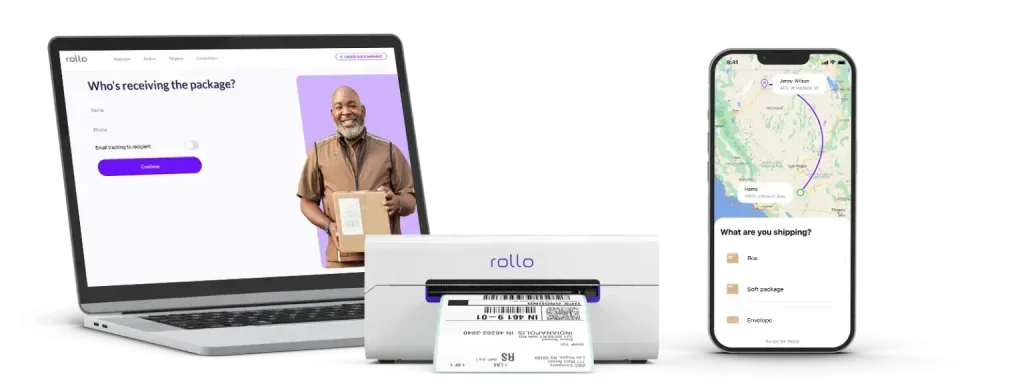
Are you tired of high shipping costs eating into your profits? Balancing affordability with reliability is key to successful shipping. That’s where USPS Ground Advantage shipping comes in. It is a shipping service designed to offer cost-effective delivery without sacrificing dependability. It’s a great option for online sellers and small businesses.
In this guide, we’ll break down everything you need to know about Ground Advantage. From its pricing structure and delivery speed, to how it stacks up against other options. Plus, you’ll learn how Rollo’s tools can streamline your shipping process. Let’s dive in!
In This Guide
What Is USPS Ground Advantage?
USPS Ground Advantage is a shipping service offered by the United States Postal Service (USPS). It is designed for packages that don’t require expedited delivery.
Ground Advantage provides a balance of affordability and reliability. This makes it ideal for non-urgent shipments.
Businesses can save money on shipping and still offer dependable delivery to customers.
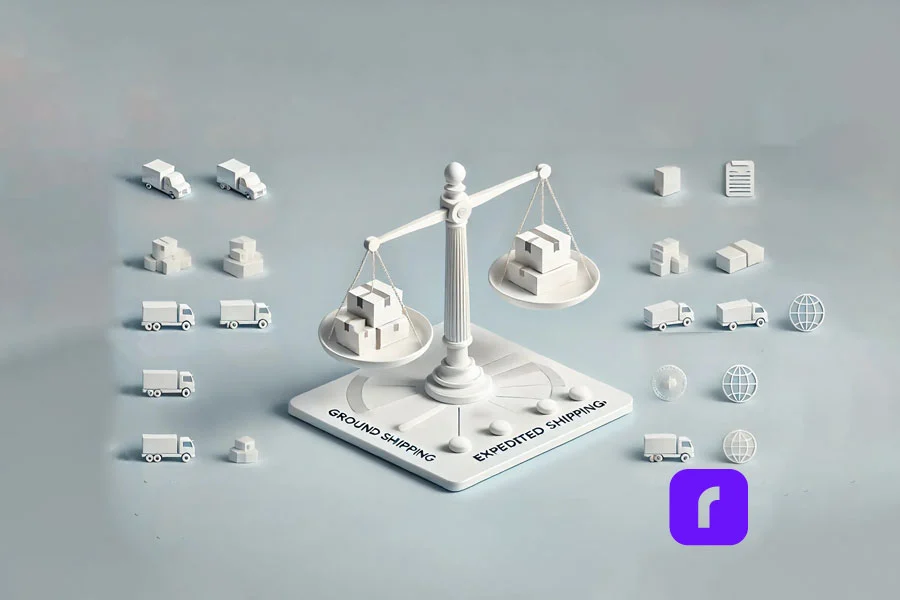
Ground Advantage is often compared to other USPS services. For example, Priority Mail and USPS Retail Ground. Priority Mail focuses on faster delivery times, within 1-3 business days.
But it comes at a higher price. In contrast, Ground Advantage offers lower cost shipping with longer delivery times. It usually takes about 2-5 business days. Ground Advantage is an excellent option for businesses shipping less time-sensitive products.
How USPS Ground Advantage Works
Using Ground Advantage is simple. Businesses can drop off packages at any post office or use self-service kiosks. These are available at many USPS locations. For added convenience, you can schedule a free package pickup. This allows you to save time and focus on other business tasks. Ground Advantage also includes basic tracking and up to $100 in included insurance. This provides a peace of mind for both the sender and the recipient.
The Advantages of USPS Ground Advantage
Affordable Rates and Cost Savings
One of the standout features of Ground Advantage is its affordable pricing. For many small businesses, every dollar saved on shipping counts. Especially when dealing with large volumes. Rates are typically lower than Priority Mail and other carriers. This allows businesses to maintain competitive prices for their products. For example, if a business ships a 5-pound package, using Ground Advantage could save up to 30% compared to other options.
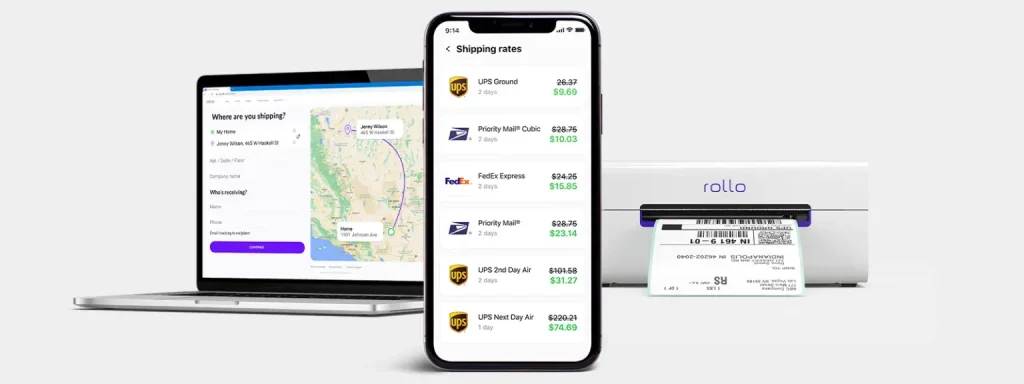
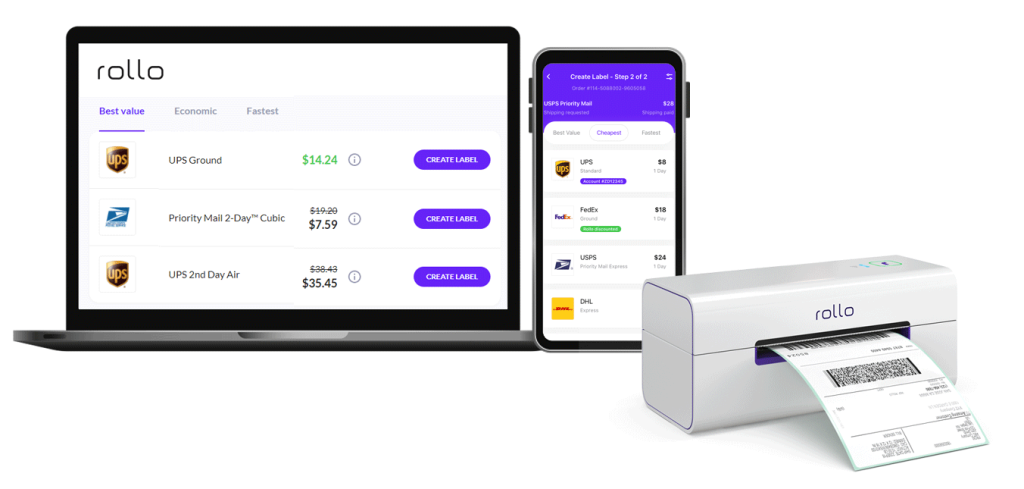
To maximize these savings, businesses can use Rollo Ship. This software can connect directly to their USPS account. It enables easy access to USPS discounted pricing and helps track shipping expenses. This is a streamlined way to manage logistics.
USPS Ground Advantage is not as fast as Priority Mail. But it is a consistent and dependable service. It ensures packages arrive within a reasonable timeframe. Businesses can rely on this service to meet customer expectations for non-urgent deliveries. Resulting in maintaining trust and satisfaction.
An added benefit is the inclusion of tracking numbers. This feature enables businesses to track shipments in real time. As a result, customers receive up-to-date delivery information. This level of transparency is invaluable for e-commerce sellers. It fosters confidence and loyalty among buyers.
With Rollo’s label design app and wireless label printer, businesses can print custom labels fast. This saves time and makes customers happy.
How to Use USPS Ground Advantage for Your Business
Step-by-Step Guide to Shipping with USPS Ground Advantage
Prepare Your Package: Choose the right packaging like padded envelopes, bubble wrap, or boxes. Make sure your items are safe.
Print Your Label: Use Rollo’s wireless label printer to make shipping labels quickly. It’s great for small businesses.
Drop Off or Schedule a Pickup: Take your packages to the nearest USPS or schedule a free package pickup online.
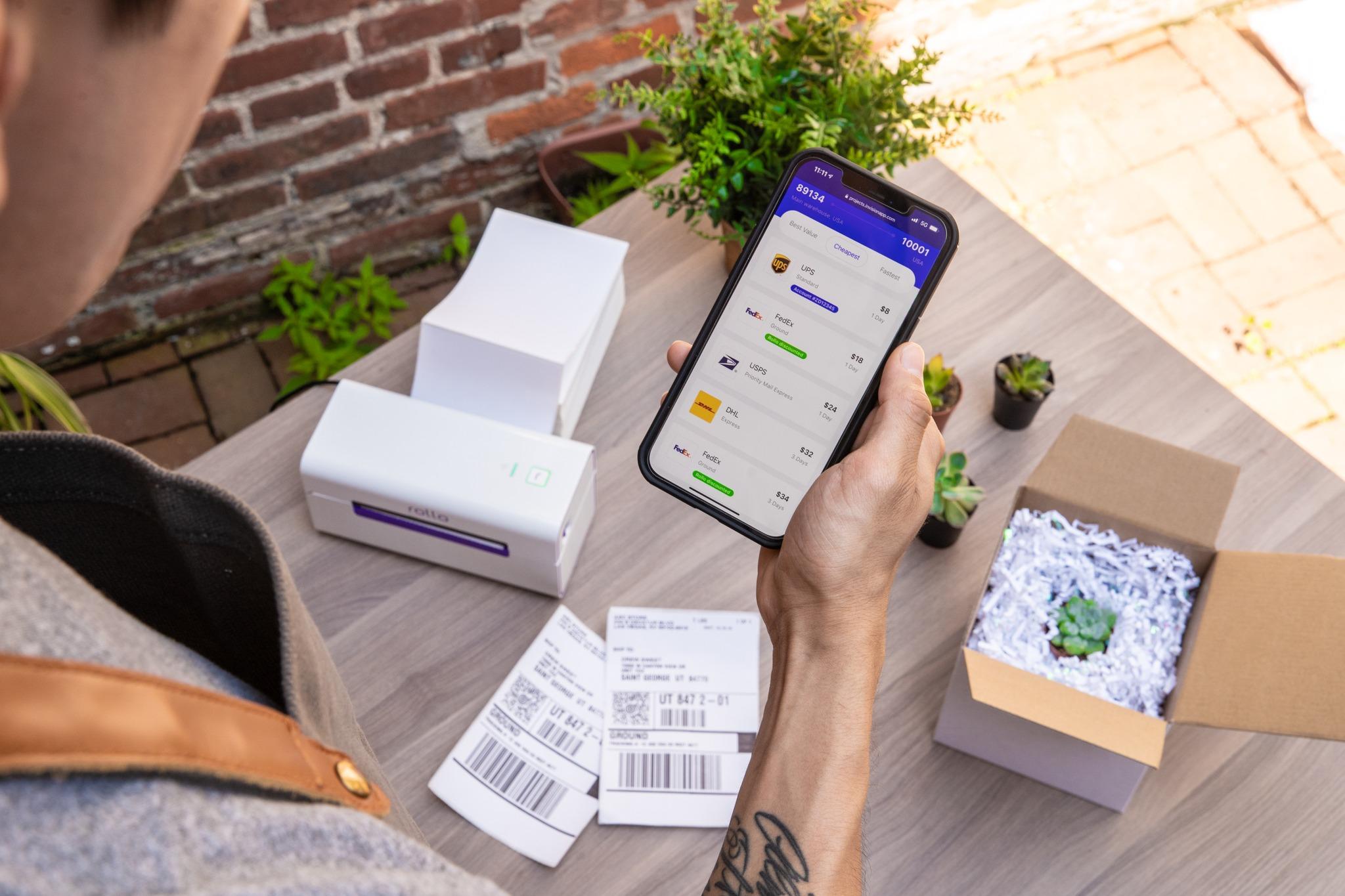
Track Your Shipment: Use the tracking number on the USPS website or Rollo’s Rollo Ship app to update your customers.
Printing Labels with Rollo for USPS Ground Advantage
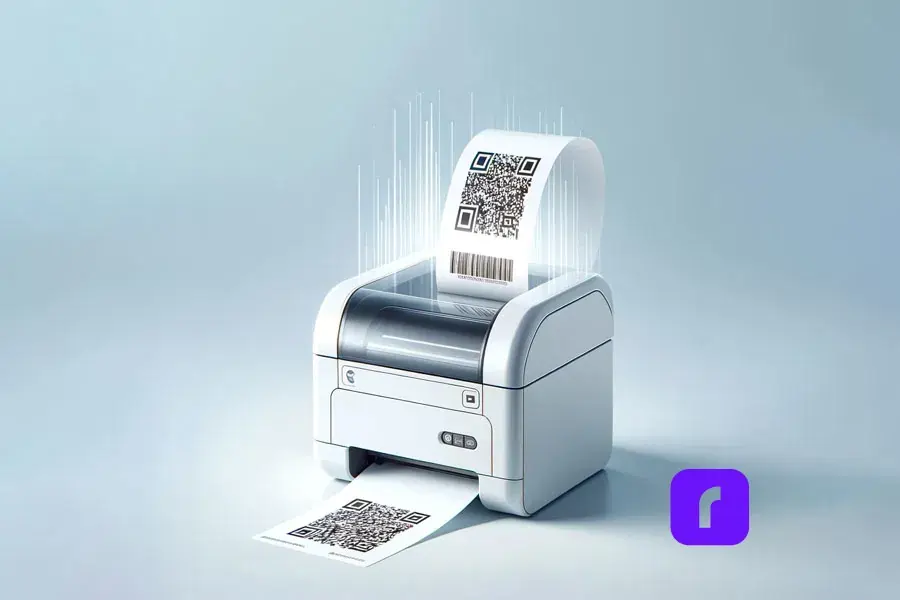
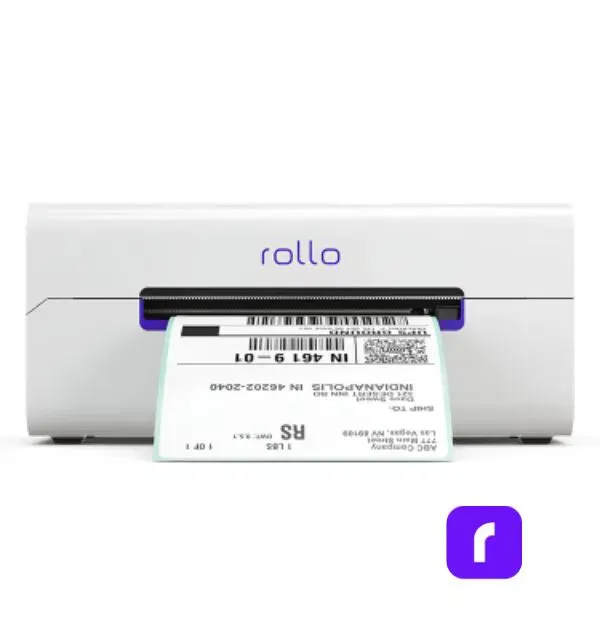
Rollo’s wireless label printer easily integrates withUSPS. It is known as one of the best thermal shipping label printers on the market. Rollo’s printers allow businesses to print high-quality labels directly from their computers.
With Rollo’s intuitive design, it’s easy to connect to the Rollo Ship app. From here, businesses can manage many shipments and keep track of delivery statuses—all from one place.
USPS Ground Advantage vs. Priority Mail and UPS Ground
Choosing between USPS Ground Advantage, Priority Mail, and UPS Ground depends on your specific needs. Here’s a quick comparison:
Service
Delivery Speed
Average Cost
Included Insurance
USPS Ground Advantage
2-5 Business Days
Low
Up to $100
USPS Priority Mail
1-3 Business Days
Medium
Up to $100
UPS Ground
1-5 Business Days
Higher
Additional Cost
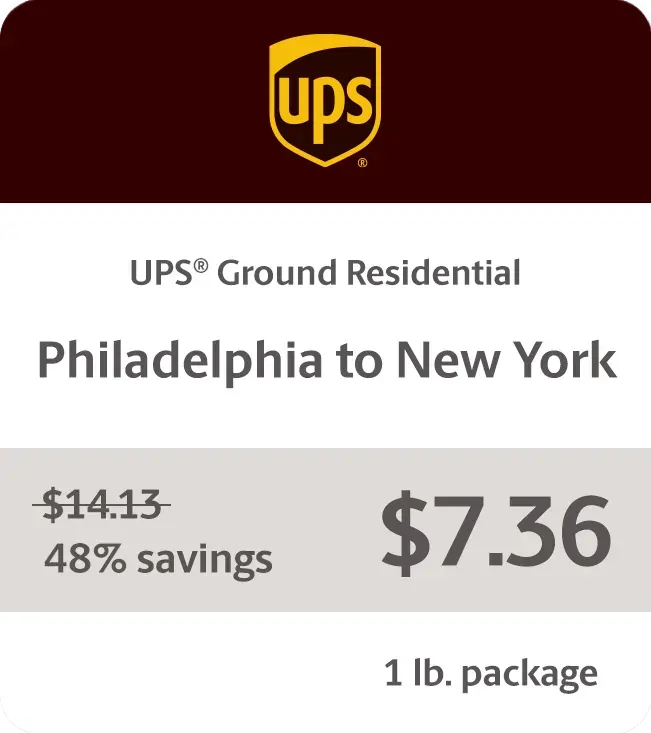
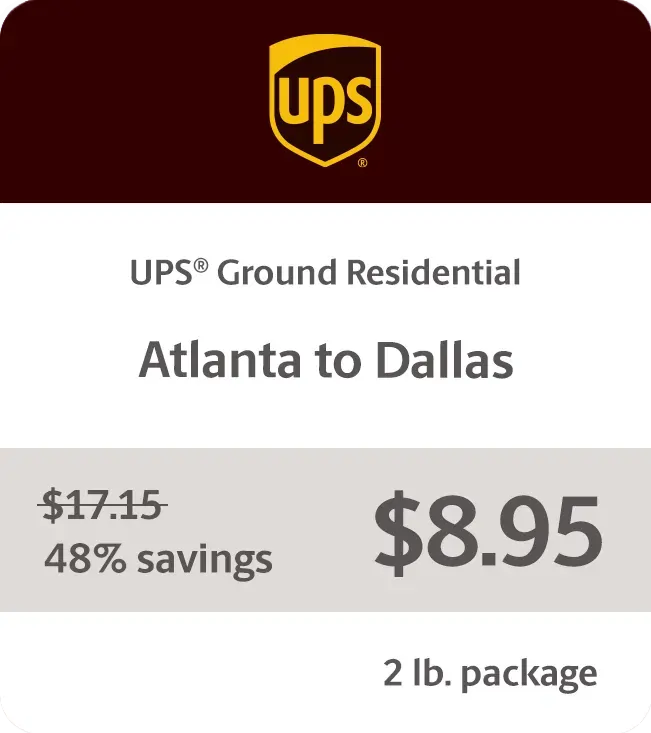
USPS Ground Advantage is often more affordable than UPS Ground. Especially for small packages. If you can wait a few extra days, USPS Ground Advantage saves you money.
Tips to Save Time and Money with USPS Ground Advantage
Proper packaging saves time and money. Use padded envelopes and bubble wrap to cut costs and protect items. For big or heavy items, flat-rate envelopes are a good choice.
With Rollo’s Rollo Ship app, find the best flat rate options. It considers package size and weight for cost savings.
Common Mistakes to Avoid
📏 Incorrect Package Size: Oversized packages cost more. Measure carefully before shipping.
💸 Missing Commercial Pricing: Rollo Ship gives you the best rates. It’s key for keeping prices competitive.
🚫 Neglecting Tracking: Not providing tracking info makes customers unhappy. Rollo’s software helps keep them updated.
Final Words
USPS Ground Advantage is an ideal solution for businesses seeking affordable, reliable shipping. It offers competitive rates and flexible delivery times. It integrates seamlessly with Rollo’s wireless label printer and Rollo Ship app. By choosing Ground Advantage, businesses can save time and reduce shipping costs. All while maintaining customer satisfaction through features like built-in tracking and included insurance.
Now is the perfect time to take advantage of these benefits! Elevate your shipping process today! Visit Rollo’s website to explore how our solutions can simplify your logistics and help your business thrive.
Frequently Asked Questions About USPS Ground Advantage
📌 Q: What packages can be shipped with USPS Ground Advantage?
💭 A: USPS Ground Advantage allows packages from 1 ounce to 70 pounds, with a combined length and girth of up to 130 inches. It supports general items, certain hazardous materials like aerosols, and large envelopes over 15 inches. Each shipment includes $100 of insurance, and typical delivery takes 2-5 business days, making it suitable for a wide range of shipping needs.
📌 Q: How do I get USPS Ground Advantage commercial pricing?
💭 A: To access USPS Ground Advantage commercial pricing, set up a USPS business account and use approved shipping software like Rollo Ship. Most commercial rates require a minimum of 200 pieces or 50 pounds of mail per shipment. Commercial pricing is typically lower than retail rates and includes $100 of insurance, making it ideal for businesses with regular shipping needs.
📌 Q: Is USPS Ground Advantage faster than Retail Ground?
💭 A: Yes, USPS Ground Advantage generally offers more efficient delivery within 2-5 business days, compared to the older Retail Ground service. It combines features of Retail Ground and other services for better logistics, including tracking and $100 insurance, making it a more modern, streamlined choice for reliable shipping.
📌 Q: How can I track a USPS Ground Advantage package?
💭 A: To track a USPS Ground Advantage package, use the tracking number provided at shipment. Enter it on the USPS website or app for real-time updates on location and delivery status. You can also opt for email or text updates. Tracking is free, helping both senders and recipients stay informed.
📌 Q: Can I schedule a free package pickup with USPS Ground Advantage?
💭 A: Yes, you can schedule a free pickup through the USPS website. Just enter your address, package details, and pickup location. Requests must be made by 3 AM ET for next-day service. This convenience is available Monday through Saturday, making it ideal for frequent shippers.
Are shipping delays and misaligned labels slowing your business? These issues can hurt customer satisfaction and profits. As orders grow, you need a reliable way to speed up shipping.
That’s why only the best thermal shipping label printer is the answer. It saves on ink and toner, prints labels fast, and works well with online stores.
This article will show why a top thermal printer is key for growing businesses. It saves time, money, and effort. It also makes shipping labels better and more accurate. Whether you want to simplify your work or cut costs, we’ll help you choose the right one.
Let’s see why you can’t settle for anything less than the best.
Organized for You
1. Save Money by Eliminating Ink and Toner Costs
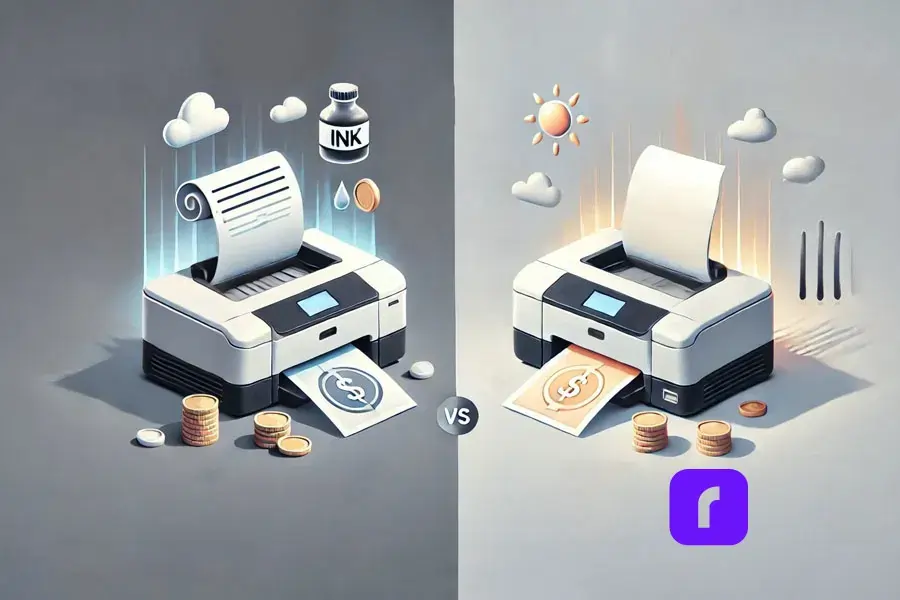
Using the best thermal shipping label printer saves a lot of money. It doesn’t need ink or toner like regular printers do. Instead, it uses heat to print on special paper.
This saves a lot of money, especially for businesses that print a lot of labels. Traditional printers need expensive ink cartridges and toner.
Studies show that office supplies cost a lot. Companies with 1-4 employees spend about $1,844 per employee each year. Half of this is for things like ink and paper.
Switching to a thermal printer can cut these costs a lot. It’s a smart move for businesses wanting to save money.
The best thermal shipping label printer is made for saving money. It offers an ink-free way to print. This helps your business save money and grow in other areas.
The best thermal shipping label printer is much faster than others. It can print high-quality labels in seconds. This makes the shipping process for small businesses much faster.
For example, Rollo’s wireless thermal printer can print 150 labels per minute. This cuts down the time it takes to print labels. Your business can then process orders faster, making customers happier.
3. Increase Your Business’s Productivity
Fast and accurate label printing boosts productivity. The best thermal shipping label printer makes label creation quick and cuts downtime.
Traditional printers often have problems like jams and ink smudges. These issues can cause delays and cost a lot.
Thermal printers, however, are reliable and need little maintenance. They work well even during busy times.
Imagine running an online shop during big sales. You need a printer that can keep up with demand.
The best thermal shipping label printer lets you print labels without stopping. This helps you fulfill orders on time.
4. Easy Integration with E-Commerce Platforms
Today’s e-commerce businesses use many sales channels. It’s important to have a label printer that works well with these platforms. Thermal printers work great with Amazon, Etsy, Shopify, eBay, and more.
They make it easy to print labels for individual or bulk orders. You can do this directly from these platforms.
The best thermal shipping label printer works well with Shopify, Etsy, and eBay. It lets users print labels easily. This saves time and makes sure orders are fulfilled quickly and right.
Thermal label printers, like Rollo, are small and light.
They fit easily on desks or countertops without cluttering.
For those who need to move around, Rollo’s mini printers are perfect. They’re small and wireless, making them easy to use anywhere.
7. Simplified Setup for Any Business
Thermal label printers are easy to set up. You don’t need to be tech-savvy. Most models plug and play, connecting via USB, WiFi, or Bluetooth. You can start printing in minutes.
Rollo’s printer is easy to set up. It works with iOS, Android, and Windows. It also has WiFi and Bluetooth for wireless printing, making it great for all businesses.
8. Print Anywhere with Wireless Connectivity
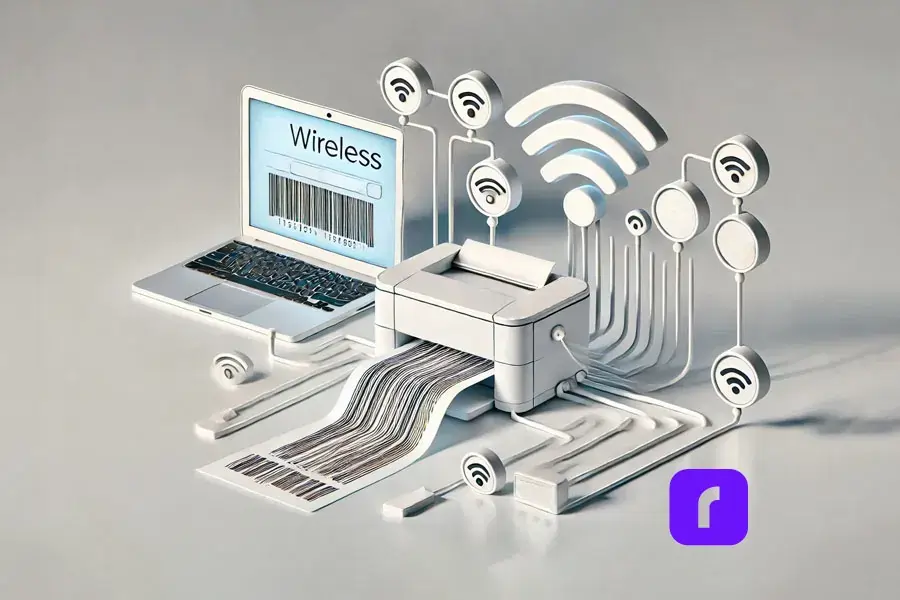
Wireless printing is key for today’s flexible workspaces. The best thermal label printer lets you print from any device without cables. This lets you set up your printing station anywhere.
Here are some benefits of the best thermal label printer:
📱 Print from Multiple Devices: You can print from computers, smartphones, or tablets easily.
🔌 No Cables Required: You don’t need to deal with cables or USB connections. Print anywhere in your office or remote workspace.
🏠 Ideal for Remote Teams: Businesses with remote teams or shared workspaces can use flexible, on-the-go printing options.
⚡ Faster Workflow: Wireless printing makes setup quicker. You can produce labels fast without interruptions.
The best thermal shipping label printer by Rollo makes printing easy from many devices. You don’t need USBs for it. This is great for teams working remotely or in shared spaces.
9. Seamlessly Streamlines Orders with Shipping Software
Pairing the best thermal shipping label printer with shipping software makes things more efficient. Rollo Ship is designed to make label creation and tracking easy. It gives your business a complete shipping solution.
💸 Instant Rate Comparisons: Compare rates across multiple carriers (USPS, UPS, FedEx) in seconds, helping you select the most cost-effective shipping option for every order.
📦 Batch Label Printing: Print multiple shipping labels at once, streamlining your workflow and saving time during high-volume shipping periods.
📲 Tracking and Notifications: Automatically send tracking information to your customers, reducing inquiries and improving customer satisfaction.
🤑 Discounted Shipping Rates: Access discounted shipping rates through Rollo Ship, helping you cut down on costs and increase your profit margins.
Using the best thermal shipping label printer with Rollo Ship gives you a powerful solution. It reduces headaches, boosts productivity, and saves money.
Many businesses care about the environment, and thermal shipping label printers are a green choice. They don’t use ink or toner cartridges, which means less waste and a smaller carbon footprint. Plus, the paper they use can often be recycled.
The best thermal shipping label printer is good for the planet. It doesn’t need ink cartridges or toners, which are hard to recycle. This fits well with businesses that want to be eco-friendly.
Final Words
The best thermal shipping label printer is more than just a tool. It makes your shipping process smoother. It saves money, speeds up label making, and needs less maintenance. It’s perfect for small and medium-sized businesses.
Now is a great time to think about getting a thermal printer. Rollo’s wireless model can make your operations easier. It can help you save money, reduce mistakes, and make labels last longer. Rollo offers a reliable and cost-effective solution for growing businesses.
Ready to improve your shipping? Check out Rollo’s thermal shipping label printer. It can change how you handle orders. Visit Rollo today and see how it can make your shipping better.
Frequently Asked Questions About The Best Thermal Shipping Label Printer
📌 Q: What makes the best thermal shipping label printer stand out?
💭 A: The best thermal shipping label printers offer high-speed printing, durable labels, easy integration with e-commerce platforms, and cost savings by eliminating the need for ink or toner. These features improve efficiency, reduce errors, and help businesses streamline their shipping processes.
📌 Q: How does a thermal shipping label printer save on costs?
💭 A: Yes, the best thermal shipping label printer, including Rollo’s thermal printers, can print on a variety of label sizes, as long as the labels are compatible with the printer. This flexibility makes them ideal for businesses that need to print different types of labels, such as shipping labels, barcode labels, or product labels.
📌 Q: Can a thermal shipping label printer integrate with my e-commerce platform?
💭 A: Yes, the best thermal shipping label printers integrate seamlessly with popular e-commerce platforms like Shopify, Etsy, Amazon, and eBay. This allows for quick, efficient label printing directly from your order management system.
📌 Q: Why is label durability important in shipping?
💭 A: Durable labels are crucial in ensuring that your packages reach their destination with clear, scannable barcodes and legible addresses. The best thermal shipping label printers produce smudge-proof, water-resistant labels that withstand rough handling during transit.
📌 Q: How can a thermal shipping label printer improve my business’s productivity?
💭 A: A high-quality thermal shipping label printer speeds up the printing process, reduces maintenance, and minimizes errors. This allows businesses to print labels faster, fulfill orders more efficiently, and ultimately improve customer satisfaction with timely deliveries.
As an online seller or small business owner, balancing cost-efficiency with dependable delivery can be challenging. That’s why understanding how UPS Ground Saver works and how it can benefit your business is critical. In this article, we’ll break down everything you need to know about this service, including shipping rates, and delivery times. Additionally, we’ll highlight ways to optimize your shipping process using Rollo’s tools, helping you maximize savings and streamline your operations.
By the end of this guide, you’ll discover how UPS Ground Saver can help you save on every shipment—while keeping your logistics efficient and competitive in today’s fast-paced market.
Inside This Post
What is UPS® Ground Saver?
UPS Ground Saver is a low-cost shipping service designed for businesses sending lightweight, low-value, non-urgent packages to U.S. residential addresses. As an economy ground service, it allows you to maintain profit margins on low-value shipments without sacrificing reliability. This service is perfect for businesses that don’t require expedited shipping but still want to ensure consistency and reliability with every shipment.
💡UPS® Ground Saver Features
💰 Cost savings: UPS Ground Saver is one of the most affordable UPS options, helping small businesses save on shipping costs.
📦 Lightweight and non-urgent shipments: Ideal for packages that don’t need immediate delivery and are under 70 lbs.
🏡 Residential delivery: Designed specifically for shipping to home addresses, including PO boxes and military addresses.
📅 Delivery Time: Deliveries Monday – Sunday, with 100% population coverage for Saturday deliveries and 71% for Sunday.
📏 Maximum size: 130 total inches
📍 Tracking: Door-to-door
🎯 No volume commitments: You can ship as much or as little as needed without worrying about meeting volume requirements.
By combining affordability with reliable delivery, UPS Ground Saver gives businesses the opportunity to offer low-cost shipping options to their customers without sacrificing service quality.
Benefits of UPS® Ground Saver?Why Should Businesses Use It?
UPS® Ground Saver offers a clear savings advantage and helps you manage shipping costs and offer your customer a positive delivery experience
Get the reliability of the UPS network at an incredibly competitive price. Plus: • UPS® Ground Saver packages are delivered Monday – Sunday • No volume commitments • UPS door-to-door tracking
What to do when shipping is more expensive than what you’re shipping? Look no further than UPS® Ground Saver to solve your shipping woes.
For businesses managing frequent shipments of small or low-value products, UPS Ground Saver offers important advantages. Let’s explore the key benefits:
How UPS Ground Saver Helps You Save on Shipping
Shipping costs can be a major pain point for businesses, especially for e-commerce sellers trying to stay competitive. UPS® Ground Saver provides one of the most affordable shipping options in the UPS network, making it ideal for businesses shipping non-urgent, lightweight items like books, apparel, or small consumer electronics.
By switching to UPS Ground Saver for eligible shipments, businesses can slash shipping expenses while maintaining reliability. Imagine sending out low-value products that don’t require expedited delivery—this service allows you to protect your margins while providing reliable shipping.
💡 Pro Tip: Pair UPS Ground Saver with Rollo’s exclusive UPS shipping discounts to further streamline your process. The Rollo Ship app allows you to compare rates, print labels, and track shipments, all in one place.
Reliability and Coverage: UPS Ground Saver’s Geographic Reach
The new UPS Ground Saver shipping is available for 48 contiguous states and is perfect for low-value, lightweight products, and non-urgent shipments with a total size of 130 inches.
What makes UPS Ground Saver so reliable?
delivers 7 days a week
UPS® Ground Saver Saturday deliveries have 100% population coverage
71% of the population coverage for UPS® Ground Saver Sunday delivery
UPS® Ground Saver packages reach more than 145 metro areas across the U.S.
Shipping is not one size fits all!
Explore UPS shipping options on the Rollo Ship app today!
Rollo offers big discounts on UPS shipping services. No monthly fees, and no fee for label generation. Just pay for the discounted UPS shipping.
How Does UPS Ground Saver Compare to Other Shipping Services?
When considering the best shipping options for your business, it’s essential to understand how UPS Ground Saver compares to other UPS services like UPS Ground and UPS SurePost. Let’s break it down:
UPS Ground vs. UPS Ground Saver:
🚚 UPS Ground is a faster service with day-definite delivery at a higher price point, making it ideal for businesses needing quicker deliveries.
💵 UPS Ground Saver, on the other hand, is a more economical option designed for lightweight, low-value shipments that aren’t time-sensitive.
UPS SurePost vs. UPS Ground Saver:
🏠 UPSGround Saver focuses primarily on residential deliveries and often offers lower rates for smaller, lightweight shipments.
📬 Both UPS SurePost and UPS Ground Saver rely on USPS for last-mile delivery, but UPS SurePost is designed for heavier packages and delivers to both business and residential addresses.
Step-by-Step: How to Ship Using UPS Ground Saver
Shipping with UPS Ground Saver is straightforward, especially when you use Rollo’s tools to streamline the process. Here’s how to get started:
📦 Prepare Your Package: Ensure your package meets the size and weight limits (under 70 lbs and less than 60 inches in length).
📱 Use Rollo Ship: Log in to the Rollo Ship app, compare shipping options, and select UPS Ground Saver for eligible packages.
🖨️ Print Labels: With Rollo’s wireless UPS label printer, you can print shipping labels quickly and efficiently, saving time.
🚚 Track Your Shipment: Use Rollo Ship to track your package from pickup by UPS to final delivery by USPS.
Shipping to Military Addresses and Special Considerations
UPS Ground Saver ships to military addresses and PO boxes. This feature is especially useful for businesses that serve customers in U.S. territories or military families.
💡 Pro Tip: With Rollo Ship, shipping to military addresses is simple. You can ensure your labels meet all necessary requirements to avoid delivery issues.
Final Words
Shipping doesn’t need to break your budget. UPS Ground Saver offers a reliable, low-cost solution for businesses shipping lightweight, low-value items. Whether you’re a small business sending out occasional packages or an e-commerce store shipping daily, UPS Ground Saver can help you optimize your shipping costs.
With Rollo’s tools, you can streamline your shipping process even further, printing labels faster, tracking shipments with ease, and ensuring that your logistics remain efficient. Ready to transform the way you ship? Discover how Rollo can help you save time, money, and effort while offering a seamless shipping experience.
Frequently Asked Questions About UPS® Ground Saver
📌 Q: How long does UPS Ground Saver take to deliver?
💭 A: UPS Ground Saver typically delivers within 2-7 business days, depending on the shipping distance and destination. Deliveries to urban areas may be faster deliveries, while rural locations might take longer. Weekend delivery options are also available at no additional cost.
📌 Q: What types of packages are best suited for UPS® Ground Saver?
💭 A:UPSGround Saver is ideal for lightweight, non-urgent shipments such as books, apparel, small electronics, and personal items. It’s specifically designed for packages under 70 lbs that don’t require expedited delivery.
📌 Q: What surcharges should I be aware of when using UPS® Ground Saver?
💭 A: UPS Ground Saver may incur the following surcharges, including: Over maximum limits surcharge: If your package exceeds size and weight restrictions, fees may go up to $1,250. Non-standard dimensions surcharge: Applies to packages exceeding specific length or cubic measurements. To avoid these fees, ensure your package complies with UPS Ground Saver’s dimensions and weight requirements.
📌 Q: How does UPS®Ground Saver’s insurance coverage work?
💭 A: UPS Ground Saver includes $100 of carrier liability, but this only applies while UPS handles the package. Once the package is handed over to USPS for last-mile delivery, UPS liability no longer applies. For added protection, businesses can purchase third-party insurance covering the entire shipping journey.
📌 Q: Can I integrate UPS® Ground Saver with my e-commerce platform?
💭 A: Yes, UPS Ground Saver can be easily integrated with e-commerce platforms like Shopify, WooCommerce, and Etsy using shipping tools like Rollo Ship. This allows you to automatically generate shipping labels, track packages, and streamline your fulfillment process from a single platform.
Shipping can slow down your business. For online sellers and small businesses, making and applying labels can be stressful. But it doesn’t have to be.
At Rollo, we believe shipping should be fast, efficient, and yes, even fun! In this article, we’ll share tips to make custom label printing easy. With the right tools, you can streamline your packaging process. All while saving time and enhance your brand.
Ready to start? Let’s dive in!
Post Highlights
Why Custom Printed Labels Is Essential for Online Sellers
Common Challenges in Custom Label Printing
Custom printed labels are key for a memorable brand experience. But, they come with challenges. Let’s look at some common issues small businesses face:
Challenge
Description
Solution
💸 Printing Costs
Personalized labels can be expensive, especially for small businesses or higher quantities.
Use Rollo’s affordable FSC-certified label sheets to reduce costs, especially when batch printing.
🎨 Label Design
Many small businesses lack the design skills needed for professional-looking printed labels with custom shapes or logos.
Use Rollo’s Custom Label Design App to easily customize pre-designed templates or create your own design.
🌱 Label Materials
Choosing the right label material is confusing, especially with so many options available.
Opt for FSC-certified, BPA-free waterproof labels from Rollo that offer durability and eco-friendliness.
By tackling these issues, you can make label printing easier. Your labels will show off your brand’s identity and values.
Your product’s packaging is often the first thing your customers notice. Custom labels play a huge role in shaping that impression. Well-designed, high-quality labels can:
✅ Enhance your brand’s credibility by making your products look polished and professional.
📦 Improve customer satisfaction by providing clear, branded labels that make unboxing a memorable experience.
🔁 Increase brand recognition by showcasing your logo, colors, and messaging consistently across all your packaging.
Investing in the perfect custom label isn’t just about aesthetics; it’s about building a brand that customers trust and remember.
Top Hacks for Efficient Custom Label Printing
To streamline your shipping process and make custom label printing more enjoyable, here are four powerful hacks. They will save you time and help you create perfect custom labels that truly stand out.
Hack #1: Use Pre-Designed Templates to Save Time
Creating custom labels stickers from scratch can be a time-consuming task. Fortunately, with pre-designed templates, you don’t need to start from zero.
Rollo’s Custom Label Design App offers a wide range of ready-made templates that can be customized in minutes. Whether you’re looking for simple designs or something more intricate, you’ll find a variety of options to suit your business.
Here’s how you can save time using pre-designed templates:
🎨 Browse Templates: Start by exploring Rollo’s design library, where you can choose from various templates tailored to different industries.
🖌️ Customize the Design: Once you’ve chosen a template, simply upload your artwork file, adjust the colors, and add any text you need.
👁️ Preview Your Label: The app allows you to see a real-time preview of your printed labels, ensuring everything looks perfect before printing.
🖨️ Print Ready: Once finalized, your design can be printed instantly with Rollo’s wireless label printers.
By leveraging templates, you can create professional-looking stickers in a fraction of the time it would take to design from scratch.
Hack #3: Choose the Right Label Format for Your Needs
Not all labels are the same. The right shape can change how you print.
🔄 Roll Labels: Great for lots of printing, roll labels work well with automatic dispensers. They’re perfect for shipping labels or product labels, like Rollo’s 4×6 Roll Labels and 2×1 Barcode Labels.
🗂️ Stack Labels: For a simple solution, stack labels (like Rollo’s 4×6 Stack Labels) are ready to use without a holder. They’re good for businesses needing flexibility and ease.
🎨 Circle Labels: Rollo’s 2-inch Circle Labels, in many colors, add a fun touch to boxes. They’re versatile for branding, inventory tags, or fun stickers.
Each type has its own benefits. Choose the one that fits your needs best. Rollo has many options for a smooth labeling process.
Hack #4: Choose Sustainable and High-Quality Label Materials
Picking the right label material is key for your business and the planet. Rollo focuses on eco-friendly options that work well.
🌿 FSC-Certified Labels: All Rollo labels are FSC® Certified, from responsibly managed forests. They’re great for eco-conscious businesses.
🖨️ Thermal Printing Technology: Rollo labels use heat, not ink, for printing. This is better for the environment and saves money.
🔖 Multiple Label Sizes and Formats: Rollo has many sizes and types, like 4×6 labels for shipping or 2-inch circle labels. They’re perfect for different needs.
Choosing Rollo’s labels means you get quality and help the planet.
How Rollo Makes Custom Label Printing Fun and Easy
Rollo makes custom label printing easy and fun for all businesses.
Rollo’s Custom Label Design App
Rollo’s app is easy to use, even if you’re not good at design. You can pick templates, upload logos, and change colors and fonts quickly.
The app shows you how your label will look before you print. This makes sure your labels are just right from the start.
Wireless Label Printers for Quick Printing
Rollo’s wireless label printers let you print anywhere, anytime. They make batch printing easy. You can print many labels at once without stopping.
Custom Label Printing for Eco-Friendly Solutions
Businesses wanting to be eco-friendly can use Rollo’s eCommerce order fulfillment solutions. They offer biodegradable and recyclable label materials. This choice helps your brand go green while keeping labels top-notch.
Custom label printing can be easy and rewarding. Use pre-designed templates to make design quick. Batch printing speeds up the process, and the right material makes labels last.
These hacks save time and impress customers. Rollo’s tools, like the Custom Label Design App and wireless label printers, help take your labels to the next level.
Try it out to improve shipping and branding. Visit Rollo today to see how we can make label printing easy for your business.
Frequently Asked Questions About Custom Label Printing
📌 Q: How do I design custom labels that reflect my brand?
💭 A: When designing custom labels, it’s important to consider elements like color, typography, and imagery. Use colors that align with your brand identity, choose easy-to-read fonts, and ensure any logos or images are high quality. Tools like Rollo’s Custom Label Design App allow you to upload your logo and create professional labels quickly without needing advanced design skills.
📌 Q: What’s the typical turnaround time for custom label printing?
💭 A: If you’re printing in-house using Rollo’s wireless label printers, the turnaround time is immediate. You can print your custom labels on-demand as soon as you finish the design. This is a major advantage over outsourcing to professional printing services, which may take several days or even weeks depending on the order size and customization needs.
📌 Q: Should I print my own labels or use a professional printing service?
💭 A: Printing your own labels offers more flexibility, cost savings, and control over the process. With Rollo’s thermal label printers, you can print custom labels on-demand without the hassle of minimum order quantities or long wait times. Outsourcing to a professional printer may be better for highly specialized labels, but it’s often more expensive and less efficient for businesses that need fast turnaround times.
📌 Q: Can I print custom labels for platforms like Amazon, Etsy, or eBay?
💭 A: Absolutely! Rollo’s printers are compatible with major e-commerce platforms, allowing you to print custom labels for platforms like Amazon, Etsy, eBay, and more. For example, Rollo’s 4×6 stack labels are ideal for shipping labels, while the 2×1 barcode labels are perfect for FBA and inventory tracking on Amazon.
📌 Q: Can custom label printing help improve my shipping process?
💭 A: Yes, custom label printing can significantly streamline your shipping process. With Rollo’s wireless thermal label printers, you can quickly print shipping labels and barcodes that are scannable and easy to apply. Custom labels can also be color-coded to organize different orders or shipping types, making it easier to manage high-volume shipping operations.
Did you know the wrong UPS printer can cost your business time and money? For online sellers and small businesses, shipping efficiently is key. But the wrong printer can make it a hassle. Common problems like compatibility issues, slow speeds, and constant ink replacements can slow you down. These issues can hurt your productivity and profits.
But, you can avoid these mistakes. By knowing what to look for, you can find the perfect UPS printer for your business. This article will guide you through common errors and how to avoid them. We’ll cover everything from choosing the right thermal printer to ensuring it works seamlessly with your software.
This guide will save you time, money, and stress. Ready to make your shipping process smoother and label printing easier? Let’s get started.
Everything You Need to Know
Why Choosing the Right UPS® Printer Matters for Your Business
For small to medium-sized businesses, time is money, especially in shipping. The right UPS printer can save you hours by speeding up label printing. It also improves integration with your shipping software and reduces costs.
Whether you’re printing FedEx labels or UPS® labels, the right printer makes it faster and more efficient. Invest in a printer that matches your shipping volume and needs. Rollo’s thermal printers are designed for small business owners. They offer ease of use and cost-saving features.
Common Mistakes to Avoid When Buying a UPS Printer
Mistake #1: Ignoring Printer Compatibility with UPS® Shipping Tools
One big mistake is buying a UPS printer without checking compatibility with UPS® shipping tools. Rollo may not connect directly with UPS® WorldShip or UPS CampusShip®, but it links to UPS® through Rollo Ship. This lets users generate UPS shipping labels, get discounted rates, and manage shipments in Rollo.
To avoid problems, make sure your printer works with your shipping platforms. With Rollo, you can ship with UPS and enjoy discounted rates and a streamlined process. You can also get USPS discounts through Rollo’s platform to cut shipping costs further.
Mistake #2: Choosing the Wrong Type of Printer
Many think any printer will work, but the type you choose matters a lot. Thermal printers are great for shipping labels because they don’t need ink or toner. This means you save money and don’t have to stop to refill ink as often.
Let’s compare:
🔥 Thermal Printers: Cost-efficient, fast, and optimized for shipping labels. Rollo’s thermal printers, for example, eliminate the need for ink and print high-quality labels in seconds.
💸 Laser Printers: Typically more expensive and slower for label printing. Requires toner.
💧 Inkjet Printers: Slower, more costly over time due to ink, and not as durable for label printing.
For businesses shipping many packages, thermal printers save a lot of money on ink.
Mistake #3: Overlooking Printer Setup and Driver Installation
Setting up a printer can be tricky. Each printer needs specific drivers to work with your computer and shipping software. If you don’t install the right driver, you might face delays and problems.
Rollo’s UPS printers have an easy setup guide. This makes it simple for anyone to start using them without trouble. Always follow the manufacturer’s guide for driver installation to avoid issues.
Mistake #4: Not Considering Long-Term Costs
Many focus on the initial cost of a printer but forget about ongoing expenses. Inkjet and laser printers need ink or toner, which can get expensive, especially for high-volume shipping.
Thermal printers like Rollo’s don’t need ink or toner, making them great for frequent label printing. Choosing a printer that saves you money in the long run can help your business grow.
How to Ensure You Choose the Best UPS Printer for Your Business
Research Printer Models Based on Your Business Needs
Before buying, find out which printer model fits your business best. A small e-commerce business might not need the most expensive model. But a big business shipping lots of packages might benefit from a fast thermal printer.
Look for a printer that balances speed, reliability, and works well with your shipping tools. Rollo’s wireless thermal printer connects easily with UPS, prints labels, and offers discounted shipping. They also have custom label printing for special needs.
Reading reviews and testimonials can help you make a good choice. Feedback from other businesses can tell you about a printer’s performance and ease of use.
Rollo has great reviews for its easy setup, smooth integration with UPS, and cost savings. Many small businesses say switching to Rollo improved their shipping and saved money.
Troubleshooting Printers for UPS® – Issues and Maintenance Tips
Even the best printers can run into problems. But, knowing how to fix common issues can save you a lot of time and stress. Here are some tips to help you solve typical UPS printer problems:
🧻 Paper Jams: Make sure the label paper is loaded right and there’s no blockage in the printer.
🔧 Driver Issues: Check if you have the latest drivers installed. Often, updating or reinstalling drivers fixes connection problems.
🔄 Label Alignment: If labels aren’t printing right, check your settings in the UPS software. Adjust margins if needed.
For those managing multiple e-commerce sites like Shopify or TikTok Shop, Rollo Ship can make shipping easier.
Final Words: Make the Smart Choice for Your Business
Choosing the right UPS printer is key to a better shipping process for your business. Avoiding common mistakes can save you time and reduce stress. Thermal printers, like those from Rollo, are cost-effective and reliable. They don’t need ink and work well with UPS shipping platforms.
Now you know what to avoid, it’s time to make better choices for your business. Whether you ship a few packages a day or lots, Rollo’s thermal printers can make your work easier. They help you focus on growing your business.
Ready to move forward? Check out Rollo’s range of thermal printers. See how they can make your shipping process smoother. Visit Rollo today and discover the future of shipping efficiency.
Frequently Asked Questions About Buying UPS Printers
📌 Q: What is the best UPS printer for a small business?
💭 A: When designing custom labels, it’s important to consider elements like color, typography, and imagery. Use colors that align with your brand identity, choose easy-to-read fonts, and ensure any logos or images are high quality. Tools like Rollo’s Custom Label Design App allow you to upload your logo and create professional labels quickly without needing advanced design skills.
📌 Q: What size labels are compatible with UPS printers?
💭 A: UPS recommends using 4×6-inch labels for shipping purposes, which is the standard size for thermal printers like Rollo. This label size is compatible with most UPS services and ensures that your labels meet the required specifications for efficient scanning and delivery.
📌 Q: Can I use my UPS printer for other carriers like FedEx or USPS?
💭 A: Yes, UPS-compatible printers like Rollo can also be used to print shipping labels for FedEx, USPS, and other carriers. Rollo printers offer flexibility for businesses that use multiple shipping services, making it a versatile solution for various shipping needs.
📌 Q: How do I know if my UPS printer is compatible with Rollo Ship?
💭 A: Rollo thermal printers are designed to be compatible with UPS and other shipping carriers. When using Rollo Ship, you can print UPS labels, compare rates, and track shipments. You can also add your existing UPS account or create a new one directly within Rollo Ship to start shipping immediately.
📌 Q: What are the benefits of using a thermal printer over a laser or inkjet printer for UPS labels?
💭 A: Thermal printers like Rollo are specifically optimized for printing shipping labels. Unlike laser or inkjet printers, thermal printers do not require ink or toner, significantly reducing long-term costs. They are faster, more reliable, and produce durable labels that are ideal for high-volume shipping needs.
Did you know that with Rollo Ship, you can save up to 90% on USPS shipping costs? For small to medium-sized online businesses, especially family-owned ones, shipping costs are one of the largest expenses, and every dollar counts. Fortunately, with Rollo Ship’s exclusive USPS discounts, you can reduce these costs, streamline your shipping process, and keep your business competitive.
Shipping can be complicated, especially when you’re dealing with bulk orders, international packages, or trying to keep costs low while meeting customer expectations. But by understanding how to access and use Rollo’s USPS discounts, you can ensure you’re not paying more than necessary, and take full control of your shipping strategy.
In this article, we’ll break down the most valuable USPS discounts available through Rollo Ship, show you how to access them, and compare USPS with other popular shipping services. We’ll also highlight Rollo’s solutions to help your business ship more efficiently and cost-effectively.
Your Guide Starts Here
The Most Valuable USPS Discounts for Online Businesses
When it comes to reducing shipping costs, Rollo Ship’s exclusive USPS discounts are designed specifically for businesses that ship frequently. Whether you’re sending out a handful of packages a week or hundreds, these discounts can make a significant difference in your bottom line.
Bulk Mailing Discounts
Through Rollo Ship, businesses can unlock exclusive USPS bulk mailing discounts. Rollo Ship simplifies access to USPS bulk rates, allowing businesses that send out high volumes of packages to save up to 90% on standard USPS pricing.
For example, if your business ships more than 500 packages per month, enrolling in USPS bulk mail through Rollo Ship offers significant savings. With Rollo Ship, the process of managing large volumes of shipments becomes easier, as the platform provides tools to help you organize and streamline your shipping operations.
USPS Ground Advantage Discounts
With Rollo Ship’s exclusive discounted rates for USPS Ground Advantage, businesses can save significantly on heavier packages without sacrificing delivery speed. Rollo Ship offers lower rates compared to standard USPS pricing, making it a perfect option for both domestic and international shipments.
For instance, shipping a 10-pound package across several states through USPS Ground Advantage with Rollo Ship provides a more affordable option than Priority Mail, and the savings add up with increased volume.
Seasonal USPS Promotions
Through Rollo Ship, businesses can take full advantage of USPS’s seasonal promotions, with the added benefit of Rollo’s year-round discounted USPS rates. These seasonal promotions are especially valuable during peak shipping seasons like the holidays, when businesses are sending higher volumes of packages.
By leveraging Rollo Ship’s bulk shipping tools, you can easily plan ahead for seasonal promotions and maximize your savings. Rollo’s platform helps you stay updated on the promotional calendar, so your business doesn’t miss out on these cost-saving opportunities.
How to Access USPS Discounts
Link Your USPS Account with Rollo
To access USPS discounts, the first step is to link your USPS account to Rollo Ship. Through the Rollo Ship platform, businesses can connect directly to USPS and start receiving exclusive discounted rates immediately, without the hassle of manually enrolling in complex USPS programs. Whether you’re just learning how to ship a package or managing hundreds of shipments a month, Rollo Ship simplifies the process and helps you save more.
Rollo Ship allows you to combine USPS loyalty programs with exclusive Rollo discounts to maximize your savings. The more you ship, the more you save, and Rollo makes it easy by automating much of the shipping process.
For instance, a small online retailer shipping 1,000 packages a month could see incremental savings increase as they continue to ship at high volumes, thanks to USPS loyalty incentives combined with Rollo Ship’s discounted rates.
Why USPS Discounts Are Ideal for E-commerce Businesses
Rollo’s exclusive USPS discounts are especially beneficial for small to medium-sized e-commerce businesses. With services like USPS Ground Advantage and bulk mailing programs, businesses can pay significantly less on domestic shipping, particularly for lighter packages.
USPS offers various affordable shipping options, from Priority Mail to First Class Package Service, that cater to different business needs. When combined with Rollo, e-commerce businesses can keep shipping costs low while maintaining reliable delivery for their customers.
For businesses shipping smaller items, Rollo’s exclusive shipping rates make it a top choice, allowing you to reduce costs without sacrificing speed or quality.
Common Mistakes to Avoid When Using USPS Discounts
While Rollo Ship’s USPS discounts are a great way to save on shipping, some common mistakes can prevent businesses from fully benefiting.
Not Enrolling in Available Programs
One of the biggest mistakes is simply not linking your USPS account through Rollo Ship. Many businesses assume that USPS discounts are applied automatically, but to receive these benefits, you need to link your accounts. With Rollo Ship, this process is automated, so you never miss out on savings.
Overlooking Seasonal Promotions
Another common mistake is overlooking seasonal promotions. These temporary discounts can offer substantial savings, but many businesses miss out because they don’t plan ahead. Rollo Ship provides tools to help you stay updated on USPS seasonal promotions, so you can align your shipping strategy with the best savings opportunities.
Best Practices for Maximizing USPS Discounts
Maximizing USPS discounts with Rollo Ship can make a big impact on your shipping expenses. Here are a few best practices:
Plan Ahead for Seasonal Promotions
Using Rollo Ship’s bulk shipping tools, you can prepare your shipments to coincide with USPS seasonal promotions, cutting costs significantly when volumes are at their highest. Keeping an eye on upcoming promotions can help you strategically ship during peak periods.
Tip: Keep a calendar of upcoming USPS promotions and ensure that your fulfillment team is aware of the best times to ship large volumes of packages.
Leverage Bulk Mailing Programs
If your business ships high volumes of packages, make sure you’re enrolled in USPS bulk mailing through Rollo Ship. This program allows you to save on every package sent, and Rollo Ship helps you consolidate shipments for greater savings.
Tip: Analyze your shipping data to determine whether you can consolidate smaller shipments into larger, more cost-effective batches to qualify for bulk discounts.
Choose the Right USPS Service for Your Packages
Choosing the right shipping service is key to maximizing savings. With Rollo Ship’s exclusive discounts, you can select cost-effective options like USPS Ground Advantage for heavier packages and First Class Package Service for lighter items.
Tip: Use USPS’s rate comparison tools to find the most affordable service for each package based on weight, size, and destination.
To take full advantage of Rollo Ship’s exclusive USPS discounts, automate your shipping processes using Rollo’s wireless label printer and Rollo Ship App. This saves time and reduces manual errors, ensuring you optimize your shipping costs at every step.
Tip: Automating your shipping operations can lead to faster fulfillment times, fewer mistakes, and optimized use of USPS discounts.
Monitoring your shipping performance is key to identifying where you can save more. Rollo Ship provides built-in tracking tools that allow you to log, track, and manage your shipping data in real-time. By using Rollo Ship’s dashboard, you can easily see how much you’re saving through exclusive USPS discount programs and adjust your shipping strategy accordingly to maximize cost efficiency.
Tip: Regularly review your shipping data in the Rollo Ship App to ensure you’re making the most of the available discounts. By analyzing your shipping patterns, you can make data-driven adjustments to further optimize your costs and streamline operations.
Final Words
For online businesses, cutting shipping costs is critical to staying competitive. With Rollo Ship’s exclusive USPS discounts, you can save significantly on every shipment, whether through bulk mailing, seasonal promotions, or loyalty programs. Rollo Ship makes the entire shipping process simple, allowing you to manage orders, print labels, and track shipments—all while accessing deep USPS discounts.
Ready to streamline your shipping and maximize your savings? Explore Rollo’s wireless label printer and download the Rollo app to start shipping smarter today.
📌 Q: How can I get USPS discounts for my business?
💭 A: To get USPS discounts for your business, you can sign up for USPS’s business programs like the Business Customer Gateway or link your USPS account to Rollo Ship. Rollo Ship offers exclusive USPS discounts, allowing you to save up to 90% on shipping costs. You can also take advantage of bulk mailing programs, loyalty rewards, and seasonal promotions for further savings.
📌 Q: What are the best USPS discounts for e-commerce businesses?
💭 A: The best USPS discounts for e-commerce businesses include bulk mailing discounts, USPS Ground Advantage, and seasonal promotions. With Rollo Ship, you can access exclusive rates for these services, which are ideal for businesses shipping a high volume of packages or heavier items. Rollo Ship also provides tools to automate shipping, making it easy to leverage USPS discounts effectively.
📌 Q: Do USPS discounts apply to all shipping services?
💭 A: No, USPS discounts do not apply to all shipping services. They are typically available for services like USPS Ground Advantage, Priority Mail, First Class Package Service, and Parcel Select Ground. You can maximize savings by choosing the right service for your business needs. Rollo Ship offers exclusive discounted rates for these services, which can be applied automatically when you use their platform.
📌 Q: How do I access USPS bulk mailing discounts?
💭 A: To access USPS bulk mailing discounts, businesses must send a high volume of packages or letters and enroll in a bulk mailing program through USPS or use a shipping platform like Rollo Ship. Rollo Ship simplifies the process, allowing you to automatically access these bulk discounts without manual enrollment. You just need to link your USPS account and start shipping through Rollo to enjoy reduced rates.
📌 Q: Do I need a USPS account to get discounts?
💭 A: Yes, you generally need a USPS account to access discounts, but if you use Rollo Ship, you can link your USPS account to their platform for exclusive discounted rates. Rollo Ship simplifies the process and ensures you’re getting the best USPS discounts without needing to manually enroll in multiple programs.
Shipping can be a big challenge for any business, big or small. But what if you could make it easier? FedEx labels and Rollo Ship can help you do just that.
Rollo Ship makes working with your FedEx account simple. It lets you create, customize, and manage your shipping labels easily. Whether you’re shipping in the US or abroad, Rollo Ship makes it all easier. In this guide, we’ll show you how to make shipping smoother, use Rollo Ship’s features, and get your packages ready fast.
Find What You Need
Understanding FedEx Labels: What You Need to Know
FedEx labels are more than just stickers. They ensure your packages arrive on time and in good shape. Each label has important info like addresses, a tracking code, and shipping details. Knowing the different types of FedEx labels helps you pick the right one for your needs.
Types of FedEx Shipping Labels
FedEx has labels for all kinds of shipping:
Type of Label
Description
Use Case
🚚📦 Domestic Shipping Labels
Used for shipping within the United States. Ideal for services like FedEx Ground and FedEx Express.
Shipping packages across the country.
🌍✈️ International Shipping Labels
Includes additional details required for customs, such as harmonized codes and commercial invoices.
Essential for cross-border shipping.
🔄😢 Returns Labels
Designed for easy returns, allowing customers to send items back to the seller without hassle.
Commonly included in e-commerce shipments for returns.
Yes, FedEx gives out free labels in some cases. For example, you can get return shipping labels for free when handling returns through FedEx. They also give out envelopes and packaging with free labels. But, for standard shipping labels, you need to make them yourself using Rollo Ship. It’s a shipping software that works well with FedEx.
How to Generate FedEx Labels with Rollo Ship
Getting FedEx labels with Rollo Ship is easy and fast. This platform lets you handle all your shipping needs in one place. It works with your FedEx account for a smooth process. You can also print USPS shipping labels through Rollo Ship, giving you options for each shipment.
Using Rollo Ship for Seamless Label Creation
Creating labels with Rollo Ship is simple, whether you’re shipping a few items or lots. Here’s how to start:
✏️ Log in to Rollo Ship: First, log in to Rollo Ship with your details. If you don’t have an account, setting one up is quick and free.
🔗 Connect Your FedEx Account: To use FedEx services in Rollo Ship, link your FedEx account. This lets you use your rates and manage shipments through Rollo Ship.
📦 Enter Shipping Details: After linking, start making labels by adding the recipient’s info, package weight, and shipping method. Rollo Ship fills in most of the info from your FedEx account, saving time and reducing mistakes.
🖨️ Generate the Label: After adding all the details, click “Create Label.” You can print the FedEx shipping label from your browser. You can use any printer, including Rollo’s thermal printer, which is great for labels.
Yes, you can! Rollo Ship lets you link your FedEx account, so you can use your rates and preferences. This makes your shipping process smooth and efficient, without having to use different platforms.
Customizing Your Labels and Orders with Rollo Ship
Customizing your shipping is important to make your brand stand out. Rollo Ship offers more than just label sizes. You can also add branding, personalized messages, and more.
Leverage the Rollo Label Design App: Rollo Ship’s integration with the Rollo Label Use the Rollo Label Design App: Rollo Ship works with the Rollo Label Design App for even more customization. This free app lets you create or change label designs. It has tools and templates for any shipping need, from standard labels to special packages.
🎨 Choose a Template or Start from Scratch: You can pick from over 500 pre-designed templates or start fresh. Customize everything, from size and color to your logo and fonts.
✨ Add Personal Touches: Make your labels special by adding custom messages, a QR code, or special instructions. This is great for e-commerce businesses to improve the unboxing experience.
Printing Options: After customizing your labels, you can print them from the Rollo Label Design App or save them for later in Rollo Ship. This makes sure your branding is consistent in all shipments.
How Do I Print a FedEx Label Without Instructions?
If you know the process well, Rollo Ship makes it easy. Just enter the details, customize if you want, and print your label. No need for step-by-step guides. This is perfect for those who value speed and efficiency.
Printing FedEx Labels: Rollo Ship vs. at the Store
When printing FedEx labels, you have choices. You can print at home with Rollo Ship or use FedEx’s in-store services.
The Benefits of Using Rollo Ship for Printing at Home
Printing at home with Rollo Ship has many benefits. You can compare and pick the best shipping ratesfor your packages. Rollo Ship works with multiple carriers to help you save money:
💰 Cost Efficiency: Printing at home saves you money compared to FedEx’s in-store services. This is very helpful for businesses with lots of shipments, that sell on Mercari, Shopify, or other platforms.
⏰ Time Savings: Rollo Ship lets you manage shipping from home or office. This saves time, which is great during busy periods.
📱 Flexibility: With Rollo’s FedEx label printer, you can print labels from any device. This keeps your shipping running smoothly, even when you’re away.
When to Consider FedEx Services for Label Printing
While home printing is convenient, there are times when FedEx services are better:
📦 Large or Complex Shipments: FedEx’s in-store services are great for big or special packages.
⚙️ Technical Issues: If your printer breaks down, FedEx locations are a reliable backup.
Can FedEx Print Labels for You?
Yes, FedEx can print labels for you at any FedEx Office location. This is helpful for professional printing or if you have technical problems with your equipment.
Mobile and Wireless Printing On-the-Go with Rollo Ship
In today’s fast-paced world, managing shipping on the go is key. Rollo Ship lets you print FedEx labels from your phone or tablet. You can use an AirPrint printer or Rollo’s wireless barcode label printer. This keeps you in control, wherever you are.
How to Print a FedEx Label from Your Phone
Printing from your mobile is easy and fast with Rollo Ship:
📲 Download the Rollo Ship App: Get it on iOS and Android. The app brings desktop features to your mobile.
🌐 Connect Your Printer: Make sure your Rollo printer is on Wi-Fi. The app works well with Rollo’s wireless portable printer and others.
📑 Create and Print Your Label: Make a new label in the app. Enter shipping details and pick your printer. Then, print from your phone.
The Advantages of Mobile Printing
🏃 Convenience: Mobile printing lets you work from anywhere. It keeps your shipping going without pause.
🚀 Efficiency: Manage your shipping from your hand. Create labels and schedule pickups easily.
🕒 Real-Time Management: The Rollo Ship app lets you track shipments and update details in real time. This keeps your business running smoothly, no matter where you are.
Sustainable Shipping Practices with FedEx and Rollo Ship
Businesses are focusing more on eco-friendly shipping. Rollo Ship and FedEx offer ways to lessen your environmental impact.
Sustainable Shipping with FedEx Labels
FedEx is dedicated to being green. They offer eco-friendly shipping options:
🌱 Recycled FedEx Packaging: FedEx has packaging made from recycled materials. This reduces waste.
📄 Electronic Documentation: Choose electronic trade documents when you can. It cuts down on paper and makes customs clearance easier for international shipments.
How Rollo Ship Supports Sustainable Practices
Rollo Ship is built for sustainability. It has features that cut down on waste and boost efficiency:
🌍 Thermal Printing: Rollo’s thermal printers don’t need ink or toner. This reduces waste and environmental impact.
🏷️ Durable Labels: Rollo’s labels last long. This means you don’t need to reprint as often, saving resources.
Can I Use My Printer to Print Shipping Labels?
Yes, with Rollo Ship and Rollo’s thermal printer, you can print high-quality labels at home. This supports green practices and lowers your environmental footprint.
Troubleshooting and Rollo Best Practices for Label Printing
Even with great tools, you might run into problems printing labels. Here are common issues and how to fix them.
Troubleshooting Common Issues with Rollo Ship
If you’re having trouble printing your FedEx labels, try these solutions:
🛠️ Misaligned Labels: Make sure your printer settings match the label size. Adjust Rollo Ship settings to fix any alignment problems.
📶 Connection Problems: If your printer won’t connect, restart your router and printer. Also, update your printer’s firmware.
🧼 Print Quality Issues: For streaks or smudges, clean the printer head. Regular upkeep can solve most quality issues.
How Do I Print a Label Without a Printer?
If you don’t have a printer, use FedEx Office or another printing service. You can also email the label to someone with a printer or use a cloud service to access it on another device.
Best Practices for Flawless Label Printing with Rollo Ship
To print labels perfectly, follow these tips:
✅ Use the Right Shipping Supplies: Choose high-quality label paper that works with your printer. Rollo’s labels are made for Rollo printers.
🔍 Check Settings Before Printing: Double-check your printer settings, like paper size and orientation, to avoid mistakes.
🧹 Regular Maintenance: Keep your printer clean and check for firmware updates. This ensures the best performance.
For businesses with lots of shipments, managing labels is key. Rollo Ship has tools to help you manage labels better and work with your systems.
Mass Creating FedEx Labels with Rollo Ship
Rollo Ship makes creating many labels easy, perfect for high-volume shipping:
📄 Upload a CSV File: Upload a list of shipments in a CSV file. Rollo Ship will create labels for each, saving time and reducing errors.
🖨️ Automated Label Printing: Print all your labels at once with Rollo’s thermal printer. This makes the process smooth and efficient.
How Rollo Enhances Label Management
Rollo Ship works well with FedEx Ship Manager, offering a single platform for all shipping needs:
🎯 Streamlined Workflow: Manage everything from one place, from creating labels to tracking and sending notifications.
⚡ Increased Efficiency: Rollo’s fast printing and reliable performance help even the busiest days go smoothly.
How Do I Mass Create a FedEx Label?
To create FedEx labels in bulk, upload your shipment data to Rollo Ship via a CSV file. The platform will make all your labels at once, letting you print them in bulk and streamline your shipping.
Simplify Your Shipping with FedEx Labels and Rollo Ship
Shipping doesn’t have to be hard. With FedEx labels and Rollo Ship, you can make your shipping process easy and efficient. Whether you run a small business or manage logistics for a big company, Rollo Ship makes printing FedEx labels simple, quick, and reliable.
Rollo Ship offers tools like mobile printing and advanced label management to help you manage your shipping. Check out Rollo Ship today and see how it can make your business’s shipping easier, saving you time and boosting your productivity.
💭 A: FedEx labels are essential for tracking and delivering your packages. Each label includes vital information such as sender and recipient addresses, a tracking barcode, and shipping details to ensure your package reaches its destination securely and on time.
📌 Q: How can I create a FedEx shipping label?
💭 A: You can create a FedEx shipping label using FedEx’s online tools, such as FedEx Ship Manager, or by using integrated platforms like Rollo Ship. Simply enter the shipment details, select your shipping service, and generate the label for printing.
📌 Q: Can I print FedEx labels at home?
💭 A: Yes, you can easily print FedEx labels at home using your own printer. Services like Rollo Ship allow you to generate and print labels from any device, ensuring flexibility and convenience.
📌 Q: What types of FedEx labels are available?
💭 A: FedEx offers several types of labels tailored to different shipping needs, including Domestic Shipping Labels for U.S. deliveries, International Shipping Labels for cross-border shipments, and Returns Labels for hassle-free customer returns.
📌 Q: How do I customize a FedEx shipping label?
💭 A: You can customize your FedEx shipping labels using tools like the Rollo Label Design App. This allows you to add your logo, special instructions, and other personalized elements to your labels for a branded shipping experience.
Shipping a package seems simple, but common mistakes can lead to frustrating delays. Whether you’re a business owner or shipping a personal item, knowing how to ship a package properly can save time, money, and a lot of headaches. By mastering the process and using tools like the Rollo Ship App, you’ll avoid errors that can cause delays and disruptions. This guide covers everything from packing tips to printing shipping labels and choosing the right carrier to ensure smooth delivery.
Scroll Through the Essentials
How to Ship a Package. Steps for Beginners
Shipping a package doesn’t have to be complicated. Here’s a quick breakdown of the process:
Easy Steps to Ship Your First Package
First, decide on the packaging—a box or an envelope. Tip: Use a flat-rate box if you’re unsure about size or weight.
Next, weigh your package and purchase postage online through a service like the Rollo Ship App.
Finally, print your shipping label and drop the package off at your preferred carrier location.
Packing Materials You’ll Need
To protect your items during shipping, use sturdy packing materials. This includes a well-fitted box, bubble wrap, and packing tape to secure your package. Avoid using weak materials like duct tape, as it may not withstand the shipping process.
Boxes or Envelopes: Choosing the Right Packaging
Your choice of packaging depends on what you’re shipping. Use padded envelopes for lightweight items and sturdy boxes for heavier or fragile goods. Make sure to select a box that fits the item closely to avoid damage from movement.
Avoid Common Shipping Mistakes That Lead to Delays
Many people make preventable mistakes when shipping packages. Here’s how to avoid them:
Incorrect Shipping Method: Choosing the wrong shipping service for your delivery needs can cause delays. For example, using standard shipping when you need express delivery can result in a late package.
Improper Packaging: Not securing your items with proper materials like bubble wrap or using a box that’s too large can lead to damaged goods and shipping delays.
Incorrect Label Format: Manually cropping labels or printing on standard paper can create issues. Instead, use a thermal shipping label printer like the Rollo Wireless Printer for quick, precise results.
Print Labels. No Ink. No Wires. Get a wireless thermal printer.
Your shipping label is more important than you might think. An incorrectly printed label can result in lost packages or delayed deliveries. Follow these steps to ensure it’s done right:
What is a Shipping Label? A shipping label contains all the necessary information for your package to reach its destination—such as sender and recipient details, tracking number, and barcodes.
Best Practices for Creating a Shipping Label To avoid mistakes, always double-check the shipping label format and ensure all information is accurate. Using the Rollo Ship App, you can automate this process and print shipping labels directly from your phone.
Using a Thermal Shipping Label Printer for the USPS If you ship frequently, invest in a thermal shipping label printer. The Rollo Wireless Printer offers fast printing, saving you from manually cutting and taping labels. It’s compatible with all major carriers, including USPS, ensuring a seamless process every time.
How to Ship a Package UPS: Ensuring Timely Delivery
UPS is one of the most reliable shipping carriers. Here’s how to ship a package with UPS and avoid delays:
Short Guide for UPS Shipping First, weigh your package using a digital scale to determine the correct postage. Next, purchase your shipping label via the Rollo Ship App and print it using your thermal printer. Finally, drop off your package at a UPS location or schedule a pickup through the app.
Avoiding UPS Delays Double-check your label information, especially the destination address and postage, to avoid errors. Also, make sure your package is packed securely using proper packing materials.
How to Ship a Package USPS: Avoiding Delays and Common Mistakes
USPS is a popular choice for small businesses and individuals alike, but shipping with the postal service comes with its own set of challenges. Follow these tips to ensure your package arrives on time.
USPS Priority Mail Boxes: Best for Flat Rate Shipping Using Priority Mail Boxes from USPS ensures that you pay a flat rate regardless of package weight. This is a great option for items that are heavy but fit into the box size. For extra convenience, print your shipping labels directly from your computer using a thermal label printer like Rollo.
How to Use a Postage Printer for USPS Labels Printing your own USPS shipping labels from home saves time and money. Use a postage printer like Rollo to print labels in seconds. Get setup instructions here.
Scheduling a USPS Pickup to Save Time You can skip the line at the post office by scheduling a pickup directly from the Rollo Ship App. Simply input your package details, print the label, and leave the package at your door for a mail carrier to collect.
Print Labels Ink-free. Get a Thermal Shipping Label Printer.
How to Ship a Package FedEx: Fast and Reliable Shipping
FedEx is known for its fast and reliable service, especially for express or international shipments. Here’s how to ship a package with FedEx and avoid delays.
Preparing Your FedEx Shipment To ensure quick delivery, use the Rollo Ship App to print your FedEx shipping label. This will guarantee that your package is accurately tracked and reaches its destination on time. If you need international shipping, the app will also handle customs forms and landed cost estimations.
Scheduling a FedEx Pickup With the Rollo Ship App, you can easily schedule a FedEx pickup. Just enter your shipment details and your package will be picked up directly from your home or business.
How Long Does Standard Shipping Take? A Breakdown
Understanding how long standard shipping takes is crucial for managing customer expectations or knowing when your package will arrive. Here’s a breakdown of average delivery times:
How Long Ground Shipping Takes Ground shipping is one of the most cost-effective options, especially for domestic deliveries. On average, it takes 3-7 business days for delivery within the U.S. If you need a faster option, consider using express mail or priority mail services, which can deliver in as little as 1-3 days.
Comparing Standard vs. Express Shipping Options While standard shipping is the most economical choice, express shipping options, like those offered by FedEx and UPS, can deliver packages within 1-2 business days. If speed is your top priority, consider express shipping, but keep in mind it usually comes at a higher cost. The Rollo Ship App helps you compare shipping methods and costs easily.
How to Calculate Shipping Costs and Time Use a shipping cost calculator to determine the best shipping method based on weight, size, and destination. This will help you choose between flat-rate boxes, standard shipping, or express mail options.
Packing Your Items: Best Practices
Proper packing is key to ensuring your package arrives safely. Poorly packed items may get damaged in transit, which could lead to costly delays and replacements.
Choose the Right Packing Materials Start with the basics: bubble wrap, padded envelopes, and strong boxes. For fragile items, use packing materials like foam peanuts or air cushions to fill empty spaces and cushion your items.
Properly Pack Your Boxes or Envelopes When packing your box, ensure there is little to no movement of the contents. For heavy or fragile items, add extra layers of protection. If using envelopes, padded or padded envelopes are best for protecting smaller or lighter items.
Avoid Overpacking or Underpacking Overpacking can lead to burst seams, while underpacking can cause items to shift and break. Always aim for the right balance, using the correct-sized box or envelope. If you’re using flat-rate boxes, make sure the contents fit snugly.
Return Address and Tracking: Crucial Details
Including a return address and tracking number is essential for every package, whether you’re sending personal items or managing shipments for your business.
Why Tracking Numbers Matter A tracking number helps both the sender and recipient follow the package’s journey. This is especially important if you’re shipping valuable items or need to provide proof of delivery. Always ensure the tracking number is visible on your shipping label.
Placing the Return Address Correctly Your return address ensures that if a package cannot be delivered, it will be returned to you. Place it in the top left corner of the box or envelope, or use the Rollo Ship App to automate label creation, including the return address.
Signature Confirmation: When to Use Extra Shipping Services
When shipping valuable or sensitive items, using additional services like signature confirmation can offer extra peace of mind.
When to Opt for Signature Confirmation If your package contains expensive or important items, use signature confirmation to ensure that it’s received by the intended person. This service is available through carriers like USPS, FedEx, and UPS.
Additional Services to Consider You may also want to include insurance or customs forms for international shipments. The Rollo Ship App makes it easy to add these services to your label, ensuring you’re covered in case of issues.
How to Avoid Additional Fees and Hidden Shipping Costs
Shipping can become expensive if you’re not careful with weight, dimensions, and shipping options. Avoid unnecessary fees by following these tips:
Watch Out for Extra Fees Carriers may charge extra for oversized packages, incorrect label formats, or insufficient postage. Always check your package’s weight and dimensions before purchasing a shipping label.
Use a Shipping Cost Calculator One of the best ways to avoid hidden costs is by using a shipping cost calculator. Tools like the Rollo Ship App allow you to calculate shipping rates in real-time based on your package details.
Schedule a Pickup or Drop Off: Which is Best for You?
You don’t have to waste time at the post office to send out your package. Scheduling a pickup or dropping it off at a nearby carrier location are both convenient options.
Benefits of Scheduling a Pickup Scheduling a pickup is a great way to save time, especially if you’re shipping multiple packages. With the Rollo Ship App, you can schedule pickups from your home or office. This is particularly useful for small businesses handling high shipping volumes.
When Dropping Off is Better If you’re shipping a high-value package or need it to be delivered quickly, dropping it off at a carrier location might be the better option to ensure the quickest processing time.
Understanding Shipping Discounts for Small Business Owners
Small business owners can significantly cut costs by taking advantage of shipping discounts. Here’s how you can leverage those savings.
How to Access Shipping Discounts Many platforms, including the Rollo Ship App, offer up to 90% off shipping rates. These discounts are available even if you don’t run a traditional e-commerce business—perfect for service providers who need to ship documents or goods.
Using Rollo Ship to Save Money The Rollo Ship App allows you to access discounted rates from major carriers like USPS, UPS, and FedEx, no matter your shipping volume.
How to Ship a Package Without Going to the Post Office
If standing in line at the post office sounds like a hassle, you’re not alone. Thanks to shipping solutions like Rollo Ship, you can handle everything from your home or office.
Print Labels and Schedule Pickups from Anywhere With the Rollo Ship App, you can print shipping labels from any device and schedule pickups at your convenience. The app works with all major carriers, making the shipping process completely hands-free.
Using a Shipping Label Printer to Save Time
Investing in a shipping label printer can save you hours in your shipping process. Instead of printing on paper, cutting, and taping, a thermal label printer like the Rollo Wireless Printer prints your labels in seconds, without ink or toner.
Why a Thermal Shipping Label Printer is a Game-Changer With thermal printing technology, you can print one label per second, ensuring speed and efficiency. These printers are compatible with major marketplaces like Amazon, Etsy, and eBay, making them ideal for high-volume sellers.
Effortless Integration with the Rollo Ship App The Rollo Ship App works seamlessly with Rollo printers, allowing you to print labels from any device, whether you’re shipping via USPS, UPS, or FedEx.
Avoiding Damage: How to Ensure Your Package is Delivered Safely
Damaged packages are a frequent source of customer dissatisfaction. Avoiding damage starts with using the right packaging materials and techniques.
How to Properly Pack Fragile Items
Use bubble wrap or foam for delicate items, and ensure the box or envelope is sturdy enough to handle transit. If you’re shipping something fragile or expensive, it’s worth investing in additional protection such as insurance or signature confirmation.
Labeling Your Package Correctly
Ensure your package is clearly labeled with a shipping label. The Rollo Ship App can generate labels that include all necessary information, minimizing the chances of your package getting lost or delayed.
Flat Rate Boxes vs. Custom Packaging: Which is More Cost-Effective?
One of the biggest decisions in shipping is whether to use a flat-rate box or custom packaging. Here’s how to decide which is best for you:
When Flat Rate Boxes Are Ideal
Flat-rate boxes from USPS offer a fixed price, no matter the weight, making them ideal for heavy items. They also come with built-in protection and easy labeling. However, if you’re shipping lightweight or smaller items, custom packaging may be more cost-effective.
Custom Packaging for Small or Oddly Shaped Items
If you’re shipping something that doesn’t fit neatly into a standard box, custom packaging can save money by reducing the overall size and weight. Use the Rollo Ship App to compare the best shipping rates for your package.
International Shipping: Avoiding Delays and Customs Issues
Shipping packages internationally requires a bit more attention to detail to avoid customs issues and delays.
Filling Out Customs Forms Correctly When shipping internationally, you need to fill out customs forms accurately. The Rollo Ship App makes this easy by generating the forms automatically when you create a shipping label. This reduces the chances of your package being held up at customs.
Ensuring On-Time Delivery for International Shipments Delays can happen due to incorrect forms, missing information, or prohibited items. Make sure to check the destination country’s rules and fill out all required documentation.
How to Ship a Package: Final Checklist
Before you send your package, run through this checklist to ensure everything is in place:
Packing Materials: Is your item packed securely with adequate padding?
Shipping Label: Did you print your label with the correct postage and address using a thermal label printer?
Return Address: Is your return address visible on the package?
Tracking Number: Does your package have a tracking number for easy monitoring?
Drop-Off or Pickup: Have you scheduled a pickup or plan to drop the package off at a carrier location?
Smooth Shipping
Whether you’re shipping through UPS, FedEx, or USPS, the process becomes seamless and hassle-free when you have the right tools. Download the Rollo Ship App today to simplify your shipping process and save money!
Barcodes have come a long way since their early days. In fact, the first-ever commercial barcode scan in 1974 was on a pack of Wrigley’s Juicy Fruit gum.
Today, these humble black-and-white stripes are the backbone of modern businesses—and the right barcode label printer can revolutionize the way you track orders and manage inventory.
Since 2016, Rollo’s wireless label printer has been a top choice. It offers speed, reliability, and ease of use. This guide will help you choose the best printer for your business, making your shipping process smooth and stress-free.
Explore the Sections
What Kind of Printer Do I Need to Print Barcode Labels?
Choosing the right barcode label printer is key. You have two main options: thermal transfer and direct thermal printing. Each has its own benefits for your business.
Thermal Transfer vs. Direct Thermal Printing
Thermal transfer printers use a ribbon to transfer ink onto labels. This makes them ideal for printing durable labels. These labels can withstand harsh environments, such as in manufacturing or asset tracking. Thermal transfer printed labels are long-lasting and won’t fade over time.
Direct thermal printers, on the other hand, darken labels when heated. They’re best for short-term needs, like shipping labels. Rollo’s wireless label printer excels in direct thermal printing. They provide high-speed printing without the need for ink or toner. making it an ideal choice for online sellers.
Feature
Thermal Transfer
Direct Thermal
Printing Technology
Uses ribbon to transfer ink onto labels
Uses heat-sensitive labels
Durability
Durable, long-lasting labels for harsh environments
Short-term labels, ideal for shipping
Maintenance & Cost
Higher long-term cost (ink/toner required)
Lower cost, no ink or toner needed
Ideal Use
Manufacturing, asset tracking
Shipping, inventory management
📦 What kind of printer do I need to print barcode labels? 🖨️
✅ The best printer for your barcode labels depends on your needs. For long-lasting labels, choose a thermal transfer printer. For short-term use, such as shipping labels, a direct thermal printer like Rollo’s wireless label printer is ideal. 🚚
Printing barcode labels is easy with the right printer. Rollo’s wireless label printer makes it simple.
Effortless Setup with a Wireless Barcode Label Printer
Setting up Rollo’s wireless barcode label printer is easy. You can connect it via USB, Ethernet, or Bluetooth. Just plug in the power cord and connect it to your computer or network.
Rollo’s printer works with many devices, making setup smooth. Load your labels into the printer. With Rollo, printing shipping labels and barcode labels for inventory tracking is quick and efficient.
Choosing the Right Labels for Your Barcode Label Printer
Rollo’s wireless barcode label printer supports various label types. This includes shipping labels and barcode labels. For shipping, you might use standard 4×6-inch labels. These are great for printing labels from Shopify or Amazon. For tracking assets, smaller labels work best. Rollo’s printer handles these easily, offering flexibility for all your labeling needs.
🖨️ How do I print barcode labels? 📋
🔌 To print barcode labels, simply set up your printer using the provided usb host or wireless options, load your labels, and print directly from your device or shipping platform. 📦
What Is the Difference Between a Label Printer and a Barcode Printer?
Understanding the difference between a label printer and a barcode printer is vital for choosing the right tool for your business.
Key Differences Explained
A label printer is a general term for any printer that prints labels, which can include product labels, shipping labels, or barcode labels. A barcode label printer prints barcodes clearly and accurately. This is important for tracking orders and managing inventory. Rollo’s wireless label printer is made for businesses that need reliable barcode printing. It’s perfect for shipping and inventory management.
🔍 What is the difference between a label printer and a barcode printer? 🏷️
🎯 While all barcode printers are label printers, not all label printers are designed to handle the specific requirements of barcode printing. Barcode label printers like Rollo’s are optimized for producing barcodes that are easily scanned and highly durable. 📏
Why Small Businesses Choose Rollo’s Barcode Label Printer
Rollo’s wireless barcode label printer is the top choice for small businesses. It’s innovative, cost-effective, and eco-friendly. It also improves order tracking.
Compact, Efficient, and Innovative Design
Rollo’s printer is small and light, fitting easily in any space. It prints fast, up to 150mm per second. This saves time and lets you focus on growing your business. The printer prints barcodes clearly. This means you can track orders in real-time and avoid mistakes.
Streamlined Order Tracking and Inventory Management
Rollo’s printer helps improve order tracking and inventory management. It prints durable barcode labels. This keeps stock levels and shipment progress visible in real-time.
Tracking products from start to finish increases transparency. It also boosts customer satisfaction by keeping them updated with tracking notifications.
Cost-effective and Environmentally Friendly
Rollo’s printer uses direct thermal printing, which doesn’t need ink or toner. This cuts down on long-term costs. It’s also designed to be eco-friendly. By not using ink or toner, Rollo helps reduce waste. This makes it a great choice for businesses that care about the planet and want to save money.
Tips for Maintaining Your Barcode Label Printer
Keeping your barcode label printer in good shape is important. It helps it work well for a long time.
Simple Maintenance for Long-Term Reliability
Doing a few simple things can make your printer last longer. Here are some key tips to keep your printer working great:
🧼 Clean the Print Head Regularly: Prevent clogs and maintain clear prints by gently cleaning the print head.
🔌 Check Power Connections: Ensure all cords are securely connected to avoid disruptions or power loss.
🛠️ Update Firmware: Regularly update your printer’s firmware to keep it running with the latest features and bug fixes.
🧹 Remove Debris: Periodically check for and remove any dust or debris that might obstruct the printing process.
By following these easy steps, you’ll make your printer work better. You’ll also make it last longer. This means your business will run smoothly without any problems.
Future Trends in Barcode Label Printing
The barcode label printing world is changing fast. There are new and exciting things coming.
Innovations to Watch in Barcode Label Printing
Look out for smart labels and IoT integration. These will make business operations even better. Rollo is leading the way with these new ideas. Soon, Rollo’s wireless label printer might have even more cool features like real-time tracking and better security.
Final Words
Choosing the right barcode label printer can really change how your business works. Rollo’s wireless printer is reliable, efficient, and good for the planet. It makes tracking orders, managing inventory, and improving productivity easier. Whether you need to track stock, manage inventory, or let customers track their shipments, Rollo’s printer has got you covered.
Ready to take the next step? Check out Rollo’s products today. See how easy it can be to track orders and manage inventory.
By following these tips, you’ll find the best barcode label printer for your business. This will make your operations run smoothly and efficiently.
Frequently Asked Questions About Barcode Label Printers
📌 Q: What types of labels can be used with a barcode label printer?
💭 A: Barcode label printers can handle a wide range of labels, including standard shipping labels (4×6 inches), barcode-specific labels (2×1 inches), and asset tracking labels. You can choose between adhesive-backed labels for direct application or thermal labels, which are ideal for barcode printing due to their durability and cost-effectiveness.
📌 Q: Can barcode label printers print other types of labels, like shipping or product labels?
💭 A: Most barcode label printers are primarily designed for printing barcodes, but Rollo’s barcode label printer stands out by offering the ability to print not only barcodes but also shipping labels, product labels, and other types of labels. This versatility makes it a great choice for businesses with diverse labeling needs.
📌 Q: How do I ensure the barcode is scannable after printing?
💭 A: To ensure your barcode is scannable, make sure the label is printed clearly with no smudges or distortions. The barcode must have a high contrast between the bars and the background. Regularly clean your print head to prevent faded prints, and test your barcodes with a scanner to confirm readability.
📌 Q: Can I print color labels with a barcode label printer?
💭 A: Most direct thermal barcode printers, including Rollo’s, do not print in color since they use heat to print on labels. However, Rollo offers 2×1 barcode labels in six different colors—white, pink, yellow, blue, green, and purple—allowing you to add color to your labels without the need for ink or toner. This provides flexibility for color-coding and enhancing your label design.
📌 Q: How long do printed barcode labels last?
💭 A: Direct thermal barcode labels typically have a shelf life of 12-24 months, although this can vary based on the specific label type and storage conditions. In optimal environments, such as air-conditioned warehouses, direct thermal labels can last for years—some sources even report 7-25 years of durability. However, these labels are sensitive to heat, light, and humidity, which can cause them to fade or yellow over time, making them difficult to scan.
In the fast-paced world of e-commerce, shipping efficiency is crucial. As a small business owner or individual seller, ensuring that your products reach customers promptly and securely is key.
A USPS shipping label is a vital tool for achieving this. It offers reliability and ease of use. You can use USPS shipping labels with Rollo’s technology on your online store. This makes shipping easier, saves time, and makes customers happier. It also helps to elevate your brand image.
What You’ll Learn
Why Using USPS Shipping Labels for Your E-commerce Matters
Integrating USPS shipping labels with major e-commerce platforms like Shopify, TikTok Shop, and WooCommerce is more than just a convenience. It’s a game-changer for operational efficiency. This is especially true when using services like Priority Mail or Click-N-Ship.
This integration makes creating shipping labels easy, cutting down on mistakes. It ensures each package is correctly labeled and ready to ship. Plus, designing your own custom branded labels with Rollo can boost your brand’s look.
How to Integrate USPS Shipping Labels with E-commerce
Rollo makes your e-commerce shipping smoother on platforms like Shopify, TikTok Shop, and WooCommerce. Rollo Ship gives you big shipping discounts, centralizes management, and automates tasks. This saves time and cuts costs.
Rollo Ship: Your Hub for Efficient Shipping
Before diving into Rollo integration, know its main benefits:
🆓 Join Rollo Ship for Free: Get 200 free labels and save up to 90% on USPS, UPS, and FedEx.
📋 Centralized Management: Manage all online orders and shipping labels from one dashboard
Shopify users will find Rollo a great partner. Shopify lets you create your own branded store. With Rollo’s shipping solutions, you can streamline your business. This offers fast, ink-free label printing and better customer service.
Rollo is perfect for TikTok Shop sellers, balancing efficiency and eco-friendliness. TikTok Shop is a great platform for creators and businesses to reach new buyers. Rollo’s smart label detection and seamless integration make printing shipping labels effortless.
With TikTok Shop integration, managing orders is simple. You get access to major shipping discounts, helping you fulfill trending products quickly and affordably. For more tips, check out this TikTok Shop shipping guide.
WooCommerce merchants can make their order fulfillment better with Rollo. WooCommerce is a flexible, open-source WordPress plugin. It lets users change the design freely.
WooCommerce needs extra extensions to work fully. But it has more design options than Shopify. Rollo makes shipping smooth, so you can grow your business without shipping worries.
Integrating Rollo Ship with Your E-commerce Platform
Integrating Rollo Ship with Shopify, TikTok Shop, or WooCommerce is easy:
Connect Your Store:
🔗 Go to “Connections” > “Selling Channels” in the Rollo Ship app.
Select your platform, enter your store’s domain, and connect your account. Your orders will be ready for shipping quickly.
Set Up USPS as a Carrier:
📦 In your platform’s admin settings, go to “Shipping settings” and pick USPS. This gets you Rollo Ship’s discounted rates.
Install the Rollo App (for Shopify Users):
📱 Get the Rollo app from the Shopify App Store. It lets you print labels from Shopify, making sure they fit your Rollo printer.
Print Shipping Labels:
🖨️ After setting up, go to the “Orders” section of your platform. Pick an order and “Print label.” Rollo will make sure your labels are right and ready to ship.
By following these steps, you can link Rollo Ship with your e-commerce platform. This makes your shipping process fast, accurate, and cost-effective.
Now you know how Rollo Ship can improve your e-commerce. Let’s see how to set it up with each platform.
Benefits of Using Rollo for Printing USPS Shipping Labels
Using Rollo’s printer brings many benefits to e-commerce businesses:
🏃 Speed and Efficiency: Rollo prints labels fast, making it easy to handle lots of orders.
💰 Cost-Effectiveness: Rollo uses direct thermal printing, so you save on ink and toner costs.
🏢 Portability: With Rollo Ship, you can schedule pickups. You won’t have to go to the post office.
How do I print a shipping label without a printer?
If you don’t have a printer, Rollo is a great alternative. Just connect your Rollo printer to your device, and you can print labels anywhere.
By linking Rollo with your Shopify, TikTok Shop, or WooCommerce store, you’re not just getting a shipping solution. You’re making your whole order fulfillment process better.
Rollo makes tracking easy and offers special shipping discounts. This keeps your online store running smoothly. You can focus on growing your business.
Even with the best systems, you might face issues when integrating USPS shipping labels with e-commerce platforms. Here are some common problems and their solutions:
📶 Connectivity Issues: Make sure your Rollo printer is connected to your Wi-Fi. If problems continue, try restarting the printer or your router.
🖨️ Label Alignment Problems: Ensure your label size settings match your Rollo printer’s. Rollo supports standard 4×6 labels, ideal for USPS shipping labels.
🔄 Order Syncing Issues: If orders aren’t syncing with USPS, check your e-commerce platform settings. Also, make sure your USPS account is linked correctly.
What if I’m unable to print my USPS shipping label?
If you can’t print, check your printer settings and ensure the Rollo app is updated. Also, verify your device is connected to the internet. For ongoing problems, reach out to Rollo support. They offer quick help to keep your operations running smoothly.
Enhancing Customer Experience with Efficient Shipping
Using USPS shipping labels with Rollo improves your operations and customer experience. Quick and accurate shipping builds trust, leading to higher satisfaction and repeat purchases. With Rollo’s reliable printing, you can give timely updates and a tracking number, keeping customers informed.
Final Words
Integrating USPS shipping labels with your e-commerce platform and using Rollo’s printing solutions can change your shipping process. It simplifies label creation, saves time, reduces costs, and boosts customer satisfaction.
Ready to improve your shipping? Check out Rollo’s products to enhance your e-commerce operations and streamline your shipping. For more tips, see professional label printing and how to optimize your shipping strategy.
By following these guidelines, small business owners and individual sellers can ensure a smooth, efficient shipping process that delights customers and supports business growth.
Frequently Asked Questions About USPS Shipping Labels
📌 Q: How do I create a USPS shipping label for my e-commerce store?
💭 A: To create a USPS shipping label for your e-commerce store, first, integrate your platform (such as Shopify, TikTok Shop, or WooCommerce) with a shipping tool like Rollo Ship. Once integrated, navigate to your orders, select the ones you want to ship, and choose the option to create and print a USPS shipping label. The label will automatically include the recipient’s address, return address, and tracking information. After printing, attach the label to your package, and it’s ready to be shipped.
📌 Q: What are the benefits of using USPS shipping labels with Rollo?
💭 A: Using USPS shipping labels with Rollo offers several benefits, including significant cost savings with up to 90% off shipping rates through Rollo Ship. Additionally, Rollo’s thermal printers provide high-speed, ink-free label printing, reducing operational costs and increasing efficiency. The integration with your e-commerce platform ensures seamless label creation, minimizing errors and streamlining your order fulfillment process. These benefits contribute to faster shipping, improved customer satisfaction, and lower shipping costs.
📌 Q: How can I track packages using a USPS shipping label?
💭 A: Tracking packages using a USPS shipping label is straightforward. Once your label is created and attached to the package, the tracking number, which is automatically generated by USPS, is included on the label. You can share this tracking number with your customers or use it yourself to monitor the package’s journey through the USPS website or app. Rollo Ship also automates the process by sending tracking notifications directly to your customers, keeping them informed every step of the way.
📌 Q: What size labels should I use for USPS shipping?
💭 A: For USPS shipping, the standard label size is 4×6 inches, which is compatible with most thermal printers, including Rollo printers. This size ensures that all necessary information, such as the recipient’s address, tracking number, and postage, is clearly displayed and scannable by USPS systems. Using the correct label size is crucial for ensuring smooth processing and delivery of your packages.
📌 Q: Can I schedule a USPS pickup after printing my labels with Rollo?
💭 A: Yes, you can easily schedule a USPS pickup after printing your labels with Rollo. Through Rollo Ship, you can arrange for USPS to pick up your packages directly from your business location. This feature saves you time and the hassle of going to the post office. Simply log in to your Rollo Ship account, choose the pickup date, and USPS will collect your shipments at the specified time.
Shipping can be a big cost for small to medium-sized businesses, especially online ones. Finding the best shipping rates is key to saving money. It’s all about package size, delivery speed, and picking the right carrier.
In this article, we’ll talk about shipping costs, compare carriers, and look at shipping software. We’ll also share tips for finding the best rates. Plus, we’ll cover managing peak seasons and answer common shipping questions.
Map of the Article
At Rollo, we get how tough shipping can be. We aim to make it easier, faster, and even fun. Our wireless label printer and app help businesses cut costs and streamline their shipping.
Understanding Shipping Service Costs to Find The Best Rates
Shipping costs can be tricky, with many things affecting the price. Knowing these factors is the first step to getting the best rates for your business.
Factors Influencing Shipping Costs
Shipping costs depend on several key factors that can greatly affect your budget. Understanding these will help you choose the best rates and options for your business. Here are the main elements to consider:
📦 Package Size and Weight:
🚚 Carriers calculate shipping costs based on actual weight or dimensional weight—whichever is higher.
📏 Dimensional weight considers the size of the package, making it significant for large, lightweight items.
💡 Example: Shipping a large box of lightweight products like clothing might incur higher costs due to dimensional weight.
⏱️ Delivery Speed and Distance:
🚀 Faster delivery options (e.g., next-day or two-day shipping) are more expensive.
🌍 Shipping across long distances, particularly internationally, can significantly increase costs.
⚖️ Balancing speed and cost-effectiveness is crucial, and understanding your customer base can guide your choice.
Knowing these factors lets you optimize your shipping strategy. This way, you can manage costs better while still meeting your customers’ needs..
Choosing the right shipping carrier is key for managing costs. It helps you get the best rates and meet customer needs. Each carrier has its strengths, and the best one depends on your needs.
USPS: Reliability and Affordability
USPS is known for being reliable and affordable, especially for small packages. Services like USPS Priority Mail offer flat rate shipping. This means you pay the same price no matter the distance.
This is great for small businesses looking to save money. Using USPS with the Rollo app makes shipping easier.
FedEx: Speed and Precision
FedEx is great for businesses that need speed and precision. They offer FedEx Ground for cheaper shipping and FedEx Express for next-day delivery. This is perfect for urgent shipments.
Rollo’s wireless label printer works well with FedEx. It makes printing and tracking labels fast and reliable.
UPS: Versatile Shipping Solutions
UPS has many shipping options, making it good for businesses with different needs. They offer cost-effective ground shipping and faster air services. Using UPS with Rollo Ship helps manage all shipments from one place.
Making the Best Choice for Your Business
To choose wisely, compare the strengths of USPS, FedEx, and UPS. The table below shows their key features. It helps find the best carrier for your business:
Carrier
Strengths
Best For
Rollo Integration
USPS
Reliability and affordability, especially for small packages.
After picking a carrier, using Rollo’s tools can improve your shipping. For example, Rollo’s wireless portable printer makes printing labels easy. The Rollo app helps find the best rates, track shipments, and manage orders.
By using these tools, you can make your shipping better, save money, and ensure timely delivery to customers.
Who Has The Cheapest Shipping Rates?
The cheapest rates vary based on package size, weight, delivery speed, and distance. USPS is often the cheapest for small, lightweight packages, especially with flat rate options. For bigger or heavier packages, UPS or FedEx might be cheaper.
For international shipping, FedEx is a good choice for cost and service. Rollo’s app makes it easy to compare rates across carriers. This ensures you pick the cheapest option for each shipment.
Find The Best Shipping Rates Through Rollo Ship
Today’s business world moves fast. Shipping software and tools help save money, time, and improve accuracy. Rollo Ship, Rollo’s own software, helps you get the best shipping rates. It lets you manage and ship products from an app.
Rollo Ship changes how businesses ship. It cuts costs by comparing rates, printing labels, and tracking shipments. It works with many e-commerce sites. This lets you pick the best shipping rates for each package. It saves money and ensures fast delivery to customers.
Here’s how Rollo Ship and Rollo’s wireless label printer help:
📱 Multi-Device Compatibility: Print from smartphones, tablets, and computers without drivers, using Rollo Ship’s platform.
🛠️ Comprehensive Shipping Management: Manage orders, print labels, and track packages from Amazon, eBay, and Shopify with Rollo Ship.
📦 Streamlined Shipping Process: Rollo Ship makes shipping easy, from printing labels to tracking, for a smooth process.
🚚 Automated Tracking: Send tracking numbers to customers through Rollo Ship, improving communication and satisfaction.
Using Rollo Ship and Rollo’s wireless label printer streamlines your shipping. It finds the best rates and boosts efficiency. These tools make your operations smoother and improve customer satisfaction with timely deliveries.
How to Find The Best Shipping Rates for Your Small Business?
To get the best shipping rates, use shipping software to compare prices. Choose the cheapest option for each package. Also, use tools like Rollo’s wireless label printer to automate label printing. This saves time and reduces errors. Look for discounts from carriers, like bulk or small business programs, to save more.
Improve Customer Experience with The Best Shipping Rates
Shipping is key to a good customer experience. The right choices can make customers happy and loyal.
The Impact of Shipping on Customer Satisfaction
Fast, reliable shipping is vital for customer happiness. In today’s market, customers expect quick and perfect delivery. Meeting these expectations can lead to more business, positive reviews, and word-of-mouth.
An online electronics store with next-day delivery can attract urgent shoppers. Delays or damaged packages can harm your business with bad reviews and lost sales.
Choose the right shipping method and carrier to improve customer experience. Use tracking notifications to keep customers informed. Rollo’s label printers and Rollo Ship make tracking and notifications easy, ensuring happy customers.
Rollo’s Role in Improving Shipping Accuracy and Speed
Rollo’s label printing solutions help improve shipping accuracy and speed. They help businesses avoid common shipping mistakes. With Rollo’s wireless label printer, you can print clear labels that are easy to read and scan.
This reduces the risk of errors during shipping. For example, a small handmade jewelry business selling on Mercari can use Rollo’s printer. It quickly and accurately labels each package, ensuring it reaches the correct customer without delays.
Additionally, Rollo Ship automatically sends tracking numbers to customers. This keeps them informed of their order’s progress.
How Does Shipping Affect Customer Satisfaction?
Shipping is key to customer satisfaction. Fast, reliable shipping can lead to positive reviews and repeat business. On the other hand, delays, errors, or damaged packages can result in negative feedback and lost sales.
By using tools like Rollo’s label printer and shipping app, businesses can ensure accurate, timely deliveries. This meets customer expectations.
Tips to Cut Shipping Costs Without Compromising on Quality
Reducing shipping costs doesn’t mean sacrificing quality. By implementing strategic practices, you can save money while still providing excellent service.
Maximizing Discounts and Savings
Reducing shipping costs doesn’t always mean sacrificing quality. By taking advantage of discounts and savings offered by carriers, you can lower your expenses. Here are some practical ways to save:
💰 Take Advantage of Carrier Discounts:
📫 USPS offers discounted rates for small businesses through their USPS discounts program.
🎯 Rollo has negotiated shipping discounts with carriers, providing immediate savings with no minimum requirements.
📦 Use Bulk Shipping Discounts:
📉 Many carriers offer the best shipping rates when shipping in bulk, providing discounts that are ideal for businesses with high-volume shipping needs.
🏷️ Enroll in Small Business Programs:
💼 Some carriers offer special programs designed to help small businesses save on shipping costs.
By utilizing these savings opportunities, you can reduce your shipping expenses. This allows your business to allocate resources more efficiently while still providing great service to your customers.
Choosing the Right Shipping Method
Selecting the right shipping method is critical. It balances cost, secures the best shipping rates, and delivery time. Depending on your business needs and the nature of the products you’re shipping, different methods may offer better value. Here’s how you can choose the best shipping method:
🐢 For Non-Urgent Deliveries:
🚛 Use slower, ground shipping methods (e.g., USPS or UPS Ground) to save on costs.
🧳 Ideal for shipping non-perishable goods or items where speed is not a priority.
🚀 For Perishable or Time-Sensitive Deliveries:
📦 Invest in faster shipping options (e.g., FedEx Express) to ensure timely delivery.
🕒 Essential for products like perishable foods or urgent business supplies.
Choosing the correct shipping method based on your specific needs ensures timely and cost-effective delivery. This keeps both your business and your customers satisfied.
Is It Better to Ship with USPS or UPS?
The cost of shipping with USPS versus UPS depends on several factors. These include the size and weight of the package, the delivery speed, and the shipping distance. USPS typically offers lower rates for small, lightweight packages, especially with their flat rate options.
However, for larger or heavier packages, UPS may offer better rates, particularly for ground shipping. By comparing rates for each shipment using tools like Rollo Ship, you can ensure you’re getting the best deal.
Strategies for Managing Peak Seasons and Holiday Shipping
Peak seasons and holidays mean more orders. This can lead to higher shipping costs and delays. Plan ahead, get the best shipping rates, and use the right tools to manage these challenges.
It’s key to have a plan for peak seasons. Here’s a checklist to help you prepare:
Peak Season Shipping Checklist
Action
📦 Inventory Check
Make sure you have enough stock for more orders.
📅 Schedule Pickups in Advance
Book pickups early to avoid delays.
🗣️ Customer Communication
Let customers know about possible delays and offer shipping options.
🎯 Bulk Order Supplies
Buy shipping supplies in bulk for discounts.
Follow this checklist to manage peak seasons better. This way, your shipping will run smoothly, even when it’s busiest.
Rollo’s tools can also help during peak seasons. Rollo’s label printer and shipping tools help businesses stay ahead. With Rollo’s wireless label printer, you can print labels fast for many orders. This ensures packages are ready for shipment without delays. The Rollo app lets you schedule pickups in advance, saving you from last-minute trips.
Using Rollo’s tools streamlines your shipping. It reduces costs and ensures timely delivery, even in the busiest seasons.
Final Words: Simplify Your Shipping Strategy with Rollo
Shipping is crucial for a successful business. Finding the best shipping rates can save a lot of money. Understand what affects shipping costs, get the best rates, choose the right carriers, use shipping software, and focus on customer satisfaction. This way, you can optimize your shipping strategy and save money.
Rollo’s wireless label printer and app help businesses streamline shipping. They reduce costs and improve accuracy. With integrations with USPS, FedEx, and UPS, Rollo has everything you need for efficient shipping.
Ready to simplify your shipping strategy?
Explore Rollo’s range of tools and see how they can
Frequently Asked Questions About The Best Shipping Rates
📌 Q: What is the Best Way to Manage Shipping Costs?
💭 A: The best way to manage shipping costs is by using shipping software to compare rates from different carriers and choose the most cost-effective option for each shipment. Additionally, taking advantage of discounts and automating the label printing process with tools like Rollo’s wireless label printer can further reduce costs.
📌 Q: Is FedEx Cheaper Than UPS?
💭 A: Whether FedEx is cheaper than UPS depends on the specific details of your shipment, including the size, weight, and destination of the package. For smaller, lighter packages, UPS Ground might be more cost-effective, while FedEx could be better for expedited services. Comparing rates using Rollo Ship can help you determine the best option for your needs.
📌 Q: What is the Cheapest Way to Ship a 20 lb Box?
💭 A: The cheapest way to ship a 20 lb box depends on the shipping distance and delivery speed. For non-urgent shipments, ground shipping with USPS or UPS is typically the most economical option. For faster delivery, FedEx Ground may offer competitive rates. Always compare rates for your specific shipment using tools like the Rollo app to ensure you’re getting the best deal.
📌 Q: How Does Rollo Ship Compare to Other Shipping Software?
💭 A: Rollo Ship offers a unique blend of features tailored specifically for small and medium-sized businesses. Unlike other shipping software, Rollo Ship integrates seamlessly with Rollo’s wireless label printer, providing a streamlined experience from label printing to shipment tracking. Additionally, Rollo Ship offers real-time rate comparisons across multiple carriers, automated tracking notifications, and a user-friendly interface that simplifies the entire shipping process. This integration allows you to manage all your shipping needs from one platform, making it an ideal solution for businesses looking to enhance efficiency and reduce costs.
📌 Q: Can Rollo Ship Handle International Shipments?
💭 A: Yes, Rollo Ship is equipped to handle international shipments with ease. The software provides access to competitive international shipping rates from major carriers like FedEx and UPS, allowing you to choose the best option for your global customers. Rollo Ship also helps you navigate the complexities of customs and international regulations, ensuring that your packages reach their destinations without delays. Whether you’re expanding into new markets or serving existing international customers, Rollo Ship makes it simple and cost-effective to manage your global shipping needs.
Subscription boxes are now a big deal. They offer a new way for entrepreneurs to make money. The key is to find good shipping solutions that are affordable and easy to use. That’s where a wireless portable printer comes in. It’s a game-changer for anyone starting or growing a subscription box business.
This article will show you how wireless portable printers can change your business. You’ll see how they save money and help you brand better. We’ll cover how to set them up, print lots of stuff, and keep them running well. Plus, we’ll talk about how they’re good for the planet and keep your business safe.
Content Outline
These small printers are great for moving around. They make packing and shipping easier. You can print labels and inserts anywhere, whether you’re at home, in an office, or at events.
How Portable Printers Benefit Subscription Box Businesses
Streamline Packaging and Shipping
Wireless portable printers are a big help for subscription box businesses. They let you print labels and inserts right when you need them. This means you don’t have to print things ahead of time or have a special station for it.
Let’s say you’re getting ready to send out beauty boxes. With a mobile printer, you can print labels for each box as you pack it. This saves time and reduces mistakes. If you get a sudden order, you can print what you need right away. This flexibility is key as your business grows, letting you handle changes in orders easily.
Cost-Effectiveness
For small businesses and startups, saving money is key. Wireless portable printers are cheaper than big office printers like the HP Officejet. They save money by not needing expensive, big equipment and by cutting down on waste.
Let’s break it down:
💰 Equipment costs: A good wireless portable printer costs $100-$300. This is much less than big office printers like the HP Officejet.
🧾 Supplies: Label rolls for portable printers are cheaper than sheet labels. Buying them in bulk saves even more money.
⚡ Energy savings: Portable printers use less power than big ones. This means lower electricity bills.
🏠 Space savings: These printers are small. So, you don’t need to use a lot of space for them.
Over time, these savings can be thousands of dollars. This lets you put that money back into growing your subscription box business.
For High Quality Options Consider Using Rollo’s Shipping Labels
Wireless printers make your business more flexible. You can print labels and materials anywhere. This is great for working from home, a co-working space, or even at a trade show.
Imagine you’re at a food festival with your snack subscription box. A visitor wants to sign up right away. With your portable printer, you can print a welcome packet and shipping label on the spot. This makes the customer happy and secures the sale.
This flexibility helps you grow your business easily. As your business gets bigger, you can set up more packing stations without needing a lot of space. This is important in the fast-paced world of subscription boxes, where being quick to adapt can be the difference between success and failure.
Setting Up and Integrating a Wireless Portable Printer
Compatibility with Subscription Platforms
Wireless portable printers work well with popular subscription platforms and shipping software. This makes your workflow smoother and reduces mistakes.
Here’s how to set up your wireless portable printer with a subscription platform:
✅ Choose a compatible printer: Make sure your printer works with your platform. Most big brands work with platforms like Shopify, WooCommerce, and Cratejoy.
📥 Install necessary software: Get the printer driver and any needed software from the manufacturer’s website.
📶 Connect to your network: Use your printer’s Wi-Fi setup to connect it to your network.
🛠 Configure your subscription platform: In your platform’s settings, find the “Shipping” or “Fulfillment” section. There, you can add a new printer.
🖨 Select your printer: Pick your wireless portable printer from the list of devices.
🧪 Test the integration: Print a test label to check if everything is working right.
Simple Setup Process
Setting up a wireless portable printer is easy. It’s much simpler than setting up big devices like all-in-one printers. Here’s how to do it:
📦 Unbox the printer and remove all packaging materials.
🔌 Plug in the power adapter and make sure it’s connected to a reliable power source.
🎫 Load the label roll according to the manufacturer’s instructions.
⚙ Press the power button to turn on the printer.
📱 Download the printer’s mobile app from an Android phone, Iphone, or tablet.
📡 Open the app and follow the prompts on your screen to connect your printer to the Wi-Fi network.
Once connected, you can start printing from your mobile device or computer.
If you have trouble setting up, check the user manual or the manufacturer’s support website. Common problems include weak Wi-Fi, not being on the same network, or outdated app or firmware.
Wireless portable printers have different ways to connect:
📱 Bluetooth: Great for quick, direct connections between your printer and a single device. It’s perfect for mobile use but has a limited range.
🌐 Wi-Fi: Allows multiple mobile devices to connect to the printer over a wider range. This is the most versatile option for most subscription box businesses.
🔌 USB: While not wireless, USB connectivity is useful for initial setup or as a backup if wireless options aren’t available.
For most subscription box businesses, Wi-Fi connectivity is the best choice. It lets you print from many devices and places in your workspace. This flexibility helps you manage your growing business well.
Handling Volume and Speed with a Wireless Portable Printer
Printing Capacity
One worry about using a wireless portable printer for a subscription box business is its ability to handle lots of labels. Luckily, many small mobile printers are made for small businesses. They can handle the needs of a growing subscription service.
Most wireless portable printers can print 50-300 labels per roll, depending on the model. This lets you print hundreds of labels without needing to change rolls often. It’s great for businesses shipping dozens to hundreds of boxes each month.
As your business grows, you can add more printers. This way, you can increase your printing capacity as needed. You don’t have to spend a lot on big equipment.
Print Speed and Quality
Speed and quality are key when shipping subscription boxes. You need to process orders fast, especially when it’s busy. But you also want your labels to look professional and clear.
Wireless portable printers print fast, from 50 to 150 labels per minute. This speed helps you handle a lot of orders quickly, even when it’s busy.
For example, Rollo’s wireless printers can print up to 238 labels per minute at 203 dpi. This means your labels will be clear and easy to scan. This reduces the chance of delivery problems because of bad labels.
In real life, this means you can print labels for 2000 boxes in less than 10 minutes. This lets you focus on picking great products and growing your business.
Using a wireless portable printer for your subscription box business is exciting. You can enhance your branding with customized labels and inserts. These printers help you create a unique experience for your customers.
With a wireless portable printer, you can print:
🎨 Custom shipping labels with your logo and brand colors
📝 Personalized thank-you notes
🧾 Product information cards
🎁 Special offer inserts
📱 Social media call-to-action cards
Rollo has a custom label design app. It lets you create and print personalized labels from your mobile device.
This customization makes your subscription box stand out. For example, a book subscription box could include a custom-printed bookmark. This enhances the value and memorability of the subscription.
Impact on Brand Image
Using a wireless portable printer shows you care about every detail of your customers’ experience. This can make them happier, more loyal, and likely to tell others about your box.
Eco-Friendly Options
More people want eco-friendly packaging. Many wireless portable printers work with sustainable label materials. This lets you show your brand values through your packaging.
For example, you could use:
🌱 Recyclable thermal labels
♻️ Labels made from post-consumer recycled materials
🌍 Biodegradable options for inserts and promotional materials
Highlighting your use of these materials in your marketing can attract eco-conscious consumers. It shows your brand’s commitment to sustainability.
Best Practices for Using a Wireless Portable Printer
Bulk Printing Best Practices
To print labels efficiently, follow these tips:
🧹 Prepare your data: Make sure your customer information is correct before printing.
🚚 Group similar labels: Organize labels by carrier to make packing easier.
📂 Use templates: Save label templates for different products or box sizes to speed up future prints.
🕒 Schedule print jobs: Print during off-peak hours to avoid network issues.
📦 Keep spare supplies: Have extra label rolls ready to avoid delays.
Regular maintenance keeps your printer working well. Here’s a maintenance schedule:
🧼 Daily: Clean the print head and check for label jams.
🔍 Weekly: Clean the platen roller and update firmware if needed.
🧽 Monthly: Deep clean the printer and check the power cable and connections.
By following these tips, you can keep your printer in good shape and ensure quality prints.
Transport and Portability
Wireless portable printers are easy to move around. They are perfect for moving to a new office or for trade shows. These printers are made for easy transport.
When moving your printer:
🎒 Use a padded case to protect it from bumps and drops.
🧻 Remove the label roll if you’ll be traveling long distances.
🔌 Bring an extension cord to easily access outlets.
Many subscription box businesses use portable printers at events. For example, a craft subscription box company could set up a booth at a local maker’s fair. They can print custom labels for sign-ups and create buzz.
Integrating with Existing Software and Enhancing Security
Shipping Software Compatibility
Wireless portable printers work well with popular shipping software. This makes your fulfillment process smoother, saving time and reducing mistakes.
Most of these printers work with major shipping platforms. This makes automating your fulfillment easy. You can:
🔄 Automatically import orders from your e-commerce platform
🖨 Generate and print shipping labels with a single click
🚚 Update order statuses and tracking information automatically
Using these integrations lets you automate your shipping. This means you can focus on growing your business instead of dealing with logistics.
Wireless printing is convenient, but security is key. Here are some tips to keep your printing secure:
🔒 Use strong, unique passwords for your printer’s Wi-Fi connection.
🔄 Regularly update your printer’s firmware to patch any security vulnerabilities.
🛡 Set up a separate Wi-Fi network for your printers to isolate them from your main business network if possible.
🛠 Enable encryption on your wireless network.
👥 Regularly audit who has access to your printing system and revoke unnecessary permissions.
By following these steps, you can protect customer info and keep your business safe.
Environmental and Sustainability Benefits
Reducing Waste
Wireless portable printers help reduce waste in your business. They use eco-friendly eCommerce practices. Unlike traditional printers, they don’t need ink cartridges, which can harm the environment.
This on-demand printing can lead to:
🗑 Less paper waste from misprinted or outdated labels.
🚮 Reduced plastic waste from ink cartridges and ribbon cartridges (many portable printers use direct thermal printing, which doesn’t require ink).
⚡ Lower energy consumption compared to larger office printers.
Using on-demand printing solutions can greatly reduce paper waste. This is because businesses only print what they need, cutting down on unnecessary materials.
Eco-Friendly Materials
Many wireless portable printers work with eco-friendly label materials. This helps you lessen your environmental impact. You can choose from:
🏞 FSC-certified labels from responsibly sourced paper.
♻️ Labels from recycled materials.
🌱 Biodegradable thermal labels.
Using these options helps your business and appeals to eco-conscious consumers. A Nielsen study showed 73% of global consumers want to buy more eco-friendly products.
Final Words
Wireless portable printers are great for subscription box businesses. They help with operations, costs, branding, and sustainability. The right printer and practices can boost your efficiency and customer satisfaction.
These devices are flexible and powerful for subscription boxes. They’re perfect for new businesses or improving existing ones. A wireless portable printer can be a key tool for success.
Starting or improving your subscription box? Think about how a wireless portable printer can change your packaging and shipping. It can help you create great unboxing experiences, manage growth, and build a sustainable business.
Ready to change your subscription box shipping? Check out our wireless mobile printers. Find the best one to make your operations smoother and boost your brand.
Frequently Asked Questions About Wireless Portable Printers
📌 Q: Can a wireless portable printer handle high-volume printing for subscription boxes?
💭 A: Yes, most wireless portable printers are designed to handle high-volume printing. Depending on the model, they can print hundreds of labels per hour, making them suitable for growing subscription box businesses.
📌 Q: What are the key factors to consider when choosing a wireless portable printer for my subscription box business?
💭 A: Key factors to consider include print speed, label capacity, connectivity options, compatibility with your subscription platform, and whether the printer supports eco-friendly label materials. It’s also important to consider the total cost of ownership, including supplies and maintenance.
📌 Q: Can you hook up a wireless printer to a cell phone?
💭 A: Yes, most wireless portable printers can easily connect to a cell phone via Wi-Fi or Bluetooth. This allows you to print directly from your mobile device, making it convenient for on-the-go printing needs.
📌 Q: How do portable printers work without ink?
💭 A: Portable printers that work without ink typically use thermal printing technology. This method applies heat to special thermal paper, creating images and text without the need for traditional ink or toner.
📌 Q: What is the biggest advantage of a wireless printer compared to a regular printer?
💭 A: The biggest advantage of a wireless printer is its flexibility and portability. Unlike regular printers that are often stationary and connected to a single device, wireless printers can be moved easily and used with multiple devices, making them ideal for small businesses and mobile professionals.
In today’s wireless world, convenience is everything. When it comes to printing, both Bluetooth and AirPrint have made printing wireless and cable-free. But which one should you choose? Let’s explore the differences between Bluetooth printers and AirPrint printers and why the Rollo wireless label printer could be a game-changer.
📌What is a Bluetooth Printer?
A Bluetooth printer connects to your device using a Bluetooth connection. No wires involved, just a straightforward pairing between your phone or computer and your printer. Bluetooth printers are often portable and don’t require a network to function.
However, Bluetooth printers have their limits. While they’re convenient for basic one-on-one connections, they aren’t built for shipping bulk labels, larger networks or handling multiple devices at once.
Advantages of Bluetooth Printers
Let’s say you’re running a small business from your home office. You’ve got a Bluetooth shipping label printer 4×6 on your desk. You need to print a few labels and head to the post office. A Bluetooth printer with Bluetooth connectivity pairs with your phone and prints the labels.
Here’s why you’d want a Bluetooth printer:
Portability: Perfect for on-the-go printing like shipping labels or receipts at markets. No Wi-Fi needed.
Simple Setup: Pairing is as easy as connecting Bluetooth headphones.
Limitations of Bluetooth Printers
However, Bluetooth printers aren’t perfect for every scenario. One of the biggest downsides is their limited range and device compatibility. Bluetooth printers generally work within 30 feet of the device. If you step out of that range, the connection will break.
Here are the common limitations:
Short Range: Unlike Wi-Fi printers, Bluetooth printers are confined to a smaller area.
Limited Devices: Bluetooth printing is best for one-on-one connections with phones only. Trying to share it across multiple devices? Not so easy.
Limited App Support: Bluetooth printers require using special apps to print that come with their own limitations.
For instance, you might be working in a co-working space. Your Bluetooth wireless printer is fine for personal use, but if you need to share the printer with others on different devices, you’re going to run into trouble.
Did You Know?
5 Fun Facts about Bluetooth Technology
1. Named After a Viking King
Bluetooth was named after Harald “Bluetooth” Gormsson, a 10th-century Viking king of Denmark. He was known for uniting Scandinavia, just as Bluetooth technology aims to unite devices for seamless communication.
2. The Logo is a Viking Symbol
The Bluetooth logo is a combination of the Nordic runes for Harald Bluetooth’s initials, H and B. It’s a clever nod to its Viking heritage.
3. It Works Within a Limited Range
Bluetooth typically has a range of around 30 feet.
4. Low Energy, High Efficiency
Bluetooth is designed to use very little energy. That’s why it’s perfect for devices like wireless earbuds and fitness trackers, allowing them to last longer on a single charge.
5. Billions of Devices
Bluetooth is everywhere! Over 4 billion Bluetooth-enabled devices are shipped every year, ranging from phones to smart home gadgets.
📌What is AirPrint?
AirPrint is a wireless printing technology developed by Apple, but available to all. It lets you print directly from any device:Android or iPhone, iPad, Chromebook, Windows, Linux, or Mac without needing to install drivers or software. All you need is a compatible printer and a Wi-Fi connection. AirPrint works with most major printer brands, making it easy to print documents, photos, and emails from your devices.
Just open what you want to print, tap the share icon, and choose “Print.” The system automatically detects AirPrint-enabled printers on the network. There’s no need to worry about cables or complicated setups. It’s fast, reliable, and perfect for both home and office use. AirPrint is built into iOS and macOS, so you don’t have to download anything extra. For the rest of the devices, all you need is a WiFi connection. Whether you’re printing a boarding pass at the last minute or high-quality photos, AirPrint handles it smoothly. It’s all about convenience and simplicity with advanced wireless tech.
Did You Know?
5 FUN FACTS ABOUT AIRPRINT
1. No Drivers Needed AirPrint eliminates the need for printer drivers. With AirPrint-enabled printers, you can print directly from your ANY DEVICE without downloading or installing anything.
2. Instant Discovery AirPrint automatically discovers nearby compatible printers over Wi-Fi, making printing as simple as tapping a button. There’s no need for manual setup.
3. Apple-Certified Technology Printers must be certified by Apple to support AirPrint. This ensures that the printing experience is smooth and fully integrated with not only iOS and macOS, but all devices.
4. Supports a Variety of Print Jobs AirPrint can handle more than just documents. It supports printing high-quality photos, web pages, and even email attachments with ease.
5. Built for Speed AirPrint uses your Wi-Fi network to transmit data, allowing for fast and efficient printing, especially for larger or high-resolution files like photos or graphics.
📌How AirPrint Works
Here’s how AirPrint works: it uses your Wi-Fi network to send the print job to the printer, allowing you to print wirelessly. This means you can be anywhere in your home or office, and as long as you’re connected to the same Wi-Fi network, you can print.
ForExample: You’re lounging in your living room. Your printer is in your home office upstairs. You need to print a document from your phone. With AirPrint, you don’t have to move an inch. Open the document, hit print, and your printer upstairs does the rest.
No apps. No cables. Just seamless printing.
📌What is an AirPrint Printer?
Now let’s talk about AirPrint printers. This technology makes printing ridiculously easy for all AirPrint-enabled devices not only Apple devices. An AirPrint printer uses your Wi-Fi network to communicate with your mobile device, allowing you to print without having to download any special drivers or software.
Here’s the best part: AirPrint is built into iOS and macOS, which means you can print from practically any app. Open your document, tap print, and select your AirPrint printer—it’s that simple.
Advantages of AirPrint Printers
AirPrint printers have several advantages that make them perfect for a modern workspace, especially with the convenience of mobile printing:
Wide Compatibility: Works with any Apple device, plus other platforms like Google and Microsoft, as long as the printer is Wi-Fi compatible.
Stable Wi-Fi Connection: AirPrint relies on Wi-Fi, offering a more stable and faster connection compared to Bluetooth.
Unlimited Devices: Unlike Bluetooth, AirPrint printers can handle multiple devices on the same network, so you and your coworkers can share the printer without any hassle.
This is particularly useful for small businesses where multiple people need access to the same printer. You could be printing from a MacBook, while your colleague sends a print job from an iPad or Android tablet, all using the same AirPrint printer without any conflicts.
Limitations of AirPrint Printers
However, AirPrint printers are not without their limitations.
Here are the key limitations:
Higher Cost: AirPrint printers, especially those with high-end features, tend to be more expensive.
📌Is Rollo a Bluetooth Printer or AirPrint-Certified?
Let’s clear up a common misconception: the Rollo wireless label printer is not a Bluetooth printer. Although it initially connects to your device via Bluetooth during setup, it operates using Wi-Fi and is AirPrint-certified. So, while some might confuse it with a Bluetooth thermal printer, the Rollo wireless printer excels far beyond basic Bluetooth capabilities.
Rollo’s AirPrint Certification means you can print directly from your Apple devices without needing extra apps or drivers. Plus, because it’s Wi-Fi-certified, you can print from anywhere in your home or office, as long as you’re on the same network.
ForExample: Imagine you’re running a TikTok shop from your iPhone. You have a batch of shipping labels to print, and you don’t want to waste time switching between devices or dealing with connection issues. The Rollo wireless label printer connects effortlessly to your iPhone through AirPrint, and with just a few taps, your shipping labels are printed in no time.
Comparing Bluetooth Printers and AirPrint Printers
To really understand which printer is right for you, it’s essential to look at the features that matter most. Here’s a side-by-side comparison of Bluetooth printers vs. AirPrint printers, with some insights into how Wi-Fi printers like the Rollo fit in.
Feature to Compare
AirPrint Printer 🛜
Bluetooth Printer(ᛒ)
Device Compatibility
Wireless printing from any device (laptop, phone, Chromebook, tablet, etc.)
Wireless printing from limited devices (Bluetooth-enabled devices only)
Connection Stability
Stable connection via Wi-Fi (AirPrint uses Wi-Fi, which tends to offer a more stable connection over longer distances)
Constant disconnect/connect (Bluetooth connections are prone to dropouts, especially when moving out of range or due to interference)
Range
Wireless printing from up to 150 ft (Wi-Fi allows for much longer-range connections)
Wireless printing from 30 ft (Bluetooth’s range is significantly shorter and limited by distance)
Number of Devices
Certified by Apple, Google, and Microsoft (ensures broad compatibility and easy integration with major platforms)
Pairs with a few devices only (Bluetooth can only maintain connections with a limited number of devices)
Certification
Certified by Apple, Google, Microsoft (ensures broad compatibility and easy integration with major platforms)
Certified by Bluetooth (limited to devices with Bluetooth compatibility)
Speed of Transmission
Fast printing (due to Wi-Fi’s higher data transmission speeds, especially for larger files)
Slower printing (Bluetooth’s lower data transmission speeds lead to slower processing of print jobs)
App Requirements
Print from any application (AirPrint allows printing directly from apps like Safari, Photos, Pages, and more)
Using special apps (Bluetooth printers often require specific apps for printing)
Setup
Setting up a Bluetooth printer is simple—you just need to pair your device via Bluetooth, and you’re ready to go. However, this simplicity comes with limits. If you need to switch between devices often, you might find it frustrating to disconnect and reconnect each time.
With an AirPrint printer, setup is done over your Wi-Fi network. This process may take a few extra steps, but it gives you a far more versatile and stable connection. The Rollo wireless printer, for instance, is designed to streamline this setup process. You can get connected quickly via Bluetooth for initial setup, but all subsequent printing is handled through Wi-Fi, giving you both flexibility and speed.
When it comes to security, AirPrint printers typically have an edge. Bluetooth printers offer Bluetooth encryption, which protects data over short distances, but Wi-Fi printers like AirPrint-certified models offer more robust security options through encrypted Wi-Fi connections.
For example, if you’re working in an office environment where sensitive information is being printed, an AirPrint printer or Wi-Fi printer will provide the security you need to ensure your data stays safe within your network.
Device Compatibility
Here’s where 🛜 AirPrint printers shine. They offer broad compatibility, not just with Apple devices like iPhones, iPads, and MacBooks, but also with other platforms like Google and Microsoft. This makes them a better choice for mixed-device environments compared to Bluetooth printers, which can only pair with specific Bluetooth-enabled devices.
The Rollo wireless label printer goes even further, allowing printing from virtually any device—Mac, iPhone, iPad, Android, Windows, and Chromebook. This versatility makes it ideal for businesses with a wide range of devices, whether you’re printing from your phone, laptop, or tablet.
Range
Range is a crucial factor when choosing between a Bluetooth printer and an AirPrint printer. Bluetooth printers have a maximum range of around 30 feet, which is fine for personal use but can become problematic if you need to print from different rooms or further away.
AirPrint printers, on the other hand, leverage Wi-Fi networks that can extend up to 150 feet, depending on your router’s strength. This means you can print from one end of your home or office to the other without losing connection. The Rollo wireless label printer utilizes this extended range to ensure that wherever you are within your Wi-Fi network, your labels get printed fast and accurately.
Device Connectivity
A major advantage of AirPrint printers is their ability to support unlimited devices connected to the same Wi-Fi network. This is a game-changer in shared environments like offices or households where multiple users need to print from various devices.
Bluetooth printers only pair with one or a few devices at a time, limiting their use in collaborative settings. The Rollo wireless label printer takes advantage of its Wi-Fi capabilities, allowing you to print from multiple devices without the need to reconnect or shuffle devices around.
Network Sharing
If you’re looking for a printer that allows network sharing across devices, AirPrint printers are the way to go. They’re built to share seamlessly across all connected devices on a Wi-Fi network, meaning anyone in your office or home can print without needing to transfer files to a single computer.
The Rollo wireless printer excels at this, making it a powerful tool for small businesses or home offices. You can be packing orders in the front of your store while your colleague is printing shipping labels from the back, all using the same printer without any interruptions.
Wi-Fi Printers vs AirPrint Printers. What’s The Difference?
Feature
Wi-Fi Printers
AirPrint Printers
Flexibility
Wi-Fi printers are versatile and allow printing from multiple devices, making them suitable for larger networks or office environments where multiple users need access.
AirPrint printers work with any device through Wi-Fi, but are best optimized for the Apple ecosystem.
Connection Method
WiFi-only printers connect to your devices via a shared Wi-Fi network. You need to connect both the printer and your device (computer, phone, or tablet) to the same network.
NO need for extra software, drivers, or apps. They also use WiFi but focus on direct printing.
Compatibility
These printers can work with a wide range of devices, regardless of the operating system, as long as they are on the same network and have compatible drivers or apps installed.
AirPrint is an Apple technology, so it works best with Apple products. It’s integrated into the operating system, meaning you can print from your iPhone or iPad with just a tap. On other non-Apple devices, it works through the Wi-Fi, or a wired connection.
Setup
They require network configuration, which may involve setting up passwords, finding the correct network, and ensuring network stability.
As long as the printer is connected to the same WiFi network as your device, printing can be done instantly, without extra configurations.
Control
Wi-Fi printers often require the use of specific printing apps or drivers, depending on the device you’re using. This can make it a bit more cumbersome when printing from different types of devices.
The built-in AirPrint feature simplifies the process, eliminating the need for extra apps or driver installations.
🛜AirPrint Printer: The Ideal Solution for High-Quality Printing
When it comes to high-quality printing, AirPrint printers stand out as a superior option. Why? It’s all about speed, stability, and compatibility. If you’re someone who demands a lot from your printer—whether that’s for your home office, a small business, or a busy office environment—AirPrint printers can handle all your printing needs with ease.
Fast and Stable Connection with AirPrint
One of the biggest advantages of using an AirPrint printer is the fast and stable connection provided by Wi-Fi. While Bluetooth printers are prone to constant disconnect/connect issues, especially when you move out of range, AirPrint printers leverage your home or office Wi-Fi network to ensure a rock-solid connection.
Let’s compare:
Bluetooth Printer: A Bluetooth printer typically has slower transmission speeds due to the limitations of Bluetooth technology. This may cause delays, especially when printing large files or high-resolution photos.
AirPrint Printer: An AirPrint printer, on the other hand, uses the higher bandwidth of Wi-Fi to transmit data much faster, resulting in quick print jobs and reduced waiting times. You can print from any room in the house without worrying about losing connection or slowing down.
For Instance: You’re in the middle of a busy workday, and you need to print a multi-page document quickly. With an AirPrint printer, you can rely on the high-speed printing to get the job done without delay, even if you’re on a different floor from the printer.
Print From Any Application with AirPrint Printers
Another game-changing feature of AirPrint printers is their ability to print from any application. Unlike Bluetooth printers, which often require special apps to send print jobs, AirPrint printers integrate seamlessly with your device’s built-in print functions.
This means you can print directly from apps like Safari, Photos, Pages, and even third-party apps without needing to install any extra software. Whether you’re printing a PDF from your email or a photo from your gallery, the process is straightforward and hassle-free.
For Instance: You’re a photographer who needs to print photos for a client. Using an AirPrint printer, you can print directly from your mobile phone’s photo gallery without worrying about transferring files to a desktop or laptop first.
Why the Rollo Wireless Label Printer Stands Out
Now that we’ve explored the strengths of AirPrint printers, let’s talk about the Rollo wireless label printer, which takes the best features of AirPrint and Wi-Fi printers and wraps them into one sleek, compact device.
AirPrint and Wi-Fi Certified for Ultimate Flexibility
The Rollo wireless label printer is both AirPrint-certified and Wi-Fi-certified, making it a flexible solution for businesses and individuals who need to print from multiple devices. Whether you’re using an iPhone, Android device, Windows PC, or MacBook, Rollo has you covered.
While it’s easy to mistake Rollo for a Bluetooth label printer, it’s important to understand that Rollo surpasses Bluetooth limitations by offering Wi-Fi printing that’s much faster, more stable, and capable of handling larger volumes.
Rollo Wireless Label Printer Setup and Usage Guide
Setting up the Rollo wireless label printer is a breeze. While the initial setup uses Bluetooth for quick device pairing, the printer shifts to Wi-Fi for all your printing needs afterward. This ensures you get the best of both worlds—quick setup and stable long-term performance.
Need help setting up? No problem. Rollo provides an intuitive setup guide that walks you through each step, ensuring you’re up and running in minutes. Once connected, you can start printing labels instantly from any device using AirPrint.
For Example: Let’s say you just bought a Rollo wireless printer for your online business. You follow the setup instructions, connect the printer to your Wi-Fi network, and within minutes, you’re printing shipping labels directly from your phone using the AirPrint feature. No drivers needed, no complicated configurations.
Benefits of Using Rollo as an AirPrint Label Printer
The Rollo wireless label printer is designed for efficiency. Whether you’re printing 4×6 shipping labels, barcode labels, or branding stickers, Rollo delivers fast printing speeds—up to one label per second. This makes it an ideal choice for businesses that need to process high volumes of shipments quickly.
Key benefits of Rollo as an AirPrint label printer:
Intelligent Label Detection: No more manual label adjustments. Rollo automatically detects label sizes, ensuring accurate printing every time.
Wide Compatibility: Print from any app, any file, on any device—whether you’re on a MacBook, iPhone, Android, or even a Chromebook.
Compact Design: Rollo is small and lightweight, making it perfect for tight office spaces or even on-the-go printing at events or trade shows.
For Example: Imagine you run a small online store selling handmade jewelry. You receive a surge in orders after a holiday promotion, and you need to ship dozens of packages quickly. The Rollo wireless label printer lets you print your shipping labels at lightning speed, ensuring that your packages are out the door on time.
Bluetooth Printer vs AirPrint Printer: Which is Better?
When deciding between a Bluetooth printer and an AirPrint printer, it all comes down to what you need. Are you looking for a printer that’s portable and easy to set up for personal use? Or do you need a more versatile, high-speed solution that works seamlessly across multiple devices and platforms?
When to Choose an AirPrint Printer 🛜
An AirPrint printer is the better option if:
You work in a busy environment and need to print from multiple devices at once.
You want high-speed printing with a stable Wi-Fi connection that doesn’t interrupt your workflow.
You’re already embedded in the Apple ecosystem and want a printer that integrates seamlessly with your iPhone, iPad, and Mac.
For Example: You run a small online business. You’re printing invoices from your MacBook, shipping labels from your iPhone, and marketing materials from your iPad. An AirPrint printer like the Rollo wireless label printer allows you to handle all these tasks with ease, offering both speed and flexibility.
When to Choose a Bluetooth Printer (ᛒ)
A Bluetooth printer might be the better choice if:
You’re often on the go and need a portable Bluetooth printer for quick printing tasks.
You prefer a simple, direct connection between your printer and a single device, without relying on Wi-Fi.
For Instance: You’re a real estate agent who frequently needs to print documents while out meeting clients. A portable Bluetooth printer lets you print contracts or flyers directly from your phone, no matter where you are.
AirPrint vs Bluetooth – Making the Right Choice
In the battle between AirPrint and Bluetooth, AirPrint printers come out on top when you need speed, stability, and multi-device compatibility. They’re ideal for individuals and businesses that rely on a wide range of devices and need reliable, high-quality printing without any headaches.
For those who want the best of both worlds, the Rollo wireless label printer combines the convenience of AirPrint with the power of Wi-Fi, making it a top choice for anyone who needs to print quickly, reliably, and from multiple devices.
If you’re ready to level up your printing game, check out the Rollo Wireless Label Printer. It’s more than just a printer—it’s a productivity powerhouse.
READY TO STREAMLINE YOUR WORKFLOW?
The Rollo Wireless Label Printer Offers
the Best of AirPrint and Wi-Fi for Fast, Easy Printing.
A: Yes, the Rollo wireless printer is AirPrint-certified, allowing seamless printing from Apple devices like iPhone, iPad and Mac.
📌Q: Is Rollo WiFi-certified?
A: Yes, the Rollo wireless printer is WiFi-certified, enabling fast and reliable wireless printing over your network.
📌Q: Is Rollo a Bluetooth printer?
A: No, the Rollo wireless printer is not a Bluetooth printer. It uses Wi-Fi for wireless printing but may use Bluetooth for initial setup.
📌Q: How to use AirPrint?
A: To use AirPrint, ensure your device and printer are on the same Wi-Fi network, open the document or photo you want to print, select the share icon, and choose “Print” from the options.
📌 Q: How do you print from your iPhone or iPad?
A: Open the document or image, tap the share icon, select “Print,” choose your AirPrint-compatible printer (like Rollo), and tap “Print.” Ensure both your iPhone/iPad and printer are on the same Wi-Fi network.
Ever found yourself with a closet full of clothes you never wear or gadgets gathering dust? Maybe you’re a small business owner looking to expand your online presence. Selling on Mercari might just be the perfect way to turn your unused items into cash or grow your business.
In this guide, we’ll walk you through everything from setting up your account to shipping your first item. We’ll also share some insider tips to help you stand out in the Mercari marketplace. Ready to get started? Let’s go!
Chapter Overview
What is Mercari?
Mercari, pronounced “mer-car-ee,” not Mercury like the planet, is a user-friendly marketplace that’s been making waves in the e-commerce scene. Whether you’re a casual seller looking to declutter or a savvy entrepreneur aiming to boost sales, Mercari offers a straightforward way to reach millions of potential buyers. For those looking to optimize their Mercari shipping, using Rollo can provide significant advantages in efficiency and cost-effectiveness.
Founded in Japan, Mercari has quickly gained popularity in the United States for its ease of use and innovative features. The Mercari marketplace app allows users to shop directly from their smartphones, making it convenient for both buyers and sellers. Unlike some other platforms, Mercari focuses on creating a seamless and enjoyable experience for individual sellers and small businesses alike.
Starting Your Journey of Selling on Mercari
Setting Up Shop: Creating Your Mercari Account
First things first – setting up on Mercari is as easy as pie. Just download the app or head to their website, and you’ll be up and running in no time.
Here’s a quick rundown:
📲 Download the Mercari app or visit their website
🖱️ Click on “Sign Up”
📧 Enter your email address or link your Facebook or Apple account
📝 Fill in your basic info (name, address, etc.)
🎉 Voila! You’re in!
Remember, your profile is your storefront. Take a few minutes to make it shine. Add a friendly profile picture and a brief bio. It doesn’t have to be Shakespeare – just a few words about who you are and what you’re selling on Mercari. Buyers are more likely to purchase from sellers who seem real and trustworthy.
Getting to Know the Mercari App
Now that you’re in, take a moment to explore. The Mercari app is pretty intuitive, but it’s worth familiarizing yourself with its features. Swipe through the main sections: Home, Sell, Messages, and Profile.
The Home tab is where items for sale are found. It’s a good idea to browse around and see how other people selling on Mercari are listing similar items. The Sell button is your new best friend – that’s where the magic happens. Messages is where you’ll chat with potential buyers, and Profile is, well, your profile.
Don’t worry if it feels a bit overwhelming at first. Everyone starts somewhere, and soon navigation will become second nature.
Lights, Camera, Action: Listing Your Items on Mercari
Crafting Listings That Sell
Alright, the account is set up, and you’re ready to start selling. The key to success on Mercari? Great listings. And great listings start with great photos.
No fancy camera is needed – a smartphone will do just fine. Use natural lighting, as it makes a world of difference. Take items outside or near a window during the day. And don’t be shy – take multiple photos from different angles. Buyers want to see what they’re getting.
The Devil’s in The Details
Now, let’s talk about the listing description. This is where sellers get to shine. Be descriptive, but don’t write a novel. Include key details like size, color, condition, and any flaws (yes, be honest about those little imperfections – buyers appreciate it!).
Here’s a trick: think about what you’d want to know if you were buying the item. That’s what should be included in the description.
And don’t forget about keywords. If selling a red vintage leather jacket, make sure those words are in the title and description. It’ll help buyers find the item when searching and increase the chances your item sells.
Pricing: The Art of the Deal
Pricing can be tricky. You want to make a profit, but also want the items to sell. So how do you find that sweet spot?
Start by checking out similar items on Mercari. What are they selling for? Use that as a guideline, but don’t be afraid to adjust based on your item’s condition or any unique features.
Keep in mind Mercari’s selling fees – they take 10% of your sale price. Factor that into your pricing strategy. And don’t forget about shipping costs (more on that later).
Mercari has a nifty feature called “Smart Pricing.” It allows your price to fluctuate within a range you set, helping your item stay competitive. It’s worth trying, especially when just starting out.
Remember, the price can always be adjusted if an item isn’t selling. Sometimes a small price drop is all it takes to make a sale.
From You to Them: Mastering the Shipping Process
Alright, let’s talk shipping. It might not be the most exciting part of selling, but it’s crucial to get right. Mercari offers a few different shipping options, and choosing the right one can make a big difference in sales.
There are two main choices: use Mercari prepaid labels or ship on your own. If just starting out, Mercari’s prepaid labels are a godsend. They’re easy to use and come with shipping protection. Plus, there’s no need to worry about calculating shipping costs – it’s all done for you.
If you choose to ship on your own, you’ll need to enter the shipping cost when listing the item. Just make sure you’re accurate – nobody likes surprise shipping fees.
Pro tip: Consider offering free shipping. It may cut into profits a little, but buyers love free shipping. It can be the deciding factor between your item and a competitor’s. Just build the shipping cost into your item’s listing price.
Streamline Your Shipping with Rollo Ship
To take your shipping process to the next level, consider using Rollo Ship. Rollo Ship simplifies and streamlines your shipping needs, integrating seamlessly with your Mercari account and other sales channels. By adopting Rollo’s efficient shipping solutions, you can ensure that your shipping process is both cost-effective and reliable. Here’s how Rollo Ship can benefit you:
💸 Discounts You Deserve: Enjoy up to 90% off shipping rates, saving you money on every shipment.
🚚 No Lines, No Hassle: Have carriers pick up from your home or office, eliminating the need to wait in lines at the post office.
🔄 Effortless Integration: Rollo Ship automatically imports your new orders from various stores, groups them, and notifies you, making bulk shipping quick and easy.
🖨️ Universal Compatibility: Generate shipping labels and packing slips in PDF format that you can print with any printer, although using a Rollo printer offers the best experience.
How to Use Rollo Ship with Mercari
Using Rollo Ship with Mercari is straightforward. Once you receive a shipping label from Mercari, you can easily print it using your Rollo printer. Rollo’s thermal technology ensures your labels are printed quickly and without the need for ink, making the process efficient and hassle-free. Additionally, Rollo Ship’s user-friendly interface helps you manage all your shipments in one place, improving your overall shipping efficiency.
By incorporating Rollo Ship into your selling process, you not only save time and money but also enhance the professionalism and reliability of your shipping operations. This can lead to better customer satisfaction and more positive reviews.
Now, let’s discuss a little secret that’s revolutionized shipping processes: Rollo printers. These nifty devices are game-changers for anyone serious about selling on Mercari. With Rollo printers, you can easily print shipping labels that look professional and are ready in seconds.
Rollo’s small label printer is compact, fast, and designed specifically for printing shipping labels. No more fussing with ink cartridges or jamming paper into a regular printer. With a Rollo, a shipping label can be printed in seconds. This is made possible through the use of advanced thermal labels, which offer a hassle-free and efficient printing experience.
But the real beauty of Rollo is how it integrates with Mercari. Once an item is sold and the shipping label from Mercari is received, it can be printed directly on the Rollo printer. It’s quick, easy, and looks professional.
Many selling on Mercari can recall running to the post office every other day to print labels. Now, printing is done at home in a jiffy, saving countless hours and headaches.
Rollo’s thermal printing technology means no ink is needed, reducing waste and saving on costs. Plus, using a Rollo ensures labels are clear and scannable. That means smoother shipping and happier customers. Trust me, once you try a Rollo, you’ll wonder how you ever managed without it.
Custom Label Design Another fantastic feature is the free Rollo Label Designer app. It offers thousands of templates, allowing sellers to create personalized and branded labels. This not only adds a professional touch but also enhances the unboxing experience for buyers, potentially boosting seller ratings.
Keeping the Ball Rolling: Managing Sales and Customer Interactions
The Art of Customer Communication
So, items are listed and sales are starting to come in. Exciting, right? But now comes an equally important part of the process: interacting with buyers.
Good communication is key to selling on Mercari successfully. When a potential buyer asks a question, try to respond promptly. Even if busy, a quick “I’ll get back to you soon with more details” can go a long way.
Be friendly, but professional. Remember, a reputation as a seller is being built. A little courtesy can turn a one-time buyer into a repeat customer.
And here’s a trick: if someone seems interested but doesn’t buy right away, don’t be afraid to follow up. A gentle “Hey, are you still interested in this item? I’d be happy to answer any other questions!” can sometimes seal the deal.
Show Me the Money: Getting Paid on Mercari
Now for everyone’s favorite part – getting paid! Mercari makes this pretty straightforward. When a sale is made, the money goes into the Mercari balance. Once the buyer receives the item and rates the transaction, the balance can be transferred to a bank account.
Mercari offers direct deposits, which usually take 2-5 business days. If money is needed faster, they also have an Instant Pay feature. For a small fee, the balance can be transferred to a debit card instantly.
Just remember, Mercari holds payment until the buyer receives the item and rates the transaction. So the quicker you ship, the quicker you get paid!
Leveling Up: Advanced Tips for Selling on Mercari
Want to know the secret to making more sales on Mercari? Visibility. The more eyes on listings, the more likely they are to sell. Mercari uses an algorithm to determine which items show up in search results. While they don’t reveal exactly how it works, a few things can help:
📅 List items regularly. The algorithm seems to favor active sellers.
💸 Price competitively. Items priced well tend to show up higher in search results.
💬 Respond to messages quickly. Good customer service is rewarded.
🔑 Use relevant keywords in titles and descriptions.
And here’s a ninja trick: relist items every few weeks. It bumps them back up to the top of search results. Just be sure to delete the old listing first to avoid duplicates.
Ever notice how certain items seem to sell like hotcakes on Mercari? That’s market demand in action, and savvy sellers know how to ride that wave.
Keep an eye on trends. What’s popular in fashion right now? What tech gadgets are flying off the shelves? Adjust inventory and pricing accordingly.
For example, a surge in demand for home office equipment was noticed when remote work became more common. Focusing on listing items like desk organizers and laptop stands increased sales significantly.
But don’t just follow trends blindly. Think about your niche. What unique items can you offer that others might not have? Sometimes, the key to success is finding that perfect balance between popular items and unique offerings.
Real Talk: How Rollo Changed the Game
Remember the mention of Rollo printers earlier? Here’s a quick story about how it changed the Mercari game.
When selling first started, an old inkjet printer was used for shipping labels. It was a nightmare. The ink would smudge, the labels would peel off, and there were constant paper jams.
Then a Rollo printer was invested in. Game changer. Suddenly, printing labels went from being the most frustrating part of the day to something that could be done with eyes closed (not literally, of course – safety first!).
But it wasn’t just about convenience. The shipping process became more professional. Buyers started commenting on how quickly they received their items. Ratings improved. And you know what that meant? More sales.
The moral of the story? Don’t underestimate the power of streamlining your processes. Sometimes, a small investment can lead to big returns.
Selling on Mercari with Rollo can help increase your chances of success, from account setup to advanced selling strategies. But remember, the most important step is the first one – getting started.
Mercari offers a fantastic opportunity for online sellers of all levels. Whether looking to clear out your closet or build a thriving online business, the platform provides the tools needed to succeed.
Don’t forget to take great photos, write compelling descriptions, price competitively, and provide excellent customer service. And don’t forget about the power of efficient shipping – your Rollo printer could become your new best friend!
Every successful Mercari seller started exactly where you are now. They listed their first item, made their first sale, and grew from there. With patience, persistence, and the tips discussed, you can do the same.
So what are you waiting for? It’s time to turn those unused items into cash or take your online selling to the next level. Your Mercari success story starts now. Happy selling!
Frequently Asked Questions About Selling on Mercari
📌 Q: Is it cheaper to sell on eBay or Mercari?
💭 A: The cost to sell on eBay or Mercari can vary based on various factors such as selling fees, shipping costs, and the type of items being sold. Mercari typically has lower seller fees compared to eBay, but it’s important to consider all associated costs when choosing a platform.
📌 Q: What percentage does Mercari take?
💭 A: Mercari takes a 10% fee on the sale price of items sold on the platform.
📌 Q: How do I price my items on Mercari?
💭 A: Pricing items on Mercari involves researching similar items on the platform to understand their selling prices. Consider the condition of your item, its demand, and Mercari’s 10% selling fee. Using Mercari’s “Smart Pricing” feature can help you stay competitive.
📌 Q: Who pays for shipping on Mercari?
💭 A: On Mercari, either the seller or the buyer can pay for shipping. Sellers can include the shipping cost in their item price and offer “free shipping,” which is attractive to buyers.
📌 Q: How do sellers get paid on Mercari?
💭 A: Sellers on Mercari get paid once the buyer receives the item and rates the transaction. The payment is then transferred to the seller’s Mercari balance and can be transferred to their bank account.
📌 Q: Are Rollo shipping label printers compatible with Mercari?
💭 A: Absolutely! Rollo shipping label printers integrate seamlessly with Mercari, allowing you to print high-quality, professional labels in seconds. This integration helps streamline your shipping process and ensures your labels are always clear and scannable.
📌 Q: How do I print Mercari shipping labels with a Rollo printer?
💭 A: Printing Mercari shipping labels with a Rollo printer is straightforward. After making a sale on Mercari, you’ll receive an email with a “Print Shipping Label” button. Click the button to open the label, and print it directly using your Rollo printer. Rollo’s thermal technology ensures your labels are printed quickly and without the need for ink, making the process efficient and hassle-free.
📌 Q: What are the benefits of using a Rollo printer for Mercari shipping labels?
💭 A: Using a Rollo printer for Mercari shipping labels offers numerous benefits: ink-free convenience, premium-quality prints, rapid printing capabilities, and universal compatibility with various devices. Additionally, Rollo printers are compact and eco-friendly, reducing waste and saving on costs. These features collectively enhance your professionalism and efficiency as a seller.
In the world of online selling, having quick and professional label printing is key. Labels are more than just package markers. They are vital for branding, keeping customers happy, and running smoothly. Custom sticker labels let sellers personalize their orders, choosing the right materials and designs for their needs.
Breaking Down Label Printing for Online Sellers
Label Printing via Rollo
Printing labels is crucial for businesses, especially those selling online. To print labels with the Rollo label printer, follow these steps:
1. Connect to Your Label Printer
First, make sure your Rollo label printer is connected to your computer or network. For the USB model, plug it in with the USB cable. Download the needed drivers. More here.
For the wireless model, connect it to your WiFi network by following the setup on the Rollo wireless setup page.
2. Load the Labels
Put your labels into the printer. Make sure they’re aligned with the guides to avoid mistakes.
3. Open the Rollo Ship App
Start the Rollo Ship App on your device. It’s free to use! This app makes managing your label printing easy.
4. Import Orders
Use the app to add your orders from your online stores. For a full list of integrations, check here. This makes sure all your shipping details are ready for printing.
5. Print Your Labels
Pick the orders you want to print labels for. The Rollo printer will quickly make your labels. They’re ready to go on your packages. No more work needed! Yay!
Detailed Customization Options with Rollo Label Design Tool
Creating custom labels with the Rollo Label Design Tool is easy and free.
The tool lets you upload or make your own design. It has lots of templates and sizes, unlike other platforms. You can print your labels in the exact size you need, ensuring they’re precise and consistent.
Advanced Customization Techniques
Advanced customization is key for enhancing your brand with custom labels. Here are some strategies:
Typography
Choose fonts that are easy to read and match your brand’s tone. Whether it’s a fun font for kids’ products or a sleek one for tech, the right font is important.
Layout and Design
Make sure your label design is simple and not too busy. Important info should be easy to see, and the design should be balanced.
GET INSPIRED BY A VARIETY OF TEMPLATES AND SHAPES.
They make managing orders and shipping easy. They import orders automatically and let you track shipments in real-time.
This keeps your customers happy and informed.
Speed and Efficiency of Label Printing
Rollo printers print labels fast, up to one per second.
They can handle a lot of labels without needing ink. 325,000 feet to be exact. This makes them great for sellers who ship a lot.
Rollo also has smart features that make printing labels quick and easy. This means you can get orders out faster, making customers happier.
Enhancing Brand Perception with Professional Labels
Good-looking labels are key for online sellers. They make your brand look better and improve customer experience. Rollo’s Label Design Tool lets you create labels that match your brand.
You can add logos, images, and even barcodes. This makes your labels unique and helps your brand stand out.
LET OUR SOFTWARE TAKE THE HASSLE OFF YOUR SHOULDERS.
Start Shipping Label Printing in Bulk.
CONNECT MARKETPLACES, GROUP ORDERS AND CLAIM SHIPPING DISCOUNTS.
If you like using Microsoft Word, Rollo printers work with it. Here’s how to print labels in Word:
1. Open a new document. 2. Go to the ‘Mailings’ tab > select ‘Labels’. In the dialog box click on ‘Options’. 3. Choose the type of label you are using. Word has many templates. You can also customize them. 4. Enter your label details in the ‘Address’ box. You can add images and barcodes too. 5. Set up your printer. Make sure it’s connected via USB or the same network. 6. Click ‘Print’. Word will send the label info to your Rollo printer, and it will print them.
How to Print PDF to Barcode Labels
Printing PDFs to barcode labels is common for businesses. Here’s how to do it with a Rollo barcode label printer:
1. Prepare the PDF File: Make sure your PDF is ready for barcode labels. Each page should match one label. 2. Open the PDF: Use a PDF reader like Adobe Acrobat Reader to open your file. 3. Select Print: Go to ‘File’ and choose ‘Print’ in the PDF reader. 4. Set Printer Options: Pick your Rollo label printer. Choose the right label size and orientation in the settings. 5. Adjust Settings for Barcode: Set the print quality to high for clear barcodes. Make sure labels are aligned right. 6. Click ‘Print’. Your Rollo label printer will print each label accurately. This makes sure barcodes are scannable and clear.
An Artisan Soap Company uses Rollo to make labels that show off its natural ingredients and quality. They add botanical illustrations to highlight their eco-friendly and handcrafted products. They also use polypropylene labels that look like they have no label, are oil and water-resistant, and fit well with products that get wet or oily.
These labels make the products look better and show the company’s commitment to quality and the environment. The Rollo printer can handle detailed designs and keeps the print quality high. This means the labels are made well and fast.
High-End Candle Brand
A high-end candle brand uses Rollo to make simple labels that look luxurious. They use sleek logos and colors to show they are premium. They also use a permanent marker for adding details to labels, making it easy to customize.
Choosing a simple design makes the labels look good and easy to read. The Rollo printer’s accuracy and reliability help keep the high standards customers expect. This leads to good reviews and more business.
Comparison with Competitors
Many platforms offer label printing and shipping solutions. But Rollo stands out in key areas that make it a top choice for online sellers.
Unique Selling Points of Rollo
Rollo printers print labels fast, up to one per second. This makes shipping quicker and more efficient. Roll labels are also great for big orders and work well with label dispensers. This speed is key for businesses with lots of orders or need to ship fast.
Customization
The Rollo Label Design Tool lets users create custom labels with logos, images, barcodes, and QR codes. It has many templates and allows for custom sizes. This is important for businesses wanting to stand out and show their brand.
User-Friendly Interface
Speed and Efficiency
The Rollo Ship App is easy to use, unlike some other platforms. It makes managing shipping simple. Users can import orders, compare rates, print labels, and track shipments all in one place. This saves time and effort, letting businesses focus on other important things.
Cost Efficiency
Rollo uses direct thermal label printing, which saves money by not needing ink or toner. It also works with many label types, saving more money. The Rollo Ship App gives access to special shipping rates, helping small businesses save on shipping costs.
Customer Support and Service
Rollo is known for its great customer support. The team answers quickly and helps solve problems. This makes users feel supported and helps them enjoy using Rollo.
Environmental Impact
Rollo cares about the environment. They use FSC-certified and BPA-free labels. No ink cartridges needed. This reduces waste and helps businesses be more eco-friendly. Plus, this sustainable approach appeals to conscious consumers.
Testimonials and User Experiences
Positive Feedback
Many users love Rollo for its easy setup and reliable performance. It offers customizable labels and quick service. A business owner says printing labels with Rollo is fun and efficient (Shipping School). Others save money with Rollo’s direct thermal printing, no ink or toner needed (Ynet News).
User Tips and Best Practices
Regular Maintenance
To keep your printer working well and printing quality labels:
Clean the printhead often to avoid quality issues.
Follow the manufacturer’s maintenance tips, including cleaning and updates.
Optimize Settings
Use the Rollo Ship App to improve your label settings:
Adjust print quality and speed as needed. Better quality might slow down printing.
Manage your label templates and settings in the app for consistency and efficiency.
Leverage Discounts
The Rollo Ship App offers big shipping discounts, great for those who ship a lot:
Use the app to find the best shipping rates and save money.
Check the app for new discounts and promotions to keep saving.
User Experiences and Feedback
Customers love how easy Rollo is to use and how reliable it is:
They find the setup simple and the app easy to use. It’s great for managing orders and tracking shipments.
Even when there are problems, Rollo’s support team is quick to help. This keeps operations running smoothly.
Advanced Shipping Strategies
Batch Processing for High-Volume Shippers
Batch processing is key for those who ship a lot. The Rollo Ship App lets users print many labels at once. This makes shipping faster and saves a lot of time.
Optimizing International Shipping
Businesses wanting to ship worldwide will find Rollo’s solutions great. It offers features like paperless customs invoices and cost estimates. These make international shipping easier and more affordable.
Leveraging AI for Predictive Shipping Analytics
The Rollo Ship App uses AI to improve shipping. AI helps group orders, predict costs, and find the best routes. This makes shipping smooth for both businesses and customers.
Conclusion
Using tools like the Rollo Ship App and Rollo printers can really help your online sales. They work well with e-commerce sites and offer many customization options. Plus, they’re good for the environment. By using these tools, you can make your shipping better. This will also make your brand look good and help the planet.
A: Printing labels with Rollo is simple. Connect your Rollo label printer to your device and load the labels. For more detailed instructions, visit the setup guide. Use the free software by Rollo. Sign up to Rollo Ship for shipping discounts and order consolidation from different marketplaces. Enjoy Rollo Label Designer to create custom labels and print them directly.
Q: How to print labels in Word?
A: You can print labels in Word by creating a new document, selecting the Labels option under Mailings, and entering your label details. Print the document using your Rollo label printer for high-quality labels.
Q: How to print PDFs to barcode labels?
A: To print PDF to barcode labels, open the PDF file, ensure the correct label size is selected in the print settings, and send the file to your Rollo label printer. The intelligent label detection feature will handle the rest.
Q: What are the benefits of using sticker labels?
A: Sticker labels provide customizable label solutions for various needs, including product packaging, personal artwork, and event favors. They are easy to order and personalize, with no extra costs for custom shapes and sizes.
In the world of e-commerce and small business management, efficient labeling can make the difference between smooth operations and logistical nightmares. A small label printer that can print labels quickly and efficiently, may be the solution many businesses are seeking. For small business owners, e-commerce entrepreneurs, and office managers, managing the outflow of packages can often feel like an overwhelming task. However, there’s a tool that can transform this labeling challenge into a streamlined process.
Peek Inside the Content
Rollo, a company that has been revolutionizing the label printer industry, has developed a reputation for simplifying operations for businesses of all sizes. Their small label printer stands out as a particularly effective solution. Before delving into the specifics of Rollo’s printer, it’s crucial to understand why creating labels efficiently is so vital in today’s business landscape.
Every moment spent struggling with labels is a moment not spent on business growth. Whether it’s shipping products to customers, organizing inventory, or maintaining office order, a reliable labeling system can be the key to enhanced productivity. This is where Rollo’s solution comes into play.
The Label Maker vs. Label Printer Showdown
Many might wonder if a simple label maker would suffice for their needs. To answer this, it’s important to understand the differences between label makers and label printers.
Label makers are handheld devices often associated with small organizational tasks. While they’re suitable for labeling personal items or small office supplies, they fall short when it comes to business-scale operations.
Label printers, on the other hand, are designed for high-volume printing. They can produce professional-looking labels at high speeds. Rollo’s small label printer, in particular, combines the compact size of a label maker with the power and efficiency of a professional-grade printer.
For those considering moving beyond basic label makers, there are several options to consider:
🖨️ Regular printers with label sheets: While feasible, this option can be cumbersome and potentially costly in the long run.
💸 Outsourcing to print shops: This can quickly become expensive, especially for businesses with regular labeling needs.
🏷️ Rollo’s small label printer: This option offers a balance of convenience, efficiency, and cost-effectiveness, allowing you to easily print mailing labels and other types of labels.
Rollo’s printer essentially provides businesses with a compact, in-house print shop. Its speed, versatility, and ease of use make it an attractive option for businesses of all sizes.
What Type of Printer is Best for Labels?
When it comes to choosing a label printer, you’ve got options. But not all printers are created equal, especially when it comes to churning out labels.
Let’s break it down:
✨ Inkjet printers: Great for colorful, occasional labels, but expensive for high volumes.
🚀 Laser printers: Fast and handle large volumes, but not ideal for labels and not portable.
🔥 Thermal printers: Like Rollo’s small label printer – no ink needed, fast, and produces professional labels that won’t smudge or fade.
Is Inkjet or Thermal Printer Better for Labels?
It’s a common question – inkjet or thermal? For labels, it’s like choosing between a bicycle and a sports car for a cross-country trip. Sure, you could use an inkjet printer, but why would you when there’s a better option?
Inkjet printers can give you colorful labels, but they come with drawbacks. They’re slower, the ink can smudge, and you’ll find yourself constantly replacing expensive ink cartridges. Not exactly what you want when you’re trying to impress customers or keep your inventory organized efficiently.
This is where Rollo’s thermal printer shines. It’s like the sports car of the label printing world. Here’s why:
⚡ Speed: Thermal printers are significantly faster than inkjets. You can print a label in seconds, not minutes.
💧 No ink required: Say goodbye to smudges and expensive ink cartridges. Thermal printers use heat to create images on special paper.
💰 Cost-effective: While the initial investment might be higher, you’ll save money in the long run by not having to buy ink.
🛡️ Durability: Thermal labels are resistant to smudging, fading, and water damage.
Rollo’s small label printer combines all these benefits into one compact package. It’s faster than inkjet, doesn’t need expensive ink, and produces labels that look sharp and professional. It’s like upgrading from a flip phone to a smartphone – once you try it, you’ll wonder how you ever managed without it.
How to Print Small Sticky Labels with Rollo’s Printer
Alright, so you’re sold on the idea of Rollo’s small label printer. But how do you actually use this thing? Don’t worry, it’s easier than assembling IKEA furniture (and way more satisfying).
First things first, let’s get it set up:
Unbox your Rollo printer (try not to get too excited).
💻 On Mac: Visit Settings > Printers > Click on “+” to add Printer > Choose Rollo X1040.
🖥️ On PC: Visit Start Menu > Printers & Scanners > Click on “Add a printer or scanner” > Choose Rollo X1040.
Adjust the printer settings in the Rollo Printer Portal as needed. You can change the darkness, speed, and other default settings.
Load your labels:
📦 Press the side release button to open the cover and remove any labels inside.
📏 Adjust the purple guides to match the width of your new label, then close the cover.
🖨️ Feed the new labels from the back of Rollo. The label that you peel off should be facing up (toward the ceiling).
🤖 Rollo will now learn your labels.
Now you’re ready to print! Whether you’re using Rollo’s free shipping app, their label design software, or your own preferred program, just hit print and watch the magic happen.
Want to print Avery labels? No problem. Homemade stickers? Go for it. Shipping labels? That’s Rollo’s bread and butter. This little printer is more versatile than a chameleon at a disco.
Rollo wireless printer users: For detailed instructions and important product safety information, visit www.rollo.com/wireless/
Can Any Printer Print Sticky Labels?
Here’s a common question: “Can’t I just use my regular printer for labels?” Well, technically, yes. In the same way that you could technically use a spoon to eat a steak. It’ll do the job, but it’s not going to be pretty.
Regular printers aren’t designed to handle the adhesive on label sheets. They can jam, the adhesive can gum up the works, and you’ll end up with labels that look about as professional as a kid’s lemonade stand sign.
Rollo’s printer, on the other hand, is built for this stuff. It’s like the difference between hiring a handyman to fix your roof and hiring a professional roofer. Sure, the handyman might get the job done, but the roofer is going to do it faster, better, and with a lot less hassle.
The Dollars and Sense of Rollo’s Small Label Printer
Let’s discuss the financial aspect. Many business owners might initially think, “Another gadget to invest in? Is it really worth it?” However, it’s important to understand that Rollo’s small label printer isn’t just an expense – it’s an investment that can lead to significant cost savings over time. When considering the long-term benefits, businesses often find that this efficient labeling solution pays for itself and then some.
Think about it this way: every time you print paper labels on a regular printer, you’re burning through expensive ink or toner. With Rollo’s thermal label printers, you’re just printing labels using heat. No ink, no toner, no tears when you see your office supply bill.
Many Rollo users report seeing their businesses grow alongside the use of the printer. As customer William explains, “As I started to really get more orders and more people were getting stuff from me, I was like ‘yeah, I need something that doesn’t take a whole lot of ink that is really easy and efficient.’” William was initially skeptical about investing in a dedicated label printer, but he’s glad he did. “I am not looking back,” he says.
William appreciates how the Rollo printer integrates seamlessly with his Shopify workflow, allowing him to quickly and easily print shipping labels. “If I don’t have to spend half my day figuring out how to ship things out and get everything together, it makes it a lot easier. That’s the only thing you have to worry about is do I have enough shipping labels for all the orders. And that is why I love my Rollo.”
Is It Cheaper to Get a Label Printer?
Short answer? Absolutely. Long answer? Well, let’s break it down.
When you’re buying pre-printed labels or using a regular printer, you’re not just paying for the labels. You’re paying for ink or toner, dealing with waste from misprints, and probably popping some ibuprofen to deal with the headache of it all.
With Rollo’s small label printer, you’re making a one-time investment in the printer itself, and then just paying for the labels. And because it’s so efficient, you’re wasting less, saving time, and probably saving your sanity too.
Plus, let’s not forget about the professional look of thermal-printed labels. They’re crisp, they don’t smudge, and they make your business look like the pro operation it is. And in business, perception can be worth its weight in gold.
Supercharging Your Business with Rollo’s Small Label Printer
Okay, so we’ve talked about the nuts and bolts of Rollo’s printer. But let’s zoom out for a second and look at the bigger picture. How can this little machine actually transform your business operations?
First off, let’s talk about eCommerce order fulfillment. If you’re in eCommerce, you know the drill. Orders come in, you pack them up, slap on a label, and ship them out. With Rollo, you can streamline this process like never before. Print a label in seconds, stick it on, and move on to the next order. It’s like having a mini assembly line right on your desk.
Inventory management? Rollo’s got you covered there too. No more squinting at handwritten labels or wasting time with a label maker. Print clear, scannable barcodes and product labels that’ll make your warehouse (or garage, no judgment here) run like a well-oiled machine.
Many Rollo users report similar experiences to William’s, finding that the printer can be a game-changer for their operations. For example, another customer shared:
“One step at a time makes all the difference. It would have been impossible to get to this point if we hadn’t taken it slow,” says Maria, founder of a successful party hat company. “Trust the process. There’s gonna be a lot of ups, there’s gonna be a lot of downs, but in the end, if you have a product that people like and you have a story people like, the sales are gonna continue and people are going to support you.”
Maria’s journey from making party hats for her daughter’s wedding to running a thriving business resonates with many Rollo users. Like Maria’s foam hats, Rollo’s small label printer is a game-changer that can help turn a simple idea into a booming enterprise.
“Year after year we always say ‘Oh, this is the busiest we’ve been ever,’ and the next year comes and it’s like, ‘No, this is the busiest we’ve been ever,’” Maria adds. Many Rollo users report similar experiences – as their businesses grow, their trusty Rollo printer scales with them, handling ever-increasing volumes with ease.
Final Words
Rollo’s small label printer is more than just another office gadget – it’s a powerhouse that can revolutionize how businesses handle shipping, inventory, and labeling needs. Faster and more efficient than traditional solutions, it’s also cost-effective in the long run, saving money on wasteful ink and labels. The professional-quality output can elevate a company’s image, while the sheer convenience frees up valuable time for entrepreneurs to focus on growth and innovation.
For businesses still grappling with inefficient labeling processes, the question becomes not whether they can afford to invest in Rollo’s printer, but whether they can afford not to. The potential benefits in terms of improved operations, cost savings, and business growth make it a compelling solution for organizations of all sizes. As one Rollo user attests, “I am not looking back” – a sentiment many small business owners are likely to share.
Frequently Asked Questions About Small Label Printers
📌 Q: Why choose a small label printer over an inkjet printer?
💭 A: Small label printers stand out with their ink-free thermal technology, wireless connectivity, and seamless integration with shipping and design apps. They’re built for efficiency and long-term cost savings.
📌 Q: How do small label printers save money?
💭 A: By eliminating the need for ink or toner, small label printers reduce ongoing supply costs. Additionally, their efficiency can save valuable time in the shipping process.
📌 Q: Can small label printers be used for shipping labels?
💭 A: Absolutely! Small label printers are designed with shipping labels in mind, compatible with all major carriers and e-commerce platforms.
📌 Q: How do you design custom labels with a small label printer?
💭 A: Small label printers often come with label design apps that offer intuitive interfaces with templates and customization options. You can create professional-looking labels in just a few clicks, no design experience needed.
📌 Q: What support is available for small label printer users?
💭 A: Most small label printer manufacturers offer comprehensive customer support, including troubleshooting guides, video tutorials, and responsive customer service to help you get the most out of your printer.
Let’s face it: running eCommerce order fulfillment for an online business isn’t a walk in the park. Between juggling inventory management, processing orders, and keeping customers happy, it’s easy to feel overwhelmed. But here’s the kicker – today’s shoppers aren’t just looking for great products. They’re on the hunt for brands that care about the planet too.
That’s where an eco-friendly order fulfillment process comes in. It’s not just a buzzword; it’s a smart way to boost your brand and keep Mother Nature smiling.
In this article, we’ll dive into how you can make your fulfillment process greener, smoother, and more cost-effective. We’ll cover everything from sustainable packaging to tech that’ll make your life easier (hello, Rollo printers!). So, grab a coffee, and let’s explore how you can turn every shipment into a brand-boosting, earth-loving masterpiece.
Jump to a Section
Understanding The eCommerce Order Fulfillment Process
Before we jump into the eco-friendly stuff, let’s break down what the ecommerce order fulfillment process actually is.
In simple terms, it’s everything that happens from the moment a customer clicks “buy” to when they’re unboxing their goodies at home.
The key parts of order fulfillment are:
📦 Inventory management: Keeping track of what you’ve got in stock.
📋 Order processing: Picking, packing, and getting orders ready to ship.
🚚 Shipping: Getting those packages out the door and to your customers.
Sounds straightforward, right? But here’s the thing – how you handle these steps can make or break your eCommerce business. Do it well, and you’ll have customers singing your praises. Mess it up, and… well, let’s just say those one-star reviews aren’t fun for anyone.
Choosing the Right Order Fulfillment Services: DIY or Outsource?
Now, you’ve got two main options when it comes to order fulfillment: doing it yourself (in-house fulfillment) or outsourcing to a dedicated fulfillment center. Both have their pros and cons, so let’s break it down.
In-House Fulfillment: The DIY Approach
Pros:
📦 You’re in control of everything
🎨 Can add personal touches easily
🚀 Great for an eCommerce business just starting out
Cons:
⏰ Can be time-consuming
🏠 You’ll need space to store inventory
🔄 Scaling up can be challenging
Third Party Fulfillment Center: Letting the Pros Handle It
Pros:
⏳ Frees up your time for other aspects of your eCommerce business
💰 Can be more cost-effective as you grow
🛠️ Access to advanced technology and expertise
Cons:
🕹️ Less control over the order fulfillment process
💸 Order fulfillment services can be pricey
🌱 Might not align with your brand’s eco-friendly goals
So, which is better? It really depends on your business. If you’re just starting out and want to keep costs low, in-house fulfillment might be your best bet. But if you’re growing fast and struggling to keep up with orders, partnering with a reliable third party fulfillment center could be a game-changer.
When choosing a fulfillment center, keep these factors in mind:
📈 Scalability: Can they grow with your business?
💲 Cost: How do their fees stack up against your budget?
⏱️ Reliability: Do they have a track record of getting orders out on time?
🌿 Eco-friendliness: Do they offer sustainable packaging options?
Remember, your eCommerce fulfillment process doesn’t have to be set in stone. As your business grows, you can always switch things up.
Tech Talk: How Gadgets Can Make Your Fulfillment Greener
Now, let’s talk tech. The right tools can make your eCommerce fulfillment process smoother, faster, and – you guessed it – more eco-friendly. And no, you don’t need a degree in rocket science to use them.
One game-changer for small businesses? Wireless label printers like those from Rollo. These nifty devices can print shipping labels on demand, which means:
♻️ Less waste: You print exactly what you need, when you need it.
🖨️ No more ink cartridges: Thermal printing means no more tossing empty cartridges in the trash.
💡 Energy efficiency: These printers use less power than traditional models.
Here’s a quick rundown of how tech can make your fulfillment greener:
Feature
Description
Thermal Label Printer
Quick, efficient label printing without ink or toner
Rollo Ship App
Centralized platform for weighing packages, comparing rates, and scheduling pickups
Carrier Integration
Partnerships with UPS, FedEx, USPS for convenient shipping options
Package Weighing
Accurate weight measurement for precise shipping costs
Eco-Friendly Solutions
Thermal printing reduces waste; sustainable shipping options available
Automated Order Processing
Streamlined order management and label creation
Real-Time Tracking
Track shipments and manage deliveries efficiently
Customization
Custom labels for branding and personalized messages
Pickup Scheduling
Schedule carrier pickups directly from the app
These features not only streamline your order fulfillment process but also support eco-friendly practices, making your eCommerce operations more sustainable and efficient.
But it’s not just about printers. A good inventory management system can help you avoid overstocking (which often leads to waste) and ensure you’re using materials efficiently.
Here’s a quick rundown of how tech can make your fulfillment greener:
🤖 Automated picking systems: These can reduce errors and minimize the need for re-shipping (and all the packaging that comes with it).
🌿 Choosing eco-conscious carriers: Partner with UPS and FedEx, who are reducing their carbon footprints through fleet efficiency and alternative fuel vehicles.
📧 Digital invoicing: Cut down on paper waste by sending receipts and invoices electronically.
The best part? Many of these tech solutions are surprisingly affordable for small businesses. It’s not about replacing your whole system overnight – even small changes can make a big difference.
Common Challenges in Eco-Friendly eCommerce Order Fulfillment
Let’s be real – going green isn’t always a walk in the park. There are some hurdles you’ll need to jump, but don’t worry, we’ve got your back. Here are some common challenges and how to tackle them:
Challenge 1: Managing Inventory Without Overstock
Overstock is the arch-nemesis of sustainable business. It ties up your cash, takes up space, and often leads to waste. But how do you keep enough stock without going overboard?
Solution: Use data to your advantage. Evaluate your sales channels for patterns, consider seasonal trends, and use inventory management software to help you predict what you’ll need. Start small and adjust your fulfillment strategy as you go – it’s better to occasionally run out of an item than to be stuck with excess stock.
Let’s face it – sustainable packaging often costs more. But before you throw in the towel, consider this:
Solution: Start small. You don’t need to overhaul everything at once. Begin with simple swaps like paper tape instead of plastic, or use boxes made from recycled materials. As for those Rollo label printers we mentioned? They use thermal printing, which means no ink cartridges to dispose of. Small changes add up!
Challenge 3: Handling Returns Sustainably
Returns are a fact of life in ecommerce, but they can be a real headache for eco-conscious businesses.
Solution: Make your return policy clear to reduce unnecessary returns. When returns do happen, try to salvage and reuse packaging materials where possible. And here’s a pro tip: include clear, easy-to-follow return instructions with each order to minimize mistakes and reduce the chance of items being sent back and forth multiple times.
Challenge 4: Balancing Speed and Sustainability
Customers want their orders fast, but the quickest shipping methods aren’t always the most eco-friendly.
Solution: Be upfront with your customers. Offer a slightly slower, more eco-friendly shipping option at a discount. You might be surprised how many people are willing to wait an extra day or two if it means helping the environment (and saving a few bucks).
Remember, overcoming these challenges is a journey, not a destination. It’s okay to take it one step at a time. The important thing is that you’re making an effort – and trust me, your customers will notice and appreciate it.
Branding Through Fulfillment: Making Every Package Count
Alright, let’s talk branding. Your packaging isn’t just a way to get products from A to B – it’s a golden opportunity to make a lasting impression through your order fulfillment process. And when you do it in an eco-friendly way? That’s when the magic happens.
Custom Labels: Your Secret Weapon
First things first – labels. They’re small, but they pack a punch. With a wireless label printer like Rollo’s, you can create custom labels that scream “you” without screaming at the environment. Here’s why they’re awesome:
🎨 Personalization: Add your logo, a fun message, or even the customer’s name.
📦 Consistency: Every label looks crisp and professional, boosting your brand image.
🔄 Flexibility: Change designs on the fly for seasonal promotions or special events.
Packaging That Tells Your Story
Now, onto the main event – the packaging itself. This is where you can really let your brand personality shine. Here are some ideas:
♻️ Use recycled or biodegradable materials: Think cardboard, paper, or even mushroom-based packaging for cushioning.
🎨 Get creative with design: Use earth-toned inks or embossing instead of flashy colors.
✍️ Include a personal touch: A handwritten note or a small freebie made from sustainable materials can go a long way.
🔄 Make it functional: Design your packaging so it can be easily reused or repurposed.
Remember, the goal is to create an unboxing experience that’s memorable for all the right reasons. You want your customers to feel good about their purchase, not guilty about the waste.
Here’s a pro tip: be open about your eco-friendly efforts. Include a small card explaining the sustainable features of your packaging. Or better yet, use that Rollo printer to add a QR code to your shipping label that links to a page about your green initiatives.
By making your commitment to sustainability clear, you’re not just sending a product – you’re sending a message. And that message says, “We care about more than just profits. We care about the planet.”
Scaling a Sustainable eCommerce Order Fulfillment Process
Now, I know what you’re thinking. “This all sounds great, but I’m just a small business. Can I really make a difference?” The answer is a resounding yes! In fact, small businesses are often better positioned to implement eco-friendly practices. You’re more agile, more in touch with your customers, and more able to make quick changes.
Finding the Right Fulfillment Center Partners
As you grow, you might need to look for fulfillment partners. The key is to find a fulfillment center that aligns with your values. Here’s what to look for:
🌿 Sustainable practices: Do they use eco-friendly packaging? Energy-efficient warehouses?
📝 Transparency: Are they open about their environmental impact?
🛠️ Flexibility: Can they accommodate your specific eco-friendly requests?
Don’t be afraid to ask potential partners tough questions about their sustainability practices. A good partner will appreciate your commitment to the environment.
Keeping It Cost-Effective
Going green doesn’t have to break the bank. Here are some budget-friendly ideas:
🛒 Bulk buying: Purchase eco-friendly packaging materials in larger quantities to save money.
📦 Minimize packaging: Use right-sized boxes to reduce material use and shipping costs.
🖨️ Leverage technology: Tools like Rollo printers can help you save on label costs in the long run.
🎁 Offer incentives: Give customers a small discount for choosing eco-friendly shipping options.
Remember, sustainability is an investment. It might cost a bit more upfront, but it can lead to loyal customers and a stronger brand in the long run.
Shipping Smarter: Cutting Costs While Staying Green
Shipping – it’s a necessary evil in the world of ecommerce. But here’s the good news: with a bit of clever thinking, you can reduce both your costs and your environmental impact. Let’s dive into some strategies:
Right-Sizing Your Packages
Ever received a tiny item in a massive box? It’s not just annoying for the customer – it’s bad for your bottom line and the environment. Here’s how to avoid it:
✉️ Use poly mailers for soft goods: They’re lightweight and take up less space.
📦 Invest in a variety of box sizes: This way, you can choose the best fit for each order.
🛠️ Consider custom boxes: If you have standard-sized products, custom boxes can minimize wasted space.
Optimizing Your eCommerce Order Fulfillment Process
A streamlined shipping process, often provided by specialized order fulfillment services, isn’t just more efficient – it’s more eco-friendly too. Here’s how to make it happen:
📦 Batch your orders: Process and ship orders in batches to reduce the number of pickup trips.
🖥️ Use advanced software:shipping solutions like Rollo Ship can help you compare rates and find the most efficient routes.
📍 Offer local pickup: For nearby customers, this can eliminate shipping altogether.
This is where those Rollo printers really shine. Accurate, easy-to-read labels mean:
🚚 Fewer misdeliveries: Less fuel wasted on return trips.
⚡ Faster processing: Packages spend less time in transit.
🖨️ No wasted labels: Print exactly what you need, when you need it.
Making Returns Work for You
Returns are inevitable, but they don’t have to be a sustainability nightmare. Try these tips:
📝 Provide clear product information: Good descriptions and photos can reduce unnecessary returns.
📦 Use resealable packaging: This makes it easier for customers to use the same package for returns.
📚 Consolidate return shipments: If possible, wait to process returns in batches.
Remember, every small change adds up. You don’t need to implement everything at once – start with what makes the most sense for your business and go from there.
For example, if you’re shipping with UPS, printing accurate UPS labels for shipping can streamline your process, making it easier to manage and track your packages while also supporting eco-friendly practices.
Staying Ahead: Trends and Best Practices in Eco-Friendly Fulfillment
The world of eco-friendly ecommerce is always evolving. Staying on top of the latest trends isn’t just good for the planet – it’s good for business too. Let’s take a look at what’s hot in the world of green fulfillment:
Trend 1: Carbon-Neutral Shipping
More companies are adopting carbon-neutral shipping by offsetting emissions through projects like reforestation. This helps balance the carbon footprint of shipping.
How to implement it: Use online calculators to measure emissions and partner with carbon offset providers. Some carriers offer built-in offset options to simplify the process.
Trend 2: Reusable Packaging Systems
Innovative companies are moving towards reusable packaging, which can be returned and reused, reducing waste and fostering customer loyalty.
How to implement it: Start small by offering incentives for returning packaging in good condition. Design durable packaging that can be repurposed, and communicate these benefits to customers.
Trend 3: Compostable Materials
The rise of plant-based and compostable packaging materials, like cornstarch and seaweed-based options, provides eco-friendly alternatives to traditional plastics.
How to implement it: Replace traditional packaging with compostable options like corrugated paper padding or compostable mailers. Educate customers on proper disposal to enhance eco-friendly practices.
Best Practices for Eco-Friendly Packaging and Shipping
📚 Educate your customers: Use your packaging to explain your eco-friendly choices and how customers can properly recycle or compost materials.
🤝 Partner with like-minded suppliers: Look for suppliers who share your commitment to sustainability.
🔄 Continuously assess and improve: Regularly review your fulfillment process to find new opportunities for sustainability.
🗣️ Be transparent: Share your eco-friendly journey with your customers. They’ll appreciate your honesty and efforts.
🏷️ Don’t forget the details: Even small things like using water-activated paper tape instead of plastic tape can make a difference.
Remember, becoming more eco-friendly is a journey, not a destination. It’s okay to start small and gradually implement more sustainable practices as you grow.
Final Words
We’ve covered a lot of ground, from the basics of order fulfillment to cutting-edge trends in eco-friendly practices. But here’s the bottom line: sustainable fulfillment isn’t just good for the planet – it’s good for your business too.
By implementing eco-friendly practices, you’re not just reducing your environmental impact. You’re also:
🌟 Standing out from the competition: In a sea of brown boxes, your sustainable packaging can make a real impression.
🤝 Building customer loyalty: Today’s consumers care about the environment. Show them you care too, and they’ll stick with you.
💵 Potentially saving money: While some eco-friendly options might cost more upfront, many can lead to savings in the long run.
📈 Future-proofing your business: As environmental regulations tighten, you’ll be ahead of the curve.
Remember, you don’t need to overhaul your entire operation overnight. Start small, perhaps with a label thermal printer to reduce label waste, or by swapping out one type of packaging for a more sustainable option. Test, learn, and grow from there.
The key is to keep your customers in the loop. Let them know about your efforts and invite them to be part of your sustainability journey. You might be surprised at how much they appreciate it.
So, are you ready to take your first step towards eco-friendly fulfillment? Trust me, your customers (and the planet) will thank you. And who knows? You might just find that going green is the best business decision you’ve ever made.
Frequently Asked Questions About eCommerce Order Fulfillment
📌 Q: What is eCommerce order fulfillment?
💭 A: eCommerce order fulfillment is the process of receiving, processing, and delivering online orders to customers. It includes inventory management, picking and packing products, shipping, and handling returns.rinting labels.
📌 Q: How does the eCommerce order fulfillment process work?
💭 A: The eCommerce order fulfillment process typically involves several steps: receiving and storing inventory, picking and packing products when an order is placed, shipping the order to the customer, and managing returns if necessary.
📌 Q: What are the key components of an effective eCommerce fulfillment strategy?
💭 A: Key components include efficient inventory management, accurate order processing, reliable shipping solutions, and a strong returns management system. Implementing technology and automation can also streamline these processes.
📌 Q: How can I choose the right fulfillment service for my eCommerce business?
Consider factors like cost, scalability, technology, and the company’s track record. Look for a fulfillment service that aligns with your business size, product type, and long-term goals, and offers transparent pricing and reliable service.
📌 Q: How can home-based resellers optimize their order fulfillment process?
💭 A: Home-based resellers can optimize their order fulfillment process by using Rollo’s thermal label printer and Rollo Ship app, which streamline label printing, package weighing, carrier selection, and scheduling pickups—all from home.
📌 Q: How can Rollo’s shipping solutions help home-based resellers choose the best carrier rates?
💭 A: Rollo’s shipping solutions enable resellers to compare rates from top carriers like UPS, FedEx, and USPS directly within the app. This ensures they select the most cost-effective option for each order, optimizing the fulfillment process.
Ever wondered how those perfectly printed shipping labels magically appear on your packages? Well, let me introduce you to the wizard behind the curtain: the label thermal printer. These nifty devices are revolutionizing the way online sellers and small businesses handle their shipping needs. And trust me, once you’ve got one of these bad boys on your team, you’ll wonder how you ever managed without it.
Now, I know what you’re thinking. “Great, another piece of tech to clutter up my workspace.” But hold that thought. These printers are compact, efficient, and could be the game-changer your business has been waiting for. And when it comes to label thermal printers, Rollo is a name that keeps popping up. They’ve got some pretty sweet features that we’ll dive into later, so stick around.
Article Overview
What’s the Deal with Label Thermal Printers?
Let’s break it down. Label thermal printers are like the cool kids of the printing world. They don’t need ink or toner – how’s that for a party trick? Instead, they use heat to create images on specially coated paper. It’s like magic, but with science.
These printers can churn out all sorts of labels. Shipping labels? Check. Barcode labels? You got it. Product labels? No problem. They’re versatile little machines, ready to tackle whatever labeling challenge you throw at them.
But here’s where it gets really interesting. The labels produced by thermal printers are incredibly durable. They resist fading, smudging, and water damage better than your average inkjet-printed label. So your packages arrive looking as crisp and professional as the day you sent them out. Pretty neat, right?
Picking the Perfect Printer for Your Business
Now, let’s talk shopping. When you’re in the market for a label thermal printer, you’ve got options. There are many brands like Rollo all vying for your attention. But how do you choose?
First off, think about what you need. Are you shipping out a few packages a week, or are you running a full-scale e-commerce operation? Your volume will dictate the kind of printer you need.
Next, consider the features. Some printers, like a mini portable printer, can connect to your phone or tablet, letting you print labels on the go. Others integrate their shipping software seamlessly with e-commerce platforms, making your life a whole lot easier. And then there’s print quality – because nobody wants a label that looks like it went through the wash before it even left your office.
Cost is another factor to weigh up. While label thermal printers might seem pricier upfront compared to your standard inkjet printer, they can save you a bundle in the long run. No more shelling out for expensive ink cartridges – just the labels themselves. It’s like the printer that keeps on giving.
Speaking of giving, let’s talk about what Rollo brings to the table. Their label thermal printer is known for their speed and reliability – two things you definitely want when you’re trying to get those orders out the door. Plus, they’re compatible with all major shipping platforms. It’s like they’re playing nice with everyone in the sandbox.
Remember the days when setting up a new piece of tech meant hours of frustration and maybe a few choice words? Well, those days are (mostly) behind us. Setting up a label thermal printer is usually a breeze.
Many modern label printers, including Rollo’s lineup, can connect to your devices wirelessly. That means you can print labels from your computer, tablet, or even your smartphone. Imagine being able to print a shipping label while you’re packing an order – no more running back and forth to your desk. It’s multitasking at its finest.
But what about integrating with your e-commerce platform? Good news – most label thermal printers play well with the big names in e-commerce. Whether you’re team Shopify, Amazon, eBay, or any other platform, chances are there’s a label printer out there ready to make your life easier.
And setup? It’s usually as simple as plugging in the printer, installing any necessary software, and you’re off to the races. No computer science degree required.
Alright, let’s talk quality. After all, your labels are often the first impression your customers get of your business. You want them looking sharp, right?
The good news is, label thermal printers are capable of producing some seriously high-quality prints. But like any tool, they need a bit of TLC to perform at their best.
First up, consider your label material. Not all thermal labels are created equal. Cheaper labels might save you a few bucks upfront, but they could lead to faded or smudged prints down the line. It’s worth investing in good quality labels – your future self will thank you.
Next, let’s talk printer settings. Most label thermal printers come with software that lets you adjust things like print darkness and speed. Don’t be afraid to play around with these settings to find what works best for your labels and your printer.
Here’s a pro tip: keep your print head clean. A dirty print head can lead to streaky or faded prints. Most printers come with cleaning instructions – follow them, and your prints will thank you.
And remember, practice makes perfect. Don’t be discouraged if your first few labels don’t look like works of art. Take some time to experiment with different settings and label types. Before you know it, you’ll be churning out professional-looking labels like a pro.
Keeping Your Label Thermal Printer Ready
Now, I know what you’re thinking. “Great, another piece of equipment to maintain.” But hear me out – taking care of your label thermal printer is actually pretty simple, and it can save you a lot of headaches down the road. Here are a few key points to keep in mind:
Keep it clean:
🧽 Dust and debris can build up over time, affecting print quality.
🧴 Periodically wiping it down with a soft, lint-free cloth can work wonders.
Take care of the print head:
❤️ The print head is the heart of your printer and needs regular cleaning.
📅 Most brands recommend cleaning the print head every few thousand prints.
🧼 Cleaning is usually as simple as running a cleaning card through the printer.
Troubleshoot common issues:
📰 Paper jam: Check for obstructions and ensure you’re using the right size labels.
🔧 Faded prints: Adjust your print settings or clean the print head.
And if you ever need to replace the print head or calibrate the printer, don’t sweat it. These tasks might sound daunting, but they’re usually straightforward. Most printers come with detailed instructions, and there are plenty of helpful videos online if you need a visual guide.
Remember, a little TLC goes a long way. Treat your printer right, and it’ll be your trusty sidekick for years to come.
Beyond Shipping: The Many Faces of Label Thermal Printers
Sure, shipping labels might be the bread and butter of label thermal printers, but these versatile machines have a few more tricks up their sleeves.
Need to print barcodes or QR codes? Label thermal printers have got you covered. They’re perfect for inventory management, product labeling, or even creating interactive marketing materials. And the best part? The prints are crisp and scannable – no more squinting at blurry barcodes.
But what about specialized industries? Can these printers adapt to unique needs? Absolutely! Label thermal printers have found their way into diverse sectors:
🏥 Healthcare: Used for patient wristbands and specimen labels.
🛍️ Retail: Employed for price tags and inventory labels.
🍎 Food Industry: Essential for ingredient lists and expiration dates.
These printers are chameleons, adapting to the specific requirements of each field they enter. Whether you’re running a pharmacy, a boutique, or a gourmet food shop, there’s likely a thermal printing solution tailored to your needs.
And let’s not forget about the power of design at your fingertips. Many label thermal printers, like the Rollo Wireless, come with their own label design apps. These apps are like having a graphic designer in your pocket. Need a sleek logo for your artisanal jam jars? Want to create eye-catching QR codes for your pop-up shop? The app’s got you covered.
With a library of templates, icons, and customizable designs, you can whip up professional-looking labels in minutes. No design degree required! Plus, these apps often sync across devices, so you can start a design on your phone during your commute and finish it on your desktop at work. From simple shipping labels to intricate product packaging, the possibilities are endless. It’s like having a mini design studio that works seamlessly with your printer – talk about a dynamic duo!
This replacement maintains the conversational tone while highlighting the capabilities of label design apps, which are becoming increasingly important in the thermal printing ecosystem. It emphasizes the versatility and user-friendliness of these apps, which can greatly expand the utility of label thermal printers for various users.
Let’s talk green – and no, we’re not just talking about the color of your labels. Rollo’s label thermal printers are surprisingly eco-friendly. Who knew printing could be kind to Mother Nature?
For starters, these printers are ink-free zones. No more tossing out empty cartridges or feeling guilty about plastic waste. Plus, Rollo offers FSC-certified labels from responsibly managed forests. It’s like hugging a tree with every shipment!
But what about energy use? Good news! Thermal printers are energy-efficient little machines, sipping power like it’s a fine wine. And with Rollo’s printers designed to last through hundreds of thousands of labels, you’re looking at less electronic waste in the long run.
Worried about keeping up with high-volume demands? Rollo’s got you covered there too. These printers can churn out labels faster than you can say “eco-friendly,” handling hundreds per day without breaking a sweat.
So whether you’re a small-batch artisan or an e-commerce mogul, Rollo’s label thermal printers offer a solution that’s good for your business and kinder to the planet. Who says you can’t print green?
Now, let’s dive into the real game-changer: Rollo Ship. This isn’t just any shipping software – it’s your new business best friend.
Rollo Ship is like having a personal shipping assistant. It seamlessly integrates with major e-commerce platforms, from Amazon to Shopify, consolidating all your orders in one place. No more juggling multiple tabs or losing track of shipments!
But here’s where it gets really smart: Rollo Ship uses AI to group similar orders, streamlining your fulfillment process. It’s like having a tiny robot organizer in your computer.
Worried about shipping costs? Rollo Ship has your back with discounts up to 90% off retail rates from major carriers. And with its pay-per-label model (just 5 cents per label after your first 200 free ones), it’s budget-friendly for businesses of all sizes.
The best part? You don’t need to be an e-commerce whiz to use it. Whether you’re a bustling online store or a local business that ships occasionally, Rollo Ship adapts to your needs. It’s not just software – it’s a shipping revolution at your fingertips.
Final Words
So there you have it – the ins and outs of label thermal printers. From their magical ink-free printing to their versatility and eco-friendly options, these little powerhouses are changing the game for online sellers and small businesses.
Remember when we talked about Rollo at the beginning? Well, they’re worth a second look. Their printers are known for being fast, reliable, and compatible with just about everything. Plus, they’re designed with small businesses in mind – they get what you need and they deliver.
At the end of the day, a label thermal printer could be the unsung hero your business needs. It might not be the most glamorous piece of equipment in your arsenal, but it could be the one that makes your life a whole lot easier. And in the world of small business, isn’t that what we’re all after?
So go ahead, give label thermal printers a chance. Your shipping process (and your sanity) will thank you.
Frequently Asked Questions About The Label Thermal Printer
📌 Q: What is a label thermal printer?
💭 A: A label thermal printer is a type of printer that uses heat to create images on specially coated paper. Unlike traditional printers, it doesn’t require ink or toner, making it an efficient and cost-effective option for printing labels.
📌 Q: How does a thermal printer work?
💭 A: Thermal printers work by applying heat to a special thermal paper, which changes color when heated. The printer’s thermal head generates heat in precise locations, forming images, text, or barcodes on the label.
📌 Q: What types of labels can I print with a thermal printer?
💭 A: Thermal printers can print a variety of labels, including shipping labels, barcode labels, product labels, and more. They are highly versatile and suitable for numerous applications.
📌 Q: Do thermal printers require special labels?
Yes, thermal printers require thermal labels, which are coated with a special heat-sensitive material. Using non-thermal labels can result in poor print quality and damage to the printer.
📌 Q: Can I use a thermal printer with my e-commerce platform?
💭 A: Yes, many thermal printers are compatible with major e-commerce platforms like Shopify, Amazon, and eBay. They often come with software or integration capabilities to streamline the printing process.
Running an online business is a challenge. From managing inventory, printing UPS labels for shipping, and delighting customers, every minute counts when you’re wearing multiple hats, especially when you have to ensure packages are delivered within a few business days.
And let’s be honest, dealing with shipping can feel like a massive time suck – until you discover Rollo. This game-changing solution is on a mission to make label printing so effortless, you’ll actually enjoy prepping those packages for delivery.
Topics at a Glance
With Rollo’s wireless label printer and Rollo Ship, its all-in-one shipping solutions app, you can create UPS labels for shipping and integrate UPS services seamlessly into your workflow. But that’s just the beginning. Rollo hooks you up with outrageously good UPS®discounts that’ll have you doing a happy dance every time you create a shipment, and slap one of those labels on a box.
Let’s talk about what UPS labels for shipping are and why they’re essential for your logistics process. These labels are basically your package’s passport. Without them, your precious cargo isn’t going anywhere. UPS labels carry all the vital info needed to get your product from point A to point B safely and efficiently. Think of them as the GPS for your packages in the vast world of shipping.
These labels contain crucial information like:
📮 Sender and recipient addresses
📦 Package weight and dimensions
🚚 Shipping service selected
🔍 Tracking number
Without accurate UPS labels, your packages could get lost, delayed, or even returned. That’s why having a reliable system for creating and printing these labels is crucial for any online seller or small business.
Remember the days of untangling cords, loading rolls of labels, and dealing with printer jams? Rollo makes that nightmare a distant memory. Their innovative wireless label printer is set up in a snap – just unbox, plug in the power cord, and connect to your device via Bluetooth. No complicated software installations.
From there, it’s smooth sailing with UPS®. Rollo’s printer and app play beautifully with all major UPS® services – UPS® Ground, Air, Freight, you name it. Print shipping labels for any UPS® offering right from your desktop or mobile device. Want to incorporate your workflow with other shipping carriers down the line? No problem, Rollo’s got your back there too.
Traditional vs. Inkless Printing Methods
Before we dive deeper into Rollo’s solution, let’s compare traditional and inkless printing methods:
🖨️ Traditional printing: Uses ink cartridges, prone to smudging, and can be costly over time.
♨️ Thermal printing: Uses heat to create images, no ink needed, and produces crisp, long-lasting labels.
It’s like comparing a gas-guzzling clunker to a sleek electric car. Sure, they both get you from A to B, but one does it with style, efficiency, and a lot less hassle.
How Inkless Printing Works
Thermal printing is like drawing on those heat-sensitive mood rings we all had as kids. The printer uses a thermal printhead to heat specific areas of special heat-sensitive paper. When heated, these areas turn black, creating the text and images on your label. No ink, no toner, just pure heat-activated awesomeness.
Benefits of Printing UPS Labels without Ink
Switching to thermal printing for your UPS labels isn’t just a cool party trick. It’s a smart business move that can seriously boost your bottom line. Here’s why:
💸 Save that cash: No more shelling out for expensive ink cartridges. Your future self will thank you when you see those savings add up.
🌱 Green is the new black: Less waste means you’re doing your part for the environment. High five, eco-warrior!
🛡️ Built to last: Thermal-printed labels are water-resistant and fade-proof. They’re like the Navy SEALs of the label world – tough and reliable.
⚡ Speed demon: Thermal printers work faster than traditional ones. When you’re in the shipping zone, every second counts.
🔍 Crystal clear: Say goodbye to smudged barcodes and unreadable addresses. Thermal prints are always crisp and clear.
Step-by-Step Guide to Printing UPS Labels for Shipping
Let’s dive into how this whole seamless shipping process works:
Download the App: Get the Rollo app from your smartphone’s app store.
Set Up the Printer: Connect your printer to power, turn it on, and load the labels.
Connect to Wi-Fi: In the app, select your printer and connect to your Wi-Fi.
Test Print: Do a test print to ensure everything is set up correctly.
Manage Orders: View and compare shipping options from the app.
Print Labels: Choose your shipping option and print the label.
Schedule Pickup: Arrange for a pickup directly through the app.
Save on Shipping: Enjoy up to 90% off on shipping rates as a Rollo customer.
Customize Your Shipping Experience: Now that you’ve mastered the setup and basic operations, it’s time to tailor the Rollo experience to fit your brand’s unique needs.
Customizing Your UPS Shipping Labels
Of course, Rollo wouldn’t be Rollo without options to make your shipping process yours. Adding your company logo to UPS® labels? Check. Customizing package handling instructions like “Fragile” or “Keep Upright”? You got it. Switching up the label layout to suit your preferences? No problemo.
Rollo offers a free label design app that makes designing a label as easy as a few clicks. Once you sign up, you have access to an array of templates and tools. Choose a template or start with a blank canvas, select your preferred size, layout, and color, and begin your design.
Simply put, Rollo treats you like the boss you are, putting full control of your shipping communication right at your fingertips.
As any seasoned shipper knows, the journey doesn’t end once a label is printed. What if you need to reprint a lost label or make a last-minute change? Rollo keeps you covered without breaking a sweat.
Additionally, if you used the UPS® account by Rollo, our customer service options can assist you with the UPS claim process. Just create a support ticket and provide the necessary information for a speedy response.
Reprinting a label is as easy as a couple clicks in the app. Did your shipment details change after purchasing the original label? Just void it and print a new one – no hassles, no extra fees from UPS. You can even schedule pickups or drop-offs at your convenience through the app. Easy peasy.
Advanced Features and Benefits of Rollo Ship
Speaking of convenience, let’s talk about those sweet shipping management tools built right into the Rollo Ship app. With advanced tracking, you can monitor every shipment like a hawk, getting up-to-the-minute status updates delivered straight to your device.
Expecting a package? Just check the app for delivery alerts. You can even send customized notifications to customers, extending that first-class service you’re known for.
But what really separates Rollo from the competition is no skimpy fine print. No minimum shipping requirements, no hidden fees, just pure reliability and customer-centric focus. Sounds like the dream, doesn’t it?
Big Shipping Discounts with Rollo
Okay, let’s talk savings because that’s where Rollo truly shines. Most small businesses assume deep UPS discounts are reserved for corporate giants. Not anymore! Rollo opens the gates, scoring you the kinds of rates that’ll make your accountant weep happy tears.
We’re talking up to 81% off UPS® Ground residential shipments, 75% UPS 2nd Day Air®, and a staggering 85% off UPS® international shipments. Fantastic, right? Whether you’re shipping across town or worldwide, those discounts add up lightning fast. Rollo pays for itself before you can say “happy customer.”
Sample Rates
Delivering Results One Shipping Label at a Time
Don’t just take our word for it, though. Online sellers everywhere are raving about how Rollo has transformed their operations:
“As a small business owner, managing shipping used to be a hassle,” says Austin, a pottery studio owner. “My favorite thing about using Rollo is probably the ink that it doesn’t use. Previously, I was using a laser printer, and you know, you have to replace the toner every now and then. So the no ink aspect of it is really good.”
Larger operations are singing Rollo’s praises too. “My favorite thing about my Rollo printer is that it’s completely wireless,” explains Maggie, owner of Colorado Glassworks. “In the past, when I used other printers, I had to attach them to my laptop. Not only is it super easy to print from any location in my shop, but it’s also really reliable.”
Ensuring High-Quality UPS Labels for Shipping
Of course, the success of your entire shipping operation hinges on those little sticky labels doing their job perfectly every time. That’s why Rollo is fanatical about ensuring each thermal label meets stringent quality and scannability standards.
The printer and label materials are optimized to produce razor-sharp barcodes and clearly legible text. This attention to detail prevents headaches and delays that can occur when labels can’t be properly scanned at each checkpoint. Trust us, those preventable hangups are aggravating for all involved.
Rollo’s UPS Labels for Shipping are Eco-Friendly
Sure, optimizing operations and cutting costs are stellar benefits. But Rollo also helps make the world a little greener, one thermal shipping label at a time.
While those old-school label sheets were destined for the landfill, Rollo’s direct thermal labels avoid inks, ribbons, and toners that harm the environment. Even better, the labels themselves are made from recyclable materials like paper, so they can easily avoid a wasteful fate.
Proper disposal is a snap too. Just follow standard paper recycling guidelines in your area – no need for special handling. It’s a win-win that lets you ship responsibly without sacrificing efficiency.
Tips for Optimizing Your Shipping Process
Want to take your shipping game to the next level? Try these tips on for size:
🧼 Keep your thermal printhead clean for the best quality prints.
❄️ Store your thermal paper in a cool, dry place. Heat and humidity are not its friends.
🗂️ Batch your orders and print labels in bulk to save time.
✔️ Double-check addresses before printing to avoid costly mistakes.
🛒 Consider integrating your e-commerce platform with your shipping software for a smoother workflow.
🔄 Regularly update your printer’s firmware to ensure optimal performance and compatibility with UPS systems.
Final Words
Optimizing your shipping process is crucial for online sellers. Rollo delivers an efficient, cost-effective solution tailored for small to medium-sized businesses. The wireless printer, intuitive app, and substantial UPS discounts form an unbeatable trifecta that puts you in control of your shipping needs.
Rollo not only simplifies printing UPS labels for shipping but also saves you time and money while supporting sustainable practices. Join a community of like-minded sellers and experience the future of small-business shipping with Rollo. Sign up for Rollo Ship today and see the difference.
Frequently Asked Questions About UPS® Labels for Shipping
📌 Q: What is the process for creating a UPS® shipping label online?
💭 A: To create a UPS shipping label online, go to the UPS website or use the Rollo Ship app. Enter the sender and recipient information, package details, and select a shipping service. Then, review the details and print the label.
📌 Q: Can I schedule a UPS® pickup after creating a shipping label?
💭 A: Yes, you can schedule a UPS pickup after creating a shipping label. Through the Rollo Ship app, you can schedule the pickup to have it picked up directly in front of your house doorstep at a convenient time.
📌 Q: What information is required to create a UPS® shipping label?
💭 A: To create a UPS shipping label, you need the sender and recipient addresses, package weight and dimensions, and the type of shipping service. A tracking number is also generated during this process.
📌 Q: Are UPS®shipping labels reusable?
No, UPS shipping labels are not reusable. However, Rollo’s UPS labels for shipping are recyclable, making them an eco-friendly choice for your shipping needs.
📌 Q: Can I customize a UPS® shipping label with my company logo?
💭 A: Yes, you can customize a UPS shipping label with your company logo. The Rollo App allows you to add your logo and other custom elements to your shipping labels.
As a small or mid-sized business selling online, you know the drill. You need reliable shipping solutions to deliver the goods. Customers expect fast delivery, easy tracking, and perfect fulfillment.
Juggling orders across multiple platforms while navigating shipping carriers and rates? It’s a big mess.
But fear not, we’ve got the solution that’ll make your life easier (and a whole lot more fun!). Get ready to explore all-in-one shipping solutions, your new tool for efficient operations and satisfied customers.
Article Highlights
The Beauty of All-in-One Shipping Solutions
What is an all-in-one shipping solution? It’s a tool that puts everything you need for shipping in one place. No more jumping between many websites and apps to send out packages.
With Rollo, you can bring in orders from all your sales channels like Shopify, Amazon, and eBay. You can print discounted labels easily, schedule pickups from home, and track every shipment without leaving the platform. It’s a dream come true for logistics lovers.
The real beauty is how it streamlines your operations. By centralizing shipping, you avoid redundancies, miscommunications, and the chaos of juggling multiple systems. This means more productivity and efficiency!
As an online seller, fulfilling orders is a big job. Managing sales channels, tracking orders, and printing labels is overwhelming. It can make you want to quit.
But what if you could make all those hard processes disappear? That’s what Rollo’s shipping solutions promise to do.
By working with major e-commerce platforms, Rollo automatically imports and organizes your new orders. You don’t have to do anything. No more switching between tabs and typing addresses by hand – Rollo’s got you covered.
Even better, Rollo uses artificial intelligence to group similar orders together for faster shipping. So instead of printing labels one order at a time, you can do a bunch with just a few clicks. This is a huge boost to your productivity!
The Key to Online Shipping Success
Okay, so Rollo sounds great so far. But what should you look for in a top-notch shipping solution for your online business? Here are some key features:
📦 Real-Time Tracking: Nobody likes wondering where their package is. Rollo’s real-time tracking lets you and your customers see every step of the journey.
🖨️ Automated Label Printing: No need to manually print labels one-by-one. Rollo makes it easy with just a few clicks.
💻 Multi-Platform Compatibility: Rollo works with Shopify, Amazon, eBay, and your own website. No more hassle with integrations.
🎨 Custom Branding: Create branded labels that make your packages stand out. Rollo’s designer makes it easy.
Why Rollo Stands Out Among Shipping Solutions
There are many shipping solutions out there. But Rollo is special for several reasons:
📡 Wireless Label Printing: Rollo works with wireless label printers like the Rollo printer.
No more cords or print server headaches. Print labels from any device, anywhere. It’s super convenient!
💸 Unbeatable Discounts: Rollo gives you big discounts from major carriers. You can save up to 90% off standard prices.
🔍 No Hidden Fees: Rollo is upfront about pricing. No hidden charges or fees. You only pay $0.05 per label after 200 free shipments.
🔗 Seamless Integrations: Rollo works with many e-commerce platforms and marketplaces. Connect with Amazon, eBay, Shopify, and more. You can also link your carrier accounts or ship directly with them.
Switching to Rollo is a smart move for e-commerce businesses. It saves time, money, and stress. Who wouldn’t want that?
Rollo’s bulk shipping lets you handle more orders without extra work. This means you can fulfill more orders quickly. It’s great for growing businesses.
Rollo’s discounts mean you keep more profit per order. This extra money can help you grow your business. You can invest in marketing and more.
Custom branding with Rollo can also wow your customers. You can print shipping labels that show off your brand. This can make your customers loyal from the start.
The Bottom Line? Using Rollo makes your business grow fast and saves money. It opens up many chances for your business to grow big.
A Shipping Solutions Partner You Can Trust
Being efficient and saving money is key. But, you also need a reliable shipping partner. Rollo helps you in all these ways:
🚀 Ship orders easily with Rollo. It imports orders, groups them, and tells you. It uses AI to ship similar orders together, making you more productive.
🔒 Keep your data safe with Rollo. It uses strong security and encryption to protect your customers’ info.
📈 Rollo grows with your business. It scales up or down as you need, without extra costs.
⚙️ Make Rollo fit your business. Customize labels, reports, and workflows to match your needs.
Choosing Rollo as your shipping partner lets you focus on growing your business. You won’t have to worry about shipping problems anymore.
Final Words
Running a successful online business is hard. You have to manage inventory, marketing, customer service, and shipping. It’s a lot to handle.
But, having a good shipping solution can change everything. It saves you time, money, and energy. You can focus on other important things.
If shipping is stressing you out, it’s time for a change. Get rid of the old ways and upgrade your shipping process.
Frequently Asked Questions About All-in-One Shipping Solutions
📌 Q: What are shipping solutions?
💭 A: Shipping solutions are tools and services that streamline the process of getting products from sellers to customers. They include features like label printing, order tracking, and carrier rate comparisons, helping businesses manage shipments efficiently and cost-effectively.
📌 Q: Why should I use an all-in-one shipping solution?
💭 A: An all-in-one shipping solution streamlines your shipping operations by consolidating all tasks into one platform, reducing errors, saving time, and improving efficiency.
📌 Q: What features should I look for in a shipping solution?
💭 A: Key features include real-time tracking, automated label printing, multi-platform compatibility, cost-saving options, and integration with major carriers.
📌 Q: What is the most cost-effective way to ship heavy items?
The most cost-effective method varies, but using a shipping solution that offers bulk shipping discounts and efficient carrier selection can help reduce costs.
📌 Q: What are the different types of shipping solutions available?
💭 A: Types include software solutions, third-party logistics (3PL) providers, integrated shipping platforms, and carrier-specific solutions.
The mini portable printer is becoming increasingly popular in our fast-paced, mobile-centric world. These compact devices offer a perfect blend of versatility, efficiency, and performance, making them a must-have for professionals and businesses on the go. In this guide, we’ll dive into the world of mini portable printers, with a special focus on Rollo and its mission to make shipping easier, faster, and more fun for small and medium-sized businesses.
Hop to a Topic
Understanding Mini Portable Printers
First things first, let’s talk about what mini portable printers are and how they work. Also known as a portable thermal printer, these nifty little devices are designed to be compact and lightweight, so you can take them with you wherever you go. They use either thermal printing technology, which creates images through heat on special paper, or inkjet technology, which sprays ink onto paper. Thermal printers are particularly convenient because they don’t require ink cartridges.
Rollo has made a big impact on the market with its wireless label printer, which is specifically designed for online sellers and small businesses. It’s efficient, reliable, and easy to use – everything you need to streamline your shipping process.
Mini portable printers work by using either thermal printing technology, which creates images through heat on special paper, or inkjet technology, which sprays ink onto paper. Thermal printers do not require ink cartridges, making them more convenient and cost-effective.
Market Overview and Projected Growth
The mini portable printer market is booming, with more and more people looking for ways to combine mobility and document solutions. Here’s a quick rundown of the market:
Market Size and Growth:
📈 The portable printer market is expected to grow at a CAGR of around 18.84% between 2022 and 2027, with a forecast increase of USD 10,241.35 million during this period.
🌍 In 2016, the global portable printer market was valued at around $844 million and is projected to reach $1,643 million by 2023, growing at a CAGR of 10.2%.
🚀 By 2032, the market is anticipated to surpass a valuation of $21,909 million, growing at a CAGR of 7.6% between 2022 and 2032.
Market Drivers:
📱 There’s a growing demand for combining mobility and document solutions for remote/mobile workforce.
🖨️ People are looking for convenient and compact printing solutions for on-the-go printing.
💻 The increasing adoption of smart devices like smartphones, tablets, and laptops is driving the market.
⚙️ Technological advancements like improved battery life, wireless connectivity, and thermal printing are also contributing to growth.
Market Segmentation:
🖨️ By Type: Thermal and inkjet printers dominate the market.
🚚 By Application: Transportation & logistics, retail, manufacturing, healthcare, and others.
🌍 By Geography: Asia-Pacific, North America, Europe, South America, Middle East & Africa.
💼 Rollo is also making waves with its focus on helping online sellers and small businesses.
Technical Specifications and Performance Metrics
When you’re shopping for a mini portable printer, there are a few key technical specs and performance metrics to keep in mind:
📏 DPI (dots per inch): This measures the print quality – the higher the DPI, the sharper and more detailed the prints will be.
⚡ Print speed: How many pages or labels the printer can churn out per minute.
🌐 Connectivity options: Look for printers with wireless connectivity like Bluetooth or WiFi for maximum flexibility.
🔌 Power options: Ensure your printer comes with a power plug cable suitable for your needs, especially for consistent usage.
Rollo’s printers are known for their high efficiency and reliability, which is why they’re such a popular choice for online sellers.
Does mini portable printer need ink?
Most mini portable printers, like thermal printers, do not need ink. They use heat to print on special thermal paper. Inkjet mini printers do require ink cartridges, but they are designed to be compact and efficient.
Diverse Use Case Scenarios
Mini portable printers are incredibly versatile and can be used in a wide range of scenarios:
🛒 E-commerce Applications: Printing shipping labels, invoices, and branding materials.
🏥 Healthcare: Patient wristbands and medication labels.
🏷️ Retail: Price tags and promotional materials.
🚚 Logistics: Barcodes and shipping labels.
Rollo’s printers are particularly well-suited for e-commerce workflows, helping online sellers streamline their operations and save time and money.
Barnacle Foods: Scaling with Rollo’s Mini Portable Printer
Don’t just take our word for it – here’s what real users have to say about Rollo’s printers:
Barnacle Foods, a kelp-based food company from Juneau, Alaska, has experienced firsthand the benefits of using Rollo’s mini portable printers for their shipping needs. Founded in 2016 by a group of friends who shared a passion for fishing and discovered the potential of kelp, Barnacle Foods has grown into a thriving business that sells a variety of kelp-based products, including their top-selling Bullwhip Hot Sauce.
One of the co-founders of Barnacle Foods shares their experience with Rollo’s printers. “When we started out with our website, we would just ship labels using our inkjet printer, which was super expensive. We were looking for thermal printers and found that Rollo is a really cost-effective option with great service.”
One of the standout features of Rollo’s printers for Barnacle Foods is the ease of setup and use. “It doesn’t take really any time to set up. You’ll be going that day and thanking yourself,” the co-founder explains. The company also appreciates the convenient recurring orders for labels, which ensures they always have the supplies they need without having to remember to place orders manually.
As Barnacle Foods continues to grow and expand its reach, the co-founder is confident that Rollo’s printers will be there to support their shipping needs. “Our Rollo printer can print way more than we can pack right now, so we think as our business continues to grow, it’ll be there for us so we can continue to send more kelp to more people.”
Barnacle Foods’ success story highlights the impact that reliable and efficient mini portable printers can have on small and medium-sized businesses, particularly those in the e-commerce space. By streamlining their shipping process and reducing costs associated with traditional inkjet printers, Rollo’s printers have become an integral part of Barnacle Foods’ operations, supporting their mission to share the benefits of kelp with a wider audience.
Comparison with Other Portable Printers
So how do mini portable printers stack up against other types of portable printers? Let’s take a closer look:
📶 Wireless thermal printers: These are similar to mini portable printers, but they’re typically larger and more expensive. They offer high-quality prints and are great for high-volume printing.
💧 Inkjet portable printers: These use ink cartridges instead of thermal printing technology. They can print in color, but the print quality may not be as sharp as thermal printers. They’re also more expensive to operate due to the cost of ink cartridges.
What are the disadvantages of a portable printer?
Disadvantages of portable printers include limited print sizes, lower print speeds compared to larger models, and potentially higher costs per print. However, their portability and convenience often outweigh these drawbacks for mobile use.
How Does Rollo Stand Out?
While Rollo’s mini portable printer falls under the wireless thermal printer category, it boasts a key advantage for online sellers: its compact, user-friendly design. Here’s how:
Designed for Efficiency: Rollo’s printers are known for their streamlined operation, perfect for optimizing your workflow.
Seamless Integration: Rollo integrates effortlessly with the Rollo Ship app, creating a cohesive shipping ecosystem.
Focus on E-commerce Needs: From Rollo’s printer to the Ship app, everything is geared towards making life easier for online sellers.
One of the great things about thermal printing technology is that it’s more environmentally friendly than other types of printing. Here’s why:
🚮 Thermal printers don’t use ink or toner, which means there’s less waste and fewer consumables to dispose of.
♻️ Thermal paper is recyclable, so you can reduce your environmental impact even further by recycling your used labels and receipts.
🌱 Rollo is committed to sustainability and eco-friendly practices, so you can feel good about using their printers.
How do mini printers print without ink?
Mini printers, such as thermal printers, print without ink by using heat-sensitive paper. The printhead applies heat to specific areas, causing a reaction that produces the desired text or image.
Maintenance Tips and Troubleshooting
To keep your mini portable printer in top shape, there are a few key maintenance tips to keep in mind:
🧼 Clean the printhead regularly to prevent buildup and ensure sharp, clear prints.
🏷️ Use high-quality thermal paper or labels to avoid jams and ensure smooth operation.
🌡️ Store your printer in a cool, dry place when not in use to prevent damage.
If you do run into issues with your printer, here are some common troubleshooting tips:
📜 Check the paper or label roll to make sure it’s loaded correctly and not jammed.
🔌 Make sure the printer is charged or plugged in and turned on.
🔄 Restart the printer and try printing again.
📞 If all else fails, consult the manufacturer’s support resources or contact customer service for help.
Rollo’s printers are known for their reliability, but these tips can help you keep them running smoothly for years to come.
Future Trends and Innovations
As technology continues to evolve, we can expect to see some exciting new developments in the world of mini portable printers. Here are a few trends and innovations to watch out for:
🌐 IoT (Internet of Things) integration: Printers that can connect to the internet and communicate with other devices will become more common, enabling new use cases and workflows.
🤖 AI (Artificial Intelligence) and machine learning: Printers that can learn from user behavior and preferences will be able to offer more personalized and efficient printing experiences.
🌿 Sustainable and eco-friendly materials: As consumers become more environmentally conscious, we can expect to see more printers that use sustainable and recyclable materials.
Rollo is always looking for ways to innovate and improve their printers, so it will be exciting to see what they come up with next.
Choosing the Right Mini Portable Printer
With so many options on the market, choosing the best mini thermal printer can be a daunting task. Here are a few key factors to consider:
🖨️ Print quality: Look for printers with high DPI and sharp, clear prints.
📶 Connectivity: Choose a printer with wireless connectivity options that suit your needs, such as Bluetooth or WiFi.
🛡️ Durability: If you’ll be using your printer on the go, look for one that’s built to withstand bumps and jostles.
💰 Cost: Consider the upfront cost of the printer as well as the ongoing cost of consumables like thermal paper or labels.
When in doubt, it’s always a good idea to test out a printer before you buy it. Many retailers offer in-store demonstrations or free trials, so take advantage of these opportunities to see how the printer performs in real-world scenarios.
For small and medium-sized businesses, Rollo’s printers are an excellent choice. They’re reliable, efficient, and easy to use, making them a top pick for online sellers and other businesses that need to print labels and other materials on the go.
Final Words
Mini portable printers are a powerful tool for mobile professionals and businesses of all sizes. Their portability, versatility, and high-quality printing capabilities make them a perfect solution for printing on the go. Whether you’re an entrepreneur running an online store or a field worker needing to print receipts or reports, a mini portable printer can boost your productivity and efficiency.
When choosing a mini portable printer, consider your specific needs and budget. For online sellers and e-commerce businesses, Rollo stands out as a top choice. Rollo’s mini portable printers are specifically designed for streamlining shipping and labeling tasks. Their user-friendly design, seamless integration with the Rollo Ship app, and focus on efficiency make them an excellent fit for businesses that need a reliable and cost-effective printing solution.
So, if you’re looking to take your printing on the go and improve your workflow, consider investing in a mini portable printer. For e-commerce businesses, look no further than Rollo – their innovative printers and app are designed to make your life easier and help your business thrive.
Frequently Asked Questions About The Mini Portable Printer
📌 Q: What are the main advantages of mini portable printers over traditional printers?
💭 A: Mini portable printers, such as pocket printers and handheld printers, are designed for mobility and convenience, making them ideal for on-the-go printing tasks.
📌 Q: How do mini portable printers contribute to sustainability?
💭 A: Thermal mini printers eliminate the need for ink or toner, reducing waste and environmental impact.
📌 Q: What should I consider when choosing a mini portable printer for my business?
💭 A: Consider the type of printer (e.g., thermal, inkjet, dye-sublimation), print quality, connectivity options, and whether you need features like battery power or wireless connectivity.
📌 Q: How do I maintain my mini portable printer?
Regularly clean the printhead, use high-quality paper, and follow the manufacturer’s maintenance guidelines to ensure longevity and optimal performance.
📌 Q: Can I print from my phone or tablet using a mini portable printer?
💭 A: Yes, many mini portable printers offer wireless connectivity options such as Bluetooth or WiFi, allowing you to print directly from your smartphone or tablet.
Shipping can be a big headache for small online businesses. You have to deal with orders from different places, print labels, and work with carriers. But, the right shipping software can make this process easy and fun.
We’re going to explore shipping solutions for small businesses. You’ll learn how smart software can make your business more efficient, save money, and give great customer service. So, get ready to change how you ship!
Why SMBs Need to Rev Up Their Shipping Game
For online sellers, shipping smoothly is crucial. It affects your business’s reputation and growth. A good delivery experience is key.
Shipping software is a game-changer. It automates and improves every step, from orders to carrier handoffs. This means faster, cheaper shipping and happy customers.
Getting the right shipping software boosts your business and makes customers happy. It’s like upgrading from a bike to a high-speed engine for your orders.
Key Features to Look for in Shipping Software
Not all shipping software is the same. Here are the important features to look for:
📦 Real-Time Tracking: Your customers and team want to know where their packages are. This feature keeps everyone informed.
🔄 Automated Shipping: Less manual work means fewer mistakes. Look for software that works with your sales channels and prints labels easily.
💰 Rate Shopping: Don’t overpay for shipping. Find the best rates by comparing carrier prices.
🖨️ Printing Powerhouse: Say goodbye to old label printers. You need a wireless model that prints labels quickly and clearly.
📊 Reporting & Analytics: You need data to improve. Make sure your software provides detailed reports and insights.
The right features make shipping smooth and keep your team efficient.
The Ecommerce Integration Superpower
If you sell on multiple platforms, shipping software is a lifesaver. It integrates with your website, Amazon, eBay, and more.
With software like Rollo, new orders go straight to a unified dashboard. No more logging into different accounts. It’s all in one place.
This integration makes shipping easier. From labels to pickups, it all happens in one place. This gives small businesses a big advantage.
How Smarter Shipping Pays for Itself (and Then Some)
Boosting efficiency and making customers happy is great. But saving money is even better. Good news: smart shipping software can save you money fast.
Think about all the time you spend on shipping tasks. Processing orders, comparing rates, and printing labels. These tasks are not only costly but also waste your team’s time. Smart software does these tasks for you, saving time and money.
Shipping mistakes can cost a lot too. Like overpaying for rates or missing delivery times. This can hurt your business. But, smart software can find the best rates and keep customers happy.
For most small businesses, the savings from smart shipping software are huge. It’s a smart investment.
Common Shipping Woes – and How Software Solves Them
Shipping can keep business owners up at night. But, there are easy fixes with the right tools. Here are some common problems and how software can solve them:
📦 Juggling multiple sales channels: If you’re switching between platforms to manage orders, you’re wasting time. A single shipping solution can handle all your orders in one place.
⏰ Blown delivery timelines: Missing delivery times can upset customers. Smart software keeps you on track with real-time updates.
💸 Overpaying for shipping: Small businesses can save a lot by finding the best rates. Smart software helps you do this.
Pro Tip:💡 Save on Every Shipment by quickly comparing shipping rates and unlocking discounted options with Rollo. Efficient shipping solutions are just a click away, ensuring you always get the best deal.
Lack of customer visibility is another problem. Customers want to know where their order is. Smart software keeps them in the loop.
Smart shipping software like Rollo Ship solves many problems. It automates tasks, integrates with other systems, and gives real-time data. For more tips, check out how resellers can benefit from shipping apps. This means less stress for your team and a better shipping experience.
The Bright Future of Shipping Tech
Agile SMBs don’t just fix today’s problems. They also stay ahead of new tech. Shipping solutions are getting smarter, faster, and more efficient.
New tech includes computer vision for labels and robots for sorting. Even driverless trucks and drones are being tested.
Also, predictive analytics and machine learning are improving. They help forecast demand and optimize routes. Staying updated on these trends is key for SMBs to stay competitive.
Delighting Customers Through Operational Mastery
Customers want more than just a great product. They want a complete, perfect experience. Shipping is key here. A mistake can ruin all your hard work in marketing and sales.
Rollo Ship makes shipping smooth. It helps you keep your operations running well. This way, you can make customers happy with:
📅 Accurate, transparent delivery estimates
🔍 Proactive tracking updates and visibility
⏰ On-time arrivals with minimized delays or errors
🌱 Sustainable, eco-friendly shipping practices
📦 Top-tier unboxing experiences with pristine packaging
Happy customers mean good reviews and more business. One smooth delivery at a time, you build a strong reputation. You become known for being great at what you do.
Smart shipping software helps you deliver great experiences every time. No stress, just happy customers coming back for more.
Find The Right Shipping Software for You
Finding the right shipping software can be tough. Here’s a simple way to choose:
Know what you need: How many orders do you have? Where do they come from? What products do you sell? Do you need special packaging or international shipping?
Match your needs to software features: Look for integrations, support for different packages, label printing, and international shipping. Also, check for analytics dashboards.
Try free trials or demos: See how easy it is to use. Check if it fits with your current workflows. Look at customer support and onboarding help.
By knowing what you need and trying different options, you’ll find the perfect shipping software. It will make your customers and team happy.
Final Words
Smart shipping solutions boost your efficiency and customer happiness. They save you money and help you grow. It’s a smart investment for your business.
Feeling overwhelmed by shipping? Rollo has innovative solutions for small businesses. With the right tools, shipping can be easy and fun. It becomes your competitive edge.
Frequently Asked Questions About Shipping Software
📌 Q: What is shipping software?
💭 A: Shipping software is a tool that automates and optimizes the shipping process for businesses. It integrates with various sales channels, generates shipping labels, compares carrier rates, and provides real-time tracking and analytics to streamline fulfillment operations.
📌 Q: How can shipping software help my small business?
💭 A: Shipping software helps small businesses by automating repetitive tasks, reducing human error, and saving time. It also provides cost savings through rate shopping and improves customer satisfaction with accurate tracking and timely deliveries.
📌 Q: Is shipping software difficult to integrate with my current ecommerce platforms?
💭 A: Rollo shipping software integrates easily with popular ecommerce platforms like Amazon, Shopify, eBay, WooCommerce, and more. This seamless integration allows you to sync orders from all your sales channels into a single dashboard, making the management of your shipping process efficient and error-free. For more details, visit the Rollo integrations page.
📌 Q: How does shipping software ensure I get the best shipping rates?
Rollo Ship can help you save up to 90% on shipping rates by automatically comparing rates across multiple carriers. It sorts these options by the cheapest, fastest, and premium choices, ensuring you always get the best deal for your shipments. This feature not only reduces costs but also enhances your shipping efficiency.
📌 Q: What should I consider when choosing shipping software for my business?
💭 A: When choosing shipping software, consider factors like integration with your current platforms, support for different package types and sizes, label customization options, international shipping capabilities, reporting features, and the level of customer support offered.
📌 Q: How does shipping software improve customer satisfaction?
💭 A: Shipping software improves customer satisfaction by providing accurate delivery estimates, real-time tracking updates, and timely deliveries. It also reduces the chances of errors and delays, ensuring a smooth and reliable shipping experience for your customers.
We’ve all been there – fighting with the printer, trying to figure out why the ink looks faded or the cartridges ran out…again. Constantly buying new ink cartridges feels like throwing money down the drain. Well, it’s time to break that vicious cycle! More and more businesses are making the smart switch to thermal label printers. This guide will show you why these nifty printers are a total game-changer and why you should seriously consider joining the thermal revolution.
Understanding Thermal Label Printers
Okay, let’s start with the basics. Thermal label printers are special types of printers that use heat to print images directly onto paper or labels. No ink or toner required! There are two main thermal printer varieties:
Direct thermal printers are the ones that use special heat-sensitive paper. Wherever the hot printhead touches, the paper turns black. These are great for temporary stuff like shipping labels, receipts – anything you don’t need to last forever.
Thermal Transfer Printers – Instead of heat-sensitive paper, these printers have a ribbon that gets heated up. The heat then transfers ink from the ribbon onto whatever material you’re printing on – plastics, labels, you name it. The prints are super durable and can withstand some serious wear and tear.
The global market for direct thermal printing alone is expected to grow by 10% and hit around $600 million by 2027. Not too shabby for a technology focused on short-term labels and receipts!
While inkjet printers have their uses, they also come with some serious drawbacks – especially for businesses doing lots of labeling and printing. Here are some of the biggest pain points:
Pricey Ink Cartridges Those little ink cartridges may seem cheap individually, but the costs add up fast. A small business could easily spend $1,000 to $2,000 per year just on replacing ink cartridges! That’s cash that could be better invested elsewhere in your business.
Constant Maintenance Headaches
Inkjet printers require a lot of TLC to keep running smoothly. Cartridges dry out, nozzles clog, paper jams happen – it’s a never-ending cycle of troubleshooting and maintenance. Who has time for that?
Environmental Nightmare
Then there’s the ecological impact to consider. A staggering 375 million empty printer cartridges get tossed into landfills every single year. And those plastic cartridges can take centuries to break down properly. Yikes!
Why Thermal is the Way to Go
In stark contrast, thermal label printers are cheaper to operate long-term, more efficient, and way more eco-friendly. Here are the key advantages:
💸 Cost Savings: The biggest perk? You’ll never have to buy another pricey ink cartridge or toner refill! Thermal printers just need thermal paper or labels – no ribbons, cartridges, or toners required. Say goodbye to constantly shelling out for expensive consumables.
⚡ Lightning Fast Speeds: Have you ever felt like you were waiting an eternity for that inkjet printer to slowly chug through a big labeling job? Thermal printers can fly through high-volume print runs at blistering speeds compared to inkjets. More getting stuff done, less watching a loading bar.
🏷️ Durable, Smudge-Proof Prints: With thermal printing, there are no more worries about smeared, faded, or illegible prints. The labels and tags come out crisp and clean – able to withstand all kinds of abuse without compromising quality.
🌱 Eco-Conscious Choice: Reducing consumable plastic waste is a huge win for the environment. Since thermal printers don’t need cartridges or ribbons, you’re eliminating a massive source of potential landfill trash. Plus, Rollo uses FSC® Certified labels. Read more about the eco-friendly benefits of using sticker label printers here.
Tackling the Misconceptions of Thermal Label Printers
I can hear some of you thinking, ‘Thermal printers sound cool and all, but aren’t they complicated and expensive?’ Don’t worry, let’s bust some of those common myths wide open!
💰 “They’re too pricey!” While the upfront cost is typically higher than an inkjet printer, thermal printers make up for it through the long-term savings on consumables and maintenance. You’re investing in a printer that will pay you back over time.
🛠️ “They’re difficult to use!” Setting up a thermal printer is actually way more straightforward than dealing with inkjet cartridge headaches. Many modern thermal printers have user-friendly software and connectivity features making them a breeze.
🖨️ “The print quality is lousy!” Not at all! Top thermal printers absolutely can produce crisp, clean, scannable prints that meet all shipping carrier requirements. You just have to choose the right thermal printer for your needs.
Real-World Applications for Small Businesses
Still on the fence? Here are some examples of how thermal printers can streamline operations for small-to-medium businesses:
E-commerce Empowerment
For online sellers, thermal printers are a total gamechanger for shipping workflows. They allow you to quickly and reliably print out crisp shipping labels that scan perfectly – no more worries about bad labels getting rejected. Thermal printers actually make up over one-third of the global barcode printer market revenue thanks to the e-commerce boom.
Warehouse Wizards In warehouses and stockrooms, durable thermal labels are ideal for identifying and tracking inventory efficiently. The smudge-proof labels can withstand rough handling without becoming illegible.
Retail Rockstars
For brick-and-mortar retailers, thermal printers ensure clear, readable price stickers and point-of-sale labels that enhance the overall shopping experience.
Healthcare Heroes In medical settings, thermal wristbands, labels, and prescription info stay crisp and legible even after exposure to moisture and chemicals – vital for proper patient identification and safety.
Why Rollo is the Crème de la Crème
Of all the thermal shipping label printers out there, the Rollo label printer stands out as the total package. Don’t just take our word for it – the Rollo was ranked #1 on Popular Mechanics’ prestigious list of best thermal label printers for 2024.
Okay, so what’s so great about the Rollo compared to other thermal printers? A few things that make it really stand out:
🔍 It can automatically detect and adjust for any direct thermal label type – super convenient.
📏 Compact size, but built tough to handle all your labeling jobs without breaking a sweat.
📱 Wireless setup is a total breeze, and you can even print from your phone or tablet via AirPrint. Talk about mobile!
🛒 Works flawlessly with all the major shopping carts, shipping carriers, you name it. No integration headaches.
🖨️ And of course, the print quality is top-notch. Crisp, scannable labels every time.
Here’s what Stephen Slaybaugh had to say that makes the Rollo so great:
“The selling point of this Rollo is its intelligent label detection, which makes the monochrome shipping label printer compatible with any thermal direct label. However, it works best on 4 x 6-inch labels, as well as with warehouse, barcode, and bulk mailing labels, which is appropriate given that it’s geared toward online sellers.”
“It is compatible with all major shipping platforms, including Amazon, eBay, and Shopify, and prints at the quality required for major courier companies, including USPS and FedEx.”
“Another plus: The shipping label printer is equipped with AirPrint so you can effortlessly send it files to churn out via Wi-Fi from your PC, Mac, tablet, or smartphone.”
Getting Started with Your New Rollo
Once you take the plunge on a Rollo printer, getting it set up is a total breeze:
Unbox that shiny new thermal printer and give it a home near your workspace.
Connect it to your computer or mobile device using the included USB cable for the initial setup.
Download the Rollo Ship Manager or access it directly from your preferred device. The great news is that you don’t need to install any drivers as Rollo supports wireless printing from all your devices like iPhone, iPad, Android, Chromebook, Windows, and Mac.
Optionally, you can enable the wireless printing features for ultra-convenient label printing from anywhere.
But that’s not all – Rollo is an all-in-one shipping solution! The Rollo Ship App integrates seamlessly with multiple online marketplaces like Amazon, eBay, and Shopify, consolidating all your orders into one convenient account. This app uses AI technology to automatically import and manage orders, send notifications, and even provide real-time tracking info to your customers. Whether you’re an e-commerce seller or a service-oriented business, the app offers substantial shipping discounts of up to 90% with major carriers like UPS, USPS, and FedEx, and operates on a pay-per-label basis.
Additionally, the Rollo Label Design Tool lets you create custom labels with ease. From uploading your logo and generating barcodes to choosing from various shapes, sizes, and fonts, this free tool helps you design personalized labels that reflect your brand’s image.
As for basic maintenance, just follow the instructions to regularly give the printhead a gentle wipe down to prevent any gunk buildup over time. That’s about it! The manufacturer instructions and tons of helpful resources are available on Rollo’s website to ensure years of quality thermal printing.
No more messy ink cartridges, no more smeared shipping labels, no more waiting forever on print jobs. Make your life easier and take your business to the next level – get yourself a Rollo thermal printer ASAP!
At the end of the day, making the switch to a thermal label printer like the Rollo just makes good business sense. You’ll save money by eliminating those pesky ink and toner costs, streamline your operations with faster print speeds and zero maintenance headaches, and even do your part for the environment by cutting down on plastic waste.
With its top-rated performance, seamless software integration, and rave customer reviews, the Rollo thermal printer is a smart investment that will keep paying dividends over years of reliable service. So what are you waiting for? Ditch those ink cartridge woes forever and join the thermal printing revolution today!
Frequently Asked Questions About Thermal Label Printers
📌 Q: What are thermal label printers?
💭 A: Thermal label printers use heat to create images on labels or paper without the need for ink or toner. There are two main types: direct thermal printers and thermal transfer printers.
📌 Q: How do thermal label printers work?
💭 A: Direct thermal printers use heat-sensitive paper that turns black when the hot printhead touches it, while thermal transfer printers use a heated ribbon to transfer ink onto the printing material.
📌 Q: Are thermal label printers expensive?
💭 A: While the initial cost of thermal label printers can be higher than inkjet printers, they offer long-term savings by eliminating the need for ink or toner cartridges.
📌 Q: What types of labels can I use with thermal label printers?
Thermal label printers are compatible with various label types, including shipping labels, barcode labels, product labels, and more. The Rollo printer, for example, can automatically adjust for different label types.
📌 Q: Are thermal label printers environmentally friendly?
💭 A: Yes, thermal label printers are more eco-friendly as they reduce plastic waste by eliminating the need for ink cartridges and toners, which often end up in landfills.
📌 Q: Can thermal label printers connect wirelessly?
💭 A: Many modern thermal label printers, including the Rollo, offer wireless connectivity options, allowing you to print from various devices like smartphones, tablets, and computers.
It’s no secret, that more and more people are selling products online, especially on Amazon. In fact, retail e-commerce sales are estimated to exceed 6.3 trillion U.S. dollars worldwide in 2024 and beyond. This alone proves the importance of an Amazon label printer.
But let’s be real, running an Amazon business is not a walk in the park. It’s a constant juggling act between listing products, managing inventory, and getting those orders out the door like a well-oiled machine. And when it comes to shipping, having a reliable label printer can make all the difference. That’s where Rollo’s thermal label printer comes in – its’ tailor-made for Amazon sellers looking to scale their online business.
[ez-toc]
The Importance of a Reliable Amazon Label Printer
As an Amazon seller, your days are likely a whirlwind of tasks – from sourcing products and updating listings to processing orders and dealing with customer inquiries. Amidst this chaos, having a high-quality label printer by your side can be a total game-changer. Here’s why:
⏱️ Efficiency: Let’s face it, time is money. With Rollo’s Amazon label printer, you can kiss those painfully slow label printing sessions goodbye. This zippy little thing cranks out labels at lightning speed, ensuring you can pack and ship orders with minimal delays – even during those crazy peak sale periods.
🎯 Accuracy: Mis-labeled packages are a surefire way to invite a world of headaches. From misrouted shipments to disgruntled customers, it’s a mess you don’t want any part of. Rollo’s printer virtually eliminates the risk of human error, ensuring your labels are printed with pinpoint accuracy every single time.
📦 Professionalism: First impressions count, especially in the world of e-commerce. Crisp, well-designed labels give your packages a polished, professional look that screams “quality business” to your customers. It’s a small touch that can go a long way in building trust and brand loyalty.
Why Choose Rollo’s Amazon Label Printer?
When it comes to choosing the right label printer for your Amazon business, Rollo’s Amazon Label Printer stands out as a top contender. This printer combines efficiency, cost-effectiveness, and versatility in a compact and durable package. Whether you’re handling a high volume of orders or need a reliable device for everyday use, Rollo’s printer is designed to meet and exceed your expectations. Here are some compelling reasons to consider Rollo’s Amazon Label Printer for your labeling needs:
🚀 High-Speed Printing: Prints labels at 150 mm/s, meaning one label per second, perfect for high-volume sales.
💸 Thermal Printing Technology: Uses thermal printing, so no expensive ink or toner cartridges are needed.
🏷️ Versatile Label Compatibility: Compatible with various label sizes and materials for all your labeling needs.
🔧 User-Friendly Design: Easy to set up and use with intuitive controls, saving you time and hassle.
🛠️ Compact and Durable: Small footprint but built to last, fitting seamlessly into any workspace.
How Rollo’s Amazon Label Printer Enhances Your Business
Investing in the right tools can significantly impact your business’s efficiency and productivity. Rollo’s Amazon Label Printer is designed to streamline your operations, reduce costs, and improve overall workflow. Here’s how:
Streamlined Shipping Processes: In the fast-paced world of e-commerce, speed is king. With Rollo’s printer at your disposal, you can wave goodbye to those sluggish label printing sessions that used to bottleneck your shipping process. Now, you can breeze through orders, getting packages prepped and out the door with lightning-fast efficiency – because let’s be honest, nobody wants to deal with those dreaded “late shipment” complaints.
Improved Inventory Management: Accurate labeling is the backbone of any well-run inventory system. With Rollo’s printer ensuring flawless barcode and product labels every single time, you can wave goodbye to those pesky misplaced or misidentified items that used to throw a wrench in your operations. Smooth inventory management? Check.
Cost Savings: Let’s talk numbers for a minute. By eliminating the need for expensive ink or toner cartridges, Rollo’s thermal printer can save you a pretty penny over time. And with its durable construction designed to withstand the rigors of daily use, you won’t have to worry about constantly shelling out cash for replacements or repairs. It’s an investment that pays for itself in spades.
Seamless Amazon Integration: Rollo’s Amazon Label Printer integrates seamlessly with Amazon’s shipping system, making it easy to print shipping labels directly from your Amazon seller account. This integration simplifies your workflow and enhances your operational efficiency. For more details on how Rollo integrates with Amazon, check out our Amazon Integration page.
A Success Story with Rollo’s Amazon Label Printer
When Sarah, a busy mom of two, decided to pursue her entrepreneurial dream of launching an embroidery business, she knew efficiency would be key. Juggling a new venture alongside family responsibilities was no easy feat, but Rollo’s thermal label printer became her secret weapon for streamlining operations.
“That first year, I worked really hard,” Sarah recalls. “I opened the shop right after having my second baby, so basically, I had two babies – my business and her.” With little time to spare, she found herself stitching embroidery hoops late into the night, exhausted but determined to make her dream a reality.
However, Sarah quickly realized that the laborious process of manually printing shipping labels was becoming a bottleneck, sapping her precious time and energy. “The saddest part of that whole year of working like this is that I didn’t make any money,” she admits.
Determined to turn things around, Sarah decided to streamline her processes, and that’s when she discovered Rollo’s thermal label printer. “My second year, I was able to replace my old income and double it,” she beams. The high-speed printing and hassle-free operation of Rollo’s printer allowed her to focus on what mattered most – growing her business and spending quality time with her family.
By her third year, Sarah’s hard work and smart investments paid off in a big way. “I reached six figures in my business, and I made it all happen here in this little corner of my living room,” she says with pride.
Sarah’s success story is a testament to the power of perseverance and the right tools. “It’s not a sprint; it’s definitely a marathon, and there’s no overnight success,” she reflects. “You’ve got to roll up your sleeves and get to work. And if you remember your passion and have that determination, I think you can get to where you want to be.”
With Rollo’s thermal label printer by her side, Sarah was able to turn her dream into a thriving reality, proving that the right tools can make all the difference for entrepreneurial moms and small business owners alike.
Final Words
In the fast-paced, competitive world of Amazon selling, having the right tools can make all the difference between just getting by and absolutely crushing it. Sarah’s journey shows us that with the right support, like Rollo’s Amazon label printer, success is within reach.
Rollo’s thermal label printer is one of those secret weapons that can propel your business to new heights of efficiency, accuracy, and professionalism. With its lightning-fast printing speeds, cost-effective thermal technology, and versatile label compatibility, this little dynamo will streamline your shipping processes and help you stay on top of your inventory like a boss. And let’s not forget its user-friendly design and compact durability, making it a no-brainer addition to any Amazon seller’s workspace.
So, if you’re ready to take your Amazon game to the next level, don’t sleep on Rollo’s label printer. It’s the cost-effective, high-performance solution that’ll have you wondering how you ever managed without it. Trust us, your future self (and your bottom line) will thank you.
Follow Rollo on:
Frequently Asked Questions About Amazon Label Printers
📌 Q: What type of labels can Rollo’s Amazon Label Printer print?
💭 A: Rollo’s printer is compatible with a wide range of label sizes and materials, including shipping labels, barcode labels, and inventory tags. It can print 4×6 labels, 2×1 labels, and 2×1 circle labels, offering you versatility for all your labeling needs.
📌 Q: Do I need to buy ink or toner for Rollo’s Amazon label printer?
💭 A:No, Rollo’s Amazon label printer uses thermal printing technology, which means you don’t need to purchase ink or toner. You only need heat-sensitive label rolls, making it a cost-effective and low-maintenance option.
📌 Q: How durable is Rollo’s Amazon Label Printer?
💭 A: Despite its compact size, Rollo’s printer is built to withstand the demands of a busy Amazon business. Its rugged construction ensures longevity and reliability, even in high-traffic workspaces. Impressively, it can print up to 650,000 labels before needing to be replaced, making it a long-term investment for your business.
📌 Q: Does Rollo’s printer integrate with Amazon’s shipping system?
💭 A: Yes, Rollo’s Amazon Label Printer integrates seamlessly with Amazon’s shipping system, making it easy to print shipping labels directly from your Amazon seller account. This integration simplifies your workflow and enhances your operational efficiency.
📌 Q: How fast does Rollo’s Amazon Label Printer print?
💭 A: Rollo’s printer can print at a speed of 150 mm/s, which translates to one label per second. This high-speed printing is perfect for handling high-volume sales periods efficiently.
We’ve all ordered things online, and when we open the box, we always go straight for the actual item we ordered. But right in front of you, there’s a packing slip or detailed receipt listing the items in the box. Most of us take a quick glance and move on to the product itself. Here’s the deal – these unassuming pieces of paper low-key run the show when it comes to shipping. Businesses ship out tons of orders daily, each packed to the brim. How can you keep track of what’s actually inside those boxes? That’s where the packing slip comes into play.
[ez-toc]
According to the shipping experts, “A packing slip is crucial for businesses because it provides a record of what was shipped, just in case any parcels are damaged or go missing during transit.” Translation? Packing slips act as cool referees, keeping everything legit and accounted for. And honestly, that’s a pretty big deal in the fast-paced world of shipping and logistics.
Your Packing Slip 101
So let’s break it down – what exactly is a packing slip? At its core, a packing slip is an itemized list detailing every item included in a particular package. Nothing crazy, right? But don’t let the simplicity fool you, because that basic info is vital. Packing slips make sure your customers get exactly what they ordered, preventing returns and refunds. These types of shipping documents have been around for ages too. Like, we’re talking all the way back to Ancient Rome where merchants were jotting down cargo deeds aboard their ships. Pretty cool heritage for a humble document.
How it Stacks Up: Packing Slip vs Other Shipping Docs
Before we dive into the nitty-gritty of customization, let’s get one thing straight – a packing slip isn’t the only document that tags along for the shipping joyride. There’s a whole squad of paperwork out there, each doing their own thing. It’s like a shipping version of the Avengers, but less…super.
Packing Slip vs. Shipping Label
The shipping label is sort of the celebrity of the group. It’s right out there on display for all to see with the vital shipping details like the destination address emblazoned across its body. The packing slip, on the other hand, is the more humble, backstage kind of documentation. While a shipping label tells the courier where a package is headed, the packing slip tells you (and the recipient) exactly what’s inside. And look, getting the details wrong can be a real headache-inducer. Case in point? “According to the fulfillment gurus at Falcon, nearly 2% of all shipping invoices contain errors.” That may not sound like much, but when you’re a high-volume operation, those tiny percentages add up quick. To avoid such errors and increase efficiency, it’s recommended to use a wireless label printer that uses thermal technology and doesn’t require ink or toner.
Whereas a packing slip is like your honest bestie telling you the unfiltered truth about your package contents, an invoice is more like that subtly shady pal always trying to get you to cough up some cash. The key distinction? A packing slip simply lists the items included, while an invoice requests payment and outlines the nitty-gritty financial deets like amount owed and payment terms. Sure, these two documents are buds that sometimes travel together, but their end goals are vastly different. A packing slip wants transparency, but Ms. Invoice is all about securing the bag.
Packing Slip vs. Bill of Lading
Now, it’s important to note that a packing slip is not the same as a bill of lading. They are two distinct shipping documents that serve different purposes:
Packing Slip:
📦 Created by the shipper/seller and included inside the shipment package.
📋 Lists product details like descriptions, SKUs, quantities, etc.
✅ Helps the recipient confirm the shipment contents match what was ordered.
🚫 Does not serve as a legal contract or document of title.
📊 Used more for operational purposes like order fulfillment and inventory management.
Bill of Lading:
📝 Issued by the carrier to the shipper once goods are loaded for shipment.
📜 Serves as a receipt of goods, contract of carriage, and may transfer ownership title.
🔍 Contains details like shipper, consignee, carrier, goods description, and terms of shipment.
⚖️ Legally obligates the carrier to transport and deliver goods as stated.
🌐 Required for international shipping and transferring ownership during transit.
While both contain shipment details, a packing slip is an informal document for verifying contents, whereas a bill of lading is a legally binding transportation contract and document of title.
Making it Your Own with Rollo’s Custom Label Design App
Now we’ve covered the basics, it’s time to talk customization and personal flair. Because let’s be real, boring packing slips are a missed opportunity to build brand recognition and offer a more unique unboxing experience.
Enter: Rollo’s Custom Label Design App. This nifty tool lets you elevate your standard packing slips and shipping labels to showcase your business’s signature style and personality. From uploading logos to tweaking colors and fonts, the app gives you full control over transforming those humble delivery documents into on-brand extensions of your company’s vibe.
Speaking of branding, did you know custom packing slips can seriously amplify your professional credibility? Personalizing them with your company name, message, and style isn’t just about aesthetics – it’s an easy win for leveling up your brand identity and consumer experience. Plus, who doesn’t love a little extra panache and personality injected into the otherwise mundane process of receiving and unpacking shipments? It’s like getting a cheeky wink from the brand with every order.
You can access Rollo’s free Label Design App through the web at Rollo Label Design App or by downloading the app from the Google Play Store (Android) or Apple App Store (iOS).
Enough preamble – let’s walk through how to actually make customized packing slip magic happen with Rollo’s app:
Access the App: Start by accessing the app through the web or downloading it from the Google Play Store or Apple App Store.
Choose a Label Size:
Option 1: Select a pre-existing free label template in standard sizes like 2×1 in, 2×2 in, 4×6 in, etc.
Option 2: Start with a blank canvas by entering your desired custom label size dimensions.
Upload Your Assets: Add your logo, color palette, font picks, and any other branding elements you want represented. You can also upload images, QR codes, and barcodes.
Pick a Design Template: Select from thousands of designs that closely resemble a packing slip and then include the necessary information. Think of this as the blank canvas for your masterpiece.
Make it Your Own: From here, it’s a personal branding playground. Adjust colors, rearrange elements, incorporate logos or graphics, and tweak every last detail to capture your brand’s essence. Choose from thousands of icons, shapes, and fonts in the app’s library, or utilize pre-made templates as a starting point and modify them.
Include Vital Order Info: The app lets you include important order information like barcodes and QR codes too. Because melding form and function is always the goal.
Print Directly from the App: A key advantage of Rollo’s Label Design App is the ability to directly print your custom labels from the app to a Rollo thermal printer (wireless or USB models) without any additional steps. This streamlines the label printing workflow.
Save and Review: Once you’re happy with your creation, save it and give it one last look before locking it in.
Hit Print: You’re all set! Just print out those beautifully branded packing slips and let them work their magic.
And if you get stuck along the way, no worries – the app has easy-to-follow tool tips and an intuitive interface to keep things running smoothly.
Introducing Rollo Ship, your all-in-one solution for hassle-free shipping and label printing.
NO MONTHLY SUBSCRIPTIONS.
When you print a custom packing slip with Rollo, the first 200 are on us.
Every next label is just 5 cents.
Schedule pickups, consolidate orders, and print bulk labels.
Responsibility for Preparing Packing Slips: The task of creating and including packing slips typically falls on the warehouse or fulfillment team. These individuals are responsible for pulling and packing the products for shipment, ensuring that each order is accompanied by the correct documentation. For individual online sellers, it’s important to include a packing slip with each shipment to provide the recipient with a detailed list of the items inside the package.
Legal Requirements: While there is no overarching legal mandate requiring packing slips specifically, the Fair Packaging and Labeling Act does require that product information, such as contents and manufacturer details, is clearly conveyed for all consumer commodities. Therefore, while you may not need to use a formal packing slip, the same basic product and order information must be provided in some form with each shipment.
Placement of Packing Slips: It is generally not advisable to place packing slips on the exterior of the package. External placement can lead to the slips getting damaged, lost, or obscured. Additionally, packing slips may contain sensitive information that you wouldn’t want publicly displayed.
Data and Functionality:
Core Details Included on Packing Slips: Packing slips typically include essential order details such as:
#️⃣ Order number/ID
📝 Detailed item descriptions
🔢 Quantities of each item
👤 Customer name and contact info
🏠 Shipping address
📦 Any tracking numbers
🗒️ Special notes or instructions
Choosing the right shipping document: Despite the efficiency of combining documents, a packing slip cannot serve as a shipping label. Shipping labels require specific data formatting and barcodes that enable carriers to scan and track packages effectively, which packing slips do not provide.
Accounting for Received Shipments: When receiving a shipment, you should record the transaction based on the packing slip contents as a purchase. This increases your inventory asset value and accounts payable liability. Once the actual invoice is issued and paid, the accounts payable liability is cleared out.
The Shipping Sidekick You Didn’t Know You Needed
We’ve covered a ton of ground here, from defining what a packing slip is, to customizing them into branding powerhouses to tackling all the nitty-gritty questions. At the end of the day, a packing slip is an essential document that keeps the whole shipping process and customer experience running smoothly behind the scenes. While it may not be the most glamorous part of the process, its impact is hard to overstate. Let’s recap a few key takeaways:
📃 Packing slips provide a legit record of what’s shipped, protecting both businesses and customers
🔄 They play a distinct role from other shipping documents like labels and invoices
🎨 With a tool like Rollo’s Custom Label Design App, you can transform packing slips into on-brand unboxing delights
🌐 There’s a world of nuance in the pragmatic considerations around generating, utilizing and processing packing slips
But perhaps the biggest win of all? The ability for smaller ecommerce businesses and solopreneurs to optimize their shipping operations with smart, professional documentation like customized packing slips.
Final Words
These days, branded unboxing experiences and polished order fulfillment practices aren’t just for the big corporate players anymore. With just a touch of technical know-how and an intuitive tool like Rollo’s, any ambitious merchant can level up their shipping game and customer satisfaction in one fell swoop. So look, packing slips may not be the most riveting topic on the surface. But dig deeper and you’ll find an unsung hero worth celebrating – one that keeps orders detailed, boxes accounted for, and consumer confidence intact. Isn’t it time you showed your shipping sidekick a little more love? After all, great things often ship in the humblest of packages.
Follow Rollo on:
Frequently Asked Questions About Packing Slips
📌 Q: What is a packing slip?
💭 A: A packing slip is a document included with a shipment that lists the items being sent. It is important because it helps both the shipper and the recipient verify that the correct items have been included in the shipment.
📌 Q: How does a packing slip differ from an invoice?
💭 A: A packing slip lists the items in a shipment but does not include pricing or payment information, whereas an invoice includes item prices, total amounts due, and payment terms.
📌 Q: Is a packing slip necessary for all shipments?
💭 A: While not legally required, packing slips are highly recommended for brand awareness, customer experience, accurate order fulfillment, and to avoid discrepancies between what was ordered and what was shipped.
📌 Q: Can a packing slip be used as a shipping label?
💭 A: No, a packing slip cannot serve as a shipping label. Shipping labels contain specific data formatting and barcodes required for carriers to scan and track packages effectively.
Once upon a time, running a business from home was considered little more than a quaint hobby. Thanks to printers like a shipping label maker, those days are gone for good. Home-based entrepreneurs are now a rising force, leveraging technology and agile operations to compete with even the biggest players. But success in this new landscape doesn’t come easy – it requires mastering the nuts and bolts of logistics.
[ez-toc]
That’s where the oft-overlooked shipping label maker enters the spotlight. This humble printer has evolved into a pivotal tool, streamlining shipments with each printed sticker. And for the modern home business warrior, few label makers pack as much of a punch as the Rollo Wireless Thermal Printer.
In this guide, we’ll unpack the indispensable role label makers play and how choosing the right one, like the highly-rated Rollo, can give your operations the edge they need to thrive. So sharpen your logistics skills and get ready to transform shipping from headache to competitive advantage.
Understanding Shipping Label Makers
What Is a Shipping Label Maker?
At their core, shipping label makers bring order to the chaos of label printing. These specialized printers are purpose-built to produce the sticky shipping labels required by major carriers like USPS, FedEx, and UPS. While standard printers can technically handle label printing, they’re about as helpful as using a hammer to open a bottle – effective but clumsy.
Shipping label makers primarily utilize direct thermal printing technology, which does not require ink, toner, or ribbons. Instead, these printers produce labels by applying heat directly to thermally sensitive paper.
This method allows the printers to rapidly produce crisp, clear barcodes and text without the need for additional supplies like ink. This technology is particularly efficient for producing the durable, high-quality labels required by carriers.
How Does a Shipping Label Maker Work?
So how exactly do these thermal marvels conjure shipping labels with their heated ballet? Unlike traditional printers that require ink or cartridges, Rollo’s wireless shipping label maker uses direct thermal technology.
This process involves passing specially coated label stock through a thermal printhead, which applies heat directly to the label based on the digital label information. This heat-sensitive coating darkens to form the printed image, effectively eliminating the need for any ink or ribbon.
While the technology behind it is fascinating, let’s be honest – most businesses care more about output quality and efficiency than the nitty-gritty mechanics. And shipping label makers deliver on both fronts, producing the compliant labels you need at speeds that keep shipments flowing smoothly.
With the pivotal role of shipping label makers firmly established, the next consideration is ensuring you select the ideal printer for your home-based operation’s needs. Because the reality is, these devices aren’t a one-size-fits-all solution.
Of course, in today’s increasingly mobile home business environment, printers need to adapt alongside shifting operational norms. That’s where wireless connectivity comes into play, transforming once-tethered printers into agile workhorses capable of enhancing flexibility and efficiency.
Strategic Positioning
By severing the cord, wireless shipping label makers like Rollo can be strategically positioned wherever makes the most sense for your workspace – no longer chained to a single location. Plus, wireless models can easily roam between different workstations or function as centralized printing hubs for multiple users, enabling seamless collaboration between household members or remote assistants.
Seamless Device Integration
The benefits extend beyond just physical maneuverability. Most wireless shipping label makers can interface directly with smartphones, tablets, and laptops, granting you full access to label generation tools from virtually anywhere.
With Rollo Ship, you can also manage orders from multiple e-commerce platforms and access discounted shipping rates, making your logistics even more efficient. So whether you’re printing from the garage workshop, home office, or even the couch, your logistics capabilities follow seamlessly.
Simple Wireless Setup
Setting up wireless connectivity is generally a simple plug-and-play affair. Many modern printers automatically broadcast their own WiFi signals, which your preferred devices can then detect and connect to much like any other wireless network. Advanced models might provide complementary apps or cloud-based setup utilities to further streamline the connection process.
Optimizing Wireless Performance
Just take care to position wireless printers away from signal-disrupting obstacles and within range of your WiFi router to ensure stable, buffer-free performance. A few thoughtful adjustments can make all the difference in maintaining steady shipping operations.
NO MONTHLY SUBSCRIPTIONS.
When you print shipping labels with Rollo, the first 200 are on us.
Every next label is just 5 cents.
Schedule pickups, consolidate orders, and print bulk labels.
While simply plugging in a shipping label maker is enough to provide basic fulfillment capabilities, achieving true logistics mastery involves tapping into these printers’ deeper integrations and refinements. Let’s explore how to unlock their full potential:
E-commerce Integration Made Easy
Savvy home business owners are increasingly merging their brick-and-mortar and ecommerce channels into unified sales fronts. This seamless presence provides incredible reach, but can also create fulfillment complexities as orders pour in across different platforms.
Thankfully, the Rollo printer’s software integrates with top ecommerce services like eBay, Amazon, Shopify, and now TikTok Shop. By connecting your storefronts, you can access order details easily.
You can also generate batches of shipping labels from one place. No more juggling disparate purchases or wasting time on manual data entry – a seamless print experience tailored for modern multi-channel sellers.
Troubleshooting Made Simple
Even the most automated systems can hit snags occasionally. Whether dealing with frozen label files, incorrect formatting, or printer quirks, reliable troubleshooting resources are invaluable. Many top shipping label makers provide comprehensive guides for quickly resolving common issues and error codes.
For example, Rollo’s support page includes solutions for various problems related to print quality and technical issues. A few minutes of troubleshooting can save hours of downtime and headaches.
Using Adhesive Labels
One frequently asked question is whether thermal shipping label printers can handle adhesive labels. The answer is yes. Thermal shipping labels, including those used by Rollo’s wireless label maker, typically have an adhesive backing. Once printed, you peel off the label to stick it onto the package.
Rollo’s wireless shipping label maker uses 4×6 labels with a strong adhesive that sticks well to packages and envelopes. These labels are designed to meet various needs, such as permanent, extra aggressive, removable, ultra removable, and freezer-grade adhesives.
Rollo offers a variety of label sizes, including 4×6, 2×1, and circle labels. All these labels are FSC certified, ensuring they are responsibly sourced. The FSC certification is considered the “Gold Standard” designation for wood harvested from forests that are responsibly managed, socially beneficial, environmentally conscious, and economically viable. Rollo’s FSC® License is FSC-N003774.
For consistent, hassle-free results, it’s best to use proper label stock designed for thermal printers. This ensures smooth operation and prevents jamming or print quality issues.
Whether you’re a crafty online jewelry maker, prolific eBay re-seller, or budding Shopify merchant, streamlining shipping is vital to meeting customer expectations and maintaining profitability. And injecting a dedicated label printer into that equation can radically enhance productivity.
Just picture it – no more tediously addressing each package and legibly scrawling courier barcodes. With a few taps, you can effortlessly generate compliant, scan-ready shipping labels en masse. Every outbound delivery is accounted for seamlessly, allowing you to focus on perfecting products and cultivating an amazing brand experience.
Planning for Success
Granted, shipping label printers aren’t magical solutions that absolve all logistical headaches. Careful planning around placement, connectivity, software integrations, and troubleshooting procedures is required to fully capitalize on their efficiency gains. But mastering those aspects can yield exponential returns in time and cost savings.
Final Words
So if you’re ready to level up your home business’s shipping operations, investing in a shipping label maker could be a game-changing move. By accelerating fulfillment and simplifying complex logistics workflows, the right printer empowers you to meet growing demand without sacrificing quality or attention to detail.
For the versatility, cost-effectiveness, and intuitive experience modern home businesses need, few solutions match the capabilities of the Rollo Wireless Thermal Printer. This compact dynamo combines rapid print speeds, wireless flexibility, automated label software, and effortless scalability that evolves seamlessly alongside your growing empire.
Follow Rollo on:
Frequently Asked Questions About Shipping Label Makers
📌 Q: What is a shipping label maker?
💭 A: A shipping label maker is a specialized printer designed to produce adhesive shipping labels required by major carriers like USPS, FedEx, and UPS. These printers use thermal printing technology to create high-quality labels quickly and efficiently.
📌 Q: How does a thermal shipping label maker work?
💭 A: Thermal shipping label makers, such as the Rollo Wireless Thermal Printer, use direct thermal technology. This process involves passing thermally sensitive paper through a printhead that applies heat to create the printed image, eliminating the need for ink or toner.
📌 Q: Why should I choose a thermal printer over a standard printer?
💭 A: Thermal printers are more cost-effective over time because they don’t require ink or toner. They also produce labels faster and with higher precision, which is essential for maintaining efficient shipping operations.
📌 Q: What types of labels can the Rollo Wireless Thermal Printer use?
💭 A: The Rollo Wireless Thermal Printer supports various label sizes, including 4×6, 2×1, and circle labels. All Rollo labels are FSC certified, ensuring they are responsibly sourced.
Hey there, busy entrepreneurs! You’re busy shipping out your products and your carrier of choice is FedEx, but how do you print the FedEx shipping label? We’ve got an awesome trick that’ll make this process a total breeze. Say goodbye to those pesky old methods and hello to slick, streamlined efficiency with Rollo’s killer integration for FedEx shipping labels.
[ez-toc]
Yeah, you read that right – Rollo is the ultimate FedEx shipping label solution when it comes to getting those precious parcels out the door. This nifty app will save you loads of time and cash, taking a huge load off your mind. So quit sweating the small stuff and let’s dive into how Rollo can transform your FedEx shipping process into a well-oiled (yet totally simple) machine.
Setting Up Your FedEx Account with Rollo
Integrating your FedEx account with Rollo is a crucial step to streamline your shipping process. By linking your accounts, you unlock a range of features designed to save you time and money, such as instant label printing, discounted shipping rates, and seamless order management. This setup ensures that all your shipping details are automatically synced, eliminating the need for manual data entry and reducing the risk of errors. Plus, with Rollo’s user-friendly interface, you can complete this integration in just a few simple steps.
Rollo uses advanced encryption and security protocols to ensure your data is protected during the integration process. This ensures that your FedEx account details and shipping information remain confidential and secure.
Troubleshooting Tips:
Issue: Unable to link FedEx account. Solution: Double-check that your FedEx account details are correct and that your internet connection is stable. If the problem persists, contact Rollo’s support team for assistance.
Issue: Labels not printing correctly. Solution: Ensure that your printer settings are configured correctly and that your printer is compatible with thermal label printing. Refer to the printer’s manual or Rollo’s support for detailed instructions.
Detailed Benefits:
By integrating FedEx with Rollo, you can take advantage of exclusive discounted shipping rates, saving you significant costs on each shipment. Additionally, the seamless syncing of order details from multiple e-commerce platforms means less time spent on manual data entry and more accurate shipping information.
Benefits of Using Rollo for FedEx Shipping Labels
Now that you’re all set up, let’s talk about why Rollo is worth its weight in gold (actually, it’s really affordable but you get the metaphor).
Think about all those times you’ve had to:
✏️ Manually punch in all those fiddly shipping details
💻 Keep updating annoying desktop software
📄 Physically print out label after label
What a colossal pain, right? With Rollo, you can kiss those hassles goodbye and embrace a whole new level of ruthless efficiency:
⚡ Lightning-fast label printing: Just a couple of clicks and taps and bam – pro-looking shipping label ready to slap on your package.
💸 Cost-cutter supreme: Rollo negotiates exclusive rates with FedEx to bring you the lowest possible prices. More money in your pocket? Yes, please!
🎨 Custom Label Design: Rollo’s label design app lets you create your own custom labels, adding a personal touch to your packages.
Speaking of which, new users can sign up with Rollo Ship for free! There are zero monthly fees, and the first 200 labels are on us. So why not give Rollo a whirl and experience the difference for yourself?
Okay, but what if your shipping needs are a bit more advanced? Well, good news – Rollo has integrated a bunch of boss features to cater to power users too:
🚚 Schedule Pickups Effortlessly: Just a few taps in the app lets you set up a hassle-free pickup from FedEx, right at your doorstep. No more schlepping boxes to the store!
📦 Ship with FedEx using Rollo: Directly ship through the Rollo App by linking your FedEx® account. Generate affordable FedEx shipping labels, paying just 5 cents per label after your initial 200 complimentary labels.
🖨️ Flexibility in Printing: Generate labels via any printer, not just Rollo’s. Rollo Ship is accessible on iOS, Android, and Desktop, allowing you to manage orders from multiple platforms under one account.
⚙️ Instant Set-Up: Seamlessly integrate with your online stores, including Amazon, eBay, BigCartel, Shopify, and many more. With our pre-built connectors, witness your orders sync with Rollo Ship in real time.
❌ No Need for Rollo Products: You don’t need to purchase any Rollo products to use Rollo Ship. It caters to both personal and professional shipping needs, offering domestic and international delivery services.
⚡ Efficiency at its Peak: Print numerous labels simultaneously, and provide automatic recipient tracking updates for a seamless customer experience. There are no requirements for minimum shipping volume.
🔄 Master Returns Like a Pro: Creating and managing return labels is an absolute breeze. Just specify the instructions when creating your shipping label, and it generates a returns label automagically.
If you’re running an online store, you’re going to love how Rollo gels with all the major e-commerce platforms out there. Here’s just a taste:
WooCommerce: Simple but powerful integration to synchronize all your WooCommerce orders with shipping details.
Shopify: With the official Shopify app, you can print shipping labels directly from your Shopify dashboard. Easy peasy!
Magento: The Rollo plugin brings all its FedEx wizardry to your Magento storefront.
No matter which platform is powering your bustling online empire, you can count on Rollo to keep those orders flying out quickly and affordably.
Additionally, Rollo is continuously developing new integrations with various e-commerce platforms, so keep an eye out for even more seamless e-commerce solutions!
Tips and Best Practices for Using Rollo with FedEx
To wrap things up, let’s run through a few pro tips to ensure you’re squeezing every last drop of awesomeness from the Rollo/FedEx combo:
🖨️ Go inkless: The Rollo’s FedEx shipping label printer can print about 650,000 shipping labels before needing replacement. Say goodbye to ink and toner expenses!
🚚 Consolidate shipments: If you’ve got a bunch of small orders going to the same area, you can easily bundle them into a single, more affordable shipment.
📦 Bulk up on supplies: Rollo can auto-order FedEx packaging and have it delivered right to your door. Hello, ultimate convenience!
💾 Saved settings: Once you’ve got all your preferences just right, save them as a template to breeze through future shipments.
And hey, if you stumble on any other brilliant tips or workflow hacks of your own, we’d love for you to share them with the Rollo community on Facebook! They’re all about that continuous improvement.
Final Words
Well, there you have it – literally everything you need to know about making FedEx shipping a total breeze with Rollo. This integration truly is a game-changer for small businesses and solo entrepreneurs working hard to grow their operations.
With Rollo handling the logistics like a well-oiled machine, you can finally shelve all those frustrating shipping tasks and get back to focusing on the really important stuff – developing killer products, providing amazing service, and hustling towards your big dreams.
So what are you waiting for? Give Rollo a shot today with that exclusive discount, and experience a whole new level of seamless shipping success. Your precious time (and sanity) will thank you!
Follow Rollo on:
Frequently Asked Questions About FedEx Shipping Labels
📌 Q: How do I create a FedEx shipping label with Rollo?
💭 A: Creating a FedEx shipping label with Rollo is simple. First, sync your FedEx account through the Rollo integrations menu. Then, go to the shipment creation section and enter key details like the destination address, package weight, and dimensions. Once everything is filled in, click the button to generate your professional shipping label.
📌 Q: Does FedEx provide free shipping labels?
💭 A: Yes, FedEx provides free return shipping labels in certain situations, particularly for businesses with a returns policy. Including a prepaid label when shipping orders is a smart move. Rollo makes creating and managing these return labels easy and efficient.
📌 Q: How can I ship with FedEx without a printer?
💭 A: Shipping with FedEx without a printer is easy. Generate a QR code through the FedEx mobile app or Rollo’s integration. Then, visit any FedEx location, where a team member can scan and print the code onto a shipping label for you.
📌 Q: How do you make a shipping label for FedEx?
💭 A: Traditionally, you might use the FedEx website or mobile apps, but Rollo simplifies the process. With Rollo’s integration, you can print shipping labels with just a few taps, making the process quick and hassle-free.
You know that feeling when you need to print something on the go, but your regular printer is bulky and inconvenient? Maybe you’re an online seller who has to churn out shipping labels like a boss, or a home-based entrepreneur constantly cranking out branding materials. Whatever your situation, you need a printer that’s portable yet packs a serious punch.
Enter the world of mini thermal printers – those sleek little devices that somehow manage to be both compact and surprisingly capable. But here’s the catch: most mini printers out there are, well, mini. As in, they can handle basic printing tasks but lack the power and versatility to be a true workhorse for your business.
[ez-toc]
And yes, while the Rollo wireless thermal printer might not fit the traditional ‘mini’ label on paper, by weighing just 3 pounds and packing a punch well above its weight class, it’s like the little printer that could… and then some. So, dubbing it the ‘biggest mini thermal printer on the market’ seemed too good a twist to pass up!
Understanding Mini Thermal Printers
Before we dive into the specifics of Rollo’s wireless mini thermal printer, let’s quickly go over what mini thermal printers are all about. These compact devices use heat from a thermal printhead to activate a heat-sensitive coating on special thermal paper, causing it to turn black and produce an image or text. This eliminates the need for costly ink cartridges or toners. They’re super portable, easy to use, and perfect for tasks like printing shipping labels, receipts, or barcodes on the fly.
Now, traditional mini thermal printers are great for basic needs, but they often come with some limitations. For instance, they typically only print in monochrome, they’re restricted to specific types of thermal paper, and the print quality can be a bit meh, especially when it comes to graphics or barcodes.
That’s where wireless thermal printers like Rollo’s shine. These wireless wonders ditch the constraints of their mini counterparts and offer a whole new level of printing power.
⚠️ Keep in mind While mini thermal printers are convenient for their portability and simplicity, they often only support monochrome output and may require frequent paper replacements, which can increase operational costs over time.
Mini Thermal Printer vs Wireless Thermal Printer
Let’s break it down: even with the best mini portable thermal printer, you’re stuck with boring black and white outputs, limited paper options, and lower resolutions that might not cut it for professional needs. But Rollo’s wireless thermal printer? Game-changer.
The Rollo Wireless Thermal Label Printer is designed specifically for printing shipping labels efficiently. Here are some key features of the Rollo printer that highlight its efficiency and user-friendliness:
🖨️ Utilizes direct thermal printing technology, printing on chemically treated label paper.
📏 Supports label widths from 1.57 inches to 4.1 inches, accommodating various label sizes.
🎯 Automatically detects label size and adjusts without manual calibration for ease of use.
📲 Offers a convenient, hassle-free solution for quick wireless printing of shipping labels from multiple devices.
This makes the Rollo printer a convenient and hassle-free solution for quickly printing shipping labels from a variety of devices over a wireless connection.
💡 Pro Tip: To maximize your printing efficiency and reduce waste, ensure that your printer settings are correctly aligned with the type of thermal paper you use. This adjustment can significantly decrease the likelihood of paper jams and misprints, saving you time and resources.
What Makes Rollo’s ‘Not So Mini’ Thermal Printer Special
Okay, so we’ve established that Rollo’s printer isn’t your average mini thermal printer. But what really sets it apart?
For starters, the print quality is off the charts thanks to its high DPI (dots per inch) resolution. We’re talking crisp, detailed outputs that’ll make your jaw drop – perfect for printing high-quality product labels, branding collateral, or even photo stickers if that’s your jam.
Did you know? 🤔 Rollo's printer not only offers the first 200 labels for free but also charges only 5 cents per label afterward? This pricing model can lead to up to 90% savings on shipping rates, making it an economically smart choice for small to medium-sized businesses.
But wait, there’s more! This printer is built like a tank, so it can handle heavy-duty printing volumes without breaking a sweat. Whether you’re an online seller churning out hundreds of shipping labels or a small business owner printing marketing materials in bulk, Rollo’s got your back.
And let’s not forget about versatility. This printer can handle print sizes from teeny tiny labels all the way up to massive 8.5″ x 24″ prints. Talk about range! No matter what your printing needs are, Rollo’s got you covered.
The Benefits of Rollo’s ‘Biggest Mini’ Thermal Printer
Now, let’s dive into some of the standout benefits that make Rollo’s printer a game-changer, especially for online sellers, resellers, and e-commerce entrepreneurs.
🌐 Wireless Connectivity: Rollo’s printer offers exceptional wireless connectivity, allowing it to link with virtually any device—smartphones, tablets, laptops—without needing drivers or complex setup. Connect via Bluetooth or Wi-Fi and print from anywhere, anytime.
🔄 Seamless Integration: The printer integrates effortlessly with all major shipping and e-commerce platforms like Shopify, eBay, and Amazon. You can print shipping labels, invoices, and packing slips directly from your sales channels, making it a significant time-saver.
💸 Cost Efficiency: Using thermal technology, Rollo’s printer eliminates the need for ink or toner. Just load thermal paper, and you’re set—no extra costs, no hassle, and more savings for you.
As if that wasn’t enough, this portable label printer is an absolute champ when it comes to stamina. The long-lasting battery life means you can print on the go for hours without needing to be tethered to a power source. Perfect for mobile professionals or sellers who need to print labels from anywhere.
User Reviews: Real-World Insights into Rollo’s Performance
Explore how actual users have put the Rollo printer to the test. For an in-depth user perspective, check out this review on YouTube by Dalton Lanning, a seasoned e-commerce professional. In his video, Dalton shares his experiences with the Rollo Wireless thermal printer, discussing its setup ease, operational efficiency, and how it stands up to high-volume printing demands.
Dalton praises the printer for its quick setup, seamless connectivity, and the high quality of its prints, even during peak business times. He also appreciates its wireless capabilities, which allow him to print labels directly from his smartphone, enhancing his productivity and mobility.
For a closer look at how the Rollo printer could streamline your printing needs and to hear more about Dalton’s personal experiences, watch the full review.
Final Words
Listen, when it comes to portable printing solutions, Rollo’s wireless thermal printer is in a league of its own. This “biggest mini” printer manages to pack serious punch into a compact, travel-friendly package, making it the ultimate sidekick for online sellers, resellers, and e-commerce entrepreneurs alike.
From its impressive print quality and versatility to its seamless wireless connectivity and cost-efficient operation, Rollo’s printer checks all the boxes and then some. Whether you need to print high-quality product labels, shipping paperwork, or branding materials on the fly, this bad boy has got your back.
So, if you’re ready to ditch the constraints of traditional mini thermal printers and level up your portable printing game, do yourself a favor and check out Rollo’s wireless wonder. Trust me, your printing needs (and your desk’s aesthetic) will thank you.
Follow Rollo on:
Frequently Asked Questions About Mini Thermal Printers
📌 Q: What are the main advantages of using a regular thermal label printer instead of a mini thermal printer?
💭 A: Regular thermal label printers generally offer faster printing speeds, can handle higher print volumes, and support a wider range of label sizes compared to mini thermal printers. This makes them ideal for businesses with more extensive labeling needs.
📌 Q: How do the printing speeds compare between regular and mini thermal label printers?
💭 A: Regular thermal label printers are designed for efficiency and can print labels much faster than mini thermal printers. This makes them suitable for environments where quick label printing is necessary to maintain productivity, such as in shipping operations or manufacturing.
📌 Q: Is there a significant cost difference in the long run between regular and mini thermal label printers?
💭 A: While mini thermal printers might have a lower initial cost, regular thermal label printers often offer better long-term value due to their durability and efficiency. The cost per label can be lower with regular printers when used in high-volume settings.
📌 Q: What about maintenance and repair; how do regular and mini thermal label printers compare?
💭 A: Regular thermal label printers are typically easier to service and maintain due to their standardized design and the availability of parts and service. Mini thermal printers, while convenient, may require specialized service or are sometimes treated as disposable due to their lower cost.
In a world where millions of packages are shipped daily, the uber-important address label has evolved from a simple identifier to a crucial branding and logistical tool. As e-commerce continues to soar, the impact of these unassuming labels cannot be overstated.
Just consider the sheer volume – the United States Postal Service processes a staggering 4,877 pieces of mail per second. That’s 292,628 each minute, 17.6 million each hour, which in total is 421.4 million mail pieces each day! And with more businesses than ever relying on direct-to-consumer sales, the address label has become the vital link between your product and your customer’s doorstep.
[ez-toc]
🔒Privacy Alert: Did you know that showing your full home address on your address labels could raise
privacy and security concerns? Many small business owners, especially soapmakers, opt to display only
partial addresses to safeguard their privacy.
But this vital component of the shipping process doesn’t have to be dull. In fact, customizing your address labels can be a powerful way to elevate your brand, streamline your operations, and deliver a memorable unboxing experience. Let’s dive in and explore the world of personalized address labels.
The Basics of Address Labels
At their core, address labels serve a simple purpose – to clearly identify the recipient and their location. Whether you’re sending a package, a letter, or a postcard, these adhesive slips of paper ensure your mail reaches its intended destination.
🆚 Labels vs. Stickers: While both labels and stickers can adorn your packages, it's important to know their
distinct uses. Address labels are designed for identification with their thinner, easier-to-peel materials,
whereas stickers tend to be thicker and are used for promotion and self-expression.
Beyond that basic function, address labels also play a crucial role in the broader logistics of the postal system. They help sorting machines and postal workers quickly and accurately route each item, keeping the flow of mail moving efficiently. And for businesses, they can even double as a branding opportunity, with custom designs, logos, and messaging.
Designing Your Own Address Labels
Crafting your own custom address labels is easier than you might think. There are a wealth of free online tools and templates that make the design process a breeze. Sites like Canva, Avery, and even your shipping carrier’s website often offer user-friendly interfaces to create labels that reflect your brand.
🎨 Design Deep Dive: The font and design of your address labels do more than just look good, they
communicate your brand's personality. Simple yet elegant fonts like Georgia, Garamond, and Open Sans
are not only easy to read but also add a touch of sophistication to your labels.
The key is to keep your design clean, legible, and true to your visual identity. After all, these labels will be the first physical touchpoint many of your customers have with your business. Don’t be afraid to experiment with different fonts, colors, and layouts until you land on something that feels just right.
And don’t forget the practical details – make sure your labels are the appropriate size for your envelopes or packages, and that the text is placed in a way that ensures smooth scanning and sorting by postal equipment.
The world of address labels hasn’t stood still, either. As technology has evolved, so too have the capabilities of these humble shipping tools.
Quick Response (QR) codes, for example, are becoming an increasingly common sight on address labels. These scannable squares can link recipients directly to your website, provide tracking information, or even facilitate easy returns. Radio Frequency Identification (RFID) technology is also making its way into address labels, allowing for more efficient package sorting and delivery.
These innovations aren’t just bells and whistles – they can have a real impact on the efficiency and customer experience of your shipping operations. By embracing these tech-forward address label solutions, you can streamline your workflows, enhance your brand’s visibility, and delight your customers.
Comparative Insights: Address Labels vs. Shipping Labels
While address labels and shipping labels may seem like interchangeable terms, there are some key differences to keep in mind:
🏷️ Address labels are primarily for identifying the recipient and their location. They typically include just the name and delivery address.
📦 Shipping labels contain a wealth of additional information such as the sender’s address, tracking numbers, barcodes, and even customs details for international shipments.
✉️ Purpose distinction: Shipping labels are primarily for the benefit of the carrier, helping in the logistics and delivery process.
🤝 Dual benefit: Address labels serve both the carrier and the recipient, enhancing clarity and communication between the sender and the receiver.
🎨 Customization: The design and content of each label type can (and should) be tailored to their distinct purposes to maximize effectiveness and brand alignment.
When crafting your address labels, focus on making them clear, legible, and visually appealing. Save the technical shipping details for the separate label that gets affixed to the package.
Sustainability in Label Production
As eco-consciousness continues to rise, many businesses are looking for ways to make their packaging and shipping more sustainable. And address labels present an opportunity to do just that.
Many label manufacturers now offer options made from recycled or biodegradable materials, reducing the environmental impact of this essential shipping component. You can also explore label designs that include your company’s return address, encouraging recipients to reuse or recycle the label.
🗑️ Safe Disposal Tips: Protect yourself from identity theft by shredding packing receipts and pre-printed
address labels before disposal. These items often contain personal information that could be misused if
not handled properly.
Beyond the labels themselves, there are other ways to green your address labeling process. Investing in efficient, high-quality label printers can cut down on waste from misprints or jams. And exploring digital label solutions, like QR codes, can eliminate the need for physical labels altogether.
The Rollo address label printer is compatible all your favorite E-commerce platforms and carriers!
As the owner of Loungefit, a premium laundry brand that emerged during the pandemic, Andre knows a thing or two about the logistical challenges of running a fast-growing ecommerce business. Born in Jamaica, Andre immigrated to the United States in 2007 in pursuit of the American dream, eventually finding his calling as an entrepreneur. “I came up with the idea for Loungefit because it was in the midst of the pandemic and everyone was inside lounging around,” Andre explains. “It was the perfect time to create a loungewear brand that people could actually wear every day.”
Challenges and Solutions
The rapid growth of Loungefit soon presented Andre with some logistical hurdles. “Suddenly, we were shipping hundreds of orders a day, and the process was starting to feel completely unmanageable,” he recalls.
That’s when Andre discovered Rollo’s line of high-speed, wireless label printers. “I found out about Rollo by doing a Google search, and it was the best label printer for my small business,” he says. “The new wireless Rollo printer has made life so much easier. We can print labels on WiFi easily, whether I’m on my desktop or my laptop. I can come over here, print the labels, and slap them on the packaging within seconds.”
Impact on Business
The Rollo printer has had a transformative impact on Loungefit’s operations. “It has completely streamlined my business,” Andre affirms. “Everyday, people ask me what printer I use for my small business, and I will always say a Rollo, because it’s the easiest printer to use.”
Advice from Andre
When it comes to advice for other entrepreneurs, Andre emphasizes the importance of perseverance. “Having a business is extremely hard and it’s very tiring, but if you keep at it, you keep working, you’ll see success in the long run,” he says. “What drives me every single day is waking up and making my dreams happen. My family came from nothing, and being able to actually break through that generational barrier and create a business is what inspires me.”
In the fast-paced world of ecommerce, the humble address label has evolved into a powerful tool for businesses to streamline their operations, elevate their brand, and delight their customers. By embracing the latest labeling technologies and design trends, you can transform this essential shipping component into a reflection of your unique identity.
🛡️ Branding and Security Corner: Address labels play a crucial role in both branding and
security. By carefully selecting the font, design, and the information displayed, you can
enhance your brand visibility while protecting your privacy. Always consider what personal
information you include on your labels to ensure you strike the right balance.
So why settle for generic, one-size-fits-all address labels? Customize your packaging, boost your efficiency, and make a lasting impression with every delivery. The future of address labels is in your hands.
Follow Rollo on:
Frequently Asked Questions About Mailing Label Printers
📌 Q: What should I consider when designing custom address labels for my business?
💭 A: When designing custom address labels, focus on clarity, legibility, and brand alignment. Choose fonts and colors that represent your brand’s personality. Ensure the labels are appropriately sized for your packages and that the text placement allows for easy scanning by postal services.
📌 Q: What are the differences between address labels and shipping labels?
💭 A: Address labels primarily focus on the recipient’s name and address, ensuring the mail reaches the correct destination. Shipping labels include additional details like the sender’s address, tracking numbers, and sometimes customs information for international shipments. Each serves different purposes in the logistics process.
📌 Q: How do I ensure my address labels are printer-friendly?
💭 A: To ensure your address labels are printer-friendly, use label templates provided by label manufacturers or online design tools that comply with standard printer formats. Test the design on different printers to check for issues with alignment or smearing, and adjust the design accordingly.
📌 Q: Can custom address labels really help enhance my brand?
💭 A: Absolutely, custom address labels not only serve a practical purpose but also act as a marketing tool. They are one of the first things your customer sees upon receiving a package, so a well-designed address label can enhance the unboxing experience and reinforce your brand identity.
When you’re running an online business, few things are as crucial as the seamless flow of your shipping operations. After all, delivering orders swiftly and reliably is the lifeblood of e-commerce success.
Although you mostly send out packages, sometimes you need to send out a letter or important documents in the form of an envelope. So what do you do? Do you leave the house to go buy “mailing labels”? Believe it or not, you can actually use your thermal wireless label printer as a de facto mailing label printer.
[ez-toc]
Yet, for many small and medium-sized entrepreneurs, the versatile capabilities of today’s label printers often get overlooked – until it becomes an unsolvable headache, that is.
Enter thermal printing. This state of the art technology isn’t just for shipping labels – it can operate as a mailing label printer too. And yes, thermal technology, provides an arsenal of benefits, such as ease of use, and makes the logistics of your business, faster, and cheaper.
Hence, if you’re marketing yourself as an online seller or are running an e-commerce venture and looking for good label printing methods, pay attention.
The Versatility of Thermal Printers
Thermal printers are much more versatile than they usually are thought of. Certainly, they are known for producing shipping-labels of superior quality and using them effortlessly, yet they are capable of much more than just marking packages.
In this regard, one of the strengths of thermal printers is printing mailing labels for letters, envelopes, and other documents. Using thermal technology, these mailing label printers deliver crisp, clear text on durable materials that will satisfy all your mailing needs, whether you are sending out invoices, thank-you notes, or any other essential correspondence.
Did you know?🤔 The direct thermal printing technology used by Rollo printers doesn’t require ink or toner.
This means you never have to worry about running out of ink at a critical moment, making your mailing
process smoother and more reliable.
However, it does not stop there. Thermal printers can handle a complete range of label sizes, from the standard 4×6 inch shipping labels to more compact 4×2 inch versions which come in hand for envelopes and post cards. It offers you the additional advantage of integrating your label generation process with both shipping and mailing tasks, using only one device.
Benefits of Using Thermal Printers for Mailing Labels
So, why should you consider trading in your old inkjet or laser printer for a mailing label printer with thermal technology when it comes to your mailing label needs? Let’s break down the key advantages:
⚡ Speed: Thermal printers are lightning-fast, able to churn out labels in a matter of seconds. No more waiting around for your printer to spit out address after address – thermal technology keeps your productivity humming along.
💸 Cost-Effectiveness: Ink and toner can really add up, especially if you’re doing a lot of mailing. Thermal printers, on the other hand, use heat to transfer the image onto the label, avoiding those pesky ink cartridge expenses. Over time, the savings can be substantial.
🛡️ Durability: Those thermal-printed labels are built to last, resisting smudging, fading, and environmental factors like moisture and temperature changes. Your mailing labels will arrive looking just as crisp and professional as the day you printed them.
Keep in Mind:🧠 While thermal mailing label printers are excellent for labels, they're also sensitive to
extreme temperatures and sunlight. Store your labels in a cool, dry place to prevent fading and ensure they
retain their quality during storage and transportation.
Choosing the Right Thermal Mailing Label Printer
When it comes to selecting a thermal-powered mailing label printer, there are a few key factors to consider:
🔍 Resolution: For clear, legible text on your labels, you’ll want to look for a printer with high resolution – at least 300 dpi, but 400 dpi or more is even better.
📏 Label Sizes: Make sure the mailing label printer can accommodate the range of label sizes you’ll need, whether that’s standard 4×6 inch shipping labels or more compact 4×2 inch options for envelopes and postcards.
📶 Connectivity: Look for a printer that plays nicely with your existing systems, whether that’s seamless integration with your e-commerce platform or the ability to easily connect via USB or Wi-Fi.
Pro Tip:💡 To ensure the highest quality prints for your mailing labels, always adjust your printer settings
according to the specific label material you are using. This ensures that the heat settings align perfectly
with the label type for crisp, clear results every time.
Setting Up Your Thermal-Powered Mailing Label Printer
Alright, so you’ve got yourself a shiny new mailing label printer and you’re ready to start cranking out those mailing labels. No problem! Setting it up is a breeze.
The key is finding the right label type for your needs. For mailing purposes, Rollo’s 2″ x 1″ barcode labels are a great option. These direct thermal labels come in six color options and are ideal for printing barcodes, addresses, and other critical information on envelopes and small packages.
Once you’ve got your labels squared away, it’s time to get the printer configured. The Rollo Label Designer software makes this super easy. Just fire it up, create a new label template, and start customizing. You can add your business logo, barcode, and all sorts of other goodies to really make those labels pop.
The best part is, you don’t have to be a design wizard to make it look good. The software has tons of pre-made templates and tools to help you whip up professional-quality labels in no time. Just drag, drop, and voila – you’re ready to print.
Quick Insight:💭 Investing in a high-resolution mailing label printer can drastically improve the legibility of
your mailing labels, especially for small text or detailed graphics. This small upgrade can make a big
difference in presenting a professional image to your customers.
Software for Efficient Label Printing
Now that you’ve got your labels all set up, it’s time to talk about the software side of things. Sure, you could just print straight from the mailing label printer, but why stop there?
If you’re doing a lot of bulk mailings, you’ll definitely want to look into combing Rollo’s label design software with the capabilities of your mailing label printer. These tools together make cranking out address labels a breeze – you just plug in your mailing label printer, design your template, and let the software handle the rest. Talk about efficiency!
And don’t forget about Rollo Ship – the shipping platform that integrates right with all of your e-commerce stores, making the whole label printing process a cinch. Ship all orders at once. Rollo will automatically import your new orders from stores, group them, and notify you. No more jumping between different apps and websites. Just ship straight from Rollo Ship and watch those orders fly out the door.
NO MONTHLY SUBSCRIPTIONS.
When you print shipping and mailing labels with Rollo, the first 200 are on us.
Every next label is just 5 cents.
Schedule pickups, consolidate orders, and print bulk labels.
Maintaining Your Thermal-Powered Mailing Label Printer
Like any piece of equipment, your trusty mailing label printer is going to need a little TLC to keep it running at its best. But don’t worry, it’s a pretty straightforward process.
First and foremost, make sure you’re using the right kind of labels. Rollo’s got a whole lineup of options, from 4×6 stack labels, circle labels, to 2×1 barcode labels, and each one has its own unique purpose. Read up on the recommended uses of these labels to get the best value out of them.
And when it comes to the mailing label printer itself, a little regular maintenance goes a long way. Give the print head a gentle cleaning every so often to prevent any buildup or blockages. You can find all the instructions in the user manual, or check out Rollo’s handy how-to videos online.
By staying on top of these simple maintenance tasks, you can ensure your thermal printer keeps churning out crisp, professional-looking labels for years to come. Trust me, it’s a whole lot easier than dealing with dried-up ink cartridges and smeared addresses.
Mailing Label Printer Success: A Fluid Artist’s Story
Meet Jen, a talented fluid artist who creates stunning charcuterie boards and unique resin artwork. Her business thrives on creativity and craftsmanship, but as demand for her work grew, so did the need for a more efficient shipping solution.
In the early days, Jen managed orders manually, handwriting labels and packaging each piece with care. While her artistic process was fluid and unpredictable, her shipping workflow needed more structure. That’s when she discovered Rollo.
“I found Rollo through Instagram,” Jen shares. “It has been a game changer—it works so well, and it’s so easy to use. I don’t make the mistakes that happen when handwriting things out.”
Switching to a Rollo printer transformed Jen’s fulfillment process, helping her scale her business without compromising the personal touch her customers love. Here’s how Rollo improved her operations:
⏩ Efficiency & Speed: With Rollo, Jen can quickly print labels at the right size, streamlining her order processing and reducing fulfillment time. 💸 Cost Savings: No more spending on ink cartridges—Rollo’s thermal printing technology eliminates unnecessary costs, allowing Jen to invest more in her art. 🖨️ Professional Print Quality: Every label is crisp and clear, ensuring her shipments look polished and professional. 📦 Seamless Packaging Workflow: With her “mini business center,” Jen now has an organized space for printing, packing, and shipping orders with ease.
For Jen, the switch to Rollo wasn’t just about convenience—it was a smart business move. “I love my Rollo because it’s so reliable,” she says. “It has completely changed the way I handle my orders.”
Inspiration Corner:✨ Jen’s story is proof that the right tools can make all the
difference in a growing business. By switching to a Rollo label printer, she’s
been able to focus on what she does best—creating beautiful, one-of-a-kind
artwork—while simplifying her shipping process.
Final Words
When it comes to streamlining your business operations, a versatile mailing label printer can be an absolute game-changer. From lightning-fast label printing to cost-saving efficiencies, these nifty little thermal-powered machines offer a host of benefits that can take your e-commerce or small business to the next level.
Whether you’re shipping out orders or mailing important documents, a thermal mailing label printer like the Rollo can handle it all with ease. And with the right software and label options, you can customize your labels to perfection, giving your business a professional edge.
So, if you’re tired of dealing with the hassles and expenses of a traditional mailing label printer, it might be time to make the switch to thermal technology. Your wallet will thank you.
Final Thought:🔮 Embracing thermal printing technology for your mailing needs isn’t just about improving
efficiency; it’s about setting a standard of professionalism and reliability in every interaction with
your customers. Make the switch and watch your business grow.
Follow Rollo on:
Frequently Asked Questions About Mailing Label Printers
📌 Q: What makes thermal printers a better option for mailing labels compared to inkjet or laser printers?
💭 A: Thermal printers are faster, more cost-effective, and produce durable labels that are resistant to smudging and environmental factors, making them ideal for high-volume mailing needs.
📌 Q: Can I use any type of label with a thermal mailing label printer?
💭 A: No, thermal-powered mailing label printers require specific types of labels that are heat-sensitive. It’s important to use the correct labels to ensure quality and prevent damage to the printer.
📌 Q: How do I maintain my mailing label printer to ensure it operates efficiently?
💭 A: Regular maintenance includes cleaning the print head, using the correct type of labels, and storing labels in a cool, dry place. Refer to your printer’s manual for detailed maintenance guidelines.
📌 Q: Are mailing label printers cost-effective for small businesses?
💭 A: Yes, mailing label printers can be very cost-effective due to their low operational costs—no ink or toner needed—and their efficiency, which is ideal for businesses that require frequent label printing.
📌 Q: What should I look for when choosing a thermal printer for mailing labels?
💭 A: Consider the printer’s resolution, label size compatibility, and connectivity options to ensure it fits your business needs and can integrate seamlessly with your existing systems.
Believe it or not, every time you print shipping labels for your products, you’re not just preparing a package for delivery; you’re showcasing your brand’s commitment to quality and detail. When it comes to E-commerce, there is no denying that effective brand management is crucial for success, as customers form opinions about brands across various online channels and touchpoints.
Maintaining a unified, positive brand experience is key to your business’s image. An efficient shipping process not only keeps your business running smoothly but leaves a lasting impression on clients. Enter Rollo printers, the game-changer for entrepreneurs and small businesses looking to elevate their brand recognition through custom shipping labels. Because in this day and age, every touchpoint counts.
[ez-toc]
Did you know?🤔 The Rollo printer speeds through printing at 150mm/s, making quick work of any
shipping label task.
Telling Your Story Through Your Brand Image
As an e-commerce entrepreneur, you understand the challenges of rising above the noise in a saturated online marketplace. Differentiating your brand is paramount. When you print shipping labels with your company logo on them, they can become powerful tools for authentic storytelling.
🌟 Brand Identity: When customers unveil their package and see your logo, they’re not just receiving a product; they’re getting a glimpse into your brand’s identity. The colors, patterns, and overall aesthetic communicate your company’s origins, inspirations, and values, forging a genuine connection.
🔍 Transparency and Trust: In today’s climate of consumer skepticism, transparency is crucial. Customers favor brands that are consistent across all touchpoints. User-generated content and authentic storytelling, facilitated by your custom printed shipping labels, cultivate trust.
📖 Engaging Brand Story: Print shipping labels that share your brand’s narrative, from its founding tale to the creative vision behind your designs. This turns every unboxing into an opportunity for customers to engage with your brand story before encountering the product.
💫 Immersive Experience: Packaging should offer an immersive experience that cements your brand’s individuality in customers’ minds. By infusing your authentic identity into these supplies, you transform each unboxing into a personal invitation to your brand’s world.
Don’t underestimate the power of shipping supplies to amplify your brand voice. Leverage them as a storytelling medium, and you’ll cultivate the kind of customer loyalty and brand affinity that drives sustainable success.
Print Shipping Labels Customized for Maximum Brand Impact
Okay, so we’ve established that streamlined shipping is a must. But here’s where things get really exciting: taking your brand identity along for the journey every time you print shipping labels. It’s all about those micro-moments that leave a lasting impression.
Stepping into the spotlight with your shipping labels means more than just sending out a package; it’s about making every parcel a billboard for your brand. Let’s get into the nitty-gritty of how we can make those labels pop!
🖌 Custom Design Principles: This is where the essence of your brand gets to shine, one label at a time.
🌟 Logo: Let your logo take the lead – bold, proud, and unmistakable.
🎨 Colors: Splash your brand’s colors across the label. This isn’t just shipping; it’s storytelling.
🔲 Patterns: Infuse your unique patterns that whisper (or shout) your brand’s ethos.
✒️ Typography: Elevate the mundane with your brand’s signature font. It’s not just what you say; it’s how you say it.
🔄 Creativity: Mix, match, and marry elements that transform a basic label into a brand ambassador.
Pro Tip:💡 Leverage Rollo’s free design app to create labels that not only stand out but tell your
brand’s unique story.
📦 Material Matters: The journey matters as much as the destination. Choose materials that go the distance and arrive as intended.
🛡️ Thermal Labels: These labels aren’t just survivors; they’re showstoppers, keeping your brand crisp from dispatch to delivery.
💫 Glossy Finish: Elevate the unboxing with labels that dazzle and delight, making first impressions count double.
🔒 Adhesive Quality: Stick with it – literally. A label that stays put is a testament to your brand’s commitment to detail.
Keep in Mind:🧠 Opt for thermal labels with Rollo for that durable, glossy finish, ensuring your
packages look great upon arrival.
Transforming your shipping labels from mere necessities to marketing powerhouses is more than a strategy; it’s a statement. With these tweaks, you will print shipping labels that become memorable touchpoints that deepen your brand’s connection with its audience.
KSX Art’s Unique Branding Shines with Custom Rollo Labels
Kellie, the creative visionary behind KSX Art, discovered an ingenious way to merge her passions for printmaking and sustainable fashion during the pandemic. After losing both of her jobs, Kellie began printing intricate botanical designs onto thrifted denim pieces, giving well-loved garments new life.
🌿 Artistic Beginnings: What started as an artistic outlet quickly blossomed into a booming business with a distinctive retro aesthetic. Needing to match her brand’s vibrancy, Kellie looked for a way to create branded shipping labels as unique as her denim creations.
🖨️ Rollo’s Solution: Rollo’s Wireless Thermal Printer came to the rescue. Utilizing their design app, Kellie custom formatted her logo—a graphic of a jean overall-clad figure with hands in pockets alongside “KSX Art” text—infusing her brand’s identity into each shipping label.
🎨 Visual Impact: The results were stunning. Each shipping label, adorned with bold patterns and colors, turned into miniature artworks. These labels not only captured attention but also encouraged customers to share their unboxing experiences on social media, generating buzz.
📦 Streamlined Shipping: Rollo didn’t just enhance KSX Art’s aesthetic appeal; it also simplified the entire shipping process. With clear text for easy scanning and wireless mobile printing capabilities, Kellie found herself effortlessly managing a growing volume of orders.
💼 Business Expansion: As KSX Art expanded into a larger studio space, Kellie continued to prioritize the unique branded experience that set her business apart. With Rollo, each shipment became a memorable moment of brand engagement.
Kellie’s use of Rollo’s technology underscores the importance of branding, turning shipping labels into art and deeply connecting with her audience. As KSX Art grows, her dedication to unique experiences highlights a valuable lesson for all entrepreneurs.
Inspiration Corner:✨ See how KSX Art, propelled by Rollo’s custom labels, turned packages into
pivotal branding opportunities.
How to Print Shipping Labels with Rollo Printers
Alright, so you’re all hyped about the power of custom shipping labels. Now let’s get practical about how to actually print shipping labels with Rollo. You’re about to discover the ease and efficiency of printing custom shipping labels at home or in your office. Let’s dive into how you can get started with your Rollo printer to produce professional-quality labels.
Setting Up Your Rollo Printer
Initial Setup:
Power Connection: First, connect your Rollo printer to power, turn it on, and carefully feed the labels into it from the back. Make sure to check the labels for instructions on which side should be facing down.
Download the Rollo App: After setting up your printer, download the Rollo app from either the App Store or Google Play to begin.
Phone Setup:
Connectivity: Open the Rollo app on your phone. The app will search and identify your Rollo printer. Once detected, select your printer and click “Next”.
Network Configuration: Choose your Wi-Fi network from the list and enter the password to connect your Rollo printer to the internet.
Test Print: After successfully connecting to Wi-Fi, perform a test print to ensure everything is set up correctly. Your Rollo should now be ready to use. If you encounter any issues during setup, Rollo support is readily available to assist.
Printing Your Shipping Labels
Designing Labels:
Before you print shipping labels, design them with the Rollo Label Design App. This free, multi-platform app simplifies creating custom shipping labels:
Design with Ease: Launch the Rollo Label Design App on web, iOS, or Android. Choose from a variety of pre-designed templates or start from scratch to craft labels that perfectly align with your brand identity.
Customize Your Design: Utilize the app’s extensive library of icons, graphics, and design elements. Add essential details like text, logos, barcodes, and QR codes. Fine-tune your label’s layout, colors, and overall aesthetics to capture your brand’s essence.
Print Seamlessly: Directly from the app, send your custom label designs to your Rollo printer. This streamlined process from design to print ensures your packages carry a piece of your brand identity with every shipment.
Step-by-Step Printing Guide:
Prepare Your Design Files: With your labels designed in the Rollo app, ensure they are ready for printing.
Load Your Printer: Insert the appropriate label material into your Rollo printer. The thermal printing technology guarantees sharp, durable results without the mess of ink.
Select and Print: Through the Rollo app or your computer, choose the label size and type, then command your printer to bring your designs to life. Watch as your custom labels print out, ready to elevate your shipping game.
Schedule Pickups: With the Rollo app, you can schedule a pickup for your package directly, avoiding the hassle of waiting in lines at a shipping center.
No Printer? No Problem: For those without a direct access to a Rollo printer, the Rollo design app offers the flexibility to upload your design and then print from with any 4×6 inch label printer.
Optimizing Your Shipping Process
Shipping’s about more than just slapping on a label, though. There are a couple key areas that can really level up your operation:
Prioritizing Shipments: You know that feeling of pure giddiness when a package arrives way ahead of schedule? That’s the power of priority mail. Depending on your product and customer base, using this expedited service can seriously boost satisfaction and repeat business. Just weigh the shipping costs against customer expectations to find that sweet spot.
Going Mobile: Admit it, you’re glued to your phone anyway – why not put it to work? With the Rollo mobile app, you can generate and print shipping labels on the fly, no computer required. Headed to the post office? No problem, just crank out a fresh label for that late-night order. Hello, ultimate flexibility!
NO MONTHLY SUBSCRIPTIONS.
When you print shipping labels with Rollo, the first 200 are on us.
Every next label is just 5 cents.
Schedule pickups, consolidate orders, and print bulk labels.
Maximizing Savings: Is it Cheaper to Print Shipping Labels Yourself?
Of course, penny-pinching is a must for any scrappy business owner or reseller looking to unlock e-commerce savings. So is it actually more cost-effective to print shipping labels yourself? Short answer: most likely. Let’s peel back the layers and see just how much you can save by bringing label production in-house.
💸 The Big Picture on Savings: When it’s time to crunch the numbers, every penny counts.
🖨️ Thermal Printers: Sure, there’s an upfront cost, but think of it as an investment. With prices ranging from $100-$300, the break-even point comes quicker than you might think.
🏷️ Bulk Buying Labels: Stocking up on labels in bulk? That’s going to slash your per-label cost dramatically, making each shipment cheaper by the mile.
💰 Per Label Pennies: Ditch the pricey per-label fees from shipping services. At $0.05-$0.15 a pop, printing your own labels could save you a bundle.
📊 Volume Matters: The more you ship, the sweeter the savings. High-volume shippers will see the most significant cost benefits over time.
🔄 Cutting Out the Middleman: Direct control over your label printing means no more waiting or overpaying.
📉 Compare and Contrast: Sure, commercial printers offer convenience, but at what cost? Doing a side-by-side with your DIY setup will show the savings stacking up in your favor.
🚚 Shipping Rate Discounts: Some platforms offer discounted shipping rates, but guess what? You can still access those savings when printing your own labels, ensuring the best of both worlds.
Quick Insight:💭 Printing your own labels with Rollo can be a game-changer, offering significant
savings and brand personalization.
🤔 To Print or Not to Print? It’s more than just a question; it’s a strategic decision.
📚 Educate Yourself: Understand your shipping volume and needs. Small startups might tread lightly, while scaling businesses could dive in and print shipping labels headfirst.
🔄 Flexibility & Customization: Beyond savings, printing your own labels offers unmatched brand continuity and personalization – worth its weight in gold.
By taking charge of your label production, you’re not just cutting costs; you’re upping your game in brand consistency and customer experience. So, yes, printing your own labels can be a wallet-friendly move with the right approach and volume. Dive in, the savings are fine!
Did you know?🤔 Rollo seamlessly integrates with leading e-commerce platforms, streamlining
your label printing process.
Final Words
At the end of the day, efficient shipping operations and eye-catching branding go hand-in-hand. With Rollo, you can print shipping labels that merge those two elements seamlessly.
Let’s recap the highlights: thermal label printers allowing for vibrant, custom designs. A suite of easy printing methods, from desktop to mobile to mail-in. And smart integrations with carriers to score the best rates.
But most importantly? Print shipping labels that elevate every single package into a miniature brand experience. To transform a mundane shipping label into a work of art. To put that indelible final touch on your customer’s journey – the cherry on top of a flawless fulfillment process.
So don’t sleep on the humble shipping label, folks. Tap into Rollo’s suite of solutions and start making those deliveries do the real work of powering your brand’s growth. Let’s get shipping!
Final Thought:🔮 In the evolving world of e-commerce, standing out means blending creativity with
efficiency, something Rollo printers excel at.
Follow Rollo on:
Frequently Asked Questions About Printing Shipping Labels
📌 Q: Why are custom shipping labels important for my brand?
💭 A: Custom shipping labels are crucial for enhancing brand recognition and creating a memorable unboxing experience for your customers. They allow you to showcase your brand’s identity directly on the packaging, turning every shipment into a branding opportunity and deepening the connection with your audience.
📌 Q: How can I design custom shipping labels for my brand?
💭 A: Utilize the Rollo Label Design App, which is available for web, iOS, and Android. This app provides a wide range of design tools, templates, and elements, enabling you to craft labels that accurately reflect your brand’s visual identity, from logos to color schemes and patterns.
📌 Q: Are there any tips for maximizing the impact of my shipping labels?
💭 A: To maximize the impact, ensure your brand’s logo, colors, and unique design elements are prominently featured. Opt for high-quality labels with strong adhesion to survive the shipping process. Additionally, thermal labels can offer durability and a professional appearance that elevates customer perception.
📌 Q: Can printing my own shipping labels save money?
💭 A: Yes, by printing your own labels, especially if you buy labels in bulk and utilize a thermal printer like Rollo, you can significantly reduce the cost per label. This approach also allows you to access discounted shipping rates, further lowering your shipping expenses and enhancing overall cost efficiency.
📌 Q: How do I get started with Rollo printers for my shipping needs?
💭 A: Begin by connecting your Rollo printer to a power source and your device. Load the thermal labels and download the Rollo app to guide you through connecting the printer to your Wi-Fi network. Perform a test print to ensure everything is correctly set up, and then you can start designing and printing your custom shipping labels directly from the app.
Before shipping apps became the backbone of e-commerce, we transitioned from browsing stores in person to ordering products over the phone, culminating in a CD of Sting’s ‘Ten Summoner’s Tales’ becoming the first item sold on the Internet. E-commerce has indeed come a long way.
[ez-toc]
These days, shipping apps play a starring role in the online shopping experience thanks to a new wave of innovative logistics solutions. As these tools have exploded onto the scene, they’ve completely transformed how e-commerce businesses operate behind the scenes. We’re talking streamlined systems, customer-wowing service, and bottom lines that keep getting better.
Efficiency, cost-savings, and a wow-factor for buyers – that’s the name of the game now. And at the heart of this quiet revolution are the shipping apps shaking things up.
Decoding Shipping Apps – What You Need to Know
Understanding Shipping Apps
Let’s start with the basics – what exactly is a shipping app? In simple terms, it’s software designed to make sending packages a total breeze. These smart systems integrate with e-commerce platforms, automatically generating shipping labels and tracking info. But they do way more than that one-trick.
Did you know?🤔 Rollo's batch processing and automated label creation let you manage multiple
orders at once. Say goodbye to the manual hassle and hello to more free time!
The real beauty of shipping apps is how they centralize and optimize every step of the shipping process. Calculating rates in real-time, batch printing hundreds of labels without blowing through pricey ink, syncing with inventory – it’s like getting a logistics expert on your team for a fraction of the cost.
And the payoff? Reduced shipping expenses, hyper-efficient operations, and happy customers who feel like they’re getting white-glove service. It’s a win-win for resellers.
The Best Shipping Apps on the Market
Okay, so you’re sold on adding a shipping app to your online business arsenal. First thing’s first – finding the right fit. While there are several shipping app options that have the brand recognition, Rollo is worth considering for a variety of reasons.
Pro Tip:💡 Save on Every Shipment by quickly comparing shipping rates and unlocking discounted
options with Rollo. Efficient shipping solutions are just a click away, ensuring you always get
the best deal.
Rollo is a multi-carrier platform that boasts some seriously cool features, such as:
🖨️ Slick thermal label printing that significantly reduces ink costs.
📦 Custom branded tracking pages to enhance customer experience.
💻 Deep e-commerce integrations for seamless operations.
🔄 Cross-platform syncing capabilities across Windows, Mac, and mobile.
Integrating Shipping Apps and E-commerce Platforms Seamlessly
Enhancing Shopify Stores with Shipping Apps
Speaking of those deep integrations, let’s talk Shopify. As one of the biggest e-commerce players, it’s no surprise that pairing a shipping app with Shopify is a total no-brainer. Setting up the integration is stupid easy – we’re talking flip-a-switch level stuff. Within minutes, your orders start flowing directly into the shipping app for efficient processing.
⚠️ Keep in mind  Essential Scannable Barcodes: Every item sent to Amazon must have a scannable
barcode. Missing or unscannable barcodes lead to fulfillment delays.
But the real magic happens behind the scenes with intelligent inventory tracking and management reports. It’s like getting X-ray vision into your operations to pinpoint areas for growth. That’s just one more way shipping apps make the chaos of order fulfillment feel like a well-oiled machine.
Beyond Shopify – Compatibility with Various Platforms
Of course, Shopify is just the tip of the iceberg. Smart shipping companies focus on making their tools work seamlessly with all the mainstream e-comm platforms like WooCommerce, BigCommerce, eBay, and Amazon. But the truly forward-thinking ones take it a step further.
For example, Rollo has invested heavily in ensuring compatibility with both widely-used and niche selling channels. So whether your products are listed on eBay, Squarespace, or an obscure ecological marketplace, a top-tier shipping solution has you covered. That flexibility keeps operations humming and your customers blissfully unaware of any backend chaos.
Pro Tip:💡 Grow Seamlessly with Rollo: As your business expands, so do your shipping needs. Rollo
scales with you, offering flexibility across e-commerce platforms and efficient cost management
for growing order volumes.
Cutting Costs and Elevating Efficiency
Strategies to Save Money on Shipping
Let’s be real – trying to find ways to cut shipping costs is right up there with watching paint dry on the excitement scale. But it’s essential to consider that those dull “saving money” tactics can seriously pay off over time.”
Key strategies include:
🤝 Negotiating Rates with Carriers: Always be in talks to secure lower prices.
📦 Utilizing Flat-Rate Shipping: When it makes sense, opt for flat-rate shipping to keep costs predictable.
🔍 Comparing Rates with Shipping Apps: Use modern shipping apps to instantly compare rates across various couriers, ensuring you always get the best deal.
🔄 Setting Up Shipping Rules: Automate discounts or surcharges based on specific criteria to maintain healthy profit margins with minimal effort.
Did you know?🤔 With Rollo Ship, all your orders are in one place. Automate repetitive tasks,
schedule carrier pickups, and manage the full shipping cycle from a unified dashboard for
unmatched efficiency.
Quick Insight: 💭 Ever wondered why shipping costs vary so much? With Rollo Ship, leverage the
power of comparison to always ensure you're choosing the most cost-effective and reliable
shipping option for your needs.
The Power of Comparison
Speaking of comparisons, finding the most cost-effective shipping option is just the start. Top shipping apps pull double duty, ensuring you’re putting speed and reliability first too. With a few clicks, you can weigh options like pricing against delivery estimates to meet the needs of every order.
Did someone say rain check for their shoes because paying extra for overnight isn’t worth it? No problem, the two-day choice is queued up. Need to ensure that vintage lamp arrives by a certain date no matter what? Simply filter for the speediest and most reliable service.
Having all that intel at your fingertips empowers smart decision-making that keeps your customers smiling. And satisfied buyers mean repeat business – it’s a shipping gift that keeps on giving!
Keep in Mind: 🧠 A memorable unboxing experience starts with real-time tracking. By providing
transparency and building anticipation, you're not just shipping a product; you're delivering
happiness.
Enhancing Customer Experience with Advanced Shipping Features
Tracking and Transparency
In e-commerce, maintaining visibility from the moment a customer clicks ‘buy’ until the package is unboxed is key. Here’s how advancements in shipping apps are addressing this, offering more than just shipment tracking:
📍 Real-Time Tracking:
Addresses the gap between purchasing and receiving, keeping customers in the loop at all times.
🌐 Branded Tracking Pages:
Go beyond basic updates; these pages integrate your business’s branding and story, keeping your identity front and center throughout the delivery process.
💡 Enhanced Customer Experience (CX):
The transparency provided not only enhances customer trust but also serves as a clever marketing opportunity, building anticipation and a deeper connection with your brand.
Simplifying Returns
No seller wants to think about returns – it often feels like a self-sabotaging subculture of your operations that should be ignored at all costs. Except that returns happen whether you like it or not, so why not get ahead of the game?
Elite shipping solutions have demystified the returns flow, creating sleek interfaces for customers to self-generate return labels and track those packages every step of the way. You’re putting control into buyers’ hands while still maintaining visibility into an otherwise messy part of the process.
Pro Tip: 💡 Offering a hassle-free return process can paradoxically boost sales. Customers value the
security of easy returns, often leading to increased loyalty and repeat purchases. Make returns a
part of your service excellence.
And get this – enabling hassle-free returns has actually been shown to increase customer loyalty and repeat purchase rates. People feel more comfortable buying with the peace of mind that making a return is straightforward if needed. In the long run, investing in returns can seriously pay dividends.
Real-World Success Stories
From Hobby to Career – The Story of Happy Rugs
Need proof that robust shipping solutions can empower e-commerce businesses to thrive? Enter Madeline and her company Happy Rugs. What started as a quarantine hobby quickly exploded into a full-fledged operation. With each custom rug order rolling in, Madeline recognized the need for a shipping overhaul.
That’s when Rollo entered the picture. Suddenly, Madeline could batch out label printing for her wholesale suppliers and individual customers simultaneously. The branded tracking experience kept everyone looped in, building hype (and sales!) through scintillating unboxing videos across Happy Rugs’ social channels.
Behind the scenes, Rollo became command central for monitoring costs, comparing rates, and optimizing rugs delivery based on each customer’s needs. What was once an overwhelming amount of orders morphed into a well-oiled shipping machine. Talk about the ultimate small business success story!
Inspiration Corner: ✨ Happy Rugs' journey from a hobby to a thriving e-commerce business
underscores the transformative power of the right shipping solution. Let this story inspire
you to streamline your operations and aim for success.
Community Feedback and Recommendations
Of course, Madeline’s journey from passion project to thriving business is just one example. While succeeding in e-commerce typically starts with a remarkable product, it’s the tools that play a huge role in taking things to the next level. Which is why community recommendations are so powerful. Here’s how valuable feedback and recommendations in the community have been:
🗣️ Sharing in Forums and Social Groups:
Online sellers frequently exchange notes, offering honest feedback on tools that transform their operations.
Robust shipping apps, like Rollo, often come up as essential for their efficiency gains.
🚀 Boosting Business Visibility:
The right shipping solution can significantly elevate a business’s profile.
Community insights and recommendations are invaluable for sellers eager to accelerate their growth.
Did You Know? 🤔 Community endorsements can significantly influence your choice of shipping
apps. Sellers often discover the most efficient tools through recommendations in forums and
social groups. Always keep an ear to the ground!
Final Words: Shipping Apps are The Now and Future of E-commerce
As e-commerce continues skyrocketing in popularity, the role shipping plays will only intensify. Consumers have grown accustomed to getting what they want when they want it – at a price that doesn’t break the bank.
Meeting and exceeding those expectations is where elite shipping apps shine. Their ability to streamline backend operations, slash shipping costs, and elevate the customer experience from start to finish is revolutionary.
Looking Ahead: 🔮 The future of e-commerce is intertwined with the evolution of shipping
technologies. Stay informed about the latest innovations in shipping apps to keep your
business at the cutting edge and ready to meet tomorrow's consumer demands.
Innovators like Rollo sit at the forefront of this movement with their sleek interfaces and range of game-changing features. Custom branded tracking pages, low ink label printing costs, and powerful automation capabilities – these thoughtful solutions are doing so much more than just getting packages out the door.
By empowering sellers to focus on growth instead of logistics drudgery, shipping apps are fueling the sustained momentum of the e-commerce boom. From small side hustles to major brands, businesses powered by these dynamic shipping solutions will keep leading the charge long into the future.
Follow Rollo on:
Frequently Asked Questionsabout Shipping Apps for Resellers:
📌 Q: What are the main benefits of using shipping apps for e-commerce businesses?
💭 A: Shipping apps offer several advantages, including streamlined operations, cost savings, enhanced customer service, and improved efficiency through features like batch processing, automated label creation, real-time tracking, and custom branded tracking pages.
📌 Q: How do portable thermal printers contribute to sustainability?
💭 A: Portable thermal printers contribute to sustainability by eliminating the need for ink or toner cartridges, significantly reducing waste. Additionally, many models, including those from Rollo, are designed to work with recyclable materials and operate with lower energy consumption compared to traditional printers. Rollo takes this commitment to sustainability a step further by offering FSC-certified thermal labels. These eco-friendly labels not only support responsible forestry but also align with the environmental values of businesses looking to minimize their ecological footprint.
📌 Q: How do shipping apps integrate with e-commerce platforms?
💭 A: Shipping apps seamlessly integrate with various e-commerce platforms, such as Shopify, WooCommerce, BigCommerce, eBay, and Amazon, facilitating efficient order processing and inventory management.
📌 Q: Can shipping apps assist in finding better carrier rates?
💭 A:Shipping apps, like Rollo Shipp, are equipped with features that allow users to compare rates from multiple carriers in real time. This capability helps businesses identify the most cost-effective shipping options without the direct negotiation of rates.
📌 Q: Do shipping apps offer any solutions for international shipping?
💭 A: Shipping apps typically include features to simplify international shipping, such as generating necessary customs documentation, calculating international shipping rates, and offering visibility into cross-border logistics.
📌 Q: Are there customizable branding options available with shipping apps?
💭 A: Rollo’s Label Design App offers an easy way to customize labels for shipping and branding, featuring thousands of free templates and flexible sizing options. Its intuitive interface allows for seamless design and printing with Rollo printers, supporting a range of uses from business branding to inventory management. This app ensures anyone can create professional-looking labels without needing design expertise.
📌 Q: What should I look for when choosing a shipping app for my e-commerce business?
💭 A: Consider factors such as compatibility with your e-commerce platform, the range of features offered (like rate comparison, label printing, and return management), the ability to scale with your business, and the level of customer support provided.
What seems like never-ending Amazon shipping label regulations can tie sellers’ hands behind their backs. However, properly understanding and implementing labeling and shipping requirements is key to smoothly navigating the Amazon landscape.
As an Amazon seller, staying compliant brings order processing efficiencies critical for business growth and profitability. It also makes the difference between delighted customers and headaches over delayed or lost shipments.
This Amazon shipping label guide breaks down everything sellers need to master – from label specifications to choosing the right label printers. Let’s unravel the technical side of Amazon shipping to set your fulfillment operations up for success.
[ez-toc]
Did you know? 🤔 Barcode Dual-System: Amazon tracks inventory with two barcodes: the
manufacturer's and the FNSKU. This ensures every product is correctly linked to
its seller.
Demystifying Amazon Shipping Label Rules
Amazon sets strict standards for labeling shipments to their warehouses and customers which is why it’s important to understand Amazon labels. Meeting specifications for labels and packages ensures smooth processing through their systems.
Labeling Requirements
All shipments sent to Amazon need FNSKUs – unique product identifiers used to track inventory – printed as text or scannable barcodes on labels. You also need to meet size, color, and adhesive guidelines.
Keep in mind ⚠️ Essential Scannable Barcodes: Every item sent to Amazon must have a
scannable barcode. Missing or unscannable barcodes lead to fulfillment delays.
📦 Packaging Rules Amazon dictates package sizes, materials, sealing methods, and prep instructions per product. Boxes should have an extra 3 inches of clearance and be new and sturdy.
🔖 Barcode Specifications Code 128 barcodes must print clearly, measure at least 1 inch long, and pass Amazon’s validation process
As labeling rules constantly evolve, sellers shouldn’t reinvent the wheel. Rollo’s versatile printers make light work of shifting requirements to help brands package and ship smart while avoiding penalties. Join Rollo to step into selling success on Amazon.
📌 Q: Do I need a business license to sell on Amazon?
💭 A: No, Amazon does not require a business license for you to start selling on its platform. However, depending on your state’s laws, you may need a sales tax license.
📌 Q: Can I sell on Amazon without an LLC?
💭 A: Yes, you can sell on Amazon without forming an LLC. While an LLC can provide personal liability protection, it’s not a requirement for selling on Amazon.
📌 Q: What type of printer is best for Amazon FBA labels?
💭 A: Rollo’s thermal label printers are ideal for Amazon FBA labels, offering ink-free printing, smart label detection, and compatibility with various label sizes.
📌 Q: Do I need a barcode for FBA?
💭 A: Yes, all items sent to Amazon FBA must have a scannable barcode, such as an FNSKU or a manufacturer’s barcode if enrolled in Amazon’s Brand Registry.
Keep in mind ⚠️ Adapting to Evolving Guidelines: Amazon shipping label and
packaging guidelines are constantly refined. Staying updated is key to smooth
fulfillment.
Key Takeaways on Amazon Shipping Labels
If two things ring clear about selling on Amazon, it’s the abundance of rules and lack of leeway. Their stringent Amazon shipping label policies can overwhelm new sellers.
But viewing standards as enablers instead of roadblocks sets your business up for efficiency gains. Compliance and quality packaging prevent losses from rejected inventory or orders getting severely delayed or lost.
This peace of mind lets sellers focus on customer experience, leveraging Fulfillment By Amazon programs to scale success.
As labeling rules constantly evolve, sellers shouldn’t reinvent the wheel. Rollo’s versatile printers make light work of shifting requirements to help brands package and ship smart while avoiding penalties. Join Rollo to step into selling success on Amazon.
📌 Q: Do I need a business license to sell on Amazon?
💭 A: No, Amazon does not require a business license for you to start selling on its platform. However, depending on your state’s laws, you may need a sales tax license.
📌 Q: Can I sell on Amazon without an LLC?
💭 A: Yes, you can sell on Amazon without forming an LLC. While an LLC can provide personal liability protection, it’s not a requirement for selling on Amazon.
📌 Q: What type of printer is best for Amazon FBA labels?
💭 A: Rollo’s thermal label printers are ideal for Amazon FBA labels, offering ink-free printing, smart label detection, and compatibility with various label sizes.
📌 Q: Do I need a barcode for FBA?
💭 A: Yes, all items sent to Amazon FBA must have a scannable barcode, such as an FNSKU or a manufacturer’s barcode if enrolled in Amazon’s Brand Registry.
[/vc_column][/vc_row]
The bottom line? Master the Amazon shipping label to quickly rank products, expand order capacity, and enter exclusive programs for boosted profitability.
[/vc_column_text]
NO MONTHLY SUBSCRIPTIONS.
The first 200 shipping labels (Amazon shipping labels) are on us.
Every next label is just 5 cents.
Schedule pickups, consolidate orders, and print bulk labels.
Keep in mind ⚠️ Adapting to Evolving Guidelines: Amazon shipping label and
packaging guidelines are constantly refined. Staying updated is key to smooth
fulfillment.
Key Takeaways on Amazon Shipping Labels
If two things ring clear about selling on Amazon, it’s the abundance of rules and lack of leeway. Their stringent Amazon shipping label policies can overwhelm new sellers.
But viewing standards as enablers instead of roadblocks sets your business up for efficiency gains. Compliance and quality packaging prevent losses from rejected inventory or orders getting severely delayed or lost.
This peace of mind lets sellers focus on customer experience, leveraging Fulfillment By Amazon programs to scale success.
As labeling rules constantly evolve, sellers shouldn’t reinvent the wheel. Rollo’s versatile printers make light work of shifting requirements to help brands package and ship smart while avoiding penalties. Join Rollo to step into selling success on Amazon.
📌 Q: Do I need a business license to sell on Amazon?
💭 A: No, Amazon does not require a business license for you to start selling on its platform. However, depending on your state’s laws, you may need a sales tax license.
📌 Q: Can I sell on Amazon without an LLC?
💭 A: Yes, you can sell on Amazon without forming an LLC. While an LLC can provide personal liability protection, it’s not a requirement for selling on Amazon.
📌 Q: What type of printer is best for Amazon FBA labels?
💭 A: Rollo’s thermal label printers are ideal for Amazon FBA labels, offering ink-free printing, smart label detection, and compatibility with various label sizes.
📌 Q: Do I need a barcode for FBA?
💭 A: Yes, all items sent to Amazon FBA must have a scannable barcode, such as an FNSKU or a manufacturer’s barcode if enrolled in Amazon’s Brand Registry.
📦🏷️ FBA handles the fulfillment process once inventory arrives at Amazon’s warehouses. However accurate item labeling is vital for Amazon to store and ship units properly.
📦✅ Seller Fulfilled Prime lets merchants who don’t use FBA sell to Prime customers while handling fulfillment themselves. Items still need proper barcode labeling though.
🚚📦 FBA Onsite brings FBA services to sellers via pickup and delivery instead of requiring shipment to Amazon warehouses. However, existing labeling standards remain.
The bottom line? Master the Amazon shipping label to quickly rank products, expand order capacity, and enter exclusive programs for boosted profitability.
[/vc_column_text]
NO MONTHLY SUBSCRIPTIONS.
The first 200 shipping labels (Amazon shipping labels) are on us.
Every next label is just 5 cents.
Schedule pickups, consolidate orders, and print bulk labels.
Keep in mind ⚠️ Adapting to Evolving Guidelines: Amazon shipping label and
packaging guidelines are constantly refined. Staying updated is key to smooth
fulfillment.
Key Takeaways on Amazon Shipping Labels
If two things ring clear about selling on Amazon, it’s the abundance of rules and lack of leeway. Their stringent Amazon shipping label policies can overwhelm new sellers.
But viewing standards as enablers instead of roadblocks sets your business up for efficiency gains. Compliance and quality packaging prevent losses from rejected inventory or orders getting severely delayed or lost.
This peace of mind lets sellers focus on customer experience, leveraging Fulfillment By Amazon programs to scale success.
As labeling rules constantly evolve, sellers shouldn’t reinvent the wheel. Rollo’s versatile printers make light work of shifting requirements to help brands package and ship smart while avoiding penalties. Join Rollo to step into selling success on Amazon.
📌 Q: Do I need a business license to sell on Amazon?
💭 A: No, Amazon does not require a business license for you to start selling on its platform. However, depending on your state’s laws, you may need a sales tax license.
📌 Q: Can I sell on Amazon without an LLC?
💭 A: Yes, you can sell on Amazon without forming an LLC. While an LLC can provide personal liability protection, it’s not a requirement for selling on Amazon.
📌 Q: What type of printer is best for Amazon FBA labels?
💭 A: Rollo’s thermal label printers are ideal for Amazon FBA labels, offering ink-free printing, smart label detection, and compatibility with various label sizes.
📌 Q: Do I need a barcode for FBA?
💭 A: Yes, all items sent to Amazon FBA must have a scannable barcode, such as an FNSKU or a manufacturer’s barcode if enrolled in Amazon’s Brand Registry.
[/vc_column][/vc_row]
Taking these measures pays off – 93% of online experiences influence customer satisfaction. So don’t let labeling hiccups negatively impact service quality.
📦🏷️ FBA handles the fulfillment process once inventory arrives at Amazon’s warehouses. However accurate item labeling is vital for Amazon to store and ship units properly.
📦✅ Seller Fulfilled Prime lets merchants who don’t use FBA sell to Prime customers while handling fulfillment themselves. Items still need proper barcode labeling though.
🚚📦 FBA Onsite brings FBA services to sellers via pickup and delivery instead of requiring shipment to Amazon warehouses. However, existing labeling standards remain.
The bottom line? Master the Amazon shipping label to quickly rank products, expand order capacity, and enter exclusive programs for boosted profitability.
[/vc_column_text]
NO MONTHLY SUBSCRIPTIONS.
The first 200 shipping labels (Amazon shipping labels) are on us.
Every next label is just 5 cents.
Schedule pickups, consolidate orders, and print bulk labels.
Keep in mind ⚠️ Adapting to Evolving Guidelines: Amazon shipping label and
packaging guidelines are constantly refined. Staying updated is key to smooth
fulfillment.
Key Takeaways on Amazon Shipping Labels
If two things ring clear about selling on Amazon, it’s the abundance of rules and lack of leeway. Their stringent Amazon shipping label policies can overwhelm new sellers.
But viewing standards as enablers instead of roadblocks sets your business up for efficiency gains. Compliance and quality packaging prevent losses from rejected inventory or orders getting severely delayed or lost.
This peace of mind lets sellers focus on customer experience, leveraging Fulfillment By Amazon programs to scale success.
As labeling rules constantly evolve, sellers shouldn’t reinvent the wheel. Rollo’s versatile printers make light work of shifting requirements to help brands package and ship smart while avoiding penalties. Join Rollo to step into selling success on Amazon.
📌 Q: Do I need a business license to sell on Amazon?
💭 A: No, Amazon does not require a business license for you to start selling on its platform. However, depending on your state’s laws, you may need a sales tax license.
📌 Q: Can I sell on Amazon without an LLC?
💭 A: Yes, you can sell on Amazon without forming an LLC. While an LLC can provide personal liability protection, it’s not a requirement for selling on Amazon.
📌 Q: What type of printer is best for Amazon FBA labels?
💭 A: Rollo’s thermal label printers are ideal for Amazon FBA labels, offering ink-free printing, smart label detection, and compatibility with various label sizes.
📌 Q: Do I need a barcode for FBA?
💭 A: Yes, all items sent to Amazon FBA must have a scannable barcode, such as an FNSKU or a manufacturer’s barcode if enrolled in Amazon’s Brand Registry.
[/vc_column][/vc_row]
📄💰🔒 What legal documents are needed? Keep income statements, invoices, and expense records for taxes. Have liability insurance, registered business names, and sales permits if mandated in your state.
Inventory and Fulfillment Strategies
📦📊 How many items do you need to utilize FBA? Amazon recommends sending at least 15-50 units of each product when starting. High-volume listings should maintain over 75 units to avoid going out of stock.
📦🚚 How can sellers handle order fulfillment? Let FBA handle storage, picking, and shipping by sending full cartons of inventory to Amazon warehouses. Or, manage your own warehousing and order processing workflows while still leveraging Amazon’s platform and tools.
[/vc_column_text]
Boosting Efficiency and Sales on Amazon
A proper Amazon shipping label helps sellers provide a stellar customer experience, driving conversion and loyalty. It also unlocks Amazon programs to scale success.
Delivering 5-Star Customer Experiences
A legible Amazon shipping label facilitates accurate shipping so customers receive orders on time without hassles. This helps earn reviews and repeat purchases.
Other efficiencies like consolidating shipments also improve the customer experience while saving seller costs. Sellers who master inventory management through FBA ship the optimal number of packages per order.
Taking these measures pays off – 93% of online experiences influence customer satisfaction. So don’t let labeling hiccups negatively impact service quality.
📦🏷️ FBA handles the fulfillment process once inventory arrives at Amazon’s warehouses. However accurate item labeling is vital for Amazon to store and ship units properly.
📦✅ Seller Fulfilled Prime lets merchants who don’t use FBA sell to Prime customers while handling fulfillment themselves. Items still need proper barcode labeling though.
🚚📦 FBA Onsite brings FBA services to sellers via pickup and delivery instead of requiring shipment to Amazon warehouses. However, existing labeling standards remain.
The bottom line? Master the Amazon shipping label to quickly rank products, expand order capacity, and enter exclusive programs for boosted profitability.
NO MONTHLY SUBSCRIPTIONS.
The first 200 shipping labels (Amazon shipping labels) are on us.
Every next label is just 5 cents.
Schedule pickups, consolidate orders, and print bulk labels.
Keep in mind ⚠️ Adapting to Evolving Guidelines: Amazon shipping label and
packaging guidelines are constantly refined. Staying updated is key to smooth
fulfillment.
Key Takeaways on Amazon Shipping Labels
If two things ring clear about selling on Amazon, it’s the abundance of rules and lack of leeway. Their stringent Amazon shipping label policies can overwhelm new sellers.
But viewing standards as enablers instead of roadblocks sets your business up for efficiency gains. Compliance and quality packaging prevent losses from rejected inventory or orders getting severely delayed or lost.
This peace of mind lets sellers focus on customer experience, leveraging Fulfillment By Amazon programs to scale success.
As labeling rules constantly evolve, sellers shouldn’t reinvent the wheel. Rollo’s versatile printers make light work of shifting requirements to help brands package and ship smart while avoiding penalties. Join Rollo to step into selling success on Amazon.
📌 Q: Do I need a business license to sell on Amazon?
💭 A: No, Amazon does not require a business license for you to start selling on its platform. However, depending on your state’s laws, you may need a sales tax license.
📌 Q: Can I sell on Amazon without an LLC?
💭 A: Yes, you can sell on Amazon without forming an LLC. While an LLC can provide personal liability protection, it’s not a requirement for selling on Amazon.
📌 Q: What type of printer is best for Amazon FBA labels?
💭 A: Rollo’s thermal label printers are ideal for Amazon FBA labels, offering ink-free printing, smart label detection, and compatibility with various label sizes.
📌 Q: Do I need a barcode for FBA?
💭 A: Yes, all items sent to Amazon FBA must have a scannable barcode, such as an FNSKU or a manufacturer’s barcode if enrolled in Amazon’s Brand Registry.
[/vc_column][/vc_row]Proper registration and planning help sellers manage labeling along with expanding order volumes.
Getting Your Business Ducks in a Row
💼🏛️📝 Do sellers need business licenses or LLCs? Having business licenses and formal registering as an LLC protects sellers from personal liability but isn’t mandated to sell on Amazon. However, many states do require sales tax licenses.
📄💰🔒 What legal documents are needed? Keep income statements, invoices, and expense records for taxes. Have liability insurance, registered business names, and sales permits if mandated in your state.
Inventory and Fulfillment Strategies
📦📊 How many items do you need to utilize FBA? Amazon recommends sending at least 15-50 units of each product when starting. High-volume listings should maintain over 75 units to avoid going out of stock.
📦🚚 How can sellers handle order fulfillment? Let FBA handle storage, picking, and shipping by sending full cartons of inventory to Amazon warehouses. Or, manage your own warehousing and order processing workflows while still leveraging Amazon’s platform and tools.
[/vc_column_text]
Boosting Efficiency and Sales on Amazon
A proper Amazon shipping label helps sellers provide a stellar customer experience, driving conversion and loyalty. It also unlocks Amazon programs to scale success.
Delivering 5-Star Customer Experiences
A legible Amazon shipping label facilitates accurate shipping so customers receive orders on time without hassles. This helps earn reviews and repeat purchases.
Other efficiencies like consolidating shipments also improve the customer experience while saving seller costs. Sellers who master inventory management through FBA ship the optimal number of packages per order.
Taking these measures pays off – 93% of online experiences influence customer satisfaction. So don’t let labeling hiccups negatively impact service quality.
📦🏷️ FBA handles the fulfillment process once inventory arrives at Amazon’s warehouses. However accurate item labeling is vital for Amazon to store and ship units properly.
📦✅ Seller Fulfilled Prime lets merchants who don’t use FBA sell to Prime customers while handling fulfillment themselves. Items still need proper barcode labeling though.
🚚📦 FBA Onsite brings FBA services to sellers via pickup and delivery instead of requiring shipment to Amazon warehouses. However, existing labeling standards remain.
The bottom line? Master the Amazon shipping label to quickly rank products, expand order capacity, and enter exclusive programs for boosted profitability.
NO MONTHLY SUBSCRIPTIONS.
The first 200 shipping labels (Amazon shipping labels) are on us.
Every next label is just 5 cents.
Schedule pickups, consolidate orders, and print bulk labels.
Keep in mind ⚠️ Adapting to Evolving Guidelines: Amazon shipping label and
packaging guidelines are constantly refined. Staying updated is key to smooth
fulfillment.
Key Takeaways on Amazon Shipping Labels
If two things ring clear about selling on Amazon, it’s the abundance of rules and lack of leeway. Their stringent Amazon shipping label policies can overwhelm new sellers.
But viewing standards as enablers instead of roadblocks sets your business up for efficiency gains. Compliance and quality packaging prevent losses from rejected inventory or orders getting severely delayed or lost.
This peace of mind lets sellers focus on customer experience, leveraging Fulfillment By Amazon programs to scale success.
As labeling rules constantly evolve, sellers shouldn’t reinvent the wheel. Rollo’s versatile printers make light work of shifting requirements to help brands package and ship smart while avoiding penalties. Join Rollo to step into selling success on Amazon.
📌 Q: Do I need a business license to sell on Amazon?
💭 A: No, Amazon does not require a business license for you to start selling on its platform. However, depending on your state’s laws, you may need a sales tax license.
📌 Q: Can I sell on Amazon without an LLC?
💭 A: Yes, you can sell on Amazon without forming an LLC. While an LLC can provide personal liability protection, it’s not a requirement for selling on Amazon.
📌 Q: What type of printer is best for Amazon FBA labels?
💭 A: Rollo’s thermal label printers are ideal for Amazon FBA labels, offering ink-free printing, smart label detection, and compatibility with various label sizes.
📌 Q: Do I need a barcode for FBA?
💭 A: Yes, all items sent to Amazon FBA must have a scannable barcode, such as an FNSKU or a manufacturer’s barcode if enrolled in Amazon’s Brand Registry.
[/vc_column][/vc_row]
Proper registration and planning help sellers manage labeling along with expanding order volumes.
Getting Your Business Ducks in a Row
💼🏛️📝 Do sellers need business licenses or LLCs? Having business licenses and formal registering as an LLC protects sellers from personal liability but isn’t mandated to sell on Amazon. However, many states do require sales tax licenses.
📄💰🔒 What legal documents are needed? Keep income statements, invoices, and expense records for taxes. Have liability insurance, registered business names, and sales permits if mandated in your state.
Inventory and Fulfillment Strategies
📦📊 How many items do you need to utilize FBA? Amazon recommends sending at least 15-50 units of each product when starting. High-volume listings should maintain over 75 units to avoid going out of stock.
📦🚚 How can sellers handle order fulfillment? Let FBA handle storage, picking, and shipping by sending full cartons of inventory to Amazon warehouses. Or, manage your own warehousing and order processing workflows while still leveraging Amazon’s platform and tools.
[/vc_column_text]
Boosting Efficiency and Sales on Amazon
A proper Amazon shipping label helps sellers provide a stellar customer experience, driving conversion and loyalty. It also unlocks Amazon programs to scale success.
Delivering 5-Star Customer Experiences
A legible Amazon shipping label facilitates accurate shipping so customers receive orders on time without hassles. This helps earn reviews and repeat purchases.
Other efficiencies like consolidating shipments also improve the customer experience while saving seller costs. Sellers who master inventory management through FBA ship the optimal number of packages per order.
Taking these measures pays off – 93% of online experiences influence customer satisfaction. So don’t let labeling hiccups negatively impact service quality.
📦🏷️ FBA handles the fulfillment process once inventory arrives at Amazon’s warehouses. However accurate item labeling is vital for Amazon to store and ship units properly.
📦✅ Seller Fulfilled Prime lets merchants who don’t use FBA sell to Prime customers while handling fulfillment themselves. Items still need proper barcode labeling though.
🚚📦 FBA Onsite brings FBA services to sellers via pickup and delivery instead of requiring shipment to Amazon warehouses. However, existing labeling standards remain.
The bottom line? Master the Amazon shipping label to quickly rank products, expand order capacity, and enter exclusive programs for boosted profitability.
NO MONTHLY SUBSCRIPTIONS.
The first 200 shipping labels (Amazon shipping labels) are on us.
Every next label is just 5 cents.
Schedule pickups, consolidate orders, and print bulk labels.
Keep in mind ⚠️ Adapting to Evolving Guidelines: Amazon shipping label and
packaging guidelines are constantly refined. Staying updated is key to smooth
fulfillment.
Key Takeaways on Amazon Shipping Labels
If two things ring clear about selling on Amazon, it’s the abundance of rules and lack of leeway. Their stringent Amazon shipping label policies can overwhelm new sellers.
But viewing standards as enablers instead of roadblocks sets your business up for efficiency gains. Compliance and quality packaging prevent losses from rejected inventory or orders getting severely delayed or lost.
This peace of mind lets sellers focus on customer experience, leveraging Fulfillment By Amazon programs to scale success.
As labeling rules constantly evolve, sellers shouldn’t reinvent the wheel. Rollo’s versatile printers make light work of shifting requirements to help brands package and ship smart while avoiding penalties. Join Rollo to step into selling success on Amazon.
📌 Q: Do I need a business license to sell on Amazon?
💭 A: No, Amazon does not require a business license for you to start selling on its platform. However, depending on your state’s laws, you may need a sales tax license.
📌 Q: Can I sell on Amazon without an LLC?
💭 A: Yes, you can sell on Amazon without forming an LLC. While an LLC can provide personal liability protection, it’s not a requirement for selling on Amazon.
📌 Q: What type of printer is best for Amazon FBA labels?
💭 A: Rollo’s thermal label printers are ideal for Amazon FBA labels, offering ink-free printing, smart label detection, and compatibility with various label sizes.
📌 Q: Do I need a barcode for FBA?
💭 A: Yes, all items sent to Amazon FBA must have a scannable barcode, such as an FNSKU or a manufacturer’s barcode if enrolled in Amazon’s Brand Registry.
[/vc_column][/vc_row]
Printing ASIN Labels
✅ Set printer to warehouse-grade 2×4 labels on Rollo.
✅ Enter 15-digit ASIN text strings clearly.
✅ Ensure text is crisp and scannable with no fading.
✅ Firmly affix labels visibly on all product cases/boxes.
Now let’s address operational questions sellers have about labeling.
[/vc_column_text]
Legal and Inventory Considerations
Proper registration and planning help sellers manage labeling along with expanding order volumes.
Getting Your Business Ducks in a Row
💼🏛️📝 Do sellers need business licenses or LLCs? Having business licenses and formal registering as an LLC protects sellers from personal liability but isn’t mandated to sell on Amazon. However, many states do require sales tax licenses.
📄💰🔒 What legal documents are needed? Keep income statements, invoices, and expense records for taxes. Have liability insurance, registered business names, and sales permits if mandated in your state.
Inventory and Fulfillment Strategies
📦📊 How many items do you need to utilize FBA? Amazon recommends sending at least 15-50 units of each product when starting. High-volume listings should maintain over 75 units to avoid going out of stock.
📦🚚 How can sellers handle order fulfillment? Let FBA handle storage, picking, and shipping by sending full cartons of inventory to Amazon warehouses. Or, manage your own warehousing and order processing workflows while still leveraging Amazon’s platform and tools.
Boosting Efficiency and Sales on Amazon
A proper Amazon shipping label helps sellers provide a stellar customer experience, driving conversion and loyalty. It also unlocks Amazon programs to scale success.
Delivering 5-Star Customer Experiences
A legible Amazon shipping label facilitates accurate shipping so customers receive orders on time without hassles. This helps earn reviews and repeat purchases.
Other efficiencies like consolidating shipments also improve the customer experience while saving seller costs. Sellers who master inventory management through FBA ship the optimal number of packages per order.
Taking these measures pays off – 93% of online experiences influence customer satisfaction. So don’t let labeling hiccups negatively impact service quality.
📦🏷️ FBA handles the fulfillment process once inventory arrives at Amazon’s warehouses. However accurate item labeling is vital for Amazon to store and ship units properly.
📦✅ Seller Fulfilled Prime lets merchants who don’t use FBA sell to Prime customers while handling fulfillment themselves. Items still need proper barcode labeling though.
🚚📦 FBA Onsite brings FBA services to sellers via pickup and delivery instead of requiring shipment to Amazon warehouses. However, existing labeling standards remain.
The bottom line? Master the Amazon shipping label to quickly rank products, expand order capacity, and enter exclusive programs for boosted profitability.
NO MONTHLY SUBSCRIPTIONS.
The first 200 shipping labels (Amazon shipping labels) are on us.
Every next label is just 5 cents.
Schedule pickups, consolidate orders, and print bulk labels.
Keep in mind ⚠️ Adapting to Evolving Guidelines: Amazon shipping label and
packaging guidelines are constantly refined. Staying updated is key to smooth
fulfillment.
Key Takeaways on Amazon Shipping Labels
If two things ring clear about selling on Amazon, it’s the abundance of rules and lack of leeway. Their stringent Amazon shipping label policies can overwhelm new sellers.
But viewing standards as enablers instead of roadblocks sets your business up for efficiency gains. Compliance and quality packaging prevent losses from rejected inventory or orders getting severely delayed or lost.
This peace of mind lets sellers focus on customer experience, leveraging Fulfillment By Amazon programs to scale success.
As labeling rules constantly evolve, sellers shouldn’t reinvent the wheel. Rollo’s versatile printers make light work of shifting requirements to help brands package and ship smart while avoiding penalties. Join Rollo to step into selling success on Amazon.
📌 Q: Do I need a business license to sell on Amazon?
💭 A: No, Amazon does not require a business license for you to start selling on its platform. However, depending on your state’s laws, you may need a sales tax license.
📌 Q: Can I sell on Amazon without an LLC?
💭 A: Yes, you can sell on Amazon without forming an LLC. While an LLC can provide personal liability protection, it’s not a requirement for selling on Amazon.
📌 Q: What type of printer is best for Amazon FBA labels?
💭 A: Rollo’s thermal label printers are ideal for Amazon FBA labels, offering ink-free printing, smart label detection, and compatibility with various label sizes.
📌 Q: Do I need a barcode for FBA?
💭 A: Yes, all items sent to Amazon FBA must have a scannable barcode, such as an FNSKU or a manufacturer’s barcode if enrolled in Amazon’s Brand Registry.
[/vc_column][/vc_row]
✅ Apply flat to products without overlaps or covering text.
[/vc_column_text]
Printing Shipping Labels
✅ Set printer to 4×6 label sheets.
✅ Generate labels through Amazon Seller Central or other software.
✅ Validate print quality and barcode readability.
✅ Stick securely to boxes according to Amazon guidelines.
Printing ASIN Labels
✅ Set printer to warehouse-grade 2×4 labels on Rollo.
✅ Enter 15-digit ASIN text strings clearly.
✅ Ensure text is crisp and scannable with no fading.
✅ Firmly affix labels visibly on all product cases/boxes.
Now let’s address operational questions sellers have about labeling.
Legal and Inventory Considerations
Proper registration and planning help sellers manage labeling along with expanding order volumes.
Getting Your Business Ducks in a Row
💼🏛️📝 Do sellers need business licenses or LLCs? Having business licenses and formal registering as an LLC protects sellers from personal liability but isn’t mandated to sell on Amazon. However, many states do require sales tax licenses.
📄💰🔒 What legal documents are needed? Keep income statements, invoices, and expense records for taxes. Have liability insurance, registered business names, and sales permits if mandated in your state.
Inventory and Fulfillment Strategies
📦📊 How many items do you need to utilize FBA? Amazon recommends sending at least 15-50 units of each product when starting. High-volume listings should maintain over 75 units to avoid going out of stock.
📦🚚 How can sellers handle order fulfillment? Let FBA handle storage, picking, and shipping by sending full cartons of inventory to Amazon warehouses. Or, manage your own warehousing and order processing workflows while still leveraging Amazon’s platform and tools.
Boosting Efficiency and Sales on Amazon
A proper Amazon shipping label helps sellers provide a stellar customer experience, driving conversion and loyalty. It also unlocks Amazon programs to scale success.
Delivering 5-Star Customer Experiences
A legible Amazon shipping label facilitates accurate shipping so customers receive orders on time without hassles. This helps earn reviews and repeat purchases.
Other efficiencies like consolidating shipments also improve the customer experience while saving seller costs. Sellers who master inventory management through FBA ship the optimal number of packages per order.
Taking these measures pays off – 93% of online experiences influence customer satisfaction. So don’t let labeling hiccups negatively impact service quality.
📦🏷️ FBA handles the fulfillment process once inventory arrives at Amazon’s warehouses. However accurate item labeling is vital for Amazon to store and ship units properly.
📦✅ Seller Fulfilled Prime lets merchants who don’t use FBA sell to Prime customers while handling fulfillment themselves. Items still need proper barcode labeling though.
🚚📦 FBA Onsite brings FBA services to sellers via pickup and delivery instead of requiring shipment to Amazon warehouses. However, existing labeling standards remain.
The bottom line? Master the Amazon shipping label to quickly rank products, expand order capacity, and enter exclusive programs for boosted profitability.
NO MONTHLY SUBSCRIPTIONS.
The first 200 shipping labels (Amazon shipping labels) are on us.
Every next label is just 5 cents.
Schedule pickups, consolidate orders, and print bulk labels.
Keep in mind ⚠️ Adapting to Evolving Guidelines: Amazon shipping label and
packaging guidelines are constantly refined. Staying updated is key to smooth
fulfillment.
Key Takeaways on Amazon Shipping Labels
If two things ring clear about selling on Amazon, it’s the abundance of rules and lack of leeway. Their stringent Amazon shipping label policies can overwhelm new sellers.
But viewing standards as enablers instead of roadblocks sets your business up for efficiency gains. Compliance and quality packaging prevent losses from rejected inventory or orders getting severely delayed or lost.
This peace of mind lets sellers focus on customer experience, leveraging Fulfillment By Amazon programs to scale success.
As labeling rules constantly evolve, sellers shouldn’t reinvent the wheel. Rollo’s versatile printers make light work of shifting requirements to help brands package and ship smart while avoiding penalties. Join Rollo to step into selling success on Amazon.
📌 Q: Do I need a business license to sell on Amazon?
💭 A: No, Amazon does not require a business license for you to start selling on its platform. However, depending on your state’s laws, you may need a sales tax license.
📌 Q: Can I sell on Amazon without an LLC?
💭 A: Yes, you can sell on Amazon without forming an LLC. While an LLC can provide personal liability protection, it’s not a requirement for selling on Amazon.
📌 Q: What type of printer is best for Amazon FBA labels?
💭 A: Rollo’s thermal label printers are ideal for Amazon FBA labels, offering ink-free printing, smart label detection, and compatibility with various label sizes.
📌 Q: Do I need a barcode for FBA?
💭 A: Yes, all items sent to Amazon FBA must have a scannable barcode, such as an FNSKU or a manufacturer’s barcode if enrolled in Amazon’s Brand Registry.
[/vc_column][/vc_row]Printing FNSKU Labels
✅ Set printer to 3×5 label sheets.
✅ Enter FNSKU text strings with font >12pt.
✅ Print labels and validate barcodes scan properly.
✅ Apply flat to products without overlaps or covering text.
[/vc_column_text]
Printing Shipping Labels
✅ Set printer to 4×6 label sheets.
✅ Generate labels through Amazon Seller Central or other software.
✅ Validate print quality and barcode readability.
✅ Stick securely to boxes according to Amazon guidelines.
Printing ASIN Labels
✅ Set printer to warehouse-grade 2×4 labels on Rollo.
✅ Enter 15-digit ASIN text strings clearly.
✅ Ensure text is crisp and scannable with no fading.
✅ Firmly affix labels visibly on all product cases/boxes.
Now let’s address operational questions sellers have about labeling.
Legal and Inventory Considerations
Proper registration and planning help sellers manage labeling along with expanding order volumes.
Getting Your Business Ducks in a Row
💼🏛️📝 Do sellers need business licenses or LLCs? Having business licenses and formal registering as an LLC protects sellers from personal liability but isn’t mandated to sell on Amazon. However, many states do require sales tax licenses.
📄💰🔒 What legal documents are needed? Keep income statements, invoices, and expense records for taxes. Have liability insurance, registered business names, and sales permits if mandated in your state.
Inventory and Fulfillment Strategies
📦📊 How many items do you need to utilize FBA? Amazon recommends sending at least 15-50 units of each product when starting. High-volume listings should maintain over 75 units to avoid going out of stock.
📦🚚 How can sellers handle order fulfillment? Let FBA handle storage, picking, and shipping by sending full cartons of inventory to Amazon warehouses. Or, manage your own warehousing and order processing workflows while still leveraging Amazon’s platform and tools.
Boosting Efficiency and Sales on Amazon
A proper Amazon shipping label helps sellers provide a stellar customer experience, driving conversion and loyalty. It also unlocks Amazon programs to scale success.
Delivering 5-Star Customer Experiences
A legible Amazon shipping label facilitates accurate shipping so customers receive orders on time without hassles. This helps earn reviews and repeat purchases.
Other efficiencies like consolidating shipments also improve the customer experience while saving seller costs. Sellers who master inventory management through FBA ship the optimal number of packages per order.
Taking these measures pays off – 93% of online experiences influence customer satisfaction. So don’t let labeling hiccups negatively impact service quality.
📦🏷️ FBA handles the fulfillment process once inventory arrives at Amazon’s warehouses. However accurate item labeling is vital for Amazon to store and ship units properly.
📦✅ Seller Fulfilled Prime lets merchants who don’t use FBA sell to Prime customers while handling fulfillment themselves. Items still need proper barcode labeling though.
🚚📦 FBA Onsite brings FBA services to sellers via pickup and delivery instead of requiring shipment to Amazon warehouses. However, existing labeling standards remain.
The bottom line? Master the Amazon shipping label to quickly rank products, expand order capacity, and enter exclusive programs for boosted profitability.
NO MONTHLY SUBSCRIPTIONS.
The first 200 shipping labels (Amazon shipping labels) are on us.
Every next label is just 5 cents.
Schedule pickups, consolidate orders, and print bulk labels.
Keep in mind ⚠️ Adapting to Evolving Guidelines: Amazon shipping label and
packaging guidelines are constantly refined. Staying updated is key to smooth
fulfillment.
Key Takeaways on Amazon Shipping Labels
If two things ring clear about selling on Amazon, it’s the abundance of rules and lack of leeway. Their stringent Amazon shipping label policies can overwhelm new sellers.
But viewing standards as enablers instead of roadblocks sets your business up for efficiency gains. Compliance and quality packaging prevent losses from rejected inventory or orders getting severely delayed or lost.
This peace of mind lets sellers focus on customer experience, leveraging Fulfillment By Amazon programs to scale success.
As labeling rules constantly evolve, sellers shouldn’t reinvent the wheel. Rollo’s versatile printers make light work of shifting requirements to help brands package and ship smart while avoiding penalties. Join Rollo to step into selling success on Amazon.
📌 Q: Do I need a business license to sell on Amazon?
💭 A: No, Amazon does not require a business license for you to start selling on its platform. However, depending on your state’s laws, you may need a sales tax license.
📌 Q: Can I sell on Amazon without an LLC?
💭 A: Yes, you can sell on Amazon without forming an LLC. While an LLC can provide personal liability protection, it’s not a requirement for selling on Amazon.
📌 Q: What type of printer is best for Amazon FBA labels?
💭 A: Rollo’s thermal label printers are ideal for Amazon FBA labels, offering ink-free printing, smart label detection, and compatibility with various label sizes.
📌 Q: Do I need a barcode for FBA?
💭 A: Yes, all items sent to Amazon FBA must have a scannable barcode, such as an FNSKU or a manufacturer’s barcode if enrolled in Amazon’s Brand Registry.
[/vc_column][/vc_row]
Printing FNSKU Labels
✅ Set printer to 3×5 label sheets.
✅ Enter FNSKU text strings with font >12pt.
✅ Print labels and validate barcodes scan properly.
✅ Apply flat to products without overlaps or covering text.
[/vc_column_text]
Printing Shipping Labels
✅ Set printer to 4×6 label sheets.
✅ Generate labels through Amazon Seller Central or other software.
✅ Validate print quality and barcode readability.
✅ Stick securely to boxes according to Amazon guidelines.
Printing ASIN Labels
✅ Set printer to warehouse-grade 2×4 labels on Rollo.
✅ Enter 15-digit ASIN text strings clearly.
✅ Ensure text is crisp and scannable with no fading.
✅ Firmly affix labels visibly on all product cases/boxes.
Now let’s address operational questions sellers have about labeling.
Legal and Inventory Considerations
Proper registration and planning help sellers manage labeling along with expanding order volumes.
Getting Your Business Ducks in a Row
💼🏛️📝 Do sellers need business licenses or LLCs? Having business licenses and formal registering as an LLC protects sellers from personal liability but isn’t mandated to sell on Amazon. However, many states do require sales tax licenses.
📄💰🔒 What legal documents are needed? Keep income statements, invoices, and expense records for taxes. Have liability insurance, registered business names, and sales permits if mandated in your state.
Inventory and Fulfillment Strategies
📦📊 How many items do you need to utilize FBA? Amazon recommends sending at least 15-50 units of each product when starting. High-volume listings should maintain over 75 units to avoid going out of stock.
📦🚚 How can sellers handle order fulfillment? Let FBA handle storage, picking, and shipping by sending full cartons of inventory to Amazon warehouses. Or, manage your own warehousing and order processing workflows while still leveraging Amazon’s platform and tools.
Boosting Efficiency and Sales on Amazon
A proper Amazon shipping label helps sellers provide a stellar customer experience, driving conversion and loyalty. It also unlocks Amazon programs to scale success.
Delivering 5-Star Customer Experiences
A legible Amazon shipping label facilitates accurate shipping so customers receive orders on time without hassles. This helps earn reviews and repeat purchases.
Other efficiencies like consolidating shipments also improve the customer experience while saving seller costs. Sellers who master inventory management through FBA ship the optimal number of packages per order.
Taking these measures pays off – 93% of online experiences influence customer satisfaction. So don’t let labeling hiccups negatively impact service quality.
📦🏷️ FBA handles the fulfillment process once inventory arrives at Amazon’s warehouses. However accurate item labeling is vital for Amazon to store and ship units properly.
📦✅ Seller Fulfilled Prime lets merchants who don’t use FBA sell to Prime customers while handling fulfillment themselves. Items still need proper barcode labeling though.
🚚📦 FBA Onsite brings FBA services to sellers via pickup and delivery instead of requiring shipment to Amazon warehouses. However, existing labeling standards remain.
The bottom line? Master the Amazon shipping label to quickly rank products, expand order capacity, and enter exclusive programs for boosted profitability.
NO MONTHLY SUBSCRIPTIONS.
The first 200 shipping labels (Amazon shipping labels) are on us.
Every next label is just 5 cents.
Schedule pickups, consolidate orders, and print bulk labels.
Keep in mind ⚠️ Adapting to Evolving Guidelines: Amazon shipping label and
packaging guidelines are constantly refined. Staying updated is key to smooth
fulfillment.
Key Takeaways on Amazon Shipping Labels
If two things ring clear about selling on Amazon, it’s the abundance of rules and lack of leeway. Their stringent Amazon shipping label policies can overwhelm new sellers.
But viewing standards as enablers instead of roadblocks sets your business up for efficiency gains. Compliance and quality packaging prevent losses from rejected inventory or orders getting severely delayed or lost.
This peace of mind lets sellers focus on customer experience, leveraging Fulfillment By Amazon programs to scale success.
As labeling rules constantly evolve, sellers shouldn’t reinvent the wheel. Rollo’s versatile printers make light work of shifting requirements to help brands package and ship smart while avoiding penalties. Join Rollo to step into selling success on Amazon.
📌 Q: Do I need a business license to sell on Amazon?
💭 A: No, Amazon does not require a business license for you to start selling on its platform. However, depending on your state’s laws, you may need a sales tax license.
📌 Q: Can I sell on Amazon without an LLC?
💭 A: Yes, you can sell on Amazon without forming an LLC. While an LLC can provide personal liability protection, it’s not a requirement for selling on Amazon.
📌 Q: What type of printer is best for Amazon FBA labels?
💭 A: Rollo’s thermal label printers are ideal for Amazon FBA labels, offering ink-free printing, smart label detection, and compatibility with various label sizes.
📌 Q: Do I need a barcode for FBA?
💭 A: Yes, all items sent to Amazon FBA must have a scannable barcode, such as an FNSKU or a manufacturer’s barcode if enrolled in Amazon’s Brand Registry.
[/vc_column][/vc_row]
Correct handling also prevents hiccups:
👀 Watch out for smudged/faded text and test scan barcodes.
✋ Smooth labels carefully onto boxes without wrinkles, folds, or overlaps.
With steps for printing different Amazon shipping label types, mastering these techniques ensures smooth label application and barcode readability, setting the stage for flawless fulfillment processes.
[/vc_column_text]
Walkthrough: Printing an Amazon Shipping Label
Printing FNSKU Labels
✅ Set printer to 3×5 label sheets.
✅ Enter FNSKU text strings with font >12pt.
✅ Print labels and validate barcodes scan properly.
✅ Apply flat to products without overlaps or covering text.
Printing Shipping Labels
✅ Set printer to 4×6 label sheets.
✅ Generate labels through Amazon Seller Central or other software.
✅ Validate print quality and barcode readability.
✅ Stick securely to boxes according to Amazon guidelines.
Printing ASIN Labels
✅ Set printer to warehouse-grade 2×4 labels on Rollo.
✅ Enter 15-digit ASIN text strings clearly.
✅ Ensure text is crisp and scannable with no fading.
✅ Firmly affix labels visibly on all product cases/boxes.
Now let’s address operational questions sellers have about labeling.
Legal and Inventory Considerations
Proper registration and planning help sellers manage labeling along with expanding order volumes.
Getting Your Business Ducks in a Row
💼🏛️📝 Do sellers need business licenses or LLCs? Having business licenses and formal registering as an LLC protects sellers from personal liability but isn’t mandated to sell on Amazon. However, many states do require sales tax licenses.
📄💰🔒 What legal documents are needed? Keep income statements, invoices, and expense records for taxes. Have liability insurance, registered business names, and sales permits if mandated in your state.
Inventory and Fulfillment Strategies
📦📊 How many items do you need to utilize FBA? Amazon recommends sending at least 15-50 units of each product when starting. High-volume listings should maintain over 75 units to avoid going out of stock.
📦🚚 How can sellers handle order fulfillment? Let FBA handle storage, picking, and shipping by sending full cartons of inventory to Amazon warehouses. Or, manage your own warehousing and order processing workflows while still leveraging Amazon’s platform and tools.
Boosting Efficiency and Sales on Amazon
A proper Amazon shipping label helps sellers provide a stellar customer experience, driving conversion and loyalty. It also unlocks Amazon programs to scale success.
Delivering 5-Star Customer Experiences
A legible Amazon shipping label facilitates accurate shipping so customers receive orders on time without hassles. This helps earn reviews and repeat purchases.
Other efficiencies like consolidating shipments also improve the customer experience while saving seller costs. Sellers who master inventory management through FBA ship the optimal number of packages per order.
Taking these measures pays off – 93% of online experiences influence customer satisfaction. So don’t let labeling hiccups negatively impact service quality.
📦🏷️ FBA handles the fulfillment process once inventory arrives at Amazon’s warehouses. However accurate item labeling is vital for Amazon to store and ship units properly.
📦✅ Seller Fulfilled Prime lets merchants who don’t use FBA sell to Prime customers while handling fulfillment themselves. Items still need proper barcode labeling though.
🚚📦 FBA Onsite brings FBA services to sellers via pickup and delivery instead of requiring shipment to Amazon warehouses. However, existing labeling standards remain.
The bottom line? Master the Amazon shipping label to quickly rank products, expand order capacity, and enter exclusive programs for boosted profitability.
NO MONTHLY SUBSCRIPTIONS.
The first 200 shipping labels (Amazon shipping labels) are on us.
Every next label is just 5 cents.
Schedule pickups, consolidate orders, and print bulk labels.
Keep in mind ⚠️ Adapting to Evolving Guidelines: Amazon shipping label and
packaging guidelines are constantly refined. Staying updated is key to smooth
fulfillment.
Key Takeaways on Amazon Shipping Labels
If two things ring clear about selling on Amazon, it’s the abundance of rules and lack of leeway. Their stringent Amazon shipping label policies can overwhelm new sellers.
But viewing standards as enablers instead of roadblocks sets your business up for efficiency gains. Compliance and quality packaging prevent losses from rejected inventory or orders getting severely delayed or lost.
This peace of mind lets sellers focus on customer experience, leveraging Fulfillment By Amazon programs to scale success.
As labeling rules constantly evolve, sellers shouldn’t reinvent the wheel. Rollo’s versatile printers make light work of shifting requirements to help brands package and ship smart while avoiding penalties. Join Rollo to step into selling success on Amazon.
📌 Q: Do I need a business license to sell on Amazon?
💭 A: No, Amazon does not require a business license for you to start selling on its platform. However, depending on your state’s laws, you may need a sales tax license.
📌 Q: Can I sell on Amazon without an LLC?
💭 A: Yes, you can sell on Amazon without forming an LLC. While an LLC can provide personal liability protection, it’s not a requirement for selling on Amazon.
📌 Q: What type of printer is best for Amazon FBA labels?
💭 A: Rollo’s thermal label printers are ideal for Amazon FBA labels, offering ink-free printing, smart label detection, and compatibility with various label sizes.
📌 Q: Do I need a barcode for FBA?
💭 A: Yes, all items sent to Amazon FBA must have a scannable barcode, such as an FNSKU or a manufacturer’s barcode if enrolled in Amazon’s Brand Registry.
[/vc_column][/vc_row]
Set your labeling processes up for success by:
🧹 Maintaining clean print heads and restocking thermal labels regularly.
🖨️ Using label sheets compatible with your printer type and Amazon’s requirements.
🔍 Setting print resolution above 203 dpi for crisp barcodes.
📐 Ensuring proper label calibration and alignment with template guides.
Correct handling also prevents hiccups:
👀 Watch out for smudged/faded text and test scan barcodes.
✋ Smooth labels carefully onto boxes without wrinkles, folds, or overlaps.
With steps for printing different Amazon shipping label types, mastering these techniques ensures smooth label application and barcode readability, setting the stage for flawless fulfillment processes.
[/vc_column_text]
Walkthrough: Printing an Amazon Shipping Label
Printing FNSKU Labels
✅ Set printer to 3×5 label sheets.
✅ Enter FNSKU text strings with font >12pt.
✅ Print labels and validate barcodes scan properly.
✅ Apply flat to products without overlaps or covering text.
Printing Shipping Labels
✅ Set printer to 4×6 label sheets.
✅ Generate labels through Amazon Seller Central or other software.
✅ Validate print quality and barcode readability.
✅ Stick securely to boxes according to Amazon guidelines.
Printing ASIN Labels
✅ Set printer to warehouse-grade 2×4 labels on Rollo.
✅ Enter 15-digit ASIN text strings clearly.
✅ Ensure text is crisp and scannable with no fading.
✅ Firmly affix labels visibly on all product cases/boxes.
Now let’s address operational questions sellers have about labeling.
Legal and Inventory Considerations
Proper registration and planning help sellers manage labeling along with expanding order volumes.
Getting Your Business Ducks in a Row
💼🏛️📝 Do sellers need business licenses or LLCs? Having business licenses and formal registering as an LLC protects sellers from personal liability but isn’t mandated to sell on Amazon. However, many states do require sales tax licenses.
📄💰🔒 What legal documents are needed? Keep income statements, invoices, and expense records for taxes. Have liability insurance, registered business names, and sales permits if mandated in your state.
Inventory and Fulfillment Strategies
📦📊 How many items do you need to utilize FBA? Amazon recommends sending at least 15-50 units of each product when starting. High-volume listings should maintain over 75 units to avoid going out of stock.
📦🚚 How can sellers handle order fulfillment? Let FBA handle storage, picking, and shipping by sending full cartons of inventory to Amazon warehouses. Or, manage your own warehousing and order processing workflows while still leveraging Amazon’s platform and tools.
Boosting Efficiency and Sales on Amazon
A proper Amazon shipping label helps sellers provide a stellar customer experience, driving conversion and loyalty. It also unlocks Amazon programs to scale success.
Delivering 5-Star Customer Experiences
A legible Amazon shipping label facilitates accurate shipping so customers receive orders on time without hassles. This helps earn reviews and repeat purchases.
Other efficiencies like consolidating shipments also improve the customer experience while saving seller costs. Sellers who master inventory management through FBA ship the optimal number of packages per order.
Taking these measures pays off – 93% of online experiences influence customer satisfaction. So don’t let labeling hiccups negatively impact service quality.
📦🏷️ FBA handles the fulfillment process once inventory arrives at Amazon’s warehouses. However accurate item labeling is vital for Amazon to store and ship units properly.
📦✅ Seller Fulfilled Prime lets merchants who don’t use FBA sell to Prime customers while handling fulfillment themselves. Items still need proper barcode labeling though.
🚚📦 FBA Onsite brings FBA services to sellers via pickup and delivery instead of requiring shipment to Amazon warehouses. However, existing labeling standards remain.
The bottom line? Master the Amazon shipping label to quickly rank products, expand order capacity, and enter exclusive programs for boosted profitability.
NO MONTHLY SUBSCRIPTIONS.
The first 200 shipping labels (Amazon shipping labels) are on us.
Every next label is just 5 cents.
Schedule pickups, consolidate orders, and print bulk labels.
Keep in mind ⚠️ Adapting to Evolving Guidelines: Amazon shipping label and
packaging guidelines are constantly refined. Staying updated is key to smooth
fulfillment.
Key Takeaways on Amazon Shipping Labels
If two things ring clear about selling on Amazon, it’s the abundance of rules and lack of leeway. Their stringent Amazon shipping label policies can overwhelm new sellers.
But viewing standards as enablers instead of roadblocks sets your business up for efficiency gains. Compliance and quality packaging prevent losses from rejected inventory or orders getting severely delayed or lost.
This peace of mind lets sellers focus on customer experience, leveraging Fulfillment By Amazon programs to scale success.
As labeling rules constantly evolve, sellers shouldn’t reinvent the wheel. Rollo’s versatile printers make light work of shifting requirements to help brands package and ship smart while avoiding penalties. Join Rollo to step into selling success on Amazon.
📌 Q: Do I need a business license to sell on Amazon?
💭 A: No, Amazon does not require a business license for you to start selling on its platform. However, depending on your state’s laws, you may need a sales tax license.
📌 Q: Can I sell on Amazon without an LLC?
💭 A: Yes, you can sell on Amazon without forming an LLC. While an LLC can provide personal liability protection, it’s not a requirement for selling on Amazon.
📌 Q: What type of printer is best for Amazon FBA labels?
💭 A: Rollo’s thermal label printers are ideal for Amazon FBA labels, offering ink-free printing, smart label detection, and compatibility with various label sizes.
📌 Q: Do I need a barcode for FBA?
💭 A: Yes, all items sent to Amazon FBA must have a scannable barcode, such as an FNSKU or a manufacturer’s barcode if enrolled in Amazon’s Brand Registry.
[/vc_column][/vc_row]
See how to leverage Rollo and other printer types when building operational capacity.
🧹 Maintaining clean print heads and restocking thermal labels regularly.
🖨️ Using label sheets compatible with your printer type and Amazon’s requirements.
🔍 Setting print resolution above 203 dpi for crisp barcodes.
📐 Ensuring proper label calibration and alignment with template guides.
Correct handling also prevents hiccups:
👀 Watch out for smudged/faded text and test scan barcodes.
✋ Smooth labels carefully onto boxes without wrinkles, folds, or overlaps.
With steps for printing different Amazon shipping label types, mastering these techniques ensures smooth label application and barcode readability, setting the stage for flawless fulfillment processes.
Walkthrough: Printing an Amazon Shipping Label
Printing FNSKU Labels
✅ Set printer to 3×5 label sheets.
✅ Enter FNSKU text strings with font >12pt.
✅ Print labels and validate barcodes scan properly.
✅ Apply flat to products without overlaps or covering text.
Printing Shipping Labels
✅ Set printer to 4×6 label sheets.
✅ Generate labels through Amazon Seller Central or other software.
✅ Validate print quality and barcode readability.
✅ Stick securely to boxes according to Amazon guidelines.
Printing ASIN Labels
✅ Set printer to warehouse-grade 2×4 labels on Rollo.
✅ Enter 15-digit ASIN text strings clearly.
✅ Ensure text is crisp and scannable with no fading.
✅ Firmly affix labels visibly on all product cases/boxes.
Now let’s address operational questions sellers have about labeling.
Legal and Inventory Considerations
Proper registration and planning help sellers manage labeling along with expanding order volumes.
Getting Your Business Ducks in a Row
💼🏛️📝 Do sellers need business licenses or LLCs? Having business licenses and formal registering as an LLC protects sellers from personal liability but isn’t mandated to sell on Amazon. However, many states do require sales tax licenses.
📄💰🔒 What legal documents are needed? Keep income statements, invoices, and expense records for taxes. Have liability insurance, registered business names, and sales permits if mandated in your state.
Inventory and Fulfillment Strategies
📦📊 How many items do you need to utilize FBA? Amazon recommends sending at least 15-50 units of each product when starting. High-volume listings should maintain over 75 units to avoid going out of stock.
📦🚚 How can sellers handle order fulfillment? Let FBA handle storage, picking, and shipping by sending full cartons of inventory to Amazon warehouses. Or, manage your own warehousing and order processing workflows while still leveraging Amazon’s platform and tools.
Boosting Efficiency and Sales on Amazon
A proper Amazon shipping label helps sellers provide a stellar customer experience, driving conversion and loyalty. It also unlocks Amazon programs to scale success.
Delivering 5-Star Customer Experiences
A legible Amazon shipping label facilitates accurate shipping so customers receive orders on time without hassles. This helps earn reviews and repeat purchases.
Other efficiencies like consolidating shipments also improve the customer experience while saving seller costs. Sellers who master inventory management through FBA ship the optimal number of packages per order.
Taking these measures pays off – 93% of online experiences influence customer satisfaction. So don’t let labeling hiccups negatively impact service quality.
📦🏷️ FBA handles the fulfillment process once inventory arrives at Amazon’s warehouses. However accurate item labeling is vital for Amazon to store and ship units properly.
📦✅ Seller Fulfilled Prime lets merchants who don’t use FBA sell to Prime customers while handling fulfillment themselves. Items still need proper barcode labeling though.
🚚📦 FBA Onsite brings FBA services to sellers via pickup and delivery instead of requiring shipment to Amazon warehouses. However, existing labeling standards remain.
The bottom line? Master the Amazon shipping label to quickly rank products, expand order capacity, and enter exclusive programs for boosted profitability.
NO MONTHLY SUBSCRIPTIONS.
The first 200 shipping labels (Amazon shipping labels) are on us.
Every next label is just 5 cents.
Schedule pickups, consolidate orders, and print bulk labels.
Keep in mind ⚠️ Adapting to Evolving Guidelines: Amazon shipping label and
packaging guidelines are constantly refined. Staying updated is key to smooth
fulfillment.
Key Takeaways on Amazon Shipping Labels
If two things ring clear about selling on Amazon, it’s the abundance of rules and lack of leeway. Their stringent Amazon shipping label policies can overwhelm new sellers.
But viewing standards as enablers instead of roadblocks sets your business up for efficiency gains. Compliance and quality packaging prevent losses from rejected inventory or orders getting severely delayed or lost.
This peace of mind lets sellers focus on customer experience, leveraging Fulfillment By Amazon programs to scale success.
As labeling rules constantly evolve, sellers shouldn’t reinvent the wheel. Rollo’s versatile printers make light work of shifting requirements to help brands package and ship smart while avoiding penalties. Join Rollo to step into selling success on Amazon.
📌 Q: Do I need a business license to sell on Amazon?
💭 A: No, Amazon does not require a business license for you to start selling on its platform. However, depending on your state’s laws, you may need a sales tax license.
📌 Q: Can I sell on Amazon without an LLC?
💭 A: Yes, you can sell on Amazon without forming an LLC. While an LLC can provide personal liability protection, it’s not a requirement for selling on Amazon.
📌 Q: What type of printer is best for Amazon FBA labels?
💭 A: Rollo’s thermal label printers are ideal for Amazon FBA labels, offering ink-free printing, smart label detection, and compatibility with various label sizes.
📌 Q: Do I need a barcode for FBA?
💭 A: Yes, all items sent to Amazon FBA must have a scannable barcode, such as an FNSKU or a manufacturer’s barcode if enrolled in Amazon’s Brand Registry.
[/vc_column][/vc_row]
Choosing suitable printers and using them properly ensures readable labels that drive efficiency.
Finding the Right Printers
☄️ Laser Printers offer crisp, professional FNSKU labels affordably but have limitations in printing versatile barcode labels.
✒️ Inkjet Printers also print labels affordably but face smudging, fading, and adhesive compatibility issues with moisture.
🖨️ Rollo’s Amazon shipping label printer solves these problems with tailored direct thermal printing for barcode labels from 1 inch to 4 inches wide. With ink-free printing and smart label detection, Rollo takes the guesswork out of printing shipping and inventory labels.
See how to leverage Rollo and other printer types when building operational capacity.
🧹 Maintaining clean print heads and restocking thermal labels regularly.
🖨️ Using label sheets compatible with your printer type and Amazon’s requirements.
🔍 Setting print resolution above 203 dpi for crisp barcodes.
📐 Ensuring proper label calibration and alignment with template guides.
Correct handling also prevents hiccups:
👀 Watch out for smudged/faded text and test scan barcodes.
✋ Smooth labels carefully onto boxes without wrinkles, folds, or overlaps.
With steps for printing different Amazon shipping label types, mastering these techniques ensures smooth label application and barcode readability, setting the stage for flawless fulfillment processes.
Walkthrough: Printing an Amazon Shipping Label
Printing FNSKU Labels
✅ Set printer to 3×5 label sheets.
✅ Enter FNSKU text strings with font >12pt.
✅ Print labels and validate barcodes scan properly.
✅ Apply flat to products without overlaps or covering text.
Printing Shipping Labels
✅ Set printer to 4×6 label sheets.
✅ Generate labels through Amazon Seller Central or other software.
✅ Validate print quality and barcode readability.
✅ Stick securely to boxes according to Amazon guidelines.
Printing ASIN Labels
✅ Set printer to warehouse-grade 2×4 labels on Rollo.
✅ Enter 15-digit ASIN text strings clearly.
✅ Ensure text is crisp and scannable with no fading.
✅ Firmly affix labels visibly on all product cases/boxes.
Now let’s address operational questions sellers have about labeling.
Legal and Inventory Considerations
Proper registration and planning help sellers manage labeling along with expanding order volumes.
Getting Your Business Ducks in a Row
💼🏛️📝 Do sellers need business licenses or LLCs? Having business licenses and formal registering as an LLC protects sellers from personal liability but isn’t mandated to sell on Amazon. However, many states do require sales tax licenses.
📄💰🔒 What legal documents are needed? Keep income statements, invoices, and expense records for taxes. Have liability insurance, registered business names, and sales permits if mandated in your state.
Inventory and Fulfillment Strategies
📦📊 How many items do you need to utilize FBA? Amazon recommends sending at least 15-50 units of each product when starting. High-volume listings should maintain over 75 units to avoid going out of stock.
📦🚚 How can sellers handle order fulfillment? Let FBA handle storage, picking, and shipping by sending full cartons of inventory to Amazon warehouses. Or, manage your own warehousing and order processing workflows while still leveraging Amazon’s platform and tools.
Boosting Efficiency and Sales on Amazon
A proper Amazon shipping label helps sellers provide a stellar customer experience, driving conversion and loyalty. It also unlocks Amazon programs to scale success.
Delivering 5-Star Customer Experiences
A legible Amazon shipping label facilitates accurate shipping so customers receive orders on time without hassles. This helps earn reviews and repeat purchases.
Other efficiencies like consolidating shipments also improve the customer experience while saving seller costs. Sellers who master inventory management through FBA ship the optimal number of packages per order.
Taking these measures pays off – 93% of online experiences influence customer satisfaction. So don’t let labeling hiccups negatively impact service quality.
📦🏷️ FBA handles the fulfillment process once inventory arrives at Amazon’s warehouses. However accurate item labeling is vital for Amazon to store and ship units properly.
📦✅ Seller Fulfilled Prime lets merchants who don’t use FBA sell to Prime customers while handling fulfillment themselves. Items still need proper barcode labeling though.
🚚📦 FBA Onsite brings FBA services to sellers via pickup and delivery instead of requiring shipment to Amazon warehouses. However, existing labeling standards remain.
The bottom line? Master the Amazon shipping label to quickly rank products, expand order capacity, and enter exclusive programs for boosted profitability.
NO MONTHLY SUBSCRIPTIONS.
The first 200 shipping labels (Amazon shipping labels) are on us.
Every next label is just 5 cents.
Schedule pickups, consolidate orders, and print bulk labels.
Keep in mind ⚠️ Adapting to Evolving Guidelines: Amazon shipping label and
packaging guidelines are constantly refined. Staying updated is key to smooth
fulfillment.
Key Takeaways on Amazon Shipping Labels
If two things ring clear about selling on Amazon, it’s the abundance of rules and lack of leeway. Their stringent Amazon shipping label policies can overwhelm new sellers.
But viewing standards as enablers instead of roadblocks sets your business up for efficiency gains. Compliance and quality packaging prevent losses from rejected inventory or orders getting severely delayed or lost.
This peace of mind lets sellers focus on customer experience, leveraging Fulfillment By Amazon programs to scale success.
As labeling rules constantly evolve, sellers shouldn’t reinvent the wheel. Rollo’s versatile printers make light work of shifting requirements to help brands package and ship smart while avoiding penalties. Join Rollo to step into selling success on Amazon.
📌 Q: Do I need a business license to sell on Amazon?
💭 A: No, Amazon does not require a business license for you to start selling on its platform. However, depending on your state’s laws, you may need a sales tax license.
📌 Q: Can I sell on Amazon without an LLC?
💭 A: Yes, you can sell on Amazon without forming an LLC. While an LLC can provide personal liability protection, it’s not a requirement for selling on Amazon.
📌 Q: What type of printer is best for Amazon FBA labels?
💭 A: Rollo’s thermal label printers are ideal for Amazon FBA labels, offering ink-free printing, smart label detection, and compatibility with various label sizes.
📌 Q: Do I need a barcode for FBA?
💭 A: Yes, all items sent to Amazon FBA must have a scannable barcode, such as an FNSKU or a manufacturer’s barcode if enrolled in Amazon’s Brand Registry.
[/vc_column][/vc_row]
🖨️ Print Quality: Labels must print clearly in black ink on white labels without smearing or fading.
🧼 Adhesives: Use removable adhesives that don’t leave residue behind or tear packaging.
📏 Label Sizes: From 1×3 inches for shipping labels to 3×5 inches for FNSKUs. Measure carefully.
📦 Label Placement: Attach labels smoothly to packages, and avoid wrinkles for clear readability.
With labeling rules clear, how do sellers integrate printing into their workflow?
[/vc_column_text]
Did you know? 🤔 Sustainability Strides: Amazon's move to recyclable packaging in
Europe and eliminating single-use plastic in India highlights its sustainability
efforts.
Print Your Amazon Shipping Label the Smart Way
Choosing suitable printers and using them properly ensures readable labels that drive efficiency.
Finding the Right Printers
☄️ Laser Printers offer crisp, professional FNSKU labels affordably but have limitations in printing versatile barcode labels.
✒️ Inkjet Printers also print labels affordably but face smudging, fading, and adhesive compatibility issues with moisture.
🖨️ Rollo’s Amazon shipping label printer solves these problems with tailored direct thermal printing for barcode labels from 1 inch to 4 inches wide. With ink-free printing and smart label detection, Rollo takes the guesswork out of printing shipping and inventory labels.
See how to leverage Rollo and other printer types when building operational capacity.
🧹 Maintaining clean print heads and restocking thermal labels regularly.
🖨️ Using label sheets compatible with your printer type and Amazon’s requirements.
🔍 Setting print resolution above 203 dpi for crisp barcodes.
📐 Ensuring proper label calibration and alignment with template guides.
Correct handling also prevents hiccups:
👀 Watch out for smudged/faded text and test scan barcodes.
✋ Smooth labels carefully onto boxes without wrinkles, folds, or overlaps.
With steps for printing different Amazon shipping label types, mastering these techniques ensures smooth label application and barcode readability, setting the stage for flawless fulfillment processes.
Walkthrough: Printing an Amazon Shipping Label
Printing FNSKU Labels
✅ Set printer to 3×5 label sheets.
✅ Enter FNSKU text strings with font >12pt.
✅ Print labels and validate barcodes scan properly.
✅ Apply flat to products without overlaps or covering text.
Printing Shipping Labels
✅ Set printer to 4×6 label sheets.
✅ Generate labels through Amazon Seller Central or other software.
✅ Validate print quality and barcode readability.
✅ Stick securely to boxes according to Amazon guidelines.
Printing ASIN Labels
✅ Set printer to warehouse-grade 2×4 labels on Rollo.
✅ Enter 15-digit ASIN text strings clearly.
✅ Ensure text is crisp and scannable with no fading.
✅ Firmly affix labels visibly on all product cases/boxes.
Now let’s address operational questions sellers have about labeling.
Legal and Inventory Considerations
Proper registration and planning help sellers manage labeling along with expanding order volumes.
Getting Your Business Ducks in a Row
💼🏛️📝 Do sellers need business licenses or LLCs? Having business licenses and formal registering as an LLC protects sellers from personal liability but isn’t mandated to sell on Amazon. However, many states do require sales tax licenses.
📄💰🔒 What legal documents are needed? Keep income statements, invoices, and expense records for taxes. Have liability insurance, registered business names, and sales permits if mandated in your state.
Inventory and Fulfillment Strategies
📦📊 How many items do you need to utilize FBA? Amazon recommends sending at least 15-50 units of each product when starting. High-volume listings should maintain over 75 units to avoid going out of stock.
📦🚚 How can sellers handle order fulfillment? Let FBA handle storage, picking, and shipping by sending full cartons of inventory to Amazon warehouses. Or, manage your own warehousing and order processing workflows while still leveraging Amazon’s platform and tools.
Boosting Efficiency and Sales on Amazon
A proper Amazon shipping label helps sellers provide a stellar customer experience, driving conversion and loyalty. It also unlocks Amazon programs to scale success.
Delivering 5-Star Customer Experiences
A legible Amazon shipping label facilitates accurate shipping so customers receive orders on time without hassles. This helps earn reviews and repeat purchases.
Other efficiencies like consolidating shipments also improve the customer experience while saving seller costs. Sellers who master inventory management through FBA ship the optimal number of packages per order.
Taking these measures pays off – 93% of online experiences influence customer satisfaction. So don’t let labeling hiccups negatively impact service quality.
📦🏷️ FBA handles the fulfillment process once inventory arrives at Amazon’s warehouses. However accurate item labeling is vital for Amazon to store and ship units properly.
📦✅ Seller Fulfilled Prime lets merchants who don’t use FBA sell to Prime customers while handling fulfillment themselves. Items still need proper barcode labeling though.
🚚📦 FBA Onsite brings FBA services to sellers via pickup and delivery instead of requiring shipment to Amazon warehouses. However, existing labeling standards remain.
The bottom line? Master the Amazon shipping label to quickly rank products, expand order capacity, and enter exclusive programs for boosted profitability.
NO MONTHLY SUBSCRIPTIONS.
The first 200 shipping labels (Amazon shipping labels) are on us.
Every next label is just 5 cents.
Schedule pickups, consolidate orders, and print bulk labels.
Keep in mind ⚠️ Adapting to Evolving Guidelines: Amazon shipping label and
packaging guidelines are constantly refined. Staying updated is key to smooth
fulfillment.
Key Takeaways on Amazon Shipping Labels
If two things ring clear about selling on Amazon, it’s the abundance of rules and lack of leeway. Their stringent Amazon shipping label policies can overwhelm new sellers.
But viewing standards as enablers instead of roadblocks sets your business up for efficiency gains. Compliance and quality packaging prevent losses from rejected inventory or orders getting severely delayed or lost.
This peace of mind lets sellers focus on customer experience, leveraging Fulfillment By Amazon programs to scale success.
As labeling rules constantly evolve, sellers shouldn’t reinvent the wheel. Rollo’s versatile printers make light work of shifting requirements to help brands package and ship smart while avoiding penalties. Join Rollo to step into selling success on Amazon.
📌 Q: Do I need a business license to sell on Amazon?
💭 A: No, Amazon does not require a business license for you to start selling on its platform. However, depending on your state’s laws, you may need a sales tax license.
📌 Q: Can I sell on Amazon without an LLC?
💭 A: Yes, you can sell on Amazon without forming an LLC. While an LLC can provide personal liability protection, it’s not a requirement for selling on Amazon.
📌 Q: What type of printer is best for Amazon FBA labels?
💭 A: Rollo’s thermal label printers are ideal for Amazon FBA labels, offering ink-free printing, smart label detection, and compatibility with various label sizes.
📌 Q: Do I need a barcode for FBA?
💭 A: Yes, all items sent to Amazon FBA must have a scannable barcode, such as an FNSKU or a manufacturer’s barcode if enrolled in Amazon’s Brand Registry.
[/vc_column][/vc_row]Printing your Amazon shipping label correctly, both in format and physically, prevents problems.
🖨️ Print Quality: Labels must print clearly in black ink on white labels without smearing or fading.
🧼 Adhesives: Use removable adhesives that don’t leave residue behind or tear packaging.
📏 Label Sizes: From 1×3 inches for shipping labels to 3×5 inches for FNSKUs. Measure carefully.
📦 Label Placement: Attach labels smoothly to packages, and avoid wrinkles for clear readability.
With labeling rules clear, how do sellers integrate printing into their workflow?
[/vc_column_text]
Did you know? 🤔 Sustainability Strides: Amazon's move to recyclable packaging in
Europe and eliminating single-use plastic in India highlights its sustainability
efforts.
Print Your Amazon Shipping Label the Smart Way
Choosing suitable printers and using them properly ensures readable labels that drive efficiency.
Finding the Right Printers
☄️ Laser Printers offer crisp, professional FNSKU labels affordably but have limitations in printing versatile barcode labels.
✒️ Inkjet Printers also print labels affordably but face smudging, fading, and adhesive compatibility issues with moisture.
🖨️ Rollo’s Amazon shipping label printer solves these problems with tailored direct thermal printing for barcode labels from 1 inch to 4 inches wide. With ink-free printing and smart label detection, Rollo takes the guesswork out of printing shipping and inventory labels.
See how to leverage Rollo and other printer types when building operational capacity.
🧹 Maintaining clean print heads and restocking thermal labels regularly.
🖨️ Using label sheets compatible with your printer type and Amazon’s requirements.
🔍 Setting print resolution above 203 dpi for crisp barcodes.
📐 Ensuring proper label calibration and alignment with template guides.
Correct handling also prevents hiccups:
👀 Watch out for smudged/faded text and test scan barcodes.
✋ Smooth labels carefully onto boxes without wrinkles, folds, or overlaps.
With steps for printing different Amazon shipping label types, mastering these techniques ensures smooth label application and barcode readability, setting the stage for flawless fulfillment processes.
Walkthrough: Printing an Amazon Shipping Label
Printing FNSKU Labels
✅ Set printer to 3×5 label sheets.
✅ Enter FNSKU text strings with font >12pt.
✅ Print labels and validate barcodes scan properly.
✅ Apply flat to products without overlaps or covering text.
Printing Shipping Labels
✅ Set printer to 4×6 label sheets.
✅ Generate labels through Amazon Seller Central or other software.
✅ Validate print quality and barcode readability.
✅ Stick securely to boxes according to Amazon guidelines.
Printing ASIN Labels
✅ Set printer to warehouse-grade 2×4 labels on Rollo.
✅ Enter 15-digit ASIN text strings clearly.
✅ Ensure text is crisp and scannable with no fading.
✅ Firmly affix labels visibly on all product cases/boxes.
Now let’s address operational questions sellers have about labeling.
Legal and Inventory Considerations
Proper registration and planning help sellers manage labeling along with expanding order volumes.
Getting Your Business Ducks in a Row
💼🏛️📝 Do sellers need business licenses or LLCs? Having business licenses and formal registering as an LLC protects sellers from personal liability but isn’t mandated to sell on Amazon. However, many states do require sales tax licenses.
📄💰🔒 What legal documents are needed? Keep income statements, invoices, and expense records for taxes. Have liability insurance, registered business names, and sales permits if mandated in your state.
Inventory and Fulfillment Strategies
📦📊 How many items do you need to utilize FBA? Amazon recommends sending at least 15-50 units of each product when starting. High-volume listings should maintain over 75 units to avoid going out of stock.
📦🚚 How can sellers handle order fulfillment? Let FBA handle storage, picking, and shipping by sending full cartons of inventory to Amazon warehouses. Or, manage your own warehousing and order processing workflows while still leveraging Amazon’s platform and tools.
Boosting Efficiency and Sales on Amazon
A proper Amazon shipping label helps sellers provide a stellar customer experience, driving conversion and loyalty. It also unlocks Amazon programs to scale success.
Delivering 5-Star Customer Experiences
A legible Amazon shipping label facilitates accurate shipping so customers receive orders on time without hassles. This helps earn reviews and repeat purchases.
Other efficiencies like consolidating shipments also improve the customer experience while saving seller costs. Sellers who master inventory management through FBA ship the optimal number of packages per order.
Taking these measures pays off – 93% of online experiences influence customer satisfaction. So don’t let labeling hiccups negatively impact service quality.
📦🏷️ FBA handles the fulfillment process once inventory arrives at Amazon’s warehouses. However accurate item labeling is vital for Amazon to store and ship units properly.
📦✅ Seller Fulfilled Prime lets merchants who don’t use FBA sell to Prime customers while handling fulfillment themselves. Items still need proper barcode labeling though.
🚚📦 FBA Onsite brings FBA services to sellers via pickup and delivery instead of requiring shipment to Amazon warehouses. However, existing labeling standards remain.
The bottom line? Master the Amazon shipping label to quickly rank products, expand order capacity, and enter exclusive programs for boosted profitability.
NO MONTHLY SUBSCRIPTIONS.
The first 200 shipping labels (Amazon shipping labels) are on us.
Every next label is just 5 cents.
Schedule pickups, consolidate orders, and print bulk labels.
Keep in mind ⚠️ Adapting to Evolving Guidelines: Amazon shipping label and
packaging guidelines are constantly refined. Staying updated is key to smooth
fulfillment.
Key Takeaways on Amazon Shipping Labels
If two things ring clear about selling on Amazon, it’s the abundance of rules and lack of leeway. Their stringent Amazon shipping label policies can overwhelm new sellers.
But viewing standards as enablers instead of roadblocks sets your business up for efficiency gains. Compliance and quality packaging prevent losses from rejected inventory or orders getting severely delayed or lost.
This peace of mind lets sellers focus on customer experience, leveraging Fulfillment By Amazon programs to scale success.
As labeling rules constantly evolve, sellers shouldn’t reinvent the wheel. Rollo’s versatile printers make light work of shifting requirements to help brands package and ship smart while avoiding penalties. Join Rollo to step into selling success on Amazon.
📌 Q: Do I need a business license to sell on Amazon?
💭 A: No, Amazon does not require a business license for you to start selling on its platform. However, depending on your state’s laws, you may need a sales tax license.
📌 Q: Can I sell on Amazon without an LLC?
💭 A: Yes, you can sell on Amazon without forming an LLC. While an LLC can provide personal liability protection, it’s not a requirement for selling on Amazon.
📌 Q: What type of printer is best for Amazon FBA labels?
💭 A: Rollo’s thermal label printers are ideal for Amazon FBA labels, offering ink-free printing, smart label detection, and compatibility with various label sizes.
📌 Q: Do I need a barcode for FBA?
💭 A: Yes, all items sent to Amazon FBA must have a scannable barcode, such as an FNSKU or a manufacturer’s barcode if enrolled in Amazon’s Brand Registry.
[/vc_column][/vc_row]
Printing your Amazon shipping label correctly, both in format and physically, prevents problems.
🖨️ Print Quality: Labels must print clearly in black ink on white labels without smearing or fading.
🧼 Adhesives: Use removable adhesives that don’t leave residue behind or tear packaging.
📏 Label Sizes: From 1×3 inches for shipping labels to 3×5 inches for FNSKUs. Measure carefully.
📦 Label Placement: Attach labels smoothly to packages, and avoid wrinkles for clear readability.
With labeling rules clear, how do sellers integrate printing into their workflow?
[/vc_column_text]
Did you know? 🤔 Sustainability Strides: Amazon's move to recyclable packaging in
Europe and eliminating single-use plastic in India highlights its sustainability
efforts.
Print Your Amazon Shipping Label the Smart Way
Choosing suitable printers and using them properly ensures readable labels that drive efficiency.
Finding the Right Printers
☄️ Laser Printers offer crisp, professional FNSKU labels affordably but have limitations in printing versatile barcode labels.
✒️ Inkjet Printers also print labels affordably but face smudging, fading, and adhesive compatibility issues with moisture.
🖨️ Rollo’s Amazon shipping label printer solves these problems with tailored direct thermal printing for barcode labels from 1 inch to 4 inches wide. With ink-free printing and smart label detection, Rollo takes the guesswork out of printing shipping and inventory labels.
See how to leverage Rollo and other printer types when building operational capacity.
🧹 Maintaining clean print heads and restocking thermal labels regularly.
🖨️ Using label sheets compatible with your printer type and Amazon’s requirements.
🔍 Setting print resolution above 203 dpi for crisp barcodes.
📐 Ensuring proper label calibration and alignment with template guides.
Correct handling also prevents hiccups:
👀 Watch out for smudged/faded text and test scan barcodes.
✋ Smooth labels carefully onto boxes without wrinkles, folds, or overlaps.
With steps for printing different Amazon shipping label types, mastering these techniques ensures smooth label application and barcode readability, setting the stage for flawless fulfillment processes.
Walkthrough: Printing an Amazon Shipping Label
Printing FNSKU Labels
✅ Set printer to 3×5 label sheets.
✅ Enter FNSKU text strings with font >12pt.
✅ Print labels and validate barcodes scan properly.
✅ Apply flat to products without overlaps or covering text.
Printing Shipping Labels
✅ Set printer to 4×6 label sheets.
✅ Generate labels through Amazon Seller Central or other software.
✅ Validate print quality and barcode readability.
✅ Stick securely to boxes according to Amazon guidelines.
Printing ASIN Labels
✅ Set printer to warehouse-grade 2×4 labels on Rollo.
✅ Enter 15-digit ASIN text strings clearly.
✅ Ensure text is crisp and scannable with no fading.
✅ Firmly affix labels visibly on all product cases/boxes.
Now let’s address operational questions sellers have about labeling.
Legal and Inventory Considerations
Proper registration and planning help sellers manage labeling along with expanding order volumes.
Getting Your Business Ducks in a Row
💼🏛️📝 Do sellers need business licenses or LLCs? Having business licenses and formal registering as an LLC protects sellers from personal liability but isn’t mandated to sell on Amazon. However, many states do require sales tax licenses.
📄💰🔒 What legal documents are needed? Keep income statements, invoices, and expense records for taxes. Have liability insurance, registered business names, and sales permits if mandated in your state.
Inventory and Fulfillment Strategies
📦📊 How many items do you need to utilize FBA? Amazon recommends sending at least 15-50 units of each product when starting. High-volume listings should maintain over 75 units to avoid going out of stock.
📦🚚 How can sellers handle order fulfillment? Let FBA handle storage, picking, and shipping by sending full cartons of inventory to Amazon warehouses. Or, manage your own warehousing and order processing workflows while still leveraging Amazon’s platform and tools.
Boosting Efficiency and Sales on Amazon
A proper Amazon shipping label helps sellers provide a stellar customer experience, driving conversion and loyalty. It also unlocks Amazon programs to scale success.
Delivering 5-Star Customer Experiences
A legible Amazon shipping label facilitates accurate shipping so customers receive orders on time without hassles. This helps earn reviews and repeat purchases.
Other efficiencies like consolidating shipments also improve the customer experience while saving seller costs. Sellers who master inventory management through FBA ship the optimal number of packages per order.
Taking these measures pays off – 93% of online experiences influence customer satisfaction. So don’t let labeling hiccups negatively impact service quality.
📦🏷️ FBA handles the fulfillment process once inventory arrives at Amazon’s warehouses. However accurate item labeling is vital for Amazon to store and ship units properly.
📦✅ Seller Fulfilled Prime lets merchants who don’t use FBA sell to Prime customers while handling fulfillment themselves. Items still need proper barcode labeling though.
🚚📦 FBA Onsite brings FBA services to sellers via pickup and delivery instead of requiring shipment to Amazon warehouses. However, existing labeling standards remain.
The bottom line? Master the Amazon shipping label to quickly rank products, expand order capacity, and enter exclusive programs for boosted profitability.
NO MONTHLY SUBSCRIPTIONS.
The first 200 shipping labels (Amazon shipping labels) are on us.
Every next label is just 5 cents.
Schedule pickups, consolidate orders, and print bulk labels.
Keep in mind ⚠️ Adapting to Evolving Guidelines: Amazon shipping label and
packaging guidelines are constantly refined. Staying updated is key to smooth
fulfillment.
Key Takeaways on Amazon Shipping Labels
If two things ring clear about selling on Amazon, it’s the abundance of rules and lack of leeway. Their stringent Amazon shipping label policies can overwhelm new sellers.
But viewing standards as enablers instead of roadblocks sets your business up for efficiency gains. Compliance and quality packaging prevent losses from rejected inventory or orders getting severely delayed or lost.
This peace of mind lets sellers focus on customer experience, leveraging Fulfillment By Amazon programs to scale success.
As labeling rules constantly evolve, sellers shouldn’t reinvent the wheel. Rollo’s versatile printers make light work of shifting requirements to help brands package and ship smart while avoiding penalties. Join Rollo to step into selling success on Amazon.
📌 Q: Do I need a business license to sell on Amazon?
💭 A: No, Amazon does not require a business license for you to start selling on its platform. However, depending on your state’s laws, you may need a sales tax license.
📌 Q: Can I sell on Amazon without an LLC?
💭 A: Yes, you can sell on Amazon without forming an LLC. While an LLC can provide personal liability protection, it’s not a requirement for selling on Amazon.
📌 Q: What type of printer is best for Amazon FBA labels?
💭 A: Rollo’s thermal label printers are ideal for Amazon FBA labels, offering ink-free printing, smart label detection, and compatibility with various label sizes.
📌 Q: Do I need a barcode for FBA?
💭 A: Yes, all items sent to Amazon FBA must have a scannable barcode, such as an FNSKU or a manufacturer’s barcode if enrolled in Amazon’s Brand Registry.
[/vc_column][/vc_row]
Each label type has its specifications for content, print quality, size, and adhesive. And every product needs certain labels – getting this right is vital.
[/vc_column_text]
Did you know? 🤔 ASIN vs. FNSKU: For Amazon FBA, both the universal ASIN and
Amazon-specific FNSKU are needed on labels for efficient tracking and inventory
management. For FBM sales, only the ASIN is required, since sellers manage
fulfillment directly.
Amazon Shipping Label Specifications to Follow
Printing your Amazon shipping label correctly, both in format and physically, prevents problems.
🖨️ Print Quality: Labels must print clearly in black ink on white labels without smearing or fading.
🧼 Adhesives: Use removable adhesives that don’t leave residue behind or tear packaging.
📏 Label Sizes: From 1×3 inches for shipping labels to 3×5 inches for FNSKUs. Measure carefully.
📦 Label Placement: Attach labels smoothly to packages, and avoid wrinkles for clear readability.
With labeling rules clear, how do sellers integrate printing into their workflow?
Did you know? 🤔 Sustainability Strides: Amazon's move to recyclable packaging in
Europe and eliminating single-use plastic in India highlights its sustainability
efforts.
Print Your Amazon Shipping Label the Smart Way
Choosing suitable printers and using them properly ensures readable labels that drive efficiency.
Finding the Right Printers
☄️ Laser Printers offer crisp, professional FNSKU labels affordably but have limitations in printing versatile barcode labels.
✒️ Inkjet Printers also print labels affordably but face smudging, fading, and adhesive compatibility issues with moisture.
🖨️ Rollo’s Amazon shipping label printer solves these problems with tailored direct thermal printing for barcode labels from 1 inch to 4 inches wide. With ink-free printing and smart label detection, Rollo takes the guesswork out of printing shipping and inventory labels.
See how to leverage Rollo and other printer types when building operational capacity.
🧹 Maintaining clean print heads and restocking thermal labels regularly.
🖨️ Using label sheets compatible with your printer type and Amazon’s requirements.
🔍 Setting print resolution above 203 dpi for crisp barcodes.
📐 Ensuring proper label calibration and alignment with template guides.
Correct handling also prevents hiccups:
👀 Watch out for smudged/faded text and test scan barcodes.
✋ Smooth labels carefully onto boxes without wrinkles, folds, or overlaps.
With steps for printing different Amazon shipping label types, mastering these techniques ensures smooth label application and barcode readability, setting the stage for flawless fulfillment processes.
Walkthrough: Printing an Amazon Shipping Label
Printing FNSKU Labels
✅ Set printer to 3×5 label sheets.
✅ Enter FNSKU text strings with font >12pt.
✅ Print labels and validate barcodes scan properly.
✅ Apply flat to products without overlaps or covering text.
Printing Shipping Labels
✅ Set printer to 4×6 label sheets.
✅ Generate labels through Amazon Seller Central or other software.
✅ Validate print quality and barcode readability.
✅ Stick securely to boxes according to Amazon guidelines.
Printing ASIN Labels
✅ Set printer to warehouse-grade 2×4 labels on Rollo.
✅ Enter 15-digit ASIN text strings clearly.
✅ Ensure text is crisp and scannable with no fading.
✅ Firmly affix labels visibly on all product cases/boxes.
Now let’s address operational questions sellers have about labeling.
Legal and Inventory Considerations
Proper registration and planning help sellers manage labeling along with expanding order volumes.
Getting Your Business Ducks in a Row
💼🏛️📝 Do sellers need business licenses or LLCs? Having business licenses and formal registering as an LLC protects sellers from personal liability but isn’t mandated to sell on Amazon. However, many states do require sales tax licenses.
📄💰🔒 What legal documents are needed? Keep income statements, invoices, and expense records for taxes. Have liability insurance, registered business names, and sales permits if mandated in your state.
Inventory and Fulfillment Strategies
📦📊 How many items do you need to utilize FBA? Amazon recommends sending at least 15-50 units of each product when starting. High-volume listings should maintain over 75 units to avoid going out of stock.
📦🚚 How can sellers handle order fulfillment? Let FBA handle storage, picking, and shipping by sending full cartons of inventory to Amazon warehouses. Or, manage your own warehousing and order processing workflows while still leveraging Amazon’s platform and tools.
Boosting Efficiency and Sales on Amazon
A proper Amazon shipping label helps sellers provide a stellar customer experience, driving conversion and loyalty. It also unlocks Amazon programs to scale success.
Delivering 5-Star Customer Experiences
A legible Amazon shipping label facilitates accurate shipping so customers receive orders on time without hassles. This helps earn reviews and repeat purchases.
Other efficiencies like consolidating shipments also improve the customer experience while saving seller costs. Sellers who master inventory management through FBA ship the optimal number of packages per order.
Taking these measures pays off – 93% of online experiences influence customer satisfaction. So don’t let labeling hiccups negatively impact service quality.
📦🏷️ FBA handles the fulfillment process once inventory arrives at Amazon’s warehouses. However accurate item labeling is vital for Amazon to store and ship units properly.
📦✅ Seller Fulfilled Prime lets merchants who don’t use FBA sell to Prime customers while handling fulfillment themselves. Items still need proper barcode labeling though.
🚚📦 FBA Onsite brings FBA services to sellers via pickup and delivery instead of requiring shipment to Amazon warehouses. However, existing labeling standards remain.
The bottom line? Master the Amazon shipping label to quickly rank products, expand order capacity, and enter exclusive programs for boosted profitability.
NO MONTHLY SUBSCRIPTIONS.
The first 200 shipping labels (Amazon shipping labels) are on us.
Every next label is just 5 cents.
Schedule pickups, consolidate orders, and print bulk labels.
Keep in mind ⚠️ Adapting to Evolving Guidelines: Amazon shipping label and
packaging guidelines are constantly refined. Staying updated is key to smooth
fulfillment.
Key Takeaways on Amazon Shipping Labels
If two things ring clear about selling on Amazon, it’s the abundance of rules and lack of leeway. Their stringent Amazon shipping label policies can overwhelm new sellers.
But viewing standards as enablers instead of roadblocks sets your business up for efficiency gains. Compliance and quality packaging prevent losses from rejected inventory or orders getting severely delayed or lost.
This peace of mind lets sellers focus on customer experience, leveraging Fulfillment By Amazon programs to scale success.
As labeling rules constantly evolve, sellers shouldn’t reinvent the wheel. Rollo’s versatile printers make light work of shifting requirements to help brands package and ship smart while avoiding penalties. Join Rollo to step into selling success on Amazon.
📌 Q: Do I need a business license to sell on Amazon?
💭 A: No, Amazon does not require a business license for you to start selling on its platform. However, depending on your state’s laws, you may need a sales tax license.
📌 Q: Can I sell on Amazon without an LLC?
💭 A: Yes, you can sell on Amazon without forming an LLC. While an LLC can provide personal liability protection, it’s not a requirement for selling on Amazon.
📌 Q: What type of printer is best for Amazon FBA labels?
💭 A: Rollo’s thermal label printers are ideal for Amazon FBA labels, offering ink-free printing, smart label detection, and compatibility with various label sizes.
📌 Q: Do I need a barcode for FBA?
💭 A: Yes, all items sent to Amazon FBA must have a scannable barcode, such as an FNSKU or a manufacturer’s barcode if enrolled in Amazon’s Brand Registry.
[/vc_column][/vc_row]
Failing to meet any requirement risks packages getting lost or rejected. But what other label types are needed for Amazon FBA?
[/vc_column_text]
Pro Tip: 💡 Eco-friendly Packaging: With Amazon reducing packaging waste, consider
your product's packaging choices. It saves costs and appeals to eco-conscious
customers.
Decoding FBA Labeling
🏷️ FNSKU Labels identify products for storage, picking, and shipping in Amazon’s warehouses. You need to stick one FNSKU label on each unit.
📦 Amazon Shipping Labels are generated when an order comes in. They ensure packages ship to the right customer addresses.
🔖 ASIN Labels help Amazon identify products during receipt. Include product ASIN text or barcodes on units or shipping boxes.
Each label type has its specifications for content, print quality, size, and adhesive. And every product needs certain labels – getting this right is vital.
Did you know? 🤔 ASIN vs. FNSKU: For Amazon FBA, both the universal ASIN and
Amazon-specific FNSKU are needed on labels for efficient tracking and inventory
management. For FBM sales, only the ASIN is required, since sellers manage
fulfillment directly.
Amazon Shipping Label Specifications to Follow
Printing your Amazon shipping label correctly, both in format and physically, prevents problems.
🖨️ Print Quality: Labels must print clearly in black ink on white labels without smearing or fading.
🧼 Adhesives: Use removable adhesives that don’t leave residue behind or tear packaging.
📏 Label Sizes: From 1×3 inches for shipping labels to 3×5 inches for FNSKUs. Measure carefully.
📦 Label Placement: Attach labels smoothly to packages, and avoid wrinkles for clear readability.
With labeling rules clear, how do sellers integrate printing into their workflow?
Did you know? 🤔 Sustainability Strides: Amazon's move to recyclable packaging in
Europe and eliminating single-use plastic in India highlights its sustainability
efforts.
Print Your Amazon Shipping Label the Smart Way
Choosing suitable printers and using them properly ensures readable labels that drive efficiency.
Finding the Right Printers
☄️ Laser Printers offer crisp, professional FNSKU labels affordably but have limitations in printing versatile barcode labels.
✒️ Inkjet Printers also print labels affordably but face smudging, fading, and adhesive compatibility issues with moisture.
🖨️ Rollo’s Amazon shipping label printer solves these problems with tailored direct thermal printing for barcode labels from 1 inch to 4 inches wide. With ink-free printing and smart label detection, Rollo takes the guesswork out of printing shipping and inventory labels.
See how to leverage Rollo and other printer types when building operational capacity.
🧹 Maintaining clean print heads and restocking thermal labels regularly.
🖨️ Using label sheets compatible with your printer type and Amazon’s requirements.
🔍 Setting print resolution above 203 dpi for crisp barcodes.
📐 Ensuring proper label calibration and alignment with template guides.
Correct handling also prevents hiccups:
👀 Watch out for smudged/faded text and test scan barcodes.
✋ Smooth labels carefully onto boxes without wrinkles, folds, or overlaps.
With steps for printing different Amazon shipping label types, mastering these techniques ensures smooth label application and barcode readability, setting the stage for flawless fulfillment processes.
Walkthrough: Printing an Amazon Shipping Label
Printing FNSKU Labels
✅ Set printer to 3×5 label sheets.
✅ Enter FNSKU text strings with font >12pt.
✅ Print labels and validate barcodes scan properly.
✅ Apply flat to products without overlaps or covering text.
Printing Shipping Labels
✅ Set printer to 4×6 label sheets.
✅ Generate labels through Amazon Seller Central or other software.
✅ Validate print quality and barcode readability.
✅ Stick securely to boxes according to Amazon guidelines.
Printing ASIN Labels
✅ Set printer to warehouse-grade 2×4 labels on Rollo.
✅ Enter 15-digit ASIN text strings clearly.
✅ Ensure text is crisp and scannable with no fading.
✅ Firmly affix labels visibly on all product cases/boxes.
Now let’s address operational questions sellers have about labeling.
Legal and Inventory Considerations
Proper registration and planning help sellers manage labeling along with expanding order volumes.
Getting Your Business Ducks in a Row
💼🏛️📝 Do sellers need business licenses or LLCs? Having business licenses and formal registering as an LLC protects sellers from personal liability but isn’t mandated to sell on Amazon. However, many states do require sales tax licenses.
📄💰🔒 What legal documents are needed? Keep income statements, invoices, and expense records for taxes. Have liability insurance, registered business names, and sales permits if mandated in your state.
Inventory and Fulfillment Strategies
📦📊 How many items do you need to utilize FBA? Amazon recommends sending at least 15-50 units of each product when starting. High-volume listings should maintain over 75 units to avoid going out of stock.
📦🚚 How can sellers handle order fulfillment? Let FBA handle storage, picking, and shipping by sending full cartons of inventory to Amazon warehouses. Or, manage your own warehousing and order processing workflows while still leveraging Amazon’s platform and tools.
Boosting Efficiency and Sales on Amazon
A proper Amazon shipping label helps sellers provide a stellar customer experience, driving conversion and loyalty. It also unlocks Amazon programs to scale success.
Delivering 5-Star Customer Experiences
A legible Amazon shipping label facilitates accurate shipping so customers receive orders on time without hassles. This helps earn reviews and repeat purchases.
Other efficiencies like consolidating shipments also improve the customer experience while saving seller costs. Sellers who master inventory management through FBA ship the optimal number of packages per order.
Taking these measures pays off – 93% of online experiences influence customer satisfaction. So don’t let labeling hiccups negatively impact service quality.
📦🏷️ FBA handles the fulfillment process once inventory arrives at Amazon’s warehouses. However accurate item labeling is vital for Amazon to store and ship units properly.
📦✅ Seller Fulfilled Prime lets merchants who don’t use FBA sell to Prime customers while handling fulfillment themselves. Items still need proper barcode labeling though.
🚚📦 FBA Onsite brings FBA services to sellers via pickup and delivery instead of requiring shipment to Amazon warehouses. However, existing labeling standards remain.
The bottom line? Master the Amazon shipping label to quickly rank products, expand order capacity, and enter exclusive programs for boosted profitability.
NO MONTHLY SUBSCRIPTIONS.
The first 200 shipping labels (Amazon shipping labels) are on us.
Every next label is just 5 cents.
Schedule pickups, consolidate orders, and print bulk labels.
Keep in mind ⚠️ Adapting to Evolving Guidelines: Amazon shipping label and
packaging guidelines are constantly refined. Staying updated is key to smooth
fulfillment.
Key Takeaways on Amazon Shipping Labels
If two things ring clear about selling on Amazon, it’s the abundance of rules and lack of leeway. Their stringent Amazon shipping label policies can overwhelm new sellers.
But viewing standards as enablers instead of roadblocks sets your business up for efficiency gains. Compliance and quality packaging prevent losses from rejected inventory or orders getting severely delayed or lost.
This peace of mind lets sellers focus on customer experience, leveraging Fulfillment By Amazon programs to scale success.
As labeling rules constantly evolve, sellers shouldn’t reinvent the wheel. Rollo’s versatile printers make light work of shifting requirements to help brands package and ship smart while avoiding penalties. Join Rollo to step into selling success on Amazon.
📌 Q: Do I need a business license to sell on Amazon?
💭 A: No, Amazon does not require a business license for you to start selling on its platform. However, depending on your state’s laws, you may need a sales tax license.
📌 Q: Can I sell on Amazon without an LLC?
💭 A: Yes, you can sell on Amazon without forming an LLC. While an LLC can provide personal liability protection, it’s not a requirement for selling on Amazon.
📌 Q: What type of printer is best for Amazon FBA labels?
💭 A: Rollo’s thermal label printers are ideal for Amazon FBA labels, offering ink-free printing, smart label detection, and compatibility with various label sizes.
📌 Q: Do I need a barcode for FBA?
💭 A: Yes, all items sent to Amazon FBA must have a scannable barcode, such as an FNSKU or a manufacturer’s barcode if enrolled in Amazon’s Brand Registry.
Printers were once seen as fixed, stationary parts of offices. They sat still as people moved around them each day. But in the world of e-commerce, where remote work took off early, being mobile is key. Enter the era of the wireless, portable thermal printer. It’s a game changer for online sellers who move around a lot.
Rollo’s printer, for example, only needs Wi-Fi to run once plugged in. With it, managing an e-commerce business from anywhere is easier than ever. In this article, we’ll explore the key features and benefits of portable thermal printers for e-commerce businesses.
[ez-toc]
🤔 Did you know?Thermal printers aren't just for quick receipt or label printing;
they're a go-to technology across diverse sectors like healthcare for patient
wristbands, logistics for shipping labels, and retail for price tags. This
wide-ranging utility underscores their efficiency and adaptability in various
professional settings.
As more firms go mobile, portable printers have become must-have tools. These small devices let you print clear labels and docs from anywhere – boosting output and pleasing buyers. Change is constant, and smart merchants must adapt. The shift to conduct business on the move has made portable printing a need. Ditch bulky desktop printers holding you back. Portable printers are the ideal sidekicks for working untethered.
The Rise of Portable Printers
Portable printers have come far from their chunky battery days. We’ve watched them become slim, sturdy powerhouses. By skipping wasteful inks for an eco-friendly heat process, modern units can render crisp text and images fast. Some benefits of portable thermal printers include:
🚀 Compact and Lightweight: Easy to carry and set up, enhancing business flexibility.
🌱 Eco-Friendly Printing: Utilizes heat instead of ink, reducing waste and operating costs.
📶 Diverse Connectivity Options: Offers Wi-Fi & Bluetooth pairing with multiple devices.
💡 Pro Tip: For businesses that require on-the-go printing capabilities, mobile
thermal printers offer a robust solution. These portable devices are not only
durable and capable of operating in challenging environments but also provide the
flexibility to print receipts, labels, and more, directly from the field or
warehouse floor. When selecting a mobile printer, consider factors like battery
life, connectivity options (e.g., Bluetooth, WiFi), and durability to ensure it
meets your operational needs.
While old models just did basics, the newest are tailored for e-commerce pros. Wireless? Check. Easy software? You got it. These printers are now key tools – because we make solutions that help your biz win.
Key Features for E-Commerce
Today’s portable printers check all the must-haves for mobile merchants. Wireless models pair seamlessly with phones and laptops via WiFi and Bluetooth – no cables to trip you up, except for the power cord, of course, but that is in the back! Rollo’s portable thermal printer is capable of up to 325,000 ft of label printing without any ink. Some key features include:
🚫🖨️ Direct Thermal Technology: Doesn’t use ink or toner, offering economic efficiency.
🛠️ Robust Design: Engineered for durability and reliability in various environments.
⚠️ Keep in mind A common misconception is that many people assume thermal printers
are more expensive than inkjet printers due to their upfront cost. However, the
long-term savings on consumables like ink or toner and the printer's durability
often make thermal printers a more cost-effective choice for businesses focused on
labels, barcodes, and receipts.
But the real star is blazing print speed. Thermal tech flies through jobs up to 60% faster than old inkjets. Zip through backlogs in a flash! Rollo’s patented design provides the fastest, most reliable, and affordable way to print your labels.
Enhancing E-Commerce Workflows
For growing e-commerce firms, portable printers are workflow boosters. As you add pop-ups or expand, these helpers keep orders moving. Just plug in, sync inventory, and start printing lists, invoices, and labels anywhere! Here are some ways it can enhance your workflows:
📦 Instant Order Processing: Enables printing on-demand for faster order fulfillment.
📲 Mobile Inventory Management: Print labels and manage inventory anytime, anywhere.
💡 Pro Tip: To maximize the lifespan of your thermal printer and maintain print
quality, regularly clean the printhead and use high-quality paper or labels
recommended by the manufacturer. Proper maintenance can prevent common issues like
poor print quality or printhead failure.
With on-the-go hardcopy docs, you can handle returns and swaps face-to-face. Or quickly process huge inbound shipments as they arrive. Tasks that took hours now finish in minutes – with top service. Discover more about easy and effective shipping strategies for small businesses to further optimize your operations.
Adapting to Growth and Mobility
Here’s the key: portable thermal printers help you adapt with growth and mobility. Rollo’s Portable thermal printer offers E-commerce entrepreneurs:
📈 Scalable Solutions: Easily integrate more e-commerce platforms as your business grows.
🎪 Flexibility for Pop-Up Stores: Perfect for temporary retail setups or event sales.
📄 On-the-Spot Documentation: Print invoices, receipts, and shipping labels in real-time.
As e-commerce businesses continue to embrace remote work, the need for adaptable and efficient tools is more crucial than ever before. Portable thermal printers offer many benefits that today’s online sellers truly value. Their mobility allows for printing labels from anywhere. Be it at trade shows, outdoor sales events, or even moving between different operational sites. These printers manage shipping needs without being tied to one place. Saving workspace is essential and Rollo’s design is perfect for small offices and home setups.
Moreover, their portability can handle immediate printing needs making them a robust e-commerce solution. Rollo’s wireless connectivity from many devices makes them easy to use, streamlining workflows for businesses on the go.
Whether expanding to a new site or setting up a mobile sales point at markets and events, portable thermal printers are reliable partners, allowing you to print receipts, invoices, and more without missing a beat. Embracing the flexibility of portable thermal printing technology means staying agile and responsive in a rapidly evolving e-commerce landscape.
Boosting Customer Satisfaction
Speaking of pleasing buyers, portable thermal printers add pro polish to each interaction.
💖 Personalized Experiences: Offer customized receipts or labels for a personal touch.
⌛ Reduced Wait Times: Fast printing lead to quicker transactions and happier customers.
Each branded slip or handwritten thanks shines. And lightning checkout keeps shoppers happy. Compact units also enable on-the-fly upsells. Print limited promos or codes right on receipts as folks pay up. Capturing bonus sales per visit is easy!
Design and User-Friendly
The latest portable thermal printer models ace user-friendly design. Clean interfaces and simple software make setup a breeze for any staff.
🖥️ Intuitive Interfaces: Simplified operation allows for quick training of staff.
📱 Wireless Label Design Apps: Facilitate easy label creation and printing from mobile devices.
Free mobile apps let you wirelessly design and beam labels from your phone or tablet. And auto updates keep your whole fleet running smoothly. Smart power modes help conserve battery life unplugged. Meanwhile, extra-tough casings and tear bars equip printers to brave tough jobs. We’re talking warehouse-grade ruggedness in a featherweight package.
Environment and Sustainability
But what about the paper trail? Don’t sweat it – smarter thermal printing is a green win. Embracing eco-friendly practices, our thermal printers not only contribute to a greener planet but are also perfect for printing creative labels, showcasing how sustainability can go hand in hand with creativity. Some eco-friendly benefits include:
♻️ Reduced Paper Waste: Thermal printers use the exact amount of paper, reducing waste.
🔄 Recyclable Materials: Encourage using recyclable thermal paper and eco-friendly supplies.
🔋 Energy Efficiency: Lower energy consumption compared to traditional printers.
No bulky plastic tanks or toxic gunk. Plus, optimized layouts help curb wasted stock. And properly bagged thermal paper scores big on degrading versus old prints. We walk the talk on sustainability too. Our refurbs give quality units a second life. And we partner with ethical paper suppliers.
Future Tech and the IoT
The future looks bright for thermal printers in connected commerce. With IoT superpowers, printers could sync to sensors and cameras for hands-free tracking. Or tap AI aids for predictive ordering and streamlined fulfillment.
🤖 Smart Device Integration: IoT capabilities for automated inventory and shipping.
🔧 Predictive Maintenance: Alerts for maintenance needs, preventing downtime.
📊 Data Analytics: Enable insights into printing trends and operational efficiencies.
The streamlining potential is limitless! Pushed by demands for faster, leaner operations, printers may one day autonomously fire off labels without human input. Imagine a hyper-connected system that triggers proper actions based on incoming data. A shipping bot gets an order, prints the label, then calls a runner to retrieve and ship the item. Fully automated awesome.
⚠️ Keep in mind When choosing a thermal printer, it's essential to consider the type
of thermal printing technology—direct thermal or thermal transfer. Each has its
benefits and applications, with direct thermal being ideal for short-term labels,
and thermal transfer suited for longer-lasting prints.
Choosing the Right Portable Printer
Of course, choosing the perfect printer means weighing things like WiFi needs, label sizes and workspace grit. But don’t just read specs – test models hands-on. Trials quickly reveal the ideal thermal sidekick for your operations.
✔️ Compatibility Checks: Ensure device compatibility with existing software and hardware.
🏋️♂️ Test for Durability: Look for printers tested under tough conditions for reliability.
📞 Customer Support: Consider manufacturers with excellent customer service and support.
Need compliance certainty for printed codes? Hunt for validated units. Concerned about sketchy WiFi zones? Prioritize printers with robust signal strength. Have huge output needs? Look for big roll capacities and rapid print rates.
Final Words
Embrace the future of e-commerce with the unmatched convenience of a portable thermal printer. With working remotely becoming the new standard, portable thermal printers help mobile merchants outperform their competitors. Rollo will automatically import your new orders from stores, group them, and notify you, wherever you are in the world. This not only simplifies your workflow but also ensures that your business remains agile and responsive, ready to thrive in the fast-paced digital marketplace.
As thermal printing evolves alongside rapid workplace mobility, we’re doubling down on innovation. Our latest portable solutions are designed to empower you to run a leaner, more agile business from any location, unlocking new revenue streams that were once beyond reach.
Experience what smooth sailing truly feels like as you embrace the flexibility of thermal printing technology. Leave behind the limitations of outdated equipment. Rollo is ready to catalyze the next phase of your business’s evolution, helping you navigate the dynamic e-commerce landscape with ease and efficiency.
📌 Q: Can Rollo’s portable thermal printers integrate with my online store or marketplace?
💭 A: Yes, Rollo’s portable thermal printers are designed to seamlessly integrate with a wide array of e-commerce platforms and marketplaces, enhancing your shipping processes. Direct integrations are available for major platforms including Amazon, eBay, Shopify, WooCommerce, and many others, ensuring compatibility with your specific e-commerce software. For a comprehensive list of supported integrations or to confirm compatibility with a specific platform, visit Rollo’s eCommerce Integrations page.
📌 Q: How do portable thermal printers contribute to sustainability?
💭 A: Portable thermal printers contribute to sustainability by eliminating the need for ink or toner cartridges, significantly reducing waste. Additionally, many models, including those from Rollo, are designed to work with recyclable materials and operate with lower energy consumption compared to traditional printers. Rollo takes this commitment to sustainability a step further by offering FSC-certified thermal labels. These eco-friendly labels not only support responsible forestry but also align with the environmental values of businesses looking to minimize their ecological footprint.
📌 Q: What should I consider when choosing a portable thermal printer for my e-commerce business?
💭 A: When choosing a portable thermal printer, consider factors such as print speed, battery life, connectivity options (e.g., WiFi, Bluetooth), compatibility with your e-commerce platform, and the type of labels or receipts you need to print.
📌 Q: Can I print shipping labels from my phone or tablet using a portable thermal printer?
💭 A: Yes, many portable thermal printers offer wireless connectivity options like Bluetooth or WiFi, allowing you to print shipping labels directly from your phone or tablet. This feature enhances mobility and flexibility for e-commerce businesses.
📌 Q: How do I maintain my portable thermal printer to ensure longevity?
💭 A: To maintain your portable thermal printer, regularly clean the printhead according to the manufacturer’s instructions, use recommended paper or labels, and ensure the printer’s firmware is updated. Proper maintenance can significantly extend the life of your printer and ensure consistent print quality.
Sticker Label printers have come a long way from simply churning out basic shipping and product labels. Modern label printers have many functions for creative projects and branding. They can print without ink, have easy-to-use software, and use eco-friendly materials. A good quality sticker label printer is essential for both creative projects and business branding needs.
Understanding the range of possibilities unlocked by these innovations is key to maximizing value. Whether you’re a crafter exploring printable sticker ideas or a business strengthening branding through custom labels, the right sticker label printer unlocks new potential.
Did you know? 🤔 The move towards eco-friendly printing solutions is not just a
trend but a response to growing environmental concerns. Today's sticker label
printers are at the forefront of this shift, offering sustainable options that
don't compromise on quality or creativity.
Exploring the Multifaceted Uses of a Sticker Label Printer
Once regarded as purely utilitarian tools, sticker label printers now power creative applications from scrapbooking to gift personalization and beyond. The versatility of a modern sticker label printer allows it to be used for countless applications. Their versatility stems from technologies that printable on an expansive range of materials with precision and consistency.
Direct thermal printing allows many label printers to apply images and text directly onto specially coated paper simply using heat, eliminating the need for toner or ink. The results are waterproof, smudge-proof, and fade-resistant labels customizable to any project.
Keep in mind ⚠️ While direct thermal printing offers a quick and efficient way to
produce labels, exploring direct thermal printing, the technology used by
Rollo's Sticker Label Printer, can unlock even more creative possibilities with
a wider range of materials and finishes.
Meanwhile, thermal transfer printing provides even more substrate flexibility using heat to transfer images from a ribbon onto the material. This accommodates everything from glossy photo paper to acetate film for weatherproof decals.
These techniques turn virtually any printable surface into potential sticker sheet stock or part of a creative endeavor. Common examples include:
🏷️ Custom return address labels
📸 Photo collage sticker sheets
📅 Planner stickers
🎫 Event signage and name badges
📦 Personalized packaging
🖼️ Decorative window and wall decals
🚗 Bumper stickers and car decals
📔 Unique stickers for scrapbooks or journals
Pro Tip: 💡 When unleashing your creativity with a sticker label printer, don't
overlook the power of experimenting with different materials and finishes.
Many printers support a variety of substrates beyond traditional paper labels,
including transparent, metallic, and textured options. This versatility
can elevate your projects from simple labels to standout pieces that
capture attention.
The versatility empowers endless custom crafts and labeling functionality at home, school, events, small businesses, and beyond.
Unleashing Creativity with Your Sticker Label Printer
Most label printer manufacturers provide complementary software to unleash creative potential.
Intuitive design apps allow you to customize templates or create new label and sticker ideas from scratch. Built-in drawing tools, text effects, and image libraries streamline building professional-looking designs.
Bring personalized gifts and creative projects to life with capabilities like:
📸 Uploading photos to create custom photo collage labels
🎨 Designing planner stickers tuned to your lifestyle
🎄 Printing decorative window decals with holiday designs
🎁 Making personalized favor and gift tags
🏷️ Producing branding and inventory asset tags
📛 Creating event signage with attendee name badges
With the right sticker label printer and design software, your creativity knows no bounds.
Unique designs make regular labels stand out, whether you’re organizing at home, adding a personal touch to gifts, or sending an order to your customers
Transfer paper support additionally broadens the possibilities for one-of-a-kind iron-on decals and stickers. For instance, create unique bumper stickers, water bottles, storage boxes, and scrapbook pages from the same custom designs.
Pro Tip: 💡 When exploring the creative potential of your label printer, don't
hesitate to mix and match software features with your unique ideas. Combining
built-in drawing tools with your own photos or designs can lead to truly unique
creations that stand out. Remember, the only limit is your imagination!
Embracing Sustainability with The Sticker Label Printer
Environmental responsibility gains increasing priority in consumer preferences and buying decisions across industries. Eco-conscious printing aligns with those values. Many eco-friendly sticker label printers use recycled materials and energy-efficient processes.
Direct thermal printing’s ink-free process provides one avenue for more sustainable label production through:
🗑️ Reduced material waste from cartridges and toners
♻️ Ability to print on recycled label materials
⚡ Energy efficiency in the printing process
🚫 Avoiding VOCs from conventional ink
Many modern label printers take sustainability further by using Forest Stewardship Council (FSC) certified label rolls. This designation verifies sourcing paper pulp from responsibly managed forests.
Did you know? 🤔 Did you know that choosing eco-friendly label materials for
your sticker label printer not only benefits the environment but can also
appeal to a growing segment of consumers looking for sustainable products?
By using labels made from recycled materials or certified by the
Forest Stewardship Council (FSC), you're not just making an eco-friendly
choice; you're also making a smart branding decision.
Prioritizing recycled materials demonstrates shared values increasingly expected from environmentally conscious businesses. It also enables customer education about making sustainable choices accessible at every purchasing level.
The Innovation Driving Today’s Label Printers
Intelligent design permeates modern label printing’s core technology and functionality, powering everything seen already plus:
🤖 Automatic label format detection
📦 Pre-formatted label packs for common uses
🔧 Automated feed alignment
🔄 Easy cartridge-free material changes
Innovations in sticker label printer technology have greatly expanded their capabilities. For example, the Rollo sticker label printer scans each new label roll to detect size, shape, and orientation. Print preferences instantly adjust for optimal alignment without manual calibration.
Material flexibility reaches new heights with direct thermal technology spanning matte, glossy, clear, metallic, and even pre-cut label sheets. Meanwhile, thermal transfer options encompass weatherproof vinyl and heat transfer materials for countless applications.
Demand-driven engineering even cuts routine printer maintenance like cleaning print heads. Smart sensors gauge usage patterns to handle upkeep autonomously between jobs.
Innovations build upon the core foundations of earlier thermal printing but with expanded creative prospects in focus alongside commercial applications.
Keep in mind: ⚠️ that while the latest innovations in label printing technology
offer incredible flexibility and efficiency, the key to truly leveraging these
advancements lies in regular maintenance and staying updated on new software
releases. This ensures your sticker label printer remains at the cutting edge,
ready to bring your creative visions to life.
Strengthening Your Brand with High-Quality Labels
A high-quality sticker label printer is a must for producing professional product labels and branding materials. Label production intersects branding and marketing through:
📦 Product Packaging – Custom label designs help products stand out on shelves and convey brand identity with logos, stylized text, and graphics. These communicate brand values to build connections distinct from competitors.
🏷️ Barcode Labels – Essential for inventory, tracking, pricing, and point-of-sale scanning. Reliable barcode printing maintains critical organization.
🚚 Shipping Labels – Reinforce branding with custom return addresses and shipping labels featuring logos, graphics, and stylized text. Both functional and an advertising touchpoint.
Detail and print quality go hand in hand with professionalism across labeling applications, backed by crisp text, logos, and scannable barcodes.
Pro Tip: 💡 High-quality labels are a direct reflection of your brand's
commitment to excellence. Investing in a label printer that offers
precision and durability, like those with direct thermal or thermal
transfer capabilities, ensures that every label you produce enhances
your brand's image.
Direct thermal printing’s precision empowers flawless results, essential for marketability. Thermal transfer takes durability further with smudge, tear, water, fade, and scratch resistance for long-lasting brand exposure.
Maximizing Efficiency and Creativity in Label Printing
Modern innovations place versatile, professional-quality printing within anyone’s reach. Properly maintaining your sticker label printer is key for efficient operation. Consider the following tips to hit the ground running:
Streamline Label Design
💻 Use label printer software to access ready-made templates for common applications like shipping labels, file folder labels, and name badges formatted to the correct size.
🎨 Start designs from scratch when templates don’t suffice. Drawing tools, text effects, image uploads, and drag-and-drop simplicity speed layouts.
🔄 Create batches when printing multiple units of a label design to conserve supplies.
Organize Media Efficiently
🗄️ Store label rolls neatly to prevent dust and debris build-up.
⏱️ Use print-time estimates before jobs to anticipate required material.
🔍 Monitor usage to reorder specialized media before stock outs.
Did you know? 🤔 that organizing your media efficiently and using print-time
estimates can significantly reduce waste and save on costs? By planning your
label printing jobs carefully, you can ensure that every label is printed
efficiently, maximizing the potential of your label printer.
Enhance Print Quality
🧪 Print a small test batch when using new label materials to confirm ideal settings.
🧼 Clean the print head when changing between glossy and matte materials to prevent residue transfer.
📐 Check label alignment with automated positioning systems before full print jobs.
The same strategies that maximize efficiency day-to-day lay the foundations for fully harnessing creative possibilities over time.
Modern label printers mark a new frontier empowering remarkably versatility. Whether pursuing practical organization or embracing creative passions, the right printing capabilities unlock potential in ways unimaginable just a generation ago.
Innovations like direct thermal and thermal transfer printing continue removing barriers with design flexibility, precision results, intuitive software, and sustainable materials. Supporting those engineering feats, intelligent technology streamlines everything from nourish detection to routine maintenance.
These capabilities provide invaluable tools adaptable across personal and professional domains for ordinary and extraordinary labeling needs alike. If you need a versatile sticker label printer for creative projects or business uses, Rollo’s modern options offer amazing possibilities.
Keep in mind: ⚠️ as you explore the vast possibilities of modern label
printing, the journey doesn't end with purchasing the right equipment.
Continuous learning, experimenting with new materials, and embracing
the latest software updates are essential steps in unlocking the full
potential of your eco-friendly sticker label printer.
Follow Rollo on:
Frequently Asked Questionsabout The Sticker Label Printer for Creative Label Ideas:
📌Q: Can eco-friendly label printers handle high-volume printing tasks?
💭 A: Yes, many modern eco-friendly label printers are designed to handle high-volume printing tasks efficiently. They are equipped with advanced technologies that ensure fast printing speeds without compromising on quality or environmental standards.
📌Q:Are there biodegradable options for label materials?
💭 A: Yes, alongside recycled materials, some label printers support biodegradable label options. These materials break down more quickly in the environment, further reducing the ecological footprint of your printing activities.
📌Q: How do I dispose of or recycle used label rolls?
💭 A: Many manufacturers, including Rollo, encourage recycling used label rolls. It’s best to check with the manufacturer of your label printer for specific recycling guidelines. Additionally, local recycling centers may accept these items.
📌 Q: Are there any limitations to the types of designs I can print with Rollo’s eco-friendly thermal label printer?
💭 A: With Rollo’s label design app, users can create custom labels for a wide array of use cases, from simple text to complex graphics. While the thermal printing process means labels are produced in black and white, the app’s versatility, combined with the printer’s high resolution, allows for significant creativity in label design. The use of various label materials further enhances design flexibility, making Rollo’s printer a powerful tool for both personal and professional labeling needs.
Tracking notifications are critical to the success of an online order —from the moment a purchase is made, through payment processing, to the package being shipped and finally confirmed as delivered—tracking notifications play a pivotal role in customer satisfaction.
These updates may seem like routine steps, but they carry great significance for both businesses and buyers. Providing seamless communication through accurate tracking notifications is key to delivering exceptional post-purchase experiences. Proactive updates from the moment an order ships until it safely reaches the customer’s doorstep are vital.
In this article, we’ll explore how tracking notifications create transparency, strengthen buyer trust, and streamline operations. We’ll also highlight advanced platforms like the Rollo Ship app that take communication further through unique features.
For customers, tracking notifications reduce uncertainty around deliveries by providing real-time progress updates. Instead of wondering about the status, they can proactively monitor each step.
For businesses, these notifications build reliability and loyalty. They also minimize customer service inquiries about order status, reducing costs.
Ultimately, keeping buyers “in the loop” through ongoing communication enhances satisfaction and experience.
🤔 Did you know?Seamless tracking notifications can lead to a significant decrease in customer service calls related to order inquiries. This not only saves costs but also allows your customer service team to focus on more complex queries, enhancing overall service quality.
Types of Tracking Notifications
There are several key types of tracking notifications:
📦 Shipment Notifications: Confirmation that an order has shipped, including carrier details and tracking number.
🚚 In-Transit Updates: Real-time tracking notifications if a shipment is early, delayed, rescheduled, etc.
📬 Out for Delivery: Alert triggered when the package is loaded on the delivery vehicle.
✅ Delivered Notifications: Final confirmation of successful delivery with date/time.
📝 Proof of Delivery: Signed verification documents sent to the business.
These tracking notifications keep both parties informed through the various stages of fulfillment.
⚠️ Keep in mind that the effectiveness of tracking notifications greatly depends on the accuracy and timeliness of the information provided. Ensuring your system is integrated with reliable logistics data is key to maintaining trust and satisfaction among your customers.
The Technology Powering Tracking
While tracking numbers have been around for decades, the systems behind turning raw data into proactive buyer communication are evolving rapidly.
From intuitive dashboard alerts to automated SMS and email triggers, technology plays a key role. Advanced platforms like Rollo even allow grouping multi-item orders to provide an overview of collective delivery progress.
Integrations with e-commerce stores and shipping carriers also help centralize visibility so businesses can monitor all orders from one interface.
💡 Pro Tip: To maximize the benefits of tracking technology, consider adopting platforms that offer customizable notification triggers. This allows businesses to tailor their communication strategy to match customer preferences and enhance the overall experience.
Creating a shipment is streamlined and intuitive with the Rollo app. The screenshot below illustrates the simple process of setting up a quick shipment, demonstrating the app’s user-friendly interface.
Enhancing the Customer Experience
Accurate tracking notifications dramatically improve post-purchase experiences by:
🛡️ Alleviating anxiety over lost or delayed packages.
❤️ Building trust and brand loyalty through proactive communication.
📆 Creating convenience through expected delivery date alerts.
Notifications enable businesses to meet and exceed these expectations and are critical to maintaining a positive customer experience. In fact, 86 percent of consumers will leave a brand they were once loyal to after only two to three bad customer service experiences.
🤔 Did you know? Modern consumers not only expect transparency and convenience in their online transactions but are practically obsessed with order tracking. Verte's research shows a staggering 91% of consumers actively track their packages, with 39% tracking once a day and nearly a fifth (19%) monitoring their packages multiple times daily, emphasizing the critical need for detailed and readily accessible tracking information.
The Rollo app not only simplifies shipment creation but also aids in planning your delivery route. The following image shows how the app queries your shipping destination, complete with a map for visual guidance.
Reducing Buyer’s Remorse and Anxiety
The time between purchase and delivery is filled with anticipation. But it can also breed anxiety.
Questions like “Has my order shipped?” or “Will it get here on time?” are common. Simple delays can even spur buyer’s remorse.
Proactive tracking notifications alleviate these worries by immediately confirming order transit and keeping customers informed on expected arrival.
⚠️ Keep in mind that the period immediately after a purchase is when customer anxiety is at its highest. Timely and informative tracking updates can significantly alleviate this anxiety, turning a potentially stressful waiting time into an anticipatory part of the customer experience.
Building Trust and Loyalty
Transparency through ongoing communication builds tremendous goodwill post-purchase. It reinforces the brand’s commitment to fulfilling its promises.
Conversely, lack of communication after taking payment erodes trust. Each passing day without updates hurts confidence and perception.
Businesses that actively notify buyers at every step – order processed, label printed, shipment in transit, item delivered – forge reliability and loyalty.
💡 Pro Tip: Leveraging analytics from your tracking notifications can provide insights into customer behavior and preferences. Use this data to refine your communication strategy, personalize the shopping experience further, and build deeper connections with your customers.
Keeping track of your orders is effortless with Rollo’s comprehensive dashboard. Displayed below, the dashboard provides a clear overview of all orders, including essential details like order number, date, and status, with customer information thoughtfully blurred for privacy.
*Disclaimer: The image shown is for illustrative purposes only. Specific customer information has been obscured to protect privacy. Prices and other order details are displayed as examples and may vary.
Optimizing Internal Operations
While tracking notifications enhance external customer experiences, they also streamline internal processes:
🔄 Order Processing: Automated confirmations help teams keep pace with fulfillment.
💬 Customer Service: Proactive alerts minimize status inquiries to lower costs.
They also provide delivery proof documentation to verify transactions.
Platforms like Rollo Ship make it easy to trigger and manage tracking notifications while coordinating operations.
🤔 Did you know?Integrating tracking notifications with your internal operations can lead to more efficient inventory management. By understanding delivery timelines, businesses can better predict stock levels, reduce overstock, and minimize the risk of stockouts.
Monitoring the shipping status of your orders is crucial for any business. The next image showcases the Rollo Ship Dashboard, where each order’s shipping status, carrier, service, and other vital details are neatly displayed, ensuring you’re always informed.
*Disclaimer: The image shown is for illustrative purposes only. Specific customer information has been obscured to protect privacy. Prices and other order details are displayed as examples and may vary.
Unique Aspects of Rollo Ship
Now let’s explore some standout capabilities that solutions like Rollo Ship offer to take post-purchase communication further:
Order Grouping
Rollo intelligently groups orders from the same customer into a single tracking feed. Rather than getting individual alerts for each item, buyers get a unified update. This consolidation keeps customers better informed on broader order progress.
E-Commerce Integrations
Rollo seamlessly combines tracking data from major carriers like USPS, FedEx, and UPS with order details from popular e-commerce platforms. This provides contextual visibility into shipments and delivery expectations, optimized for customer readability. For those venturing into the e-commerce world through platforms like Mercari, understanding the nuances of shipping is crucial.
Our guide on Why Selling on Mercari is Better with Rollo offers a comprehensive overview, ensuring you’re well-equipped to manage your shipping process effectively. This guide complements Rollo’s e-commerce integrations by providing specific insights into one of the most popular platforms, making it easier for you to start your e-commerce journey.
Rollo allows businesses to set up triggers to automate tracking notifications while retaining the flexibility to manually send updates.
Customized rules can be created to trigger alerts through various channels – SMS, email, app. This level of automation not only ensures efficiency but also allows for a personalized touch when necessary.
For businesses aiming to further enhance their shipping efficiency, incorporating strategies from our guide on speeding up and improving your small business shipping can be a game-changer. Here, we delve into advanced techniques that streamline your shipping process, complementing the automation and flexibility Rollo Ship provides.
⚠️ Keep in mind that while automation in tracking notifications offers efficiency, the personal
touch should not be overlooked. Personalized messages, especially for significant milestones
like delivery, can enhance customer delight and foster brand loyalty.
Boost Customer Experience with Rollo’s Real-Time Tracking!
Discover Seamless Post-Purchase Updates!
Experience clarity and delight with Rollo’s tracking notifications. Use the Rollo Ship App on desktop or mobile for timely updates from dispatch to delivery.
Elevate your e-commerce with Rollo’s advanced tracking for effortless convenience.
The core value lies in keeping customers continually updated. But the manner and channel for communication also matter.
Tracking notifications should walk a fine line between personalized and automated.
Automated notifications provide consistency and ensure no orders slip through the cracks. However personalized messages allow tailoring information to individual buyers.
Blending system-triggered alerts with selective custom outreach for VIP buyers, repeat customers or high-value orders enables truly memorable post-purchase communication.
Security and Privacy Considerations
Finally, let’s discuss vital privacy considerations around tracking:
Maintaining Tracking Privacy
Order tracking is crucial for providing visibility into the shipping process, yet, understandably, some customers might wish to limit access to their purchase activity and location data.
To accommodate privacy concerns:
Use Guest Checkout Options: Opting for purchases without creating an account helps maintain your privacy by not linking your purchase history and tracking information to a personal account.
Opt-Out of Marketing Communications: Choosing not to receive marketing emails and texts during or after the purchase process can protect your contact information from being used for unsolicited communications.
For those with existing accounts looking to enhance their security:
Review and Manage Account Security Settings: It’s important to review your account’s security settings regularly. This could include monitoring account activity, updating passwords periodically to ensure they are strong and unique, and checking which devices have access to your account to prevent unauthorized use.
Stay Informed on Privacy Policies and Security Features: Being aware of any updates to privacy policies or introducing additional security features can help protect your personal information and purchase history.
Adhering to these steps can bolster your privacy and security, leading to a safer online shopping experience.
Recognizing and Reporting Unauthorized Tracking
While infrequent, some buyers experience suspicious tracking attempts on packages not ordered by them.
Be vigilant if you receive alerts mentioning retailers you haven’t shopped with. Check the full tracking number at the carrier websites. If fraud is confirmed, request an immediate investigation.
Key Takeaways
🔍 Tracking notifications creates transparency around order fulfillment and delivery.
💖 Proactively updated buyers have exceptional post-purchase experiences, driving loyalty.
📲 Features like order grouping and e-commerce integrations simplify communication.
📢 Blend personalized and automated alerts to optimize customer engagement.
As buyer expectations around delivery speed and communication continue rising, tracking notifications play a vital role in providing convenient, reliable, and visible post-purchase experiences – the hallmarks of customer satisfaction.
Reflect on your past experiences with tracking updates and consider how they’ve influenced your perception of online shopping. For more insights or to share your stories, feel free to connect with us through our social media platforms or customer service.
Follow Rollo on:
Frequently Asked Questionsabout The Tracking Notifications for eCommerce:
📌Q: Why are tracking notifications important for online purchases?
💭 A: Tracking notifications reduce uncertainty around deliveries by providing real-time progress updates, enhancing customer satisfaction, and building trust between buyers and businesses.
📌Q:When will I receive tracking notifications from Rollo after my order is shipped?
💭 A: Immediately after your shipping label is created, Rollo automatically sends the tracking number to the recipient, notifying them that their package is on its way. You’ll also receive an order confirmation email, followed by subsequent tracking notifications as your package progresses through shipment, including in-transit updates and delivery alerts.
📌Q: How do tracking notifications benefit businesses?
💭 A: They minimize customer service inquiries about order status, reduce operational costs, and help build reliability and loyalty with customers.
Q: What technology powers tracking notifications?
💭 A: Advanced platforms and integrations with e-commerce stores and shipping carriers, like Rollo, use intuitive dashboard alerts, automated SMS, and email triggers to provide tracking notifications.
In today’s e-commerce landscape, shipping discounts are incredibly important, as shipping and fulfillment costs represent some of the biggest expenses for online businesses. In fact, shipping can account for 20-50% of total costs for e-commerce operations. With rising carrier rates and surcharges, managing these logistics costs is essential for maintaining profit margins.
The good news is that with some effort and know-how, e-commerce businesses can secure significant discounts on shipping, reducing associated costs and boosting their bottom line. This article will explore various proven strategies to save on shipping, focusing on simplicity, affordability, and leveraging emerging technologies.
📦 Weight – Heavier packages cost more to ship. Carriers have set rates based on weight brackets.
📐 Size – Even for similarly weighted packages, larger boxes incur higher fees. Dimensional (DIM) weight pricing looks at volume.
🌍 Distance – It’s more expensive to ship longer distances. Cross-country or international shipping adds to rates.
⏩ Speed – Faster transit times mean pricier service classes. Express is more costly than ground shipping.
We compared rates for some common parcel scenarios an online seller might encounter to demonstrate when each carrier wins out based purely on cost:
📦 5 lb package from New York City to Los Angeles
FedEx Home Delivery – $85.09
UPS Ground – $83.03
USPS Priority Mail – $10.40
📦📦 15 lb package from Miami to Portland
USPS Priority Mail – $18.40
FedEx Home Delivery – $159.39
UPS Ground – $166.54
🌍 2 lb package from Detroit to London
FedEx International Economy – $158.49
USPS Priority Mail International – $48.80
UPS Worldwide Expedited – $174.82
As you can see, the best shipping rate depends hugely on factors like destination, package weight, and service level required. Regularly rate comparing is key to savings.
Maximize Your Savings with Exclusive Shipping Discounts!
Discover How to Slash Your E-commerce Shipping Costs!
Take advantage of Rollo’s exclusive shipping discounts. Dive into a world where efficiency meets affordability at every turn.
Leverage the Rollo Ship App on your Desktop or mobile device to effortlessly
compare rates and print shipping labels from top carriers at unbeatable prices.
Here are some parting tips to leverage when creating your strategy for shipping discounts:
🔄 Use a multi-carrier platform to instantly compare rates across USPS, UPS, FedEx, DHL etc.
🖨️ Print labels and customs forms in batches to lower costs
⚙️ Set up automation rules for factors like weight, delivery speed etc.
📊 Maintain negotiated account rates across carriers
💸 Pass savings from commercial pricing onto your customers
📦 Consider a discounted USPS-focused platform like Rollo
Start Optimizing Your E-Commerce with Shipping Discounts Today
As an essential and often costly part of operations, optimizing fulfillment and finding shipping discounts needs to be a priority for e-commerce businesses looking to boost their bottom line.
Leveraging solutions that provide the automation, rate transparency, and commercial discounts required to minimize logistics spend can greatly reduce the time and effort required to manage the shipping process.
The experts at Rollo are ready to help customize a shipping solution perfect for the needs and budget of your rapidly growing online business. Get My Customized Quote or join the thousands of merchants who trust Rollo as their all-in-one shipping platform.
Follow Rollo on:
Frequently Asked Questionsabout The Best Shipping Discounts for eCommerce:
📌Q: What are shipping discounts and how can they benefit my e-commerce business?
💭 A: Shipping discounts are reductions on standard shipping rates that businesses can leverage to lower the cost of sending packages to their customers. These discounts can significantly reduce fulfillment expenses, allowing businesses to offer competitive shipping options or improve profit margins.
📌Q:How can I save on shipping costs with Rollo Ship?
💭 A: With Rollo Ship, you can unlock significant savings on your shipping costs, enjoying up to 90% off top carrier rates. Rollo Ship integrates seamlessly with your e-commerce platforms, allowing you to compare rates and print shipping labels from leading carriers effortlessly. There’s no need to wait in lines; have carriers pick up from your home or office. Plus, there are no sign-up or monthly fees involved. Each tracking number generated costs just 5 cents, a fee that is waived for your first 200 shipments. This nominal fee is easily offset by the substantial discounts you receive from Rollo’s discounted shipping rates, ensuring you get the discounts you deserve while streamlining your shipping process.
📌Q: Can I access Rollo’s shipping discounts without using a Rollo printer?
💭 A: Absolutely! You can take advantage of Rollo’s exclusive shipping discounts of up to 90% off top carrier rates without the need for a Rollo printer. Rollo Ship allows you to compare rates and print shipping labels directly from your desktop or mobile device, using any printer you have available. This means you can enjoy the substantial savings Rollo offers on shipping costs, streamline your shipping process, and enhance efficiency across your e-commerce operations, all without specific hardware requirements.
Q: Who offers the cheapest shipping rates?
💭 A: For those seeking the most cost-effective shipping solutions, USPS Priority Mail consistently emerges as the leading choice for budget-conscious shippers. Renowned for its competitive pricing, USPS Priority Mail delivers an unbeatable value proposition for 2-3 day shipping services. While FedEx, UPS, and other courier services provide comparable delivery timelines, USPS stands out for its affordability, making it the preferred option for those looking to optimize shipping costs without compromising on speed or reliability.
We compared rates for some common parcel scenarios an online seller might encounter to demonstrate when each carrier wins out based purely on cost:
📦 5 lb package from New York City to Los Angeles
FedEx Home Delivery – $85.09
UPS Ground – $83.03
USPS Priority Mail – $10.40
📦📦 15 lb package from Miami to Portland
USPS Priority Mail – $18.40
FedEx Home Delivery – $159.39
UPS Ground – $166.54
🌍 2 lb package from Detroit to London
FedEx International Economy – $158.49
USPS Priority Mail International – $48.80
UPS Worldwide Expedited – $174.82
As you can see, the best shipping rate depends hugely on factors like destination, package weight, and service level required. Regularly rate comparing is key to savings.
[/vc_column_text]
Maximize Your Savings with Exclusive Shipping Discounts!
Discover How to Slash Your E-commerce Shipping Costs!
Take advantage of Rollo’s exclusive shipping discounts. Dive into a world where efficiency meets affordability at every turn.
Leverage the Rollo Ship App on your Desktop or mobile device to effortlessly
compare rates and print shipping labels from top carriers at unbeatable prices.
Here are some parting tips to leverage when creating your strategy for shipping discounts:
🔄 Use a multi-carrier platform to instantly compare rates across USPS, UPS, FedEx, DHL etc.
🖨️ Print labels and customs forms in batches to lower costs
⚙️ Set up automation rules for factors like weight, delivery speed etc.
📊 Maintain negotiated account rates across carriers
💸 Pass savings from commercial pricing onto your customers
📦 Consider a discounted USPS-focused platform like Rollo
Start Optimizing Your E-Commerce with Shipping Discounts Today
As an essential and often costly part of operations, optimizing fulfillment and finding shipping discounts needs to be a priority for e-commerce businesses looking to boost their bottom line.
Leveraging solutions that provide the automation, rate transparency, and commercial discounts required to minimize logistics spend can greatly reduce the time and effort required to manage the shipping process.
The experts at Rollo are ready to help customize a shipping solution perfect for the needs and budget of your rapidly growing online business. Get My Customized Quote or join the thousands of merchants who trust Rollo as their all-in-one shipping platform.
Follow Rollo on:
Frequently Asked Questionsabout The Best Shipping Discounts for eCommerce:
📌Q: What are shipping discounts and how can they benefit my e-commerce business?
💭 A: Shipping discounts are reductions on standard shipping rates that businesses can leverage to lower the cost of sending packages to their customers. These discounts can significantly reduce fulfillment expenses, allowing businesses to offer competitive shipping options or improve profit margins.
📌Q:How can I save on shipping costs with Rollo Ship?
💭 A: With Rollo Ship, you can unlock significant savings on your shipping costs, enjoying up to 90% off top carrier rates. Rollo Ship integrates seamlessly with your e-commerce platforms, allowing you to compare rates and print shipping labels from leading carriers effortlessly. There’s no need to wait in lines; have carriers pick up from your home or office. Plus, there are no sign-up or monthly fees involved. Each tracking number generated costs just 5 cents, a fee that is waived for your first 200 shipments. This nominal fee is easily offset by the substantial discounts you receive from Rollo’s discounted shipping rates, ensuring you get the discounts you deserve while streamlining your shipping process.
📌Q: Can I access Rollo’s shipping discounts without using a Rollo printer?
💭 A: Absolutely! You can take advantage of Rollo’s exclusive shipping discounts of up to 90% off top carrier rates without the need for a Rollo printer. Rollo Ship allows you to compare rates and print shipping labels directly from your desktop or mobile device, using any printer you have available. This means you can enjoy the substantial savings Rollo offers on shipping costs, streamline your shipping process, and enhance efficiency across your e-commerce operations, all without specific hardware requirements.
Q: Who offers the cheapest shipping rates?
💭 A: For those seeking the most cost-effective shipping solutions, USPS Priority Mail consistently emerges as the leading choice for budget-conscious shippers. Renowned for its competitive pricing, USPS Priority Mail delivers an unbeatable value proposition for 2-3 day shipping services. While FedEx, UPS, and other courier services provide comparable delivery timelines, USPS stands out for its affordability, making it the preferred option for those looking to optimize shipping costs without compromising on speed or reliability.
[/vc_column][/vc_row]
[/vc_column_text]
Beyond researching rates, actively pursuing shipping discounts can greatly minimize fulfillment spend. Various avenues exist to significantly reduce shipping costs:
Leveraging Volume Discounts
Hefty shipping volumes provide negotiating power with carriers to obtain discounts. All major carriers offer programs like:
📉 USPS Commercial Base – Discounts starting at $240/year spend
📈 UPS Rates – Savings increased with higher volumes
💸 FedEx Advantage – Up to 70% off for qualifying accounts
Higher discounts apply at higher volumes. Multi-carrier platforms like Rollo aggregate volumes across carriers to help qualify.
⚠️ Keep in mind that while negotiating for better shipping discounts based on volume, it's essential to maintain a balance between cost savings and shipping efficiency. Don't compromise on delivery speed for discounts as it could affect customer experience.
Choosing the Optimal Service Level
Ensure you’re using the most cost-effective class of service for each delivery.
🔄 Compare Ground vs Express services across carriers
🌐 Evaluate zone-based pricing differences
✉️ Use USPS First Class for under 1 lb packages
Avoid overpaying for speed you don’t actually need.
PRO TIP: Always consider the delivery expectations of your customers when choosing the service level. Offering various shipping options at checkout can allow customers to choose what works best for them, potentially saving costs on shipping for both you and your customers.
Rollo Ship has negotiated major shipping discounts with carriers like USPS, UPS, and FedEx.
It allows you to choose the fastest, the most economical, or the best option per your shipping needs.
No two carriers have the same rates across all services. Regularly compare to find the best shipping discounts for each package or route.
Automated rate shopping services like Rollo Shipp can instantly return the lowest rate across USPS, UPS, FedEx etc. This engine shops rates in real-time across multiple carriers.
Third-Party Logistics Providers
Specialized logistics companies provide significant USPS rate shipping discounts through advanced technology, parcel presorting, and volume aggregation. Among other discounts include:
🔑 Access to USPS Commercial Plus and other exclusive discounts through innovative shipping solutions.
💰 Benefit from substantial postal discounts by optimizing your shipping strategy.
🤝 Enjoy the flexibility of single-carrier options with attractive discount offerings.
These logistics platforms simplify shipping, provide transparency, and integrate directly with e-commerce stores.
⚠️ Keep in mind that while third-party logistics providers can offer significant shipping discounts and efficiencies, it's crucial to choose a partner that integrates seamlessly with your existing e-commerce platform and workflows to avoid potential disruptions.
Using Automation to Boost Savings
Streamlining shipping workflows through automation not only saves time but also opens additional avenues for rate reductions.
🤖 Multi-Carrier Rate Shopping: Automatically comparing parcel quotes across multiple carriers ensures you always pay the lowest available rate for each package. No manual rate checks needed!
🖨️ Batch Label Printing: Printing shipping labels and customs forms in batches reduces tedious data entry and minimizes costly manual errors.
⚙️ Rules-Based Routing: Set rules to automatically route orders to the fastest, most affordable shipping services based on factors like weight, delivery speed required, or product type.
🏠 Address Validation: Correct addresses reduce failed deliveries and returns. Automated verification confirms accuracy before purchasing labels.
🛡️ Insurance Evaluation: Algorithmically determine when purchasing insurance is worthwhile based on parcel value vs. insurance rates for that zone.
These logistics platforms simplify shipping, provide transparency, and integrate directly with e-commerce stores.
PRO TIP: 💡 When setting up automation and rules-based routing, regularly review your shipping data to identify new patterns or changes in shipping needs. This ongoing analysis can reveal additional savings opportunities or areas for further optimization.
Which Carrier Should I Choose?
We compared rates for some common parcel scenarios an online seller might encounter to demonstrate when each carrier wins out based purely on cost:
📦 5 lb package from New York City to Los Angeles
FedEx Home Delivery – $85.09
UPS Ground – $83.03
USPS Priority Mail – $10.40
📦📦 15 lb package from Miami to Portland
USPS Priority Mail – $18.40
FedEx Home Delivery – $159.39
UPS Ground – $166.54
🌍 2 lb package from Detroit to London
FedEx International Economy – $158.49
USPS Priority Mail International – $48.80
UPS Worldwide Expedited – $174.82
As you can see, the best shipping rate depends hugely on factors like destination, package weight, and service level required. Regularly rate comparing is key to savings.
Maximize Your Savings with Exclusive Shipping Discounts!
Discover How to Slash Your E-commerce Shipping Costs!
Take advantage of Rollo’s exclusive shipping discounts. Dive into a world where efficiency meets affordability at every turn.
Leverage the Rollo Ship App on your Desktop or mobile device to effortlessly
compare rates and print shipping labels from top carriers at unbeatable prices.
Here are some parting tips to leverage when creating your strategy for shipping discounts:
🔄 Use a multi-carrier platform to instantly compare rates across USPS, UPS, FedEx, DHL etc.
🖨️ Print labels and customs forms in batches to lower costs
⚙️ Set up automation rules for factors like weight, delivery speed etc.
📊 Maintain negotiated account rates across carriers
💸 Pass savings from commercial pricing onto your customers
📦 Consider a discounted USPS-focused platform like Rollo
Start Optimizing Your E-Commerce with Shipping Discounts Today
As an essential and often costly part of operations, optimizing fulfillment and finding shipping discounts needs to be a priority for e-commerce businesses looking to boost their bottom line.
Leveraging solutions that provide the automation, rate transparency, and commercial discounts required to minimize logistics spend can greatly reduce the time and effort required to manage the shipping process.
The experts at Rollo are ready to help customize a shipping solution perfect for the needs and budget of your rapidly growing online business. Get My Customized Quote or join the thousands of merchants who trust Rollo as their all-in-one shipping platform.
Follow Rollo on:
Frequently Asked Questionsabout The Best Shipping Discounts for eCommerce:
📌Q: What are shipping discounts and how can they benefit my e-commerce business?
💭 A: Shipping discounts are reductions on standard shipping rates that businesses can leverage to lower the cost of sending packages to their customers. These discounts can significantly reduce fulfillment expenses, allowing businesses to offer competitive shipping options or improve profit margins.
📌Q:How can I save on shipping costs with Rollo Ship?
💭 A: With Rollo Ship, you can unlock significant savings on your shipping costs, enjoying up to 90% off top carrier rates. Rollo Ship integrates seamlessly with your e-commerce platforms, allowing you to compare rates and print shipping labels from leading carriers effortlessly. There’s no need to wait in lines; have carriers pick up from your home or office. Plus, there are no sign-up or monthly fees involved. Each tracking number generated costs just 5 cents, a fee that is waived for your first 200 shipments. This nominal fee is easily offset by the substantial discounts you receive from Rollo’s discounted shipping rates, ensuring you get the discounts you deserve while streamlining your shipping process.
📌Q: Can I access Rollo’s shipping discounts without using a Rollo printer?
💭 A: Absolutely! You can take advantage of Rollo’s exclusive shipping discounts of up to 90% off top carrier rates without the need for a Rollo printer. Rollo Ship allows you to compare rates and print shipping labels directly from your desktop or mobile device, using any printer you have available. This means you can enjoy the substantial savings Rollo offers on shipping costs, streamline your shipping process, and enhance efficiency across your e-commerce operations, all without specific hardware requirements.
Q: Who offers the cheapest shipping rates?
💭 A: For those seeking the most cost-effective shipping solutions, USPS Priority Mail consistently emerges as the leading choice for budget-conscious shippers. Renowned for its competitive pricing, USPS Priority Mail delivers an unbeatable value proposition for 2-3 day shipping services. While FedEx, UPS, and other courier services provide comparable delivery timelines, USPS stands out for its affordability, making it the preferred option for those looking to optimize shipping costs without compromising on speed or reliability.
[/vc_column][/vc_row]
The three major carriers in the US are USPS, UPS, and FedEx. Each has their own set of shipping discounts, services, fees, and zones. It pays to understand how their pricing works to find the best fit.
✉️ USPS bases costs on weight, distance traveled, and class of mail for packages under 70 pounds. First-Class is cheapest for under 1 lb while Priority Mail offers affordable rates for heavier packages.
🚚 UPS determines fees by weight bracket, distance, and service level. Ground shipping is economical for domestic packages while Express services expedite delivery.
📦 FedEx also prices based on weight, destination, and speed. Home Delivery and Ground provide budget ground transport options.
When comparing across carriers, there may not be a clear winner for every situation. Shipping a 2 lb package from New York to Los Angeles could be cheapest via Priority Mail whereas for a 10 lb package, UPS Ground may be more affordable. Understanding individual carrier rates allows you to optimize each shipment.
[/vc_column_text]
PRO TIP: To maximize your shipping discounts, consider diversifying your carrier options instead of relying on a single provider. By selecting carriers based on package size, destination, and delivery speed, you can optimize both shipping costs and efficiency, ensuring the best deal for each specific shipment.
Strategies to Unlock Shipping Discounts
Beyond researching rates, actively pursuing shipping discounts can greatly minimize fulfillment spend. Various avenues exist to significantly reduce shipping costs:
Leveraging Volume Discounts
Hefty shipping volumes provide negotiating power with carriers to obtain discounts. All major carriers offer programs like:
📉 USPS Commercial Base – Discounts starting at $240/year spend
📈 UPS Rates – Savings increased with higher volumes
💸 FedEx Advantage – Up to 70% off for qualifying accounts
Higher discounts apply at higher volumes. Multi-carrier platforms like Rollo aggregate volumes across carriers to help qualify.
⚠️ Keep in mind that while negotiating for better shipping discounts based on volume, it's essential to maintain a balance between cost savings and shipping efficiency. Don't compromise on delivery speed for discounts as it could affect customer experience.
Choosing the Optimal Service Level
Ensure you’re using the most cost-effective class of service for each delivery.
🔄 Compare Ground vs Express services across carriers
🌐 Evaluate zone-based pricing differences
✉️ Use USPS First Class for under 1 lb packages
Avoid overpaying for speed you don’t actually need.
PRO TIP: Always consider the delivery expectations of your customers when choosing the service level. Offering various shipping options at checkout can allow customers to choose what works best for them, potentially saving costs on shipping for both you and your customers.
Rollo Ship has negotiated major shipping discounts with carriers like USPS, UPS, and FedEx.
It allows you to choose the fastest, the most economical, or the best option per your shipping needs.
No two carriers have the same rates across all services. Regularly compare to find the best shipping discounts for each package or route.
Automated rate shopping services like Rollo Shipp can instantly return the lowest rate across USPS, UPS, FedEx etc. This engine shops rates in real-time across multiple carriers.
Third-Party Logistics Providers
Specialized logistics companies provide significant USPS rate shipping discounts through advanced technology, parcel presorting, and volume aggregation. Among other discounts include:
🔑 Access to USPS Commercial Plus and other exclusive discounts through innovative shipping solutions.
💰 Benefit from substantial postal discounts by optimizing your shipping strategy.
🤝 Enjoy the flexibility of single-carrier options with attractive discount offerings.
These logistics platforms simplify shipping, provide transparency, and integrate directly with e-commerce stores.
⚠️ Keep in mind that while third-party logistics providers can offer significant shipping discounts and efficiencies, it's crucial to choose a partner that integrates seamlessly with your existing e-commerce platform and workflows to avoid potential disruptions.
Using Automation to Boost Savings
Streamlining shipping workflows through automation not only saves time but also opens additional avenues for rate reductions.
🤖 Multi-Carrier Rate Shopping: Automatically comparing parcel quotes across multiple carriers ensures you always pay the lowest available rate for each package. No manual rate checks needed!
🖨️ Batch Label Printing: Printing shipping labels and customs forms in batches reduces tedious data entry and minimizes costly manual errors.
⚙️ Rules-Based Routing: Set rules to automatically route orders to the fastest, most affordable shipping services based on factors like weight, delivery speed required, or product type.
🏠 Address Validation: Correct addresses reduce failed deliveries and returns. Automated verification confirms accuracy before purchasing labels.
🛡️ Insurance Evaluation: Algorithmically determine when purchasing insurance is worthwhile based on parcel value vs. insurance rates for that zone.
These logistics platforms simplify shipping, provide transparency, and integrate directly with e-commerce stores.
PRO TIP: 💡 When setting up automation and rules-based routing, regularly review your shipping data to identify new patterns or changes in shipping needs. This ongoing analysis can reveal additional savings opportunities or areas for further optimization.
Which Carrier Should I Choose?
We compared rates for some common parcel scenarios an online seller might encounter to demonstrate when each carrier wins out based purely on cost:
📦 5 lb package from New York City to Los Angeles
FedEx Home Delivery – $85.09
UPS Ground – $83.03
USPS Priority Mail – $10.40
📦📦 15 lb package from Miami to Portland
USPS Priority Mail – $18.40
FedEx Home Delivery – $159.39
UPS Ground – $166.54
🌍 2 lb package from Detroit to London
FedEx International Economy – $158.49
USPS Priority Mail International – $48.80
UPS Worldwide Expedited – $174.82
As you can see, the best shipping rate depends hugely on factors like destination, package weight, and service level required. Regularly rate comparing is key to savings.
Maximize Your Savings with Exclusive Shipping Discounts!
Discover How to Slash Your E-commerce Shipping Costs!
Take advantage of Rollo’s exclusive shipping discounts. Dive into a world where efficiency meets affordability at every turn.
Leverage the Rollo Ship App on your Desktop or mobile device to effortlessly
compare rates and print shipping labels from top carriers at unbeatable prices.
Here are some parting tips to leverage when creating your strategy for shipping discounts:
🔄 Use a multi-carrier platform to instantly compare rates across USPS, UPS, FedEx, DHL etc.
🖨️ Print labels and customs forms in batches to lower costs
⚙️ Set up automation rules for factors like weight, delivery speed etc.
📊 Maintain negotiated account rates across carriers
💸 Pass savings from commercial pricing onto your customers
📦 Consider a discounted USPS-focused platform like Rollo
Start Optimizing Your E-Commerce with Shipping Discounts Today
As an essential and often costly part of operations, optimizing fulfillment and finding shipping discounts needs to be a priority for e-commerce businesses looking to boost their bottom line.
Leveraging solutions that provide the automation, rate transparency, and commercial discounts required to minimize logistics spend can greatly reduce the time and effort required to manage the shipping process.
The experts at Rollo are ready to help customize a shipping solution perfect for the needs and budget of your rapidly growing online business. Get My Customized Quote or join the thousands of merchants who trust Rollo as their all-in-one shipping platform.
Follow Rollo on:
Frequently Asked Questionsabout The Best Shipping Discounts for eCommerce:
📌Q: What are shipping discounts and how can they benefit my e-commerce business?
💭 A: Shipping discounts are reductions on standard shipping rates that businesses can leverage to lower the cost of sending packages to their customers. These discounts can significantly reduce fulfillment expenses, allowing businesses to offer competitive shipping options or improve profit margins.
📌Q:How can I save on shipping costs with Rollo Ship?
💭 A: With Rollo Ship, you can unlock significant savings on your shipping costs, enjoying up to 90% off top carrier rates. Rollo Ship integrates seamlessly with your e-commerce platforms, allowing you to compare rates and print shipping labels from leading carriers effortlessly. There’s no need to wait in lines; have carriers pick up from your home or office. Plus, there are no sign-up or monthly fees involved. Each tracking number generated costs just 5 cents, a fee that is waived for your first 200 shipments. This nominal fee is easily offset by the substantial discounts you receive from Rollo’s discounted shipping rates, ensuring you get the discounts you deserve while streamlining your shipping process.
📌Q: Can I access Rollo’s shipping discounts without using a Rollo printer?
💭 A: Absolutely! You can take advantage of Rollo’s exclusive shipping discounts of up to 90% off top carrier rates without the need for a Rollo printer. Rollo Ship allows you to compare rates and print shipping labels directly from your desktop or mobile device, using any printer you have available. This means you can enjoy the substantial savings Rollo offers on shipping costs, streamline your shipping process, and enhance efficiency across your e-commerce operations, all without specific hardware requirements.
Q: Who offers the cheapest shipping rates?
💭 A: For those seeking the most cost-effective shipping solutions, USPS Priority Mail consistently emerges as the leading choice for budget-conscious shippers. Renowned for its competitive pricing, USPS Priority Mail delivers an unbeatable value proposition for 2-3 day shipping services. While FedEx, UPS, and other courier services provide comparable delivery timelines, USPS stands out for its affordability, making it the preferred option for those looking to optimize shipping costs without compromising on speed or reliability.
[/vc_column][/vc_row]
Armed with this knowledge, you can start finding ways to optimize these variables, such as keeping parcel sizes small or choosing slower transit times. Every bit counts when managing high volumes!
[/vc_column_text]
Did you know? 🤔 Optimizing your strategy for finding shipping discounts can not only reduce costs but also significantly enhance customer satisfaction? Fast, affordable shipping is a top priority for online shoppers.
Comparing Carrier Rates and Classes of Service
The three major carriers in the US are USPS, UPS, and FedEx. Each has their own set of shipping discounts, services, fees, and zones. It pays to understand how their pricing works to find the best fit.
✉️ USPS bases costs on weight, distance traveled, and class of mail for packages under 70 pounds. First-Class is cheapest for under 1 lb while Priority Mail offers affordable rates for heavier packages.
🚚 UPS determines fees by weight bracket, distance, and service level. Ground shipping is economical for domestic packages while Express services expedite delivery.
📦 FedEx also prices based on weight, destination, and speed. Home Delivery and Ground provide budget ground transport options.
When comparing across carriers, there may not be a clear winner for every situation. Shipping a 2 lb package from New York to Los Angeles could be cheapest via Priority Mail whereas for a 10 lb package, UPS Ground may be more affordable. Understanding individual carrier rates allows you to optimize each shipment.
PRO TIP: To maximize your shipping discounts, consider diversifying your carrier options instead of relying on a single provider. By selecting carriers based on package size, destination, and delivery speed, you can optimize both shipping costs and efficiency, ensuring the best deal for each specific shipment.
Strategies to Unlock Shipping Discounts
Beyond researching rates, actively pursuing shipping discounts can greatly minimize fulfillment spend. Various avenues exist to significantly reduce shipping costs:
Leveraging Volume Discounts
Hefty shipping volumes provide negotiating power with carriers to obtain discounts. All major carriers offer programs like:
📉 USPS Commercial Base – Discounts starting at $240/year spend
📈 UPS Rates – Savings increased with higher volumes
💸 FedEx Advantage – Up to 70% off for qualifying accounts
Higher discounts apply at higher volumes. Multi-carrier platforms like Rollo aggregate volumes across carriers to help qualify.
⚠️ Keep in mind that while negotiating for better shipping discounts based on volume, it's essential to maintain a balance between cost savings and shipping efficiency. Don't compromise on delivery speed for discounts as it could affect customer experience.
Choosing the Optimal Service Level
Ensure you’re using the most cost-effective class of service for each delivery.
🔄 Compare Ground vs Express services across carriers
🌐 Evaluate zone-based pricing differences
✉️ Use USPS First Class for under 1 lb packages
Avoid overpaying for speed you don’t actually need.
PRO TIP: Always consider the delivery expectations of your customers when choosing the service level. Offering various shipping options at checkout can allow customers to choose what works best for them, potentially saving costs on shipping for both you and your customers.
Rollo Ship has negotiated major shipping discounts with carriers like USPS, UPS, and FedEx.
It allows you to choose the fastest, the most economical, or the best option per your shipping needs.
No two carriers have the same rates across all services. Regularly compare to find the best shipping discounts for each package or route.
Automated rate shopping services like Rollo Shipp can instantly return the lowest rate across USPS, UPS, FedEx etc. This engine shops rates in real-time across multiple carriers.
Third-Party Logistics Providers
Specialized logistics companies provide significant USPS rate shipping discounts through advanced technology, parcel presorting, and volume aggregation. Among other discounts include:
🔑 Access to USPS Commercial Plus and other exclusive discounts through innovative shipping solutions.
💰 Benefit from substantial postal discounts by optimizing your shipping strategy.
🤝 Enjoy the flexibility of single-carrier options with attractive discount offerings.
These logistics platforms simplify shipping, provide transparency, and integrate directly with e-commerce stores.
⚠️ Keep in mind that while third-party logistics providers can offer significant shipping discounts and efficiencies, it's crucial to choose a partner that integrates seamlessly with your existing e-commerce platform and workflows to avoid potential disruptions.
Using Automation to Boost Savings
Streamlining shipping workflows through automation not only saves time but also opens additional avenues for rate reductions.
🤖 Multi-Carrier Rate Shopping: Automatically comparing parcel quotes across multiple carriers ensures you always pay the lowest available rate for each package. No manual rate checks needed!
🖨️ Batch Label Printing: Printing shipping labels and customs forms in batches reduces tedious data entry and minimizes costly manual errors.
⚙️ Rules-Based Routing: Set rules to automatically route orders to the fastest, most affordable shipping services based on factors like weight, delivery speed required, or product type.
🏠 Address Validation: Correct addresses reduce failed deliveries and returns. Automated verification confirms accuracy before purchasing labels.
🛡️ Insurance Evaluation: Algorithmically determine when purchasing insurance is worthwhile based on parcel value vs. insurance rates for that zone.
These logistics platforms simplify shipping, provide transparency, and integrate directly with e-commerce stores.
PRO TIP: 💡 When setting up automation and rules-based routing, regularly review your shipping data to identify new patterns or changes in shipping needs. This ongoing analysis can reveal additional savings opportunities or areas for further optimization.
Which Carrier Should I Choose?
We compared rates for some common parcel scenarios an online seller might encounter to demonstrate when each carrier wins out based purely on cost:
📦 5 lb package from New York City to Los Angeles
FedEx Home Delivery – $85.09
UPS Ground – $83.03
USPS Priority Mail – $10.40
📦📦 15 lb package from Miami to Portland
USPS Priority Mail – $18.40
FedEx Home Delivery – $159.39
UPS Ground – $166.54
🌍 2 lb package from Detroit to London
FedEx International Economy – $158.49
USPS Priority Mail International – $48.80
UPS Worldwide Expedited – $174.82
As you can see, the best shipping rate depends hugely on factors like destination, package weight, and service level required. Regularly rate comparing is key to savings.
Maximize Your Savings with Exclusive Shipping Discounts!
Discover How to Slash Your E-commerce Shipping Costs!
Take advantage of Rollo’s exclusive shipping discounts. Dive into a world where efficiency meets affordability at every turn.
Leverage the Rollo Ship App on your Desktop or mobile device to effortlessly
compare rates and print shipping labels from top carriers at unbeatable prices.
Here are some parting tips to leverage when creating your strategy for shipping discounts:
🔄 Use a multi-carrier platform to instantly compare rates across USPS, UPS, FedEx, DHL etc.
🖨️ Print labels and customs forms in batches to lower costs
⚙️ Set up automation rules for factors like weight, delivery speed etc.
📊 Maintain negotiated account rates across carriers
💸 Pass savings from commercial pricing onto your customers
📦 Consider a discounted USPS-focused platform like Rollo
Start Optimizing Your E-Commerce with Shipping Discounts Today
As an essential and often costly part of operations, optimizing fulfillment and finding shipping discounts needs to be a priority for e-commerce businesses looking to boost their bottom line.
Leveraging solutions that provide the automation, rate transparency, and commercial discounts required to minimize logistics spend can greatly reduce the time and effort required to manage the shipping process.
The experts at Rollo are ready to help customize a shipping solution perfect for the needs and budget of your rapidly growing online business. Get My Customized Quote or join the thousands of merchants who trust Rollo as their all-in-one shipping platform.
Follow Rollo on:
Frequently Asked Questionsabout The Best Shipping Discounts for eCommerce:
📌Q: What are shipping discounts and how can they benefit my e-commerce business?
💭 A: Shipping discounts are reductions on standard shipping rates that businesses can leverage to lower the cost of sending packages to their customers. These discounts can significantly reduce fulfillment expenses, allowing businesses to offer competitive shipping options or improve profit margins.
📌Q:How can I save on shipping costs with Rollo Ship?
💭 A: With Rollo Ship, you can unlock significant savings on your shipping costs, enjoying up to 90% off top carrier rates. Rollo Ship integrates seamlessly with your e-commerce platforms, allowing you to compare rates and print shipping labels from leading carriers effortlessly. There’s no need to wait in lines; have carriers pick up from your home or office. Plus, there are no sign-up or monthly fees involved. Each tracking number generated costs just 5 cents, a fee that is waived for your first 200 shipments. This nominal fee is easily offset by the substantial discounts you receive from Rollo’s discounted shipping rates, ensuring you get the discounts you deserve while streamlining your shipping process.
📌Q: Can I access Rollo’s shipping discounts without using a Rollo printer?
💭 A: Absolutely! You can take advantage of Rollo’s exclusive shipping discounts of up to 90% off top carrier rates without the need for a Rollo printer. Rollo Ship allows you to compare rates and print shipping labels directly from your desktop or mobile device, using any printer you have available. This means you can enjoy the substantial savings Rollo offers on shipping costs, streamline your shipping process, and enhance efficiency across your e-commerce operations, all without specific hardware requirements.
Q: Who offers the cheapest shipping rates?
💭 A: For those seeking the most cost-effective shipping solutions, USPS Priority Mail consistently emerges as the leading choice for budget-conscious shippers. Renowned for its competitive pricing, USPS Priority Mail delivers an unbeatable value proposition for 2-3 day shipping services. While FedEx, UPS, and other courier services provide comparable delivery timelines, USPS stands out for its affordability, making it the preferred option for those looking to optimize shipping costs without compromising on speed or reliability.
For e-commerce businesses, prompt and affordable order fulfillment is crucial to success. An organized, productive shipping station is indispensable for meeting customer’s expectations, curtailing expenditures, and rationalizing labor flows. This article will explore tactics and best practices for setting up a premier shipping experience adapted to your distinct business needs.
To excel in the cutthroat e-commerce industry, productivity must be the driving force behind your logistics operations. A finely calibrated shipping station allows you to process more orders precisely in less time, diminishing overhead outlay and delays. By amalgamating thoughtful tangible arrangements with the latest software, you can transform your shipping workflow from a daily chore into a well-oiled apparatus.
[ez-toc]
Tips On Setting Up Your Home Shipping Station
Many small and medium e-commerce sellers begin with a simple home shipping setup. Carving out a dedicated workspace and investing in essential equipment gets your shipping station off the ground affordably.
Space selection is critical, so choose an area with adequate room for packing materials, a printer, and organization systems like shelving. Built-in areas like spare bedrooms, garages, or basements work well.
⚠️ Keep in mind Space efficiency is crucial in a shipping station. Even in a compact area, smart organization can significantly enhance productivity. Ensure every piece of equipment and supply has a designated spot within easy reach to minimize movement and save time.
Setting up your shipping station with basic office supplies such as a desk, chair, computer, and wireless label printer is a great start. Some underrated packing essentials include a postal or industrial scale for calculating shipping weights, various box sizes, packing tape, labels, scissors, and markers.
To simplify order processing, incorporate shipping software. Apps like the Rollo app instantly bring orders from e-commerce platforms like eBay and Shopify into your dashboard, allowing bulk printing of packing slips and shipping labels tailored to each order. Integration with carriers like UPS, DHL, and USPS gives access to discounted commercial rates, of up to 90%, and shipping options right from your dashboard.
Organizing Your Shipping Station for Peak Efficiency
With your shipping station established, optimize its physical layout and technology to maximize efficiency. Proper station organization reduces errors and facilitates a smooth packing process.
➡️ Step 1: Organize packing materials into labeled areas and keep supplies stocked. Set up the printer with label sizes and have labels near scale.
➡️ Step 2: Create multiple packing zones with duplicate materials to work on several orders simultaneously.
➡️ Step 3: Use color coding and clear bins/shelves to visually organize orders awaiting completion. This prevents mix-ups.
➡️ Step 4: Automate processes like scanning barcodes on shelves, bins, and products to update inventory and order status without manual data entry.
Did you know? 🤔 Automated shipping software can reduce manual entry errors by up to 90%. By integrating your e-commerce platform with shipping software, you not only streamline your operations but also significantly decrease the chances of shipping the wrong item to your customers.
Integrating your shipping software with partner platforms (e.g. Mercari, eBay) automates otherwise time-consuming steps. When a customer purchases, your software instantly receives the order details, eliminating manual order entry. At the packing stage, software-generated packing lists and customs forms populated with product details further reduce workload.
Enhancing Your Shipping Station for Packaging
An effective shipping station streamlines item assembly, packaging, and shipping label printing. Customization is key for personalized workflows catered to your products and business processes.
Select tables and surfaces sized to fit your typical packaging needs. Add shelving or cubbies around your scale for temporarily holding items pre- and post-weighing. By centralizing your packing workspace, you reduce time wasted locating supplies scattered throughout your space.
PRO TIP: Consider a mobile cart for your shipping station if space is limited. This allows you to move your packing supplies and equipment around as needed, making it easier to adapt your workspace to the day's demands.
From an ergonomic standpoint, adjustable table heights allow comfortable standing or sitting depending on your preference. Anti-fatigue mats under your primary packing area alleviate stress on joints and muscles from prolonged standing.
Label printing integrations through software like Rollo eliminate time-consuming manual address entry. With your customer, product, and shipping details already in the system, one-click generates accurate labels every time. Thermal printers enable fast label production without ink or toner cartridges to replace.
To further customize packing, integrate shipping software with third-party platforms for generating QR codes, branded packing slips, and supplemental documentation like returns forms. Syncing order data across systems automates processes so you spend less time on administrative tasks.
Investing in the right tools and technology pays dividends in increased capacity. The ability to batch-process shipping label printing for multiple orders simultaneously is a huge time saver and essential for any shipping station. Unifying your hardware and software allows seamless integration for smooth, error-free fulfillment.
The Advantages of a DIY Shipping Station
For online businesses, making their own shipping station saves money and improves efficiency compared to using a third-party service.
Developing in-house capabilities puts you in control of the end-to-end process. By handling fulfillment yourself, you avoid paying the markups associated with third-party logistics services. For a high-order volume operation, those costs add up quickly. A DIY shipping station requires upfront investments in equipment but significantly brings down per-order overhead.
A personal setup gives you autonomy over carriers, rates, and service options. You decide the most cost-effective shipping methods for each order rather than being restricted to a 3PL’s preferred partners. Freely compare options through rate shopping within your shipping dashboard to secure the lowest rates from UPS, USPS, DHL, and beyond.
⚠️ Keep in mind The initial investment in quality shipping equipment, like a reliable thermal printer and an accurate scale, pays off in the long run through efficiency and reduced errors. Don't compromise on these critical tools.
Tracking Transparency
In-house shipping allows end-to-end tracking transparency for customers. Automated email notifications update them on package progress at every checkpoint. Plus, you have full control over branding – customizing boxes, labels, and packing slips. Personalized touches create a standout unboxing experience reflecting your unique brand.
Modify Workflows
The capability to modify workflows, surface data insights, and optimize processes on-demand is invaluable. A DIY station presents boundless opportunities for continuous improvement via low-risk experimentation. Adaptability keeps fulfillment running smoothly as your business scales.
Additionally, incorporating Rollo’s precise shipping scale ensures that your postage costs are always accurate, preventing overpayment and underpayment issues that can arise from weight discrepancies. Utilizing Rollo’s Poly Mailers offers a durable, lightweight shipping option that protects your products while minimizing shipping costs. For items requiring extra protection, Rollo’s Bubble Mailers provide an added layer of cushioning, ensuring that your delicate items reach their destination safely.
Stock up on essential Rollo shipping accessories for your station. Enhance accuracy with our Shipping!
Scale, and secure your items with our Poly and Bubble Mailers!
Building out a shipping station requires both one-time and recurring investments. Draft a realistic budget to smoothly transition fulfillment in-house. Consider the following:
Equipment expenses:
🛠️ Tables, shelving, carts: $100-$500
📦 Packing supplies: Rollo’s Poly Mailer and Bubble Mailer $6.99-$9.99/package
⚖️ Postage scale: Rollo Shipping Scale $39.99
🖨️ Thermal label printer: Rollo USB Printer $179.99 or Rollo Wireless Printer $259.99
🖥️ Shipping software: Rollo Ship is free (no monthly/setup fees, 5 cents/label after first 200 free labels, up to 90% off courier rates)
💼 Plan for at least $1,000 in upfront costs
Ongoing costs consist primarily of shipping rates and consumables. Utilize services like Rollo, which offers up to 90% off retail shipping rates with major carriers and only charges $0.05 per label, without adding hidden fees. Be mindful, however, that “hidden” add-ons like delivery confirmation, fuel surcharges, and oversize/overweight penalties may still apply from the major shipping carriers themselves.
Packaging costs vary with the items being shipped. USPS offers free boxes for Priority Mail, with Flat Rate options ranging from small to large sizes at no cost for the boxes themselves. Poly mailers start around $6.99 for a pack of 50. Additional cushioning like air pillows and bubble wrap runs about $30-50 per case. To accurately budget, assess, and size 20-30 standard parcels to find the average weight and dimensions.
Did you know? 🤔 Automated shipping software can reduce manual entry errors by up to 90%. By integrating your e-commerce platform with shipping software, you not only streamline your operations but also significantly decrease the chances of shipping the wrong item to your customers.
When estimating total costs, leverage online shipping calculators. Input key details like yearly order volume, average weight, and package dimensions. The resulting base rates, plus any specialized add-ons for your region and products give a solid baseline expense profile. Compare outsourcing to in-house fulfillment to find your greatest areas of potential savings.
Mastering the Workflow of a Shipping Station
Behind every seamless unboxing lies a finely tuned order fulfillment workflow. Let’s break down the process step-by-step, incorporating the use of Rollo for efficient shipping and printing.
➡️ Step 1: Receive Order Notification Use integration software for multiple platforms. With Rollo Ship Manager, you can easily manage and ship orders from Amazon, eBay, TikTok Shop, Shopify, and other marketplaces from your computer, tablet, or phone. This makes it super convenient to handle orders on the go.
➡️ Step 2: Prepare Fulfillment Generate picklists and batch process orders using checklists and organizers. Rollo’s system allows for streamlined order management, ensuring you can efficiently prepare orders for shipment.
➡️ Step 3: Pack Items Pack items according to protocols, using appropriate boxes and protection. Ensure your products are securely packaged to prevent damage during transit.
➡️ Step 4: Print and Apply Labels Use Rollo for wireless printing of shipping, returns, and marketing labels from all of your devices, including iPhone, iPad, Android, Chromebook, Windows, and Mac. Rollo’s technology enables printing without the need for installing any drivers, making it easy to print crystal clear labels at a very fast speed. Just print, peel, and stick to your package. You can also create cute branding and organization stickers.
➡️ Step 5: Schedule Carrier Pickup or Dropoff Schedule pickups at your doorstep right from the Rollo app, avoiding long lines or drop-offs. This step ensures that your packages are on their way to customers without any hassle.
➡️ Step 6: Track Shipment and Share Updates Once you create your shipping label with Rollo, it will automatically send the tracking number to the recipient and let them know that their package is on its way. This keeps your customers informed and enhances their overall experience.
Additional Benefits of Using Rollo:
Wireless Printing: Rollo offers the convenience of printing wirelessly, saving you time and making the process more efficient.
No Ink Needed: Rollo printers use advanced heat technology, eliminating the need for ink or cartridges, which can lead to significant savings.
Shipping Discounts: Rollo has negotiated shipping discounts with carriers, allowing for immediate savings with no minimums required.
By integrating Rollo into your order fulfillment workflow, you can enjoy easy, fast, and cost-effective shipping and printing solutions that enhance your operational efficiency and customer satisfaction.
Beyond the standard workflow, develop smart standardized protocols spelling out your ideal fulfillment procedures. Cover packing methods, sequence, quality checking, and exception handling. Meticulously document every step to ensure consistency, especially critical as your team grows.
Optimize your workflows by analyzing data from your shipping dashboard. Pinpoint bottlenecks, rework areas, and sources of delays. Test tweaks and iterate based on quantifiable impacts to your average cost per shipment.
Smart Packing Techniques
The way you pack orders drastically impacts everything from shipping costs and speeds to customer satisfaction. Refining your techniques creates win-win benefits of lower overhead and happier buyers.
PRO TIP: Leverage bulk purchasing for shipping supplies to save costs. Buying boxes, tape, and labels in larger quantities typically offers significant savings compared to purchasing as needed. Additionally, consider eco-friendly packaging options to appeal to environmentally conscious consumers.
Start by customizing packaging to effectively protect each order’s contents with minimal excess material and void space. Settle for ideal box, or mailer, sizes fitting your common product dimensions. Add branded elements like custom tape and tissue paper to wow customers while you’re at it.
Intelligently select protective materials that stabilize contents without over padding and needlessly inflating dimensional weight. Explore sustainable, high-cushioning options like biodegradable packing peanuts. Rigid kraft divider inserts effectively brace fragile items in place more space-efficiently than endless mounds of loose fill.
When bundling items together, arrange with purpose. Orient products side by side, minimizing height while still utilizing all available space to keep footprint compact. Group heaviest items towards the center and bottom, adding lighter goods on top to balance weight distribution and maximize volume efficiency.
Finally, always choose the optimal shipment route. Factor in delivery timelines (ground vs. expedited), origin and destination points, and hub networks along possible routes. Compare rates for each practical path to eliminate excess zones and accessorials like residential delivery surcharges whenever possible.
Best Practices for Packing Lists and Efficiency
Packing lists are the ultimate safeguard against costly fulfillment snafus. Leverage these versatile tools to streamline both domestic and international shipments.
Start by creating a standardized packing list template covering all order details: ship/bill addresses, products and SKUs, shipping service and carrier, batch numbers, and more. Customize printable files with your logo and colors. Integrate with your warehouse management system or shopping cart software to auto-populate lists with current order data.
For international orders, consult export compliance programs and prohibited item lists to identify any special documentation like NAFTA certificates or licenses needed. Research particular customs form requirements for countries you ship to regularly.
Fold and insert individual packing lists into each outgoing package. Cross-reference against contents before sealing to catch any discrepancies. For multi-box orders, clearly number each carton as “Box 1 of 3” and reiterate that on corresponding packing lists.
Enhance efficiency by generating batched packing lists covering multiple orders at once. Print these in bulk based on prepared picklists and work through fulfillment in chunks rather than order-by-order. Just be meticulous about order separation during packing.
Leverage your lists post-ship as well. Implement a verification checkpoint just before handoff to carriers. Cross-reference items against printed lists to confirm you’ve got the right stuff – a last line of quality control defense.
Selecting the Right Shipping Options for Your Business
As a savvy seller, you likely ship some combination of USPS, UPS, and DHL packages. Choosing your preferred shipping carrier on a case-by-case basis optimizes for cost and transit speed. Let’s compare their relative advantages.
For small, lightweight domestic shipments, USPS is generally the cheapest thanks to subsidized rates. Their extensive local delivery networks make them speedy and reliable for First Class Package Service up to 16oz. USPS also excels for flat envelopes via First Class Mail. Just beware of the slightly higher retail rates versus commercial pricing.
UPS Ground® is the gold standard for mid-size packages prioritizing cost and reasonable delivery times. Fast coast-to-coast transit within 5 days makes it perfect for balancing affordability and customer satisfaction. Access hubs nationwide translate to reduced zone fees. UPS rates rise with weight, so keep packages under their lowest tiers.
When speed is paramount, express shipping like DHL, UPS Next Day Air®, or Priority Mail Express® can’t be beaten. At 1-3 business day delivery guarantees even cross-country, these services are worth the premium for urgent items. Compare zones, rates and cutoff times to optimize your express workflow. Remember to maximize package density to compensate for high price tags.
Last but not least, weigh your international options. Major global players are DHL, UPS, and USPS with FedEx selectively covering certain lanes. Rates and coverage vary dramatically, so run test shipments to find the best balance of cost, speed, customs transparency and reliability on key routes. Avoid surprises by securing accurate quotes upfront.
Elevate Your Shipping Station for E-commerce!
Unlock Efficiency & Savings Instantly!
Stock up on Rollo labels and supplies for your shipping station.
Use the Rollo Ship App on your Desktop or your mobile,
compare rates, and print shipping labels from leading carriers effortlessly.
Optimizing your shipping station is integral to the development and earnings of your online store. Thanks to unified applications and equipment answers like Rollo, you can construct an ultra-streamlined order center at a reasonable expense.
From accepting products to ultimate carrier collection, we discovered methods to organize every step of fulfillment for peak rapidity and thrift. Installing the appropriate tangible and mechanical underpinnings simplifies procedures, decreases oversights, and reveals tactical observations. This freedom permits focus on core commerce rather than quotidian tasks.
Appraise your distinctive offerings, sales platforms, and volume when designating the fitting processes and apparatus for your operation. Via attentive preparation and relentless refinement, you can fashion an entire dispatch hub heightening both purchaser contentment and income.
Prepared to take your online deliveries to the next level? Examine Rollo’s robust printing resolutions, all-encompassing logistics software, and third-party unions. Our proficient squad waits to enhance order completion productivity.
Download the Rollo app today and wield intelligent, scalable delivery to implement progress with your prospering commerce.
Follow Rollo on:
Frequently Asked Questionsabout The Best Shipping Station Setup for eCommerce:
📌Q: What basic equipment do I need for my home shipping station?
💭 A: Essential equipment includes a desk, chair, computer, wireless label printer, postal or industrial scale, various box sizes, packing tape, labels, scissors, and markers.
📌Q:How can shipping software improve my order processing?
💭 A: Shipping software like the Rollo app can streamline your process by bringing orders into one dashboard for bulk printing of packing slips and labels, and offering integration with carriers for discounted rates.
📌Q: What are some tips for organizing my shipping station efficiently?
💭 A: Designate storage areas for materials, use visual organizational systems like color-coding, set up parallel packing zones, and implement scan-based workflows to minimize errors and speed up packing.
📌 Q: What are the advantages of setting up a DIY shipping station?
💭 A: A DIY shipping station offers cost savings, greater control over the shipping process, customization for branding, and the flexibility to adapt and optimize workflows as your business grows.
📌Q: How should I budget for my shipping station?
💭 A: Account for upfront costs like equipment and technology, ongoing expenses for shipping rates and materials, and consider using online calculators to estimate total costs and find potential savings.
Space selection is critical, so choose an area with adequate room for packing materials, a printer, and organization systems like shelving. Built-in areas like spare bedrooms, garages, or basements work well.
[/vc_column_text]
⚠️ Keep in mind Space efficiency is crucial in a shipping station. Even in a compact area, smart organization can significantly enhance productivity. Ensure every piece of equipment and supply has a designated spot within easy reach to minimize movement and save time.
Setting up your shipping station with basic office supplies such as a desk, chair, computer, and wireless label printer is a great start. Some underrated packing essentials include a postal or industrial scale for calculating shipping weights, various box sizes, packing tape, labels, scissors, and markers.
To simplify order processing, incorporate shipping software. Apps like the Rollo app instantly bring orders from e-commerce platforms like eBay and Shopify into your dashboard, allowing bulk printing of packing slips and shipping labels tailored to each order. Integration with carriers like UPS, DHL, and USPS gives access to discounted commercial rates, of up to 90%, and shipping options right from your dashboard.
Organizing Your Shipping Station for Peak Efficiency
With your shipping station established, optimize its physical layout and technology to maximize efficiency. Proper station organization reduces errors and facilitates a smooth packing process.
➡️ Step 1: Organize packing materials into labeled areas and keep supplies stocked. Set up the printer with label sizes and have labels near scale.
➡️ Step 2: Create multiple packing zones with duplicate materials to work on several orders simultaneously.
➡️ Step 3: Use color coding and clear bins/shelves to visually organize orders awaiting completion. This prevents mix-ups.
➡️ Step 4: Automate processes like scanning barcodes on shelves, bins, and products to update inventory and order status without manual data entry.
Did you know? 🤔 Automated shipping software can reduce manual entry errors by up to 90%. By integrating your e-commerce platform with shipping software, you not only streamline your operations but also significantly decrease the chances of shipping the wrong item to your customers.
Integrating your shipping software with partner platforms (e.g. Mercari, eBay) automates otherwise time-consuming steps. When a customer purchases, your software instantly receives the order details, eliminating manual order entry. At the packing stage, software-generated packing lists and customs forms populated with product details further reduce workload.
Enhancing Your Shipping Station for Packaging
An effective shipping station streamlines item assembly, packaging, and shipping label printing. Customization is key for personalized workflows catered to your products and business processes.
Select tables and surfaces sized to fit your typical packaging needs. Add shelving or cubbies around your scale for temporarily holding items pre- and post-weighing. By centralizing your packing workspace, you reduce time wasted locating supplies scattered throughout your space.
PRO TIP: Consider a mobile cart for your shipping station if space is limited. This allows you to move your packing supplies and equipment around as needed, making it easier to adapt your workspace to the day's demands.
From an ergonomic standpoint, adjustable table heights allow comfortable standing or sitting depending on your preference. Anti-fatigue mats under your primary packing area alleviate stress on joints and muscles from prolonged standing.
Label printing integrations through software like Rollo eliminate time-consuming manual address entry. With your customer, product, and shipping details already in the system, one-click generates accurate labels every time. Thermal printers enable fast label production without ink or toner cartridges to replace.
To further customize packing, integrate shipping software with third-party platforms for generating QR codes, branded packing slips, and supplemental documentation like returns forms. Syncing order data across systems automates processes so you spend less time on administrative tasks.
Investing in the right tools and technology pays dividends in increased capacity. The ability to batch-process shipping label printing for multiple orders simultaneously is a huge time saver and essential for any shipping station. Unifying your hardware and software allows seamless integration for smooth, error-free fulfillment.
The Advantages of a DIY Shipping Station
For online businesses, making their own shipping station saves money and improves efficiency compared to using a third-party service.
Developing in-house capabilities puts you in control of the end-to-end process. By handling fulfillment yourself, you avoid paying the markups associated with third-party logistics services. For a high-order volume operation, those costs add up quickly. A DIY shipping station requires upfront investments in equipment but significantly brings down per-order overhead.
A personal setup gives you autonomy over carriers, rates, and service options. You decide the most cost-effective shipping methods for each order rather than being restricted to a 3PL’s preferred partners. Freely compare options through rate shopping within your shipping dashboard to secure the lowest rates from UPS, USPS, DHL, and beyond.
⚠️ Keep in mind The initial investment in quality shipping equipment, like a reliable thermal printer and an accurate scale, pays off in the long run through efficiency and reduced errors. Don't compromise on these critical tools.
Tracking Transparency
In-house shipping allows end-to-end tracking transparency for customers. Automated email notifications update them on package progress at every checkpoint. Plus, you have full control over branding – customizing boxes, labels, and packing slips. Personalized touches create a standout unboxing experience reflecting your unique brand.
Modify Workflows
The capability to modify workflows, surface data insights, and optimize processes on-demand is invaluable. A DIY station presents boundless opportunities for continuous improvement via low-risk experimentation. Adaptability keeps fulfillment running smoothly as your business scales.
Additionally, incorporating Rollo’s precise shipping scale ensures that your postage costs are always accurate, preventing overpayment and underpayment issues that can arise from weight discrepancies. Utilizing Rollo’s Poly Mailers offers a durable, lightweight shipping option that protects your products while minimizing shipping costs. For items requiring extra protection, Rollo’s Bubble Mailers provide an added layer of cushioning, ensuring that your delicate items reach their destination safely.
Stock up on essential Rollo shipping accessories for your station. Enhance accuracy with our Shipping!
Scale, and secure your items with our Poly and Bubble Mailers!
Building out a shipping station requires both one-time and recurring investments. Draft a realistic budget to smoothly transition fulfillment in-house. Consider the following:
Equipment expenses:
🛠️ Tables, shelving, carts: $100-$500
📦 Packing supplies: Rollo’s Poly Mailer and Bubble Mailer $6.99-$9.99/package
⚖️ Postage scale: Rollo Shipping Scale $39.99
🖨️ Thermal label printer: Rollo USB Printer $179.99 or Rollo Wireless Printer $259.99
🖥️ Shipping software: Rollo Ship is free (no monthly/setup fees, 5 cents/label after first 200 free labels, up to 90% off courier rates)
💼 Plan for at least $1,000 in upfront costs
Ongoing costs consist primarily of shipping rates and consumables. Utilize services like Rollo, which offers up to 90% off retail shipping rates with major carriers and only charges $0.05 per label, without adding hidden fees. Be mindful, however, that “hidden” add-ons like delivery confirmation, fuel surcharges, and oversize/overweight penalties may still apply from the major shipping carriers themselves.
Packaging costs vary with the items being shipped. USPS offers free boxes for Priority Mail, with Flat Rate options ranging from small to large sizes at no cost for the boxes themselves. Poly mailers start around $6.99 for a pack of 50. Additional cushioning like air pillows and bubble wrap runs about $30-50 per case. To accurately budget, assess, and size 20-30 standard parcels to find the average weight and dimensions.
Did you know? 🤔 Automated shipping software can reduce manual entry errors by up to 90%. By integrating your e-commerce platform with shipping software, you not only streamline your operations but also significantly decrease the chances of shipping the wrong item to your customers.
When estimating total costs, leverage online shipping calculators. Input key details like yearly order volume, average weight, and package dimensions. The resulting base rates, plus any specialized add-ons for your region and products give a solid baseline expense profile. Compare outsourcing to in-house fulfillment to find your greatest areas of potential savings.
Mastering the Workflow of a Shipping Station
Behind every seamless unboxing lies a finely tuned order fulfillment workflow. Let’s break down the process step-by-step, incorporating the use of Rollo for efficient shipping and printing.
➡️ Step 1: Receive Order Notification Use integration software for multiple platforms. With Rollo Ship Manager, you can easily manage and ship orders from Amazon, eBay, TikTok Shop, Shopify, and other marketplaces from your computer, tablet, or phone. This makes it super convenient to handle orders on the go.
➡️ Step 2: Prepare Fulfillment Generate picklists and batch process orders using checklists and organizers. Rollo’s system allows for streamlined order management, ensuring you can efficiently prepare orders for shipment.
➡️ Step 3: Pack Items Pack items according to protocols, using appropriate boxes and protection. Ensure your products are securely packaged to prevent damage during transit.
➡️ Step 4: Print and Apply Labels Use Rollo for wireless printing of shipping, returns, and marketing labels from all of your devices, including iPhone, iPad, Android, Chromebook, Windows, and Mac. Rollo’s technology enables printing without the need for installing any drivers, making it easy to print crystal clear labels at a very fast speed. Just print, peel, and stick to your package. You can also create cute branding and organization stickers.
➡️ Step 5: Schedule Carrier Pickup or Dropoff Schedule pickups at your doorstep right from the Rollo app, avoiding long lines or drop-offs. This step ensures that your packages are on their way to customers without any hassle.
➡️ Step 6: Track Shipment and Share Updates Once you create your shipping label with Rollo, it will automatically send the tracking number to the recipient and let them know that their package is on its way. This keeps your customers informed and enhances their overall experience.
Additional Benefits of Using Rollo:
Wireless Printing: Rollo offers the convenience of printing wirelessly, saving you time and making the process more efficient.
No Ink Needed: Rollo printers use advanced heat technology, eliminating the need for ink or cartridges, which can lead to significant savings.
Shipping Discounts: Rollo has negotiated shipping discounts with carriers, allowing for immediate savings with no minimums required.
By integrating Rollo into your order fulfillment workflow, you can enjoy easy, fast, and cost-effective shipping and printing solutions that enhance your operational efficiency and customer satisfaction.
Beyond the standard workflow, develop smart standardized protocols spelling out your ideal fulfillment procedures. Cover packing methods, sequence, quality checking, and exception handling. Meticulously document every step to ensure consistency, especially critical as your team grows.
Optimize your workflows by analyzing data from your shipping dashboard. Pinpoint bottlenecks, rework areas, and sources of delays. Test tweaks and iterate based on quantifiable impacts to your average cost per shipment.
Smart Packing Techniques
The way you pack orders drastically impacts everything from shipping costs and speeds to customer satisfaction. Refining your techniques creates win-win benefits of lower overhead and happier buyers.
PRO TIP: Leverage bulk purchasing for shipping supplies to save costs. Buying boxes, tape, and labels in larger quantities typically offers significant savings compared to purchasing as needed. Additionally, consider eco-friendly packaging options to appeal to environmentally conscious consumers.
Start by customizing packaging to effectively protect each order’s contents with minimal excess material and void space. Settle for ideal box, or mailer, sizes fitting your common product dimensions. Add branded elements like custom tape and tissue paper to wow customers while you’re at it.
Intelligently select protective materials that stabilize contents without over padding and needlessly inflating dimensional weight. Explore sustainable, high-cushioning options like biodegradable packing peanuts. Rigid kraft divider inserts effectively brace fragile items in place more space-efficiently than endless mounds of loose fill.
When bundling items together, arrange with purpose. Orient products side by side, minimizing height while still utilizing all available space to keep footprint compact. Group heaviest items towards the center and bottom, adding lighter goods on top to balance weight distribution and maximize volume efficiency.
Finally, always choose the optimal shipment route. Factor in delivery timelines (ground vs. expedited), origin and destination points, and hub networks along possible routes. Compare rates for each practical path to eliminate excess zones and accessorials like residential delivery surcharges whenever possible.
Best Practices for Packing Lists and Efficiency
Packing lists are the ultimate safeguard against costly fulfillment snafus. Leverage these versatile tools to streamline both domestic and international shipments.
Start by creating a standardized packing list template covering all order details: ship/bill addresses, products and SKUs, shipping service and carrier, batch numbers, and more. Customize printable files with your logo and colors. Integrate with your warehouse management system or shopping cart software to auto-populate lists with current order data.
For international orders, consult export compliance programs and prohibited item lists to identify any special documentation like NAFTA certificates or licenses needed. Research particular customs form requirements for countries you ship to regularly.
Fold and insert individual packing lists into each outgoing package. Cross-reference against contents before sealing to catch any discrepancies. For multi-box orders, clearly number each carton as “Box 1 of 3” and reiterate that on corresponding packing lists.
Enhance efficiency by generating batched packing lists covering multiple orders at once. Print these in bulk based on prepared picklists and work through fulfillment in chunks rather than order-by-order. Just be meticulous about order separation during packing.
Leverage your lists post-ship as well. Implement a verification checkpoint just before handoff to carriers. Cross-reference items against printed lists to confirm you’ve got the right stuff – a last line of quality control defense.
Selecting the Right Shipping Options for Your Business
As a savvy seller, you likely ship some combination of USPS, UPS, and DHL packages. Choosing your preferred shipping carrier on a case-by-case basis optimizes for cost and transit speed. Let’s compare their relative advantages.
For small, lightweight domestic shipments, USPS is generally the cheapest thanks to subsidized rates. Their extensive local delivery networks make them speedy and reliable for First Class Package Service up to 16oz. USPS also excels for flat envelopes via First Class Mail. Just beware of the slightly higher retail rates versus commercial pricing.
UPS Ground® is the gold standard for mid-size packages prioritizing cost and reasonable delivery times. Fast coast-to-coast transit within 5 days makes it perfect for balancing affordability and customer satisfaction. Access hubs nationwide translate to reduced zone fees. UPS rates rise with weight, so keep packages under their lowest tiers.
When speed is paramount, express shipping like DHL, UPS Next Day Air®, or Priority Mail Express® can’t be beaten. At 1-3 business day delivery guarantees even cross-country, these services are worth the premium for urgent items. Compare zones, rates and cutoff times to optimize your express workflow. Remember to maximize package density to compensate for high price tags.
Last but not least, weigh your international options. Major global players are DHL, UPS, and USPS with FedEx selectively covering certain lanes. Rates and coverage vary dramatically, so run test shipments to find the best balance of cost, speed, customs transparency and reliability on key routes. Avoid surprises by securing accurate quotes upfront.
Elevate Your Shipping Station for E-commerce!
Unlock Efficiency & Savings Instantly!
Stock up on Rollo labels and supplies for your shipping station.
Use the Rollo Ship App on your Desktop or your mobile,
compare rates, and print shipping labels from leading carriers effortlessly.
Optimizing your shipping station is integral to the development and earnings of your online store. Thanks to unified applications and equipment answers like Rollo, you can construct an ultra-streamlined order center at a reasonable expense.
From accepting products to ultimate carrier collection, we discovered methods to organize every step of fulfillment for peak rapidity and thrift. Installing the appropriate tangible and mechanical underpinnings simplifies procedures, decreases oversights, and reveals tactical observations. This freedom permits focus on core commerce rather than quotidian tasks.
Appraise your distinctive offerings, sales platforms, and volume when designating the fitting processes and apparatus for your operation. Via attentive preparation and relentless refinement, you can fashion an entire dispatch hub heightening both purchaser contentment and income.
Prepared to take your online deliveries to the next level? Examine Rollo’s robust printing resolutions, all-encompassing logistics software, and third-party unions. Our proficient squad waits to enhance order completion productivity.
Download the Rollo app today and wield intelligent, scalable delivery to implement progress with your prospering commerce.
Follow Rollo on:
Frequently Asked Questionsabout The Best Shipping Station Setup for eCommerce:
📌Q: What basic equipment do I need for my home shipping station?
💭 A: Essential equipment includes a desk, chair, computer, wireless label printer, postal or industrial scale, various box sizes, packing tape, labels, scissors, and markers.
📌Q:How can shipping software improve my order processing?
💭 A: Shipping software like the Rollo app can streamline your process by bringing orders into one dashboard for bulk printing of packing slips and labels, and offering integration with carriers for discounted rates.
📌Q: What are some tips for organizing my shipping station efficiently?
💭 A: Designate storage areas for materials, use visual organizational systems like color-coding, set up parallel packing zones, and implement scan-based workflows to minimize errors and speed up packing.
📌 Q: What are the advantages of setting up a DIY shipping station?
💭 A: A DIY shipping station offers cost savings, greater control over the shipping process, customization for branding, and the flexibility to adapt and optimize workflows as your business grows.
📌Q: How should I budget for my shipping station?
💭 A: Account for upfront costs like equipment and technology, ongoing expenses for shipping rates and materials, and consider using online calculators to estimate total costs and find potential savings.
All types of companies need good label printing to keep their operations running smoothly. Investing in a commercial label printer delivers versatility, efficiency, and savings – key pillars that set businesses up for success.
This guide will explore everything you need to know, from the technologies powering modern label printers to practical factors like maintenance and integration. Read on to make an informed decision in choosing the right labeling solution for your evolving business needs.
Did you know? 🤔 Did you know that efficient label printing can reduce operational costs by up to 30% for businesses?
Understanding Commercial Label Printers
Before we dive into specific features, let’s clearly define what a commercial label printer is and how it differs from a regular home or office printer.
What is a Commercial Label Printer Used For?
Designed for high-volume label printing needs, commercial label printers empower businesses to efficiently create product labels, shipping labels, barcode labels, packaging components, signage, and much more in-house. This eliminates reliance on third-party printing services.
Common applications include:
📦 Product and inventory labeling
🚚 Shipping and postage labels
📊 Barcode and QR code generation
📦 Boxes, bags, and packaging printing
🎁 Promotional and gift labeling
🎉 Event materials and signage
🏥 Patient record labeling in healthcare
💻 Asset tracking and IT equipment tagging
🌟 And countless other uses
With on-demand printing capabilities measured in thousands of labels per day, investing in the right commercial equipment brings labeling operations entirely under your own control.
Commercial vs Regular Label Printers: Key Differences
While regular document printers found in most offices allow basic label printing, commercial label makers are in a class of their own. Built for business, commercial printers offer:
🏭 Industrial-grade production: Print up to thousands of labels per day with speeds exceeding 5 inches per second. Regular printers max out at a few dozen per day.
⚙️ Advanced functionalities: Features like automatic cutters, peel & present mechanisms, and label rolls ensure smooth high-volume printing. Most basic printers lack these capabilities.
🔩 Durable parts designed for constant use: Expect a minimum 5-year lifespan supported by solid warranties – far longer than the lifespan of a regular printer.
🔄 Flexibility: Print on a wide array of label materials and sizes exceeding well beyond address or shipping label capabilities on conventional printers.
🔍 Precision and consistency: Get sharp, detailed prints even at small font sizes thanks to advanced printing technologies exceeding 600 or 1200 DPI resolution.
Pick a label printer that handles your business’s current and future printing volumes. It should grow with your company rather than limit it. Buying a higher-capacity printer now saves money later on. The long-term savings make the initial investment worthwhile for most small and large businesses.
⚠️ Keep in mind While exploring commercial label printers, it's crucial to consider not just the initial cost but also the printer's compatibility with various label materials and technologies. This ensures your chosen solution can adapt to future labeling requirements and industry trends, maximizing your investment's value over time.
Technologies and Features Behind Commercial Label Printers
Modern commercial label printers leverage innovative technologies to deliver versatile, high-quality printing with precision and efficiency. Let’s explore some of these technologies empowering businesses daily:
Innovative Printing Technologies
Industrial label printers rely on thermal, inkjet or laser technology to transform blank label materials into professional-grade items. Highlights include:
🔥 Thermal Printing: Uses heat to transfer images onto thermally sensitive labels, delivering sharp and consistent results cost-effectively. Ideal for shipping labels, product labels, healthcare, and more.
💧 Inkjet Printing: Squirts tiny ink droplets creating images directly onto the label surface. Delivers vibrant multi-color printing. Best suited for high-detail promotional, gift, and retail labeling applications.
⚡ Laser Printing: Uses electrostatic charges and toner to fuse print onto labels, similar to how office copiers work. Allows printing on specialty label stocks. Ideal for durable goods and manufacturing labeling.
Commercial label printers now come in thermal, inkjet, or laser technologies. Prioritize color needs, print quality, material flexibility, and printing volume when choosing the best technology for your business.
PRO TIP: When evaluating the technologies and features behind commercial label printers, consider printers with scalable resolutions. Printers offering adjustable DPI (dots per inch) settings provide flexibility for various applications, from high-detail graphics for promotional labels to simple, clear text for shipping labels. This adaptability ensures your printer can meet diverse printing needs as your business evolves.
Versatility in Materials and Designs
The materials your business prints on depend entirely on the application and product. Modern commercial label printers offer versatility in handling:
📄 Paper and synthetic labels like matte, high-gloss, or polyester options.
🛡️ Specialty label materials including weatherproof, security, high-temperature, metallic, magnetic stripes, and more.
✨ Different label finishes from frosted to reflective – all popular in gifts, retail, and food packaging.
🔲 Various label shapes and sizes like round, rectangular, or die cut.
These printers use design software for printing text, numbers, barcodes, tables, diagrams, and images onto labels.
This equates to endless labeling possibilities allowing customization to new products, changing regulations, and evolving business needs.
Connectivity for Modern Business Needs
Many businesses now store data in the cloud. So label printers need to connect to these centralized systems. Most commercial printers easily plug into:
🔌 USB: Simple plug-and-play connectivity to individual computers.
🌐 Ethernet: Wired network connectivity for access by multiple devices.
📶 Wi-Fi: Wireless network connectivity centrally managed through infrastructures.
More advanced network management protocols like SNMP allow deeper integration with business networks and systems.
How To Select the Right Commercial Label Printer
Label printer technology keeps improving quickly. So the printer you need today may not fit your future business growth. But considering a few key factors allows you to make a printer investment that scales up with your company’s expanding needs:
Key Consideration Factors
Assess requirements across three key areas – volume, materials/purpose, and connectivity:
📈 Current and Expected Volume: Print speed, duty cycle, and input label roll size must match usage levels. Thermal printers handle most moderate-volume labeling needs, with inkjet and laser stepping in for 24/7 production.
🏷️ Label Materials and Purpose: The label stock, ink/toner durability, resolution, and colors dictate which print technology is best suited. Consider end-use when prioritizing criteria.
🌍 Networking and Connectivity: More networked environments benefit from centrally connected printers with protocols like SNMP allowing deeper integration with systems.
While upfront cost drives most purchase decisions, don’t let that be the dominant factor. An undersized label printer incapable of growing with your business turns out far more expensive long-term.
Did you know? 🤔 The rise of smart labels with RFID and NFC technology allows for real-time tracking and consumer engagement. Even address labels Amazon uses now are incorporating these smart technologies. This trend towards digital printing also supports small batch and personalized label production. When choosing a label printer, consider one that accommodates these advanced features to future-proof your investment.
Cost Considerations and Calculating ROI
The printer itself represents only one piece of the investment. Ink, toner, label materials, maintenance parts, and possible downtime also add up over years of ownership.
Consider:
💸 Operational Costs: Factor around 2 years of ink/toner, labels, and parts into cost projections when comparing models. Cheaper printers have higher long-term running costs.
💰 Value Over Lifespan: Given 5+ year lifecycles, a commercial label printer costing more upfront often saves money over the long run through efficiencies.
⚖️ Scalability: Weigh if capabilities accommodate reasonable business growth without requiring whole replacements after just 1-2 years.
When you calculate costs over the several-year lifespan of a commercial printer, you always save money by printing in-house instead of outsourcing. You also gain efficiency and can respond faster to customers.
Advanced Applications to Enhance Business Functions
Beyond everyday shipping and inventory labels, modern commercial printers empower advanced applications:
Barcode and QR Code Printing
A commercial barcode printer for labeling streamlines inventory management and shipping by allowing tracking through production, warehouse storage, final mile delivery, and even customer use.
Most commercial label printers seamlessly integrate with barcode label design software for printing scan-readable UPC, QR, and other codes. RFID smart labeling takes it a step further by actively tracking goods.
This brings simplicity where spreadsheets and manual tracking once created headaches.
Eco-Friendly Printing
Sustainability in labeling influences everything from materials used to energy efficiency of printers, and responsible disposal/recycling.
Many modern commercial printers adopt eco-conscious practices like:
♻️ Recycled label materials using post-consumer waste content.
🌱 Soy-based inks replacing oil-based options.
💡 Energy efficiency reduces power consumption, sometimes by 40% or more.
🔄 Responsible recycling programs to keep printer components out of landfills.
Decisions like opting for thermal printing and only printing what’s essential further minimize environmental footprints.
⚠️ Keep in mind As you delve into advanced applications to enhance your business functions, remember that the integration capabilities of your commercial label printer with existing systems and workflows are just as important as its technical features. Ensuring seamless connectivity can significantly streamline operations and boost efficiency.
ENHANCE BUSINESS FUNCTION WITH ROLLO SHIP.
The first 200 shipping labels (commercial shipping labels) are on us.
Every next label is just 5 cents.
Schedule pickups, consolidate orders, and print bulk labels.
Specialty software helps make the most of commercial printers. Programs for specific barcodes, hazard labels, graphics, and data help get the full value from the printers.
Look for label software that delivers:
🔗 Compatibility with major printers to avoid limitations. Web-based apps offer wider support.
📊 Barcode generation with verification checks to confirm scanability.
🎨 Graphics libraries for logos, icons, and images to enhance visuals.
🖥️ CSV/database connectivity for printing serialized variable data.
🧙♂️ Template design wizards speeding up common label jobs.
While built-in and free label software works for basic needs, commercial solutions speed up specialized labeling projects.
Troubleshooting Common Printer Issues
Like any device, label printers can have jams, feeding problems, or low ink warnings. But knowing basic troubleshooting fixes most issues.
🚫 Misfeeds or jamming – Gently remove labels and fragments causing obstructions. Avoid tearing the label material and use caution around heated printheads.
🧽 Streaking/Fading Print – Clean printheads and platen rolls according to cleaning instructions. Replace worn parts as needed.
⚙️ Sync Errors – Update printer and computer software if you see blinking lights or uneven printing.
🌐 Network Issues – With cloud-connected printers, check wires, reboot wifi, or set static IPs to fix connection problems.
Following factory-prescribed maintenance, using approved media, and avoiding label fragments/dust build-up minimizes problems. Refer to manufacturer guides for step-by-step troubleshooting advice on any specific models in use.
PRO TIP: Regularly calibrating your commercial label printer can significantly reduce the chances of print errors and misalignments. This simple maintenance step ensures consistent quality and efficiency, saving time and resources by minimizing the need for reprints and adjustments. Always refer to your printer's manual for specific calibration instructions to keep it operating at peak performance.
The Future of Commercial Label Printers
While meeting today’s demands, commercial printers continuously adopt the latest technology innovations to deliver more value:
Emerging Printer-Side Innovations
📊 Embedded sensors monitor printer health stats for preventative alerts and predictive maintenance.
🌍 Expanded connectivity protocols allow managing fleets of dispersed printers from a central dashboard.
🤖 Automated maintenance performs prescribed cleaning and upkeep without user intervention.
🕶️ Augmented reality-enabled printers integrate with smart glasses for diagnoses and troubleshooting guides projected virtually in the field of vision.
Label & Material Advancements
📡 RFID smart tags transform standard labels into micro-networked trackers relaying data to enterprise systems.
📱 NFC (near-field communication) allows tap-scanning labels with mobile devices to pull up detailed information.
🌡️ Smart labels change visual properties by reacting to temperatures, tampering or other states.
🛡️ Highly durable specialty label materials expand the range of printable surfaces from textiles to electronics.
Tighter Infrastructure Integration
🔗 APIs and instant platform integration allow embedding label printing capabilities into eCommerce sites, mobile apps, ERP systems, and custom software.
⚙️ End-to-end automated workflows tie together enterprise data, custom-designed labels, validated output, and multilayered business logic for integrated processes not previously possible.
Did you know? 🤔 According to a recent report by Smithers Pira, the future of label printing looks bright, with the market expected to grow from $39.46 billion in 2018 to a staggering $49.90 billion by 2024, marking a growth rate of 4.0%. This significant increase highlights the evolving demand and technological advancements in the label printing industry.
Final Words: The Key to Maintaining Efficiency
An investment in the right commercial label printer today pays dividends through years of use, only seeing returns multiply as labeling needs grow over time.
⚠️ Keep in mind In your journey to select the right commercial label printer, remember that this decision is not just about addressing current needs but also about anticipating future demands. Investing in a versatile and scalable printing solution will serve your business well into the future, supporting growth and adapting to evolving market trends.
While next-generation technology holds exciting potential, even current affordable and capable options deliver value, safety compliance, customer responsiveness, and sustainability – all central to staying competitively efficient in this modern economy.
Hopefully, this guide provided helpful insights into the full lifecycle around selecting, using, and maintaining industrial label printers optimized for the unique needs of your business.
What label printing technology does your business currently use? Share your experiences or questions below!
Frequently Asked Questionsabout Choosing The Right Commercial Label Printer:
📌Q: What factors should I consider when choosing a commercial label printer?
💭 A: Consider print volume, label material compatibility, print technology (thermal, inkjet, or laser), connectivity options (USB, Ethernet, Wi-Fi), and future scalability to ensure the printer meets both current and future needs.
📌Q: How do I decide between thermal, inkjet, and laser label printers?
💭 A: Thermal printers are ideal for most businesses due to their cost efficiency and reliability for continuous label printing. Unlike inkjet printers, which require frequent ink purchases, and laser printers, known for their high initial costs and energy use, thermal printers offer a more economical and sustainable solution for producing high-quality labels without extra expenses.
📌Q: Can commercial label printers integrate with my existing business systems?
💭 A: Yes, many modern label printers support various connectivity options and protocols like SNMP for integration with business networks, ERP systems, and cloud-based platforms, enhancing workflow efficiency.
📌Q: What maintenance is required to keep a commercial label printer in good condition?
💭 A: Regular maintenance includes using approved label materials, periodic cleaning with compressed air and lint-free cloths, following the manufacturer’s maintenance schedule for component replacement, and keeping firmware and drivers updated.
📌 Q:How can I calculate the ROI of investing in a commercial label printer?
💭 A: Consider the initial purchase cost, operational costs (ink, toner, labels, maintenance), and potential savings from in-house printing versus outsourcing. Factor in efficiency gains, reduced downtime, and the ability to quickly respond to labeling needs, which can significantly impact ROI.
Delivering orders on time and at a good price is key for any online business. Choosing the right shipping carrier affects your customers’ happiness, your costs, and your profits.
This article looks at major shipping carriers to help online sellers pick the best ones. It focuses on important factors like cost, speed, tracking, and compatibility.
We show how Rollo Ship connects sellers to many carriers. It gets discounted rates and provides helpful data to improve efficiency.
Understanding Shipping Carriers
Main Types of Carriers
Broadly, there are four kinds of carriers:
🚚📦 Common Carriers: Major companies like FedEx, UPS, and USPS that offer standard services.
📦✍️ Contract Carriers: Private shippers contracted by a single company for specialized needs.
🏢🚐 Private Carriers: A brand or retailer’s own delivery service. For example, Amazon’s vans.
🛑📄 Exempt Carriers: Special circumstances exempt small shippers from some regulations.
Knowing these types helps sellers evaluate carriers. Important criteria: customization, integration, and cost-effectiveness for their business.
Rollo Ship easily connects with all the best shipping carriers.
Did you know? 🤔 In 2021 UPS, FedEx, and USPS collectively handle almost 90% of all e-commerce shipments in the United States. Each shipping carrier has unique strengths, making them indispensable to online sellers.
Choosing The Best Shipping Carrier
An online seller’s success depends heavily on fast and reliable shipping. So what’s the best shipping carrier?
⚠️ Keep in mind that when evaluating carriers, consider not just the cost but also the value-added services like tracking and insurance options, which can significantly impact customer satisfaction.
The best shipping carriers like USPS, UPS, and FedEx have huge networks making them versatile picks. USPS provides affordable postal services domestically and abroad. UPS promises fast ground and air transportation with doorstep deliveries. FedEx offers speedy express shipping and specialty solutions like cold chain logistics.
But sellers need to look deeper than just brand names. Evaluate transit times, costs, tracking visibility, billing terms, etc. based on product types and delivery requirements.
For example, UPS and FedEx are faster but cost more than USPS. Retailers focused on speed may prefer UPS/FedEx despite higher rates.
Rollo Ship allows comparing real-time rates across carriers to make informed trade-off decisions.
UPS vs FedEx Comparison
Choosing between UPS and FedEx needn’t be an either-or decision. Each shipping carrier excels on specific parameters catering to particular business needs.
FedEx Leads The Skys
FedEx leads for overnight air logistics including weekends. Its specialty cold chain solutions suit pharmaceuticals and healthcare too. Custom Critical offers round-the-clock urgent shipments for atypical items like medical equipment.
UPS Dominates The Road
UPS dominates ground residential deliveries through partnerships, e.g. with USPS for cost efficiencies. UPS Capital also equips e-commerce sellers with multi-carrier, multi-modal shipping insurance and additional services to reduce risks and preserve cash flow.
📦🛠️🏪🌐 For multichannel brands, UPS provides shipping tools and more in-store service outlets nationwide as convenient pickup/dropoff points.
❓🆚📈🔍💼 So instead of a broad ”Is UPS better than FedEx?” question, evaluate their differentiated strengths aligned to product types, routes, and working capital needs.
🚢⚖️📊🎯 Rollo Ship allows impartial shipping carrier capability and rate benchmarking tailored to business priorities.
PRO TIP: For shipments requiring fast delivery within the United States, FedEx's overnight options might be more cost-effective, especially for lighter packages. However, for heavier shipments or less urgent deliveries, UPS Ground can offer substantial savings.
Carrier
Discounts with Rollo Shipp
Features and Benefits
UPS
Yes
Discounted UPS rates for various shipping options.
USPS
Yes
Competitive USPS rates for domestic and international.
FedEx
Account linking available
Integration with Rollo for streamlined FedEx shipments.
Optimizing Shipping Strategies
Fast Shipping Options
For internet buyers wanting instant gratification, fast delivery wins market share. What’s the fastest shipping carrier option?
FedEx and UPS provide the quickest global ground and air transportation. In the US, UPS Ground offers 1-5 days nationwide delivery with economy alternatives too.
UPS Next Day Air® Early ensures guaranteed delivery by 8 AM to major cities and for most cities between 8:30 AM and 9:30 AM the next business day for urgent shipments. FedEx First Overnight® ensures items arrive by 8-9:30 AM in most areas, with some locations by 2 PM the next business day. Though expensive, these overnight services enable lightning-fast fulfillment.
But raw speed can’t be the only deciding factor. Sellers must balance velocity with reliability, costs, item characteristics, etc.
Rollo Ship allows easily comparing delivery speeds and pricing across carriers to determine the optimum fit. Its automated workflows streamline expedited shipments.
Did you know? 🤔 Choosing a shipping option with a delivery guarantee can sometimes be more cost-effective than opting for the fastest delivery time. Carriers often refund the shipping costs if the delivery guarantee is not met.
Lowering Shipping Costs
Surging shipping expenses continue to squeeze online seller profits. How can costs be reduced then?
➡️ Step 1: Compare rates based on product type, shipping zone, and season. Dimensional pricing can make it difficult to determine the actual costs for light items compared to heavy items.
➡️ Step 2: Leverage rate calculators and forecasts to refine packaging and transactional discounts based on order history. Use your account pricing not retail rates for better deals. Consider zone skipping from distant hubs to save last-mile costs.
➡️ Step 3: Maintain reliability though. Hidden fees and contract breach penalties can outweigh apparent savings.
Rollo Ship enables effortless rate benchmarking across carriers and regions. Customized analysis identifies shipping discounts, balancing speed and efficiency.
⚠️ Keep in mind Dimensional weight pricing means that the space your package occupies on a vehicle may cost more than its actual weight. Optimizing packaging to reduce volume can lead to significant savings.
Finding the Most Affordable Shipping Carrier
How can e-commerce sellers identify and access the most budget-friendly shipping carrier options? Comparing rates across providers based on product weight brackets, zones, and surcharges serves as a baseline benchmark.
Large shippers can additionally negotiate custom contracts with volume discounts factored in. However, evaluating logistics infrastructure support capabilities remains equally imperative – choosing an inexperienced courier just for cost savings can negatively impact orders and customers.
Coping with Fulfillment Spikes
Peak trading events can overwhelm e-commerce operations with a barrage of orders. Robust preparation and coordination with partners help smooth these spikes. Forecasting additional staffing, inventory, and shipping bandwidth required well in advance is key.
Big sellers can stipulate volume-based contingencies in partner and shipping carrier contracts. Smaller companies can use aggregators like Rollo Ship to handle overflow requirements. Staggering promotions over a longer timeframe also evenly distributes order volumes.
Enhancing Shipping Operations
Streamlining Operations via Technology
Leveraging technology is now imperative, not optional, given mammoth e-commerce order volumes.
🤖 Automated systems can capture purchases, print labels, provide tracking updates, check addresses, reconcile invoices, etc. Removing these manual tasks boosts productivity.
💰 Built-in rate shopping engines dynamically find the least-cost shipping carrier for every order. Batch printing, customs forms, manifests, etc. also optimize bulk fulfillment.
👀 End-to-end visibility via tracking alerts, analytics, etc. helps avoid stalled orders and customer disputes too.
Rollo Ship delivers these benefits by automating complex processes like international shipping compliance at scale. Integrating a high-quality commercial label printer into this ecosystem further elevates operational efficiency, ensuring that every package is labeled accurately and dispatched without delay.
PRO TIP: Integrating your shipping software with inventory and customer management systems can streamline operations, reduce errors, and improve customer communication.
The Role of Process Automation
Order processing automation can tremendously improve productivity for transaction-driven e-commerce businesses. Automated systems save time and prevent errors by capturing purchases, checking addresses, printing labels, providing tracking updates, and reconciling carrier invoices. This frees up staff from repetitive manual work.
Built-in rate shopping engines dynamically identify the least-cost shipping options for every order. Integrated analytics drive further optimizations in packaging, allocation, and delivery timelines. Rollo Ship specializes in enabling such intelligent automation seamlessly across client systems and workflows.
Getting Discounted Rates
Large shippers can negotiate custom rates with big carriers because of their high volumes. These special rates match their common product types and shipping routes. Even small sellers can get pre-negotiated discounts from shipping aggregators like Rollo without huge order volumes.
By combining bargaining power across all their clients, these logistics platforms secure exclusive pricing impossible for individual online stores. So working with specialists like Rollo Ship allows merchants of any size to reduce shipping costs and improve efficiency.
Managing Global Shipping Challenges
Navigating Global Shipping
Expanding overseas brings geographical and regulatory intricacies in shipping. Choosing between air, sea, and road transport, brokers, etc. gets complex.
Typically, e-commerce sellers engage major parcel carriers like DHL Express, FedEx, or UPS for international package delivery given their global reach spanning 220+ countries.
US sellers must also confirm officially approved air, sea, and land carriers overseas to comply with Federal Maritime Commission rules.
Platforms like Rollo Ship simplify these nuances for compliant trouble-free worldwide shipping. It integrates leading domestic and global couriers, staying updated on evolving customs and regulations.
Did you know? 🤔 Customs duties and taxes can account for a significant portion of the total shipping cost when shipping internationally. Using a shipping carrier that offers customs brokerage services can simplify the process and avoid delays.
Shipping Internationally
For brands targeting worldwide markets, navigating myriad shipping regulations and customs can seem daunting initially. Working with carriers intimately aware of each region’s protocols, paperwork trail and tariffs enables rapid global scale. US entities must pay special attention to officially designated trade channels and overseas documentation mandates. Solutions like Rollo Ship and freight forwarders ease cross-border intricacies by centralizing country-specific compliance stipulations.
Focusing on Sustainability and Efficiency
Rightsizing Packaging
Optimizing parcel packaging significantly impacts cost-efficiency and sustainability. Precision-fitting cartons and protective padding to products reduce dimensional weight expenses charged by carriers. Minimizing packaging volume also lowers waste.
However adequate insulation against damage remains non-negotiable for fragile goods. Solutions like Rollo Ship can suggest optimum box and mailer sizes balancing these factors.
Adopting Eco-Friendly Practices
With sustainability becoming imperative, e-commerce entities must integrate green considerations in supply chains. Eco-packaging, right-sized parcels, shipment consolidation, carbon offsetting via volumes, localized sourcing, etc. render operations greener.
Return/reuse programs that give products multiple life cycles further advance environmental goals. Small firms can embrace such initiatives by partnering with logistics aggregators like Rollo Ship implementing sustainability across their network.
⚠️ Keep in mind Using eco-friendly packaging not only reduces environmental impact but can also resonate with customers, enhancing brand loyalty and potentially driving sales.
Improving Customer Experience
Improving Delivery Transparency
Proactively updating customers regarding order status via tracking and notifications improves the experience even for relaxed delivery options. Unifying multi-carrier tracking in online storefronts enables centralized visibility without managing disparate portals.
For international purchases, accounting for customs procedures and exchange zones sets realistic delivery expectations. Frequent, contextually relevant communication is key – especially on any exceptions.
PRO TIP: Providing customers with options for delivery dates and times can significantly enhance satisfaction. Consider carriers that offer flexible delivery services.
Insuring Deliveries
Despite best efforts, in-transit damage or losses remain inevitable at the e-commerce scale. Having adequate parcel insurance and formally declaring merchandise value provides a financial buffer to recover such episodic costs. Tracking goods with precision through transit forms the foundation for submitting carrier liability or insurance claims. Specialized solutions like Rollo Ship proactively flag exceptions before customer complaints occur, minimizing the probability of claims.
Effortless Returns Process
Managing returns is integral for customer satisfaction, revenue retention, and cost control. Defining flexible but unambiguous return policies and providing rapid no-questions-asked options builds goodwill. Dedicated portals for initiating returns including prepaid shipping labels minimize buyer effort.
However, efficiently processing returned inventory, reimbursing credits, and evaluating restocking feasibility quickly becomes complex without automation. Specialized solutions like Rollo Return software handle these multifaceted reverse supply chain tasks while minimizing overheads.
Maximize Your Shipping Efficiency with Top Carriers!
Enjoy Big Savings on the Go!
Use the Rollo Ship App on your Desktop or your mobile,
compare rates and print shipping labels from leading carriers effortlessly.
Did you know? 🤔 Streamlining your logistics processes is a key strategy for customer retention in the logistics industry. Customers expect fast, efficient shipping and delivery, and any delays or issues can significantly impact their experience, influencing their decision to continue doing business with you.
Strategically selecting and managing shipping carriers can generate tremendous ROI for e-commerce businesses. As we saw, major carriers have specific strengths suiting particular business needs.
Adaptable solutions like Rollo Ship serve as a pivotal tool for sellers in this decision process. The system provides a single view and access to a tool that compares rates from multiple carriers. It also has automation features that help businesses improve shipping efficiency and reduce costs.
Online sellers can focus on innovation and customer service by letting logistics partners handle shipping tasks. This leads to e-commerce success.
Frequently Asked Questionsabout The Best Shipping Carrier for eCommerce:
📌 Q: What Defines a Shipping Carrier?
💭 A: A shipping carrier is an entity responsible for transporting goods from the sender (shipper) to the recipient (consignee). The shipper, typically the owner or supplier of the commodities, entrusts their goods to the shipping carrier for delivery. Carriers play a crucial role in the logistics chain by ensuring the safe and timely delivery of packages.
📌 What are The Four Main Types of Shipping Carriers?
💭 A: Shipping carriers are categorized into four main types, each designed to meet specific shipping needs. These categories include local carriers, ideal for nearby deliveries; regional carriers, covering broader areas within a specific region; national carriers, which operate across the country; and consolidated carriers, which amalgamate shipments from various shippers for efficiency.
📌 How Do Shippers and Carriers Differ?
💭 A: The key difference between a shipper and a carrier lies in their roles within the shipping process. A shipper, also known as a consignor, is the originator of the goods being shipped, often the producer or seller. The carrier, on the other hand, is the service provider tasked with the physical transportation of goods, bearing responsibility for any loss or damage incurred during transit.
📌 Between UPS and USPS, Which is More Economical for Shipping a 20 lb Box?
💭 A: Choosing between UPS and USPS for shipping a 20 lb box depends on various factors, including package dimensions and destination. Generally, USPS offers more cost-effective solutions for packages weighing up to 70 lbs, which is their weight limit for shipping. However, it’s worth considering shipping with Rollo Ship to access discounts on UPS and USPS shipping rates, potentially making both carriers more affordable depending on your specific needs. For the most accurate pricing, it’s recommended to check the Rollo app or the carrier’s website directly. For packages exceeding 70 lbs, UPS Ground and FedEx Ground present the most affordable options, albeit with longer delivery times.